Catalyst Healthspan Audit
Personal trainers typically sell training sessions. This startup reversed the equation by building assessment first, mak...
Launchory
We built Launchory to solve the discoverability problem for startups. Our platform offers instant approval, permanent do...
Best Chrome Extensions Startups & Tools
Add-ons that enhance browsing and add functionality to Chrome.
Recently Listed
14 launches
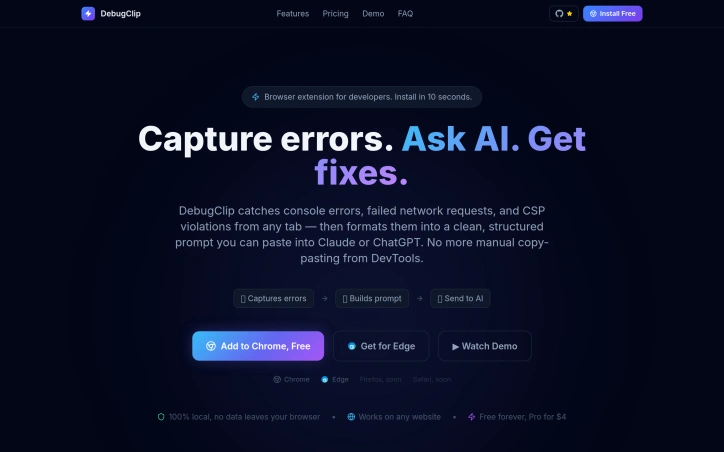
Debugging consumes far more time than it should, and developers have gotten used to it. The typical workflow involves spotting an error in the browser console, manually opening Chrome DevTools to gather context, copying fragments into ChatGPT or Claude, re-explaining the problem when the AI's first response falls flat, then repeating the cycle dozens of times per day. Each context switch costs focus and momentum. DebugClip addresses this friction by automating the bridge between where errors happen and where developers get help. The Chrome extension captures console errors, network failures, and security violations as they occur, then compiles them into a structured prompt ready to send to Claude or ChatGPT with a single click. Rather than manual transcription, developers get stack traces, request headers, response bodies, and HTTP status codes included automatically. What sets this approach apart is elimination of context switching. The extension runs silently in the background and notifies developers when issues occur, presenting everything alongside the problems themselves in a clean dashboard. The promised result is moving from discovery to actionable fix in under ten seconds, replacing workflows that consume five to ten minutes per error. The feature set mirrors what DevTools already exposes but streamlines access and AI integration. It captures every console error and warning, unhandled promise rejections, failed API calls with network details, broken resource loads, and CORS or CSP violations. This breadth ensures developers rarely need to jump back into DevTools to gather missing context. The business model is straightforward. The extension is free to use indefinitely on all websites, with a paid tier at four dollars monthly for presumably enhanced functionality. The developer emphasizes local processing, meaning captured errors remain on device and do not transmit to DebugClip servers. For developers who spend significant time debugging or testing in the browser, the extension removes a well-documented source of wasted motion. The positioning is narrow and focused, targeting a single pain point without attempting to replace DevTools or become an all-in-one solution. Chrome and Edge support is available now, with Firefox and Safari compatibility planned. The free tier makes adoption frictionless.
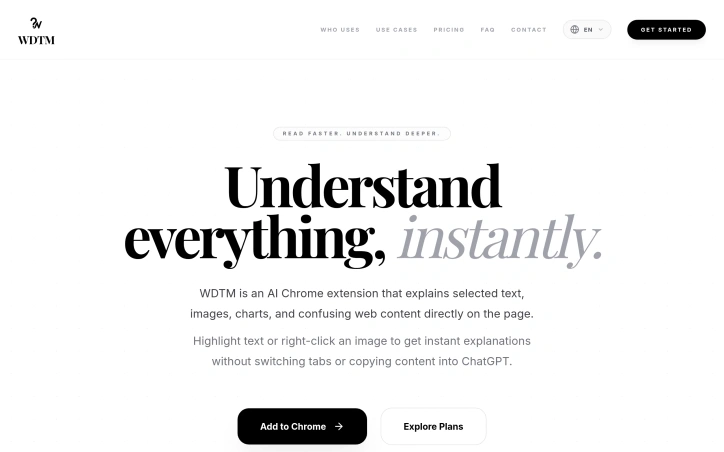
Language barriers and content complexity limit how much of the internet a person can meaningfully engage with. Whether navigating technical documentation, dense research papers, or simply encountering unfamiliar terminology while browsing, many readers hit a wall. WDTM tackles this by offering in-place explanations without context switching. This Chrome extension addresses a practical friction point in digital reading. Users highlight confusing text or right-click on images, charts, and diagrams to receive instant AI-powered explanations without leaving the page or copying content elsewhere. The tool acknowledges that confusion often stems not from laziness but from legitimate language gaps, unfamiliar terminology, or visual content that lacks adequate context. The product targets a distinctly segmented audience: students wrestling with academic sources, researchers parsing dense literature, developers decoding documentation and error messages, non-native English speakers encountering colloquial or complex prose, and visual learners who benefit from interpretation of screenshots and diagrams. This specificity suggests the founder understands that different users encounter different barriers. What distinguishes WDTM from generic AI chatbots is its laser focus on staying in context. Explaining an image or paragraph without tab-switching removes a major friction point in research workflows. The ability to handle both text and visual explanations, plus full page summaries, positions it as a tool for sustained reading sessions rather than isolated lookups. The pricing structure follows a sensible freemium model. The free tier allows 30 explanations daily with a 500k monthly token ceiling, suitable for casual research. The Pro tier costs five dollars monthly and raises limits to 150 daily explanations and five million monthly tokens, targeting heavier users without aggressive upselling. One limitation worth noting: the tool remains browser-dependent. Users working with PDFs, physical documents, or offline content fall outside its scope. The explanation quality inherently depends on the underlying AI model's capabilities, which the marketing materials do not disclose. The founder's motivation is transparent and relatable: removing barriers for non-native speakers navigating English-dominated digital spaces. That personal stake often translates to products that solve real problems rather than imagined ones. For the defined user segment, WDTM delivers genuine utility in an underserved space where generic chatbots create friction rather than solving it.

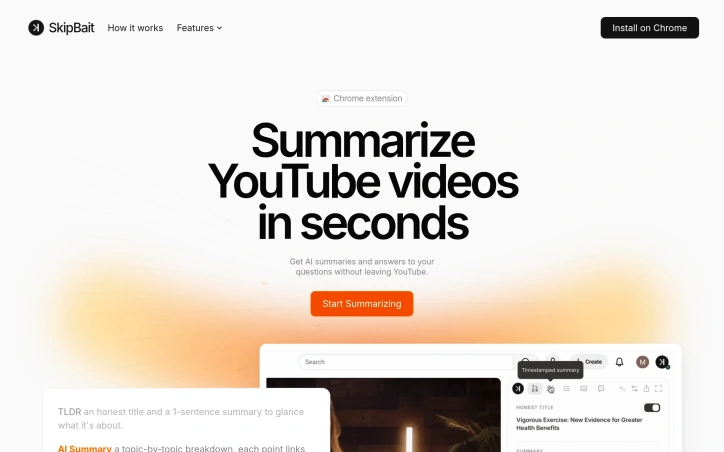
Watching long YouTube videos consumes hours that busy professionals and learners often don't have. SkipBait tackles this friction by letting viewers extract essential information without sitting through entire runtime. The Chrome extension generates AI-powered summaries, searchable transcripts, and an interactive chat interface that grounds answers in both video content and web search results. The product's core innovation lies in its approach to summarization. Rather than generic bullet points, SkipBait produces "honest titles" that capture what the video is actually about, paired with one-sentence summaries and topic-by-topic breakdowns anchored to exact timestamps. This timestamping is crucial: viewers can jump directly to relevant sections rather than scrubbing through minutes of content. The actionables feature goes further, converting speaker recommendations into concrete to-dos tied to specific quotes and moments in the video. What distinguishes SkipBait from simpler transcript tools is its AI chat functionality. Users ask questions and receive answers grounded in both the video's content and current web search results. This prevents the hallucinations and generic responses that plague transcript-only search, delivering answers that connect video insights to real-world context. Chat operates across 50+ languages, removing language barriers for global audiences. The feature set addresses multiple workflows. Students reviewing lectures benefit from timestamped breakdowns and actionables. Professionals researching industry talks gain searchable transcripts and web-informed Q&A. Content creators analyzing competitor videos access viewing history for quick reference. The expanded view mode offers focused reading without video distractions, while transcripts are available in 20+ languages for non-English content. The extension works across all Chromium-based browsers—Chrome, Brave, Edge, Arc, Opera, and Vivaldi—expanding accessibility beyond Chrome alone. Live videos and content without transcript data won't work, a natural limitation given YouTube's transcript availability. On pricing, SkipBait offers a free tier providing 2 AI summary bundles daily, unlimited transcript access, and monthly quotas for chat and translation. This freemium model lets casual users test value with real videos before committing to paid tiers. The product solves a genuine problem for a large audience: anyone tired of watching entire videos to extract a few useful insights. By combining honest summaries, timestamped breakdowns, actionable takeaways, and grounded AI chat, SkipBait makes long-form video consumption efficient rather than time-taxing. For information workers and students drowning in video content, this delivers a meaningful productivity unlock.

Hallucinating AI summaries plague the current generation of document tools, where plausible-sounding claims bypass verification until the reader discovers they were never in the source material. Sidenote tackles this through a forced citation model: every answer the AI generates must quote directly from the document being analyzed, and the server validates each citation against the actual retrieved text. Wrong claims get dropped. Citations become clickable, scrolling the document to highlight the exact passage. This transforms summarization from something requiring skeptical re-reading into a tool that actually compresses reading time. The product works as a browser extension across Chrome, Edge, and Firefox, sitting in a side panel next to whatever document the user is reading. It handles the document ecosystem comprehensively: Confluence pages, PDFs with OCR support, Google Docs, Notion, SharePoint, GitHub READMEs, arXiv papers, Slack canvases, and generic web articles. The core features cover typical summarization needs: text summaries, chat interfaces, explanations, glossary generation, and semantic search within documents. Users can highlight passages, attach notes, export outputs as Markdown, HTML, or PDF, and organize their document library with tags and starred collections. The product positions itself for internal knowledge work first, targeting users who spend time with runbooks, specifications, wikis, and technical documentation where accuracy matters more than polish. This focus is reflected in the data architecture: embeddings live in a UK region with row-level security policies isolating documents per user account. Users choose between two retention modes for each document. Store mode keeps documents indexed for the account lifetime, while Discard purges everything within 24 hours. The commitment to data privacy is explicit: documents are never used to train models. What distinguishes Sidenote is its acceptance of friction as a feature. The citation requirement means summaries trade some fluency for verifiability, a calculation that resolves a real reliability problem other summarization tools avoid through opacity. The product launches free, remains a solo project built in the UK, and emphasizes shipped features over roadmap promises. For document-heavy work where verification time often exceeds reading time, this tradeoff addresses a genuine gap in the current landscape.


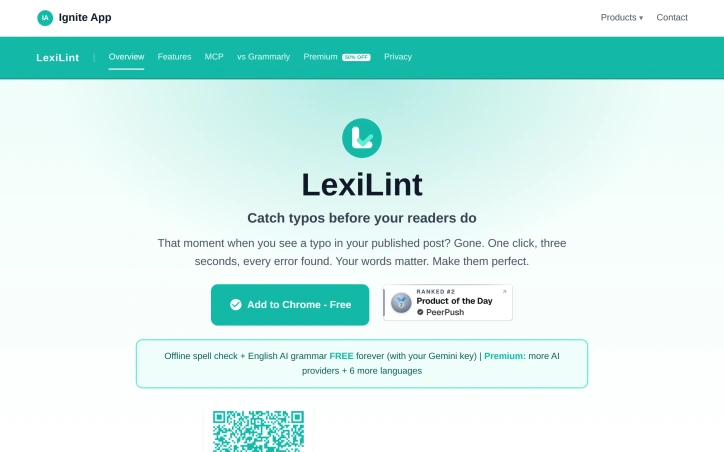
Grammar checkers have traditionally demanded accounts, monthly fees, and access to every keystroke. LexiLint inverts this model entirely. The tool carries out spelling and grammar corrections in the browser without storing text on any server, eliminating the privacy tradeoff users have long tolerated from competing services. The product targets writers and content creators who publish online and want to catch errors before readers do. It also appeals to AI users who recognize that grammar checking consumes unnecessary tokens when offloaded to a separate, local tool. The privacy-conscious find value in its core architecture, which processes text locally and never logs activity. What distinguishes LexiLint is its reliance on bring-your-own-key economics. Spell checking runs entirely offline using local dictionaries plus optional custom entries for technical terms or brand names. Grammar checking requires an AI provider, but users supply their own API credentials to services like Google Gemini, OpenAI, or Claude, keeping all text under their control. This approach sidesteps the data monetization model that fuels free grammar tools elsewhere. The feature set covers practical needs. Offline spell checking works on any webpage using curated English dictionaries. An AI grammar mode handles style, clarity, and punctuation deterministically, so the same page yields the same corrections each time. The tool supports eight languages including Spanish, French, German, Polish, Russian, and Turkish, with spell checking across all and grammar checking available in each. Users interact through a Chrome extension or tap it within AI assistants via the Model Context Protocol, enabling grammar checks inside Claude Desktop, ChatGPT, and Cursor without consuming AI tokens. The pricing structure is transparent. Spell checking costs nothing. Grammar checking through AI providers is free for users who hold Gemini API keys and charged at standard rates for OpenAI or Claude. No hidden subscriptions or per-check fees exist, and setup requires no account creation. LexiLint fills a niche for users who want reliability and privacy from their grammar tools. It trades the convenience of a single account for control of API keys themselves—a reasonable swap for those skeptical of platforms that monetize user text. The offline spell checking alone justifies installation for anyone tired of revealing their drafts to third parties.

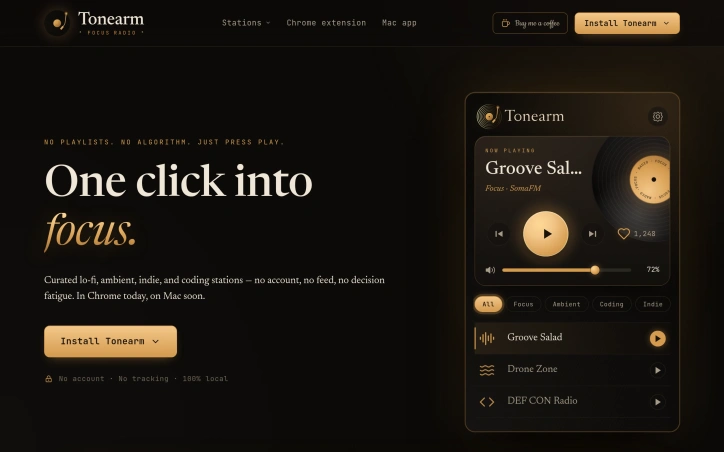
In a world where music streaming services often overwhelm users with choices and algorithmic recommendations, a simple, distraction-free radio solution is a breath of fresh air. Tonearm addresses the problem of decision fatigue and distraction, catering to individuals seeking to concentrate on tasks like coding, writing, or studying. By providing a curated selection of lo-fi, ambient, indie, and coding stations, the platform enables users to tune into a single, consistent audio stream, thereby minimizing the cognitive load associated with music selection. The product's commitment to simplicity and user privacy is noteworthy. With no account sign-ups required, users can instantly start listening to their preferred station with a single click. The absence of tracking, analytics, and personal data collection ensures a private listening experience. Moreover, the audio streams directly from the station providers, eliminating the need for a backend or proxy. Key features include the one-click start functionality, a minimalistic interface, and the ability to bind a keyboard shortcut for toggling playback. The Chrome extension and forthcoming macOS app are designed to be lightweight and unobtrusive, allowing users to maintain their focus. The curated stations are organized by use case, catering to different tasks and moods. The developer's emphasis on maintaining a tiny, calm, and independent product is evident in the design and functionality. By eschewing complex features and focusing on a straightforward radio experience, Tonearm provides a serene environment conducive to productivity. With its Chrome extension available now and macOS app on the horizon, Tonearm is poised to become a go-to solution for individuals seeking a hassle-free, focus-enhancing listening experience.

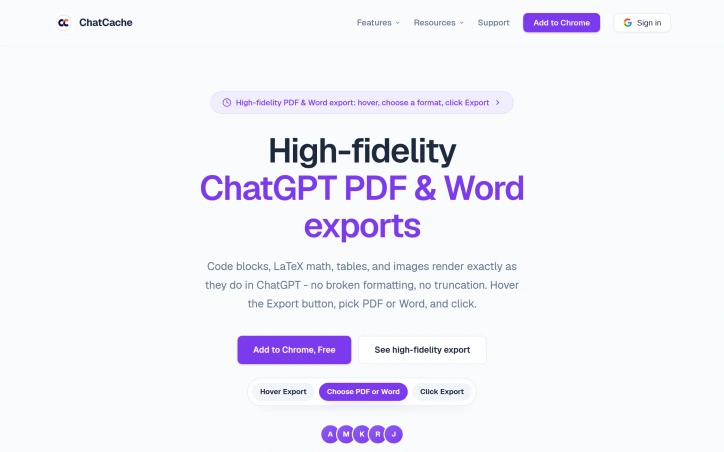
Users of ChatGPT often struggle with exporting conversations, particularly when it comes to preserving formatting and content. The lack of a seamless export process can be frustrating, especially for power users who rely on the platform for research, study, and work. ChatCache is a Chrome extension designed to address this issue, providing a straightforward solution for exporting ChatGPT conversations in various formats. What stands out about ChatCache is its ability to maintain high-fidelity exports, ensuring that code blocks, LaTeX math, tables, and images are rendered accurately in the output. The extension supports multiple formats, including PDF, Word, Markdown, HTML, text, JSON, CSV, and image exports, all accessible from a compact hover menu. This flexibility makes it a versatile tool for users with different needs. The extension is designed with power users in mind, offering features such as selective message export, an outline for long chats, and question navigation. These capabilities allow users to efficiently manage and export their conversations, saving time and streamlining their workflow. The fact that ChatCache is free and doesn't require configuration or sign-up adds to its appeal. Notably, ChatCache prioritizes user privacy, with most formats exporting locally in the browser and PDF generation using a secure API. The absence of tracking and analytics further underscores the extension's commitment to protecting user data. Overall, ChatCache is a valuable tool for anyone who relies on ChatGPT for serious work or study, simplifying the export process and preserving the integrity of the original content.

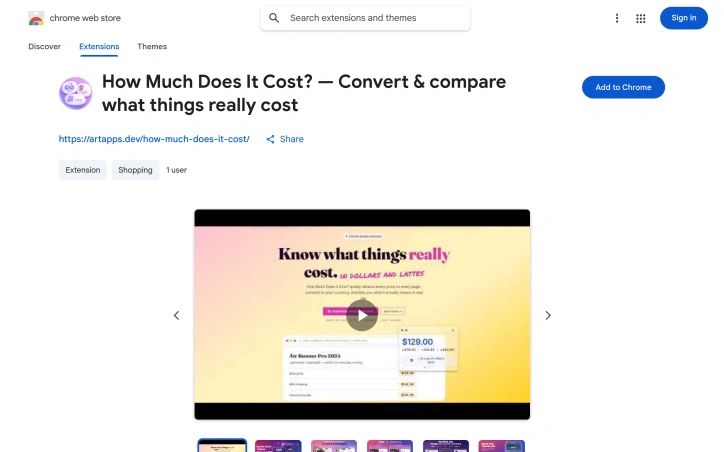
Converting foreign prices while shopping online creates friction. A jacket listed at $200 might mean nothing to someone in Brazil, Thailand, or Poland without mental math—and that's where this Chrome extension steps in. Built for global shoppers, travelers, and anyone who regularly encounters prices across multiple currencies, the tool bridges the gap between what something costs and what it actually means in your daily life. The extension automatically highlights prices as you browse any webpage, making them interactive through hover or click. It instantly converts to your home currency using real-time exchange rates, then goes further: it contextualizes the amount against local costs of living. That $50 hotel becomes "2 days of rent" in Thailand. A $1,200 iPhone surfaces as "546 lunches" in Turkey. This relatable framework—comparing purchases to everyday expenses like coffee, lunch, hotel stays, and rent—transforms abstract numbers into meaningful data points. What distinguishes this from basic currency converters is the inclusion of personal work hours. Users can input their hourly rate and see any price translated into how many hours of their life it represents. This perspective shift alone reframes impulse purchases from financial abstraction into real opportunity cost, which the founder credits as the most compelling insight the tool offers. The product covers 193 cities across 95 countries and supports eight languages, suggesting thoughtful internationalization. It operates entirely client-side with no data collection—a genuine privacy advantage that deserves emphasis in an era of pervasive tracking. The interface employs a glassmorphism design for the tooltip, ensuring aesthetic appeal rather than the utilitarian gray boxes typical of browser extensions. The free tier delivers core functionality: price detection, currency conversion, and contextual comparisons. The premium tier, available as a one-time $9.99 purchase, unlocks savings goals tracking, custom comparison categories beyond the standard offerings, and smart budget alerts. This pricing model—one-time rather than subscription—avoids recurring friction while subsidizing the free experience. The tool fills a genuine gap for international commerce, especially appealing to remote workers earning in one currency while spending in another, frequent travelers, and anyone who finds currency conversion mentally taxing. For its target audience, particularly in emerging markets where local purchasing power differs dramatically from international pricing, the extension transforms window shopping from guesswork into informed browsing.

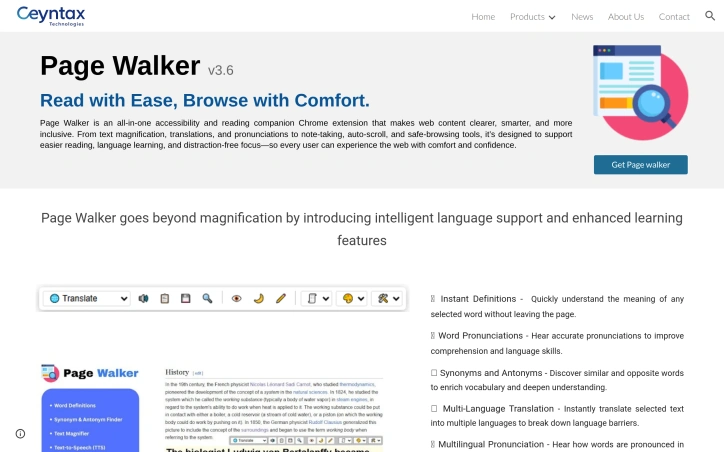
Accessibility extensions have proliferated in recent years, but few tackle the breadth of reading and learning challenges that this Chrome extension simultaneously addresses. Page Walker positions itself as a comprehensive companion for anyone struggling with text clarity, language barriers, or web-based distractions—from dyslexic users to non-native speakers to readers seeking visual comfort at odd hours. The extension's strength lies in its ambitious feature set unified under a single interface. Rather than forcing users to juggle multiple specialized tools, it consolidates text magnification, translation, pronunciation, note-taking, and annotation capabilities into one workspace. The inclusion of OpenDyslexia font support and dyslexia-focused features demonstrates deliberate consideration of neurodivergent users, a segment often overlooked by mainstream browser tools. Dual night and day modes, grayscale toggling, and hover-based magnification all serve one principle: reducing friction between the user and readable content. Language learners benefit from a particularly rich toolkit. Instant word definitions, pronunciation features across multiple languages, and synonym/antonym tools function as a built-in vocabulary accelerator. The ability to hear pronunciations in supported languages transforms reading from passive consumption into active learning—a meaningful advantage for ESL users or travelers navigating unfamiliar alphabets. The safety-oriented features—threat word detection and automatic flagging of potentially harmful language—add protective browsing capabilities beyond traditional extensions. Similarly, the email extraction tool serves a practical need for users frequently collecting contact information from web pages. Auto-scroll and the built-in notepad push the extension toward distraction-free reading workflows, positioning it less as a one-off tool and more as an environment for focused, annotated browsing. The product's ambition cuts both ways. A 12-plus feature list satisfies power users seeking an all-in-one solution but risks overwhelming users wanting just font size control. Interface design and user onboarding become critical factors; the available information doesn't clarify whether Page Walker prioritizes simplicity for casual users or depth for advanced ones. No pricing information is disclosed, leaving uncertainty about whether this operates on a freemium model, one-time purchase, or subscription basis—a crucial detail for evaluating accessibility tool adoption decisions. Page Walker attacks the accessibility market with breadth rather than depth, betting that consolidation appeals to a user base fatigued by installing separate tools for magnification, translation, and note-taking.

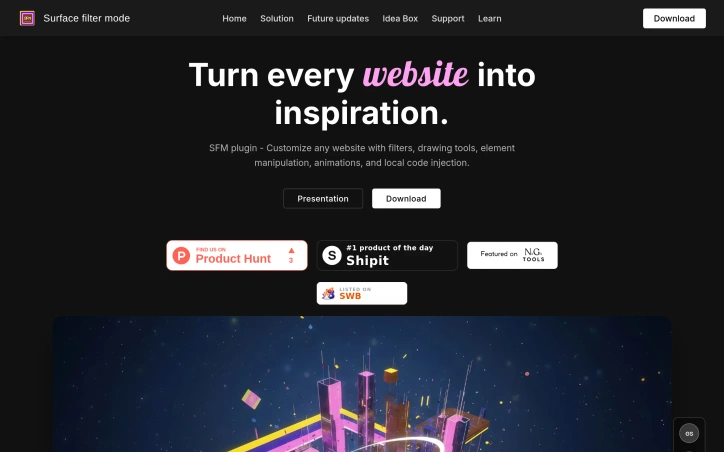
Web pages rarely look the way you want them to. Designers, content creators, and power users constantly grab screenshots, open DevTools, or drop designs into Figma just to preview the same page with a warmer palette, higher contrast, or an alternate color theme. SFM short-circuits that dance by embedding a full creative suite directly into any browser tab. Install the extension, open a site, and the page becomes your canvas—no separate editor, no third-party server, no code pushed live. Instead of forcing one universal filter, SFM gives granular control. Interactive selection boxes let you darken just the hero banner or sepia-tone the article body while leaving the navigation untouched. A slider-driven panel adjusts brightness, saturation, or vintage intensity in real time; hit save and the settings persist next time you return. If the goal is drama rather than subtle polish, animated border frames wrap elements in pulsing neon, cascading matrix characters, or glowing fire waves, all rendered on the fly with standard web APIs. Advanced users switch to the code layer. A lightweight editor accepts custom CSS or JavaScript that executes only on your machine, letting you swap fonts, add hover micro-animations, or prototype new components without touching the real codebase. Combine that with gradient map overlays or blend modes like multiply and screen and you can push a page from stock Bootstrap into surreal digital art within minutes. The absence of any mention of subscriptions, enterprise tiers, or even a paywall implies that SFM is currently offered as a free extension distributed from its Netlify site. Whether that model holds or shifts to a paid license the team has not disclosed, but for now the barrier to experimentation is exactly zero. In practice, anyone who remixes visuals for moodboards, pitch decks, or social media will find SFM a rapid-fire entry point; traditional designers gain an inspection playground; casual users can finally stop squinting at white backgrounds on dark-themed laptops.

The disconnect between how clothing appears in flat-lay product shots and how it actually looks on a body remains one of e-commerce's biggest friction points. Outfit Check eliminates this gap by generating photorealistic previews of garments worn on actual people, powered by processing the static product images already embedded in most inventory systems. This solves a direct pain point for fashion e-commerce retailers: the mounting costs of returns driven by sizing uncertainty and the inability to visualize how garments will actually fit and drape. Shoppers benefit from increased purchase confidence. Retailers benefit from lower return rates and higher customer satisfaction. The implementation proves elegant. Rather than requiring brands to commission new photoshoots or maintain a rotating cast of models across body types and sizes, Outfit Check extracts existing product images from catalogs and translates them into on-body previews algorithmically. This means retailers unlock substantially richer product visualization without proportional increases in operational overhead or reshoots. The technical challenge—rendering flat products realistically across varied body types and postures—represents genuine technical advancement in visual e-commerce infrastructure. What distinguishes this from generic virtual try-on solutions is the deliberate focus on frictionless integration. Merchants leverage existing product images without restructuring their photography workflows or creating entirely new assets. Shoppers see immediate value: instead of imagining how a dress drapes or whether jeans will stack properly, they encounter photorealistic visualization at point of decision. The positioning targets a narrower space than the sprawling virtual try-on category—specifically the flat-lay-to-body problem. This focus indicates the founders understand that successful AI products require genuine technical depth rather than thin visual filters applied retroactively. For retailers, the ROI calculation hinges on measurable improvements: conversion lift and return rate reduction. Outfit Check's business viability depends on delivering these outcomes consistently across varied product categories, inventory systems, and customer bases. The product exemplifies the kind of targeted AI application that builds defensible unit economics: superior customer outcomes, lower operational costs for sellers, and a sustainable path to pricing models that reflect clear business value.


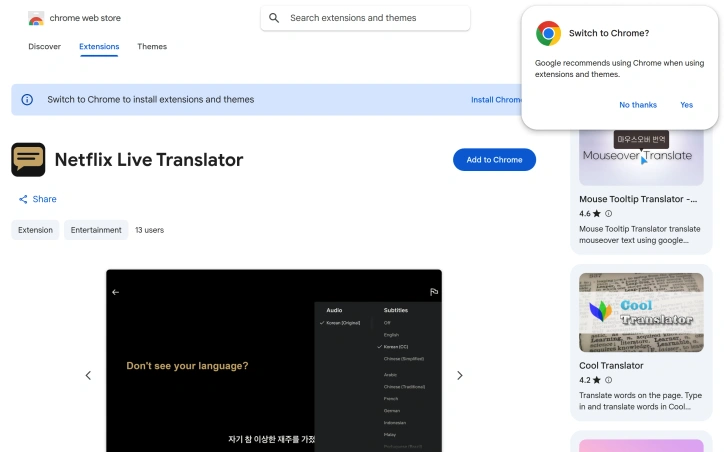
Streaming content across borders often creates a subtitle problem: foreign-language shows either come with no English subtitles, or viewers miss the challenge of engaging with original-language dialogue. Netflix Live Translator solves this by intercepting Netflix subtitles in real-time and replacing them with translations in any of 106 languages, letting viewers watch without missing dialogue or context. The extension targets language learners, international viewers, and anyone seeking content access beyond what Netflix's built-in subtitle options provide. What distinguishes this tool from other subtitle translation extensions is its architecture: it runs entirely in the browser with no backend server, no account creation, and no data collection. The developer has committed to privacy by design—your API key never leaves your browser and only communicates directly with Google's translation API. The workflow is deliberately minimal. Users select source and target languages from a popup, and the extension automatically detects subtitles on screen, translates them via Google Cloud, and replaces the originals instantly. A caching system prevents redundant API calls for repeated subtitle lines, reducing both latency and translation costs. The economic model relies on users bringing their own Google Cloud credentials. Google's free tier provides 500,000 characters per month—approximately sixteen feature-length films—enough for casual viewers at no cost. With only ten reported users and no ratings on the Chrome Web Store, Netflix Live Translator remains a niche utility. The extension launched in February 2026 and carries minimal friction for adoption: installation requires only a straightforward API key setup, which the developer guides users through directly in the interface. The developer operates it as a free project funded by optional donations, signaling this is more passion project than commercial venture. For viewers frustrated by subtitle limitations on Netflix or language learners seeking immersive practice, the tool addresses a genuine gap. Its browser-native architecture avoids the privacy and latency concerns of server-dependent translators, and the zero-cost base model removes financial barriers for eligible users. The main constraint is dependency on Google Cloud's free tier—once exhausted, users must fund their own API calls—but for casual use, the offering remains practical.
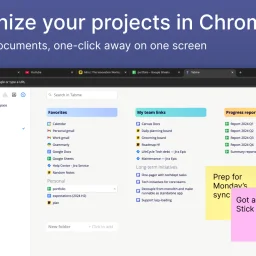
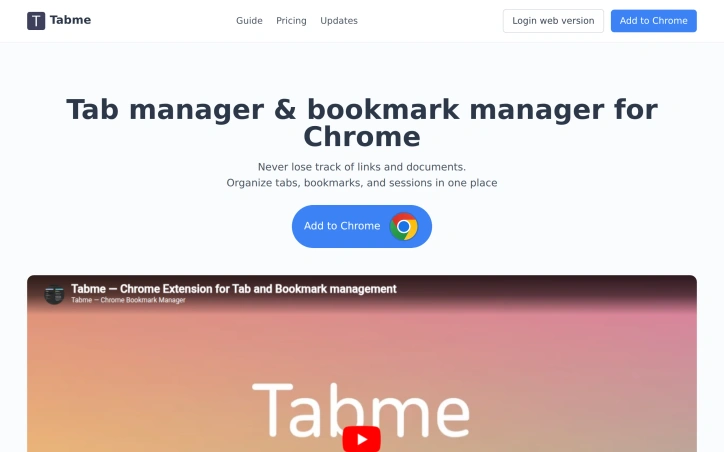
Organizing browser tabs has long been a point of friction for users who accumulate dozens of open pages and bookmarks scattered across multiple locations. Tabme, a Chrome extension, addresses this by consolidating tab management, bookmarking, and note-taking into a single interface with straightforward drag-and-drop controls. The extension handles several common browser headaches. Users can save individual tabs or entire sessions into folders with a single drag-and-drop action, reducing friction compared to manual bookmarking. Duplicate tab detection removes redundant pages with one click, directly addressing browser memory bloat that slows performance. Search functionality spans across open tabs, saved bookmarks, and recently closed tabs, eliminating the need to manually scroll through dozens of entries. A sticky notes feature lets users attach quick annotations directly to projects or collections. The product operates on a straightforward freemium model. The free tier maintains all data locally on the device, preserving privacy for users who prefer to avoid cloud dependencies. The Pro plan enables cross-device cloud synchronization and includes a web application for accessing bookmarks from any browser or phone. This structure caters to both casual users managing tabs on a single device and power users working across multiple machines. The "Mini" variant offers all features without overriding the new tab page, giving users control over how prominently the extension integrates with their workflow. User reviews emphasize simplicity and effectiveness. Comments praise the ease of organization, clean interface design, and productivity improvements. Reddit mentions suggest organic adoption and word-of-mouth traction. The extension maintains a top rating in the Chrome Store, reflecting consistent positive reception. Dark mode support and web-based access round out the feature set. Tabme serves both light organizers managing a handful of bookmarks and power users juggling dozens of projects across multiple devices.
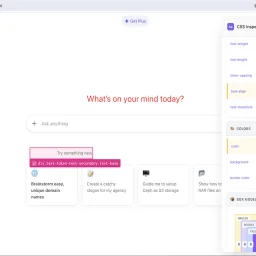
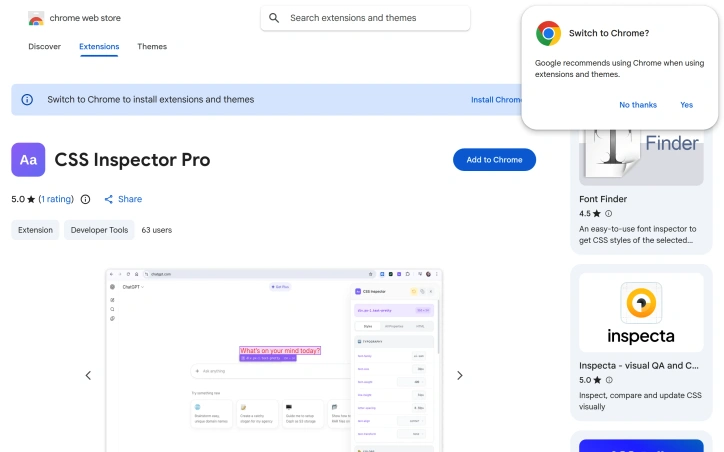
Debugging CSS issues on unfamiliar websites presents a familiar challenge for web developers and designers: how to quickly understand styling structure without struggling through the browser's default developer tools. CSS Inspector Pro addresses this need with a lightweight Chrome extension that layers an intuitive inspection interface over the inspection workflows most developers already use. The extension centers on three core workflows. First, it provides visual element selection through hover highlighting and click-to-select functionality, displaying element dimensions and selector information in real-time. Once an element is selected, developers can edit its CSS properties live with instant visual feedback, supported by color pickers and dropdown suggestions for common values. A granular revert system then allows undoing individual property changes or clearing all modifications at once, with visual indicators showing which properties have been modified. What distinguishes CSS Inspector Pro from existing inspection tools is its focus on immediate usability and simplicity. The interface organizes CSS properties by category—typography, colors, layout—rather than presenting an overwhelming flat list. A dedicated search function filters through computed properties as users type. The extension also includes a box model visualization that dynamically updates with the current element's dimensions, and tabs for viewing organized styles, all properties, or the underlying HTML source. The product appeals to a broad audience: web developers troubleshooting inherited styles on third-party sites, designers experimenting with aesthetic changes before committing to code, and students building foundational CSS understanding. The developer emphasizes privacy as a differentiator—the extension operates entirely locally, requires no signup, and collects no telemetry or usage data. All modifications remain temporary and disappear upon page refresh. The 50-user adoption rate and single five-star review suggest the extension is early in its lifecycle. Version 1.2.2, updated in February 2026, indicates ongoing maintenance. For developers who find themselves frequently inspecting unfamiliar CSS or iterating on styling without touching their editor, the extension offers a faster feedback loop than traditional browser developer tools allow.