MacBar
- No match
Machine translation — the English original is authoritative.
The Story
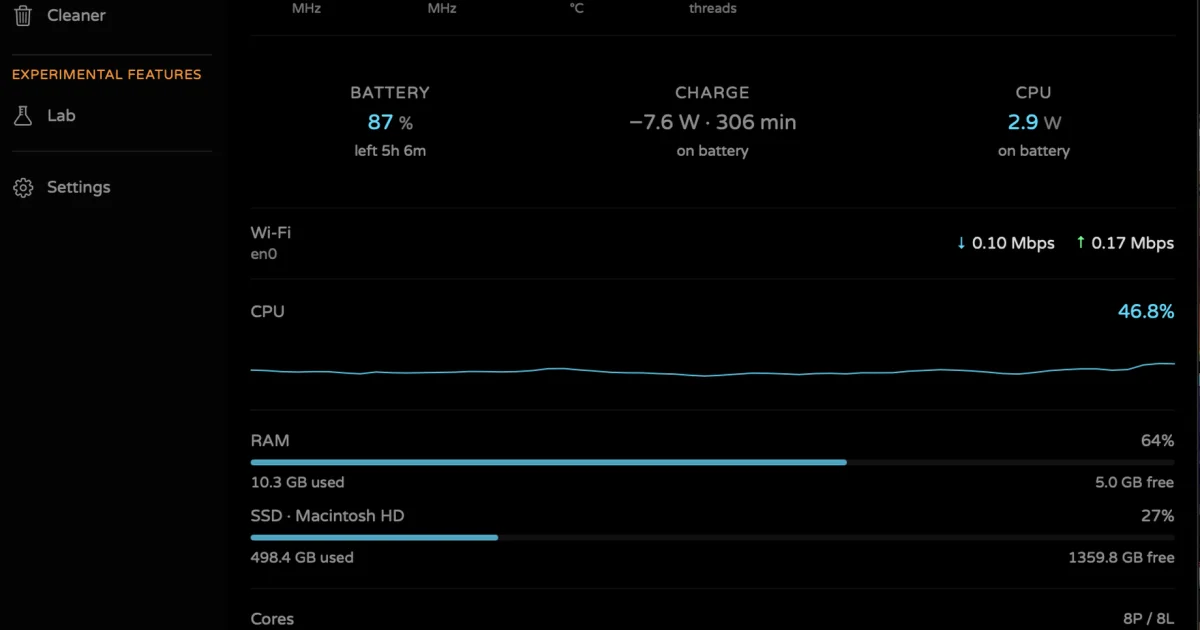
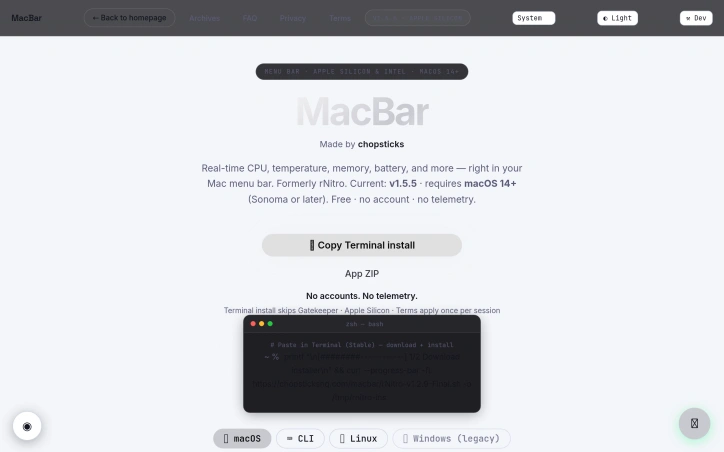
MacBar is a free, native CPU monitor built for Apple Silicon Macs. See live CPU usage, temperature, clock speed, and a full per-core breakdown — right from your menu bar, with a 60-second history graph. Installs with one hardened terminal command: builds and compiles locally on your machine, checksum-verified, no prebuilt binaries shipped, no telemetry. macOS 14+, Apple Silicon only
AI Overview
AI-generatedMenu bar system monitors solve a real friction point for Mac users: the need to quickly check CPU, memory, and thermal performance without opening Activity Monitor or third-party bloatware. MacBar addresses this with a lightweight, native alternative that stays out of the way until needed.
The product installs entirely on your terms. Rather than downloading a prebuilt binary, the terminal installation command builds MacBar locally on your machine, with checksum verification to prevent tampering. This approach eliminates a common trust barrier between users and developer tools. The application collects no telemetry and requires no account, making it straightforward for privacy-conscious users to adopt without suspicion of data harvesting downstream.
The monitoring capabilities deliver what users expect from a menu bar app: real-time CPU usage, temperature readings, clock speed, and memory stats. The interface includes a per-core CPU breakdown and a 60-second history graph, which adds useful context beyond the current snapshot. For Mac users who want to diagnose sudden slowdowns or track thermal behavior under load, this granularity matters.
The technical implementation choices reinforce the privacy position. MacBar is built as native code and comes ad-hoc signed rather than notarized, a trade-off that keeps installation simple at the cost of a one-time security warning. The developers have committed to supporting Apple Silicon going forward while ending updates for Intel Macs after version 1.2.5, a pragmatic decision reflecting the real-world platform shift in the Mac ecosystem.
Installation presents three paths: a hardened terminal command, a ZIP file, or compilation from source via Xcode. The terminal route is the default recommendation and avoids Gatekeeper friction entirely. This layered approach accommodates different user risk tolerances and technical comfort levels.
The pricing model is straightforward: the application is free. This, combined with open-source development and no account requirements, positions MacBar as a genuine public service rather than a loss leader or future revenue trap.
MacBar targets a specific audience: technical Mac users who want transparency in their system performance without the overhead of full-featured system utilities. It does not attempt to be everything; it stays in the menu bar and reports metrics. For users in that niche, it removes friction and requires no compromise on privacy.
Founder Diary
DevlogThe maker hasn't posted a diary entry yet.
Key Features
Real-Time System Monitoring
Displays CPU usage, temperature readings, clock speed, and memory stats in the menu bar
Privacy-Focused Design
Collects no telemetry, requires no account, and builds locally with checksum verification
Per-Core CPU Breakdown
Shows individual core performance with 60-second history graph for context beyond snapshots
Multiple Installation Paths
Terminal command (recommended), ZIP file, or source compilation via Xcode
Lightweight Native App
Runs as native code in the menu bar without bloatware overhead
Use Cases
-
1
Users diagnosing performance issues
Get immediate visibility into CPU, memory, and thermal metrics without opening Activity Monitor
-
2
Mac power users tracking thermal behavior
Monitor temperature and clock speed under load with per-core granularity and history
-
3
Privacy-conscious developers
Adopt system monitoring without telemetry or data harvesting concerns
-
4
Technical Mac users seeking transparency
Check real-time system performance from the menu bar without full-featured utility bloat
FAQ
Is MacBar safe and does it track my data? ▾
How do I install MacBar on my Mac? ▾
Does MacBar support Apple Silicon Macs? ▾
What system metrics does MacBar monitor? ▾
Pricing
Free application with open-source development, no account requirements, and no telemetry collection.
Tech Stack & Tags
Discussion
No comments yet — be the first!
Join the conversation — sign up to comment.
Sign up freeCommunity Support
Boost this project on Sell With boost