
RemoveText.video

- No match
Machine translation — the English original is authoritative.
The Story
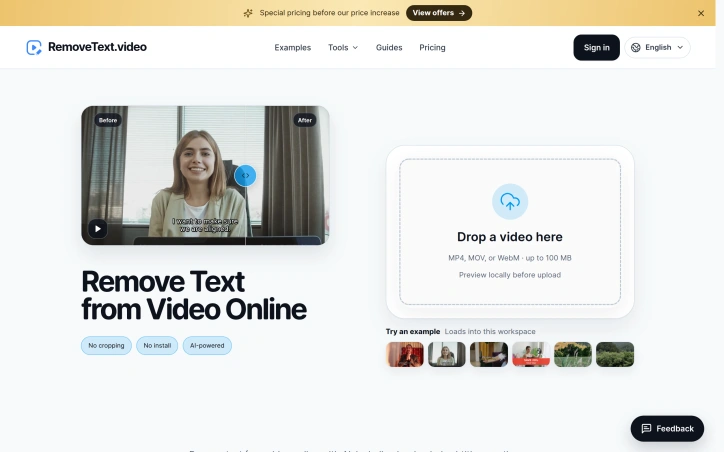
I built RemoveText.video because video editors shouldn't have to crop frames or rebuild entire edits just to remove hardcoded captions, logos, or watermarks. The tool uses AI to automatically detect and remove text overlays while reconstructing the affected area, preserving your original framing. Simply select what needs to disappear, review the area, and download a clean version of your clip.
AI Overview
AI-generatedVideo editors often face a tedious choice: crop the frame and lose important content, cover unwanted elements with stickers, or rebuild entire projects because hardcoded captions, watermarks, or logos need removal. RemoveText.video eliminates this frustration by using artificial intelligence to detect and reconstruct text overlays while preserving the original framing and composition.
The platform handles a broad range of text removal scenarios. Users can target hardcoded text like dates and labels, creator captions before fixing typos or styling, burned-in subtitles, logos, watermark overlays, and internal review marks. The tool also removes audio tracks entirely, useful for creators preparing silent versions for new soundtracks.
What sets the offering apart is its balance of automation and control. The system includes automatic detection for fixed text, running locally on sampled frames before any upload occurs. For more complex cases—moving overlays, captions over faces or detailed backgrounds—users can manually select up to three target areas on the free tier or ten on paid plans. This hybrid approach acknowledges that real-world video often contains difficult cases automation struggles with.
The workflow prioritizes user certainty throughout the process. After selecting a file, the platform generates a local browser preview without uploading the clip. Automatic detection displays selected areas and estimated credit cost before processing begins. Users inspect and approve the complete output before downloading, reducing wasted processing on incorrect selections.
The product supports MP4, MOV, and WebM files. Original videos remain accessible for seven days, while paid outputs persist for thirty days. The credit-based pricing model offers flexible usage distinct from traditional subscriptions, though specific costs per operation remain undisclosed.
The core strength lies in solving a genuine pain point for video editors without resorting to crop-based shortcuts. By handling pixel reconstruction automatically, the tool preserves creative intent and saves production time. The emphasis on local preview and manual override options demonstrates understanding that video quality control cannot be entirely automated.
Founder Diary
DevlogThe maker hasn't posted a diary entry yet.
Key Features
AI Text Reconstruction
Automatically detects and reconstructs text overlays while preserving original framing and composition
Manual Selection Control
Users can manually select up to 3 target areas on free tier or 10 on paid plans for complex cases
Local Preview
Generates a local browser preview without uploading the video clip
Audio Track Removal
Removes audio tracks entirely, useful for creators preparing silent versions for new soundtracks
Multi-Format Support
Supports MP4, MOV, and WebM video files
Use Cases
-
1
Video editors removing hardcoded text
Eliminates dates, labels, and captions without cropping frames or losing important content
-
2
Content creators fixing captions
Allows removal of burned-in subtitles and creator captions before fixing typos or restyling
-
3
Logo and watermark removal
Removes watermark overlays and logos from videos for professional publishing
-
4
Content repurposing
Enables creators to remove audio and prepare silent versions for new soundtracks
FAQ
What video formats does RemoveText.video support? ▾
How many areas can I select for removal? ▾
Does the platform upload my video for preview? ▾
How long are my videos stored? ▾
Pricing
Uses a credit-based pricing model with flexible usage distinct from traditional subscriptions, with specific per-operation costs undisclosed.
Tech Stack & Tags
Discussion
No comments yet — be the first!
Join the conversation — sign up to comment.
Sign up freeCommunity Support
Boost this project on Sell With boost
Meet the Founder

More in Video editing

VideoSnap
I built VideoSnap to provide a private and free...

Leumos AI
See a color grading look you love? Bring it to y...

SubtitleGenerator
SubtitleGenerator helps creators turn videos int...

CineGen
CineGen began with a simple problem: creating an...
ReelHive
We built ReelHive to save real estate agents hou...

Clipfox
We built Clipfox because we saw creators and bra...