
Transpic
- No match
Machine translation — the English original is authoritative.
The Story
I created Transpic because translating images while preserving visual context is critical. When you translate a menu, product graphic, or document, the text must stay positioned correctly to remain meaningful. I built this tool to translate image text in 60+ languages instantly while keeping everything perfectly placed.
AI Overview
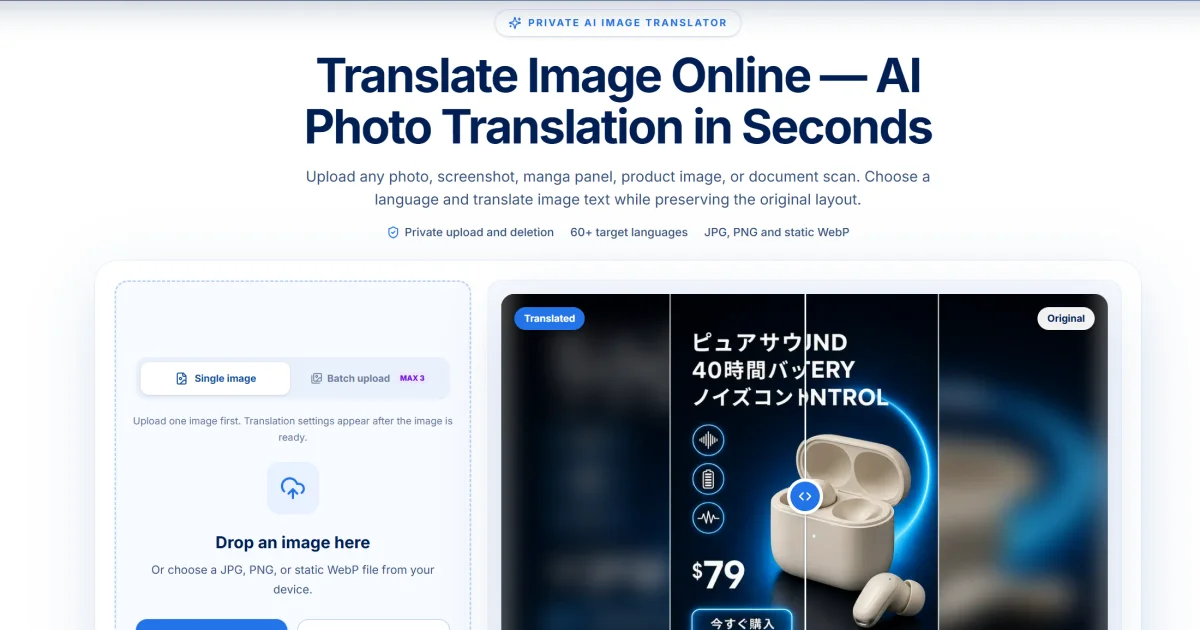
AI-generatedPreserving visual layout during image translation is a deceptively complex problem that most tools ignore. When a restaurant needs menus translated into multiple languages, when an e-commerce company adapts product graphics for new markets, or when manga publishers localize comics for international audiences, getting the text right is only half the challenge. The words must stay positioned beside the prices, icons, and visual elements they describe, or the entire image loses clarity and commercial value. Transpic addresses this specific gap by translating image text in over 60 languages while maintaining the exact placement and visual relationships that make the original layout meaningful.
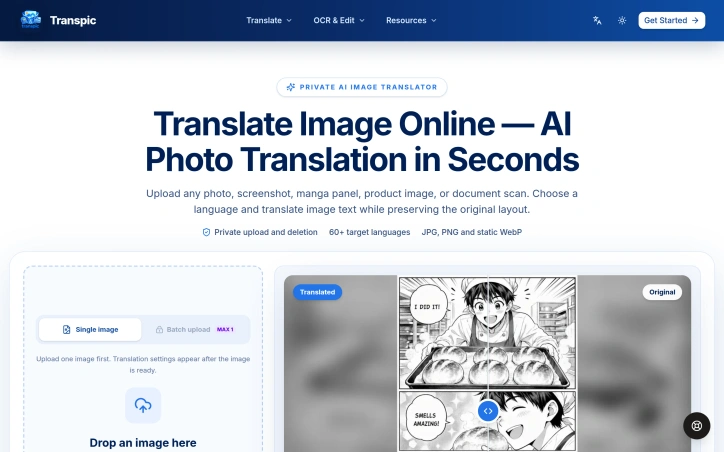
The platform accepts photos, screenshots, product graphics, posters, and document scans in JPG, PNG, or WebP formats, then outputs editable translations at the original image dimensions. Users upload images, choose their target language, and receive a side-by-side comparison showing the original and translated versions. The interface lets viewers inspect individual text blocks, make manual adjustments to wording, sizing, color, or placement, and export the final result without rebuilding the design from scratch. This direct editing capability matters because it gives users transparency and control rather than demanding they accept an automated outcome or send files elsewhere for manual rework.
What distinguishes Transpic from basic optical character recognition and machine translation is its commitment to preserving visual context. The product connects each translated phrase back to the sign, label, speech bubble, or callout that gave those words meaning in the first place. A manga panel's dialogue stays with the character speaking it. A menu item's price remains beside the dish. A product benefit aligns with its corresponding icon. This relationship is harder to achieve than simply extracting text, translating it, and dropping it back, yet Transpic treats it as non-negotiable.
The service stores uploads privately rather than publishing them publicly, and batch processing is available. The platform does not directly accept PDFs or Word documents, and images with tiny lettering, curved fonts, heavy textures, or overlapping artwork require manual refinement in the editor. Plan tiers determine batch size, available languages, watermark settings, editing history, and commercial usage rights, though specific pricing remains undisclosed. For companies that regularly adapt visual content across multiple languages and markets, the layout-aware approach offers genuine efficiency gains over traditional design workflows.
Founder Diary
DevlogThe maker hasn't posted a diary entry yet.
Key Features
Multi-Language Translation
Translates text in over 60 languages while maintaining visual layout
Layout Preservation
Maintains exact placement and visual relationships between text and design elements
Editable Output
Users can manually adjust wording, sizing, color, and placement before export
Visual Context Awareness
Connects translated phrases back to their original visual elements like speech bubbles and labels
Batch Processing
Supports batch processing of multiple images
Use Cases
-
1
Restaurant Menu Translation
Restaurants need menus translated into multiple languages while keeping prices and text positioned correctly
-
2
E-Commerce Product Graphics
E-commerce companies require translated product graphics for new markets with maintained visual relationships
-
3
Manga and Comic Localization
Publishers localize comics for international audiences while keeping dialogue aligned with characters
FAQ
What image formats does Transpic support? ▾
Can I edit translations after they're generated? ▾
How does Transpic handle complex images? ▾
Is my uploaded content kept private? ▾
Tech Stack & Tags
Discussion
No comments yet — be the first!
Join the conversation — sign up to comment.
Sign up freeCommunity Support
Boost this project on Sell With boost
Meet the Founder

More by weifeng chu



More in Translation
TransVoice Studio - AI Video Dubbing & Visual Translator
TransVoice Studio was created to redefine how co...
TransVoice AI- Live Voice Translator
TransVoice AI was born out of a simple need: mak...

PageTranslate.ai
PageTranslate.ai translates complete books and d...
Elvish Translator
I built Elvish Translator because existing tools...