
Catalyst Healthspan Audit
Personal trainers typically sell training sessions. This startup reversed the equation by building assessment first, mak...

CrabTap
Small businesses have long struggled to implement loyalty programs without massive overhead. CrabTap addresses this gap...

uploadthefile.com
Sharing files and publishing static content has long required friction: account creation, platform navigation, or comman...
Best Camera apps Startups & Tools
Advanced camera controls, modes, and editing tools for photos and video.
Recently Listed
2 launches
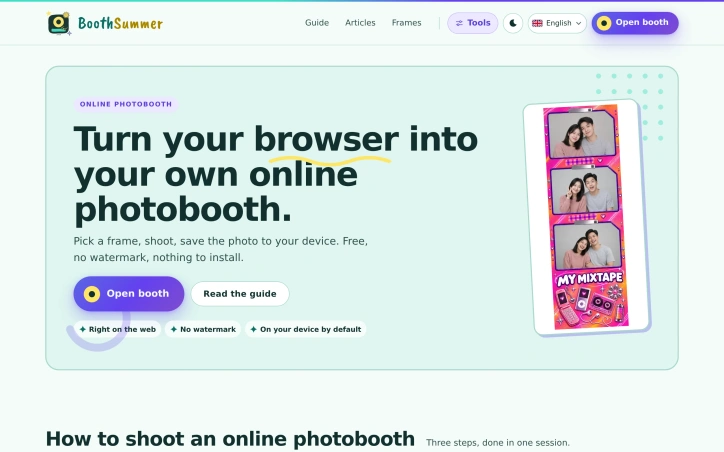
Accessibility meets aesthetics in this browser-based photobooth that democratizes an experience typically confined to arcades, events, and expensive software suites. Running directly in Safari or Chrome without installation, it lets users shoot photo strips from any device with a camera—smartphone, laptop, or tablet—and save the results locally without watermarks or fees. The product distinguishes itself through deliberate design choices that prioritize user control. A library of frames organized by mood—cute, vintage, festive, minimal—gives users creative direction without overwhelming options. The filter suite draws from professional grading techniques, offering 32 LUT color grades and subtle light retouching that users can toggle on or off. Additional effects like snow, sparkle, hearts, and confetti layer over the viewfinder in real time, letting users compose the shot before capture rather than discovering the look afterward. Privacy-conscious features reinforce the no-installation approach: all processing happens on the device itself, never uploaded. Users can sign the finished strip with one of 15 handwriting fonts, including Vietnamese, directly into the downloaded file. The capture flow reduces friction with three steps—pick a frame, shoot, download—all in a single session. Swapping frames mid-session preserves earlier shots. An optional video mode exports the strip as a five-second moving clip at user-selected speeds without audio, adding a recording dimension without requiring a separate interface. Pricing is straightforward: free with no watermark and no hidden tiers. The positioning targets casual users seeking entertainment at home or in social settings alongside those wanting a modern alternative to both physical booths and desktop software. The browser-native approach eliminates friction for mobile users, where downloading an app often faces resistance from install prompts and storage concerns. The execution emphasizes restraint. Effects and filters enhance rather than dominate; every visual treatment can be disabled. This philosophy extends to the interface—the strip is composed and downloaded to the user's device by default, with ownership immediate and local. For users weary of applications that demand installation and storage space, this approach proves refreshingly direct.
Preparation for video work deserves better tools than guessing. Simple Camera App addresses a genuine gap by providing a controlled environment to test camera functionality and capabilities before relying on it for a call, presentation, class, recording, or stream. The application works across macOS, Windows, and Linux, discovering all connected cameras regardless of their origin—built-in displays, external USB devices, and iPhones through Continuity. More significantly, it displays every resolution and frame-rate combination each camera reports, bypassing the simplified mode selections that browsers and operating systems typically present. This transparency matters for anyone whose video quality or reliability directly affects their work. What separates Simple Camera App from improvised camera testing is its technical foundation and core assumptions. It uses native camera APIs on each platform rather than generic abstractions, enabling it to surface comprehensive camera capabilities that cross-platform tools cannot access. Video feeds remain entirely local with no recording, uploading, or mandatory accounts—addressing legitimate privacy concerns that arise when third-party services capture webcam input. When problems occur, the app diagnoses failures and suggests recovery steps rather than offering vague error messages. The free version supports single-camera testing in default mode, adequate for quick verification before casual calls. A one-time Pro upgrade adds simultaneous multi-camera windows and access to specific resolution and frame-rate options, serving creators and professionals who must validate complete technical configurations before streaming or recording. An understated but practical feature allows each open camera to briefly display a large number, enabling users to match specific live feeds back to the device list without confusion—solving real friction in camera setup workflows. Simple Camera App occupies a specific niche but executes it thoroughly. Remote workers, content creators, educators, and anyone whose video reliability directly matters will find genuine utility in its focused toolset. The cross-platform availability and one-time purchase model lower friction compared to subscription alternatives, making verification accessible without recurring fees or account overhead.
