Cloakshot
- No match
Machine translation — the English original is authoritative.
The Story
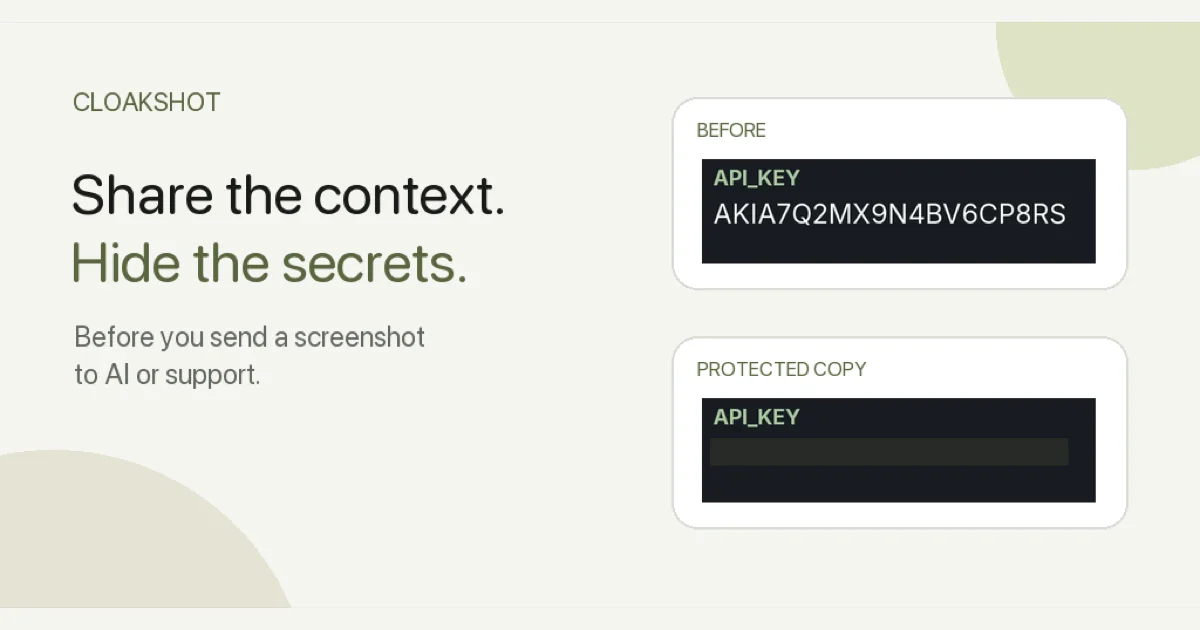
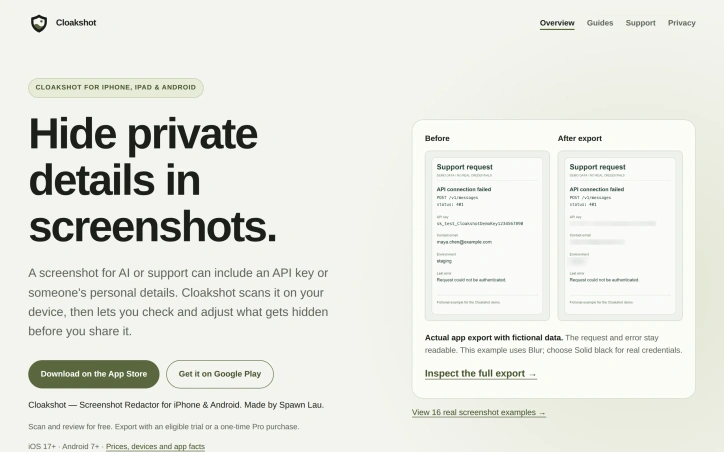
Cloakshot is a screenshot redaction app for iPhone, iPad and Android. It scans images on your device and suggests sensitive details to cover before you share them with AI tools, support teams or other people. Review the findings, adjust the masks, and export a separate copy while keeping useful context readable. Images and scan results are not uploaded, and no Cloakshot account is needed. Scanning and editing are free. Export requires an eligible active 14-day device trial or a one-time Pro Lifetime purchase; the trial needs no payment details and does not renew automatically.
AI Overview
AI-generatedAccidental data exposure through screenshots has become a genuine security concern as teams increasingly share images with AI assistants and support teams. Cloakshot addresses this gap by providing on-device redaction specifically designed to catch what people often miss when manually blurring sensitive information.
The app scans screenshots to identify potentially problematic content including API keys, passwords, phone numbers, email addresses, faces, QR codes, and photo metadata like GPS coordinates and EXIF information. Rather than redacting automatically, it flags candidates and lets users decide what actually needs hiding, preserving context that might be valuable for troubleshooting or communication. The redaction happens locally on the device, with no image uploads required and no account creation necessary.
What sets Cloakshot apart is its verification workflow. After users apply masks and choose which metadata to remove, the app scans the redacted copy again to catch anything missed in the first pass. This second look acknowledges an uncomfortable truth: single-pass redaction tools are fallible, and users need help spotting remaining high-risk details. The final image is saved as a separate PNG file with masks baked in rather than stored as editable layers, which prevents accidental unmasking.
The editing experience allows fine-grained control. Users can select individual characters rather than whole words, move or resize masks to adjust coverage, and switch between blur and solid black effects. This granularity matters when hiding an API key but keeping surrounding error messages readable, or covering one person's name in a group photo while leaving others visible.
The pricing model reflects the app's positioning as a utility rather than a platform. Scanning and mask editing are free, which lowers the friction for trying the product. Export requires either a fourteen-day free trial with no credit card or a one-time purchase for Cloakshot Pro Lifetime. This approach avoids recurring subscription costs and eliminates the common frustration of free-tier apps with expiring trials or automatic renewals. The fact that no account is required removes another friction point for privacy-conscious users.
The straightforward positioning targets both individuals and teams who regularly handle screenshots containing sensitive information. Support staff, security researchers, security engineers, and knowledge workers who document processes with screenshots would all find value. For a market segment where many people still manually blur sensitive data or avoid sharing screenshots entirely, an app that does local scanning, invites human judgment, and prices as a one-time purchase represents a practical improvement to an existing workflow.
Founder Diary
DevlogThe maker hasn't posted a diary entry yet.
Key Features
On-Device Redaction
Scans screenshots to identify sensitive data including API keys, passwords, phone numbers, email addresses, faces, QR codes, and metadata without uploading images
User-Controlled Flagging
Highlights potentially sensitive content and lets users decide what to redact while preserving surrounding context
Verification Workflow
Rescans redacted images a second time to catch any missed sensitive details before export
Fine-Grained Editing
Select individual characters, move and resize masks, and choose between blur or solid black effects
Secure Export
Saves final images as PNG files with masks baked in rather than editable layers to prevent accidental unmasking
Use Cases
-
1
Support staff
Share screenshots with customers and teams without exposing sensitive technical information or error details
-
2
Security researchers and engineers
Document findings and share system information while protecting credentials and access keys
-
3
Knowledge workers
Create process documentation with screenshots while protecting confidential information
-
4
Privacy-conscious individuals
Share screenshots without risk of accidentally exposing personal data or metadata
FAQ
Does Cloakshot upload my screenshots to the cloud? ▾
What types of sensitive data can it detect? ▾
Is there a free version I can try? ▾
Can I undo or change redactions after saving? ▾
Pricing
Free scanning and editing, one-time purchase for Pro Lifetime to enable exports beyond the 14-day trial
Tech Stack & Tags
Discussion
No comments yet — be the first!
Join the conversation — sign up to comment.
Sign up freeCommunity Support
Boost this project on Sell With boost
Meet the Founder

More by leconio
More in Screenshots and screen recording apps
iOS Live Face Cam Screen Recorder
Demo Scope is a mobile screen recorder with a li...
ClickToGuide
As a software engineer, I constantly see how muc...
AppScreenshoot
We saw app creators spending hours resizing and...
ScreenGlimpse
Trying to find quick screen recording tool that...
Website Scroll Video
I created Website Scroll Video because manually...
Soundtest
We built Soundtest because noise disputes withou...