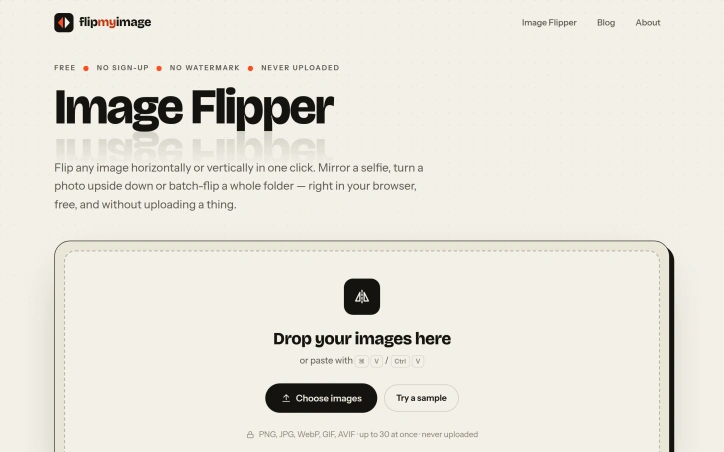
Image Flipper
- No match
Machine translation — the English original is authoritative.
The Story
I built Image Flipper to solve the frustration of flipping images without uploading them to servers or dealing with watermarks. It lets you mirror or rotate images horizontally and vertically in seconds—right in your browser, completely private, with no sign-up needed and support for batch processing up to 30 images at once.
AI Overview
AI-generatedAn image rotation tool that processes entirely in your browser, Image Flipper addresses a persistent friction point for anyone who needs to mirror or flip photos without uploading to servers or managing watermarks. The service eliminates account creation, daily limits, and file restrictions that plague most free web alternatives.
The core strength rests on privacy and speed. Because all processing happens client-side using the browser's native canvas, images never leave your device. This architectural choice delivers instant results without the typical upload delays and processing bars that frustrate users of cloud-based competitors. The instantaneous preview shows exactly what users are getting before they commit to a download.
The feature set covers both common flip operations. Horizontal mirroring corrects reversed selfies and adjusts composition, while vertical flipping creates upside-down effects and reflection patterns. Users can apply both simultaneously, and the interface makes switching between options intuitive. The tool handles batch operations across up to 30 images, with downloads available as a single ZIP file rather than requiring individual file management.
Format flexibility distinguishes it from single-format alternatives. Users can save in PNG for lossless quality with transparency, JPG for smaller files, or WebP for minimal file sizes. The option to retain the original format appeals to users seeking quick conversions without reformatting entire libraries.
The interaction model favors efficiency throughout. Drag-and-drop support, keyboard paste shortcuts, and a hold-to-compare function keep the workflow frictionless. It accepts PNG, JPG, WebP, GIF, and AVIF files, covering virtually every format users encounter.
With no cost, no signup requirement, and no watermarks, Image Flipper competes entirely on speed and convenience. The product strips away every conventional obstacle between users and their flipped files. The business model remains implicit from the website, revealing no subscription tiers, advertisements, or premium features. For casual image flipping or batch corrections, the tool delivers exactly what it promises: a straightforward browser utility that completes its single task without friction, landing page complexity, or hidden catches.
Founder Diary
DevlogThe maker hasn't posted a diary entry yet.
Key Features
Client-Side Processing
All image processing happens in the browser, ensuring images never leave your device
Batch Image Operations
Handle up to 30 images at once with downloads available as a single ZIP file
Multiple Output Formats
Save in PNG for lossless quality, JPG for smaller files, or WebP for minimal sizes
Flip and Mirror Options
Perform horizontal mirroring, vertical flipping, and combined transformations instantly
No Account Required
Use the tool without signup, daily limits, or file restrictions
Hold-to-Compare Preview
Instantly preview changes before downloading with the comparison function
Use Cases
-
1
Casual photographers
Correct reversed selfies and adjust composition without uploading to cloud servers
-
2
Batch image editors
Process multiple photos efficiently and download them together as a single ZIP file
-
3
Privacy-conscious users
Keep images private by processing entirely in the browser without any server uploads
-
4
Creative editors
Create upside-down effects and reflection patterns for stylized image transformations
FAQ
Can I flip multiple images at once? ▾
Will my images be uploaded to any servers? ▾
What image formats are supported? ▾
Do I need to create an account? ▾
Pricing
The tool is completely free with no subscription tiers, advertisements, or premium features.
Tech Stack & Tags
Discussion
No comments yet — be the first!
Join the conversation — sign up to comment.
Sign up freeCommunity Support
Boost this project on Sell With boost
Meet the Founder

More in Photo editing

MetaScope
As a professional photographer, I needed a tool...

Banana AI - Free AI Image Generator
Banana AI is a free AI image and video generatio...

TurboConvert - Image Converter
As a solo web dev I was constantly juggling PNG...

AImageResize
I built AImageResize to simplify image resizing...

PixelBoost AI
I built PixelBoost AI to eliminate the complexit...

throwback: same you. another lifetime.
We built Throwback to help people reconnect with...