#transcription Startups & Tools
Discover the best transcription startups, tools, and products on SellWithBoost.
Audio and video transcription is increasingly essential for professionals, students, and content creators who need to convert spoken material into searchable, quotable text. Gyuret Notes addresses this workflow with an AI-powered transcription service that accepts multiple input formats and generates actionable outputs beyond basic transcripts. The platform accepts audio files in common formats (MP3, MP4, M4A, WAV), direct YouTube links, voice recordings, and audio captured from Chrome browser tabs—a capability particularly useful for remote workers transcribing meetings run through Google Meet or Zoom. Once transcribed, users can generate summaries that distill content to key points, create more granular notes for detailed documentation, or translate the output into other languages. This multilayered approach to post-transcription work distinguishes it from basic transcription-only tools that stop after converting speech to text. Gyuret Notes targets meetings, classes, interviews, podcasts, and voice notes, suggesting appeal across both professional and educational contexts. Remote workers managing team standups, students recording lectures, and content creators processing interview material would find the use case applicable. The product operates on a freemium model with three tiers. Users can start without creating an account and receive 10 minutes of free transcription daily. Signing in via Google extends free access to 30 minutes per day with permanent account history. The Pro tier costs $5 per month and increases the daily limit to 4 hours, providing 4,000 minutes of transcription monthly, along with ad removal. This tiered approach allows users to evaluate the service before committing to paid access. A practical design choice is account history, which preserves previous transcriptions. Users can revisit or reprocess earlier recordings without uploading files again. The platform runs on both web and Android, providing access across devices. The workflow is straightforward: add input through the chosen method, receive a transcript, generate summaries or detailed notes, translate if needed, then save or export the result. For users seeking a streamlined transcription tool valued for flexible inputs and post-processing capabilities, Gyuret Notes delivers. The generous free tier accommodates experimental use, while the summary and notes features address workflows that require distilling recorded content into actionable information rather than processing transcripts elsewhere.
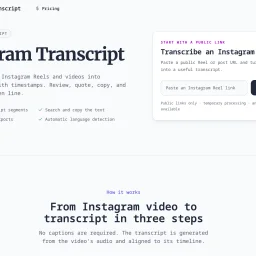
Converting video content into accessible text remains a persistent gap in content workflows, particularly for social platforms where audio-driven content dominates. IGTranscript addresses this by enabling users to extract searchable, timestamped transcripts from public Instagram Reels and video posts, transforming spoken content into reusable text without requiring login credentials or relying on existing captions. The tool fills a genuine need for creators, researchers, and content professionals who frequently need to reference, quote, or verify specific moments in video. Rather than scrubbing through footage to locate a particular statement, users paste a public Instagram link and receive a transcript indexed by time codes. This approach works regardless of whether the original content includes captions, since the transcription originates from the video's audio track. Several capabilities distinguish the product. The export options—supporting TXT, SRT, and VTT formats—make transcripts immediately compatible with subtitle workflows and editing software, extending their utility beyond simple note-taking. Timestamped segments anchor each line of dialogue to its position in the video, allowing users to verify quotes against the source before republishing. A search function within the transcript itself accelerates the process of locating specific names, phrases, or claims. Automatic language detection removes friction for content in languages beyond English, though users can override this to ensure accuracy. The implementation respects privacy by processing media temporarily rather than creating permanent public archives, and the platform explicitly restricts itself to public links, rejecting private accounts before processing begins. This design choice sidesteps account compromise and misuse vectors while keeping operations straightforward. The tool acknowledges its own limitations: transcript accuracy varies with source audio quality, background music, speaker accents, and overlapping dialogue. This transparency prevents overconfidence in edge cases where transcription might struggle. IGTranscript succeeds as a focused utility rather than an ambitious platform. It solves one problem thoroughly—making video audio searchable and citable—for users who regularly work with Instagram's video format. The lack of login requirements and the emphasis on data portability through standard subtitle formats position it as genuinely user-centered, not designed to create lock-in.
Communication across language barriers typically demands friction: copying text between applications, waiting for translation services to process, losing conversational flow. Lispr addresses this by collapsing the entire workflow into a single gesture—hold a key to dictate, tap a second key mid-speech to translate, and watch the text appear directly at your cursor in any application. The product serves anyone who regularly switches between languages or dictates extensively, whether composing WhatsApp messages in Spanish, writing Slack threads in Portuguese, or taking notes in French. Built by Codebridge, it eliminates the context-switching that characterizes existing solutions: no jumping between apps, no chat interfaces cluttering your workspace, no account creation required. What distinguishes Lispr is execution speed combined with aggressive scope minimization. Dictation completes in under a second, translation follows within roughly 700 milliseconds. This isn't aspirational—the product targets actual responsiveness, not theoretical performance. The feature set reflects this focus: plain dictation, translation into 32 native languages, custom vocabulary support for product names or domain-specific terms, and clipboard-aware insertion that restores whatever you'd previously copied. It works identically everywhere a cursor blinks, from terminal emulators to design tools to text editors. The technical choices reinforce privacy defaults. Lispr uses Whisper's large-v3-turbo model and requires no account creation or persistent connectivity. Every release receives Apple's notarization process, which scans for malware and eliminates security warnings on installation. The entire application consumes roughly 17 megabytes. Lispr's business model stands out primarily for its absence—the application is free. The founder emphasizes eliminating friction rather than monetizing it. This positions Lispr differently from Wispr and Flow, competitors that charge either subscription or upfront fees for similar functionality. Whether this free model scales depends on factors outside the visible product, but it currently represents a significant advantage for adoption. The interface philosophy mirrors the core insight: a menu bar presence, push-to-talk activation, and zero visual clutter. Speech language detection operates across roughly 99 languages, though translation output targets the 32 languages listed. This constraint reflects pragmatic design rather than accidental limitation—supporting everything weakens everything. For users who spend time moving between languages or dictating across multiple applications, Lispr substantially reduces both time spent typing and cognitive overhead. It targets a specific workflow and executes within that scope with discipline.

Voice input has long lagged behind typing as a productivity tool for knowledge workers, but MachinesFluent reimagines speech-to-text by treating it not as assistive accommodation but as core efficiency infrastructure for Windows users. The product targets anyone dealing with heavy text input demands—writers, researchers, developers—and particularly those experiencing repetitive strain or simply seeking faster input methods. What elevates MachinesFluent beyond commodity voice dictation is its integration of AI-powered text transformation. Rather than merely transcribing speech, the tool lets users invoke voice commands to rewrite, summarize, translate, and extract information from their screen. Multiple AI models (OpenAI, Anthropic, Google, Moonshot) chain into customizable hotkey workflows, allowing voice input for emails followed by automated professional formatting, or meeting transcription converted to structured notes with action items. The feature set spans offline speech-to-text, smart punctuation with automatic filler word removal, searchable dictation history, and custom vocabulary dictionaries. Integration covers thirty-plus applications—Word, Notion, Gmail, Slack, Asana—delivering genuine system-wide voice input rather than app-specific workarounds. Performance claims run aggressive: the product promises 4x speed over traditional typing with sub-12-millisecond latency. Speed gains depend on individual typing proficiency and speech clarity, but the offline architecture removes network bottlenecks plaguing cloud-based competitors. The founder's personal motivation—developing this after repetitive strain injuries—grounds the vision in necessity rather than speculation. This practical genesis often produces more intentional product design than efficiency-only pitches. MachinesFluent operates on a free model with premium tiers undisclosed in available information. For users seeking voice-driven workflows beyond transcription—toward genuine content creation and transformation—it addresses a distinct market gap.

Watching long YouTube videos consumes hours that busy professionals and learners often don't have. SkipBait tackles this friction by letting viewers extract essential information without sitting through entire runtime. The Chrome extension generates AI-powered summaries, searchable transcripts, and an interactive chat interface that grounds answers in both video content and web search results. The product's core innovation lies in its approach to summarization. Rather than generic bullet points, SkipBait produces "honest titles" that capture what the video is actually about, paired with one-sentence summaries and topic-by-topic breakdowns anchored to exact timestamps. This timestamping is crucial: viewers can jump directly to relevant sections rather than scrubbing through minutes of content. The actionables feature goes further, converting speaker recommendations into concrete to-dos tied to specific quotes and moments in the video. What distinguishes SkipBait from simpler transcript tools is its AI chat functionality. Users ask questions and receive answers grounded in both the video's content and current web search results. This prevents the hallucinations and generic responses that plague transcript-only search, delivering answers that connect video insights to real-world context. Chat operates across 50+ languages, removing language barriers for global audiences. The feature set addresses multiple workflows. Students reviewing lectures benefit from timestamped breakdowns and actionables. Professionals researching industry talks gain searchable transcripts and web-informed Q&A. Content creators analyzing competitor videos access viewing history for quick reference. The expanded view mode offers focused reading without video distractions, while transcripts are available in 20+ languages for non-English content. The extension works across all Chromium-based browsers—Chrome, Brave, Edge, Arc, Opera, and Vivaldi—expanding accessibility beyond Chrome alone. Live videos and content without transcript data won't work, a natural limitation given YouTube's transcript availability. On pricing, SkipBait offers a free tier providing 2 AI summary bundles daily, unlimited transcript access, and monthly quotas for chat and translation. This freemium model lets casual users test value with real videos before committing to paid tiers. The product solves a genuine problem for a large audience: anyone tired of watching entire videos to extract a few useful insights. By combining honest summaries, timestamped breakdowns, actionable takeaways, and grounded AI chat, SkipBait makes long-form video consumption efficient rather than time-taxing. For information workers and students drowning in video content, this delivers a meaningful productivity unlock.
Content summarization tools have proliferated in recent years, yet most focus on text-based articles rather than the video content that increasingly dominates online consumption. YT Video Summarizer addresses this gap by letting users extract key information from YouTube videos without committing to full playbacks. The target audience spans students, researchers, busy professionals, and content curators who need efficient ways to evaluate or reference video material across educational, technical, and entertainment categories. The core functionality is straightforward: users paste any YouTube link, select their preferred summary length—Short, Medium, or Detailed—and receive an AI-generated summary within seconds. The tool accepts standard watch links, shortened youtu.be URLs, Shorts, and even playlist links, suggesting broad compatibility across YouTube's ecosystem. This flexibility removes friction from the workflow; users don't need to adapt their links or worry about unsupported formats. What distinguishes YT Video Summarizer is its multi-format export capability. Beyond reading summaries directly, users can download content as plain text, Markdown, or PDF, or copy individual sections for quick reference. This adaptability to different downstream workflows—pasting into notes, saving to external knowledge systems, or creating formatted documents—adds practical value beyond summarization itself. The tool also handles non-English videos, expanding its utility for international users and multilingual research scenarios. The application demonstrates technical competence in managing YouTube's transcript retrieval, which occasionally triggers verification requirements that the tool acknowledges upfront. This transparency about technical constraints is refreshing; rather than hiding behind a polished facade, the FAQ addresses real friction points users may encounter. The product occupies a niche where demand is demonstrable: video content continues growing faster than most people can watch it, and time-compressed alternatives have proven valuable in education and professional settings. YT Video Summarizer takes a utilitarian approach—no frills, straightforward interface, focus on solving a single problem well. Whether it achieves meaningful scale depends on factors the website doesn't address: how well the AI summaries actually capture video substance, how users discover it among competing tools, and what happens when platforms tighten API access. For now, it offers a working solution to a real problem.
Millions of hours get consumed in video watching that nobody has time for. ekstrakt tackles this friction by offering AI-powered summaries of YouTube content, transforming lengthy videos into digestible insights. The service addresses a recognizable pain point: the two-hour lecture you need to understand, the three-hour podcast everyone's discussing but you can't fit into your week, the tutorials stuffed with filler, or the growing graveyard of saved videos you'll realistically never watch. The product distinguishes itself through flexible summary options rather than forcing viewers into a single format. Users can choose from four summary types depending on their immediate need. A quick skim mode provides the fastest overview. A detailed summary offers more comprehensive coverage. The "Straight to Answer" function targets users hunting for specific information in lengthy instructional content. The most interactive option lets users interrogate summaries by asking follow-up questions, with the system returning exact video moments and context rather than paraphrased text. Multi-language support spans 22 languages, removing the barrier of foreign-language content without requiring manual translation workflows. The platform's reach extends across web browsers, a Chrome extension that enables single-click summarization directly on YouTube, and forthcoming mobile applications. This multi-channel availability means users can engage with summaries wherever they consume content. The business model lowers friction to adoption with a free tier offering five summaries without requiring a credit card. This allows users to evaluate the service before commitment and sidesteps the common objection that summarization tools demand upfront payment for unproven value. The specifics of how summaries transition from free to paid usage remains unstated in available materials. ekstrakt competes in a growing space of video summarization tools, but its strength lies in offering user control rather than imposing a fixed output. By allowing multiple summary depths on the same content and providing query-based exploration rather than read-only text, the product acknowledges that different use cases demand different approaches. Whether someone needs a 60-second overview or wants to extract a specific claim from a 90-minute discussion, the tool adapts rather than forcing a single lens. The value proposition anchors on time savings, a compelling argument in a content-saturated world where viewers face genuine scarcity of hours. For knowledge workers, students, and anyone maintaining an aspirational backlog of educational content, ekstrakt offers a practical solution to stay informed without the time tax.
Doctor visits speed past faster than most minds can process, leaving patients, parents, and adult children who coordinate care stuck with fuzzy memories and half-remembered instructions. AI Doctor Notes attacks that gap by turning the conversation into a tangible, shareable record while nudging every participant to prepare beforehand. The app keeps the entire lifecycle in one place: users jot down symptoms, medications, and questions before leaving home, record the live discussion during the appointment, then receive an auto-generated set of questions and a concise next-steps summary once the visit ends. A built-in sharing layer lets a child’s caregiver, an aging parent’s helper, or any member of a care circle see only the important excerpts without forcing anyone to retype disjointed recollections. What quickly catches attention is the deliberate focus on psychological friction. Instead of broad “clinical” features, the product hangs its value on mental bandwidth—reducing the pre-visit scramble, the mid-visit nodding amnesia, and the post-visit parking-lot panic. Recording and transcription already exist in other tools, yet tying them to an explicit prep module and a ready-to-email recap separates this from generic note apps. The App Store rating sits at a perfect five stars after a handful of public reviews, and the company makes the download itself free; beyond that it has not yet laid out any paid tier or monetization scheme. Early adopters are therefore getting all current capabilities without subscription gates. For anyone who has ever left a consultation wondering what was actually decided, AI Doctor Notes delivers a structured memory when memory fails most.
Transcription has long been the bane of knowledge workers—long recordings full of umms, ums, false starts, and throat-clearing that demands hours of manual cleanup. VideoMP3Word tackles this by combining multi-format transcription with an AI that understands context and industry-specific terminology, delivering polished, usable transcripts without the editorial drudgery. The product's core insight is that transcription quality isn't just about accuracy in speech recognition; it's about producing text that actually reads like finished writing. Rather than leaving filler words and repetitive phrasing intact, the system applies domain-aware filtering that strips verbal tics while preserving technical jargon. A laparoscopic cholecystectomy stays intact in medical transcripts, while casual "you knows" disappear—a distinction that generic speech-to-text tools routinely botch. This makes the output immediately usable for legal documents, medical records, educational content, and technical research where terminology precision matters. Speed stands out as a second major differentiator: the platform processes 60-minute recordings within three minutes, timestamped and ready for review. For content creators working under deadline pressure, this converts transcription from a bottleneck into a near-real-time capability. On the features side, VideoMP3Word handles multiple input formats (MP4, MOV, AVI, MP3, WAV, M4A, YouTube, Zoom links) and outputs to an extensive list—Word documents, PDFs, plain text with speaker labels, SRT/VTT/ASS subtitle files, and FLAC/MP3/WAV audio extraction. The system includes AI-generated summaries and millisecond-accurate timestamps, making it valuable for creators repurposing content into blogs and podcasts, as well as legal teams building searchable archives. Privacy is built into the architecture rather than bolted on as a feature. The company commits to zero-knowledge design, encrypted storage, non-retention of user files, and explicit task expiry controls—a direct answer to justified skepticism many professionals harbor about uploading sensitive recordings to cloud services. For regulated industries or confidential work, these guarantees provide clear value. The product invites users to test a single conversion free, a straightforward way to evaluate whether the accuracy and formatting align with specific needs. For organizations exhausted by post-transcription cleanup cycles, or professionals in regulated fields where both accuracy and privacy are non-negotiable, it's worth the trial.
Privacy-focused audio transcription has become increasingly important as cloud-based services dominate the market, and Echosy addresses this gap directly by delivering professional-grade transcription entirely on macOS devices. The product targets professionals, educators, and content creators who need reliable transcription without surrendering their audio to external servers. The standout differentiator is its commitment to local processing. All transcription, summarization, and dictation happens on the user's Mac, eliminating latency and privacy concerns associated with cloud uploads. Rather than locking users into a single transcription model, Echosy supports multiple ASR engines including Qwen3-ASR and MLX Whisper, with GPU acceleration to optimize performance on Apple Silicon and Intel chips. This flexibility in model selection distinguishes it from more rigid competitors. Core capabilities span three major use cases. Live transcription captures both system audio and microphone input simultaneously with real-time timestamps, suitable for recording calls, lectures, and presentations. System-wide dictation activates anywhere on macOS via hotkey, with an Editor Mode that automatically inserts line breaks during pauses and supports voice-controlled formatting. File transcription accepts common audio and video formats for batch processing existing content libraries. What sets Echosy apart further is its integration with multiple LLM providers for summarization. Rather than forcing dependency on a single service, the platform supports OpenAI, Gemini, Ollama, and compatible APIs, allowing users flexibility in how they handle summarization workflows. Beyond summaries, users can chat directly with transcripts, extracting insights and action items. The service maintains searchable session history with audio replay, creating an archive of past recordings that remains fully accessible. The product is positioned as free-to-use software for macOS 14 and above, supporting both Apple Silicon and Intel architectures, with iOS availability as well. The emphasis on "no cloud, no latency, no compromises" clearly resonates with privacy-conscious users fatigued by default transcription workflows that involve external servers. For users skeptical of cloud-dependent transcription tools, Echosy offers genuine autonomy. It removes the friction of uploading files and waiting for remote processing, instead delivering instant results locally. The combination of multiple ASR models, flexible LLM integration, and comprehensive session management positions it as a credible alternative to cloud-centric competitors.
Breaking down language barriers during real-time conversations has long been a friction point for globally distributed teams, and Audilate directly addresses this challenge. The platform combines AI-powered speech transcription with simultaneous translation across over 100 languages, making it a practical solution for organizations where meetings, interviews, and collaborative discussions frequently span multiple geographies and language groups. The core value proposition centers on eliminating the lag and complexity that typically come with asynchronous translation workflows. Rather than recording conversations and processing them after the fact, Audilate delivers live transcription and translation, allowing participants to collaborate without stopping to manage language gaps. This is particularly relevant for companies hiring internationally, conducting cross-border partnerships, or operating distributed teams where English is not universally spoken as a first language. What distinguishes the product is its breadth of language support. With coverage across 100+ languages, the platform moves beyond serving just major language pairs and opens functionality to teams working in less commonly supported languages. This scope suggests the founders recognize that global collaboration extends well beyond English-to-Spanish or English-to-Mandarin scenarios. The integration of transcription and translation in a single workflow is also noteworthy—separate tools for these functions create unnecessary switching costs and synchronization challenges. The positioning emphasizes real-time processing, which is critical for the use cases mentioned. Whether facilitating a live meeting between team members in different countries, conducting remote interviews with international candidates, or enabling seamless cross-border conversations, the speed at which transcription and translation occur directly impacts usability. Delays of even a few seconds can derail natural conversation flow. The product targets organizations serious about global teamwork, particularly those for whom language support has become a competitive advantage or operational necessity. This includes multinational corporations, international service providers, distributed startups, and any team conducting work across language boundaries on a regular basis. The emphasis on meetings and interviews suggests the founders see their strongest initial adoption among HR, engineering, and business development functions that routinely conduct cross-language conversations. One practical consideration for potential users is how the platform integrates with existing communication infrastructure—meetings apps, video conferencing tools, and collaboration platforms—though those implementation details fall outside the scope of what's presented here. The foundational premise, however, is sound: removing language as a barrier to real-time collaboration remains a genuine problem for many organizations.