Xtra Hands Family Chore App
Household chore management remains one of parenting's persistent friction points, and Xtra Hands positions itself as the...

Catalyst Healthspan Audit
Personal trainers typically sell training sessions. This startup reversed the equation by building assessment first, mak...
Best 3D & Animation Startups & Tools
Tools for creating/animating 3D scenes, motion graphics, and interactive visuals.
Recently Listed
9 launches
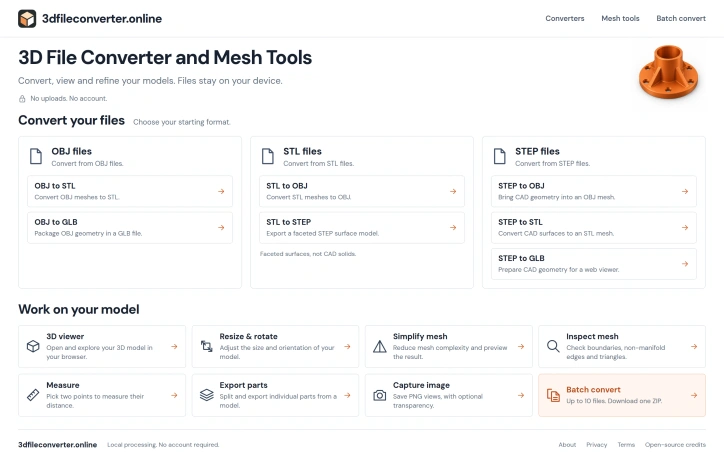
Converting between 3D file formats remains a friction point for designers, engineers, and makers working across different tools and workflows. A new browser-based converter addresses this pain by offering a free, no-frills workspace for handling OBJ, STL, and STEP files—the three formats most commonly used in product design, 3D printing, and CAD work. What distinguishes 3dfileconverter.online from other conversion services is its commitment to privacy and simplicity. All processing happens on the user's device, with no server uploads or account requirements. This approach eliminates concerns about file confidentiality while removing setup friction entirely. Users simply open the browser tool, select their file, and begin converting. The interface stays focused on core conversion workflows rather than attempting to be an all-in-one 3D modeling suite. The toolset covers essential operations beyond basic conversion. A viewer lets users inspect their models directly in the browser, with zoom, pan, and rotation controls. A mesh simplification feature reduces polygon complexity to speed up workflows or prepare models for web-based viewers. The inspector surfaces mesh quality issues—boundary problems, non-manifold edges—that users might otherwise miss. An optional measurement tool enables quick distance checks between points. Users can also isolate and export individual parts from larger assemblies and save viewport captures as PNG images for documentation or sharing. Batch operations support up to ten files at once, condensing multi-file workflows into a single download. The 50 MB per-file limit strikes a reasonable balance for most use cases, though users working with extremely dense scan data or detailed CAD assemblies may find themselves constrained. The service comes with important caveats worth noting. STL-to-STEP conversion produces faceted surface shells, not parametric solids, limiting its use for CAD workflows that require editable geometry. OBJ files with external textures lose those textures in conversion—the tool processes geometry only. The founder's explicit recommendation to validate exports in target software suggests users should expect occasional quirks or edge cases rather than treating the service as a definitive conversion solution. As a free tool offering no-upload conversion with respectable feature depth, 3dfileconverter.online serves a clear niche: professionals and hobbyists who value privacy, speed, and simplicity over advanced capabilities.

Before 3D printing an object, creators need to validate their digital models for defects that slicers can't handle. STLRepair addresses this gatekeeping problem by offering free, in-browser analysis of STL mesh files without requiring uploads or accounts. The product targets makers and 3D printing enthusiasts who work with the industry-standard STL format but lack specialized mesh validation tools. Rather than sending files to cloud servers, the tool runs all analysis locally in the browser, checking for five core issue families: duplicate faces, degenerate triangles, misaligned surface normals, open boundary edges, and non-manifold topology. This local-first architecture directly addresses creator concerns about file privacy and personal design confidentiality. What distinguishes STLRepair from simpler validation checkers is its philosophy around repairs. The tool deliberately stops short of automatic fixes for complex topology problems. While it can safely preview cleanup for duplicate faces and degenerate triangles, it reports open holes and non-manifold edges without attempting reconstruction. This conservative stance reflects a realistic understanding that aggressive automatic repairs often create new problems that don't become apparent until a print fails midway through. The product accepts both binary and ASCII STL files up to 10 megabytes or 100,000 triangles. Users see a parsed mesh projection alongside a scored health assessment and granular issue lists that identify exact problem locations. The workflow is straightforward: load a file, review the diagnostic data, optionally preview conservative fixes, then download the corrected version. The interface distinguishes between issues the tool can safely repair and those requiring manual intervention, labeling them as either "safe preview" or "report only" operations. This transparency prevents the false confidence that comes from fully automated fixing. There are no pricing tiers mentioned, and no account creation is required for the free workflow. The stated technical foundation is version 0.2.0-verified-local-export, suggesting active development. For makers evaluating their mesh pipeline, STLRepair fills a specific and useful niche. It trades comprehensive automatic repair for transparency and safety, making it most valuable for users who understand mesh topology enough to learn from diagnostic output rather than expecting the software to solve all problems unilaterally. The local processing model removes friction and privacy concerns that typically come with cloud-based analysis tools.


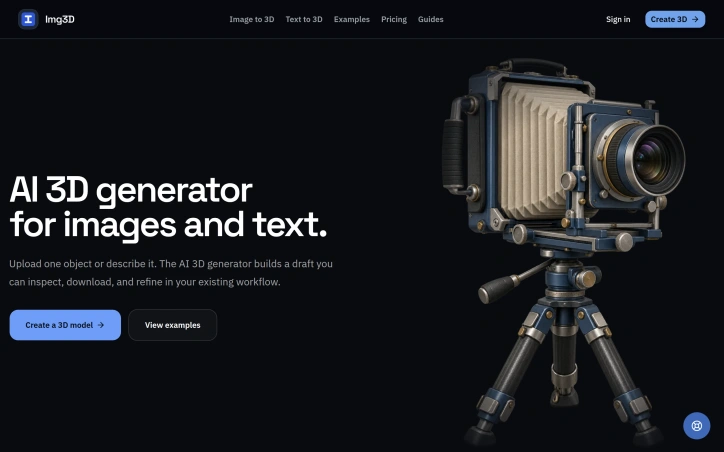
Designers and game developers working with 3D assets face a familiar bottleneck: validating concepts and proportions before investing time in detailed manual modeling. Img3D addresses this by offering an AI-powered 3D generator that converts either reference images or text descriptions into browser-viewable models in minutes rather than hours. The product targets a specific workflow niche. Product designers can upload a photograph to test silhouettes and proportions before committing to prototyping. Game developers can draft asset shapes for topology and material refinement in their existing tools. Furniture and props designers can turn flat reference images into rotatable 3D previews. The common thread is treating the AI output as a draft checkpoint, not a finished asset. What distinguishes Img3D is its uncluttered approach to a technically complex problem. The interface manages four distinct decisions: uploading a reference image or writing a prompt, selecting between Fast mode for quick exploration and Quality mode for closer inspection, rotating and zooming the generated model in a browser preview, then downloading the files for further work in industry-standard 3D tools. This structure acknowledges that AI-generated 3D models work best as starting points rather than final deliverables. The product offers both image-to-3D and text-to-3D pathways. Image inputs work best with isolated subjects photographed cleanly against neutral backgrounds, where the generator can infer angles and details the camera cannot capture. Text inputs suit earlier ideation stages when visual references do not yet exist. The platform generates models in GLB format, the web standard for interactive 3D preview, and downloads additional formats for use in Blender, Maya, or game engines. Two technical choices stand out. First, the browser-based preview allows designers to inspect results immediately without software installation, spinning and zooming the model to check backs, undersides, and proportions against the reference. Second, the system displays credit costs before generation, letting users make informed decisions about which mode fits their timeline and budget. Img3D operates on a credit-based pricing model, though specific rates are not detailed in public materials. Users must sign in to access generation and storage, anchoring the product in a registered-user workflow rather than one-off conversions. The target users are professionals who recognize that a quick 3D draft beats a detailed 2D mockup for validating spatial ideas, provided that draft integrates smoothly into their existing creative pipeline. Img3D succeeds by staying focused on that specific integration point.
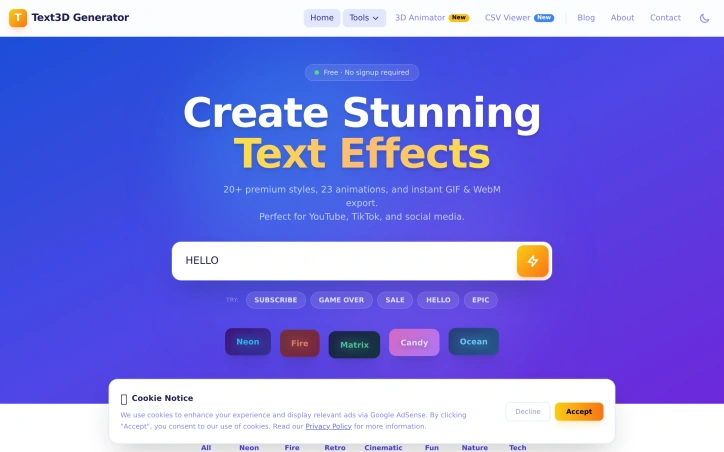
Content creators and designers working on tight deadlines need text effects fast. Professional design software like Photoshop or Blender carries steep learning curves and licensing costs, while many existing text effect generators either demand subscriptions, require software installation, or deliver subpar results. Text3D Generator addresses this gap by delivering professional-quality animated text effects instantly through a web browser. The tool targets YouTubers, TikTok creators, social media marketers, and designers who need quick visual assets for thumbnails, posts, and video intros. The value proposition is straightforward: high-quality results without friction, subscriptions, or learning curves. What distinguishes Text3D Generator is its accessibility-first design. The workflow takes roughly a minute from start to download: type text, select a style and animation, and export. No account creation, no software installation, and no watermarks cluttering the final output. Users can download unlimited assets forever at zero cost. This matters because friction is often why creators abandon tools midway through projects. The feature set is substantial. The tool offers 20+ text style categories spanning neon, fire, cinematic, retro, candy, and matrix aesthetics. These aren't random templates; they're organized by visual theme, suggesting thoughtful curation. Paired with 23 animation presets (word pop, typewriter, glitch, matrix rain, heartbeat, and others), the combination yields many possible outputs. The 22 included Google Fonts provide typographic variety without forcing users into a limited palette. Export flexibility matters for workflow integration. Users can download transparent GIFs for compositing over existing footage or WebM video files compatible with editing software like Premiere Pro and DaVinci Resolve. Both formats support professional-grade video production, not just social media posting. The technical implementation is solid. Built on Next.js and Vercel infrastructure, the browser-based architecture means no installation, instant preview updates as users customize, and consistent performance across devices. The pricing model is unambiguous: completely free. No freemium tier, no upsells, no payment wall hiding premium features. This straightforwardness removes decision friction and makes the product genuinely useful for hobbyists and professionals alike. Text3D Generator succeeds because it recognizes that creators don't need 90% of Photoshop's features; they need animated text effects in seconds. By narrowing scope ruthlessly and keeping the tool free, it solves a real problem without pretense.

Motion capture has long been gatekept by expensive hardware and specialized studios. QuickMagic disrupts this by extracting skeletal data and facial movement directly from standard video or text prompts, eliminating the need for suits, markers, sensors, or multi-camera setups. The platform targets creators, animators, game developers, and roboticists who need motion data but lack access to traditional capture infrastructure. What sets QuickMagic apart is its accessibility. Users can upload footage from smartphones, webcams, or standard cameras and receive editable 3D animation data within minutes. The system handles full-body, hand, and facial motion simultaneously and supports both single and multi-subject workflows. It processes footage regardless of camera movement, though results depend on subject visibility and motion clarity. The text-to-motion feature expands possibilities further, allowing designers to generate motion from descriptions alone—useful for storyboarding, prototyping, and character ideation before expensive production begins. The export ecosystem is comprehensive. QuickMagic outputs to FBX, BVH, BIP, C4D, VMD and proprietary formats for Mixamo, UE4, UE5.5, UE5.6, Character Creator, iClone, Roblox, and OnlyFace. Integration extends across Blender, Maya, 3ds Max, MotionBuilder, Unity, Unreal Engine, and MikuMikuDance. For roboticists, specialized presets support Unitree humanoid models. This breadth means captured data fits into existing pipelines without major conversion friction. The platform includes post-capture refinement controls—users can adjust pose, frame rate, and apply motion cleanup to polish results. For VTubers and digital-human creators, this bridges the gap between automatic capture and manual polish. The addition of robot motion generation and focus on imitation-learning workflows signals expansion beyond traditional animation into emerging AI and robotics use cases. QuickMagic operates on a freemium model with both free and paid tiers, lowering the barrier to experimentation. Export capabilities vary by plan, so advanced integrations require subscription. The web-based delivery means no software installation, supporting rapid adoption among distributed teams. The core trade-off is quality. Results depend on camera work, lighting, and subject visibility. Users working with fast motion, heavy occlusion, or complex interactions may find capture less reliable. Still, for typical performances and character work, QuickMagic compresses weeks of motion-capture setup into minutes of processing—a meaningful shift in production velocity for the creators it reaches.


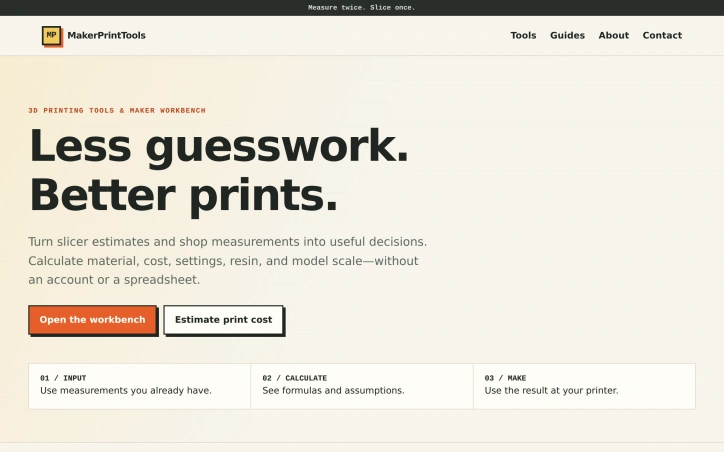
Makers and 3D printing shops waste time converting slicer estimates into real-world decisions through spreadsheets or trial-and-error. MakerPrintTools replaces that friction with a collection of specialized calculators designed for shop-floor problems, each combining measurements you already have into actionable results. The platform targets anyone running a 3D printing operation—whether a one-person hobby shop or small production facility—who needs to calculate costs before quoting jobs, verify that a printer can actually achieve a design's settings, or estimate material waste. No account is required, so users can jump directly from measuring part geometry to making confident decisions. What distinguishes the product is its deliberate scope. Rather than a generic calculator, each tool solves a specific question: How much does this print actually cost? How many grams of filament does a particular length represent? Will my hotend flow capacity handle these settings? This focused design makes each calculator faster and more useful than generic spreadsheets. The platform also explains its math—showing formulas and assumptions—so users understand the reasoning behind every result. The toolkit spans the full production cycle. Cost calculators combine filament consumption, electricity usage, labor time, machine wear, and failure allowance into practical job pricing. Filament converters switch between meters and grams using actual material density. A volumetric flow checker validates that hotend capacity matches intended print parameters. Geometry tools handle model scaling and build volume constraints. Planning tools look beyond individual prints to estimate total material use, support requirements, and the production volume needed to break even on setup work. The product positioning emphasizes transparency over convenience. There's no cloud storage, no project management, no growth features—just clear math applied to shop measurements. The design assumes makers already know what they're measuring and what they'll do with the results; the calculators simply eliminate error and guessing from the conversion. This approach creates a practical, single-purpose tool that integrates into existing workflows rather than requiring process change. For small and mid-scale 3D printing operations, that efficiency compounds across hundreds of decisions. The frictionless entry point—no login, no free trial cutoff, no marketing emails—removes barriers to trying calculators that genuinely answer shop questions.
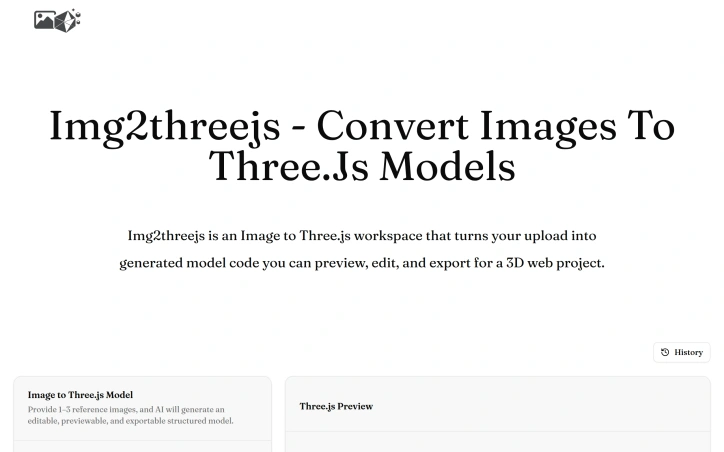
Developers and designers frequently face friction when translating visual concepts into Three.js scenes. Creating geometry, materials, lighting, and camera configurations from scratch for every new project adds setup overhead that detracts from the creative work itself. This is the core problem that Image to Threejs addresses. The product automates the initial translation step by accepting image uploads as visual references. Users provide one to three reference images, and the platform's AI generates Three.js code structured to match the visual content. Rather than claiming pixel-perfect reconstruction, the creators acknowledge that a single image cannot capture all depth details and hidden surfaces. This honest framing positions the generated model as an editable starting point rather than a final deliverable. The workflow keeps this pragmatic philosophy throughout. After generation, users encounter an interactive 3D preview where they can inspect the AI-generated model in real time. From there, they can directly edit the code, refine geometry and materials, and iterate visually without the traditional back-and-forth between reference images and development environments. Once satisfied, the model exports for integration into Three.js projects, websites, or interactive experiences. What distinguishes Image to Threejs is its integration of these typically separate concerns into one cohesive interface. Rather than managing uploaded images separately from code editors and preview tools, users stay within a single workspace. This reduces context switching and the friction of coordinating multiple tools. The target audience spans developers seeking faster iteration on 3D web projects, designers who want to prototype interactive models without deep Three.js expertise, and creative technologists exploring generative approaches to 3D design. The product makes sense for those building product visualizations, website experiences, or experimental interactive content. The core value proposition is straightforward: eliminate the tedious foundation-building phase of Three.js development. By generating working code and a realistic first draft from an image, the platform lets users reach the refinement stage faster. This appeals to teams that prioritize velocity and to individuals who want to experiment with 3D web concepts without significant setup investment. No pricing information appears in available materials, leaving the business model's specifics unclear. What is clear is that Image to Threejs solves a real friction point in visual web development, offering a practical bridge between design intent and executable Three.js code.
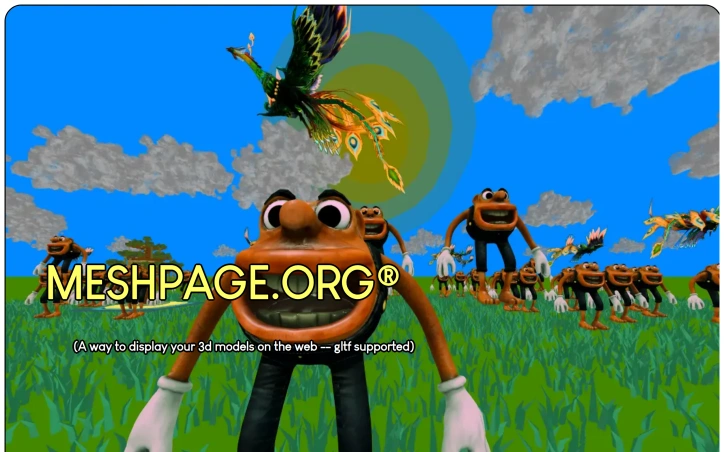
Building and displaying 3D content on the web is a complex task, but the GameApi Builder tool simplifies this process for developers. The product is geared towards individuals who want to create interactive 3D applications from scratch, particularly targeting young developers and students who are just starting their careers in game development. By providing a user-friendly interface and leveraging established technologies like OpenGL and gltf, the tool makes high-quality 3D development accessible to a broader audience. What stands out about the GameApi Builder tool is its maturity, with 13 years of development and a substantial 260 kloc of source code backing its capabilities. The tool's node graph-based builder allows users to edit codegen scripts without extensive programming knowledge, making it an attractive option for those new to 3D development. The fact that it supports a wide range of file formats, including .obj, .stl, .glb, and .gltf, and offers exports to various platforms such as HTML5, Android APK, and script.txt, underscores its versatility. The tool boasts an impressive array of features, including support for GLTF materials, skeletons, and animations, as well as optimizations for performance such as mesh decimation and OpenGL instancing. It also enables the creation of larger worlds from smaller pieces and allows for the manipulation of 3D models in terms of movement, animation, and material properties. The tool's ability to handle large 3D models and its support for lighting and shadows further enhance its capabilities. The GameApi Builder tool has already garnered some traction, with 600 downloads and 5 paying customers, indicating a viable business model. While pricing details are not explicitly stated, the fact that there are paying customers suggests that the tool is offered at a price point that is attractive to its target market. Overall, the GameApi Builder tool is a robust solution for 3D web development that brings advanced technology to a wider audience.
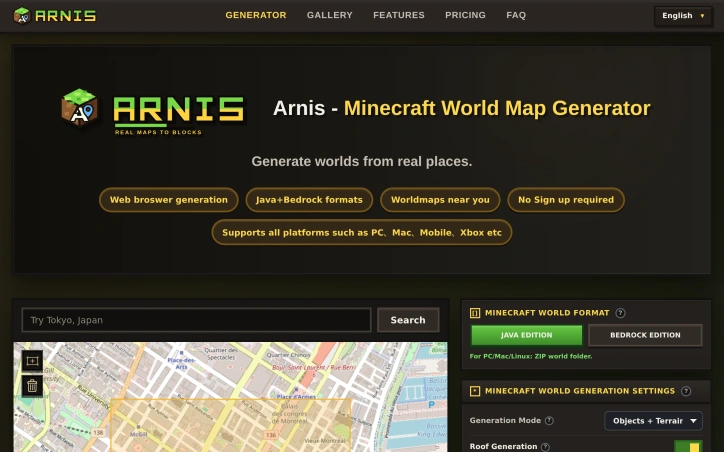
For Minecraft enthusiasts, manually creating detailed maps of real-world locations can be a daunting task. Arnis solves this problem by generating Minecraft world maps from real-world locations directly in the browser. The target audience is clear: anyone who wants to recreate familiar places in Minecraft without the hassle of manual mapping. What stands out about Arnis is its ability to seamlessly translate real-world geography into Minecraft worlds across multiple platforms, including PC, Mac, mobile, and consoles. The process is straightforward, allowing users to search for a location, select an area, choose their desired Minecraft edition and settings, and generate a world. The level of detail that Arnis can achieve is impressive, incorporating features such as terrain, roads, buildings, and landmarks from OpenStreetMap data. The product's key features include its browser-based map selection, allowing users to draw a selection around the area they wish to recreate without needing to download or install any technical mapping tools. Additionally, Arnis supports both Java and Bedrock editions of Minecraft, providing flexibility for users across different platforms. Users can also customize their world generation with options such as terrain, map objects, roof generation, and interior details. Arnis charges a fixed price of $3.0 per generated world. The simplicity of the pricing model is notable, as it avoids complexity and provides clear expectations for users. Overall, Arnis offers a convenient and detailed solution for Minecraft players looking to explore real-world locations in the game, making it a compelling choice for enthusiasts.