
Best AI Generative Media Startups & Tools

Generate images/videos from prompts, edit photos, and power creative workflows.

Recently Listed

92 launches

Sort
Notify Sound

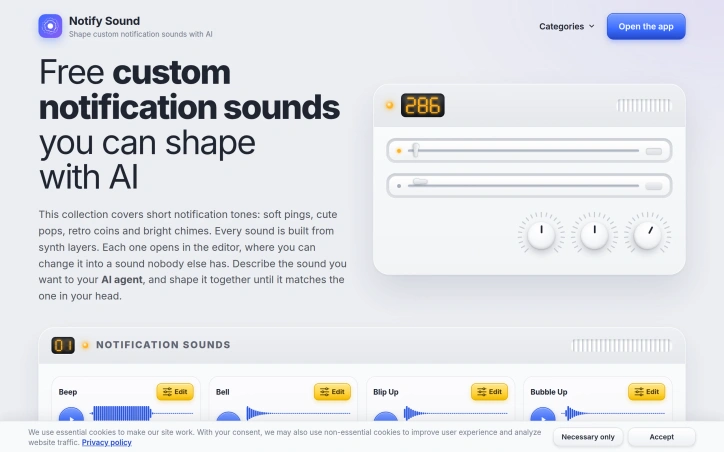
Personalization of notification sounds is typically constrained by pre-built libraries, but Notify Sound eliminates that limitation by letting users generate custom tones through AI assistance. The service addresses a straightforward frustration: most mobile phones ship with generic notification sounds, and existing alternatives offer little flexibility without technical expertise. Notify Sound is built for anyone who wants their alerts to sound distinctly theirs without requiring audio engineering skills. The core innovation centers on using AI assistants as a collaborative design tool. Users describe the sound they want—a soft two-note chime, a retro coin pickup, or something that cuts through background noise—and an AI agent builds the sound layer by layer, returning a link to an interactive editor. This approach bridges the gap between imagination and execution. The editor features real-time playback, so changes take effect instantly. Users hear the result of softening a sharp ping or extending a bell's resonance before committing to the final version. Every sound is synthesized from layered components rather than sampled recordings. This architecture creates depth: users stack bright layers for sparkle and low ones for weight, building complexity from discrete elements. The system ships with over 200 ready-made sounds—ranging from classic beeps to cash register tones—serving as either finished products or starting points for further customization. Integration with major AI platforms amplifies the product's reach. Notify Sound operates as an MCP server for Claude, ChatGPT, Codex, and VS Code, allowing users to request sound generation directly within their preferred assistant. Setup involves pasting a single URL into the assistant's configuration. The sounds themselves are fully portable: users download them as files and set them as notification tones, text alerts, or ringtones on iPhones, Android devices, and Samsung phones. Android allows different apps to have distinct notification sounds, enabling truly granular customization. The business model is straightforward: the service is entirely free, with no account requirement. This removes barriers to experimentation. The product's strength lies in combining AI-assisted generation, hands-on editing, and broad platform support into a unified tool. For users fatigued by generic notification sounds, Notify Sound offers genuine personalization without requiring audio production knowledge.
Ai-generative-media
H
Harold Drake

Personalization of notification sounds is typically constrained by pre-built libraries, but Notify Sound eliminates that limitation by letting users generate custom tones through AI assistance. The service addresses a straightforward frustration: most mobile phones ship with generic notification sounds, and existing alternatives offer little flexibility without technical expertise. Notify Sound is built for anyone who wants their alerts to sound distinctly theirs without requiring audio engineering skills. The core innovation centers on using AI assistants as a collaborative design tool. Users describe the sound they want—a soft two-note chime, a retro coin pickup, or something that cuts through background noise—and an AI agent builds the sound layer by layer, returning a link to an interactive editor. This approach bridges the gap between imagination and execution. The editor features real-time playback, so changes take effect instantly. Users hear the result of softening a sharp ping or extending a bell's resonance before committing to the final version. Every sound is synthesized from layered components rather than sampled recordings. This architecture creates depth: users stack bright layers for sparkle and low ones for weight, building complexity from discrete elements. The system ships with over 200 ready-made sounds—ranging from classic beeps to cash register tones—serving as either finished products or starting points for further customization. Integration with major AI platforms amplifies the product's reach. Notify Sound operates as an MCP server for Claude, ChatGPT, Codex, and VS Code, allowing users to request sound generation directly within their preferred assistant. Setup involves pasting a single URL into the assistant's configuration. The sounds themselves are fully portable: users download them as files and set them as notification tones, text alerts, or ringtones on iPhones, Android devices, and Samsung phones. Android allows different apps to have distinct notification sounds, enabling truly granular customization. The business model is straightforward: the service is entirely free, with no account requirement. This removes barriers to experimentation. The product's strength lies in combining AI-assisted generation, hands-on editing, and broad platform support into a unified tool. For users fatigued by generic notification sounds, Notify Sound offers genuine personalization without requiring audio production knowledge.

Notify Sound preview

Key features

  • AI-Assisted Generation: Describe your desired sound and AI builds it layer by layer with real-time playback
  • Interactive Editor: Make changes instantly and hear results before committing to the final version
See full listing
V

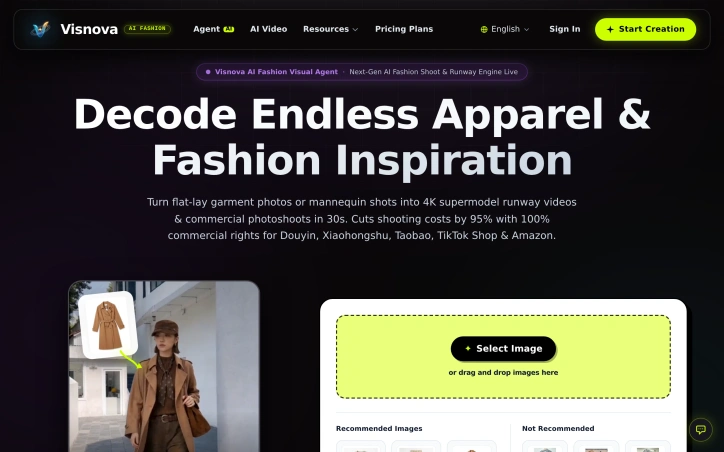
Fashion brands face a persistent challenge: creating diverse product imagery across multiple platforms requires expensive shoots, model bookings, and post-production work. Visnova addresses this by automating the conversion of garment reference photos into photorealistic runway videos and studio shots. The platform targets apparel ecommerce sellers, DTC brands, and creative teams who need rapid iteration across different models, settings, and variations without the cost and logistics of traditional photoshoots. The product's core strength lies in its combination of speed and technical specificity. Generation completes in under 30 seconds at 4K 60fps resolution, designed specifically for short-form video platforms and ecommerce storefronts. Rather than treating garment visualizations as 2D overlays or graphic manipulations, Visnova models actual fabric physics, preserving silk sheen, denim stiffness, and fabric drape under gravity. This distinction matters for fashion, where material authenticity influences purchase decisions. Several features differentiate Visnova from general video generation tools. The platform includes global model representation across Caucasian, Asian, Afro, Latino, and Middle Eastern ethnicities, allowing one-click model switching without re-engineering outputs. It enforces platform-specific compliance automatically, handling aspect ratio and background requirements for TikTok Shop (9:16), Amazon (1:1), SHEIN, and Temu (3:4) simultaneously. The workflow separates rapid single-shot generation from batch production pipelines, accommodating both quick iterations and agency-scale operations. Commercial rights appear central to the positioning. Visnova grants 100 percent perpetual commercial usage rights on all generated content, including licensed background music, distinguishing it from competitors that impose tier-dependent or platform-restricted usage terms. The public comparison emphasizes this advantage alongside native 4K output and pattern fidelity against cutout tools and general video models. The platform offers a free trial for single garment generation, with pricing plans available but unspecified on the public site. A testimonial from LUMIA Fashion highlights claimed productivity gains: replacing weeks of shoot coordination with one-hour batches of 50-plus runway variations. The product positions itself around practical fashion commerce rather than artistic video generation, keeping garments as the primary subject with human review of color, fit, and brand consistency as an expected step before publication.

Ai-generative-media
P
peng zhang

Fashion brands face a persistent challenge: creating diverse product imagery across multiple platforms requires expensive shoots, model bookings, and post-production work. Visnova addresses this by automating the conversion of garment reference photos into photorealistic runway videos and studio shots. The platform targets apparel ecommerce sellers, DTC brands, and creative teams who need rapid iteration across different models, settings, and variations without the cost and logistics of traditional photoshoots. The product's core strength lies in its combination of speed and technical specificity. Generation completes in under 30 seconds at 4K 60fps resolution, designed specifically for short-form video platforms and ecommerce storefronts. Rather than treating garment visualizations as 2D overlays or graphic manipulations, Visnova models actual fabric physics, preserving silk sheen, denim stiffness, and fabric drape under gravity. This distinction matters for fashion, where material authenticity influences purchase decisions. Several features differentiate Visnova from general video generation tools. The platform includes global model representation across Caucasian, Asian, Afro, Latino, and Middle Eastern ethnicities, allowing one-click model switching without re-engineering outputs. It enforces platform-specific compliance automatically, handling aspect ratio and background requirements for TikTok Shop (9:16), Amazon (1:1), SHEIN, and Temu (3:4) simultaneously. The workflow separates rapid single-shot generation from batch production pipelines, accommodating both quick iterations and agency-scale operations. Commercial rights appear central to the positioning. Visnova grants 100 percent perpetual commercial usage rights on all generated content, including licensed background music, distinguishing it from competitors that impose tier-dependent or platform-restricted usage terms. The public comparison emphasizes this advantage alongside native 4K output and pattern fidelity against cutout tools and general video models. The platform offers a free trial for single garment generation, with pricing plans available but unspecified on the public site. A testimonial from LUMIA Fashion highlights claimed productivity gains: replacing weeks of shoot coordination with one-hour batches of 50-plus runway variations. The product positions itself around practical fashion commerce rather than artistic video generation, keeping garments as the primary subject with human review of color, fit, and brand consistency as an expected step before publication.

Visnova AI preview
V

Key features

  • Fast Video Generation: Creates 4K 60fps runway videos in under 30 seconds per garment.
  • Fabric Physics Modeling: Preserves material authenticity including silk sheen, denim stiffness, and natural fabric drape.
See full listing
AIPetGen

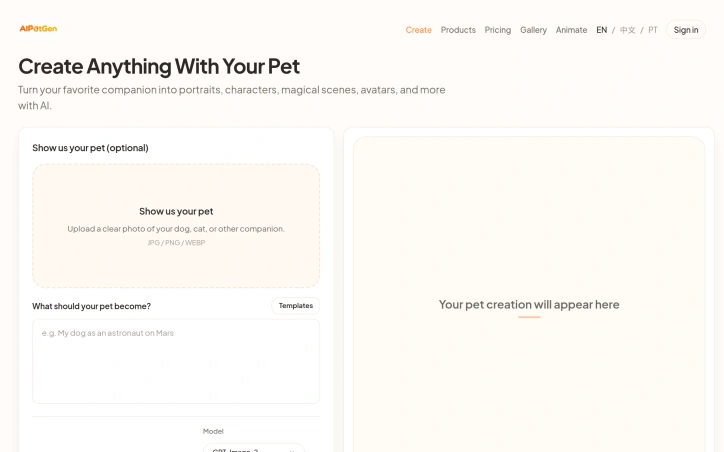
Turning pet photos into creative variations addresses a growing demand among pet owners who want shareable, stylized content of their companions. AIPetGen serves this audience with both static image generation and short-form video creation, all built around uploading a single photo or describing the desired scene. The product's image capabilities let users apply a range of artistic treatments to pet photos. Rather than generic filters, the platform offers specific templates like Renaissance portraits, Field Marshal uniforms, and Victorian aesthetics. Users can control aspect ratio, resolution up to 4K, and the specificity of their creative prompt. The platform explicitly guides users toward better results by recommending clear daylight photography, centered compositions, and detailed descriptions rather than vague requests. This practical documentation reflects real constraints in AI image generation and sets realistic expectations. The animation features expand the use case beyond still images. The text-to-video and image-to-video options generate short clips ranging from 5 to 15 seconds in 720p or 1080p resolution. The multi-shot capability with transitions suggests the tool can handle sequential scenes, letting users create short story-like content from a single pet photo. Video generation costs appear variable based on duration and resolution, made transparent before creation. The product distinguishes itself through granular control and transparency. Credit costs are shown upfront, avoiding surprise charges. The platform acknowledges technical realities, such as the stability trade-off between dramatic scene changes and consistent animal representation across video frames. This honesty about limitations builds credibility. The business model follows a freemium approach. Users receive one free 1K-resolution portrait daily through the dedicated portrait generator, plus starter credits for broader use. Beyond those allowances, each generation consumes credits, with image generation noted at 20 credits per attempt. Specific pricing for credits is not disclosed in available materials, making the actual cost to users unclear. One notable constraint is the emphasis on photo quality as a prerequisite. The platform's success depends heavily on input quality, meaning users with blurry snapshots or poorly framed photos may see disappointing results. This positions AIPetGen as valuable primarily for pet owners willing to invest in quality reference photos. The product occupies a clear niche: pet-focused creative content generation. It neither attempts to be a general AI image tool nor a professional animation suite, instead optimizing specifically for the pet photo transformation use case with templated designs and careful output controls.

Ai-generative-media
�
曾锋

Turning pet photos into creative variations addresses a growing demand among pet owners who want shareable, stylized content of their companions. AIPetGen serves this audience with both static image generation and short-form video creation, all built around uploading a single photo or describing the desired scene. The product's image capabilities let users apply a range of artistic treatments to pet photos. Rather than generic filters, the platform offers specific templates like Renaissance portraits, Field Marshal uniforms, and Victorian aesthetics. Users can control aspect ratio, resolution up to 4K, and the specificity of their creative prompt. The platform explicitly guides users toward better results by recommending clear daylight photography, centered compositions, and detailed descriptions rather than vague requests. This practical documentation reflects real constraints in AI image generation and sets realistic expectations. The animation features expand the use case beyond still images. The text-to-video and image-to-video options generate short clips ranging from 5 to 15 seconds in 720p or 1080p resolution. The multi-shot capability with transitions suggests the tool can handle sequential scenes, letting users create short story-like content from a single pet photo. Video generation costs appear variable based on duration and resolution, made transparent before creation. The product distinguishes itself through granular control and transparency. Credit costs are shown upfront, avoiding surprise charges. The platform acknowledges technical realities, such as the stability trade-off between dramatic scene changes and consistent animal representation across video frames. This honesty about limitations builds credibility. The business model follows a freemium approach. Users receive one free 1K-resolution portrait daily through the dedicated portrait generator, plus starter credits for broader use. Beyond those allowances, each generation consumes credits, with image generation noted at 20 credits per attempt. Specific pricing for credits is not disclosed in available materials, making the actual cost to users unclear. One notable constraint is the emphasis on photo quality as a prerequisite. The platform's success depends heavily on input quality, meaning users with blurry snapshots or poorly framed photos may see disappointing results. This positions AIPetGen as valuable primarily for pet owners willing to invest in quality reference photos. The product occupies a clear niche: pet-focused creative content generation. It neither attempts to be a general AI image tool nor a professional animation suite, instead optimizing specifically for the pet photo transformation use case with templated designs and careful output controls.

AIPetGen preview

Key features

  • Artistic Style Templates: Apply specific artistic themes including Renaissance portraits, Field Marshal uniforms, and Victorian aesthetics to pet photos.
  • Video Generation: Create 5-15 second animated videos in 720p or 1080p from pet photos or text descriptions.
See full listing
ReelMuse

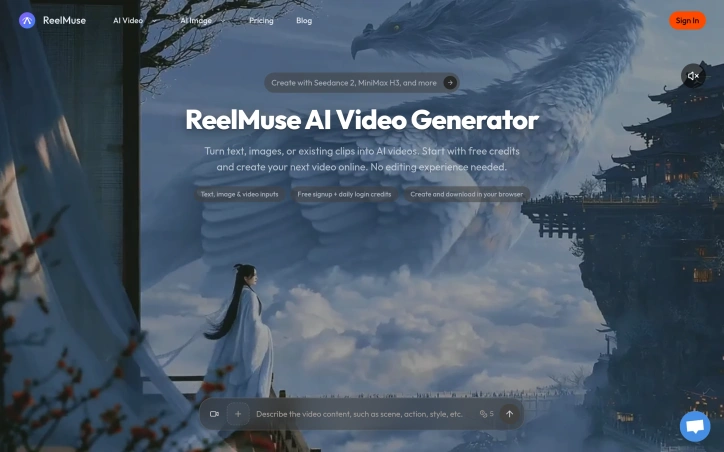
Creating professional videos traditionally demands expensive software licenses and technical editing expertise, putting the format out of reach for many creators and marketers. ReelMuse addresses this friction by consolidating multiple AI video generation models into a single browser-based workspace, eliminating software costs and the learning curve of traditional video editors. The platform accepts three types of input: text descriptions, uploaded images, or existing video clips. Users describe their desired output in plain language—specifying motion, lighting, camera direction, and framing—then select from a roster of AI models before generating. The execution is straightforward: choose a starting point, describe what should happen, generate, and download. What distinguishes ReelMuse is its model selection. Rather than locking users into a single engine, the platform integrates several options including Seedance 2 (designed to animate still images with motion prompts), MiniMax H3, and Veo 3.1 (for text or image-to-video generation). GPT Image 2 handles original image creation from text, while Nano Banana provides image editing capabilities. This breadth lets users match the tool to their specific creative need and compare credit costs before committing to generation. The browser-based approach removes friction from the creation-to-download pipeline. Users organize pending tasks and finished videos in a single workspace called Generate, eliminating the scattered workflow of desktop software. The interface emphasizes guidance over technical control: users input a scene description and motion direction, then let the AI interpret those instructions. This philosophy trades granular control for accessibility. The platform operates on a freemium model. New users receive an initial signup bonus and daily login credits, creating a low-friction entry point. Specific credit costs per model and generation parameters are visible before committing, though detailed pricing beyond free signup isn't provided in promotional materials. The product succeeds at its stated mission: lowering the barrier to video creation for people without editing skills or large budgets. The integration of multiple models and thoughtful workspace design distinguish it from single-model competitors. Whether the credit system and model selection strike the right balance for sustained creator adoption remains to be determined by market response.

Ai-generative-media
H
Ho Manh

Creating professional videos traditionally demands expensive software licenses and technical editing expertise, putting the format out of reach for many creators and marketers. ReelMuse addresses this friction by consolidating multiple AI video generation models into a single browser-based workspace, eliminating software costs and the learning curve of traditional video editors. The platform accepts three types of input: text descriptions, uploaded images, or existing video clips. Users describe their desired output in plain language—specifying motion, lighting, camera direction, and framing—then select from a roster of AI models before generating. The execution is straightforward: choose a starting point, describe what should happen, generate, and download. What distinguishes ReelMuse is its model selection. Rather than locking users into a single engine, the platform integrates several options including Seedance 2 (designed to animate still images with motion prompts), MiniMax H3, and Veo 3.1 (for text or image-to-video generation). GPT Image 2 handles original image creation from text, while Nano Banana provides image editing capabilities. This breadth lets users match the tool to their specific creative need and compare credit costs before committing to generation. The browser-based approach removes friction from the creation-to-download pipeline. Users organize pending tasks and finished videos in a single workspace called Generate, eliminating the scattered workflow of desktop software. The interface emphasizes guidance over technical control: users input a scene description and motion direction, then let the AI interpret those instructions. This philosophy trades granular control for accessibility. The platform operates on a freemium model. New users receive an initial signup bonus and daily login credits, creating a low-friction entry point. Specific credit costs per model and generation parameters are visible before committing, though detailed pricing beyond free signup isn't provided in promotional materials. The product succeeds at its stated mission: lowering the barrier to video creation for people without editing skills or large budgets. The integration of multiple models and thoughtful workspace design distinguish it from single-model competitors. Whether the credit system and model selection strike the right balance for sustained creator adoption remains to be determined by market response.

ReelMuse preview

Key features

  • Multi-Model Selection: Integrates Seedance 2, MiniMax H3, Veo 3.1, GPT Image 2, and Nano Banana for different creative needs.
  • Browser-Based Workspace: No software installation required, eliminating licensing costs and the learning curve of traditional editors.
See full listing
Hotel Lobby Studio

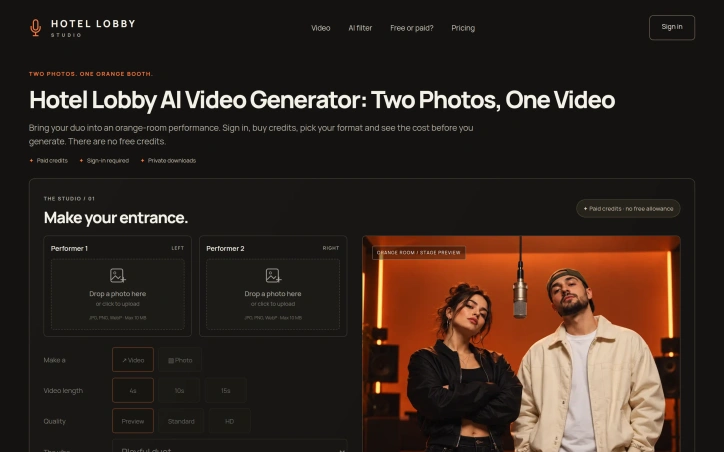
Creating engaging visual content for social media often requires expensive equipment, professional settings, or time-intensive editing. Hotel Lobby Studio addresses this by transforming two reference photos into AI-generated video performances set in a distinctive orange booth environment. The product targets creators and founders who want to quickly produce distinctive social media clips featuring multiple people without shooting, directing, or hiring talent. The product centers on a simple workflow: upload two photos of consenting adults, select video length and quality settings, and generate an original performance. Studio customization options include four-second preview clips through fifteen-second full-length videos in either vertical or landscape framing. The three quality tiers—Preview at 480p, Standard at 720p, and HD at 1080p—carry transparent credit costs displayed before generation, allowing users to make cost-conscious decisions. A photo mode generates static duo portraits for creators preferring still images over video. Several design choices distinguish the offering. The narrowly defined orange booth scenario eliminates decisions about setting or styling; users commit to the aesthetic or don't use the product. The system generates original audio rather than cloning voices or licensing music, sidestepping rights complications while generating entirely synthetic sound. Failed generation tasks automatically return reserved credits, removing risk from experimentation. The platform explicitly requires user consent and permits from both adults pictured, building accountability into the creative process. The authentication model requires Google sign-in, and the credit system operates without a free tier. Users purchase credit packs and pay per generation based on selected settings. A four-second preview costs 16 credits; standard quality adds 12 credits per additional second, while HD jumps to 25 credits per second. Duo portraits cost 18 credits. The upfront pricing model provides predictability but eliminates trial-and-error options for creators evaluating the product. Technical specifications are straightforward: the platform accepts JPG, PNG, and WebP uploads up to 10 MB, with minimum resolution of 256 by 256 pixels. Video quality varies based on the AI generation process, and the company acknowledges this openly, recommending users review results before sharing. The product succeeds through constraint rather than flexibility. Its specificity—a defined setting, clear use cases, transparent pricing—creates focus. Creators either find the orange booth aesthetic valuable for their content strategy or they look elsewhere. That clarity of purpose distinguishes it from broader generative video platforms.

Ai-generative-media
�
李靖

Creating engaging visual content for social media often requires expensive equipment, professional settings, or time-intensive editing. Hotel Lobby Studio addresses this by transforming two reference photos into AI-generated video performances set in a distinctive orange booth environment. The product targets creators and founders who want to quickly produce distinctive social media clips featuring multiple people without shooting, directing, or hiring talent. The product centers on a simple workflow: upload two photos of consenting adults, select video length and quality settings, and generate an original performance. Studio customization options include four-second preview clips through fifteen-second full-length videos in either vertical or landscape framing. The three quality tiers—Preview at 480p, Standard at 720p, and HD at 1080p—carry transparent credit costs displayed before generation, allowing users to make cost-conscious decisions. A photo mode generates static duo portraits for creators preferring still images over video. Several design choices distinguish the offering. The narrowly defined orange booth scenario eliminates decisions about setting or styling; users commit to the aesthetic or don't use the product. The system generates original audio rather than cloning voices or licensing music, sidestepping rights complications while generating entirely synthetic sound. Failed generation tasks automatically return reserved credits, removing risk from experimentation. The platform explicitly requires user consent and permits from both adults pictured, building accountability into the creative process. The authentication model requires Google sign-in, and the credit system operates without a free tier. Users purchase credit packs and pay per generation based on selected settings. A four-second preview costs 16 credits; standard quality adds 12 credits per additional second, while HD jumps to 25 credits per second. Duo portraits cost 18 credits. The upfront pricing model provides predictability but eliminates trial-and-error options for creators evaluating the product. Technical specifications are straightforward: the platform accepts JPG, PNG, and WebP uploads up to 10 MB, with minimum resolution of 256 by 256 pixels. Video quality varies based on the AI generation process, and the company acknowledges this openly, recommending users review results before sharing. The product succeeds through constraint rather than flexibility. Its specificity—a defined setting, clear use cases, transparent pricing—creates focus. Creators either find the orange booth aesthetic valuable for their content strategy or they look elsewhere. That clarity of purpose distinguishes it from broader generative video platforms.

Hotel Lobby Studio preview

Key features

  • AI Video Generation: Creates original video performances from two uploaded reference photos set in a distinctive orange booth environment.
  • Customizable Video Lengths: Choose between four-second preview clips or up to fifteen-second full-length videos in vertical or landscape framing.
See full listing
FacelessReel

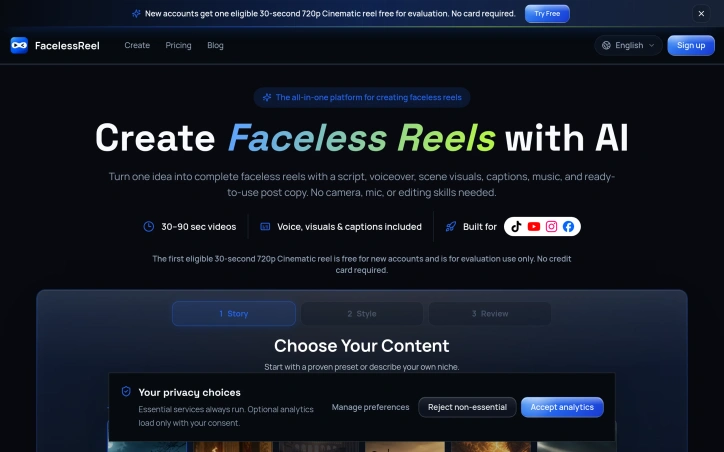
Creating short-form video content traditionally demands equipment most creators lack—cameras, microphones, editing software—and skills that take years to develop. FacelessReel eliminates these barriers by automating the entire production pipeline in a single workflow. The platform targets content creators focused on storytelling-driven niches that thrive without on-camera talent: historical narratives, true crime mysteries, mythology, biblical themes, and horror-adjacent content. Rather than cobbling together separate tools for scripting, voiceover generation, stock visuals, and music licensing, users input a topic and let the system handle every layer simultaneously. What distinguishes FacelessReel is its commitment to integrated output. The platform doesn't ask users to assemble disparate components. One topic feeds into a coherent package containing an AI-generated script built around proven story beats, matched narration from voice actors with distinct tonal personalities, vertically-oriented scene visuals, synchronized captions, background music, and platform-specific copy formatted for TikTok, Instagram, YouTube Shorts, and Facebook. Users review the complete result before downloading it as a single archive. The template system further simplifies decision-making. Pre-built content frameworks for established niches guide both story structure and visual direction, eliminating the blank-canvas paralysis many creators face. Users can launch from a template or input custom topics. The voiceover selection reflects thoughtful product design. Rather than defaulting to a single synthetic voice, FacelessReel offers multiple narration styles—described as mysterious and emotive versus deep and engaging—allowing creators to match tone to story. The platform includes a playback preview to audition choices before committing. The onboarding strategy removes friction: new accounts receive a free 30-second 720p reel for evaluation without requiring a credit card. This approach lets potential users validate the output quality before financial commitment. For creators operating at YouTube Shorts or TikTok scale, where algorithm favors volume and consistency over production value, FacelessReel solves a genuine operational bottleneck. The platform assumes creators have ideas but lack time or resources to fully produce them. It delivers finished, publishable content in formats optimized for vertical viewing and mobile-first consumption, making it most relevant to those building audience through narrative-driven short-form content.

Ai-generative-media
Q
QIAO ZHANG

Creating short-form video content traditionally demands equipment most creators lack—cameras, microphones, editing software—and skills that take years to develop. FacelessReel eliminates these barriers by automating the entire production pipeline in a single workflow. The platform targets content creators focused on storytelling-driven niches that thrive without on-camera talent: historical narratives, true crime mysteries, mythology, biblical themes, and horror-adjacent content. Rather than cobbling together separate tools for scripting, voiceover generation, stock visuals, and music licensing, users input a topic and let the system handle every layer simultaneously. What distinguishes FacelessReel is its commitment to integrated output. The platform doesn't ask users to assemble disparate components. One topic feeds into a coherent package containing an AI-generated script built around proven story beats, matched narration from voice actors with distinct tonal personalities, vertically-oriented scene visuals, synchronized captions, background music, and platform-specific copy formatted for TikTok, Instagram, YouTube Shorts, and Facebook. Users review the complete result before downloading it as a single archive. The template system further simplifies decision-making. Pre-built content frameworks for established niches guide both story structure and visual direction, eliminating the blank-canvas paralysis many creators face. Users can launch from a template or input custom topics. The voiceover selection reflects thoughtful product design. Rather than defaulting to a single synthetic voice, FacelessReel offers multiple narration styles—described as mysterious and emotive versus deep and engaging—allowing creators to match tone to story. The platform includes a playback preview to audition choices before committing. The onboarding strategy removes friction: new accounts receive a free 30-second 720p reel for evaluation without requiring a credit card. This approach lets potential users validate the output quality before financial commitment. For creators operating at YouTube Shorts or TikTok scale, where algorithm favors volume and consistency over production value, FacelessReel solves a genuine operational bottleneck. The platform assumes creators have ideas but lack time or resources to fully produce them. It delivers finished, publishable content in formats optimized for vertical viewing and mobile-first consumption, making it most relevant to those building audience through narrative-driven short-form content.

FacelessReel preview

Key features

  • AI-Generated Scripts: Creates scripts built around proven story beats matched to your topic
  • Voice Actor Selection: Multiple narration styles with distinct tonal personalities and playback preview before committing
See full listing
DermInk

Tattoo design consultation has traditionally required a leap of faith: artists sketch ideas in person, customers imagine how they'll look, and both parties work from vague descriptions. DermInk addresses this friction by letting people generate polished tattoo concepts before booking an appointment. The product targets anyone considering a tattoo who wants to explore design options and collaborate visually with an artist. Rather than arrive at a studio with an abstract idea, users now generate multiple finished mockups in different styles and placements. The workflow is straightforward. Users describe their tattoo concept in text or upload a reference photo, choose from 20+ established styles (Fine Line, Blackwork, Traditional, Patchwork, and others), select resolution and aspect ratio, and request one to four outputs. The generator produces finished concepts ready to download. Placement mockups differentiate the service: they show designs positioned on actual body parts, helping users visualize scale and placement before consulting an artist. The free tier removes barriers to exploration. New accounts receive 30 credits with no credit card required, enough for three standard 1K-resolution concepts. Users validate the product before purchasing additional credits. The interface supports both text-first and image-first workflows, including a Remix mode for iterative refinement and a Stencil mode for linework-focused designs. Resolution options span 1K to 4K export, accommodating screen sharing and printed reference material alike. The service accepts up to 4K image uploads as reference, distinguishing it from single-modal alternatives. The model fills a genuine gap in tattoo design workflow. Existing options tend toward generic templates or expensive custom commissions. By pairing generative AI with tattoo-specific styling and an artist-friendly interface, DermInk positions itself as a practical collaboration tool rather than a replacement for professional expertise. The product explicitly frames itself as material to discuss with your artist, not a substitute for skilled hands. The low-friction onboarding and commitment-free exploration make trying the service effortless. The quality of generated outputs will determine whether DermInk becomes standard practice in tattoo design, but the product delivers on its core promise: visualizing ideas before permanent commitment.


Ai-generative-media
Q
QIAO ZHANG

Tattoo design consultation has traditionally required a leap of faith: artists sketch ideas in person, customers imagine how they'll look, and both parties work from vague descriptions. DermInk addresses this friction by letting people generate polished tattoo concepts before booking an appointment. The product targets anyone considering a tattoo who wants to explore design options and collaborate visually with an artist. Rather than arrive at a studio with an abstract idea, users now generate multiple finished mockups in different styles and placements. The workflow is straightforward. Users describe their tattoo concept in text or upload a reference photo, choose from 20+ established styles (Fine Line, Blackwork, Traditional, Patchwork, and others), select resolution and aspect ratio, and request one to four outputs. The generator produces finished concepts ready to download. Placement mockups differentiate the service: they show designs positioned on actual body parts, helping users visualize scale and placement before consulting an artist. The free tier removes barriers to exploration. New accounts receive 30 credits with no credit card required, enough for three standard 1K-resolution concepts. Users validate the product before purchasing additional credits. The interface supports both text-first and image-first workflows, including a Remix mode for iterative refinement and a Stencil mode for linework-focused designs. Resolution options span 1K to 4K export, accommodating screen sharing and printed reference material alike. The service accepts up to 4K image uploads as reference, distinguishing it from single-modal alternatives. The model fills a genuine gap in tattoo design workflow. Existing options tend toward generic templates or expensive custom commissions. By pairing generative AI with tattoo-specific styling and an artist-friendly interface, DermInk positions itself as a practical collaboration tool rather than a replacement for professional expertise. The product explicitly frames itself as material to discuss with your artist, not a substitute for skilled hands. The low-friction onboarding and commitment-free exploration make trying the service effortless. The quality of generated outputs will determine whether DermInk becomes standard practice in tattoo design, but the product delivers on its core promise: visualizing ideas before permanent commitment.

DermInk preview

Key features

  • Multi-Style Generation: Choose from 20+ established tattoo styles including Fine Line, Blackwork, Traditional, and Patchwork
  • Placement Mockups: View designs positioned on actual body parts to visualize scale and placement before consulting an artist
See full listing
LoftCue Studio

Video has become essential to real estate marketing, but most agents lack the resources for professional production. Property tours still require either expensive videographer services or hours of manual editing—costs that make financial sense only for premium listings. LoftCue Studio addresses this gap by automating the conversion of existing listing photography into finished property videos. The tool works with photos agents already have on file. Rather than demanding a new shoot, it generates polished videos in minutes by applying AI-driven motion effects, captions, music, and voiceovers. The output targets vertical video formats dominating social platforms: Reels, TikTok, and Shorts. Users can export branded or unbranded versions to fit their marketing strategy. What distinguishes LoftCue from simpler slideshow makers is the sophistication of its camera effects. The library includes controlled motion effects designed specifically for residential photography: room walkthroughs, interior tracking shots, cinematic push-ins, day-to-night transitions, virtual staging reveals, and seasonal transformations. These aren't generic zoom-and-pan effects but rather techniques modeled on cinematography, making the videos feel like actual property tours rather than animated slideshows. The platform also includes photo enhancement tools that operate before video generation. Users can apply virtual staging to showcase potential, visualize renovations, remove clutter or people from frames, strip watermarks from photos they own, and adjust lighting and color. These pre-video adjustments mean the input photos themselves can be refined rather than simply compiled. The workflow is straightforward: upload photos in viewing order, enhance selected images, choose a visual style, and select format and captions. The company reports a 5.0 rating across 168 reviews and prominently advertises that no credit card is required to start, lowering the barrier to trial. For independent agents and teams managing dozens of listings, the value proposition is clear. By reducing the cost and time of video production, LoftCue makes professional video feasible for properties that wouldn't justify the expense of traditional videography. The product succeeds not by replacing the need for good source photography but by unlocking the marketing value already present in agents' existing digital assets.


Ai-generative-media
L
LoftCue Studio

Video has become essential to real estate marketing, but most agents lack the resources for professional production. Property tours still require either expensive videographer services or hours of manual editing—costs that make financial sense only for premium listings. LoftCue Studio addresses this gap by automating the conversion of existing listing photography into finished property videos. The tool works with photos agents already have on file. Rather than demanding a new shoot, it generates polished videos in minutes by applying AI-driven motion effects, captions, music, and voiceovers. The output targets vertical video formats dominating social platforms: Reels, TikTok, and Shorts. Users can export branded or unbranded versions to fit their marketing strategy. What distinguishes LoftCue from simpler slideshow makers is the sophistication of its camera effects. The library includes controlled motion effects designed specifically for residential photography: room walkthroughs, interior tracking shots, cinematic push-ins, day-to-night transitions, virtual staging reveals, and seasonal transformations. These aren't generic zoom-and-pan effects but rather techniques modeled on cinematography, making the videos feel like actual property tours rather than animated slideshows. The platform also includes photo enhancement tools that operate before video generation. Users can apply virtual staging to showcase potential, visualize renovations, remove clutter or people from frames, strip watermarks from photos they own, and adjust lighting and color. These pre-video adjustments mean the input photos themselves can be refined rather than simply compiled. The workflow is straightforward: upload photos in viewing order, enhance selected images, choose a visual style, and select format and captions. The company reports a 5.0 rating across 168 reviews and prominently advertises that no credit card is required to start, lowering the barrier to trial. For independent agents and teams managing dozens of listings, the value proposition is clear. By reducing the cost and time of video production, LoftCue makes professional video feasible for properties that wouldn't justify the expense of traditional videography. The product succeeds not by replacing the need for good source photography but by unlocking the marketing value already present in agents' existing digital assets.

LoftCue Studio preview

Key features

  • AI Motion Effects: Applies cinematography-inspired techniques including room walkthroughs, tracking shots, cinematic push-ins, day-to-night transitions, and virtual staging reveals
  • Photo Enhancement: Enables virtual staging, clutter removal, watermark stripping, and lighting/color adjustments before video generation
See full listing
Motion Control AI

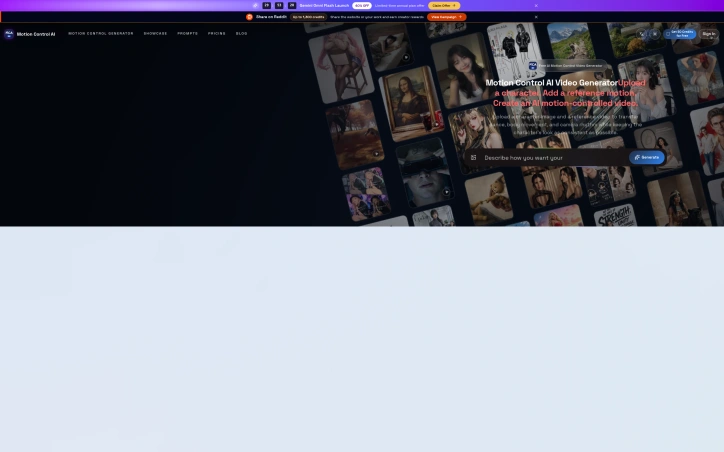
Creating professional-quality animated video content traditionally demands expensive equipment, skilled animators, and production crews. This free web-based tool eliminates those barriers by allowing users to transfer motion from reference videos onto static character images, enabling rapid content creation for social media, advertising, and animation projects. The platform addresses a specific but broadly useful creative problem: taking a compelling movement source—whether that's a dancer's choreography, an actor's performance, or a camera's dynamic rhythm—and applying it to any character image while preserving the character's original appearance and identity. The use cases demonstrated span entertainment, documentary, e-commerce, and fashion, suggesting the tool works across multiple content verticals rather than serving a single niche. What distinguishes Motion Control AI is its reference-driven approach rather than prompt-only generation. Users ground their output in concrete source material, which appears to produce more controlled and predictable results. The showcase examples reveal genuine technical sophistication: a painting's character performs complex narrative actions including grabbing objects and reacting to other characters; a model cycles through distinct poses and expressions; camera movements mimic professional push-pull-pan-tilt work while characters move in sync. The tool handles not just motion transfer but maintains character consistency across transformations and sequences, a technically non-trivial requirement that many AI video tools struggle with. The feature set covers the full creative workflow. Beyond basic motion transfer, the platform supports extended sequences, audio alignment, and multiple output resolutions—720x1280 and 1280x720 formats shown—accommodating both portrait and landscape content. The "Creative Story Completion" and "Video Extension" examples suggest the tool can extrapolate coherent narrative rather than simply repeating source motion. One notable aspect is the emphasis on responsible use: the interface prompts users to match image framing with source clips and only upload material they have rights to. This suggests the builders are thinking about legal and ethical implications early, though enforcement mechanisms remain unclear. The platform positions itself as free, though no information appears regarding monetization strategy, paid tiers, or commercial licensing terms. For creators stretched thin by production costs, this removes obvious friction from experimentation. The real question becomes whether this accessibility translates to sufficient adoption and revenue generation to sustain development. Either way, the product demonstrates that motion control video generation has moved from research lab to functional creative tool.
Ai-generative-media
�
好李

Creating professional-quality animated video content traditionally demands expensive equipment, skilled animators, and production crews. This free web-based tool eliminates those barriers by allowing users to transfer motion from reference videos onto static character images, enabling rapid content creation for social media, advertising, and animation projects. The platform addresses a specific but broadly useful creative problem: taking a compelling movement source—whether that's a dancer's choreography, an actor's performance, or a camera's dynamic rhythm—and applying it to any character image while preserving the character's original appearance and identity. The use cases demonstrated span entertainment, documentary, e-commerce, and fashion, suggesting the tool works across multiple content verticals rather than serving a single niche. What distinguishes Motion Control AI is its reference-driven approach rather than prompt-only generation. Users ground their output in concrete source material, which appears to produce more controlled and predictable results. The showcase examples reveal genuine technical sophistication: a painting's character performs complex narrative actions including grabbing objects and reacting to other characters; a model cycles through distinct poses and expressions; camera movements mimic professional push-pull-pan-tilt work while characters move in sync. The tool handles not just motion transfer but maintains character consistency across transformations and sequences, a technically non-trivial requirement that many AI video tools struggle with. The feature set covers the full creative workflow. Beyond basic motion transfer, the platform supports extended sequences, audio alignment, and multiple output resolutions—720x1280 and 1280x720 formats shown—accommodating both portrait and landscape content. The "Creative Story Completion" and "Video Extension" examples suggest the tool can extrapolate coherent narrative rather than simply repeating source motion. One notable aspect is the emphasis on responsible use: the interface prompts users to match image framing with source clips and only upload material they have rights to. This suggests the builders are thinking about legal and ethical implications early, though enforcement mechanisms remain unclear. The platform positions itself as free, though no information appears regarding monetization strategy, paid tiers, or commercial licensing terms. For creators stretched thin by production costs, this removes obvious friction from experimentation. The real question becomes whether this accessibility translates to sufficient adoption and revenue generation to sustain development. Either way, the product demonstrates that motion control video generation has moved from research lab to functional creative tool.

Motion Control AI preview

Key features

  • Motion Transfer Technology: Applies motion from reference videos to static character images while preserving appearance
  • Character Consistency: Maintains character identity across transformations and sequences including complex narrative actions
See full listing
G

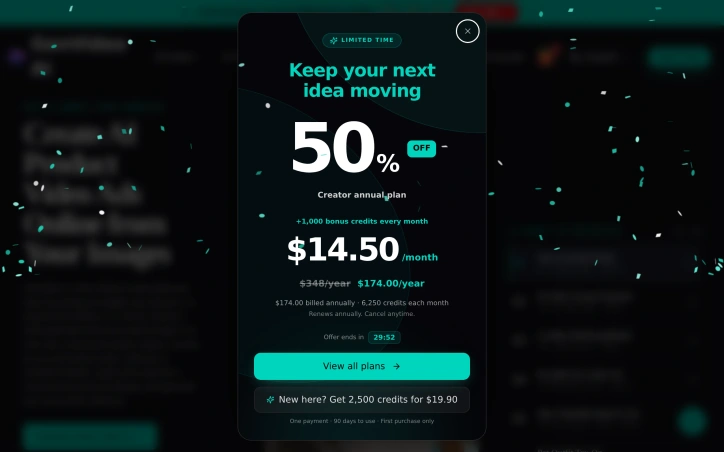
Creating product videos traditionally requires expensive studio time, professional equipment, and experienced crews—a barrier that locks out most independent e-commerce sellers and smaller brands. GenVideo removes this friction by generating professional-quality product videos directly from product images using AI. The platform targets online retailers and marketing teams who need to produce ads and demos at scale but lack the budget or infrastructure for traditional video production. The use case is clear: brands upload a product photo and receive finished video assets ready for social platforms and ad networks, eliminating weeks of planning and thousands in production costs. What distinguishes GenVideo is its library of narrative templates. Rather than asking users to construct shots and scenes from scratch, the platform offers eleven distinct video archetypes—UGC product ads, step-by-step tutorials, before-and-after demonstrations, try-on content, cinematic commercials, product launches, unboxing sequences, and close-up hero shots. Each template provides a proven storytelling structure with suggested framing, pacing, and camera movement. Users work within these frameworks, swapping elements and customizing details rather than starting from blank canvas. The workflow is deliberately constrained. Users select a template that matches their product and goal, add their product image, then tweak scene composition, lighting, action, and voiceover choices. The interface guides users toward decisions rather than overwhelming them with options. This approach acknowledges that most sellers know their product and audience far better than a video tool ever could, but don't have confidence in shot construction or technical execution. The platform includes multiple AI models and allows users to adjust video length, frame size, and output quality—granular enough for different platforms and use cases without devolving into overwhelming complexity. There's also a review step built into the workflow, encouraging users to check the generated video before committing resources. The pricing operates on a credit system, though specific rates are not detailed in available materials. The platform offers a free tier for users to experiment before committing to paid generation. One meaningful limitation: users still need to provide a clear product shot. GenVideo excels at orchestrating that asset into a finished narrative, but it cannot manufacture details from an unusable photograph. For sellers with professional product photography already in hand, this is seamless. For those without, traditional photography remains a prerequisite.

Ai-generative-media
�
花语雀

Creating product videos traditionally requires expensive studio time, professional equipment, and experienced crews—a barrier that locks out most independent e-commerce sellers and smaller brands. GenVideo removes this friction by generating professional-quality product videos directly from product images using AI. The platform targets online retailers and marketing teams who need to produce ads and demos at scale but lack the budget or infrastructure for traditional video production. The use case is clear: brands upload a product photo and receive finished video assets ready for social platforms and ad networks, eliminating weeks of planning and thousands in production costs. What distinguishes GenVideo is its library of narrative templates. Rather than asking users to construct shots and scenes from scratch, the platform offers eleven distinct video archetypes—UGC product ads, step-by-step tutorials, before-and-after demonstrations, try-on content, cinematic commercials, product launches, unboxing sequences, and close-up hero shots. Each template provides a proven storytelling structure with suggested framing, pacing, and camera movement. Users work within these frameworks, swapping elements and customizing details rather than starting from blank canvas. The workflow is deliberately constrained. Users select a template that matches their product and goal, add their product image, then tweak scene composition, lighting, action, and voiceover choices. The interface guides users toward decisions rather than overwhelming them with options. This approach acknowledges that most sellers know their product and audience far better than a video tool ever could, but don't have confidence in shot construction or technical execution. The platform includes multiple AI models and allows users to adjust video length, frame size, and output quality—granular enough for different platforms and use cases without devolving into overwhelming complexity. There's also a review step built into the workflow, encouraging users to check the generated video before committing resources. The pricing operates on a credit system, though specific rates are not detailed in available materials. The platform offers a free tier for users to experiment before committing to paid generation. One meaningful limitation: users still need to provide a clear product shot. GenVideo excels at orchestrating that asset into a finished narrative, but it cannot manufacture details from an unusable photograph. For sellers with professional product photography already in hand, this is seamless. For those without, traditional photography remains a prerequisite.

GenVideo preview
G

Key features

  • AI Video Generation: Converts product images into professional-quality finished videos using artificial intelligence
  • Template Library: Provides eleven pre-designed video archetypes including UGC ads, tutorials, before-and-after demos, try-on content, and cinematic commercials
See full listing
GPT Image 2

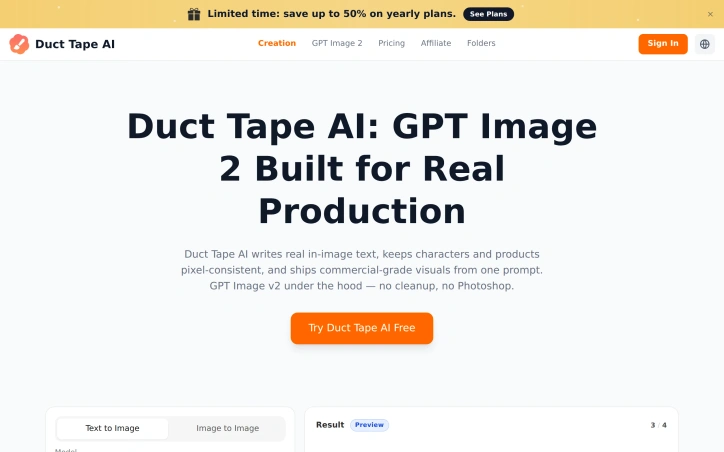
For e-commerce sellers, marketers, and independent creators juggling product shots, ad creatives, and social content, visual creation has long meant choosing between stock photography, expensive editing tools, or rounds of revision. Duct Tape AI's GPT Image v2 generator addresses this friction by delivering photorealistic images directly from prompts, positioned as a commercial-grade alternative requiring no post-processing or Photoshop work. The product distinguishes itself through three core capabilities that separate it from competing image generation tools. First, it renders readable text natively across multiple languages—Korean, Japanese, Chinese, Arabic, and English—with pixel-perfect accuracy. This addresses a persistent weakness in AI image generation, where typography often appears garbled or visibly artificial. Second, the platform maintains character and brand consistency across sequential generations, allowing users to build multi-image campaigns and storytelling sequences without the identity drift that affects competitors. Third, it handles complex multi-subject compositions, a capability the company claims rivals or exceeds Midjourney and Flux in execution. The interface emphasizes simplicity. Users input prompts or reference images and adjust parameters like aspect ratio and resolution, with a preview system showing results before full generation. The company's gallery displays the breadth of output quality—from product photography with studio lighting to editorial portraiture to stylized illustration—all claimed to be generated without photographic source material or manual retouching. Pricing follows a tiered subscription model. The Basic plan costs $9.50 per month when billed annually at the current 50% discount and includes 7,200 monthly credits, watermark removal, and commercial use rights. The Advanced tier jumps to $24.50 monthly and provides 24,000 credits plus faster generation speeds. The Professional plan, at $49.50 monthly, adds 30,000 credits and priority customer support. The company promotes a limited-time 50% discount on annual subscriptions tied to a specific deadline. The product targets a clear niche: creators who need production-ready visuals quickly without specialized design skills or expensive tools. Success depends on whether the technical claims around text rendering, consistency, and composition hold under real-world production workflows. For businesses where visual output velocity and brand consistency across campaigns matter, the offering addresses a genuine operational bottleneck.

Ai-generative-media
T
TOOLREEL

For e-commerce sellers, marketers, and independent creators juggling product shots, ad creatives, and social content, visual creation has long meant choosing between stock photography, expensive editing tools, or rounds of revision. Duct Tape AI's GPT Image v2 generator addresses this friction by delivering photorealistic images directly from prompts, positioned as a commercial-grade alternative requiring no post-processing or Photoshop work. The product distinguishes itself through three core capabilities that separate it from competing image generation tools. First, it renders readable text natively across multiple languages—Korean, Japanese, Chinese, Arabic, and English—with pixel-perfect accuracy. This addresses a persistent weakness in AI image generation, where typography often appears garbled or visibly artificial. Second, the platform maintains character and brand consistency across sequential generations, allowing users to build multi-image campaigns and storytelling sequences without the identity drift that affects competitors. Third, it handles complex multi-subject compositions, a capability the company claims rivals or exceeds Midjourney and Flux in execution. The interface emphasizes simplicity. Users input prompts or reference images and adjust parameters like aspect ratio and resolution, with a preview system showing results before full generation. The company's gallery displays the breadth of output quality—from product photography with studio lighting to editorial portraiture to stylized illustration—all claimed to be generated without photographic source material or manual retouching. Pricing follows a tiered subscription model. The Basic plan costs $9.50 per month when billed annually at the current 50% discount and includes 7,200 monthly credits, watermark removal, and commercial use rights. The Advanced tier jumps to $24.50 monthly and provides 24,000 credits plus faster generation speeds. The Professional plan, at $49.50 monthly, adds 30,000 credits and priority customer support. The company promotes a limited-time 50% discount on annual subscriptions tied to a specific deadline. The product targets a clear niche: creators who need production-ready visuals quickly without specialized design skills or expensive tools. Success depends on whether the technical claims around text rendering, consistency, and composition hold under real-world production workflows. For businesses where visual output velocity and brand consistency across campaigns matter, the offering addresses a genuine operational bottleneck.

GPT Image 2 preview

Key features

  • Text Rendering: Renders readable text natively across multiple languages with pixel-perfect accuracy
  • Brand Consistency: Maintains character and brand consistency across sequential image generations
See full listing
Omni Flash

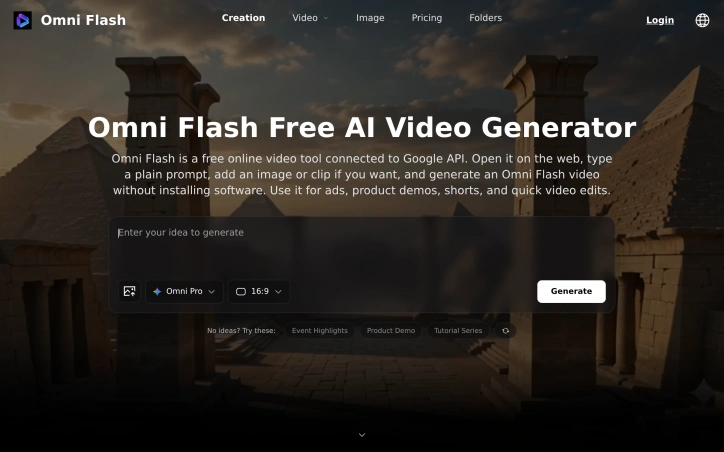
Video creation has long demanded either serious technical expertise or expensive subscriptions. Omni Flash tackles this friction by placing a free, web-based AI video generator in the hands of everyday creators who want results without setup headaches. The product targets individuals and small teams making social content, product demonstrations, short-form ads, and quick video edits who have neither the time nor inclination to wrangle API keys and local environments. The core appeal lies in its radical simplicity. Users open the tool in a browser, enter a text prompt, optionally upload an image or reference clip, and generate a video—all without installing software or managing technical infrastructure. The platform connects to Google's video generation API, handling the complexity behind the scenes so creators can focus on their vision rather than configuration. Functionally, Omni Flash offers both text-to-video and image-to-video capabilities, supporting typical creator workflows across TikTok, YouTube, Instagram, and landing pages. The reference image and video features allow users to guide the model's output toward specific subjects, styles, and motion patterns, giving everyday prompts more precision than raw text alone might provide. Downloads happen directly from the browser, completing the workflow without external dependencies. The business model follows a freemium pattern. New users receive complimentary credits for testing before deciding to spend. This approach removes the adoption barrier—potential users can validate whether the tool meets their needs before committing financially. Specific pricing tiers are not detailed in available materials, though the messaging emphasizes upgrading only when demand exceeds free allocations. What distinguishes Omni Flash in a crowded AI video space is its uncompromising focus on accessibility. Rather than marketing toward AI researchers or power users, it explicitly targets people whose technical ceiling is write a prompt and click generate. This positioning represents a deliberate constraint that shrinks complexity. By outsourcing the underlying model and API infrastructure to Google, the team eliminated the development surface area that trips up smaller tools—no model fine-tuning, no infrastructure scaling for users to navigate. The risk inherent in this approach is dependency. Users cannot control which Google model powers generations, cannot self-host for privacy, and cannot escape API rate limits beyond what the platform manages. For creators whose needs outgrow these boundaries, Omni Flash functions more as an on-ramp than a permanent solution. Yet for the specific audience of casual creators making throwaway content at speed, those constraints barely register.
Ai-generative-media
T
TOOLREEL

Video creation has long demanded either serious technical expertise or expensive subscriptions. Omni Flash tackles this friction by placing a free, web-based AI video generator in the hands of everyday creators who want results without setup headaches. The product targets individuals and small teams making social content, product demonstrations, short-form ads, and quick video edits who have neither the time nor inclination to wrangle API keys and local environments. The core appeal lies in its radical simplicity. Users open the tool in a browser, enter a text prompt, optionally upload an image or reference clip, and generate a video—all without installing software or managing technical infrastructure. The platform connects to Google's video generation API, handling the complexity behind the scenes so creators can focus on their vision rather than configuration. Functionally, Omni Flash offers both text-to-video and image-to-video capabilities, supporting typical creator workflows across TikTok, YouTube, Instagram, and landing pages. The reference image and video features allow users to guide the model's output toward specific subjects, styles, and motion patterns, giving everyday prompts more precision than raw text alone might provide. Downloads happen directly from the browser, completing the workflow without external dependencies. The business model follows a freemium pattern. New users receive complimentary credits for testing before deciding to spend. This approach removes the adoption barrier—potential users can validate whether the tool meets their needs before committing financially. Specific pricing tiers are not detailed in available materials, though the messaging emphasizes upgrading only when demand exceeds free allocations. What distinguishes Omni Flash in a crowded AI video space is its uncompromising focus on accessibility. Rather than marketing toward AI researchers or power users, it explicitly targets people whose technical ceiling is write a prompt and click generate. This positioning represents a deliberate constraint that shrinks complexity. By outsourcing the underlying model and API infrastructure to Google, the team eliminated the development surface area that trips up smaller tools—no model fine-tuning, no infrastructure scaling for users to navigate. The risk inherent in this approach is dependency. Users cannot control which Google model powers generations, cannot self-host for privacy, and cannot escape API rate limits beyond what the platform manages. For creators whose needs outgrow these boundaries, Omni Flash functions more as an on-ramp than a permanent solution. Yet for the specific audience of casual creators making throwaway content at speed, those constraints barely register.

Omni Flash preview

Key features

  • Browser-Based Generation: Create videos directly in a web browser without installing software or managing infrastructure
  • Text-to-Video Capability: Convert text prompts into full videos with optional image or video references for guidance
See full listing
R

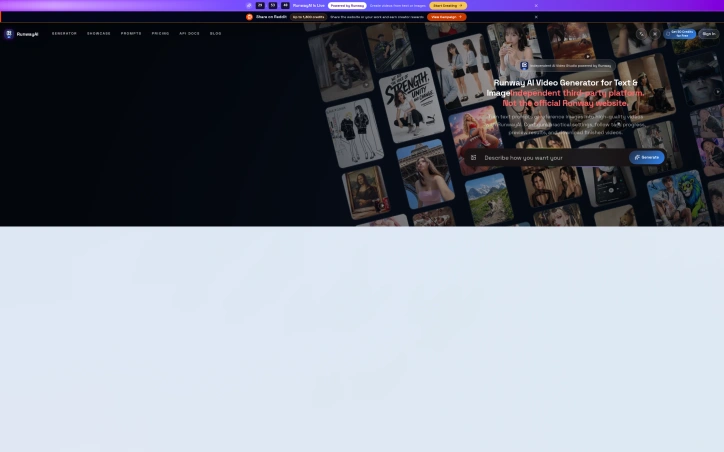
Video creators automating production workflows now have access to a browser-based generator that transforms written prompts and image references into motion footage. RunwayAI operates as an independent platform built around video synthesis capabilities that have gained traction in creative disciplines, targeting creators, marketers, filmmakers, e-commerce teams, and developers who need rapid iteration in visual content production. The platform emphasizes configuration and control as core features. Users specify duration, aspect ratio, and output quality settings, positioning this beyond simple text-to-video generation into more intentional creative direction. The interface tracks task progress, allowing creators to monitor generation status without being locked into opaque processing. Once complete, videos can be previewed and downloaded directly, with generation history stored for reference and iteration. What separates this from simpler video generation tools is the sophistication of its reference system. Rather than relying on prompts alone, creators anchor videos to both image and video references, instructing the generator to replicate camera movements, mimic subject poses, adapt visual styles, or extend existing footage. The demonstrated examples showcase this capability across production scenarios: a campaign where a subject's movements synchronize with reference choreography, a commercial with emotional narrative progression, a fashion sequence where outfits vary across multiple reference images, and branded content layering audio from one source with visuals from another. The platform also offers templated workflows for common scenarios. Fashion lookbooks, e-commerce mockups, lifestyle storytelling, and documentary-style explainers provide starting points that abstract complexity for new users while remaining flexible for experienced creators requiring customization. For developers, API resources are mentioned as available, suggesting integration potential in larger production pipelines, though specifics remain undocumented in accessible materials. The positioning as an independent third-party platform sets clear expectations about implementation origins. Combined with reference-based generation, granular control over output parameters, and structured workflows, this creates a more directive approach to AI video synthesis than text-alone prompting typically offers.
Ai-generative-media
�
好李

Video creators automating production workflows now have access to a browser-based generator that transforms written prompts and image references into motion footage. RunwayAI operates as an independent platform built around video synthesis capabilities that have gained traction in creative disciplines, targeting creators, marketers, filmmakers, e-commerce teams, and developers who need rapid iteration in visual content production. The platform emphasizes configuration and control as core features. Users specify duration, aspect ratio, and output quality settings, positioning this beyond simple text-to-video generation into more intentional creative direction. The interface tracks task progress, allowing creators to monitor generation status without being locked into opaque processing. Once complete, videos can be previewed and downloaded directly, with generation history stored for reference and iteration. What separates this from simpler video generation tools is the sophistication of its reference system. Rather than relying on prompts alone, creators anchor videos to both image and video references, instructing the generator to replicate camera movements, mimic subject poses, adapt visual styles, or extend existing footage. The demonstrated examples showcase this capability across production scenarios: a campaign where a subject's movements synchronize with reference choreography, a commercial with emotional narrative progression, a fashion sequence where outfits vary across multiple reference images, and branded content layering audio from one source with visuals from another. The platform also offers templated workflows for common scenarios. Fashion lookbooks, e-commerce mockups, lifestyle storytelling, and documentary-style explainers provide starting points that abstract complexity for new users while remaining flexible for experienced creators requiring customization. For developers, API resources are mentioned as available, suggesting integration potential in larger production pipelines, though specifics remain undocumented in accessible materials. The positioning as an independent third-party platform sets clear expectations about implementation origins. Combined with reference-based generation, granular control over output parameters, and structured workflows, this creates a more directive approach to AI video synthesis than text-alone prompting typically offers.

RunwayAI preview
R

Key features

  • Reference-Based Generation: Uses image and video references to replicate camera movements, subject poses, visual styles, and extend existing footage
  • Configurable Output Parameters: Users control duration, aspect ratio, and output quality settings for intentional creative direction
See full listing
H

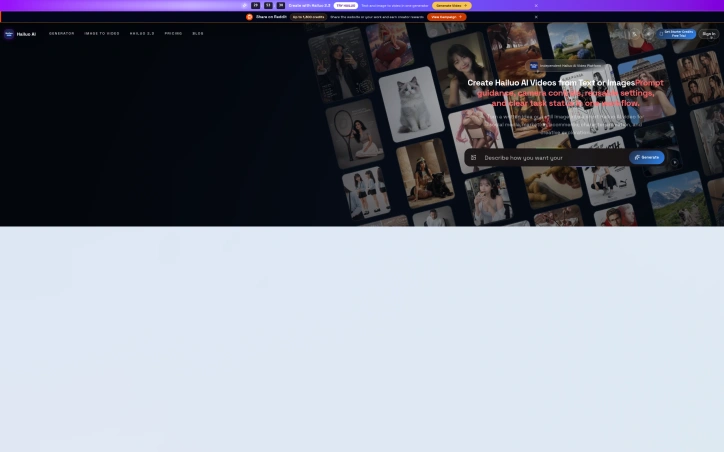
Video production workflows are often bottlenecked by the time and expertise required to create polished short-form content. Hailuo AI addresses this by offering a browser-based platform where creators input text descriptions or still images and receive finished video outputs, eliminating the need for traditional video editing skills or software. The platform targets a broad audience spanning social media creators, marketing teams, ecommerce businesses looking for product visualization, animators needing character motion, and anyone exploring creative concepts before investing in full production. Unlike generic AI video generators, this platform distinguishes itself through deliberate workflow design that prioritizes creative control within an accessible interface. The standout feature is the structured approach to video composition. Rather than a blank prompt field, users navigate guided creative templates organized by use case: camera and motion replication, product explainers, fashion shoots, lifestyle storytelling, and video extension. These templates scaffold the creative process while preserving flexibility. Motion and camera controls allow precise direction of movement and framing, moving beyond the passive "generate and hope" dynamic of simpler tools. Prompt guidance keeps outputs grounded in coherent direction, while the included creative reference library provides visual anchors that demonstrate what the system can achieve. Practical features round out the offering. Users can specify duration and resolution, maintain a task history for iteration, and download results directly. The asynchronous API workflow opens the platform to developers and production teams building automation around video generation, broadening its applicability beyond manual creation. The template approach carries inherent trade-offs. While it democratizes video creation for defined use cases, those seeking truly unconventional outputs may find the predefined structures constraining. The inclusion of sample creative direction material is framed transparently as reference only, appropriately managing expectations about output quality and ownership. The platform's positioning as an independent Hailuo 2.3 implementation is notable in an increasingly fragmented AI video market. This independence suggests direct alignment with the underlying model's capabilities without intermediary abstractions, though it also means users bear the full dependency on Hailuo's development roadmap. No pricing details appear in the available materials, leaving the financial accessibility of the platform unclear. For prospective users, clarification on whether this is free, subscription-based, or pay-per-video would be essential to evaluating fit.

Ai-generative-media
�
好李

Video production workflows are often bottlenecked by the time and expertise required to create polished short-form content. Hailuo AI addresses this by offering a browser-based platform where creators input text descriptions or still images and receive finished video outputs, eliminating the need for traditional video editing skills or software. The platform targets a broad audience spanning social media creators, marketing teams, ecommerce businesses looking for product visualization, animators needing character motion, and anyone exploring creative concepts before investing in full production. Unlike generic AI video generators, this platform distinguishes itself through deliberate workflow design that prioritizes creative control within an accessible interface. The standout feature is the structured approach to video composition. Rather than a blank prompt field, users navigate guided creative templates organized by use case: camera and motion replication, product explainers, fashion shoots, lifestyle storytelling, and video extension. These templates scaffold the creative process while preserving flexibility. Motion and camera controls allow precise direction of movement and framing, moving beyond the passive "generate and hope" dynamic of simpler tools. Prompt guidance keeps outputs grounded in coherent direction, while the included creative reference library provides visual anchors that demonstrate what the system can achieve. Practical features round out the offering. Users can specify duration and resolution, maintain a task history for iteration, and download results directly. The asynchronous API workflow opens the platform to developers and production teams building automation around video generation, broadening its applicability beyond manual creation. The template approach carries inherent trade-offs. While it democratizes video creation for defined use cases, those seeking truly unconventional outputs may find the predefined structures constraining. The inclusion of sample creative direction material is framed transparently as reference only, appropriately managing expectations about output quality and ownership. The platform's positioning as an independent Hailuo 2.3 implementation is notable in an increasingly fragmented AI video market. This independence suggests direct alignment with the underlying model's capabilities without intermediary abstractions, though it also means users bear the full dependency on Hailuo's development roadmap. No pricing details appear in the available materials, leaving the financial accessibility of the platform unclear. For prospective users, clarification on whether this is free, subscription-based, or pay-per-video would be essential to evaluating fit.

Hailuo AI preview
H

Key features

  • Template-Based Workflows: Guided creative templates organized by use case (camera, product, fashion, lifestyle, extension) scaffold the creative process while preserving flexibility.
  • Motion and Camera Controls: Precise direction of movement and framing allowing users to specify exact cinematography beyond passive generation.
See full listing
Seedream 5.0

Production timelines in creative teams consistently bottleneck on designer availability and iteration capacity. Seedream 5.0 addresses this friction point through a browser-based workspace for generating and refining marketing visuals at scale. The platform serves creators, designers, marketers, ecommerce teams, and small businesses operating under tight turnaround constraints, where both output quality and iteration speed drive competitive advantage. The product distinguishes itself through breadth across creative verticals. Beyond text-to-image synthesis, Seedream handles reference-guided composition, controlled image editing, and video generation spanning camera motion replication, narrative sequencing, and temporal extension of existing footage. The template library demonstrates scope across ecommerce product photography, campaign video, brand explainers, lifestyle content, and social media assets. An API integration option extends reach to developers embedding generation workflows into existing production pipelines. The platform operates on two licensing tiers. Seedream 5.0 Lite targets routine creative work, while Pro addresses production-grade demands. Documentation does not specify capability distinctions between the tiers, though the positioning suggests Pro prioritizes throughput or output quality for demanding commercial work. Seedream uses a credit-based consumption model that decouples pricing from per-seat licensing. Users access free trial credits to validate output quality before committing to flexible credit plans scaled to production volume. This pricing structure aligns directly with creative output volume, eliminating unused licenses and matching cost to variable demand. The core value proposition hinges on production acceleration. Rather than brief-to-final timelines measured in weeks, AI-assisted iteration compresses cycles to hours. For in-house teams and growing brands constrained by designer capacity, this workflow improvement justifies serious evaluation. For ecommerce operations managing high-velocity visual updates, the cost reduction alone proves compelling. The limiting factor remains output quality validation. Trial access allows teams to test real workflows against production standards before purchasing credits. The template examples demonstrate capability scope, but specific use cases require hands-on evaluation to confirm whether output consistency, brand alignment, and production readiness meet requirements.

Ai-generative-media
�
好李

Production timelines in creative teams consistently bottleneck on designer availability and iteration capacity. Seedream 5.0 addresses this friction point through a browser-based workspace for generating and refining marketing visuals at scale. The platform serves creators, designers, marketers, ecommerce teams, and small businesses operating under tight turnaround constraints, where both output quality and iteration speed drive competitive advantage. The product distinguishes itself through breadth across creative verticals. Beyond text-to-image synthesis, Seedream handles reference-guided composition, controlled image editing, and video generation spanning camera motion replication, narrative sequencing, and temporal extension of existing footage. The template library demonstrates scope across ecommerce product photography, campaign video, brand explainers, lifestyle content, and social media assets. An API integration option extends reach to developers embedding generation workflows into existing production pipelines. The platform operates on two licensing tiers. Seedream 5.0 Lite targets routine creative work, while Pro addresses production-grade demands. Documentation does not specify capability distinctions between the tiers, though the positioning suggests Pro prioritizes throughput or output quality for demanding commercial work. Seedream uses a credit-based consumption model that decouples pricing from per-seat licensing. Users access free trial credits to validate output quality before committing to flexible credit plans scaled to production volume. This pricing structure aligns directly with creative output volume, eliminating unused licenses and matching cost to variable demand. The core value proposition hinges on production acceleration. Rather than brief-to-final timelines measured in weeks, AI-assisted iteration compresses cycles to hours. For in-house teams and growing brands constrained by designer capacity, this workflow improvement justifies serious evaluation. For ecommerce operations managing high-velocity visual updates, the cost reduction alone proves compelling. The limiting factor remains output quality validation. Trial access allows teams to test real workflows against production standards before purchasing credits. The template examples demonstrate capability scope, but specific use cases require hands-on evaluation to confirm whether output consistency, brand alignment, and production readiness meet requirements.

Seedream 5.0 preview

Key features

  • Text-to-Image Synthesis: Generate marketing visuals from text descriptions
  • Video Generation: Create videos with camera motion replication, narrative sequencing, and temporal extension
See full listing
AI UGC Video Generator

Creating product advertisements has traditionally required hiring videographers, actors, and production teams—a resource-intensive process that puts quality video ads out of reach for many smaller brands and creators. This AI-powered platform streamlines that workflow by generating user-generated content style ads from minimal input: a product URL, image, or script. The platform targets e-commerce sellers, direct-to-consumer brands, marketing agencies, and founders who need ads fast. Rather than shooting footage, users describe or reference their product, and the tool generates video with AI-driven actors, natural voiceovers, product visuals, captions, and calls to action. The output exports ready-formatted for TikTok, Instagram Reels, Meta Ads, and YouTube Shorts. What distinguishes this offering is the breadth of production templates it supports. The platform handles multiple video genres: camera and motion replication that mirrors choreography or movement patterns, documentary-style narratives with character-driven storylines, brand explainers that establish context for products, lifestyle sequences, fashion-focused product showcases, and video extension that adds additional scenes to existing footage. Videos render in both portrait and landscape orientations, with typical durations between 10 and 15 seconds—standard for short-form social advertising. The production workflow prioritizes speed and accessibility. Users can start from a product URL, feeding ecommerce data directly into the system, or provide images and scripts for more directed creative control. The AI handles script generation where needed, removing a common bottleneck in traditional advertising workflows. The demo projects displayed show capabilities across visual styles and production approaches. A brand explainer demonstrates emotional storytelling across multiple scenes with character development. Motion replication videos extract movement patterns from reference footage and replicate them with new subjects. Rather than simple product presentation, the platform generates narrative structure, character animation, transitions, framing choices, and scene composition across different formats. For brands that produce dozens of ad variations to test messaging and visuals across platforms, this tool addresses a real operational constraint. The speed of generation—finished ads within minutes rather than days—matters in competitive categories where rapid iteration and testing drive marketing performance. The production bottleneck shifts from execution to creative direction and performance analysis, a meaningful change in how teams allocate resources and prioritize their work.
Ai-generative-media
�
好李

Creating product advertisements has traditionally required hiring videographers, actors, and production teams—a resource-intensive process that puts quality video ads out of reach for many smaller brands and creators. This AI-powered platform streamlines that workflow by generating user-generated content style ads from minimal input: a product URL, image, or script. The platform targets e-commerce sellers, direct-to-consumer brands, marketing agencies, and founders who need ads fast. Rather than shooting footage, users describe or reference their product, and the tool generates video with AI-driven actors, natural voiceovers, product visuals, captions, and calls to action. The output exports ready-formatted for TikTok, Instagram Reels, Meta Ads, and YouTube Shorts. What distinguishes this offering is the breadth of production templates it supports. The platform handles multiple video genres: camera and motion replication that mirrors choreography or movement patterns, documentary-style narratives with character-driven storylines, brand explainers that establish context for products, lifestyle sequences, fashion-focused product showcases, and video extension that adds additional scenes to existing footage. Videos render in both portrait and landscape orientations, with typical durations between 10 and 15 seconds—standard for short-form social advertising. The production workflow prioritizes speed and accessibility. Users can start from a product URL, feeding ecommerce data directly into the system, or provide images and scripts for more directed creative control. The AI handles script generation where needed, removing a common bottleneck in traditional advertising workflows. The demo projects displayed show capabilities across visual styles and production approaches. A brand explainer demonstrates emotional storytelling across multiple scenes with character development. Motion replication videos extract movement patterns from reference footage and replicate them with new subjects. Rather than simple product presentation, the platform generates narrative structure, character animation, transitions, framing choices, and scene composition across different formats. For brands that produce dozens of ad variations to test messaging and visuals across platforms, this tool addresses a real operational constraint. The speed of generation—finished ads within minutes rather than days—matters in competitive categories where rapid iteration and testing drive marketing performance. The production bottleneck shifts from execution to creative direction and performance analysis, a meaningful change in how teams allocate resources and prioritize their work.

AI UGC Video Generator preview

Key features

  • AI Video Generation: Automatically creates user-generated content style ads from product URLs, images, or scripts.
  • Multiple Production Templates: Supports motion replication, documentary narratives, brand explainers, lifestyle sequences, and fashion showcases.
See full listing
P

Solving the ubiquitous question of what to make for dinner, this AI-powered recipe generator transforms ingredient management into meal inspiration. The product targets home cooks who want to reduce food waste and decision fatigue by generating complete dinner menus from whatever they happen to have on hand, whether that's leftovers, pantry staples, or random fridge contents. The core strength lies in its practical execution. Rather than delivering a single recipe suggestion, the tool generates a full dinner menu that scales to your table size, includes multiple courses, and pairs instructions with visual guidance. The ingredient recognition system works from both photo uploads and manual text entry, reducing friction for users who prefer typing over photographing. The interface respects user preferences through customization options spanning cuisine type, spice level, dietary restrictions, and flavor profiles, allowing the AI to generate meals that actually fit how someone wants to eat rather than generic suggestions. The presentation format distinguishes this from simpler recipe search tools. Outputs arrive as paginated recipe books with step photographs and integrated shopping lists, addressing a real friction point in cooking workflows. The live image rendering during generation appears designed to build anticipation and engagement, turning a utilitarian task into something more interactive. This matters for consumer adoption, as recipe tools often feel transactional. Two distinct modes expand the use cases. The ingredient-focused generator targets the "what can I make?" problem, while a random recipe generator flips the equation for users seeking inspiration when they have no particular direction. This flexibility broadens appeal beyond the primary use case of inventory management. The business model employs a generous freemium approach. New users receive 2,000 complimentary credits upfront without requiring a credit card, lowering barriers to first use. The credit system enables monetization through premium usage tiers, though specific pricing remains unexplained in available materials. This conversion-focused strategy acknowledges that the value proposition strongest for users who have tried it and want reliable access. The product addresses a genuine pain point that bridges meal planning, ingredient management, and food waste reduction. It targets neither professional cooks seeking advanced techniques nor beginners needing fundamental instruction, but rather practical home cooks who experience decision paralysis within abundance. The combination of AI-driven personalization, recipe book presentation, and accessible free trial positions this as a functional tool with consumer appeal, though broader market adoption will depend on how the transition from free to paid conversion actually performs in practice.

Ai-generative-media
M
ming chan

Solving the ubiquitous question of what to make for dinner, this AI-powered recipe generator transforms ingredient management into meal inspiration. The product targets home cooks who want to reduce food waste and decision fatigue by generating complete dinner menus from whatever they happen to have on hand, whether that's leftovers, pantry staples, or random fridge contents. The core strength lies in its practical execution. Rather than delivering a single recipe suggestion, the tool generates a full dinner menu that scales to your table size, includes multiple courses, and pairs instructions with visual guidance. The ingredient recognition system works from both photo uploads and manual text entry, reducing friction for users who prefer typing over photographing. The interface respects user preferences through customization options spanning cuisine type, spice level, dietary restrictions, and flavor profiles, allowing the AI to generate meals that actually fit how someone wants to eat rather than generic suggestions. The presentation format distinguishes this from simpler recipe search tools. Outputs arrive as paginated recipe books with step photographs and integrated shopping lists, addressing a real friction point in cooking workflows. The live image rendering during generation appears designed to build anticipation and engagement, turning a utilitarian task into something more interactive. This matters for consumer adoption, as recipe tools often feel transactional. Two distinct modes expand the use cases. The ingredient-focused generator targets the "what can I make?" problem, while a random recipe generator flips the equation for users seeking inspiration when they have no particular direction. This flexibility broadens appeal beyond the primary use case of inventory management. The business model employs a generous freemium approach. New users receive 2,000 complimentary credits upfront without requiring a credit card, lowering barriers to first use. The credit system enables monetization through premium usage tiers, though specific pricing remains unexplained in available materials. This conversion-focused strategy acknowledges that the value proposition strongest for users who have tried it and want reliable access. The product addresses a genuine pain point that bridges meal planning, ingredient management, and food waste reduction. It targets neither professional cooks seeking advanced techniques nor beginners needing fundamental instruction, but rather practical home cooks who experience decision paralysis within abundance. The combination of AI-driven personalization, recipe book presentation, and accessible free trial positions this as a functional tool with consumer appeal, though broader market adoption will depend on how the transition from free to paid conversion actually performs in practice.

PanSnap preview
P

Key features

  • AI Recipe Generator: Transforms available ingredients into complete dinner menu suggestions
  • Multi-Course Menus: Generates full meals that scale to table size with multiple courses
See full listing
A

Creating video from audio content has long required either filming new footage or hiring expensive video editors to pair visuals with sound. AudioVideo addresses this gap by automating the conversion of podcasts, voice recordings, music, and narration into finished video using AI that responds to the audio itself. The platform targets creators working across multiple mediums: podcasters seeking to repurpose episodes as video content, musicians looking to visualize their tracks, educational content producers, storytellers, faceless creators who intentionally avoid on-camera appearance, and marketing teams needing rapid video production. Developers also gain access through a dedicated API. The browser-based interface keeps friction low, requiring only an audio file, an optional prompt to guide the visual direction, and optionally reference images to influence style. The system then generates video without requiring users to film anything new. What distinguishes AudioVideo from simple slideshow generators is its audio-aware approach, where the AI responds rhythmically and thematically to the sound itself rather than treating audio and visuals as separate elements. The visual direction library demonstrates meaningful range. Examples span podcast hosting scenarios with choreographed camera movements, documentary-style B-roll narratives with character acting, narrated stories showing emotional arcs, music performances with dynamic outfits and poses, mood-driven sequences, fast-paced advertising transitions, and commercial product landing pages. These examples illustrate both the technical capability to handle varied genres and the platform's ability to interpret complex directorial instructions from text prompts alone. Control extends across multiple dimensions. Users set video duration and output format, preview results before finalizing, and download finished files. The system tracks generation tasks, suggesting workflow management features for batch processing. Resolution options include both standard horizontal and vertical formats, addressing needs for social media, streaming platforms, and other distribution channels. The API integration pathway positions AudioVideo not just as a direct-to-creator tool but also as an underlying service for other applications, revealing ambitions beyond standalone use. This indicates recognition that the core technology holds value in compound workflows. Notably absent from the public-facing information is any mention of pricing, subscription tiers, or free trial offerings, making it impossible to assess the cost barrier to entry or business model from available materials.
Ai-generative-media
�
好李

Creating video from audio content has long required either filming new footage or hiring expensive video editors to pair visuals with sound. AudioVideo addresses this gap by automating the conversion of podcasts, voice recordings, music, and narration into finished video using AI that responds to the audio itself. The platform targets creators working across multiple mediums: podcasters seeking to repurpose episodes as video content, musicians looking to visualize their tracks, educational content producers, storytellers, faceless creators who intentionally avoid on-camera appearance, and marketing teams needing rapid video production. Developers also gain access through a dedicated API. The browser-based interface keeps friction low, requiring only an audio file, an optional prompt to guide the visual direction, and optionally reference images to influence style. The system then generates video without requiring users to film anything new. What distinguishes AudioVideo from simple slideshow generators is its audio-aware approach, where the AI responds rhythmically and thematically to the sound itself rather than treating audio and visuals as separate elements. The visual direction library demonstrates meaningful range. Examples span podcast hosting scenarios with choreographed camera movements, documentary-style B-roll narratives with character acting, narrated stories showing emotional arcs, music performances with dynamic outfits and poses, mood-driven sequences, fast-paced advertising transitions, and commercial product landing pages. These examples illustrate both the technical capability to handle varied genres and the platform's ability to interpret complex directorial instructions from text prompts alone. Control extends across multiple dimensions. Users set video duration and output format, preview results before finalizing, and download finished files. The system tracks generation tasks, suggesting workflow management features for batch processing. Resolution options include both standard horizontal and vertical formats, addressing needs for social media, streaming platforms, and other distribution channels. The API integration pathway positions AudioVideo not just as a direct-to-creator tool but also as an underlying service for other applications, revealing ambitions beyond standalone use. This indicates recognition that the core technology holds value in compound workflows. Notably absent from the public-facing information is any mention of pricing, subscription tiers, or free trial offerings, making it impossible to assess the cost barrier to entry or business model from available materials.

AudioVideo preview
A

Key features

  • AI Audio-to-Video Conversion: Automatically transforms podcasts, voice recordings, music, and narration into finished videos that respond to audio content.
  • Low-Friction Browser Interface: Requires only an audio file, optional visual direction prompt, and reference images to generate video.
See full listing
F

Creators navigating generative video and image tools often struggle with consistency—maintaining character likenesses, product appearances, or brand aesthetics across multiple outputs. Flux Lora addresses this gap by offering a specialized browser-based platform for exploring and building with Flux LoRA (Low-Rank Adaptation) workflows, targeting both content creators and developers who need fine-tuned control over model outputs. The platform positions itself as an independent alternative to general-purpose AI studios, focused specifically on LoRA discovery, model training, and guided customization. The current site provides an AI Studio paired with a public gallery of example compositions demonstrating the range of achievable outputs across video generation, motion replication, character-consistent sequences, and style adaptation—spanning documentary storytelling, fashion, and e-commerce use cases. Each example includes detailed prompts that reference multiple input modalities: images for visual consistency, videos for motion patterns, and audio for narrative grounding. What distinguishes Flux Lora is its emphasis on reference-based generation. Rather than prompt-only workflows, users compose requests by combining images, video clips, and audio tracks as creative anchors. A fashion example instructs the model to reference specific facial features while applying outfits from separate reference images. A narrative example layers video audio, multiple still images, and storytelling guidance together. This compositional approach appeals to creators seeking production-quality consistency and developers building customer-facing applications. The roadmap promises deeper LoRA capabilities: dedicated model discovery, prompt-based image generation, consistent character and product tools, and guided fine-tuning workflows. The platform operates on a credit-based access model and exposes workflows through an API for developers. Flux Lora fills a specific niche: the intersection of customizable AI generation and creator needs for visual coherence. The reference-based composition model offers a more structured approach to creative control than free-form prompting alone. As a developing platform with roadmap features still in planning, users should view the current AI Studio as a capability preview rather than the complete offering described in the roadmap ahead.

Ai-generative-media
�
好李

Creators navigating generative video and image tools often struggle with consistency—maintaining character likenesses, product appearances, or brand aesthetics across multiple outputs. Flux Lora addresses this gap by offering a specialized browser-based platform for exploring and building with Flux LoRA (Low-Rank Adaptation) workflows, targeting both content creators and developers who need fine-tuned control over model outputs. The platform positions itself as an independent alternative to general-purpose AI studios, focused specifically on LoRA discovery, model training, and guided customization. The current site provides an AI Studio paired with a public gallery of example compositions demonstrating the range of achievable outputs across video generation, motion replication, character-consistent sequences, and style adaptation—spanning documentary storytelling, fashion, and e-commerce use cases. Each example includes detailed prompts that reference multiple input modalities: images for visual consistency, videos for motion patterns, and audio for narrative grounding. What distinguishes Flux Lora is its emphasis on reference-based generation. Rather than prompt-only workflows, users compose requests by combining images, video clips, and audio tracks as creative anchors. A fashion example instructs the model to reference specific facial features while applying outfits from separate reference images. A narrative example layers video audio, multiple still images, and storytelling guidance together. This compositional approach appeals to creators seeking production-quality consistency and developers building customer-facing applications. The roadmap promises deeper LoRA capabilities: dedicated model discovery, prompt-based image generation, consistent character and product tools, and guided fine-tuning workflows. The platform operates on a credit-based access model and exposes workflows through an API for developers. Flux Lora fills a specific niche: the intersection of customizable AI generation and creator needs for visual coherence. The reference-based composition model offers a more structured approach to creative control than free-form prompting alone. As a developing platform with roadmap features still in planning, users should view the current AI Studio as a capability preview rather than the complete offering described in the roadmap ahead.

Flux Lora preview
F

Key features

  • LoRA Workflow Builder: Specialized browser-based platform for exploring and building with Flux LoRA
  • Reference-Based Composition: Combine images, video clips, and audio tracks as creative anchors for AI generation
See full listing
TryKlingAI

Organizing fragmented video generation capabilities into a single workspace, this third-party platform addresses a genuine friction point for creators producing AI videos at scale. TryKlingAI bundles Kling 3.0, motion control, lip sync, and API access into one interface, targeting creators and developers who want centralized access to modern video generation features without juggling multiple tools or dashboards. The platform stands out by consolidating capabilities that would otherwise require separate workflows. Motion control, lip sync, and image-to-video generation sit alongside API access for developers, making it useful for both hands-on creators building individual videos and teams scaling production programmatically. Task history and credit estimates provide the operational transparency often missing from direct AI service access, letting users know exactly how many credits each video consumed and enabling more accurate project budgeting. The showcase examples reveal thoughtful feature positioning beyond marketing copy. The demonstrations span realistic workflows: product advertising with motion replication, documentary-style storytelling with character animation, fashion lookbooks cycling through outfits, and video extension for repurposing existing content. These are templates showing how the platform's capabilities translate into actual creative work rather than abstract technical examples. The ability to reference images and videos as control inputs—mirroring camera movements, replicating facial expressions, extending scenes—positions motion control as a creative tool for controlling narrative elements. The API access deserves particular mention for developers. Rather than reverse-engineering unofficial integrations, developers get first-class access to video generation capabilities, lowering the barrier to building video-as-a-service applications or automation pipelines on top of Kling. Notable gaps emerge in the public information. No pricing model, usage limits, or credit system details appear in the available materials. Understanding the cost structure relative to direct Kling access would be essential for evaluating whether the centralized interface justifies any premium. The platform occupies an ambiguous position as a third-party wrapper, raising legitimate questions about long-term viability if the underlying Kling service changes or Kling develops its own consolidated interface. TryKlingAI successfully consolidates scattered capabilities into a coherent product with thoughtful workflow examples. However, transparency around pricing and clarification of its relationship to Kling's official offerings would significantly strengthen the value proposition for serious adopters considering production commitments.

Ai-generative-media
�
好李

Organizing fragmented video generation capabilities into a single workspace, this third-party platform addresses a genuine friction point for creators producing AI videos at scale. TryKlingAI bundles Kling 3.0, motion control, lip sync, and API access into one interface, targeting creators and developers who want centralized access to modern video generation features without juggling multiple tools or dashboards. The platform stands out by consolidating capabilities that would otherwise require separate workflows. Motion control, lip sync, and image-to-video generation sit alongside API access for developers, making it useful for both hands-on creators building individual videos and teams scaling production programmatically. Task history and credit estimates provide the operational transparency often missing from direct AI service access, letting users know exactly how many credits each video consumed and enabling more accurate project budgeting. The showcase examples reveal thoughtful feature positioning beyond marketing copy. The demonstrations span realistic workflows: product advertising with motion replication, documentary-style storytelling with character animation, fashion lookbooks cycling through outfits, and video extension for repurposing existing content. These are templates showing how the platform's capabilities translate into actual creative work rather than abstract technical examples. The ability to reference images and videos as control inputs—mirroring camera movements, replicating facial expressions, extending scenes—positions motion control as a creative tool for controlling narrative elements. The API access deserves particular mention for developers. Rather than reverse-engineering unofficial integrations, developers get first-class access to video generation capabilities, lowering the barrier to building video-as-a-service applications or automation pipelines on top of Kling. Notable gaps emerge in the public information. No pricing model, usage limits, or credit system details appear in the available materials. Understanding the cost structure relative to direct Kling access would be essential for evaluating whether the centralized interface justifies any premium. The platform occupies an ambiguous position as a third-party wrapper, raising legitimate questions about long-term viability if the underlying Kling service changes or Kling develops its own consolidated interface. TryKlingAI successfully consolidates scattered capabilities into a coherent product with thoughtful workflow examples. However, transparency around pricing and clarification of its relationship to Kling's official offerings would significantly strengthen the value proposition for serious adopters considering production commitments.

TryKlingAI preview

Key features

  • Consolidated Video Generation: Bundles Kling 3.0, motion control, lip sync, and API access into a single workspace.
  • Motion Control Tools: Users can reference images and videos as control inputs to mirror camera movements and replicate expressions.
See full listing
