Best AI Generative Media Startups & Tools

Generate images/videos from prompts, edit photos, and power creative workflows.

Recently Listed

57 launches
Sort
P

Solving the ubiquitous question of what to make for dinner, this AI-powered recipe generator transforms ingredient management into meal inspiration. The product targets home cooks who want to reduce food waste and decision fatigue by generating complete dinner menus from whatever they happen to have on hand, whether that's leftovers, pantry staples, or random fridge contents. The core strength lies in its practical execution. Rather than delivering a single recipe suggestion, the tool generates a full dinner menu that scales to your table size, includes multiple courses, and pairs instructions with visual guidance. The ingredient recognition system works from both photo uploads and manual text entry, reducing friction for users who prefer typing over photographing. The interface respects user preferences through customization options spanning cuisine type, spice level, dietary restrictions, and flavor profiles, allowing the AI to generate meals that actually fit how someone wants to eat rather than generic suggestions. The presentation format distinguishes this from simpler recipe search tools. Outputs arrive as paginated recipe books with step photographs and integrated shopping lists, addressing a real friction point in cooking workflows. The live image rendering during generation appears designed to build anticipation and engagement, turning a utilitarian task into something more interactive. This matters for consumer adoption, as recipe tools often feel transactional. Two distinct modes expand the use cases. The ingredient-focused generator targets the "what can I make?" problem, while a random recipe generator flips the equation for users seeking inspiration when they have no particular direction. This flexibility broadens appeal beyond the primary use case of inventory management. The business model employs a generous freemium approach. New users receive 2,000 complimentary credits upfront without requiring a credit card, lowering barriers to first use. The credit system enables monetization through premium usage tiers, though specific pricing remains unexplained in available materials. This conversion-focused strategy acknowledges that the value proposition strongest for users who have tried it and want reliable access. The product addresses a genuine pain point that bridges meal planning, ingredient management, and food waste reduction. It targets neither professional cooks seeking advanced techniques nor beginners needing fundamental instruction, but rather practical home cooks who experience decision paralysis within abundance. The combination of AI-driven personalization, recipe book presentation, and accessible free trial positions this as a functional tool with consumer appeal, though broader market adoption will depend on how the transition from free to paid conversion actually performs in practice.

Ai-generative-media
M
ming chan

Solving the ubiquitous question of what to make for dinner, this AI-powered recipe generator transforms ingredient management into meal inspiration. The product targets home cooks who want to reduce food waste and decision fatigue by generating complete dinner menus from whatever they happen to have on hand, whether that's leftovers, pantry staples, or random fridge contents. The core strength lies in its practical execution. Rather than delivering a single recipe suggestion, the tool generates a full dinner menu that scales to your table size, includes multiple courses, and pairs instructions with visual guidance. The ingredient recognition system works from both photo uploads and manual text entry, reducing friction for users who prefer typing over photographing. The interface respects user preferences through customization options spanning cuisine type, spice level, dietary restrictions, and flavor profiles, allowing the AI to generate meals that actually fit how someone wants to eat rather than generic suggestions. The presentation format distinguishes this from simpler recipe search tools. Outputs arrive as paginated recipe books with step photographs and integrated shopping lists, addressing a real friction point in cooking workflows. The live image rendering during generation appears designed to build anticipation and engagement, turning a utilitarian task into something more interactive. This matters for consumer adoption, as recipe tools often feel transactional. Two distinct modes expand the use cases. The ingredient-focused generator targets the "what can I make?" problem, while a random recipe generator flips the equation for users seeking inspiration when they have no particular direction. This flexibility broadens appeal beyond the primary use case of inventory management. The business model employs a generous freemium approach. New users receive 2,000 complimentary credits upfront without requiring a credit card, lowering barriers to first use. The credit system enables monetization through premium usage tiers, though specific pricing remains unexplained in available materials. This conversion-focused strategy acknowledges that the value proposition strongest for users who have tried it and want reliable access. The product addresses a genuine pain point that bridges meal planning, ingredient management, and food waste reduction. It targets neither professional cooks seeking advanced techniques nor beginners needing fundamental instruction, but rather practical home cooks who experience decision paralysis within abundance. The combination of AI-driven personalization, recipe book presentation, and accessible free trial positions this as a functional tool with consumer appeal, though broader market adoption will depend on how the transition from free to paid conversion actually performs in practice.

PanSnap preview
P

Key features

  • AI Recipe Generator: Transforms available ingredients into complete dinner menu suggestions
  • Multi-Course Menus: Generates full meals that scale to table size with multiple courses
See full listing
A

Creating video from audio content has long required either filming new footage or hiring expensive video editors to pair visuals with sound. AudioVideo addresses this gap by automating the conversion of podcasts, voice recordings, music, and narration into finished video using AI that responds to the audio itself. The platform targets creators working across multiple mediums: podcasters seeking to repurpose episodes as video content, musicians looking to visualize their tracks, educational content producers, storytellers, faceless creators who intentionally avoid on-camera appearance, and marketing teams needing rapid video production. Developers also gain access through a dedicated API. The browser-based interface keeps friction low, requiring only an audio file, an optional prompt to guide the visual direction, and optionally reference images to influence style. The system then generates video without requiring users to film anything new. What distinguishes AudioVideo from simple slideshow generators is its audio-aware approach, where the AI responds rhythmically and thematically to the sound itself rather than treating audio and visuals as separate elements. The visual direction library demonstrates meaningful range. Examples span podcast hosting scenarios with choreographed camera movements, documentary-style B-roll narratives with character acting, narrated stories showing emotional arcs, music performances with dynamic outfits and poses, mood-driven sequences, fast-paced advertising transitions, and commercial product landing pages. These examples illustrate both the technical capability to handle varied genres and the platform's ability to interpret complex directorial instructions from text prompts alone. Control extends across multiple dimensions. Users set video duration and output format, preview results before finalizing, and download finished files. The system tracks generation tasks, suggesting workflow management features for batch processing. Resolution options include both standard horizontal and vertical formats, addressing needs for social media, streaming platforms, and other distribution channels. The API integration pathway positions AudioVideo not just as a direct-to-creator tool but also as an underlying service for other applications, revealing ambitions beyond standalone use. This indicates recognition that the core technology holds value in compound workflows. Notably absent from the public-facing information is any mention of pricing, subscription tiers, or free trial offerings, making it impossible to assess the cost barrier to entry or business model from available materials.

Ai-generative-media
好李

Creating video from audio content has long required either filming new footage or hiring expensive video editors to pair visuals with sound. AudioVideo addresses this gap by automating the conversion of podcasts, voice recordings, music, and narration into finished video using AI that responds to the audio itself. The platform targets creators working across multiple mediums: podcasters seeking to repurpose episodes as video content, musicians looking to visualize their tracks, educational content producers, storytellers, faceless creators who intentionally avoid on-camera appearance, and marketing teams needing rapid video production. Developers also gain access through a dedicated API. The browser-based interface keeps friction low, requiring only an audio file, an optional prompt to guide the visual direction, and optionally reference images to influence style. The system then generates video without requiring users to film anything new. What distinguishes AudioVideo from simple slideshow generators is its audio-aware approach, where the AI responds rhythmically and thematically to the sound itself rather than treating audio and visuals as separate elements. The visual direction library demonstrates meaningful range. Examples span podcast hosting scenarios with choreographed camera movements, documentary-style B-roll narratives with character acting, narrated stories showing emotional arcs, music performances with dynamic outfits and poses, mood-driven sequences, fast-paced advertising transitions, and commercial product landing pages. These examples illustrate both the technical capability to handle varied genres and the platform's ability to interpret complex directorial instructions from text prompts alone. Control extends across multiple dimensions. Users set video duration and output format, preview results before finalizing, and download finished files. The system tracks generation tasks, suggesting workflow management features for batch processing. Resolution options include both standard horizontal and vertical formats, addressing needs for social media, streaming platforms, and other distribution channels. The API integration pathway positions AudioVideo not just as a direct-to-creator tool but also as an underlying service for other applications, revealing ambitions beyond standalone use. This indicates recognition that the core technology holds value in compound workflows. Notably absent from the public-facing information is any mention of pricing, subscription tiers, or free trial offerings, making it impossible to assess the cost barrier to entry or business model from available materials.

AudioVideo preview
A

Key features

  • AI Audio-to-Video Conversion: Automatically transforms podcasts, voice recordings, music, and narration into finished videos that respond to audio content.
  • Low-Friction Browser Interface: Requires only an audio file, optional visual direction prompt, and reference images to generate video.
See full listing
F

Creators navigating generative video and image tools often struggle with consistency—maintaining character likenesses, product appearances, or brand aesthetics across multiple outputs. Flux Lora addresses this gap by offering a specialized browser-based platform for exploring and building with Flux LoRA (Low-Rank Adaptation) workflows, targeting both content creators and developers who need fine-tuned control over model outputs. The platform positions itself as an independent alternative to general-purpose AI studios, focused specifically on LoRA discovery, model training, and guided customization. The current site provides an AI Studio paired with a public gallery of example compositions demonstrating the range of achievable outputs across video generation, motion replication, character-consistent sequences, and style adaptation—spanning documentary storytelling, fashion, and e-commerce use cases. Each example includes detailed prompts that reference multiple input modalities: images for visual consistency, videos for motion patterns, and audio for narrative grounding. What distinguishes Flux Lora is its emphasis on reference-based generation. Rather than prompt-only workflows, users compose requests by combining images, video clips, and audio tracks as creative anchors. A fashion example instructs the model to reference specific facial features while applying outfits from separate reference images. A narrative example layers video audio, multiple still images, and storytelling guidance together. This compositional approach appeals to creators seeking production-quality consistency and developers building customer-facing applications. The roadmap promises deeper LoRA capabilities: dedicated model discovery, prompt-based image generation, consistent character and product tools, and guided fine-tuning workflows. The platform operates on a credit-based access model and exposes workflows through an API for developers. Flux Lora fills a specific niche: the intersection of customizable AI generation and creator needs for visual coherence. The reference-based composition model offers a more structured approach to creative control than free-form prompting alone. As a developing platform with roadmap features still in planning, users should view the current AI Studio as a capability preview rather than the complete offering described in the roadmap ahead.

Ai-generative-media
好李

Creators navigating generative video and image tools often struggle with consistency—maintaining character likenesses, product appearances, or brand aesthetics across multiple outputs. Flux Lora addresses this gap by offering a specialized browser-based platform for exploring and building with Flux LoRA (Low-Rank Adaptation) workflows, targeting both content creators and developers who need fine-tuned control over model outputs. The platform positions itself as an independent alternative to general-purpose AI studios, focused specifically on LoRA discovery, model training, and guided customization. The current site provides an AI Studio paired with a public gallery of example compositions demonstrating the range of achievable outputs across video generation, motion replication, character-consistent sequences, and style adaptation—spanning documentary storytelling, fashion, and e-commerce use cases. Each example includes detailed prompts that reference multiple input modalities: images for visual consistency, videos for motion patterns, and audio for narrative grounding. What distinguishes Flux Lora is its emphasis on reference-based generation. Rather than prompt-only workflows, users compose requests by combining images, video clips, and audio tracks as creative anchors. A fashion example instructs the model to reference specific facial features while applying outfits from separate reference images. A narrative example layers video audio, multiple still images, and storytelling guidance together. This compositional approach appeals to creators seeking production-quality consistency and developers building customer-facing applications. The roadmap promises deeper LoRA capabilities: dedicated model discovery, prompt-based image generation, consistent character and product tools, and guided fine-tuning workflows. The platform operates on a credit-based access model and exposes workflows through an API for developers. Flux Lora fills a specific niche: the intersection of customizable AI generation and creator needs for visual coherence. The reference-based composition model offers a more structured approach to creative control than free-form prompting alone. As a developing platform with roadmap features still in planning, users should view the current AI Studio as a capability preview rather than the complete offering described in the roadmap ahead.

Flux Lora preview
F

Key features

  • LoRA Workflow Builder: Specialized browser-based platform for exploring and building with Flux LoRA
  • Reference-Based Composition: Combine images, video clips, and audio tracks as creative anchors for AI generation
See full listing
TryKlingAI

Organizing fragmented video generation capabilities into a single workspace, this third-party platform addresses a genuine friction point for creators producing AI videos at scale. TryKlingAI bundles Kling 3.0, motion control, lip sync, and API access into one interface, targeting creators and developers who want centralized access to modern video generation features without juggling multiple tools or dashboards. The platform stands out by consolidating capabilities that would otherwise require separate workflows. Motion control, lip sync, and image-to-video generation sit alongside API access for developers, making it useful for both hands-on creators building individual videos and teams scaling production programmatically. Task history and credit estimates provide the operational transparency often missing from direct AI service access, letting users know exactly how many credits each video consumed and enabling more accurate project budgeting. The showcase examples reveal thoughtful feature positioning beyond marketing copy. The demonstrations span realistic workflows: product advertising with motion replication, documentary-style storytelling with character animation, fashion lookbooks cycling through outfits, and video extension for repurposing existing content. These are templates showing how the platform's capabilities translate into actual creative work rather than abstract technical examples. The ability to reference images and videos as control inputs—mirroring camera movements, replicating facial expressions, extending scenes—positions motion control as a creative tool for controlling narrative elements. The API access deserves particular mention for developers. Rather than reverse-engineering unofficial integrations, developers get first-class access to video generation capabilities, lowering the barrier to building video-as-a-service applications or automation pipelines on top of Kling. Notable gaps emerge in the public information. No pricing model, usage limits, or credit system details appear in the available materials. Understanding the cost structure relative to direct Kling access would be essential for evaluating whether the centralized interface justifies any premium. The platform occupies an ambiguous position as a third-party wrapper, raising legitimate questions about long-term viability if the underlying Kling service changes or Kling develops its own consolidated interface. TryKlingAI successfully consolidates scattered capabilities into a coherent product with thoughtful workflow examples. However, transparency around pricing and clarification of its relationship to Kling's official offerings would significantly strengthen the value proposition for serious adopters considering production commitments.

Ai-generative-media
好李

Organizing fragmented video generation capabilities into a single workspace, this third-party platform addresses a genuine friction point for creators producing AI videos at scale. TryKlingAI bundles Kling 3.0, motion control, lip sync, and API access into one interface, targeting creators and developers who want centralized access to modern video generation features without juggling multiple tools or dashboards. The platform stands out by consolidating capabilities that would otherwise require separate workflows. Motion control, lip sync, and image-to-video generation sit alongside API access for developers, making it useful for both hands-on creators building individual videos and teams scaling production programmatically. Task history and credit estimates provide the operational transparency often missing from direct AI service access, letting users know exactly how many credits each video consumed and enabling more accurate project budgeting. The showcase examples reveal thoughtful feature positioning beyond marketing copy. The demonstrations span realistic workflows: product advertising with motion replication, documentary-style storytelling with character animation, fashion lookbooks cycling through outfits, and video extension for repurposing existing content. These are templates showing how the platform's capabilities translate into actual creative work rather than abstract technical examples. The ability to reference images and videos as control inputs—mirroring camera movements, replicating facial expressions, extending scenes—positions motion control as a creative tool for controlling narrative elements. The API access deserves particular mention for developers. Rather than reverse-engineering unofficial integrations, developers get first-class access to video generation capabilities, lowering the barrier to building video-as-a-service applications or automation pipelines on top of Kling. Notable gaps emerge in the public information. No pricing model, usage limits, or credit system details appear in the available materials. Understanding the cost structure relative to direct Kling access would be essential for evaluating whether the centralized interface justifies any premium. The platform occupies an ambiguous position as a third-party wrapper, raising legitimate questions about long-term viability if the underlying Kling service changes or Kling develops its own consolidated interface. TryKlingAI successfully consolidates scattered capabilities into a coherent product with thoughtful workflow examples. However, transparency around pricing and clarification of its relationship to Kling's official offerings would significantly strengthen the value proposition for serious adopters considering production commitments.

TryKlingAI preview

Key features

  • Consolidated Video Generation: Bundles Kling 3.0, motion control, lip sync, and API access into a single workspace.
  • Motion Control Tools: Users can reference images and videos as control inputs to mirror camera movements and replicate expressions.
See full listing
Z

Online image generation typically requires either expensive local hardware or confusing, feature-bloated platforms. Z Image Turbo addresses this by offering a streamlined browser-based generator focused on the specific visual assets creators actually need: product photography, promotional posters, editorial portraits, social media content, and illustrations. The target audience includes small business owners managing ecommerce catalogs, marketing teams producing campaign materials, and independent creators who need polished visuals without technical friction or the time investment of learning complex software. The product distinguishes itself through deliberate simplification. Rather than overwhelming users with dozens of parameters, it presents practical templates organized by actual use case. A user looking to generate a product hero image gets a pre-written prompt structure optimized for that purpose. The same principle applies to categories like "Chinese Promotional Poster" or "Vertical Social Campaign," each with suggested aspect ratios and compositional guidance baked in. This workflow-first approach sidesteps the common problem of users staring at a blank text box unsure where to begin. Several design choices stand out. The platform supports bilingual content creation, particularly useful for teams producing materials in English and Chinese. The ability to save prompts, seeds, and settings for reuse addresses a real workflow need: creators often want to regenerate variations on a successful visual or maintain consistency across batches. Flexible aspect ratios accommodate different output requirements without forcing users into a square-only cage. The reference gallery demonstrates practical output across multiple categories, showing product photography that looks commercially viable rather than obviously AI-generated, editorial portraits with believable lighting, and illustrations with environmental detail. The generator operates entirely in-browser, eliminating the setup barrier that deters many potential users from local tools. This also means no GPU investment required on the creator's end. The platform offers free trial credits to test the service before commitment, lowering the barrier to initial experimentation. The positioning as a fast, focused alternative to both desktop GPU tools and sprawling web-based platforms should resonate with pragmatic creators who want generation speed without the learning curve. Whether the image quality and consistency of results justify regular use will determine whether this captures meaningful market share, but the product design itself reflects genuine thinking about how creators actually work.

Ai-generative-media
好李

Online image generation typically requires either expensive local hardware or confusing, feature-bloated platforms. Z Image Turbo addresses this by offering a streamlined browser-based generator focused on the specific visual assets creators actually need: product photography, promotional posters, editorial portraits, social media content, and illustrations. The target audience includes small business owners managing ecommerce catalogs, marketing teams producing campaign materials, and independent creators who need polished visuals without technical friction or the time investment of learning complex software. The product distinguishes itself through deliberate simplification. Rather than overwhelming users with dozens of parameters, it presents practical templates organized by actual use case. A user looking to generate a product hero image gets a pre-written prompt structure optimized for that purpose. The same principle applies to categories like "Chinese Promotional Poster" or "Vertical Social Campaign," each with suggested aspect ratios and compositional guidance baked in. This workflow-first approach sidesteps the common problem of users staring at a blank text box unsure where to begin. Several design choices stand out. The platform supports bilingual content creation, particularly useful for teams producing materials in English and Chinese. The ability to save prompts, seeds, and settings for reuse addresses a real workflow need: creators often want to regenerate variations on a successful visual or maintain consistency across batches. Flexible aspect ratios accommodate different output requirements without forcing users into a square-only cage. The reference gallery demonstrates practical output across multiple categories, showing product photography that looks commercially viable rather than obviously AI-generated, editorial portraits with believable lighting, and illustrations with environmental detail. The generator operates entirely in-browser, eliminating the setup barrier that deters many potential users from local tools. This also means no GPU investment required on the creator's end. The platform offers free trial credits to test the service before commitment, lowering the barrier to initial experimentation. The positioning as a fast, focused alternative to both desktop GPU tools and sprawling web-based platforms should resonate with pragmatic creators who want generation speed without the learning curve. Whether the image quality and consistency of results justify regular use will determine whether this captures meaningful market share, but the product design itself reflects genuine thinking about how creators actually work.

Z Image Turbo preview
Z

Key features

  • Use-Case Templates: Pre-written prompt structures optimized for specific content types like product photography, promotional posters, and editorial portraits.
  • Bilingual Content Creation: Support for both English and Chinese content creation for international marketing teams.
See full listing
Explainer Video

Automating the tedious work of video production, this AI-powered tool tackles a genuine pain point for anyone trying to communicate complex ideas visually without video editing expertise or budget constraints. Creators, marketers, educators, and product teams can now convert raw material—a topic description, script, URL, or PDF—into a complete animated explainer video, handling everything from script generation and storyboarding through voiceover production and synchronized captions. The product's core strength lies in its scaffolded workflow. Rather than dumping an AI-generated video on users, it places a review step between input and output, letting creators approve and refine the storyboard before rendering. This human-in-the-loop approach addresses a real problem with fully automated video generation: the output often misses nuance or requires rework. By letting users course-correct early, the tool respects both their creative vision and their time. The visual flexibility stands out as well. The platform offers five distinct aesthetic directions—motion, illustration, infographic, character, and product visuals—letting users match the style to their content. The showcase examples demonstrate genuine variation in tone and execution, from upbeat lifestyle sequences to polished product demos and character-driven narratives. This breadth matters because an explainer video for financial software demands a different visual language than one for fashion or entertainment. Technical depth complements the accessibility. Beyond the web interface, the platform includes API access for developers and teams running high-volume generation workflows. This dual approach positions it as both a tool for individuals experimenting with explainer video creation and an infrastructure component for larger operations. The export flexibility—supporting 16:9, 9:16, and 1:1 aspect ratios—acknowledges that explainer videos now need to work across desktop, mobile, and social platforms. Multilingual voiceover generation and synchronized captions extend the appeal beyond English-speaking markets, a thoughtful inclusion that many simpler tools overlook. The ability to add background music rounds out the production value without requiring external audio editing. The presentation focuses heavily on creative capabilities and visual examples but notably omits pricing information, making it difficult to assess whether the tool competes on cost efficiency or positions itself as a premium solution. For anyone regularly producing educational or promotional content, the time savings alone justify investigation, particularly given how much of the heavy lifting—script writing, visual composition, voiceover production—typically falls on human creators. The tool doesn't eliminate creative decision-making; it eliminates the mechanical work that usually precedes it.

Ai-generative-media
好李

Automating the tedious work of video production, this AI-powered tool tackles a genuine pain point for anyone trying to communicate complex ideas visually without video editing expertise or budget constraints. Creators, marketers, educators, and product teams can now convert raw material—a topic description, script, URL, or PDF—into a complete animated explainer video, handling everything from script generation and storyboarding through voiceover production and synchronized captions. The product's core strength lies in its scaffolded workflow. Rather than dumping an AI-generated video on users, it places a review step between input and output, letting creators approve and refine the storyboard before rendering. This human-in-the-loop approach addresses a real problem with fully automated video generation: the output often misses nuance or requires rework. By letting users course-correct early, the tool respects both their creative vision and their time. The visual flexibility stands out as well. The platform offers five distinct aesthetic directions—motion, illustration, infographic, character, and product visuals—letting users match the style to their content. The showcase examples demonstrate genuine variation in tone and execution, from upbeat lifestyle sequences to polished product demos and character-driven narratives. This breadth matters because an explainer video for financial software demands a different visual language than one for fashion or entertainment. Technical depth complements the accessibility. Beyond the web interface, the platform includes API access for developers and teams running high-volume generation workflows. This dual approach positions it as both a tool for individuals experimenting with explainer video creation and an infrastructure component for larger operations. The export flexibility—supporting 16:9, 9:16, and 1:1 aspect ratios—acknowledges that explainer videos now need to work across desktop, mobile, and social platforms. Multilingual voiceover generation and synchronized captions extend the appeal beyond English-speaking markets, a thoughtful inclusion that many simpler tools overlook. The ability to add background music rounds out the production value without requiring external audio editing. The presentation focuses heavily on creative capabilities and visual examples but notably omits pricing information, making it difficult to assess whether the tool competes on cost efficiency or positions itself as a premium solution. For anyone regularly producing educational or promotional content, the time savings alone justify investigation, particularly given how much of the heavy lifting—script writing, visual composition, voiceover production—typically falls on human creators. The tool doesn't eliminate creative decision-making; it eliminates the mechanical work that usually precedes it.

Explainer Video preview

Key features

  • Script Generation: Converts raw material like topic descriptions, scripts, URLs, or PDFs into complete animated explainer videos.
  • Human-in-the-Loop Workflow: Includes a review step to let creators approve and refine storyboards before rendering.
See full listing
G

Browser-based video generation has become more accessible with FSG AI, a third-party platform that wraps Grok Imagine technology for creators, marketers, designers, and developers. The service addresses a fundamental content production challenge: generating short AI videos without requiring specialized equipment, expensive production crews, or extensive technical expertise. The platform operates through a straightforward web interface where users describe videos through text prompts or animate existing images. The system produces synchronized video and audio output, with customization options for aspect ratio, resolution, video duration, and creative mode. Users begin with free credits to test the workflow before committing additional resources. What distinguishes FSG AI from simpler video generators is the evident sophistication of its demonstrated outputs. The gallery examples reveal capabilities well beyond basic video synthesis. Complex camera choreography appears across multiple demos, including push, pull, pan, and tilt movements applied to subjects. The platform executes multi-character scenarios with nuanced storytelling and object interaction, such as a character experiencing guilt and exchanging items with another actor. Documentary-style narratives, fashion sequences with multiple outfit changes, lifestyle videos, and branded advertising scenarios all demonstrate that the system responds to relatively detailed directorial instructions rather than simply animating static images. FSG AI operates on a dual-business model. For individual creators and teams, it provides a consumer-facing workspace with free starter credits. For developers and organizations, it offers an API that integrates Grok Imagine capabilities into custom applications, SaaS products, internal tools, and automated workflows. This developer-tier access positions the platform beyond a simple creative tool, targeting institutional adoption within product ecosystems and content pipelines. A clarification worth noting appears in the founder's description: FSG AI remains independent and unaffiliated with xAI or X Corp, despite leveraging their Grok Imagine technology. This distinction carries weight for users evaluating long-term reliability and understanding the relationship between platform provider and underlying model owner. The most significant gap in available information concerns pricing structure beyond the mention of free credits. Potential users must visit the platform directly to understand costs for sustained or high-volume usage. For teams seeking cost-effective video generation without specialized production infrastructure, the combination of free trials, web-based accessibility, and demonstrated output quality makes FSG AI a candidate worth testing.

Ai-generative-media
D
dx p

Browser-based video generation has become more accessible with FSG AI, a third-party platform that wraps Grok Imagine technology for creators, marketers, designers, and developers. The service addresses a fundamental content production challenge: generating short AI videos without requiring specialized equipment, expensive production crews, or extensive technical expertise. The platform operates through a straightforward web interface where users describe videos through text prompts or animate existing images. The system produces synchronized video and audio output, with customization options for aspect ratio, resolution, video duration, and creative mode. Users begin with free credits to test the workflow before committing additional resources. What distinguishes FSG AI from simpler video generators is the evident sophistication of its demonstrated outputs. The gallery examples reveal capabilities well beyond basic video synthesis. Complex camera choreography appears across multiple demos, including push, pull, pan, and tilt movements applied to subjects. The platform executes multi-character scenarios with nuanced storytelling and object interaction, such as a character experiencing guilt and exchanging items with another actor. Documentary-style narratives, fashion sequences with multiple outfit changes, lifestyle videos, and branded advertising scenarios all demonstrate that the system responds to relatively detailed directorial instructions rather than simply animating static images. FSG AI operates on a dual-business model. For individual creators and teams, it provides a consumer-facing workspace with free starter credits. For developers and organizations, it offers an API that integrates Grok Imagine capabilities into custom applications, SaaS products, internal tools, and automated workflows. This developer-tier access positions the platform beyond a simple creative tool, targeting institutional adoption within product ecosystems and content pipelines. A clarification worth noting appears in the founder's description: FSG AI remains independent and unaffiliated with xAI or X Corp, despite leveraging their Grok Imagine technology. This distinction carries weight for users evaluating long-term reliability and understanding the relationship between platform provider and underlying model owner. The most significant gap in available information concerns pricing structure beyond the mention of free credits. Potential users must visit the platform directly to understand costs for sustained or high-volume usage. For teams seeking cost-effective video generation without specialized production infrastructure, the combination of free trials, web-based accessibility, and demonstrated output quality makes FSG AI a candidate worth testing.

Grok Imagine Free generator - FSG AI preview
G

Key features

  • Text-to-Video Generation: Users create videos by describing scenarios through text prompts or animating existing images
  • Advanced Camera Choreography: Supports complex camera movements including push, pull, pan, and tilt applied to subjects
See full listing
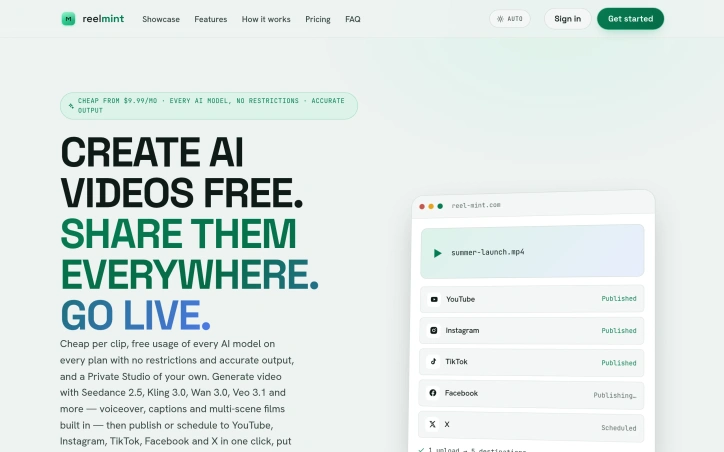
R

Accessibility sits at the core of what ReelMuse does: democratizing professional-grade video and image production through an all-in-one AI platform. The service targets creators of all skill levels, from casual content makers to aspiring producers, eliminating the technical expertise traditionally required to produce polished multimedia content. The platform consolidates several AI-powered creative tools under one roof. Users can generate original videos from scratch, produce high-quality images, and integrate AI-generated audio without specialized technical knowledge. The tool palette includes face-swap functionality and lip-sync capabilities, allowing creators to explore effects typically reserved for advanced editing software. These features signal a focus on trendy, shareable content formats that perform well on social media platforms. What distinguishes ReelMuse in a crowded AI creative tools space is its positioning as a comprehensive ecosystem rather than a point solution. The company has invested heavily in building a partner network, with verified listings across 22 different startup directories and AI tool aggregators. This breadth of third-party verification suggests institutional confidence in the platform. The company reports reaching over 50,000 active creators, indicating meaningful adoption. The partners page reveals deliberate strategy around link equity and domain authority, specifically mentioning dofollow backlinks and quick review cycles for partner exchanges. This demonstrates the company understands SEO fundamentals and is building visibility through quality partnerships rather than paid advertising alone. The curated nature of their partner list, emphasizing platforms serving AI enthusiasts and productivity-focused users, indicates targeted positioning toward creator communities. ReelMuse occupies interesting ground between consumer-friendly video editing tools and professional creative suites. The feature set prioritizes fast, template-based content creation focused on speed and shareability over cinematic sophistication. No pricing information is publicly disclosed. The aggregation strategy across directories and the emphasis on creator reach demonstrate that ReelMuse is betting on network effects and organic discovery. The company has built a foundation of accessible tooling and a thoughtful partner ecosystem, positioning themselves for growth in the rapidly expanding AI video generation category.

Ai-generative-media
Q
q q

Accessibility sits at the core of what ReelMuse does: democratizing professional-grade video and image production through an all-in-one AI platform. The service targets creators of all skill levels, from casual content makers to aspiring producers, eliminating the technical expertise traditionally required to produce polished multimedia content. The platform consolidates several AI-powered creative tools under one roof. Users can generate original videos from scratch, produce high-quality images, and integrate AI-generated audio without specialized technical knowledge. The tool palette includes face-swap functionality and lip-sync capabilities, allowing creators to explore effects typically reserved for advanced editing software. These features signal a focus on trendy, shareable content formats that perform well on social media platforms. What distinguishes ReelMuse in a crowded AI creative tools space is its positioning as a comprehensive ecosystem rather than a point solution. The company has invested heavily in building a partner network, with verified listings across 22 different startup directories and AI tool aggregators. This breadth of third-party verification suggests institutional confidence in the platform. The company reports reaching over 50,000 active creators, indicating meaningful adoption. The partners page reveals deliberate strategy around link equity and domain authority, specifically mentioning dofollow backlinks and quick review cycles for partner exchanges. This demonstrates the company understands SEO fundamentals and is building visibility through quality partnerships rather than paid advertising alone. The curated nature of their partner list, emphasizing platforms serving AI enthusiasts and productivity-focused users, indicates targeted positioning toward creator communities. ReelMuse occupies interesting ground between consumer-friendly video editing tools and professional creative suites. The feature set prioritizes fast, template-based content creation focused on speed and shareability over cinematic sophistication. No pricing information is publicly disclosed. The aggregation strategy across directories and the emphasis on creator reach demonstrate that ReelMuse is betting on network effects and organic discovery. The company has built a foundation of accessible tooling and a thoughtful partner ecosystem, positioning themselves for growth in the rapidly expanding AI video generation category.

ReelMuse preview
R

Key features

  • Video Generation: Create original videos from scratch using AI technology
  • Image Production: Generate high-quality images without specialized technical knowledge
See full listing
MakeCorn - ai creator tool

generate ai creators

Ai-generative-media
B
blake

generate ai creators

AI Tattoo Generator

Translating a vague tattoo concept into a stencil-ready design has always meant weeks of Pinterest scrolling and awkward conversations with tattoo artists. AI Tattoo Generator cuts through this friction by converting text descriptions into preview-ready artwork in seconds, letting customers validate their vision before walking into an artist's chair. The product targets two distinct audiences: people who want to visualize and refine ideas independently before paying for professional consultation, and those seeking inspiration by browsing community-generated designs. Rather than positioning itself as a generic image generator, the founder built the workflow specifically for tattoo planning, training the AI on style-aware prompts for minimalist, traditional, Japanese irezumi, geometric, and blackwork aesthetics. What distinguishes this from standard AI image tools is the specificity embedded in every decision point. Users describe their tattoo idea, select from multiple AI models with different credit costs (ChatGPT Image at 4 credits, Doubao at 5, with premium options locked behind a Pro tier), pick an established tattoo style, and designate placement on specific body areas. The system delivers high-resolution PNG files formatted explicitly for artists to trace and adapt. This deliberate architecture—combining style, placement, and output format in a single workflow—reflects genuine product thinking about how tattoos actually get made. The community gallery functions simultaneously as inspiration and social proof. Displaying previous user prompts alongside finished designs creates a browsable archive of ideas, while a private mode upgrade lets users keep designs confidential. The font generator addresses lettering requests, a common tattoo need that most AI tools handle poorly. Accessibility comes through a free credit allowance on signup, allowing new users to generate multiple concepts before deciding whether to continue. Credit costs vary by model availability and capability, introducing a tiered monetization model without forcing immediate payment. The positioning is refreshingly honest: these are drafts, not finished pieces. The site consistently reminds users that AI designs are starting points requiring professional artist review and adaptation for actual skin placement. This liability-conscious language protects both the user and the company. For people frustrated by the design-communication gap in tattoo planning, the product delivers genuine utility. It collapses what might take days of conversation and revision into minutes of generation and variation.

Ai-generative-media
K
Kitety

Translating a vague tattoo concept into a stencil-ready design has always meant weeks of Pinterest scrolling and awkward conversations with tattoo artists. AI Tattoo Generator cuts through this friction by converting text descriptions into preview-ready artwork in seconds, letting customers validate their vision before walking into an artist's chair. The product targets two distinct audiences: people who want to visualize and refine ideas independently before paying for professional consultation, and those seeking inspiration by browsing community-generated designs. Rather than positioning itself as a generic image generator, the founder built the workflow specifically for tattoo planning, training the AI on style-aware prompts for minimalist, traditional, Japanese irezumi, geometric, and blackwork aesthetics. What distinguishes this from standard AI image tools is the specificity embedded in every decision point. Users describe their tattoo idea, select from multiple AI models with different credit costs (ChatGPT Image at 4 credits, Doubao at 5, with premium options locked behind a Pro tier), pick an established tattoo style, and designate placement on specific body areas. The system delivers high-resolution PNG files formatted explicitly for artists to trace and adapt. This deliberate architecture—combining style, placement, and output format in a single workflow—reflects genuine product thinking about how tattoos actually get made. The community gallery functions simultaneously as inspiration and social proof. Displaying previous user prompts alongside finished designs creates a browsable archive of ideas, while a private mode upgrade lets users keep designs confidential. The font generator addresses lettering requests, a common tattoo need that most AI tools handle poorly. Accessibility comes through a free credit allowance on signup, allowing new users to generate multiple concepts before deciding whether to continue. Credit costs vary by model availability and capability, introducing a tiered monetization model without forcing immediate payment. The positioning is refreshingly honest: these are drafts, not finished pieces. The site consistently reminds users that AI designs are starting points requiring professional artist review and adaptation for actual skin placement. This liability-conscious language protects both the user and the company. For people frustrated by the design-communication gap in tattoo planning, the product delivers genuine utility. It collapses what might take days of conversation and revision into minutes of generation and variation.

AI Tattoo Generator preview

Key features

  • Text-to-Design Conversion: Converts text descriptions into preview-ready tattoo artwork in seconds
  • Style-Specific Selection: Users can pick from established tattoo styles including minimalist, traditional, Japanese irezumi, geometric, and blackwork
See full listing
Seedream 5.0 Pro

Designers and marketing teams struggling to generate complex, information-dense visuals have a new option in Seedream 5.0 Pro, an AI image generator that combines detailed text prompts with reference imagery and interactive annotation tools to produce professional-quality outputs. The core value proposition centers on speed and control. Rather than iterating through countless text-based attempts, users can upload a reference image, mark specific elements with annotations—points, regions, sketches, or arrows—and use those marked areas within their prompt to guide the AI's refinement process. This hybrid approach bridges the gap between fully automated generation and fully manual design work, giving designers meaningful control over the AI's output while retaining the efficiency gains of generative tools. The product targets three distinct use cases. First, complex infographics and data visualizations where precision matters, from highly detailed interfaces to statistical dashboards. Second, product and marketing campaigns requiring photographic quality and stylistic coherence across multiple assets. Third, multilingual creative content, a feature enabling teams working across languages to maintain design consistency without manual rework. The examples demonstrate genuine capability: a dense RPG interface prompt generates what appears to be a functional, grid-aligned layout with readable typography and appropriate color restraint. Key capabilities include support for high-density infographics through mark-guided editing, photographic-quality rendering, and native multilingual generation. The interface appears straightforward, with users inputting visual and textual references within specified limits, accompanied by clear content guidelines around restricted material. What distinguishes Seedream from broader AI image generators is its explicit focus on complexity rather than simplicity. Competitors often optimize for photorealistic portraits or stylized illustrations; Seedream specifically targets dense data visualization, technical specifications, and intricate layouts. The reference image plus annotation system represents a meaningful UX innovation that acknowledges designers don't want fully autonomous generation—they want smart tools that respond to structured creative direction. No pricing information appears in the available material, making cost assessment impossible. The product positions itself for professional creative workflows, though the actual pricing tier would significantly influence whether it becomes a standard design tool or remains a specialized premium option. For teams handling high-complexity visual projects, the focused feature set suggests a clear understanding of niche market needs, regardless of eventual cost.

Ai-generative-media
Z
Zheng Li

Designers and marketing teams struggling to generate complex, information-dense visuals have a new option in Seedream 5.0 Pro, an AI image generator that combines detailed text prompts with reference imagery and interactive annotation tools to produce professional-quality outputs. The core value proposition centers on speed and control. Rather than iterating through countless text-based attempts, users can upload a reference image, mark specific elements with annotations—points, regions, sketches, or arrows—and use those marked areas within their prompt to guide the AI's refinement process. This hybrid approach bridges the gap between fully automated generation and fully manual design work, giving designers meaningful control over the AI's output while retaining the efficiency gains of generative tools. The product targets three distinct use cases. First, complex infographics and data visualizations where precision matters, from highly detailed interfaces to statistical dashboards. Second, product and marketing campaigns requiring photographic quality and stylistic coherence across multiple assets. Third, multilingual creative content, a feature enabling teams working across languages to maintain design consistency without manual rework. The examples demonstrate genuine capability: a dense RPG interface prompt generates what appears to be a functional, grid-aligned layout with readable typography and appropriate color restraint. Key capabilities include support for high-density infographics through mark-guided editing, photographic-quality rendering, and native multilingual generation. The interface appears straightforward, with users inputting visual and textual references within specified limits, accompanied by clear content guidelines around restricted material. What distinguishes Seedream from broader AI image generators is its explicit focus on complexity rather than simplicity. Competitors often optimize for photorealistic portraits or stylized illustrations; Seedream specifically targets dense data visualization, technical specifications, and intricate layouts. The reference image plus annotation system represents a meaningful UX innovation that acknowledges designers don't want fully autonomous generation—they want smart tools that respond to structured creative direction. No pricing information appears in the available material, making cost assessment impossible. The product positions itself for professional creative workflows, though the actual pricing tier would significantly influence whether it becomes a standard design tool or remains a specialized premium option. For teams handling high-complexity visual projects, the focused feature set suggests a clear understanding of niche market needs, regardless of eventual cost.

Seedream 5.0 Pro preview

Key features

  • Reference Image Support: Upload reference imagery to guide AI refinement of generated outputs
  • Annotation Tools: Mark specific elements with points, regions, sketches, or arrows to direct AI generation
See full listing
Random Animal Generator

Creative professionals looking for inspiration when facing project blocks have found a dedicated tool in this hybrid creature generator. Built for artists and game designers, the platform combines random selection across 2,500+ animal species into single creatures with eleven distinct body parts, creating endless drawing prompts and character concepts on demand. The product's strength lies in its structured approach to randomization. Rather than selecting a single species at random, users click through eleven separate slots—base body, head, ears, eyes, nose, legs, feet, tail, coat, color, and an extra feature—each pulling from the deep animal database independently. This part-by-part assembly creates far more varied and unusual combinations than simple species selection would allow. Users immediately receive a text prompt describing their hybrid creature, which they can copy for sketching, sharing, or direct use in creative work. The platform targets several specific use cases effectively. Aspiring artists use the generated prompts as drawing practice exercises. Game designers and tabletop role-playing groups draw character concepts from the descriptions. Social media users share their generated creatures as community challenges or portfolio pieces. A gallery of featured community creations demonstrates how the AI-generated images from successful hybrids look in practice, showing pairs of creatures alongside the animal-part prompts that produced them. Monetization enters once users unlock the full feature set. Free usage includes revealing all eleven parts and generating the text prompt. Signing in unlocks AI image generation using GPT Image 2, though the platform also offers a hand-drawn concept sketch option credited at one unit. The combination of free core functionality with optional premium image generation creates accessibility without eliminating a path to revenue. The database draws from diverse animal categories including mammals, birds, reptiles, insects, recognized breeds, and lesser-known species, providing the breadth necessary for the tool to remain fresh across repeated use. The straightforward mechanics—click to spin each slot, reveal parts sequentially, copy or generate—require no tutorial or learning curve. For creative professionals seeking structured randomization rather than pure chance, or for anyone needing quick character design inspiration, this generator delivers focused utility within a narrow, well-executed scope.

Ai-generative-media
Z
Zheng Li

Creative professionals looking for inspiration when facing project blocks have found a dedicated tool in this hybrid creature generator. Built for artists and game designers, the platform combines random selection across 2,500+ animal species into single creatures with eleven distinct body parts, creating endless drawing prompts and character concepts on demand. The product's strength lies in its structured approach to randomization. Rather than selecting a single species at random, users click through eleven separate slots—base body, head, ears, eyes, nose, legs, feet, tail, coat, color, and an extra feature—each pulling from the deep animal database independently. This part-by-part assembly creates far more varied and unusual combinations than simple species selection would allow. Users immediately receive a text prompt describing their hybrid creature, which they can copy for sketching, sharing, or direct use in creative work. The platform targets several specific use cases effectively. Aspiring artists use the generated prompts as drawing practice exercises. Game designers and tabletop role-playing groups draw character concepts from the descriptions. Social media users share their generated creatures as community challenges or portfolio pieces. A gallery of featured community creations demonstrates how the AI-generated images from successful hybrids look in practice, showing pairs of creatures alongside the animal-part prompts that produced them. Monetization enters once users unlock the full feature set. Free usage includes revealing all eleven parts and generating the text prompt. Signing in unlocks AI image generation using GPT Image 2, though the platform also offers a hand-drawn concept sketch option credited at one unit. The combination of free core functionality with optional premium image generation creates accessibility without eliminating a path to revenue. The database draws from diverse animal categories including mammals, birds, reptiles, insects, recognized breeds, and lesser-known species, providing the breadth necessary for the tool to remain fresh across repeated use. The straightforward mechanics—click to spin each slot, reveal parts sequentially, copy or generate—require no tutorial or learning curve. For creative professionals seeking structured randomization rather than pure chance, or for anyone needing quick character design inspiration, this generator delivers focused utility within a narrow, well-executed scope.

Random Animal Generator preview

Key features

  • Part-by-Part Assembly: Users click through eleven distinct animal body parts independently to create endless hybrid creature combinations
  • 2,500+ Animal Database: Draws from mammals, birds, reptiles, insects, recognized breeds, and lesser-known species
See full listing
ASMRHookLab

Creators chasing viral moments on social media face a persistent friction point: ASMR content production demands both technical skill and time investment. ASMRHookLab addresses this by enabling rapid generation of ASMR videos through AI, built on Veo 3.1 technology. The product targets short-form creators on TikTok, Reels, and YouTube Shorts who want to capitalize on ASMR's popularity but lack specialized equipment or editing knowledge. The central innovation is simplicity. Rather than requiring users to master prompt engineering, the platform provides templated workflows. Creators select a preset template like fruit cutting or keyboard tapping, adjust a handful of variables, and receive a complete video with synchronized native audio within minutes. This is a fundamental departure from most AI video tools, which place the burden of articulate prompting on the user. By removing that barrier, ASMRHookLab democratizes a content category that previously demanded both artistic vision and technical fluency. The feature set reflects this philosophy. Templates come prebaked with detailed visual direction and sound design guidance, eliminating guesswork about what makes ASMR satisfying. Native audio synthesis ensures that visual motion and sound truly align, a critical requirement for ASMR where the auditory experience drives engagement. The platform supports multiple output formats including 4K and handles both portrait (9:16) and landscape (16:9) aspect ratios, letting creators repurpose content across different social platforms in a single workflow. Generation speed varies by quality tier. Fast rendering consumes 30 credits and takes approximately two minutes, while higher-quality output requires 150 credits and six minutes. The credit system implies a freemium model where users can sample the product, with free accounts applying a watermark to exports. This pricing structure allows creators to test viability before committing spending, a pragmatic approach to trial and adoption. What distinguishes ASMRHookLab is its focus on removing complexity rather than adding features. Many AI video tools optimize for maximum customization, appealing to advanced users. This product optimizes for speed and accessibility. For a creator trying to test whether ASMR content resonates with their audience, or for someone seeking fast turnaround on trending formats, the tradeoff is favorable. The templated approach inherently limits creative range, but it trades depth for velocity, a calculation that aligns with short-form content rhythms where posting frequency often outweighs individual production polish.

Ai-generative-media
Z
Zheng Li

Creators chasing viral moments on social media face a persistent friction point: ASMR content production demands both technical skill and time investment. ASMRHookLab addresses this by enabling rapid generation of ASMR videos through AI, built on Veo 3.1 technology. The product targets short-form creators on TikTok, Reels, and YouTube Shorts who want to capitalize on ASMR's popularity but lack specialized equipment or editing knowledge. The central innovation is simplicity. Rather than requiring users to master prompt engineering, the platform provides templated workflows. Creators select a preset template like fruit cutting or keyboard tapping, adjust a handful of variables, and receive a complete video with synchronized native audio within minutes. This is a fundamental departure from most AI video tools, which place the burden of articulate prompting on the user. By removing that barrier, ASMRHookLab democratizes a content category that previously demanded both artistic vision and technical fluency. The feature set reflects this philosophy. Templates come prebaked with detailed visual direction and sound design guidance, eliminating guesswork about what makes ASMR satisfying. Native audio synthesis ensures that visual motion and sound truly align, a critical requirement for ASMR where the auditory experience drives engagement. The platform supports multiple output formats including 4K and handles both portrait (9:16) and landscape (16:9) aspect ratios, letting creators repurpose content across different social platforms in a single workflow. Generation speed varies by quality tier. Fast rendering consumes 30 credits and takes approximately two minutes, while higher-quality output requires 150 credits and six minutes. The credit system implies a freemium model where users can sample the product, with free accounts applying a watermark to exports. This pricing structure allows creators to test viability before committing spending, a pragmatic approach to trial and adoption. What distinguishes ASMRHookLab is its focus on removing complexity rather than adding features. Many AI video tools optimize for maximum customization, appealing to advanced users. This product optimizes for speed and accessibility. For a creator trying to test whether ASMR content resonates with their audience, or for someone seeking fast turnaround on trending formats, the tradeoff is favorable. The templated approach inherently limits creative range, but it trades depth for velocity, a calculation that aligns with short-form content rhythms where posting frequency often outweighs individual production polish.

ASMRHookLab preview

Key features

  • AI Video Generation: Creates complete ASMR videos using Veo 3.1 technology within minutes
  • Templated Workflows: Provides preset templates eliminating the need for prompt engineering or specialized knowledge
See full listing
Seedance

Cinematic video production without the traditional overhead is increasingly central to marketing and storytelling, and this AI-powered tool addresses a specific friction point: existing generators excel at short clips but struggle to maintain coherence across longer narratives. Seedance 2.5 targets creators, marketers, and production teams who need polished 30-second videos for ads, product launches, fashion content, and social media but lack the time or budget for conventional shoots. The product's core distinction is its approach to reference-based generation. Rather than relying solely on text prompts, it lets users provide images for style consistency, video references for motion guidance, audio tracks, and character references to maintain visual continuity throughout a 30-second sequence. This transforms the workflow from typing a description into something closer to traditional directorial planning—laying out beats, establishing visual anchors, and letting the model respect those choices across the full output. Beyond multimodal input, the technical architecture treats video as a joint audio-video generation task rather than post-processing sound into separately-generated footage. The 30-second native generation is mechanically significant; most competing tools max out at shorter segments and require stitching multiple clips together, a process the founder describes as tedious and prone to continuity breaks. Seedance 2.5 promises to render complete scenes with smoother narrative flow in one pass. The editing capabilities merit attention as well. Rather than forcing a full regeneration when details need refinement, the tool supports local region edits that preserve the composition, motion, lighting, and character identity of the broader scene. This substantially reduces iteration time for creators making small adjustments. The showcase examples span film, advertising, fashion, music, and educational content, demonstrating breadth in output quality and style versatility. Scenes range from surreal fantasy (floating storm battlefields, mechanical creatures) to grounded urban and commercial setups, suggesting the model generalizes reasonably well across visual genres. The platform does apply content screening, blocking requests involving sexual content, violence, hate speech, illegal activity, and rights-infringing material—a standard safety measure that may constrain some creative use cases. Pricing is not disclosed in the available materials, though the interface mentions a credit system. For teams evaluating the tool, transparency on cost-per-minute, subscription tiers, or per-generation pricing would be necessary for a practical procurement decision. The product positions itself as solving a real production problem with capabilities that distinguish it from simpler prompt-based generators, though buyers will need to validate consistency and edit speed against their specific workflow requirements.

Ai-generative-media
Z
Zheng Li

Cinematic video production without the traditional overhead is increasingly central to marketing and storytelling, and this AI-powered tool addresses a specific friction point: existing generators excel at short clips but struggle to maintain coherence across longer narratives. Seedance 2.5 targets creators, marketers, and production teams who need polished 30-second videos for ads, product launches, fashion content, and social media but lack the time or budget for conventional shoots. The product's core distinction is its approach to reference-based generation. Rather than relying solely on text prompts, it lets users provide images for style consistency, video references for motion guidance, audio tracks, and character references to maintain visual continuity throughout a 30-second sequence. This transforms the workflow from typing a description into something closer to traditional directorial planning—laying out beats, establishing visual anchors, and letting the model respect those choices across the full output. Beyond multimodal input, the technical architecture treats video as a joint audio-video generation task rather than post-processing sound into separately-generated footage. The 30-second native generation is mechanically significant; most competing tools max out at shorter segments and require stitching multiple clips together, a process the founder describes as tedious and prone to continuity breaks. Seedance 2.5 promises to render complete scenes with smoother narrative flow in one pass. The editing capabilities merit attention as well. Rather than forcing a full regeneration when details need refinement, the tool supports local region edits that preserve the composition, motion, lighting, and character identity of the broader scene. This substantially reduces iteration time for creators making small adjustments. The showcase examples span film, advertising, fashion, music, and educational content, demonstrating breadth in output quality and style versatility. Scenes range from surreal fantasy (floating storm battlefields, mechanical creatures) to grounded urban and commercial setups, suggesting the model generalizes reasonably well across visual genres. The platform does apply content screening, blocking requests involving sexual content, violence, hate speech, illegal activity, and rights-infringing material—a standard safety measure that may constrain some creative use cases. Pricing is not disclosed in the available materials, though the interface mentions a credit system. For teams evaluating the tool, transparency on cost-per-minute, subscription tiers, or per-generation pricing would be necessary for a practical procurement decision. The product positions itself as solving a real production problem with capabilities that distinguish it from simpler prompt-based generators, though buyers will need to validate consistency and edit speed against their specific workflow requirements.

Seedance preview

Key features

  • Reference-Based Generation: Users provide images, video references, and character references for consistent style and motion guidance across videos.
  • Native 30-Second Generation: Renders complete 30-second scenes in one pass, avoiding continuity issues from stitching multiple clips.
See full listing
Forge GUI

Game creators face a persistent friction point: compelling thumbnails and interface assets can drive engagement, but producing them individually consumes time and requires platform-specific visual knowledge. ForgeGUI addresses this directly by using AI to generate game thumbnails and GUI elements from text descriptions or reference images, with preset aesthetics matched to popular platforms. The product targets an active community of indie developers across Roblox, Minecraft, Unity, and Fortnite ecosystems. Rather than commissioning art or learning design tools, creators can describe a scene, apply platform-specific styling, and iterate rapidly on visual concepts. Several design choices distinguish ForgeGUI's approach. The platform presets go beyond generic filters—each targets a distinct visual language. Roblox-style output reflects blocky character proportions and environment aesthetics. Minecraft presets emphasize voxel-based forms. These constraints matter because thumbnails function differently at small viewport sizes on mobile devices, where contrast and subject readability determine click-through rates. ForgeGUI acknowledges this limitation directly, designing compositions for 16:9 mobile-friendly framing. The workflow itself prioritizes iteration. Users describe what they want, generate an image, then refine through edited directions or reference uploads rather than restarting from scratch. A live preview helps validate concepts before finalizing. The ability to test multiple visual moods—comparing scene staging, character expressions, or art directions within a single prompt—lets creators validate positioning before committing to one direction. A secondary feature set covers GUI assets beyond thumbnails: menus, panels, buttons, HUDs, and icons. The product labels 3D generation as coming soon, suggesting roadmap expansion beyond 2D web output. The company markets itself as trusted by over 10,000 creators and offers a 7-day free trial to assess the tool without commitment. No pricing structure appears in the public-facing content, leaving the long-term cost model unclear to prospective users. ForgeGUI works within constraints that define many AI generation tools: output quality depends on prompt clarity and how well style presets align with user intent. Creators expecting pixel-perfect professional work or highly customized branding will likely find the templated approach limiting. The core value proposition remains clear though—for creators who need functional game assets faster than manual creation allows, with minimal design expertise required, this directly shortens the iteration cycle.

Ai-generative-media
L
lily fisher

Game creators face a persistent friction point: compelling thumbnails and interface assets can drive engagement, but producing them individually consumes time and requires platform-specific visual knowledge. ForgeGUI addresses this directly by using AI to generate game thumbnails and GUI elements from text descriptions or reference images, with preset aesthetics matched to popular platforms. The product targets an active community of indie developers across Roblox, Minecraft, Unity, and Fortnite ecosystems. Rather than commissioning art or learning design tools, creators can describe a scene, apply platform-specific styling, and iterate rapidly on visual concepts. Several design choices distinguish ForgeGUI's approach. The platform presets go beyond generic filters—each targets a distinct visual language. Roblox-style output reflects blocky character proportions and environment aesthetics. Minecraft presets emphasize voxel-based forms. These constraints matter because thumbnails function differently at small viewport sizes on mobile devices, where contrast and subject readability determine click-through rates. ForgeGUI acknowledges this limitation directly, designing compositions for 16:9 mobile-friendly framing. The workflow itself prioritizes iteration. Users describe what they want, generate an image, then refine through edited directions or reference uploads rather than restarting from scratch. A live preview helps validate concepts before finalizing. The ability to test multiple visual moods—comparing scene staging, character expressions, or art directions within a single prompt—lets creators validate positioning before committing to one direction. A secondary feature set covers GUI assets beyond thumbnails: menus, panels, buttons, HUDs, and icons. The product labels 3D generation as coming soon, suggesting roadmap expansion beyond 2D web output. The company markets itself as trusted by over 10,000 creators and offers a 7-day free trial to assess the tool without commitment. No pricing structure appears in the public-facing content, leaving the long-term cost model unclear to prospective users. ForgeGUI works within constraints that define many AI generation tools: output quality depends on prompt clarity and how well style presets align with user intent. Creators expecting pixel-perfect professional work or highly customized branding will likely find the templated approach limiting. The core value proposition remains clear though—for creators who need functional game assets faster than manual creation allows, with minimal design expertise required, this directly shortens the iteration cycle.

Forge GUI preview

Key features

  • AI-Powered Generation: Creates game thumbnails and GUI elements from text descriptions or reference images
  • Platform Presets: Delivers Roblox, Minecraft, Unity, and Fortnite-specific visual aesthetics
See full listing
Dating App Photos

Poor lighting and awkward framing sabotage many dating profiles before a conversation even starts. Dating App Photos tackles this directly, using AI to rehabilitate everyday photos into polished profile images without requiring a professional photographer or extensive editing. The service lets users upload one or two casual photos and, after answering a few quick questions, receive a complete gallery of enhanced versions. The core transformation focuses on three technical improvements: correcting harsh lighting conditions, reframing awkward compositions, and removing visual clutter from backgrounds. What distinguishes this product is its emphasis on preserving the user's recognizable appearance while applying these adjustments. The results maintain a natural aesthetic rather than pushing toward an unrealistic or heavily filtered look. Dating App Photos offers six distinct scene templates that anchor transformations to believable everyday contexts: a coffee shop vibe, outdoor activity shots, smart casual styling, energetic poses suggesting an active lifestyle, cozy indoor settings, and candid street scenes. This approach sidesteps the artificiality that undermines many AI photo services, grounding results in scenarios that feel authentic to how users actually live. The product's positioning emphasizes speed and convenience. Traditional approaches require hiring a photographer and coordinating availability; this service compresses the workflow from hours or days to minutes. Users also retain full control, reviewing each generated image before committing it to their profile. On the business model front, Dating App Photos operates on a simple one-time payment structure with no recurring subscription fees. Users receive 30-day download access to completed images. The privacy stance is straightforward: photos are processed privately and never displayed publicly or used for other purposes. For people struggling with poor-quality existing photos but hesitant to hire professional photography services, this fills a genuine gap. Dating app users face real pressure to present themselves effectively, and lighting and framing issues create a barrier regardless of actual appearance. By automating these specific corrections while preserving identity, Dating App Photos addresses a real frustration in the user journey without requiring expensive alternatives.

Ai-generative-media
P
perry vv

Poor lighting and awkward framing sabotage many dating profiles before a conversation even starts. Dating App Photos tackles this directly, using AI to rehabilitate everyday photos into polished profile images without requiring a professional photographer or extensive editing. The service lets users upload one or two casual photos and, after answering a few quick questions, receive a complete gallery of enhanced versions. The core transformation focuses on three technical improvements: correcting harsh lighting conditions, reframing awkward compositions, and removing visual clutter from backgrounds. What distinguishes this product is its emphasis on preserving the user's recognizable appearance while applying these adjustments. The results maintain a natural aesthetic rather than pushing toward an unrealistic or heavily filtered look. Dating App Photos offers six distinct scene templates that anchor transformations to believable everyday contexts: a coffee shop vibe, outdoor activity shots, smart casual styling, energetic poses suggesting an active lifestyle, cozy indoor settings, and candid street scenes. This approach sidesteps the artificiality that undermines many AI photo services, grounding results in scenarios that feel authentic to how users actually live. The product's positioning emphasizes speed and convenience. Traditional approaches require hiring a photographer and coordinating availability; this service compresses the workflow from hours or days to minutes. Users also retain full control, reviewing each generated image before committing it to their profile. On the business model front, Dating App Photos operates on a simple one-time payment structure with no recurring subscription fees. Users receive 30-day download access to completed images. The privacy stance is straightforward: photos are processed privately and never displayed publicly or used for other purposes. For people struggling with poor-quality existing photos but hesitant to hire professional photography services, this fills a genuine gap. Dating app users face real pressure to present themselves effectively, and lighting and framing issues create a barrier regardless of actual appearance. By automating these specific corrections while preserving identity, Dating App Photos addresses a real frustration in the user journey without requiring expensive alternatives.

Dating App Photos preview

Key features

  • AI Photo Enhancement: Corrects harsh lighting, reframes compositions, and removes visual clutter from backgrounds.
  • Scene Templates: Offers six distinct everyday contexts including coffee shop, outdoor, smart casual, active lifestyle, cozy indoor, and street scenes.
See full listing
U

Finding a unique username that works across multiple social platforms represents a genuine friction point for creators, gamers, and casual users alike. Username Ideas Generator addresses this friction head-on with an AI-powered solution designed to streamline the brainstorming process. Rather than cycling through variations manually or settling for usernames already claimed elsewhere, users can leverage the tool to generate aesthetic and memorable options tailored to their needs. The tool targets the workflow across major platforms: Instagram, TikTok, YouTube, and gaming communities. This multi-platform focus recognizes the reality that many creators maintain presence across several channels and need consistency. The AI-driven approach to generation distinguishes it from simpler random generators or availability checkers; the tool produces suggestions aimed at being both memorable and visually appealing, rather than defaulting to number combinations or special character strings that clutter most username fields. What makes the product compelling is its directness. The founder built this after experiencing the tedium firsthand, and that clarity of purpose translates into a focused scope. Rather than attempting to solve username management broadly, it concentrates on the initial generation phase where most of the creative friction occurs. The tool saves users from repetitive manual searching and the cognitive load of balancing originality against availability constraints. The positioning as "aesthetic" and "memorable" also signals an understanding of platform culture. A good TikTok username differs substantially from a gaming handle, and an effective Instagram name requires different sensibilities than a YouTube channel. The tool's ability to generate ideas specific to each platform reflects this distinction. What remains unclear from the available information is how the AI determines what constitutes an aesthetic username in context-specific ways, or how it validates availability across platforms. The speed advantage is evident in the problem statement, but the actual user workflow and learning curve remain undescribed. Despite these questions, Username Ideas Generator solves a real problem with a straightforward approach that could save creators meaningful time during the account setup phase.

Ai-generative-media
Q
qing wang

Finding a unique username that works across multiple social platforms represents a genuine friction point for creators, gamers, and casual users alike. Username Ideas Generator addresses this friction head-on with an AI-powered solution designed to streamline the brainstorming process. Rather than cycling through variations manually or settling for usernames already claimed elsewhere, users can leverage the tool to generate aesthetic and memorable options tailored to their needs. The tool targets the workflow across major platforms: Instagram, TikTok, YouTube, and gaming communities. This multi-platform focus recognizes the reality that many creators maintain presence across several channels and need consistency. The AI-driven approach to generation distinguishes it from simpler random generators or availability checkers; the tool produces suggestions aimed at being both memorable and visually appealing, rather than defaulting to number combinations or special character strings that clutter most username fields. What makes the product compelling is its directness. The founder built this after experiencing the tedium firsthand, and that clarity of purpose translates into a focused scope. Rather than attempting to solve username management broadly, it concentrates on the initial generation phase where most of the creative friction occurs. The tool saves users from repetitive manual searching and the cognitive load of balancing originality against availability constraints. The positioning as "aesthetic" and "memorable" also signals an understanding of platform culture. A good TikTok username differs substantially from a gaming handle, and an effective Instagram name requires different sensibilities than a YouTube channel. The tool's ability to generate ideas specific to each platform reflects this distinction. What remains unclear from the available information is how the AI determines what constitutes an aesthetic username in context-specific ways, or how it validates availability across platforms. The speed advantage is evident in the problem statement, but the actual user workflow and learning curve remain undescribed. Despite these questions, Username Ideas Generator solves a real problem with a straightforward approach that could save creators meaningful time during the account setup phase.

Username Ideas Generator preview
U

Key features

  • AI-Powered Generation: Uses artificial intelligence to generate aesthetic and memorable username options tailored to user needs.
  • Multi-Platform Support: Works across Instagram, TikTok, YouTube, and gaming communities.
See full listing
Doodara

Personalized children's picture books typically require either significant expense or design expertise—two barriers that most families lack. Doodara removes both by generating illustrated storybooks in minutes from a single photograph, requiring neither sign-up nor payment. The product's strongest asset is its frictionless entry point. Users upload a photo, select from twenty story templates or write their own premise, choose from sixteen art styles ranging from watercolor to pixel art, and the AI generates a complete book with consistent character illustrations throughout. The entire process completes in minutes, with no account creation necessary. This approach democratizes book creation: parents and caregivers can produce polished, personalized stories their children actually feature in—something previously limited to custom book publishers with premium pricing. The execution details matter. The service handles character consistency across pages, a non-trivial problem in generative AI that often produces jarring inconsistencies. It offers multiple output formats: flipbook previews for immediate sharing, downloadable PDFs for printing, and various aspect ratios optimized for different devices. These aren't afterthoughts; they embody the founder's core belief that giving each child the experience of starring in their own narrative deserves accessible tools. The service has generated over 2,400 books and demonstrated strong user adoption. The business model uses freemium monetization: the free tier delivers complete functionality using a standard AI model, while paid plans unlock an advanced model option, commercial usage rights, and additional printing services. This approach positions the free tier as a legitimate product, not a limited trial designed to frustrate users into upgrading. What remains unclear from the marketing materials is how consistently the AI handles edge cases—children of different ethnicities, more complex story concepts, or unusual art style combinations. The consistency promise is strong, but edge case performance determines whether this remains genuinely inclusive for all families. Doodara solves a real problem in an elegant way. It eliminates the skill, cost, and complexity barriers that prevented most families from creating personalized books. The free tier is genuinely unlimited and functional, making this accessible to households of any income level. For parents seeking a memorable way to put their child at the center of a story, this tool delivers.

Ai-generative-media
G
Guaiss Wang

Personalized children's picture books typically require either significant expense or design expertise—two barriers that most families lack. Doodara removes both by generating illustrated storybooks in minutes from a single photograph, requiring neither sign-up nor payment. The product's strongest asset is its frictionless entry point. Users upload a photo, select from twenty story templates or write their own premise, choose from sixteen art styles ranging from watercolor to pixel art, and the AI generates a complete book with consistent character illustrations throughout. The entire process completes in minutes, with no account creation necessary. This approach democratizes book creation: parents and caregivers can produce polished, personalized stories their children actually feature in—something previously limited to custom book publishers with premium pricing. The execution details matter. The service handles character consistency across pages, a non-trivial problem in generative AI that often produces jarring inconsistencies. It offers multiple output formats: flipbook previews for immediate sharing, downloadable PDFs for printing, and various aspect ratios optimized for different devices. These aren't afterthoughts; they embody the founder's core belief that giving each child the experience of starring in their own narrative deserves accessible tools. The service has generated over 2,400 books and demonstrated strong user adoption. The business model uses freemium monetization: the free tier delivers complete functionality using a standard AI model, while paid plans unlock an advanced model option, commercial usage rights, and additional printing services. This approach positions the free tier as a legitimate product, not a limited trial designed to frustrate users into upgrading. What remains unclear from the marketing materials is how consistently the AI handles edge cases—children of different ethnicities, more complex story concepts, or unusual art style combinations. The consistency promise is strong, but edge case performance determines whether this remains genuinely inclusive for all families. Doodara solves a real problem in an elegant way. It eliminates the skill, cost, and complexity barriers that prevented most families from creating personalized books. The free tier is genuinely unlimited and functional, making this accessible to households of any income level. For parents seeking a memorable way to put their child at the center of a story, this tool delivers.

Doodara preview

Key features

  • AI Storybook Generation: Generates illustrated storybooks in minutes from a single photograph
  • No Sign-Up Required: Create books without account creation or payment
See full listing
KPainter

Organizations struggling to communicate complex procedures, technical specifications, and product information face a persistent problem: dense documents fail to engage learners. KPainter addresses this gap by automating the conversion of static source materials into structured video explanations. The platform accepts a broad array of input formats—PDFs, PowerPoint presentations, Word documents, spreadsheets, images, and URLs—then transforms them into videos up to thirty minutes long. Rather than replacing source materials, KPainter uses them as the foundation for visual storytelling, letting creators specify their target audience and desired outcome before the system generates an explainer. This source-led approach distinguishes it from generic animation tools that require starting from scratch. The use cases on display span corporate training, technical communication, and customer education. Teams can turn standard operating procedures into onboarding walkthroughs, convert architecture diagrams and IT runbooks into clear dependencies, and package product guides and release notes into customer-facing videos. The platform also handles data storytelling, animating financial results and engineering specifications into narrative form. Examples shown include explaining rocket design, visualizing blood flow through the heart, and demonstrating how lithography machines work step by step. What stands out is the platform's flexibility around input types and visual complexity. Rather than forcing users to script videos from narrative first principles, KPainter lets them begin with real assets—an existing manual, a company image, an architectural diagram—and translate those into video. The remix capability, allowing users to review and refine generated content, suggests the tool handles the heavy lifting of visual organization while preserving creator control. The pricing model starts with a free tier, though specific plan details and premium features are not disclosed in available materials. This freemium approach lowers the barrier for teams experimenting with video-driven documentation. The platform targets organizations facing a common efficiency problem: knowledge locked in text-heavy formats that don't stick. By automating the creation of structured video explanations from existing materials, KPainter compresses what would otherwise require significant video production effort, scriptwriting, and animation skills.

Ai-generative-media
X
Xinwei

Organizations struggling to communicate complex procedures, technical specifications, and product information face a persistent problem: dense documents fail to engage learners. KPainter addresses this gap by automating the conversion of static source materials into structured video explanations. The platform accepts a broad array of input formats—PDFs, PowerPoint presentations, Word documents, spreadsheets, images, and URLs—then transforms them into videos up to thirty minutes long. Rather than replacing source materials, KPainter uses them as the foundation for visual storytelling, letting creators specify their target audience and desired outcome before the system generates an explainer. This source-led approach distinguishes it from generic animation tools that require starting from scratch. The use cases on display span corporate training, technical communication, and customer education. Teams can turn standard operating procedures into onboarding walkthroughs, convert architecture diagrams and IT runbooks into clear dependencies, and package product guides and release notes into customer-facing videos. The platform also handles data storytelling, animating financial results and engineering specifications into narrative form. Examples shown include explaining rocket design, visualizing blood flow through the heart, and demonstrating how lithography machines work step by step. What stands out is the platform's flexibility around input types and visual complexity. Rather than forcing users to script videos from narrative first principles, KPainter lets them begin with real assets—an existing manual, a company image, an architectural diagram—and translate those into video. The remix capability, allowing users to review and refine generated content, suggests the tool handles the heavy lifting of visual organization while preserving creator control. The pricing model starts with a free tier, though specific plan details and premium features are not disclosed in available materials. This freemium approach lowers the barrier for teams experimenting with video-driven documentation. The platform targets organizations facing a common efficiency problem: knowledge locked in text-heavy formats that don't stick. By automating the creation of structured video explanations from existing materials, KPainter compresses what would otherwise require significant video production effort, scriptwriting, and animation skills.

KPainter preview

Key features

  • Multi-Format Input: Accepts PDFs, PowerPoint presentations, Word documents, spreadsheets, images, and URLs.
  • Video Generation: Transforms source materials into structured video explanations up to thirty minutes long.
See full listing
Inkfox AI

The demand for AI-generated images has surged across various industries, but existing solutions often come with limitations such as restricted generation capabilities and mandatory sign-ups. Inkfox AI addresses these pain points by offering a free, unlimited AI image generator that doesn't require users to create an account. At its core, the platform is designed to simplify the process of creating diverse visuals from a single prompt. Users can input their desired image description and generate multiple ad creatives, product shots, and social media visuals. The absence of a sign-up requirement makes it instantly accessible, allowing users to start generating images right away. One of the standout features of Inkfox AI is its ability to produce unlimited generations without charging users. The platform provides options to customize the output by selecting between image and video, and it allows for some level of control over the generation process through parameters such as style, color, lighting, and composition. However, users should be aware that results generated without signing in are confined to the current browser session and will include a watermark. Users who don't sign in will have their results stored locally in their browser, and these results will be watermarked. Signing in offers the benefit of retaining generated images and removing the watermark. The simplicity of the generation process, coupled with the flexibility to create a variety of visuals, makes Inkfox AI an attractive option for users seeking to leverage AI-generated imagery. Inkfox AI is notable for its straightforward, no-frills approach and commitment to being 100% free with unlimited generations. This business model is explicitly stated, with no additional pricing tiers or caveats mentioned on the website. Overall, Inkfox AI is well-suited for individuals and businesses looking for a hassle-free, cost-effective solution to generate AI-based visuals.

Ai-generative-media
L
Liandro Ning

The demand for AI-generated images has surged across various industries, but existing solutions often come with limitations such as restricted generation capabilities and mandatory sign-ups. Inkfox AI addresses these pain points by offering a free, unlimited AI image generator that doesn't require users to create an account. At its core, the platform is designed to simplify the process of creating diverse visuals from a single prompt. Users can input their desired image description and generate multiple ad creatives, product shots, and social media visuals. The absence of a sign-up requirement makes it instantly accessible, allowing users to start generating images right away. One of the standout features of Inkfox AI is its ability to produce unlimited generations without charging users. The platform provides options to customize the output by selecting between image and video, and it allows for some level of control over the generation process through parameters such as style, color, lighting, and composition. However, users should be aware that results generated without signing in are confined to the current browser session and will include a watermark. Users who don't sign in will have their results stored locally in their browser, and these results will be watermarked. Signing in offers the benefit of retaining generated images and removing the watermark. The simplicity of the generation process, coupled with the flexibility to create a variety of visuals, makes Inkfox AI an attractive option for users seeking to leverage AI-generated imagery. Inkfox AI is notable for its straightforward, no-frills approach and commitment to being 100% free with unlimited generations. This business model is explicitly stated, with no additional pricing tiers or caveats mentioned on the website. Overall, Inkfox AI is well-suited for individuals and businesses looking for a hassle-free, cost-effective solution to generate AI-based visuals.

Inkfox AI preview

Key features

  • Unlimited Generations: Produces unlimited AI-generated images without charging users.
  • Customizable Output: Allows users to select between image and video, and control style, color, lighting, and composition.
See full listing