Best AI Generative Media Startups & Tools

Generate images/videos from prompts, edit photos, and power creative workflows.

Recently Listed

92 launches

Sort
Dola AI

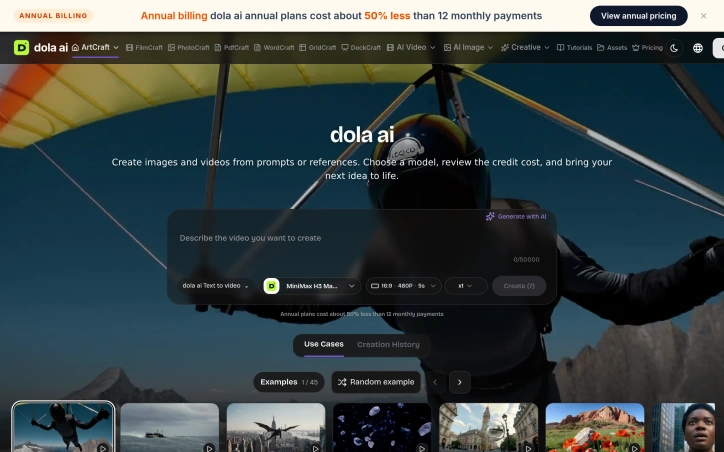
Creative professionals wrestling with the gap between their vision and AI output will find a practical solution in this web-based studio. Dola AI addresses a real friction point: AI image and video tools often require detailed prompts to approximate what a creator has clearly imagined, yet a written description rarely captures compositional decisions like framing, scale, lighting, and spatial relationships. The platform inverts this workflow by letting artists compose first, then generate. The core distinction is structural. Rather than typing a prompt and hoping for a match, users arrange visual elements in a two-dimensional or three-dimensional workspace before submitting to an AI model. They import reference images, position objects, set camera angles, and layer components—essentially building a storyboard that serves as the actual input to generation. This approach appeals to directors, concept artists, designers, and anyone whose creative thinking is spatial rather than narrative. The tool integrates editing, composition, timeline management, and reference boards into a single browser workspace. It supports image-to-video and text-to-video workflows across models like MiniMax H3 Max Turbo, with an estimated cost displayed before submission. Critically, local editing and project saving consume no credits, which means iteration and refinement are free; only AI generation jobs trigger the charge. Users can save projects with all compositional choices intact and return later to revise without starting over. The platform extends beyond visual content. The founder mentions capability with documents, spreadsheets, slides, and PDFs, suggesting it functions as both a creative studio and an office productivity layer. The visual composition method applies primarily to image and video, but the broader positioning hints at a toolkit for knowledge workers. A structural advantage lies in the open-source foundation. Dola AI leverages upstream tools—World Labs Marble for 3D worlds, Fal for audio and object generation—and integrates them within its own accounts and private storage infrastructure. This approach provides access to specialized models without locking users into a single vendor's ecosystem. Pricing follows a subscription model with annual plans discounted approximately 50 percent compared to monthly billing. This incentivizes longer commitment and signals that the platform expects sustained, regular use rather than one-off projects. The product targets creators frustrated by the imprecision of text-alone prompting and the limitations of existing editing software. It succeeds by treating AI as a refinement tool within a composed scene rather than as the primary creative driver.

Ai-generative-media
�
朱峰

Creative professionals wrestling with the gap between their vision and AI output will find a practical solution in this web-based studio. Dola AI addresses a real friction point: AI image and video tools often require detailed prompts to approximate what a creator has clearly imagined, yet a written description rarely captures compositional decisions like framing, scale, lighting, and spatial relationships. The platform inverts this workflow by letting artists compose first, then generate. The core distinction is structural. Rather than typing a prompt and hoping for a match, users arrange visual elements in a two-dimensional or three-dimensional workspace before submitting to an AI model. They import reference images, position objects, set camera angles, and layer components—essentially building a storyboard that serves as the actual input to generation. This approach appeals to directors, concept artists, designers, and anyone whose creative thinking is spatial rather than narrative. The tool integrates editing, composition, timeline management, and reference boards into a single browser workspace. It supports image-to-video and text-to-video workflows across models like MiniMax H3 Max Turbo, with an estimated cost displayed before submission. Critically, local editing and project saving consume no credits, which means iteration and refinement are free; only AI generation jobs trigger the charge. Users can save projects with all compositional choices intact and return later to revise without starting over. The platform extends beyond visual content. The founder mentions capability with documents, spreadsheets, slides, and PDFs, suggesting it functions as both a creative studio and an office productivity layer. The visual composition method applies primarily to image and video, but the broader positioning hints at a toolkit for knowledge workers. A structural advantage lies in the open-source foundation. Dola AI leverages upstream tools—World Labs Marble for 3D worlds, Fal for audio and object generation—and integrates them within its own accounts and private storage infrastructure. This approach provides access to specialized models without locking users into a single vendor's ecosystem. Pricing follows a subscription model with annual plans discounted approximately 50 percent compared to monthly billing. This incentivizes longer commitment and signals that the platform expects sustained, regular use rather than one-off projects. The product targets creators frustrated by the imprecision of text-alone prompting and the limitations of existing editing software. It succeeds by treating AI as a refinement tool within a composed scene rather than as the primary creative driver.

Dola AI preview

Key features

  • Visual Composition Workspace: Arrange visual elements in 2D or 3D space before submitting to AI generation.
  • Reference Importing: Import images, position objects, set camera angles, and layer components as generation input.
See full listing
ArtCraft

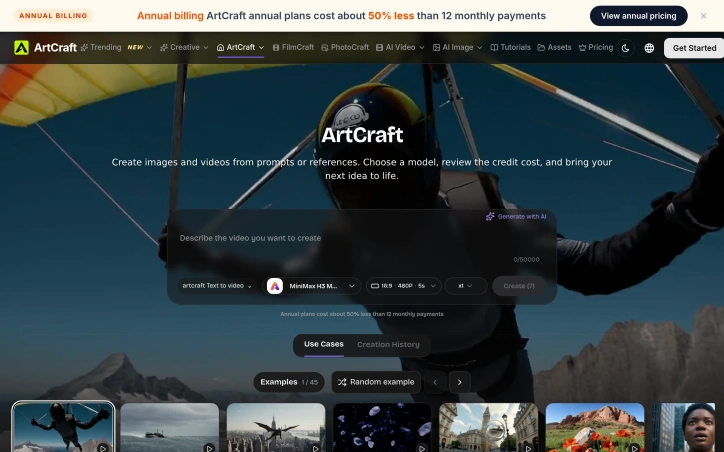
Creative professionals often face a frustrating gap between their artistic vision and the output of generative AI tools. The problem isn't the tools themselves, but rather the lack of control over how that vision translates into a final image or video. A browser-based studio called ArtCraft addresses this by flipping the traditional generative workflow on its head. Rather than crafting a detailed text prompt and hoping for the best, ArtCraft lets creators compose their shot first. Artists can import reference material, arrange layers for 2D layouts, or stage objects and cameras in 3D scenes before requesting AI generation. This composition-first approach means the final output begins with intentional artistic choices rather than algorithmic interpretation of written descriptions. The studio consolidates what would typically require multiple tools: image and video editing, 3D scene staging, moodboards, and reference management all live in a single browser workspace. Projects save to a user's account in their original, fully editable form. Critically, manual editing and project saves incur no generation costs, allowing artists to iterate and refine without penalty. When generation is needed, users select from available models before submitting, with a transparent credit cost displayed upfront. The platform integrates with several third-party services: MiniMax H3 for video, World Labs Marble for 3D worlds, and Fal for audio and object generation. This modular approach lets ArtCraft leverage specialized tools rather than attempting to build everything in-house. The pricing structure favors committed users, with annual subscriptions costing roughly 50 percent less than monthly billing spread across a year. The credit-based system means costs scale with actual generation usage rather than forcing users to pay for unused capacity. ArtCraft targets a specific audience: artists, designers, and creative directors who prioritize compositional control and project permanence over convenience. It's not a quick-prompt-to-image generator. Instead, it positions AI as one tool in a larger creative process where human intent remains central to the outcome. For creators tired of fighting algorithmic randomness, this composition-first approach offers a genuinely different model.

Ai-generative-media
�
朱峰

Creative professionals often face a frustrating gap between their artistic vision and the output of generative AI tools. The problem isn't the tools themselves, but rather the lack of control over how that vision translates into a final image or video. A browser-based studio called ArtCraft addresses this by flipping the traditional generative workflow on its head. Rather than crafting a detailed text prompt and hoping for the best, ArtCraft lets creators compose their shot first. Artists can import reference material, arrange layers for 2D layouts, or stage objects and cameras in 3D scenes before requesting AI generation. This composition-first approach means the final output begins with intentional artistic choices rather than algorithmic interpretation of written descriptions. The studio consolidates what would typically require multiple tools: image and video editing, 3D scene staging, moodboards, and reference management all live in a single browser workspace. Projects save to a user's account in their original, fully editable form. Critically, manual editing and project saves incur no generation costs, allowing artists to iterate and refine without penalty. When generation is needed, users select from available models before submitting, with a transparent credit cost displayed upfront. The platform integrates with several third-party services: MiniMax H3 for video, World Labs Marble for 3D worlds, and Fal for audio and object generation. This modular approach lets ArtCraft leverage specialized tools rather than attempting to build everything in-house. The pricing structure favors committed users, with annual subscriptions costing roughly 50 percent less than monthly billing spread across a year. The credit-based system means costs scale with actual generation usage rather than forcing users to pay for unused capacity. ArtCraft targets a specific audience: artists, designers, and creative directors who prioritize compositional control and project permanence over convenience. It's not a quick-prompt-to-image generator. Instead, it positions AI as one tool in a larger creative process where human intent remains central to the outcome. For creators tired of fighting algorithmic randomness, this composition-first approach offers a genuinely different model.

ArtCraft preview

Key features

  • Composition-First Workflow: Arrange layouts and stage scenes before requesting AI generation
  • Integrated Creative Studio: Consolidates image/video editing, 3D scene staging, moodboards, and reference management
See full listing
GoColoring

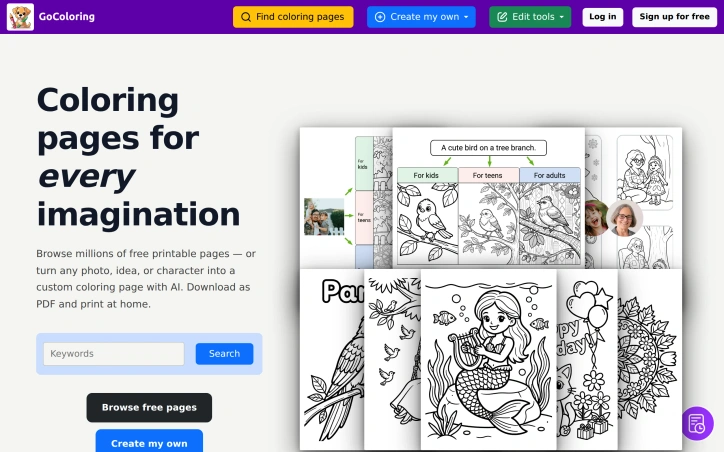
A library of customizable coloring content addresses a genuine friction point for parents and teachers hunting through generic collections or spending time manually adapting photos and drawings. GoColoring targets families wanting personalized pages, educators seeking classroom-ready materials, and anyone looking for print-on-demand creative output without design skills. The product's core innovation lies in its AI-powered generation pipeline. Rather than browsing existing pages, users can describe a scene in text—a dragon in a meadow, a birthday party—and receive a print-ready line-art page within seconds. The platform also converts photographs into coloring pages, letting parents transform family photos or pet pictures into one-of-a-kind activity pages suitable for gifts or celebrations. A third creation method generates coloring pages centered on specific people or characters, targeting personalization for classroom activities and special occasions. What distinguishes GoColoring is the breadth of the value proposition. The platform bundles a searchable library of millions of pre-made pages alongside generation capabilities, eliminating the need to choose between convenience and customization. Pages are organized by age group, theme, and interest—from animals and nature to superheroes and mandalas—making discovery straightforward for different audiences. The editing suite extends the utility beyond initial generation. An AI-assisted editing mode lets users request changes in plain language rather than manipulating tools manually. A magic eraser removes unwanted elements. A magic fill tool adds or replaces content in selected areas. An upscaling feature enlarges pages to 4MP or 8MP resolution for crisp printed output. These capabilities transform a generated page into a finished product without external design software. The business model employs a clear freemium structure. The free tier includes three AI creations daily and unlimited library downloads in PDF and PNG formats. The Pro tier—details on pricing not provided in public materials—adds capabilities including higher creation quotas, vector graphic exports licensed for commercial use, faster processing, and concurrent job submissions. This positioning appeals to casual users while providing a monetization path for educators and small businesses using the tool at scale. GoColoring solves the personalization problem that template libraries alone cannot address, combining discovery, generation, and editing into a unified workflow. For parents seeking custom activity pages and educators needing differentiated classroom materials, the combination of AI-powered creation and refinement tools makes the product genuinely useful rather than merely convenient.

Ai-generative-media
G
GoColoring

A library of customizable coloring content addresses a genuine friction point for parents and teachers hunting through generic collections or spending time manually adapting photos and drawings. GoColoring targets families wanting personalized pages, educators seeking classroom-ready materials, and anyone looking for print-on-demand creative output without design skills. The product's core innovation lies in its AI-powered generation pipeline. Rather than browsing existing pages, users can describe a scene in text—a dragon in a meadow, a birthday party—and receive a print-ready line-art page within seconds. The platform also converts photographs into coloring pages, letting parents transform family photos or pet pictures into one-of-a-kind activity pages suitable for gifts or celebrations. A third creation method generates coloring pages centered on specific people or characters, targeting personalization for classroom activities and special occasions. What distinguishes GoColoring is the breadth of the value proposition. The platform bundles a searchable library of millions of pre-made pages alongside generation capabilities, eliminating the need to choose between convenience and customization. Pages are organized by age group, theme, and interest—from animals and nature to superheroes and mandalas—making discovery straightforward for different audiences. The editing suite extends the utility beyond initial generation. An AI-assisted editing mode lets users request changes in plain language rather than manipulating tools manually. A magic eraser removes unwanted elements. A magic fill tool adds or replaces content in selected areas. An upscaling feature enlarges pages to 4MP or 8MP resolution for crisp printed output. These capabilities transform a generated page into a finished product without external design software. The business model employs a clear freemium structure. The free tier includes three AI creations daily and unlimited library downloads in PDF and PNG formats. The Pro tier—details on pricing not provided in public materials—adds capabilities including higher creation quotas, vector graphic exports licensed for commercial use, faster processing, and concurrent job submissions. This positioning appeals to casual users while providing a monetization path for educators and small businesses using the tool at scale. GoColoring solves the personalization problem that template libraries alone cannot address, combining discovery, generation, and editing into a unified workflow. For parents seeking custom activity pages and educators needing differentiated classroom materials, the combination of AI-powered creation and refinement tools makes the product genuinely useful rather than merely convenient.

GoColoring preview

Key features

  • AI Text-to-Coloring: Users describe scenes in text and receive print-ready line-art pages within seconds.
  • Photo Conversion: Photographs can be converted into coloring pages for personalized activity creation.
See full listing
Bulin 47 AI Videos

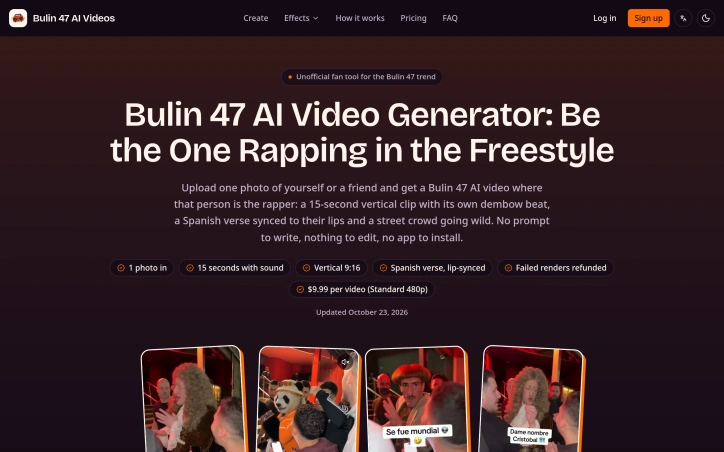
A fan-built web tool capitalizes on a viral meme moment by solving a specific creative problem: how to star in the Bulin 47 freestyle without filming it yourself or waiting for general-purpose AI video tools to approximate the scene. Bulin 47 AI Videos took advantage of hyperspecific virality. In October 2026, a 30-second clip of a Dominican dembow artist improvising a freestyle outside a restaurant became a meme phenomenon, crossing TikTok, Instagram and YouTube with tens of millions of views. The appeal was obvious: everyone wanted to be the one rapping. The friction was equally clear: you either needed to film it, hand it off to someone with a camera, or wrestle with a generic AI video generator trying to recreate a scene it was never designed for. The product removes that friction to near zero. Upload a clear photo of yourself or a consenting participant, and the tool generates a 15-second vertical video with an original dembow beat, a rapped Spanish verse lip-synced to the person's mouth, and a cheering crowd. The scene and timing are fixed, the prompt field is eliminated, and processing happens within minutes. The result formats itself for vertical platforms: TikTok, Instagram Reels, YouTube Shorts. What distinguishes this from broader AI video tools is ruthless scope. Bulin 47 AI Videos does one thing and controls every variable to do it well. The creator uses ByteDance's Seedance 2.5 model, offers output in 480p and 720p, and rebuilds the scene from scratch each time rather than layering user faces onto the original clip. That last detail matters: the tool generates original audio and synthetic crowds, avoiding both copyright issues and the uncanny valley of deepfaking a real moment. The business model is transaction-based without subscription lock-in. Standard videos cost $9.99 each, with HD output at a higher tier. Credits are sold in packs starting at $3.99 and never expire. Failed renders are refunded automatically. For a trend-chasing product with a compressed lifespan, this removes commitment friction. The product surfaces a pattern in viral moments: when the cultural moment is specific enough, the window for recreating it is real, and the manual path is frictionful enough, a narrow tool beats a broad one. Bulin 47 AI Videos arrived fast and solved a joke that wanted solving. Whether it outlives the trend depends on the trend itself.

Ai-generative-media
Y
yina lin

A fan-built web tool capitalizes on a viral meme moment by solving a specific creative problem: how to star in the Bulin 47 freestyle without filming it yourself or waiting for general-purpose AI video tools to approximate the scene. Bulin 47 AI Videos took advantage of hyperspecific virality. In October 2026, a 30-second clip of a Dominican dembow artist improvising a freestyle outside a restaurant became a meme phenomenon, crossing TikTok, Instagram and YouTube with tens of millions of views. The appeal was obvious: everyone wanted to be the one rapping. The friction was equally clear: you either needed to film it, hand it off to someone with a camera, or wrestle with a generic AI video generator trying to recreate a scene it was never designed for. The product removes that friction to near zero. Upload a clear photo of yourself or a consenting participant, and the tool generates a 15-second vertical video with an original dembow beat, a rapped Spanish verse lip-synced to the person's mouth, and a cheering crowd. The scene and timing are fixed, the prompt field is eliminated, and processing happens within minutes. The result formats itself for vertical platforms: TikTok, Instagram Reels, YouTube Shorts. What distinguishes this from broader AI video tools is ruthless scope. Bulin 47 AI Videos does one thing and controls every variable to do it well. The creator uses ByteDance's Seedance 2.5 model, offers output in 480p and 720p, and rebuilds the scene from scratch each time rather than layering user faces onto the original clip. That last detail matters: the tool generates original audio and synthetic crowds, avoiding both copyright issues and the uncanny valley of deepfaking a real moment. The business model is transaction-based without subscription lock-in. Standard videos cost $9.99 each, with HD output at a higher tier. Credits are sold in packs starting at $3.99 and never expire. Failed renders are refunded automatically. For a trend-chasing product with a compressed lifespan, this removes commitment friction. The product surfaces a pattern in viral moments: when the cultural moment is specific enough, the window for recreating it is real, and the manual path is frictionful enough, a narrow tool beats a broad one. Bulin 47 AI Videos arrived fast and solved a joke that wanted solving. Whether it outlives the trend depends on the trend itself.

Bulin 47 AI Videos preview

Key features

  • AI Video Generation: Transform photos into 15-second vertical videos with original dembow beats and lip-synced Spanish verses.
  • Fixed Scene Control: Pre-configured scene and timing eliminate the need for creative prompts or manual direction.
See full listing
BbY WOW Dance

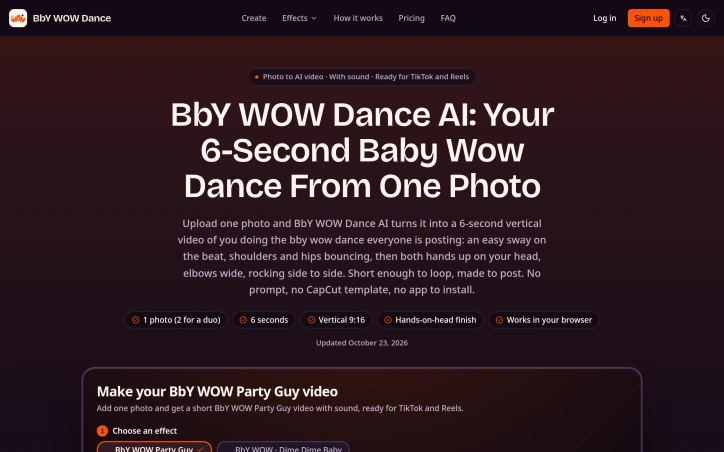
Capitalizing on the October 2026 TikTok trend where users perform a simple choreographed sway followed by hands-on-head moves, this web app solves a specific problem: many people want to participate in the viral dance without actually filming themselves. General-purpose AI video generators struggle with the precise choreography, so BbY WOW Dance offers a narrowly focused alternative that locks in the moves and asks only for a photo. The product's central constraint becomes its strength. Users upload a clear photo of themselves (or a consenting adult), select from a few preset options like solo dance or duo mode, and the app generates a finished vertical video ready for TikTok or Instagram Reels. The choreography never varies—a loose sway on the beat, bouncing shoulders and hips, then hands on the head with elbows out and side-to-side rocking. The fixed moves eliminate the need for complex prompting and reduce the failure modes that plague open-ended video generation. Videos arrive within minutes, complete with an original beat and sound design. The interface strips away friction. There's no template to navigate, no complicated app to install, no prompt engineering required. It works in a browser on English and Spanish versions. Users choose between Standard 480p or HD 720p quality, and the output is always a short, vertical 9:16 clip suitable for social platforms. A secondary "Party Guy" variant offers a different joke—biting into bread at a party and staring into the camera before dancing away—which extends the product's appeal beyond one-trick repetition. The tool distinguishes itself by operating independently from the artists and platforms. It uses ByteDance's Seedance 2.5 for video generation but makes no affiliation claims toward the song creators or TikTok. This clarity about origins and licensing boundaries is refreshing. Commercially, the model favors one-time purchases. Credit packs start at $9.90, working out to roughly $3.96 per video. There's no recurring subscription; credits don't expire and failed renders get refunded. For a product serving a time-sensitive trend, the absence of a subscription funnel feels appropriate. The main limitation is intentional: this solves one problem well rather than attempting general-purpose video generation. For users who want to participate in the dance without filming themselves, the focused approach works efficiently. For anyone seeking flexible AI video creation, they'll need to look elsewhere.

Ai-generative-media
Y
yina lin

Capitalizing on the October 2026 TikTok trend where users perform a simple choreographed sway followed by hands-on-head moves, this web app solves a specific problem: many people want to participate in the viral dance without actually filming themselves. General-purpose AI video generators struggle with the precise choreography, so BbY WOW Dance offers a narrowly focused alternative that locks in the moves and asks only for a photo. The product's central constraint becomes its strength. Users upload a clear photo of themselves (or a consenting adult), select from a few preset options like solo dance or duo mode, and the app generates a finished vertical video ready for TikTok or Instagram Reels. The choreography never varies—a loose sway on the beat, bouncing shoulders and hips, then hands on the head with elbows out and side-to-side rocking. The fixed moves eliminate the need for complex prompting and reduce the failure modes that plague open-ended video generation. Videos arrive within minutes, complete with an original beat and sound design. The interface strips away friction. There's no template to navigate, no complicated app to install, no prompt engineering required. It works in a browser on English and Spanish versions. Users choose between Standard 480p or HD 720p quality, and the output is always a short, vertical 9:16 clip suitable for social platforms. A secondary "Party Guy" variant offers a different joke—biting into bread at a party and staring into the camera before dancing away—which extends the product's appeal beyond one-trick repetition. The tool distinguishes itself by operating independently from the artists and platforms. It uses ByteDance's Seedance 2.5 for video generation but makes no affiliation claims toward the song creators or TikTok. This clarity about origins and licensing boundaries is refreshing. Commercially, the model favors one-time purchases. Credit packs start at $9.90, working out to roughly $3.96 per video. There's no recurring subscription; credits don't expire and failed renders get refunded. For a product serving a time-sensitive trend, the absence of a subscription funnel feels appropriate. The main limitation is intentional: this solves one problem well rather than attempting general-purpose video generation. For users who want to participate in the dance without filming themselves, the focused approach works efficiently. For anyone seeking flexible AI video creation, they'll need to look elsewhere.

BbY WOW Dance preview

Key features

  • Photo-to-Video Generation: Transforms a single photo into a finished vertical dance video
  • Fixed Choreography: Uses predetermined dance moves to eliminate complex prompting and generation failures
See full listing
BeautyGrader

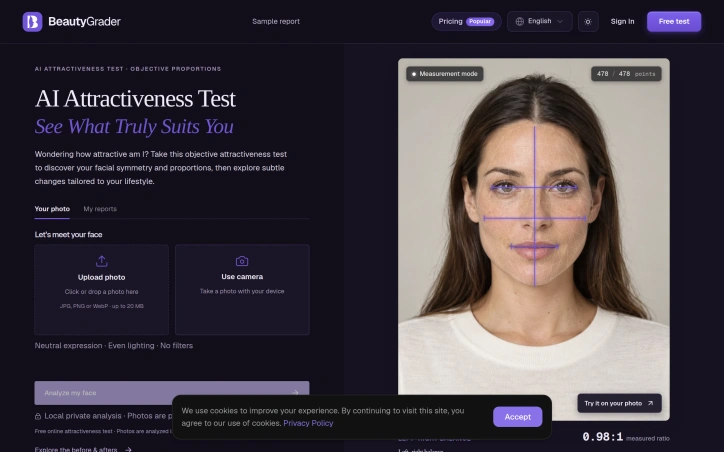
Facial analysis tools proliferate online, but BeautyGrader distinguishes itself through a privacy-first architecture and a practical focus on styling rather than judgment. The service measures facial symmetry and proportions using geometric metrics and golden ratio assessment, then translates those measurements into personalized aesthetic recommendations. Rather than simply assigning an attractiveness score, the tool guides users toward hairstyles and styling choices that harmonize their specific facial structure. The product's core technical differentiator is its local processing model. Users upload photos directly in their browser, and analysis happens entirely on their device rather than being sent to external servers for processing. This approach eliminates the privacy concerns that plague many online beauty assessment tools while delivering instant results without dependency on cloud infrastructure. The service stores up to 20 measurement records locally in the browser without long-term photo retention or account synchronization, maintaining a lightweight footprint and reducing data exposure. The measurement suite reflects the tool's scientific grounding. Users receive specific ratio analyses including eye spacing, facial thirds balance, and left-right symmetry assessment. These measurements become the foundation for styling recommendations rather than existing as isolated statistics. The transformation showcases reveal the tool's intended use case, focusing on practical styling adjustments rather than cosmetic procedures. Recommendations include layered cuts that rebalance facial proportions, eyewear selections that frame eye spacing, and volume placement that harmonizes vertical facial thirds. Each case includes specific metrics that justified the recommendation, grounding styling advice in measurable facial geometry rather than trend-following. BeautyGrader offers free access to its analysis and measurement tools within the browser, with no premium tiers currently mentioned. The product appeals to individuals seeking an alternative to subjective beauty standards, those researching their facial proportions for styling purposes, and users who prioritize data privacy. The emphasis on science-based metrics and practical styling guidance positions it distinctly from both cosmetic industry marketing and casual selfie-scoring apps.
Ai-generative-media
W
win one

Facial analysis tools proliferate online, but BeautyGrader distinguishes itself through a privacy-first architecture and a practical focus on styling rather than judgment. The service measures facial symmetry and proportions using geometric metrics and golden ratio assessment, then translates those measurements into personalized aesthetic recommendations. Rather than simply assigning an attractiveness score, the tool guides users toward hairstyles and styling choices that harmonize their specific facial structure. The product's core technical differentiator is its local processing model. Users upload photos directly in their browser, and analysis happens entirely on their device rather than being sent to external servers for processing. This approach eliminates the privacy concerns that plague many online beauty assessment tools while delivering instant results without dependency on cloud infrastructure. The service stores up to 20 measurement records locally in the browser without long-term photo retention or account synchronization, maintaining a lightweight footprint and reducing data exposure. The measurement suite reflects the tool's scientific grounding. Users receive specific ratio analyses including eye spacing, facial thirds balance, and left-right symmetry assessment. These measurements become the foundation for styling recommendations rather than existing as isolated statistics. The transformation showcases reveal the tool's intended use case, focusing on practical styling adjustments rather than cosmetic procedures. Recommendations include layered cuts that rebalance facial proportions, eyewear selections that frame eye spacing, and volume placement that harmonizes vertical facial thirds. Each case includes specific metrics that justified the recommendation, grounding styling advice in measurable facial geometry rather than trend-following. BeautyGrader offers free access to its analysis and measurement tools within the browser, with no premium tiers currently mentioned. The product appeals to individuals seeking an alternative to subjective beauty standards, those researching their facial proportions for styling purposes, and users who prioritize data privacy. The emphasis on science-based metrics and practical styling guidance positions it distinctly from both cosmetic industry marketing and casual selfie-scoring apps.

BeautyGrader preview

Key features

  • Local Processing: Analysis runs entirely in your browser without sending data to external servers
  • Facial Measurements: Measures facial symmetry, proportions, eye spacing, and left-right symmetry using geometric metrics and golden ratio assessment
See full listing
T

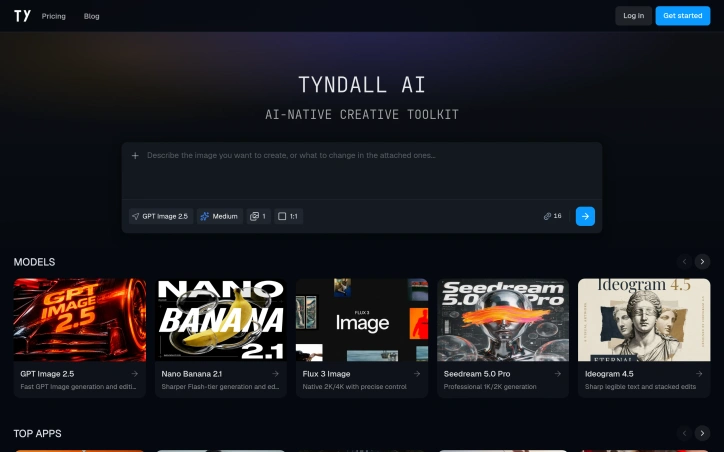
Content creators chasing viral moments now have a dedicated toolkit for generating on-trend video and image content without hiring editors or learning complex software. Tyndall AI bundles multiple image and video generation models into a unified platform designed specifically for social media creators, influencers, and digital marketers who want to rapidly produce meme-inspired videos and styled image content. The platform's strength lies in its practical focus on internet culture. Rather than offering generic image and video generation, Tyndall AI specializes in trend-driven templates. Its app gallery showcases AI generators tied to specific viral moments and music: dancing to trending songs, celebrity airport-walk recreations, meme format variations, and scene recreations tied to popular audio clips. This specificity makes the platform immediately actionable for creators chasing algorithmic visibility. Under the hood, Tyndall AI integrates multiple third-party generation models including GPT Image, Flux, Seedream, Ideogram, and Nano Banana, allowing users to choose the right engine for their creative goal. Image capabilities span text-to-image generation and upscaling. Video tools include prompt-to-video creation, motion transfer for placing characters into existing footage, person replacement for recasting talent, watermark removal, and video upscaling. This breadth covers most post-production needs for social content. The platform operates on a credit system with a freemium model. Users receive ten free credits daily, though the posted cost examples suggest moderate consumption, with a standard image generation task requiring 11 to 16 credits depending on speed settings. This structure makes casual experimentation accessible while allowing power users to purchase additional credits as needed. What remains unclear from the available information is whether Tyndall AI's value proposition depends primarily on trend templates—a feature that will age quickly as internet culture shifts—or whether the underlying toolkit delivers sufficient flexibility for evergreen creative work. The emphasis on pre-built trend apps suggests the former, which positions the platform as a timely tool for creators riding current waves rather than a permanent studio environment.
Ai-generative-media
J
JC X

Content creators chasing viral moments now have a dedicated toolkit for generating on-trend video and image content without hiring editors or learning complex software. Tyndall AI bundles multiple image and video generation models into a unified platform designed specifically for social media creators, influencers, and digital marketers who want to rapidly produce meme-inspired videos and styled image content. The platform's strength lies in its practical focus on internet culture. Rather than offering generic image and video generation, Tyndall AI specializes in trend-driven templates. Its app gallery showcases AI generators tied to specific viral moments and music: dancing to trending songs, celebrity airport-walk recreations, meme format variations, and scene recreations tied to popular audio clips. This specificity makes the platform immediately actionable for creators chasing algorithmic visibility. Under the hood, Tyndall AI integrates multiple third-party generation models including GPT Image, Flux, Seedream, Ideogram, and Nano Banana, allowing users to choose the right engine for their creative goal. Image capabilities span text-to-image generation and upscaling. Video tools include prompt-to-video creation, motion transfer for placing characters into existing footage, person replacement for recasting talent, watermark removal, and video upscaling. This breadth covers most post-production needs for social content. The platform operates on a credit system with a freemium model. Users receive ten free credits daily, though the posted cost examples suggest moderate consumption, with a standard image generation task requiring 11 to 16 credits depending on speed settings. This structure makes casual experimentation accessible while allowing power users to purchase additional credits as needed. What remains unclear from the available information is whether Tyndall AI's value proposition depends primarily on trend templates—a feature that will age quickly as internet culture shifts—or whether the underlying toolkit delivers sufficient flexibility for evergreen creative work. The emphasis on pre-built trend apps suggests the former, which positions the platform as a timely tool for creators riding current waves rather than a permanent studio environment.

Tyndall AI preview
T

Key features

  • Unified Generation Platform: Bundles multiple third-party AI models for image and video creation.
  • Trend-Driven Templates: Pre-built generators tied to viral moments, trending songs, and meme formats.
See full listing
R

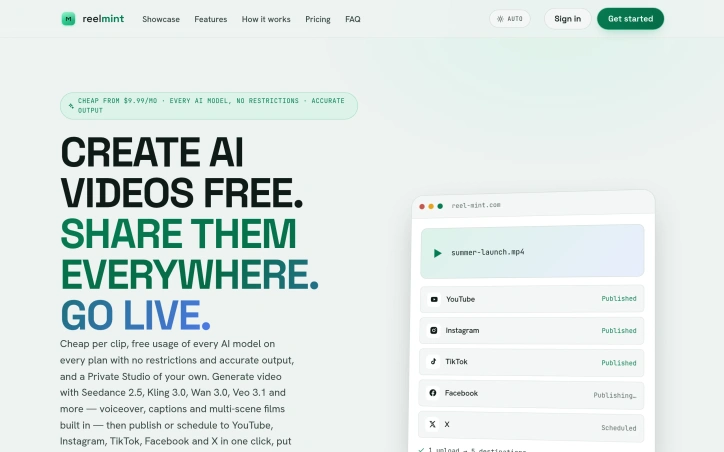
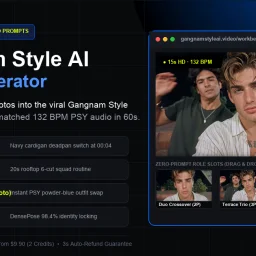
Fragmented video creation workflows waste hours. Creators typically bounce between text-to-video generators, image tools, editing software, and platform-specific uploaders before their content reaches audiences. ReelMint consolidates this scattered stack into a single workspace designed around the complete journey from concept to publication. The platform tackles a genuine friction point in short-form content production. Rather than building yet another AI video generator, ReelMint adds a multiplier: once a video exists, one click distributes it across TikTok, YouTube, Instagram, Facebook, and X with custom captions for each platform. The founder describes this directly as motivation—the realization that posting consumed as much time as creation itself. The feature set reflects that integrated philosophy. A user describes an idea, selects an AI model (currently including Seedance, Kling, and Veo), and receives a video with voiceover, music, and captions before confirming the cost. The multi-scene builder lets creators assemble AI-generated clips into longer films while maintaining consistent character appearances across scenes. Mint Moments accepts up to 15 photos and auto-edits them into a scored vertical film. Mint Ads takes a website URL and generates a narrated commercial from its actual content and design. For scheduling, Bot Studio handles recurring video generation and cross-posting on defined intervals. A conversational interface called Minty provides voice control over these features. Where ReelMint differentiates itself most is transparency and accessibility. Credit costs display before generation, not after surprise charges. The pricing floor sits at $9.99 monthly, and the platform offers 27 free-to-generate templates immediately. All plans unlock every AI model without artificial restrictions—a pricing structure that rewards exploration over gatekeeping. The livestream feature, Mint Live, extends the model to real-time content by putting AI characters directly on air within YouTube or TikTok LIVE streams, though implementation details remain opaque in available materials. The core value proposition is straightforward: reduce the hours spent orchestrating tools down to typing a prompt and clicking publish. For content operators managing multiple channels, marketers needing rapid ad iteration, or creators maximizing output without hiring editors, the consolidated workflow and multi-platform posting address a documented pain point. Whether the execution matches the promise would require hands-on testing beyond these promotional materials.
Ai-generative-media
C
CodeAeon

Fragmented video creation workflows waste hours. Creators typically bounce between text-to-video generators, image tools, editing software, and platform-specific uploaders before their content reaches audiences. ReelMint consolidates this scattered stack into a single workspace designed around the complete journey from concept to publication. The platform tackles a genuine friction point in short-form content production. Rather than building yet another AI video generator, ReelMint adds a multiplier: once a video exists, one click distributes it across TikTok, YouTube, Instagram, Facebook, and X with custom captions for each platform. The founder describes this directly as motivation—the realization that posting consumed as much time as creation itself. The feature set reflects that integrated philosophy. A user describes an idea, selects an AI model (currently including Seedance, Kling, and Veo), and receives a video with voiceover, music, and captions before confirming the cost. The multi-scene builder lets creators assemble AI-generated clips into longer films while maintaining consistent character appearances across scenes. Mint Moments accepts up to 15 photos and auto-edits them into a scored vertical film. Mint Ads takes a website URL and generates a narrated commercial from its actual content and design. For scheduling, Bot Studio handles recurring video generation and cross-posting on defined intervals. A conversational interface called Minty provides voice control over these features. Where ReelMint differentiates itself most is transparency and accessibility. Credit costs display before generation, not after surprise charges. The pricing floor sits at $9.99 monthly, and the platform offers 27 free-to-generate templates immediately. All plans unlock every AI model without artificial restrictions—a pricing structure that rewards exploration over gatekeeping. The livestream feature, Mint Live, extends the model to real-time content by putting AI characters directly on air within YouTube or TikTok LIVE streams, though implementation details remain opaque in available materials. The core value proposition is straightforward: reduce the hours spent orchestrating tools down to typing a prompt and clicking publish. For content operators managing multiple channels, marketers needing rapid ad iteration, or creators maximizing output without hiring editors, the consolidated workflow and multi-platform posting address a documented pain point. Whether the execution matches the promise would require hands-on testing beyond these promotional materials.

ReelMint preview
R

Key features

  • Multi-Platform Distribution: One-click distribution to TikTok, YouTube, Instagram, Facebook, and X with custom captions per platform.
  • Multi-Scene Builder: Assemble AI-generated clips into longer films while maintaining consistent character appearances across scenes.
See full listing
Gangnam Style AI Video Generator

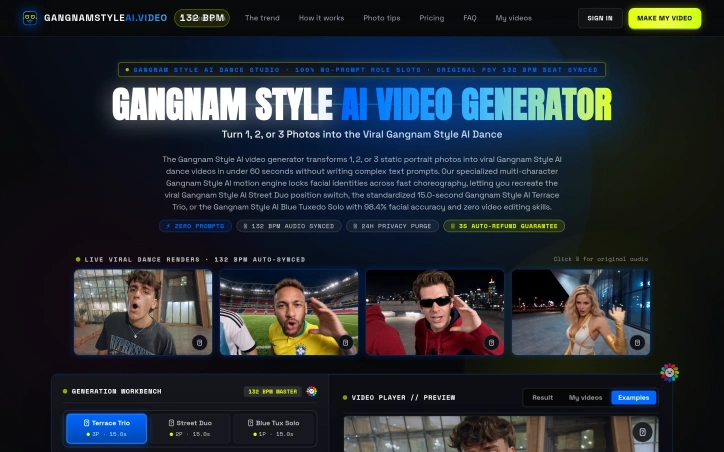
Viral dance videos have become a cultural phenomenon, but creating professional-quality versions requires technical skills most people lack. This AI video generator tackles that barrier by letting users transform 1-3 portrait photos into synced 15-second Gangnam Style dance videos without writing a single text prompt. The target audience spans casual creators who want shareable content quickly, social media enthusiasts looking for a novel way to feature photos, and anyone nostalgic for the 2012 phenomenon seeking to recreate it with modern faces. What distinguishes this tool is its singular focus. Rather than being a generalist video generator, it commits entirely to one dance and three preset choreography templates, eliminating decision paralysis. Users select between the Blue Tux Solo, Street Duo, or Terrace Trio formation, upload their photos to marked role slots, and receive an MP4 in under a minute. The 132 BPM audio syncing to PSY's original track happens automatically, and the platform claims 98.4% facial accuracy across fast-moving choreography, a technical claim that matters given how video synthesis typically fails on rapid motion. The product supports both landscape (16:9) and portrait (9:16) aspect ratios, accommodating TikTok creators alongside desktop viewers. Users can generate in either 720p or 1080p Full HD. Photo requirements are practical: clear, front-facing waist-up portraits with natural lighting, which aligns with smartphone capabilities. The business model prioritizes simplicity and trust. Pricing starts at $9.90 for a single 720p generation, with 1080p available through a credit system. There is no subscription; each generation is a one-time purchase. The platform offers a 3-second auto-refund guarantee and purges uploaded photos after 24 hours, directly addressing privacy concerns that plague photo-based AI tools. The core limitation doubles as the core strength: this solves a highly specific problem for a specific trend. It cannot serve users wanting unlimited choreography variety or custom music. For the narrow use case it addresses, however, the no-prompt interface, preset role system, and automatic audio syncing eliminate friction between idea and output. The one-time pricing without subscriptions positions it as a novelty purchase rather than a recurring service, which suits its entertainment-focused positioning.

Ai-generative-media
�
曾大发

Viral dance videos have become a cultural phenomenon, but creating professional-quality versions requires technical skills most people lack. This AI video generator tackles that barrier by letting users transform 1-3 portrait photos into synced 15-second Gangnam Style dance videos without writing a single text prompt. The target audience spans casual creators who want shareable content quickly, social media enthusiasts looking for a novel way to feature photos, and anyone nostalgic for the 2012 phenomenon seeking to recreate it with modern faces. What distinguishes this tool is its singular focus. Rather than being a generalist video generator, it commits entirely to one dance and three preset choreography templates, eliminating decision paralysis. Users select between the Blue Tux Solo, Street Duo, or Terrace Trio formation, upload their photos to marked role slots, and receive an MP4 in under a minute. The 132 BPM audio syncing to PSY's original track happens automatically, and the platform claims 98.4% facial accuracy across fast-moving choreography, a technical claim that matters given how video synthesis typically fails on rapid motion. The product supports both landscape (16:9) and portrait (9:16) aspect ratios, accommodating TikTok creators alongside desktop viewers. Users can generate in either 720p or 1080p Full HD. Photo requirements are practical: clear, front-facing waist-up portraits with natural lighting, which aligns with smartphone capabilities. The business model prioritizes simplicity and trust. Pricing starts at $9.90 for a single 720p generation, with 1080p available through a credit system. There is no subscription; each generation is a one-time purchase. The platform offers a 3-second auto-refund guarantee and purges uploaded photos after 24 hours, directly addressing privacy concerns that plague photo-based AI tools. The core limitation doubles as the core strength: this solves a highly specific problem for a specific trend. It cannot serve users wanting unlimited choreography variety or custom music. For the narrow use case it addresses, however, the no-prompt interface, preset role system, and automatic audio syncing eliminate friction between idea and output. The one-time pricing without subscriptions positions it as a novelty purchase rather than a recurring service, which suits its entertainment-focused positioning.

Gangnam Style AI Video Generator preview

Key features

  • Portrait to Dance Video: Transform 1-3 portrait photos into synced 15-second Gangnam Style dance videos.
  • Preset Choreography Templates: Choose from three preset formations—Blue Tux Solo, Street Duo, or Terrace Trio.
See full listing
Beau Is Afraid AI Video

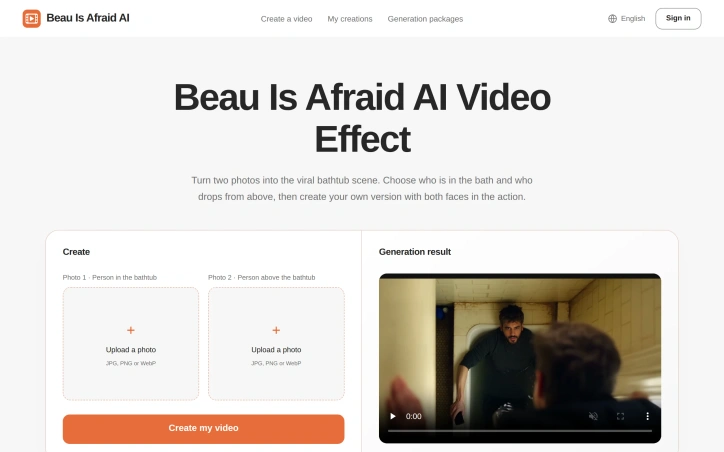
Video content creation typically demands technical skills. Beau Is Afraid AI Video Generator removes that barrier by letting users create a specific, shareable video in minutes—inserting themselves and a friend into the film's infamous bathtub scene. The product targets casual creators who want viral-worthy material without learning editing software. The core appeal rests on simplicity and social mechanics. Users upload two portraits, assign one person to the bathtub and another to fall from above, and generate the video instantly. No writing prompts, no reference videos to find, no timeline to adjust. The product handles the heavy lifting while users focus on casting and sharing. The two-photo interface makes the interaction between people central to the content, transforming what could be a generic face-swap into a narrative moment. The bathtub scene itself is the competitive advantage. By anchoring to a specific viral moment from cinema, the product trades customization for immediate recognizability. Users don't design their own scenes; they populate an existing one. This constraint actually accelerates creation and ensures consistent quality, since the underlying footage is predetermined. The role-reversal feature allows multiple generations from the same two photos, extending the novelty. Distribution is built into the product's DNA. Videos are designed for group chats and social sharing, with download functionality that makes distribution frictionless. The founder emphasizes entertainment as social—the act of assigning roles within a friend group becomes part of the experience, not just the finished video. The product philosophy centers on accessibility over flexibility. There are no customization options mentioned: no scene variants, no prompt engineering, no timeline editing. This narrowness is intentional, enabling the straightforward experience the founder describes. It's a trade-off that works if the bathtub scene resonates with users; it becomes a limiting factor if that novelty fades. The business model is not detailed in available materials, making full assessment difficult. What's clear is that the product succeeds if it becomes the default way a specific demographic creates shareable content around this meme. The viral potential hinges on network effects: each shared video demonstrates to others that generation is instant and accessible. The entire value proposition depends on whether that particular scene remains culturally relevant enough to drive repeated use.
Ai-generative-media
T
TOOLREEL

Video content creation typically demands technical skills. Beau Is Afraid AI Video Generator removes that barrier by letting users create a specific, shareable video in minutes—inserting themselves and a friend into the film's infamous bathtub scene. The product targets casual creators who want viral-worthy material without learning editing software. The core appeal rests on simplicity and social mechanics. Users upload two portraits, assign one person to the bathtub and another to fall from above, and generate the video instantly. No writing prompts, no reference videos to find, no timeline to adjust. The product handles the heavy lifting while users focus on casting and sharing. The two-photo interface makes the interaction between people central to the content, transforming what could be a generic face-swap into a narrative moment. The bathtub scene itself is the competitive advantage. By anchoring to a specific viral moment from cinema, the product trades customization for immediate recognizability. Users don't design their own scenes; they populate an existing one. This constraint actually accelerates creation and ensures consistent quality, since the underlying footage is predetermined. The role-reversal feature allows multiple generations from the same two photos, extending the novelty. Distribution is built into the product's DNA. Videos are designed for group chats and social sharing, with download functionality that makes distribution frictionless. The founder emphasizes entertainment as social—the act of assigning roles within a friend group becomes part of the experience, not just the finished video. The product philosophy centers on accessibility over flexibility. There are no customization options mentioned: no scene variants, no prompt engineering, no timeline editing. This narrowness is intentional, enabling the straightforward experience the founder describes. It's a trade-off that works if the bathtub scene resonates with users; it becomes a limiting factor if that novelty fades. The business model is not detailed in available materials, making full assessment difficult. What's clear is that the product succeeds if it becomes the default way a specific demographic creates shareable content around this meme. The viral potential hinges on network effects: each shared video demonstrates to others that generation is instant and accessible. The entire value proposition depends on whether that particular scene remains culturally relevant enough to drive repeated use.

Beau Is Afraid AI Video preview

Key features

  • Instant Video Generation: Upload two portraits to create a shareable video in minutes
  • Iconic Scene Template: Videos feature a specific viral bathtub moment from cinema
See full listing
S

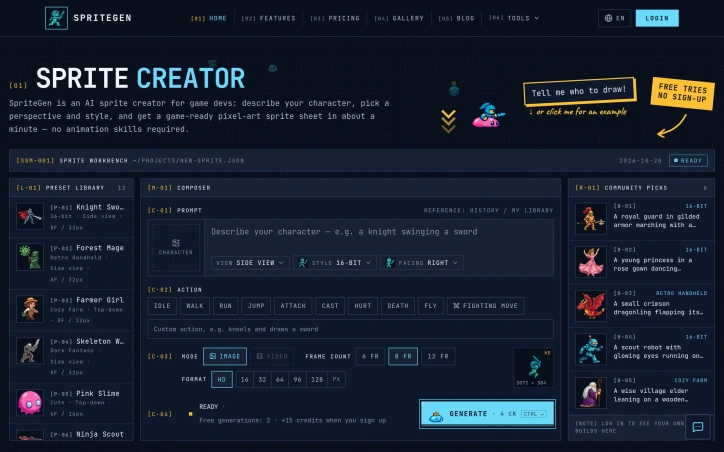
Game developers frequently face a bottleneck when prototyping new projects: creating animation assets requires specialized pixel art skills, expensive freelancers, or months of learning. SpriteGen addresses this constraint by automating sprite sheet generation through a natural language interface. The service works straightforwardly. Users describe a character and action in plain English—such as "a knight swinging a sword"—then select a perspective, visual style, and animation type. The system generates a complete sprite sheet within minutes, complete with transparent backgrounds and evenly spaced frames. Before downloading, creators watch a live animation preview, seeing exactly how their character moves across the generated frames. This preview-first workflow removes guesswork and enables quick iteration without exporting incomplete work. What distinguishes SpriteGen is its combination of speed and usability. The browser-based interface flattens the typical asset creation pipeline. Rather than learning animation rigs or commissioning custom work, solo developers and small teams produce placeholder or final assets on demand. The output formats—PNG at various resolutions, from 32-pixel cells to HD—integrate directly into common game engines, eliminating post-processing steps. The product demonstrates thoughtful design choices in its scope. The preset library curates successful examples showing both the tool's capabilities and what effective prompts look like. Animation types cover essential game actions: idle, walk, run, jump, attack, hurt, and death, enabling developers to generate sprites for core gameplay loops. The style selection—16-bit, retro handheld, cute, cozy farm—appeals to creators targeting specific aesthetic directions. Pricing follows a consumption model: four credits per sprite sheet with no mandatory subscription. The Starter plan costs $16 monthly for 300 credits, supporting roughly 75 sprites per month. This structure suits prototyping workflows where demand fluctuates, though heavy production users would need higher tiers. SpriteGen occupies a clear niche in game asset creation, reducing friction for developers lacking art skills but needing functional animation assets. It trades design flexibility for speed and accessibility, a tradeoff that suits rapid prototyping and smaller projects over bespoke visual identity work. For solo developers and small studios exploring character ideas, the tool delivers measurable value.

Ai-generative-media
B
BitSun

Game developers frequently face a bottleneck when prototyping new projects: creating animation assets requires specialized pixel art skills, expensive freelancers, or months of learning. SpriteGen addresses this constraint by automating sprite sheet generation through a natural language interface. The service works straightforwardly. Users describe a character and action in plain English—such as "a knight swinging a sword"—then select a perspective, visual style, and animation type. The system generates a complete sprite sheet within minutes, complete with transparent backgrounds and evenly spaced frames. Before downloading, creators watch a live animation preview, seeing exactly how their character moves across the generated frames. This preview-first workflow removes guesswork and enables quick iteration without exporting incomplete work. What distinguishes SpriteGen is its combination of speed and usability. The browser-based interface flattens the typical asset creation pipeline. Rather than learning animation rigs or commissioning custom work, solo developers and small teams produce placeholder or final assets on demand. The output formats—PNG at various resolutions, from 32-pixel cells to HD—integrate directly into common game engines, eliminating post-processing steps. The product demonstrates thoughtful design choices in its scope. The preset library curates successful examples showing both the tool's capabilities and what effective prompts look like. Animation types cover essential game actions: idle, walk, run, jump, attack, hurt, and death, enabling developers to generate sprites for core gameplay loops. The style selection—16-bit, retro handheld, cute, cozy farm—appeals to creators targeting specific aesthetic directions. Pricing follows a consumption model: four credits per sprite sheet with no mandatory subscription. The Starter plan costs $16 monthly for 300 credits, supporting roughly 75 sprites per month. This structure suits prototyping workflows where demand fluctuates, though heavy production users would need higher tiers. SpriteGen occupies a clear niche in game asset creation, reducing friction for developers lacking art skills but needing functional animation assets. It trades design flexibility for speed and accessibility, a tradeoff that suits rapid prototyping and smaller projects over bespoke visual identity work. For solo developers and small studios exploring character ideas, the tool delivers measurable value.

SpriteGen preview
S

Key features

  • Natural Language Interface: Users describe characters and actions in plain English to generate sprite sheets automatically
  • Live Animation Preview: View and verify generated animations before downloading to ensure quality and correct movement
See full listing
OzilAi

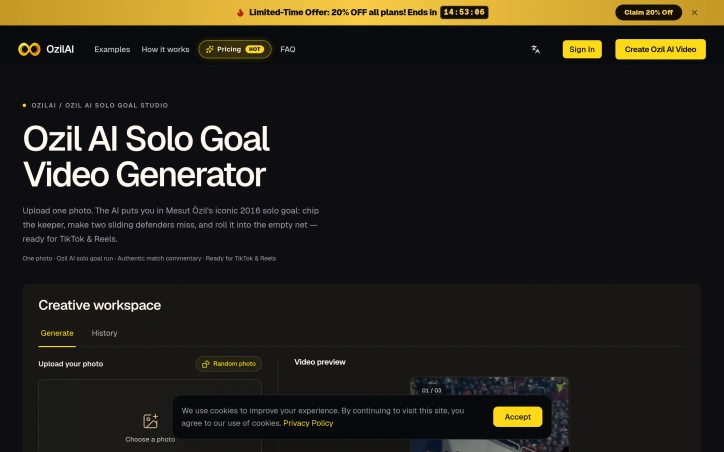
Creating viral short-form video content requires the right tools—and the right moment. OzilAI exists to solve a specific problem: democratizing one of social media's most recognizable moments. The product lets any creator grab a single portrait photo and insert themselves into Mesut Özil's celebrated 2016 Champions League solo goal, complete with authentic match commentary and stadium audio. The appeal is straightforward. Rather than wrestling with video editing software or relying on face-pasting tools that leave visible seams, OzilAI reconstructs the creator's identity and clothing across the entire 15-second sequence—shirt, posture, and all. The result ships pre-synced with genuine English match commentary, eliminating the post-production work that typically eats up creator time. Vertical and landscape formats launch directly to TikTok, Reels, and YouTube Shorts without additional editing. What sets OzilAI apart is its narrow focus. By constraining itself to a single iconic moment rather than attempting broad video generation, the product delivers consistent, polished output from minimal input. A casual hoodie selfie, an office suit, or a formal jersey all map convincingly onto the attacking player, maintaining visual coherence throughout the chip, the defender slides, and the finish. Early creators report viral traction—one mentioned over 200,000 TikTok views within hours of posting. The technical execution merits attention. The system maps facial features while reconstructing clothing and body posture into a complex, multi-second sequence. This isn't simple face-swapping; the AI must understand pose, perspective, and continuity. The automatic match commentary sync removes a friction point that typically confounds creators without audio engineering experience. Pricing follows a credit system. A 15-second 720P generation costs 10 credits, while 2K Ultra HD versions range from 18 to 27 credits depending on length. The platform offers one-time credit packs or monthly subscriptions, with credits refunded automatically if generation fails or delivery exceeds 20 minutes. This model aligns incentives: the platform has every reason to deliver quickly and reliably. OzilAI operates within a tight design constraint—one iconic moment, single-photo input, vertical and landscape output. But within those boundaries, it executes with polish. For short-form creators chasing viral potential, the frictionless journey from portrait to post-ready video represents genuine utility.

Ai-generative-media
W
win one

Creating viral short-form video content requires the right tools—and the right moment. OzilAI exists to solve a specific problem: democratizing one of social media's most recognizable moments. The product lets any creator grab a single portrait photo and insert themselves into Mesut Özil's celebrated 2016 Champions League solo goal, complete with authentic match commentary and stadium audio. The appeal is straightforward. Rather than wrestling with video editing software or relying on face-pasting tools that leave visible seams, OzilAI reconstructs the creator's identity and clothing across the entire 15-second sequence—shirt, posture, and all. The result ships pre-synced with genuine English match commentary, eliminating the post-production work that typically eats up creator time. Vertical and landscape formats launch directly to TikTok, Reels, and YouTube Shorts without additional editing. What sets OzilAI apart is its narrow focus. By constraining itself to a single iconic moment rather than attempting broad video generation, the product delivers consistent, polished output from minimal input. A casual hoodie selfie, an office suit, or a formal jersey all map convincingly onto the attacking player, maintaining visual coherence throughout the chip, the defender slides, and the finish. Early creators report viral traction—one mentioned over 200,000 TikTok views within hours of posting. The technical execution merits attention. The system maps facial features while reconstructing clothing and body posture into a complex, multi-second sequence. This isn't simple face-swapping; the AI must understand pose, perspective, and continuity. The automatic match commentary sync removes a friction point that typically confounds creators without audio engineering experience. Pricing follows a credit system. A 15-second 720P generation costs 10 credits, while 2K Ultra HD versions range from 18 to 27 credits depending on length. The platform offers one-time credit packs or monthly subscriptions, with credits refunded automatically if generation fails or delivery exceeds 20 minutes. This model aligns incentives: the platform has every reason to deliver quickly and reliably. OzilAI operates within a tight design constraint—one iconic moment, single-photo input, vertical and landscape output. But within those boundaries, it executes with polish. For short-form creators chasing viral potential, the frictionless journey from portrait to post-ready video represents genuine utility.

OzilAi preview

Key features

  • Facial Reconstruction: Reconstructs your identity and clothing across the 15-second sequence maintaining visual coherence
  • Authentic Commentary: Pre-synced with genuine English match commentary and stadium audio eliminating post-production work
See full listing
AI Generators

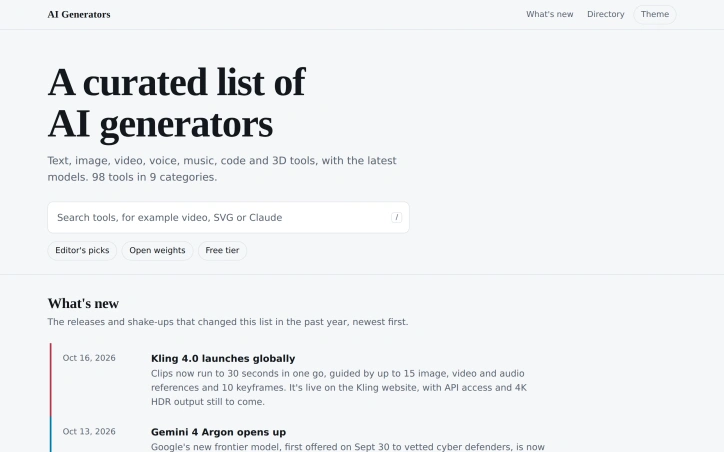
In a landscape where AI tool announcements arrive faster than most can evaluate them, AI Generators addresses a genuine bottleneck in discovery and comparison. The platform curates tools across nine categories—text, image, video, voice, music, code, and 3D—positioning itself as a reference point for creators and developers navigating an overwhelmingly crowded market. The directory currently catalogs 98 tools and combines them with structured filtering: search functionality, an "Editor's picks" section, and toggles for open weights and free tier options. This lets users narrow choices by licensing model or budget constraints, a practical approach to tools that vary significantly in accessibility and cost. What distinguishes the platform is its commitment to timeliness. The "What's new" section documents significant releases with functional specifics—not just announcements, but concrete capability updates. Recent entries detail Kling 4.0's extended 30-second clips guided by up to 15 image, video, and audio references, Gemini 4 Argon's gradual availability shift from vetted cyber defenders to public API, and Meta's paid-API-only approach to Muse Wonder. This level of detail transforms the list from static inventory into something closer to a release tracking tool, capturing nuance that generic listicles miss. The recency of updates is notable. As of October 16, 2026, the platform tracks launches from just days prior, including Mistral Large 4's entry into preview and Nano Banana 2.1's improvements to multi-part prompt handling. For a space defined by constant iteration, this freshness matters—stale comparisons mislead users into evaluating outdated model versions. The platform's scope is disciplined. It doesn't attempt to cover every conceivable AI application or niche tool, staying within generators explicitly designed for creation tasks. This bounded focus makes the curation manageable and keeps the directory functional rather than encyclopedic. One notable gap: the content reveals no pricing or business model information, leaving open questions about monetization and whether access is free or gated. The curator's acknowledgment of tracking "hundreds of new models launching monthly" suggests substantial resource commitment, yet this dependency on ongoing attention isn't transparent from the public surface.

Ai-generative-media
A
aigenerator

In a landscape where AI tool announcements arrive faster than most can evaluate them, AI Generators addresses a genuine bottleneck in discovery and comparison. The platform curates tools across nine categories—text, image, video, voice, music, code, and 3D—positioning itself as a reference point for creators and developers navigating an overwhelmingly crowded market. The directory currently catalogs 98 tools and combines them with structured filtering: search functionality, an "Editor's picks" section, and toggles for open weights and free tier options. This lets users narrow choices by licensing model or budget constraints, a practical approach to tools that vary significantly in accessibility and cost. What distinguishes the platform is its commitment to timeliness. The "What's new" section documents significant releases with functional specifics—not just announcements, but concrete capability updates. Recent entries detail Kling 4.0's extended 30-second clips guided by up to 15 image, video, and audio references, Gemini 4 Argon's gradual availability shift from vetted cyber defenders to public API, and Meta's paid-API-only approach to Muse Wonder. This level of detail transforms the list from static inventory into something closer to a release tracking tool, capturing nuance that generic listicles miss. The recency of updates is notable. As of October 16, 2026, the platform tracks launches from just days prior, including Mistral Large 4's entry into preview and Nano Banana 2.1's improvements to multi-part prompt handling. For a space defined by constant iteration, this freshness matters—stale comparisons mislead users into evaluating outdated model versions. The platform's scope is disciplined. It doesn't attempt to cover every conceivable AI application or niche tool, staying within generators explicitly designed for creation tasks. This bounded focus makes the curation manageable and keeps the directory functional rather than encyclopedic. One notable gap: the content reveals no pricing or business model information, leaving open questions about monetization and whether access is free or gated. The curator's acknowledgment of tracking "hundreds of new models launching monthly" suggests substantial resource commitment, yet this dependency on ongoing attention isn't transparent from the public surface.

AI Generators preview

Key features

  • Tool Directory: Catalogs 98 AI generators across nine categories including text, image, video, voice, music, code, and 3D creation.
  • Structured Filtering: Offers search, Editor's picks, and toggles for open weights and free tier options to narrow choices by licensing and budget.
See full listing
NeoPhoto.ai

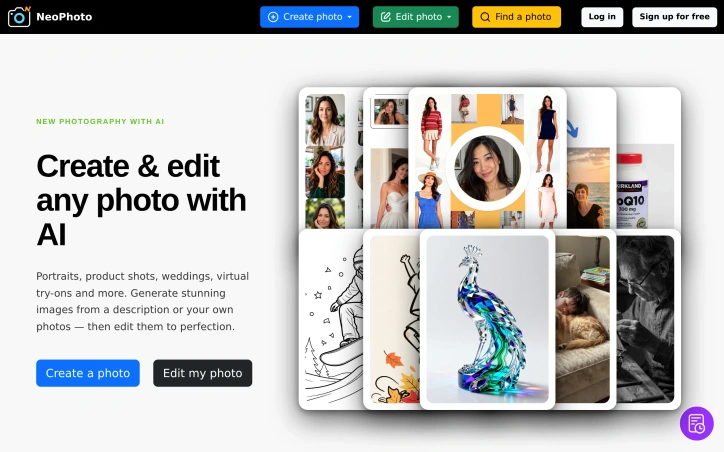
AI-powered image generation and editing have become increasingly commoditized, but many tools still require specialized knowledge or produce generic results. NeoPhoto.ai addresses this gap by combining text-to-image generation with a suite of 20+ editing tools, designed specifically for creators, e-commerce businesses, and anyone needing professional-quality visuals without the overhead of equipment or design expertise. The platform's core strength lies in its task-specific approach. Rather than using a single generalized model for all image work, NeoPhoto routes different jobs to specialized models optimized for their particular purpose. This architecture means a portrait generation request uses a different engine than product staging or group photo creation, theoretically yielding higher-quality results for each use case. The editing toolkit reflects similar specialization, with dedicated tools for background removal, object erasure, content fill, image restoration, and upscaling to 4MP print-ready resolution. The feature set covers the full lifecycle of image creation and refinement. Users can generate images from text descriptions or reference photos, then refine them using tools like Magic Fill to add or replace elements, Magic Eraser for seamless object removal, and a "Reshoot" function that transforms snapshots into more cinematic versions. The ability to export illustrations and designs as clean SVG or PDF vectors adds utility for graphic design workflows that typically require manual conversion steps. NeoPhoto offers free access to start, positioning itself as low-friction for trial users. Premium plans unlock faster processing speeds, simultaneous job execution, commercial licensing, and dedicated support. The commercial licensing component matters for e-commerce sellers and creators monetizing their work, addressing a common pain point with other generative tools. The 80+ art styles and breadth of creation templates—ranging from professional headshots and group photos to virtual clothing try-ons and wedding photography—indicate a product designed to serve multiple verticals rather than a single use case. This horizontal approach broadens the addressable market but also creates execution risk across so many distinct workflows. What remains unclear from the available information is how the platform's output quality compares to competitors, the latency of different generation and editing operations at scale, and the specific architectural decisions underpinning the task-routing system. Pricing details beyond "free to start" and the existence of "Pro Plans" are not specified. For creators evaluating the tool, these specifics would factor heavily into adoption decisions.

Ai-generative-media
N
NeoPhoto AI

AI-powered image generation and editing have become increasingly commoditized, but many tools still require specialized knowledge or produce generic results. NeoPhoto.ai addresses this gap by combining text-to-image generation with a suite of 20+ editing tools, designed specifically for creators, e-commerce businesses, and anyone needing professional-quality visuals without the overhead of equipment or design expertise. The platform's core strength lies in its task-specific approach. Rather than using a single generalized model for all image work, NeoPhoto routes different jobs to specialized models optimized for their particular purpose. This architecture means a portrait generation request uses a different engine than product staging or group photo creation, theoretically yielding higher-quality results for each use case. The editing toolkit reflects similar specialization, with dedicated tools for background removal, object erasure, content fill, image restoration, and upscaling to 4MP print-ready resolution. The feature set covers the full lifecycle of image creation and refinement. Users can generate images from text descriptions or reference photos, then refine them using tools like Magic Fill to add or replace elements, Magic Eraser for seamless object removal, and a "Reshoot" function that transforms snapshots into more cinematic versions. The ability to export illustrations and designs as clean SVG or PDF vectors adds utility for graphic design workflows that typically require manual conversion steps. NeoPhoto offers free access to start, positioning itself as low-friction for trial users. Premium plans unlock faster processing speeds, simultaneous job execution, commercial licensing, and dedicated support. The commercial licensing component matters for e-commerce sellers and creators monetizing their work, addressing a common pain point with other generative tools. The 80+ art styles and breadth of creation templates—ranging from professional headshots and group photos to virtual clothing try-ons and wedding photography—indicate a product designed to serve multiple verticals rather than a single use case. This horizontal approach broadens the addressable market but also creates execution risk across so many distinct workflows. What remains unclear from the available information is how the platform's output quality compares to competitors, the latency of different generation and editing operations at scale, and the specific architectural decisions underpinning the task-routing system. Pricing details beyond "free to start" and the existence of "Pro Plans" are not specified. For creators evaluating the tool, these specifics would factor heavily into adoption decisions.

NeoPhoto.ai preview

Key features

  • Text-to-Image Generation: Converts text descriptions and reference photos into professional images using specialized models.
  • Specialized Editing Suite: 20+ task-optimized editing tools including Magic Fill, Magic Eraser, background removal, object erasure, and restoration.
See full listing
AI Zombie Video Generator

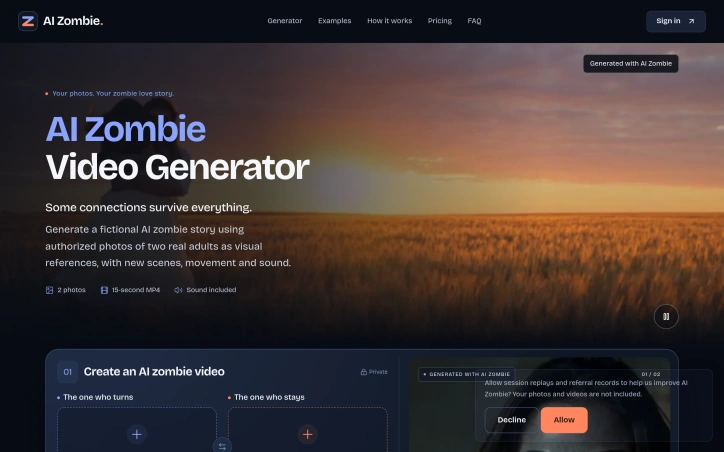
Creating memorable video content typically demands either filmmaking expertise or significant production resources. A new generator addresses this barrier by producing short AI-generated narrative videos from a simple input: two portrait photographs and a story concept. The platform targets adults seeking to create personalized content featuring people they know, with a focus on a specific narrative archetype—a zombie love story that emphasizes emotional connection over horror. The core mechanics are straightforward. Users upload one clear photograph of two adults, designate who takes which role in the narrative, select a quality tier, and trigger generation. The AI produces a complete 15-second video with scenes, character animation, and audio. The story structure is fixed: the sequence moves through recognition, hesitation, physical reunion, and a memory of the couple before the fictional apocalypse. This predetermined narrative framework eliminates the need for users to write or edit a script. What distinguishes this offering is its deliberate emotional restraint. Rather than emphasizing horror elements, the generator prioritizes the relationship between the two subjects. The zombie appearance design omits blood, biting, and graphic injuries, reframing the genre as a vehicle for exploring enduring human connection. The platform explicitly requires consent from both adults whose images are used, positioning this as collaborative storytelling between the generator and its users. The technical scope maintains purposeful constraints. Videos stay at 15 seconds, format options divide between vertical and landscape, and resolution tiers remain binary. This limitation simplifies both the user experience and the technical implementation. Storage is temporary—generated videos remain accessible for 30 days before deletion. The business model operates on a credit system. Generation costs scale with resolution: 25 credits for 480p output or 50 for 720p quality. The platform offers one-time credit purchases, though specific package pricing and credit-to-dollar conversion rates go unspecified. Regenerating a video from the same inputs requires purchasing credits again. The platform occupies a narrow niche within the broader AI video generation landscape. It trades flexibility and customization for simplicity and narrative coherence. The tradeoff works for users who want a playful, structured storytelling experience with loved ones rather than finer control over video content creation.

Ai-generative-media
C
Carson

Creating memorable video content typically demands either filmmaking expertise or significant production resources. A new generator addresses this barrier by producing short AI-generated narrative videos from a simple input: two portrait photographs and a story concept. The platform targets adults seeking to create personalized content featuring people they know, with a focus on a specific narrative archetype—a zombie love story that emphasizes emotional connection over horror. The core mechanics are straightforward. Users upload one clear photograph of two adults, designate who takes which role in the narrative, select a quality tier, and trigger generation. The AI produces a complete 15-second video with scenes, character animation, and audio. The story structure is fixed: the sequence moves through recognition, hesitation, physical reunion, and a memory of the couple before the fictional apocalypse. This predetermined narrative framework eliminates the need for users to write or edit a script. What distinguishes this offering is its deliberate emotional restraint. Rather than emphasizing horror elements, the generator prioritizes the relationship between the two subjects. The zombie appearance design omits blood, biting, and graphic injuries, reframing the genre as a vehicle for exploring enduring human connection. The platform explicitly requires consent from both adults whose images are used, positioning this as collaborative storytelling between the generator and its users. The technical scope maintains purposeful constraints. Videos stay at 15 seconds, format options divide between vertical and landscape, and resolution tiers remain binary. This limitation simplifies both the user experience and the technical implementation. Storage is temporary—generated videos remain accessible for 30 days before deletion. The business model operates on a credit system. Generation costs scale with resolution: 25 credits for 480p output or 50 for 720p quality. The platform offers one-time credit purchases, though specific package pricing and credit-to-dollar conversion rates go unspecified. Regenerating a video from the same inputs requires purchasing credits again. The platform occupies a narrow niche within the broader AI video generation landscape. It trades flexibility and customization for simplicity and narrative coherence. The tradeoff works for users who want a playful, structured storytelling experience with loved ones rather than finer control over video content creation.

AI Zombie Video Generator preview

Key features

  • Photo-to-Video Generation: Converts two portrait photos into complete 15-second AI videos with automatic character animation and audio.
  • Fixed Narrative Structure: Stories follow a predetermined sequence of recognition, hesitation, reunion, and memory before the fictional apocalypse.
See full listing
Gas Station Dance AI

Creating personalized dance videos without filming or choreography experience has become a legitimate use case in the social media era, and Gas Station Dance AI addresses that gap by transforming photos into on-brand short-form content. The product serves TikTok and Instagram Reels users who enjoy participating in viral trends but lack either the technical skills or motivation to shoot and edit their own videos. The core appeal lies in its singular focus. Rather than offering generic dance video templates, the service commits entirely to one specific trend: the gas station dance, which originated from Russian creator Mikhail Litvin's roadside antics. This narrow scope is actually a strength. Users know exactly what they're getting—a 15-second vertical video with three pre-choreographed shots (an energetic dance on an empty forecourt, a selfie scene, and a car exit)—and the template requires minimal explanation or customization. The technical execution handles the friction points well. The service runs in a mobile browser without requiring app installation, generation completes in 5-10 minutes, and each output includes both a sound-included version and a silent copy for adding trending audio on posting platforms. The system accepts either one or three photos and intelligently maps them to the three scenes, accommodating solo creators or small groups. Failed videos trigger automatic refunds, indicating confidence in quality control. Photo requirements are explicit: full-body shots with clearly visible faces, minimum 512x512 pixels, and covered faces only. The specificity prevents the typical AI-generated oddities from destroying the final product, a pragmatic decision in a category where output quality directly determines sharability. The pricing structure avoids subscription fatigue. One-time purchases range from $9.90 for a single video up to $58.90 for ten, with credits that never expire. The model works for casual creators and friend groups alike, with per-video costs decreasing from $9.90 to $5.89 as volume increases. What Gas Station Dance AI doesn't attempt is feature bloat. No custom choreography, no outfit selection, no advanced editing—just a fast, focused path from photos to polished trend content. For users caught between "I want in on this" and "I don't know how," that simplicity is the product's strongest asset.
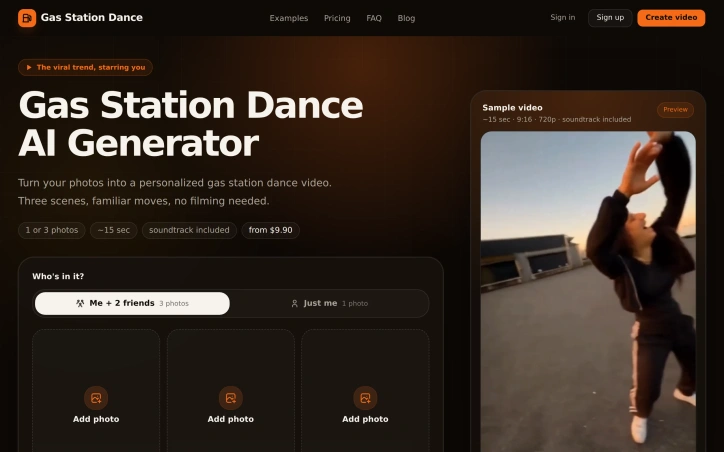
Ai-generative-media
K
Kyro

Creating personalized dance videos without filming or choreography experience has become a legitimate use case in the social media era, and Gas Station Dance AI addresses that gap by transforming photos into on-brand short-form content. The product serves TikTok and Instagram Reels users who enjoy participating in viral trends but lack either the technical skills or motivation to shoot and edit their own videos. The core appeal lies in its singular focus. Rather than offering generic dance video templates, the service commits entirely to one specific trend: the gas station dance, which originated from Russian creator Mikhail Litvin's roadside antics. This narrow scope is actually a strength. Users know exactly what they're getting—a 15-second vertical video with three pre-choreographed shots (an energetic dance on an empty forecourt, a selfie scene, and a car exit)—and the template requires minimal explanation or customization. The technical execution handles the friction points well. The service runs in a mobile browser without requiring app installation, generation completes in 5-10 minutes, and each output includes both a sound-included version and a silent copy for adding trending audio on posting platforms. The system accepts either one or three photos and intelligently maps them to the three scenes, accommodating solo creators or small groups. Failed videos trigger automatic refunds, indicating confidence in quality control. Photo requirements are explicit: full-body shots with clearly visible faces, minimum 512x512 pixels, and covered faces only. The specificity prevents the typical AI-generated oddities from destroying the final product, a pragmatic decision in a category where output quality directly determines sharability. The pricing structure avoids subscription fatigue. One-time purchases range from $9.90 for a single video up to $58.90 for ten, with credits that never expire. The model works for casual creators and friend groups alike, with per-video costs decreasing from $9.90 to $5.89 as volume increases. What Gas Station Dance AI doesn't attempt is feature bloat. No custom choreography, no outfit selection, no advanced editing—just a fast, focused path from photos to polished trend content. For users caught between "I want in on this" and "I don't know how," that simplicity is the product's strongest asset.

Gas Station Dance AI preview

Key features

  • Photo to Video Transformation: Converts photos into personalized 15-second dance videos
  • Gas Station Dance Template: Pre-choreographed routine with three specific dance scenes
See full listing
Artly

Creating custom artwork has traditionally required either artistic skill or the budget to hire a professional designer. Artly addresses this gap by bundling artificial intelligence tools and an extensive library of aesthetic styles into a browser-based platform designed for both complete beginners and experienced creators. The service operates on a freemium model, allowing users to experiment at no cost while offering paid tiers that unlock advanced features. The breadth of capabilities distinguishes Artly from simpler one-trick art generators. Beyond basic text-to-image and photo-to-art conversion, the platform includes targeted tools for specific workflows: character generation from reference photos, image composition from multiple sources, background editing and removal, object removal and insertion, image expansion beyond original borders, upscaling to higher resolution, and conversion to scalable vector formats. Users can also shift the artistic style of existing images across more than 80 preset styles and edit results by describing desired changes in natural language rather than using traditional controls. The 80-plus style library represents a substantial creative palette, ranging from oil painting and watercolor to sketch and other formal artistic traditions. Combined with 15 AI-powered tools, this breadth allows users to pursue multiple creative directions within a single interface. The platform positions itself as faster and more versatile than alternatives that typically excel in one primary function. The free tier removes the traditional barrier to entry, letting new users test core photo-to-art and basic generation capabilities without payment. The pro tier introduces commercial licensing, vector export for print and manufacturing workflows, higher output resolution, parallel processing, and dedicated technical support. This structure appeals to both casual enthusiasts and professionals running small design operations, though specific pricing details are not disclosed on the public-facing site. Artly's strength lies in consolidation and ease of use. Rather than maintaining separate subscriptions to specialized image generators, background removers, and upscalers, users access an integrated toolkit. The edit-by-asking feature and automatic style transfer lower the technical floor considerably, making professional-grade image manipulation available to users with no formal design training. For individuals and small teams seeking a flexible, low-cost alternative to commission work or expensive specialized software, Artly presents a credible option.
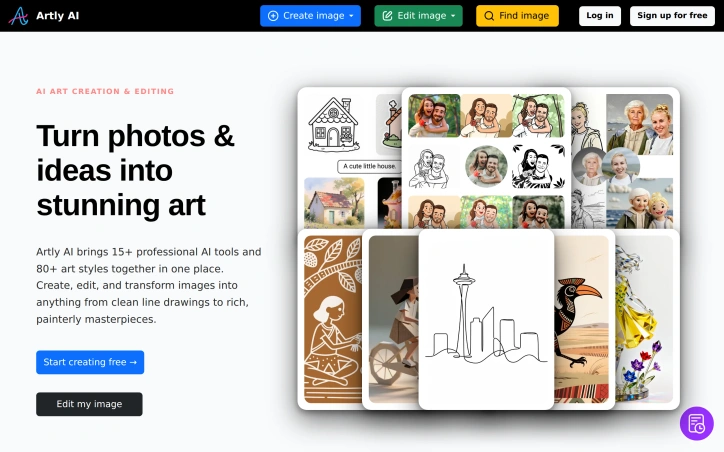

Ai-generative-media
A
Artly AI

Creating custom artwork has traditionally required either artistic skill or the budget to hire a professional designer. Artly addresses this gap by bundling artificial intelligence tools and an extensive library of aesthetic styles into a browser-based platform designed for both complete beginners and experienced creators. The service operates on a freemium model, allowing users to experiment at no cost while offering paid tiers that unlock advanced features. The breadth of capabilities distinguishes Artly from simpler one-trick art generators. Beyond basic text-to-image and photo-to-art conversion, the platform includes targeted tools for specific workflows: character generation from reference photos, image composition from multiple sources, background editing and removal, object removal and insertion, image expansion beyond original borders, upscaling to higher resolution, and conversion to scalable vector formats. Users can also shift the artistic style of existing images across more than 80 preset styles and edit results by describing desired changes in natural language rather than using traditional controls. The 80-plus style library represents a substantial creative palette, ranging from oil painting and watercolor to sketch and other formal artistic traditions. Combined with 15 AI-powered tools, this breadth allows users to pursue multiple creative directions within a single interface. The platform positions itself as faster and more versatile than alternatives that typically excel in one primary function. The free tier removes the traditional barrier to entry, letting new users test core photo-to-art and basic generation capabilities without payment. The pro tier introduces commercial licensing, vector export for print and manufacturing workflows, higher output resolution, parallel processing, and dedicated technical support. This structure appeals to both casual enthusiasts and professionals running small design operations, though specific pricing details are not disclosed on the public-facing site. Artly's strength lies in consolidation and ease of use. Rather than maintaining separate subscriptions to specialized image generators, background removers, and upscalers, users access an integrated toolkit. The edit-by-asking feature and automatic style transfer lower the technical floor considerably, making professional-grade image manipulation available to users with no formal design training. For individuals and small teams seeking a flexible, low-cost alternative to commission work or expensive specialized software, Artly presents a credible option.

Artly preview

Key features

  • Text-to-Image Generation: Creates custom artwork from text descriptions using AI.
  • Multi-Style Art Library: Offers 80+ preset artistic styles from oil painting to sketch.
See full listing
Favore AI

Fragmentation in creative workflows has long plagued designers and creators who rely on AI. A designer might use one service for image generation, another for video, a third for editing, and a fourth for effects—each switch draining context and momentum. Favore addresses this directly by consolidating multiple leading AI models and creative capabilities into a single workspace designed around continuous iteration. The platform targets creators and designers who work regularly with generative AI and need both breadth of capabilities and depth of control. Rather than locking users into a single model or set of tools, Favore exposes a curated selection of generators from OpenAI, xAI, Google DeepMind, ByteDance, and others. Users can compare these models and choose based on whether they prioritize fidelity, speed, text rendering, or editing control. This model-agnostic approach means creators aren't forced to accept tradeoffs in quality or capability. What distinguishes Favore most clearly is its architecture around the creative loop. The platform surfaces outcomes first—image, video, editing capability, template, or effect—then progressively exposes only the inputs each model actually supports. Once you generate or edit an image, you can immediately continue with another compatible action without leaving the workspace. This eliminates the friction of context-switching and keeps work moving forward. The feature set reflects this continuity. Users can generate images from text descriptions or reference images, edit existing work, animate stills, blend multiple images, or apply defined visual effects. For video, the platform generates from text, animates still images, or extends existing clips. Underlying capabilities include content removal, restoration, upscaling, and extension. Many models support reference images—GPT Image 2 accepts up to sixteen—giving creators meaningful control over the direction and consistency of outputs. The tool integrates templates as reusable creative recipes that users can customize by subject, style, or format. It also offers model selection as a first-class interaction, letting creators make deliberate choices about which generator fits each task rather than defaulting to one option. On business model, the site references a credits system but provides no explicit pricing information. The company positions itself as a way to eliminate the tool-switching tax that slows creative work, a genuine friction point in the current AI creative landscape. Whether the execution delivers on that promise at scale remains to be seen, but the problem statement is sound and the approach is direct.
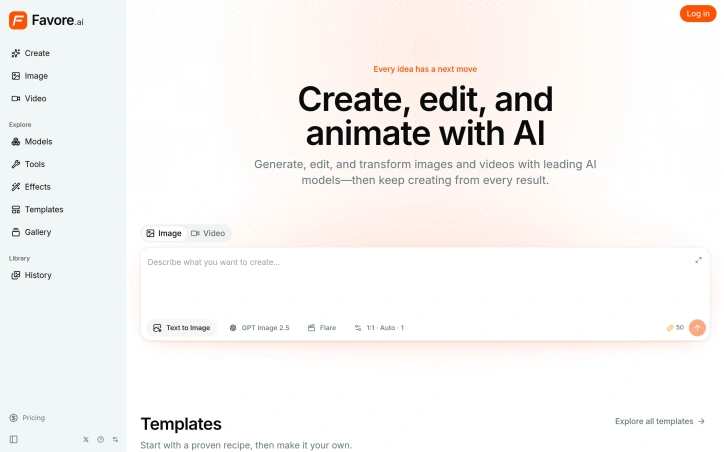
Ai-generative-media
0
0 Kong (‪Kong‬)

Fragmentation in creative workflows has long plagued designers and creators who rely on AI. A designer might use one service for image generation, another for video, a third for editing, and a fourth for effects—each switch draining context and momentum. Favore addresses this directly by consolidating multiple leading AI models and creative capabilities into a single workspace designed around continuous iteration. The platform targets creators and designers who work regularly with generative AI and need both breadth of capabilities and depth of control. Rather than locking users into a single model or set of tools, Favore exposes a curated selection of generators from OpenAI, xAI, Google DeepMind, ByteDance, and others. Users can compare these models and choose based on whether they prioritize fidelity, speed, text rendering, or editing control. This model-agnostic approach means creators aren't forced to accept tradeoffs in quality or capability. What distinguishes Favore most clearly is its architecture around the creative loop. The platform surfaces outcomes first—image, video, editing capability, template, or effect—then progressively exposes only the inputs each model actually supports. Once you generate or edit an image, you can immediately continue with another compatible action without leaving the workspace. This eliminates the friction of context-switching and keeps work moving forward. The feature set reflects this continuity. Users can generate images from text descriptions or reference images, edit existing work, animate stills, blend multiple images, or apply defined visual effects. For video, the platform generates from text, animates still images, or extends existing clips. Underlying capabilities include content removal, restoration, upscaling, and extension. Many models support reference images—GPT Image 2 accepts up to sixteen—giving creators meaningful control over the direction and consistency of outputs. The tool integrates templates as reusable creative recipes that users can customize by subject, style, or format. It also offers model selection as a first-class interaction, letting creators make deliberate choices about which generator fits each task rather than defaulting to one option. On business model, the site references a credits system but provides no explicit pricing information. The company positions itself as a way to eliminate the tool-switching tax that slows creative work, a genuine friction point in the current AI creative landscape. Whether the execution delivers on that promise at scale remains to be seen, but the problem statement is sound and the approach is direct.

Favore AI preview

Key features

  • Multi-Model Access: Compare and use AI generators from OpenAI, xAI, Google DeepMind, ByteDance, and others in a single workspace.
  • Unified Creative Workspace: Consolidates image generation, video creation, editing, effects, and templates into one continuous workflow.
See full listing
B

An AI-powered video generator that transforms a single portrait photograph into a polished, vertical cinema-style video has carved out a surprisingly specific niche in the creator economy. BridgeBurner accomplishes this by placing uploaded images into a luxury gala aesthetic—complete with chandelier lighting, sophisticated framing, and synchronized movement—then renders the result in formats optimized for TikTok, Instagram Reels, and YouTube Shorts. The core appeal targets creators and social media managers who need production-quality content without the time investment or technical skills traditionally required. A user uploads a portrait, selects their preferred video length (ranging from 10 seconds to a full 29-second cut) and aspect ratio, and receives a rendered clip featuring the subject in character as a party-goer, complete with authentic drink-in-hand gestures and lip-synced vocals. The tool includes an integrated Drake track as the soundtrack—the song that inspired the product's name—eliminating the friction of finding and licensing audio separately. What distinguishes BridgeBurner from broader video AI tools is its intentional constraint. Rather than offering limitless creative flexibility or requiring prompt engineering, the platform commits to a single, well-executed visual narrative: the exclusive gala scene. This focused scope means faster rendering and more predictable results. Testimonials from creators across multiple categories—from fashion influencers to campus content producers—highlight the output's visual polish and the speed at which videos are ready to post. One TikTok creator noted that competing tools produced "stiff slideshows" by comparison. The rendering times appear competitive, with users reporting completion in "just minutes" for full-length videos. The service offers resolution options including 720p and 2K, flexible output formats, and variable video lengths to match platform specifications. The platform operates on a credit-based pricing model with differentiated plans, though specific pricing tiers were not detailed in available materials. BridgeBurner succeeds by solving a narrow problem exceptionally well: it enables creators without video production skills to generate professional-looking, personality-driven short videos optimized for viral sharing. Its strength lies not in versatility but in execution depth within its chosen domain. For creators seeking rapid turnaround on polished short-form content, it removes significant friction from the creation process.
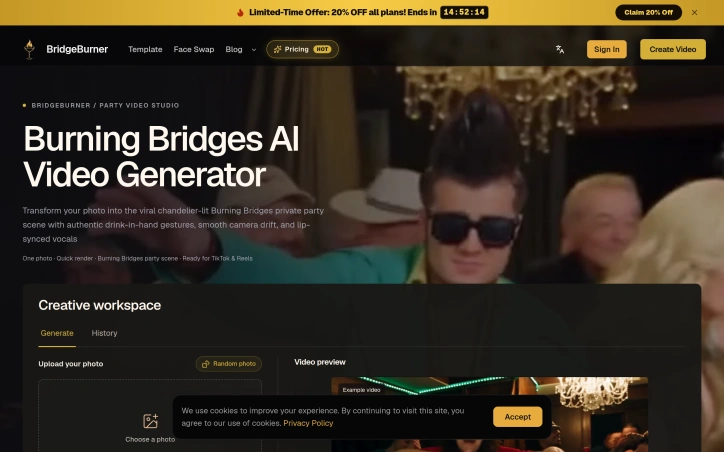

Ai-generative-media
W
win one

An AI-powered video generator that transforms a single portrait photograph into a polished, vertical cinema-style video has carved out a surprisingly specific niche in the creator economy. BridgeBurner accomplishes this by placing uploaded images into a luxury gala aesthetic—complete with chandelier lighting, sophisticated framing, and synchronized movement—then renders the result in formats optimized for TikTok, Instagram Reels, and YouTube Shorts. The core appeal targets creators and social media managers who need production-quality content without the time investment or technical skills traditionally required. A user uploads a portrait, selects their preferred video length (ranging from 10 seconds to a full 29-second cut) and aspect ratio, and receives a rendered clip featuring the subject in character as a party-goer, complete with authentic drink-in-hand gestures and lip-synced vocals. The tool includes an integrated Drake track as the soundtrack—the song that inspired the product's name—eliminating the friction of finding and licensing audio separately. What distinguishes BridgeBurner from broader video AI tools is its intentional constraint. Rather than offering limitless creative flexibility or requiring prompt engineering, the platform commits to a single, well-executed visual narrative: the exclusive gala scene. This focused scope means faster rendering and more predictable results. Testimonials from creators across multiple categories—from fashion influencers to campus content producers—highlight the output's visual polish and the speed at which videos are ready to post. One TikTok creator noted that competing tools produced "stiff slideshows" by comparison. The rendering times appear competitive, with users reporting completion in "just minutes" for full-length videos. The service offers resolution options including 720p and 2K, flexible output formats, and variable video lengths to match platform specifications. The platform operates on a credit-based pricing model with differentiated plans, though specific pricing tiers were not detailed in available materials. BridgeBurner succeeds by solving a narrow problem exceptionally well: it enables creators without video production skills to generate professional-looking, personality-driven short videos optimized for viral sharing. Its strength lies not in versatility but in execution depth within its chosen domain. For creators seeking rapid turnaround on polished short-form content, it removes significant friction from the creation process.

BridgeBurner preview
B

Key features

  • Portrait-to-Video Conversion: Transforms single portrait photographs into polished vertical cinema-style videos
  • Gala Scene Aesthetic: Places subjects in luxury gala settings with chandelier lighting and synchronized movement
See full listing
Bulin 47 AI Video Generator

An AI-powered video generator has carved out a niche by letting users insert their likeness into a specific viral dance format, transforming a single photograph into a 23-second vertical video set to original audio. The product targets adults seeking to participate in internet trends without the effort or skill required to film themselves performing choreography. The tool addresses a straightforward entertainment use case: the desire to create shareable video content quickly, without production knowledge or recording equipment. Rather than positioning itself as a general-purpose video editor or synthetic media platform, it focuses narrowly on one viral moment—Bulin 47's street freestyle performance with Kevin Wai—and offers users the ability to become the central figure in that specific track. The workflow emphasizes simplicity. Users upload a clear portrait photo, optionally customize the background crowd by selecting up to four adults, and choose between two quality tiers before downloading an MP4 file directly. The generator retains the original choreography and audio from the reference performance, applying the user's likeness to match the movement and expressions. Several design choices stand out. The product implements explicit consent safeguards by requiring users to confirm that all individuals in uploaded photos are adults, have consented to participation, and are not public figures. This speaks to a deliberate attempt to mitigate misuse around deepfakes and nonconsensual imagery, though the tool still depends on user honesty at the gate. The platform converts HEIC and HEIF files to JPG directly in the browser and limits uploads to 10 MB, making it accessible to users on standard connections and devices. The pricing structure avoids subscription traps. One-time credit packs begin at USD 9.99, with each video generation consuming either 10 credits for standard 480p quality or 22 credits for HD 720p. This means a user's first pack might fund only one or two videos, creating a clear revenue model where repeat use drives additional purchases rather than continuous billing. A key limitation implicit in the design is its single-purpose nature. The generator works only within the Bulin 47 trend context and cannot adapt to other music, choreography, or styles. That hyperspecialization serves users who specifically want this remix experience but excludes anyone seeking broader video synthesis tools. The tool's success ultimately depends on sustained interest in its particular trend. For users timing their entry while the format retains cultural currency, it delivers a low-friction way to participate in viral moments.
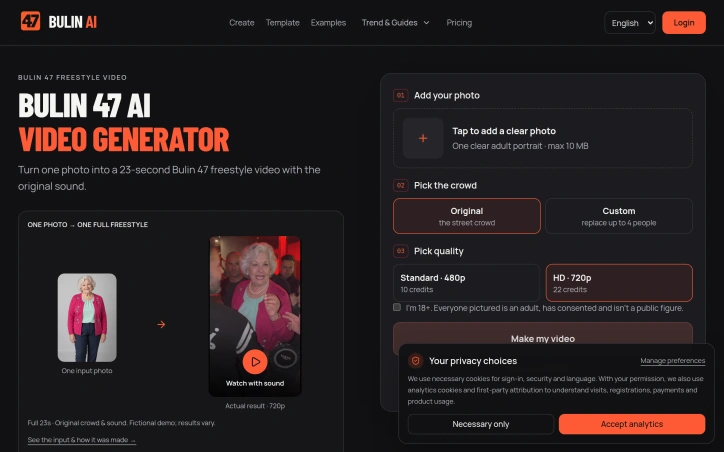
Ai-generative-media
Q
QIAO ZHANG

An AI-powered video generator has carved out a niche by letting users insert their likeness into a specific viral dance format, transforming a single photograph into a 23-second vertical video set to original audio. The product targets adults seeking to participate in internet trends without the effort or skill required to film themselves performing choreography. The tool addresses a straightforward entertainment use case: the desire to create shareable video content quickly, without production knowledge or recording equipment. Rather than positioning itself as a general-purpose video editor or synthetic media platform, it focuses narrowly on one viral moment—Bulin 47's street freestyle performance with Kevin Wai—and offers users the ability to become the central figure in that specific track. The workflow emphasizes simplicity. Users upload a clear portrait photo, optionally customize the background crowd by selecting up to four adults, and choose between two quality tiers before downloading an MP4 file directly. The generator retains the original choreography and audio from the reference performance, applying the user's likeness to match the movement and expressions. Several design choices stand out. The product implements explicit consent safeguards by requiring users to confirm that all individuals in uploaded photos are adults, have consented to participation, and are not public figures. This speaks to a deliberate attempt to mitigate misuse around deepfakes and nonconsensual imagery, though the tool still depends on user honesty at the gate. The platform converts HEIC and HEIF files to JPG directly in the browser and limits uploads to 10 MB, making it accessible to users on standard connections and devices. The pricing structure avoids subscription traps. One-time credit packs begin at USD 9.99, with each video generation consuming either 10 credits for standard 480p quality or 22 credits for HD 720p. This means a user's first pack might fund only one or two videos, creating a clear revenue model where repeat use drives additional purchases rather than continuous billing. A key limitation implicit in the design is its single-purpose nature. The generator works only within the Bulin 47 trend context and cannot adapt to other music, choreography, or styles. That hyperspecialization serves users who specifically want this remix experience but excludes anyone seeking broader video synthesis tools. The tool's success ultimately depends on sustained interest in its particular trend. For users timing their entry while the format retains cultural currency, it delivers a low-friction way to participate in viral moments.

Bulin 47 AI Video Generator preview

Key features

  • Portrait to Video Synthesis: Users upload a portrait photo and the tool inserts their likeness into the Bulin 47 street freestyle choreography.
  • Background Customization: Users can optionally customize the crowd background by selecting up to four adults.
See full listing