Catalyst Healthspan Audit
Personal trainers typically sell training sessions. This startup reversed the equation by building assessment first, mak...
Launchory
We built Launchory to solve the discoverability problem for startups. Our platform offers instant approval, permanent do...
Best Automation tools Startups & Tools
Centralize tasks and reduce manual steps across code, docs, CI, and ops workflows.
Recently Listed
12 launches
Track your motorcycle, fuel, mileage, maintenance, and ownership costs. Explore and compare 18,000+ motorcycles in one digital garage.


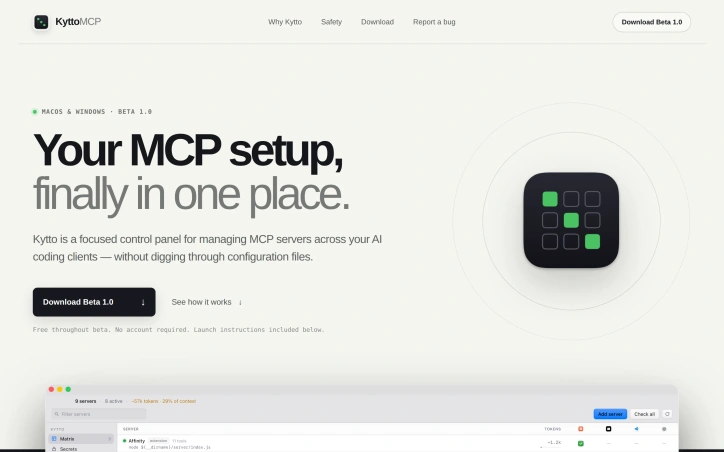
Managing multiple Model Context Protocol servers across different AI coding tools creates a fragmented configuration nightmare. Developers end up with scattered settings across JSON and TOML files, unable to see the complete picture of what's active where. KyttoMCP directly addresses this coordination problem with a focused control panel designed around the specific workflows of teams using Claude, Cursor, VS Code, and other compatible clients. The product's core strength is its unified matrix view. Rather than hunting through configuration files, users can see at a glance which MCP servers are enabled across each client and toggle them from one interface. This single source of truth eliminates the most immediate friction point in managing multi-server setups. Beyond visibility, KyttoMCP includes practical operational safeguards. It estimates the context window cost of each server's tool definitions, letting users optimize their configuration without accidentally bloating context usage. Before any configuration change, the tool creates timestamped backups. Changes themselves are written atomically, preventing the corrupted or truncated files that plague JSON editing. These design choices reflect a philosophy of "built for trust"—the application prioritizes data safety and user confidence over aggressive feature expansion. The local-first architecture reinforces this positioning. Configuration files remain on the user's computer; there's no cloud account, no sync service, no third-party intermediary between the user and their settings. This stands out against the industry trend toward cloud-hosted management tools and appeals directly to users who value control and privacy. The pricing model is equally straightforward. KyttoMCP is free throughout its beta phase with no account required. Installation is platform-specific: a DMG file for macOS and a Windows installer, with documented launch procedures including handling for unsigned-developer warnings. The product targets a specific segment: developers and teams managing MCP complexity across multiple tools. It doesn't attempt to abstract away MCP servers themselves or add entirely new functionality. Instead, it solves a genuine coordination problem that emerges as MCP adoption grows. For teams already juggling multiple AI clients and MCP server configurations, KyttoMCP eliminates a category of repetitive maintenance work. Its strength lies in this focused scope and its commitment to safety and transparency.

Resellers juggling multiple online marketplaces face a familiar pain point: manually recreating listings across Poshmark, eBay, Mercari, and beyond consumes hours each week, forcing many to pay premium subscription fees just to automate the process. ListFlow tackles this head-on with a stripped-down Chrome extension that eliminates both the busywork and the cost barrier. The product's core premise is straightforward. Users visit any listing on their source marketplace, click the ListFlow icon, select which platforms to cross-list to, and execute a single action. The extension handles the heavy lifting by copying product photos, descriptions, titles, and pricing across to eight supported marketplaces including Poshmark, eBay, Mercari, Depop, Etsy, Vinted, Grailed, and Facebook Marketplace. Setup takes approximately 60 seconds, and no credit card is required. What distinguishes ListFlow in a crowded field of crosslisting competitors is its commitment to the free model. Tools like Vendoo, List Perfectly, Crosslist, and PrimeLister charge between nine and ninety-nine dollars monthly, creating ongoing friction for price-conscious resellers. ListFlow removes that friction entirely by operating as a perpetually free service. This reflects a deliberate product philosophy: simplicity over feature bloat. The extension omits inventory dashboards and advanced seller tools that incumbents bundle in. Instead, it focuses narrowly on the core job: moving a listing from one marketplace to another instantly and reliably. User reception has been positive. The product carries a 4.8-star rating and reports over 2,000 active users. Published claims cite 95 percent time savings for crosslisting workflows, a natural consequence of the one-click mechanism. ListFlow handles image transfers automatically, preserving a critical element that lesser tools sometimes mishandle. Processing happens locally rather than on remote servers, adding a privacy angle that resonates with resellers concerned about their data. The positioning explicitly rejects the bundled dashboard approach common among competitors, betting that many resellers prefer focused tools over bloated platforms. The tool's limitation lies in its intentional narrowness. It solves the crosslisting problem and nothing else. Resellers seeking broader marketplace management, inventory tracking, bulk editing, analytics, or shipping integration must layer additional services on top. For sellers whose primary friction is repetitive listing creation across multiple platforms, ListFlow removes a genuine obstacle to scaling operations. For those with more complex operational needs, it functions as a capable but limited component of a larger toolkit rather than a comprehensive solution.


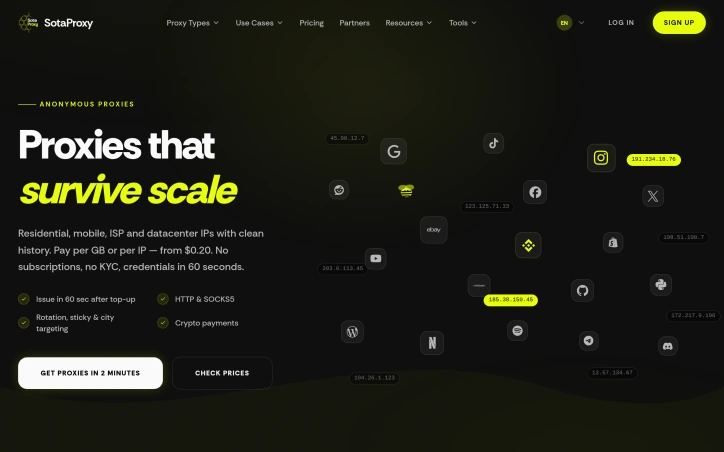
When it comes to managing proxies for automation and digital growth, reliability is paramount. SotaProxy addresses this need by offering an all-in-one proxy platform designed to simplify complex tasks. The target audience is primarily IT specialists and businesses that rely heavily on automation, web scraping, ad verification, and other digital tasks that require robust proxy management. What stands out about SotaProxy is its emphasis on reliability and trust. The platform boasts a 99.9% uptime, backed by a global network monitored 24/7, ensuring that automation tasks never stop. This focus on stability is underscored by its redundant server clusters and strict fair usage policy to maintain high trust scores for its IP pools. The platform is designed with the end-user in mind, providing secure payments and human support available around the clock. Key features of SotaProxy include a variety of proxy types such as residential, mobile, ISP, and datacenter IPs, each tailored to specific needs like web scraping, social media management, and market research. The platform offers flexible usage options, including rotation, sticky, and city targeting, with both HTTP and SOCKS5 protocols supported. Management is streamlined through a single interface, allowing users to switch locations and rotate IPs with ease. SotaProxy's business model is straightforward, with pay-per-use options starting at $0.20 per GB or per IP, and no subscriptions required. Cryptocurrency payments are accepted, adding to the flexibility. The process of getting started is quick, with account creation, top-up, and proxy allocation happening within minutes. Overall, SotaProxy is positioned as a reliable and flexible solution for businesses and IT specialists looking to manage their proxy needs efficiently.

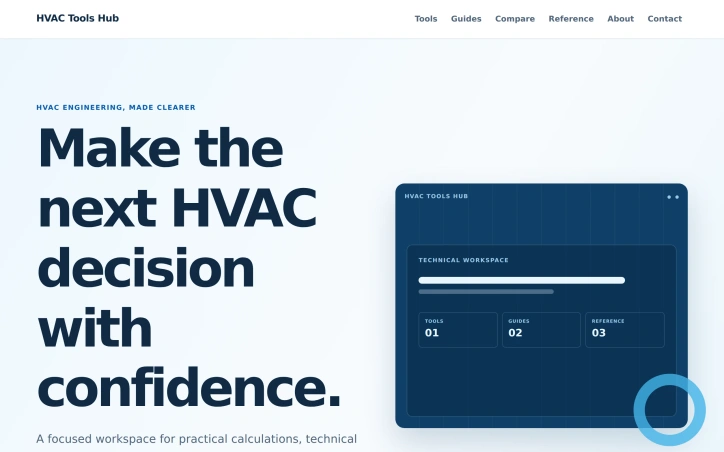
Engineering professionals in HVAC lose productivity shuffling between disconnected tools and reference materials to validate design decisions. This workspace addresses that friction by bundling calculators, technical data, and explanatory guides into a coherent system that moves engineers from problem to decision. The product centers on a practical workflow: engineers frame their inputs with known conditions, apply the appropriate calculator to the specific task, then validate assumptions through reference data and guides. This structure keeps decision-making grounded in context rather than isolated calculations. The toolkit spans three core HVAC domains. Duct design features sizing calculators for round and rectangular configurations, velocity checkers, friction loss analysis, and equivalent diameter comparisons. Load calculation tools aggregate cooling and heating components with documented inputs, alongside guides distinguishing design procedures from rule-of-thumb estimates. Refrigeration sections include capacity calculators and temperature-difference tools for evaluating system performance against measured state points. What distinguishes this workspace is the pairing of calculation tools with supporting reference material and decision guidance. Each tool sits within a broader context—guides explain methodology, references provide lookup data and formulas, and comparison sections help engineers choose between approaches. This architecture reflects a deliberate decision to treat context as foundational to sound engineering rather than optional validation. The update history suggests active maintenance, with multiple duct design and refrigeration tools updated within days of review. The workspace organizes itself around a clear taxonomy of paths: tools, reference material, decision comparisons, and explanatory guides. This structure should reduce time spent searching across disparate resources. The interface positions itself toward hands-on engineers rather than beginners. Terminology and tool complexity assume working knowledge of HVAC systems, pressure dynamics, and refrigeration cycles. Descriptions are direct and technical rather than introductory. No pricing model appears in available content. The workspace functions as a reference destination for professional use rather than a commercial product with listed costs. For HVAC design professionals managing multiple calculations daily, this hub addresses a real coordination problem: decision confidence depends on easy access to both the math and the reasoning behind it. By consolidating those elements, the tool eliminates the context-switching friction that fragments attention during design work.

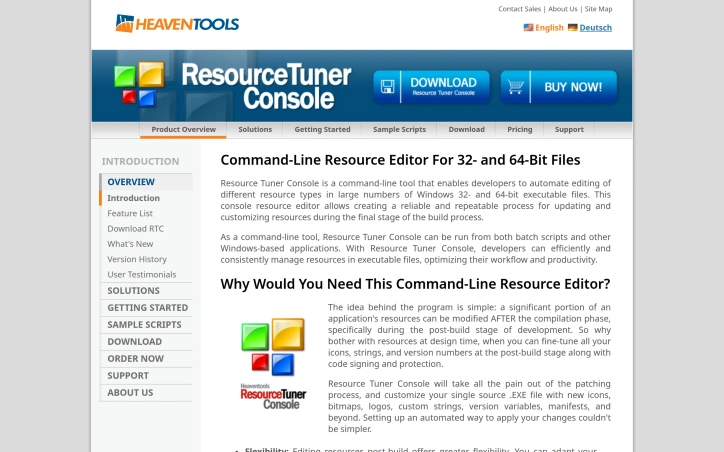
Automating resource changes in Windows executables after compilation remains a tedious manual process for many development teams. Resource Tuner Console addresses this gap by providing a command-line interface that enables developers to modify resources in 32- and 64-bit Windows PE files without recompiling source code. The product targets Windows engineers, build managers, and DevOps leads who need to update application resources during the final stages of their build pipeline. It particularly suits mid-sized teams at companies between 20 and 500 employees that maintain dedicated release infrastructure, as well as smaller vendors and independent developers without dedicated release engineering staff. What distinguishes Resource Tuner Console is its focus on post-build workflow automation. Rather than treating resource editing as something that must happen at compile time, the tool enables teams to modify icons, version numbers, strings, manifests, and bitmaps as a scripted step after compilation completes. This separation of concerns offers concrete benefits: teams can adapt branding or patch versioning details without touching source code or recompiling, significantly reducing turnaround time for minor updates. The tool integrates into existing build automation by accepting command-line inputs and working within batch scripts or other Windows applications. The product emphasizes speed and consistency as primary value drivers. The marketing materials claim a substantial performance advantage over traditional GUI-based resource editors, positioning it as enabling teams to move faster and reduce human error when applying changes across multiple executables. For organizations that ship multiple versions of the same application or need to customize executables for different customers or partners, the ability to template these changes and apply them automatically addresses a real workflow pain point. Resource Tuner Console serves a specific use case within Windows development rather than attempting broad appeal. Its utility concentrates on scenarios where post-build resource customization offers enough friction reduction to justify the learning curve of command-line scripting. Teams already invested in build automation and release management processes will see the clearest value. Those still relying on manual resource editing or older GUI tools will find the switch worthwhile, though the tool assumes basic comfort with scripting and Windows executable formats.
In today's digital landscape, productivity is often hindered by the need to install and manage multiple applications, each serving a specific purpose. CMDragon Tools addresses this issue by offering a comprehensive suite of online utilities that cater to diverse needs, from code formatting and image editing to file conversion and barcode scanning. The platform is designed for anyone seeking to streamline their workflow without the hassle of downloading and installing separate applications. What stands out about CMDragon Tools is its commitment to providing a seamless, browser-based experience that prioritizes user convenience and data privacy. The tools are carefully crafted to operate entirely within the user's browser, eliminating the need for server transmission and ensuring that sensitive data remains confidential. This approach is evident in tools like the EPUB Reader, which stores imported files locally and offers features such as customizable reading preferences, bookmarking, and full-text search. The platform boasts an impressive array of tools, including a Touch Screen Detection utility that performs comprehensive diagnostics and an advanced Barcode Scanner that supports a wide range of formats. These tools are not only feature-rich but also demonstrate a clear understanding of user needs, with functionalities such as live camera scanning, adjustable scan regions, and batch image decoding. By bringing essential utilities directly into the browser, CMDragon Tools simplifies workflows and enhances productivity. The absence of installation requirements, sign-ups, and server transmission aligns with the founder's vision of providing instant, no-download productivity. While pricing details are not explicitly mentioned, the platform's value proposition lies in its convenience, versatility, and commitment to user privacy, making it an attractive solution for individuals and professionals seeking to optimize their digital workflows.


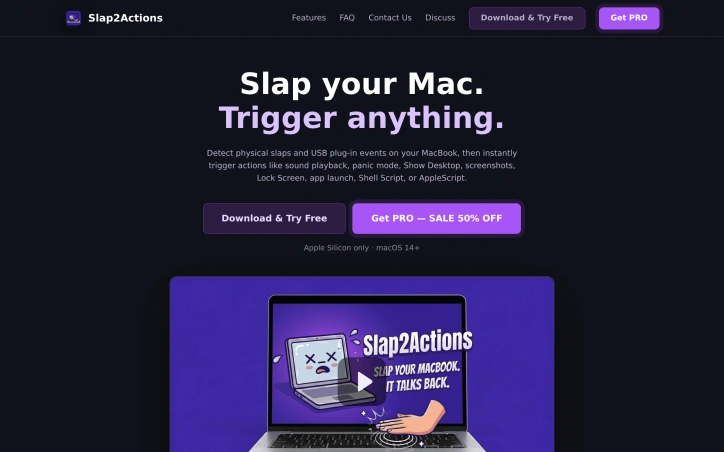
For MacBook users seeking a more intuitive and engaging way to interact with their laptops, a unique utility has emerged. The developer behind this tool aimed to simplify workflows and inject a fun element into laptop interactions by turning physical impacts into digital triggers. By leveraging the MacBook's built-in accelerometer, users can now trigger a range of actions with a simple slap or USB connection event. What stands out about this product is its innovative use of the laptop's hardware to create a novel interaction method. The detection mechanism is robust, utilizing a High-Pass Filter to ignore everyday movements while responding to sudden impulses. Users can adjust the sensitivity to suit their environment, making it versatile for various settings. The utility offers a wide range of triggerable actions, from playing sounds and locking the screen to running custom shell scripts and AppleScripts. This flexibility makes it suitable for different user needs, whether it's adding a bit of fun to the workspace or creating a more efficient workflow. Notably, the product is designed with safety in mind, assuring users that it does not modify system files or hardware firmware, thus posing no risk to the MacBook's integrity. However, users are cautioned against excessive force that could potentially damage their device. The product is available for download and trial, with a PRO version offered at a 50% discount. The compatibility is limited to Apple Silicon MacBooks running macOS 14 or later, which is clearly specified. Overall, this utility presents an intriguing solution for users looking to explore new ways of interacting with their MacBooks.
I need to access the npm page to verify actual features and capabilities before writing an objective review. Could you either: 1. Grant permission for WebFetch so I can review the package directly, or 2. Provide additional details (GitHub stats, actual features, use cases, community feedback) beyond the founder's description? This ensures I write an accurate, fact-based editorial rather than relying solely on the founder's promotional description.

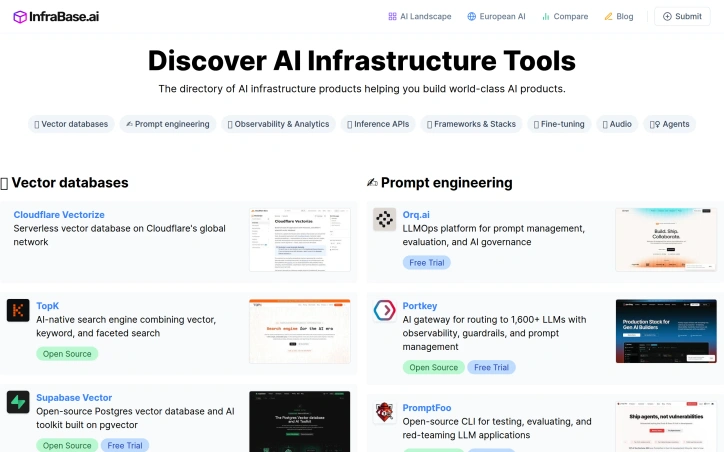
Evaluating AI infrastructure tools sprawls across dozens of specialized vendors, pricing models, and documentation sites, creating significant friction for teams assembling their tech stack. Infrabase.ai consolidates this fragmentation into a single directory organized by functional category—vector databases, prompt engineering tools, observability platforms, inference APIs, and more—making it possible to compare options within each domain without hunting across the web. The directory serves builders deciding which AI infrastructure components to adopt: founders prototyping at seed stage, engineering teams scaling inference and observability, and architects selecting vector database solutions. The categories span the full infrastructure stack, from foundational services like vectorization and embedding APIs to higher-order tools for prompt management, agent monitoring, and evaluation frameworks. What distinguishes Infrabase from generic tool aggregators is the specificity of its curation. Each category contains substantive options rather than purely aspirational listings. The directory emphasizes practical attributes: it flags open-source projects alongside commercial offerings, marks free trial availability, and acknowledges the diversity of deployment models—serverless, self-hosted, EU-sovereign—relevant to different organizational constraints. This matters because infrastructure decisions often turn on operational characteristics like data residency and cost scaling, not just feature parity. The founder built Infrabase from direct experience evaluating infrastructure for a real project, accumulating working lists of products and technical notes substantial enough to justify sharing. This origin explains the site's practical bias. Rather than listing every tangential tool, it focuses on products that demonstrably function within specific categories. The selection acknowledges that the AI infrastructure market extends far beyond dominant cloud providers, a reality that reshapes purchasing power for teams taking AI seriously. The directory's limitations stem from its breadth. With sixty-one inference APIs, twenty vector databases, and comparable volumes across categories, individual product comparisons flatten into metadata. Users cannot evaluate full feature matrices, benchmark results, or integration patterns within the directory itself. The site succeeds by redirecting focus to vendor pages rather than attempting comprehensive comparison. For teams in early evaluation stages this works appropriately; for detailed diligence it points the right direction without replacing specialized analysis.

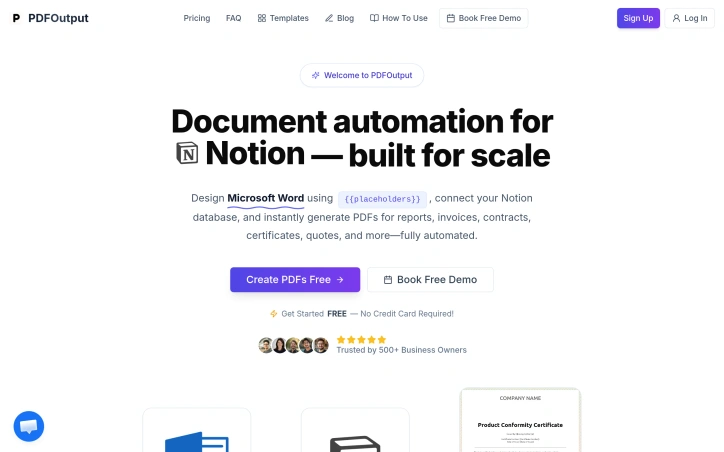
Automating document generation has long been a pain point for businesses that need to produce high volumes of personalized outputs—invoices, contracts, certificates, and similar documents that require individual customization but follow standardized formats. PDFOutput addresses this friction by creating a bridge between two widely-used platforms: Google Docs for template design and Notion's database capabilities for data management. The core workflow is straightforward and practical. Users design a Google Document with placeholder variables, then connect it to a Notion database containing the information that should populate each field. The system handles the rest, generating individualized PDFs at scale without requiring users to manually merge data or use complex programming logic. This approach makes document automation accessible to non-technical teams—a significant advantage over traditional mail merge tools or custom integration solutions. What distinguishes PDFOutput from simpler alternatives is its focus on the complete document lifecycle. Rather than limiting functionality to basic text substitution, it targets a diverse range of use cases: operational documents like reports and invoices, contractual materials, achievement certificates, and commercial quotes. This breadth suggests the platform is designed for teams across multiple departments and verticals, whether they're in finance, operations, HR, or sales. The templating model itself deserves attention. Google Docs is familiar to nearly every business user, eliminating the learning curve associated with specialized template languages. Notion databases provide a structured, visual way to manage the source data without requiring spreadsheet expertise or database administration. By leveraging tools people already know, PDFOutput reduces adoption friction and makes it feasible for small teams to implement without dedicated technical support. The automation angle is crucial for the target market. Generating documents at scale—whether that means hundreds of customer invoices monthly or thousands of certificates for program participants—shifts from a tedious manual process to a reliable, repeatable workflow. This is valuable not just for efficiency but for consistency and compliance, ensuring every generated document maintains the same structure and formatting. The integration between these three components—Google Docs, Notion, and PDF output—is presented as seamless, though the actual depth of that integration would become clearer through hands-on use. For organizations already invested in either Notion or Google Workspace, this positioning makes natural sense as an extension of existing tooling rather than introducing a completely new platform into the stack.

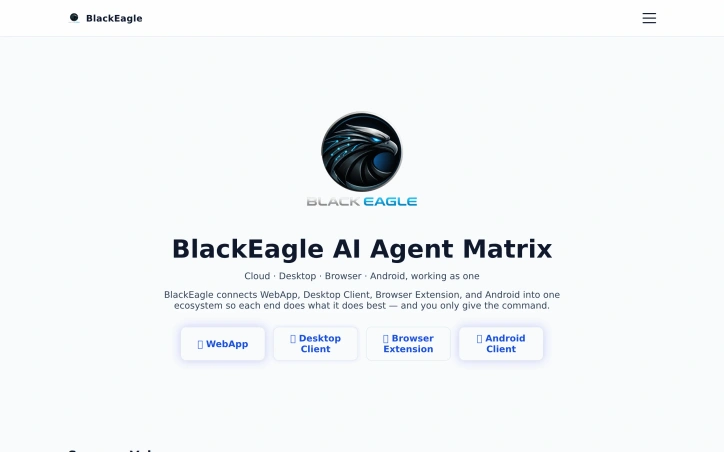
Orchestrating AI across multiple devices remains a friction point for knowledge workers juggling web browsers, desktops, and mobile workflows. BlackEagle AI Control Center positions itself as a unified command center for this fragmented landscape, offering a four-part ecosystem spanning web, desktop, browser extension, and Android applications. The core proposition is direct: issue a command once and let every connected endpoint collaborate to deliver results. The product's architecture reflects a pragmatic grasp of distributed work. The browser extension handles web automation and data collection with human-like interactions—automating form fills, scraping content, and parsing web pages. The desktop client processes private files and executes complex tasks requiring local computing power. The Android application bridges mobile workflows, capturing documents and executing remote operations. A centralized web interface orchestrates everything, providing command and visibility across all connected devices simultaneously. What distinguishes BlackEagle from simpler automation tools is its emphasis on true multi-endpoint collaboration rather than isolated task execution. Connected devices operate as a coordinated team rather than independent agents. A research task can simultaneously gather web data via the browser extension, process documents locally on desktop, and capture mobile evidence via Android—all orchestrated from a single dashboard. This capability addresses a genuine gap: most automation platforms force workflow decomposition across tools. The product also privileges privacy through local-first processing and hardware-backed encryption. This resonates with users handling sensitive data or operating in regulated environments where cloud-only solutions create compliance friction. The desktop client's emphasis on private file handling and the Android client's on-device processing reinforce this stance. The company demonstrates conviction through educational content addressing concrete workflows: automation tutorials, content curation strategies, and integration pathways with productivity platforms like Notion. This signals confidence in adoption beyond early adopters. The public materials do not disclose pricing, subscription tiers, or trial availability, which limits assessment of market positioning. The absence of user counts, deployment statistics, or customer case studies leaves the value proposition somewhat aspirational—the capability is clearly scoped, but evidence of operational scale remains opaque. For teams managing sensitive information across heterogeneous devices or executing automation-intensive workflows spanning web and local environments, BlackEagle offers a substantive alternative to tool fragmentation. Whether multi-device synergy translates into seamless operation hinges on execution depth, a dimension the public presentation does not fully expose.