Xtra Hands Family Chore App
Household chore management remains one of parenting's persistent friction points, and Xtra Hands positions itself as the...
Catalyst Healthspan Audit
Personal trainers typically sell training sessions. This startup reversed the equation by building assessment first, mak...
Best Design mockups Startups & Tools
Resources for presenting designs inside device frames and UI contexts.
Recently Listed
5 launches
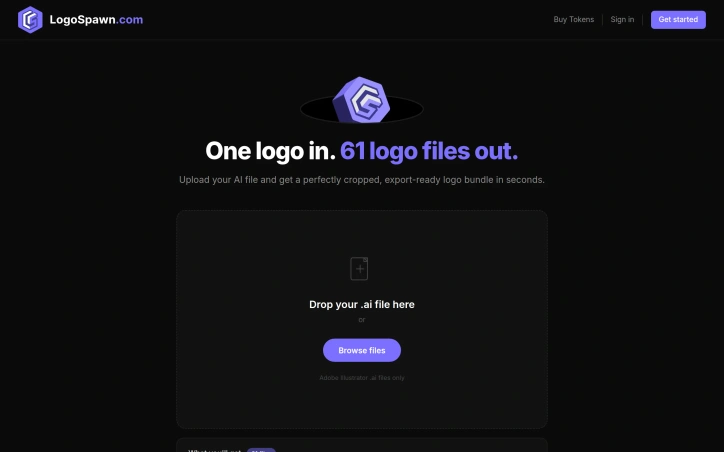
The repetitive work of logo exporting represents genuine friction in the design workflow. LogoSpawn addresses this directly, automating the moment after a logo design is finalized, when the designer must deliver variants across dozens of sizes and formats to meet client requirements. The product's mechanism is straightforward: upload an Adobe Illustrator file and receive 61 export-ready logo files in seconds. This breadth is the genuine differentiator. Rather than manually adjusting crop points, scaling, and exporting file by file—a process that consumes significant time—designers get a complete, production-ready asset bundle instantly. The founder's quarter-century of design experience lends immediate credibility. The pain of handling logo exports is ubiquitous across the profession. Every finalized logo requires delivery in standard sizes (favicon, app icon, social media, web headers) across multiple formats (PNG, SVG, PDF). This is necessary but low-value work that regularly consumes time in every project cycle. LogoSpawn's constraints reveal intentional design. It accepts only Adobe Illustrator files, keeping the product focused rather than attempting universal file conversion. The interface is minimal—a drag-and-drop zone, file browser, and single action button. This simplicity indicates the team understands that designers prioritize speed over configuration options. The bundle includes a branding style guide alongside the files, hinting at additional functionality beyond raw exports. This suggests an attempt to produce structured, client-ready deliverables rather than just isolated assets. Pricing operates on a token system, with specific costs undisclosed in the public-facing copy. Token-based models typically suit variable usage patterns—designers might export logos monthly or only several times annually. This approach accommodates both light and heavy users without forcing fixed monthly commitments. LogoSpawn occupies a deliberate niche. It solves one specific, repeated problem without attempting to replace logo design tools or offer comprehensive branding services. Its value centers on accelerating the final export phase of the design workflow. For independent designers, design agencies, or in-house teams that regularly finalize logos, the tool offers straightforward utility. The calculation for potential users comes down to whether the speed gains and export consistency justify recurring token expenditure.
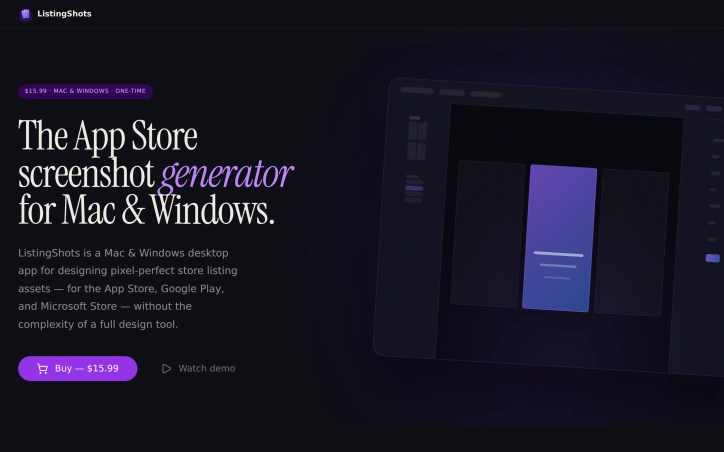
App developers shipping to multiple platforms face a repetitive design bottleneck: creating pixel-perfect screenshots tailored to the unique specifications of the App Store, Google Play, Microsoft Store, and dozens of other digital storefronts. ListingShots addresses this friction with a desktop application purpose-built for asset design without the overhead of general-purpose design tools. The product targets indie developers, small studios, and founders managing listings across the 47 supported platforms—ranging from major app stores to YouTube, Steam, social channels, and web stores. Rather than imposing the full complexity of professional design software, ListingShots constrains itself deliberately. It ships with presets for each platform's exact dimensions, 26 starting templates (Feature Highlight, Dark Pro, Bold Violet, Photo Story among them), and 20+ gradient swatches to accelerate the design phase beyond a blank canvas. The editor handles the essential operations: layering images, shapes, text, and device frames with both 2D and 3D transformations. A built-in search connects to Openverse's CC-licensed photo library, allowing developers to source backgrounds without leaving the app. The export path is direct: one click generates pixel-perfect PNGs at native resolution, ready for upload to any storefront. What distinguishes ListingShots most visibly is its business model and architectural philosophy. At $15.99 as a one-time purchase—not a subscription—the tool positions itself against recurring-fee screenshot generators. The application operates entirely offline, local-first, with no account, cloud storage, or dependency on external services. For teams managing unreleased builds, this offline-first approach eliminates cloud transmission and provides a straightforward cost comparison over five years of operation. ListingShots succeeds not through feature breadth but through disciplined scope. Rather than attempting to rival full design suites, it solves a singular, repetitive problem for a defined audience. For indie developers and small studios managing store listings across multiple platforms, this focused design eliminates paralysis and delivers finished, store-ready assets in minutes rather than hours. The preset-first approach and local-only operation reduce decision friction at every step—making it a credible alternative to both expensive design tools and subscription-based competitors.
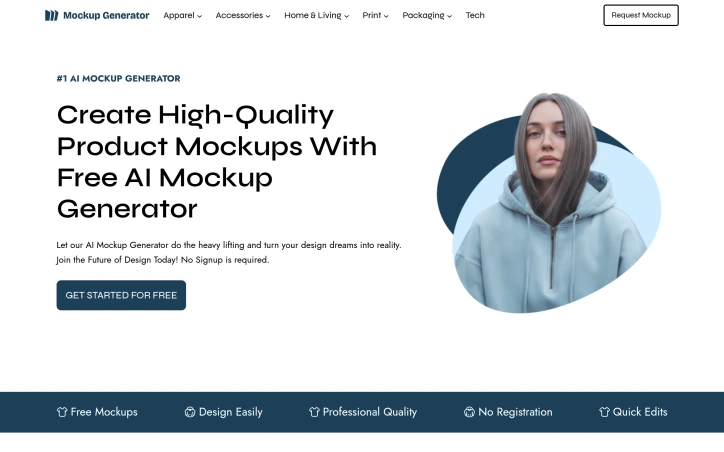
Designing high-quality product mockups is a crucial step in bringing designs to life, but it can be a time-consuming and costly process. Mockup Generator AI addresses this challenge by leveraging AI automation to simplify and accelerate mockup generation. The platform is designed for individuals and businesses looking to create professional-grade mockups without the need for expensive software or extensive design expertise. It caters to a wide range of use cases, including e-commerce, advertising, and presentation design. What stands out about Mockup Generator AI is its ability to produce high-resolution mockups in seconds, with a vast library of over 2000 templates across 25 categories. Users can upload their designs, edit the mockup template, and download the final product in their preferred format. The AI-driven process eliminates the need for manual design work, allowing users to focus on their core creative tasks. Key features of the platform include its ease of use, fast generation capabilities, and flexibility in terms of output formats and resolutions. The fact that it is free to use, with no registration required, makes it an attractive option for individuals and small businesses. Additionally, the absence of watermarks on the generated mockups ensures that users can utilize the output for commercial purposes without any restrictions. The platform's versatility is evident in its diverse range of mockup templates, covering various product categories such as apparel, packaging, and advertising materials. Overall, Mockup Generator AI offers a powerful solution for designers, marketers, and entrepreneurs looking to create high-quality mockups quickly and efficiently.

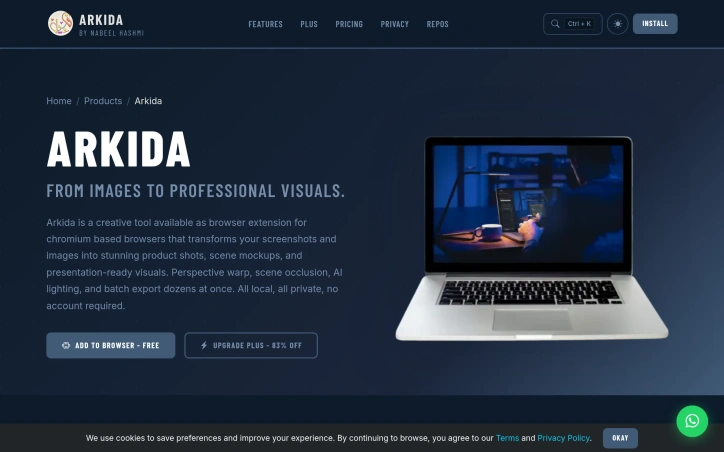
Creating professional-looking product visuals is a common challenge for creators, marketers, and businesses. The process often involves tedious editing and design work, requiring specialized skills and software. Arkida addresses this problem by providing a browser extension that transforms ordinary screenshots into high-quality product mockups and visuals instantly. The tool is designed for creators who need professional results without the complexity of traditional design software. What stands out about Arkida is its ability to deliver realistic and polished visuals with ease. The extension offers advanced features such as 3D rotation and perspective warping, allowing users to tilt and rotate their mockups on multiple axes and map them onto various surfaces. The "Scene on Top" technology also enables users to create mockups that blend seamlessly with real-world scenes, making it look like a real photograph. Additionally, the built-in library of high-quality SVG device frames and precision control over screenshot placement within the frame make it a comprehensive tool for creating stunning visuals. The key features of Arkida include its perspective warp and scene occlusion capabilities, AI lighting, batch export functionality, and precision control over image placement. The tool is also entirely local and private, with no account required, making it a convenient and secure solution for users. The extension is available for free, with a "Plus" upgrade option that is currently 83% off, indicating a freemium business model. Overall, Arkida is a powerful and user-friendly tool that simplifies the process of creating high-quality product visuals, making it an attractive solution for creators and businesses looking to elevate their visual content.

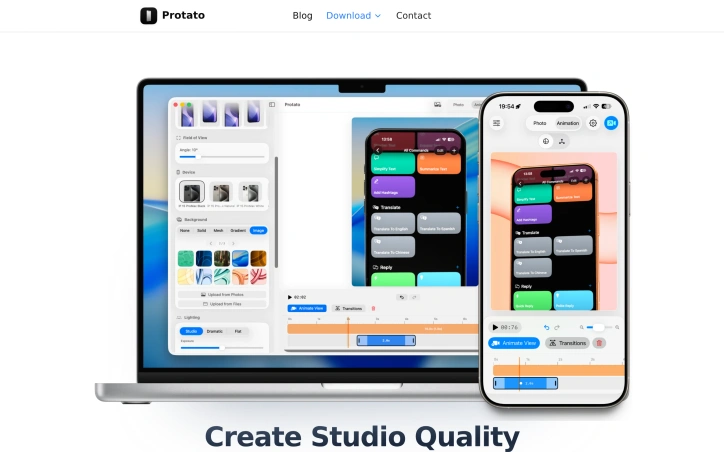
Creating high-quality, polished visuals for product launches, marketing campaigns, and internal presentations can be a time-consuming and complex task. Protato addresses this challenge by providing a straightforward and intuitive solution for generating studio-quality 3D mockups. The tool is designed for a broad range of users, including developers, designers, content creators, and product teams, who need to produce professional-looking visuals without requiring extensive design experience. What stands out about Protato is its emphasis on simplicity and ease of use, making it accessible to users without prior 3D experience. The application's touch-first controls and real-time preview capabilities enable users to quickly adjust lighting, materials, and composition to create high-quality visuals. The ability to import screenshots or videos and instantly render them on real devices is particularly noteworthy, as is the flexibility to export images and videos in up to 4K resolution. Key features of Protato include its animation timeline, which allows users to record camera moves and create cinematic clips with keyframe editing, and its studio lighting presets, which enable users to switch between different lighting styles with a single tap. The application's optimization for mobile workflows is also a significant advantage, allowing users to create high-quality mockups on their iPhone or iPad. In terms of pricing, Protato offers a flexible business model, with options for monthly or annual subscriptions, as well as a lifetime purchase. The pricing tiers are clearly outlined, with costs starting at $4.99 per month. Overall, Protato provides a valuable solution for teams and individuals seeking to create professional-looking visuals without the complexity and steep learning curve associated with traditional design tools.