Catalyst Healthspan Audit
Personal trainers typically sell training sessions. This startup reversed the equation by building assessment first, mak...
Launchory
We built Launchory to solve the discoverability problem for startups. Our platform offers instant approval, permanent do...
Best Wallpapers Startups & Tools
Curated backdrops for phones/desktops with rotating art and themes.
Recently Listed
2 launches
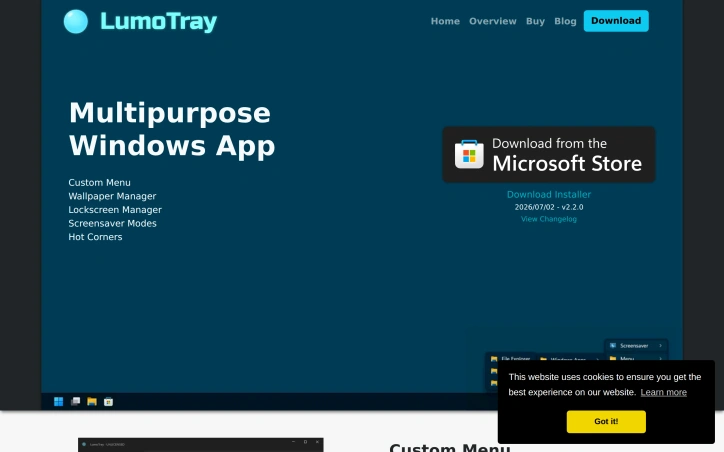
Windows users managing multiple monitor setups have long contended with clumsy workarounds for coordinating wallpapers, lockscreen backgrounds, and screensaver modes across displays. LumoTray directly addresses this friction by bundling wallpaper management, lockscreen customization, screensaver modes, and a custom menu builder into a single utility. The breadth of features for a solo developer project is substantial. The wallpaper manager supports live and animated wallpapers, video playlists, solid colors with gradients, and rotating feeds from Unsplash, Wallhaven, NASA, Windows Spotlight, and museum art collections. The lockscreen manager offers the same customization options, letting users maintain visual consistency across login screens. Screensaver and fullscreen modes add functional displays including clocks, alarms, timers, and Shadertoy visualizations. The custom menu builder adds productivity value beyond aesthetics. Users construct multi-level menu structures with virtually unlimited shortcuts to files, applications, scripts, and documents—all accessible from the tray icon. The hot corners feature, new in version 2, enables actions triggered by moving the cursor to screen edges, functionality Windows itself lacks. What distinguishes LumoTray is its handling of multi-monitor configurations that Windows doesn't natively support. The ability to set different wallpapers per monitor and manage non-standard setups addresses a genuine limitation in the operating system's capabilities. The business model keeps overhead minimal. The software is free to download with all features fully functional and no imposed limitations. A $19 one-time license is entirely optional, available for users who find substantial value or use the tool in business contexts. This avoids subscription mechanics while fairly compensating the developer's ongoing work. Consistent updates reinforce active development. The project releases new features every couple months; version 2 introduced live wallpapers and additional content sources, and version 2.2 added museum art and NASA EPIC collections. This pace suggests the developer genuinely engages with feature requests rather than treating the project as maintenance-only.
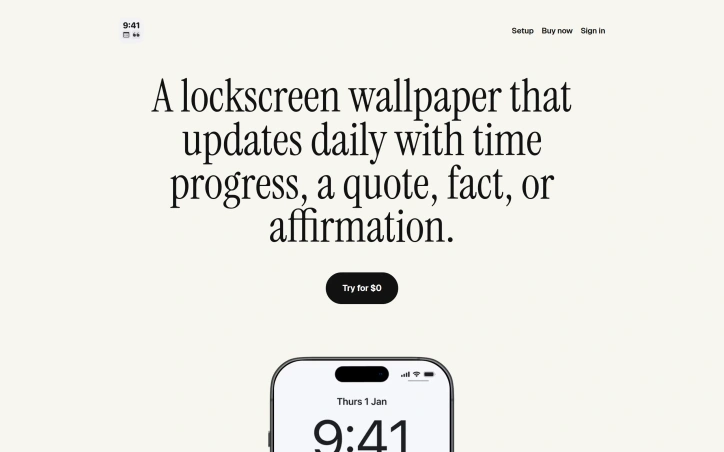
Most lock screens sit idle, serving nothing but a time display and notification center. Lockscreen.Pro reframes the lock screen as a daily motivational and informational interface, converting what amounts to dead space into a dynamic tool that shifts throughout the day with progress indicators, quotes, affirmations, and facts. The product targets anyone seeking passive daily motivation or time awareness without the friction of app switching. Rather than launching a dedicated app, users get their desired content directly where they look first—their phone's lock screen—automatically refreshing on a schedule they define. The core innovation is automation without maintenance. Using Apple Shortcuts, the service rotates between different wallpaper types at different times of day. A user might see their week's progress in the morning, an affirmation at midday, and a fact in the evening—all without manual intervention. This stands out because most lock screen customization remains static; Lockscreen.Pro makes the lock screen reactive to time and user preference. The feature set centers on templated wallpaper variations. The Month Progress and Year Progress visualizations offer a running clock of time passage, appealing to users interested in time tracking or deadline awareness. The Quote Stack and Affirmation Stack options provide rotating motivational content. Visualization rounds out the offering, though the site provides limited detail on what this involves. All templates come in at least one visual style—Ember Slate—suggesting a cohesive design language, though variety in themes remains unclear. The business model follows a freemium structure with a free tier available and premium options to buy yearly or once. No explicit pricing is disclosed in the publicly available materials, which is a notable gap for potential users evaluating commitment level. The product's constraint lies in its Apple-only nature. By leveraging Apple Shortcuts, Lockscreen.Pro limits itself to iOS and macOS users and excludes the Android ecosystem entirely. For someone deeply embedded in Apple's ecosystem seeking a frictionless way to inject daily motivation into their most-viewed screen, the offering is clean and purposeful. For everyone else, it remains inaccessible.