@fuck.it
Email privacy has become an afterthought at mainstream providers, which treat inboxes as data sources to be mined for ad...
Categories
Best Security software Startups & Tools
Security and privacy tools that protect apps, data, and access: threat detection, pentesting, monitoring, passwordless login, and PII vaults.
Recently Listed
26 launches
Minimalism in system utilities often means hiding important information behind layers of complexity. NetDot takes the opposite approach, stripping network monitoring down to its essence: a single dot in the menu bar that vanishes when your connection drops and displays link speed when active. The product targets macOS users who need constant awareness of their network status without sacrificing screen real estate or visual simplicity. The core insight behind the design is that most people don't need comprehensive network dashboards—they need quick answers. Is my connection active? How fast is it? NetDot answers both questions instantly. Connection type appears next to the dot, whether that's Wi-Fi, Ethernet, or a VPN tunnel, so users can distinguish between network sources at a glance. The link speed readout reflects actual hardware capability rather than throughput, providing accurate information that remains constant regardless of network load. For users who need more detail, clicking the dot reveals IP address, gateway, DNS settings, and MTU values. This layered approach preserves the menu bar's elegance while offering depth for power users and network-conscious professionals who troubleshoot connectivity issues regularly. Developers, network engineers, and remote workers constitute the obvious audience, though anyone managing multiple network interfaces or VPN connections benefits from quick access to this information. The technical implementation is polished for its scope. The app runs as a universal binary across both Apple Silicon and Intel Macs, with support for macOS 13 Ventura and later. The focus on hardware link speed rather than real-time throughput is deliberately chosen—it eliminates the need for constant polling that would drain battery or CPU, keeping the utility lightweight. The design philosophy centers on removing friction from network awareness, and the execution delivers exactly that. Pricing sits at $2.99 as a one-time purchase through the Mac App Store, a straightforward model with no subscriptions or ongoing costs. The price point is accessible for individual users while not undercutting the actual value delivered. For anyone tired of pulling up System Settings or running terminal commands to check basic network status, NetDot offers a faster alternative that stays visible without being intrusive.

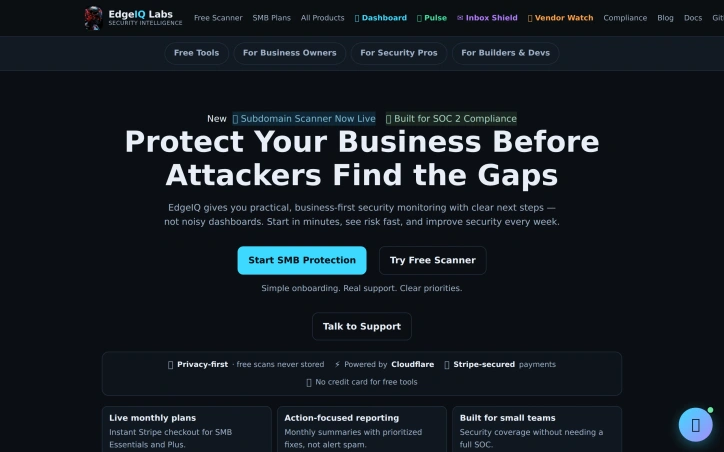
Cybersecurity is a complex and often daunting task for small businesses, which typically lack the resources and expertise to effectively protect themselves against ever-evolving threats. EdgeIQ Labs addresses this challenge by providing practical, business-first security monitoring solutions that help small businesses identify and address vulnerabilities before they can be exploited. The company's tools are designed to be easy to use, with simple onboarding and real support, making them accessible to business owners, security professionals, and developers alike. What stands out about EdgeIQ Labs is its focus on delivering lightweight, functional utilities that integrate seamlessly into existing workflows, avoiding the complexity and overhead often associated with enterprise security solutions. The company's approach prioritizes action-focused reporting, providing monthly summaries with prioritized fixes rather than alert spam, making it easier for small teams to manage their security posture. EdgeIQ Labs offers a range of free tools, including an SSL security scanner, headers analyzer, XSS quick scan, and subdomain scanner, which provide instant insights into potential security risks. For businesses requiring more comprehensive monitoring, the company offers paid plans, including SMB Essentials and Plus, with instant Stripe checkout. The free tools are complemented by a 13-step SMB cybersecurity checklist, which is available for free and provides a clear roadmap for improving security. The company's commitment to privacy-first practices is evident in its assurance that free scans are never stored, and its use of Stripe-secured payments provides an additional layer of security for transactions. Overall, EdgeIQ Labs provides a compelling solution for small businesses seeking to enhance their cybersecurity without the burden of complex and costly enterprise solutions.

In today's digital landscape, sharing sensitive information is a necessary but perilous task. Standard QR codes and plain text are ill-equipped to handle confidential data, leaving it vulnerable to breaches and unauthorized access. CryptonQR addresses this pressing issue by providing a secure and private way to share sensitive information. The platform is designed for individuals and organizations that require a high level of data protection, such as businesses handling confidential client information or individuals sharing personal data. What sets CryptonQR apart is its commitment to user privacy and security. The platform employs a zero-knowledge approach, ensuring that only the user holds the encryption key. This means that even if the platform's servers are compromised, the data remains encrypted and unreadable. The use of military-grade AES-256-GCM encryption further reinforces this promise, providing a robust defense against potential threats. The key feature of CryptonQR is its ability to generate secure, encrypted QR codes. This allows users to share sensitive information with confidence, knowing that it is protected from unauthorized access. The platform's focus on encryption and user control is a significant departure from many other tools, which often store user data on their servers, creating a single point of failure. Unfortunately, the platform's pricing and business model are not explicitly stated, leaving potential users to investigate further. Nonetheless, CryptonQR's dedication to user privacy and security makes it an attractive solution for those seeking a reliable and confidential way to share sensitive information. By putting control firmly in the user's hands, CryptonQR is redefining the way we share confidential data.


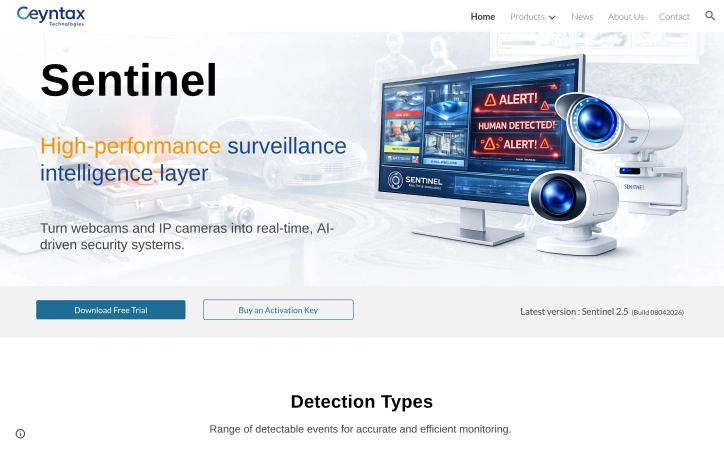
The headaches of outfitting a home or small business with enterprise-grade surveillance come down to cost, complexity, and false alarms. Sentinel neutralises all three by turning cheap webcams and IP cameras you already own into rule-based AI sentinels—no bloated NVR hardware, no recurring cloud fees, just a downloadable application that runs locally on Windows PCs. The sweet spot sits with residential caregivers, solo security managers, and lean startups that need hospital-grade vigilance without hospital-grade budgets. Where competing products flood users with generic motion bursts, Sentinel narrows the signal to highly specific events—falls, head slumps, motionless stretches, waving gestures, and even questionable neck angles—then issues instant desktop or phone alerts. Layer on top a zone painter and a human-count gate, and the software becomes context-aware, ignoring pets, rustling trees, and passing cars unless they step into a delineated area or violate a crowd count you set. Stand-out depth shows in the Care Assistance module. Fall detection and neck posture tracking are surgical counters to the two biggest risks in aged or desk-bound populations: sudden drop and long-term ergonomic injury. Add posture classification—standing, sitting, leaning, lying—and automated inactivity timers, and you have a system that doubles as a remote wellbeing nurse. These rules coexist with standard perimeter functions such as vehicle, animal, fire, face, and licence-plate recognition, each toggleable so a nursery play area can watch only for toppled toddlers while the loading dock next door worries exclusively about forklifts and tailgate thefts. Version 2.5 released April 2026 refines speed; early builds handle multiple 1080p streams without the GPU load associated with most AI diagnostics. Download the trial gratis straight from Ceynax’s site. When you decide to keep it, a one-time activation key ends the nagging—no subscriptions, no hidden camera limits, just an honest perpetual licence.

Protecting sensitive customer data during database operations remains a fundamental challenge for development teams. VeilDB addresses this by automating the process of masking and removing personally identifiable information from database backups, allowing teams to safely share sanitized copies without compromising data privacy or security. The platform targets development and QA teams that regularly need access to production-like data for testing and debugging but face compliance and privacy constraints. Rather than forcing developers to request backups from technical leads or work with artificial datasets, VeilDB enables self-service access to masked data through a straightforward workflow: connect your database, scan its contents, configure masking rules, and distribute sanitized backups to team members with appropriate access controls. What distinguishes VeilDB is its emphasis on practical usability. The platform features a visual rule builder that abstracts away technical complexity, letting teams define how to handle sensitive columns without writing code. Configuration rules can replace, update, or remove data based on user-defined parameters. The solution also introduces a scheduling system that automates backup creation and masking on a recurring basis, reducing manual intervention and ensuring teams always have access to current sanitized data. The access control model reflects a team-centric philosophy. Rather than a simple binary structure, VeilDB implements group-based permissions that allow organizations to segment database access across multiple team members with varying privilege levels. This is particularly valuable in larger organizations where developers working on different features or services require different data views. Integration appears straightforward. The platform supplies a command-line tool that developers can install locally, reducing friction compared to solutions requiring database-level modifications or complex deployment steps. The four-stage setup flow—application setup, database scanning, rule configuration, and team distribution—suggests a focus on reducing implementation complexity. One limitation evident from the available information is the absence of concrete pricing details or a published cost model. The website mentions documentation and a GitHub repository, suggesting some level of technical transparency, but specifics on whether the offering is open-source, subscription-based, or usage-metered remain unstated. Interested teams must request a demo to understand licensing terms. VeilDB occupies a practical niche in the data security landscape. For teams struggling with the tension between needing realistic data for development while maintaining privacy obligations, it offers a plausible solution that prioritizes ease of use alongside security fundamentals. The product's success will depend on how well the claimed integration simplicity holds up under real-world deployment.


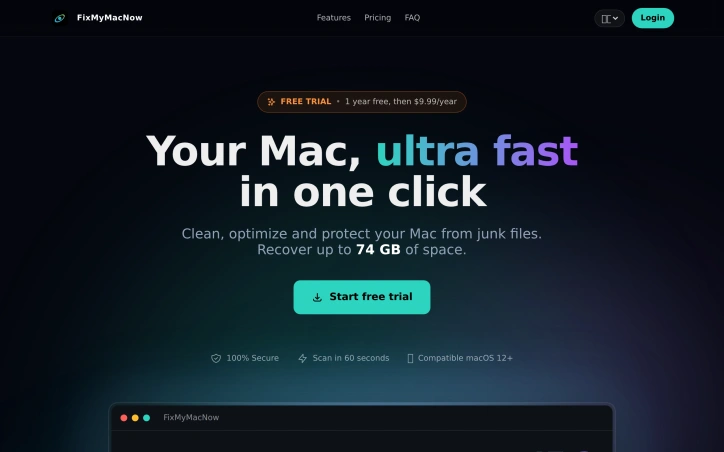
Disk clutter on macOS presents a genuine problem for longtime users, whose machines accumulate cache files, developer leftovers, and forgotten downloads that consume storage and degrade performance. FixMyMacNow targets users seeking an all-in-one solution to reclaim space and restore their systems to a snappier state. The product bundles four major functional areas into a single application. The cleanup suite scans for system cache, log files, unused applications, browser caches, and development artifacts, with the vendor claiming the ability to recover up to 74 gigabytes of storage from a typical Mac. A dedicated space cleaner provides tools for identifying large files, purging old downloads, and detecting duplicates through hash-based matching. An optimization module focuses on performance by managing startup items, background applications, and maintenance scripts. A fourth component supplies real-time system monitoring, tracking CPU usage, memory pressure, disk activity, and network throughput. What distinguishes this offering is the emphasis on batch operations and simplicity. Rather than requiring users to manually navigate individual files or system settings, FixMyMacNow presents recommendations it can apply en masse—disabling multiple startup items at once or terminating background processes with a single action. The claimed 60-second scan time and the ability to perform major cleanup operations in a single click suggests the designers prioritized user convenience. The application supports macOS 12 and later. Pricing follows a freemium model. A seven-day free trial provides access to all features at no cost, after which a subscription begins at $9.99 per year. This positions the product as an economical option compared to many system utilities. The vendor emphasizes security, labeling the cleaning process as "100% secure," though the website offers no detailed explanation of what safety mechanisms protect against accidental deletion of essential files. The product's functionality overlaps significantly with established competitors, making differentiation a strategic challenge. The low entry price and breadth of tools provide potential value for users who prefer consolidated system maintenance to juggling multiple specialized utilities.