Xtra Hands Family Chore App
Household chore management remains one of parenting's persistent friction points, and Xtra Hands positions itself as the...
Catalyst Healthspan Audit
Personal trainers typically sell training sessions. This startup reversed the equation by building assessment first, mak...
Best Video editing Startups & Tools
Tools to capture, assemble, and enhance moving images and screen demos.
Recently Listed
15 launches
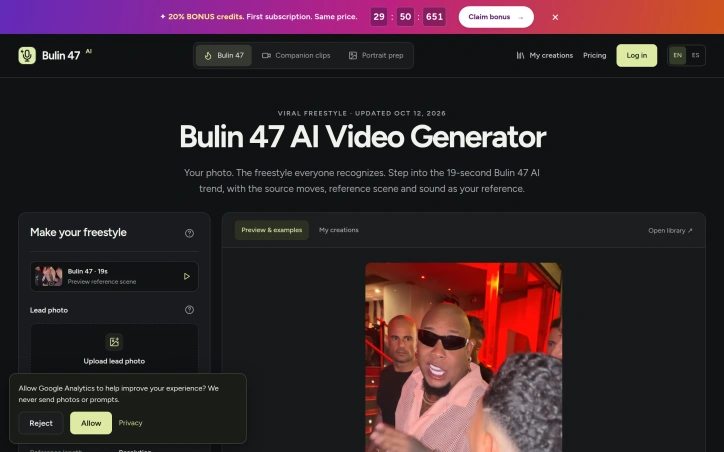
A browser-based video generator that transforms a single portrait into a 19-second vertical freestyle performance represents a narrow but strategic bet on the longevity of an internet trend. This tool capitalizes on the viral Bulin 47 and Kevin Wai freestyle clip that has inspired countless TikTok recasts, removing friction from creating variations without requiring video editing skills or dance ability. The core mechanism is straightforward: upload a clear frontal photograph, select whether to use the original supporting cast or add custom background performers, and the system generates a video where the face and clothing from your photo grafts onto a reference body performing choreographed movements. The 19-second length mirrors the popular segment from the original performance, and output options include 480p or 720p quality, both with audio. Everything runs in a web browser with no app installation required and no watermark on the final file. What distinguishes this from generic video synthesis tools is its unflinching embrace of a specific cultural moment. The product openly acknowledges its reliance on the source material and original performers, making realistic disclosures about limitations. Lip movements may not sync syllable-for-syllable, hands can shift position, and source accessories may persist. This transparency about limitations actually builds credibility in an AI space otherwise flooded with overstated claims. The business model is straightforward: new users get credit to explore, but full video generation requires purchased credits. The entry package at $9.90 covers a single 480p video, keeping the trial barrier low. Support for English and Spanish pages suggests awareness of the trend's geographic reach. The product is explicitly positioned as an unofficial fan tool unaffiliated with Bulin 47 or TikTok, a choice that limits legal exposure while managing expectations. For creators invested in the trend, this focus is its strength. Success depends on the trend's longevity, an inherently unpredictable variable.

Creators dealing with burned-in subtitles or hardcoded text in video footage face a tough choice: crop the frame and lose composition, or manually edit hundreds of individual frames. RemoveSubs offers a third option by using AI to reconstruct video behind visible text without sacrificing the original framing. The service targets content producers who need to repurpose footage across platforms, recycle clips with region-specific subtitles, or clean up lower-thirds and text overlays. Podcast creators, educational content producers, and social media channels all benefit from removing visual text that limits reusability across different markets and contexts. What distinguishes RemoveSubs from manual editing is its reconstruction approach. Rather than blur or inpainting with placeholder content, the AI estimates what exists behind text by analyzing surrounding visual context. This preserves motion and lighting continuity across frames, producing results that appear natural rather than edited. The platform acknowledges its limitations honestly—fast motion, facial features, detailed textures, and extreme lighting changes can produce visible artifacts like blur or flicker—but positions these as edge cases rather than universal failures. The workflow is straightforward. Users upload MP4, MOV, or WebM files up to 1080p resolution, preview the processing cost, confirm the operation, and receive a before-and-after comparison before downloading. This preview mechanism addresses a key friction point: users can evaluate quality before committing time and credits to reprocessing their footage. RemoveSubs also distinguishes between two subtitle categories in its documentation. Burned-in subtitles are baked into the video image itself and require AI removal. Embedded subtitle tracks are separate data streams that can typically be disabled in a video player without any processing. This educational framing helps users understand whether they actually need the tool or can solve their problem through simpler means, which demonstrates user-centric product thinking. The pricing model uses a credit-based system. Free trials include three credits following email verification, with free accounts limited to 50MB uploads and paid accounts supporting 100MB. Processing costs one credit per started second with a three-credit minimum per job. This structure incentivizes short clips and makes the service accessible for experimentation before financial commitment. For creators managing multiple platforms or archiving footage with region-specific text, RemoveSubs provides genuine utility. It trades AI accuracy for manual labor, accepting that reconstruction involves estimation rather than recovery of original content.
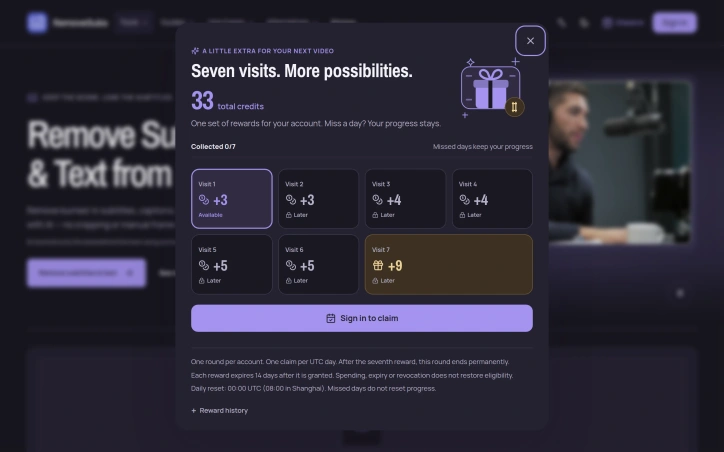

Video editors often face a tedious choice: crop the frame and lose important content, cover unwanted elements with stickers, or rebuild entire projects because hardcoded captions, watermarks, or logos need removal. RemoveText.video eliminates this frustration by using artificial intelligence to detect and reconstruct text overlays while preserving the original framing and composition. The platform handles a broad range of text removal scenarios. Users can target hardcoded text like dates and labels, creator captions before fixing typos or styling, burned-in subtitles, logos, watermark overlays, and internal review marks. The tool also removes audio tracks entirely, useful for creators preparing silent versions for new soundtracks. What sets the offering apart is its balance of automation and control. The system includes automatic detection for fixed text, running locally on sampled frames before any upload occurs. For more complex cases—moving overlays, captions over faces or detailed backgrounds—users can manually select up to three target areas on the free tier or ten on paid plans. This hybrid approach acknowledges that real-world video often contains difficult cases automation struggles with. The workflow prioritizes user certainty throughout the process. After selecting a file, the platform generates a local browser preview without uploading the clip. Automatic detection displays selected areas and estimated credit cost before processing begins. Users inspect and approve the complete output before downloading, reducing wasted processing on incorrect selections. The product supports MP4, MOV, and WebM files. Original videos remain accessible for seven days, while paid outputs persist for thirty days. The credit-based pricing model offers flexible usage distinct from traditional subscriptions, though specific costs per operation remain undisclosed. The core strength lies in solving a genuine pain point for video editors without resorting to crop-based shortcuts. By handling pixel reconstruction automatically, the tool preserves creative intent and saves production time. The emphasis on local preview and manual override options demonstrates understanding that video quality control cannot be entirely automated.

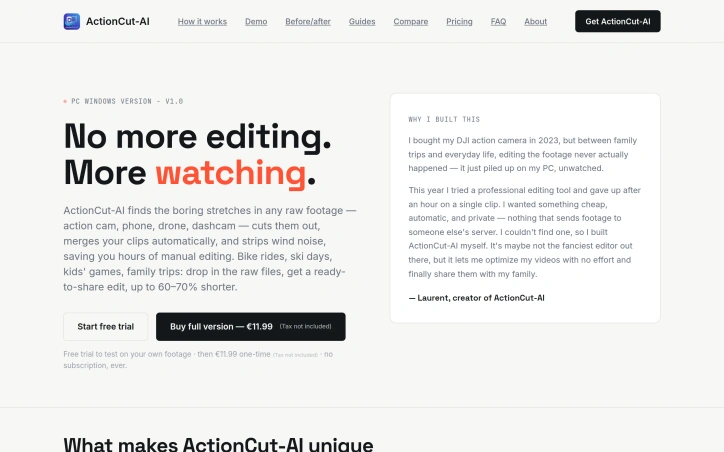
Video editors processing action camera footage face a grinding problem: raw files from GoPro, drone, or dashcam footage contain long stretches of nothing—static shots, flat scenery, wind noise—that destroy watchability. Cutting these out manually takes hours. ActionCut-AI addresses this by automating the entire tedious process, allowing users to transform a day's worth of raw clips into polished, shareable video in minutes. The core appeal sits at the intersection of simplicity and affordability. Priced at a one-time €11.99, ActionCut-AI avoids the subscription trap that defines most modern video tools. Users upload their footage, the software applies machine learning to identify and remove dull moments based on motion, sound levels, and scene changes, then exports a ready-to-post MP4 file. The process requires no timeline navigation, plugin configuration, or technical know-how—three steps, one output file. What distinguishes ActionCut-AI is its refusal to compromise on privacy and offline capability. All processing happens locally on the user's machine; footage never touches the cloud. The software only requires internet for an initial license activation, then operates completely offline. This design choice matters for users handling sensitive content or working with slow connections. The feature set focuses on practical problems faced by action filmmakers. Automatic clip merging consolidates a full day's shooting into a single timeline, while the algorithm detects and removes idle stretches common in action sports—long climbs with no action, static party footage, repetitive sequences. The software also strips wind and rumble noise from audio, eliminating post-processing headaches for outdoor shooting. Users can adjust the aggressiveness of cuts to produce tighter or longer versions without re-processing. The trial offering strengthens the value proposition. Rather than asking users to trust marketing claims, ActionCut-AI allows free testing on real footage, with limitations that let users fairly assess output quality before committing. The weakness lies in scope. ActionCut-AI targets a specific user base—action sports and lifestyle filmmakers—and deliberately avoids the feature bloat that makes professional editing software overwhelming. Users expecting timeline manipulation, color grading, or complex multi-clip effects will find little here. For the intended audience—anyone drowning in raw action camera files—ActionCut-AI solves a genuine pain point with refreshing directness. The combination of offline processing, one-time pricing, and minimal learning curve creates a compelling alternative to subscription-heavy tools that charge hundreds or thousands annually for features most users never touch.
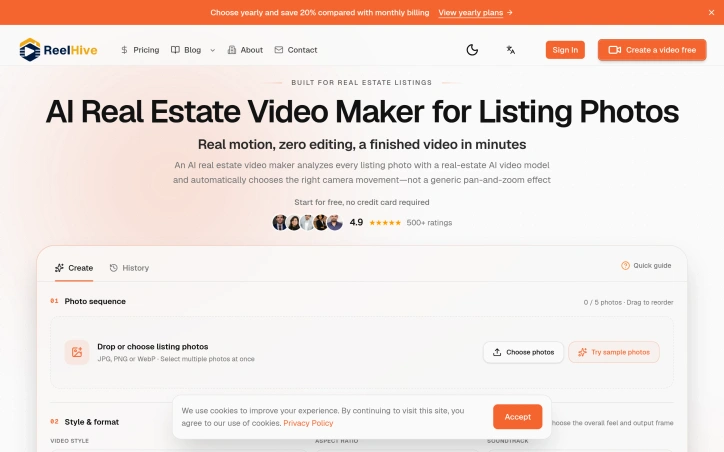
Real estate professionals have long struggled with the gap between manual video editing and automated slideshows. ReelHive addresses this with an AI-powered tool built specifically for turning property photos into polished listing videos. The platform targets real estate agents, marketing teams, and property photographers who need to produce videos quickly without dedicating hours to editing. The core offering is straightforward: upload listing photos, choose a visual style, and let AI generate scene-aware camera movements that match each image rather than applying the same generic pan-and-zoom to every shot. What distinguishes ReelHive from broader video creation tools is its narrow, deliberate scope. Rather than positioning itself as a general-purpose video editor, it acknowledges the specific workflow of real estate listing photography. Users control the photo sequence and presentation style while the platform automates the repetitive production work: selecting appropriate camera movements, generating clips, handling transitions, syncing music, adding captions, and rendering the final export. This focused design removes friction from a common professional task. The product workflow is lean: arrange photos in desired order, select from three style presets (Luxury, Modern, Social) and a choice of aspect ratios (9:16 vertical or 16:9 horizontal), optionally add music from a curated set of 50 tracks, and layer in property details or branding elements. The AI then analyzes each photograph to determine suitable camera movement, acknowledging that a kitchen, living room, exterior, and detail shot require different visual treatment. The interface eliminates prompts and timeline editing entirely, aligning with the stated goal of reducing hours spent on production into a minutes-long process. Users can preview sample videos before committing, and the platform offers a two-video free trial without requiring a credit card, lowering the barrier to initial use. User ratings stand at 4.9 out of 5 across 500 reviews, though this metric alone does not indicate production quality or business sustainability. The tool occupies a genuine gap: it is neither a manual editing burden nor an undifferentiated slideshow, but rather a purpose-built solution for a specific professional use case. Pricing details are not disclosed in the available content, though the free tier supports initial evaluation.

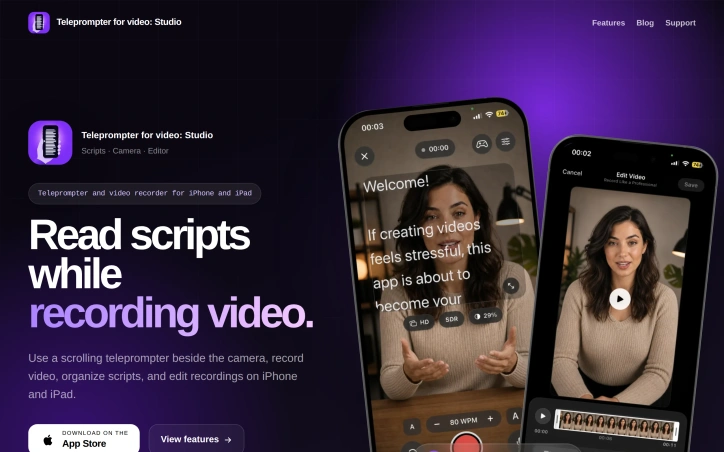
Content creators recording videos on mobile devices face a persistent challenge: reading scripts while maintaining natural eye contact with the camera. Most solutions force an awkward choice between memorization, looking off-camera to reference notes, or accepting the production quality hit of a distracted delivery. Teleprompter Studio addresses this for iPhone and iPad users by placing a scrolling script directly beside the camera lens, allowing creators to read their material without breaking the visual connection with their audience. The product targets creators ranging from solo content producers to small teams who need to shoot professional-looking videos but lack access to dedicated studio teleprompter setups. This includes social media creators, educational content producers, sales professionals recording pitches, and anyone else who benefits from reading prepared remarks while maintaining on-camera presence. What distinguishes Teleprompter Studio is its integrated approach. Rather than offering a standalone teleprompter feature, the app consolidates three essential functions into one workspace: the prompt display, video recording, and post-production editing. This consolidation eliminates the friction of jumping between multiple applications, keeping creators in a focused environment from script preparation through final export. During recording, the app provides granular control over the teleprompter itself. Users can adjust scrolling speed in real time, modify text size and positioning, enable mirroring, and switch between front and back cameras without exiting the recording interface. The microphone controls remain accessible, allowing audio adjustments without interrupting the take. This flexibility matters because reading speeds and comfort levels vary significantly between individuals. The editing capabilities handle standard post-production tasks including trimming, cropping, and aspect ratio adjustments to accommodate different platforms, whether vertical, square, widescreen, or cinematic formats. Scripts and recordings are organized within the app's library, and importantly, all content remains stored locally on the device rather than relying on cloud infrastructure. The app requires iOS 18 or later and is available exclusively on the App Store for iPhone and iPad. Pricing information is not detailed in publicly available materials. The product includes a blog resource offering practical guidance on teleprompter technique, addressing how users can maintain natural delivery while reading from a prompt. Teleprompter Studio fills a legitimate gap in mobile content creation by removing a technical barrier that often undermines video quality. The integration of recording and editing alongside the teleprompter feature simplifies workflow for creators who need rapid turnaround on professional-looking content.

Repurposing hours of long-form video content remains a bottleneck for content creators and editors who need platform-ready clips but lack the time for manual extraction. Clipperia addresses this friction by automating the most tedious parts of the workflow: finding compelling moments in raw footage, structuring rough cuts for professional editing, and preparing broadcast-safe content. The product serves three distinct creator personas through separate workflows. The Clip Extractor targets podcasters and short-form content creators, using AI to automatically identify hook moments, emotional peaks, and key statements within longer recordings, then exports clips in vertical or horizontal formats ready for TikTok, YouTube Shorts, and Instagram. The Rough Cut Studio caters to video editors and post-production teams by accepting raw footage and generating structured rough cuts with EDL export, a critical workflow for DaVinci Resolve users who need clean timelines to build on. The Clean Cut workflow handles broadcast-safe censorship, allowing creators to silence profanity and violence at adjustable intensity levels. What distinguishes Clipperia is its specialization rather than generalization. Rather than building a Swiss Army knife video tool, the company designed three focused workflows, acknowledging that clip extraction, rough cutting, and censorship solve different problems for different users. The interface prioritizes speed with upload, workflow selection, and download as the core loop. Processing caps are generous on higher tiers: the Pro plan handles 2-hour videos and provides 450 credits monthly, enough for meaningful production use. The pricing model follows a freemium approach with meaningful free limits that do not require a credit card. The free tier offers 60 credits worth of video processing and five generations, making it genuinely usable for evaluating the tool. Paid tiers start at fourteen dollars monthly, with the Pro tier at thirty dollars monthly. All paid plans remove watermarks and increase storage retention, moving beyond cosmetic upgrades to functional improvements. The credit-based system provides transparency around what processing capacity costs. One limitation is the experimental status of the Rough Cut Studio workflow, indicating the tool prioritizes its core strengths in clip extraction and censorship over the more technically complex rough cut generation. For creators who already have editing expertise, the upload-select-download simplicity could feel limiting. Still, Clipperia delivers on its core promise: turning time-intensive manual work into a three-step process.


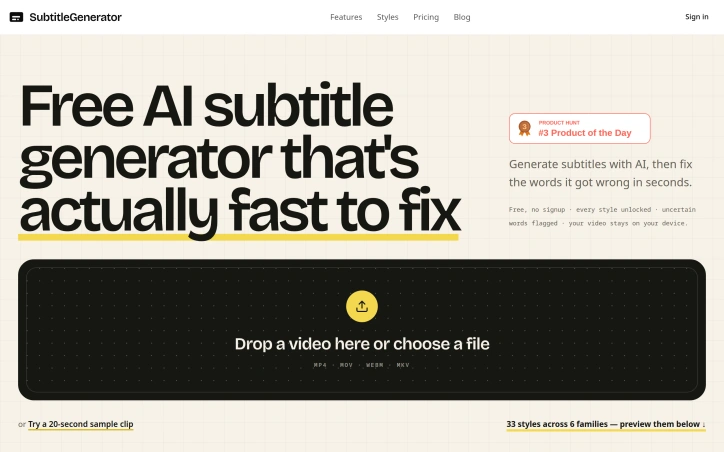
Creating subtitles for video remains a bottleneck for content creators, educators, and marketing teams. Either they rely on manual transcription—expensive and time-consuming—or turn to AI tools that generate drafts but require tedious corrections across multiple apps. SubtitleGenerator consolidates this entire workflow into a single browser-based editor. The platform addresses the core pain point directly: AI-generated subtitles are fast but imperfect. Rather than pretending otherwise, SubtitleGenerator flags low-confidence words automatically, letting creators quickly decide whether to accept, edit, or re-transcribe each flagged segment. This pragmatic approach acknowledges that AI needs human oversight while making that oversight friction-free. The interface shows context by allowing creators to hear the audio around a questionable word before making a correction, eliminating blind guessing. Beyond transcription, the platform bundles everything needed to publish: text correction and timing adjustments, a library of 33 caption styles organized across six typographic families, translation capabilities in paid tiers, and one-click export. The caption styles shift together as cohesive design systems rather than isolated options, suggesting thoughtfulness about the visual presentation layer. Styles span specific use cases—from tutorials to shorts to gaming highlights—signaling that the product understands different creator needs. The business model layers free and paid access. The free tier notably includes all 33 subtitle styles and requires no account signup, removing activation friction. Paid tiers unlock full-track translation in addition to per-cue translation. The free tier's generosity at the styling level is unusual; most SaaS tools gate design options aggressively. A privacy angle runs throughout: video files stay on the user's device rather than being uploaded to remote servers. This distinction matters for creators working with client content or sensitive material, and SubtitleGenerator foregrounds it as a core feature rather than burying it in documentation. The product positions itself for a clear user base: anyone publishing video who has grown frustrated with subtitle creation as a multi-step chore. The implementation—consolidating generation, verification, styling, and export into one place—directly targets workflow efficiency. What remains to test in practice is whether the AI accuracy genuinely outperforms competitors and whether the correction interface stays responsive as projects accumulate flagged words across longer videos.
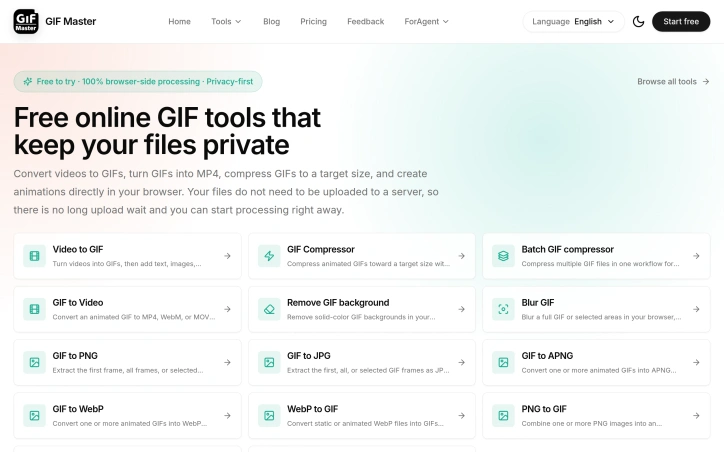
Frustrated creators and product teams dealing with animated GIFs have long faced a choice between waiting for cloud uploads or compromising their file privacy. This browser-based tool eliminates that tradeoff by processing all conversions and edits locally, without ever sending files to a server. GIF Master targets anyone who regularly works with animated images: product managers recording screen demos, developers creating tutorial animations, social media teams managing asset libraries, and marketers building countdown graphics. The core appeal is immediate processing and guaranteed privacy, since no files leave the user's device. What distinguishes this offering from existing GIF utilities is its commitment to client-side processing. Rather than the typical upload-and-wait model, users get instant results by doing all computation in their browser. This approach eliminates both the friction of server uploads and the concern that sensitive or proprietary GIFs might be retained on external servers. The feature set covers the full GIF lifecycle. Conversion tools handle video to GIF and reverse workflows, supporting formats like MP4, WebM, and MOV. For optimization, a dedicated compressor lets users set target file sizes before processing, reducing trial-and-error adjustment. The batch compressor addresses teams managing multiple GIFs for documentation or campaigns, tracking progress across files. Several editing capabilities add practical value. Background removal works best on simple, solid colors and flat compositions, with manual frame-by-frame cleanup available for difficult cases. A blur tool handles both full-image redaction and timed local areas, useful for hiding faces or sensitive text in specific frames. The batch workflow and screen recording feature feed directly into GIF creation, allowing capture-to-export in one session. The product presents itself as free to try, though detailed pricing or premium tier information isn't disclosed. The value proposition depends entirely on whether users prioritize privacy and speed over the convenience of server-based processing, which often includes more sophisticated AI-driven features. For teams with privacy requirements, embedded GIF workflows, or frequent conversions, the browser-side approach removes both technical friction and compliance concerns. The real question for potential users isn't whether GIF Master does what it claims, but whether processing speed and privacy protection outweigh the trade-offs of working locally rather than in the cloud.

Video editing services for creators have traditionally focused on technical polish and aesthetics, but Clipfox takes a different approach: optimizing for viewer retention and conversion. The platform targets content creators and brands across YouTube, Instagram Reels, and LinkedIn who want to scale their audiences into actual paying customers, addressing a fundamental gap between getting views and driving real business results. What distinguishes Clipfox is its emphasis on retention psychology over raw cutting technique. Rather than treating video editing as a technical craft divorced from marketing outcomes, the service designs edits specifically to keep viewers watching and push them toward conversion. This philosophy reflects recognition that creators often struggle not with production quality but with translating attention into revenue. The client roster demonstrates broad reach. The platform lists featured creators with audiences ranging from 10,000 to 556,000 followers across YouTube and LinkedIn, including content creators, founders, and professionals in education and technology. Client testimonials consistently highlight speed, responsiveness, and reliability. One creator noted that consulting from the team alone justified their investment. Another client tied $300,000 in monthly revenue partly to videos produced through the service, pointing to measurable business impact. The company maintains a 4.8 out of 5 star rating across 264 reviews, with clients praising fast turnaround times, clear understanding of briefs, and consistent quality. The testimonials come primarily from founders and creators rather than agencies or enterprises, indicating the core market is individual builders trying to grow their influence and business. One prominent case involves sales velocity: a CEO reported 580-plus calendar meetings generated over six months using Clipfox-produced videos. This points to the service targeting high-value creators focused on B2B or high-ticket sales. Pricing information is not publicly available on the website, requiring a direct inquiry through their discovery call booking. The business model is managed service-based editing rather than a self-serve platform or software tool. This positions Clipfox as a specialist service for creators who prioritize professional attention over DIY tools. The fundamental pitch to prospects is straightforward: specialized editing drives measurable business results. Whether those results transfer to new clients depends on alignment with Clipfox's track record and the creator's existing audience quality and engagement dynamics.


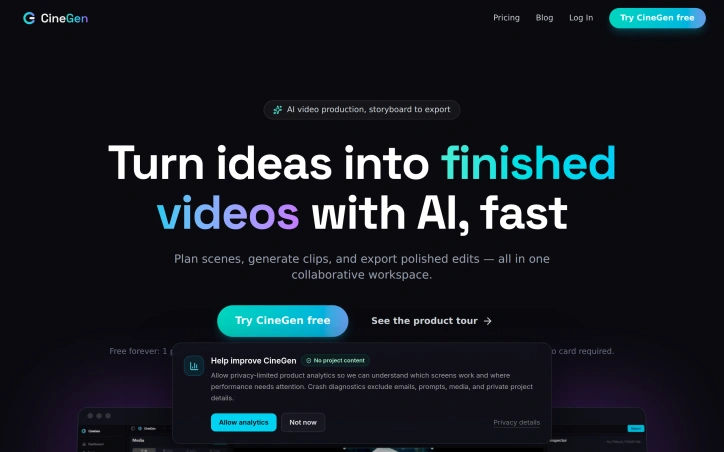
Creating videos with artificial intelligence typically requires jumping between specialized tools—some for planning, others for character design, generation, editing, and feedback. CineGen consolidates this fragmented workflow into a single browser-based workspace where creators and small teams can move from concept to finished edit without switching applications or managing scattered files. The product targets independent creators, studios, and marketing teams who need to produce video content quickly but find existing solutions either too specialized or too disconnected. CineGen's approach centers on efficiency: by keeping all production steps in one place, the platform lets users focus on storytelling rather than file management. Several capabilities distinguish CineGen's offering. The AI Storyboarder accepts story prompts and generates multi-scene sequences with specified shot types, descriptions, and dialogue that feed directly into the editing timeline. The Character Creator allows users to define a character once—including appearance, voice, and personality traits—and maintains consistency across every generated scene. This solves a genuine pain point in AI video work, where character drift across clips undermines narrative coherence. The timeline editor is a genuine production tool rather than a cosmetic interface. It offers multi-track editing, a media bin, live preview, clip inspection, keyframes, transforms, and one-click export. For teams, CineGen includes collaboration features: shareable review links that require no account, timestamped comments on clips, role-based project permissions, and auto-rendering triggered by approval. Currently in beta is a 3D scene creator that lets users load gaussian-splat environments, position characters with camera keyframes, and have the platform interpolate the camera movement into finished footage with cost estimates before rendering. This capability indicates the team is actively expanding creative possibilities. The business model is subscription-based. A free tier includes one project, access to the full timeline editor, watermarked 720p exports, and 100 bonus AI tokens, with no credit card required. This allows potential users to evaluate the core editing and collaboration experience before committing financially. CineGen's core strength lies in integration. Rather than positioning itself as the best storyboarding tool or the best character generator, it positions itself as the workspace where these pieces fit together seamlessly. For teams managing creative projects with consistent visual elements, that integration addresses a real workflow problem.

Color grading has long been a bottleneck in video production, consuming disproportionate amounts of time relative to its creative impact. Leumos AI targets this inefficiency by automating the technical legwork that consumes hours on every substantial project: scene detection, exposure correction, color matching across shots, and final rendering. The platform operates entirely in the cloud, eliminating a critical barrier to entry for independent filmmakers and editors working with limited hardware. Rather than requiring expensive GPU workstations, users can upload timelines from any laptop and receive finished 4K masters via email. This accessibility is the product's central value proposition, democratizing tools previously restricted to well-equipped post houses. The technical approach centers on four core capabilities. Scene cut detection runs automatically, identifying every transition and shot boundary without manual scrubbing. An AI color grading engine then applies consistent looks across entire sequences, avoiding the tedium of clip-by-clip curve adjustments. A third component handles shot matching, aligning exposure and color temperature across footage shot with different cameras and lighting setups. Finally, the cloud rendering pipeline outputs finished masters in ProRes, H.265, or as graded XML back into editing software. What distinguishes Leumos from simpler color automation is its sequence awareness. Rather than processing shots in isolation, the AI understands continuity across an edit, maintaining visual consistency without requiring editors to sacrifice creative control. The interface presents multiple aesthetic treatments from a single clip, allowing users to experiment with different looks before committing to a final grade. The closed beta launched in late summer 2026, with access via waitlist. The company accepts multiple source formats including ProRes, H.264, H.265, and RAW, accommodating a range of production pipelines. The core premise addresses a genuine inefficiency in modern video production. For editors and filmmakers constrained by hardware limitations, where tool access has traditionally been a barrier to professional-grade work, this cloud-native approach expands the practical possibilities of independent production.
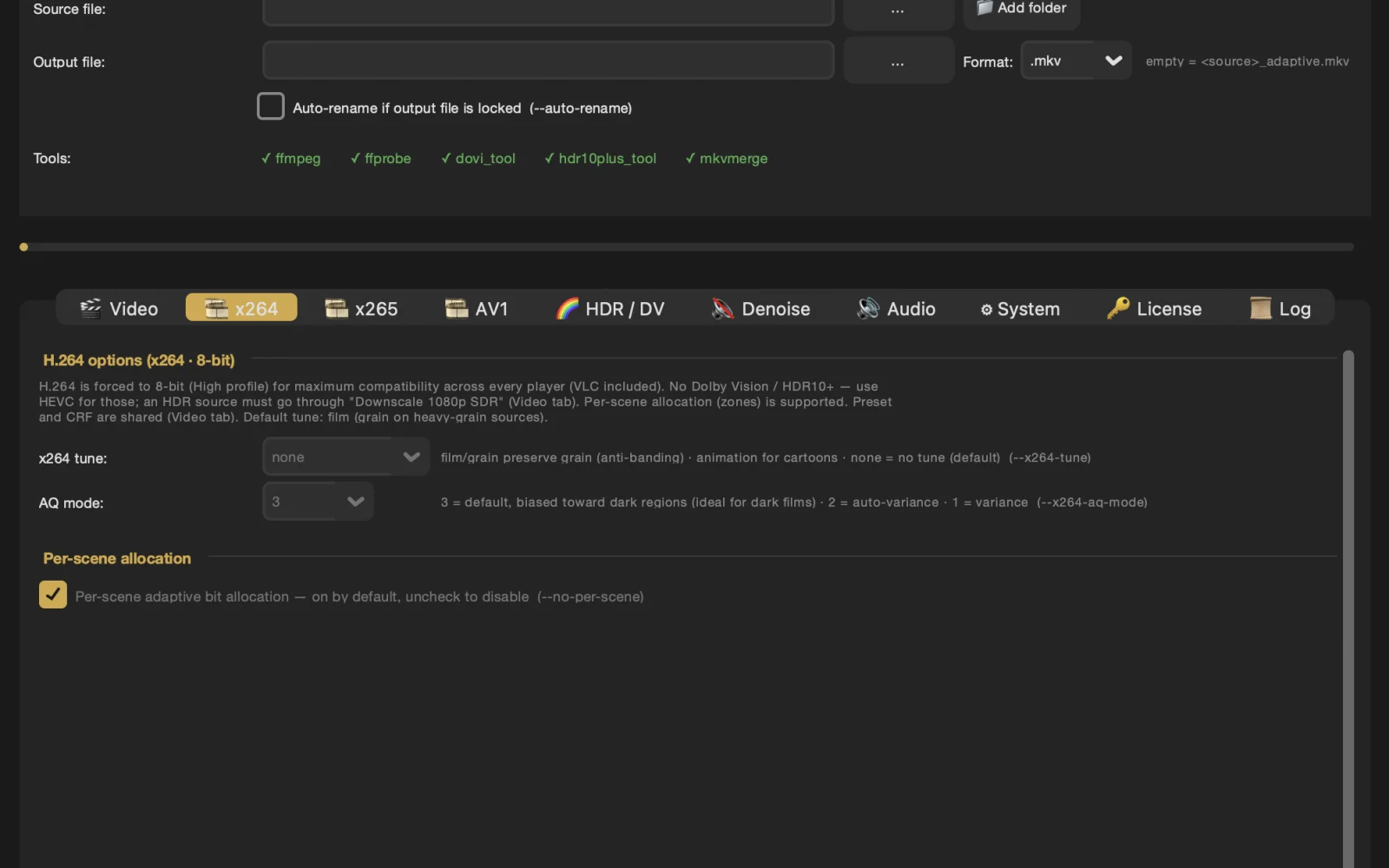
Re-encoding video libraries to more efficient formats like H.265 can be a daunting task, particularly when it comes to preserving the nuances of high-quality video content such as Dolby Vision metadata, film grain, and dynamic range. Most consumer-grade encoding tools fail to maintain these essential elements, resulting in a degraded viewing experience. Adaptive Video Encoder is designed to address this very problem. The tool is geared towards users who value near-remux quality and are willing to trade off maximum compression for it. It's particularly well-suited for those with mixed video libraries, including 1080p Blu-ray remuxes and 4K UHD rips with Dolby Vision, HDR10, or HLG. By employing a frame-by-frame adaptive analysis, the encoder can automatically adjust its parameters to suit the specific needs of each video, ensuring that details such as film grain and HDR metadata are preserved. What stands out about Adaptive Video Encoder is its prioritization of quality over file size reduction. It natively supports conversion of Dolby Vision Profile 7 to 8.1 and handles various HDR formats, maintaining the original image fidelity. The encoder is available for Windows, Linux, and macOS, including Apple Silicon, making it versatile across different operating systems. Users can try Adaptive Video Encoder with a 7-day free trial, after which it is available for a one-time purchase of $49.99, granting a lifetime license with access to updates via GitHub. With over 500 active users and more than 50,000 films encoded, the tool has garnered a 4.9/5 satisfaction rating on Discord, where users praise its ability to preserve film grain and Dolby Vision metadata without requiring manual calibration for each film. Its straightforward pricing and commitment to maintaining high video quality make Adaptive Video Encoder an attractive solution for those seeking to optimize their video libraries without sacrificing visual integrity.

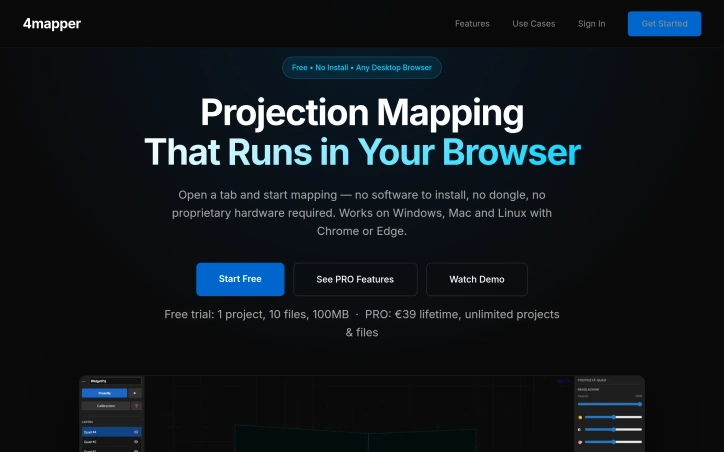
Projection mapping has long been constrained by proprietary software suites and expensive hardware requirements that put the technology out of reach for independent creators and artists. 4mapper dismantles these barriers by delivering a browser-based solution that works directly in Chrome or Edge, eliminating installation friction and compatibility headaches across Windows, Mac, and Linux systems. The platform serves a broad creator community—from VJs working live events and nightlife venues to artists building permanent or temporary installations, and even casual experimenters setting up projection mapping at home for parties or seasonal installations. The founder's motivation was clear: to democratize a tool that had become unnecessarily gatekept behind expensive licenses and locked ecosystems. What distinguishes 4mapper is its aggressive simplicity. There's no software to download, no proprietary dongle to purchase, and no expensive graphics card requirements. Opening a browser and uploading video content or images is enough to define projection surfaces and begin mapping. The free tier removes trial friction entirely—users get a full project, 100MB of storage, and up to 10 files to experiment with indefinitely, with no credit card required. This signals that the company trusts its product enough to let people learn it completely free. The feature set covers the essentials: video and image mapping with quad surface definitions, scene management for sequencing, and watermark-free exports on the PRO tier. The PRO exclusive features—live widgets that stream real-time data like weather or crypto prices, and Arduino controller support via USB for custom hardware triggers—show the platform thinking beyond static projection toward interactive, reactive installations. The open-source Arduino library suggests a commitment to community-driven extensibility. Pricing is refreshingly straightforward. The lifetime model at €59 for PRO, rather than a recurring subscription, appeals to independent creators with limited budgets and those who work sporadically. The storage jumps from 100MB free to 5GB in PRO—a meaningful upgrade for artists storing multiple video assets. 4mapper targets a specific, underserved niche: creators who want projection mapping capability without months of learning complex software or thousands in licensing fees. Its browser-based accessibility and low floor to entry position it as a genuine alternative to legacy tools designed for post-production houses and large installations. For hobbyists, performers, and independent artists, this removes a significant barrier to entry.

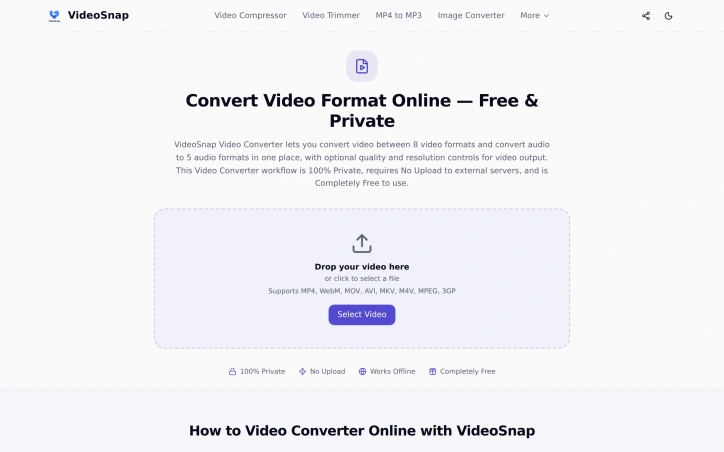
The need to convert videos between different formats without compromising privacy is a pressing issue for many individuals. VideoSnap directly addresses this concern by offering a free online video converter that operates entirely within the user's browser, eliminating the need to upload sensitive files to third-party servers. This makes it an ideal solution for users who prioritize data security and control. What stands out about VideoSnap is its commitment to user privacy and its offline capabilities. By processing videos locally in the browser, VideoSnap ensures that users' files never leave their device, providing a level of security that is not typically found in online video conversion tools. Additionally, the fact that it can work offline after the initial visit makes it a convenient option for users with unreliable internet connections. VideoSnap's key features include its support for a wide range of video and audio formats, as well as its ability to adjust output quality and resolution. Users can convert videos between eight different formats and extract audio in five different formats. The tool also offers compression, trimming, and editing capabilities, making it a versatile solution for various video processing needs. Notably, VideoSnap is completely free to use, with no subscription plans, hidden premium tiers, or per-file charges. There are also no watermarks on the output files, and users are not required to register an account. The founder's intention to provide a private and free video conversion solution is evident in the product's design and functionality, making VideoSnap a valuable resource for users seeking a secure and cost-effective video conversion tool.