@fuck.it
Email privacy has become an afterthought at mainstream providers, which treat inboxes as data sources to be mined for ad...
Categories
Best Voice AI Tools Startups & Tools
Recently Listed
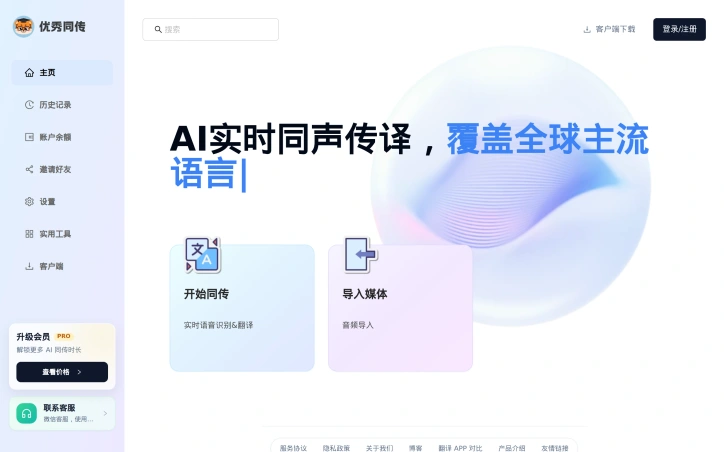
17 launchesSimultaneous interpretation has traditionally been a luxury reserved for high-stakes conferences and international events. Youshow Interpreter democratizes this capability by packaging AI-powered real-time translation into a mobile-friendly application designed for everyday communication scenarios. The product addresses a genuine friction point for three distinct user groups. International students attending lectures in foreign languages struggle to keep pace with instructors; professionals navigating multilingual meetings often miss context clues buried in accents and jargon; travelers attempting basic transactions in unfamiliar countries face communication breakdowns. Each of these groups has had to choose between fragmentary note-taking, post-event scrambling, or accepting information loss. Youshow's core strength lies in its dual-text architecture. Rather than forcing users to toggle between source and target languages, the application displays both simultaneously, allowing real-time verification and natural comprehension without cognitive switching costs. This design choice directly addresses a core limitation of single-language transcription tools: the ability to catch what was actually said versus what was understood. The platform delivers practical workflow features that extend beyond live conversation. Users can export bilingual SRT subtitle files, transforming raw conversations into reusable assets for content production or study materials. The history and replay functionality lets users revisit critical moments from lectures or meetings without scrambling for context afterward. This positions Youshow not just as a communication bridge but as a documentation tool for knowledge retention and asset creation. Cross-platform availability across web, iOS, Android, macOS, and Windows suggests an intentional design to meet users where they work rather than forcing adoption of a single ecosystem. This ubiquity matters for spontaneous translation needs, where mounting an app or accessing a web browser represents the practical difference between functional translation and no translation at all. The application identifies its target use cases explicitly: classroom attendance, business meetings, international travel, and subtitle creation. This focused positioning avoids the trap of claiming universal utility while remaining specific enough to guide feature development and marketing strategy. On the visible limitations side, the materials provided do not disclose latency metrics, language pair coverage, or accuracy benchmarks. For a product selling real-time translation, these specifications carry weight in evaluating whether the tool meets the demanding requirements of live situations where timing and precision both matter.

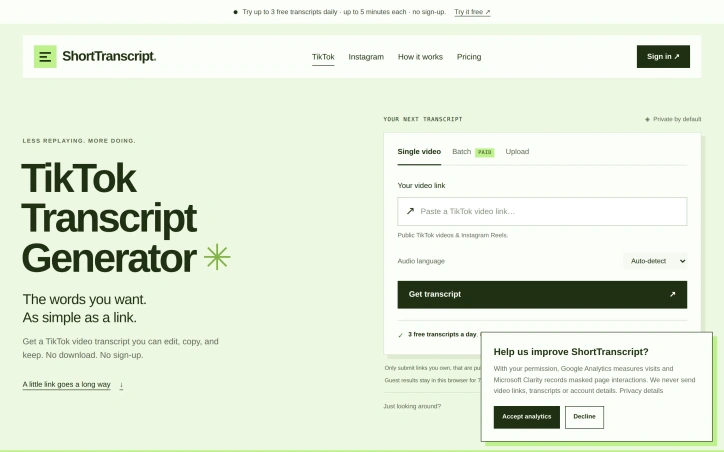
Extracting useful information from short-form video requires manual transcription. ShortTranscript addresses this friction with a browser tool that converts audio from public TikTok videos and Instagram Reels into timestamped text. The target audience is well-defined. Content creators use it to review their own performance or generate captions. Researchers preserve exact quotes from interviews and tutorials. Anyone building a reference collection from social videos can extract audio without manual typing. The workflow is intentionally minimal: paste a link, wait for processing, and edit the result. What distinguishes this product is its balance of accessibility and honesty. The free tier delivers genuine value: three daily transcripts up to five minutes each, with full editing and TXT export, no signup required. This removes barriers for casual use. Paid users choose one-time credit purchases rather than subscriptions, available at $4.99 for 150 credits or $19.99 for 800 credits, with each credit covering one started minute. Paid tiers unlock videos up to 60 minutes, batch processing of multiple links, and exports to subtitle formats including SRT and VTT. The tool operates from spoken audio rather than extracting existing captions, so it works on videos without subtitles. Transcripts arrive as editable segments with precise timestamps, allowing users to correct speaker names, adjust phrasing, and refine timing before exporting. Julian Tao operates it independently without affiliation to TikTok or Instagram, maintaining clear separation between this tool and the platforms it serves. The scope is deliberately narrow and transparently communicated. The tool handles English-language speech in accessible public videos only. It acknowledges common failure modes: music overlaying speech, overlapping speakers, and specialist terminology. Failed transcription attempts do not consume free allowances or charge credits, removing the penalty for difficult audio. ShortTranscript occupies a practical middle ground between casual and enterprise tools. It solves a specific problem without overextension. For creators, researchers, and note-takers gathering usable content from short-form video, it delivers core functionality at no recurring cost and without unnecessary complexity.
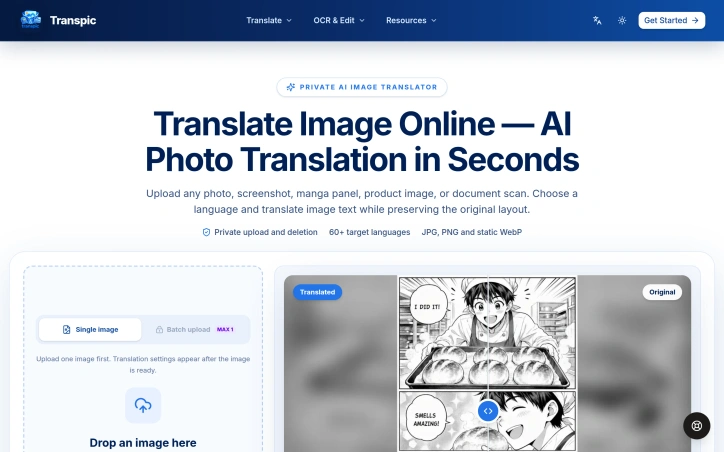
Preserving visual layout during image translation is a deceptively complex problem that most tools ignore. When a restaurant needs menus translated into multiple languages, when an e-commerce company adapts product graphics for new markets, or when manga publishers localize comics for international audiences, getting the text right is only half the challenge. The words must stay positioned beside the prices, icons, and visual elements they describe, or the entire image loses clarity and commercial value. Transpic addresses this specific gap by translating image text in over 60 languages while maintaining the exact placement and visual relationships that make the original layout meaningful. The platform accepts photos, screenshots, product graphics, posters, and document scans in JPG, PNG, or WebP formats, then outputs editable translations at the original image dimensions. Users upload images, choose their target language, and receive a side-by-side comparison showing the original and translated versions. The interface lets viewers inspect individual text blocks, make manual adjustments to wording, sizing, color, or placement, and export the final result without rebuilding the design from scratch. This direct editing capability matters because it gives users transparency and control rather than demanding they accept an automated outcome or send files elsewhere for manual rework. What distinguishes Transpic from basic optical character recognition and machine translation is its commitment to preserving visual context. The product connects each translated phrase back to the sign, label, speech bubble, or callout that gave those words meaning in the first place. A manga panel's dialogue stays with the character speaking it. A menu item's price remains beside the dish. A product benefit aligns with its corresponding icon. This relationship is harder to achieve than simply extracting text, translating it, and dropping it back, yet Transpic treats it as non-negotiable. The service stores uploads privately rather than publishing them publicly, and batch processing is available. The platform does not directly accept PDFs or Word documents, and images with tiny lettering, curved fonts, heavy textures, or overlapping artwork require manual refinement in the editor. Plan tiers determine batch size, available languages, watermark settings, editing history, and commercial usage rights, though specific pricing remains undisclosed. For companies that regularly adapt visual content across multiple languages and markets, the layout-aware approach offers genuine efficiency gains over traditional design workflows.

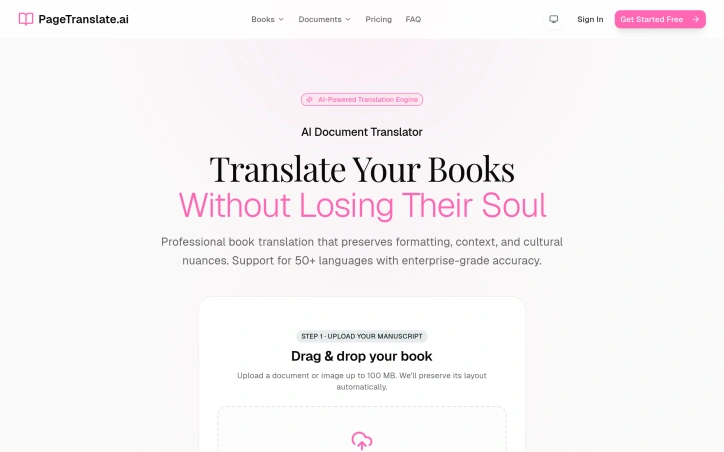
Translating books and long documents has traditionally meant choosing between convenience and quality. Copy-paste translation into AI chatbots sacrifices formatting, requiring hours of manual layout reconstruction. Professional translation services, meanwhile, involve lengthy timelines and high costs. PageTranslate.ai bridges this gap by automating document translation while maintaining the original file's structure, layout, and formatting. The product targets authors, publishers, students, and professionals who need complete documents translated across languages without losing visual organization. Its core strength lies in handling the structural complexity that generic translation tools ignore. The platform supports PDF, DOCX, and EPUB formats up to 100 MB, translating across 50+ languages while preserving layout, page numbers, chapter placement, and even text direction. This last feature proves particularly useful for right-to-left languages like Arabic, where most AI translation solutions default to left-to-right output. The interface prioritizes simplicity: users drag and drop a manuscript, select a target language, and receive the translated file in its original format. The company demonstrates this capability with samples from Alice in Wonderland translated into Spanish, Japanese, and Arabic, where layout, chapter headings, and pagination remain intact. This focus on format preservation addresses a genuine pain point for publishers and authors who would otherwise need to redesign entire documents after translation. Pricing is transparent and accessible. The service offers 3,000 free starter words without requiring a credit card, allowing users to test translation quality before commitment. A pay-as-you-go model accommodates occasional translators, while optional subscription plans serve professionals handling recurring work. The platform displays exact costs before users authorize payment, removing pricing uncertainty that often complicates translation procurement. The inclusion of a 7-day refund or re-run option for eligible jobs suggests confidence in output quality, though the specifics of eligibility criteria remain unclear. Enterprise-grade accuracy claims position the tool as suitable for professional publication work rather than casual document translation. PageTranslate.ai captures a practical but underserved niche—professionals needing document translation beyond what consumer chatbots offer, without the expense and timeline of traditional translation services. The emphasis on format preservation and upfront pricing differentiates it in a market where most translation tools treat documents as plain text. For authors and publishers, the ability to maintain publication-ready formatting represents meaningful efficiency gains.

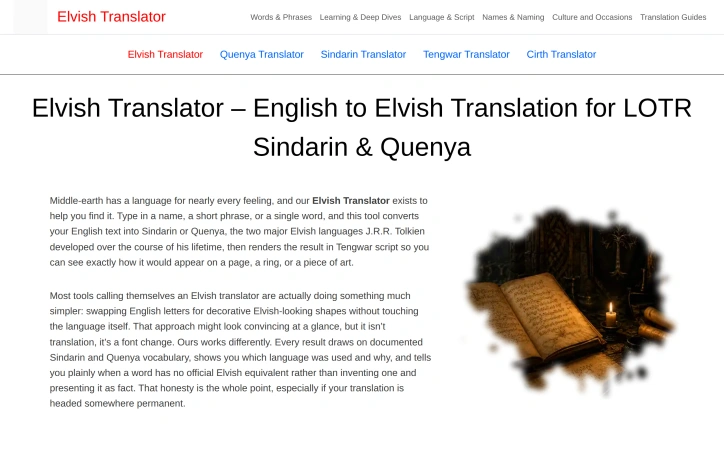
Translation into Sindarin and Quenya has long been plagued by imposters masquerading as genuine converters. Elvish Translator cuts through the noise by delivering actual linguistic work rather than the decorative font substitutions that dominate the space. The problem the tool addresses is specific but real: anyone creating permanent Elvish text—whether for a tattoo, jewelry inscription, or artistic project—needs confidence that what they're marking is authentic, not an invented approximation. Existing tools typically swap English letters for Elvish-looking characters without touching the underlying language. The Elvish Translator takes a fundamentally different approach, building translations from documented Sindarin and Quenya vocabulary that Tolkien himself established over decades as a professional philologist. What distinguishes this product is its commitment to transparency. The tool makes clear which language is being used and why, a critical distinction that most competitors ignore. Sindarin, the everyday Elvish speech throughout The Lord of the Rings, draws from Welsh phonology and offers conversational flow. Quenya, derived from Finnish and Latin structures, carries ceremonial weight better suited to formal titles and songs. A translation tool that blends these languages without distinction misleads users into thinking they have authentic Sindarin or Quenya when they actually have neither. Perhaps most striking is the tool's willingness to admit when no official translation exists. Rather than inventing vocabulary and presenting it as documented fact, the Elvish Translator labels such gaps honestly. This restraint matters enormously for permanent applications where authenticity justifies the effort. The core functionality is straightforward: users input English text and receive Sindarin or Quenya translations rendered in Tengwar script, the actual writing system Tolkien developed for the Elvish languages. The tool supports multiple input languages and offers basic features like copy and speak options. The interface provides a 500 character limit, appropriate for the short phrases and individual words the tool is built for. The product serves a narrow but dedicated audience: Tolkien enthusiasts who prioritize linguistic authenticity over convenience, creative professionals making permanent work, and anyone who understands that not all Elvish-shaped text is actually Elvish. For that audience, the tool delivers on substance rather than flash. It succeeds precisely where other Elvish translators fail: by respecting both the languages themselves and the people creating permanent expressions in them.

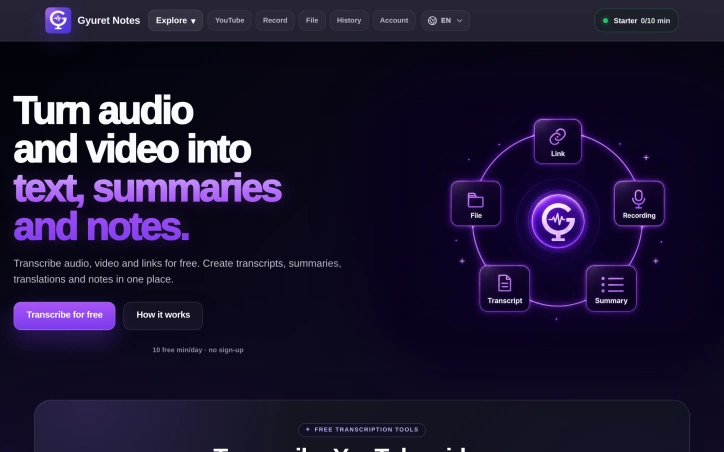
Audio and video transcription is increasingly essential for professionals, students, and content creators who need to convert spoken material into searchable, quotable text. Gyuret Notes addresses this workflow with an AI-powered transcription service that accepts multiple input formats and generates actionable outputs beyond basic transcripts. The platform accepts audio files in common formats (MP3, MP4, M4A, WAV), direct YouTube links, voice recordings, and audio captured from Chrome browser tabs—a capability particularly useful for remote workers transcribing meetings run through Google Meet or Zoom. Once transcribed, users can generate summaries that distill content to key points, create more granular notes for detailed documentation, or translate the output into other languages. This multilayered approach to post-transcription work distinguishes it from basic transcription-only tools that stop after converting speech to text. Gyuret Notes targets meetings, classes, interviews, podcasts, and voice notes, suggesting appeal across both professional and educational contexts. Remote workers managing team standups, students recording lectures, and content creators processing interview material would find the use case applicable. The product operates on a freemium model with three tiers. Users can start without creating an account and receive 10 minutes of free transcription daily. Signing in via Google extends free access to 30 minutes per day with permanent account history. The Pro tier costs $5 per month and increases the daily limit to 4 hours, providing 4,000 minutes of transcription monthly, along with ad removal. This tiered approach allows users to evaluate the service before committing to paid access. A practical design choice is account history, which preserves previous transcriptions. Users can revisit or reprocess earlier recordings without uploading files again. The platform runs on both web and Android, providing access across devices. The workflow is straightforward: add input through the chosen method, receive a transcript, generate summaries or detailed notes, translate if needed, then save or export the result. For users seeking a streamlined transcription tool valued for flexible inputs and post-processing capabilities, Gyuret Notes delivers. The generous free tier accommodates experimental use, while the summary and notes features address workflows that require distilling recorded content into actionable information rather than processing transcripts elsewhere.
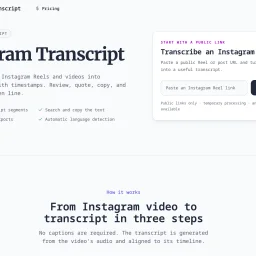
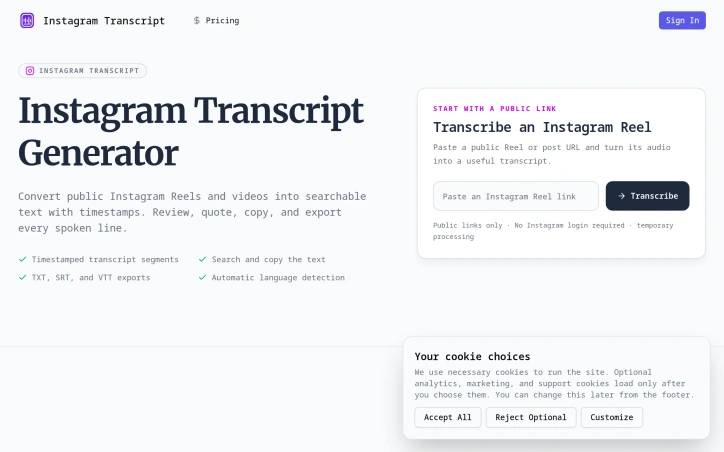
Converting video content into accessible text remains a persistent gap in content workflows, particularly for social platforms where audio-driven content dominates. IGTranscript addresses this by enabling users to extract searchable, timestamped transcripts from public Instagram Reels and video posts, transforming spoken content into reusable text without requiring login credentials or relying on existing captions. The tool fills a genuine need for creators, researchers, and content professionals who frequently need to reference, quote, or verify specific moments in video. Rather than scrubbing through footage to locate a particular statement, users paste a public Instagram link and receive a transcript indexed by time codes. This approach works regardless of whether the original content includes captions, since the transcription originates from the video's audio track. Several capabilities distinguish the product. The export options—supporting TXT, SRT, and VTT formats—make transcripts immediately compatible with subtitle workflows and editing software, extending their utility beyond simple note-taking. Timestamped segments anchor each line of dialogue to its position in the video, allowing users to verify quotes against the source before republishing. A search function within the transcript itself accelerates the process of locating specific names, phrases, or claims. Automatic language detection removes friction for content in languages beyond English, though users can override this to ensure accuracy. The implementation respects privacy by processing media temporarily rather than creating permanent public archives, and the platform explicitly restricts itself to public links, rejecting private accounts before processing begins. This design choice sidesteps account compromise and misuse vectors while keeping operations straightforward. The tool acknowledges its own limitations: transcript accuracy varies with source audio quality, background music, speaker accents, and overlapping dialogue. This transparency prevents overconfidence in edge cases where transcription might struggle. IGTranscript succeeds as a focused utility rather than an ambitious platform. It solves one problem thoroughly—making video audio searchable and citable—for users who regularly work with Instagram's video format. The lack of login requirements and the emphasis on data portability through standard subtitle formats position it as genuinely user-centered, not designed to create lock-in.

Creators in South Asian markets have been underserved by text-to-speech technology. Most TTS platforms treat languages like Urdu, Hindi, Bengali, and Tamil as secondary features, offering limited voices and poor handling of local naming conventions and code-switching. VoxCraft reverses this priority by making 27 languages available through 88 neural voices, with South Asian languages positioned as primary citizens rather than afterthoughts. The platform targets YouTube creators, dubbers, and production studios. It removes multiple friction points that plague competing services. Users need no account to start—paste a script, select a voice, and download MP3 or WAV audio in approximately ten seconds. Commercial use is permitted from the free tier. The underlying synthesis handles mixed-language scripts correctly: Urdu-English code-switching flows naturally, with local names and numerals pronounced as speakers would say them. VoxCraft's voice control design stands out. Rate and pitch adjustments modify the actual audio delivery rather than buried SSML directives that voice engines mishandle. The result sounds intentional rather than robotic. Beyond narration synthesis, the platform bundles transcription, format conversion across MP3, WAV, OGG, M4A, and FLAC, clip merging, trimming, noise removal, voice effects, and video-to-audio extraction. Creators complete post-production audio work directly in the browser without requiring desktop software. The no-account requirement and commercial licensing from the free tier address standard objections to free tools. Competing services require signup or restrict monetization rights; VoxCraft enforces neither. This product design reflects the founders' understanding of working creators' core priorities: speed and permission to monetize matter more than feature overabundance. The service operates on a tiered pricing model, though specific details are not disclosed on the public landing page. The free tier's feature set—commercial-licensed audio, 88 voices, and complete audio toolkit—establishes a competitive baseline that paid plans must exceed. This unusual approach to the free-to-paid transition suggests confidence that the product itself justifies conversion rather than artificial feature scarcity.


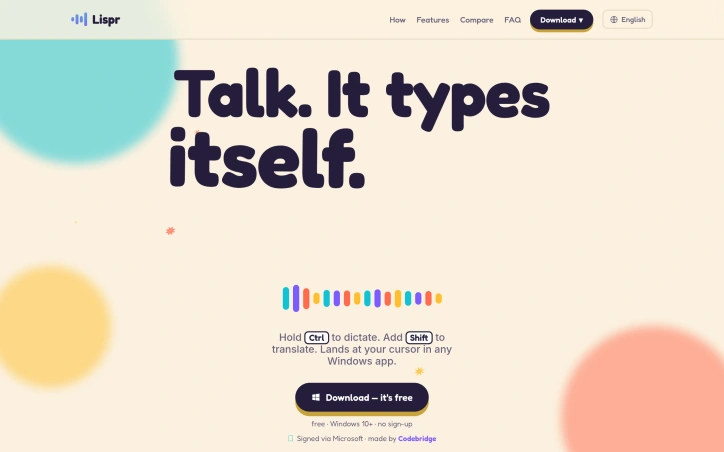
Communication across language barriers typically demands friction: copying text between applications, waiting for translation services to process, losing conversational flow. Lispr addresses this by collapsing the entire workflow into a single gesture—hold a key to dictate, tap a second key mid-speech to translate, and watch the text appear directly at your cursor in any application. The product serves anyone who regularly switches between languages or dictates extensively, whether composing WhatsApp messages in Spanish, writing Slack threads in Portuguese, or taking notes in French. Built by Codebridge, it eliminates the context-switching that characterizes existing solutions: no jumping between apps, no chat interfaces cluttering your workspace, no account creation required. What distinguishes Lispr is execution speed combined with aggressive scope minimization. Dictation completes in under a second, translation follows within roughly 700 milliseconds. This isn't aspirational—the product targets actual responsiveness, not theoretical performance. The feature set reflects this focus: plain dictation, translation into 32 native languages, custom vocabulary support for product names or domain-specific terms, and clipboard-aware insertion that restores whatever you'd previously copied. It works identically everywhere a cursor blinks, from terminal emulators to design tools to text editors. The technical choices reinforce privacy defaults. Lispr uses Whisper's large-v3-turbo model and requires no account creation or persistent connectivity. Every release receives Apple's notarization process, which scans for malware and eliminates security warnings on installation. The entire application consumes roughly 17 megabytes. Lispr's business model stands out primarily for its absence—the application is free. The founder emphasizes eliminating friction rather than monetizing it. This positions Lispr differently from Wispr and Flow, competitors that charge either subscription or upfront fees for similar functionality. Whether this free model scales depends on factors outside the visible product, but it currently represents a significant advantage for adoption. The interface philosophy mirrors the core insight: a menu bar presence, push-to-talk activation, and zero visual clutter. Speech language detection operates across roughly 99 languages, though translation output targets the 32 languages listed. This constraint reflects pragmatic design rather than accidental limitation—supporting everything weakens everything. For users who spend time moving between languages or dictating across multiple applications, Lispr substantially reduces both time spent typing and cognitive overhead. It targets a specific workflow and executes within that scope with discipline.

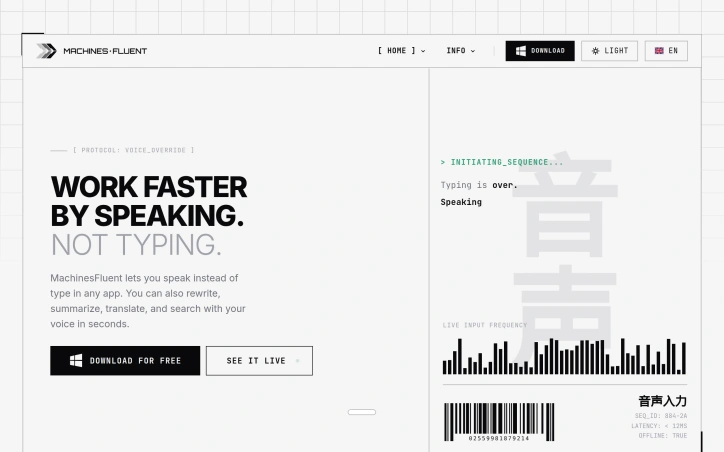
Voice input has long lagged behind typing as a productivity tool for knowledge workers, but MachinesFluent reimagines speech-to-text by treating it not as assistive accommodation but as core efficiency infrastructure for Windows users. The product targets anyone dealing with heavy text input demands—writers, researchers, developers—and particularly those experiencing repetitive strain or simply seeking faster input methods. What elevates MachinesFluent beyond commodity voice dictation is its integration of AI-powered text transformation. Rather than merely transcribing speech, the tool lets users invoke voice commands to rewrite, summarize, translate, and extract information from their screen. Multiple AI models (OpenAI, Anthropic, Google, Moonshot) chain into customizable hotkey workflows, allowing voice input for emails followed by automated professional formatting, or meeting transcription converted to structured notes with action items. The feature set spans offline speech-to-text, smart punctuation with automatic filler word removal, searchable dictation history, and custom vocabulary dictionaries. Integration covers thirty-plus applications—Word, Notion, Gmail, Slack, Asana—delivering genuine system-wide voice input rather than app-specific workarounds. Performance claims run aggressive: the product promises 4x speed over traditional typing with sub-12-millisecond latency. Speed gains depend on individual typing proficiency and speech clarity, but the offline architecture removes network bottlenecks plaguing cloud-based competitors. The founder's personal motivation—developing this after repetitive strain injuries—grounds the vision in necessity rather than speculation. This practical genesis often produces more intentional product design than efficiency-only pitches. MachinesFluent operates on a free model with premium tiers undisclosed in available information. For users seeking voice-driven workflows beyond transcription—toward genuine content creation and transformation—it addresses a distinct market gap.
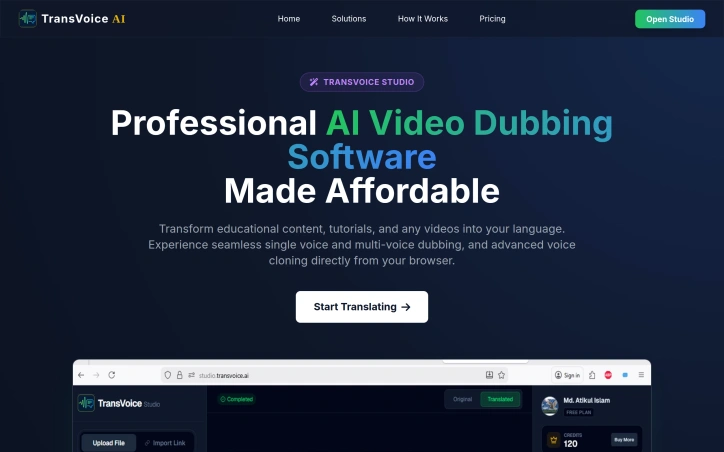
Video content creators face a significant barrier when trying to expand their reach globally: the need to dub their content into multiple languages. Traditionally, this process has been time-consuming and expensive, requiring manual dubbing or hiring voice actors in various languages. TransVoice Studio addresses this challenge by providing an AI-powered video dubbing and visual translation solution. At its core, the platform is designed for creators, educators, and filmmakers seeking to localize their content for a global audience. What stands out is its ability to translate and dub videos into over 140 languages while maintaining the original background music and sound effects. The AI technology employed is sophisticated, capable of detecting different speakers and assigning distinct voices to each, making it suitable for content with multiple speakers. The platform's advanced features, such as voice cloning, allow users to maintain brand consistency by replicating the original speaker's vocal tone across different languages. This feature is available in 45 languages and adds a personal touch to the dubbed content. The ability to work directly from a video URL, without needing to download files, streamlines the process, making it more efficient. TransVoice Studio's pricing model is straightforward, with costs ranging from $0.30 to $0.75 per minute, depending on the processing mode chosen, such as single voice or multi-voice dubbing, and whether the content is uploaded or accessed via a URL. Volume bonuses are available for premium and enterprise users handling large projects, indicating a flexible approach to pricing for heavy users. Overall, TransVoice Studio makes multi-lingual video production more accessible and affordable, democratizing the ability to reach a global audience.
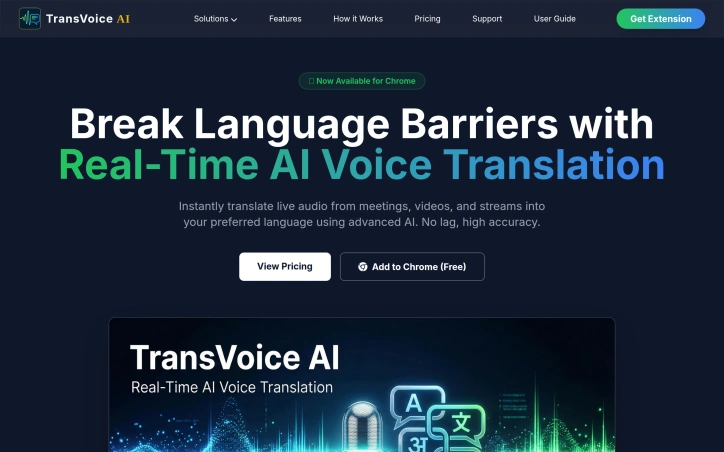
Real-time language barriers are a significant hindrance to global communication, and traditional translation tools often fall short due to delayed processing or cumbersome interfaces. TransVoice AI addresses this issue head-on by providing a seamless, browser-based solution for instant voice translation. The target audience is diverse, encompassing content consumers, remote teams, and individuals participating in cross-border interactions. What sets TransVoice AI apart is its ability to translate live audio from various sources, including meetings, videos, and streams, directly within the browser. This is made possible by advanced AI technology that ensures high accuracy and near-live translation with ultra-low latency, powered by Microsoft Azure Speech AI. The extension supports over 130 global languages, catering to a broad user base. Notably, TransVoice AI offers a dedicated cloud-based platform, TransVoice Studio, designed for processing large video files. This feature is particularly useful for content creators and enterprises, allowing them to achieve highly accurate translations, automated voiceovers, and studio-quality voices in over 100 languages. The product's pricing model is structured around flexible plans to accommodate different user needs. The available plans range from a Bronze Starter package at $4.44 per month for 2 hours of usage to a Diamond Pro package at $33.33 per month for 16 hours and 40 minutes of usage. Each plan comes with additional bonus minutes, making it an attractive option for both light and heavy users. Overall, TransVoice AI is an innovative solution that effectively breaks down language barriers, empowering global communication and content consumption.

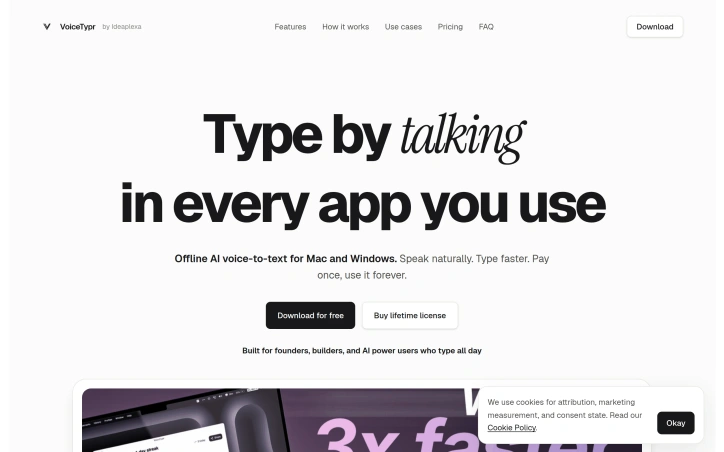
For professionals who spend their days typing away, a new tool has emerged to streamline their workflow. VoiceTypr is designed for founders, builders, and power users who are glued to their writing surfaces, whether that's ChatGPT, coding tools, or other text-heavy applications. The problem it tackles is two-fold: slow writing and potential data leaks. By leveraging offline AI voice-to-text technology, VoiceTypr enables users to dictate their thoughts and instantly convert them into clean, usable text. What stands out about VoiceTypr is its commitment to privacy and seamless integration. The transcription process runs locally on the user's machine, ensuring that sensitive information remains on the device. Moreover, it works globally across any application, in any text field, and at any time, making it a versatile addition to one's workflow. The process is straightforward: users download and install the app, choose a model based on their needs for speed or accuracy, set a hotkey, and start dictating. The flexibility in model selection is a key feature, allowing users to switch between different models depending on the task at hand. Additionally, the ability to customize hotkeys and formatting options adds to the tool's adaptability. Users can also opt for AI cleanup, which can be configured with their own API key for specific tasks, such as drafting emails. VoiceTypr offers a free download, with a lifetime license available for purchase. The absence of a cloud account requirement or subscription-based model aligns with its focus on local processing and user privacy. By solving the issues of slow typing and data exposure, VoiceTypr positions itself as a valuable asset for those whose work revolves around writing and text manipulation. Its offline capability, ease of use, and customizable features make it an attractive solution for enhancing productivity.
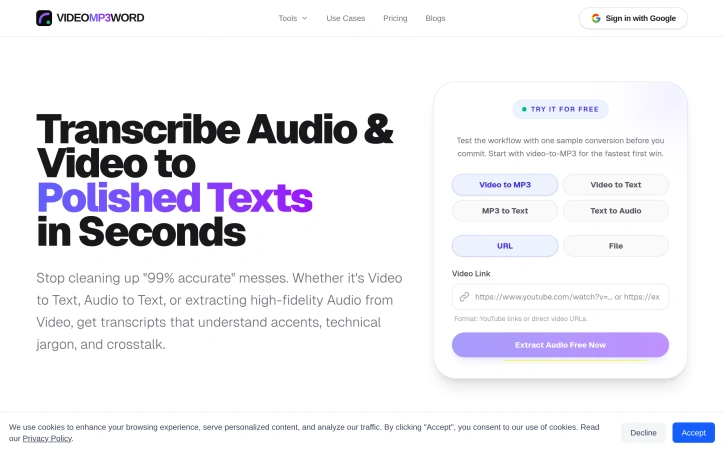
Transcription has long been the bane of knowledge workers—long recordings full of umms, ums, false starts, and throat-clearing that demands hours of manual cleanup. VideoMP3Word tackles this by combining multi-format transcription with an AI that understands context and industry-specific terminology, delivering polished, usable transcripts without the editorial drudgery. The product's core insight is that transcription quality isn't just about accuracy in speech recognition; it's about producing text that actually reads like finished writing. Rather than leaving filler words and repetitive phrasing intact, the system applies domain-aware filtering that strips verbal tics while preserving technical jargon. A laparoscopic cholecystectomy stays intact in medical transcripts, while casual "you knows" disappear—a distinction that generic speech-to-text tools routinely botch. This makes the output immediately usable for legal documents, medical records, educational content, and technical research where terminology precision matters. Speed stands out as a second major differentiator: the platform processes 60-minute recordings within three minutes, timestamped and ready for review. For content creators working under deadline pressure, this converts transcription from a bottleneck into a near-real-time capability. On the features side, VideoMP3Word handles multiple input formats (MP4, MOV, AVI, MP3, WAV, M4A, YouTube, Zoom links) and outputs to an extensive list—Word documents, PDFs, plain text with speaker labels, SRT/VTT/ASS subtitle files, and FLAC/MP3/WAV audio extraction. The system includes AI-generated summaries and millisecond-accurate timestamps, making it valuable for creators repurposing content into blogs and podcasts, as well as legal teams building searchable archives. Privacy is built into the architecture rather than bolted on as a feature. The company commits to zero-knowledge design, encrypted storage, non-retention of user files, and explicit task expiry controls—a direct answer to justified skepticism many professionals harbor about uploading sensitive recordings to cloud services. For regulated industries or confidential work, these guarantees provide clear value. The product invites users to test a single conversion free, a straightforward way to evaluate whether the accuracy and formatting align with specific needs. For organizations exhausted by post-transcription cleanup cycles, or professionals in regulated fields where both accuracy and privacy are non-negotiable, it's worth the trial.
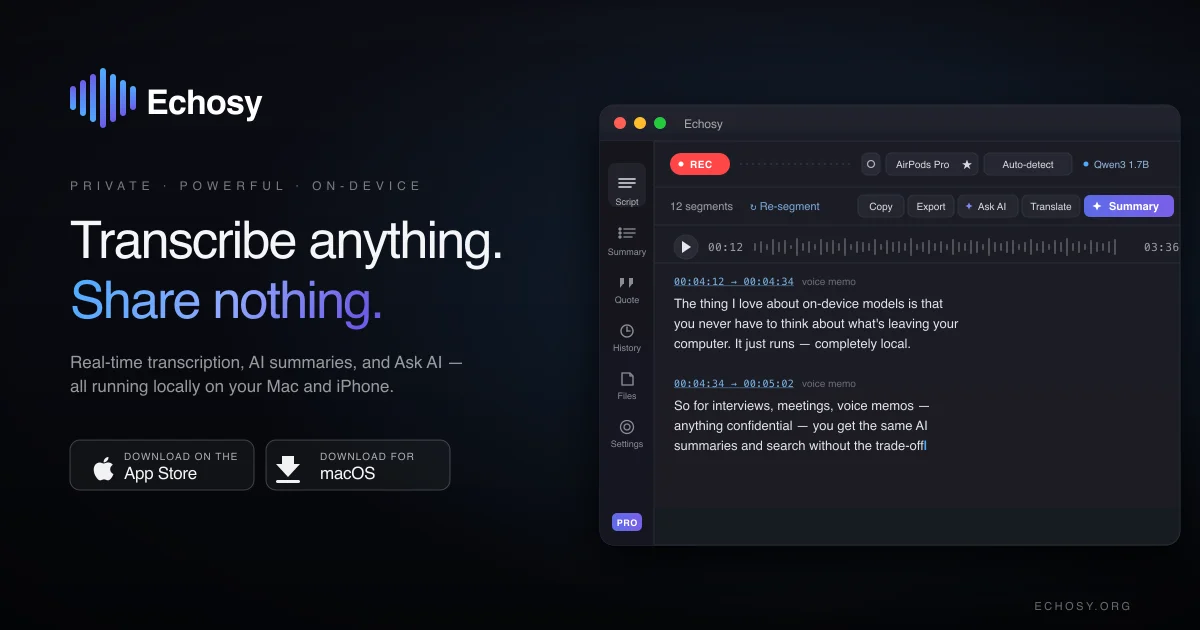
Privacy-focused audio transcription has become increasingly important as cloud-based services dominate the market, and Echosy addresses this gap directly by delivering professional-grade transcription entirely on macOS devices. The product targets professionals, educators, and content creators who need reliable transcription without surrendering their audio to external servers. The standout differentiator is its commitment to local processing. All transcription, summarization, and dictation happens on the user's Mac, eliminating latency and privacy concerns associated with cloud uploads. Rather than locking users into a single transcription model, Echosy supports multiple ASR engines including Qwen3-ASR and MLX Whisper, with GPU acceleration to optimize performance on Apple Silicon and Intel chips. This flexibility in model selection distinguishes it from more rigid competitors. Core capabilities span three major use cases. Live transcription captures both system audio and microphone input simultaneously with real-time timestamps, suitable for recording calls, lectures, and presentations. System-wide dictation activates anywhere on macOS via hotkey, with an Editor Mode that automatically inserts line breaks during pauses and supports voice-controlled formatting. File transcription accepts common audio and video formats for batch processing existing content libraries. What sets Echosy apart further is its integration with multiple LLM providers for summarization. Rather than forcing dependency on a single service, the platform supports OpenAI, Gemini, Ollama, and compatible APIs, allowing users flexibility in how they handle summarization workflows. Beyond summaries, users can chat directly with transcripts, extracting insights and action items. The service maintains searchable session history with audio replay, creating an archive of past recordings that remains fully accessible. The product is positioned as free-to-use software for macOS 14 and above, supporting both Apple Silicon and Intel architectures, with iOS availability as well. The emphasis on "no cloud, no latency, no compromises" clearly resonates with privacy-conscious users fatigued by default transcription workflows that involve external servers. For users skeptical of cloud-dependent transcription tools, Echosy offers genuine autonomy. It removes the friction of uploading files and waiting for remote processing, instead delivering instant results locally. The combination of multiple ASR models, flexible LLM integration, and comprehensive session management positions it as a credible alternative to cloud-centric competitors.

Video creators worldwide face a persistent challenge: making content accessible across language barriers while managing tight production timelines. LingoFrame addresses this friction by automating subtitle generation and translation, eliminating the manual work that typically consumes hours and requires specialized skills. The platform targets three distinct audiences effectively. Educators can caption lessons to reach international students without language constraints. Marketing teams gain the ability to deploy multilingual campaigns at scale. Content creators benefit from improved discoverability and accessibility, which have become competitive advantages in crowded platforms. What sets LingoFrame apart is its streamlined workflow. Users upload video files and the system generates subtitles automatically, then offers customization options before exporting. The product provides flexibility in output formats—creators can download standard SRT files for external use or burn subtitles directly into video files. Multi-language translation capabilities are built into the core offering rather than treated as a premium add-on, though the credit system does meter access to these features. The feature set covers the essential needs of the subtitling workflow. Beyond basic caption generation, the platform handles the technically demanding task of translating subtitles while syncing them to video timing. Customization options suggest users can adjust styling, formatting, and language specifics to match their content aesthetic and regional preferences. Pricing employs a credit-based model with tiered options. New users receive 25 free credits to trial the service, lowering friction for initial adoption. Paid plans start at $4.99 for 30 credits, with a mid-tier offering at $12.99 for 100 credits marked as the platform's most popular option, and a premium tier at $29.99 for 300 credits. The credit allocation system accounts for different operation costs—subtitle generation, merging, and translation each consume credits at different rates, though exact time-to-credit conversions require calculation. LingoFrame occupies a practical position in the accessibility tooling space. It doesn't attempt to be a full video editing suite or compete with enterprise-grade localization platforms. Instead, it solves a specific, high-friction problem with a direct interface and transparent pricing. The free credit allowance and popular mid-tier option suggest the company targets creators and small teams rather than enterprise deployments, prioritizing ease of use over feature maximalism. For any producer managing multilingual content, the value proposition centers on the time savings and quality standardization that automation delivers.

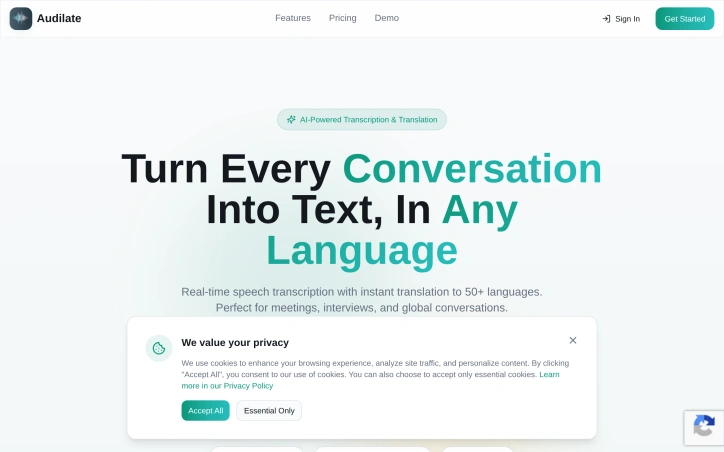
Breaking down language barriers during real-time conversations has long been a friction point for globally distributed teams, and Audilate directly addresses this challenge. The platform combines AI-powered speech transcription with simultaneous translation across over 100 languages, making it a practical solution for organizations where meetings, interviews, and collaborative discussions frequently span multiple geographies and language groups. The core value proposition centers on eliminating the lag and complexity that typically come with asynchronous translation workflows. Rather than recording conversations and processing them after the fact, Audilate delivers live transcription and translation, allowing participants to collaborate without stopping to manage language gaps. This is particularly relevant for companies hiring internationally, conducting cross-border partnerships, or operating distributed teams where English is not universally spoken as a first language. What distinguishes the product is its breadth of language support. With coverage across 100+ languages, the platform moves beyond serving just major language pairs and opens functionality to teams working in less commonly supported languages. This scope suggests the founders recognize that global collaboration extends well beyond English-to-Spanish or English-to-Mandarin scenarios. The integration of transcription and translation in a single workflow is also noteworthy—separate tools for these functions create unnecessary switching costs and synchronization challenges. The positioning emphasizes real-time processing, which is critical for the use cases mentioned. Whether facilitating a live meeting between team members in different countries, conducting remote interviews with international candidates, or enabling seamless cross-border conversations, the speed at which transcription and translation occur directly impacts usability. Delays of even a few seconds can derail natural conversation flow. The product targets organizations serious about global teamwork, particularly those for whom language support has become a competitive advantage or operational necessity. This includes multinational corporations, international service providers, distributed startups, and any team conducting work across language boundaries on a regular basis. The emphasis on meetings and interviews suggests the founders see their strongest initial adoption among HR, engineering, and business development functions that routinely conduct cross-language conversations. One practical consideration for potential users is how the platform integrates with existing communication infrastructure—meetings apps, video conferencing tools, and collaboration platforms—though those implementation details fall outside the scope of what's presented here. The foundational premise, however, is sound: removing language as a barrier to real-time collaboration remains a genuine problem for many organizations.