
SkipBait
- No match
Machine translation — the English original is authoritative.
The Story
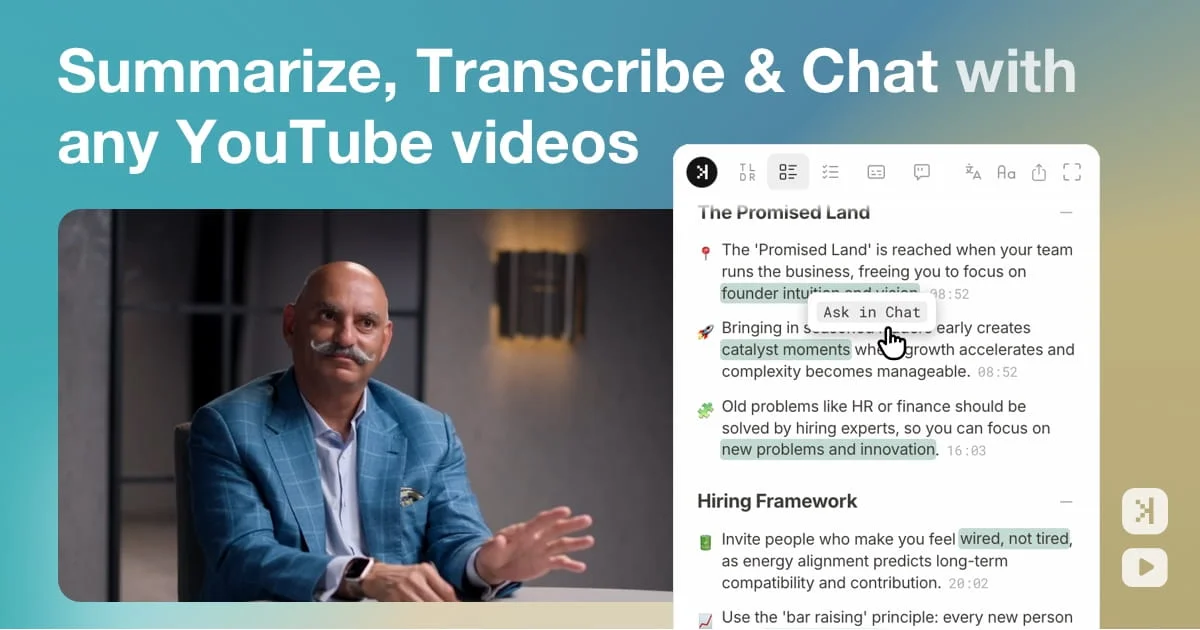
We created SkipBait because we felt overwhelmed by the length of YouTube videos. Our solution uses AI to generate honest summaries with timestamps, actionables, and lets you chat with videos using web search for grounded answers. Now you can engage with long-form content without wasting hours.
AI Overview
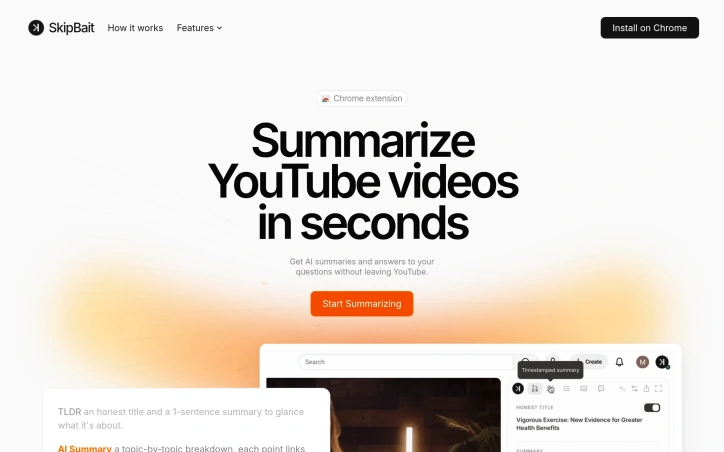
AI-generatedWatching long YouTube videos consumes hours that busy professionals and learners often don't have. SkipBait tackles this friction by letting viewers extract essential information without sitting through entire runtime. The Chrome extension generates AI-powered summaries, searchable transcripts, and an interactive chat interface that grounds answers in both video content and web search results.
The product's core innovation lies in its approach to summarization. Rather than generic bullet points, SkipBait produces "honest titles" that capture what the video is actually about, paired with one-sentence summaries and topic-by-topic breakdowns anchored to exact timestamps. This timestamping is crucial: viewers can jump directly to relevant sections rather than scrubbing through minutes of content. The actionables feature goes further, converting speaker recommendations into concrete to-dos tied to specific quotes and moments in the video.
What distinguishes SkipBait from simpler transcript tools is its AI chat functionality. Users ask questions and receive answers grounded in both the video's content and current web search results. This prevents the hallucinations and generic responses that plague transcript-only search, delivering answers that connect video insights to real-world context. Chat operates across 50+ languages, removing language barriers for global audiences.
The feature set addresses multiple workflows. Students reviewing lectures benefit from timestamped breakdowns and actionables. Professionals researching industry talks gain searchable transcripts and web-informed Q&A. Content creators analyzing competitor videos access viewing history for quick reference. The expanded view mode offers focused reading without video distractions, while transcripts are available in 20+ languages for non-English content.
The extension works across all Chromium-based browsers—Chrome, Brave, Edge, Arc, Opera, and Vivaldi—expanding accessibility beyond Chrome alone. Live videos and content without transcript data won't work, a natural limitation given YouTube's transcript availability.
On pricing, SkipBait offers a free tier providing 2 AI summary bundles daily, unlimited transcript access, and monthly quotas for chat and translation. This freemium model lets casual users test value with real videos before committing to paid tiers.
The product solves a genuine problem for a large audience: anyone tired of watching entire videos to extract a few useful insights. By combining honest summaries, timestamped breakdowns, actionable takeaways, and grounded AI chat, SkipBait makes long-form video consumption efficient rather than time-taxing. For information workers and students drowning in video content, this delivers a meaningful productivity unlock.
Founder Diary
DevlogThe maker hasn't posted a diary entry yet.
Key Features
AI Summaries
Generates honest titles and one-sentence summaries capturing what the video is actually about
Timestamped Breakdowns
Provides topic-by-topic breakdowns anchored to exact timestamps for direct navigation
Interactive Chat
Answers questions grounded in both video content and web search results across 50+ languages
Searchable Transcripts
Offers transcripts available in 20+ languages for non-English content
Actionables Feature
Converts speaker recommendations into concrete to-dos tied to specific quotes and moments
Use Cases
-
1
Students reviewing lectures
Extract key concepts and actionable takeaways with exact timestamps for quick review
-
2
Professionals researching industry talks
Gain searchable transcripts and web-informed Q&A to connect insights to real-world context
-
3
Content creators analyzing competitors
Access timestamped information and viewing history for competitive intelligence
-
4
Information workers
Consume long-form videos efficiently without watching full runtime
FAQ
What browsers does SkipBait support? ▾
Does SkipBait work with all YouTube videos? ▾
Is there a free version of SkipBait? ▾
What languages does SkipBait support? ▾
Pricing
Free tier includes 2 daily summary bundles, unlimited transcripts, and monthly chat and translation quotas
Tech Stack & Tags
Discussion
No comments yet — be the first!
Join the conversation — sign up to comment.
Sign up freeCommunity Support
Boost this project on Sell With boost
Meet the Founder

More in Chrome Extensions

Page Walker
Read with Ease, Browse with Comfort. Page Wa...

SFM - Surface Filter Mode
Our Surface Filter Mode (SFM) plugin enhances we...

LexiLint
LexiLint started from a simple frustration: ever...

How Much Does It Cost? - Know what things really cost. in dollars and lattes
How Much Does It Cost? — The Chrome extension th...
Tabme
I'm Oleg, the creator of Tabme. A few years ago...

subtitle.im
subtitle.im is an all-in-one YouTube Chrome exte...