Catalyst Healthspan Audit
Personal trainers typically sell training sessions. This startup reversed the equation by building assessment first, mak...
Launchory
We built Launchory to solve the discoverability problem for startups. Our platform offers instant approval, permanent do...
Best Photo editing Startups & Tools
Crop, filter, adjust, and enhance photos.
Recently Listed
11 launches
Portrait photographs transformed into cinematic character cards represent a gap-filling use case in mobile content creation. TitleHero addresses this directly on iPhone and iPad, allowing users to convert everyday photos into visually striking designs suitable for social media profiles, promotional materials, or digital character representations. The product distinguishes itself primarily through its privacy-forward approach. The entire workflow runs locally on the device—subject separation, effect rendering, and preview generation all happen without uploading images to external servers. This local-first architecture means users retain full control over their source material and can work without an internet connection. The absence of required accounts or analytics tracking reinforces this commitment to user privacy. The core workflow is straightforward. Users select or capture a portrait, then browse pre-designed treatments that apply effects like distressed ink rendering, halftone patterns, and monochrome etching. The app shows multiple styled variations side by side, allowing direct comparison before committing to a final export. Once a treatment is selected, users can customize the title text, typography, colors, and effects before sharing through iOS's native share sheet. TitleHero demonstrates thoughtful design for iPad users beyond simple scaling. The app supports portrait and landscape orientations, Split View, and Stage Manager, maintaining the same photo-first interface across all form factors. This attention to the full iOS ecosystem suggests the developer understands both professional and casual users work across devices. The technical foundation—local subject separation and rendering—enables responsive performance while addressing privacy concerns that increasingly matter to users. Rather than treating privacy as a marketing afterthought, it's embedded into the fundamental architecture. Monetization follows a freemium model. The base app is free and functional, with Pro exports unlocking additional design treatments. This approach lets users evaluate the core experience without committing financially while generating revenue from those who value the expanded look catalog. For photographers, social media creators, and anyone seeking to turn portraits into designed assets, TitleHero offers genuine utility. The local processing removes friction around privacy and connectivity, while the curated aesthetic treatments and streamlined interface make stylization accessible without requiring design skills. The product is deliberately scoped—it solves one problem well rather than attempting to be a comprehensive photo editor—and that focus is its strength.


Batch image processing typically forces a choice between privacy and convenience. Desktop software requires installation and maintenance, while online tools demand uploading files to remote servers. MyImgLite eliminates that friction by moving the entire workflow into the browser, processing images locally on the user's device without server uploads or account creation. The product targets a specific recurring problem: teams and creators who regularly handle dozens of images—e-commerce vendors standardizing product photos, content publishers preparing batches of article images, and marketers resizing graphics for multiple channels. Rather than treating each image individually or wrestling with command-line tools, users upload a folder, configure one set of output parameters, and process the entire batch in a single operation. What distinguishes MyImgLite is its commitment to local processing and simplicity. The interface follows a three-step model: select a task, configure images and output settings, then download the results. No queue management, no waiting for remote processing, no surveillance of file contents. The technical approach—running everything in the browser—trades off some performance potential for absolute data privacy. The feature set covers the core image optimization tasks. Compression reduces file sizes across supported formats. Resizing preserves proportions or enforces exact dimensions, useful for adhering to platform templates. The conversion capabilities span modern web formats like WebP and AVIF alongside established standards like JPEG and PNG. Each format option includes relevant quality and encoding controls; advanced settings appear only where they matter. Users can compare original and output sizes before committing, reducing surprises. The 30-image limit per batch constrains enterprise-scale workflows but aligns with typical creator needs. The format coverage addresses practical scenarios: converting PNG to WebP for web delivery, standardizing JPEG dimensions for product catalogs, testing AVIF for smaller payloads on supported systems. Pricing presents no friction—the tool is free with no account requirement. This accessibility removes a barrier for one-off users and casual creators, though it raises questions about sustainability that the product page does not address. MyImgLite succeeds because it recognizes that not every image task requires cloud infrastructure or expensive software licenses. For creators and small teams handling regular but modest-scale batch work, local processing in the browser offers real convenience without compromising privacy.


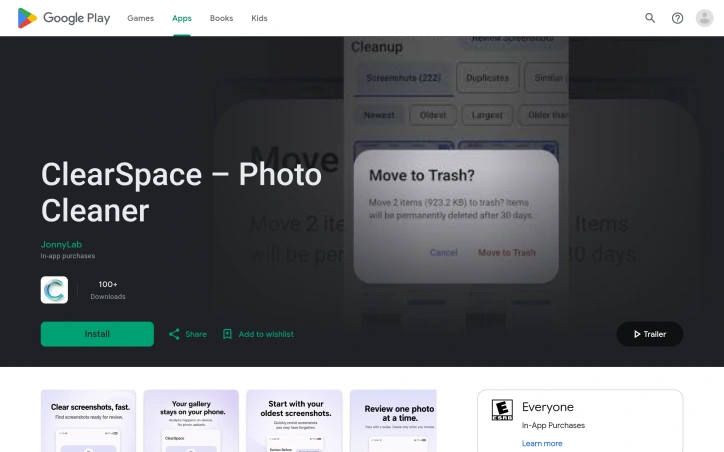
Automated photo enhancement has typically demanded either technical prowess or a willingness to accept mediocre results. PixelBoost AI addresses this friction by offering one-click image restoration for anyone who has accumulated a backlog of disappointing photographs—blurry snapshots, noisy phone photos, faded scans, pixelated screenshots, or time-worn family prints that deserve better. The product operates on a no-configuration philosophy. Users upload an image and receive an enhanced version back within seconds, with no sliders to adjust, presets to choose, or settings to learn. The underlying engine runs three automatic processing passes: a sharpness recovery stage that retrieves lost detail without introducing halos or grain, a noise reduction pass that eliminates compression artifacts and grain while preserving edges and texture, and a color correction phase that fixes white balance and lifts contrast. This pipeline targets the most common photo problems directly—the grainy ISO-boosted shot, the over-compressed JPEG, the severely faded original, the slightly out-of-focus moment. What distinguishes PixelBoost from similar tools is both simplicity and breadth. The service handles restoration work that typically appeals to a specific use case: scanned family photos, old wedding albums, water-damaged prints. It also processes contemporary problems like camera grain and export compression artifacts. The implementation supports drag-and-drop uploads, accepts PNG, JPG, and WebP files up to 24MB, and requires no account creation or payment information. The product operates entirely at no cost. No freemium upsell, no trial period, no signup requirement. A batch enhancement feature is available for processing multiple photos, though the content provided does not detail whether this remains free or introduces limitations. The service has accumulated ratings on mainstream review platforms—4.8 stars on G2, 4.9 on Product Hunt, and 4.5 on Trustpilot—suggesting user satisfaction has reached a measurable baseline. The core limitation remains one that affects most automated enhancement tools: severe blur or very poor image quality presents a ceiling. PixelBoost can lift mild to moderate focus issues but makes no claim to recover substantially out-of-focus shots. For everyday photo maintenance—clarifying smartphone images, restoring inherited prints, cleaning up screenshots and recordings—it removes a significant friction point. The ability to process these photos without opening design software or learning enhancement techniques addresses a real gap between photo quality standards and actual user capabilities.
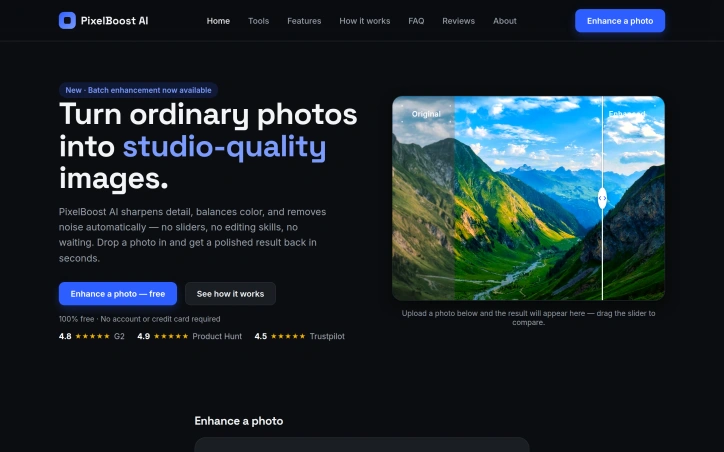

Android users drowning in screenshots and duplicate photos now have a privacy-conscious alternative to cloud-based cleanup services. ClearSpace is a photo cleaner that prioritizes manual control and on-device processing, letting users decide exactly what gets deleted rather than trusting automated systems. The core problem is straightforward: screenshots, similar photos, quality failures, and large media files accumulate quickly, wasting device storage without meaningful impact. ClearSpace addresses this by scanning for these categories and presenting them for review, but crucially, it never deletes anything without explicit user confirmation. This separation between detection and deletion sets it apart from auto-cleanup competitors that operate behind the scenes. What makes ClearSpace distinctive is its privacy-first architecture. All analysis happens locally on the device—no account creation, no cloud upload, no data transmission to third parties. This eliminates the privacy trade-off common in cloud-based photo tools and appeals to users who find traditional services too invasive. The app also integrates with Android's Trash system, meaning deleted items remain recoverable until permanently purged, adding a safeguard against accidental loss. The feature set focuses on intentional cleanup workflows. A dedicated screenshot scanner lets users start with focused cleanup instead of analyzing the entire library. The Swipe Review interface moves through photos one at a time, allowing detailed inspection of duplicates and similar-photo groups. Recent versions added a Screenshot Inbox feature that organizes captures by age, with a Swipe Oldest function for tackling older content first. The app also flags large videos and quality issues, then displays cleanup results showing items removed and storage freed. ClearSpace operates on a freemium model. The free tier offers unlimited scanning and review but caps deletions at 50 per month. ClearSpace Pro unlocks unlimited deletion and full access to Swipe Review, with monthly, annual, and lifetime purchase options. The app targets privacy-conscious Android users who want control over their photo libraries without surrendering personal data. It trades the convenience of automatic deletion for transparency and user agency, positioning photo cleanup as a deliberate process rather than a background task.

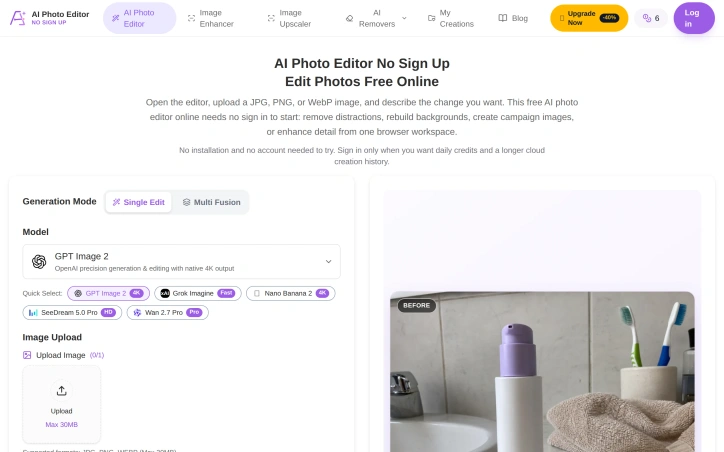
Quick photo editing without the signup friction remains a genuine user need, and this browser-based AI editor tackles it head-on. Users upload an image, describe the edits they want in natural language, and receive results without creating an account first. The approach removes a major barrier to entry for photographers who just need one-off adjustments before moving on. The product works with standard web image formats (JPG, PNG, WebP) up to 30MB and supports a range of editing tasks through its prompt-based interface. Object removal stands out as a particularly useful feature, letting users eliminate distracting elements while requesting specific texture or detail handling to maintain natural results. Background replacement handles both transparent outputs and custom scene generation, making it practical for product photography and profile images. The editor also includes restoration workflows for old photos and generative fill for adding or modifying elements within an image. What distinguishes this tool is its genuine no-friction approach. Rather than burying the free tier behind a signup wall, the editor lets users engage immediately, then offers optional accounts for those who want daily credits and extended history. This positioning targets creators who value speed over feature depth and e-commerce sellers preparing marketplace listings without commitment. The interface presents multiple AI model options, giving users flexibility in generation approach and output quality. Aspect ratio and resolution controls let users tailor outputs to specific uses, whether that's creating social media content, campaign images, or marketplace thumbnails. The product demonstrates clear use cases through task-specific guidance and step-by-step examples. The business model trades immediate conversion for accessibility. Free usage with a credits system means casual users can experiment before deciding whether the product earns a subscription. This low-barrier approach suits a fragmented market where many photo editors sit unused after signup friction or confusing paywalls. The main tradeoff is predictable: a credits-based model combined with the browser platform means users are limited in how much they can generate for free, creating natural paths toward paid accounts for power users. For those seeking unlimited local editing, desktop tools remain the alternative. But for the specific case of quick AI-assisted edits that need no installation and no login, the product delivers directly on its proposition.
Understanding facial features has traditionally been either superficial (makeup tips) or clinical (orthodontic assessment). My Face Blueprint positions itself between these poles, offering structured analysis of facial structure, symmetry, and proportions through an AI analyzer that runs entirely in a user's browser. The problem the tool addresses is twofold. First, many people lack a clear framework for understanding their own facial geometry beyond casual observation. Second, camera distortion creates persistent confusion; a wide-angle selfie makes cheeks appear broader while a longer-distance camera narrows the face. My Face Blueprint attempts to solve both by separating true facial structure from photographic artifacts. The product delivers eight distinct analyses from a single portrait: face shape classification, symmetry testing, golden ratio calculations, canthal tilt measurement, jawline rating, eye shape detection, hunter eyes assessment, and facial width-to-height ratio computation. These feed into a comprehensive Face Blueprint that synthesizes cheekbone width, jawline angle, eye spacing, and facial thirds into a visual map. The tool includes practical guidance on proper camera distance, lighting, and angle to capture more accurate portraits. Privacy receives prominent treatment. Photos never leave the browser, no login is required, and results remain accessible without payment. The product targets photography enthusiasts, people interested in facial structure, and anyone curious about how camera conditions distort their appearance rather than those seeking cosmetic improvement or medical assessment. The business model relies on a one-time $7.99 purchase for premium insights, which expands the free analysis with a downloadable PDF report and high-resolution keepsake card. The credit system (100 credits per purchase, with complete blueprints consuming 10) suggests room for additional premium analyses. Notably, free analysis remains functional and permanently visible, reducing friction for trial and exploration. The tool's positioning avoids cosmetic or self-esteem framing, instead emphasizing technical understanding and practical photography guidance. For those genuinely interested in facial geometry rather than vanity metrics, My Face Blueprint offers structured, accessible analysis without data harvesting or mandatory subscriptions.
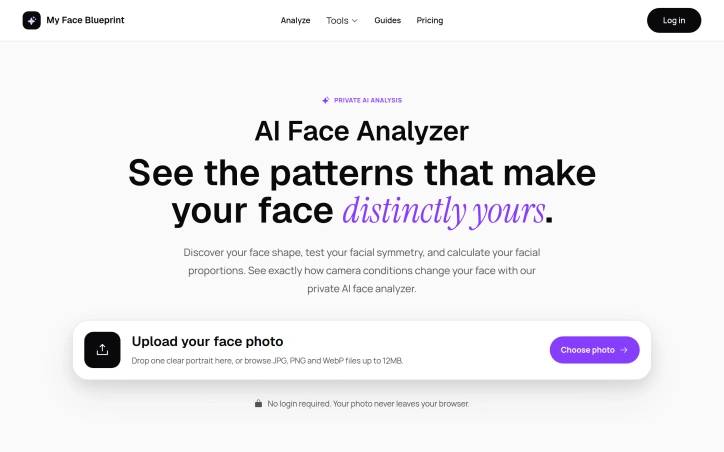

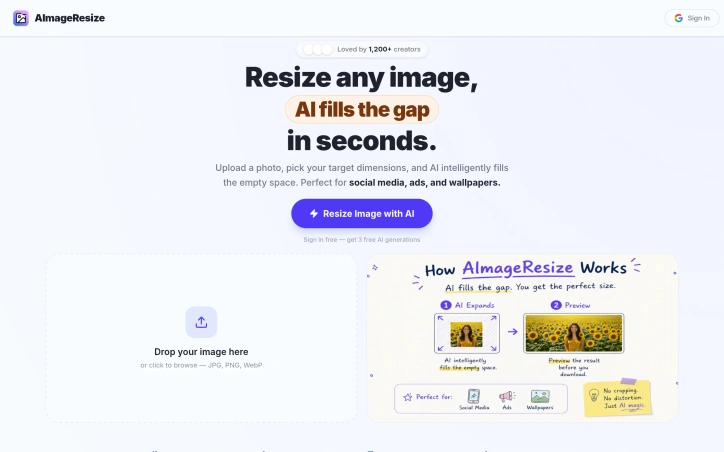
Image resizing is a common task for creators, but it often comes with a trade-off in quality. AImageResize tackles this problem head-on with an AI-powered tool that intelligently fills the expanded canvas for a natural, seamless look. The target audience is clearly creators who need to resize images for various purposes, such as social media, advertisements, and wallpapers. What stands out about AImageResize is its ability to maintain image quality during resizing. The tool uses AI outpainting to expand the canvas instead of stretching pixels, and applies smart interpolation when downscaling to preserve sharpness. This results in high-quality images with minimal artifacts, even when resizing to exact dimensions. The fact that it works entirely in the browser, without requiring any app installations, adds to its convenience. The tool boasts a range of features that make it versatile and user-friendly. It supports various file formats, including JPG, PNG, and WebP, and allows for precise dimension control. Social media presets are also available for one-click resizing to popular aspect ratios. Client-side processing ensures fast results, with no long upload waits or server queues. Additionally, the privacy-first approach, where images are not stored and deleted immediately after processing, is a significant advantage for users handling sensitive content. AImageResize operates on a credit-based pricing model, with no subscriptions or hidden fees. Credits never expire, and users can purchase them according to their needs. The PRO plan, which is highlighted as the most popular, offers 200 credits for $19, along with benefits like better consistency for product images, cleaner edge blending, and priority processing speed. Overall, AImageResize simplifies the image resizing process while maintaining high quality, making it a valuable tool for creators.

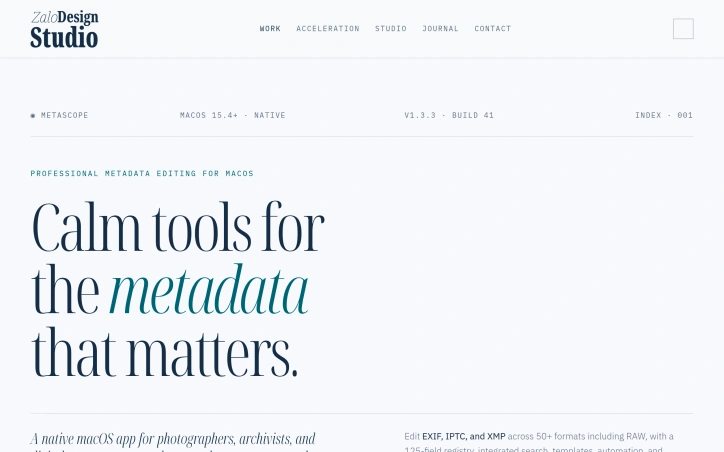
For professionals in the creative industry, managing metadata across a vast library of files is a daunting task. Photographers, archivists, and digital asset managers need a reliable tool to edit EXIF, IPTC, and XMP metadata with precision and control. MetaScope is a native macOS app that simplifies metadata management, allowing users to accurately edit and batch process metadata across 50+ file formats, including RAW files. What stands out about MetaScope is its comprehensive approach to metadata management, offering nine focused capabilities within a single app. The app's capabilities range from image and video viewing with advanced rendering and color management, to metadata browsing and editing with a 125-field registry and integrated search. The metadata editing feature is particularly noteworthy, allowing for inline field editing, template management, and batch application to thousands of files. The app's intelligence features, such as on-device NLP enrichment and smart keyword suggestions, further enhance its capabilities. The automation features, including keyword rules and transformation rules, enable users to streamline their workflow and ensure consistency across their metadata. The export system also offers a range of formats, including PDF and HTML portfolio generation with custom branding. Built for libraries with hundreds of thousands of files, MetaScope is designed to handle large-scale metadata management tasks with ease. While pricing details are available on the MetaScope website, the app's developer has clearly focused on creating a robust tool that meets the needs of professionals who require accuracy, scale, and control over their metadata. Overall, MetaScope is a powerful solution for creative professionals seeking to simplify their metadata management workflow.

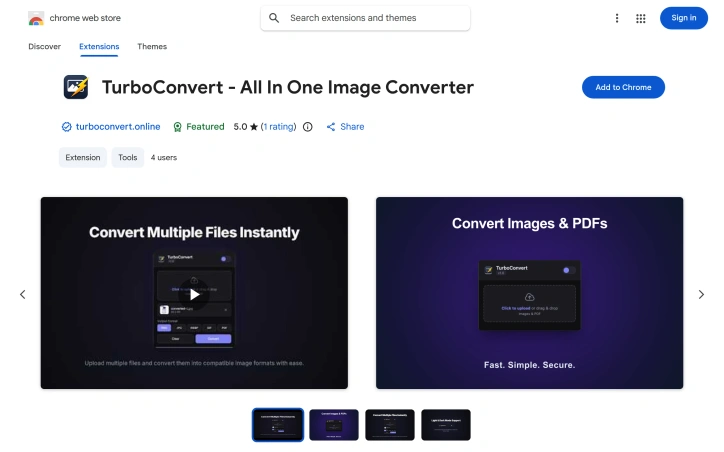
Web designers, marketers, and casual users who routinely bounce between image formats finally have an option that skips the predictable ritual of opening another tab, waiting for uploads, and hoping their files don’t land on a random server. TurboConvert is a lightweight Chrome extension engineered to squash that workflow friction by letting every conversion happen inside the browser, on the user’s own machine. The product emerges from one developer’s frustration with the day-to-day chore of producing client-ready assets—icons in PNG, hero images in WebP, print hand-offs in PDF—without ever touching a backend. TurboConvert re-creates this pipeline as a single popup: drag files or right-click any image already on the page, pick an output format, and receive a download within seconds. Formats supported span PNG, JPG, WebP, GIF, and SVG, while PDF handling goes both ways—burst a multi-page document into crisp images or compile a stack of photos into a single PDF. Quality sliders prevent the usual blurred-down exports that plague one-click converters, and every operation is executed inside the browser sandbox, so no data ever crosses the internet. Operationally, the extension adds native hooks to the right-click context menu, eliminating the need to save images elsewhere before converting them. A compact 817 KB footprint keeps Chrome’s RAM diet intact, and the interface defaults to plain English (with German, Spanish, French, Russian, Chinese, and Japanese translations shipping in the same package). The developer formalizes privacy with an explicit statement that user activity data—nothing more granular than location and interaction logs—is not sold, repurposed, or used for credit scoring, a move that clarifies expectations in a space where “no upload” often isn’t enough. Pricing is refreshingly absent from the pitch; TurboConvert as listed is free, and no upsell or subscription gate appears in the Web Store copy. That stance, plus the one-person authorship, frames the extension as a focused utility rather than a venture-scale product. Any user who prefers immediacy over features sheets will find TurboConvert the fastest detour around the clunky web-based converters it seeks to displace.

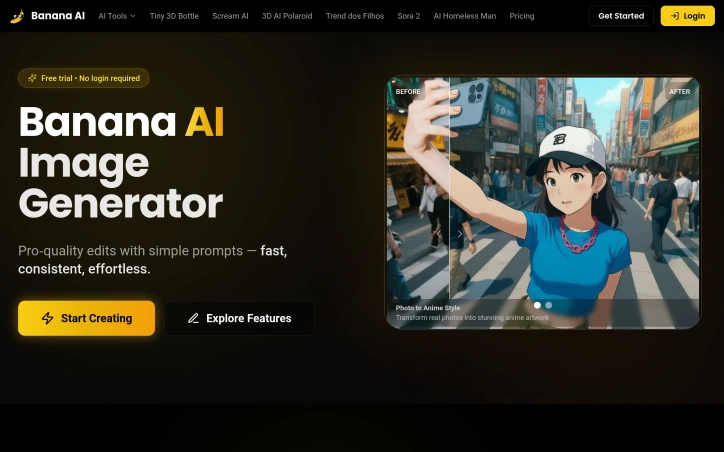
Generative AI has made professional-grade image editing accessible to non-technical users, and Banana AI enters this crowded space with a focused toolkit for real-world photo transformation. The platform addresses the practical needs of content creators, e-commerce managers, and casual users who want to edit photos without learning complex software or paying subscription fees. What distinguishes Banana AI is its breadth of specific use cases paired with straightforward execution. Rather than presenting a blank canvas for infinite creativity, the platform bundles pre-defined transformation capabilities: converting photographs into anime artwork, removing or changing backgrounds, restoring aged photos, adjusting lighting and backgrounds for product shots, and even virtual hair styling. Each feature addresses a tangible problem—travel photographers needing clean backgrounds, small business owners requiring consistent product imagery, or people experimenting with new looks without salon commitment. The workflow is deliberately simple. Users upload a photo, write a text description of the desired outcome, click generate, and download the result within seconds. The interface accepts common image formats and caps file size at five megabytes, keeping the barrier to entry low. The platform emphasizes "character consistency" and "scene blending," suggesting its underlying model handles more complex multi-image scenarios beyond single-photo edits. Technically, the platform leverages what it calls Nano Banana AI, positioning itself around efficiency—producing high-quality output without excessive processing time or credit consumption. The naming suggests a lightweight model that prioritizes speed over complexity, a deliberate trade-off in an era where some AI tools prioritize photorealistic perfection over usability. On the business side, Banana AI operates as a freemium product. The website highlights a free trial with no login required, lowering friction for first-time users. The platform uses a credit system, though the website doesn't specify pricing tiers, credit costs, or premium tier features. This omission is notable: whether the product sustains itself through generous free allowances or aggressive upselling remains unclear from the public information. The feature set skews practical over experimental. There's no emphasis on generating entirely original artwork from text or pushing creative boundaries. Instead, Banana AI positions itself as the tool for specific, recurring photo-editing tasks that previously required either hiring someone or learning desktop software. For that narrow use case, the execution appears coherent and well-considered.

Creating cohesive visual narratives has long been a pain point for designers and content creators working with AI image tools. Most generators struggle to maintain consistent character identity across multiple images, forcing artists to choose between speed and creative control. Nano Banana addresses this by positioning itself as a prompt-driven editor that prioritizes character consistency while enabling granular, localized edits through natural language descriptions. The platform's core strength lies in its approach to preserving character identity across variations. Rather than treating each generation as an isolated output, Nano Banana allows creators to reuse the same character across different outfits, poses, lighting conditions, and scenes while maintaining facial identity and stylistic cohesion. For narrative-driven content creation—whether that's illustrated stories, game character design, or branded character campaigns—this capability removes a significant friction point. The ability to blend multiple images and transfer styles within a single interface further extends its utility beyond simple editing. What distinguishes Nano Banana from broader AI image platforms is its emphasis on local, targeted edits. Users describe changes in plain English (such as "make the jacket red" or "add warm sunset light"), and the tool applies modifications only to specified regions while preserving composition, lighting, and surrounding context. This positions it as less of a whole-image generator and more of a true editor, with prompt-based control replacing traditional selection and masking tools. The platform also includes practical features like background replacement, color and pose adjustment, and photo restoration, suggesting versatility beyond character work. The three-step workflow—upload or start from text, describe desired changes, generate and refine—prioritizes simplicity while supporting iterative refinement, which aligns well with design exploration where multiple variations from a single concept are valuable. The recent addition of AI video creation capability expands the platform's scope, though details on this feature remain sparse in the available information. Pricing follows a freemium model with free credits available upon registration and an upgrade plan option. A promotional offer of 50% off is mentioned, though the underlying pricing structure isn't fully detailed. For content creators and designers seeking faster iteration cycles without sacrificing character consistency, Nano Banana presents a compelling alternative to either traditional image editing tools or generic AI image generators, though its true competitive advantage will depend on how reliably it delivers on character consistency in practice.