#video editing Startups & Tools
Discover the best video editing startups, tools, and products on SellWithBoost.
Creators and small brands managing visual content face a fragmented workflow: generate images on one platform, edit them on another, then find a separate tool for video creation. Uyo consolidates these tasks into a single browser workspace designed specifically for creators who need fast turnarounds without compromising on customization. The platform generates images from text prompts, then lets users refine them through integrated editing tools including upscaling, background removal, and reference photo adjustments. Users can also transform static images into short videos, either by providing a new text description or by letting the AI animate existing visuals. This flexibility lets creators iterate quickly, moving from concept to finished asset without switching applications. What distinguishes Uyo is its focus on transparency and control. The interface displays estimated credit costs before generation, letting users make informed decisions about their spending. The workspace automatically saves all tasks and results in a personal "My Creations" library, eliminating the friction of hunting through generated files or losing track of which prompt produced which output. This organizational approach directly addresses the chaos that often accompanies bulk content creation. The platform curates a collection of reference images and videos across categories like portraits, landscapes, illustrated characters, and everyday scenes. Each reference includes the prompt used to create it, allowing users to study techniques and adapt them for their own projects. This gallery serves as both inspiration and a learning resource, especially valuable for creators without formal training in AI prompt engineering. Uyo supports both English and Chinese interfaces, signaling an intention to serve international markets. Access requires an account and credits purchased in one-time packs, positioning the tool as a consumption-based service rather than a subscription model. For small businesses and independent creators, this approach offers flexibility in budget allocation across multiple platforms. The combination of generation, editing, and video creation in one cohesive environment—paired with deliberate design choices around cost visibility and result organization—positions Uyo for creators tired of patchwork workflows. Whether users prioritize speed or fine-grained control, the platform attempts to accommodate both.

Audio and video quality matters, especially when your recording is full of unwanted noise. This tool addresses a real frustration for creators and professionals: extracting clear voice from messy real-world recordings without expensive software or technical expertise. The product targets a broad audience. Podcasters can strip room tone and background hum between guests. Video creators can clean wind and traffic noise captured on location. Remote workers can salvage muddy Zoom recordings. Musicians and students benefit too, whether reducing hiss from home demos or making lecture recordings transcribable. What distinguishes CleanNoise is its approach to discovery and trust. Rather than requiring sign-up or payment to test the service, users upload a file and instantly hear a full-quality 30-second preview. This removes friction and lets users judge the AI's performance before committing money. The actual processing uses an adaptive AI model rather than fixed filters, meaning it learns from the content and preserves natural voice quality—a claim tested across different recording scenarios in the tool's demo. The interface lives up to the simplicity promise. Users drag and drop files, wait for analysis, and immediately hear results. The tool accepts common formats including MP3, WAV, M4A, and video files up to an hour long. Audio output can be delivered in multiple formats. Video returns with the cleaned audio track intact. A privacy feature auto-deletes uploaded files within 48 hours, addressing concerns many users have about cloud processing of potentially sensitive recordings. The pricing model is straightforward and removes purchase friction. Single files cost $0.99 with no account required and no sign-up trap. Users pay only for processed files they download. A Pro tier exists for heavier users, offering 15 hours of monthly processing, batch operations, and processing history. The product identifies a specific use case—voice clarity in noisy environments—and solves it without unnecessary complexity. By proving value through a free preview and charging modestly per file, CleanNoise makes professional-grade audio cleanup accessible to creators without technical skills or large budgets. The combination of simple execution, transparent pricing, and privacy-conscious design positions it as a practical tool rather than complexity for its own sake.

Viral meme replication typically demands either technical skill with video editing software or expensive creator services. Rumpelstiltskin AI solves this by reducing the barrier to near zero: upload a photo or two, pay $8.99, and receive a finished 15-second video ready to post. The product targets TikTok creators and social media users who want to participate in meme trends without learning editing timelines or committing to subscriptions. It operates on a template model, inserting user faces into a pre-shot sequence of the "tip toeing in my Jordans" meme. This is not face-swapping. The company films eight distinct shots with physical sets and actors, then composites the user's face into five to seven of those cuts depending on role selection. The remaining shots stay as original footage, typically showing hands, feet, or angles where face insertion would be unnecessary or uncanny. What distinguishes this product is its refusal of friction. There is no account creation, no prompt engineering, no timeline scrubbing. The user selects one or two photos, chooses a role (the imp, the girl, or both), clicks "cast," and the rendering begins. The company handles casting, filming, and compositing without asking for granular controls. The output is a silent MP4, intentionally design-limited so that users must attach audio on TikTok itself, which is where the meme lives. The pricing model reinforces this simplicity: $8.99 per video, no recurring charges, no cancellation mechanics. The company demonstrates transparency about its methods. The website explicitly states which shots are newly filmed and which are always pre-made footage, differentiating itself from services that promise total customization. Uploads are deleted 24 hours after rendering, and videos are private by default. The acceptable use policy requires confirmation that all people in uploaded photos are adults who consented and are not public figures, which attempts to preempt the most obvious legal and ethical misuses. The fixed edit structure is both a feature and a limitation. The 8-shot sequence never varies; cuts always land on the beat. This predictability means faster rendering and consistent output quality, but it also means zero creative deviation. Users cannot request different choreography, camera angles, or scene variations. At $8.99 for a one-time creation, the product is positioned as an impulse purchase rather than a production tool. It targets participants in trend cycles rather than professional creators, and it prices accordingly.

Capitalizing on a viral dembow moment that swept through Latin media in October 2026, this tool converts a single selfie into a 12-second vertical video of the user lip-synced to a freestyle verse that generated tens of millions of views across platforms. The service addresses a specific use case: enabling social media users to participate in a cultural trend without requiring video production skills, equipment, or account creation. The product's core strength is its radical simplicity. Users upload one clear facial photograph, verify they own the likeness, and pay $8.99 for a rendered MP4. No editing interface, no customization prompts, no strategic decisions beyond image selection. The output arrives as a mobile-ready vertical clip with lip-sync timing calibrated to the beat. The silent video design—users add audio when posting—keeps the production pipeline focused and the tool's scope deliberately narrow. Several design choices reveal intentional restraint. Uploaded images disappear within 24 hours, treating data minimization as a feature rather than a policy footnote. The service operates without accounts or subscriptions, eliminating authentication friction and the pressure to grow monthly active users. The creator frames this as an unofficial fan tool with no artist affiliation, setting clear expectations while sidestepping brand partnership complications. The one-time payment model at $8.99 per video signals the creators understand their own market constraints. This is a trend-capture product built for a moment, not a platform engineered for perpetual engagement. The business structure treats each video as a discrete transaction: pay once, receive an asset, the relationship ends. Users retain no profile, no library, no reason to return except to make another video during the trend's active window. The limiting factor is self-evident: viral moments in music have finite lifespans. The tool's entire value depends on sustained participation in the Bulin 47 trend. Should interest fade, so does relevance. The product makes no attempt to extend utility beyond the specific cultural moment it targets, which appears intentional rather than an oversight. This focus, while commercially risky long-term, makes the offering honest about what it is and what it actually does.

Creating viral social media content typically requires either significant technical skills or expensive tools. This AI video generator addresses that friction by packaging a single trending format into an extremely focused product that requires nothing more than two photos and $8.99. The core service transforms a pair of user-supplied images into 15-second TikTok videos matching the "Hotel Lobby" trend, where one photo raps into a hanging microphone while the other dances in an orange booth. The template is pre-configured, meaning users skip the usual AI video workflow of writing prompts, selecting models, or tweaking parameters. The service handles lip-syncing automatically to the established trend sound, and the output arrives pre-formatted in 720p MP4 at 16:9 aspect ratio—ready to post directly. What distinguishes this product is its deliberate simplicity. Most AI video tools force users to learn their systems, experiment with settings, and make creative decisions. This one does the opposite: it eliminates options. There is no account signup requirement, no creative customization, no editing phase. Users select two images, confirm they have permission to use them, and submit payment. The philosophy of constraint-driven design shows throughout. The product even includes a feature to swap performer positions before payment, eliminating a common source of regret with one-way transactions. Privacy receives explicit attention in the product design. The service deletes photos within 24 hours, whether the generation succeeds or fails. The terms explicitly address consent, prohibiting use of images containing minors, celebrities, or public figures—a meaningful guardrail against the misuse that plagues many generative tools. The pricing structure removes subscription friction entirely. At $8.99 per video with no recurring charges, the transaction is transparent and one-off. Failed generations automatically refund credits, eliminating the anxiety that often surrounds experimental features. The target user is clear: social media creators who want to participate in a specific trend without spending hours learning software or acquiring new skills. This narrowness is intentional. The product refuses the temptation to become a general AI video tool, instead excelling at a single outcome. That focus, combined with the frictionless workflow and transparent pricing, creates a compelling value proposition for anyone who sees the trend and wants in without the complexity.

The appeal of meme culture and viral moments lies partly in their unpredictability—watching an unexpected person inserted into a familiar scene creates comedy through surprise and recognition. A social media creator seeking to tap into this trend faces a barrier: producing convincing video content requires either professional equipment and editing skills, or access to expensive AI tools that demand technical knowledge and ongoing subscriptions. RapZap addresses this friction by packaging AI video generation into a strictly bounded, template-based service. The product targets people who want to generate short performance clips for social sharing without building skills or maintaining an account. Users select from five predefined scenarios—a hotel lobby duet, a solo rap verse, a zombie love story, a barn dance meme recreation, and a desk concert—add between one and five face-forward photos, pay 8.99 dollars once, and receive a finished 720p MP4 ready for TikTok, Instagram Reels, or YouTube Shorts. The design emphasizes simplicity over customization. No prompting interface exists; no editing stage comes after rendering; no ongoing relationship with the platform is required. This constraint-based approach avoids the choice paralysis that plagues general-purpose AI tools while keeping friction minimal. Photos are deleted within 24 hours of processing, addressing privacy concerns without requiring lengthy data retention policies. The underlying technology stacks image-based face reconstruction with video generation to animate body movement and mouth synchronization. The quality depends heavily on input—the site explicitly recommends sharp, forward-facing shots with one person or animal per photo—but real examples from the live pipeline demonstrate output suitable for social sharing at the specified resolution and frame rates. Financially, the model is straightforward: 8.99 dollars per video with no recurring charges or hidden account requirements. This positions RapZap as an impulse purchase for casual creators rather than a platform requiring ongoing commitment. The one-time transaction removes decision friction for users curious enough to try but unwilling to subscribe. The service succeeds by acknowledging what it is not. It rejects the ambition of general AI video tools in favor of nailing a narrow use case: turning ordinary photos into recognizable meme variations that work at short-form video scale. That focused scope is its strength. For someone wanting to make their friend appear in a viral moment without learning video production, RapZap delivers exactly what is promised.
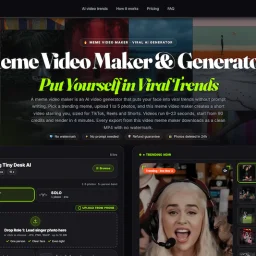
Viral short-form video creation has historically required either video editing skills or AI prompt fluency—two barriers that keep most people from participating in trending meme formats. This service eliminates both by packaging trending video templates with face-insertion AI, letting users simply upload photos and receive finished MP4s optimized for TikTok, Instagram Reels, and YouTube Shorts. The product targets social media users who want to capitalize on viral trends without learning Adobe Premiere or mastering AI prompting. The pitch is straightforward: pick a trending template, upload between one and five photos, and the system generates a 15-second video with the user's face composited into the choreography or scenario. Every video exports watermark-free in vertical 9:16 format. What distinguishes this offering from broader AI video generation tools is its template-first design. Rather than asking users to describe what they want, the service presents curated trending formats—currently 17 active templates spanning dance routines, music duets, comedy scenarios, sports moments, and cinematic sequences. This constraint is actually a strength; it trades unlimited creative freedom for reliability and speed. A template-based approach also naturally produces scroll-stopping content because the templates themselves are already proven viral hits. The execution details suggest thoughtful product design. Photo upload works via traditional browser selection or QR code scanning from mobile, acknowledging that users often have images on their phones. The service provides specific guidance on photo composition—front-facing, clear lighting, waist-up framing—to optimize AI face-insertion results. Render time is quoted at four minutes, competitive for real-time content creation. The privacy model deletes uploaded photos after 24 hours, addressing a legitimate concern about personal image data. The business model operates on a credit system, with a single video consuming 90 credits, though explicit pricing is not disclosed on the available text. The company emphasizes a refund guarantee, reducing perceived risk for first-time users evaluating the service. The main limitation is format rigidity. Users don't generate videos; they participate in predetermined templates. This works perfectly for trend-chasing and social proof but won't appeal to creators wanting original concepts. For the intended audience—people who want to be seen in trending formats without friction—the constraint is a feature, not a bug.
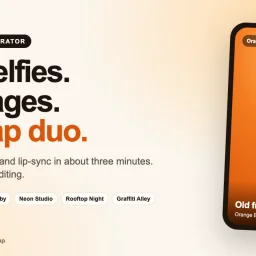
Generating personalized music videos has traditionally required significant creative effort, specialized software, and often, musical ability. AI Rap Video addresses this friction by automating the entire creative pipeline—from lyric writing through beat production to video generation—in a single, straightforward workflow. The product targets users seeking shareable entertainment content with friends or family. The use cases span birthday tributes to meme remakes, appealing to anyone wanting novelty content without the skill barrier. The core appeal is accessibility: upload two selfies, select a backdrop, and receive a fully realized music video in approximately three minutes. Several capabilities distinguish this offering. The AI generates original lyrics and beats tailored to each generation, rather than relaying stock templates. The product offers six distinct stage aesthetics—ranging from an Orange Booth to Rooftop Night to Graffiti Alley—allowing users to customize the visual context. The generated videos feature lip-synced performances that map the AI vocals to the uploaded faces, creating a cohesive illusion of live performance. The output is delivered in vertical format at 720p resolution without watermarks. The platform incorporates meaningful safeguards. Generated videos automatically delete after seven days, and the creator explicitly states user photos are not used for AI model training. Failed generations trigger automatic credit refunds, reducing financial friction. Users can optionally specify topics for the AI lyrics—birthday shout-outs, relationship origins, lighthearted competition themes—or let the system choose. The business model relies on a credit system, with songs priced at 10 credits. The company does not publicly disclose credit-to-dollar conversion rates on the provided materials, making the true cost per video unclear to prospective users without visiting the full site. This opacity is a minor friction point, though the auto-refund policy and privacy commitments address legitimate user concerns around trust. The product execution is polished. The sample outputs shown across all six stages demonstrate consistent video quality and convincing facial animation. The interface design guides users through a logical progression—photo selection, stage choice, optional customization, then generation. AI Rap Video succeeds in lowering the barrier to music video creation. For users seeking entertaining, shareable content without creative skill, the streamlined workflow delivers clear value. The combination of AI-driven content generation, multiple aesthetic options, and user-protective policies positions it as a viable entry point to video creation for casual audiences.

Consolidating creative workflows into a single platform addresses a genuine frustration for digital creators. MikeSullyTools bundles tools for photo editing, video processing, AI-powered image generation, PDF conversion, and marketing content creation into a unified browser-based hub, eliminating the context switching that derails productivity. The product targets content creators, digital marketers, and small business owners who regularly move between specialized applications. Rather than maintaining separate subscriptions for photo enhancement, video cleanup, AI generation, and document work, creators access these capabilities from one login. The platform distinguishes itself through breadth of functionality. Beyond core media tools like AI Photo Studio and AI Video Studio, it integrates business-focused features including rate card calculators, UTM and QR code builders, campaign concept generation, and brand deal brief templates. The inclusion of a voiceover recorder and caption and hook generator reflects an understanding of modern creator workflows. A Creator Media Kit Generator and Brand Deal Brief Builder position the tool as serving not just production but the business side of content work. The feature set reveals intentional scope decisions. The platform handles foundational tasks—quick photo and video fixes, AI image generation, PDF-to-Word conversion—rather than competing on professional-grade editing depth. This positioning suits creators seeking efficiency over specialized control. The addition of marketing tools like Campaign Concept Studio and Creator Planner suggests the founders recognize that creators spend significant time on strategy and business development, not just asset creation. MikeSullyTools operates a freemium model with paid member accounts restoring or replenishing credits. The specific tools available to free versus paid tiers are not detailed in available materials, though the platform offers complimentary access to essentials like PDF conversion, voiceover recording, and UTM building. The brand maintains presence on directories including Trustpilot, MarketingDB, SumoDir, and Founder.best, signaling efforts toward marketplace credibility. The platform supports standard authentication including Google sign-in and optional two-factor authentication, indicating attention to account security for creators managing multiple projects. For creators fatigued by tool fragmentation, MikeSullyTools presents a legitimate solution to reduce friction in daily workflows. Its strength lies not in pioneering technology but in thoughtful consolidation of established capabilities around real creator pain points.
Fragmented video creation workflows waste hours. Creators typically bounce between text-to-video generators, image tools, editing software, and platform-specific uploaders before their content reaches audiences. ReelMint consolidates this scattered stack into a single workspace designed around the complete journey from concept to publication. The platform tackles a genuine friction point in short-form content production. Rather than building yet another AI video generator, ReelMint adds a multiplier: once a video exists, one click distributes it across TikTok, YouTube, Instagram, Facebook, and X with custom captions for each platform. The founder describes this directly as motivation—the realization that posting consumed as much time as creation itself. The feature set reflects that integrated philosophy. A user describes an idea, selects an AI model (currently including Seedance, Kling, and Veo), and receives a video with voiceover, music, and captions before confirming the cost. The multi-scene builder lets creators assemble AI-generated clips into longer films while maintaining consistent character appearances across scenes. Mint Moments accepts up to 15 photos and auto-edits them into a scored vertical film. Mint Ads takes a website URL and generates a narrated commercial from its actual content and design. For scheduling, Bot Studio handles recurring video generation and cross-posting on defined intervals. A conversational interface called Minty provides voice control over these features. Where ReelMint differentiates itself most is transparency and accessibility. Credit costs display before generation, not after surprise charges. The pricing floor sits at $9.99 monthly, and the platform offers 27 free-to-generate templates immediately. All plans unlock every AI model without artificial restrictions—a pricing structure that rewards exploration over gatekeeping. The livestream feature, Mint Live, extends the model to real-time content by putting AI characters directly on air within YouTube or TikTok LIVE streams, though implementation details remain opaque in available materials. The core value proposition is straightforward: reduce the hours spent orchestrating tools down to typing a prompt and clicking publish. For content operators managing multiple channels, marketers needing rapid ad iteration, or creators maximizing output without hiring editors, the consolidated workflow and multi-platform posting address a documented pain point. Whether the execution matches the promise would require hands-on testing beyond these promotional materials.
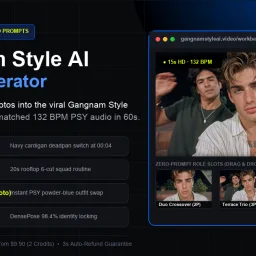
Viral dance videos have become a cultural phenomenon, but creating professional-quality versions requires technical skills most people lack. This AI video generator tackles that barrier by letting users transform 1-3 portrait photos into synced 15-second Gangnam Style dance videos without writing a single text prompt. The target audience spans casual creators who want shareable content quickly, social media enthusiasts looking for a novel way to feature photos, and anyone nostalgic for the 2012 phenomenon seeking to recreate it with modern faces. What distinguishes this tool is its singular focus. Rather than being a generalist video generator, it commits entirely to one dance and three preset choreography templates, eliminating decision paralysis. Users select between the Blue Tux Solo, Street Duo, or Terrace Trio formation, upload their photos to marked role slots, and receive an MP4 in under a minute. The 132 BPM audio syncing to PSY's original track happens automatically, and the platform claims 98.4% facial accuracy across fast-moving choreography, a technical claim that matters given how video synthesis typically fails on rapid motion. The product supports both landscape (16:9) and portrait (9:16) aspect ratios, accommodating TikTok creators alongside desktop viewers. Users can generate in either 720p or 1080p Full HD. Photo requirements are practical: clear, front-facing waist-up portraits with natural lighting, which aligns with smartphone capabilities. The business model prioritizes simplicity and trust. Pricing starts at $9.90 for a single 720p generation, with 1080p available through a credit system. There is no subscription; each generation is a one-time purchase. The platform offers a 3-second auto-refund guarantee and purges uploaded photos after 24 hours, directly addressing privacy concerns that plague photo-based AI tools. The core limitation doubles as the core strength: this solves a highly specific problem for a specific trend. It cannot serve users wanting unlimited choreography variety or custom music. For the narrow use case it addresses, however, the no-prompt interface, preset role system, and automatic audio syncing eliminate friction between idea and output. The one-time pricing without subscriptions positions it as a novelty purchase rather than a recurring service, which suits its entertainment-focused positioning.

Video content creation typically demands technical skills. Beau Is Afraid AI Video Generator removes that barrier by letting users create a specific, shareable video in minutes—inserting themselves and a friend into the film's infamous bathtub scene. The product targets casual creators who want viral-worthy material without learning editing software. The core appeal rests on simplicity and social mechanics. Users upload two portraits, assign one person to the bathtub and another to fall from above, and generate the video instantly. No writing prompts, no reference videos to find, no timeline to adjust. The product handles the heavy lifting while users focus on casting and sharing. The two-photo interface makes the interaction between people central to the content, transforming what could be a generic face-swap into a narrative moment. The bathtub scene itself is the competitive advantage. By anchoring to a specific viral moment from cinema, the product trades customization for immediate recognizability. Users don't design their own scenes; they populate an existing one. This constraint actually accelerates creation and ensures consistent quality, since the underlying footage is predetermined. The role-reversal feature allows multiple generations from the same two photos, extending the novelty. Distribution is built into the product's DNA. Videos are designed for group chats and social sharing, with download functionality that makes distribution frictionless. The founder emphasizes entertainment as social—the act of assigning roles within a friend group becomes part of the experience, not just the finished video. The product philosophy centers on accessibility over flexibility. There are no customization options mentioned: no scene variants, no prompt engineering, no timeline editing. This narrowness is intentional, enabling the straightforward experience the founder describes. It's a trade-off that works if the bathtub scene resonates with users; it becomes a limiting factor if that novelty fades. The business model is not detailed in available materials, making full assessment difficult. What's clear is that the product succeeds if it becomes the default way a specific demographic creates shareable content around this meme. The viral potential hinges on network effects: each shared video demonstrates to others that generation is instant and accessible. The entire value proposition depends on whether that particular scene remains culturally relevant enough to drive repeated use.

Fragmentation in creative workflows has long plagued designers and creators who rely on AI. A designer might use one service for image generation, another for video, a third for editing, and a fourth for effects—each switch draining context and momentum. Favore addresses this directly by consolidating multiple leading AI models and creative capabilities into a single workspace designed around continuous iteration. The platform targets creators and designers who work regularly with generative AI and need both breadth of capabilities and depth of control. Rather than locking users into a single model or set of tools, Favore exposes a curated selection of generators from OpenAI, xAI, Google DeepMind, ByteDance, and others. Users can compare these models and choose based on whether they prioritize fidelity, speed, text rendering, or editing control. This model-agnostic approach means creators aren't forced to accept tradeoffs in quality or capability. What distinguishes Favore most clearly is its architecture around the creative loop. The platform surfaces outcomes first—image, video, editing capability, template, or effect—then progressively exposes only the inputs each model actually supports. Once you generate or edit an image, you can immediately continue with another compatible action without leaving the workspace. This eliminates the friction of context-switching and keeps work moving forward. The feature set reflects this continuity. Users can generate images from text descriptions or reference images, edit existing work, animate stills, blend multiple images, or apply defined visual effects. For video, the platform generates from text, animates still images, or extends existing clips. Underlying capabilities include content removal, restoration, upscaling, and extension. Many models support reference images—GPT Image 2 accepts up to sixteen—giving creators meaningful control over the direction and consistency of outputs. The tool integrates templates as reusable creative recipes that users can customize by subject, style, or format. It also offers model selection as a first-class interaction, letting creators make deliberate choices about which generator fits each task rather than defaulting to one option. On business model, the site references a credits system but provides no explicit pricing information. The company positions itself as a way to eliminate the tool-switching tax that slows creative work, a genuine friction point in the current AI creative landscape. Whether the execution delivers on that promise at scale remains to be seen, but the problem statement is sound and the approach is direct.

Creating professional videos traditionally demands expensive software licenses and technical editing expertise, putting the format out of reach for many creators and marketers. ReelMuse addresses this friction by consolidating multiple AI video generation models into a single browser-based workspace, eliminating software costs and the learning curve of traditional video editors. The platform accepts three types of input: text descriptions, uploaded images, or existing video clips. Users describe their desired output in plain language—specifying motion, lighting, camera direction, and framing—then select from a roster of AI models before generating. The execution is straightforward: choose a starting point, describe what should happen, generate, and download. What distinguishes ReelMuse is its model selection. Rather than locking users into a single engine, the platform integrates several options including Seedance 2 (designed to animate still images with motion prompts), MiniMax H3, and Veo 3.1 (for text or image-to-video generation). GPT Image 2 handles original image creation from text, while Nano Banana provides image editing capabilities. This breadth lets users match the tool to their specific creative need and compare credit costs before committing to generation. The browser-based approach removes friction from the creation-to-download pipeline. Users organize pending tasks and finished videos in a single workspace called Generate, eliminating the scattered workflow of desktop software. The interface emphasizes guidance over technical control: users input a scene description and motion direction, then let the AI interpret those instructions. This philosophy trades granular control for accessibility. The platform operates on a freemium model. New users receive an initial signup bonus and daily login credits, creating a low-friction entry point. Specific credit costs per model and generation parameters are visible before committing, though detailed pricing beyond free signup isn't provided in promotional materials. The product succeeds at its stated mission: lowering the barrier to video creation for people without editing skills or large budgets. The integration of multiple models and thoughtful workspace design distinguish it from single-model competitors. Whether the credit system and model selection strike the right balance for sustained creator adoption remains to be determined by market response.

Video editors often face a tedious choice: crop the frame and lose important content, cover unwanted elements with stickers, or rebuild entire projects because hardcoded captions, watermarks, or logos need removal. RemoveText.video eliminates this frustration by using artificial intelligence to detect and reconstruct text overlays while preserving the original framing and composition. The platform handles a broad range of text removal scenarios. Users can target hardcoded text like dates and labels, creator captions before fixing typos or styling, burned-in subtitles, logos, watermark overlays, and internal review marks. The tool also removes audio tracks entirely, useful for creators preparing silent versions for new soundtracks. What sets the offering apart is its balance of automation and control. The system includes automatic detection for fixed text, running locally on sampled frames before any upload occurs. For more complex cases—moving overlays, captions over faces or detailed backgrounds—users can manually select up to three target areas on the free tier or ten on paid plans. This hybrid approach acknowledges that real-world video often contains difficult cases automation struggles with. The workflow prioritizes user certainty throughout the process. After selecting a file, the platform generates a local browser preview without uploading the clip. Automatic detection displays selected areas and estimated credit cost before processing begins. Users inspect and approve the complete output before downloading, reducing wasted processing on incorrect selections. The product supports MP4, MOV, and WebM files. Original videos remain accessible for seven days, while paid outputs persist for thirty days. The credit-based pricing model offers flexible usage distinct from traditional subscriptions, though specific costs per operation remain undisclosed. The core strength lies in solving a genuine pain point for video editors without resorting to crop-based shortcuts. By handling pixel reconstruction automatically, the tool preserves creative intent and saves production time. The emphasis on local preview and manual override options demonstrates understanding that video quality control cannot be entirely automated.

Video ad creation for ecommerce has been bottlenecked by manual work turning product assets into test-ready concepts. Sprokl addresses this by automating the journey from a single product image or video to multiple creative angles, scripts, and ad variations—letting teams test more directions without the weeks-long production cycle. The product targets ecommerce brands, TikTok advertisers, and direct-to-consumer teams. These groups face a familiar tension: keeping creative fresh requires testing new angles, but producing variations at scale demands significant resources. Sprokl compresses this cycle by treating product assets as the starting point. The workflow follows three stages. Teams upload images, videos, and brand information. An AI creative studio explores hooks, audiences, and messaging directions to surface stronger angles. Those angles feed into script generation, producing multiple hooks and narrative frameworks. Finally, the system builds video cuts from original assets, ready for comparison before testing. What distinguishes Sprokl is its insistence on review and control at each stage. Rather than dumping finished videos, the system surfaces intermediate decisions—the angles being explored, the scripts being considered—so teams shape the output before production. This breaks the traditional bottleneck where creativity and production are sequential rather than collaborative. The asset-first approach matters. Teams work with existing inventory instead of starting from scratch, removing friction and acknowledging how ecommerce operates: inventory moves quickly, and testing must keep pace. The founder positions the system as an acceleration tool, condensing weeks into minutes. Teams still review and decide; the software eliminates production wait. Pricing details are not disclosed, making it difficult to assess value against time savings. For brands treating paid social ads as continuous testing engines, Sprokl offers a real alternative to outsourcing to freelancers and waiting weeks for variations. The core bet is that teams can generate better testing velocity by working with existing assets. Whether it delivers depends on AI output quality and integration with actual testing workflows.
Creating product videos traditionally requires expensive studio time, professional equipment, and experienced crews—a barrier that locks out most independent e-commerce sellers and smaller brands. GenVideo removes this friction by generating professional-quality product videos directly from product images using AI. The platform targets online retailers and marketing teams who need to produce ads and demos at scale but lack the budget or infrastructure for traditional video production. The use case is clear: brands upload a product photo and receive finished video assets ready for social platforms and ad networks, eliminating weeks of planning and thousands in production costs. What distinguishes GenVideo is its library of narrative templates. Rather than asking users to construct shots and scenes from scratch, the platform offers eleven distinct video archetypes—UGC product ads, step-by-step tutorials, before-and-after demonstrations, try-on content, cinematic commercials, product launches, unboxing sequences, and close-up hero shots. Each template provides a proven storytelling structure with suggested framing, pacing, and camera movement. Users work within these frameworks, swapping elements and customizing details rather than starting from blank canvas. The workflow is deliberately constrained. Users select a template that matches their product and goal, add their product image, then tweak scene composition, lighting, action, and voiceover choices. The interface guides users toward decisions rather than overwhelming them with options. This approach acknowledges that most sellers know their product and audience far better than a video tool ever could, but don't have confidence in shot construction or technical execution. The platform includes multiple AI models and allows users to adjust video length, frame size, and output quality—granular enough for different platforms and use cases without devolving into overwhelming complexity. There's also a review step built into the workflow, encouraging users to check the generated video before committing resources. The pricing operates on a credit system, though specific rates are not detailed in available materials. The platform offers a free tier for users to experiment before committing to paid generation. One meaningful limitation: users still need to provide a clear product shot. GenVideo excels at orchestrating that asset into a finished narrative, but it cannot manufacture details from an unusable photograph. For sellers with professional product photography already in hand, this is seamless. For those without, traditional photography remains a prerequisite.

Video creation has long demanded either serious technical expertise or expensive subscriptions. Omni Flash tackles this friction by placing a free, web-based AI video generator in the hands of everyday creators who want results without setup headaches. The product targets individuals and small teams making social content, product demonstrations, short-form ads, and quick video edits who have neither the time nor inclination to wrangle API keys and local environments. The core appeal lies in its radical simplicity. Users open the tool in a browser, enter a text prompt, optionally upload an image or reference clip, and generate a video—all without installing software or managing technical infrastructure. The platform connects to Google's video generation API, handling the complexity behind the scenes so creators can focus on their vision rather than configuration. Functionally, Omni Flash offers both text-to-video and image-to-video capabilities, supporting typical creator workflows across TikTok, YouTube, Instagram, and landing pages. The reference image and video features allow users to guide the model's output toward specific subjects, styles, and motion patterns, giving everyday prompts more precision than raw text alone might provide. Downloads happen directly from the browser, completing the workflow without external dependencies. The business model follows a freemium pattern. New users receive complimentary credits for testing before deciding to spend. This approach removes the adoption barrier—potential users can validate whether the tool meets their needs before committing financially. Specific pricing tiers are not detailed in available materials, though the messaging emphasizes upgrading only when demand exceeds free allocations. What distinguishes Omni Flash in a crowded AI video space is its uncompromising focus on accessibility. Rather than marketing toward AI researchers or power users, it explicitly targets people whose technical ceiling is write a prompt and click generate. This positioning represents a deliberate constraint that shrinks complexity. By outsourcing the underlying model and API infrastructure to Google, the team eliminated the development surface area that trips up smaller tools—no model fine-tuning, no infrastructure scaling for users to navigate. The risk inherent in this approach is dependency. Users cannot control which Google model powers generations, cannot self-host for privacy, and cannot escape API rate limits beyond what the platform manages. For creators whose needs outgrow these boundaries, Omni Flash functions more as an on-ramp than a permanent solution. Yet for the specific audience of casual creators making throwaway content at speed, those constraints barely register.

Consolidating the creator economy into a single subscription addresses a genuine frustration. Content producers constantly juggle payment accounts, login credentials, and separate interfaces just to accomplish interconnected tasks like editing footage, generating promotional images, and managing brand partnerships. This platform attempts to collapse that fragmentation by bundling artificial intelligence tools with creator-focused utilities in one membership hub. The product suite encompasses three core categories. The media editing side includes AI-powered photo and video studios alongside an image generator and quick-fix tools for common production needs. A second tier targets the business side of content creation: a voiceover recorder, UTM and QR code builder, rate card calculator, campaign planner, deal briefing tool, and media kit generator address the marketing and negotiation workflows that occupy increasing portions of a creator's schedule. A third category handles document management, particularly PDF-to-Word conversion, rounding out productivity gaps many creators face. What distinguishes this offering is the deliberate intersection of creation and commercialization. Rather than offering editing and marketing as separate products, the platform positions them as components of a unified workflow. The inclusion of specific creator business tools like deal brief builders and rate card calculators suggests the founders understand that modern content work extends far beyond producing the content itself. Marketing professionals and small agencies managing multiple creator accounts would similarly benefit from consolidated access. The platform operates on a membership model with tiered access. Free tools are available to non-members, while paid accounts unlock premium features and appear to operate on a credit system. Recent version releases dating through July 2026 indicate active development and iteration. The product has been featured on several third-party directory and review sites, suggesting baseline market validation. The primary limitation evident from available information is that the appeal remains niche. This targets creators specifically rather than serving as a general-purpose productivity suite. Professionals outside content creation may find little value in voiceover tools or campaign concept builders, which narrows the addressable market considerably. For individual creators and content agencies tired of subscription sprawl, this presents a consolidation opportunity worth evaluating. The value proposition centers on reducing tool fatigue and context-switching rather than offering technological breakthroughs, which may appeal more to those prioritizing simplicity and workflow integration over cutting-edge capabilities.
Real estate professionals have long struggled with the gap between manual video editing and automated slideshows. ReelHive addresses this with an AI-powered tool built specifically for turning property photos into polished listing videos. The platform targets real estate agents, marketing teams, and property photographers who need to produce videos quickly without dedicating hours to editing. The core offering is straightforward: upload listing photos, choose a visual style, and let AI generate scene-aware camera movements that match each image rather than applying the same generic pan-and-zoom to every shot. What distinguishes ReelHive from broader video creation tools is its narrow, deliberate scope. Rather than positioning itself as a general-purpose video editor, it acknowledges the specific workflow of real estate listing photography. Users control the photo sequence and presentation style while the platform automates the repetitive production work: selecting appropriate camera movements, generating clips, handling transitions, syncing music, adding captions, and rendering the final export. This focused design removes friction from a common professional task. The product workflow is lean: arrange photos in desired order, select from three style presets (Luxury, Modern, Social) and a choice of aspect ratios (9:16 vertical or 16:9 horizontal), optionally add music from a curated set of 50 tracks, and layer in property details or branding elements. The AI then analyzes each photograph to determine suitable camera movement, acknowledging that a kitchen, living room, exterior, and detail shot require different visual treatment. The interface eliminates prompts and timeline editing entirely, aligning with the stated goal of reducing hours spent on production into a minutes-long process. Users can preview sample videos before committing, and the platform offers a two-video free trial without requiring a credit card, lowering the barrier to initial use. User ratings stand at 4.9 out of 5 across 500 reviews, though this metric alone does not indicate production quality or business sustainability. The tool occupies a genuine gap: it is neither a manual editing burden nor an undifferentiated slideshow, but rather a purpose-built solution for a specific professional use case. Pricing details are not disclosed in the available content, though the free tier supports initial evaluation.