@fuck.it
Email privacy has become an afterthought at mainstream providers, which treat inboxes as data sources to be mined for ad...
Categories
Best Graphic design tools Startups & Tools
Apps for UI mockups, photo editing, motion, and AI visuals.
Recently Listed
20 launches
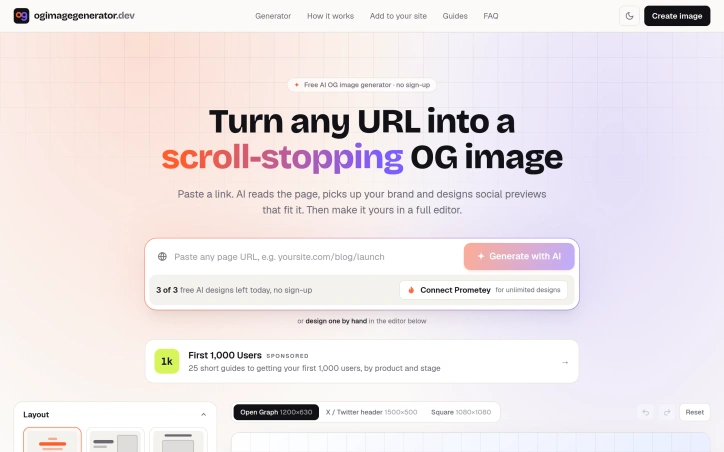
Forgotten social previews plague the indie shipping ecosystem. Most product launches sport blank cards or awkwardly cropped screenshots because proper Open Graph images require either design expertise, expensive tools, or pre-built templates that strip away brand identity. OG Image Generator addresses this friction by automating the entire workflow: paste a URL, let AI extract the page's essence, and ship a polished preview in seconds. The product's standout differentiation lies in its actual page comprehension. Rather than applying pre-made layouts to arbitrary content, the tool reads page copy, extracts brand colors, fonts, and logos, and generates three design options calibrated to what the page is actually about. This prevents the common template generator failure mode where distinct brands end up visually interchangeable. The AI doesn't render pixels directly; it outputs a design specification that a real renderer executes, preserving crisp typography and ensuring text remains readable at any size. Every generated design opens in a full editor, giving users complete control over layout, typography, color, background treatments, and patterns. The feature set balances automation with customization effectively. Users choose from predefined layouts, apply quick color palettes, and adjust fonts from a curated selection. The tool handles accessibility concerns by automatically correcting contrast ratios and adding backing plates to logos that blend into backgrounds. Export options span PNG, JPG, and WebP formats, plus hosted image links with copy-paste-ready HTML and Next.js snippets. The product also runs an OG checkup on submitted pages, identifying missing metadata. The pricing model removes activation friction entirely. The service operates free without account creation, offering a daily allowance of AI-generated designs. Users seeking unlimited generations can connect their own AI credentials through Prometey, a separate service for managing API access. This approach lets independent builders and side project creators avoid subscription costs while providing a clear upgrade path for power users. The product succeeds because it solves a specific, repeated pain point with genuine engineering effort. It doesn't reduce OG image generation to a template picker; it genuinely understands pages and designs for them. The no-signup free tier lowers barriers to trial, while the editor ensures users aren't locked into AI-generated results they can't modify. For developers shipping with limited design resources, this tool transforms social previews from afterthought to brand asset.
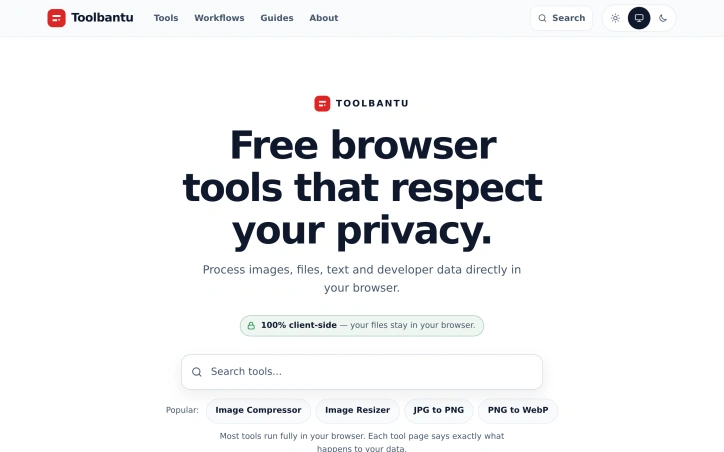
Privacy-conscious users have long faced a dilemma with web-based utilities: gain convenience or protect data. Toolbantu resolves this tension by running common utility functions entirely within the browser, eliminating the upload and storage concerns that plague most online tool sites. The platform targets everyday users who need to compress images, format JSON, generate QR codes, and perform other routine tasks without surrendering files to third-party servers. This applies equally to privacy-sensitive individuals and organizations handling even mildly confidential data. What distinguishes Toolbantu most clearly is its uncompromising approach to data handling. Every tool processes information exclusively on the user's device, with no data transmission to external servers. The site articulates this commitment explicitly on each tool page, removing ambiguity about what happens to user files. This transparency extends to the broader design: no account creation, no tracking, no hidden data collection. The approach simplifies the experience while reinforcing the privacy promise. The feature set covers practical ground. Image tools handle compression, resizing, and format conversion between formats like JPG, PNG, and WebP. A developer tools section includes JSON formatting, Base64 encoding, URL encoding, UUID generation, and favicon generation. Additional utilities span password generation, QR code creation, word counting, and typing speed testing. The platform groups these into workflows that chain multiple tools sequentially, allowing users to resize an image and compress it in a single operation without leaving the interface. The toolkit feature lets users pin favorite tools for quick access, while a history section tracks recently opened tools, storing only tool names rather than files or content. This balances convenience with the privacy-first philosophy. Toolbantu operates as completely free software with no paid tier, subscription model, or premium features mentioned. The absence of account requirements and the explicit statement that nothing gets sent anywhere underscores the frictionless positioning. The main limitation lies in scope. Toolbantu serves routine utility needs competently but doesn't challenge specialized tools. Someone needing advanced image editing, complex data transformation, or sophisticated development features would look elsewhere. Yet for the specific use case of quick, private processing of everyday files, Toolbantu removes friction and legitimate privacy concerns from the equation. The execution feels considered rather than haphazard, suggesting a genuinely motivated project rather than a privacy-washing marketing angle.

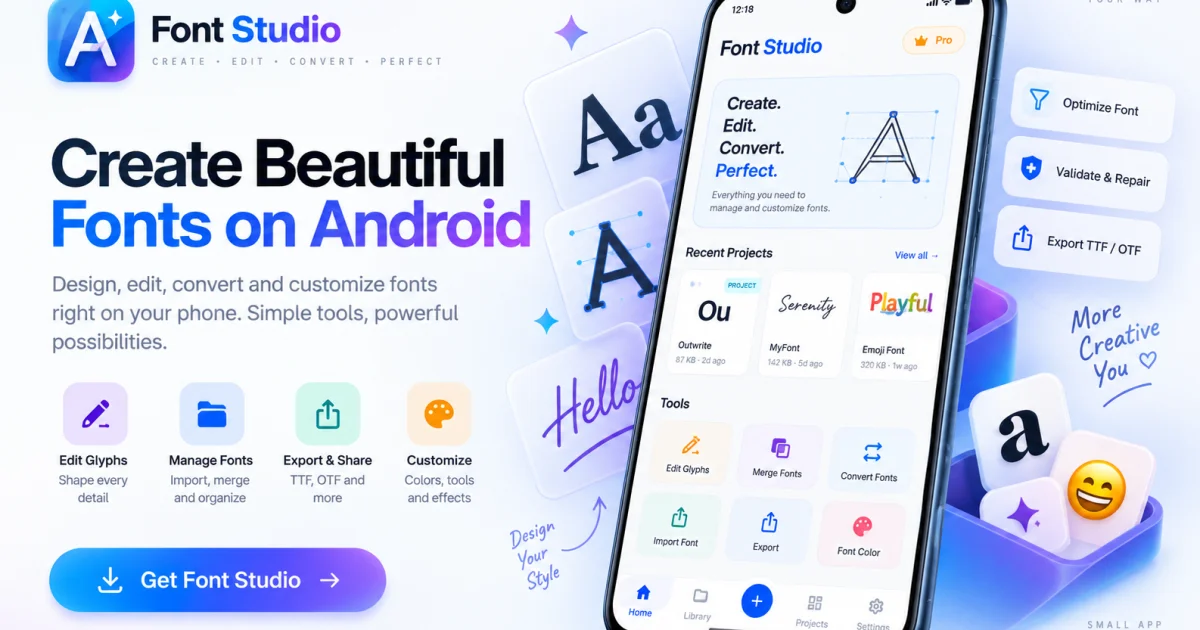
Mobile technology has transformed nearly every creative field, yet professional font engineering remains tethered to desktop software or compromised by cloud-based tools that require uploading proprietary files. Font Studio bridges this gap by delivering a complete font editing and engineering toolkit directly on Android, iPhone, and iPad devices. The app addresses a genuine friction point in typographic workflows. Designers and developers frequently encounter fonts that need inspection, conversion, repair, or modification—tasks that previously demanded either expensive desktop applications or trusting online services with their files. Font Studio eliminates both constraints by processing fonts locally on the device, giving users full control while avoiding subscription costs associated with professional desktop tools. The toolkit includes ten distinct functions organized around common typographic tasks. Font Inspector surfaces metadata, metrics, Unicode coverage, and GSUB/GPOS tables to answer the fundamental question of what a font actually contains. Font Converter handles format transformations—TTF to WOFF for web deployment, OTF to formats compatible with Android apps. Font Repair addresses structural damage that causes installation failures or rendering issues. Font Subsetter reduces file size by stripping unused glyphs, a critical optimization for web-delivered typefaces. Font Merger combines glyphs from multiple sources into a single file without requiring scripts or cloud uploads. On the design side, Glyph Editor enables vector-based character drawing and editing. The app recognizes platform-specific workflows—iPad users benefit from Apple Pencil support and a larger canvas, while Android users gain pocket-sized access to professional tools. The business model follows a freemium pattern. The core inspection, conversion, subsetting, merging, and repair functions remain free, creating a low-friction entry point for casual users. The Pro tier unlocks advanced capabilities including vector glyph design with transformation tools, metrics editing, batch processing, and export packages. This structure aligns incentives well—basic users get genuine utility for free, while professionals performing heavy engineering justify the paid upgrade. The positioning against desktop software and cloud-based competitors is explicit throughout the marketing. Rather than claiming feature parity with years-old desktop applications, Font Studio claims practical sufficiency for mobile device workflows. For designers who want to travel light, developers who want to avoid uploading sensitive typeface files, and teams without budget for desktop licenses, it delivers utility that previously didn't exist at this price point.
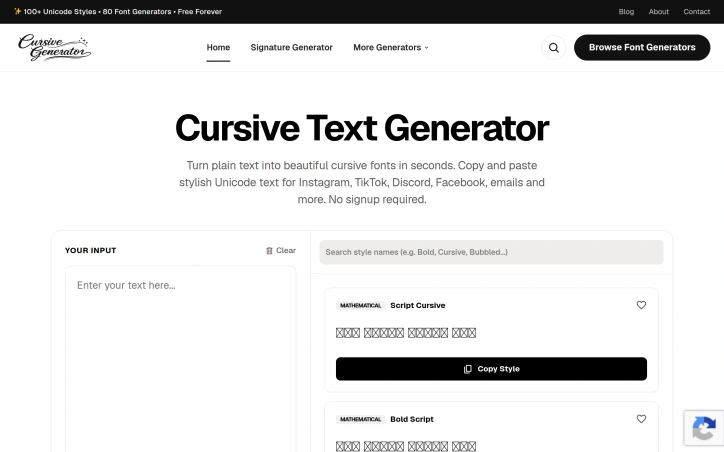
Social media creators and everyday users who want to elevate their posts with distinctive typography now have a straightforward solution. Cursive Generator addresses a genuine gap in digital tooling by providing instant access to dozens of stylized text options without requiring registration or payment. The platform generates Unicode-based text transformations across more than 60 distinct styles, ranging from elegant cursive variants to bold, bubble, gaming, glitch, mirror, and morse code renderings. Users input plain text, select a style from the library, and copy the output directly to Instagram, TikTok, Discord, Facebook, email, or other platforms. The interface supports up to 1000 characters per transformation and includes convenient features like saved favorites and a trending section showing community-preferred styles. What distinguishes Cursive Generator from comparable tools is its aggressive simplicity. No account creation, no ads disrupting the workflow, and no friction between intent and result. The text transforms instantly as users type. The breadth of style options is striking, covering everything from basic cursive and bold variants to niche categories like Braille, NATO phonetic alphabet, Roman numerals, and leetspeak. This range appeals to both users seeking subtle elegance and those hunting for novelty effects. The product's positioning reflects an understanding of actual user behavior. Social media platforms constrain formatting options, pushing users toward workarounds. Cursive Generator fills that constraint directly, delivering what countless social media users and content creators actively search for online. The low barrier to entry enables organic word-of-mouth adoption. The tool remains fundamentally narrow in scope. It transforms text but does not handle images, logos, or complex design work. The Unicode approach means rendering consistency across platforms varies slightly depending on device and client support, a limitation inherent to the technical approach rather than the implementation. For individuals tired of the typography restrictions built into their social platforms, the offering delivers immediate practical value. The tool executes its single purpose efficiently without unnecessary complexity.

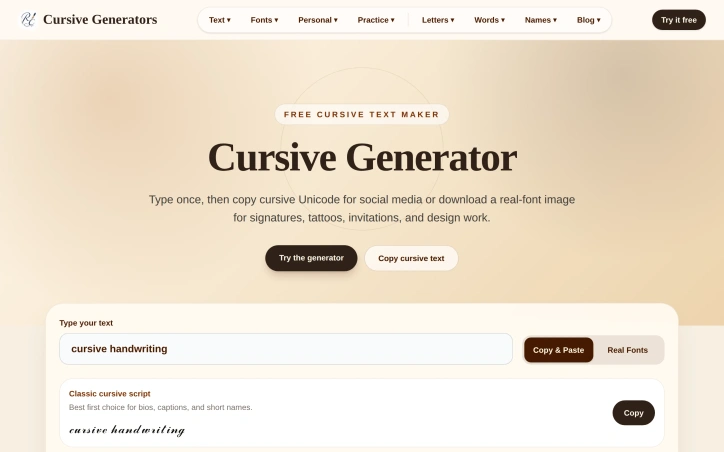
Designers, social media users, and anyone needing decorative text will find immediate value in this free cursive styling tool. It solves a specific but widespread problem: creating consistent, styled text when Unicode characters render inconsistently across devices and platforms. The core insight distinguishing this generator is its dual-mode approach. Users can quickly generate copy-paste Unicode variants for social media bios, Discord names, or TikTok captions where speed matters most. For applications requiring visual consistency, they can download PNG or SVG files that preserve typography across email, PDFs, tattoo references, or design tools. This acknowledgment that different use cases demand different solutions sets the tool apart from generators that force a single output type. The feature set reflects practical thinking. The preview grid displays 36 real cursive font styles spanning elegant, wedding, casual, notebook, and calligraphy variants, plus 35 additional Unicode styles for copy-paste scenarios. This breadth prevents the frustration of finding only a handful of options in competing generators. Users type once and instantly see results across all styles, eliminating the need to export multiple times or jump between editors to compare options. Accessibility removes friction at every step. The tool requires no account creation, payment, or email verification. The interface prioritizes simplicity with a single input field and stacked card layouts that work on mobile devices. Export options intelligently match use cases: SVG for scalable artwork, PNG for documents and quick sharing. The product demonstrates technical sophistication beneath its simple surface. By recognizing that Unicode and raster images solve different problems, the creator avoided the false choice many competitors present. Someone preparing a tattoo design needs pixel-perfect consistency, while someone crafting an Instagram bio needs quick copy-paste functionality. The tool serves both workflows equally well. Cursive Generator targets people who previously juggled multiple tools or tolerated mediocre results from limited options. Entirely free and requiring no signup, it respects user time by eliminating friction. The product succeeds by understanding that perfect is the enemy of useful, and useful is what users actually need.

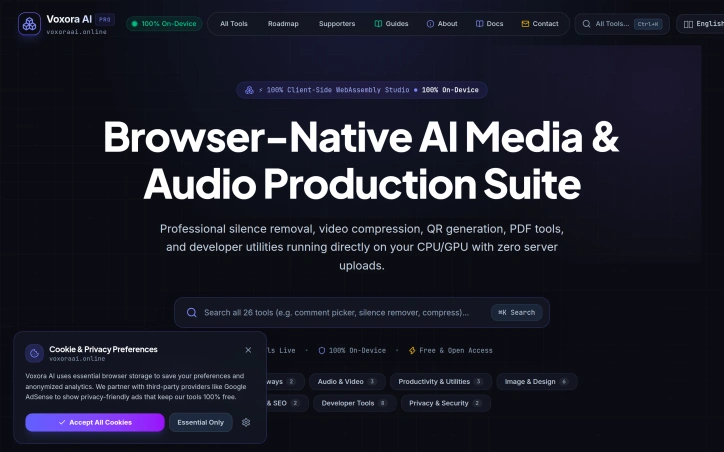
Privacy-conscious content creators have long faced an uncomfortable choice when using online media editing tools: upload their work to remote servers, risking data exposure, or settle for desktop software limited by their system's resources. Voxora AI eliminates that trade-off by bringing a comprehensive suite of 26 tools directly into the browser, with all processing happening on the user's device and zero data sent to servers. The core innovation is architectural. The entire platform runs on client-side WebAssembly, meaning compression, silence removal, format conversion, and other processing tasks execute directly on a user's CPU or GPU. This delivers practical benefits beyond privacy: creators can work offline once the tools load, avoid upload and download delays, and retain complete control over their media throughout editing. The feature set addresses routine media workflows comprehensively. Audio professionals get silence removal with visual waveform controls and batch export in multiple formats. Video and audio compression leverage FFmpeg via WebAssembly to reduce file sizes by up to 90 percent without quality degradation. The platform extracts audio from multiple video formats, converts PDFs to Word and EPUB documents, optimizes images, generates QR codes, and includes developer utilities. The breadth spans six categories and appeals to podcasters, video editors, and anyone handling media files regularly. What distinguishes Voxora from existing cloud-based editors is not novelty—tools like Kapwing and Clipchamp offer comparable features deployed to servers. Rather, the distinction lies in rejecting server-side processing entirely. This appeals to professionals bound by data protection regulations, creators uncomfortable with standard SaaS privacy policies, and anyone working with sensitive content who treats local processing as non-negotiable. The platform is entirely free with no apparent monetization mechanism. The founder's stated motivation—removing the privacy sacrifice inherent in online tooling—suggests this is positioned as a genuine alternative rather than a freemium funnel toward paid tiers. For budget-conscious creators who prioritize privacy and accept WebAssembly's performance ceiling, Voxora delivers real utility. The realistic limitation is performance compared to dedicated desktop applications or cloud services leveraging server-grade hardware. But for routine media editing, silence removal, and format conversion, the privacy guarantee and zero cost make a direct pitch to a specific audience: those for whom privacy is not a secondary concern but a primary requirement.

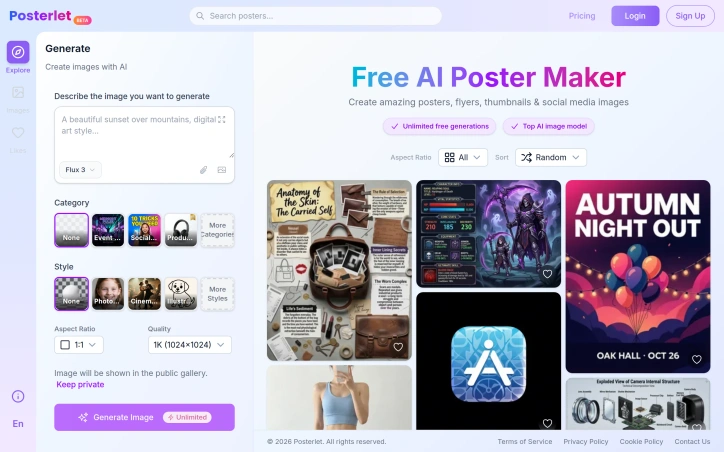
Designing marketing materials has traditionally required either hiring a professional or learning specialized tools. Posterlet addresses this friction by offering an AI-powered generation system that produces posters, flyers, thumbnails, and invitations directly from text descriptions. The target audience spans creators, small business owners, and marketers who need visual assets quickly without design expertise or budget constraints. The core appeal lies in its accessibility and zero friction entry point. Users describe what they want and select from a range of visual styles—photorealistic, cinematic, watercolor, flat vector, minimalist, and retro—before generating an image. The interface offers practical customization options including aspect ratio selection and quality settings, along with the ability to keep generations private or contribute them to a public gallery. All of this comes without any cost barrier, with unlimited free image generation available. What distinguishes Posterlet from other AI image generators is its focus on specific use cases. Rather than generic image generation, the tool provides templated categories like event flyers, social media content, and product thumbnails. This structure reduces the cognitive load for users who aren't trained in composition or design principles. The style selector transforms identical prompts across different aesthetic directions, giving users creative flexibility without requiring them to articulate complex visual parameters. The business model centers on free access with unlimited generation, banking on broad adoption and potential future monetization through premium features or API access. The public gallery option introduces a social element that could drive engagement and word-of-mouth discovery. The mention of using a top-tier AI model suggests competitive image quality, though actual output depends on how effectively users construct prompts and how well the underlying model handles the specific categories and styles offered. For anyone bootstrapping a project or managing marketing on a lean budget, the entry cost is an immediate advantage. The real measure of utility comes down to how production-ready the generated assets are out-of-the-box and whether users find the style and category options sufficiently diverse for their needs. The unlimited free tier removes all friction from trying the product.

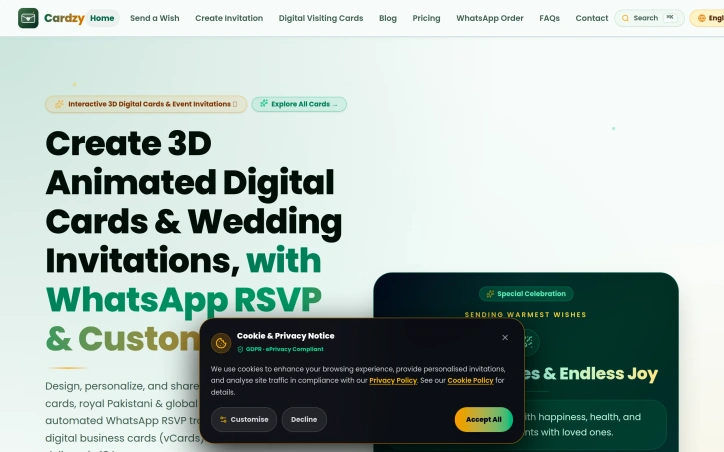
Digital greeting and invitation services have proliferated in recent years, but most treat personalization as an afterthought and rely on email or generic links as the primary delivery mechanism. Cardzy tackles a different market segment by anchoring its platform to WhatsApp and building culturally-aware templates that resonate with South Asian audiences and diaspora communities. The core problem Cardzy solves is straightforward: traditional printed cards carry shipping delays and environmental costs, while bland digital alternatives lack personality and local cultural relevance. The platform targets three overlapping user segments—anyone marking milestones like birthdays and anniversaries, couples planning weddings, and professionals seeking contactless business card alternatives. What distinguishes Cardzy from simpler card makers is its focus on interactive 3D animated designs paired with functional RSVP tracking. Users upload photos and select from over 34 celebration themes, many culturally specific to Pakistani, Middle Eastern, and Indian traditions. They synthesize background music in regional styles, write messages in 18 languages, and send invitations directly through WhatsApp, SMS, or QR code rather than forcing recipients to click external links. This creates a friction-free experience where guests confirm attendance with real-time RSVP updates flowing back to hosts. The feature set branches into three tiers. Wish cards for general greetings remain free indefinitely, removing friction for casual sharing. Event invitations unlock premium capabilities: Google Maps integration for venue details, countdown timers, customizable dress codes, and a host dashboard for tracking confirmations. Smart vCards extend the platform into corporate networking, letting professionals share digital business cards. Pricing follows a freemium model with the foundation entirely free. Users test the product with basic wish cards and multilingual support before upgrading to premium event invitations for a small fee, though specific pricing tiers remain unspecified in available materials. This removes barriers to trial while creating a clear upgrade path for events where RSVP tracking and rich customization justify spending. The execution reflects genuine market research. Supporting 18 languages and building templates around both global holidays and culturally-specific celebrations suggests the founders understand diaspora communities send cards across borders. Embedding WhatsApp rather than defaulting to email or web links shows localization thinking that transcends simple translation. Cardzy occupies an under-served niche: digital invitations optimized for South Asian celebrations, built on infrastructure those communities actually use, with pricing that starts free.
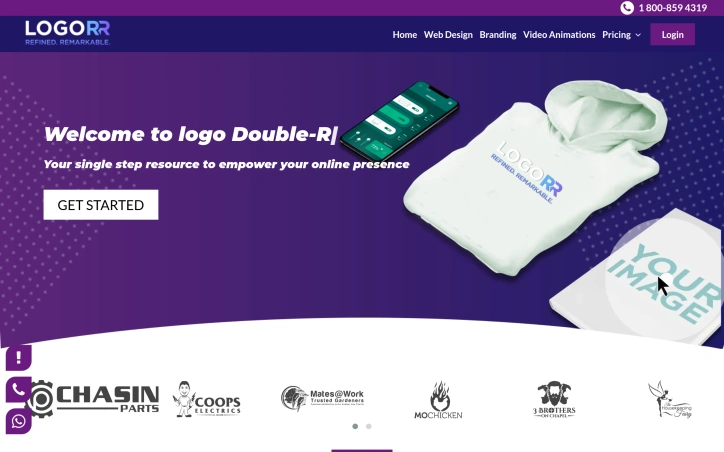
Affordability has long been the barrier keeping small businesses and startups from professional design work. Logo Double-R addresses this directly by offering custom logo design, website design, and video animation services starting at $49, positioning itself as an alternative to high-cost design agencies that price out emerging companies and solo entrepreneurs. The service targets business owners who need to establish a visual brand but operate under tight budget constraints. Rather than the multi-thousand-dollar engagements typical of traditional design firms, Logo Double-R collapses that cost barrier significantly. The founder's model centers on the premise that professional branding should not require substantial capital investment, a positioning that resonates with cost-conscious founders building from scratch. What sets the offering apart is the simplicity of the value proposition combined with a breadth of services. Most budget logo services stop at logos. Logo Double-R bundles website design and video animation into the same accessible price range, allowing customers to address multiple branding needs without piecing together vendors. The inclusion of a 100 percent satisfaction guarantee reduces perceived risk for first-time buyers uncertain about remote design services. This guarantee suggests confidence in deliverable quality and serves as a differentiator in a space where reputation matters. The company presents itself as a single-step resource for building online presence, acknowledging that most small businesses need more than a logo alone to compete digitally. The expanded service menu across design disciplines means customers can consolidate vendor relationships and reduce coordination overhead. A USA-based phone line (1-800-859-4319) provides direct contact capability, which is notable for budget service tiers that often default to email-only support. The pricing model appears constructed around volume and operational efficiency rather than boutique positioning. By standardizing packages and streamlining processes, the company achieves margins that allow aggressive pricing while maintaining profitability. This is a deliberate business choice that trades customization and hand-holding for accessibility. The primary limitation is that the scraped website content provides little insight into process quality, designer credentials, or typical turnaround times. The brand positioning emphasizes affordability and speed rather than award-winning design credentials, which is appropriate for the market segment but signals that clients should set expectations accordingly. This is a service built for businesses that need functional branding quickly and cheaply, not for those seeking design that becomes a competitive moat. For that precise audience, the offering delivers.

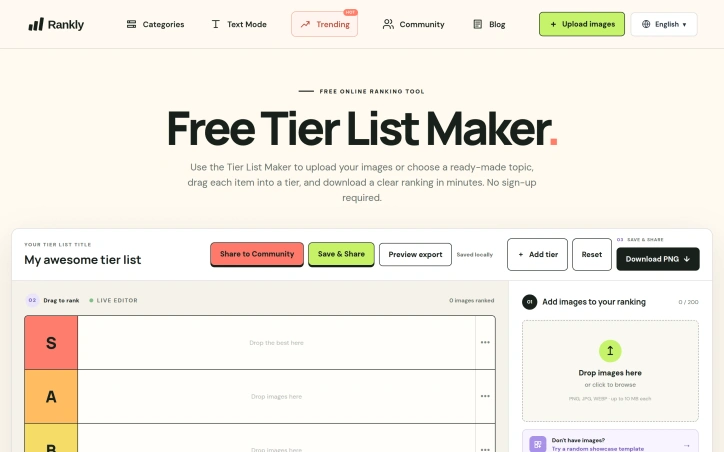
Ranking things is a universal pastime, yet the tools available for creating visually organized tier lists have historically been either cluttered with unnecessary features or hidden behind account requirements. Tier List Maker strips away the friction by delivering a straightforward, no-signup-required platform for turning ranked items into shareable images. The product targets a broad audience, from gaming enthusiasts comparing video game characters and weapons to film fans debating cinema quality to casual users ranking everyday items like fast food chains or fruits. The interface reflects a deliberate design philosophy: users can immediately start working by uploading images, selecting from a ready-made template, and dragging items into custom tier rows within a single session. What distinguishes Tier List Maker in a crowded category is its aggressive focus on simplicity. The platform accepts up to 200 images per ranking, with individual file size limits of 10 megabytes, supporting PNG, JPG, and WEBP formats. The drag-and-drop interface requires no learning curve. Most importantly, the export functionality is built in from the start—users can generate a clean PNG download of their complete ranking in minutes, making the tool genuinely fit for sharing on social media or communities. The template library demonstrates production value and market awareness. Rather than offering generic tier systems, Tier List Maker provides curated starting points across multiple niches: gaming templates for Pokémon, Genshin Impact, Honkai Star Rail, Marvel Rivals, League of Legends, and others, each pre-populated with relevant assets. Non-gaming verticals receive similar treatment, with templates for DC movies, fast food chains, and fruit nutrition comparisons. Several templates include quality-of-life features like role-based filters or searchability. The pricing structure is straightforward: the service is entirely free. No premium tier, no image upload limits requiring payment, no watermarks on exports. This approach positions Tier List Maker as a genuinely accessible community tool rather than a freemium product. The platform does carry functional constraints—templates consist of pre-populated assets rather than continuously updating, and customization depth stops at tier labels rather than extensive styling options. These boundaries reflect the core philosophy of doing one thing well. Tier List Maker succeeds because it acknowledges a genuine behavioral need, removes every obstacle between intent and completion, and delivers a polished output without asking for money or registration.

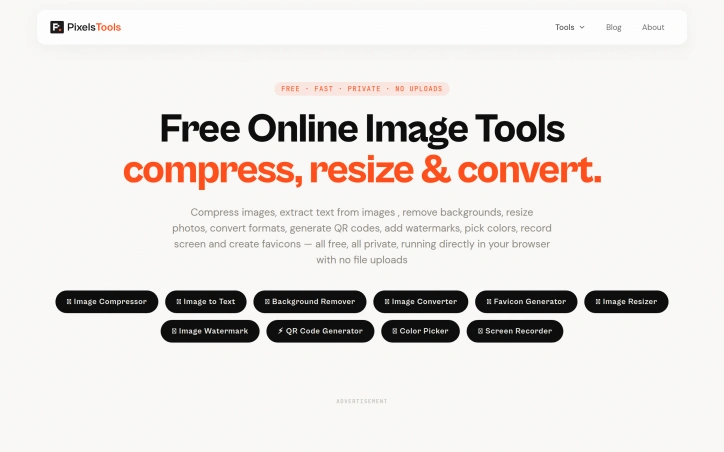
Anyone tired of uploading files to mysterious servers for simple image tasks now has an alternative. PixelTools addresses a straightforward but persistent problem: users need quick image and document processing without surrendering their files to third-party servers. The product targets anyone who handles images regularly but values privacy and speed—content creators, developers, designers, and professionals who want instant results without friction or data exposure. What distinguishes PixelTools is its execution of a privacy-first architecture. Every tool runs entirely in the browser using WebAssembly and browser APIs, eliminating the traditional server upload bottleneck. This approach delivers genuinely instant processing since computation happens locally on the user's device rather than queuing in a server pipeline. The developer behind the project built it explicitly to solve a personal frustration with existing workflows, bringing authentic motivation to the product. The current toolkit spans ten utilities: image compression, text extraction via OCR, AI-powered background removal, format conversion between PNG, JPG, and WebP, favicon generation, image resizing with preset templates, watermarking, QR code generation, a color picker for palette building, and screen recording with audio. This breadth addresses common image workflows without forcing users to juggle multiple tabs or services. The business model relies entirely on non-intrusive advertising, keeping all tools permanently free while avoiding accounts, subscriptions, or file limits. Users download or process their work without friction. This approach appeals to cost-conscious individuals and small teams who might otherwise piece together expensive software or resort to less legitimate alternatives. Technically, the product reflects solid frontend engineering. The developer brings five years of professional experience building React and Next.js applications, with demonstrated expertise in performance optimization and responsive design. That background shows in the product's interface and stability. The main limitation lies in feature scope. While the ten tools cover common tasks well, they remain fairly focused. Advanced image editing, batch operations across all tools, or custom processing pipelines remain absent. For users needing specialized functionality beyond these core utilities, more comprehensive solutions may prove necessary. PixelTools succeeds by doing one thing well: giving users fast, private image processing without requiring trust in unknown servers or payment. For that specific need, it delivers reliably.

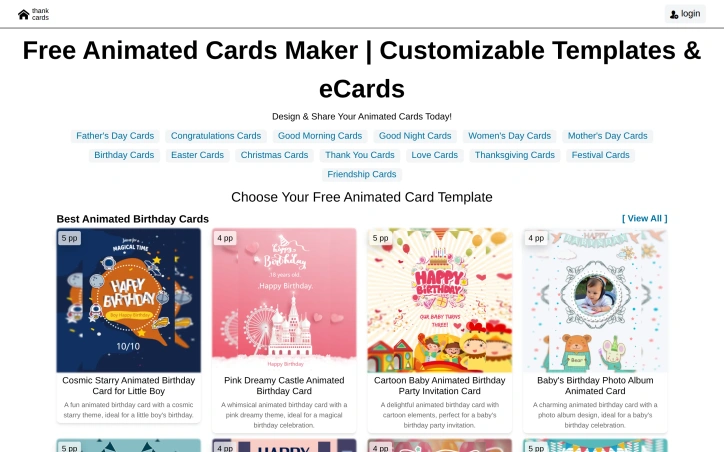
Animated greeting cards address a universal need: sending personalized, memorable messages for life's occasions. Thank Cards positions itself as an accessible solution for anyone who wants to create visually engaging cards without requiring design expertise or technical skills. The product's core offering centers on a library of pre-built animated templates spanning virtually every greeting card occasion. The template catalog ranges from birthday cards with playful themes like cosmic starry designs and cartoon elements to relationship-focused cards for anniversaries, weddings, and confessions. Seasonal options cover holidays from Christmas and Easter to Father's Day and Thanksgiving, with additional categories for friendship, gratitude, and festival celebrations. Each template includes customizable elements, allowing users to personalize their cards while maintaining polished visual results. What distinguishes Thank Cards in a crowded space is the animation layer. Rather than static designs, users create cards with built-in motion graphics, which adds visual interest and emotional resonance. This approach appeals to users seeking to stand out when delivering digital greetings, particularly valuable as physical cards decline and digital alternatives become the default. The barrier to entry is minimal. The platform eliminates design tool complexity that intimidates non-technical users. Instead of manipulating layers and learning design software, users select a template and customize predefined elements. Sharing is integrated directly into the workflow, removing another friction point. The template diversity reflects substantial content investment. The platform supports not just major holidays but granular occasions like monthly birthday greetings and specific relationship milestones. This breadth addresses users who find generic cards unsuitable for their exact situation. The platform operates as a free offering, with no explicit mention of pricing tiers or premium features. This model removes financial friction from trial and adoption, though the underlying monetization strategy remains undisclosed. For individuals and families seeking an alternative to purchased greeting cards, plus anyone wanting to send more personal digital messages without design effort, Thank Cards delivers clear value. The combination of animated templates, customization flexibility, and streamlined sharing addresses the practical need for accessible, modern greeting card alternatives.
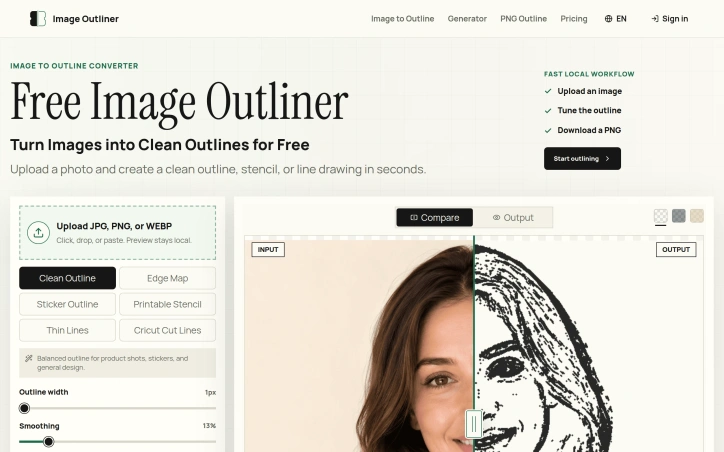
Converting images into clean, usable outlines is a task that has long plagued creatives, requiring either expensive design software or tedious manual tracing. Image Outliner addresses this issue head-on, providing a straightforward solution for individuals looking to transform their photos into crisp line drawings. The tool is designed with a specific user in mind: crafters, designers, and artists seeking to create outlines for various applications such as Cricut projects, stickers, tattoo stencils, or coloring pages. It delivers on its promise by offering a range of output styles tailored to different use cases, including clean outlines, printable stencils, and Cricut cut lines. What stands out about Image Outliner is its commitment to a fast and private workflow. The entire process, from uploading an image to downloading a PNG, occurs locally in the browser, ensuring that users' data remains private. The tool also provides a range of controls to customize the output, including stroke width, smoothing, and threshold, allowing users to fine-tune their outlines to suit their needs. Key features include the ability to upload various image formats, preview and adjust the outline in real-time, and download transparent PNGs. For users requiring a more polished result, an AI Enhance feature is available, although this comes at a cost, with one credit being used per enhancement. The product's focus on practical output is evident in its design, with features such as edge map previews and Cricut-ready outlines demonstrating a clear understanding of the needs of its target users. Overall, Image Outliner offers a valuable solution for creatives looking to simplify the process of creating clean, usable outlines from their images.

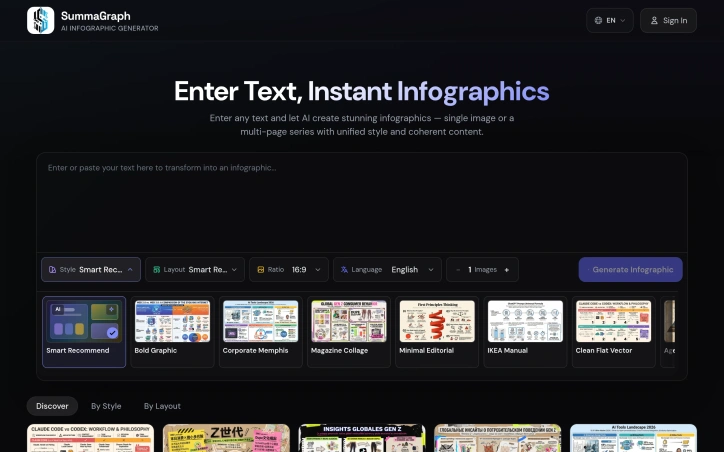
Transforming text into visually appealing infographics is a task that marketers, educators, creators, and students often struggle with, due to the need for design skills and software expertise. A new AI-powered solution addresses this challenge by enabling users to generate high-quality infographics from plain text in seconds. At its core, this product leverages artificial intelligence to read the content, understand its structure, and create a unique visual representation from scratch. This approach ensures that every output is tailored to the message being conveyed, rather than relying on recycled templates. The result is a polished and readable infographic, even when dealing with dense content. What stands out about this product is its ability to offer a high degree of customization, with 17 active visual styles and 20 layout systems that can be combined to produce 340 different combinations. The AI also provides Auto recommendations to simplify the process. Additionally, the product supports 9+ output languages, making it a versatile tool for a diverse user base. The process of creating an infographic is streamlined into three steps: pasting the text, choosing a style and layout, and publishing the visual. The product can handle various types of content, including articles, notes, and research summaries. For longer content, a Series Mode feature allows users to split it into 2-10 connected pages. Users can access the product with free starter credits, and for higher-volume usage, one-time credit packs are available in Lite and Pro options. Overall, this AI-powered infographic generator offers a powerful solution for users seeking to create professional-looking visuals without requiring extensive design experience.

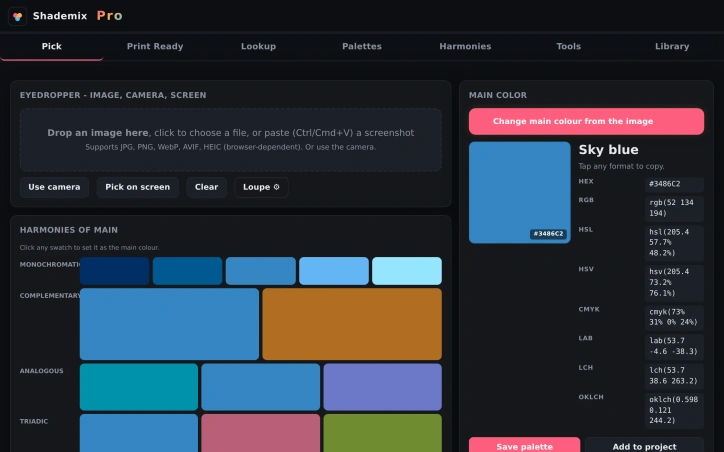
Color management is a complex task that designers face daily, particularly when working with multiple color systems such as Pantone, RAL, and NCS. Shademix addresses this challenge by providing a comprehensive, free online tool that simplifies color selection, conversion, and palette creation. The product is specifically designed for designers who need to ensure accurate color representation across different professional color libraries and require accessibility checking. What stands out about Shademix is its versatility and range of features. The tool allows users to pick colors from images, camera feeds, or screens, and supports a variety of file formats, including JPG, PNG, and WebP. The eyedropper feature offers sub-pixel precision, enabling designers to extract colors accurately. The dominant colors feature automatically generates a 25-color palette from an image, while the harmonies feature generates color schemes based on a chosen color. The product's capabilities extend beyond color picking and palette creation. It includes a range of analysis tools, such as a WCAG contrast checker, color blindness simulation, and CMYK gamut warning, which help designers ensure their color choices are accessible and suitable for different mediums. Additionally, Shademix allows users to export palettes in various formats, including CSS, SVG, and Adobe .ase, making it easy to integrate the tool into different design workflows. Notably, Shademix is available for free, with no explicit mention of a pricing model or tiered plans. The product is accessible on the web, mobile, Mac, and Vision Pro, making it a versatile solution for designers working across different platforms. Overall, Shademix is a valuable resource for designers seeking to streamline their color management processes and ensure color accuracy across different systems and mediums.

Getting a tattoo that truly represents one's personal story or emotional journey can be a daunting task, as individuals often struggle to translate their feelings into visual language. InkSoul tackles this problem head-on by harnessing the power of AI to generate unique tattoo designs inspired by users' memories and emotions. The platform is geared towards individuals seeking a meaningful and personalized tattoo experience. What sets InkSoul apart is its emotion-first AI approach, which doesn't just generate random images based on user prompts. Instead, it extracts the essence of the user's story and incorporates meaningful symbolism into every design. The three-stage conversational flow allows users to describe their memories or feelings, refine their design preferences through optional poetic questions, and then choose from high-definition design variants. Key features of the platform include its ability to generate three distinct concept directions in under five seconds, four signature styles rendered at 2048×2048 resolution, and a unique Soul Certificate that verifies the one-of-a-kind nature of each design. Users can also browse curated tattoo idea galleries with interactive mini-generators to spark their creativity. New users are offered two free credits to experience the full design quality before committing to a purchase. The platform explicitly states that designs are AI-generated for inspiration only and advises users to consult a licensed tattoo artist before getting inked. Overall, InkSoul offers a innovative solution for individuals seeking a personalized and meaningful tattoo experience, and its unique approach to AI-driven design generation makes it a compelling option for those looking to transform their emotions into art.
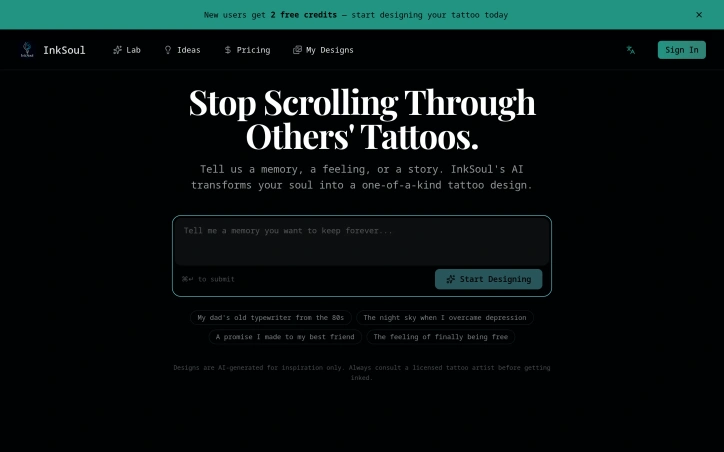
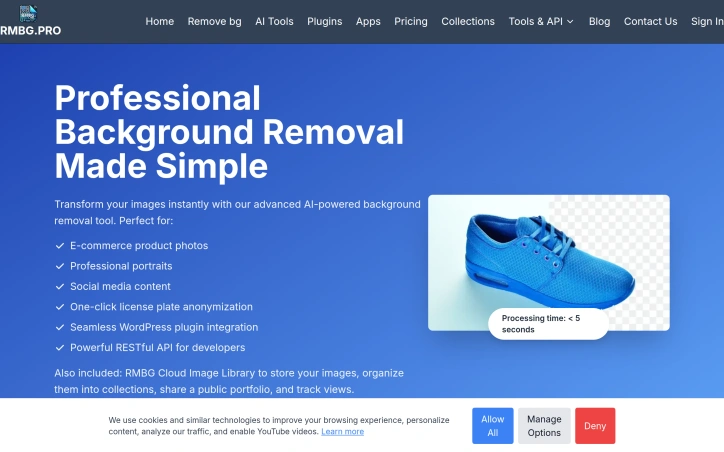
Image editing can be a tedious task, especially when it comes to removing backgrounds from photos. RMBG PRO's advanced AI-powered tool simplifies this process, making it an ideal solution for e-commerce businesses, professional photographers, and social media content creators. The platform's ability to automatically remove backgrounds from images in under five seconds is a significant time-saver, allowing users to focus on other aspects of their work. What stands out about RMBG PRO is its comprehensive suite of features that go beyond just background removal. The tool also allows users to remove watermarks and objects from images with precision, add custom background colors or images, and even upload logos or watermarks to brand their photos. The platform's batch processing capabilities and RESTful API integration make it an attractive option for businesses and developers looking to integrate background removal capabilities into their own applications. The RMBG Cloud Image Library is another notable feature, providing a centralized storage solution for processed images, allowing users to organize them into collections, share public portfolios, and track views. The seamless WordPress plugin integration is also a significant advantage for users with WordPress websites. Overall, RMBG PRO offers a robust set of features that cater to a wide range of image editing needs. Notably, the platform does not explicitly mention its pricing or business model, suggesting that users may need to explore the website further or contact the company directly to learn more about its costs and plans.
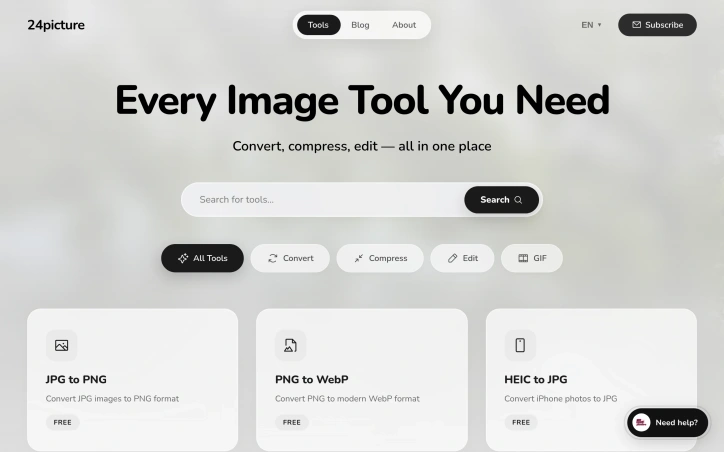
For creators seeking a comprehensive and streamlined solution for their image editing needs, 24Picture offers a robust platform that consolidates a wide range of image tools in one place. The problem of navigating multiple complicated and scattered image editing tools is a significant pain point that 24Picture aims to alleviate. By providing an all-encompassing suite of image tools, the platform caters to the diverse needs of creators worldwide. What stands out about 24Picture is its commitment to being fast, free, and powerful, making it an attractive solution for creators who require efficient and cost-effective image editing capabilities. The platform boasts over 20 professional image tools that enable users to convert, compress, and edit images with ease. The availability of AI-powered batch processing is a notable feature that enhances the platform's capabilities. Noteworthy features of 24Picture include its image conversion tools, which support a wide range of formats, including JPG, PNG, WebP, HEIC, SVG, AVIF, and TIFF. Additionally, the platform offers image compression, resizing, and cropping capabilities, as well as a full-featured image editor and a GIF maker. The presence of specialized tools like the SVG optimizer and Base64 converter further underscores the platform's versatility. The platform's blog is also a valuable resource, offering tips, tutorials, and industry insights on topics such as image compression, resizing best practices, and the benefits of using WebP. While 24Picture's pricing model is not explicitly stated, the platform is touted as being "free," suggesting that it may operate on an open-core or freemium model. Overall, 24Picture is a valuable resource for creators seeking a comprehensive and user-friendly image editing solution.
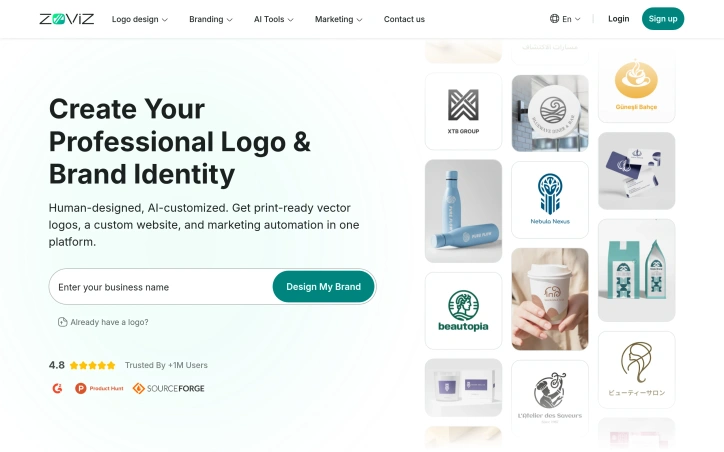
Entrepreneurs launching new brands face a sprawling toolbox problem: logo makers, design platforms, website builders, and marketing tools operate in silos, creating friction and brand inconsistency across channels. Zoviz consolidates this fragmented landscape into a single platform aimed at startups, small business owners, and teams that need to move quickly without hiring designers. The platform's core strength lies in its unified ecosystem where every asset automatically syncs with a centralized brand kit. Create a logo, and your colors, fonts, and design guidelines propagate through every downstream asset—social media graphics, business cards, websites, email signatures, and marketing materials. This eliminates the tedious manual rebranding work that plagues businesses juggling multiple tools. Feature-wise, Zoviz extends well beyond logo generation. The AI-powered logo maker draws from over one million curated icons and supports more than a hundred languages, including right-to-left scripts, making it practical for international founders. The platform also includes generators for social media video and image content, website building, posters, and what the company terms its "AI Marketing Studio"—tools for composing ad copy and campaign assets. A brand kit gets generated alongside the logo, packaging together fonts, colors, variations, and usage guidelines in a format teams or external designers can follow. The technical depth stands out: Zoviz offers a developer API for programmatic SVG logo generation, which the company claims as a unique capability. The platform has secured placement on Microsoft Azure Marketplace, signaling enterprise legitimacy. The company reports more than one million users across 190+ countries. Pricing operates on a pay-as-you-go credit model with starting points at $2, making it accessible for testing and suitable for the cash-constrained startup audience it targets. Zoviz's fundamental value proposition—consolidating branding, design, and marketing under one roof with unified brand controls—directly addresses a real workflow friction point. Whether the AI-generated assets reach the quality standards startups expect, and whether the builder interfaces deliver the promised simplicity, remains a question only hands-on testing can answer.

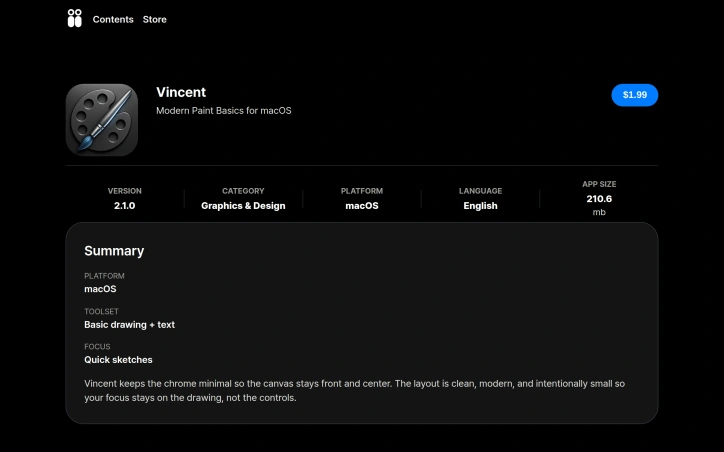
Minimalist design tools have carved out a niche for creators who value speed and clarity over feature sprawl, and Vincent carves out a distinctive position in this landscape. The macOS application is a deliberate throwback to the simplicity of MS Paint, reimagined for contemporary workflows. It targets designers, illustrators, and product teams who need to capture visual ideas quickly without the cognitive load of navigating complex menus or managing countless palettes. The core appeal rests on disciplined restraint. Rather than competing with Photoshop, Figma, or other comprehensive design suites, Vincent strips painting down to essentials: freehand drawing, fill buckets, erasing, and basic selection tools. The interface reflects this philosophy through a spacious, contemporary layout that keeps controls visible without encroaching on canvas real estate. Text tools that sit directly on the canvas allow quick annotations and labels without breaking sketching flow, and the addition of crop, rotate, and tonal adjustments in version 2.0 provides just enough image manipulation for rough asset cleanup. What distinguishes Vincent from other minimalist sketch tools is its deliberate embrace of the MS Paint metaphor. Rather than introducing novel interaction patterns, the application leans into a workflow most designers learned years ago, lowering the barrier to adoption. Someone familiar with basic paint programs can open Vincent and start working immediately. This matters when the goal is capturing ideas before they evaporate. The version history suggests thoughtful iteration. Version 2.0 sharpened the interface and expanded the toolset with text and lightweight edits, addressing the gap between quick sketching and minimal asset refinement. The current 2.1.0 represents continued polish rather than feature creep. At 210.6 megabytes, the application footprint remains lean. The business model relies on direct sales, with a GitHub repository suggesting openness to technical transparency and privacy policy documentation indicating basic compliance standards. For creators who find mainstream design tools bloated and distracting, Vincent offers a focused alternative that prioritizes intention over feature breadth. It is software that gets out of the way and trusts the canvas to be enough.