#privacy Startups & Tools
Discover the best privacy startups, tools, and products on SellWithBoost.

Facial analysis tools proliferate online, but BeautyGrader distinguishes itself through a privacy-first architecture and a practical focus on styling rather than judgment. The service measures facial symmetry and proportions using geometric metrics and golden ratio assessment, then translates those measurements into personalized aesthetic recommendations. Rather than simply assigning an attractiveness score, the tool guides users toward hairstyles and styling choices that harmonize their specific facial structure. The product's core technical differentiator is its local processing model. Users upload photos directly in their browser, and analysis happens entirely on their device rather than being sent to external servers for processing. This approach eliminates the privacy concerns that plague many online beauty assessment tools while delivering instant results without dependency on cloud infrastructure. The service stores up to 20 measurement records locally in the browser without long-term photo retention or account synchronization, maintaining a lightweight footprint and reducing data exposure. The measurement suite reflects the tool's scientific grounding. Users receive specific ratio analyses including eye spacing, facial thirds balance, and left-right symmetry assessment. These measurements become the foundation for styling recommendations rather than existing as isolated statistics. The transformation showcases reveal the tool's intended use case, focusing on practical styling adjustments rather than cosmetic procedures. Recommendations include layered cuts that rebalance facial proportions, eyewear selections that frame eye spacing, and volume placement that harmonizes vertical facial thirds. Each case includes specific metrics that justified the recommendation, grounding styling advice in measurable facial geometry rather than trend-following. BeautyGrader offers free access to its analysis and measurement tools within the browser, with no premium tiers currently mentioned. The product appeals to individuals seeking an alternative to subjective beauty standards, those researching their facial proportions for styling purposes, and users who prioritize data privacy. The emphasis on science-based metrics and practical styling guidance positions it distinctly from both cosmetic industry marketing and casual selfie-scoring apps.

Email privacy has become an afterthought at mainstream providers, which treat inboxes as data sources to be mined for advertising revenue. @fuck.it addresses this directly with a paid alternative, built on the principle that email should be a service users pay for, not a free product that turns them into the commodity. The service is aimed at professionals, creators and privacy-conscious individuals who reject the surveillance model of the major email providers. It offers an address that stands out, backed by real privacy. What sets @fuck.it apart is its uncompromising stance on privacy. The service runs on infrastructure in the EU, complies with GDPR, maintains ISO 27001 certification, and explicitly refuses to scan inboxes, track behaviour or sell data to advertisers. Encryption is built into every plan, with TLS and encryption at rest as standard. The APEX plan includes PGP end-to-end encryption, and CORE and EDGE users can add it as an option. The feature set is comprehensive. All plans include webmail, IMAP and POP support for external mail clients, mobile sync for mail and contacts, calendar and task management, and the ability to combine multiple email accounts into one inbox. Higher plans add file storage and online office tools. Every user also gets a free link-in-bio page at fuck.it/@username, which turns the email account into a personal home on the web. The brand name itself signals an irreverent rejection of mainstream email norms. For anyone frustrated with data harvesting and tracking, @fuck.it offers a clear deal: pay directly for your email, and your data stays yours.

Protecting confidential documents from accidental disclosure has become a critical challenge for organizations of all sizes. DocRedactNow addresses this by offering a desktop application designed to remove sensitive information from files before they leave a user's computer. The core problem the tool targets is straightforward: documents often contain hidden metadata and unnoticed personal data that organizations fail to redact before sharing. Cloud-based alternatives create additional friction by requiring uploads of confidential material to external servers, introducing trust and compliance concerns that many businesses cannot tolerate. DocRedactNow eliminates this trade-off by processing documents entirely offline, ensuring files never leave the user's machine. What distinguishes this product is its practical focus on ease of use combined with local processing. The tool supports six common formats including text files, spreadsheets, presentations, and PDFs, addressing the document types most organizations actually work with. Users can process hundreds of files in a single batch operation, making it suitable for teams managing large volumes of documents. Detection includes 34 built-in patterns covering common sensitive data categories like email addresses, phone numbers, credit card numbers, social security numbers, API keys, and IP addresses. The feature set accommodates both standardized and custom use cases. Pre-built redaction policies cover common compliance frameworks such as GDPR requirements, financial data handling, contract management, and resume preparation. For specialized needs, users can define custom patterns using regular expressions. The application logs all redactions and exports compliance reports, which is valuable for organizations with regulatory requirements to demonstrate data handling practices. The licensing model reflects the offline nature of the product. A perpetual license costs $19.99 as a one-time payment, providing lifetime updates. Annual licensing is available at $9.99 per year for users preferring subscription-based costs. A 14-day trial with full functionality removes purchase risk, and a 30-day refund policy provides additional assurance. DocRedactNow fills a specific niche for organizations prioritizing data protection during document handling while avoiding cloud dependencies. The combination of batch processing, policy-driven redaction, comprehensive logging, and perpetual offline operation makes it a practical choice for teams managing sensitive documents on Windows systems.
Converting and editing EPUB files typically requires uploading to cloud services or installing desktop software, forcing users to choose between convenience and privacy. IloveEPUB eliminates that tradeoff by running entirely in the browser, keeping files on the user's device throughout every operation. The service targets authors, editors, publishers, and readers who work with digital books. Anyone who needs to convert EPUBs to other formats, compress oversized files, repair broken ones, or edit metadata and covers fits the audience. The core appeal is straightforward: complete EPUB toolkit functionality without uploading anything to a server. The feature set is comprehensive. Users can convert EPUBs to PDF, Markdown, plain text, HTML, Word documents, and Kobo's KEpub format. Reverse conversions work too, letting users transform PDFs and text files into properly structured EPUBs. The merge tool combines multiple books into one with a unified table of contents, while the split function divides EPUBs into separate volumes by chapter. A compression tool re-encodes images to reduce file size, and an image stripping option makes books suitable for e-ink readers. Beyond conversions, the platform includes an EPUB reader, word counter, text-to-speech player, metadata editor, cover image replacer, and tools for rebuilding tables of contents and fixing corrupted files. What distinguishes iLoveEPUB from competitors is the privacy-first architecture combined with genuine offline capability. Once a tool page loads, users can work without internet. There are no account requirements, credit systems, or usage queues. The service is entirely free. The browser-based approach creates constraints. Processing power is limited by the client's device, and very large files might be slow to handle. However, for typical use cases such as converting a novel or editing a book's metadata, the speed difference from server-side processing is negligible. The founder positions this as a rejection of the upload-first model that dominates the EPUB tools space. Whether users prioritize privacy or simply prefer not to register for yet another online service, iLoveEPUB's no-upload promise addresses a real friction point in ebook workflows. The combination of breadth, depth, and accessibility makes it a notably capable free offering in a market dominated by subscription services and walled gardens.

Accidental data exposure through screenshots has become a genuine security concern as teams increasingly share images with AI assistants and support teams. Cloakshot addresses this gap by providing on-device redaction specifically designed to catch what people often miss when manually blurring sensitive information. The app scans screenshots to identify potentially problematic content including API keys, passwords, phone numbers, email addresses, faces, QR codes, and photo metadata like GPS coordinates and EXIF information. Rather than redacting automatically, it flags candidates and lets users decide what actually needs hiding, preserving context that might be valuable for troubleshooting or communication. The redaction happens locally on the device, with no image uploads required and no account creation necessary. What sets Cloakshot apart is its verification workflow. After users apply masks and choose which metadata to remove, the app scans the redacted copy again to catch anything missed in the first pass. This second look acknowledges an uncomfortable truth: single-pass redaction tools are fallible, and users need help spotting remaining high-risk details. The final image is saved as a separate PNG file with masks baked in rather than stored as editable layers, which prevents accidental unmasking. The editing experience allows fine-grained control. Users can select individual characters rather than whole words, move or resize masks to adjust coverage, and switch between blur and solid black effects. This granularity matters when hiding an API key but keeping surrounding error messages readable, or covering one person's name in a group photo while leaving others visible. The pricing model reflects the app's positioning as a utility rather than a platform. Scanning and mask editing are free, which lowers the friction for trying the product. Export requires either a fourteen-day free trial with no credit card or a one-time purchase for Cloakshot Pro Lifetime. This approach avoids recurring subscription costs and eliminates the common frustration of free-tier apps with expiring trials or automatic renewals. The fact that no account is required removes another friction point for privacy-conscious users. The straightforward positioning targets both individuals and teams who regularly handle screenshots containing sensitive information. Support staff, security researchers, security engineers, and knowledge workers who document processes with screenshots would all find value. For a market segment where many people still manually blur sensitive data or avoid sharing screenshots entirely, an app that does local scanning, invites human judgment, and prices as a one-time purchase represents a practical improvement to an existing workflow.

API key management is a chronic pain point for software teams. Developers routinely generate credentials they never see again, then scatter them across environment files, messaging apps, and scattered notes. Recovery is tedious; tracking where keys are deployed is often impossible; offboarding team members leaves residual access questions unanswered. Otter Vault addresses this problem with a Chrome extension that automatically intercepts API keys at the moment they appear on provider consoles. The personal vault runs entirely on the user's device. When a key appears, Otter offers to capture it with a single click, encrypting it locally using AES-256-GCM with PBKDF2 key derivation across 600,000 rounds. The passphrase never leaves the device, making recovery by the vendor impossible even if they wanted to provide it. The extension fills keys only on the exact origin they were saved from, rejecting lookalike domains outright. No account creation is required; the entire feature set is free. What distinguishes Otter from similar offerings is its specificity about security mechanics and its testing rigor. The founder details the exact encryption parameters, the clickjacking protection, and the exact-origin matching rule that prevents phishing. The product is backed by 137 unit tests, seeded fuzzing, cryptographic verification checks, and weekly testing across 12 real provider consoles. The code is public for anyone to audit, removing the need to trust claims. For teams, Otter offers a second tier called Teams. It introduces a key map that tracks where every shared credential is deployed—which Vercel variable, which GitHub Actions secret, which .env file. When someone leaves the team, Otter re-encrypts all shared keys and generates a checklist of exactly what that person could access and where it lives. Activity logs of all key operations are signed and cannot be tampered with server-side. The trial period is 21 days free for up to 10 developers; the regular price is 29 dollars per month, though an early-bird rate of 20 dollars per month applies through November 13. The personal vault solves an immediate problem with minimal friction. The team offering adds organizational visibility that most startups lack. For developers who have experienced losing or misplacing credentials, the appeal is straightforward.
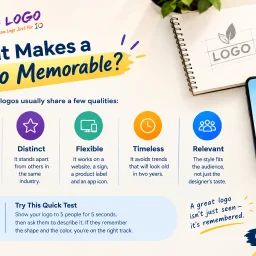
Branding delays plague early-stage companies. Founders often postpone logo design or resort to generic free tools just to populate their website, unknowingly undermining their professional credibility. 10alogo targets this exact friction point: startups and growing businesses that need a polished brand identity without enterprise-level budgets. The service's philosophy runs counter to the common misconception that affordable design means inferior work. The website content frames cost as a function of operational overhead rather than designer skill, a distinction that makes the offering credible for budget-conscious founders. The company positions affordability as accessible professionalism, not a compromise on quality. What distinguishes this approach is the emphasis on research before design. Rather than jumping straight to visual output, the process begins with understanding the business, its audience, and the emotional response the brand should trigger. This foundation-first methodology surfaces repeatedly in the company's messaging: color choices, simplicity, and strategic thinking drive the final result, not decorative complexity. The claim that weak logos fail not from poor execution but from lack of strategic grounding reflects a coherent worldview about design's purpose. The company frames logo design as foundational infrastructure. A coherent brand identity compounds across touchpoints: websites, packaging, social media, email signatures, and invoices all reinforce recognition and trust. This systems thinking appeals to founders concerned with cohesion across their growing operations. 10alogo offers a broader suite beyond logo design, including website design, viral video production, and mobile app development, positioning itself as a more comprehensive branding partner than its name suggests. This expansion potential could matter for founders building out their full digital presence. The mention of a portfolio, live chat, and toll-free support indicates a staffed operation rather than an automated tool, a distinction worth noting for customers who value human consultation. The most significant gap is transparency around pricing and turnaround timelines. The website emphasizes affordability conceptually but never states actual costs or delivery expectations. For early-stage founders evaluating service options against specific budget constraints, this vagueness introduces friction into the decision-making process. Specificity here would strengthen the value proposition considerably. For startups that recognize their logo as a lever for brand legitimacy but lack five-figure design budgets, 10alogo addresses a real need: professional logos grounded in strategy rather than either free-tool shortcuts or luxury agency pricing.

For people managing their own injection routines, the math and logistics can quickly become error-prone. Converting a vial's concentration and the volume of diluent added into syringe units, tracking which injection site was used most recently, and maintaining a coherent record across notes apps and spreadsheets creates friction that compounds with every dose. Vialmetry addresses this by consolidating the entire workflow into a single logbook designed specifically for this purpose. The app keeps track of vials you prepare—recording the strength, water added, mix date, and remaining volume—and calculates the amount of solution needed based on your target dose. Rather than hiding these calculations, Vialmetry displays the arithmetic behind every number, letting users verify the working themselves. This transparency is uncommon in health-tracking software and signals a product built for people who want to understand, not just execute. The feature set reflects this precision-focused ethos. A body map overlays thirty injection sites across front and back views, automatically rotating based on a user-defined rest period, removing the guesswork from site selection. The app supports custom schedules with reminders that can remain silent on the lock screen, and it logs every injection with its corresponding site, dose, and cost. Historical entries can be corrected or deleted, with the vial count adjusting accordingly. For clinical coordination, users can print summaries or export to CSV. The privacy model is notably strict: no account creation required, no ads, no tracking, and full offline operation. An optional cloud backup exists but only syncs when the user initiates it, and Face ID or fingerprint locks provide device-level security. This design avoids the creep of data collection common in health apps. Vialmetry explicitly disclaims being a medical device and states it never suggests doses, compounds, or schedules—functions reserved for clinicians. The formulas and methodology are published publicly, underscoring the approach. The app is free across iOS and Android, removing cost as a barrier to adoption. The product targets a specific, self-aware audience: people already managing their own regimen who need better tools for the arithmetic and record-keeping, not people seeking medical guidance.

Implementing payroll and HR systems in India presents unique challenges around statutory compliance, regulatory changes, and localized workflows. NeevHR addresses this complexity by building a purpose-built platform for Indian companies that centralizes employee management, payroll processing, and statutory compliance in a single system designed from the ground up for Indian business requirements. The platform manages the complete employee lifecycle from recruitment through exit, connecting hiring, onboarding, attendance tracking, shift rostering, leave management, payroll processing, performance reviews, expense management, and final settlement. What distinguishes NeevHR from generic HR platforms is its India-specific foundation. Rather than treating compliance as an afterthought, statutory requirements like Employee Provident Fund contributions, ESI deductions, professional tax, TDS, LWF calculations, and gratuity provisions are embedded into the core workflows. The system also accounts for regulations specific to Indian employment like POSH compliance and the DPDP Act 2023. A defining feature is the effective-dated employee record that maintains historical accuracy across organizational changes. This single record flows through all HR functions, eliminating data silos. HR administrators can configure leave rules, attendance policies, payroll structures, and appraisal processes through the platform's interface without requiring code or external consulting, which reduces implementation timelines to four to eight weeks compared to six to twelve months for traditional deployments. The platform includes a mobile application that extends self-service capabilities to employees for accessing payslips, submitting leave requests, tracking attendance, and approving workflows. Data residency within India addresses data sovereignty concerns for companies managing sensitive employee information. The dashboard provides visibility into key workforce metrics including headcount trends, attrition by department, recruitment pipeline status, and payroll status. The platform targets growing Indian businesses that operate at sufficient scale to justify dedicated HR infrastructure but seek simpler deployment and configuration than enterprise-grade competitors. The depth of statutory compliance coverage and no-code configurability for HR teams positions NeevHR as a practical alternative to either manual spreadsheet processes or lengthy enterprise implementations. Free HR calculation tools available through the platform provide additional value for businesses evaluating HR and payroll decisions.

Building a personal professional brand at the highest levels of consulting and advisory work requires more than expertise—it demands complete control over how client interactions are conducted and stored. Talks4You Exclusive addresses a real tension in the market: elite professionals need secure digital infrastructure for client engagement, yet mainstream platforms like Zoom, Google Calendar, and email systems monetize user data through profiling and analytics, creating hidden risks for client confidentiality. The product serves high-end consultants, advisors, and premium service providers who handle sensitive client information and cannot afford reputational damage from data exposure. Rather than licensing another company's communication tools, Talks4You Exclusive positions itself as privately owned digital infrastructure that keeps both professional and client data entirely within a closed ecosystem. What distinguishes this offering is its framing around data sovereignty. The platform promises zero data logging, no algorithmic profiling of clients, and no metadata harvesting for marketing purposes. Clients enter through a customized domain using the provider's branded identity, not a generic platform interface. Communication happens on the provider's digital property rather than as a guest on someone else's infrastructure. For professionals building premium practices, this distinction matters—it signals control and discretion. The platform automates significant administrative burden through features like global booking, time zone handling, and instant payment processing directly to the provider. A newly launched AI notes feature generates structured summaries from consultations without storing conversation transcripts, allowing providers to maintain records while preserving session privacy. The financial model reflects the premium positioning: there is no free tier or freemium model mentioned. Instead, Talks4You Exclusive operates on a custom pricing basis with quote-based sales, placing it clearly in enterprise or high-value professional territory. Revenue from client payments flows directly to the provider without middleman platforms or withdrawal delays—an important detail for professionals managing high-value transactions where payment trust is foundational. For exclusive practitioners uncomfortable with their client relationships existing on corporate servers, this product offers a direct alternative. The core promise—transforming digital communication from a rented platform into owned infrastructure—appeals to a specific market segment prioritizing privacy and autonomy over network effects and low cost.

Converting files across formats remains one of those recurring digital friction points that fragments user workflows. Docultra tackles this by consolidating image, PDF, audio, and video conversion tools into a single browser-based workspace, eliminating the need for users to hunt across multiple specialized websites. The product targets creators, professionals, and students—anyone handling file conversions as part of their regular work but frustrated by the ecosystem's typical obstacles: invasive paywalls, pop-up advertising, privacy concerns, and misleading download buttons. The platform's architecture centers on privacy and speed. Most conversions execute client-side, meaning files never touch a remote server. For operations requiring backend processing (specifically audio work), Docultra implements automatic deletion the moment the conversion completes. This approach sidesteps the common trap of utility-tool websites that monetize user data or create artificial conversion limits. The service accepts files up to 5 gigabytes and supports uploads via drag-and-drop, direct links, or integration with Dropbox and Google Drive. Feature coverage is broad. The image converter handles conversions between eight formats including SVG and AVIF, with batch processing and PDF collation built in. The PDF tools go beyond simple format conversion to offer merging, compression, digital signatures, and redaction capabilities, plus optical character recognition for image-to-text extraction. Audio conversion spans seven formats with the ability to extract soundtracks from video, normalize levels, and compress files. Video conversion covers the major codecs, and a file translation feature rounds out the toolkit. Across these tools, Docultra promises over twenty supported formats. The business model is deliberately uncomplicated. Every feature is free. No subscription tiers, no account creation, no watermark overlays, no daily quotas, and no premium upsells. The platform works in any modern web browser, requiring no installation or updates. This stripped-down approach reflects a philosophy that utility software should provide value without friction—a direct response to the bloated landscape of file-conversion websites that have prioritized monetization over user experience.

Android drivers who rely on dash cams for safety are typically getting a rear-view mirror with recording capabilities—a tool that documents what already happened rather than preventing what might. DriveSight inverts this dynamic by prioritizing forward-looking intelligence: live alerts about police presence, surveillance aircraft, automated cameras, and severe weather hazards positioned directly on a real-time map. The core insight is straightforward but consequential. Community-driven police reports appear instantly as they're submitted by other users, creating a crowdsourced intelligence network that no traditional windshield camera can replicate. The same map layer includes proximity warnings for speed cameras, red-light enforcement systems, and Flock Safety automatic license plate readers, called out by street name and distance before drivers enter their range. An ADS-B feed integration surfaces police helicopters and surveillance aircraft overhead—perhaps the most distinctive capability in the category, giving drivers awareness of airborne law enforcement. Beyond law enforcement, the app layers in severe weather alerts sourced from official weather services, triggered when a driver's GPS falls within warning zones for tornadoes, severe thunderstorms, or flash floods. A parking mode with motion detection and optional cloud recording adds around-the-clock security when the vehicle is unattended. The inclusion of on-device AI detection and browser-based remote viewing suggests dual-use intent: simultaneous dash cam recording and parked-vehicle surveillance without requiring expensive hardware. The privacy posture merits emphasis. The app explicitly states nothing uploads automatically and user data remains local to the device. This framing positions it against competitors that might monetize telemetry or driving patterns. The free installation model with an indicated subscription option removes purchase friction, though pricing details remain absent from the public-facing materials. Adoption metrics show 3,000 Google Play installs, a modest footprint suggesting the product remains early-stage or narrowly positioned. The 336,000 mapped cameras represent genuine scale in the underlying database, though the utility of that database depends on community participation to remain current and accurate. The product targets a specific user archetype: drivers for whom risk awareness and legal navigation matter sufficiently to justify device real estate and attention. Ride-share operators, delivery drivers, and commercial fleet drivers would find natural fit. The feature set reflects genuine product thinking around dash cam limitations rather than feature bundling—each capability addresses something a stationary forward-facing camera genuinely cannot accomplish.

Online utilities have long been plagued by a trust problem. Users seeking a quick file conversion or data formatting tool are often funneled through ad gauntlets, pressured to create accounts, or asked to upload sensitive files to servers of uncertain security. Tabreon takes a different approach, offering a collection of 56 free, browser-based tools designed for developers, creators, and everyday digital work. The platform's core differentiator is transparency around data privacy. The majority of Tabreon's tools process information directly in the user's browser, leaving files and text untouched on the device. For the small handful of tools that do require server processing—image format conversions and animated GIF handling—the tool pages explicitly disclose this requirement rather than pretending everything runs locally. Users can independently verify local processing by inspecting network traffic through browser developer tools, a verification method Tabreon explicitly encourages. Across six tool categories, Tabreon addresses common digital work tasks: text manipulation, developer utilities, QR code generation, image resizing and compression, PDF operations, and general utilities. The developer category alone spans 22 tools, including JSON formatters, UUID generators, hash calculators, Base64 tools, and JWT utilities. This breadth serves multiple user groups simultaneously without forcing unnecessary complexity on users who need only one or two specific tools. The platform's business model reflects its builder's philosophy. Core tools remain permanently free, with no account creation barrier. The site's advertising is visibly separated from content rather than intrusively placed, and the lack of heavy server infrastructure for client-side processing keeps hosting costs manageable enough to sustain a free offering. Built as a solo project using Next.js and Cloudflare Workers, Tabreon demonstrates that useful software does not require venture capital, user tracking, or aggressive monetization. For users fatigued by the exploitative practices common in the free online tools space, this collection of straightforward utilities represents a refreshing alternative. The platform's commitment to honest disclosure about what data leaves the device and what remains local sets a standard worth considering in an industry often defined by opacity.

Preparation for video work deserves better tools than guessing. Simple Camera App addresses a genuine gap by providing a controlled environment to test camera functionality and capabilities before relying on it for a call, presentation, class, recording, or stream. The application works across macOS, Windows, and Linux, discovering all connected cameras regardless of their origin—built-in displays, external USB devices, and iPhones through Continuity. More significantly, it displays every resolution and frame-rate combination each camera reports, bypassing the simplified mode selections that browsers and operating systems typically present. This transparency matters for anyone whose video quality or reliability directly affects their work. What separates Simple Camera App from improvised camera testing is its technical foundation and core assumptions. It uses native camera APIs on each platform rather than generic abstractions, enabling it to surface comprehensive camera capabilities that cross-platform tools cannot access. Video feeds remain entirely local with no recording, uploading, or mandatory accounts—addressing legitimate privacy concerns that arise when third-party services capture webcam input. When problems occur, the app diagnoses failures and suggests recovery steps rather than offering vague error messages. The free version supports single-camera testing in default mode, adequate for quick verification before casual calls. A one-time Pro upgrade adds simultaneous multi-camera windows and access to specific resolution and frame-rate options, serving creators and professionals who must validate complete technical configurations before streaming or recording. An understated but practical feature allows each open camera to briefly display a large number, enabling users to match specific live feeds back to the device list without confusion—solving real friction in camera setup workflows. Simple Camera App occupies a specific niche but executes it thoroughly. Remote workers, content creators, educators, and anyone whose video reliability directly matters will find genuine utility in its focused toolset. The cross-platform availability and one-time purchase model lower friction compared to subscription alternatives, making verification accessible without recurring fees or account overhead.

Squoku helps people finish and keep printed Sudoku puzzles without typing every clue by hand. It runs on iPhone, iPad and native Apple-silicon Mac. Scan a puzzle or import a photo, review the recognized grid, then ask for a free scanner Hint or a verified complete solution. Mac also supports opening, pasting and dragging in images. A scanner Hint shows a verified digit without spending a complete-solution allowance. Two unique confirmed solutions are included. Optional single-puzzle purchases unlock a complete solution; a one-time Pro purchase unlocks unlimited solutions and in-app play on the captured photograph or a clean grid, with local progress and notes. Recognition, solving and History stay on the device. No account, puzzle upload or subscription is required.

TitleHero is a native iPhone and iPad photo editor for cinematic character cards and short photo-derived animations. Select a photo, choose a look, edit the title and export JPEG or PNG. All 44 effects and four accessories are free and can be combined. The app also includes 37 photo-animation presets. Their authored five-second silent MP4 exports are free with a watermark. Lifetime Pro is an optional one-time purchase for detailed effect and Fisheye Room settings, every animation adjustment and watermark removal. There is no subscription. Source photos are processed on the device. No account or photo upload is required. Input is a photo; source video and audio import are not supported.
Research on emerging companies and ventures has historically required piecing together information from scattered sources—financial databases, news articles, LinkedIn, and company websites. StartupWiki consolidates this fragmented landscape into a single research directory designed for investors, competitive analysts, job seekers, and anyone needing comprehensive intelligence on deep-tech startups. The platform serves a clear market need: the difficulty of evaluating startups across emerging sectors like AI, Biotech, CleanTech, FinTech, Cybersecurity, and Quantum Computing. Rather than manually aggregating data from multiple sources, users access centralized profiles that combine multiple dimensions of startup information. This approach acknowledges that startup evaluation requires understanding both quantitative performance and qualitative context—who is founding the company, what similar competitors are raising, and how a venture positions itself in its market. What distinguishes StartupWiki is its multifaceted data integration. Beyond listing basic company information, the directory incorporates funding histories, financial metrics, competitive positioning, and team composition into single profiles. This combines practical research requirements that would otherwise demand manual data gathering across disparate platforms. The community-driven model is worth noting. Rather than relying solely on editorial teams to maintain coverage, the platform invites user contributions and validation. This structure enables faster scaling across startups and sectors compared to traditional databases, though the implications for data quality and verification aren't clarified in the available materials. The directory supports multiple browsing patterns. Users can explore by sector categories, browse a complete alphabetical listing, or engage with narrative analysis through an associated blog focused on startup insights and deep dives. This structure positions StartupWiki not merely as a reference tool but as an analysis platform, offering interpretive content alongside structured data. The platform's categorization across seven major sectors—including AI and Machine Learning, Quantum Computing, and others—reflects the current innovation landscape and investor interest in deep-tech ventures. The inclusion of financial metrics and competitive analysis signals that the product targets sophisticated users conducting formal due diligence rather than casual market browsing. For investors, corporate development teams, and market researchers, the platform addresses a genuine operational challenge in startup research. The combination of structured company data, competitive context, and team information creates a foundation for investment decisions and market positioning that would otherwise require considerable manual research effort across multiple databases and news sources. This consolidation has clear value for professionals who evaluate startups as part of their core work.

For SEO professionals tired of fragmented workflows and data exposure, this offline analysis platform offers a compelling alternative to the cloud-first tools that dominate the market. The software tackles a real pain point: the need to consolidate insights from Google Analytics, Google Search Console, and Screaming Frog SEO Spider without surrendering data to third-party servers. The core differentiation lies in its commitment to local processing. Rather than uploading client data or proprietary website intelligence to external systems, the platform runs entirely on the user's own computer using Microsoft Excel as its analysis engine. This appeals directly to agencies and consultants managing sensitive client information, as well as individual practitioners concerned about data control and privacy. No cloud infrastructure, no subscription tracking, no ongoing account management needed. The platform delivers structured automation through ten built-in deep-dive analyses that surface specific, actionable problems: pages receiving traffic but generating no revenue, rankings without clicks, missing landing pages, thin content that still indexes, and other blind spots that typically require manual investigation across fragmented tools. The interface prioritizes speed and clarity, diagnosing issues in under a minute without requiring users to build custom dashboards or configure complex workflows. What sets this apart from competitors is both its positioning and its limitations. The offline-first approach appeals to a genuine subset of the market skeptical of cloud dependencies, but it also constrains real-time collaboration and data freshness in ways cloud solutions don't. The software functions as an integration layer rather than a replacement for existing tools, accepting exports from each platform and processing them locally. This workflow requires some manual orchestration compared to API-driven alternatives, but also eliminates dependency on third-party API stability. The licensing model operates on a time-based structure, contrasting with the monthly subscriptions typical of SaaS competitors, though specific costs are not disclosed in available materials. The value proposition centers on privacy, control, and cost predictability rather than feature breadth or collaboration capabilities. The software targets a specific buyer: professionals who already use the standard SEO toolkit and want faster analysis without compromising data handling. It succeeds most clearly where privacy concerns, regulatory requirements, or competitive sensitivity make cloud storage untenable. For teams requiring real-time collaboration or agencies handling large volumes of properties, the offline constraint may feel restrictive. For solitary practitioners or tightly controlled client relationships, it offers a genuine productivity advantage.

Android users drowning in screenshots and duplicate photos now have a privacy-conscious alternative to cloud-based cleanup services. ClearSpace is a photo cleaner that prioritizes manual control and on-device processing, letting users decide exactly what gets deleted rather than trusting automated systems. The core problem is straightforward: screenshots, similar photos, quality failures, and large media files accumulate quickly, wasting device storage without meaningful impact. ClearSpace addresses this by scanning for these categories and presenting them for review, but crucially, it never deletes anything without explicit user confirmation. This separation between detection and deletion sets it apart from auto-cleanup competitors that operate behind the scenes. What makes ClearSpace distinctive is its privacy-first architecture. All analysis happens locally on the device—no account creation, no cloud upload, no data transmission to third parties. This eliminates the privacy trade-off common in cloud-based photo tools and appeals to users who find traditional services too invasive. The app also integrates with Android's Trash system, meaning deleted items remain recoverable until permanently purged, adding a safeguard against accidental loss. The feature set focuses on intentional cleanup workflows. A dedicated screenshot scanner lets users start with focused cleanup instead of analyzing the entire library. The Swipe Review interface moves through photos one at a time, allowing detailed inspection of duplicates and similar-photo groups. Recent versions added a Screenshot Inbox feature that organizes captures by age, with a Swipe Oldest function for tackling older content first. The app also flags large videos and quality issues, then displays cleanup results showing items removed and storage freed. ClearSpace operates on a freemium model. The free tier offers unlimited scanning and review but caps deletions at 50 per month. ClearSpace Pro unlocks unlimited deletion and full access to Swipe Review, with monthly, annual, and lifetime purchase options. The app targets privacy-conscious Android users who want control over their photo libraries without surrendering personal data. It trades the convenience of automatic deletion for transparency and user agency, positioning photo cleanup as a deliberate process rather than a background task.

Record any meeting on macOS. Speakers labelled, transcript searchable. No bot joins the call, and your recordings stay on your Mac. No third participant ever joins