#saas Startups & Tools
Discover the best saas startups, tools, and products on SellWithBoost.

In today's fast-paced world, staying informed can be a daunting task, with endless news feeds and clickbait headlines vying for attention. Waves addresses this issue by providing a personalized news experience tailored to busy individuals who crave relevant information without the noise. By leveraging AI technology, it curates news into concise, 1-2 minute audio briefings that cater to users' specific interests. What sets Waves apart is its ability to distill complex news stories into their essential points, shedding unnecessary filler and presenting them in a clear, natural-sounding narrative. The platform's adaptability is also noteworthy, as it learns users' preferences over time and adjusts its daily mix of news accordingly. Furthermore, Waves offers a seamless listening experience across multiple platforms, including iOS, Android, and web, complete with features like lock screen controls, background playback, and offline support. The service also boasts a range of convenient features, including breaking news alerts and the ability to share briefings with others via public links. Users can select from a diverse range of topics, from global markets and AI breakthroughs to politics and entertainment. Notably, Waves is available for free, with no credit card required or commitment expected. Overall, Waves delivers a refreshing take on news consumption, prioritizing brevity, relevance, and user experience to foster better news habits.
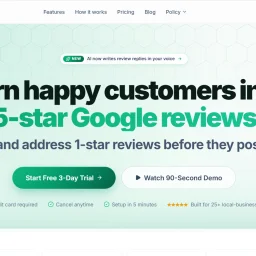
Local businesses struggle to maintain a strong online reputation, often losing customers due to a mismatch between their service quality and online reviews. Reviews Zen is designed to address this issue by automating review management for local businesses across various niches. The platform acts as a reputation autopilot, streamlining the process of generating and managing online reviews. What stands out about Reviews Zen is its use of AI to write review replies in the business owner's voice, significantly reducing the time and effort required to respond to customer feedback. The platform's ability to catch negative reviews privately and respond promptly is particularly valuable, as it helps mitigate the damage caused by unfavorable reviews. The key features of Reviews Zen include its branded email funnels, which send review requests to customers under the business's name and branding, and its negative-review interceptor, which captures low-rated feedback before it appears on Google. The platform also integrates with various business tools, such as Jobber and QuickBooks, to simplify the process of importing customer data and automating review requests. Reviews Zen offers a straightforward pricing model, with a starter plan available for $29 per month for a limited time as part of its founders' launch offer, which normally costs $79. The platform provides a three-day free trial with no credit card required, and customers can cancel their subscription at any time. Overall, Reviews Zen is a compelling solution for local businesses seeking to improve their online reputation and attract more customers through positive reviews.

Creating immersive online experiences is now more accessible than ever, thanks to innovative solutions like Space Tour's 360° virtual tour builder software. The primary challenge this product addresses is the complexity and technical expertise often required to create interactive virtual tours, which has long been a barrier for real estate agents, property developers, and interior designers. What sets Space Tour apart is its commitment to simplicity and a seamless user experience. By allowing users to build and customize 3D tours directly in the browser without needing to code or install software, it democratizes access to high-quality virtual tour creation. The platform's emphasis on design and branding is evident in its array of customization options, including custom fonts, icons, and color themes, ensuring that tours align with users' brand identities. Notable features of Space Tour include its support for high-resolution panoramas up to 32K, multiple navigation types, and integrations with Google Maps and Apple Maps. The software also offers advanced functionalities such as day/night mode, custom interactions, and analytics to track user engagement. The process of creating a tour is streamlined into straightforward steps, from preparing panoramas to publishing the final tour via a shareable link or embedding it on a website. Space Tour operates on a freemium model, with a free plan that includes essential features, allowing users to create a simple tour at no cost. For users requiring more advanced features, the Starter plan is available for $15 per month, offering a range of additional functionalities including white-label tour export, higher resolution support, and analytics integration. Overall, Space Tour presents a compelling solution for professionals seeking to present spaces in an engaging and interactive manner without the need for extensive technical knowledge.

Creators and content enthusiasts often need to download thumbnails from YouTube videos for various purposes, but the process can be cumbersome due to the lack of a straightforward download option on the platform. The YouTube Thumbnail Downloader addresses this issue by providing a simple and efficient way to extract and download high-quality thumbnails in multiple resolutions. This tool is particularly useful for creators, researchers, and marketers who need to analyze or reuse these images for legitimate purposes. What stands out about this product is its emphasis on ease of use and speed. The tool allows users to download thumbnails instantly without requiring any signup or installation, making it a convenient solution for those who need to access these images quickly. The fact that it works seamlessly on all devices, including desktop, tablet, and mobile, further enhances its accessibility. The tool's capabilities are impressive, with features such as instant extraction, multiple resolution options ranging from 120x90 to 1280x720, and unlimited downloads. The process is straightforward, involving just three steps: pasting the YouTube video URL or ID, clicking to extract thumbnails, and downloading the desired resolution. The tool also automatically detects and extracts thumbnails from various URL formats, adding to its convenience. Notably, the tool is completely free to use, with no limitations on the number of downloads. The absence of any pricing details or business model information suggests that the tool is supported by a different revenue stream, allowing users to access its features without incurring any costs. Overall, the YouTube Thumbnail Downloader is a valuable resource for anyone needing to access YouTube thumbnails, offering a fast, easy, and cost-effective solution.

Financial calculations and business tasks often require specialized tools, but accessing these can be cumbersome due to paywalls, registration requirements, and data privacy concerns. AnyServ addresses this issue by offering a suite of calculators and business tools directly in the user's browser, eliminating the need for downloads, sign-ups, or server-side data processing. The platform is geared towards individuals and businesses seeking straightforward, accurate financial and business calculations without the hassle of traditional software or online services. What stands out about AnyServ is its commitment to user privacy and simplicity. By processing all calculations locally within the browser, AnyServ ensures that user data never leaves their device, providing a high level of security and compliance with data protection regulations like GDPR. The service also boasts a clutter-free experience, allowing users to pick a tool, input their data, and receive instant results without any friction. The range of tools available on AnyServ is diverse, covering financial, tax, and business needs. Users can access a VAT calculator, mortgage calculator, salary calculator, and percentage calculator, among others, all of which are designed with transparency and accuracy in mind. The formulas behind these calculators are based on official tax and banking standards, ensuring reliability. AnyServ operates on a completely free model with no hidden costs, accounts, or paywalls. The absence of registration requirements and the local processing of data contribute to a seamless user experience. The service supports multiple languages and is accessible on mobile devices, enhancing its utility across different user bases. With new tools being added regularly, AnyServ is continually expanding its capabilities to meet a wide range of user needs.

Sales teams and professionals struggling to make meaningful connections on LinkedIn can breathe a sigh of relief with the introduction of AI-powered outreach solutions. LinkSprig is one such innovative tool designed to help businesses, founders, agencies, and sales professionals simplify lead generation and grow their network efficiently. The platform is geared towards individuals tired of spending hours sending cold messages and chasing lukewarm leads, seeking a more streamlined and effective approach to LinkedIn outreach. What sets LinkSprig apart is its focus on results-driven outreach rather than sheer volume. By leveraging AI to analyze industries, roles, and interests, the platform delivers hyper-relevant leads, ensuring that users are targeting the right audience. The AI-powered personalization of messages and auto-reply assistant enable users to scale their outreach efforts without sounding robotic, making interactions feel more human-like and authentic. The platform's capabilities are geared towards making the outreach process more efficient and effective. It offers smart lead targeting, custom AI outreach messages, and an auto-reply assistant that responds to incoming messages naturally. Additionally, LinkSprig's CRM-friendly integration allows users to export leads, track responses, and monitor outreach performance seamlessly. The AI-powered analysis provides valuable insights into what works in outreach efforts, including reply rates, message performance, and conversion insights. LinkSprig is designed for founders, SDRs, and growth professionals, positioning itself as a solution that can help these individuals start real conversations, increase reply rates, and turn cold outreach into pipeline. Although the pricing details are not explicitly mentioned, the platform invites users to try it for free, giving them a chance to experience its capabilities firsthand. Overall, LinkSprig presents a compelling solution for those seeking to transform their LinkedIn outreach into a more natural and efficient business growth process.
Cybersecurity is a complex and often daunting task for small businesses, which typically lack the resources and expertise to effectively protect themselves against ever-evolving threats. EdgeIQ Labs addresses this challenge by providing practical, business-first security monitoring solutions that help small businesses identify and address vulnerabilities before they can be exploited. The company's tools are designed to be easy to use, with simple onboarding and real support, making them accessible to business owners, security professionals, and developers alike. What stands out about EdgeIQ Labs is its focus on delivering lightweight, functional utilities that integrate seamlessly into existing workflows, avoiding the complexity and overhead often associated with enterprise security solutions. The company's approach prioritizes action-focused reporting, providing monthly summaries with prioritized fixes rather than alert spam, making it easier for small teams to manage their security posture. EdgeIQ Labs offers a range of free tools, including an SSL security scanner, headers analyzer, XSS quick scan, and subdomain scanner, which provide instant insights into potential security risks. For businesses requiring more comprehensive monitoring, the company offers paid plans, including SMB Essentials and Plus, with instant Stripe checkout. The free tools are complemented by a 13-step SMB cybersecurity checklist, which is available for free and provides a clear roadmap for improving security. The company's commitment to privacy-first practices is evident in its assurance that free scans are never stored, and its use of Stripe-secured payments provides an additional layer of security for transactions. Overall, EdgeIQ Labs provides a compelling solution for small businesses seeking to enhance their cybersecurity without the burden of complex and costly enterprise solutions.

Simplifying the billing process is a pressing need for businesses in India, particularly with the complexities introduced by GST regulations. EzyDocs addresses this issue head-on with its comprehensive invoicing solution designed for B2B billing. The platform is geared towards businesses that require an efficient, user-friendly, and customizable invoicing system. What stands out about EzyDocs is its commitment to making invoicing and e-waybill generation straightforward and hassle-free. The platform's emphasis on reliability and customizability suggests a deep understanding of the diverse needs of its clientele. By streamlining the billing process, it enables businesses to manage client invoicing effectively without requiring extensive technical expertise. The platform offers several key features that contribute to its effectiveness. It provides anytime, anywhere access to data, allowing users to generate invoices and e-waybills on the go. The robust end-to-end encryption ensures that business and client information remains safe and secure. Additionally, EzyDocs offers free, continuous support, valuing user feedback to drive improvements. EzyDocs' pricing model is notably different from its competitors. It adopts a "pay as you use" approach, charging users based on their actual usage rather than a monthly or annual subscription fee. This model is highlighted as a cost-effective solution, with claims of saving more than 60% compared to other software plans. The absence of hidden fees, annual fees, and additional charges for premium features adds to the appeal. Overall, EzyDocs presents a compelling solution for businesses navigating the complexities of GST invoicing and e-waybill generation. Its user-centric design, robust features, and flexible pricing model make it an attractive option for businesses seeking to streamline their billing processes.

For businesses and agencies struggling to produce high-quality ad content at scale, SodaMarketing AI offers a compelling solution. The company's AI-powered creative studio addresses the long-standing issue of "The Creative Gap," where the demand for engaging ads outstrips the capacity to produce them. By leveraging cutting-edge technology, SodaMarketing AI enables users to generate hyper-realistic UGC video ads, cinematic commercials, and branded social content in a matter of seconds. What stands out about SodaMarketing AI is its ability to transform a simple product URL into a wide range of ad creatives. The platform's AI extracts key product features, brand identity, and images, allowing users to create diverse content without extensive manual input. The quality of the generated content is also noteworthy, with features like perfect lip-sync and 4K studio photoshoots that rival professional productions. The platform's capabilities are impressive, with features such as Exclusive AI Ambassadors, Omnichannel Ad Engine, and Cinematic Product Stories that enable users to create high-performing ad content. Users can also extend their videos up to 2 minutes with a single click, allowing for more nuanced storytelling. Additionally, the Auto-Prompt Engine simplifies the content creation process by automatically generating professional-grade cinematic instructions. SodaMarketing AI's pricing is straightforward, with a Pro plan available for $29 per month after a $1 trial. The trial includes 250 high-performance credits, giving users a taste of the platform's capabilities. Annual billing is also available, with a 30% discount. Overall, SodaMarketing AI has the potential to revolutionize the way businesses and agencies approach ad content creation, offering a powerful tool that can help them dominate their market without breaking the bank.

SEO practitioners drowning in raw Google Search Console data now have a way to extract actionable insights without manual analysis. CodeX Guru's free keyword analyzer transforms GSC exports into structured intelligence, using GPT-4o to recommend specific optimizations based on each site's actual search performance. The problem this solves is obvious: GSC gives you the data, but interpreting what to do with it requires expertise. Most site owners can see they rank for keywords in positions 4–20, but lack a systematic way to prioritize which ones to optimize. This tool automates that triage, categorizing keywords into "Quick Wins" (near-top-3 rankings requiring minimal effort), "Content Gaps" (high impression keywords with poor click-through rates), and other strategic buckets. The AI-generated strategy report then ties recommendations back to the actual keyword data rather than offering generic advice. What stands out is the privacy-first approach. Uploaded files are processed in memory and deleted immediately—there's no data retention, logging, or third-party sharing. For an SEO tool handling competitive search metrics, this transparency is uncommon and valuable. The tool also handles multiple file formats (CSV, XLSX, XLS) and caps file size at 10MB, making it accessible to businesses of all sizes. The interface emphasizes speed and visual clarity. Analysis completes in 30–60 seconds, and results display across six charts covering position distribution, CTR buckets, competitor benchmarks, and the relationship between rankings and click-through rates. This visual breakdown gives users the context they need to decide which keywords deserve content investment. The business model stacks a free tier (two analyses per day) against a Pro upgrade for unlimited analyses, team access, and automated weekly reporting. This is a straightforward freemium approach that lets users validate the tool's value before paying. The founder positions this as part of a broader initiative to democratize SEO expertise and help practitioners access specialized knowledge. The main limitation is the free tier's daily cap—serious SEO teams analyzing multiple sites would likely need Pro access quickly. Still, for individual site owners or small agencies testing keyword strategies, the free offering is substantial enough to determine whether the tool fits their workflow. The combination of privacy, speed, and GPT-4o-powered analysis makes this a practical addition to most SEO stacks.

Cybersecurity in India's startup ecosystem is a crisis masquerading as a feature gap. With 87% of Indian SMBs operating without formal cybersecurity policies and 74% having experienced a cyberattack in the past year, the barrier isn't knowledge—it's access and affordability. Bachao.AI directly addresses this gap by automating vulnerability assessment and compliance mapping at a price point that actually fits SMB budgets. The company has identified a real arbitrage opportunity in India's security market: enterprise-grade scanning tools like Nuclei and ZAP are open source and cheap to run, but the expensive layer—human analysts interpreting findings, mapping them to regulatory frameworks, and advising on remediation—remains labour-intensive. Bachao.AI replaces that analyst tier with AI reasoning, delivering results in roughly two hours instead of weeks while undercutting traditional VAPT providers by 40–60%. The timing is precise. India's Digital Personal Data Protection Act enforcement begins May 13, 2027, with penalties up to ₹250 crore per violation. Simultaneously, the Securities and Exchange Board of India's Cyber Security & Resilience Framework mandates compliance audits across 7,500+ regulated entities. For companies in fintech, lending, healthcare, e-commerce, and regional banking—Bachao.AI's stated verticals—the product arrives at the exact moment regulation creates urgency. The feature set is comprehensive: the platform performs vulnerability assessment and penetration testing, auto-maps findings to DPDP and SEBI compliance schedules, includes phishing simulation and deepfake detection, offers dark web monitoring and cyber insurance scoring, and integrates SAST and software composition analysis. Reports are CERT-In aligned, a critical credibility signal in the Indian regulatory context. Users verify domain ownership via DNS TXT—establishing the legal authorization required under India's IT Act 2000—then receive actionable findings and remediation priorities. The first scan is free with no credit card required, lowering friction for initial adoption. The company is backed by engineers from Intuit and IDFC First Bank and holds DPDP Act certification. For an Indian SMB facing the May 2027 deadline pressure with minimal existing security infrastructure, the product's combination of automation, compliance mapping, and affordability directly solves a previously unsolved problem.

E-commerce and fast-growing SaaS brands drown in repetitive support questions: “Where is my order?”, “How do I reset my seat license?”, “Do you ship to France?”. Achille AI turns that flood into a two-tier defense system—machines handle the routine while skilled agents devote time to customers who truly need a human brain. The company explicitly targets online retailers and subscription software teams who already run Gorgias, Zendesk, Salesforce, SAP, Shopify or Zapier and want automation without ripping out their existing stack. The product’s first draw is the multilingual muscle that labels and routes tickets in over thirty languages straight within the apps teams already use. Instead of forcing merchants into yet another dashboard, data flows through an API hook in minutes. A second attraction is built-in root-cause analytics: every resolved conversation feeds a loop that surfaces product frictions, shipping gaps or billing hiccups so brands can eliminate questions instead of answering them forever. Finally, the tone set by client testimonials signals a rare pairing of speed with empathy; founders speak of peace of mind when opening the inbox, not panic at an overnight pile-up. Core capabilities include end-to-end automation that remains GDPR-compliant and stores nothing outside the customer’s own permissions, AI co-pilot assistance that suggests next-best actions inside the agent view, and 24/7 responsiveness with KPI tracking so managers measure deflection and customer satisfaction in one place. The company’s public material does not detail price tiers; it funnels visitors from the homepage to a “Request a demo” form and replaces traditional pricing pages with a call to talk to an expert. For merchants and app vendors that value speed, brand-safe traction within Europe, and the wish to answer fewer, better questions over time, Achille AI presents a plug-and-play upgrade path rather than a disruptive migration project.

Anyone staring at a closet crammed with clothes yet feeling they have “nothing to wear” is the exact customer Selion targets. By translating every hanger, shoebox, and jewelry drawer into searchable, analyzable data, the app removes the daily decision fatigue that comes with dressing well. Fashion-conscious professionals, frequent travelers, and anyone who juggles multiple dress codes in a single week will find the app particularly useful. The standout aspect is the granularity of the AI scan. Rather than lumping garments into broad buckets like “shirt” or “jeans,” it identifies fabric, exact colorway, pattern, and seasonal suitability as soon as you snap a picture. This depth of indexing lets its engine mix and match with fewer obvious repeats and a higher hit rate of genuinely fresh combinations. The step promised next—rendering any suggested look on your own body in augmented reality—turns abstract outfits into self-evident choices before you commit fabric to skin. Day-to-day, the critical feature is the micro-routine: open the app, give it thirty seconds, walk out dressed. Users also gain a virtual travel planner that pre-loads a destination-weather appropriate capsule before the suitcase gets zipped, and a usage tracker that quietly surfaces forgotten items that deserve a second run. Among these, the “never think what to wear” promise is the boldest, because the more you rely on it, the richer your decision profile becomes—effectively turning your own closet into a living lookbook that evolves faster than seasonal trends. Pricing remains refreshingly straightforward: the core app is free on iOS and Android with no paywall descriptions in the material supplied, so the initial ramp-up cost is strictly measured in photo-taking minutes.

Launching a business demands countless decisions, and choosing a memorable, available name ranks among the most consequential yet time-consuming. AI Bizname tackles this friction point by automating the creative brainstorming phase that typically consumes hours or days of entrepreneurial effort. The tool targets a broad audience: founders launching startups, small business owners seeking professional identity, content creators building blogs, and entrepreneurs who need to move quickly from concept to execution. The problem it solves is straightforward—the early-stage naming bottleneck—but the friction it removes is real. The product's core strength lies in its simplicity and speed. Users input a keyword or business concept, select an industry category and naming style, and receive hundreds of name suggestions instantly. This three-step workflow respects the user's time and acknowledges that early-stage founders operate under resource constraints. The integration of domain availability checking within the generation process adds practical value; a creative name loses its appeal if the domain is unavailable. Industry-specific result filtering distinguishes this tool from generic brainstorming. Rather than receiving names disconnected from context, users get suggestions calibrated to fashion, technology, SaaS, or other sectors. This targeting helps ensure generated names feel relevant rather than arbitrary. The emphasis on generating "brandable and domain-friendly" names shows awareness that founders care less about abstract creativity than about names they can actually build on. The free-to-use model removes a significant barrier to trial, allowing founders to test the tool without financial commitment. This positioning acknowledges that most early-stage companies have minimal budget for auxiliary tools and creates natural opportunity for future monetization if the tool establishes itself as genuinely useful. One notable concern: the website claims the tool is "used by thousands of entrepreneurs and companies worldwide," but provides no third-party validation, user testimonials, or objective metrics. Founder claims of traction without specifics warrant skepticism. The tool's actual utility ultimately depends on whether generated names feel creative and brandable rather than formulaic—a quality assessment requiring hands-on testing rather than website review alone. The fundamental value proposition is straightforward: automate away the blank-page problem in naming. Whether it executes that promise well enough to become a staple in founder toolkits depends on factors the landing page cannot convey.

Bangladeshi SaaS builders finally have a stage that speaks their language. Home-grown ventures now face the daily struggle of getting noticed once they leave small chat groups and lean-meetup circles; global launchpads overflow with Silicon Valley flash and foreign celebrities, leaving local founders shouting into the void. BD SaaS Zone corrals that scattered audience into one easy-to-scan gallery, giving each product oxygen instead of noise. The directory is deliberately narrow in scope: real SaaS, mobile apps, and digital utilities that ship from Bangladesh. Every listing is curated first, which keeps the pixel-brochure clutter down to zero and ensures the feed stays focused on working products rather than pitch decks. Visitors come looking for quick inspiration, teammates, or acquisition targets; founders arrive to plant a flag and stay visible long after launch-day buzz fades. Nothing fancy or bloated: a simple search, taxonomy filters covering fourteen niches from AI to HR, and cleanly marked “For Sale” or “Seeking Co-Founder” tags when the listing signals intent to exit or scale. Pricing clings to reality—one advert slot in the sponsored marquee costs exactly ৳120 per month, a figure that fits better coffee than most AWS bills. Founders can also claim a discount on security audits through the site’s partnership with Cyenetic Solutions, a welcome perk at a stage where every saved taka goes toward product polish. For now the site stays refreshingly minimal: add your startup, grab the ranking badge code, and let organic traffic do the rest. Early adopters get prime category placement before every vertical is filled, making the current moment unusually favorable for anyone shipping code from Dhaka, Chittagong, or Sylhet.

Shoppers abandon carts when urgency and context disappear. GrooveJar tackles that gap with a compact, four-in-one funnel that lets any merchant set persuasive timing devices, embed branching video popups, and automate follow-up email sequences without juggling separate apps. The latest rebuild, distilled from seven years of e-commerce feedback, aims squarely at small to midsize online stores who want more performance out of their existing traffic without waiting for developers. Central to the pitch is the interactive branching video popup: viewers click story paths tailored to their interest, stay longer, and leave an email address at the exact moment of highest engagement. The feature runs inside the same script that drives countdown timers pitched as “real” rather than cosmetic, and the dashboard gives visibility on which moments convert. Pairing this with immediate email journeys that fire while the brand sleeps rounds out the promise of an end-to-end micro-funnel. Speed is another differentiator. Installation advertises a five-minute live window, implying a lightweight script and ready templates instead of days of configuration. A free plan is available, so teams can test funnel variants without a card, and the pricing tiers live on the same page for transparent upgrades when volume or advanced branching logic kick in. No complex biographies, no spec-sheet inflation—the material simply claims a fresh codebase and the same mission. GrooveJar speaks to merchants who have outgrown single-purpose popup widgets but are not ready for enterprise suites or agency retainers; its scope from first popup to post-purchase sequence fits that slice precisely without promising to run the entire CRM.

Teams shipping web or mobile apps with limited QA headcount end up choosing between slow manual testing and brittle scripted automation. Agentiqa eliminates that compromise by letting product managers or engineers paste a URL and have an autonomous AI act as a tireless human tester. The tool starts where most cloud services stop: it runs directly on the developer’s machine so localhost and internal staging environments are covered without any CI setup. That fact alone makes it indispensable for startups that push nightly builds to feature branches hidden behind firewalls. Beyond local support, the agent examines the rendered interface as a user would, relying on computer vision instead of brittle DOM selectors. Once it discovers a bug—visual glitches, broken states, or purely frustrating UX—it records a video, writes concise reproduction steps, and folds the new insight into a reusable QA plan. Each iteration refines the plan, making the test suite self-healing and continuously more valuable over time. Privacy concerns have been addressed head-on: source code never leaves the developer’s workstation, and credentials are encrypted so the AI can type a password without ever learning its value. Companies bound by GDPR, HIPAA, or internal compliance rules can therefore invite the agent onto sensitive apps without opening a proverbial back door. The product is offered as a downloadable desktop client, complemented by Agentiqa Web for cloud runs that can be triggered from any browser. Pricing or usage tiers are not yet disclosed, yet “no per-run cloud overhead” signals an approachable model for smaller teams, while local-first execution removes the queueing penalty that often sabotages fast iterations.

Memory fades faster than we admit, yet we rarely pause to capture who we are at a specific moment before rushing to the next. PSFutureMail arms anyone who wants to interrupt that amnesia: students planting checkpoints before graduation, new parents scripting love letters for the day a child finishes school, couples queuing yearly anniversary notes, or anyone simply seeking an honest conversation with tomorrow’s self. UX discipline separates this from forum gimmicks or crude reminder bots. Draft once, assign an exact future send date, then close the page; nothing fires early, no awkward “oops” deliveries. You retain full editing rights right up to dispatch, so words can keep pace with shifting opinions or circumstances. A no-login write option adopts private-first encryption, while an opt-in public gallery lets strangers read anonymous letters, turning individual introspection into a light community experience. Operational muscle sits behind the minimal interface: automatic backups, multi-region database replication, and a 24/7 monitored delivery engine built on enterprise hardware give a credible promise that letters will still budge from cold storage in ten, twenty, perhaps fifty years. The closest commercial analogue, delayed email schedulers, typically limit retention to months and fold the second annual fees lapse. PSFutureMail’s value proposition instead leans on the long game, using free entry to seed critical mass and calming nervous recipients with jargon-free trust language about redundancy and uptime. No tiers, credits or subscription language appear on the site, so users begin without a credit card and presumably sustain the same zero-pressure cost as the calendar drifts forward—revenue if any must live in unannounced premium avenues or generous patrons. For anyone who has ever wished they could mail encouragement or correction to the person they will become, PSFutureMail is a quiet, sturdy mailbox that simply waits until the appointed day and rings the bell.

Capturing web content at scale without sacrificing privacy or simplicity is a persistent friction point for knowledge workers. Web Clipper targets this gap by offering a browser extension that lets users save text, links, and images through a single keyboard shortcut, eliminating the common workflow of bookmarking, copying, or screenshotting scattered across multiple tools. The extension is built for researchers, students, designers, and anyone who mines the web for ideas and reference material. Its core appeal lies in speed and simplicity—content capture happens in under a second, with no configuration required. Rather than forcing users into account creation or cloud syncing, the product keeps all data local, meaning users maintain complete privacy and offline access to their collected material. The feature set addresses the common pain point of digital hoarding: the ability to save selected text, full web pages, links, and images directly into a side panel accessible from any tab. A search function lets users navigate their collection without the organizational overhead that plagues other capture tools. The interface supports both dark and light themes, catering to different usage contexts and reducing friction during extended browsing sessions. What distinguishes Web Clipper from competitors like Evernote or cloud-based clippers is philosophical. Rather than positioning itself as a complex note-taking platform or knowledge management system requiring subscriptions, it prioritizes a single job done well: fast, offline, privacy-preserving capture. The developer explicitly designed around the pain of feature bloat and recurring subscription costs, positioning the tool as an antidote to the complexity users encounter elsewhere. Upcoming functionality includes Spaces, a feature for organizing clips into collections, suggesting the roadmap will gradually introduce structure without compromising the core principle of simplicity. The extension is currently free, with no monetization layer disclosed, making it an accessible entry point for users skeptical of yet another subscription service. The product's positioning on privacy, speed, and local-first architecture creates a clear niche. It serves users frustrated by the gatekeeping of cloud-based alternatives and willing to sacrifice cloud synchronization and advanced collaboration for agency over their own data.

Merchants struggling with rising customer acquisition costs face a persistent dilemma: driving traffic to their Shopify stores costs money, but customers often leave after purchasing a single item, eroding profit margins. V Bundles addresses this challenge by consolidating the tools merchants typically need to increase average order value—quantity breaks, product bundles, upsells, free gifts, and subscriptions—into a single, lightweight application. The core problem V Bundles solves is fragmentation. Previously, merchants attempting to implement comprehensive AOV strategies found themselves installing multiple expensive apps, each adding code bloat that slowed their storefronts and created visual inconsistency. The result was often worse conversions, not better. V Bundles eliminates this trade-off by offering a unified interface where merchants can create quantity breaks, mix-and-match bundle builders, Buy X Get Y offers, and sticky add-to-cart buttons without writing code. Setup is straightforward. The application offers a five-minute installation process and includes a seven-day free trial, making the barrier to entry low. The app includes 120+ pre-built theme templates, so merchants don't need design or development resources to launch campaigns that match their brand. Real customer feedback in the app's listing confirms this simplicity—store owners report quick implementations and responsive support for custom modifications. The feature set covers the primary AOV levers. Quantity discounts reward bulk purchases automatically at checkout. Free gift and add-on mechanics work at the cart level. The builder interface lets customers customize bundles themselves, which increases perceived value. Cross-sell and frequently-bought-together recommendations capture upsell opportunities at the right moment. Subscriptions enable recurring revenue streams. A real-time analytics dashboard tracks campaign performance. The app maintains a 5.0 rating on the Shopify App Store and is used by over 1,000 merchants. Customer testimonials highlight particular strengths: ease of use, responsive support teams willing to implement store-specific customizations, and measurable AOV increases. One merchant noted that volume discount features alone enabled a product line expansion (2-packs and 3-packs) that would have been difficult to manage manually. V Bundles targets Shopify merchants of all sizes who want to maximize revenue per visitor but lack the technical resources or budget to juggle multiple point solutions. For this audience, consolidation and simplicity represent the genuine value proposition.