#productivity Startups & Tools
Discover the best productivity startups, tools, and products on SellWithBoost.

Protecting confidential documents from accidental disclosure has become a critical challenge for organizations of all sizes. DocRedactNow addresses this by offering a desktop application designed to remove sensitive information from files before they leave a user's computer. The core problem the tool targets is straightforward: documents often contain hidden metadata and unnoticed personal data that organizations fail to redact before sharing. Cloud-based alternatives create additional friction by requiring uploads of confidential material to external servers, introducing trust and compliance concerns that many businesses cannot tolerate. DocRedactNow eliminates this trade-off by processing documents entirely offline, ensuring files never leave the user's machine. What distinguishes this product is its practical focus on ease of use combined with local processing. The tool supports six common formats including text files, spreadsheets, presentations, and PDFs, addressing the document types most organizations actually work with. Users can process hundreds of files in a single batch operation, making it suitable for teams managing large volumes of documents. Detection includes 34 built-in patterns covering common sensitive data categories like email addresses, phone numbers, credit card numbers, social security numbers, API keys, and IP addresses. The feature set accommodates both standardized and custom use cases. Pre-built redaction policies cover common compliance frameworks such as GDPR requirements, financial data handling, contract management, and resume preparation. For specialized needs, users can define custom patterns using regular expressions. The application logs all redactions and exports compliance reports, which is valuable for organizations with regulatory requirements to demonstrate data handling practices. The licensing model reflects the offline nature of the product. A perpetual license costs $19.99 as a one-time payment, providing lifetime updates. Annual licensing is available at $9.99 per year for users preferring subscription-based costs. A 14-day trial with full functionality removes purchase risk, and a 30-day refund policy provides additional assurance. DocRedactNow fills a specific niche for organizations prioritizing data protection during document handling while avoiding cloud dependencies. The combination of batch processing, policy-driven redaction, comprehensive logging, and perpetual offline operation makes it a practical choice for teams managing sensitive documents on Windows systems.

Extracting video content from the internet without installing software or bouncing between platform-specific tools is the core promise of SaveClips, a web-based video downloader that consolidates what typically requires multiple services into a single interface. The service addresses a real friction point for content creators, social media researchers, and users who need offline access to public video content. Rather than installing separate downloaders for YouTube, TikTok, Instagram, and other platforms, SaveClips handles 15 different sources from one browser-based tool, with the option to install it as a native app on iOS, Android, and desktop operating systems. Several features justify the tool's position in a crowded market. It captures video at multiple resolutions—720p through 4K where the original source permits—and extracts audio directly to MP3 format, effectively doubling its utility for users building offline playlists or archiving podcast episodes. The downloaded files arrive without watermarks or third-party branding burned into the frame, addressing a common complaint about free downloaders. Processing is positioned as fast, and the user experience follows a straightforward four-step workflow: copy a video link, paste it into the search box, select a format, and save. The privacy model sets it apart in a category often marred by data collection concerns. SaveClips stores neither the links users paste nor any record of what they download, retaining only anonymized usage counts. Combined with the complete absence of sign-up requirements, paywalls, or download limits, this creates a genuinely friction-free experience. The platform's breadth is notable. Beyond obvious choices like YouTube and TikTok, it covers niche platforms including Bilibili, LinkedIn, Snapchat, and Tumblr. This comprehensive support across 15 platforms reduces the need for users to maintain multiple bookmarks or remember platform-specific syntax. SaveClips positions itself as a free service with no recurring revenue model mentioned, suggesting either a breakeven operation or monetization through means not disclosed on the public-facing site. The lack of transparency here is the main gap in an otherwise straightforward product story.

Keeping track of tools and resources across multiple domains creates information overload for professionals, developers, and entrepreneurs. ResourcesHunt addresses this friction by functioning as a community-driven directory where users discover, evaluate, and catalog resources spanning AI, programming, design, business, and education. The platform operates on a straightforward premise: curate by consensus. Users can vote on resources, save favorites to personal collections, and leave comments, creating a reputation signal that surfaces quality discoveries. Rather than relying on algorithmic feeds, the community validation mechanism means trending resources reflect genuine user interest and utility. What distinguishes ResourcesHunt from general bookmarking tools is its categorical organization and submission-first model. The platform invites users to contribute their own findings, building content through participation rather than editorial selection alone. This approach works particularly well for niche categories like AI tools and open-source alternatives, where new releases emerge constantly and recommendations from peers carry weight. The product targets a broad audience across technical and non-technical domains. Developers can discover APIs and development tools; entrepreneurs can explore business resources; students can find educational platforms. The interface keeps friction minimal: browse trending discoveries, vote if something solves a real problem, save for later, or share with others. A secondary feature, integrated news coverage of industry developments, supplements the resource discovery function. Recent updates highlight launches in AI and financial technology, keeping users informed on sector movements beyond individual tools. The current interface shows active communities around specific categories, with multiple resources receiving engagement through votes and saves. However, the platform's value depends entirely on maintaining both supply and quality. As a community-driven directory, growth requires sustained submission from users and mechanisms that prevent low-quality resources from gaining prominence. ResourcesHunt essentially formalizes how professionals already discover tools: through peer recommendations and community validation. For teams managing scattered bookmarks and tool lists, it provides a shared discovery layer where visibility correlates with actual usefulness.

Mac users managing file organization typically navigate a fragmented toolscape—file browsers, compression utilities, and disk cleaning applications all operating independently. KoiFiles consolidates these three functions into a single native application built on SwiftUI, targeting Apple Silicon Macs on macOS 14.0 or later. The application addresses a genuine workflow inefficiency. Rather than maintain separate paid tools, users gain file browser capabilities, a built-in 7-Zip compression engine supporting encryption across 7z, zip, and tar formats, disk cleanup functionality, and multi-layer search within one interface. The dual-pane layout mirrors established patterns from professional file managers like Norton Commander, providing a familiar interaction model executed through native macOS frameworks. The design philosophy emphasizes restraint. The absence of subscription requirements, cloud uploads, or advertising sets it apart from competitors increasingly dependent on recurring revenue. The quick preview system, accessible via spacebar or middle-click, maintains visibility into the main file listing—solving a repeated complaint about preview panes that consume workspace or block ongoing navigation. Compression capabilities extend beyond basic archive extraction to include full format support with encryption and multi-volume handling. One feature reflects product-market fit with specific user bases. WeChat file management integrates timeline browsing of transferred files, recovery of documents marked expired within the messenger application if they remain locally stored, and categorized accounting of chat history storage consumption. This functionality targets pain points within popular communication patterns rather than generic file system tasks. The monetization model merits attention given market trends. The Pro version downloads free from the official website with complete feature access. The App Store distributes a Standard edition sold as a one-time purchase that unlocks capabilities across both versions. This dual-distribution creates purchase optionality while establishing a legitimate revenue channel. Pricing positions competitively against competitors charging annually for individual capabilities—the compression engine alone, storage cleanup utilities, and file management tools often require separate subscriptions. The creator frames this as consolidation by necessity. Rather than pursuing specialized excellence in one domain, KoiFiles bundles capabilities that most macOS users require occasionally but rarely need in premium depth. For users managing substantial local file systems and confronting repeated cleanup cycles, the value concentrates on cost efficiency and operational simplicity rather than advanced capabilities or integration breadth.

Juggling notes from lectures, client calls, and PDFs across different apps wastes time and fragments context. Claro consolidates these into a single workspace where an AI assistant can search, summarize, and extract actionable insights from everything captured. The product targets anyone managing multiple conversational contexts—students reviewing lectures, consultants comparing discovery calls, and professionals drowning in back-to-back meetings. Where competitors like Granola and Otter excel in narrow lanes (transcription or meeting notes), Claro spans all of them by starting with a unifying principle: the same raw capture should reshape into whatever format serves the moment. This flexibility drives the core appeal. A lecture recording becomes a study guide with flashcards; a discovery call becomes a concise summary; a team meeting yields structured decisions and action items, all from the same underlying transcript. The interface does more than file notes—it interprets them. The AI chat layer lets users query across their entire capture history with natural language, cite specific passages, and compare meetings or pull themes from weeks of input. Search relies on the user's own words rather than generic retrieval, a deliberate choice that grounds results in authentic context. The technical foundation handles the mechanics smoothly. Live transcription works alongside pause-and-resume Quick Note recording. PDFs and YouTube videos feed directly into the note system. Team collaboration surfaces design reviews and shared research alongside individual notes. All of this runs in a single dashboard where users can ask Claro to summarize recent notes, surface action items, or generate quizzes on the fly. Pricing follows a straightforward ladder. The free plan covers basic note creation. Paid tiers unlock unlimited standard-accuracy transcription, with Pro+ and Pro Ultra offering higher-accuracy hours for users who need studio-quality output. The full workflow—Quick Note recording, PDF and video processing, structured note generation, and cross-note chat—lives on all Pro plans, eliminating friction from feature fragmentation across tiers. The product solves a genuine problem without overselling. The team built this deliberately for people who inhabit multiple contexts rather than designing for one persona and hoping it generalizes. The assertion that founders spent six months testing this across their own use cases carries weight. The remaining question is whether the reshaping and AI chat deliver sustained value at scale; the interface suggests they do, but independent user outcomes would strengthen the claim.

Engagement on social platforms like X and LinkedIn hinges on consistent, thoughtful replies, yet many users struggle to maintain this cadence while preserving their authentic voice. A Chrome extension addresses this friction by generating contextual reply suggestions tailored to a user's established writing style. The product distinguishes itself through its constraint-based design philosophy. Rather than offering generic conversational AI that produces robot-like responses, it reads both the individual post and the surrounding thread, then generates three distinct reply options that mimic how the user actually writes. The tool learns from replies users have previously composed, extracting patterns in tone, length, and vocabulary to inform future suggestions. Users remain in complete control: they select one of the three suggestions, edit it if needed, and manually post. The system never auto-posts on their behalf. The feature set reflects a laser focus on solving one problem well. Seven tonal variations span from Friendly to Smart, with toggles for brevity, length, and informality. The tool supports six languages, including Hinglish, a mix of Hindi and English common in South Asian professional networks. It explicitly refuses to invent facts, instead using only personal details users voluntarily provide during setup. A data privacy stance rounds out the value proposition: the service does not sell user data. Technical implementation is straightforward. The extension integrates directly into X and LinkedIn's reply interfaces, activated by a single button click. It runs on Chromium-based browsers including Chrome, Edge, and Brave. The free tier offers fifteen reply suggestions daily without requiring a credit card, lowering the barrier to trial. A paid annual plan costs ninety dollars with two months free, suggesting the free tier serves casual users adequately. The positioning targets creators and entrepreneurs who recognize that social engagement accelerates growth but who lack the daily bandwidth to craft personalized, context-aware responses at scale. For professionals already maintaining an active social presence, this tool compresses the time investment required to write replies that feel authentically theirs rather than algorithmically generated. The core insight—that AI replies fail when they sound like AI—is sound. The execution through pattern matching against a user's existing voice, combined with thread awareness and user control, demonstrates product thinking that respects both user autonomy and authenticity. Whether the writing style learning is sufficiently sophisticated to handle nuance remains a question for users, but the product's transparency about constraints and capabilities builds credibility.

An operating system designed around the unlimited canvas concept rather than traditional windowing offers a fundamentally different approach to digital work. The platform targets teams and knowledge workers who need to juggle multiple applications simultaneously while maintaining visibility of everything at once. It also embraces AI agents as first-class participants in workflows, giving them their own cursors and the ability to work collaboratively on projects. The core innovation centers on replacing the tab-and-window paradigm with an infinite canvas. Users open their applications side by side on a blank workspace and navigate through zoom controls rather than window switching. The system persists these arrangements in saved workspaces, allowing teams and individuals to return to complex setups without rebuilding them each time. Multiple canvases let users maintain separate contexts for different projects without context-switching friction. What distinguishes Novastart is its treatment of AI agents as observable, controllable collaborators rather than black boxes. Agents receive their own cursors and can split work across helper agents, each working in dedicated windows. A human can pause execution mid-task, type corrections, and watch the system adjust without restarting. Results require verification before being marked complete, building in a quality gate that acknowledges the need for human oversight of automated work. The team collaboration features center on shared workspaces with per-user cursors and live streaming of application windows between team members. Rather than requiring screen shares and verbal directions, collaborators can directly manipulate windows and see each other's actions in real time. Chat exists within the OS itself, and team members access each other's applications as if they were their own. The persistent room remains intact when people leave and return, maintaining context continuity across sessions. The product lacks publicly available pricing information, making the business model unclear from the marketing materials alone. It remains unknown whether Novastart positions itself as a replacement for operating systems, a workplace productivity platform, or an application overlay. The technical feasibility of cross-platform application streaming and the learning curve for users accustomed to traditional interfaces represent questions that the marketing content does not address. The infinite canvas concept proves compelling for visual organization and AI collaboration workflows, but execution details and real-world performance will determine whether it delivers on its architectural promises.
Romania's maker and electronics community has long struggled with fragmented resources and outdated learning platforms that force enthusiasts to hunt across multiple websites for tutorials, project inspiration, and technical documentation. A new platform launched this summer directly addresses this fragmentation by consolidating electronics knowledge, community collaboration, and practical tools into a single, freely accessible resource. The platform distinguishes itself through deliberately curated scope and accessibility. Rather than attempting to cover all of technology, it focuses specifically on embedded systems, IoT, smart home automation, robotics, cybersecurity, and RFID/NFC technologies, fields that frequently overlap in maker communities but rarely receive unified treatment. The founders explicitly designed the platform for both Romanian speakers and an international audience, recognizing that Romanian electronics knowledge often remains inaccessible to non-Romanian speakers due to language barriers. The feature set reflects practical maker workflows. Users can publish complete projects with code, schematics, and build procedures that the community can immediately use. A companion library serves as a central knowledge repository for tutorials, configuration files, and technical references. The platform includes specialized tools built directly into the offering: antenna gain calculators, RF systems documentation, and pinout databases for common microcontrollers. These tools extend to a command-line interface available via terminal, allowing developers to access pinouts and calculations without leaving their workflow. The platform goes beyond web browsing through offline-capable tools and a workshop space that functions as a local development environment. An API provides programmatic access to published projects and user portfolios, enabling integration with external tools. For those who want portable credentials, the system can automatically generate technical PDF portfolios from accumulated projects and achievements. The business model operates on complete free access. No subscription tiers, paywalls, or premium features are mentioned, positioning the platform as a gift to the community rather than a revenue vehicle. What emerges is a platform built around the actual needs of a specific, underserved community rather than general-purpose principles. By starting narrow and making strategic integrations, it has created something genuinely useful to makers and electronics enthusiasts rather than another generic learning platform.

Hiding a messy desktop behind a whimsical veneer has become a legitimate productivity strategy for anyone who regularly shares their screen. Desk Rug addresses this by letting Mac users sweep their icons under a simulated cloth rug in a single keystroke, then restore them to their exact original positions when the moment passes. It sounds frivolous — and it is, intentionally — but the execution transforms the concept from novelty into a tool people actually use. The product solves a genuine problem for knowledge workers: the awkward moment before a demo or screen share when your desktop erupts across the wall. Rather than rushing to organize files into folders or frantically moving icons around, a quick hotkey command instantly tidies the visual chaos. No files are hidden behind fake overlays or moved into hidden directories. The icons are genuinely repositioned, just neatly stacked. When you need them back, another hotkey spreads them across the desktop in their original locations. What distinguishes Desk Rug from desktop clutter solutions is its commitment to unnecessary delight. The rug physics, rendered in Metal, respond to real-world behavior: grab a corner and the entire cloth follows with weight, drag, and folds. The developers included nine distinct rug patterns and fourteen floor textures, allowing users to customize the aesthetic or import their own images. Across multiple Spaces, each workspace can have different rug and floor configurations, creating a fully personalized experience. The feature set extends beyond the core sweep-and-restore mechanism. Scheduled tidying automatically arranges icons on a configurable schedule. Global hotkeys work from any application, so you don't need to switch contexts. The interface is deliberately minimal — a menu bar presence without a dock icon or lingering windows. The app runs entirely locally without account creation or data collection. The product builds on the open-source Under the Rug application, an MIT-licensed predecessor that established the cloth simulation concept. The developers retained the physics engine while expanding the feature set and improving performance and usability throughout. Available exclusively for macOS 14 and later, Desk Rug is free to download and use. It serves a specific user: someone whose Mac desktop collects visual debris, who shares their screen regularly, and who appreciates design details that serve no purpose beyond delight. That niche is far larger than it appears.

Photographers, small business owners, and digital marketers waste considerable time preparing images for different platforms, often juggling multiple tools or subscriptions. This free web utility addresses that friction by bringing core image optimization into the browser without requiring sign-ups or downloads. The platform handles the practical tasks that consume design workflows: resizing to platform-specific dimensions, compressing files to platform-imposed size limits, and converting between formats. What distinguishes it is the embedded guidance built directly into the tool. Rather than forcing users to hunt elsewhere, ResizeFox provides a detailed reference table for photo specifications across Etsy, Instagram, Facebook, TikTok, and Pinterest, complete with recommended dimensions, aspect ratios, and file-size targets. These references are dated and sourced, suggesting attention to accuracy in a landscape where platform requirements shift regularly. The technical approach stands out for its privacy-forward design: processing happens in the browser rather than on remote servers, meaning users skip the upload step entirely. This architecture directly addresses both speed and the legitimate hesitation many feel about uploading images to unknown services. The tool supports JPG, PNG, and WEBP formats and bundles additional utilities including PDF manipulation for creating, merging, splitting, rotating, and compressing documents. The feature set is deliberately narrow and functional. Rather than attempting to be a comprehensive design suite, ResizeFox focuses on specific bottlenecks creators face: dimension adjustment that preserves aspect ratios, file-size optimization, and quick format comparison to visualize how compression or format choice affects quality. A dedicated Etsy image resizer suggests attention to the ecommerce seller segment. An email-attachment optimizer reveals awareness that different audiences have different workflows within the core user base. The pricing model is straightforward: entirely free with no freemium upsell or feature gating. This positions ResizeFox as a utility rather than a venture-backed product, which raises sustainability questions but aligns with how the internet's best tools have historically operated. For founders and creators who regularly repurpose visual assets across platforms, ResizeFox eliminates a recurring friction point with sufficient feature depth for most common tasks.

Browsing for online tools that actually work without friction remains a frustration for many users. ToolSuite Pro addresses this by curating a hand-picked directory of free, browser-based tools designed for immediate use. The service targets productivity-conscious professionals, content creators, and business users who prioritize speed and accessibility over feature-rich but cumbersome desktop applications. The product's core strength lies in its minimalist philosophy. Rather than aggregating every tool available online, the founder has selected a focused collection and organized it by category. Each tool requires no installation or account creation—users simply open them in a browser and begin working immediately. This friction-free approach directly counters the problem that sparked its creation: wasting time navigating paywalls, sign-up walls, and software installations just to accomplish basic tasks. Currently, the directory contains eleven tools spread across multiple categories. Productivity tools dominate the collection, followed by offerings in marketing and SEO, writing, and business software. Developer tools, chatbots, text utilities, and 3D viewers round out the selection. Notably, several categories featured prominently in the platform's positioning—including PDF, image, AI, and social media tools—contain no entries at all, revealing either rigorous curation standards or a directory still in its early stages. The site accepts user submissions, inviting the community to propose tools for inclusion. The platform's business model is transparent: the directory is completely free to access with no subscription fees, premium tiers, or upselling. This commitment aligns with the founder's stated mission to eliminate barriers between users and useful tools. What distinguishes ToolSuite Pro from broad tool aggregators and directories is its ruthless selectivity and resistance to bloat. Rather than attempting an exhaustive catalog of every available web tool, the site prioritizes quality through human curation. The interface reflects this philosophy: straightforward categorization, no recommendation algorithms, no feature-stuffing. The current catalog's modest size functions as both limitation and potential quality signal. As the directory expands and attracts more submissions, the sustainability of hand-picked curation will become its defining challenge. For now, ToolSuite Pro serves users seeking immediate, frictionless access to a vetted starter set of productivity tools.

Eliminating expensive software licensing, PDF Tools India packages document manipulation utilities into a single free web platform. The offering targets individuals and small organizations that perform regular PDF work but want to avoid the per-user costs and upgrade cycles that come with traditional desktop applications or subscription services. What distinguishes PDF Tools India is the scope of its integration. Rather than offering isolated converters or single-purpose tools, the platform consolidates over 30 utilities under one interface. Users merge documents, split files into individual pages, rotate content, and compress PDFs without context switching between applications or paying per tool. The capabilities span the full document lifecycle. Core PDF operations include merging, splitting, rotating, and compression. The conversion arsenal extends further—transforming PDFs into images, Word documents, Excel spreadsheets, and text formats, as well as converting these formats back into PDFs. This range eliminates the need to hunt down specialized tools for each workflow variation. The product's architecture sits entirely in the browser, removing install friction and compatibility headaches. Users access tools from any device with internet connectivity. This web-first design sidesteps the operating system lock-in and update management burdens of desktop software. The platform's India-centric branding and interface localization indicate intentional focus on a specific geographic market, differentiating it from globally distributed competitors. This regional emphasis positions the service as an alternative built with specific user needs in mind rather than as a one-size-fits-all solution. Pricing hinges on a free model without subscriptions. The founder's emphasis on eliminating expensive software and removing subscription requirements establishes the core value proposition: maximum utility with zero financial commitment. The exact monetization strategy beyond offering free tools remains undefined from the available materials. PDF Tools India confronts a legitimate efficiency problem. Office workers and document handlers spend time switching between tools or purchasing licenses for what should be basic utilities. The platform's bundled approach reduces that friction substantially. Whether it succeeds depends on processing speed, uptime reliability, and maintaining the zero-cost promise that frames it against competitors. The free PDF tools market is saturated, so execution quality and user experience become the differentiating factors.

Calculating take-home pay remains a frustrating gap in financial planning for most workers. Employees know their gross salary, but navigating federal withholding tables, FICA calculations, and state-specific tax rules to arrive at an actual paycheck amount requires either specialized knowledge or guesswork. QuickEstimators fills this gap with a straightforward paycheck calculator built around 2026 tax figures. The platform targets employees, freelancers, and professionals who need to understand their net earnings for budgeting, career decisions, or financial planning. The founder describes the problem directly: workers struggle with changing federal brackets, Social Security and Medicare taxes, and the complexity of multi-state tax treatment. QuickEstimators promises fast, transparent calculations covering all 50 states plus D.C., using the latest federal withholding methodology from IRS Publication 15-T. The core experience is clean and methodical. Users input gross pay, frequency, filing status, and location, then refine details like W-4 adjustments, dependent credits, and pre-tax deductions (401(k), health insurance, HSA contributions). The calculator immediately breaks down where each dollar goes: federal income tax, Social Security, Medicare, state tax, and post-tax deductions. A sample Texas estimate shows the math in detail, making the withholding process legible rather than opaque. Several design choices stand out. The calculator handles multi-job scenarios through Step 2 withholding guidance, a detail that matters for married couples and gig workers. The product emphasizes privacy by storing no salary data and maintaining CCPA compliance. Users can download PDF summaries of estimates or embed the calculator on other sites, expanding utility beyond a standalone tool. The state tax engine deserves mention. Tax treatment varies wildly across jurisdictions: graduated rates, flat rates, and states with no income tax. Building this engine correctly requires state-specific logic, and the product claims full 50-state coverage with IRS compliance. Whether that translates to accuracy in edge cases isn't evident from marketing copy alone, but the claim is credible. The product offers no subscription model or premium tier; it functions as a free calculator. This approach makes sense for a financial transparency tool competing partly on accessibility and trust. Revenue model details are absent, but the business likely monetizes through affiliate relationships with payroll or financial planning services, or through embeds on employer websites. QuickEstimators solves a real problem with directness and attention to tax law detail. For anyone uncertain about paycheck math, it beats spreadsheets or mental math.

Keeping track of quota resets across multiple AI services represents a genuine friction point for developers juggling subscriptions to OpenAI, Anthropic, Google, and countless other platforms. Reset Beer addresses this squarely by aggregating quota reset announcements, status signals, and pricing changes for over fifteen AI products in a single dashboard. The product solves a straightforward problem: developers waste paid credits when they lose track of when daily, weekly, or rolling quotas refresh across different services. Each platform handles resets differently, ranging from midnight Pacific time resets for Gemini to hourly rolling windows for Claude to billing cycle alignments for other services. Rather than monitoring separate documentation pages and dashboards, users get centralized tracking with historical reset data and calculated average intervals between resets. What distinguishes Reset Beer is its dual-layer approach. The core offering tracks official reset announcements and displays recent signals across supported products alongside calculated patterns like last reset date and average reset interval. On top of that sits a price watch feature that flags pricing changes across the same product set, letting users catch pricing increases before they take effect. The free tier delivers daily email digests covering all tracked products. The Pro option at a one-time $9.99 price unlocks near-realtime alerts, access to the MCP protocol for integration into other workflows, and a Chrome extension that surfaces reset signals directly in the browser. A Telegram alert feature is listed as coming soon, suggesting roadmap expansion toward other notification channels. The product's value proposition narrows itself to a specific audience: developers and teams actively managing API quotas across multiple vendors rather than relying on a single service. Someone using only Claude or only OpenAI gets minimal benefit. But for teams splitting workloads or experimenting across models, avoiding quota exhaustion mid-project has real economic impact. The one-time Pro pricing model makes sense given the use case. Developers either solve this problem once and move on, or they establish a persistent monitoring routine. The free daily digest satisfies basic needs, while Pro positions itself as a convenience premium for those who want real-time signals without manual checking. The product appears lean and focused on its single stated problem without feature sprawl. The implementation includes the expected modern touches—a browser extension, API protocol access—without suggesting overengineering for a niche workflow optimization.

Spreadsheet visualizations typically fall into a frustrating middle ground: too simple for dedicated business intelligence platforms, yet tedious enough that they demand a dedicated tool. This browser-based heatmap and charting application addresses that exact gap, offering analysts, researchers, and data-curious professionals a fast route from raw data to polished visuals without the friction of traditional charting software. The core value proposition centers on speed and simplicity. Users paste or upload spreadsheet data—supporting CSV, Excel, and TSV formats—and the application automatically detects the structure and suggests suitable visualization types. The interface presents seven chart options: heatmaps, bar charts, line graphs, pie and donut charts, scatter plots, histograms, and correlation matrices. Once imported, data remains in the browser and never touches a server, addressing privacy concerns that deter some users from cloud-based tools. What distinguishes this offering from generic charting libraries is its intentional focus. Rather than overwhelming users with hundreds of parameters, the tool provides a curated set of controls designed for specific use cases. The heatmap functionality, positioned as the primary feature, includes automatic Pearson correlation calculation for researchers and color scales tuned for both clarity and color-blindness accessibility. Professional designers will appreciate the SVG export option alongside standard PNG output, allowing further editing in design tools when necessary. The application targets three distinct workflows. Business users can quickly generate comparison charts for reports and presentations. Academics can calculate correlation matrices for research papers without touching statistical software. Data analysts can explore patterns and outliers through interactive pivoting and scaling, all without writing code. The live preview mechanism means changes appear instantly, eliminating the compile-and-wait cycle common in traditional charting tools. Technical implementation reflects sound design principles. Smart defaults suggest sensible visualizations and color schemes immediately, reducing decision fatigue for casual users. The color palette options span sequential, diverging, and accessible formats with adjustable midpoints and limits. The upload capacity handles files up to 10 MB with 20,000 cells, sufficient for most analytic tasks that fall outside enterprise BI territory. The product is entirely free and requires no account creation, positioning it as a no-risk option for users evaluating their workflow. The combination of local processing, professional output, and streamlined design makes this genuinely useful for the everyday charting tasks that consistently fall through the cracks of more elaborate platforms.
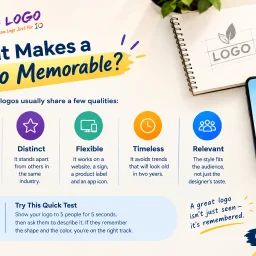
Branding delays plague early-stage companies. Founders often postpone logo design or resort to generic free tools just to populate their website, unknowingly undermining their professional credibility. 10alogo targets this exact friction point: startups and growing businesses that need a polished brand identity without enterprise-level budgets. The service's philosophy runs counter to the common misconception that affordable design means inferior work. The website content frames cost as a function of operational overhead rather than designer skill, a distinction that makes the offering credible for budget-conscious founders. The company positions affordability as accessible professionalism, not a compromise on quality. What distinguishes this approach is the emphasis on research before design. Rather than jumping straight to visual output, the process begins with understanding the business, its audience, and the emotional response the brand should trigger. This foundation-first methodology surfaces repeatedly in the company's messaging: color choices, simplicity, and strategic thinking drive the final result, not decorative complexity. The claim that weak logos fail not from poor execution but from lack of strategic grounding reflects a coherent worldview about design's purpose. The company frames logo design as foundational infrastructure. A coherent brand identity compounds across touchpoints: websites, packaging, social media, email signatures, and invoices all reinforce recognition and trust. This systems thinking appeals to founders concerned with cohesion across their growing operations. 10alogo offers a broader suite beyond logo design, including website design, viral video production, and mobile app development, positioning itself as a more comprehensive branding partner than its name suggests. This expansion potential could matter for founders building out their full digital presence. The mention of a portfolio, live chat, and toll-free support indicates a staffed operation rather than an automated tool, a distinction worth noting for customers who value human consultation. The most significant gap is transparency around pricing and turnaround timelines. The website emphasizes affordability conceptually but never states actual costs or delivery expectations. For early-stage founders evaluating service options against specific budget constraints, this vagueness introduces friction into the decision-making process. Specificity here would strengthen the value proposition considerably. For startups that recognize their logo as a lever for brand legitimacy but lack five-figure design budgets, 10alogo addresses a real need: professional logos grounded in strategy rather than either free-tool shortcuts or luxury agency pricing.

Finding the perfect aesthetic character scattered across Unicode databases and emoji lists requires patience most online creators don't have. Free Text Symbols addresses this friction by consolidating specialized glyphs and decorative characters into a single, organized repository built specifically for people who want to customize their digital presence. The service targets Discord users, social media enthusiasts, and anyone designing usernames, bios, or chat messages where standard letters feel insufficient. Whether someone needs hearts, stars, arrows, fancy Unicode letters, or adorable kaomoji faces, the platform eliminates the time spent hunting across the web for alternatives. What distinguishes Free Text Symbols is its categorical organization and deliberate curation. Rather than presenting an overwhelming sea of Unicode, the interface breaks symbols into 21 distinct categories ranging from geometric shapes to religious symbols, with practical groupings like Music & Chess and Food & Drink. Each category contains substantial collections—hearts alone number 62 variations, while arrows offer 174 directional options. This depth signals genuine investment in comprehensiveness rather than a minimal symbol dump. The interface prioritizes speed. Users can copy any symbol with a single click, bypassing the typical friction of navigation and highlighting text. For those needing graphical assets, the platform supports PNG download for integration into images or designs. The workbench feature appends selected symbols to a persistent pad, allowing batch copying—a practical workflow for someone collecting multiple symbols for a single project. Supporting features include a search function, a favorites system for bookmarking preferred symbols, and automatic tracking of recently used characters. These elements acknowledge that users develop symbol preferences over time and benefit from quick access to personalized collections. The platform presents itself as a free service with no premium tiers or payment mechanisms mentioned, positioning it as accessible to users regardless of budget. This approach lowers barriers for the target audience, mostly younger users and hobbyists who expect free access to creative tools. Free Text Symbols executes a focused mission: making aesthetic text customization frictionless for creators who need characters beyond the standard keyboard.

Production crews have long faced a fragmentation problem: managing a film shoot requires coordinating scripts, schedules, assets, and people across multiple disconnected tools. Film Logic addresses this by consolidating the entire production workflow from screenplay through set operations into a single application designed by someone who spent fifteen years directing for major studios and streamers. The core proposition is straightforward but ambitious. Instead of toggling between spreadsheets, messaging apps, and specialized tools, producers, assistant directors, department heads, and on-set crews operate within one environment. The founder built this after experiencing the frustration firsthand on independent productions where budget constraints made it untenable to license multiple systems, and where coordination failures could derail entire days. What distinguishes Film Logic is its specific orientation toward on-set realities. The design prioritizes mobile-first access, recognizing that the people executing production decisions often work from phones and tablets on location. The Asset Library exemplifies this thinking: departments upload materials directly from set, tag them by scene, track versions with approvals, and run continuity checks without ever opening a separate application. This consolidation extends to the command center for assistant directors, which broadcasts real-time status—current scene, next setup, time-to-wrap, setup and shoot timers—to every phone simultaneously. The platform handles automation that typically demands manual coordination. Call sheets generate automatically from stripboard scheduling, and the system flags production conflicts before they occur: missing durations, unconfirmed cast, locations without addresses. These issues surface with suggested fixes that link directly to the relevant fields, eliminating the hunting-and-clicking that consumes production days. Screenplay management is built in, not bolted on. The editor imports screenplays with automatic scene parsing, supports live collaborative writing with revision colors and notes, and exports in industry-standard format. This matters because the script is the source of truth for everything that follows—stripboards, call sheets, asset organization, and crew communication all flow from it. The business model reflects accessibility. At nineteen dollars ninety-nine per month with unlimited collaborators and no credit card required for a thirty-day trial, Film Logic positions itself as an alternative to either sprawling enterprise systems or the death-by-a-thousand-subscriptions approach most productions currently endure. The pricing suggests confidence that the consolidation delivers genuine value rather than merely aggregating existing tools.
Designing effective emails requires juggling multiple concerns: a clean signature in the right format, subject lines that won't get cut off on mobile, HTML that renders across clients, and proper headers for authentication. Emailyy addresses this workflow fragmentation by consolidating essential email creation and testing tools into a single, free, no-login platform. The product targets email professionals and marketers who need quick utilities without friction. Five tools currently live: a signature generator that outputs HTML for major email clients, a subject line tester showing how text renders on desktop and mobile, an HTML preview engine, a word counter, and a header analyzer for inspecting email metadata and routing. Several others are in development, including a spam word checker and HTML minifier. What distinguishes Emailyy is not novelty but accessibility. Each tool loads in a browser with no signup required. No trial periods, no feature limitations, no upsells. The HTML preview strips scripts for security and doesn't phone home, keeping the experience both safe and private. This bare-minimum approach to friction removal—opening a tool and using it immediately—is rare in the email marketing software space, where most competitors lock basic utilities behind accounts or paid tiers. The signature generator stands as the centerpiece, supporting photo uploads and LinkedIn integration while letting users customize fonts and accent colors. The subject line tester provides honest feedback on length and character count, showing approximate previews of how different email apps truncate text. The header analyzer surfaces delivery information and authentication details without requiring an email account login, solving a specific pain point for anyone debugging deliverability. The business model remains unstated on the site. A completely free offering with no obvious monetization suggests either a long-term play for audience building, a passion project, or plans to introduce premium features later. For now, users get genuine utility without commercial pressure. Emailyy's value proposition is straightforward: professional-grade email tools, instantly available, with zero onboarding overhead. For teams building newsletters or transactional emails, it cuts setup friction significantly.

Implementing payroll and HR systems in India presents unique challenges around statutory compliance, regulatory changes, and localized workflows. NeevHR addresses this complexity by building a purpose-built platform for Indian companies that centralizes employee management, payroll processing, and statutory compliance in a single system designed from the ground up for Indian business requirements. The platform manages the complete employee lifecycle from recruitment through exit, connecting hiring, onboarding, attendance tracking, shift rostering, leave management, payroll processing, performance reviews, expense management, and final settlement. What distinguishes NeevHR from generic HR platforms is its India-specific foundation. Rather than treating compliance as an afterthought, statutory requirements like Employee Provident Fund contributions, ESI deductions, professional tax, TDS, LWF calculations, and gratuity provisions are embedded into the core workflows. The system also accounts for regulations specific to Indian employment like POSH compliance and the DPDP Act 2023. A defining feature is the effective-dated employee record that maintains historical accuracy across organizational changes. This single record flows through all HR functions, eliminating data silos. HR administrators can configure leave rules, attendance policies, payroll structures, and appraisal processes through the platform's interface without requiring code or external consulting, which reduces implementation timelines to four to eight weeks compared to six to twelve months for traditional deployments. The platform includes a mobile application that extends self-service capabilities to employees for accessing payslips, submitting leave requests, tracking attendance, and approving workflows. Data residency within India addresses data sovereignty concerns for companies managing sensitive employee information. The dashboard provides visibility into key workforce metrics including headcount trends, attrition by department, recruitment pipeline status, and payroll status. The platform targets growing Indian businesses that operate at sufficient scale to justify dedicated HR infrastructure but seek simpler deployment and configuration than enterprise-grade competitors. The depth of statutory compliance coverage and no-code configurability for HR teams positions NeevHR as a practical alternative to either manual spreadsheet processes or lengthy enterprise implementations. Free HR calculation tools available through the platform provide additional value for businesses evaluating HR and payroll decisions.