#productivity Startups & Tools
Discover the best productivity startups, tools, and products on SellWithBoost.

Audience-backed funding for creators remains an underserved market in many regions, particularly in Africa where traditional payment infrastructure and global platforms create barriers to monetization. This creator support platform directly addresses that gap by offering a unified solution for individuals and communities to receive financial backing from their audiences. The platform consolidates several monetization mechanisms into one ecosystem. Creators can establish personalized pages, accept one-time contributions from supporters, or build recurring revenue through membership offerings. The addition of digital product sales extends utility beyond simple patronage, allowing creators to package and distribute content or services alongside direct support. This multi-model approach recognizes that different creators and audiences have different transaction preferences—some favor one-off tipping while others commit to ongoing relationships. What distinguishes this offering is its explicit focus on African markets. Rather than assuming global payment solutions serve all regions equally, the platform prioritizes secure payment infrastructure tailored to local contexts and economic realities. The emphasis on ease of use reflects recognition that not all creators possess technical sophistication or familiarity with complex funding platforms. The public support links feature enables easy sharing across social channels and messaging platforms, reducing friction in the discovery and conversion funnel. This addresses a real challenge: even creators with engaged audiences often lack straightforward ways to direct that engagement into revenue. The positioning centers on simplification—both of the payment process and the user experience. The platform focuses creators on a core workflow: set up, share, receive funds. Rather than overwhelming users with analytics dashboards or complex configuration options, it prioritizes directness. The website itself offers limited operational details about pricing, transaction fees, or specific payment methods supported, making competitive positioning on cost and full feature set difficult to assess. The duplicate phrasing in the founder's description indicates the company is still refining its messaging. For creators seeking an alternative to global platforms, particularly those based in Africa or serving African audiences, this represents a focused solution. The combination of multiple revenue models and geographic specificity reflects a product built with particular user needs in mind rather than as a generic clone of existing solutions.

Recruiting decisions rest on incomplete information, yet most AI tools compound the problem by hiding their reasoning under a layer of polish. MindRecruiter addresses the core frustration: recruiters who want to understand why an AI system reached a particular conclusion before trusting it with a hiring decision. The product breaks this down into a two-stage thinking model. First, it surfaces raw reasoning across six structured dimensions: an initial hypothesis, underlying assumptions that might be flawed, an alternative evaluation angle, potential red flags, unexpected considerations, and a recommended next step. Only then does it synthesize these into a professional-grade conclusion suitable for documentation or stakeholder communication. The theory is sound—that gap between unfiltered reasoning and polished output contains the actual decision-making insight. The interface is designed for speed and flexibility. Users paste job descriptions, candidate profiles, or hiring scenarios directly into a web interface. A Chrome extension adds one-click analysis for LinkedIn profiles and job postings without scraping or storing data. File uploads support PDFs, Word documents, and images. The entry barrier is deliberately low: four free analyses available immediately without authentication. For extended use, the token system removes friction while maintaining privacy. Free tokens last 30 days and persist only on the user's device—no account creation, no email tracking, no data transmission. This is a genuine technical choice rather than marketing language. Every session remains local, and the company states it doesn't log or store anything, a rare commitment in an industry where data hoarding has become default practice. The ambitions here are measured rather than grandiose. MindRecruiter is explicitly positioned as a private beta experiment rather than a polished product, which signals genuine research into how AI transparency in hiring could work rather than a rush to market. It's part of a broader free suite under SKILLSINPUT.AI that includes resume generation, salary tools, and career roadmaps. What's genuinely missing are real constraints: evidence of how the reasoning holds up on complex hiring decisions, whether six dimensions exhaust all recruiting scenarios, or what the actual output quality looks like beyond template prompts. The transparency promise is the entire product—if that reasoning is shallow or misses domain-specific nuance, the tool fails immediately. For recruiters skeptical of black-box AI but willing to experiment with something genuinely transparent, this is worth testing. For those seeking a production-ready system, it's still too experimental.

B2B lead generation is a challenging task, especially when relying on outdated databases that often yield stale or irrelevant results. Surfaced tackles this problem head-on by utilizing AI-powered live web searches to deliver targeted, up-to-date leads. This is particularly beneficial for businesses seeking to connect with newer, niche, or regional companies that may not be listed in traditional databases. What sets Surfaced apart is its ability to search the live web in real-time, rather than relying on static databases that can be months out of date. This approach ensures that the leads generated are current and relevant, giving users a significant advantage in their outreach efforts. The AI-driven search process is also refined through a series of clarifying questions, ensuring that the results closely match the user's specific needs. The platform's functionality is streamlined into a three-step process: describing the target market and industry segment, launching an AI-powered search, and receiving a structured list of leads. The resulting list includes essential company information, such as website, contact details, location, and a relevance score, which can be easily exported to a CRM or cold email sequence. Notably, Surfaced's business model includes a fair pricing structure, where unused credits are returned if a search yields no results, and a built-in mail bounce checker to ensure that only valid email addresses are suggested. Overall, Surfaced offers a robust solution for businesses seeking to identify and connect with their target audience in a more efficient and effective manner.

Preparing for technical interviews typically forces candidates into exhausting fragmentation: hunting for relevant questions across scattered blog posts, switching to separate coding platforms for DSA practice, and hoping they can communicate their thinking clearly during the actual interview. Stack Interview consolidates this workflow into a unified, free platform targeting developers aiming for senior-level roles. The platform tackles three specific pain points head-on. Its question bank of 1,000+ scenarios focuses on modern stack technologies—React, Node.js, Next.js, MongoDB, SQL, and system design—rather than generic definitions. These are architected around realistic problems candidates encounter in interviews at top companies. The second pillar, 215+ data structures and algorithms problems, comes with live code execution directly in the browser, eliminating the friction of local setup. Rather than leaving communication to chance, the platform includes an AI-driven mock interview feature that accepts voice input, scores responses across technical depth and communication clarity, and tailors questions to a candidate's selected target company. What distinguishes Stack Interview from existing interview prep resources is its scope consolidation. Most platforms optimize for one dimension—question banks, coding environments, or interview simulation. By integrating all three with supporting analytics like weakness tracking and company-specific readiness scoring, the tool reduces context switching and cognitive load during preparation. The business model reflects an unusual commitment to accessibility: everything is available for free with no paywall. The founder, a solo developer, built this after struggling with the exact inefficiencies the platform now solves. That origin story carries weight because the product solves real friction rather than imagined problems. The platform does target a specific audience. Candidates preparing for mid-to-senior roles in full-stack development will find the most value; those pursuing other specialties or junior-level positions may find the content overscoped. The voice-based AI interview feature, while innovative, lacks published data on performance across different accents, speech patterns, or technical communication styles. For developers serious about cracking interviews at competitive companies and tired of juggling multiple preparation tools, Stack Interview represents a meaningful consolidation. Its free-forever model removes friction to trying it, and its focus on architectural thinking over trivia aligns with how serious companies actually interview senior engineers.
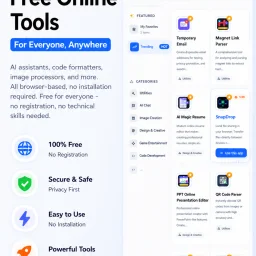
In today's digital landscape, productivity is often hindered by the need to install and manage multiple applications, each serving a specific purpose. CMDragon Tools addresses this issue by offering a comprehensive suite of online utilities that cater to diverse needs, from code formatting and image editing to file conversion and barcode scanning. The platform is designed for anyone seeking to streamline their workflow without the hassle of downloading and installing separate applications. What stands out about CMDragon Tools is its commitment to providing a seamless, browser-based experience that prioritizes user convenience and data privacy. The tools are carefully crafted to operate entirely within the user's browser, eliminating the need for server transmission and ensuring that sensitive data remains confidential. This approach is evident in tools like the EPUB Reader, which stores imported files locally and offers features such as customizable reading preferences, bookmarking, and full-text search. The platform boasts an impressive array of tools, including a Touch Screen Detection utility that performs comprehensive diagnostics and an advanced Barcode Scanner that supports a wide range of formats. These tools are not only feature-rich but also demonstrate a clear understanding of user needs, with functionalities such as live camera scanning, adjustable scan regions, and batch image decoding. By bringing essential utilities directly into the browser, CMDragon Tools simplifies workflows and enhances productivity. The absence of installation requirements, sign-ups, and server transmission aligns with the founder's vision of providing instant, no-download productivity. While pricing details are not explicitly mentioned, the platform's value proposition lies in its convenience, versatility, and commitment to user privacy, making it an attractive solution for individuals and professionals seeking to optimize their digital workflows.
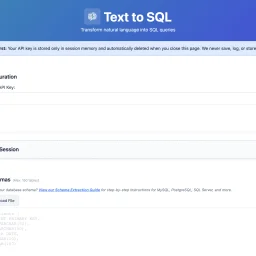
For many organizations, SQL query writing remains a bottleneck. Non-technical team members struggle to access data independently, while developers waste time on complex joins and unfamiliar schemas. Existing AI-powered SQL generators typically demand a trade-off: convenience in exchange for uploading database schemas to third-party servers—a proposition that makes security-conscious teams uncomfortable. Text2SQL breaks this pattern by architecting the problem differently. Rather than accepting user data through its own servers, the tool operates entirely client-side. Users provide their own Anthropic API key, and queries flow directly from their browser to Anthropic's endpoints, bypassing Text2SQL's infrastructure entirely. This architectural choice eliminates a crucial security risk: the company never sees, stores, or logs database schemas, sample data, or query history. For organizations handling sensitive information or operating under compliance constraints, this design addresses a genuine pain point that most competitors ignore. The product itself centers on natural language translation. Users describe their data needs in plain English—"Show me customers who purchased last month"—and receive SQL queries in return. The tool accepts database schemas as CREATE TABLE statements and uses them to generate context-aware queries. An optional feature lets users upload example queries from their codebase; the AI learns naming conventions and join patterns, improving consistency across generated queries. What distinguishes Text2SQL is its completeness without overreach. It includes schema validation, query explanations, and sample data support with a thoughtful reminder that sensitive data should be randomized first. Session management allows users to save and restore configurations across visits. The tool enforces reasonable limits: 150 tables, 300 example queries, 3,000 sample data rows. These constraints prevent runaway complexity while accommodating realistic use cases. The product is entirely free. There's no licensing tier, no gating of core functionality, no hidden costs. This positions Text2SQL less as a revenue-generating product and more as a genuinely useful utility—potentially a customer acquisition strategy for Anthropic API adoption, or simply a commitment to reducing friction around database queries. For teams looking to democratize data access or streamline SQL development without surrendering control of their schemas, Text2SQL delivers on a clear promise. It won't replace domain expertise in complex analytics, but it meaningfully lowers the barrier to ad-hoc querying and frees developers from repetitive query construction.
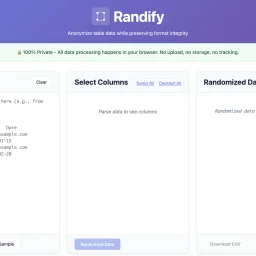
Privacy-conscious organizations managing sensitive data have long faced a troubling choice: anonymize customer or patient information for testing and demonstrations, or upload it to third-party services and accept the compliance and security risks. Randify eliminates that tension by processing all anonymization within the browser, never transmitting anything to external servers. The problem it targets is concrete. Development teams, QA engineers, and data analysts regularly need realistic test datasets without exposing actual customer records. Healthcare organizations must anonymize patient data for testing while maintaining HIPAA compliance. Financial services firms need to randomize customer information for development while staying PCI-compliant. SaaS companies want to demonstrate products with convincing but fabricated data. Randify addresses these scenarios through a single architectural commitment: all data stays local. What distinguishes the tool is its execution of this privacy-first model. It requires no registration and works offline, with zero network requests—users can verify this in their browser's developer console. For organizations subject to data protection regulations, this eliminates an entire class of security and compliance risk. The feature set reflects genuine practical needs. Rather than indiscriminately scrambling content, Randify lets users specify which columns to randomize and which to preserve, maintaining referential integrity so identical input values consistently produce identical outputs. The tool automatically detects PII patterns including email addresses, phone numbers, dates, names, addresses, and company names, applying appropriate formatting rules during randomization so results look realistic rather than obviously synthetic. It accepts data in multiple formats: CSV, TSV, pasted tables from spreadsheets, and SQL INSERT statements. Multi-language support for names and regional data patterns demonstrates attention to genuinely global use cases. The ability to preview changes before applying them reduces mistakes and friction. Randify is free and carries no monetization messaging in available materials, making it an accessible entry point for privacy-conscious teams. For organizations already skeptical of third-party data handling, a purpose-built, client-side-only solution occupies meaningful space in an otherwise server-dependent tooling landscape.

Designers and developers often struggle to recreate or analyze existing websites, spending hours poring over code and assets. Zipit Web solves this problem by allowing users to extract production-ready assets, code, and design systems from any website in seconds. The tool is geared towards UI/UX designers, frontend developers, Webflow creators, agencies, students, and AI builders who need to quickly analyze and reuse web inspiration. What stands out about Zipit Web is its ability to simplify the process of extracting valuable information from a website. With just one URL, users can access three powerful modes: Full Bundle, Design System, and Inspect Mode. These modes enable users to download entire websites, extract design tokens, and inspect live components with ease. The tool's speed and efficiency are notable, with the entire process taking mere seconds. Key features of Zipit Web include its asset extractor, which can grab images in original quality, and its ability to export production-ready source code, neatly organized. The tool also offers an AI-ready export feature, which provides clean text and structured data ready for AI models. Additionally, Zipit Web includes an accessibility audit feature, which runs a full WCAG audit on any page, and an SEO analysis feature, which parses and scores meta tags, Open Graph, and other SEO-related elements. The fact that Zipit Web is free to try, with no account needed and no installs required, makes it easily accessible to anyone. The tool also mentions a "Cloud Save" feature, which allows users to save everything to the cloud, organize their library, and regenerate designs with their favorite AI. Overall, Zipit Web is a powerful tool that can significantly streamline the design and development process for its target audience.
Figma's ecosystem of UI kits has grown crowded, but BrixUI addresses a genuine friction point that many designers face: the time-consuming work of building scalable component libraries and maintaining consistency across multiple brand variations. The product targets everyone from freelance designers to larger agencies who need to accelerate project timelines without compromising design quality or reinventing basic components. At its core, BrixUI is a comprehensive design system that launches with substantial assets. The library includes nearly 19,000 components and variants, over 1,900 global styles and tokens, plus 1,800 page sections and ready-to-use templates. An additional 3,600 icons and logo packs—sourced from open-source collections and custom creations—provide supplementary materials that designers would otherwise need to source separately. This scale is designed to minimize the setup work before meaningful design work can begin. What distinguishes BrixUI from commodity UI kits is its architecture. The system powers four distinct themes with light and dark mode variants, all built on a variable-driven structure. This approach allows designers to switch branding or color schemes globally without manually touching individual components, a meaningful productivity gain for teams managing multiple brands. The library prioritizes responsive design from the foundation, with breakpoints configured for mobile, tablet, desktop, and large desktop viewports, eliminating the common frustration of discovering layout issues across screen sizes late in the process. The "reverse styling" feature is particularly noteworthy. Components are designed to adapt seamlessly to any background color or image, a detail that generic UI kits often overlook. Scalability is embedded as well, with components dynamically adjusting based on configurable body font sizes to maintain proportional relationships. The inclusion of pre-built page sections and widget templates positions these as ready-to-use examples rather than blank starting points. The product has attracted over 200 creators, with version 1.2 recently launched, suggesting active development. Pricing and business model specifics are not detailed in available materials. For design teams operating across multiple brands or seeking to reduce component building overhead, BrixUI presents a feature-rich toolkit with deliberate architectural choices backing its scale.

Developers frequently face a significant hurdle when switching between programming languages, namely finding equivalent libraries and packages. Package Pal addresses this challenge by providing a platform that instantly suggests alternatives across multiple languages. The tool is specifically designed for developers who need to migrate projects, refactor legacy services, or learn new frameworks. What stands out about Package Pal is its use of state-of-the-art AI to bridge the gap between different package ecosystems. By leveraging this technology, it enables developers to map their existing knowledge from one language to another seamlessly. The tool's ability to provide instant translations, complete with documentation URLs, installation commands, and usage examples, is particularly noteworthy. The key features of Package Pal include cross-language support for over 15 popular languages, an IDE extension that allows for in-editor package discovery, and the option to run queries client-side using a user's own Gemini API key. This last feature is especially useful for users who require higher rate limits. Additionally, the tool provides a sidebar explorer that automatically scans the active file and lists all dependencies and their alternatives in a clean tree view. Package Pal is available as a free VS Code extension, with a clear emphasis on privacy. The tool is committed to protecting user data and provides transparent information about its data collection practices and use of third-party cookies. Users have control over their data, and the option to opt out of personalized advertising is available through Google Ad Settings or aboutads.info. Overall, Package Pal is a valuable resource for developers navigating the complexities of cross-language development.
Content creation is a crucial aspect of digital marketing, and tools that streamline the process are in high demand. Inkgest has emerged as a potential game-changer for writers and content creators. By leveraging AI-driven technology, the platform aims to simplify the writing process while ensuring that the output is optimized for search engines. The tool's primary function is to assist writers in crafting content that is not only engaging but also rich in relevant backlinks and hyperlinks. This approach is designed to improve the content's visibility and credibility online. By integrating SEO principles into the writing process, Inkgest helps creators produce high-quality content that resonates with their target audience. While exploring the platform, it's clear that Inkgest is designed to be a collaborative tool, rather than a replacement for human writers. The user interface is intuitive, and the features are geared towards supporting the creative process. For content creators looking to enhance their workflow and produce SEO-friendly content, Inkgest is definitely worth exploring. Its potential to become an indispensable asset for writers worldwide is evident, making it a promising addition to the content creation landscape.

Navigating France's residential rental market can be a daunting task, with numerous factors to consider before making a decision. VerifHabitat addresses this challenge by providing a platform for individuals to share and access reviews and information about residential properties. The site is geared towards prospective renters, buyers, and occupants, offering a valuable resource for those seeking to make informed decisions. What stands out about VerifHabitat is its comprehensive approach to providing insights into a property's condition and surroundings. The site aggregates reviews from previous occupants, alongside publicly available data on factors such as energy efficiency, environmental risks, and local amenities. This information is presented in a clear and concise manner, allowing users to quickly gauge the pros and cons of a particular property. Key features of the platform include its moderation process, which ensures that reviews are vetted before publication, and the ability for users to report on various aspects of their experience, such as noise levels, humidity, and property management. The site also draws on a range of public sources, including government databases and urban planning records, to provide additional context. VerifHabitat is entirely free for all users, with no indication of any tiered pricing or premium features. The site's commitment to transparency and moderation helps to establish trust with its users, who can contribute reviews without fear of their identity being disclosed. Overall, VerifHabitat offers a valuable service to those navigating France's residential rental market, providing a unique combination of user-generated reviews and publicly available data to inform their decisions.

Lean sales teams often struggle with managing high-volume outreach across multiple channels, resulting in manual work, inconsistency, and lost time. Outbound sales efforts are typically fragmented across separate tools, making it challenging to maintain quality and control. ReachRobin's solution addresses this pain point by integrating LinkedIn, email, and WhatsApp outreach into a single workflow. What sets ReachRobin apart is its use of AI-powered personalization to draft messages that incorporate prospect profile data, company signals, and the user's own sales playbook. This enables sales teams to achieve genuine personalization at scale, a crucial aspect of successful outreach. The platform's rate-aware automation ensures that connection requests, messages, and follow-ups are sent in a way that keeps accounts safe, mitigating the risk of being flagged or blocked. The product's key features include automating outreach across multiple channels, tracking conversations, and measuring response rates through built-in analytics. Additionally, CRM sync capabilities allow users to seamlessly move prospects through their pipeline. By streamlining outreach and providing valuable insights, ReachRobin enables sales teams to focus on strategy rather than manual tasks. By bringing multiple outreach channels and AI-assisted personalization together, ReachRobin helps teams execute more effective outbound sales efforts with less manual effort. The platform is designed to maintain quality and control, addressing a critical need for lean sales teams. Unfortunately, the provided information does not detail ReachRobin's pricing or business model, so potential users will need to consult the company's website or sales team for more information on getting started.

Temporary email services have become an essential tool for managing online signups and trials without cluttering one's primary inbox with unwanted emails. Freetempmail addresses this need by providing a straightforward, ad-free temporary email solution. The platform is geared towards individuals seeking to maintain their online privacy and avoid spam associated with giving out their real email addresses. What distinguishes Freetempmail from its competitors is its commitment to preserving HTML formatting in emails, ensuring that links, images, and buttons function as intended. This is a significant advantage over other temporary email services that strip emails of their formatting, rendering them less useful. The absence of third-party scripts and a clearly published data policy further underscore the service's dedication to user privacy. Generating a temporary email address is a simple, one-click process that doesn't require signup. Users can choose from available domains or have one randomly generated. The service boasts an unlimited session length, outlasting competitors that limit the lifespan of their temporary inboxes. Additionally, Freetempmail offers a suite of privacy-focused tools, including an email privacy checker, QR code generator, UUID generator, and password generator, all of which operate locally within the user's browser, reinforcing the service's privacy-centric ethos. The comparison with other temporary email services highlights Freetempmail's unique strengths, notably its ad-free experience, lack of captchas, and commitment to not tracking users. While the business model isn't explicitly detailed, the absence of ads and third-party scripts suggests that Freetempmail is supported either by its users or through a model not immediately apparent from its website. Overall, Freetempmail is a robust solution for those seeking a hassle-free, private temporary email service.

For users seeking a comprehensive entertainment solution, Smarter IPTV offers a premium subscription service that consolidates live TV, movies, and series into a single, accessible platform. The company's primary objective is to provide an affordable alternative to traditional cable costs, catering to a diverse audience with varied viewing preferences. With a vast library comprising 5000+ movies and 10,000+ series, alongside a broad selection of live channels from around the world, Smarter IPTV's content offering is undeniably extensive. The service's compatibility with multiple devices, including Android, Smart TV, iOS, and PC, ensures that users can stream their preferred content anywhere, anytime. Notable features include a free 24-hour trial, allowing potential subscribers to test the service, and a promise of daily updates to keep the content fresh. A key aspect that stands out about Smarter IPTV is its emphasis on accessibility and flexibility. The service is designed to be device-agnostic, supporting a range of platforms and devices. The variety of subscription plans available, including options for 1, 6, and 12 months, caters to different user needs and budgets. The pricing for these plans is clearly outlined, with costs ranging from €9.99 for a monthly subscription to €49.99 for a yearly commitment, with discounts available for longer-term commitments. Overall, Smarter IPTV's comprehensive content offering, coupled with its compatibility across various devices and flexible subscription plans, positions it as a viable option for those looking to move away from traditional cable television. By providing a broad range of entertainment content at competitive prices, Smarter IPTV directly addresses the needs of users seeking a more flexible and cost-effective entertainment solution.

Email marketing is a crucial aspect of business growth, and managing it effectively can be a daunting task. MailCannon addresses this challenge by providing a comprehensive platform that enables businesses to launch powerful, personalized email campaigns to thousands of contacts. The platform is designed for businesses looking to streamline their email marketing efforts and leverage AI technology to discover new leads and track performance. What stands out about MailCannon is its robust use of AI-powered technology to simplify and enhance email marketing. The platform's AI agent can automatically extract contact information from multiple sources, including websites, Google Maps, and targeted audience criteria. This intelligent contact discovery capability saves businesses hours of manual work and enables them to focus on crafting effective email campaigns. The platform offers a range of key features that make email marketing effortless and effective. These include bulk email campaigns with advanced template customization and merge fields, contact management with CSV import and intelligent segmentation, and real-time analytics and tracking. Additionally, MailCannon allows users to utilize their own SMTP settings for complete control over email delivery and sender reputation. MailCannon offers a free forever plan with no credit card required, and setup can be completed in just two minutes. The platform also provides a range of other plans, with pricing details available on their website. With 10,000+ active users and over 1 million emails sent, MailCannon has established itself as a trusted solution for businesses worldwide. Overall, MailCannon is a powerful email marketing platform that is well-suited to businesses looking to scale their email campaigns and drive growth through AI-powered technology.

For entertainment enthusiasts looking for a comprehensive and flexible viewing experience, SmarterTV FR offers a premium IPTV subscription service that bundles live TV, movies, and series into one convenient package. This solution is particularly suited for individuals seeking to cut the cord on traditional cable services in favor of a more personalized and cost-effective alternative. The standout feature of this service is its broad compatibility with various devices, allowing users to stream their favorite content on Android, iOS, Smart TV, and PC. With access to over 5000 movies and 10,000 series, alongside a wide array of live channels from around the world, users are spoiled for choice. The service also highlights its ability to aggregate content from major streaming platforms, effectively acting as a one-stop-shop for diverse entertainment needs. Key features worth noting include the high-definition streaming quality, with support for HD, FHD, and 4K resolutions, and the daily updates to its content offerings. The service also provides a free 24-hour trial, giving potential subscribers a risk-free opportunity to test its capabilities. Additionally, the option to stream on multiple devices simultaneously is a significant advantage for households with varied viewing preferences. Pricing plans are structured to accommodate different user commitments, ranging from a monthly subscription to a more cost-effective 12-month plan, with prices starting at €9.99 per month and decreasing to €4.17 per month for the annual commitment. The service also boasts a "satisfied or refund" policy, underscoring its confidence in the quality of the viewing experience it provides. Overall, SmarterTV FR presents a compelling alternative to traditional TV viewing, offering a rich content library, broad device compatibility, and flexible pricing.

Image editing can be a tedious task, especially when it comes to removing backgrounds from photos. RMBG PRO's advanced AI-powered tool simplifies this process, making it an ideal solution for e-commerce businesses, professional photographers, and social media content creators. The platform's ability to automatically remove backgrounds from images in under five seconds is a significant time-saver, allowing users to focus on other aspects of their work. What stands out about RMBG PRO is its comprehensive suite of features that go beyond just background removal. The tool also allows users to remove watermarks and objects from images with precision, add custom background colors or images, and even upload logos or watermarks to brand their photos. The platform's batch processing capabilities and RESTful API integration make it an attractive option for businesses and developers looking to integrate background removal capabilities into their own applications. The RMBG Cloud Image Library is another notable feature, providing a centralized storage solution for processed images, allowing users to organize them into collections, share public portfolios, and track views. The seamless WordPress plugin integration is also a significant advantage for users with WordPress websites. Overall, RMBG PRO offers a robust set of features that cater to a wide range of image editing needs. Notably, the platform does not explicitly mention its pricing or business model, suggesting that users may need to explore the website further or contact the company directly to learn more about its costs and plans.

Freelancers on Upwork often struggle to find the right job opportunities before they're swamped with competition. The process of constantly refreshing the feed and sifting through numerous listings can be tedious and time-consuming, causing them to miss out on high-quality jobs. Vibeworker's AI-powered job matching technology addresses this issue by analyzing every new Upwork posting and identifying the ones that best match a freelancer's skills, experience, and strategy. What stands out about Vibeworker is its ability to look beyond mere keyword matching, instead evaluating factors such as client quality, scope clarity, and risk indicators to determine whether a job is a good opportunity. This approach enables freelancers to focus on the most promising jobs and avoid those that are vague or unprofitable. The platform offers different modes to suit various strategies, including Quick Wins for new freelancers looking to build their reputation, Skill Match for those seeking well-fitting work, and High Value for experienced freelancers who can be selective about the projects they take on. Vibeworker's matching technology is reportedly similar to that used by major companies like Google, Netflix, and Spotify, and it can pick up new job postings within minutes of their appearance on Upwork. The platform offers a free sign-up option, with its Pro version available from $16 per month. Overall, Vibeworker has the potential to save freelancers a significant amount of time and effort, and help them land better jobs on Upwork. By streamlining the job search process and providing more targeted opportunities, Vibeworker is well-suited to freelancers looking to optimize their workflow and build a successful career on the platform.

As development teams increasingly adopt AI-powered coding tools, they face a new challenge: ensuring the quality of AI-generated code. The rise of AI-assisted coding has led to faster development velocities, but often at the cost of thorough code reviews. Engineers may commit code without fully examining it, leading to abstruse bugs and lengthy debugging sessions in production. git-lrc addresses this issue by providing a solution that encourages developers to review their code at the point of commit. What stands out about git-lrc is its focus on integrating code review into the developer's existing workflow, rather than introducing a new dashboard or separate review process. By triggering AI-assisted code reviews on commit, git-lrc provides a nudge to developers to examine their code changes carefully. The tool is designed to put the developer in control, allowing them to skip or manually review and "vouch" for their changes. These review decisions are recorded in the git log, providing a record of the team's review diligence. Key features of git-lrc include its automated review triggers, manual review and vouching capabilities, and recording of review decisions in the git log. The tool is also extremely easy to set up, requiring just 60 seconds to get started. Notably, git-lrc is completely free to use, thanks to its reliance on Google Gemini's free tier, with no limits on the number of reviews. By integrating code review into the commit process, git-lrc aims to improve the quality of code and reduce production bugs. Its straightforward setup and free pricing make it an attractive option for development teams looking to enhance their code review processes.