#developer tools Startups & Tools
Discover the best developer tools startups, tools, and products on SellWithBoost.

Established in 2026 as an IIT student-founded venture, SkySoar Technologies positions itself as a web development agency targeting businesses across specific verticals—restaurants, hotels, hospitals, educational institutions, and corporate organizations seeking to establish digital presence. The company's core offering centers on custom website development, with service lines tailored to industry-specific needs: school portals with enrollment and results management, restaurant sites featuring menus and booking integration, hospital platforms with doctor profiles and appointment systems, and corporate websites emphasizing portfolio and credibility. Beyond industry templates, the company also delivers landing pages, admin dashboards, and contact form systems. The website emphasizes technical capabilities including responsive design, SEO optimization, fast load times, and security. Where SkySoar distinguishes itself is in its stated commitment to quality benchmarking. The company claims its work meets standards that competitors don't target, grounding this in specific technical attributes: premium design, mobile optimization, performance architecture, security practices, and scalable code structure. This positioning suggests a quality-first approach rather than volume-driven delivery. However, the founder's own description reveals broader ambitions that extend significantly beyond the website's featured services. The company reportedly operates across web development, software applications, AI-powered solutions, automation, and immersive technologies including 3D environments, augmented reality, and virtual reality. This scope encompasses product development beyond client services and suggests a long-term vision toward building proprietary solutions alongside client work. This discrepancy between the website's focus and the founder's articulated vision raises questions about current versus intended capabilities. The website reads as a professional services agency, while the founder describes a technology company building products across emerging domains. For prospective clients, this presents both an opportunity and a gap: SkySoar clearly handles industry-specific web development professionally, but clarity around AI solutions, automation tooling, and immersive technology capabilities remains absent from their public offering. On pricing, the website mentions affordable rates but provides no concrete details, requiring direct inquiry to understand cost structure. For a startup less than a year old, SkySoar has articulated a coherent vision and positioned itself strategically within growing markets for digital transformation, though execution of its broader product ambitions remains to be demonstrated.
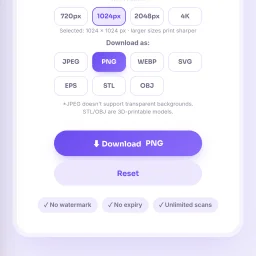
Generating QR codes has become ubiquitous in marketing, operations, and everyday information sharing, yet many solutions require software installation or paid subscriptions. A free, browser-based QR code generator addresses this friction point for individuals, small businesses, students, and content creators who need quick access to barcode creation without complexity. QRSnap fills this need as a no-signup online tool that operates entirely in the browser. The product distinguishes itself not simply through its core QR code functionality but through an expansive ecosystem of supplementary utilities that transforms it from a single-use tool into a broader productivity suite. Beyond standard QR code generation for URLs and WiFi networks, QRSnap supports business card codes and barcode creation with customization options acknowledged for branding purposes. The platform extends into image manipulation with a built-in editor, compressor, and converter that handles multiple formats including JPG, PNG, and WebP conversions. A tool for converting images to PDF rounds out this feature set. The utility catalog broadens further with calculator tools spanning general mathematics, health metrics such as body fat and pregnancy estimations, financial planning through compound interest and loan amortization, and time tracking features. An outfit generator addresses personal styling needs, while SEO tools allow website owners to audit technical elements and metadata. Several additional features carry "coming soon" status, including PDF merging and splitting capabilities. Several elements suggest purposeful design: the emphasis on browser-based operation eliminates installation friction, customization options for QR codes acknowledge business needs, and the breadth of tools consolidates multiple utilities within a single platform. However, the expansion into fashion styling and general calculators dilutes focus from the core QR code value proposition, raising legitimate questions about navigation simplicity and feature discoverability within what amounts to a collection of disparate utilities. Pricing remains transparent and straightforward. The entire suite operates free of charge with no paywalls or premium tiers mentioned. The product serves its stated mission of making QR code generation accessible without friction, though the scattered feature set suggests the platform aspires to be a general online utility hub rather than a focused solution.
Privacy-conscious users have long faced a dilemma with web-based utilities: gain convenience or protect data. Toolbantu resolves this tension by running common utility functions entirely within the browser, eliminating the upload and storage concerns that plague most online tool sites. The platform targets everyday users who need to compress images, format JSON, generate QR codes, and perform other routine tasks without surrendering files to third-party servers. This applies equally to privacy-sensitive individuals and organizations handling even mildly confidential data. What distinguishes Toolbantu most clearly is its uncompromising approach to data handling. Every tool processes information exclusively on the user's device, with no data transmission to external servers. The site articulates this commitment explicitly on each tool page, removing ambiguity about what happens to user files. This transparency extends to the broader design: no account creation, no tracking, no hidden data collection. The approach simplifies the experience while reinforcing the privacy promise. The feature set covers practical ground. Image tools handle compression, resizing, and format conversion between formats like JPG, PNG, and WebP. A developer tools section includes JSON formatting, Base64 encoding, URL encoding, UUID generation, and favicon generation. Additional utilities span password generation, QR code creation, word counting, and typing speed testing. The platform groups these into workflows that chain multiple tools sequentially, allowing users to resize an image and compress it in a single operation without leaving the interface. The toolkit feature lets users pin favorite tools for quick access, while a history section tracks recently opened tools, storing only tool names rather than files or content. This balances convenience with the privacy-first philosophy. Toolbantu operates as completely free software with no paid tier, subscription model, or premium features mentioned. The absence of account requirements and the explicit statement that nothing gets sent anywhere underscores the frictionless positioning. The main limitation lies in scope. Toolbantu serves routine utility needs competently but doesn't challenge specialized tools. Someone needing advanced image editing, complex data transformation, or sophisticated development features would look elsewhere. Yet for the specific use case of quick, private processing of everyday files, Toolbantu removes friction and legitimate privacy concerns from the equation. The execution feels considered rather than haphazard, suggesting a genuinely motivated project rather than a privacy-washing marketing angle.

Testing Apple push notifications without spinning up a backend server is a friction point many iOS development teams face. Push Notification Tester addresses this directly by offering a Mac application that lets developers and QA engineers send APNS messages straight from their machines. The tool targets iOS developers, QA engineers, and backend developers who need to validate tokens, certificates, and payloads before their production infrastructure is ready or during isolated testing phases. The workflow is deliberately straightforward. Developers select their APNs certificate from their Mac keychain, enter a device token, and compose a JSON payload containing whatever notification content they need—alerts, badges, sounds, or silent notifications. The app toggles between Apple's Development sandbox and Production environments before sending. This direct certificate-based approach eliminates the burden of maintaining a test server or backend setup just to verify basic push notification functionality works as expected. What sets this apart is its laser focus. Rather than becoming a comprehensive backend-as-a-service platform or notification hub, it stays purpose-built as a thin wrapper around the APNs protocol. This simplicity translates to quick adoption for teams already embedded in iOS development workflows. Developers work with certificates they already have and use; there are no new API keys to manage or unfamiliar dashboards to navigate. The application is available free on the Mac App Store, making it accessible to any developer in the Apple ecosystem. Alok Singh built this as the kind of utility teams install when they need to confirm certificate validity or test notification payloads in isolation, then forget about until the next verification cycle. For teams managing multiple push services or those in early development stages where backend infrastructure isn't yet in place, this fills a genuine gap. It provides a no-setup, certificate-direct path to APNS testing that requires no server code and no deployment overhead. The value isn't in flashy features but in removing a specific bottleneck from the development cycle: the moment when a developer just needs to know if a push notification will actually work, without weeks of backend preparation.
Testing haptic feedback on an iPhone simulator is impossible because the simulator doesn't vibrate. Developers working with iOS haptics have long faced this gap between design and device reality. Haptics Explorer closes that gap by providing a hands-on testing environment for the full range of haptic patterns available on iOS devices. The app is built for iOS developers who need to feel haptic patterns on a real iPhone before shipping them into production. Rather than guessing at how a haptic will land, developers can preview each pattern, tweak its parameters, and copy ready-to-use code snippets directly into their projects. The product organizes haptic patterns into eight distinct categories. Developers can trigger impact patterns ranging from light to rigid, test notification feedback types like success, error, and warning, explore rhythm patterns such as heartbeats and tick-tock sequences, and experiment with gesture feedback for swipes, pinches, and long presses. Game-specific patterns for explosions and power-ups round out the library, alongside accessibility patterns and a custom pattern designer for building entirely new haptic experiences. What distinguishes Haptics Explorer is its focus on the actual developer workflow. Rather than abstract documentation or simulator tools that cannot replicate the real experience, this app bridges the gap by letting developers work directly on a physical device. The intensity and sharpness controls give fine-grained tuning, while the speed adjustment and looping features enable iterative testing. The code generation capability means developers can move from exploration to implementation without context switching or manual transcription. The app requires iOS 15.6 or later and runs on both iPhone and iPad. A 24 MB download size keeps installation friction minimal. Haptics Explorer is free to download from the App Store, supported by ads and basic anonymous analytics. The privacy model deserves a note: the app keeps data on-device by default, does not sell personal information, and limits itself to Google AdMob for ad serving. This positions it as straightforward tooling rather than a data-collection vehicle. For any iOS developer working with UIKit haptics, this app removes the guesswork from translating design intent to device behavior. It is a focused tool that solves a specific problem in a developer's workflow, which is exactly what developer tools should do.

Calculating take-home pay remains a frustrating gap in financial planning for most workers. Employees know their gross salary, but navigating federal withholding tables, FICA calculations, and state-specific tax rules to arrive at an actual paycheck amount requires either specialized knowledge or guesswork. QuickEstimators fills this gap with a straightforward paycheck calculator built around 2026 tax figures. The platform targets employees, freelancers, and professionals who need to understand their net earnings for budgeting, career decisions, or financial planning. The founder describes the problem directly: workers struggle with changing federal brackets, Social Security and Medicare taxes, and the complexity of multi-state tax treatment. QuickEstimators promises fast, transparent calculations covering all 50 states plus D.C., using the latest federal withholding methodology from IRS Publication 15-T. The core experience is clean and methodical. Users input gross pay, frequency, filing status, and location, then refine details like W-4 adjustments, dependent credits, and pre-tax deductions (401(k), health insurance, HSA contributions). The calculator immediately breaks down where each dollar goes: federal income tax, Social Security, Medicare, state tax, and post-tax deductions. A sample Texas estimate shows the math in detail, making the withholding process legible rather than opaque. Several design choices stand out. The calculator handles multi-job scenarios through Step 2 withholding guidance, a detail that matters for married couples and gig workers. The product emphasizes privacy by storing no salary data and maintaining CCPA compliance. Users can download PDF summaries of estimates or embed the calculator on other sites, expanding utility beyond a standalone tool. The state tax engine deserves mention. Tax treatment varies wildly across jurisdictions: graduated rates, flat rates, and states with no income tax. Building this engine correctly requires state-specific logic, and the product claims full 50-state coverage with IRS compliance. Whether that translates to accuracy in edge cases isn't evident from marketing copy alone, but the claim is credible. The product offers no subscription model or premium tier; it functions as a free calculator. This approach makes sense for a financial transparency tool competing partly on accessibility and trust. Revenue model details are absent, but the business likely monetizes through affiliate relationships with payroll or financial planning services, or through embeds on employer websites. QuickEstimators solves a real problem with directness and attention to tax law detail. For anyone uncertain about paycheck math, it beats spreadsheets or mental math.

API key management is a chronic pain point for software teams. Developers routinely generate credentials they never see again, then scatter them across environment files, messaging apps, and scattered notes. Recovery is tedious; tracking where keys are deployed is often impossible; offboarding team members leaves residual access questions unanswered. Otter Vault addresses this problem with a Chrome extension that automatically intercepts API keys at the moment they appear on provider consoles. The personal vault runs entirely on the user's device. When a key appears, Otter offers to capture it with a single click, encrypting it locally using AES-256-GCM with PBKDF2 key derivation across 600,000 rounds. The passphrase never leaves the device, making recovery by the vendor impossible even if they wanted to provide it. The extension fills keys only on the exact origin they were saved from, rejecting lookalike domains outright. No account creation is required; the entire feature set is free. What distinguishes Otter from similar offerings is its specificity about security mechanics and its testing rigor. The founder details the exact encryption parameters, the clickjacking protection, and the exact-origin matching rule that prevents phishing. The product is backed by 137 unit tests, seeded fuzzing, cryptographic verification checks, and weekly testing across 12 real provider consoles. The code is public for anyone to audit, removing the need to trust claims. For teams, Otter offers a second tier called Teams. It introduces a key map that tracks where every shared credential is deployed—which Vercel variable, which GitHub Actions secret, which .env file. When someone leaves the team, Otter re-encrypts all shared keys and generates a checklist of exactly what that person could access and where it lives. Activity logs of all key operations are signed and cannot be tampered with server-side. The trial period is 21 days free for up to 10 developers; the regular price is 29 dollars per month, though an early-bird rate of 20 dollars per month applies through November 13. The personal vault solves an immediate problem with minimal friction. The team offering adds organizational visibility that most startups lack. For developers who have experienced losing or misplacing credentials, the appeal is straightforward.
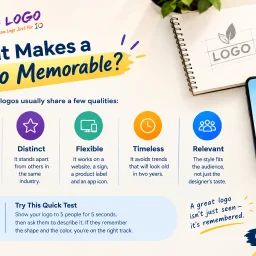
Branding delays plague early-stage companies. Founders often postpone logo design or resort to generic free tools just to populate their website, unknowingly undermining their professional credibility. 10alogo targets this exact friction point: startups and growing businesses that need a polished brand identity without enterprise-level budgets. The service's philosophy runs counter to the common misconception that affordable design means inferior work. The website content frames cost as a function of operational overhead rather than designer skill, a distinction that makes the offering credible for budget-conscious founders. The company positions affordability as accessible professionalism, not a compromise on quality. What distinguishes this approach is the emphasis on research before design. Rather than jumping straight to visual output, the process begins with understanding the business, its audience, and the emotional response the brand should trigger. This foundation-first methodology surfaces repeatedly in the company's messaging: color choices, simplicity, and strategic thinking drive the final result, not decorative complexity. The claim that weak logos fail not from poor execution but from lack of strategic grounding reflects a coherent worldview about design's purpose. The company frames logo design as foundational infrastructure. A coherent brand identity compounds across touchpoints: websites, packaging, social media, email signatures, and invoices all reinforce recognition and trust. This systems thinking appeals to founders concerned with cohesion across their growing operations. 10alogo offers a broader suite beyond logo design, including website design, viral video production, and mobile app development, positioning itself as a more comprehensive branding partner than its name suggests. This expansion potential could matter for founders building out their full digital presence. The mention of a portfolio, live chat, and toll-free support indicates a staffed operation rather than an automated tool, a distinction worth noting for customers who value human consultation. The most significant gap is transparency around pricing and turnaround timelines. The website emphasizes affordability conceptually but never states actual costs or delivery expectations. For early-stage founders evaluating service options against specific budget constraints, this vagueness introduces friction into the decision-making process. Specificity here would strengthen the value proposition considerably. For startups that recognize their logo as a lever for brand legitimacy but lack five-figure design budgets, 10alogo addresses a real need: professional logos grounded in strategy rather than either free-tool shortcuts or luxury agency pricing.

Website owners increasingly need to control how AI crawlers access their content. Good for Bots addresses this by offering a free scanner that measures a site's technical readiness for AI agents, then delivering a public directory of results that lets both owners and potential AI applications understand what content is accessible. The scanner operates transparently, checking the files that crawlers read first: robots.txt rules, llms.txt declarations, sitemaps, and raw HTML. It evaluates structured data, Markdown rendering, and overall crawler access, then assigns a score out of 100. The product doesn't promise anything vague—the founder explicitly notes that the scan measures technical infrastructure, not rankings or mentions in any AI assistant. This honesty is rare and credible. What distinguishes Good for Bots is its integration with modern development workflows. Every fix recommendation includes a prompt that developers can feed directly to Claude Code, Cursor, or Codex. Rather than asking website owners to manually implement scoring rubrics, the tool supplies ready-to-use prompts that coding agents can interpret and apply. This bridges the gap between measurement and remediation, turning a diagnostic tool into something actionable. The free tier is generous. Anyone can scan a site, see the detailed findings, view existing reports in the directory, and access the interactive score breakdown showing what changed between scans. The free plan also grants a dofollow backlink once the live badge appears on the scanned website—a meaningful incentive for participation without forcing payment. The Pro tier ($20 per month for featured directory listings, with the monitoring product separate) adds weekly rescans and email notifications when scores drop or bot access changes. The Pro reports maintain permanent scan history and include prompts for every fix, not just the highest-impact ones. The product clearly separates concerns: the scanning and scoring are identical whether free or Pro, but the monitoring and convenience features require the paid plan. The directory itself fills a gap in the current landscape. As more websites think strategically about AI crawler access, having a categorized registry of how sites actually perform—searchable by platform and detected standards—provides transparency that individual scans alone cannot. It creates a public artifact of technical readiness and turns compliance or optimization into a visible, comparable metric.

Website performance directly impacts user retention and conversion rates, yet many creators lack the technical expertise or resources to optimize their assets. SpeeJax addresses this gap by offering a collection of browser-based optimization tools that operate entirely on users' devices, eliminating the friction of sign-ups, account creation, or external file uploads. The platform's core strength lies in its privacy-first architecture. By processing files locally, it maintains confidentiality while removing a common barrier to adoption: the hesitation to send proprietary or sensitive assets to cloud servers. Users can compress images, minify HTML and code, optimize SVG files, and convert formats without any external dependencies beyond a single open-source library for JavaScript minification that loads from a CDN only on first use. The tool set spans multiple optimization categories. Image compression, code minification targeting HTML and other markup, SVG optimization for vector graphics, format conversion, and performance-ready markup generation form the core offerings. Though the website provides limited detail on implementation specifics or advanced options, the core functionality aligns with standard website optimization workflows. SpeeJax targets multiple user personas effectively. Web developers gain quick asset optimization without switching tools or environments. Content creators and small business owners can enhance website speed without hiring technical specialists. Even experienced engineers may appreciate the convenience of browser-based access over downloading and maintaining local command-line tools. The product's business model reflects its accessibility mission: it is entirely free. This removes the final conversion barrier, making optimization genuinely accessible regardless of budget or technical background. The website hints at a future content strategy through references to planned website speed guides, suggesting the team intends to build educational resources helping users understand why optimization matters and how to implement it effectively. Some limitations emerge from the website's current state. The tool directory remains sparse with minimal capability descriptions. The FAQ section is noted as still under construction, leaving new users without self-service guidance. These gaps suggest an early-stage product prioritizing core functionality over comprehensive user education. SpeeJax fills a legitimate need for friction-free, privacy-respecting website optimization. By combining free access, device-local processing, and multi-format support, it removes obstacles typically preventing adoption of optimization workflows.

Converting files across formats remains one of those recurring digital friction points that fragments user workflows. Docultra tackles this by consolidating image, PDF, audio, and video conversion tools into a single browser-based workspace, eliminating the need for users to hunt across multiple specialized websites. The product targets creators, professionals, and students—anyone handling file conversions as part of their regular work but frustrated by the ecosystem's typical obstacles: invasive paywalls, pop-up advertising, privacy concerns, and misleading download buttons. The platform's architecture centers on privacy and speed. Most conversions execute client-side, meaning files never touch a remote server. For operations requiring backend processing (specifically audio work), Docultra implements automatic deletion the moment the conversion completes. This approach sidesteps the common trap of utility-tool websites that monetize user data or create artificial conversion limits. The service accepts files up to 5 gigabytes and supports uploads via drag-and-drop, direct links, or integration with Dropbox and Google Drive. Feature coverage is broad. The image converter handles conversions between eight formats including SVG and AVIF, with batch processing and PDF collation built in. The PDF tools go beyond simple format conversion to offer merging, compression, digital signatures, and redaction capabilities, plus optical character recognition for image-to-text extraction. Audio conversion spans seven formats with the ability to extract soundtracks from video, normalize levels, and compress files. Video conversion covers the major codecs, and a file translation feature rounds out the toolkit. Across these tools, Docultra promises over twenty supported formats. The business model is deliberately uncomplicated. Every feature is free. No subscription tiers, no account creation, no watermark overlays, no daily quotas, and no premium upsells. The platform works in any modern web browser, requiring no installation or updates. This stripped-down approach reflects a philosophy that utility software should provide value without friction—a direct response to the bloated landscape of file-conversion websites that have prioritized monetization over user experience.

Finding meaningful differences between documents remains harder than it should be. Traditional comparison tools excel at identifying text variations but often fail to capture what those changes actually mean. DiffFind addresses this gap by combining precise line-by-line comparison with optional AI-powered semantic analysis, creating a platform designed for both technical and non-technical users who need to understand revisions across various document types. The tool targets a broad audience. Business professionals reviewing contracts, invoices, and policy documents gain clarity on what terms shifted before signing off. Software engineers and developers can detect breaking changes and material alterations in configuration files and structured data. Researchers, legal professionals, and everyday users comparing drafts benefit from clear, contextual comparisons without wrestling through manual redlines or complex diff syntax. What distinguishes DiffFind is its multi-format support. Beyond plain text, the tool handles JSON, YAML, XML, CSV, PDFs loaded directly in the interface, and Excel spreadsheets with multi-sheet comparison. This flexibility addresses real-world workflows where documents come in varied formats. The comparison engine itself offers granular control, allowing users to choose between character, word, sentence, line, or paragraph-level analysis. Changes are tracked comprehensively, distinguishing additions, removals, and relocated text while preserving surrounding context. The semantic analysis layer sets it apart from basic diff tools. Rather than stopping at identifying what changed, users can request AI-powered explanation of what changes mean, whether they matter, and how significant the revision is. The tool verifies cited facts against source documents and displays verification status, addressing concerns about accuracy when diving deeper than raw text comparison. For developers and power users, DiffFind includes a REST API and supports cURL commands, enabling automation and integration into existing workflows. The tool accepts content from multiple sources: direct text input, file uploads, URLs, or command-line instructions, eliminating manual copy-pasting for many use cases. The product is built for immediate usability rather than steep learning curves. The interface emphasizes clarity, presenting differences alongside full context instead of the traditional red-and-green wall of text. This design philosophy extends across all user types, from non-technical business users to developers fine-tuning every comparison parameter. No pricing information is disclosed on the public website, leaving the monetization model unclear.

Designers and digital creators working across branding, UI, and web projects have long needed accessible tools for discovering color combinations that work cohesively. GetMeColors fills this gap by offering a free, account-free platform that combines palette generation with searchable collections of curated color schemes. The product stands out for its simplicity and privacy-conscious approach. Rather than requiring signup or uploading images to external servers, the tool processes images directly in the browser, extracting dominant colors without storing user data. This privacy-first design removes friction for quick, exploratory work. The interface is straightforward, letting users either generate palettes on the fly or browse from an organized collection of themed combinations like Golden Hour and Lavender Fog. The core features address two distinct workflows. The palette generator accepts images and identifies four dominant colors along with their hex codes, ready to implement immediately. The search and collection functionality indexes palettes by theme, color name, and hex code, making it easy to find inspiration within specific domains like food styling, seasonal aesthetics, or gradient palettes. Named color combinations help users communicate palette choices without relying on hex codes alone. Social validation shapes the product discovery experience through a curated most liked section. Palettes such as Night Market and Deep Sea carry engagement signals that surface popular combinations. The collection browsing spans recognizable categories including coffee, Christmas, and earth tones, signaling deliberate curation around commercially relevant themes. The free pricing model removes barriers to adoption for casual and professional users alike. No subscription tier, account requirement, or payment option is mentioned, suggesting a sustainable freemium or ad-supported approach, though the specific business model remains unstated. This accessibility positions the tool as a discovery and brainstorming layer rather than a premium design application. For teams needing rapid palette iteration or designers seeking inspiration beyond algorithmic generation, the combination of curated selection and in-browser processing offers genuine utility. The product doesn't claim to replace color theory expertise, but it effectively democratizes palette selection for projects where collaborative choice matters more than algorithmic perfection.

Getting a product live is one thing. Figuring out who actually wants it is another entirely. That's where LaunchRadar steps in, offering indie founders and solo builders a concrete roadmap to their first users without the theoretical marketing lectures that plague most growth tools. The product addresses a genuine gap in the founder toolkit. After shipping, most creators face a void: they've validated that they can build, but they haven't solved distribution. LaunchRadar collapses the hours typically spent researching channels, audience fit, and positioning into a one-minute analysis that reads your live site and spits back a prioritized backlog of specific, actionable next steps. What distinguishes the approach is its specificity. Rather than serving the same generic 50-item growth checklist to every founder regardless of what they built, LaunchRadar adapts its recommendations based on product category and ideal customer profile. A B2B SaaS tool, consumer app, and developer platform each receive genuinely different channel suggestions and tactics. The tool also explicitly identifies which channels won't work for your product—a rare and valuable addition that saves weeks of wasted effort testing wrong channels. The core workflow is straightforward. You paste a URL. The system analyzes your live product, assigns a Growth Score across six dimensions—positioning clarity, conversion paths, trust and proof, search and AI visibility, and others—and generates a ranked list of tasks. Each task includes either a draft or step-by-step walkthrough, removing the friction of figuring out how to execute. For active founders, there's Launch Mode, which transforms the plan into a 30-day campaign, and Opportunity Radar, which surfaces people already requesting your solution. The product targets a specific slice of the startup world: builders who can ship code but haven't run a marketing campaign, particularly no-code and AI-assisted makers who accelerated to launch and skipped the distribution planning phase. This positioning is narrow by design, but it's honest about who benefits most. Pricing is accessible. A free plan requires no credit card, with paid plans starting at £12 per month, which is low enough to eliminate friction for cash-strapped founders testing the service. The clearest strength is pragmatism. LaunchRadar doesn't claim to replace marketing expertise or promise viral growth. It offers what solo founders actually need: a bias toward action, specific recommendations tailored to their product, and a clear baseline to track progress against as they execute.

Online utilities have long been plagued by a trust problem. Users seeking a quick file conversion or data formatting tool are often funneled through ad gauntlets, pressured to create accounts, or asked to upload sensitive files to servers of uncertain security. Tabreon takes a different approach, offering a collection of 56 free, browser-based tools designed for developers, creators, and everyday digital work. The platform's core differentiator is transparency around data privacy. The majority of Tabreon's tools process information directly in the user's browser, leaving files and text untouched on the device. For the small handful of tools that do require server processing—image format conversions and animated GIF handling—the tool pages explicitly disclose this requirement rather than pretending everything runs locally. Users can independently verify local processing by inspecting network traffic through browser developer tools, a verification method Tabreon explicitly encourages. Across six tool categories, Tabreon addresses common digital work tasks: text manipulation, developer utilities, QR code generation, image resizing and compression, PDF operations, and general utilities. The developer category alone spans 22 tools, including JSON formatters, UUID generators, hash calculators, Base64 tools, and JWT utilities. This breadth serves multiple user groups simultaneously without forcing unnecessary complexity on users who need only one or two specific tools. The platform's business model reflects its builder's philosophy. Core tools remain permanently free, with no account creation barrier. The site's advertising is visibly separated from content rather than intrusively placed, and the lack of heavy server infrastructure for client-side processing keeps hosting costs manageable enough to sustain a free offering. Built as a solo project using Next.js and Cloudflare Workers, Tabreon demonstrates that useful software does not require venture capital, user tracking, or aggressive monetization. For users fatigued by the exploitative practices common in the free online tools space, this collection of straightforward utilities represents a refreshing alternative. The platform's commitment to honest disclosure about what data leaves the device and what remains local sets a standard worth considering in an industry often defined by opacity.

Automating repetitive customer interactions has become essential for small businesses, yet most chatbot solutions require extensive configuration and technical expertise. ChatNestly addresses this gap by packaging AI-driven customer support into a no-code product designed for teams that lack dedicated technical resources. The core appeal lies in its simplicity. Users provide their website URL or upload business documents, and the system trains a chatbot on that content without requiring users to design complex workflows or manage dialogue trees. The platform promises response times around 0.4 seconds and reports a 94.8% resolution rate, suggesting the underlying AI performs well on customer inquiries. For businesses handling repetitive questions, lead capture, appointment booking, and order collection, this automation can meaningfully reduce manual work. The product's flexibility across tech stacks distinguishes it in a crowded market. Whether a business runs WordPress, Shopify, or custom React applications, ChatNestly integrates via a single line of embedded code rather than forcing expensive migrations or platform changes. This pragmatic design acknowledges that businesses operate within existing technology constraints. Beyond web chat, ChatNestly integrates the official WhatsApp Business API, enabling chatbot conversations through WhatsApp itself and automating follow-ups for lead capture. This multi-channel approach recognizes that customers increasingly expect businesses to meet them on their preferred platforms rather than forcing them to visit a website. The handoff to human agents addresses a genuine pain point in chatbot deployment. Artificial intelligence handles routine queries effectively, but customers eventually encounter questions requiring human judgment. The platform's built-in capability to recognize when a conversation needs escalation and route it to support staff prevents the common frustration of getting stuck in a bot loop. Pricing details remain sparse in the available information. The company mentions a Starter plan including five chatbots and monthly conversation allocations, without specifying actual costs. The emphasis on "no credit card required" and "setup in minutes" suggests a low-friction onboarding designed to reduce purchase friction, though potential customers would need to visit the site for transparent pricing. ChatNestly targets small teams and growing businesses that need customer support automation but lack the technical depth to build custom solutions. The platform competes against larger, more feature-rich alternatives by prioritizing simplicity over extensive configuration options. For businesses frustrated by chatbot complexity, it represents a pragmatic alternative that prioritizes quick deployment over elaborate customization.
Research on emerging companies and ventures has historically required piecing together information from scattered sources—financial databases, news articles, LinkedIn, and company websites. StartupWiki consolidates this fragmented landscape into a single research directory designed for investors, competitive analysts, job seekers, and anyone needing comprehensive intelligence on deep-tech startups. The platform serves a clear market need: the difficulty of evaluating startups across emerging sectors like AI, Biotech, CleanTech, FinTech, Cybersecurity, and Quantum Computing. Rather than manually aggregating data from multiple sources, users access centralized profiles that combine multiple dimensions of startup information. This approach acknowledges that startup evaluation requires understanding both quantitative performance and qualitative context—who is founding the company, what similar competitors are raising, and how a venture positions itself in its market. What distinguishes StartupWiki is its multifaceted data integration. Beyond listing basic company information, the directory incorporates funding histories, financial metrics, competitive positioning, and team composition into single profiles. This combines practical research requirements that would otherwise demand manual data gathering across disparate platforms. The community-driven model is worth noting. Rather than relying solely on editorial teams to maintain coverage, the platform invites user contributions and validation. This structure enables faster scaling across startups and sectors compared to traditional databases, though the implications for data quality and verification aren't clarified in the available materials. The directory supports multiple browsing patterns. Users can explore by sector categories, browse a complete alphabetical listing, or engage with narrative analysis through an associated blog focused on startup insights and deep dives. This structure positions StartupWiki not merely as a reference tool but as an analysis platform, offering interpretive content alongside structured data. The platform's categorization across seven major sectors—including AI and Machine Learning, Quantum Computing, and others—reflects the current innovation landscape and investor interest in deep-tech ventures. The inclusion of financial metrics and competitive analysis signals that the product targets sophisticated users conducting formal due diligence rather than casual market browsing. For investors, corporate development teams, and market researchers, the platform addresses a genuine operational challenge in startup research. The combination of structured company data, competitive context, and team information creates a foundation for investment decisions and market positioning that would otherwise require considerable manual research effort across multiple databases and news sources. This consolidation has clear value for professionals who evaluate startups as part of their core work.

Performant data visualization in the browser has long required choosing between rich functionality and the responsiveness users expect. KanuniLabs addresses this by delivering a data grid and pivot table component that processes a million rows without blocking the user interface, handling sorting, filtering, and aggregation through a Web Worker engine that keeps the main thread responsive. The product targets React teams and vanilla JavaScript developers who need to display, analyze, and export large datasets. It shines where off-the-shelf grids typically falter: applications that must handle real-world data volumes without sacrificing interactivity. The founder's engineering philosophy surfaces clearly in the execution—the most difficult problem solved was not the performance itself but making that performance accessible through a straightforward installation process. Web Workers typically require framework-specific configuration across bundler environments. KanuniLabs compiles the worker directly into the package and launches it from a Blob URL, meaning developers install the library and immediately have a functioning grid without additional setup in Vite, Next.js, webpack, or plain HTML. DataGrid provides virtualized rendering of rows and columns with built-in sorting, filtering, grouping, and export capabilities. PivotGrid layers drag-and-drop field manipulation and aggregation on the same engine, making it suitable for users who need to explore data interactively. Both components support 12 locales including Arabic with full right-to-left rendering and six themes across light and dark variants. Calculated fields incorporate a formula editor designed around content security policies, avoiding dangerous eval patterns while still offering live preview and editing. The licensing model clarifies a straightforward split: 98 of 136 documented features work without a license key, covering the functionality most teams rely on—virtualization, filtering, grouping, and basic export. No watermarks, trial timers, or sign-ups gate access to this tier, even for commercial use. The paid edition adds inline editing, master-detail views, styled Excel and PDF export, calculated fields with advanced functionality, and drill-down navigation. A single key covers both components. The approach inverts the typical freemium structure: the free tier delivers a complete product rather than a time-limited taste, making it genuinely useful for smaller teams and side projects while clearly signaling where businesses requiring full feature coverage should invest. Verification is built into the product philosophy. The site runs a live playground with a million-row dataset under user control, making performance claims reproducible rather than theoretical. This transparency, combined with the straightforward business model and the pragmatic focus on solving real installation headaches, distinguishes the offering.

Developers spending hours tracking down the right utility tool for quick data transformations now have a consolidated alternative. HavenTools consolidates dozens of commonly-needed utilities into a single browser-based platform, eliminating the friction of finding specialized tools scattered across the internet. The core value proposition centers on privacy and convenience. Every operation processes entirely within the user's browser, with no data transmitted to servers or requiring account creation. This architectural choice addresses a legitimate concern in developer workflows: the hesitation to upload sensitive configuration files, API responses, or internal data to unfamiliar online services, even nominally reputable ones. By running computationally in the browser itself rather than on remote infrastructure, HavenTools removes that friction point for routine tasks. The feature breadth is substantial. The platform spans JSON processing including format validation, schema generation, and RFC-standard operations like JSON Pointer evaluation and JSON Patch generation. PDF capabilities handle merging, splitting, extraction, and rotation. Image tools cover compression, resizing, conversion, and color extraction. CSS generation tools produce production-ready output for gradients, shadows, flexbox layouts, transforms, and border-radius specifications. Beyond these categories, the platform includes utilities for GraphQL query building and formatting, HTTP request construction and inspection, XML validation and XPath testing, URL query string encoding, and SQL IN clause generation. The breadth suggests the creator identified common repetitive tasks in development workflows and built targeted solutions for each. The positioning emphasizes eliminating friction from everyday development activities. Rather than marketing as a comprehensive platform, it positions individual tools as replacements for fragmentary web searches. Each utility handles a specific transformation or validation task without the overhead of authentication, file upload dialogs, or waiting for server-side processing. The business model centers on free access, with no mention of premium tiers, paywalls, or subscription options in available materials. This positions HavenTools against both free tools scattered across the web and paid SaaS utilities, betting that consolidated access and privacy-first architecture create sufficient value that users won't seek alternatives. The execution appears focused on completeness within chosen categories rather than attempting total tool coverage. The JSON and developer-centric tools are particularly comprehensive, while file manipulation and visual generators fill practical secondary needs. This narrower scope potentially makes the platform more coherent than attempting to be everything.

Debugging consumes far more time than it should, and developers have gotten used to it. The typical workflow involves spotting an error in the browser console, manually opening Chrome DevTools to gather context, copying fragments into ChatGPT or Claude, re-explaining the problem when the AI's first response falls flat, then repeating the cycle dozens of times per day. Each context switch costs focus and momentum. DebugClip addresses this friction by automating the bridge between where errors happen and where developers get help. The Chrome extension captures console errors, network failures, and security violations as they occur, then compiles them into a structured prompt ready to send to Claude or ChatGPT with a single click. Rather than manual transcription, developers get stack traces, request headers, response bodies, and HTTP status codes included automatically. What sets this approach apart is elimination of context switching. The extension runs silently in the background and notifies developers when issues occur, presenting everything alongside the problems themselves in a clean dashboard. The promised result is moving from discovery to actionable fix in under ten seconds, replacing workflows that consume five to ten minutes per error. The feature set mirrors what DevTools already exposes but streamlines access and AI integration. It captures every console error and warning, unhandled promise rejections, failed API calls with network details, broken resource loads, and CORS or CSP violations. This breadth ensures developers rarely need to jump back into DevTools to gather missing context. The business model is straightforward. The extension is free to use indefinitely on all websites, with a paid tier at four dollars monthly for presumably enhanced functionality. The developer emphasizes local processing, meaning captured errors remain on device and do not transmit to DebugClip servers. For developers who spend significant time debugging or testing in the browser, the extension removes a well-documented source of wasted motion. The positioning is narrow and focused, targeting a single pain point without attempting to replace DevTools or become an all-in-one solution. Chrome and Edge support is available now, with Firefox and Safari compatibility planned. The free tier makes adoption frictionless.