Best Engineering & Development Startups & Tools

Recently Listed

72 launches
Sort
dcli - docker and git workflows, stremlined

Micro-service teams waste untold hours sweeping up stale containers, juggling Git resets, and hunting down “it works on my machine” gremlins; dcli compresses that busywork into three verb-heavy commands. The utility targets any developer who juggles Docker Compose stacks and multiple source repositories on a daily basis—essentially anyone who has cursed at a half-dead dev environment five minutes before stand-up. What elevates dcli above a dusty binder full of shell aliases is its ruthless focus on single-shot outcomes. Resetting state means one shot, one story: ask for “docker clean api web” and it tears down the listed containers, purges volumes, rebuilds images, and restarts only the services you name, while keeping persistent volumes intact. Repeat the same mindset on the Git side when you tell it to “git reset develop”; the CLI fetches upstream and snaps each configured repository onto the exact branch without you ever having to open another window. It reports successes and failures in terse, colored lines, sparing you the Kubernetes-grade prose dump. The binary is delivered via Homebrew on macOS and Linux, with direct executables for Windows, so onboarding is literally two shell commands and a version check. No setup dance, no cloud service to register—just fetch, drop in your PATH, and start pruning noise from local dev. Because the entire surface area is nine sub-commands wrapped in a Go binary, updates are equally light; a new tag shows up in the tap, you pull, done. No pricing information is surfaced on the landing page, nor are there reference to paid tiers or enterprise licensing; the code lives in a public GitHub repository and binaries are distributed free of charge today. That leaves room for future monetization, but right now the pitch is simple: dcli trades ceremony for speed, and if you live in Docker and Git all day, that trade is convincingly one-sided.

Command-line-tools
O
Oleg Koval

Micro-service teams waste untold hours sweeping up stale containers, juggling Git resets, and hunting down “it works on my machine” gremlins; dcli compresses that busywork into three verb-heavy commands. The utility targets any developer who juggles Docker Compose stacks and multiple source repositories on a daily basis—essentially anyone who has cursed at a half-dead dev environment five minutes before stand-up. What elevates dcli above a dusty binder full of shell aliases is its ruthless focus on single-shot outcomes. Resetting state means one shot, one story: ask for “docker clean api web” and it tears down the listed containers, purges volumes, rebuilds images, and restarts only the services you name, while keeping persistent volumes intact. Repeat the same mindset on the Git side when you tell it to “git reset develop”; the CLI fetches upstream and snaps each configured repository onto the exact branch without you ever having to open another window. It reports successes and failures in terse, colored lines, sparing you the Kubernetes-grade prose dump. The binary is delivered via Homebrew on macOS and Linux, with direct executables for Windows, so onboarding is literally two shell commands and a version check. No setup dance, no cloud service to register—just fetch, drop in your PATH, and start pruning noise from local dev. Because the entire surface area is nine sub-commands wrapped in a Go binary, updates are equally light; a new tag shows up in the tap, you pull, done. No pricing information is surfaced on the landing page, nor are there reference to paid tiers or enterprise licensing; the code lives in a public GitHub repository and binaries are distributed free of charge today. That leaves room for future monetization, but right now the pitch is simple: dcli trades ceremony for speed, and if you live in Docker and Git all day, that trade is convincingly one-sided.

dcli - docker and git workflows, stremlined preview

Key features

  • Docker Container Management: Teardown, purge volumes, rebuild images, and restart services in one command.
  • Git Repository Reset: Snap configured repositories to exact branches with a single command.
See full listing
Code Meter

Managing API costs for AI coding tools is a practical concern developers face regularly. When integrating Claude, Codex, Z.ai, or Minimax into your workflow, exceeding your usage limit or hitting rate ceilings can disrupt development or trigger unexpected charges. Code Meter addresses this problem by delivering real-time usage monitoring in the macOS menu bar, giving developers visibility into consumption before issues occur. The product's core value is immediate and simple: install it, authenticate with your chosen provider, and see usage metrics without checking dashboards or guessing remaining capacity. Setup completes in seconds, and the app supports four major AI coding providers, making it relevant across different tool preferences. What distinguishes Code Meter is its privacy architecture. Rather than funneling credentials through intermediary services, the application reads credentials locally from macOS Keychain and communicates directly with each provider's API—Anthropic, OpenAI, Z.ai, or Minimax. Credentials never leave your device. Usage history stores locally via SwiftData, and widget data remains isolated in App Group containers. This design choice appeals to developers concerned about credential exposure, especially in regulated industries or security-sensitive environments. The privacy commitment extends to analytics. Code Meter uses PostHog for anonymous product telemetry—recording only app version, OS version, and feature interactions—hosted on EU Cloud infrastructure with IP capture and device fingerprinting disabled. It represents a transparent approach to usage analytics; the company documents what it collects and explicitly discloses why. The feature set covers essentials: the menu bar widget shows usage at a glance, additional widgets provide supplementary views, and historical charts enable tracking over time. Alerts flag overages before they compound. The product is a free download from the Mac App Store, requiring macOS 26 or later. RevenueCat infrastructure suggests potential premium features, though none are documented currently. Code Meter solves a concrete problem for developers managing multiple AI APIs with a privacy-first architecture that rejects the surveillance model prevalent in developer tools. Its strength lies in restrained functionality delivered without data extraction. Developers get visibility where it matters—their own usage—without surrendering credentials or behavioral data to another platform.

Observability-tools
A
Andrea

Managing API costs for AI coding tools is a practical concern developers face regularly. When integrating Claude, Codex, Z.ai, or Minimax into your workflow, exceeding your usage limit or hitting rate ceilings can disrupt development or trigger unexpected charges. Code Meter addresses this problem by delivering real-time usage monitoring in the macOS menu bar, giving developers visibility into consumption before issues occur. The product's core value is immediate and simple: install it, authenticate with your chosen provider, and see usage metrics without checking dashboards or guessing remaining capacity. Setup completes in seconds, and the app supports four major AI coding providers, making it relevant across different tool preferences. What distinguishes Code Meter is its privacy architecture. Rather than funneling credentials through intermediary services, the application reads credentials locally from macOS Keychain and communicates directly with each provider's API—Anthropic, OpenAI, Z.ai, or Minimax. Credentials never leave your device. Usage history stores locally via SwiftData, and widget data remains isolated in App Group containers. This design choice appeals to developers concerned about credential exposure, especially in regulated industries or security-sensitive environments. The privacy commitment extends to analytics. Code Meter uses PostHog for anonymous product telemetry—recording only app version, OS version, and feature interactions—hosted on EU Cloud infrastructure with IP capture and device fingerprinting disabled. It represents a transparent approach to usage analytics; the company documents what it collects and explicitly discloses why. The feature set covers essentials: the menu bar widget shows usage at a glance, additional widgets provide supplementary views, and historical charts enable tracking over time. Alerts flag overages before they compound. The product is a free download from the Mac App Store, requiring macOS 26 or later. RevenueCat infrastructure suggests potential premium features, though none are documented currently. Code Meter solves a concrete problem for developers managing multiple AI APIs with a privacy-first architecture that rejects the surveillance model prevalent in developer tools. Its strength lies in restrained functionality delivered without data extraction. Developers get visibility where it matters—their own usage—without surrendering credentials or behavioral data to another platform.

Code Meter preview

Key features

  • Real-Time Usage Monitoring: Menu bar widget displays API consumption at a glance.
  • Privacy-First Architecture: Credentials stored locally in macOS Keychain, never transmitted to intermediaries.
See full listing
AgentCall

Building AI agents that can operate in the real world requires bridging the gap between digital systems and traditional communication channels. AgentCall solves a critical problem: enabling AI agents to interact via phone—both making outbound calls and receiving inbound communication—without the friction and failures that plague existing VoIP-based approaches. The core offering is elegant in scope. Developers provision real SIM-backed phone numbers through an API, connect their agents with a single API key, and receive all incoming calls and SMS messages through webhooks. The platform handles provisioning in seconds, supports country and capability selection, and guarantees that numbers pass strict platform verification checks that typically block VoIP alternatives. For AI agents, this means actually being able to register accounts, complete SMS-based verification flows, and operate in environments where traditional virtual numbers get rejected. What distinguishes AgentCall is how it handles the full communication stack. Voice calls aren't just passive; agents initiate outbound calls with AI-powered conversation using one of eight distinct voice options—from the neutral "Alloy" to the energetic "Shimmer"—each tuned for different contexts. The AI voice system accepts a system prompt and autonomously manages the conversation, returning a full transcript. This makes customer service outreach and verification workflows genuinely practical. On the messaging side, agents get a dedicated SMS inbox per number, send and receive messages, and automatically extract verification codes from incoming SMS, delivering them to webhook endpoints in real-time. The architecture reflects strong security thinking. Each agent gets its own isolated number, preventing compromise of one agent from cascading across others. The async, webhook-based design eliminates the need for persistent connections or complex state management. The platform supports diverse use cases: agents test SMS-based authentication on their own apps, run outbound calling campaigns with follow-up SMS, maintain two-way SMS conversations, and handle inbound calls through webhook forwarding. This breadth indicates the founders understood the landscape of agentic workflows rather than optimizing for a single scenario. The "Works with MCP" mention signals integration with the Anthropic Model Context Protocol, positioning AgentCall within the broader AI infrastructure stack. For developers building sophisticated AI agents that need reliable phone capabilities, AgentCall delivers what the market currently lacks—a practical alternative to the constraints and unreliability of virtual number services.

Unified-api
Z
Zen Fox

Building AI agents that can operate in the real world requires bridging the gap between digital systems and traditional communication channels. AgentCall solves a critical problem: enabling AI agents to interact via phone—both making outbound calls and receiving inbound communication—without the friction and failures that plague existing VoIP-based approaches. The core offering is elegant in scope. Developers provision real SIM-backed phone numbers through an API, connect their agents with a single API key, and receive all incoming calls and SMS messages through webhooks. The platform handles provisioning in seconds, supports country and capability selection, and guarantees that numbers pass strict platform verification checks that typically block VoIP alternatives. For AI agents, this means actually being able to register accounts, complete SMS-based verification flows, and operate in environments where traditional virtual numbers get rejected. What distinguishes AgentCall is how it handles the full communication stack. Voice calls aren't just passive; agents initiate outbound calls with AI-powered conversation using one of eight distinct voice options—from the neutral "Alloy" to the energetic "Shimmer"—each tuned for different contexts. The AI voice system accepts a system prompt and autonomously manages the conversation, returning a full transcript. This makes customer service outreach and verification workflows genuinely practical. On the messaging side, agents get a dedicated SMS inbox per number, send and receive messages, and automatically extract verification codes from incoming SMS, delivering them to webhook endpoints in real-time. The architecture reflects strong security thinking. Each agent gets its own isolated number, preventing compromise of one agent from cascading across others. The async, webhook-based design eliminates the need for persistent connections or complex state management. The platform supports diverse use cases: agents test SMS-based authentication on their own apps, run outbound calling campaigns with follow-up SMS, maintain two-way SMS conversations, and handle inbound calls through webhook forwarding. This breadth indicates the founders understood the landscape of agentic workflows rather than optimizing for a single scenario. The "Works with MCP" mention signals integration with the Anthropic Model Context Protocol, positioning AgentCall within the broader AI infrastructure stack. For developers building sophisticated AI agents that need reliable phone capabilities, AgentCall delivers what the market currently lacks—a practical alternative to the constraints and unreliability of virtual number services.

AgentCall preview

Key features

  • Real SIM-Backed Numbers: Provision country-specific phone numbers through an API that pass strict platform verification checks.
  • AI Voice Calls: Initiate outbound calls with AI-powered conversation using eight distinct voice options and receive full transcripts.
See full listing
Infrabase.ai

Evaluating AI infrastructure tools sprawls across dozens of specialized vendors, pricing models, and documentation sites, creating significant friction for teams assembling their tech stack. Infrabase.ai consolidates this fragmentation into a single directory organized by functional category—vector databases, prompt engineering tools, observability platforms, inference APIs, and more—making it possible to compare options within each domain without hunting across the web. The directory serves builders deciding which AI infrastructure components to adopt: founders prototyping at seed stage, engineering teams scaling inference and observability, and architects selecting vector database solutions. The categories span the full infrastructure stack, from foundational services like vectorization and embedding APIs to higher-order tools for prompt management, agent monitoring, and evaluation frameworks. What distinguishes Infrabase from generic tool aggregators is the specificity of its curation. Each category contains substantive options rather than purely aspirational listings. The directory emphasizes practical attributes: it flags open-source projects alongside commercial offerings, marks free trial availability, and acknowledges the diversity of deployment models—serverless, self-hosted, EU-sovereign—relevant to different organizational constraints. This matters because infrastructure decisions often turn on operational characteristics like data residency and cost scaling, not just feature parity. The founder built Infrabase from direct experience evaluating infrastructure for a real project, accumulating working lists of products and technical notes substantial enough to justify sharing. This origin explains the site's practical bias. Rather than listing every tangential tool, it focuses on products that demonstrably function within specific categories. The selection acknowledges that the AI infrastructure market extends far beyond dominant cloud providers, a reality that reshapes purchasing power for teams taking AI seriously. The directory's limitations stem from its breadth. With sixty-one inference APIs, twenty vector databases, and comparable volumes across categories, individual product comparisons flatten into metadata. Users cannot evaluate full feature matrices, benchmark results, or integration patterns within the directory itself. The site succeeds by redirecting focus to vendor pages rather than attempting comprehensive comparison. For teams in early evaluation stages this works appropriately; for detailed diligence it points the right direction without replacing specialized analysis.

Automation-tools
A
Arvid Andersson

Evaluating AI infrastructure tools sprawls across dozens of specialized vendors, pricing models, and documentation sites, creating significant friction for teams assembling their tech stack. Infrabase.ai consolidates this fragmentation into a single directory organized by functional category—vector databases, prompt engineering tools, observability platforms, inference APIs, and more—making it possible to compare options within each domain without hunting across the web. The directory serves builders deciding which AI infrastructure components to adopt: founders prototyping at seed stage, engineering teams scaling inference and observability, and architects selecting vector database solutions. The categories span the full infrastructure stack, from foundational services like vectorization and embedding APIs to higher-order tools for prompt management, agent monitoring, and evaluation frameworks. What distinguishes Infrabase from generic tool aggregators is the specificity of its curation. Each category contains substantive options rather than purely aspirational listings. The directory emphasizes practical attributes: it flags open-source projects alongside commercial offerings, marks free trial availability, and acknowledges the diversity of deployment models—serverless, self-hosted, EU-sovereign—relevant to different organizational constraints. This matters because infrastructure decisions often turn on operational characteristics like data residency and cost scaling, not just feature parity. The founder built Infrabase from direct experience evaluating infrastructure for a real project, accumulating working lists of products and technical notes substantial enough to justify sharing. This origin explains the site's practical bias. Rather than listing every tangential tool, it focuses on products that demonstrably function within specific categories. The selection acknowledges that the AI infrastructure market extends far beyond dominant cloud providers, a reality that reshapes purchasing power for teams taking AI seriously. The directory's limitations stem from its breadth. With sixty-one inference APIs, twenty vector databases, and comparable volumes across categories, individual product comparisons flatten into metadata. Users cannot evaluate full feature matrices, benchmark results, or integration patterns within the directory itself. The site succeeds by redirecting focus to vendor pages rather than attempting comprehensive comparison. For teams in early evaluation stages this works appropriately; for detailed diligence it points the right direction without replacing specialized analysis.

Infrabase.ai preview

Key features

  • Consolidated Directory: Aggregates dozens of AI infrastructure vendors into a single organized database by functional category.
  • Category-Based Organization: Structures tools into domains including vector databases, prompt engineering, observability platforms, and inference APIs.
See full listing
queryd - slow query detection for Node.js

Catching database performance regressions before they reach users requires both visibility into query execution and the discipline to enforce latency budgets. Queryd addresses this gap by instrumenting SQL queries in Node.js applications with measurable performance guardrails. The tool wraps database clients at multiple levels—supporting postgres.js tagged templates, raw query functions, or Prisma—to intercept queries and measure their execution time against configurable thresholds. The product solves a real pain point for teams building latency-sensitive applications. Query performance degrades gradually, and without systematic detection, slow queries often go unnoticed until they cause visible impact. Queryd brings three mechanisms to prevent this: per-query latency thresholds that flag individual slow queries, per-request query budgets that set cumulative limits on database work within a single user request, and sampling controls that keep observability costs minimal in production. What distinguishes queryd is its pragmatic design philosophy. Rather than requiring a complete database abstraction or architectural restructuring, it integrates at the query execution layer across multiple driver APIs. The sampling-first approach acknowledges that continuous monitoring of all queries in high-traffic applications becomes prohibitively expensive; instead, teams can set sampling rates to stay within their observability budget while still surfacing meaningful regressions. Optional EXPLAIN ANALYZE integration allows deeper investigation of offending queries when needed, shifting between cheap signal and expensive detail. The implementation provides useful context awareness through request-scoped budgets—tracking not just individual query times but also cumulative query volume and duration within a single request. This catches a different class of performance issues: endpoints that perform many quick queries instead of fewer optimized ones. The configurable sink architecture suggests thoughtful extensibility, allowing teams to route alerts to their existing monitoring systems rather than forcing a new workflow. As an early-stage open-source project, queryd makes a modest but useful contribution to the Node.js observability ecosystem. It fills a specific niche—SQL query latency monitoring with minimal overhead—without attempting to be a comprehensive database performance platform. Teams already running SQL databases in production and concerned with query regressions will find the tool immediately applicable to their latency budgeting workflow.

Databases-and-backend-frameworks
O
Oleg Koval

Catching database performance regressions before they reach users requires both visibility into query execution and the discipline to enforce latency budgets. Queryd addresses this gap by instrumenting SQL queries in Node.js applications with measurable performance guardrails. The tool wraps database clients at multiple levels—supporting postgres.js tagged templates, raw query functions, or Prisma—to intercept queries and measure their execution time against configurable thresholds. The product solves a real pain point for teams building latency-sensitive applications. Query performance degrades gradually, and without systematic detection, slow queries often go unnoticed until they cause visible impact. Queryd brings three mechanisms to prevent this: per-query latency thresholds that flag individual slow queries, per-request query budgets that set cumulative limits on database work within a single user request, and sampling controls that keep observability costs minimal in production. What distinguishes queryd is its pragmatic design philosophy. Rather than requiring a complete database abstraction or architectural restructuring, it integrates at the query execution layer across multiple driver APIs. The sampling-first approach acknowledges that continuous monitoring of all queries in high-traffic applications becomes prohibitively expensive; instead, teams can set sampling rates to stay within their observability budget while still surfacing meaningful regressions. Optional EXPLAIN ANALYZE integration allows deeper investigation of offending queries when needed, shifting between cheap signal and expensive detail. The implementation provides useful context awareness through request-scoped budgets—tracking not just individual query times but also cumulative query volume and duration within a single request. This catches a different class of performance issues: endpoints that perform many quick queries instead of fewer optimized ones. The configurable sink architecture suggests thoughtful extensibility, allowing teams to route alerts to their existing monitoring systems rather than forcing a new workflow. As an early-stage open-source project, queryd makes a modest but useful contribution to the Node.js observability ecosystem. It fills a specific niche—SQL query latency monitoring with minimal overhead—without attempting to be a comprehensive database performance platform. Teams already running SQL databases in production and concerned with query regressions will find the tool immediately applicable to their latency budgeting workflow.

queryd - slow query detection for Node.js preview

Key features

  • Multi-Driver Support: Integrates with postgres.js, raw queries, and Prisma without requiring database abstraction
  • Query Latency Thresholds: Flags individual queries that exceed configurable performance limits
See full listing
S

A Varanasi-based digital agency founded by Shashwat Maurya, Synor addresses a gap in the Indian software market where regional businesses need production-grade custom applications but have historically been forced to either hire expensive enterprise software houses or settle for template-based solutions. The agency's primary value is demonstrated through two live projects launched within six months of its founding. TheDawai is a full-stack pharmacy e-commerce platform paired with backend management software for the healthcare sector in Uttar Pradesh. Shivora Technologies operates as a multi-tenant school management system currently supporting five or more institutions with real-time data management across the state. Both systems handle production workloads—processing actual transactions, managing student and patient records, and supporting dozens of concurrent users continuously. What distinguishes Synor from the broader landscape of web agencies and freelancers in UP is the scope of what it builds. The deliverables are not websites, landing pages, or WordPress installations. Instead, Synor delivers systems designed to manage sensitive data reliably, operate under real load, and scale to institutional needs. The education and healthcare sectors demand this level of robustness, and the fact that both projects reached operational status in six months indicates engineering competence and execution efficiency uncommon in the regional market. The agency frames these two projects as proof of capability. For organizations in healthcare, education, or other sectors needing custom software, Synor claims it can deliver what previously required engagement with large enterprise vendors charging ₹20-50 lakhs over 18+ months. This represents a significant acceleration of both timeline and cost structure for institutions that historically had limited alternatives between expensive vendors and generic solutions. No specific pricing or business model details are disclosed in the available content. The agency operates on a project basis, handling the design, development, and deployment of domain-specific software platforms. For clients in UP's institutional and commercial sectors needing custom software built at industrial grade and delivered rapidly, Synor offers an alternative to both expensive enterprise consultancies and generic template solutions, backed by documented examples of execution.

Website-builders
S
Shashwat Maurya

A Varanasi-based digital agency founded by Shashwat Maurya, Synor addresses a gap in the Indian software market where regional businesses need production-grade custom applications but have historically been forced to either hire expensive enterprise software houses or settle for template-based solutions. The agency's primary value is demonstrated through two live projects launched within six months of its founding. TheDawai is a full-stack pharmacy e-commerce platform paired with backend management software for the healthcare sector in Uttar Pradesh. Shivora Technologies operates as a multi-tenant school management system currently supporting five or more institutions with real-time data management across the state. Both systems handle production workloads—processing actual transactions, managing student and patient records, and supporting dozens of concurrent users continuously. What distinguishes Synor from the broader landscape of web agencies and freelancers in UP is the scope of what it builds. The deliverables are not websites, landing pages, or WordPress installations. Instead, Synor delivers systems designed to manage sensitive data reliably, operate under real load, and scale to institutional needs. The education and healthcare sectors demand this level of robustness, and the fact that both projects reached operational status in six months indicates engineering competence and execution efficiency uncommon in the regional market. The agency frames these two projects as proof of capability. For organizations in healthcare, education, or other sectors needing custom software, Synor claims it can deliver what previously required engagement with large enterprise vendors charging ₹20-50 lakhs over 18+ months. This represents a significant acceleration of both timeline and cost structure for institutions that historically had limited alternatives between expensive vendors and generic solutions. No specific pricing or business model details are disclosed in the available content. The agency operates on a project basis, handling the design, development, and deployment of domain-specific software platforms. For clients in UP's institutional and commercial sectors needing custom software built at industrial grade and delivered rapidly, Synor offers an alternative to both expensive enterprise consultancies and generic template solutions, backed by documented examples of execution.

Synor Web development and digital marketing agency preview
S

Key features

  • Custom Enterprise Software: Delivers production-grade custom applications for institutional clients needing robust data management.
  • Multi-Tenant Architecture: Builds scalable systems supporting multiple institutions with real-time data management capabilities.
See full listing
Proxy-solutions

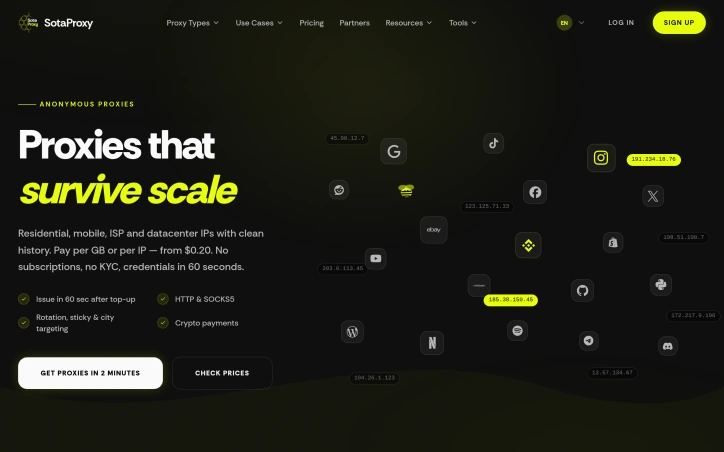
Access to region-locked content and IP masking represent core use cases that Proxy Solutions addresses through a global proxy network. The service targets developers, marketers, data researchers, and network administrators who need reliable proxy infrastructure to bypass geographic restrictions or maintain privacy in their operations. The platform distinguishes itself through breadth rather than specialization. Instead of focusing on a single proxy category, Proxy Solutions bundles personal proxies, package proxies, mobile proxies, UDP proxies, and multi-protocol options alongside VPS and dedicated server infrastructure. The company maintains 200+ global locations sourced from legitimate internet service providers and carriers worldwide, with individual endpoints distributed across different geographic regions and IP ranges. Technical execution prioritizes stability. The service claims 99.97% uptime with continuous equipment monitoring and proxy throughput reaching 100 MB/sec. Authentication supports both credential-based and IP-based approaches, with HTTP/HTTPS and SOCKS5 connection types available. This flexibility accommodates diverse integration scenarios across applications and workflows without forcing users into a single architectural choice. Automation drives user onboarding. Proxies appear in personal dashboards immediately after payment, and an API enables programmatic ordering and management for developers. Multi-channel support through website and messenger-based bots reduces friction compared to traditional ticketing systems. The platform provides round-the-clock support across issue complexities. Pricing strategy emphasizes accessibility. Purchases range from single IP addresses to tens of thousands, with subscription periods spanning one month through extended terms featuring automatic renewal. A 25% affiliate commission incentivizes reseller partnerships. A refund guarantee backs service delivery claims if proxies fail to provision. The service succeeds in consolidating infrastructure. Users seeking only proxies might explore specialists, but organizations wanting integrated proxy, VPS, and dedicated server options under one vendor find consolidated management valuable. The geographic scale and uptime metrics position this as infrastructure-grade rather than consumer-tier, though the proxy market remains crowded with competitors offering similar technical baselines. Proxy Solutions' primary differentiation rests on coverage breadth combined with automated provisioning and multi-protocol flexibility. These factors address operational complexity for organizations running distributed infrastructure, but they represent incremental improvements rather than fundamental advantages over established competitors in this category.

Access to region-locked content and IP masking represent core use cases that Proxy Solutions addresses through a global proxy network. The service targets developers, marketers, data researchers, and network administrators who need reliable proxy infrastructure to bypass geographic restrictions or maintain privacy in their operations. The platform distinguishes itself through breadth rather than specialization. Instead of focusing on a single proxy category, Proxy Solutions bundles personal proxies, package proxies, mobile proxies, UDP proxies, and multi-protocol options alongside VPS and dedicated server infrastructure. The company maintains 200+ global locations sourced from legitimate internet service providers and carriers worldwide, with individual endpoints distributed across different geographic regions and IP ranges. Technical execution prioritizes stability. The service claims 99.97% uptime with continuous equipment monitoring and proxy throughput reaching 100 MB/sec. Authentication supports both credential-based and IP-based approaches, with HTTP/HTTPS and SOCKS5 connection types available. This flexibility accommodates diverse integration scenarios across applications and workflows without forcing users into a single architectural choice. Automation drives user onboarding. Proxies appear in personal dashboards immediately after payment, and an API enables programmatic ordering and management for developers. Multi-channel support through website and messenger-based bots reduces friction compared to traditional ticketing systems. The platform provides round-the-clock support across issue complexities. Pricing strategy emphasizes accessibility. Purchases range from single IP addresses to tens of thousands, with subscription periods spanning one month through extended terms featuring automatic renewal. A 25% affiliate commission incentivizes reseller partnerships. A refund guarantee backs service delivery claims if proxies fail to provision. The service succeeds in consolidating infrastructure. Users seeking only proxies might explore specialists, but organizations wanting integrated proxy, VPS, and dedicated server options under one vendor find consolidated management valuable. The geographic scale and uptime metrics position this as infrastructure-grade rather than consumer-tier, though the proxy market remains crowded with competitors offering similar technical baselines. Proxy Solutions' primary differentiation rests on coverage breadth combined with automated provisioning and multi-protocol flexibility. These factors address operational complexity for organizations running distributed infrastructure, but they represent incremental improvements rather than fundamental advantages over established competitors in this category.

Proxy-solutions preview

Key features

  • Global Proxy Network: 200+ locations across legitimate ISPs and carriers with endpoints distributed across different geographic regions
  • High Uptime Guarantee: 99.97% uptime with continuous equipment monitoring and 100 MB/sec throughput
See full listing
NZBX

Infrastructure teams managing Zabbix monitoring systems face a persistent challenge: critical alerts get lost in noise or delayed in reaching the right people. NZBX addresses this by channeling Zabbix notifications through WhatsApp, transforming a ubiquitous messaging platform into a real-time incident command center. The product targets DevOps and infrastructure teams already running Zabbix but wanting faster, more direct alert delivery. Instead of checking dashboards or waiting for email, incidents appear instantly in WhatsApp where team members already spend their working day. What distinguishes NZBX is its simplicity and speed. The service requires no server installation—it connects to existing Zabbix instances through API authentication and delivers alerts in under three seconds. Setup takes five minutes, placing it at the low-friction end of the integration spectrum. End-to-end encryption and stated LGPD compliance address data security concerns when routing infrastructure alerts through third-party services. Beyond basic alerting, NZBX includes a dashboard for tracking metrics, interactive graphs, detailed reports, and data export. An AI-powered grouping system suppresses redundant alerts, with the platform claiming an 80 percent noise reduction. The service supports multiple Zabbix instances, granular user permissions, and access logging, indicating it's built for teams rather than solo operators. The stated 99.9 percent availability target and 24/7 support position it as infrastructure-grade tooling. The integration strategy extends beyond Zabbix. The platform mentions compatibility with webhooks, GPT integration, and other monitoring tools, suggesting a broader alert aggregation roadmap. Up to 50 simultaneous users can access the system, and documentation appears comprehensive. Pricing remains opaque. The site emphasizes free trials and no installation requirements but provides no transparent pricing details. For teams drowning in Zabbix alert fatigue, NZBX offers a pragmatic shortcut to faster incident response. The product's actual value depends on execution—whether the sub-three-second delivery consistently holds and whether AI-powered grouping reduces signal loss rather than suppressing critical alerts. These are testable claims worth validating before committing a team to the platform.

Observability-tools
L
Lucas Gabryel

Infrastructure teams managing Zabbix monitoring systems face a persistent challenge: critical alerts get lost in noise or delayed in reaching the right people. NZBX addresses this by channeling Zabbix notifications through WhatsApp, transforming a ubiquitous messaging platform into a real-time incident command center. The product targets DevOps and infrastructure teams already running Zabbix but wanting faster, more direct alert delivery. Instead of checking dashboards or waiting for email, incidents appear instantly in WhatsApp where team members already spend their working day. What distinguishes NZBX is its simplicity and speed. The service requires no server installation—it connects to existing Zabbix instances through API authentication and delivers alerts in under three seconds. Setup takes five minutes, placing it at the low-friction end of the integration spectrum. End-to-end encryption and stated LGPD compliance address data security concerns when routing infrastructure alerts through third-party services. Beyond basic alerting, NZBX includes a dashboard for tracking metrics, interactive graphs, detailed reports, and data export. An AI-powered grouping system suppresses redundant alerts, with the platform claiming an 80 percent noise reduction. The service supports multiple Zabbix instances, granular user permissions, and access logging, indicating it's built for teams rather than solo operators. The stated 99.9 percent availability target and 24/7 support position it as infrastructure-grade tooling. The integration strategy extends beyond Zabbix. The platform mentions compatibility with webhooks, GPT integration, and other monitoring tools, suggesting a broader alert aggregation roadmap. Up to 50 simultaneous users can access the system, and documentation appears comprehensive. Pricing remains opaque. The site emphasizes free trials and no installation requirements but provides no transparent pricing details. For teams drowning in Zabbix alert fatigue, NZBX offers a pragmatic shortcut to faster incident response. The product's actual value depends on execution—whether the sub-three-second delivery consistently holds and whether AI-powered grouping reduces signal loss rather than suppressing critical alerts. These are testable claims worth validating before committing a team to the platform.

NZBX preview

Key features

  • WhatsApp Alerts: Delivers Zabbix notifications through WhatsApp in under three seconds
  • Dashboard & Analytics: Includes metrics tracking, interactive graphs, detailed reports, and data export capabilities
See full listing
Screenshot to Code

Automating the conversion of visual designs into functional code addresses a genuine pain point in modern development workflows. Screenshot to Code targets developers and designers grappling with design-to-development handoffs, whether that's individuals prototyping quickly or teams moving designs from Figma into production applications. The tool eliminates hours of manual HTML, CSS, and JavaScript work required to match mockups pixel-for-pixel. What distinguishes this product is its range of framework support and execution speed. Rather than locking users into a single output format, Screenshot to Code generates code across multiple paradigms: vanilla HTML and CSS, React with JSX and TypeScript support, Vue single-file components, Next.js components, Tailwind CSS utility classes, Bootstrap, Ionic, and SVG. This flexibility means developers can feed it a screenshot and receive output in their framework of choice. The core technology uses AI-powered visual recognition to identify UI components—buttons, forms, navigation menus, cards, images—with the precision required for production work. It reconstructs these elements while preserving layout, spacing, typography, colors, and responsive breakpoints exactly as they appear in the original design. Users can upload PNG, JPG, or WebP files from any source: website screenshots, Figma designs, Sketch mockups, or hand-drawn wireframes. The tool outputs semantic, well-structured code suitable for direct integration into projects. Generated code is downloaded or copied directly to the clipboard. What the tool notably doesn't do is generate application logic or backend integration—it strictly converts visual elements to front-end code. Developers still need to wire up interactivity and data flows themselves. The product operates on a credit-based system, with each conversion consuming a fixed number of credits, though explicit pricing details aren't available. The value proposition is straightforward: it removes the bottleneck of translating visual designs into responsive, semantic code. For teams with heavy design-to-code workflows, that efficiency gain is meaningful. The tool's real-world effectiveness ultimately depends on how it handles complex nested layouts and edge cases beyond simple UI patterns.

Website-builders
Q
qwe

Automating the conversion of visual designs into functional code addresses a genuine pain point in modern development workflows. Screenshot to Code targets developers and designers grappling with design-to-development handoffs, whether that's individuals prototyping quickly or teams moving designs from Figma into production applications. The tool eliminates hours of manual HTML, CSS, and JavaScript work required to match mockups pixel-for-pixel. What distinguishes this product is its range of framework support and execution speed. Rather than locking users into a single output format, Screenshot to Code generates code across multiple paradigms: vanilla HTML and CSS, React with JSX and TypeScript support, Vue single-file components, Next.js components, Tailwind CSS utility classes, Bootstrap, Ionic, and SVG. This flexibility means developers can feed it a screenshot and receive output in their framework of choice. The core technology uses AI-powered visual recognition to identify UI components—buttons, forms, navigation menus, cards, images—with the precision required for production work. It reconstructs these elements while preserving layout, spacing, typography, colors, and responsive breakpoints exactly as they appear in the original design. Users can upload PNG, JPG, or WebP files from any source: website screenshots, Figma designs, Sketch mockups, or hand-drawn wireframes. The tool outputs semantic, well-structured code suitable for direct integration into projects. Generated code is downloaded or copied directly to the clipboard. What the tool notably doesn't do is generate application logic or backend integration—it strictly converts visual elements to front-end code. Developers still need to wire up interactivity and data flows themselves. The product operates on a credit-based system, with each conversion consuming a fixed number of credits, though explicit pricing details aren't available. The value proposition is straightforward: it removes the bottleneck of translating visual designs into responsive, semantic code. For teams with heavy design-to-code workflows, that efficiency gain is meaningful. The tool's real-world effectiveness ultimately depends on how it handles complex nested layouts and edge cases beyond simple UI patterns.

Screenshot to Code preview

Key features

  • Multi-Framework Support: Generates code across HTML/CSS, React, Vue, Next.js, Tailwind, Bootstrap, Ionic, and SVG
  • AI Visual Recognition: Identifies UI components with production-grade precision from screenshots and design mockups
See full listing
SQL Planner

Unified monitoring for SQL Server and Windows infrastructure remains fragmented for many organizations, with teams juggling multiple tools to track database performance, server health, and compliance needs. SQL Planner attempts to consolidate these oversight responsibilities into a single platform, targeting IT directors, database administrators, and system admins who spend significant resources managing sprawling database environments across networks. The platform's core strength lies in its integrated approach. Rather than forcing teams to piece together separate monitoring solutions, it combines SQL performance tracking, Windows server metrics, security auditing, and automated backup capabilities under one interface. The web-based architecture supports browser and mobile access, addressing the practical reality that modern ops teams need visibility from anywhere. For organizations running SQL Express instances or development environments with licensing restrictions, the agentless monitoring approach offers particular advantages by avoiding additional agent overhead on constrained systems. Diagnostics appear central to the product's value proposition. The platform advertises over 100 analytical reports alongside real-time query execution tracking and wait analysis, positioning it as a tool for rapid root-cause investigation rather than just metric collection. The inclusion of advanced query mining and deadlock analysis suggests it targets performance-sensitive environments where optimizing expensive queries directly impacts business outcomes. The security auditing module, which tracks DDL changes, login anomalies, and administrative actions, makes the platform relevant for regulated industries where comprehensive audit trails matter. The feature set addresses recognizable operational pain points: backup reliability with object-level recovery options, centralized event log management across multiple servers, and automated intelligence for shift handoff documentation. For service providers managing multi-tenant or multi-customer environments, the unified management interface across diverse networks could simplify operations. Notably, the company claims a free enterprise edition that monitors unlimited Windows servers and up to 100 SQL instances, removing traditional per-server licensing costs entirely. This pricing model, if accurate, represents a significant departure from enterprise monitoring conventions. The stated efficiency claims—reducing mean time to recovery by 50 to 80 percent and lowering total cost of ownership significantly against alternatives—remain ambitious assertions common to monitoring platforms, though the specific benchmarks presented aren't independently verified. The platform's ability to compete against established players like Datadog hinges on whether its unified SQL and Windows focus delivers materially better diagnostics for database-centric organizations than generalist monitoring solutions, and whether its lower-cost positioning doesn't compromise on scalability or reliability.

Observability-tools
C
Chandan Kumar

Unified monitoring for SQL Server and Windows infrastructure remains fragmented for many organizations, with teams juggling multiple tools to track database performance, server health, and compliance needs. SQL Planner attempts to consolidate these oversight responsibilities into a single platform, targeting IT directors, database administrators, and system admins who spend significant resources managing sprawling database environments across networks. The platform's core strength lies in its integrated approach. Rather than forcing teams to piece together separate monitoring solutions, it combines SQL performance tracking, Windows server metrics, security auditing, and automated backup capabilities under one interface. The web-based architecture supports browser and mobile access, addressing the practical reality that modern ops teams need visibility from anywhere. For organizations running SQL Express instances or development environments with licensing restrictions, the agentless monitoring approach offers particular advantages by avoiding additional agent overhead on constrained systems. Diagnostics appear central to the product's value proposition. The platform advertises over 100 analytical reports alongside real-time query execution tracking and wait analysis, positioning it as a tool for rapid root-cause investigation rather than just metric collection. The inclusion of advanced query mining and deadlock analysis suggests it targets performance-sensitive environments where optimizing expensive queries directly impacts business outcomes. The security auditing module, which tracks DDL changes, login anomalies, and administrative actions, makes the platform relevant for regulated industries where comprehensive audit trails matter. The feature set addresses recognizable operational pain points: backup reliability with object-level recovery options, centralized event log management across multiple servers, and automated intelligence for shift handoff documentation. For service providers managing multi-tenant or multi-customer environments, the unified management interface across diverse networks could simplify operations. Notably, the company claims a free enterprise edition that monitors unlimited Windows servers and up to 100 SQL instances, removing traditional per-server licensing costs entirely. This pricing model, if accurate, represents a significant departure from enterprise monitoring conventions. The stated efficiency claims—reducing mean time to recovery by 50 to 80 percent and lowering total cost of ownership significantly against alternatives—remain ambitious assertions common to monitoring platforms, though the specific benchmarks presented aren't independently verified. The platform's ability to compete against established players like Datadog hinges on whether its unified SQL and Windows focus delivers materially better diagnostics for database-centric organizations than generalist monitoring solutions, and whether its lower-cost positioning doesn't compromise on scalability or reliability.

SQL Planner preview

Key features

  • Unified SQL and Windows Monitoring: Combines database performance tracking, server metrics, security auditing, and backup capabilities in one interface.
  • Real-time Query Analysis: Provides real-time query execution tracking and wait analysis for rapid root-cause investigation.
See full listing
Eden Stack

Full-stack development has long required juggling separate codebases, build systems, and deployment targets—one for web, another for mobile, yet another for the backend API. Eden Stack collapses this friction by offering a unified SaaS starter kit designed for teams building multi-platform applications where speed and code consistency matter. The core promise is straightforward: developers get a single codebase that spans web and native mobile frontends, a type-safe API layer, and integrated AI capabilities—all with transparent, auditable source code. The "no lock-in" positioning is deliberate; founders can fork the project entirely, own the infrastructure, and modify anything without vendor dependency. What distinguishes this offering is the depth of integration rather than breadth. The kit ships with over 60 UI primitives and 40 Claude-powered skills, which amounts to pre-built AI agent behaviors that developers can invoke from the chat interface. The demo screenshots show an AI assistant querying databases, triggering email sends via Resend, and scheduling delayed jobs through Inngest—actions chained together with Claude reasoning in the loop. This isn't a generic chatbot wrapper; the architecture treats Claude as a controllable execution layer tied to your application's own backend. The type-safety story runs throughout. Eden uses Elysia for the API layer with a pattern called Eden Treaty to ensure types flow consistently between frontend and backend, reducing the runtime surprises that plague many full-stack projects. Authentication, business logic, and data schemas share definitions across all three tier—web, mobile, and API. The included demo is functional enough to reveal the intended workflow. It showcases onboarding flows, API rate limiting, Stripe webhook handling, email template rendering, and session management—genuine infrastructure concerns rather than trivial examples. These patterns suggest the kit targets founders and small teams shipping real SaaS products, not tutorial projects. Pricing follows a typical early-access model: the EARLYBIRD discount offers 50% off at $99 per license, though the full pricing structure beyond this limited cohort isn't detailed in the available content. The scarcity messaging (14 spots claimed) is standard founder playbook, but the pricing anchor itself is reasonable for a full-stack template with this level of integration. Eden Stack is fundamentally a bet that developers would rather own and customize their SaaS foundation than stay locked into a platform. For teams shipping multi-platform applications and willing to maintain their own deployment, this approach trades platform convenience for sovereignty and flexibility.

Ai-coding-agents
M
Magnus Rødseth

Full-stack development has long required juggling separate codebases, build systems, and deployment targets—one for web, another for mobile, yet another for the backend API. Eden Stack collapses this friction by offering a unified SaaS starter kit designed for teams building multi-platform applications where speed and code consistency matter. The core promise is straightforward: developers get a single codebase that spans web and native mobile frontends, a type-safe API layer, and integrated AI capabilities—all with transparent, auditable source code. The "no lock-in" positioning is deliberate; founders can fork the project entirely, own the infrastructure, and modify anything without vendor dependency. What distinguishes this offering is the depth of integration rather than breadth. The kit ships with over 60 UI primitives and 40 Claude-powered skills, which amounts to pre-built AI agent behaviors that developers can invoke from the chat interface. The demo screenshots show an AI assistant querying databases, triggering email sends via Resend, and scheduling delayed jobs through Inngest—actions chained together with Claude reasoning in the loop. This isn't a generic chatbot wrapper; the architecture treats Claude as a controllable execution layer tied to your application's own backend. The type-safety story runs throughout. Eden uses Elysia for the API layer with a pattern called Eden Treaty to ensure types flow consistently between frontend and backend, reducing the runtime surprises that plague many full-stack projects. Authentication, business logic, and data schemas share definitions across all three tier—web, mobile, and API. The included demo is functional enough to reveal the intended workflow. It showcases onboarding flows, API rate limiting, Stripe webhook handling, email template rendering, and session management—genuine infrastructure concerns rather than trivial examples. These patterns suggest the kit targets founders and small teams shipping real SaaS products, not tutorial projects. Pricing follows a typical early-access model: the EARLYBIRD discount offers 50% off at $99 per license, though the full pricing structure beyond this limited cohort isn't detailed in the available content. The scarcity messaging (14 spots claimed) is standard founder playbook, but the pricing anchor itself is reasonable for a full-stack template with this level of integration. Eden Stack is fundamentally a bet that developers would rather own and customize their SaaS foundation than stay locked into a platform. For teams shipping multi-platform applications and willing to maintain their own deployment, this approach trades platform convenience for sovereignty and flexibility.

Eden Stack preview

Key features

  • Unified Codebase: Single codebase spanning web, mobile, and backend platforms
  • AI Agent Skills: 40 Claude-powered skills for intelligent backend operations
See full listing
Jam SQL Studio

A significant shift in the SQL IDE landscape materialized when Microsoft retired Azure Data Studio in February 2026, creating an immediate need for a robust alternative. Jam SQL Studio has positioned itself directly into this market gap, offering a modern SQL development environment purpose-built for an AI-first workflow rather than as a retrofitted legacy tool. What distinguishes this product from traditional SQL IDEs is its native integration with AI agents through the Model Context Protocol (MCP) framework, combined with an embedded Claude Code CLI. For database engineers and DevOps professionals who increasingly rely on AI-powered coding assistance, this foundation represents a meaningful departure from competitors still bolting on AI as an afterthought. The product supports an impressively broad database ecosystem—SQL Server, PostgreSQL, MySQL, MariaDB, Oracle, and SQLite—making it genuinely cross-platform in capability. The feature set covers core IDE expectations: SQL notebooks with .ipynb compatibility, intelligent code completion, visual execution plan analysis, built-in charting, and schema comparison. Beyond these fundamentals, Jam SQL Studio includes DBA-focused tooling like session management and performance monitoring across multiple database engines. For teams transitioning from Azure Data Studio, the migration path is straightforward since existing query files, notebooks, and credentials transfer directly. The pricing model emphasizes accessibility. The tool is free for personal use with no registration requirement, which is particularly significant for developers evaluating alternatives or maintaining home lab environments. This freemium approach removes friction from adoption and creates a clear upgrade path for organizations needing advanced capabilities. Where the product strategy becomes clear is in its timing and positioning. Rather than competing head-to-head on feature parity with established tools like DataGrip or DBeaver, Jam SQL Studio has recognized an underserved segment: developers who need SQL IDE functionality integrated with modern AI-agent development workflows. The MCP support and Claude integration specifically target this audience, while maintaining compatibility with traditional SQL development for those who don't need AI-enhanced features. The main question for potential adopters is whether a relatively new entrant can maintain feature parity across such a broad database support matrix while simultaneously developing its AI capabilities. Nevertheless, by capturing users displaced from Azure Data Studio's retirement, Jam SQL Studio has secured an initial user base with genuine switching motivation rather than relying purely on feature advantages.

Ai-code-editors
A
Aleksander Kowalczyk

A significant shift in the SQL IDE landscape materialized when Microsoft retired Azure Data Studio in February 2026, creating an immediate need for a robust alternative. Jam SQL Studio has positioned itself directly into this market gap, offering a modern SQL development environment purpose-built for an AI-first workflow rather than as a retrofitted legacy tool. What distinguishes this product from traditional SQL IDEs is its native integration with AI agents through the Model Context Protocol (MCP) framework, combined with an embedded Claude Code CLI. For database engineers and DevOps professionals who increasingly rely on AI-powered coding assistance, this foundation represents a meaningful departure from competitors still bolting on AI as an afterthought. The product supports an impressively broad database ecosystem—SQL Server, PostgreSQL, MySQL, MariaDB, Oracle, and SQLite—making it genuinely cross-platform in capability. The feature set covers core IDE expectations: SQL notebooks with .ipynb compatibility, intelligent code completion, visual execution plan analysis, built-in charting, and schema comparison. Beyond these fundamentals, Jam SQL Studio includes DBA-focused tooling like session management and performance monitoring across multiple database engines. For teams transitioning from Azure Data Studio, the migration path is straightforward since existing query files, notebooks, and credentials transfer directly. The pricing model emphasizes accessibility. The tool is free for personal use with no registration requirement, which is particularly significant for developers evaluating alternatives or maintaining home lab environments. This freemium approach removes friction from adoption and creates a clear upgrade path for organizations needing advanced capabilities. Where the product strategy becomes clear is in its timing and positioning. Rather than competing head-to-head on feature parity with established tools like DataGrip or DBeaver, Jam SQL Studio has recognized an underserved segment: developers who need SQL IDE functionality integrated with modern AI-agent development workflows. The MCP support and Claude integration specifically target this audience, while maintaining compatibility with traditional SQL development for those who don't need AI-enhanced features. The main question for potential adopters is whether a relatively new entrant can maintain feature parity across such a broad database support matrix while simultaneously developing its AI capabilities. Nevertheless, by capturing users displaced from Azure Data Studio's retirement, Jam SQL Studio has secured an initial user base with genuine switching motivation rather than relying purely on feature advantages.

Jam SQL Studio preview

Key features

  • AI Agent Integration: Native support for AI agents through the Model Context Protocol (MCP) framework with an embedded Claude Code CLI.
  • Multi-Database Support: Compatible with SQL Server, PostgreSQL, MySQL, MariaDB, Oracle, and SQLite in a single IDE.
See full listing
J

Developers working with JSON data across various formats face a persistent friction point: the need to quickly format, validate, and convert JSON without compromising privacy or navigating authentication barriers. JSONFormatters.com directly addresses this by offering a browser-native toolkit that eliminates both the signup requirement and the server-side data transmission that makes many alternative tools a risky proposition for sensitive information. The platform's differentiation centers on its privacy architecture. Rather than following the conventional SaaS model of storing user input on remote servers, the tool executes entirely within the browser, meaning JSON data never leaves a user's device. This matters considerably for developers handling API keys, customer records, or proprietary configuration files—common scenarios where uploading to third-party services introduces unacceptable security exposure. The trade-off of pure client-side processing is transparent and intentional. Feature breadth extends beyond simple prettification. The tool includes real-time validation with error detection, minification for production optimization, and a conversion suite spanning XML, YAML, CSV, SQL, Excel, HTML tables, and plain text formats. A tree viewer presents JSON hierarchically for intuitive navigation through nested structures, while a diff tool enables side-by-side file comparison. Keyboard shortcuts surface power-user workflows, and dark mode support addresses the practical consideration of extended use. The audience encompasses developers who regularly transform data formats—particularly those working with legacy systems, configuration management tools like Kubernetes and Docker Compose, or tabular export workflows. Data analysts converting JSON-formatted API responses into spreadsheet-friendly formats will find the CSV conversion particularly relevant. Students learning data transformation concepts benefit from the no-friction entry point. The product succeeds at restraint. It focuses on JSON manipulation without attempting broader feature creep into unrelated development utilities. The feature set is intelligently scoped rather than bloated. No pricing information is disclosed in the product messaging, leaving the monetization approach opaque. For developers operating in security-conscious environments, this browser-based approach to routine data transformation represents a compelling alternative to conventional web-based JSON tools that require data submission to external servers.

Command-line-tools
R
raviraje bhosale

Developers working with JSON data across various formats face a persistent friction point: the need to quickly format, validate, and convert JSON without compromising privacy or navigating authentication barriers. JSONFormatters.com directly addresses this by offering a browser-native toolkit that eliminates both the signup requirement and the server-side data transmission that makes many alternative tools a risky proposition for sensitive information. The platform's differentiation centers on its privacy architecture. Rather than following the conventional SaaS model of storing user input on remote servers, the tool executes entirely within the browser, meaning JSON data never leaves a user's device. This matters considerably for developers handling API keys, customer records, or proprietary configuration files—common scenarios where uploading to third-party services introduces unacceptable security exposure. The trade-off of pure client-side processing is transparent and intentional. Feature breadth extends beyond simple prettification. The tool includes real-time validation with error detection, minification for production optimization, and a conversion suite spanning XML, YAML, CSV, SQL, Excel, HTML tables, and plain text formats. A tree viewer presents JSON hierarchically for intuitive navigation through nested structures, while a diff tool enables side-by-side file comparison. Keyboard shortcuts surface power-user workflows, and dark mode support addresses the practical consideration of extended use. The audience encompasses developers who regularly transform data formats—particularly those working with legacy systems, configuration management tools like Kubernetes and Docker Compose, or tabular export workflows. Data analysts converting JSON-formatted API responses into spreadsheet-friendly formats will find the CSV conversion particularly relevant. Students learning data transformation concepts benefit from the no-friction entry point. The product succeeds at restraint. It focuses on JSON manipulation without attempting broader feature creep into unrelated development utilities. The feature set is intelligently scoped rather than bloated. No pricing information is disclosed in the product messaging, leaving the monetization approach opaque. For developers operating in security-conscious environments, this browser-based approach to routine data transformation represents a compelling alternative to conventional web-based JSON tools that require data submission to external servers.

JSON Formatter & Converter preview
J

Key features

  • Client-side Processing: executes entirely in the browser without sending data to external servers
  • Real-time Validation: detects JSON errors with immediate feedback
See full listing
PDFOutput

Automating document generation has long been a pain point for businesses that need to produce high volumes of personalized outputs—invoices, contracts, certificates, and similar documents that require individual customization but follow standardized formats. PDFOutput addresses this friction by creating a bridge between two widely-used platforms: Google Docs for template design and Notion's database capabilities for data management. The core workflow is straightforward and practical. Users design a Google Document with placeholder variables, then connect it to a Notion database containing the information that should populate each field. The system handles the rest, generating individualized PDFs at scale without requiring users to manually merge data or use complex programming logic. This approach makes document automation accessible to non-technical teams—a significant advantage over traditional mail merge tools or custom integration solutions. What distinguishes PDFOutput from simpler alternatives is its focus on the complete document lifecycle. Rather than limiting functionality to basic text substitution, it targets a diverse range of use cases: operational documents like reports and invoices, contractual materials, achievement certificates, and commercial quotes. This breadth suggests the platform is designed for teams across multiple departments and verticals, whether they're in finance, operations, HR, or sales. The templating model itself deserves attention. Google Docs is familiar to nearly every business user, eliminating the learning curve associated with specialized template languages. Notion databases provide a structured, visual way to manage the source data without requiring spreadsheet expertise or database administration. By leveraging tools people already know, PDFOutput reduces adoption friction and makes it feasible for small teams to implement without dedicated technical support. The automation angle is crucial for the target market. Generating documents at scale—whether that means hundreds of customer invoices monthly or thousands of certificates for program participants—shifts from a tedious manual process to a reliable, repeatable workflow. This is valuable not just for efficiency but for consistency and compliance, ensuring every generated document maintains the same structure and formatting. The integration between these three components—Google Docs, Notion, and PDF output—is presented as seamless, though the actual depth of that integration would become clearer through hands-on use. For organizations already invested in either Notion or Google Workspace, this positioning makes natural sense as an extension of existing tooling rather than introducing a completely new platform into the stack.

Automation-tools
T
theaccountant guy

Automating document generation has long been a pain point for businesses that need to produce high volumes of personalized outputs—invoices, contracts, certificates, and similar documents that require individual customization but follow standardized formats. PDFOutput addresses this friction by creating a bridge between two widely-used platforms: Google Docs for template design and Notion's database capabilities for data management. The core workflow is straightforward and practical. Users design a Google Document with placeholder variables, then connect it to a Notion database containing the information that should populate each field. The system handles the rest, generating individualized PDFs at scale without requiring users to manually merge data or use complex programming logic. This approach makes document automation accessible to non-technical teams—a significant advantage over traditional mail merge tools or custom integration solutions. What distinguishes PDFOutput from simpler alternatives is its focus on the complete document lifecycle. Rather than limiting functionality to basic text substitution, it targets a diverse range of use cases: operational documents like reports and invoices, contractual materials, achievement certificates, and commercial quotes. This breadth suggests the platform is designed for teams across multiple departments and verticals, whether they're in finance, operations, HR, or sales. The templating model itself deserves attention. Google Docs is familiar to nearly every business user, eliminating the learning curve associated with specialized template languages. Notion databases provide a structured, visual way to manage the source data without requiring spreadsheet expertise or database administration. By leveraging tools people already know, PDFOutput reduces adoption friction and makes it feasible for small teams to implement without dedicated technical support. The automation angle is crucial for the target market. Generating documents at scale—whether that means hundreds of customer invoices monthly or thousands of certificates for program participants—shifts from a tedious manual process to a reliable, repeatable workflow. This is valuable not just for efficiency but for consistency and compliance, ensuring every generated document maintains the same structure and formatting. The integration between these three components—Google Docs, Notion, and PDF output—is presented as seamless, though the actual depth of that integration would become clearer through hands-on use. For organizations already invested in either Notion or Google Workspace, this positioning makes natural sense as an extension of existing tooling rather than introducing a completely new platform into the stack.

PDFOutput preview

Key features

  • Template-Based Generation: Design templates in Google Docs with placeholder variables that automatically populate from Notion databases.
  • Bulk PDF Creation: Generate hundreds or thousands of individualized PDFs at scale without manual effort or custom programming.
See full listing
BlackEagle AI Control Center

Orchestrating AI across multiple devices remains a friction point for knowledge workers juggling web browsers, desktops, and mobile workflows. BlackEagle AI Control Center positions itself as a unified command center for this fragmented landscape, offering a four-part ecosystem spanning web, desktop, browser extension, and Android applications. The core proposition is direct: issue a command once and let every connected endpoint collaborate to deliver results. The product's architecture reflects a pragmatic grasp of distributed work. The browser extension handles web automation and data collection with human-like interactions—automating form fills, scraping content, and parsing web pages. The desktop client processes private files and executes complex tasks requiring local computing power. The Android application bridges mobile workflows, capturing documents and executing remote operations. A centralized web interface orchestrates everything, providing command and visibility across all connected devices simultaneously. What distinguishes BlackEagle from simpler automation tools is its emphasis on true multi-endpoint collaboration rather than isolated task execution. Connected devices operate as a coordinated team rather than independent agents. A research task can simultaneously gather web data via the browser extension, process documents locally on desktop, and capture mobile evidence via Android—all orchestrated from a single dashboard. This capability addresses a genuine gap: most automation platforms force workflow decomposition across tools. The product also privileges privacy through local-first processing and hardware-backed encryption. This resonates with users handling sensitive data or operating in regulated environments where cloud-only solutions create compliance friction. The desktop client's emphasis on private file handling and the Android client's on-device processing reinforce this stance. The company demonstrates conviction through educational content addressing concrete workflows: automation tutorials, content curation strategies, and integration pathways with productivity platforms like Notion. This signals confidence in adoption beyond early adopters. The public materials do not disclose pricing, subscription tiers, or trial availability, which limits assessment of market positioning. The absence of user counts, deployment statistics, or customer case studies leaves the value proposition somewhat aspirational—the capability is clearly scoped, but evidence of operational scale remains opaque. For teams managing sensitive information across heterogeneous devices or executing automation-intensive workflows spanning web and local environments, BlackEagle offers a substantive alternative to tool fragmentation. Whether multi-device synergy translates into seamless operation hinges on execution depth, a dimension the public presentation does not fully expose.

Automation-tools
Y
yang liu

Orchestrating AI across multiple devices remains a friction point for knowledge workers juggling web browsers, desktops, and mobile workflows. BlackEagle AI Control Center positions itself as a unified command center for this fragmented landscape, offering a four-part ecosystem spanning web, desktop, browser extension, and Android applications. The core proposition is direct: issue a command once and let every connected endpoint collaborate to deliver results. The product's architecture reflects a pragmatic grasp of distributed work. The browser extension handles web automation and data collection with human-like interactions—automating form fills, scraping content, and parsing web pages. The desktop client processes private files and executes complex tasks requiring local computing power. The Android application bridges mobile workflows, capturing documents and executing remote operations. A centralized web interface orchestrates everything, providing command and visibility across all connected devices simultaneously. What distinguishes BlackEagle from simpler automation tools is its emphasis on true multi-endpoint collaboration rather than isolated task execution. Connected devices operate as a coordinated team rather than independent agents. A research task can simultaneously gather web data via the browser extension, process documents locally on desktop, and capture mobile evidence via Android—all orchestrated from a single dashboard. This capability addresses a genuine gap: most automation platforms force workflow decomposition across tools. The product also privileges privacy through local-first processing and hardware-backed encryption. This resonates with users handling sensitive data or operating in regulated environments where cloud-only solutions create compliance friction. The desktop client's emphasis on private file handling and the Android client's on-device processing reinforce this stance. The company demonstrates conviction through educational content addressing concrete workflows: automation tutorials, content curation strategies, and integration pathways with productivity platforms like Notion. This signals confidence in adoption beyond early adopters. The public materials do not disclose pricing, subscription tiers, or trial availability, which limits assessment of market positioning. The absence of user counts, deployment statistics, or customer case studies leaves the value proposition somewhat aspirational—the capability is clearly scoped, but evidence of operational scale remains opaque. For teams managing sensitive information across heterogeneous devices or executing automation-intensive workflows spanning web and local environments, BlackEagle offers a substantive alternative to tool fragmentation. Whether multi-device synergy translates into seamless operation hinges on execution depth, a dimension the public presentation does not fully expose.

BlackEagle AI Control Center preview

Key features

  • Multi-Device Orchestration: Issue a single command to coordinate actions across web, desktop, mobile, and browser endpoints simultaneously.
  • Browser Extension: Automates web tasks including form fills, content scraping, and page parsing with human-like interactions.
See full listing
shadcn CLI 3.0 and MCP Server

The shadcn CLI 3.0 and MCP Server combo is a comprehensive solution designed for teams building design systems from scratch or expanding existing ones. It's an all-in-one tool that addresses several pain points in the development process by providing a seamless way to integrate UI components, manage dependencies, and customize visual themes. One standout feature of this platform is its robust CLI (Command-Line Interface) tool, which simplifies the initialization and configuration of new projects. With shadcn CLI 3.0, developers can quickly set up their projects using customizable templates, choose from a range of component libraries, and even scaffold monorepo projects with ease. The MCP Server, part of this solution, offers an efficient way to manage UI components, dependencies, and configurations across multiple projects. It allows teams to create, update, and publish components in a centralized manner, ensuring consistency throughout their design system. Key features worth noting include the ability to customize CSS variables for theming, support for right-to-left (RTL) layouts, and an intuitive way to add new components with optional confirmation prompts or silent installation options. The CLI also supports various package managers, including npm and yarn. Unfortunately, pricing details are not explicitly mentioned in the provided documentation, so potential users will need to look elsewhere for this information. Overall, shadcn CLI 3.0 and MCP Server offer a powerful and streamlined solution for teams working on complex design systems, making it an attractive option for those seeking efficiency and consistency in their development workflows.

Ai-code-editors

The shadcn CLI 3.0 and MCP Server combo is a comprehensive solution designed for teams building design systems from scratch or expanding existing ones. It's an all-in-one tool that addresses several pain points in the development process by providing a seamless way to integrate UI components, manage dependencies, and customize visual themes. One standout feature of this platform is its robust CLI (Command-Line Interface) tool, which simplifies the initialization and configuration of new projects. With shadcn CLI 3.0, developers can quickly set up their projects using customizable templates, choose from a range of component libraries, and even scaffold monorepo projects with ease. The MCP Server, part of this solution, offers an efficient way to manage UI components, dependencies, and configurations across multiple projects. It allows teams to create, update, and publish components in a centralized manner, ensuring consistency throughout their design system. Key features worth noting include the ability to customize CSS variables for theming, support for right-to-left (RTL) layouts, and an intuitive way to add new components with optional confirmation prompts or silent installation options. The CLI also supports various package managers, including npm and yarn. Unfortunately, pricing details are not explicitly mentioned in the provided documentation, so potential users will need to look elsewhere for this information. Overall, shadcn CLI 3.0 and MCP Server offer a powerful and streamlined solution for teams working on complex design systems, making it an attractive option for those seeking efficiency and consistency in their development workflows.

shadcn CLI 3.0 and MCP Server preview

Key features

  • CLI Tool: Simplifies project initialization and configuration with customizable templates
  • Component Management: Centralized way to create, update, and publish components across projects
See full listing
Skippership

Website analytics and behavior tracking can be a minefield for businesses trying to improve user experience and boost conversions. With the constant influx of data from various sources, it's easy to get lost in the numbers and lose sight of what really matters: understanding how users interact with your site. Skippership appears to be designed specifically with this pain point in mind, offering a comprehensive suite of tools that can help businesses track and analyze every interaction on their website or app. The platform promises complete visibility into user journeys, identifying opportunities for improvement and providing data-driven insights that can inform strategic decisions. What stands out about Skippership is its emphasis on simplicity and ease of use. The founder's claims of no-code fast setup and a user-friendly design suggest that the platform is accessible to businesses of all sizes and technical backgrounds. Additionally, the range of integrations with popular platforms such as Google Analytics, Shopify, and WordPress implies that Skippership can seamlessly fit into existing tech stacks. Key features worth noting include session replays, heatmaps, goal tracking, and AI-powered analytics. These tools promise to provide a clear view of user behavior, highlighting friction points and usability issues that may be hindering conversions. The platform's ability to track console errors and filter data as needed also suggests that it can handle complex and nuanced workflows. While pricing details are not explicitly mentioned in the provided content, the founder's claims of no limits on sites, journeys, or actions suggest a flexible business model. Businesses looking for a comprehensive analytics solution with minimal complexity may find Skippership to be an attractive option, especially given its emphasis on user experience and data-driven decision-making.

Website-analytics

Website analytics and behavior tracking can be a minefield for businesses trying to improve user experience and boost conversions. With the constant influx of data from various sources, it's easy to get lost in the numbers and lose sight of what really matters: understanding how users interact with your site. Skippership appears to be designed specifically with this pain point in mind, offering a comprehensive suite of tools that can help businesses track and analyze every interaction on their website or app. The platform promises complete visibility into user journeys, identifying opportunities for improvement and providing data-driven insights that can inform strategic decisions. What stands out about Skippership is its emphasis on simplicity and ease of use. The founder's claims of no-code fast setup and a user-friendly design suggest that the platform is accessible to businesses of all sizes and technical backgrounds. Additionally, the range of integrations with popular platforms such as Google Analytics, Shopify, and WordPress implies that Skippership can seamlessly fit into existing tech stacks. Key features worth noting include session replays, heatmaps, goal tracking, and AI-powered analytics. These tools promise to provide a clear view of user behavior, highlighting friction points and usability issues that may be hindering conversions. The platform's ability to track console errors and filter data as needed also suggests that it can handle complex and nuanced workflows. While pricing details are not explicitly mentioned in the provided content, the founder's claims of no limits on sites, journeys, or actions suggest a flexible business model. Businesses looking for a comprehensive analytics solution with minimal complexity may find Skippership to be an attractive option, especially given its emphasis on user experience and data-driven decision-making.

Skippership preview

Key features

  • Session Replays: Track and review complete user interactions on your website or app
  • Heatmaps: Visualize where users click and how they interact with your pages
See full listing
Nexion - For Windows & Open Source

Nexion offers a streamlined solution for managing SSH keys and configurations, catering to modern developers who want to simplify their workflows. The product addresses the pain points of traditional SSH management, which often involve complex identity and credential management, manual configuration and syncing, security concerns, and high operational costs. What stands out about Nexion is its web3-driven approach, leveraging blockchain technology to store encrypted SSH configurations in a secure and accessible manner. This allows for seamless switching between devices and team collaboration with fine-grained permissions and auditable traces. The use of unified wallet authentication eliminates the need for multiple key sets and simplifies authorization and revocation processes. Key features worth noting include on-chain encrypted storage, which ensures data security and availability; traceable audit capabilities that provide verifiable operation logs; and contract-based permission management that follows the principle of least privilege. Nexion's low gas costs on the X Layer blockchain make it an attractive option for developers looking to reduce operational expenses. The product is open-source, built on Apache 2.0 License, and has a native Windows version available for download from GitHub Releases. Linux support is coming soon. The company offers an ultra-low Gas cost of $1.20 per year, making Nexion a competitive solution in the market. Overall, Nexion shows promise as a web3-driven SSH manager that can simplify workflows and reduce operational costs for developers. Its innovative approach to secure storage and permission management sets it apart from traditional solutions, making it worth considering for those looking to upgrade their SSH management capabilities.

Ai-code-editors

Nexion offers a streamlined solution for managing SSH keys and configurations, catering to modern developers who want to simplify their workflows. The product addresses the pain points of traditional SSH management, which often involve complex identity and credential management, manual configuration and syncing, security concerns, and high operational costs. What stands out about Nexion is its web3-driven approach, leveraging blockchain technology to store encrypted SSH configurations in a secure and accessible manner. This allows for seamless switching between devices and team collaboration with fine-grained permissions and auditable traces. The use of unified wallet authentication eliminates the need for multiple key sets and simplifies authorization and revocation processes. Key features worth noting include on-chain encrypted storage, which ensures data security and availability; traceable audit capabilities that provide verifiable operation logs; and contract-based permission management that follows the principle of least privilege. Nexion's low gas costs on the X Layer blockchain make it an attractive option for developers looking to reduce operational expenses. The product is open-source, built on Apache 2.0 License, and has a native Windows version available for download from GitHub Releases. Linux support is coming soon. The company offers an ultra-low Gas cost of $1.20 per year, making Nexion a competitive solution in the market. Overall, Nexion shows promise as a web3-driven SSH manager that can simplify workflows and reduce operational costs for developers. Its innovative approach to secure storage and permission management sets it apart from traditional solutions, making it worth considering for those looking to upgrade their SSH management capabilities.

Nexion - For Windows & Open Source preview

Key features

  • On-Chain Encrypted Storage: Ensures SSH key security and availability with blockchain-backed encryption
  • Unified Wallet Authentication: Eliminates multiple key sets and simplifies authorization and revocation processes
See full listing
Ghost Note

For software developers working with Visual Studio Code, managing code comments and notes can be a tedious task. Ghost Note seeks to alleviate this issue by allowing users to attach comments directly to symbols in their codebase, keeping source code clean while still providing context. What stands out about Ghost Note is its ability to capture knowledge and insights instantly while debugging, without requiring users to pause or update documentation. This real-time knowledge capture can significantly improve the development process, as developers can quickly jot down hypotheses and fixes without disrupting their flow. The product offers several notable features, including the ability to categorize and attach relevant files to symbols, use custom tags for organization, and maintain a private layer of understanding on the codebase with direct notes and attachments. Additionally, Ghost Note ensures that these notes are completely invisible to Git and other version control systems, eliminating clutter and conflicts. The company behind Ghost Note provides support through email, Discord, and their website's FAQs section. Pricing details are not explicitly mentioned in the provided information. Overall, Ghost Note appears to be a valuable tool for developers seeking to streamline their code management process and maintain deep focus on their work. Its capabilities align with the needs of software development teams working with VS Code, and its private nature ensures that sensitive notes remain confidential.

Cloud-computing-platforms

For software developers working with Visual Studio Code, managing code comments and notes can be a tedious task. Ghost Note seeks to alleviate this issue by allowing users to attach comments directly to symbols in their codebase, keeping source code clean while still providing context. What stands out about Ghost Note is its ability to capture knowledge and insights instantly while debugging, without requiring users to pause or update documentation. This real-time knowledge capture can significantly improve the development process, as developers can quickly jot down hypotheses and fixes without disrupting their flow. The product offers several notable features, including the ability to categorize and attach relevant files to symbols, use custom tags for organization, and maintain a private layer of understanding on the codebase with direct notes and attachments. Additionally, Ghost Note ensures that these notes are completely invisible to Git and other version control systems, eliminating clutter and conflicts. The company behind Ghost Note provides support through email, Discord, and their website's FAQs section. Pricing details are not explicitly mentioned in the provided information. Overall, Ghost Note appears to be a valuable tool for developers seeking to streamline their code management process and maintain deep focus on their work. Its capabilities align with the needs of software development teams working with VS Code, and its private nature ensures that sensitive notes remain confidential.

Ghost Note preview

Key features

  • Symbol Comments: Attach comments directly to code symbols without cluttering source code
  • Real-Time Knowledge Capture: Record debugging insights and fixes instantly without disrupting workflow
See full listing
RightNow AI Code Editor

Developers working with GPU kernels have long faced a multitude of challenges in terms of code optimization and deployment. RightNow AI promises to simplify this process by providing an all-in-one AI-powered code editor that addresses these issues. It's clear that the company has focused on meeting the specific needs of hardware AI developers, offering features that cater to their workflow. One standout aspect of RightNow AI is its comprehensive support for various GPU programming languages and domain-specific languages. This includes Numba, Mojo, and CUDA Tile, making it a versatile tool for developers working with different architectures. The inclusion of AI optimization, real-time profiling, and multi-GPU profiling capabilities also hints at the product's ambitions to streamline the development process. The presence of a PTX/SASS Viewer is another notable feature that allows developers to see exactly what their GPU executes. This level of transparency can be instrumental in troubleshooting performance issues and identifying areas for improvement. Additionally, the AI Bottleneck Analysis tool promises to provide actionable insights on where optimizations are needed, saving developers time and effort. The product's business model or pricing details are not explicitly mentioned on the website, so it's unclear what users can expect in terms of costs or subscription plans. However, the presence of a "FOR ENTERPRISES" link suggests that RightNow AI may offer tiered pricing or customized solutions for large organizations. Overall, RightNow AI appears to be a robust and feature-rich code editor designed specifically with GPU kernel developers in mind. Its ability to integrate multiple tools and services within a single environment could potentially revolutionize the way these professionals work, but further exploration of its capabilities and pricing would be necessary to make an informed decision about its value proposition.

Ai-code-editors

Developers working with GPU kernels have long faced a multitude of challenges in terms of code optimization and deployment. RightNow AI promises to simplify this process by providing an all-in-one AI-powered code editor that addresses these issues. It's clear that the company has focused on meeting the specific needs of hardware AI developers, offering features that cater to their workflow. One standout aspect of RightNow AI is its comprehensive support for various GPU programming languages and domain-specific languages. This includes Numba, Mojo, and CUDA Tile, making it a versatile tool for developers working with different architectures. The inclusion of AI optimization, real-time profiling, and multi-GPU profiling capabilities also hints at the product's ambitions to streamline the development process. The presence of a PTX/SASS Viewer is another notable feature that allows developers to see exactly what their GPU executes. This level of transparency can be instrumental in troubleshooting performance issues and identifying areas for improvement. Additionally, the AI Bottleneck Analysis tool promises to provide actionable insights on where optimizations are needed, saving developers time and effort. The product's business model or pricing details are not explicitly mentioned on the website, so it's unclear what users can expect in terms of costs or subscription plans. However, the presence of a "FOR ENTERPRISES" link suggests that RightNow AI may offer tiered pricing or customized solutions for large organizations. Overall, RightNow AI appears to be a robust and feature-rich code editor designed specifically with GPU kernel developers in mind. Its ability to integrate multiple tools and services within a single environment could potentially revolutionize the way these professionals work, but further exploration of its capabilities and pricing would be necessary to make an informed decision about its value proposition.

RightNow AI Code Editor preview

Key features

  • Multi-Language GPU Support: Supports Numba, Mojo, and CUDA Tile for diverse GPU architectures.
  • Real-Time Profiling: Provides real-time and multi-GPU profiling capabilities.
See full listing