
Best Design & Creative Startups & Tools

Recently Listed

148 launches

Sort
Forge GUI

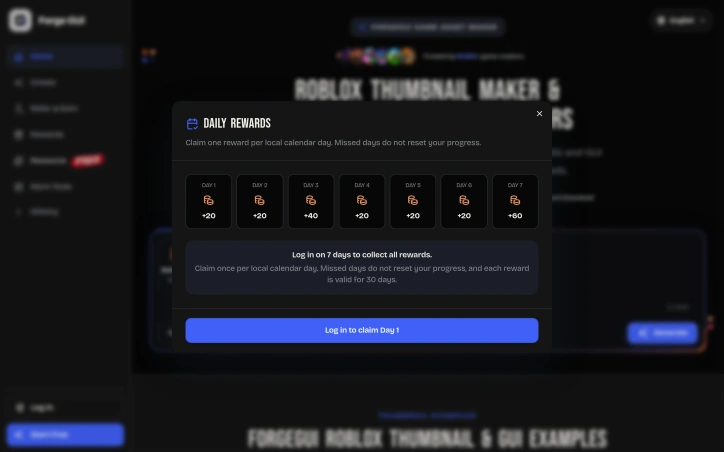
Game creators face a persistent friction point: compelling thumbnails and interface assets can drive engagement, but producing them individually consumes time and requires platform-specific visual knowledge. ForgeGUI addresses this directly by using AI to generate game thumbnails and GUI elements from text descriptions or reference images, with preset aesthetics matched to popular platforms. The product targets an active community of indie developers across Roblox, Minecraft, Unity, and Fortnite ecosystems. Rather than commissioning art or learning design tools, creators can describe a scene, apply platform-specific styling, and iterate rapidly on visual concepts. Several design choices distinguish ForgeGUI's approach. The platform presets go beyond generic filters—each targets a distinct visual language. Roblox-style output reflects blocky character proportions and environment aesthetics. Minecraft presets emphasize voxel-based forms. These constraints matter because thumbnails function differently at small viewport sizes on mobile devices, where contrast and subject readability determine click-through rates. ForgeGUI acknowledges this limitation directly, designing compositions for 16:9 mobile-friendly framing. The workflow itself prioritizes iteration. Users describe what they want, generate an image, then refine through edited directions or reference uploads rather than restarting from scratch. A live preview helps validate concepts before finalizing. The ability to test multiple visual moods—comparing scene staging, character expressions, or art directions within a single prompt—lets creators validate positioning before committing to one direction. A secondary feature set covers GUI assets beyond thumbnails: menus, panels, buttons, HUDs, and icons. The product labels 3D generation as coming soon, suggesting roadmap expansion beyond 2D web output. The company markets itself as trusted by over 10,000 creators and offers a 7-day free trial to assess the tool without commitment. No pricing structure appears in the public-facing content, leaving the long-term cost model unclear to prospective users. ForgeGUI works within constraints that define many AI generation tools: output quality depends on prompt clarity and how well style presets align with user intent. Creators expecting pixel-perfect professional work or highly customized branding will likely find the templated approach limiting. The core value proposition remains clear though—for creators who need functional game assets faster than manual creation allows, with minimal design expertise required, this directly shortens the iteration cycle.

Ai-generative-media
L
lily fisher

Game creators face a persistent friction point: compelling thumbnails and interface assets can drive engagement, but producing them individually consumes time and requires platform-specific visual knowledge. ForgeGUI addresses this directly by using AI to generate game thumbnails and GUI elements from text descriptions or reference images, with preset aesthetics matched to popular platforms. The product targets an active community of indie developers across Roblox, Minecraft, Unity, and Fortnite ecosystems. Rather than commissioning art or learning design tools, creators can describe a scene, apply platform-specific styling, and iterate rapidly on visual concepts. Several design choices distinguish ForgeGUI's approach. The platform presets go beyond generic filters—each targets a distinct visual language. Roblox-style output reflects blocky character proportions and environment aesthetics. Minecraft presets emphasize voxel-based forms. These constraints matter because thumbnails function differently at small viewport sizes on mobile devices, where contrast and subject readability determine click-through rates. ForgeGUI acknowledges this limitation directly, designing compositions for 16:9 mobile-friendly framing. The workflow itself prioritizes iteration. Users describe what they want, generate an image, then refine through edited directions or reference uploads rather than restarting from scratch. A live preview helps validate concepts before finalizing. The ability to test multiple visual moods—comparing scene staging, character expressions, or art directions within a single prompt—lets creators validate positioning before committing to one direction. A secondary feature set covers GUI assets beyond thumbnails: menus, panels, buttons, HUDs, and icons. The product labels 3D generation as coming soon, suggesting roadmap expansion beyond 2D web output. The company markets itself as trusted by over 10,000 creators and offers a 7-day free trial to assess the tool without commitment. No pricing structure appears in the public-facing content, leaving the long-term cost model unclear to prospective users. ForgeGUI works within constraints that define many AI generation tools: output quality depends on prompt clarity and how well style presets align with user intent. Creators expecting pixel-perfect professional work or highly customized branding will likely find the templated approach limiting. The core value proposition remains clear though—for creators who need functional game assets faster than manual creation allows, with minimal design expertise required, this directly shortens the iteration cycle.

Forge GUI preview

Key features

  • AI-Powered Generation: Creates game thumbnails and GUI elements from text descriptions or reference images
  • Platform Presets: Delivers Roblox, Minecraft, Unity, and Fortnite-specific visual aesthetics
See full listing
GIF Master

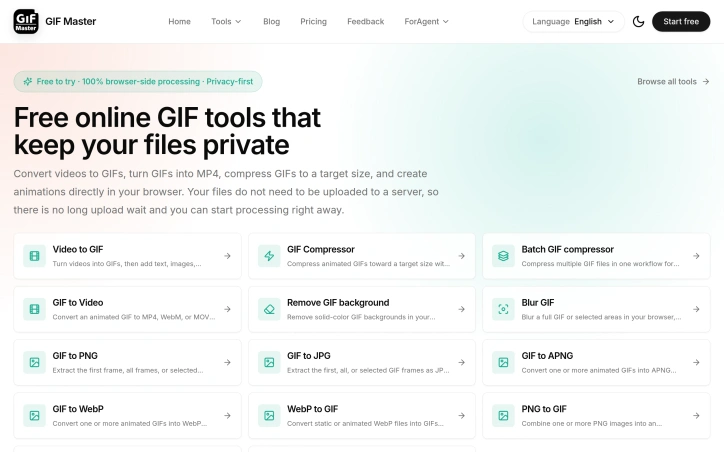
Frustrated creators and product teams dealing with animated GIFs have long faced a choice between waiting for cloud uploads or compromising their file privacy. This browser-based tool eliminates that tradeoff by processing all conversions and edits locally, without ever sending files to a server. GIF Master targets anyone who regularly works with animated images: product managers recording screen demos, developers creating tutorial animations, social media teams managing asset libraries, and marketers building countdown graphics. The core appeal is immediate processing and guaranteed privacy, since no files leave the user's device. What distinguishes this offering from existing GIF utilities is its commitment to client-side processing. Rather than the typical upload-and-wait model, users get instant results by doing all computation in their browser. This approach eliminates both the friction of server uploads and the concern that sensitive or proprietary GIFs might be retained on external servers. The feature set covers the full GIF lifecycle. Conversion tools handle video to GIF and reverse workflows, supporting formats like MP4, WebM, and MOV. For optimization, a dedicated compressor lets users set target file sizes before processing, reducing trial-and-error adjustment. The batch compressor addresses teams managing multiple GIFs for documentation or campaigns, tracking progress across files. Several editing capabilities add practical value. Background removal works best on simple, solid colors and flat compositions, with manual frame-by-frame cleanup available for difficult cases. A blur tool handles both full-image redaction and timed local areas, useful for hiding faces or sensitive text in specific frames. The batch workflow and screen recording feature feed directly into GIF creation, allowing capture-to-export in one session. The product presents itself as free to try, though detailed pricing or premium tier information isn't disclosed. The value proposition depends entirely on whether users prioritize privacy and speed over the convenience of server-based processing, which often includes more sophisticated AI-driven features. For teams with privacy requirements, embedded GIF workflows, or frequent conversions, the browser-side approach removes both technical friction and compliance concerns. The real question for potential users isn't whether GIF Master does what it claims, but whether processing speed and privacy protection outweigh the trade-offs of working locally rather than in the cloud.

Video-editing
M
ming ming

Frustrated creators and product teams dealing with animated GIFs have long faced a choice between waiting for cloud uploads or compromising their file privacy. This browser-based tool eliminates that tradeoff by processing all conversions and edits locally, without ever sending files to a server. GIF Master targets anyone who regularly works with animated images: product managers recording screen demos, developers creating tutorial animations, social media teams managing asset libraries, and marketers building countdown graphics. The core appeal is immediate processing and guaranteed privacy, since no files leave the user's device. What distinguishes this offering from existing GIF utilities is its commitment to client-side processing. Rather than the typical upload-and-wait model, users get instant results by doing all computation in their browser. This approach eliminates both the friction of server uploads and the concern that sensitive or proprietary GIFs might be retained on external servers. The feature set covers the full GIF lifecycle. Conversion tools handle video to GIF and reverse workflows, supporting formats like MP4, WebM, and MOV. For optimization, a dedicated compressor lets users set target file sizes before processing, reducing trial-and-error adjustment. The batch compressor addresses teams managing multiple GIFs for documentation or campaigns, tracking progress across files. Several editing capabilities add practical value. Background removal works best on simple, solid colors and flat compositions, with manual frame-by-frame cleanup available for difficult cases. A blur tool handles both full-image redaction and timed local areas, useful for hiding faces or sensitive text in specific frames. The batch workflow and screen recording feature feed directly into GIF creation, allowing capture-to-export in one session. The product presents itself as free to try, though detailed pricing or premium tier information isn't disclosed. The value proposition depends entirely on whether users prioritize privacy and speed over the convenience of server-based processing, which often includes more sophisticated AI-driven features. For teams with privacy requirements, embedded GIF workflows, or frequent conversions, the browser-side approach removes both technical friction and compliance concerns. The real question for potential users isn't whether GIF Master does what it claims, but whether processing speed and privacy protection outweigh the trade-offs of working locally rather than in the cloud.

GIF Master preview

Key features

  • Local Processing: All conversions and edits run in your browser without uploading files to a server
  • Video to GIF Conversion: Convert MP4, WebM, and MOV videos into animated GIFs
See full listing
Live Font Generator

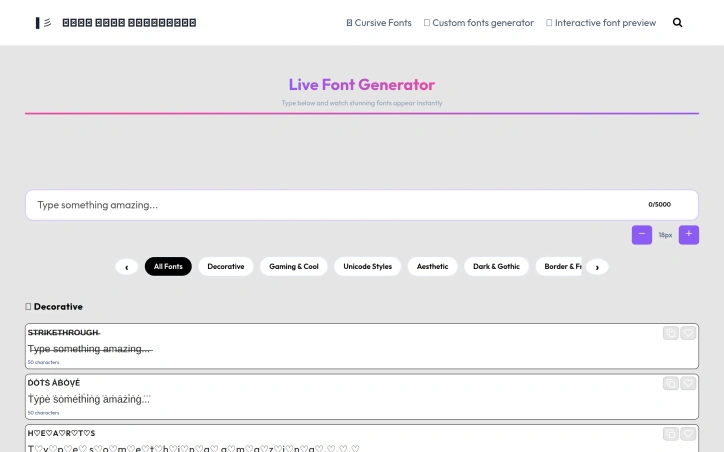
Typography tools have fragmented into two extremes: bloated font libraries with hundreds of unusable styles or bare-bones generators that offer little visual variety. Live Font Generator addresses a genuine friction point in social media—the disconnect between wanting distinctive text styling and the awkward reality that most platforms strip out custom fonts, leaving users with basic Unicode symbols as their only option. The product targets creators across social platforms: Instagram users wanting standout bios, Discord communities seeking custom usernames, TikTok personalities, and gaming communities. Anyone who has noticed that custom fonts render as empty boxes on phones understands the genuine problem the founder identified—tools that look good on desktop often fail in practice. What distinguishes Live Font Generator from competitors is its organizational approach. Rather than dumping 300+ styles in random order and leaving users to scroll endlessly, the tool categorizes its 200+ Unicode text styles by aesthetic type: cursive, gothic, bold, gaming, and others. This categorization directly solves the discoverability problem that makes most font generators frustrating. The founder's emphasis on cross-device compatibility testing also reflects practical thinking—ensuring styles render correctly across platforms, not just in the initial preview. The feature set is straightforward: users type text, preview how it appears in different styles instantly, and copy results with a single click. No registration gates access, no software installation required, and no fees. The browser-based model means accessibility from any device. The product covers most major platforms that accept Unicode symbols: Instagram, Facebook, TikTok, Discord, WhatsApp, Telegram, and Reddit all work with the generated text. According to the founder, the tool serves over 10,000 daily users across 150+ countries, suggesting it has found genuine product-market fit within a specific niche. The addition of newly launched style categories indicates active development. The limitations are inherent to the approach: this solves only the styling problem on platforms that accept Unicode but restrict custom fonts. The business model remains implicit, with the free tool presumably monetizing through advertising or future premium features. For the specific use case of social media text styling, the product delivers on its promise with a more thoughtful interface than most competitors in a crowded category.

Design-creative
M
Mohsin Qureshi

Typography tools have fragmented into two extremes: bloated font libraries with hundreds of unusable styles or bare-bones generators that offer little visual variety. Live Font Generator addresses a genuine friction point in social media—the disconnect between wanting distinctive text styling and the awkward reality that most platforms strip out custom fonts, leaving users with basic Unicode symbols as their only option. The product targets creators across social platforms: Instagram users wanting standout bios, Discord communities seeking custom usernames, TikTok personalities, and gaming communities. Anyone who has noticed that custom fonts render as empty boxes on phones understands the genuine problem the founder identified—tools that look good on desktop often fail in practice. What distinguishes Live Font Generator from competitors is its organizational approach. Rather than dumping 300+ styles in random order and leaving users to scroll endlessly, the tool categorizes its 200+ Unicode text styles by aesthetic type: cursive, gothic, bold, gaming, and others. This categorization directly solves the discoverability problem that makes most font generators frustrating. The founder's emphasis on cross-device compatibility testing also reflects practical thinking—ensuring styles render correctly across platforms, not just in the initial preview. The feature set is straightforward: users type text, preview how it appears in different styles instantly, and copy results with a single click. No registration gates access, no software installation required, and no fees. The browser-based model means accessibility from any device. The product covers most major platforms that accept Unicode symbols: Instagram, Facebook, TikTok, Discord, WhatsApp, Telegram, and Reddit all work with the generated text. According to the founder, the tool serves over 10,000 daily users across 150+ countries, suggesting it has found genuine product-market fit within a specific niche. The addition of newly launched style categories indicates active development. The limitations are inherent to the approach: this solves only the styling problem on platforms that accept Unicode but restrict custom fonts. The business model remains implicit, with the free tool presumably monetizing through advertising or future premium features. For the specific use case of social media text styling, the product delivers on its promise with a more thoughtful interface than most competitors in a crowded category.

Live Font Generator preview

Key features

  • Unicode Text Styling: Users preview and copy custom Unicode text styles instantly
  • Categorized Styles: 200+ Unicode text styles organized by aesthetic type including cursive, gothic, bold, and gaming
See full listing
Clipfox

Video editing services for creators have traditionally focused on technical polish and aesthetics, but Clipfox takes a different approach: optimizing for viewer retention and conversion. The platform targets content creators and brands across YouTube, Instagram Reels, and LinkedIn who want to scale their audiences into actual paying customers, addressing a fundamental gap between getting views and driving real business results. What distinguishes Clipfox is its emphasis on retention psychology over raw cutting technique. Rather than treating video editing as a technical craft divorced from marketing outcomes, the service designs edits specifically to keep viewers watching and push them toward conversion. This philosophy reflects recognition that creators often struggle not with production quality but with translating attention into revenue. The client roster demonstrates broad reach. The platform lists featured creators with audiences ranging from 10,000 to 556,000 followers across YouTube and LinkedIn, including content creators, founders, and professionals in education and technology. Client testimonials consistently highlight speed, responsiveness, and reliability. One creator noted that consulting from the team alone justified their investment. Another client tied $300,000 in monthly revenue partly to videos produced through the service, pointing to measurable business impact. The company maintains a 4.8 out of 5 star rating across 264 reviews, with clients praising fast turnaround times, clear understanding of briefs, and consistent quality. The testimonials come primarily from founders and creators rather than agencies or enterprises, indicating the core market is individual builders trying to grow their influence and business. One prominent case involves sales velocity: a CEO reported 580-plus calendar meetings generated over six months using Clipfox-produced videos. This points to the service targeting high-value creators focused on B2B or high-ticket sales. Pricing information is not publicly available on the website, requiring a direct inquiry through their discovery call booking. The business model is managed service-based editing rather than a self-serve platform or software tool. This positions Clipfox as a specialist service for creators who prioritize professional attention over DIY tools. The fundamental pitch to prospects is straightforward: specialized editing drives measurable business results. Whether those results transfer to new clients depends on alignment with Clipfox's track record and the creator's existing audience quality and engagement dynamics.


Video-editing
S
Sarthak Dey

Video editing services for creators have traditionally focused on technical polish and aesthetics, but Clipfox takes a different approach: optimizing for viewer retention and conversion. The platform targets content creators and brands across YouTube, Instagram Reels, and LinkedIn who want to scale their audiences into actual paying customers, addressing a fundamental gap between getting views and driving real business results. What distinguishes Clipfox is its emphasis on retention psychology over raw cutting technique. Rather than treating video editing as a technical craft divorced from marketing outcomes, the service designs edits specifically to keep viewers watching and push them toward conversion. This philosophy reflects recognition that creators often struggle not with production quality but with translating attention into revenue. The client roster demonstrates broad reach. The platform lists featured creators with audiences ranging from 10,000 to 556,000 followers across YouTube and LinkedIn, including content creators, founders, and professionals in education and technology. Client testimonials consistently highlight speed, responsiveness, and reliability. One creator noted that consulting from the team alone justified their investment. Another client tied $300,000 in monthly revenue partly to videos produced through the service, pointing to measurable business impact. The company maintains a 4.8 out of 5 star rating across 264 reviews, with clients praising fast turnaround times, clear understanding of briefs, and consistent quality. The testimonials come primarily from founders and creators rather than agencies or enterprises, indicating the core market is individual builders trying to grow their influence and business. One prominent case involves sales velocity: a CEO reported 580-plus calendar meetings generated over six months using Clipfox-produced videos. This points to the service targeting high-value creators focused on B2B or high-ticket sales. Pricing information is not publicly available on the website, requiring a direct inquiry through their discovery call booking. The business model is managed service-based editing rather than a self-serve platform or software tool. This positions Clipfox as a specialist service for creators who prioritize professional attention over DIY tools. The fundamental pitch to prospects is straightforward: specialized editing drives measurable business results. Whether those results transfer to new clients depends on alignment with Clipfox's track record and the creator's existing audience quality and engagement dynamics.

Clipfox preview

Key features

  • Retention-Focused Editing: Designs edits specifically to keep viewers watching and push them toward conversion, emphasizing retention psychology over raw cutting technique.
  • Fast Turnaround Times: Delivers edited videos quickly with responsive and reliable service that clients praise as a key differentiator.
See full listing
CineGen

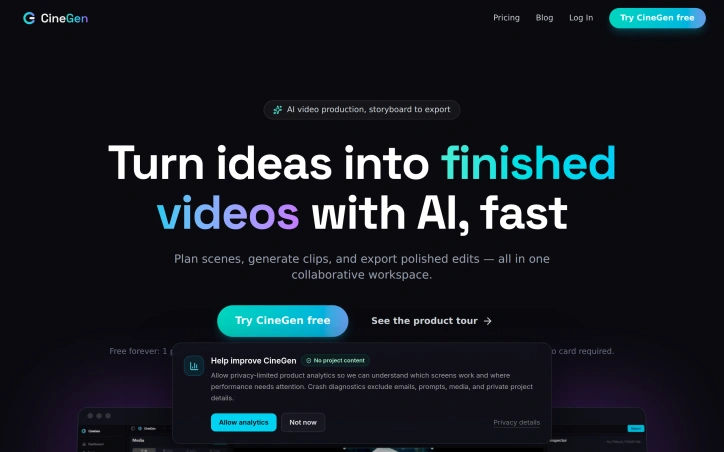
Creating videos with artificial intelligence typically requires jumping between specialized tools—some for planning, others for character design, generation, editing, and feedback. CineGen consolidates this fragmented workflow into a single browser-based workspace where creators and small teams can move from concept to finished edit without switching applications or managing scattered files. The product targets independent creators, studios, and marketing teams who need to produce video content quickly but find existing solutions either too specialized or too disconnected. CineGen's approach centers on efficiency: by keeping all production steps in one place, the platform lets users focus on storytelling rather than file management. Several capabilities distinguish CineGen's offering. The AI Storyboarder accepts story prompts and generates multi-scene sequences with specified shot types, descriptions, and dialogue that feed directly into the editing timeline. The Character Creator allows users to define a character once—including appearance, voice, and personality traits—and maintains consistency across every generated scene. This solves a genuine pain point in AI video work, where character drift across clips undermines narrative coherence. The timeline editor is a genuine production tool rather than a cosmetic interface. It offers multi-track editing, a media bin, live preview, clip inspection, keyframes, transforms, and one-click export. For teams, CineGen includes collaboration features: shareable review links that require no account, timestamped comments on clips, role-based project permissions, and auto-rendering triggered by approval. Currently in beta is a 3D scene creator that lets users load gaussian-splat environments, position characters with camera keyframes, and have the platform interpolate the camera movement into finished footage with cost estimates before rendering. This capability indicates the team is actively expanding creative possibilities. The business model is subscription-based. A free tier includes one project, access to the full timeline editor, watermarked 720p exports, and 100 bonus AI tokens, with no credit card required. This allows potential users to evaluate the core editing and collaboration experience before committing financially. CineGen's core strength lies in integration. Rather than positioning itself as the best storyboarding tool or the best character generator, it positions itself as the workspace where these pieces fit together seamlessly. For teams managing creative projects with consistent visual elements, that integration addresses a real workflow problem.

Video-editing
C
Casey Shore

Creating videos with artificial intelligence typically requires jumping between specialized tools—some for planning, others for character design, generation, editing, and feedback. CineGen consolidates this fragmented workflow into a single browser-based workspace where creators and small teams can move from concept to finished edit without switching applications or managing scattered files. The product targets independent creators, studios, and marketing teams who need to produce video content quickly but find existing solutions either too specialized or too disconnected. CineGen's approach centers on efficiency: by keeping all production steps in one place, the platform lets users focus on storytelling rather than file management. Several capabilities distinguish CineGen's offering. The AI Storyboarder accepts story prompts and generates multi-scene sequences with specified shot types, descriptions, and dialogue that feed directly into the editing timeline. The Character Creator allows users to define a character once—including appearance, voice, and personality traits—and maintains consistency across every generated scene. This solves a genuine pain point in AI video work, where character drift across clips undermines narrative coherence. The timeline editor is a genuine production tool rather than a cosmetic interface. It offers multi-track editing, a media bin, live preview, clip inspection, keyframes, transforms, and one-click export. For teams, CineGen includes collaboration features: shareable review links that require no account, timestamped comments on clips, role-based project permissions, and auto-rendering triggered by approval. Currently in beta is a 3D scene creator that lets users load gaussian-splat environments, position characters with camera keyframes, and have the platform interpolate the camera movement into finished footage with cost estimates before rendering. This capability indicates the team is actively expanding creative possibilities. The business model is subscription-based. A free tier includes one project, access to the full timeline editor, watermarked 720p exports, and 100 bonus AI tokens, with no credit card required. This allows potential users to evaluate the core editing and collaboration experience before committing financially. CineGen's core strength lies in integration. Rather than positioning itself as the best storyboarding tool or the best character generator, it positions itself as the workspace where these pieces fit together seamlessly. For teams managing creative projects with consistent visual elements, that integration addresses a real workflow problem.

CineGen preview

Key features

  • AI Storyboarder: Generates multi-scene sequences with shot types, descriptions, and dialogue from story prompts
  • Character Creator: Define characters once and maintain consistency across all generated scenes
See full listing
Dating App Photos

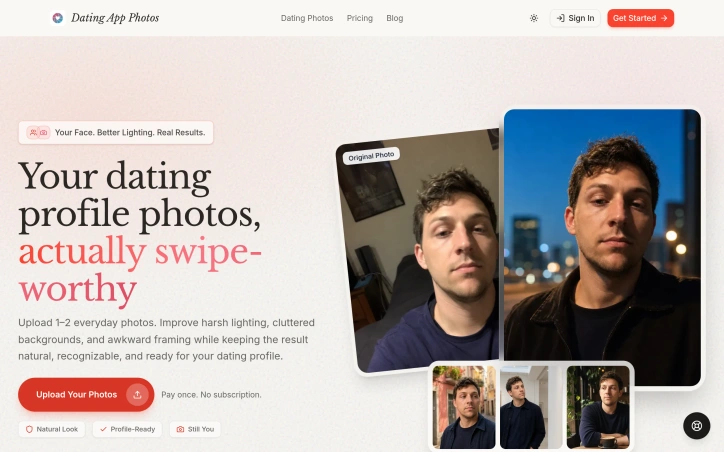
Poor lighting and awkward framing sabotage many dating profiles before a conversation even starts. Dating App Photos tackles this directly, using AI to rehabilitate everyday photos into polished profile images without requiring a professional photographer or extensive editing. The service lets users upload one or two casual photos and, after answering a few quick questions, receive a complete gallery of enhanced versions. The core transformation focuses on three technical improvements: correcting harsh lighting conditions, reframing awkward compositions, and removing visual clutter from backgrounds. What distinguishes this product is its emphasis on preserving the user's recognizable appearance while applying these adjustments. The results maintain a natural aesthetic rather than pushing toward an unrealistic or heavily filtered look. Dating App Photos offers six distinct scene templates that anchor transformations to believable everyday contexts: a coffee shop vibe, outdoor activity shots, smart casual styling, energetic poses suggesting an active lifestyle, cozy indoor settings, and candid street scenes. This approach sidesteps the artificiality that undermines many AI photo services, grounding results in scenarios that feel authentic to how users actually live. The product's positioning emphasizes speed and convenience. Traditional approaches require hiring a photographer and coordinating availability; this service compresses the workflow from hours or days to minutes. Users also retain full control, reviewing each generated image before committing it to their profile. On the business model front, Dating App Photos operates on a simple one-time payment structure with no recurring subscription fees. Users receive 30-day download access to completed images. The privacy stance is straightforward: photos are processed privately and never displayed publicly or used for other purposes. For people struggling with poor-quality existing photos but hesitant to hire professional photography services, this fills a genuine gap. Dating app users face real pressure to present themselves effectively, and lighting and framing issues create a barrier regardless of actual appearance. By automating these specific corrections while preserving identity, Dating App Photos addresses a real frustration in the user journey without requiring expensive alternatives.

Ai-generative-media
P
perry vv

Poor lighting and awkward framing sabotage many dating profiles before a conversation even starts. Dating App Photos tackles this directly, using AI to rehabilitate everyday photos into polished profile images without requiring a professional photographer or extensive editing. The service lets users upload one or two casual photos and, after answering a few quick questions, receive a complete gallery of enhanced versions. The core transformation focuses on three technical improvements: correcting harsh lighting conditions, reframing awkward compositions, and removing visual clutter from backgrounds. What distinguishes this product is its emphasis on preserving the user's recognizable appearance while applying these adjustments. The results maintain a natural aesthetic rather than pushing toward an unrealistic or heavily filtered look. Dating App Photos offers six distinct scene templates that anchor transformations to believable everyday contexts: a coffee shop vibe, outdoor activity shots, smart casual styling, energetic poses suggesting an active lifestyle, cozy indoor settings, and candid street scenes. This approach sidesteps the artificiality that undermines many AI photo services, grounding results in scenarios that feel authentic to how users actually live. The product's positioning emphasizes speed and convenience. Traditional approaches require hiring a photographer and coordinating availability; this service compresses the workflow from hours or days to minutes. Users also retain full control, reviewing each generated image before committing it to their profile. On the business model front, Dating App Photos operates on a simple one-time payment structure with no recurring subscription fees. Users receive 30-day download access to completed images. The privacy stance is straightforward: photos are processed privately and never displayed publicly or used for other purposes. For people struggling with poor-quality existing photos but hesitant to hire professional photography services, this fills a genuine gap. Dating app users face real pressure to present themselves effectively, and lighting and framing issues create a barrier regardless of actual appearance. By automating these specific corrections while preserving identity, Dating App Photos addresses a real frustration in the user journey without requiring expensive alternatives.

Dating App Photos preview

Key features

  • AI Photo Enhancement: Corrects harsh lighting, reframes compositions, and removes visual clutter from backgrounds.
  • Scene Templates: Offers six distinct everyday contexts including coffee shop, outdoor, smart casual, active lifestyle, cozy indoor, and street scenes.
See full listing
QuickMagic

Motion capture has long been gatekept by expensive hardware and specialized studios. QuickMagic disrupts this by extracting skeletal data and facial movement directly from standard video or text prompts, eliminating the need for suits, markers, sensors, or multi-camera setups. The platform targets creators, animators, game developers, and roboticists who need motion data but lack access to traditional capture infrastructure. What sets QuickMagic apart is its accessibility. Users can upload footage from smartphones, webcams, or standard cameras and receive editable 3D animation data within minutes. The system handles full-body, hand, and facial motion simultaneously and supports both single and multi-subject workflows. It processes footage regardless of camera movement, though results depend on subject visibility and motion clarity. The text-to-motion feature expands possibilities further, allowing designers to generate motion from descriptions alone—useful for storyboarding, prototyping, and character ideation before expensive production begins. The export ecosystem is comprehensive. QuickMagic outputs to FBX, BVH, BIP, C4D, VMD and proprietary formats for Mixamo, UE4, UE5.5, UE5.6, Character Creator, iClone, Roblox, and OnlyFace. Integration extends across Blender, Maya, 3ds Max, MotionBuilder, Unity, Unreal Engine, and MikuMikuDance. For roboticists, specialized presets support Unitree humanoid models. This breadth means captured data fits into existing pipelines without major conversion friction. The platform includes post-capture refinement controls—users can adjust pose, frame rate, and apply motion cleanup to polish results. For VTubers and digital-human creators, this bridges the gap between automatic capture and manual polish. The addition of robot motion generation and focus on imitation-learning workflows signals expansion beyond traditional animation into emerging AI and robotics use cases. QuickMagic operates on a freemium model with both free and paid tiers, lowering the barrier to experimentation. Export capabilities vary by plan, so advanced integrations require subscription. The web-based delivery means no software installation, supporting rapid adoption among distributed teams. The core trade-off is quality. Results depend on camera work, lighting, and subject visibility. Users working with fast motion, heavy occlusion, or complex interactions may find capture less reliable. Still, for typical performances and character work, QuickMagic compresses weeks of motion-capture setup into minutes of processing—a meaningful shift in production velocity for the creators it reaches.


3d-animation
Q
QuickMagic Team

Motion capture has long been gatekept by expensive hardware and specialized studios. QuickMagic disrupts this by extracting skeletal data and facial movement directly from standard video or text prompts, eliminating the need for suits, markers, sensors, or multi-camera setups. The platform targets creators, animators, game developers, and roboticists who need motion data but lack access to traditional capture infrastructure. What sets QuickMagic apart is its accessibility. Users can upload footage from smartphones, webcams, or standard cameras and receive editable 3D animation data within minutes. The system handles full-body, hand, and facial motion simultaneously and supports both single and multi-subject workflows. It processes footage regardless of camera movement, though results depend on subject visibility and motion clarity. The text-to-motion feature expands possibilities further, allowing designers to generate motion from descriptions alone—useful for storyboarding, prototyping, and character ideation before expensive production begins. The export ecosystem is comprehensive. QuickMagic outputs to FBX, BVH, BIP, C4D, VMD and proprietary formats for Mixamo, UE4, UE5.5, UE5.6, Character Creator, iClone, Roblox, and OnlyFace. Integration extends across Blender, Maya, 3ds Max, MotionBuilder, Unity, Unreal Engine, and MikuMikuDance. For roboticists, specialized presets support Unitree humanoid models. This breadth means captured data fits into existing pipelines without major conversion friction. The platform includes post-capture refinement controls—users can adjust pose, frame rate, and apply motion cleanup to polish results. For VTubers and digital-human creators, this bridges the gap between automatic capture and manual polish. The addition of robot motion generation and focus on imitation-learning workflows signals expansion beyond traditional animation into emerging AI and robotics use cases. QuickMagic operates on a freemium model with both free and paid tiers, lowering the barrier to experimentation. Export capabilities vary by plan, so advanced integrations require subscription. The web-based delivery means no software installation, supporting rapid adoption among distributed teams. The core trade-off is quality. Results depend on camera work, lighting, and subject visibility. Users working with fast motion, heavy occlusion, or complex interactions may find capture less reliable. Still, for typical performances and character work, QuickMagic compresses weeks of motion-capture setup into minutes of processing—a meaningful shift in production velocity for the creators it reaches.

QuickMagic preview

Key features

  • Video Motion Capture: Extracts skeletal and facial motion from standard video, smartphones, or webcams without expensive hardware, suits, or markers.
  • Multi-Format Export: Supports export to FBX, BVH, BIP, C4D, VMD, and proprietary formats for Unreal Engine, Maya, Blender, Unity, and other major software.
See full listing
Leumos AI

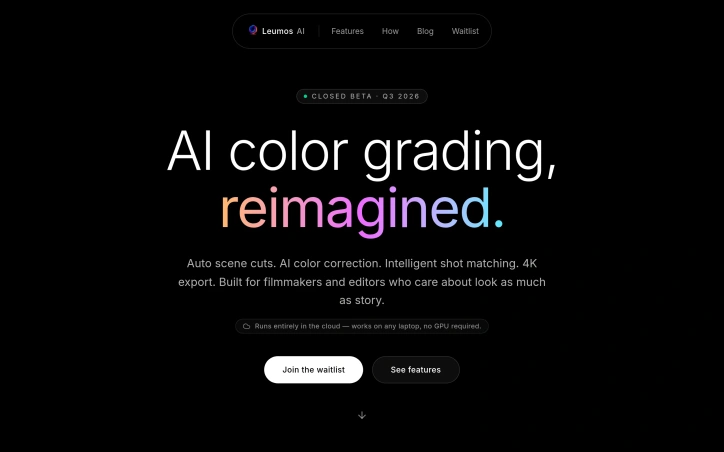
Color grading has long been a bottleneck in video production, consuming disproportionate amounts of time relative to its creative impact. Leumos AI targets this inefficiency by automating the technical legwork that consumes hours on every substantial project: scene detection, exposure correction, color matching across shots, and final rendering. The platform operates entirely in the cloud, eliminating a critical barrier to entry for independent filmmakers and editors working with limited hardware. Rather than requiring expensive GPU workstations, users can upload timelines from any laptop and receive finished 4K masters via email. This accessibility is the product's central value proposition, democratizing tools previously restricted to well-equipped post houses. The technical approach centers on four core capabilities. Scene cut detection runs automatically, identifying every transition and shot boundary without manual scrubbing. An AI color grading engine then applies consistent looks across entire sequences, avoiding the tedium of clip-by-clip curve adjustments. A third component handles shot matching, aligning exposure and color temperature across footage shot with different cameras and lighting setups. Finally, the cloud rendering pipeline outputs finished masters in ProRes, H.265, or as graded XML back into editing software. What distinguishes Leumos from simpler color automation is its sequence awareness. Rather than processing shots in isolation, the AI understands continuity across an edit, maintaining visual consistency without requiring editors to sacrifice creative control. The interface presents multiple aesthetic treatments from a single clip, allowing users to experiment with different looks before committing to a final grade. The closed beta launched in late summer 2026, with access via waitlist. The company accepts multiple source formats including ProRes, H.264, H.265, and RAW, accommodating a range of production pipelines. The core premise addresses a genuine inefficiency in modern video production. For editors and filmmakers constrained by hardware limitations, where tool access has traditionally been a barrier to professional-grade work, this cloud-native approach expands the practical possibilities of independent production.
Video-editing
L
Leumos AI

Color grading has long been a bottleneck in video production, consuming disproportionate amounts of time relative to its creative impact. Leumos AI targets this inefficiency by automating the technical legwork that consumes hours on every substantial project: scene detection, exposure correction, color matching across shots, and final rendering. The platform operates entirely in the cloud, eliminating a critical barrier to entry for independent filmmakers and editors working with limited hardware. Rather than requiring expensive GPU workstations, users can upload timelines from any laptop and receive finished 4K masters via email. This accessibility is the product's central value proposition, democratizing tools previously restricted to well-equipped post houses. The technical approach centers on four core capabilities. Scene cut detection runs automatically, identifying every transition and shot boundary without manual scrubbing. An AI color grading engine then applies consistent looks across entire sequences, avoiding the tedium of clip-by-clip curve adjustments. A third component handles shot matching, aligning exposure and color temperature across footage shot with different cameras and lighting setups. Finally, the cloud rendering pipeline outputs finished masters in ProRes, H.265, or as graded XML back into editing software. What distinguishes Leumos from simpler color automation is its sequence awareness. Rather than processing shots in isolation, the AI understands continuity across an edit, maintaining visual consistency without requiring editors to sacrifice creative control. The interface presents multiple aesthetic treatments from a single clip, allowing users to experiment with different looks before committing to a final grade. The closed beta launched in late summer 2026, with access via waitlist. The company accepts multiple source formats including ProRes, H.264, H.265, and RAW, accommodating a range of production pipelines. The core premise addresses a genuine inefficiency in modern video production. For editors and filmmakers constrained by hardware limitations, where tool access has traditionally been a barrier to professional-grade work, this cloud-native approach expands the practical possibilities of independent production.

Leumos AI preview

Key features

  • Scene Cut Detection: Automatically identifies every transition and shot boundary without manual scrubbing.
  • AI Color Grading: Applies consistent looks across entire sequences, avoiding clip-by-clip curve adjustments.
See full listing
U

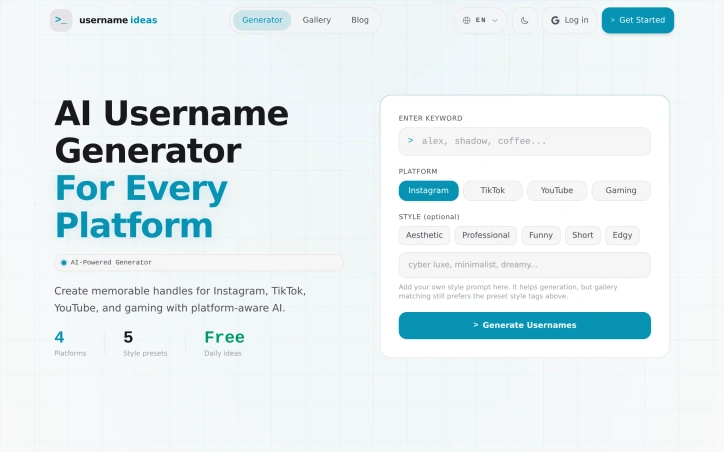
Finding a unique username that works across multiple social platforms represents a genuine friction point for creators, gamers, and casual users alike. Username Ideas Generator addresses this friction head-on with an AI-powered solution designed to streamline the brainstorming process. Rather than cycling through variations manually or settling for usernames already claimed elsewhere, users can leverage the tool to generate aesthetic and memorable options tailored to their needs. The tool targets the workflow across major platforms: Instagram, TikTok, YouTube, and gaming communities. This multi-platform focus recognizes the reality that many creators maintain presence across several channels and need consistency. The AI-driven approach to generation distinguishes it from simpler random generators or availability checkers; the tool produces suggestions aimed at being both memorable and visually appealing, rather than defaulting to number combinations or special character strings that clutter most username fields. What makes the product compelling is its directness. The founder built this after experiencing the tedium firsthand, and that clarity of purpose translates into a focused scope. Rather than attempting to solve username management broadly, it concentrates on the initial generation phase where most of the creative friction occurs. The tool saves users from repetitive manual searching and the cognitive load of balancing originality against availability constraints. The positioning as "aesthetic" and "memorable" also signals an understanding of platform culture. A good TikTok username differs substantially from a gaming handle, and an effective Instagram name requires different sensibilities than a YouTube channel. The tool's ability to generate ideas specific to each platform reflects this distinction. What remains unclear from the available information is how the AI determines what constitutes an aesthetic username in context-specific ways, or how it validates availability across platforms. The speed advantage is evident in the problem statement, but the actual user workflow and learning curve remain undescribed. Despite these questions, Username Ideas Generator solves a real problem with a straightforward approach that could save creators meaningful time during the account setup phase.

Ai-generative-media
Q
qing wang

Finding a unique username that works across multiple social platforms represents a genuine friction point for creators, gamers, and casual users alike. Username Ideas Generator addresses this friction head-on with an AI-powered solution designed to streamline the brainstorming process. Rather than cycling through variations manually or settling for usernames already claimed elsewhere, users can leverage the tool to generate aesthetic and memorable options tailored to their needs. The tool targets the workflow across major platforms: Instagram, TikTok, YouTube, and gaming communities. This multi-platform focus recognizes the reality that many creators maintain presence across several channels and need consistency. The AI-driven approach to generation distinguishes it from simpler random generators or availability checkers; the tool produces suggestions aimed at being both memorable and visually appealing, rather than defaulting to number combinations or special character strings that clutter most username fields. What makes the product compelling is its directness. The founder built this after experiencing the tedium firsthand, and that clarity of purpose translates into a focused scope. Rather than attempting to solve username management broadly, it concentrates on the initial generation phase where most of the creative friction occurs. The tool saves users from repetitive manual searching and the cognitive load of balancing originality against availability constraints. The positioning as "aesthetic" and "memorable" also signals an understanding of platform culture. A good TikTok username differs substantially from a gaming handle, and an effective Instagram name requires different sensibilities than a YouTube channel. The tool's ability to generate ideas specific to each platform reflects this distinction. What remains unclear from the available information is how the AI determines what constitutes an aesthetic username in context-specific ways, or how it validates availability across platforms. The speed advantage is evident in the problem statement, but the actual user workflow and learning curve remain undescribed. Despite these questions, Username Ideas Generator solves a real problem with a straightforward approach that could save creators meaningful time during the account setup phase.

Username Ideas Generator preview
U

Key features

  • AI-Powered Generation: Uses artificial intelligence to generate aesthetic and memorable username options tailored to user needs.
  • Multi-Platform Support: Works across Instagram, TikTok, YouTube, and gaming communities.
See full listing
LogoSpawn.com

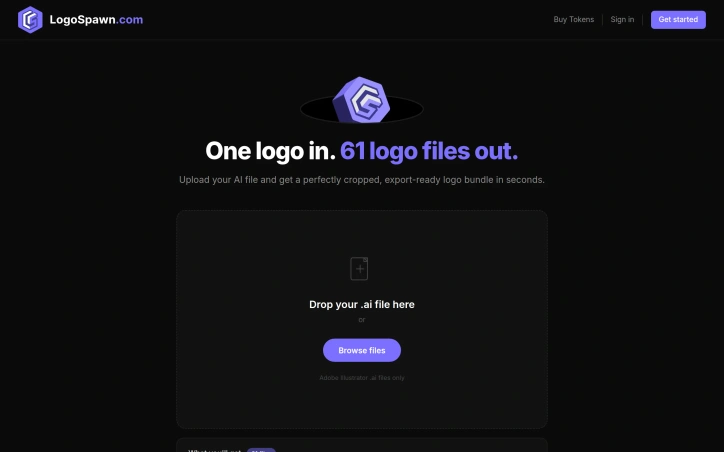
The repetitive work of logo exporting represents genuine friction in the design workflow. LogoSpawn addresses this directly, automating the moment after a logo design is finalized, when the designer must deliver variants across dozens of sizes and formats to meet client requirements. The product's mechanism is straightforward: upload an Adobe Illustrator file and receive 61 export-ready logo files in seconds. This breadth is the genuine differentiator. Rather than manually adjusting crop points, scaling, and exporting file by file—a process that consumes significant time—designers get a complete, production-ready asset bundle instantly. The founder's quarter-century of design experience lends immediate credibility. The pain of handling logo exports is ubiquitous across the profession. Every finalized logo requires delivery in standard sizes (favicon, app icon, social media, web headers) across multiple formats (PNG, SVG, PDF). This is necessary but low-value work that regularly consumes time in every project cycle. LogoSpawn's constraints reveal intentional design. It accepts only Adobe Illustrator files, keeping the product focused rather than attempting universal file conversion. The interface is minimal—a drag-and-drop zone, file browser, and single action button. This simplicity indicates the team understands that designers prioritize speed over configuration options. The bundle includes a branding style guide alongside the files, hinting at additional functionality beyond raw exports. This suggests an attempt to produce structured, client-ready deliverables rather than just isolated assets. Pricing operates on a token system, with specific costs undisclosed in the public-facing copy. Token-based models typically suit variable usage patterns—designers might export logos monthly or only several times annually. This approach accommodates both light and heavy users without forcing fixed monthly commitments. LogoSpawn occupies a deliberate niche. It solves one specific, repeated problem without attempting to replace logo design tools or offer comprehensive branding services. Its value centers on accelerating the final export phase of the design workflow. For independent designers, design agencies, or in-house teams that regularly finalize logos, the tool offers straightforward utility. The calculation for potential users comes down to whether the speed gains and export consistency justify recurring token expenditure.

Design-mockups
T
Tommy Owen

The repetitive work of logo exporting represents genuine friction in the design workflow. LogoSpawn addresses this directly, automating the moment after a logo design is finalized, when the designer must deliver variants across dozens of sizes and formats to meet client requirements. The product's mechanism is straightforward: upload an Adobe Illustrator file and receive 61 export-ready logo files in seconds. This breadth is the genuine differentiator. Rather than manually adjusting crop points, scaling, and exporting file by file—a process that consumes significant time—designers get a complete, production-ready asset bundle instantly. The founder's quarter-century of design experience lends immediate credibility. The pain of handling logo exports is ubiquitous across the profession. Every finalized logo requires delivery in standard sizes (favicon, app icon, social media, web headers) across multiple formats (PNG, SVG, PDF). This is necessary but low-value work that regularly consumes time in every project cycle. LogoSpawn's constraints reveal intentional design. It accepts only Adobe Illustrator files, keeping the product focused rather than attempting universal file conversion. The interface is minimal—a drag-and-drop zone, file browser, and single action button. This simplicity indicates the team understands that designers prioritize speed over configuration options. The bundle includes a branding style guide alongside the files, hinting at additional functionality beyond raw exports. This suggests an attempt to produce structured, client-ready deliverables rather than just isolated assets. Pricing operates on a token system, with specific costs undisclosed in the public-facing copy. Token-based models typically suit variable usage patterns—designers might export logos monthly or only several times annually. This approach accommodates both light and heavy users without forcing fixed monthly commitments. LogoSpawn occupies a deliberate niche. It solves one specific, repeated problem without attempting to replace logo design tools or offer comprehensive branding services. Its value centers on accelerating the final export phase of the design workflow. For independent designers, design agencies, or in-house teams that regularly finalize logos, the tool offers straightforward utility. The calculation for potential users comes down to whether the speed gains and export consistency justify recurring token expenditure.

LogoSpawn.com preview

Key features

  • Batch Logo Export: Generates 61 export-ready logo files in multiple sizes and formats from a single Illustrator file.
  • Minimal Interface: Provides a drag-and-drop upload zone with minimal configuration for maximum speed.
See full listing
Doodara

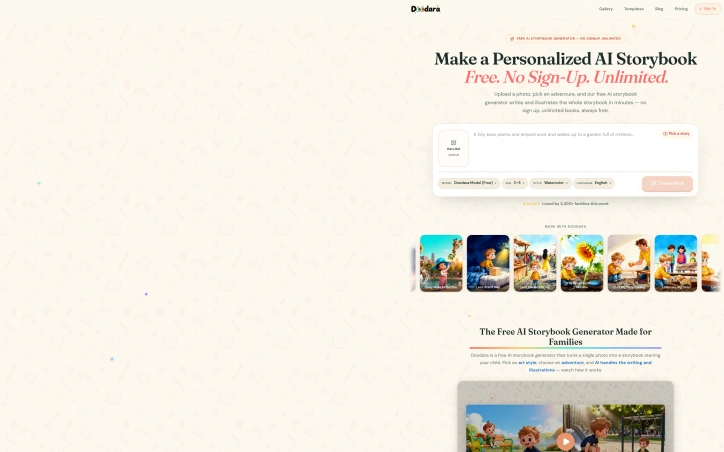
Personalized children's picture books typically require either significant expense or design expertise—two barriers that most families lack. Doodara removes both by generating illustrated storybooks in minutes from a single photograph, requiring neither sign-up nor payment. The product's strongest asset is its frictionless entry point. Users upload a photo, select from twenty story templates or write their own premise, choose from sixteen art styles ranging from watercolor to pixel art, and the AI generates a complete book with consistent character illustrations throughout. The entire process completes in minutes, with no account creation necessary. This approach democratizes book creation: parents and caregivers can produce polished, personalized stories their children actually feature in—something previously limited to custom book publishers with premium pricing. The execution details matter. The service handles character consistency across pages, a non-trivial problem in generative AI that often produces jarring inconsistencies. It offers multiple output formats: flipbook previews for immediate sharing, downloadable PDFs for printing, and various aspect ratios optimized for different devices. These aren't afterthoughts; they embody the founder's core belief that giving each child the experience of starring in their own narrative deserves accessible tools. The service has generated over 2,400 books and demonstrated strong user adoption. The business model uses freemium monetization: the free tier delivers complete functionality using a standard AI model, while paid plans unlock an advanced model option, commercial usage rights, and additional printing services. This approach positions the free tier as a legitimate product, not a limited trial designed to frustrate users into upgrading. What remains unclear from the marketing materials is how consistently the AI handles edge cases—children of different ethnicities, more complex story concepts, or unusual art style combinations. The consistency promise is strong, but edge case performance determines whether this remains genuinely inclusive for all families. Doodara solves a real problem in an elegant way. It eliminates the skill, cost, and complexity barriers that prevented most families from creating personalized books. The free tier is genuinely unlimited and functional, making this accessible to households of any income level. For parents seeking a memorable way to put their child at the center of a story, this tool delivers.

Ai-generative-media
G
Guaiss Wang

Personalized children's picture books typically require either significant expense or design expertise—two barriers that most families lack. Doodara removes both by generating illustrated storybooks in minutes from a single photograph, requiring neither sign-up nor payment. The product's strongest asset is its frictionless entry point. Users upload a photo, select from twenty story templates or write their own premise, choose from sixteen art styles ranging from watercolor to pixel art, and the AI generates a complete book with consistent character illustrations throughout. The entire process completes in minutes, with no account creation necessary. This approach democratizes book creation: parents and caregivers can produce polished, personalized stories their children actually feature in—something previously limited to custom book publishers with premium pricing. The execution details matter. The service handles character consistency across pages, a non-trivial problem in generative AI that often produces jarring inconsistencies. It offers multiple output formats: flipbook previews for immediate sharing, downloadable PDFs for printing, and various aspect ratios optimized for different devices. These aren't afterthoughts; they embody the founder's core belief that giving each child the experience of starring in their own narrative deserves accessible tools. The service has generated over 2,400 books and demonstrated strong user adoption. The business model uses freemium monetization: the free tier delivers complete functionality using a standard AI model, while paid plans unlock an advanced model option, commercial usage rights, and additional printing services. This approach positions the free tier as a legitimate product, not a limited trial designed to frustrate users into upgrading. What remains unclear from the marketing materials is how consistently the AI handles edge cases—children of different ethnicities, more complex story concepts, or unusual art style combinations. The consistency promise is strong, but edge case performance determines whether this remains genuinely inclusive for all families. Doodara solves a real problem in an elegant way. It eliminates the skill, cost, and complexity barriers that prevented most families from creating personalized books. The free tier is genuinely unlimited and functional, making this accessible to households of any income level. For parents seeking a memorable way to put their child at the center of a story, this tool delivers.

Doodara preview

Key features

  • AI Storybook Generation: Generates illustrated storybooks in minutes from a single photograph
  • No Sign-Up Required: Create books without account creation or payment
See full listing
Task Exposed

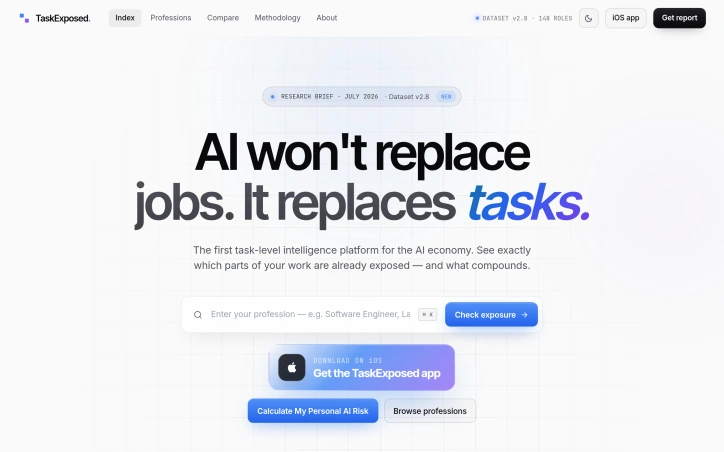
Professionals facing AI-driven workplace change often encounter a credibility gap: broad predictions about job displacement lack the specificity needed for personal career planning. TaskExposed fills this gap by shifting the lens from jobs to tasks, enabling workers across industries to identify which parts of their current role are already addressable by frontier AI models. The platform serves professionals who want concrete insights rather than speculation. Whether you're a software engineer, copywriter, paralegal, or nurse, TaskExposed breaks down your profession into discrete tasks and assigns each an AI exposure rating. The methodology draws from established labor frameworks including O*NET occupational data and Bureau of Labor Statistics employment research, alongside recent work on task-level AI capabilities. This grounding distinguishes the platform from speculative takes on AI's economic impact. The interface presents information at multiple levels of granularity. A task stream shows real-world examples: writing unit tests scores 88 percent exposure while mentoring junior teammates rates just 11 percent. Browsing by profession reveals aggregated patterns. The software engineer role shows 65 percent median exposure with median annual earnings of 132,000 dollars. Paralegals rank at 82 percent exposure, while registered nurses sit at 32 percent, reflecting genuine variation in how AI affects different work domains. Career family groupings allow for cross-cutting analysis, comparing entire fields rather than individual roles. Each role includes not just exposure percentages but also a resilience metric—a signal of which professions retain durable human-critical tasks despite automation pressure. The Computer and Math family shows 67 percent resilience, while Business and Finance drops to 53 percent. These metrics help separate temporary disruption from structural change. An iOS application provides mobile access to these insights, and the platform includes a personal AI risk calculator for individual assessment. The specific percentages and role-level breakdowns suggest investment in occupation-by-occupation analysis rather than blanket pronouncements about AI's impact. The core value proposition remains straightforward: let people understand precisely which parts of their work AI can already address, which remain human-critical, and where the market dynamics are shifting fastest. For professionals considering career moves, employers planning upskilling initiatives, or policymakers weighing workforce interventions, this task-level lens offers more actionable data than aggregate displacement estimates.

User-research
N
Nasko Daskalov

Professionals facing AI-driven workplace change often encounter a credibility gap: broad predictions about job displacement lack the specificity needed for personal career planning. TaskExposed fills this gap by shifting the lens from jobs to tasks, enabling workers across industries to identify which parts of their current role are already addressable by frontier AI models. The platform serves professionals who want concrete insights rather than speculation. Whether you're a software engineer, copywriter, paralegal, or nurse, TaskExposed breaks down your profession into discrete tasks and assigns each an AI exposure rating. The methodology draws from established labor frameworks including O*NET occupational data and Bureau of Labor Statistics employment research, alongside recent work on task-level AI capabilities. This grounding distinguishes the platform from speculative takes on AI's economic impact. The interface presents information at multiple levels of granularity. A task stream shows real-world examples: writing unit tests scores 88 percent exposure while mentoring junior teammates rates just 11 percent. Browsing by profession reveals aggregated patterns. The software engineer role shows 65 percent median exposure with median annual earnings of 132,000 dollars. Paralegals rank at 82 percent exposure, while registered nurses sit at 32 percent, reflecting genuine variation in how AI affects different work domains. Career family groupings allow for cross-cutting analysis, comparing entire fields rather than individual roles. Each role includes not just exposure percentages but also a resilience metric—a signal of which professions retain durable human-critical tasks despite automation pressure. The Computer and Math family shows 67 percent resilience, while Business and Finance drops to 53 percent. These metrics help separate temporary disruption from structural change. An iOS application provides mobile access to these insights, and the platform includes a personal AI risk calculator for individual assessment. The specific percentages and role-level breakdowns suggest investment in occupation-by-occupation analysis rather than blanket pronouncements about AI's impact. The core value proposition remains straightforward: let people understand precisely which parts of their work AI can already address, which remain human-critical, and where the market dynamics are shifting fastest. For professionals considering career moves, employers planning upskilling initiatives, or policymakers weighing workforce interventions, this task-level lens offers more actionable data than aggregate displacement estimates.

Task Exposed preview

Key features

  • Task-Level Ratings: Breaks down professions into discrete tasks with AI exposure percentages.
  • Multi-Level Analysis: Presents information across individual tasks, professions, and career family groupings.
See full listing
Thank Cards

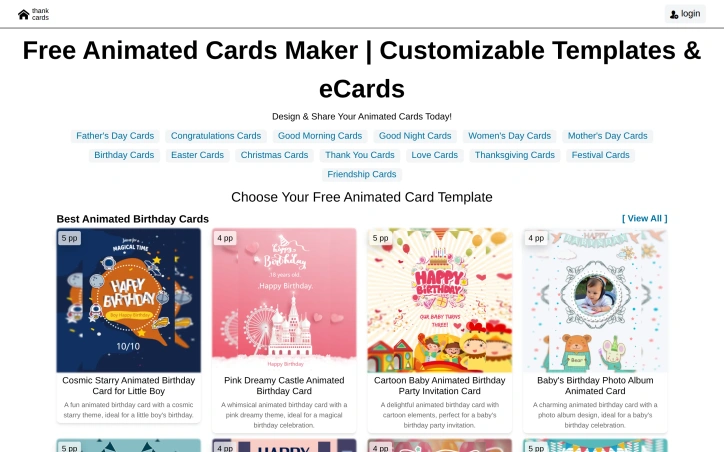
Animated greeting cards address a universal need: sending personalized, memorable messages for life's occasions. Thank Cards positions itself as an accessible solution for anyone who wants to create visually engaging cards without requiring design expertise or technical skills. The product's core offering centers on a library of pre-built animated templates spanning virtually every greeting card occasion. The template catalog ranges from birthday cards with playful themes like cosmic starry designs and cartoon elements to relationship-focused cards for anniversaries, weddings, and confessions. Seasonal options cover holidays from Christmas and Easter to Father's Day and Thanksgiving, with additional categories for friendship, gratitude, and festival celebrations. Each template includes customizable elements, allowing users to personalize their cards while maintaining polished visual results. What distinguishes Thank Cards in a crowded space is the animation layer. Rather than static designs, users create cards with built-in motion graphics, which adds visual interest and emotional resonance. This approach appeals to users seeking to stand out when delivering digital greetings, particularly valuable as physical cards decline and digital alternatives become the default. The barrier to entry is minimal. The platform eliminates design tool complexity that intimidates non-technical users. Instead of manipulating layers and learning design software, users select a template and customize predefined elements. Sharing is integrated directly into the workflow, removing another friction point. The template diversity reflects substantial content investment. The platform supports not just major holidays but granular occasions like monthly birthday greetings and specific relationship milestones. This breadth addresses users who find generic cards unsuitable for their exact situation. The platform operates as a free offering, with no explicit mention of pricing tiers or premium features. This model removes financial friction from trial and adoption, though the underlying monetization strategy remains undisclosed. For individuals and families seeking an alternative to purchased greeting cards, plus anyone wanting to send more personal digital messages without design effort, Thank Cards delivers clear value. The combination of animated templates, customization flexibility, and streamlined sharing addresses the practical need for accessible, modern greeting card alternatives.

Graphic-design-tools
C
chzh wang

Animated greeting cards address a universal need: sending personalized, memorable messages for life's occasions. Thank Cards positions itself as an accessible solution for anyone who wants to create visually engaging cards without requiring design expertise or technical skills. The product's core offering centers on a library of pre-built animated templates spanning virtually every greeting card occasion. The template catalog ranges from birthday cards with playful themes like cosmic starry designs and cartoon elements to relationship-focused cards for anniversaries, weddings, and confessions. Seasonal options cover holidays from Christmas and Easter to Father's Day and Thanksgiving, with additional categories for friendship, gratitude, and festival celebrations. Each template includes customizable elements, allowing users to personalize their cards while maintaining polished visual results. What distinguishes Thank Cards in a crowded space is the animation layer. Rather than static designs, users create cards with built-in motion graphics, which adds visual interest and emotional resonance. This approach appeals to users seeking to stand out when delivering digital greetings, particularly valuable as physical cards decline and digital alternatives become the default. The barrier to entry is minimal. The platform eliminates design tool complexity that intimidates non-technical users. Instead of manipulating layers and learning design software, users select a template and customize predefined elements. Sharing is integrated directly into the workflow, removing another friction point. The template diversity reflects substantial content investment. The platform supports not just major holidays but granular occasions like monthly birthday greetings and specific relationship milestones. This breadth addresses users who find generic cards unsuitable for their exact situation. The platform operates as a free offering, with no explicit mention of pricing tiers or premium features. This model removes financial friction from trial and adoption, though the underlying monetization strategy remains undisclosed. For individuals and families seeking an alternative to purchased greeting cards, plus anyone wanting to send more personal digital messages without design effort, Thank Cards delivers clear value. The combination of animated templates, customization flexibility, and streamlined sharing addresses the practical need for accessible, modern greeting card alternatives.

Thank Cards preview

Key features

  • Animated Templates: Built-in motion graphics add visual interest and emotional resonance to digital greetings.
  • Template Customization: Predefined elements are customizable to personalize cards while maintaining polished results.
See full listing
KPainter

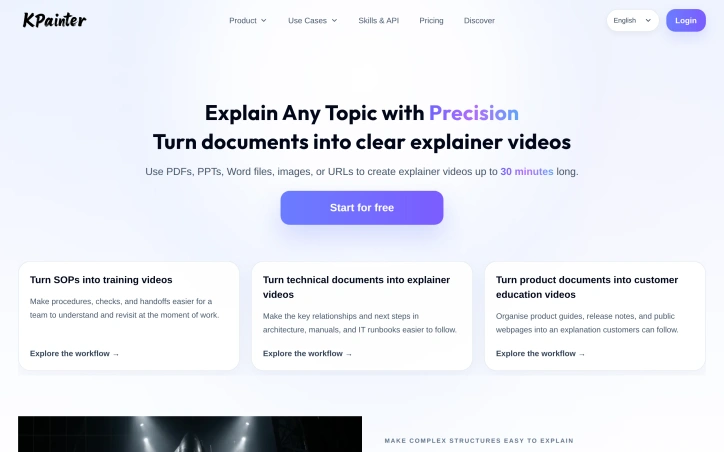
Organizations struggling to communicate complex procedures, technical specifications, and product information face a persistent problem: dense documents fail to engage learners. KPainter addresses this gap by automating the conversion of static source materials into structured video explanations. The platform accepts a broad array of input formats—PDFs, PowerPoint presentations, Word documents, spreadsheets, images, and URLs—then transforms them into videos up to thirty minutes long. Rather than replacing source materials, KPainter uses them as the foundation for visual storytelling, letting creators specify their target audience and desired outcome before the system generates an explainer. This source-led approach distinguishes it from generic animation tools that require starting from scratch. The use cases on display span corporate training, technical communication, and customer education. Teams can turn standard operating procedures into onboarding walkthroughs, convert architecture diagrams and IT runbooks into clear dependencies, and package product guides and release notes into customer-facing videos. The platform also handles data storytelling, animating financial results and engineering specifications into narrative form. Examples shown include explaining rocket design, visualizing blood flow through the heart, and demonstrating how lithography machines work step by step. What stands out is the platform's flexibility around input types and visual complexity. Rather than forcing users to script videos from narrative first principles, KPainter lets them begin with real assets—an existing manual, a company image, an architectural diagram—and translate those into video. The remix capability, allowing users to review and refine generated content, suggests the tool handles the heavy lifting of visual organization while preserving creator control. The pricing model starts with a free tier, though specific plan details and premium features are not disclosed in available materials. This freemium approach lowers the barrier for teams experimenting with video-driven documentation. The platform targets organizations facing a common efficiency problem: knowledge locked in text-heavy formats that don't stick. By automating the creation of structured video explanations from existing materials, KPainter compresses what would otherwise require significant video production effort, scriptwriting, and animation skills.

Ai-generative-media
X
Xinwei

Organizations struggling to communicate complex procedures, technical specifications, and product information face a persistent problem: dense documents fail to engage learners. KPainter addresses this gap by automating the conversion of static source materials into structured video explanations. The platform accepts a broad array of input formats—PDFs, PowerPoint presentations, Word documents, spreadsheets, images, and URLs—then transforms them into videos up to thirty minutes long. Rather than replacing source materials, KPainter uses them as the foundation for visual storytelling, letting creators specify their target audience and desired outcome before the system generates an explainer. This source-led approach distinguishes it from generic animation tools that require starting from scratch. The use cases on display span corporate training, technical communication, and customer education. Teams can turn standard operating procedures into onboarding walkthroughs, convert architecture diagrams and IT runbooks into clear dependencies, and package product guides and release notes into customer-facing videos. The platform also handles data storytelling, animating financial results and engineering specifications into narrative form. Examples shown include explaining rocket design, visualizing blood flow through the heart, and demonstrating how lithography machines work step by step. What stands out is the platform's flexibility around input types and visual complexity. Rather than forcing users to script videos from narrative first principles, KPainter lets them begin with real assets—an existing manual, a company image, an architectural diagram—and translate those into video. The remix capability, allowing users to review and refine generated content, suggests the tool handles the heavy lifting of visual organization while preserving creator control. The pricing model starts with a free tier, though specific plan details and premium features are not disclosed in available materials. This freemium approach lowers the barrier for teams experimenting with video-driven documentation. The platform targets organizations facing a common efficiency problem: knowledge locked in text-heavy formats that don't stick. By automating the creation of structured video explanations from existing materials, KPainter compresses what would otherwise require significant video production effort, scriptwriting, and animation skills.

KPainter preview

Key features

  • Multi-Format Input: Accepts PDFs, PowerPoint presentations, Word documents, spreadsheets, images, and URLs.
  • Video Generation: Transforms source materials into structured video explanations up to thirty minutes long.
See full listing
careersim.ai

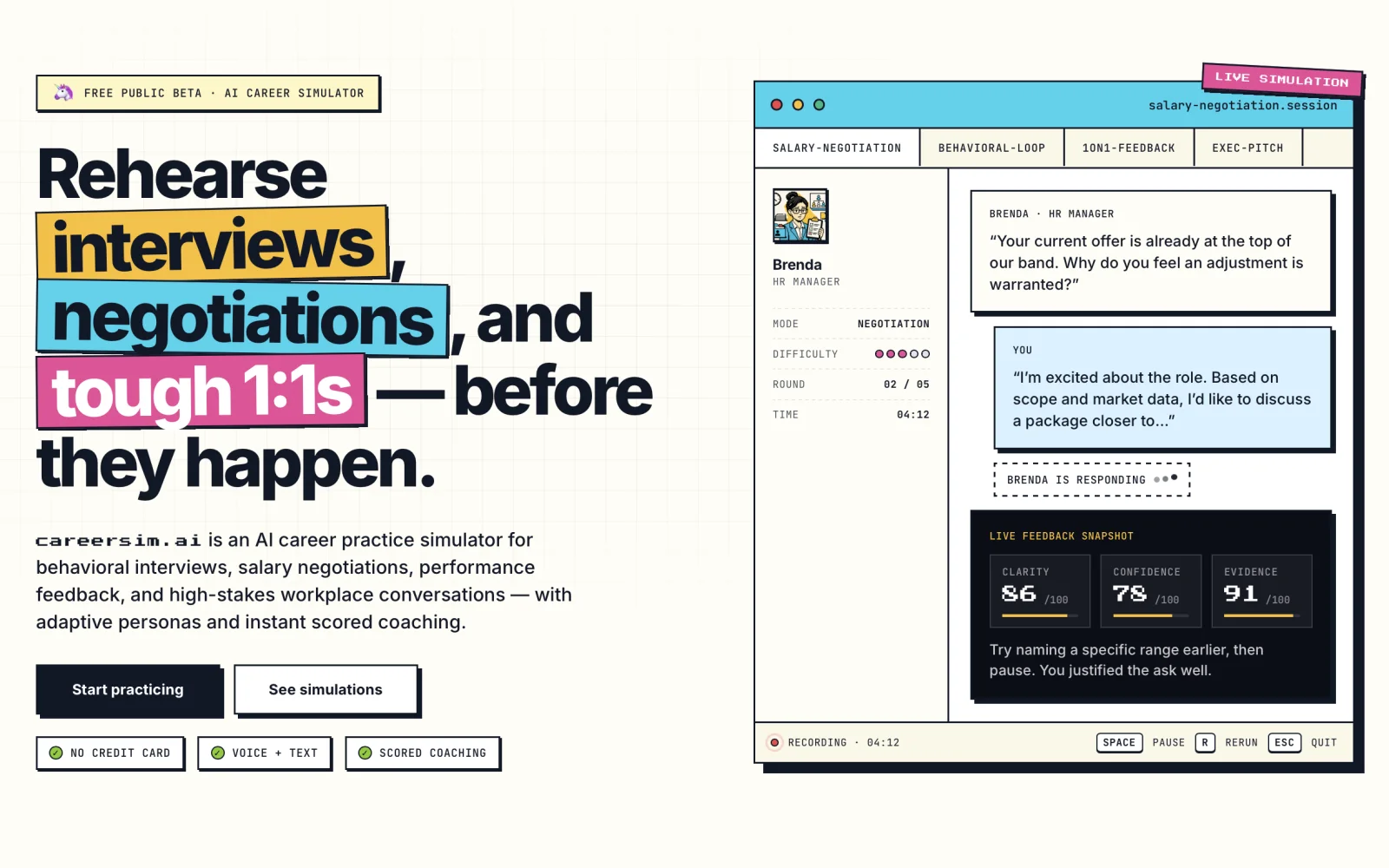
Professionals preparing for high-stakes conversations now have a low-risk environment to build competency. This AI-powered simulation platform targets three common career challenges: behavioral interview preparation, negotiation strategy, and difficult workplace dialogue. Users engage with customizable AI personas that present varied communication styles and hidden objectives, creating scenarios that feel closer to reality than rote practice. The dual interface—text and voice—accommodates different learning preferences and helps users practice oral delivery for situations where tone and pacing matter. Immediate feedback on emotional recognition and goal attainment provides actionable insights on the fly rather than vague reinforcement. The approach addresses a real gap. Many professionals lack safe spaces to stumble through these conversations before stakes rise, and live coaching can feel expensive or intimidating. By positioning practice as judgment-free repetition against software opponents, the platform removes social friction while building actual fluency. The value hinges on scenario quality and AI responsiveness. Personas must feel authentically reactive rather than scripted, and feedback must be specific enough to inform better choices next round. Success also depends on whether users actually internalize lessons from practice or simply chase scores. For career-conscious professionals who want to rehearse rather than improvise, this fills a practical niche.

Ai-characters
P
Pavel Vdovenko

Professionals preparing for high-stakes conversations now have a low-risk environment to build competency. This AI-powered simulation platform targets three common career challenges: behavioral interview preparation, negotiation strategy, and difficult workplace dialogue. Users engage with customizable AI personas that present varied communication styles and hidden objectives, creating scenarios that feel closer to reality than rote practice. The dual interface—text and voice—accommodates different learning preferences and helps users practice oral delivery for situations where tone and pacing matter. Immediate feedback on emotional recognition and goal attainment provides actionable insights on the fly rather than vague reinforcement. The approach addresses a real gap. Many professionals lack safe spaces to stumble through these conversations before stakes rise, and live coaching can feel expensive or intimidating. By positioning practice as judgment-free repetition against software opponents, the platform removes social friction while building actual fluency. The value hinges on scenario quality and AI responsiveness. Personas must feel authentically reactive rather than scripted, and feedback must be specific enough to inform better choices next round. Success also depends on whether users actually internalize lessons from practice or simply chase scores. For career-conscious professionals who want to rehearse rather than improvise, this fills a practical niche.

careersim.ai preview

Key features

  • AI Personas: Customizable AI characters with varied communication styles and hidden objectives that create realistic practice scenarios.
  • Dual Interface: Text and voice options to accommodate different learning preferences and enable practice for tone and pacing.
See full listing
TonesMatch

Matching the tone of a legendary guitar riff requires more than inspiration—it demands knowing the exact amp settings, pickup position, and signal chain used in the original recording. TonesMatch addresses this challenge with a database of over 13,000 community-researched guitar tones and a system that adapts settings to individual equipment configurations. The platform targets guitarists and bass players of all skill levels who want to replicate professional tones on their own gear, from bedroom practitioners to working musicians. What distinguishes TonesMatch from generic tone-advice resources is its commitment to real data. Rather than using AI to conjure plausible-sounding settings, the service catalogs tones from documented studio recordings and rig rundowns, with confidence scores tied to research sources. This prevents the common trap of AI-generated hallucinations: every amp setting the platform recommends actually exists on the specified amplifier, with correct preset names and parameter ranges. The product's adaptive intelligence recognizes that a Marshall Plexi and a Yamaha modeling amp respond differently to the same settings. TonesMatch profiles gear characteristics—distinguishing between tube and modeling amplifiers, single-coil and humbucker pickups, and 12 cabinet voicings—then recalculates recommendations for each user's specific equipment. The underlying database includes 2,000+ profiled guitars, 1,500+ amps, and 879 pedals across more than 1,000 brands, ensuring compatibility with both boutique and mainstream gear. The workflow is designed for speed. Users browse tones free, select a song, input their gear configuration, and receive settings in approximately 30 seconds. The interface highlights trending tones—this week's most-matched classic riffs and solos—giving users a sense of community activity and popular targets. For guitarists tired of trial-and-error tone chasing or struggling to translate YouTube rig videos to their own equipment, TonesMatch offers a data-driven alternative. By replacing speculation with researched settings calibrated to individual gear, it removes friction from a process that traditionally required either extensive experimentation or technical knowledge few players possess. The emphasis on real gear data and actual amp parameters separates it from more speculative AI tone-matching approaches flooding the market.


Music-generation
A
Audio AI

Matching the tone of a legendary guitar riff requires more than inspiration—it demands knowing the exact amp settings, pickup position, and signal chain used in the original recording. TonesMatch addresses this challenge with a database of over 13,000 community-researched guitar tones and a system that adapts settings to individual equipment configurations. The platform targets guitarists and bass players of all skill levels who want to replicate professional tones on their own gear, from bedroom practitioners to working musicians. What distinguishes TonesMatch from generic tone-advice resources is its commitment to real data. Rather than using AI to conjure plausible-sounding settings, the service catalogs tones from documented studio recordings and rig rundowns, with confidence scores tied to research sources. This prevents the common trap of AI-generated hallucinations: every amp setting the platform recommends actually exists on the specified amplifier, with correct preset names and parameter ranges. The product's adaptive intelligence recognizes that a Marshall Plexi and a Yamaha modeling amp respond differently to the same settings. TonesMatch profiles gear characteristics—distinguishing between tube and modeling amplifiers, single-coil and humbucker pickups, and 12 cabinet voicings—then recalculates recommendations for each user's specific equipment. The underlying database includes 2,000+ profiled guitars, 1,500+ amps, and 879 pedals across more than 1,000 brands, ensuring compatibility with both boutique and mainstream gear. The workflow is designed for speed. Users browse tones free, select a song, input their gear configuration, and receive settings in approximately 30 seconds. The interface highlights trending tones—this week's most-matched classic riffs and solos—giving users a sense of community activity and popular targets. For guitarists tired of trial-and-error tone chasing or struggling to translate YouTube rig videos to their own equipment, TonesMatch offers a data-driven alternative. By replacing speculation with researched settings calibrated to individual gear, it removes friction from a process that traditionally required either extensive experimentation or technical knowledge few players possess. The emphasis on real gear data and actual amp parameters separates it from more speculative AI tone-matching approaches flooding the market.

TonesMatch preview

Key features

  • Community-Researched Database: Over 13,000 documented guitar tones from studio recordings and rig rundowns
  • Adaptive Gear Profiling: Settings automatically recalculated for individual equipment including 2,000+ guitars, 1,500+ amps, and 879 pedals
See full listing
MakerPrintTools

Makers and 3D printing shops waste time converting slicer estimates into real-world decisions through spreadsheets or trial-and-error. MakerPrintTools replaces that friction with a collection of specialized calculators designed for shop-floor problems, each combining measurements you already have into actionable results. The platform targets anyone running a 3D printing operation—whether a one-person hobby shop or small production facility—who needs to calculate costs before quoting jobs, verify that a printer can actually achieve a design's settings, or estimate material waste. No account is required, so users can jump directly from measuring part geometry to making confident decisions. What distinguishes the product is its deliberate scope. Rather than a generic calculator, each tool solves a specific question: How much does this print actually cost? How many grams of filament does a particular length represent? Will my hotend flow capacity handle these settings? This focused design makes each calculator faster and more useful than generic spreadsheets. The platform also explains its math—showing formulas and assumptions—so users understand the reasoning behind every result. The toolkit spans the full production cycle. Cost calculators combine filament consumption, electricity usage, labor time, machine wear, and failure allowance into practical job pricing. Filament converters switch between meters and grams using actual material density. A volumetric flow checker validates that hotend capacity matches intended print parameters. Geometry tools handle model scaling and build volume constraints. Planning tools look beyond individual prints to estimate total material use, support requirements, and the production volume needed to break even on setup work. The product positioning emphasizes transparency over convenience. There's no cloud storage, no project management, no growth features—just clear math applied to shop measurements. The design assumes makers already know what they're measuring and what they'll do with the results; the calculators simply eliminate error and guessing from the conversion. This approach creates a practical, single-purpose tool that integrates into existing workflows rather than requiring process change. For small and mid-scale 3D printing operations, that efficiency compounds across hundreds of decisions. The frictionless entry point—no login, no free trial cutoff, no marketing emails—removes barriers to trying calculators that genuinely answer shop questions.
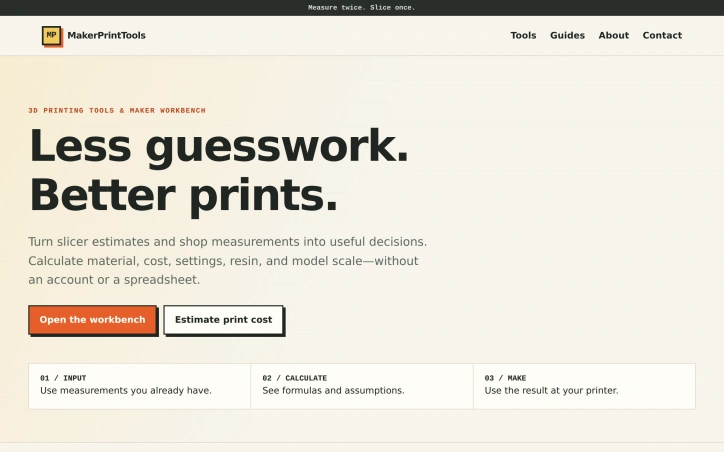
3d-animation
C
canghun13

Makers and 3D printing shops waste time converting slicer estimates into real-world decisions through spreadsheets or trial-and-error. MakerPrintTools replaces that friction with a collection of specialized calculators designed for shop-floor problems, each combining measurements you already have into actionable results. The platform targets anyone running a 3D printing operation—whether a one-person hobby shop or small production facility—who needs to calculate costs before quoting jobs, verify that a printer can actually achieve a design's settings, or estimate material waste. No account is required, so users can jump directly from measuring part geometry to making confident decisions. What distinguishes the product is its deliberate scope. Rather than a generic calculator, each tool solves a specific question: How much does this print actually cost? How many grams of filament does a particular length represent? Will my hotend flow capacity handle these settings? This focused design makes each calculator faster and more useful than generic spreadsheets. The platform also explains its math—showing formulas and assumptions—so users understand the reasoning behind every result. The toolkit spans the full production cycle. Cost calculators combine filament consumption, electricity usage, labor time, machine wear, and failure allowance into practical job pricing. Filament converters switch between meters and grams using actual material density. A volumetric flow checker validates that hotend capacity matches intended print parameters. Geometry tools handle model scaling and build volume constraints. Planning tools look beyond individual prints to estimate total material use, support requirements, and the production volume needed to break even on setup work. The product positioning emphasizes transparency over convenience. There's no cloud storage, no project management, no growth features—just clear math applied to shop measurements. The design assumes makers already know what they're measuring and what they'll do with the results; the calculators simply eliminate error and guessing from the conversion. This approach creates a practical, single-purpose tool that integrates into existing workflows rather than requiring process change. For small and mid-scale 3D printing operations, that efficiency compounds across hundreds of decisions. The frictionless entry point—no login, no free trial cutoff, no marketing emails—removes barriers to trying calculators that genuinely answer shop questions.

MakerPrintTools preview

Key features

  • Cost Calculators: Combine filament consumption, electricity usage, labor time, machine wear, and failure allowance into practical job pricing
  • Filament Converters: Switch between meters and grams using actual material density
See full listing
M

Understanding facial features has traditionally been either superficial (makeup tips) or clinical (orthodontic assessment). My Face Blueprint positions itself between these poles, offering structured analysis of facial structure, symmetry, and proportions through an AI analyzer that runs entirely in a user's browser. The problem the tool addresses is twofold. First, many people lack a clear framework for understanding their own facial geometry beyond casual observation. Second, camera distortion creates persistent confusion; a wide-angle selfie makes cheeks appear broader while a longer-distance camera narrows the face. My Face Blueprint attempts to solve both by separating true facial structure from photographic artifacts. The product delivers eight distinct analyses from a single portrait: face shape classification, symmetry testing, golden ratio calculations, canthal tilt measurement, jawline rating, eye shape detection, hunter eyes assessment, and facial width-to-height ratio computation. These feed into a comprehensive Face Blueprint that synthesizes cheekbone width, jawline angle, eye spacing, and facial thirds into a visual map. The tool includes practical guidance on proper camera distance, lighting, and angle to capture more accurate portraits. Privacy receives prominent treatment. Photos never leave the browser, no login is required, and results remain accessible without payment. The product targets photography enthusiasts, people interested in facial structure, and anyone curious about how camera conditions distort their appearance rather than those seeking cosmetic improvement or medical assessment. The business model relies on a one-time $7.99 purchase for premium insights, which expands the free analysis with a downloadable PDF report and high-resolution keepsake card. The credit system (100 credits per purchase, with complete blueprints consuming 10) suggests room for additional premium analyses. Notably, free analysis remains functional and permanently visible, reducing friction for trial and exploration. The tool's positioning avoids cosmetic or self-esteem framing, instead emphasizing technical understanding and practical photography guidance. For those genuinely interested in facial geometry rather than vanity metrics, My Face Blueprint offers structured, accessible analysis without data harvesting or mandatory subscriptions.
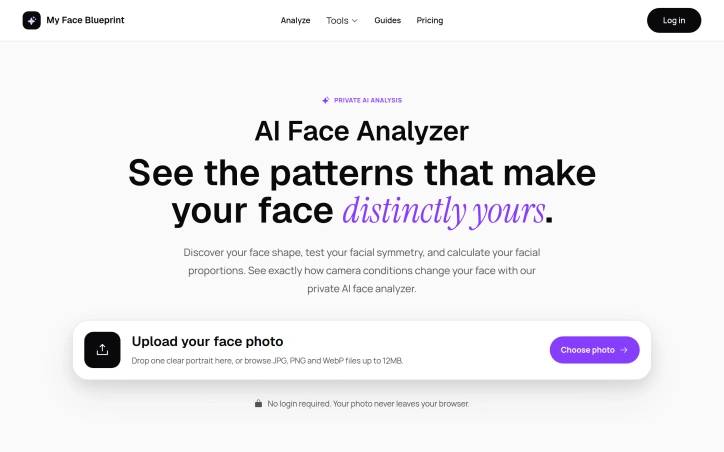

Photo-editing
N
Nuco Z

Understanding facial features has traditionally been either superficial (makeup tips) or clinical (orthodontic assessment). My Face Blueprint positions itself between these poles, offering structured analysis of facial structure, symmetry, and proportions through an AI analyzer that runs entirely in a user's browser. The problem the tool addresses is twofold. First, many people lack a clear framework for understanding their own facial geometry beyond casual observation. Second, camera distortion creates persistent confusion; a wide-angle selfie makes cheeks appear broader while a longer-distance camera narrows the face. My Face Blueprint attempts to solve both by separating true facial structure from photographic artifacts. The product delivers eight distinct analyses from a single portrait: face shape classification, symmetry testing, golden ratio calculations, canthal tilt measurement, jawline rating, eye shape detection, hunter eyes assessment, and facial width-to-height ratio computation. These feed into a comprehensive Face Blueprint that synthesizes cheekbone width, jawline angle, eye spacing, and facial thirds into a visual map. The tool includes practical guidance on proper camera distance, lighting, and angle to capture more accurate portraits. Privacy receives prominent treatment. Photos never leave the browser, no login is required, and results remain accessible without payment. The product targets photography enthusiasts, people interested in facial structure, and anyone curious about how camera conditions distort their appearance rather than those seeking cosmetic improvement or medical assessment. The business model relies on a one-time $7.99 purchase for premium insights, which expands the free analysis with a downloadable PDF report and high-resolution keepsake card. The credit system (100 credits per purchase, with complete blueprints consuming 10) suggests room for additional premium analyses. Notably, free analysis remains functional and permanently visible, reducing friction for trial and exploration. The tool's positioning avoids cosmetic or self-esteem framing, instead emphasizing technical understanding and practical photography guidance. For those genuinely interested in facial geometry rather than vanity metrics, My Face Blueprint offers structured, accessible analysis without data harvesting or mandatory subscriptions.

My Face Blueprint preview
M

Key features

  • AI Facial Analysis: Provides eight distinct measurements including face shape, symmetry, golden ratio, canthal tilt, jawline rating, eye shape, hunter eyes, and facial width-to-height ratio.
  • Face Blueprint Synthesis: Combines cheekbone width, jawline angle, eye spacing, and facial thirds into a comprehensive visual map.
See full listing
Image to Threejs

Developers and designers frequently face friction when translating visual concepts into Three.js scenes. Creating geometry, materials, lighting, and camera configurations from scratch for every new project adds setup overhead that detracts from the creative work itself. This is the core problem that Image to Threejs addresses. The product automates the initial translation step by accepting image uploads as visual references. Users provide one to three reference images, and the platform's AI generates Three.js code structured to match the visual content. Rather than claiming pixel-perfect reconstruction, the creators acknowledge that a single image cannot capture all depth details and hidden surfaces. This honest framing positions the generated model as an editable starting point rather than a final deliverable. The workflow keeps this pragmatic philosophy throughout. After generation, users encounter an interactive 3D preview where they can inspect the AI-generated model in real time. From there, they can directly edit the code, refine geometry and materials, and iterate visually without the traditional back-and-forth between reference images and development environments. Once satisfied, the model exports for integration into Three.js projects, websites, or interactive experiences. What distinguishes Image to Threejs is its integration of these typically separate concerns into one cohesive interface. Rather than managing uploaded images separately from code editors and preview tools, users stay within a single workspace. This reduces context switching and the friction of coordinating multiple tools. The target audience spans developers seeking faster iteration on 3D web projects, designers who want to prototype interactive models without deep Three.js expertise, and creative technologists exploring generative approaches to 3D design. The product makes sense for those building product visualizations, website experiences, or experimental interactive content. The core value proposition is straightforward: eliminate the tedious foundation-building phase of Three.js development. By generating working code and a realistic first draft from an image, the platform lets users reach the refinement stage faster. This appeals to teams that prioritize velocity and to individuals who want to experiment with 3D web concepts without significant setup investment. No pricing information appears in available materials, leaving the business model's specifics unclear. What is clear is that Image to Threejs solves a real friction point in visual web development, offering a practical bridge between design intent and executable Three.js code.
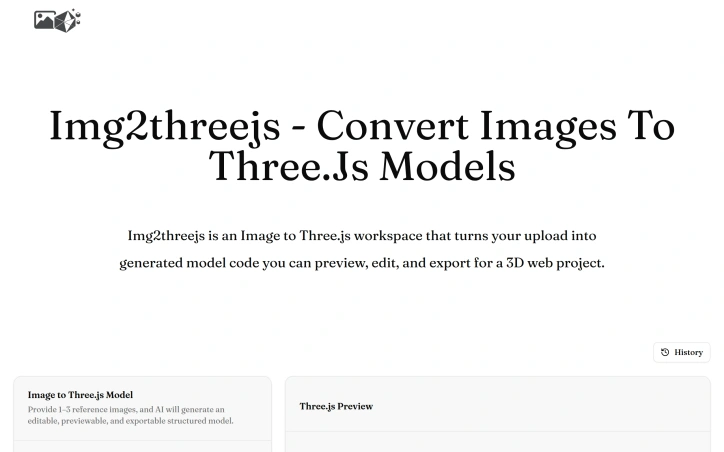

3d-animation
U
Udvdh Shdhb

Developers and designers frequently face friction when translating visual concepts into Three.js scenes. Creating geometry, materials, lighting, and camera configurations from scratch for every new project adds setup overhead that detracts from the creative work itself. This is the core problem that Image to Threejs addresses. The product automates the initial translation step by accepting image uploads as visual references. Users provide one to three reference images, and the platform's AI generates Three.js code structured to match the visual content. Rather than claiming pixel-perfect reconstruction, the creators acknowledge that a single image cannot capture all depth details and hidden surfaces. This honest framing positions the generated model as an editable starting point rather than a final deliverable. The workflow keeps this pragmatic philosophy throughout. After generation, users encounter an interactive 3D preview where they can inspect the AI-generated model in real time. From there, they can directly edit the code, refine geometry and materials, and iterate visually without the traditional back-and-forth between reference images and development environments. Once satisfied, the model exports for integration into Three.js projects, websites, or interactive experiences. What distinguishes Image to Threejs is its integration of these typically separate concerns into one cohesive interface. Rather than managing uploaded images separately from code editors and preview tools, users stay within a single workspace. This reduces context switching and the friction of coordinating multiple tools. The target audience spans developers seeking faster iteration on 3D web projects, designers who want to prototype interactive models without deep Three.js expertise, and creative technologists exploring generative approaches to 3D design. The product makes sense for those building product visualizations, website experiences, or experimental interactive content. The core value proposition is straightforward: eliminate the tedious foundation-building phase of Three.js development. By generating working code and a realistic first draft from an image, the platform lets users reach the refinement stage faster. This appeals to teams that prioritize velocity and to individuals who want to experiment with 3D web concepts without significant setup investment. No pricing information appears in available materials, leaving the business model's specifics unclear. What is clear is that Image to Threejs solves a real friction point in visual web development, offering a practical bridge between design intent and executable Three.js code.

Image to Threejs preview

Key features

  • AI Image-to-Code: Converts uploaded reference images into structured Three.js code automatically
  • Interactive 3D Preview: Inspect and visualize the AI-generated model in real time
See full listing
Inkfox AI

The demand for AI-generated images has surged across various industries, but existing solutions often come with limitations such as restricted generation capabilities and mandatory sign-ups. Inkfox AI addresses these pain points by offering a free, unlimited AI image generator that doesn't require users to create an account. At its core, the platform is designed to simplify the process of creating diverse visuals from a single prompt. Users can input their desired image description and generate multiple ad creatives, product shots, and social media visuals. The absence of a sign-up requirement makes it instantly accessible, allowing users to start generating images right away. One of the standout features of Inkfox AI is its ability to produce unlimited generations without charging users. The platform provides options to customize the output by selecting between image and video, and it allows for some level of control over the generation process through parameters such as style, color, lighting, and composition. However, users should be aware that results generated without signing in are confined to the current browser session and will include a watermark. Users who don't sign in will have their results stored locally in their browser, and these results will be watermarked. Signing in offers the benefit of retaining generated images and removing the watermark. The simplicity of the generation process, coupled with the flexibility to create a variety of visuals, makes Inkfox AI an attractive option for users seeking to leverage AI-generated imagery. Inkfox AI is notable for its straightforward, no-frills approach and commitment to being 100% free with unlimited generations. This business model is explicitly stated, with no additional pricing tiers or caveats mentioned on the website. Overall, Inkfox AI is well-suited for individuals and businesses looking for a hassle-free, cost-effective solution to generate AI-based visuals.
Ai-generative-media
L
Liandro Ning

The demand for AI-generated images has surged across various industries, but existing solutions often come with limitations such as restricted generation capabilities and mandatory sign-ups. Inkfox AI addresses these pain points by offering a free, unlimited AI image generator that doesn't require users to create an account. At its core, the platform is designed to simplify the process of creating diverse visuals from a single prompt. Users can input their desired image description and generate multiple ad creatives, product shots, and social media visuals. The absence of a sign-up requirement makes it instantly accessible, allowing users to start generating images right away. One of the standout features of Inkfox AI is its ability to produce unlimited generations without charging users. The platform provides options to customize the output by selecting between image and video, and it allows for some level of control over the generation process through parameters such as style, color, lighting, and composition. However, users should be aware that results generated without signing in are confined to the current browser session and will include a watermark. Users who don't sign in will have their results stored locally in their browser, and these results will be watermarked. Signing in offers the benefit of retaining generated images and removing the watermark. The simplicity of the generation process, coupled with the flexibility to create a variety of visuals, makes Inkfox AI an attractive option for users seeking to leverage AI-generated imagery. Inkfox AI is notable for its straightforward, no-frills approach and commitment to being 100% free with unlimited generations. This business model is explicitly stated, with no additional pricing tiers or caveats mentioned on the website. Overall, Inkfox AI is well-suited for individuals and businesses looking for a hassle-free, cost-effective solution to generate AI-based visuals.

Inkfox AI preview

Key features

  • Unlimited Generations: Produces unlimited AI-generated images without charging users.
  • Customizable Output: Allows users to select between image and video, and control style, color, lighting, and composition.
See full listing