Catalyst Healthspan Audit
Personal trainers typically sell training sessions. This startup reversed the equation by building assessment first, mak...
Launchory
We built Launchory to solve the discoverability problem for startups. Our platform offers instant approval, permanent do...
Best Design & Creative Startups & Tools
Recently Listed
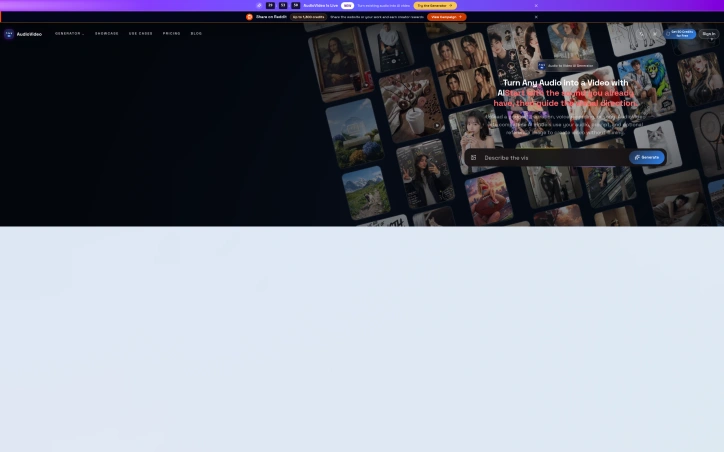
148 launchesCreating video from audio content has long required either filming new footage or hiring expensive video editors to pair visuals with sound. AudioVideo addresses this gap by automating the conversion of podcasts, voice recordings, music, and narration into finished video using AI that responds to the audio itself. The platform targets creators working across multiple mediums: podcasters seeking to repurpose episodes as video content, musicians looking to visualize their tracks, educational content producers, storytellers, faceless creators who intentionally avoid on-camera appearance, and marketing teams needing rapid video production. Developers also gain access through a dedicated API. The browser-based interface keeps friction low, requiring only an audio file, an optional prompt to guide the visual direction, and optionally reference images to influence style. The system then generates video without requiring users to film anything new. What distinguishes AudioVideo from simple slideshow generators is its audio-aware approach, where the AI responds rhythmically and thematically to the sound itself rather than treating audio and visuals as separate elements. The visual direction library demonstrates meaningful range. Examples span podcast hosting scenarios with choreographed camera movements, documentary-style B-roll narratives with character acting, narrated stories showing emotional arcs, music performances with dynamic outfits and poses, mood-driven sequences, fast-paced advertising transitions, and commercial product landing pages. These examples illustrate both the technical capability to handle varied genres and the platform's ability to interpret complex directorial instructions from text prompts alone. Control extends across multiple dimensions. Users set video duration and output format, preview results before finalizing, and download finished files. The system tracks generation tasks, suggesting workflow management features for batch processing. Resolution options include both standard horizontal and vertical formats, addressing needs for social media, streaming platforms, and other distribution channels. The API integration pathway positions AudioVideo not just as a direct-to-creator tool but also as an underlying service for other applications, revealing ambitions beyond standalone use. This indicates recognition that the core technology holds value in compound workflows. Notably absent from the public-facing information is any mention of pricing, subscription tiers, or free trial offerings, making it impossible to assess the cost barrier to entry or business model from available materials.
Creators navigating generative video and image tools often struggle with consistency—maintaining character likenesses, product appearances, or brand aesthetics across multiple outputs. Flux Lora addresses this gap by offering a specialized browser-based platform for exploring and building with Flux LoRA (Low-Rank Adaptation) workflows, targeting both content creators and developers who need fine-tuned control over model outputs. The platform positions itself as an independent alternative to general-purpose AI studios, focused specifically on LoRA discovery, model training, and guided customization. The current site provides an AI Studio paired with a public gallery of example compositions demonstrating the range of achievable outputs across video generation, motion replication, character-consistent sequences, and style adaptation—spanning documentary storytelling, fashion, and e-commerce use cases. Each example includes detailed prompts that reference multiple input modalities: images for visual consistency, videos for motion patterns, and audio for narrative grounding. What distinguishes Flux Lora is its emphasis on reference-based generation. Rather than prompt-only workflows, users compose requests by combining images, video clips, and audio tracks as creative anchors. A fashion example instructs the model to reference specific facial features while applying outfits from separate reference images. A narrative example layers video audio, multiple still images, and storytelling guidance together. This compositional approach appeals to creators seeking production-quality consistency and developers building customer-facing applications. The roadmap promises deeper LoRA capabilities: dedicated model discovery, prompt-based image generation, consistent character and product tools, and guided fine-tuning workflows. The platform operates on a credit-based access model and exposes workflows through an API for developers. Flux Lora fills a specific niche: the intersection of customizable AI generation and creator needs for visual coherence. The reference-based composition model offers a more structured approach to creative control than free-form prompting alone. As a developing platform with roadmap features still in planning, users should view the current AI Studio as a capability preview rather than the complete offering described in the roadmap ahead.


Organizing fragmented video generation capabilities into a single workspace, this third-party platform addresses a genuine friction point for creators producing AI videos at scale. TryKlingAI bundles Kling 3.0, motion control, lip sync, and API access into one interface, targeting creators and developers who want centralized access to modern video generation features without juggling multiple tools or dashboards. The platform stands out by consolidating capabilities that would otherwise require separate workflows. Motion control, lip sync, and image-to-video generation sit alongside API access for developers, making it useful for both hands-on creators building individual videos and teams scaling production programmatically. Task history and credit estimates provide the operational transparency often missing from direct AI service access, letting users know exactly how many credits each video consumed and enabling more accurate project budgeting. The showcase examples reveal thoughtful feature positioning beyond marketing copy. The demonstrations span realistic workflows: product advertising with motion replication, documentary-style storytelling with character animation, fashion lookbooks cycling through outfits, and video extension for repurposing existing content. These are templates showing how the platform's capabilities translate into actual creative work rather than abstract technical examples. The ability to reference images and videos as control inputs—mirroring camera movements, replicating facial expressions, extending scenes—positions motion control as a creative tool for controlling narrative elements. The API access deserves particular mention for developers. Rather than reverse-engineering unofficial integrations, developers get first-class access to video generation capabilities, lowering the barrier to building video-as-a-service applications or automation pipelines on top of Kling. Notable gaps emerge in the public information. No pricing model, usage limits, or credit system details appear in the available materials. Understanding the cost structure relative to direct Kling access would be essential for evaluating whether the centralized interface justifies any premium. The platform occupies an ambiguous position as a third-party wrapper, raising legitimate questions about long-term viability if the underlying Kling service changes or Kling develops its own consolidated interface. TryKlingAI successfully consolidates scattered capabilities into a coherent product with thoughtful workflow examples. However, transparency around pricing and clarification of its relationship to Kling's official offerings would significantly strengthen the value proposition for serious adopters considering production commitments.

Online image generation typically requires either expensive local hardware or confusing, feature-bloated platforms. Z Image Turbo addresses this by offering a streamlined browser-based generator focused on the specific visual assets creators actually need: product photography, promotional posters, editorial portraits, social media content, and illustrations. The target audience includes small business owners managing ecommerce catalogs, marketing teams producing campaign materials, and independent creators who need polished visuals without technical friction or the time investment of learning complex software. The product distinguishes itself through deliberate simplification. Rather than overwhelming users with dozens of parameters, it presents practical templates organized by actual use case. A user looking to generate a product hero image gets a pre-written prompt structure optimized for that purpose. The same principle applies to categories like "Chinese Promotional Poster" or "Vertical Social Campaign," each with suggested aspect ratios and compositional guidance baked in. This workflow-first approach sidesteps the common problem of users staring at a blank text box unsure where to begin. Several design choices stand out. The platform supports bilingual content creation, particularly useful for teams producing materials in English and Chinese. The ability to save prompts, seeds, and settings for reuse addresses a real workflow need: creators often want to regenerate variations on a successful visual or maintain consistency across batches. Flexible aspect ratios accommodate different output requirements without forcing users into a square-only cage. The reference gallery demonstrates practical output across multiple categories, showing product photography that looks commercially viable rather than obviously AI-generated, editorial portraits with believable lighting, and illustrations with environmental detail. The generator operates entirely in-browser, eliminating the setup barrier that deters many potential users from local tools. This also means no GPU investment required on the creator's end. The platform offers free trial credits to test the service before commitment, lowering the barrier to initial experimentation. The positioning as a fast, focused alternative to both desktop GPU tools and sprawling web-based platforms should resonate with pragmatic creators who want generation speed without the learning curve. Whether the image quality and consistency of results justify regular use will determine whether this captures meaningful market share, but the product design itself reflects genuine thinking about how creators actually work.


Automating the tedious work of video production, this AI-powered tool tackles a genuine pain point for anyone trying to communicate complex ideas visually without video editing expertise or budget constraints. Creators, marketers, educators, and product teams can now convert raw material—a topic description, script, URL, or PDF—into a complete animated explainer video, handling everything from script generation and storyboarding through voiceover production and synchronized captions. The product's core strength lies in its scaffolded workflow. Rather than dumping an AI-generated video on users, it places a review step between input and output, letting creators approve and refine the storyboard before rendering. This human-in-the-loop approach addresses a real problem with fully automated video generation: the output often misses nuance or requires rework. By letting users course-correct early, the tool respects both their creative vision and their time. The visual flexibility stands out as well. The platform offers five distinct aesthetic directions—motion, illustration, infographic, character, and product visuals—letting users match the style to their content. The showcase examples demonstrate genuine variation in tone and execution, from upbeat lifestyle sequences to polished product demos and character-driven narratives. This breadth matters because an explainer video for financial software demands a different visual language than one for fashion or entertainment. Technical depth complements the accessibility. Beyond the web interface, the platform includes API access for developers and teams running high-volume generation workflows. This dual approach positions it as both a tool for individuals experimenting with explainer video creation and an infrastructure component for larger operations. The export flexibility—supporting 16:9, 9:16, and 1:1 aspect ratios—acknowledges that explainer videos now need to work across desktop, mobile, and social platforms. Multilingual voiceover generation and synchronized captions extend the appeal beyond English-speaking markets, a thoughtful inclusion that many simpler tools overlook. The ability to add background music rounds out the production value without requiring external audio editing. The presentation focuses heavily on creative capabilities and visual examples but notably omits pricing information, making it difficult to assess whether the tool competes on cost efficiency or positions itself as a premium solution. For anyone regularly producing educational or promotional content, the time savings alone justify investigation, particularly given how much of the heavy lifting—script writing, visual composition, voiceover production—typically falls on human creators. The tool doesn't eliminate creative decision-making; it eliminates the mechanical work that usually precedes it.

Browser-based video generation has become more accessible with FSG AI, a third-party platform that wraps Grok Imagine technology for creators, marketers, designers, and developers. The service addresses a fundamental content production challenge: generating short AI videos without requiring specialized equipment, expensive production crews, or extensive technical expertise. The platform operates through a straightforward web interface where users describe videos through text prompts or animate existing images. The system produces synchronized video and audio output, with customization options for aspect ratio, resolution, video duration, and creative mode. Users begin with free credits to test the workflow before committing additional resources. What distinguishes FSG AI from simpler video generators is the evident sophistication of its demonstrated outputs. The gallery examples reveal capabilities well beyond basic video synthesis. Complex camera choreography appears across multiple demos, including push, pull, pan, and tilt movements applied to subjects. The platform executes multi-character scenarios with nuanced storytelling and object interaction, such as a character experiencing guilt and exchanging items with another actor. Documentary-style narratives, fashion sequences with multiple outfit changes, lifestyle videos, and branded advertising scenarios all demonstrate that the system responds to relatively detailed directorial instructions rather than simply animating static images. FSG AI operates on a dual-business model. For individual creators and teams, it provides a consumer-facing workspace with free starter credits. For developers and organizations, it offers an API that integrates Grok Imagine capabilities into custom applications, SaaS products, internal tools, and automated workflows. This developer-tier access positions the platform beyond a simple creative tool, targeting institutional adoption within product ecosystems and content pipelines. A clarification worth noting appears in the founder's description: FSG AI remains independent and unaffiliated with xAI or X Corp, despite leveraging their Grok Imagine technology. This distinction carries weight for users evaluating long-term reliability and understanding the relationship between platform provider and underlying model owner. The most significant gap in available information concerns pricing structure beyond the mention of free credits. Potential users must visit the platform directly to understand costs for sustained or high-volume usage. For teams seeking cost-effective video generation without specialized production infrastructure, the combination of free trials, web-based accessibility, and demonstrated output quality makes FSG AI a candidate worth testing.


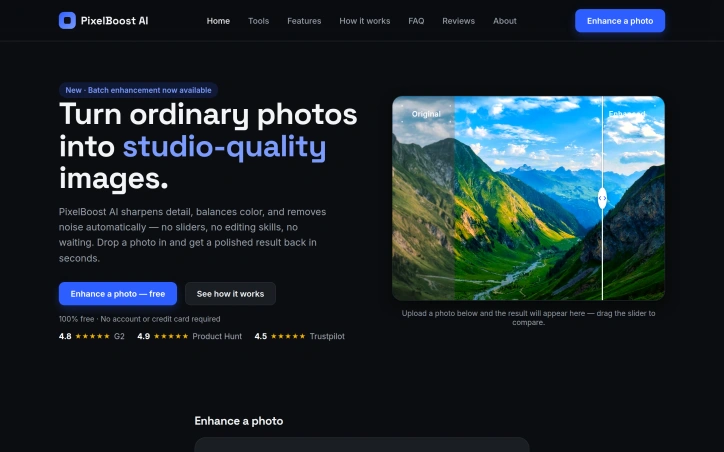
Automated photo enhancement has typically demanded either technical prowess or a willingness to accept mediocre results. PixelBoost AI addresses this friction by offering one-click image restoration for anyone who has accumulated a backlog of disappointing photographs—blurry snapshots, noisy phone photos, faded scans, pixelated screenshots, or time-worn family prints that deserve better. The product operates on a no-configuration philosophy. Users upload an image and receive an enhanced version back within seconds, with no sliders to adjust, presets to choose, or settings to learn. The underlying engine runs three automatic processing passes: a sharpness recovery stage that retrieves lost detail without introducing halos or grain, a noise reduction pass that eliminates compression artifacts and grain while preserving edges and texture, and a color correction phase that fixes white balance and lifts contrast. This pipeline targets the most common photo problems directly—the grainy ISO-boosted shot, the over-compressed JPEG, the severely faded original, the slightly out-of-focus moment. What distinguishes PixelBoost from similar tools is both simplicity and breadth. The service handles restoration work that typically appeals to a specific use case: scanned family photos, old wedding albums, water-damaged prints. It also processes contemporary problems like camera grain and export compression artifacts. The implementation supports drag-and-drop uploads, accepts PNG, JPG, and WebP files up to 24MB, and requires no account creation or payment information. The product operates entirely at no cost. No freemium upsell, no trial period, no signup requirement. A batch enhancement feature is available for processing multiple photos, though the content provided does not detail whether this remains free or introduces limitations. The service has accumulated ratings on mainstream review platforms—4.8 stars on G2, 4.9 on Product Hunt, and 4.5 on Trustpilot—suggesting user satisfaction has reached a measurable baseline. The core limitation remains one that affects most automated enhancement tools: severe blur or very poor image quality presents a ceiling. PixelBoost can lift mild to moderate focus issues but makes no claim to recover substantially out-of-focus shots. For everyday photo maintenance—clarifying smartphone images, restoring inherited prints, cleaning up screenshots and recordings—it removes a significant friction point. The ability to process these photos without opening design software or learning enhancement techniques addresses a real gap between photo quality standards and actual user capabilities.
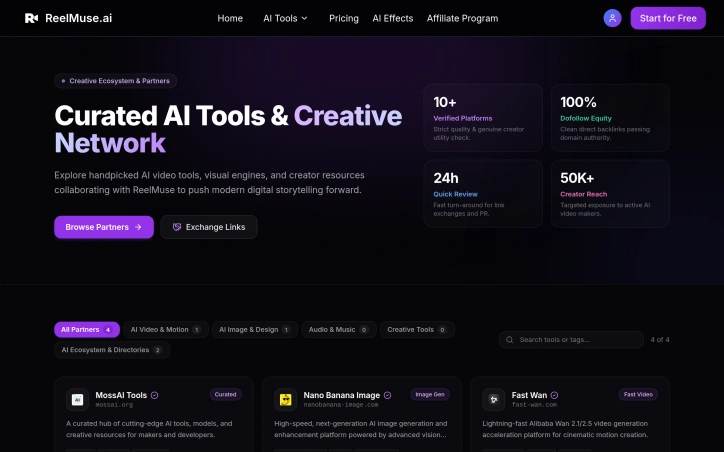
Accessibility sits at the core of what ReelMuse does: democratizing professional-grade video and image production through an all-in-one AI platform. The service targets creators of all skill levels, from casual content makers to aspiring producers, eliminating the technical expertise traditionally required to produce polished multimedia content. The platform consolidates several AI-powered creative tools under one roof. Users can generate original videos from scratch, produce high-quality images, and integrate AI-generated audio without specialized technical knowledge. The tool palette includes face-swap functionality and lip-sync capabilities, allowing creators to explore effects typically reserved for advanced editing software. These features signal a focus on trendy, shareable content formats that perform well on social media platforms. What distinguishes ReelMuse in a crowded AI creative tools space is its positioning as a comprehensive ecosystem rather than a point solution. The company has invested heavily in building a partner network, with verified listings across 22 different startup directories and AI tool aggregators. This breadth of third-party verification suggests institutional confidence in the platform. The company reports reaching over 50,000 active creators, indicating meaningful adoption. The partners page reveals deliberate strategy around link equity and domain authority, specifically mentioning dofollow backlinks and quick review cycles for partner exchanges. This demonstrates the company understands SEO fundamentals and is building visibility through quality partnerships rather than paid advertising alone. The curated nature of their partner list, emphasizing platforms serving AI enthusiasts and productivity-focused users, indicates targeted positioning toward creator communities. ReelMuse occupies interesting ground between consumer-friendly video editing tools and professional creative suites. The feature set prioritizes fast, template-based content creation focused on speed and shareability over cinematic sophistication. No pricing information is publicly disclosed. The aggregation strategy across directories and the emphasis on creator reach demonstrate that ReelMuse is betting on network effects and organic discovery. The company has built a foundation of accessible tooling and a thoughtful partner ecosystem, positioning themselves for growth in the rapidly expanding AI video generation category.

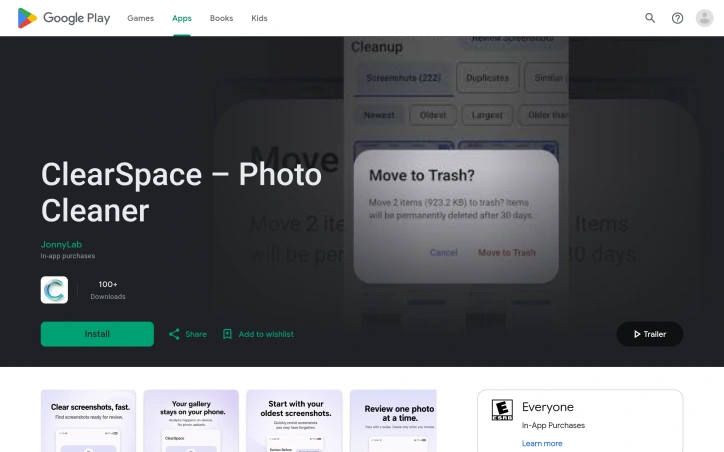
Android users drowning in screenshots and duplicate photos now have a privacy-conscious alternative to cloud-based cleanup services. ClearSpace is a photo cleaner that prioritizes manual control and on-device processing, letting users decide exactly what gets deleted rather than trusting automated systems. The core problem is straightforward: screenshots, similar photos, quality failures, and large media files accumulate quickly, wasting device storage without meaningful impact. ClearSpace addresses this by scanning for these categories and presenting them for review, but crucially, it never deletes anything without explicit user confirmation. This separation between detection and deletion sets it apart from auto-cleanup competitors that operate behind the scenes. What makes ClearSpace distinctive is its privacy-first architecture. All analysis happens locally on the device—no account creation, no cloud upload, no data transmission to third parties. This eliminates the privacy trade-off common in cloud-based photo tools and appeals to users who find traditional services too invasive. The app also integrates with Android's Trash system, meaning deleted items remain recoverable until permanently purged, adding a safeguard against accidental loss. The feature set focuses on intentional cleanup workflows. A dedicated screenshot scanner lets users start with focused cleanup instead of analyzing the entire library. The Swipe Review interface moves through photos one at a time, allowing detailed inspection of duplicates and similar-photo groups. Recent versions added a Screenshot Inbox feature that organizes captures by age, with a Swipe Oldest function for tackling older content first. The app also flags large videos and quality issues, then displays cleanup results showing items removed and storage freed. ClearSpace operates on a freemium model. The free tier offers unlimited scanning and review but caps deletions at 50 per month. ClearSpace Pro unlocks unlimited deletion and full access to Swipe Review, with monthly, annual, and lifetime purchase options. The app targets privacy-conscious Android users who want control over their photo libraries without surrendering personal data. It trades the convenience of automatic deletion for transparency and user agency, positioning photo cleanup as a deliberate process rather than a background task.
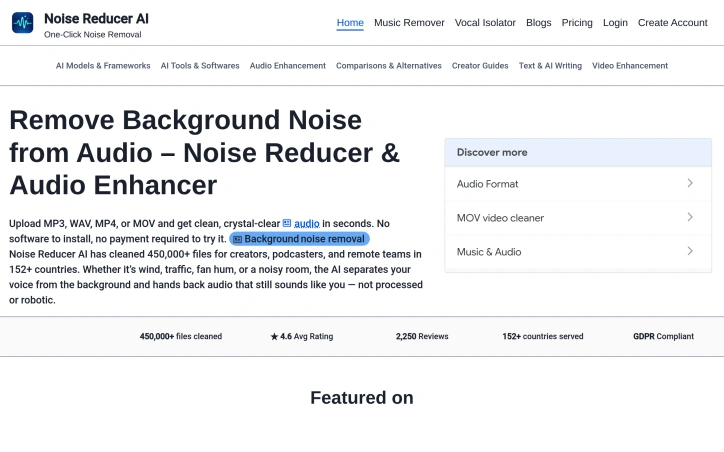
Background noise derails audio quality for content creators, podcasters, and remote workers who need professional sound without expensive equipment or software. Noise Reducer AI attacks this problem head-on by offering browser-based audio and video processing that removes unwanted background sounds in seconds. The platform operates on a freemium model, allowing users to upload and denoise files without paying upfront. The technical foundation relies on DeepFilterNet, a deep-learning framework designed for real-time noise separation. Rather than leaving audio sounding processed or robotic, the tool preserves the natural characteristics of the primary audio—typically the speaker's voice—while stripping away hum, traffic, wind, crowd noise, and echo. The product's appeal extends beyond noise removal. It offers three specialized tools: a general noise reducer for various background sounds, a music remover that isolates or extracts vocals independently, and a vocal isolator for complex environments with layered noise. This modular approach addresses the reality that different recording scenarios demand different solutions. The interface embraces simplicity with drag-and-drop uploads, real-time waveform visualization, and adjustable denoise intensity levels. Multi-format support—MP3, WAV, MP4, MOV, and more—eliminates the friction of audio extraction before processing. Users can upload video directly, with the tool handling both audio and video files seamlessly. A recording feature adds flexibility for those working directly within the platform, with immediate playback for before-and-after comparison. The platform's track record demonstrates practical viability. Across 152 countries, it has processed 450,000 files with an average user rating of 4.6 out of 5 based on 2,250 reviews. The service maintains GDPR compliance, addressing privacy concerns for European users and regulated industries. No software installation requirement lowers the barrier to entry, positioning the tool as immediately accessible from any browser. The core tension remains between free trial usage and monetization. While the site references purchasing options for additional processing minutes, explicit pricing details remain absent from the marketing materials, leaving cost comparison and long-term economics unclear for prospective users.


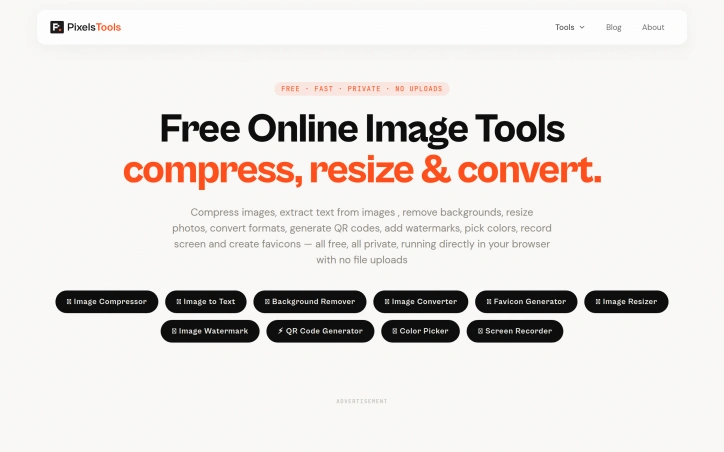
Anyone tired of uploading files to mysterious servers for simple image tasks now has an alternative. PixelTools addresses a straightforward but persistent problem: users need quick image and document processing without surrendering their files to third-party servers. The product targets anyone who handles images regularly but values privacy and speed—content creators, developers, designers, and professionals who want instant results without friction or data exposure. What distinguishes PixelTools is its execution of a privacy-first architecture. Every tool runs entirely in the browser using WebAssembly and browser APIs, eliminating the traditional server upload bottleneck. This approach delivers genuinely instant processing since computation happens locally on the user's device rather than queuing in a server pipeline. The developer behind the project built it explicitly to solve a personal frustration with existing workflows, bringing authentic motivation to the product. The current toolkit spans ten utilities: image compression, text extraction via OCR, AI-powered background removal, format conversion between PNG, JPG, and WebP, favicon generation, image resizing with preset templates, watermarking, QR code generation, a color picker for palette building, and screen recording with audio. This breadth addresses common image workflows without forcing users to juggle multiple tabs or services. The business model relies entirely on non-intrusive advertising, keeping all tools permanently free while avoiding accounts, subscriptions, or file limits. Users download or process their work without friction. This approach appeals to cost-conscious individuals and small teams who might otherwise piece together expensive software or resort to less legitimate alternatives. Technically, the product reflects solid frontend engineering. The developer brings five years of professional experience building React and Next.js applications, with demonstrated expertise in performance optimization and responsive design. That background shows in the product's interface and stability. The main limitation lies in feature scope. While the ten tools cover common tasks well, they remain fairly focused. Advanced image editing, batch operations across all tools, or custom processing pipelines remain absent. For users needing specialized functionality beyond these core utilities, more comprehensive solutions may prove necessary. PixelTools succeeds by doing one thing well: giving users fast, private image processing without requiring trust in unknown servers or payment. For that specific need, it delivers reliably.

Quick photo editing without the signup friction remains a genuine user need, and this browser-based AI editor tackles it head-on. Users upload an image, describe the edits they want in natural language, and receive results without creating an account first. The approach removes a major barrier to entry for photographers who just need one-off adjustments before moving on. The product works with standard web image formats (JPG, PNG, WebP) up to 30MB and supports a range of editing tasks through its prompt-based interface. Object removal stands out as a particularly useful feature, letting users eliminate distracting elements while requesting specific texture or detail handling to maintain natural results. Background replacement handles both transparent outputs and custom scene generation, making it practical for product photography and profile images. The editor also includes restoration workflows for old photos and generative fill for adding or modifying elements within an image. What distinguishes this tool is its genuine no-friction approach. Rather than burying the free tier behind a signup wall, the editor lets users engage immediately, then offers optional accounts for those who want daily credits and extended history. This positioning targets creators who value speed over feature depth and e-commerce sellers preparing marketplace listings without commitment. The interface presents multiple AI model options, giving users flexibility in generation approach and output quality. Aspect ratio and resolution controls let users tailor outputs to specific uses, whether that's creating social media content, campaign images, or marketplace thumbnails. The product demonstrates clear use cases through task-specific guidance and step-by-step examples. The business model trades immediate conversion for accessibility. Free usage with a credits system means casual users can experiment before deciding whether the product earns a subscription. This low-barrier approach suits a fragmented market where many photo editors sit unused after signup friction or confusing paywalls. The main tradeoff is predictable: a credits-based model combined with the browser platform means users are limited in how much they can generate for free, creating natural paths toward paid accounts for power users. For those seeking unlimited local editing, desktop tools remain the alternative. But for the specific case of quick AI-assisted edits that need no installation and no login, the product delivers directly on its proposition.


Translating a vague tattoo concept into a stencil-ready design has always meant weeks of Pinterest scrolling and awkward conversations with tattoo artists. AI Tattoo Generator cuts through this friction by converting text descriptions into preview-ready artwork in seconds, letting customers validate their vision before walking into an artist's chair. The product targets two distinct audiences: people who want to visualize and refine ideas independently before paying for professional consultation, and those seeking inspiration by browsing community-generated designs. Rather than positioning itself as a generic image generator, the founder built the workflow specifically for tattoo planning, training the AI on style-aware prompts for minimalist, traditional, Japanese irezumi, geometric, and blackwork aesthetics. What distinguishes this from standard AI image tools is the specificity embedded in every decision point. Users describe their tattoo idea, select from multiple AI models with different credit costs (ChatGPT Image at 4 credits, Doubao at 5, with premium options locked behind a Pro tier), pick an established tattoo style, and designate placement on specific body areas. The system delivers high-resolution PNG files formatted explicitly for artists to trace and adapt. This deliberate architecture—combining style, placement, and output format in a single workflow—reflects genuine product thinking about how tattoos actually get made. The community gallery functions simultaneously as inspiration and social proof. Displaying previous user prompts alongside finished designs creates a browsable archive of ideas, while a private mode upgrade lets users keep designs confidential. The font generator addresses lettering requests, a common tattoo need that most AI tools handle poorly. Accessibility comes through a free credit allowance on signup, allowing new users to generate multiple concepts before deciding whether to continue. Credit costs vary by model availability and capability, introducing a tiered monetization model without forcing immediate payment. The positioning is refreshingly honest: these are drafts, not finished pieces. The site consistently reminds users that AI designs are starting points requiring professional artist review and adaptation for actual skin placement. This liability-conscious language protects both the user and the company. For people frustrated by the design-communication gap in tattoo planning, the product delivers genuine utility. It collapses what might take days of conversation and revision into minutes of generation and variation.

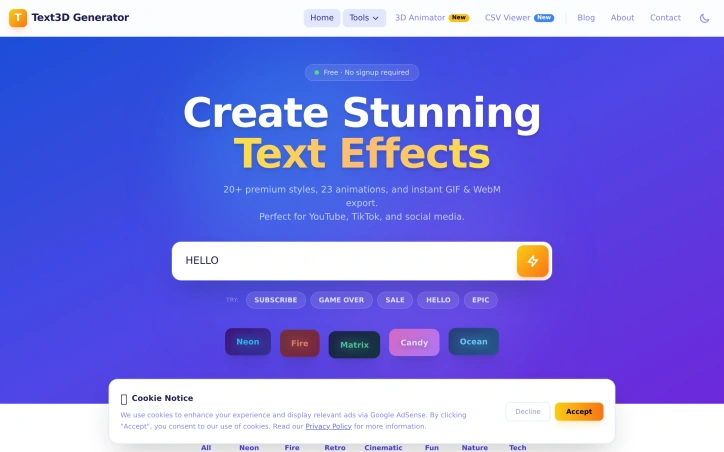
Content creators and designers working on tight deadlines need text effects fast. Professional design software like Photoshop or Blender carries steep learning curves and licensing costs, while many existing text effect generators either demand subscriptions, require software installation, or deliver subpar results. Text3D Generator addresses this gap by delivering professional-quality animated text effects instantly through a web browser. The tool targets YouTubers, TikTok creators, social media marketers, and designers who need quick visual assets for thumbnails, posts, and video intros. The value proposition is straightforward: high-quality results without friction, subscriptions, or learning curves. What distinguishes Text3D Generator is its accessibility-first design. The workflow takes roughly a minute from start to download: type text, select a style and animation, and export. No account creation, no software installation, and no watermarks cluttering the final output. Users can download unlimited assets forever at zero cost. This matters because friction is often why creators abandon tools midway through projects. The feature set is substantial. The tool offers 20+ text style categories spanning neon, fire, cinematic, retro, candy, and matrix aesthetics. These aren't random templates; they're organized by visual theme, suggesting thoughtful curation. Paired with 23 animation presets (word pop, typewriter, glitch, matrix rain, heartbeat, and others), the combination yields many possible outputs. The 22 included Google Fonts provide typographic variety without forcing users into a limited palette. Export flexibility matters for workflow integration. Users can download transparent GIFs for compositing over existing footage or WebM video files compatible with editing software like Premiere Pro and DaVinci Resolve. Both formats support professional-grade video production, not just social media posting. The technical implementation is solid. Built on Next.js and Vercel infrastructure, the browser-based architecture means no installation, instant preview updates as users customize, and consistent performance across devices. The pricing model is unambiguous: completely free. No freemium tier, no upsells, no payment wall hiding premium features. This straightforwardness removes decision friction and makes the product genuinely useful for hobbyists and professionals alike. Text3D Generator succeeds because it recognizes that creators don't need 90% of Photoshop's features; they need animated text effects in seconds. By narrowing scope ruthlessly and keeping the tool free, it solves a real problem without pretense.

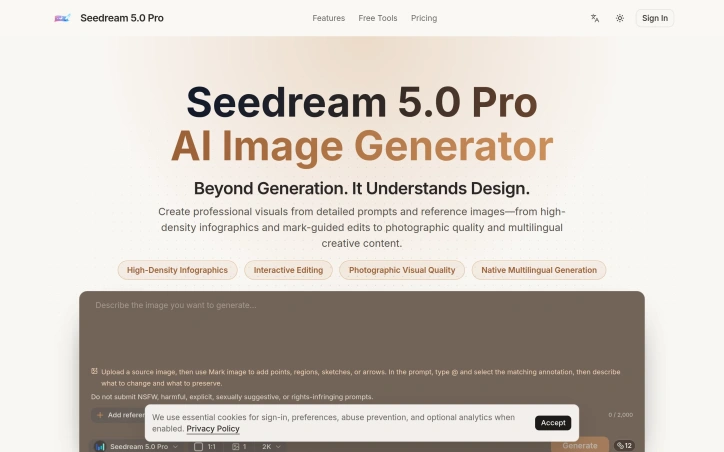
Designers and marketing teams struggling to generate complex, information-dense visuals have a new option in Seedream 5.0 Pro, an AI image generator that combines detailed text prompts with reference imagery and interactive annotation tools to produce professional-quality outputs. The core value proposition centers on speed and control. Rather than iterating through countless text-based attempts, users can upload a reference image, mark specific elements with annotations—points, regions, sketches, or arrows—and use those marked areas within their prompt to guide the AI's refinement process. This hybrid approach bridges the gap between fully automated generation and fully manual design work, giving designers meaningful control over the AI's output while retaining the efficiency gains of generative tools. The product targets three distinct use cases. First, complex infographics and data visualizations where precision matters, from highly detailed interfaces to statistical dashboards. Second, product and marketing campaigns requiring photographic quality and stylistic coherence across multiple assets. Third, multilingual creative content, a feature enabling teams working across languages to maintain design consistency without manual rework. The examples demonstrate genuine capability: a dense RPG interface prompt generates what appears to be a functional, grid-aligned layout with readable typography and appropriate color restraint. Key capabilities include support for high-density infographics through mark-guided editing, photographic-quality rendering, and native multilingual generation. The interface appears straightforward, with users inputting visual and textual references within specified limits, accompanied by clear content guidelines around restricted material. What distinguishes Seedream from broader AI image generators is its explicit focus on complexity rather than simplicity. Competitors often optimize for photorealistic portraits or stylized illustrations; Seedream specifically targets dense data visualization, technical specifications, and intricate layouts. The reference image plus annotation system represents a meaningful UX innovation that acknowledges designers don't want fully autonomous generation—they want smart tools that respond to structured creative direction. No pricing information appears in the available material, making cost assessment impossible. The product positions itself for professional creative workflows, though the actual pricing tier would significantly influence whether it becomes a standard design tool or remains a specialized premium option. For teams handling high-complexity visual projects, the focused feature set suggests a clear understanding of niche market needs, regardless of eventual cost.

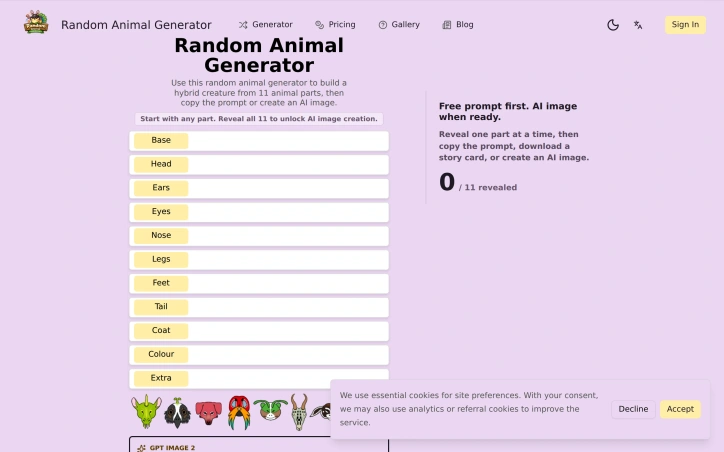
Creative professionals looking for inspiration when facing project blocks have found a dedicated tool in this hybrid creature generator. Built for artists and game designers, the platform combines random selection across 2,500+ animal species into single creatures with eleven distinct body parts, creating endless drawing prompts and character concepts on demand. The product's strength lies in its structured approach to randomization. Rather than selecting a single species at random, users click through eleven separate slots—base body, head, ears, eyes, nose, legs, feet, tail, coat, color, and an extra feature—each pulling from the deep animal database independently. This part-by-part assembly creates far more varied and unusual combinations than simple species selection would allow. Users immediately receive a text prompt describing their hybrid creature, which they can copy for sketching, sharing, or direct use in creative work. The platform targets several specific use cases effectively. Aspiring artists use the generated prompts as drawing practice exercises. Game designers and tabletop role-playing groups draw character concepts from the descriptions. Social media users share their generated creatures as community challenges or portfolio pieces. A gallery of featured community creations demonstrates how the AI-generated images from successful hybrids look in practice, showing pairs of creatures alongside the animal-part prompts that produced them. Monetization enters once users unlock the full feature set. Free usage includes revealing all eleven parts and generating the text prompt. Signing in unlocks AI image generation using GPT Image 2, though the platform also offers a hand-drawn concept sketch option credited at one unit. The combination of free core functionality with optional premium image generation creates accessibility without eliminating a path to revenue. The database draws from diverse animal categories including mammals, birds, reptiles, insects, recognized breeds, and lesser-known species, providing the breadth necessary for the tool to remain fresh across repeated use. The straightforward mechanics—click to spin each slot, reveal parts sequentially, copy or generate—require no tutorial or learning curve. For creative professionals seeking structured randomization rather than pure chance, or for anyone needing quick character design inspiration, this generator delivers focused utility within a narrow, well-executed scope.

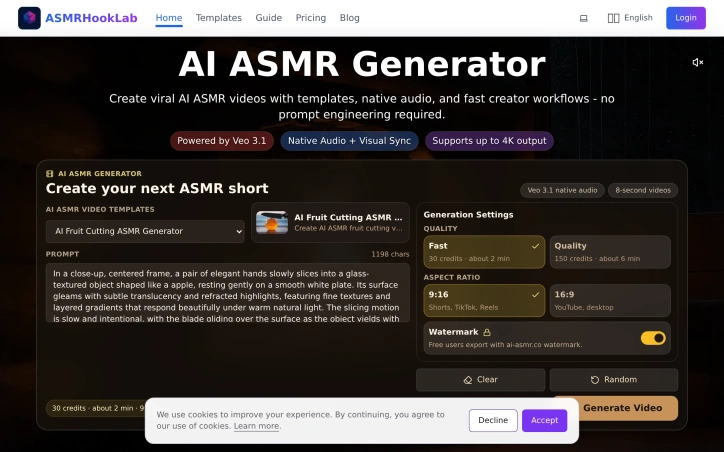
Creators chasing viral moments on social media face a persistent friction point: ASMR content production demands both technical skill and time investment. ASMRHookLab addresses this by enabling rapid generation of ASMR videos through AI, built on Veo 3.1 technology. The product targets short-form creators on TikTok, Reels, and YouTube Shorts who want to capitalize on ASMR's popularity but lack specialized equipment or editing knowledge. The central innovation is simplicity. Rather than requiring users to master prompt engineering, the platform provides templated workflows. Creators select a preset template like fruit cutting or keyboard tapping, adjust a handful of variables, and receive a complete video with synchronized native audio within minutes. This is a fundamental departure from most AI video tools, which place the burden of articulate prompting on the user. By removing that barrier, ASMRHookLab democratizes a content category that previously demanded both artistic vision and technical fluency. The feature set reflects this philosophy. Templates come prebaked with detailed visual direction and sound design guidance, eliminating guesswork about what makes ASMR satisfying. Native audio synthesis ensures that visual motion and sound truly align, a critical requirement for ASMR where the auditory experience drives engagement. The platform supports multiple output formats including 4K and handles both portrait (9:16) and landscape (16:9) aspect ratios, letting creators repurpose content across different social platforms in a single workflow. Generation speed varies by quality tier. Fast rendering consumes 30 credits and takes approximately two minutes, while higher-quality output requires 150 credits and six minutes. The credit system implies a freemium model where users can sample the product, with free accounts applying a watermark to exports. This pricing structure allows creators to test viability before committing spending, a pragmatic approach to trial and adoption. What distinguishes ASMRHookLab is its focus on removing complexity rather than adding features. Many AI video tools optimize for maximum customization, appealing to advanced users. This product optimizes for speed and accessibility. For a creator trying to test whether ASMR content resonates with their audience, or for someone seeking fast turnaround on trending formats, the tradeoff is favorable. The templated approach inherently limits creative range, but it trades depth for velocity, a calculation that aligns with short-form content rhythms where posting frequency often outweighs individual production polish.

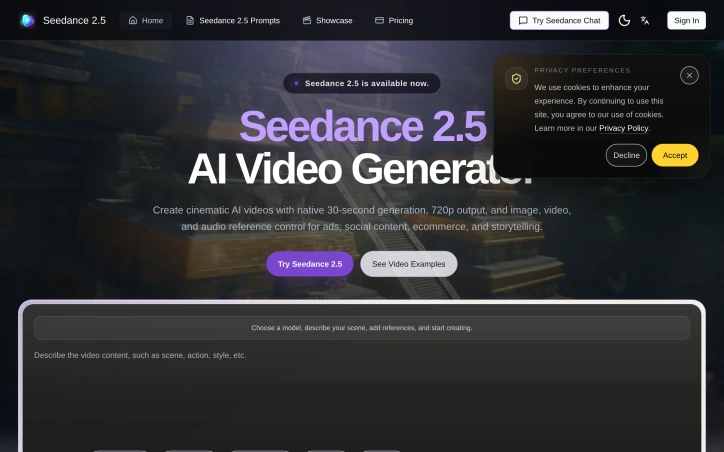
Cinematic video production without the traditional overhead is increasingly central to marketing and storytelling, and this AI-powered tool addresses a specific friction point: existing generators excel at short clips but struggle to maintain coherence across longer narratives. Seedance 2.5 targets creators, marketers, and production teams who need polished 30-second videos for ads, product launches, fashion content, and social media but lack the time or budget for conventional shoots. The product's core distinction is its approach to reference-based generation. Rather than relying solely on text prompts, it lets users provide images for style consistency, video references for motion guidance, audio tracks, and character references to maintain visual continuity throughout a 30-second sequence. This transforms the workflow from typing a description into something closer to traditional directorial planning—laying out beats, establishing visual anchors, and letting the model respect those choices across the full output. Beyond multimodal input, the technical architecture treats video as a joint audio-video generation task rather than post-processing sound into separately-generated footage. The 30-second native generation is mechanically significant; most competing tools max out at shorter segments and require stitching multiple clips together, a process the founder describes as tedious and prone to continuity breaks. Seedance 2.5 promises to render complete scenes with smoother narrative flow in one pass. The editing capabilities merit attention as well. Rather than forcing a full regeneration when details need refinement, the tool supports local region edits that preserve the composition, motion, lighting, and character identity of the broader scene. This substantially reduces iteration time for creators making small adjustments. The showcase examples span film, advertising, fashion, music, and educational content, demonstrating breadth in output quality and style versatility. Scenes range from surreal fantasy (floating storm battlefields, mechanical creatures) to grounded urban and commercial setups, suggesting the model generalizes reasonably well across visual genres. The platform does apply content screening, blocking requests involving sexual content, violence, hate speech, illegal activity, and rights-infringing material—a standard safety measure that may constrain some creative use cases. Pricing is not disclosed in the available materials, though the interface mentions a credit system. For teams evaluating the tool, transparency on cost-per-minute, subscription tiers, or per-generation pricing would be necessary for a practical procurement decision. The product positions itself as solving a real production problem with capabilities that distinguish it from simpler prompt-based generators, though buyers will need to validate consistency and edit speed against their specific workflow requirements.

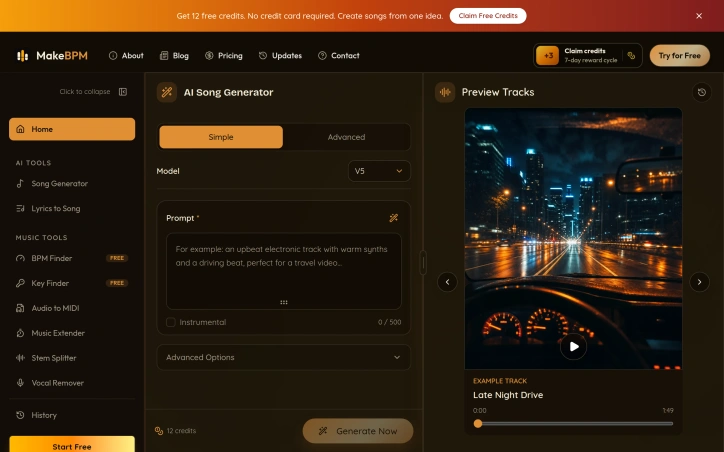
Democratizing music production, MakeBPM offers creators a path to generating professional-quality songs, beats, and soundtracks without formal training or production expertise. The platform targets content creators across multiple domains—video producers, podcasters, game developers, and individuals marking personal milestones—who need quick, credible background music but lack the time or skill to produce it themselves. The core offering addresses a real friction point: the gap between creative ambition and production capability. Rather than hunting for stock music or attempting to learn production software, users simply describe their musical vision, and the AI generates complete tracks with vocals, lyrics, melodies, arrangements, and accompanying artwork. What distinguishes MakeBPM is its flexible input model. Beyond simple mood and genre prompts, the platform accepts user-written lyrics and reference audio files, giving creators three distinct paths to music generation. This flexibility matters because creative work rarely begins at the same place. Some users arrive with a concept, others with finished lyrics, and still others with a reference track that captures the exact vibe they need. The platform accommodates all three scenarios. The range of output formats is comprehensive. MakeBPM can generate full vocal songs, instrumental beats, background music, and scene-specific soundtracks, making it applicable across creative work—from video intros and podcast backings to game audio and wedding playlists. Generation happens remarkably quickly, turning input into finished tracks within minutes rather than hours. The platform offers a free trial providing 12 credits, described as enough for one generation with two track options and valid for seven days. This lowers the barrier to experimentation. Beyond this, the service operates on a credit-based pricing model, though the website does not detail specific tier pricing. The workflow itself is intentionally stripped down. Users describe, wait while AI composes, then download and use the results. No music theory required. No production software to learn. This simplicity is the core value proposition. MakeBPM fills a specific niche: creators who need original music fast but lack production skills or budget for commissioned work. The breadth of documented use cases—from commercial campaigns to personal moments—suggests genuine versatility beyond typical stock music scenarios. For its intended audience, the product removes a substantial creative bottleneck.