Catalyst Healthspan Audit
Personal trainers typically sell training sessions. This startup reversed the equation by building assessment first, mak...
Launchory
We built Launchory to solve the discoverability problem for startups. Our platform offers instant approval, permanent do...
Best Design & Creative Startups & Tools
Recently Listed
148 launches
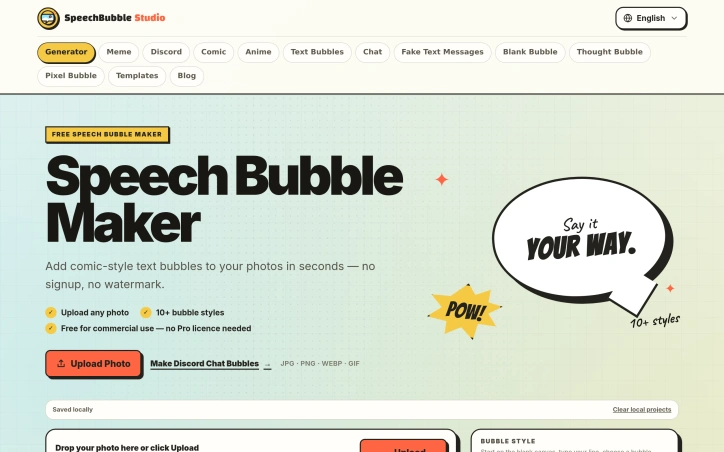
Adding speech bubbles to photos for memes, comics, and social media content requires either expensive software or frustrating workarounds. Speech Bubble Maker addresses this gap by delivering a straightforward, browser-based editor that handles the task without friction. The product targets creators of all skill levels—from casual meme makers to content creators who need quick turnarounds—who want professional results without technical expertise or financial investment. The product distinguishes itself through its commitment to frictionless access. No account creation is required to start, and there is no watermark on exported files. The company explicitly permits commercial use at no cost, eliminating licensing complications that plague many free tools. Local processing means images and editing content stay on the user's device rather than uploading to servers, addressing privacy concerns that some creators face with cloud-based alternatives. The feature set spans the essential requirements for this use case. Users can upload images in JPG, PNG, WebP, and GIF formats and choose from more than ten distinct bubble styles—ranging from classic dialogue boxes to pixel art, manga, anime, neon, and sketchy variants. Customization options include font selection, size adjustment, color controls, outline width, opacity, and rotation. The tail can be repositioned to point at any element in the image. Export options cover PNG, JPG, WebP, and GIF, with built-in presets for common social platforms including Instagram, Discord, and X, alongside the option to export at the original canvas size or define custom dimensions. The interface follows a three-step workflow: upload, customize, export. This simplicity makes the tool accessible to users without design experience while still providing depth for those who want granular control. Speech Bubble Maker operates on a fully free model with no paid tiers or upgrade pathways mentioned in available materials. This straightforward approach positions the product as a genuinely accessible utility rather than a freemium trap. The tool fills a genuine need in the creator economy where quick, watermark-free speech bubble additions have traditionally required either paid software or tedious workarounds. By bundling essential features with local privacy protection and zero friction to entry, the product delivers clear value to its target audience.
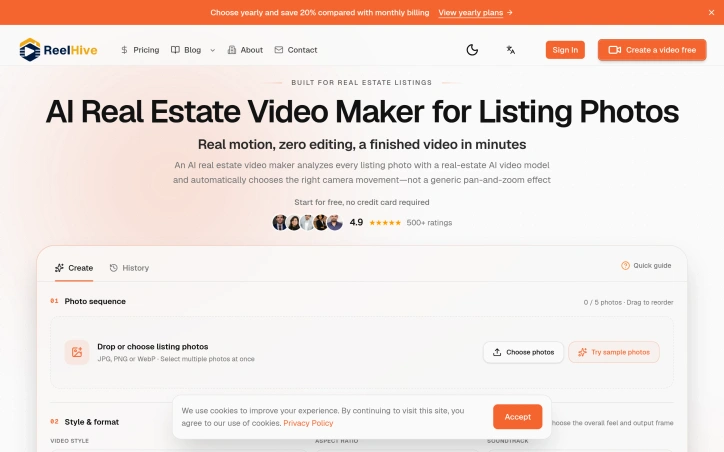
Real estate professionals have long struggled with the gap between manual video editing and automated slideshows. ReelHive addresses this with an AI-powered tool built specifically for turning property photos into polished listing videos. The platform targets real estate agents, marketing teams, and property photographers who need to produce videos quickly without dedicating hours to editing. The core offering is straightforward: upload listing photos, choose a visual style, and let AI generate scene-aware camera movements that match each image rather than applying the same generic pan-and-zoom to every shot. What distinguishes ReelHive from broader video creation tools is its narrow, deliberate scope. Rather than positioning itself as a general-purpose video editor, it acknowledges the specific workflow of real estate listing photography. Users control the photo sequence and presentation style while the platform automates the repetitive production work: selecting appropriate camera movements, generating clips, handling transitions, syncing music, adding captions, and rendering the final export. This focused design removes friction from a common professional task. The product workflow is lean: arrange photos in desired order, select from three style presets (Luxury, Modern, Social) and a choice of aspect ratios (9:16 vertical or 16:9 horizontal), optionally add music from a curated set of 50 tracks, and layer in property details or branding elements. The AI then analyzes each photograph to determine suitable camera movement, acknowledging that a kitchen, living room, exterior, and detail shot require different visual treatment. The interface eliminates prompts and timeline editing entirely, aligning with the stated goal of reducing hours spent on production into a minutes-long process. Users can preview sample videos before committing, and the platform offers a two-video free trial without requiring a credit card, lowering the barrier to initial use. User ratings stand at 4.9 out of 5 across 500 reviews, though this metric alone does not indicate production quality or business sustainability. The tool occupies a genuine gap: it is neither a manual editing burden nor an undifferentiated slideshow, but rather a purpose-built solution for a specific professional use case. Pricing details are not disclosed in the available content, though the free tier supports initial evaluation.

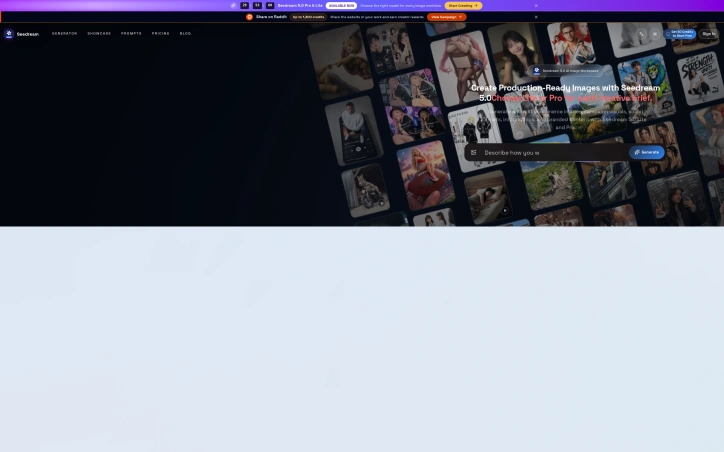
Production timelines in creative teams consistently bottleneck on designer availability and iteration capacity. Seedream 5.0 addresses this friction point through a browser-based workspace for generating and refining marketing visuals at scale. The platform serves creators, designers, marketers, ecommerce teams, and small businesses operating under tight turnaround constraints, where both output quality and iteration speed drive competitive advantage. The product distinguishes itself through breadth across creative verticals. Beyond text-to-image synthesis, Seedream handles reference-guided composition, controlled image editing, and video generation spanning camera motion replication, narrative sequencing, and temporal extension of existing footage. The template library demonstrates scope across ecommerce product photography, campaign video, brand explainers, lifestyle content, and social media assets. An API integration option extends reach to developers embedding generation workflows into existing production pipelines. The platform operates on two licensing tiers. Seedream 5.0 Lite targets routine creative work, while Pro addresses production-grade demands. Documentation does not specify capability distinctions between the tiers, though the positioning suggests Pro prioritizes throughput or output quality for demanding commercial work. Seedream uses a credit-based consumption model that decouples pricing from per-seat licensing. Users access free trial credits to validate output quality before committing to flexible credit plans scaled to production volume. This pricing structure aligns directly with creative output volume, eliminating unused licenses and matching cost to variable demand. The core value proposition hinges on production acceleration. Rather than brief-to-final timelines measured in weeks, AI-assisted iteration compresses cycles to hours. For in-house teams and growing brands constrained by designer capacity, this workflow improvement justifies serious evaluation. For ecommerce operations managing high-velocity visual updates, the cost reduction alone proves compelling. The limiting factor remains output quality validation. Trial access allows teams to test real workflows against production standards before purchasing credits. The template examples demonstrate capability scope, but specific use cases require hands-on evaluation to confirm whether output consistency, brand alignment, and production readiness meet requirements.

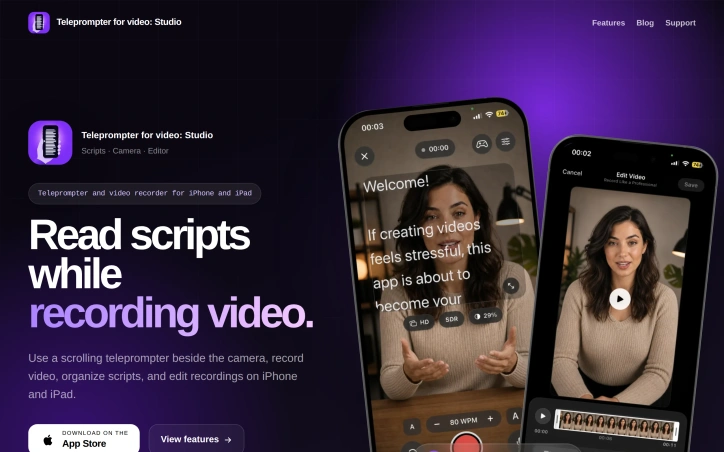
Content creators recording videos on mobile devices face a persistent challenge: reading scripts while maintaining natural eye contact with the camera. Most solutions force an awkward choice between memorization, looking off-camera to reference notes, or accepting the production quality hit of a distracted delivery. Teleprompter Studio addresses this for iPhone and iPad users by placing a scrolling script directly beside the camera lens, allowing creators to read their material without breaking the visual connection with their audience. The product targets creators ranging from solo content producers to small teams who need to shoot professional-looking videos but lack access to dedicated studio teleprompter setups. This includes social media creators, educational content producers, sales professionals recording pitches, and anyone else who benefits from reading prepared remarks while maintaining on-camera presence. What distinguishes Teleprompter Studio is its integrated approach. Rather than offering a standalone teleprompter feature, the app consolidates three essential functions into one workspace: the prompt display, video recording, and post-production editing. This consolidation eliminates the friction of jumping between multiple applications, keeping creators in a focused environment from script preparation through final export. During recording, the app provides granular control over the teleprompter itself. Users can adjust scrolling speed in real time, modify text size and positioning, enable mirroring, and switch between front and back cameras without exiting the recording interface. The microphone controls remain accessible, allowing audio adjustments without interrupting the take. This flexibility matters because reading speeds and comfort levels vary significantly between individuals. The editing capabilities handle standard post-production tasks including trimming, cropping, and aspect ratio adjustments to accommodate different platforms, whether vertical, square, widescreen, or cinematic formats. Scripts and recordings are organized within the app's library, and importantly, all content remains stored locally on the device rather than relying on cloud infrastructure. The app requires iOS 18 or later and is available exclusively on the App Store for iPhone and iPad. Pricing information is not detailed in publicly available materials. The product includes a blog resource offering practical guidance on teleprompter technique, addressing how users can maintain natural delivery while reading from a prompt. Teleprompter Studio fills a legitimate gap in mobile content creation by removing a technical barrier that often undermines video quality. The integration of recording and editing alongside the teleprompter feature simplifies workflow for creators who need rapid turnaround on professional-looking content.

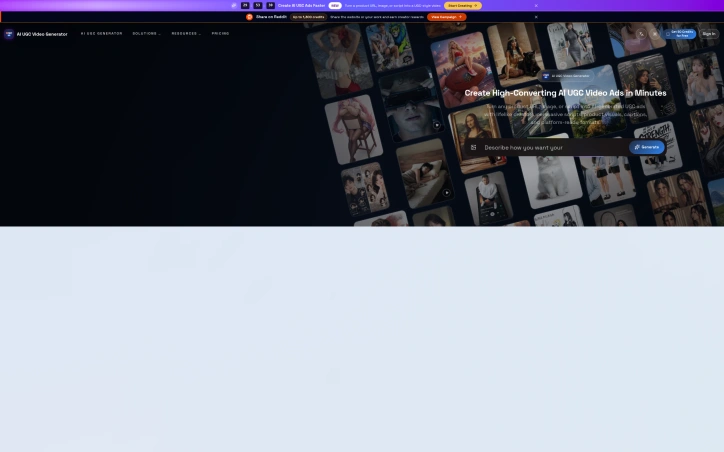
Creating product advertisements has traditionally required hiring videographers, actors, and production teams—a resource-intensive process that puts quality video ads out of reach for many smaller brands and creators. This AI-powered platform streamlines that workflow by generating user-generated content style ads from minimal input: a product URL, image, or script. The platform targets e-commerce sellers, direct-to-consumer brands, marketing agencies, and founders who need ads fast. Rather than shooting footage, users describe or reference their product, and the tool generates video with AI-driven actors, natural voiceovers, product visuals, captions, and calls to action. The output exports ready-formatted for TikTok, Instagram Reels, Meta Ads, and YouTube Shorts. What distinguishes this offering is the breadth of production templates it supports. The platform handles multiple video genres: camera and motion replication that mirrors choreography or movement patterns, documentary-style narratives with character-driven storylines, brand explainers that establish context for products, lifestyle sequences, fashion-focused product showcases, and video extension that adds additional scenes to existing footage. Videos render in both portrait and landscape orientations, with typical durations between 10 and 15 seconds—standard for short-form social advertising. The production workflow prioritizes speed and accessibility. Users can start from a product URL, feeding ecommerce data directly into the system, or provide images and scripts for more directed creative control. The AI handles script generation where needed, removing a common bottleneck in traditional advertising workflows. The demo projects displayed show capabilities across visual styles and production approaches. A brand explainer demonstrates emotional storytelling across multiple scenes with character development. Motion replication videos extract movement patterns from reference footage and replicate them with new subjects. Rather than simple product presentation, the platform generates narrative structure, character animation, transitions, framing choices, and scene composition across different formats. For brands that produce dozens of ad variations to test messaging and visuals across platforms, this tool addresses a real operational constraint. The speed of generation—finished ads within minutes rather than days—matters in competitive categories where rapid iteration and testing drive marketing performance. The production bottleneck shifts from execution to creative direction and performance analysis, a meaningful change in how teams allocate resources and prioritize their work.

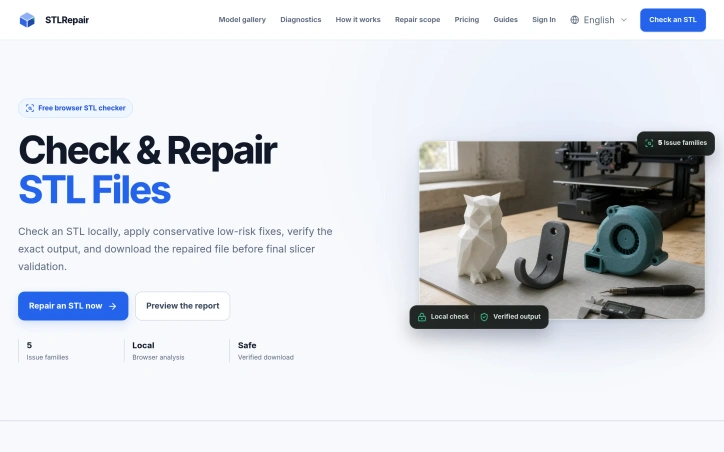
Before 3D printing an object, creators need to validate their digital models for defects that slicers can't handle. STLRepair addresses this gatekeeping problem by offering free, in-browser analysis of STL mesh files without requiring uploads or accounts. The product targets makers and 3D printing enthusiasts who work with the industry-standard STL format but lack specialized mesh validation tools. Rather than sending files to cloud servers, the tool runs all analysis locally in the browser, checking for five core issue families: duplicate faces, degenerate triangles, misaligned surface normals, open boundary edges, and non-manifold topology. This local-first architecture directly addresses creator concerns about file privacy and personal design confidentiality. What distinguishes STLRepair from simpler validation checkers is its philosophy around repairs. The tool deliberately stops short of automatic fixes for complex topology problems. While it can safely preview cleanup for duplicate faces and degenerate triangles, it reports open holes and non-manifold edges without attempting reconstruction. This conservative stance reflects a realistic understanding that aggressive automatic repairs often create new problems that don't become apparent until a print fails midway through. The product accepts both binary and ASCII STL files up to 10 megabytes or 100,000 triangles. Users see a parsed mesh projection alongside a scored health assessment and granular issue lists that identify exact problem locations. The workflow is straightforward: load a file, review the diagnostic data, optionally preview conservative fixes, then download the corrected version. The interface distinguishes between issues the tool can safely repair and those requiring manual intervention, labeling them as either "safe preview" or "report only" operations. This transparency prevents the false confidence that comes from fully automated fixing. There are no pricing tiers mentioned, and no account creation is required for the free workflow. The stated technical foundation is version 0.2.0-verified-local-export, suggesting active development. For makers evaluating their mesh pipeline, STLRepair fills a specific and useful niche. It trades comprehensive automatic repair for transparency and safety, making it most valuable for users who understand mesh topology enough to learn from diagnostic output rather than expecting the software to solve all problems unilaterally. The local processing model removes friction and privacy concerns that typically come with cloud-based analysis tools.

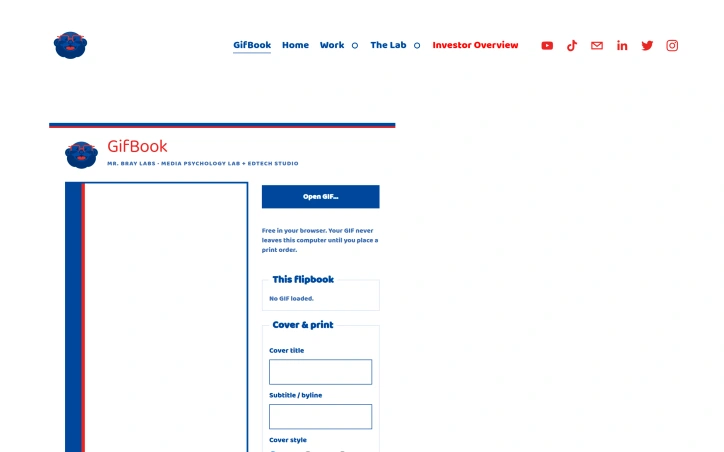
Animators and content creators who want to give their digital work a physical presence now have a straightforward solution with GifBook. The service converts animated GIFs into flipbooks that can be previewed interactively in a browser, printed at home for free, or ordered as professionally bound copies. This bridges a meaningful gap between the ephemeral nature of digital animation and the tangible appeal of physical media. The product's architecture prioritizes both accessibility and user privacy. Users upload a GIF, watch it rendered as a clickable flipbook preview, and maintain complete control over their content until they choose to order prints. The workflow emphasizes transparency through real-time mockups of the final product, reducing uncertainty about the physical outcome before committing to payment. This preview-before-purchase approach eliminates common friction points in custom printing services. Customization options cover practical branding elements: users can add cover titles, subtitles, bylines, choose cover styles and frame types, and upload custom cover images. The print layout defaults to US Letter with an eight-up configuration and includes page numbers and binding guides. All print-at-home files arrive as PDFs ready for personal printing with clearly marked crop lines and gutter specifications. The pricing model offers three tiers of commitment. The free option lets anyone generate and print PDFs at home with no cost. Mid-market customers can purchase professionally printed five-packs for 25 dollars per pack, which includes binding, shipping, and handling throughout the US and Canada. Customers can order multiple packs, supporting both small runs and larger circulation needs. The studio handles print production and quality, while Squarespace manages checkout and payment processing. The business model distinguishes itself through a three-tier approach: free accessibility lowers experimentation barriers, while the print-on-demand option monetizes through transparent per-pack pricing. The offering avoids unnecessary platform complexity, positioning itself as a utility for creators and animators rather than a feature-heavy service. The product design demonstrates an understanding of how digital animation lives separate from tactile media, and GifBook directly addresses that disconnect with economy and clarity.

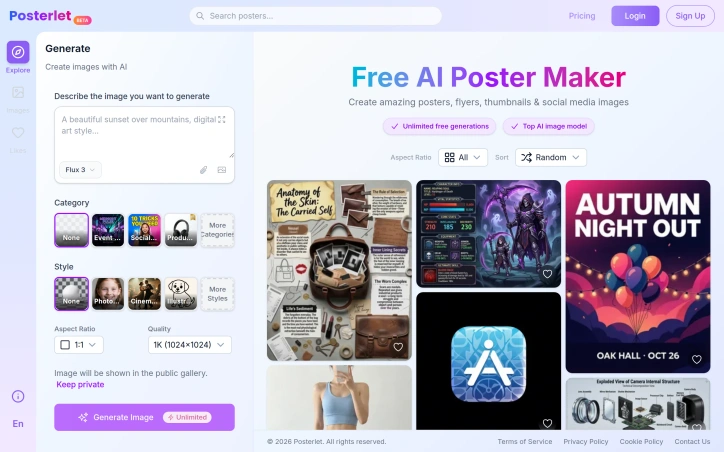
Designing marketing materials has traditionally required either hiring a professional or learning specialized tools. Posterlet addresses this friction by offering an AI-powered generation system that produces posters, flyers, thumbnails, and invitations directly from text descriptions. The target audience spans creators, small business owners, and marketers who need visual assets quickly without design expertise or budget constraints. The core appeal lies in its accessibility and zero friction entry point. Users describe what they want and select from a range of visual styles—photorealistic, cinematic, watercolor, flat vector, minimalist, and retro—before generating an image. The interface offers practical customization options including aspect ratio selection and quality settings, along with the ability to keep generations private or contribute them to a public gallery. All of this comes without any cost barrier, with unlimited free image generation available. What distinguishes Posterlet from other AI image generators is its focus on specific use cases. Rather than generic image generation, the tool provides templated categories like event flyers, social media content, and product thumbnails. This structure reduces the cognitive load for users who aren't trained in composition or design principles. The style selector transforms identical prompts across different aesthetic directions, giving users creative flexibility without requiring them to articulate complex visual parameters. The business model centers on free access with unlimited generation, banking on broad adoption and potential future monetization through premium features or API access. The public gallery option introduces a social element that could drive engagement and word-of-mouth discovery. The mention of using a top-tier AI model suggests competitive image quality, though actual output depends on how effectively users construct prompts and how well the underlying model handles the specific categories and styles offered. For anyone bootstrapping a project or managing marketing on a lean budget, the entry cost is an immediate advantage. The real measure of utility comes down to how production-ready the generated assets are out-of-the-box and whether users find the style and category options sufficiently diverse for their needs. The unlimited free tier removes all friction from trying the product.

Portrait photographs transformed into cinematic character cards represent a gap-filling use case in mobile content creation. TitleHero addresses this directly on iPhone and iPad, allowing users to convert everyday photos into visually striking designs suitable for social media profiles, promotional materials, or digital character representations. The product distinguishes itself primarily through its privacy-forward approach. The entire workflow runs locally on the device—subject separation, effect rendering, and preview generation all happen without uploading images to external servers. This local-first architecture means users retain full control over their source material and can work without an internet connection. The absence of required accounts or analytics tracking reinforces this commitment to user privacy. The core workflow is straightforward. Users select or capture a portrait, then browse pre-designed treatments that apply effects like distressed ink rendering, halftone patterns, and monochrome etching. The app shows multiple styled variations side by side, allowing direct comparison before committing to a final export. Once a treatment is selected, users can customize the title text, typography, colors, and effects before sharing through iOS's native share sheet. TitleHero demonstrates thoughtful design for iPad users beyond simple scaling. The app supports portrait and landscape orientations, Split View, and Stage Manager, maintaining the same photo-first interface across all form factors. This attention to the full iOS ecosystem suggests the developer understands both professional and casual users work across devices. The technical foundation—local subject separation and rendering—enables responsive performance while addressing privacy concerns that increasingly matter to users. Rather than treating privacy as a marketing afterthought, it's embedded into the fundamental architecture. Monetization follows a freemium model. The base app is free and functional, with Pro exports unlocking additional design treatments. This approach lets users evaluate the core experience without committing financially while generating revenue from those who value the expanded look catalog. For photographers, social media creators, and anyone seeking to turn portraits into designed assets, TitleHero offers genuine utility. The local processing removes friction around privacy and connectivity, while the curated aesthetic treatments and streamlined interface make stylization accessible without requiring design skills. The product is deliberately scoped—it solves one problem well rather than attempting to be a comprehensive photo editor—and that focus is its strength.


Batch image processing typically forces a choice between privacy and convenience. Desktop software requires installation and maintenance, while online tools demand uploading files to remote servers. MyImgLite eliminates that friction by moving the entire workflow into the browser, processing images locally on the user's device without server uploads or account creation. The product targets a specific recurring problem: teams and creators who regularly handle dozens of images—e-commerce vendors standardizing product photos, content publishers preparing batches of article images, and marketers resizing graphics for multiple channels. Rather than treating each image individually or wrestling with command-line tools, users upload a folder, configure one set of output parameters, and process the entire batch in a single operation. What distinguishes MyImgLite is its commitment to local processing and simplicity. The interface follows a three-step model: select a task, configure images and output settings, then download the results. No queue management, no waiting for remote processing, no surveillance of file contents. The technical approach—running everything in the browser—trades off some performance potential for absolute data privacy. The feature set covers the core image optimization tasks. Compression reduces file sizes across supported formats. Resizing preserves proportions or enforces exact dimensions, useful for adhering to platform templates. The conversion capabilities span modern web formats like WebP and AVIF alongside established standards like JPEG and PNG. Each format option includes relevant quality and encoding controls; advanced settings appear only where they matter. Users can compare original and output sizes before committing, reducing surprises. The 30-image limit per batch constrains enterprise-scale workflows but aligns with typical creator needs. The format coverage addresses practical scenarios: converting PNG to WebP for web delivery, standardizing JPEG dimensions for product catalogs, testing AVIF for smaller payloads on supported systems. Pricing presents no friction—the tool is free with no account requirement. This accessibility removes a barrier for one-off users and casual creators, though it raises questions about sustainability that the product page does not address. MyImgLite succeeds because it recognizes that not every image task requires cloud infrastructure or expensive software licenses. For creators and small teams handling regular but modest-scale batch work, local processing in the browser offers real convenience without compromising privacy.


Repurposing hours of long-form video content remains a bottleneck for content creators and editors who need platform-ready clips but lack the time for manual extraction. Clipperia addresses this friction by automating the most tedious parts of the workflow: finding compelling moments in raw footage, structuring rough cuts for professional editing, and preparing broadcast-safe content. The product serves three distinct creator personas through separate workflows. The Clip Extractor targets podcasters and short-form content creators, using AI to automatically identify hook moments, emotional peaks, and key statements within longer recordings, then exports clips in vertical or horizontal formats ready for TikTok, YouTube Shorts, and Instagram. The Rough Cut Studio caters to video editors and post-production teams by accepting raw footage and generating structured rough cuts with EDL export, a critical workflow for DaVinci Resolve users who need clean timelines to build on. The Clean Cut workflow handles broadcast-safe censorship, allowing creators to silence profanity and violence at adjustable intensity levels. What distinguishes Clipperia is its specialization rather than generalization. Rather than building a Swiss Army knife video tool, the company designed three focused workflows, acknowledging that clip extraction, rough cutting, and censorship solve different problems for different users. The interface prioritizes speed with upload, workflow selection, and download as the core loop. Processing caps are generous on higher tiers: the Pro plan handles 2-hour videos and provides 450 credits monthly, enough for meaningful production use. The pricing model follows a freemium approach with meaningful free limits that do not require a credit card. The free tier offers 60 credits worth of video processing and five generations, making it genuinely usable for evaluating the tool. Paid tiers start at fourteen dollars monthly, with the Pro tier at thirty dollars monthly. All paid plans remove watermarks and increase storage retention, moving beyond cosmetic upgrades to functional improvements. The credit-based system provides transparency around what processing capacity costs. One limitation is the experimental status of the Rough Cut Studio workflow, indicating the tool prioritizes its core strengths in clip extraction and censorship over the more technically complex rough cut generation. For creators who already have editing expertise, the upload-select-download simplicity could feel limiting. Still, Clipperia delivers on its core promise: turning time-intensive manual work into a three-step process.


Digital greeting and invitation services have proliferated in recent years, but most treat personalization as an afterthought and rely on email or generic links as the primary delivery mechanism. Cardzy tackles a different market segment by anchoring its platform to WhatsApp and building culturally-aware templates that resonate with South Asian audiences and diaspora communities. The core problem Cardzy solves is straightforward: traditional printed cards carry shipping delays and environmental costs, while bland digital alternatives lack personality and local cultural relevance. The platform targets three overlapping user segments—anyone marking milestones like birthdays and anniversaries, couples planning weddings, and professionals seeking contactless business card alternatives. What distinguishes Cardzy from simpler card makers is its focus on interactive 3D animated designs paired with functional RSVP tracking. Users upload photos and select from over 34 celebration themes, many culturally specific to Pakistani, Middle Eastern, and Indian traditions. They synthesize background music in regional styles, write messages in 18 languages, and send invitations directly through WhatsApp, SMS, or QR code rather than forcing recipients to click external links. This creates a friction-free experience where guests confirm attendance with real-time RSVP updates flowing back to hosts. The feature set branches into three tiers. Wish cards for general greetings remain free indefinitely, removing friction for casual sharing. Event invitations unlock premium capabilities: Google Maps integration for venue details, countdown timers, customizable dress codes, and a host dashboard for tracking confirmations. Smart vCards extend the platform into corporate networking, letting professionals share digital business cards. Pricing follows a freemium model with the foundation entirely free. Users test the product with basic wish cards and multilingual support before upgrading to premium event invitations for a small fee, though specific pricing tiers remain unspecified in available materials. This removes barriers to trial while creating a clear upgrade path for events where RSVP tracking and rich customization justify spending. The execution reflects genuine market research. Supporting 18 languages and building templates around both global holidays and culturally-specific celebrations suggests the founders understand diaspora communities send cards across borders. Embedding WhatsApp rather than defaulting to email or web links shows localization thinking that transcends simple translation. Cardzy occupies an under-served niche: digital invitations optimized for South Asian celebrations, built on infrastructure those communities actually use, with pricing that starts free.

Solving the ubiquitous question of what to make for dinner, this AI-powered recipe generator transforms ingredient management into meal inspiration. The product targets home cooks who want to reduce food waste and decision fatigue by generating complete dinner menus from whatever they happen to have on hand, whether that's leftovers, pantry staples, or random fridge contents. The core strength lies in its practical execution. Rather than delivering a single recipe suggestion, the tool generates a full dinner menu that scales to your table size, includes multiple courses, and pairs instructions with visual guidance. The ingredient recognition system works from both photo uploads and manual text entry, reducing friction for users who prefer typing over photographing. The interface respects user preferences through customization options spanning cuisine type, spice level, dietary restrictions, and flavor profiles, allowing the AI to generate meals that actually fit how someone wants to eat rather than generic suggestions. The presentation format distinguishes this from simpler recipe search tools. Outputs arrive as paginated recipe books with step photographs and integrated shopping lists, addressing a real friction point in cooking workflows. The live image rendering during generation appears designed to build anticipation and engagement, turning a utilitarian task into something more interactive. This matters for consumer adoption, as recipe tools often feel transactional. Two distinct modes expand the use cases. The ingredient-focused generator targets the "what can I make?" problem, while a random recipe generator flips the equation for users seeking inspiration when they have no particular direction. This flexibility broadens appeal beyond the primary use case of inventory management. The business model employs a generous freemium approach. New users receive 2,000 complimentary credits upfront without requiring a credit card, lowering barriers to first use. The credit system enables monetization through premium usage tiers, though specific pricing remains unexplained in available materials. This conversion-focused strategy acknowledges that the value proposition strongest for users who have tried it and want reliable access. The product addresses a genuine pain point that bridges meal planning, ingredient management, and food waste reduction. It targets neither professional cooks seeking advanced techniques nor beginners needing fundamental instruction, but rather practical home cooks who experience decision paralysis within abundance. The combination of AI-driven personalization, recipe book presentation, and accessible free trial positions this as a functional tool with consumer appeal, though broader market adoption will depend on how the transition from free to paid conversion actually performs in practice.


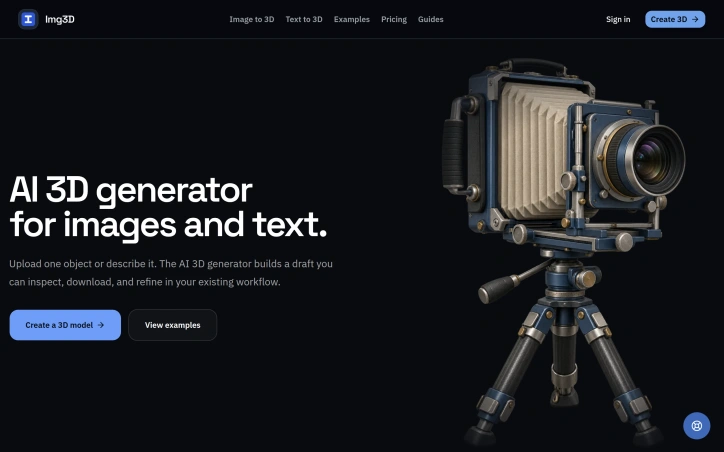
Designers and game developers working with 3D assets face a familiar bottleneck: validating concepts and proportions before investing time in detailed manual modeling. Img3D addresses this by offering an AI-powered 3D generator that converts either reference images or text descriptions into browser-viewable models in minutes rather than hours. The product targets a specific workflow niche. Product designers can upload a photograph to test silhouettes and proportions before committing to prototyping. Game developers can draft asset shapes for topology and material refinement in their existing tools. Furniture and props designers can turn flat reference images into rotatable 3D previews. The common thread is treating the AI output as a draft checkpoint, not a finished asset. What distinguishes Img3D is its uncluttered approach to a technically complex problem. The interface manages four distinct decisions: uploading a reference image or writing a prompt, selecting between Fast mode for quick exploration and Quality mode for closer inspection, rotating and zooming the generated model in a browser preview, then downloading the files for further work in industry-standard 3D tools. This structure acknowledges that AI-generated 3D models work best as starting points rather than final deliverables. The product offers both image-to-3D and text-to-3D pathways. Image inputs work best with isolated subjects photographed cleanly against neutral backgrounds, where the generator can infer angles and details the camera cannot capture. Text inputs suit earlier ideation stages when visual references do not yet exist. The platform generates models in GLB format, the web standard for interactive 3D preview, and downloads additional formats for use in Blender, Maya, or game engines. Two technical choices stand out. First, the browser-based preview allows designers to inspect results immediately without software installation, spinning and zooming the model to check backs, undersides, and proportions against the reference. Second, the system displays credit costs before generation, letting users make informed decisions about which mode fits their timeline and budget. Img3D operates on a credit-based pricing model, though specific rates are not detailed in public materials. Users must sign in to access generation and storage, anchoring the product in a registered-user workflow rather than one-off conversions. The target users are professionals who recognize that a quick 3D draft beats a detailed 2D mockup for validating spatial ideas, provided that draft integrates smoothly into their existing creative pipeline. Img3D succeeds by staying focused on that specific integration point.
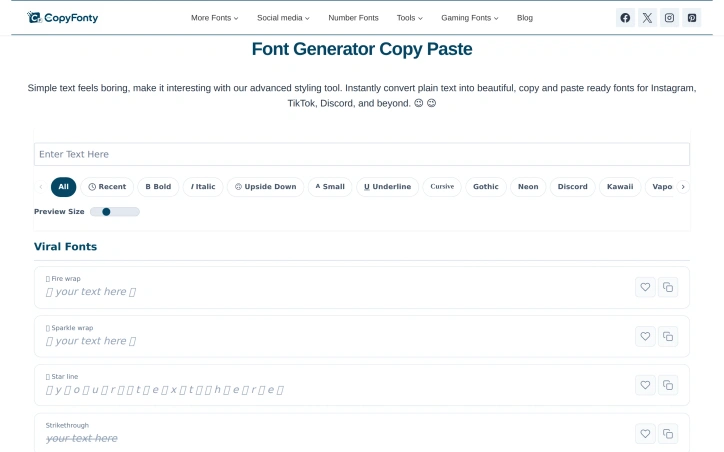
Copy Fonty is a free online font generator created to make stylish text simple and accessible for everyone. Many users want to make their social media bios, posts, usernames, gaming profiles, messages, and creative content stand out, but finding and creating different text styles can be difficult. Copy Fonty solves this problem by providing a simple collection of fancy Unicode font styles that users can generate and copy instantly. Users can enter their normal text and transform it into different styles, including bold, italic, cursive, gothic, calligraphy, aesthetic, small text, and other creative Unicode styles. The generated text can then be copied and pasted into social media profiles, posts, websites, chats, games, and other platforms. The goal of Copy Fonty is to provide a fast, free, and easy-to-use font and text styling experience without requiring downloads or complicated software.

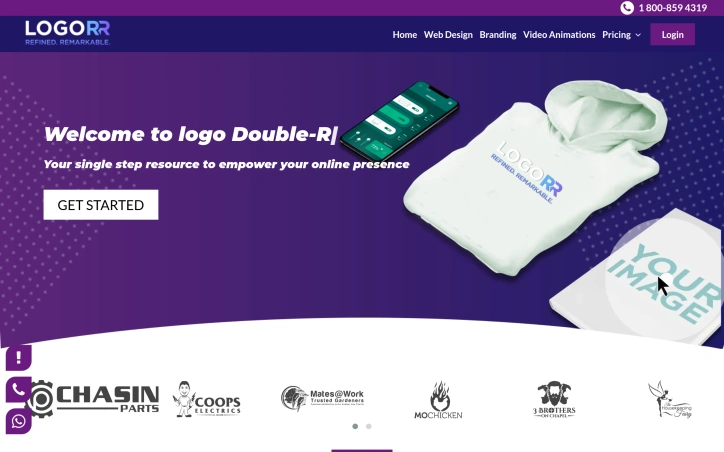
Affordability has long been the barrier keeping small businesses and startups from professional design work. Logo Double-R addresses this directly by offering custom logo design, website design, and video animation services starting at $49, positioning itself as an alternative to high-cost design agencies that price out emerging companies and solo entrepreneurs. The service targets business owners who need to establish a visual brand but operate under tight budget constraints. Rather than the multi-thousand-dollar engagements typical of traditional design firms, Logo Double-R collapses that cost barrier significantly. The founder's model centers on the premise that professional branding should not require substantial capital investment, a positioning that resonates with cost-conscious founders building from scratch. What sets the offering apart is the simplicity of the value proposition combined with a breadth of services. Most budget logo services stop at logos. Logo Double-R bundles website design and video animation into the same accessible price range, allowing customers to address multiple branding needs without piecing together vendors. The inclusion of a 100 percent satisfaction guarantee reduces perceived risk for first-time buyers uncertain about remote design services. This guarantee suggests confidence in deliverable quality and serves as a differentiator in a space where reputation matters. The company presents itself as a single-step resource for building online presence, acknowledging that most small businesses need more than a logo alone to compete digitally. The expanded service menu across design disciplines means customers can consolidate vendor relationships and reduce coordination overhead. A USA-based phone line (1-800-859-4319) provides direct contact capability, which is notable for budget service tiers that often default to email-only support. The pricing model appears constructed around volume and operational efficiency rather than boutique positioning. By standardizing packages and streamlining processes, the company achieves margins that allow aggressive pricing while maintaining profitability. This is a deliberate business choice that trades customization and hand-holding for accessibility. The primary limitation is that the scraped website content provides little insight into process quality, designer credentials, or typical turnaround times. The brand positioning emphasizes affordability and speed rather than award-winning design credentials, which is appropriate for the market segment but signals that clients should set expectations accordingly. This is a service built for businesses that need functional branding quickly and cheaply, not for those seeking design that becomes a competitive moat. For that precise audience, the offering delivers.

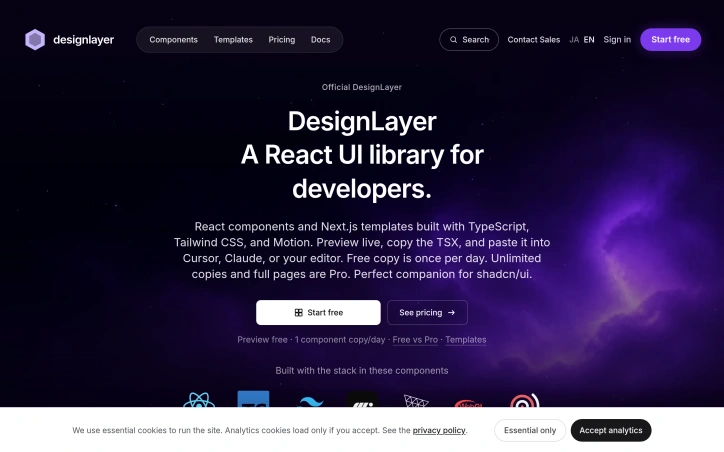
Developers shipping React applications face a persistent friction point: moving from design mockups to production code requires either building components from scratch or hunting for pre-built solutions that rarely match the design intent. DesignLayer addresses this by combining a live component library with a workflow optimized for AI-assisted development. The platform positions itself as a motion-first alternative within the shadcn/ui ecosystem. Rather than static documentation, DesignLayer lets developers see animations in real time before copying the underlying TypeScript. The workflow is straightforward: browse the catalog, preview a component's behavior, copy the production-ready TSX, and paste it into Cursor, Claude, or any editor. This assumes developers increasingly work with AI tools and prefer handing off design intent programmatically rather than through screenshots. The component selection reflects common SaaS patterns: headers, hero sections, feature cards, portfolio layouts, and grids. Templates add cohesion—complete starters like a SaaS landing page reduce assembly work. All components use TypeScript, Tailwind CSS, and Framer Motion, integrating cleanly with existing shadcn/ui setups. Testimonials hint at the actual value: reduced design-to-engineering back-and-forth, confidence that code matches intended spacing and motion, and easier collaboration when code embodies visual hierarchy. The emphasis on consistency suggests the library solves a real coordination problem between design and engineering. The business model is straightforward. Free allows one component copy per day, positioning the tool as try-before-you-buy. Pro unlocks unlimited copies and full page templates. For developers or small teams, free is useful for sampling; for active projects, Pro offers low-friction commercial access. DesignLayer's differentiation rests on three bets: that motion matters enough to preview live, that copy-paste workflows save meaningful time, and that AI editors like Cursor are becoming standard. If any assumption holds for your workflow, the tool is worth testing. For developers in the shadcn/ui ecosystem, adoption friction is minimal.

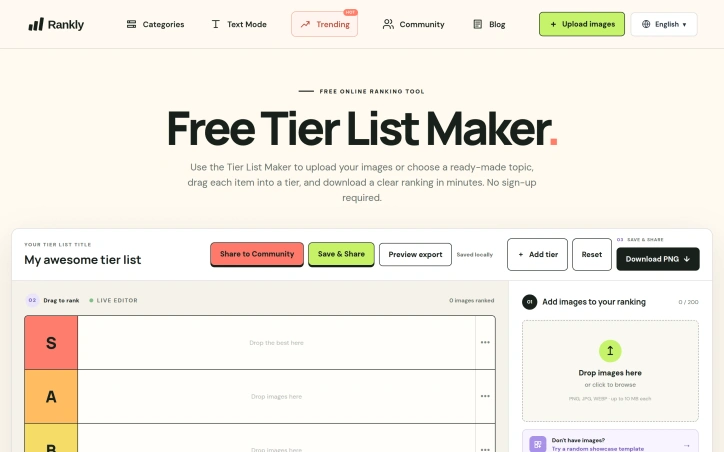
Ranking things is a universal pastime, yet the tools available for creating visually organized tier lists have historically been either cluttered with unnecessary features or hidden behind account requirements. Tier List Maker strips away the friction by delivering a straightforward, no-signup-required platform for turning ranked items into shareable images. The product targets a broad audience, from gaming enthusiasts comparing video game characters and weapons to film fans debating cinema quality to casual users ranking everyday items like fast food chains or fruits. The interface reflects a deliberate design philosophy: users can immediately start working by uploading images, selecting from a ready-made template, and dragging items into custom tier rows within a single session. What distinguishes Tier List Maker in a crowded category is its aggressive focus on simplicity. The platform accepts up to 200 images per ranking, with individual file size limits of 10 megabytes, supporting PNG, JPG, and WEBP formats. The drag-and-drop interface requires no learning curve. Most importantly, the export functionality is built in from the start—users can generate a clean PNG download of their complete ranking in minutes, making the tool genuinely fit for sharing on social media or communities. The template library demonstrates production value and market awareness. Rather than offering generic tier systems, Tier List Maker provides curated starting points across multiple niches: gaming templates for Pokémon, Genshin Impact, Honkai Star Rail, Marvel Rivals, League of Legends, and others, each pre-populated with relevant assets. Non-gaming verticals receive similar treatment, with templates for DC movies, fast food chains, and fruit nutrition comparisons. Several templates include quality-of-life features like role-based filters or searchability. The pricing structure is straightforward: the service is entirely free. No premium tier, no image upload limits requiring payment, no watermarks on exports. This approach positions Tier List Maker as a genuinely accessible community tool rather than a freemium product. The platform does carry functional constraints—templates consist of pre-populated assets rather than continuously updating, and customization depth stops at tier labels rather than extensive styling options. These boundaries reflect the core philosophy of doing one thing well. Tier List Maker succeeds because it acknowledges a genuine behavioral need, removes every obstacle between intent and completion, and delivers a polished output without asking for money or registration.

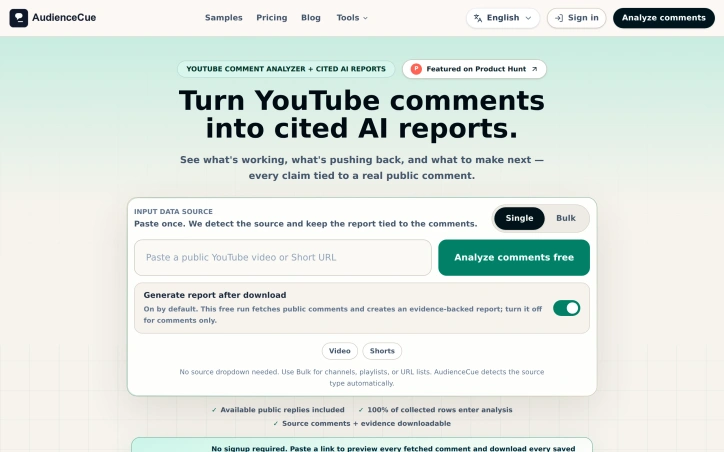
Understanding audience sentiment from YouTube comments has traditionally been a manual, anecdotal exercise. Creators and researchers scroll through hundreds or thousands of comments, picking out patterns by hand, with no systematic way to validate whether their impressions reflect broader audience consensus. AudienceCue addresses this gap by automating the collection and analysis of public YouTube comments, converting raw feedback into structured reports that tie every insight back to supporting evidence. The product works across multiple input types, including individual videos, Shorts, channels, playlists, and even bulk URL lists. Users paste a link or list, and the tool automatically detects the source type, collects public comments and available replies, and feeds them into an AI analysis engine. Rather than black-box insights, AudienceCue's reports cluster audience feedback into thematic narratives—what viewers repeatedly mention, what they defend, what they ask for next—and every finding links directly to the original comment that supports it. This evidence-based approach gives creators and researchers confidence that reported trends actually reflect their audience's comments. The feature set reflects practical creator needs. Reports can identify audience narrative patterns, surface content demand signals, flag backlash risks, and prioritize where creators should engage in replies. Users can export the underlying comments to CSV, JSON, TXT, or XLSX formats, and share read-only reports with collaborators or export them as HTML, Markdown, or JSON. The public sample reports demonstrate the breadth of use cases: creator planning, competitive research, launch readiness assessment, and sponsorship risk evaluation. A notable design choice: the tool collects and analyzes only—it does not post comments, moderate conversations, or take automated actions on YouTube channels. This constraint keeps the product focused and removes potential friction around channel moderation policies or accidental spam. The business model includes free and paid plans, though specific pricing details are not publicly detailed in available materials. For creators and content strategists seeking to understand audience sentiment without manual analysis, the tool fills a real gap in knowing what audiences actually think beyond anecdotal impressions.

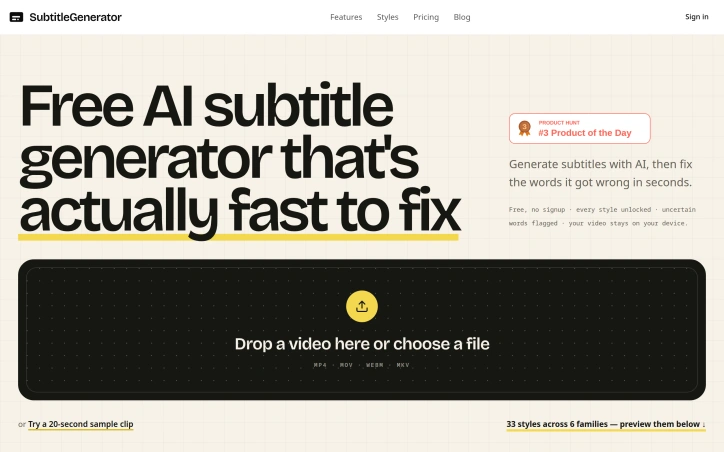
Creating subtitles for video remains a bottleneck for content creators, educators, and marketing teams. Either they rely on manual transcription—expensive and time-consuming—or turn to AI tools that generate drafts but require tedious corrections across multiple apps. SubtitleGenerator consolidates this entire workflow into a single browser-based editor. The platform addresses the core pain point directly: AI-generated subtitles are fast but imperfect. Rather than pretending otherwise, SubtitleGenerator flags low-confidence words automatically, letting creators quickly decide whether to accept, edit, or re-transcribe each flagged segment. This pragmatic approach acknowledges that AI needs human oversight while making that oversight friction-free. The interface shows context by allowing creators to hear the audio around a questionable word before making a correction, eliminating blind guessing. Beyond transcription, the platform bundles everything needed to publish: text correction and timing adjustments, a library of 33 caption styles organized across six typographic families, translation capabilities in paid tiers, and one-click export. The caption styles shift together as cohesive design systems rather than isolated options, suggesting thoughtfulness about the visual presentation layer. Styles span specific use cases—from tutorials to shorts to gaming highlights—signaling that the product understands different creator needs. The business model layers free and paid access. The free tier notably includes all 33 subtitle styles and requires no account signup, removing activation friction. Paid tiers unlock full-track translation in addition to per-cue translation. The free tier's generosity at the styling level is unusual; most SaaS tools gate design options aggressively. A privacy angle runs throughout: video files stay on the user's device rather than being uploaded to remote servers. This distinction matters for creators working with client content or sensitive material, and SubtitleGenerator foregrounds it as a core feature rather than burying it in documentation. The product positions itself for a clear user base: anyone publishing video who has grown frustrated with subtitle creation as a multi-step chore. The implementation—consolidating generation, verification, styling, and export into one place—directly targets workflow efficiency. What remains to test in practice is whether the AI accuracy genuinely outperforms competitors and whether the correction interface stays responsive as projects accumulate flagged words across longer videos.