
Catalyst Healthspan Audit
Personal trainers typically sell training sessions. This startup reversed the equation by building assessment first, mak...
Launchory
We built Launchory to solve the discoverability problem for startups. Our platform offers instant approval, permanent do...
Best Design & Creative Startups & Tools
Recently Listed
148 launches
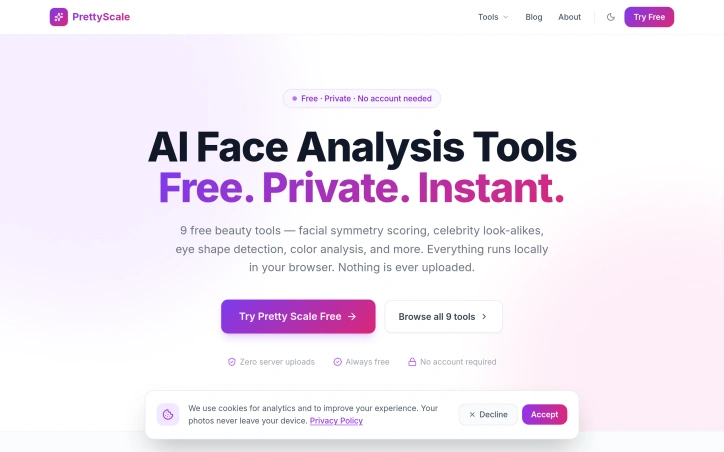
In the realm of beauty analysis, concerns about privacy often hinder users from exploring their features in-depth. To address this, a novel solution has emerged, prioritizing user privacy while providing a suite of AI-powered beauty tools. The driving force behind this innovation is the need for a secure and confidential platform where users can analyze their facial features without compromising their personal data. By ensuring that all analyses run locally within the user's browser, the solution effectively eliminates the risk of sensitive information being shared or stored. What stands out about this product is its commitment to maintaining user privacy while delivering a comprehensive range of beauty analysis tools. The absence of server uploads and data collection mechanisms underscores this commitment. Notably, the AI-driven tools are diverse, encompassing facial symmetry scoring, celebrity look-alikes, face shape detection, and color analysis, among others. Key features worth highlighting include the ability to analyze 468 facial landmarks for precise assessments and the availability of personalized style tips and recommendations based on the analysis. The product offers nine distinct tools, each designed to cater to different aspects of beauty analysis, from determining face shape and eye shape to estimating age and identifying the most flattering colors. The product is touted as being free forever, with no hidden costs or account requirements, making it accessible to a wide range of users. By forgoing a traditional revenue model that relies on user data or subscription fees, the developers have successfully created a unique value proposition centered around privacy and accessibility.

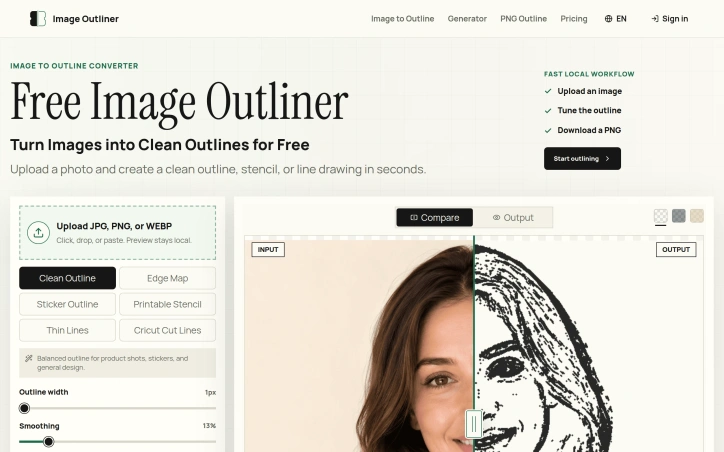
Converting images into clean, usable outlines is a task that has long plagued creatives, requiring either expensive design software or tedious manual tracing. Image Outliner addresses this issue head-on, providing a straightforward solution for individuals looking to transform their photos into crisp line drawings. The tool is designed with a specific user in mind: crafters, designers, and artists seeking to create outlines for various applications such as Cricut projects, stickers, tattoo stencils, or coloring pages. It delivers on its promise by offering a range of output styles tailored to different use cases, including clean outlines, printable stencils, and Cricut cut lines. What stands out about Image Outliner is its commitment to a fast and private workflow. The entire process, from uploading an image to downloading a PNG, occurs locally in the browser, ensuring that users' data remains private. The tool also provides a range of controls to customize the output, including stroke width, smoothing, and threshold, allowing users to fine-tune their outlines to suit their needs. Key features include the ability to upload various image formats, preview and adjust the outline in real-time, and download transparent PNGs. For users requiring a more polished result, an AI Enhance feature is available, although this comes at a cost, with one credit being used per enhancement. The product's focus on practical output is evident in its design, with features such as edge map previews and Cricut-ready outlines demonstrating a clear understanding of the needs of its target users. Overall, Image Outliner offers a valuable solution for creatives looking to simplify the process of creating clean, usable outlines from their images.
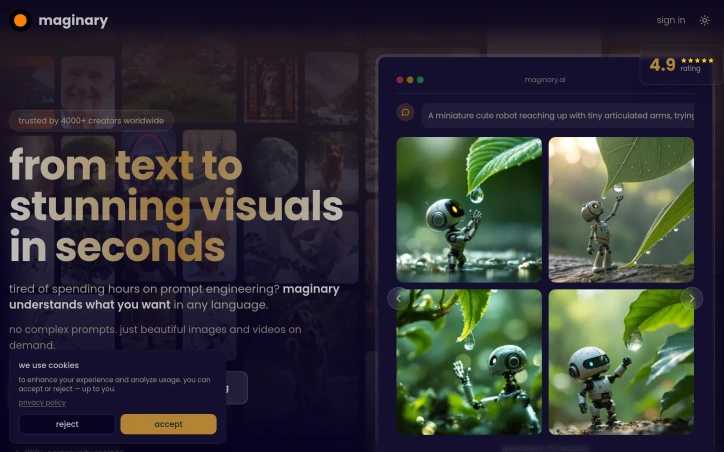
Creating stunning visuals from text prompts just got a lot easier, thanks to a innovative AI-powered solution designed specifically for creators. The problem it tackles is the tedious and time-consuming process of crafting complex prompts to achieve desired results, freeing up artists to focus on their craft. What stands out about this product is its ability to understand intent in any language, allowing users to simply write in plain language and receive high-quality images and videos on demand. The AI engine is capable of delivering diverse and unique outputs, making it an ideal tool for those who need rapid iterations and varied results. Notably, the product boasts a range of key features, including the ability to generate four variations in seconds, making it perfect for tight deadlines. It also offers style references, video generation, and more, built right in. Additionally, users can integrate the product into their workflow via a full REST API with comprehensive documentation and examples. The pricing model is straightforward, with a pay-as-you-go approach that eliminates forced subscriptions. Users can choose from a range of plans, including a novice pack with no commitment, or higher-tier plans with varying levels of support and credits. All plans include full commercial rights, with no hidden fees, and users can cancel anytime. With over 600 creators worldwide already trusting this product, it's clear that it's making a significant impact in the creative community. By simplifying the process of creating stunning visuals, this AI-powered solution is empowering artists to bring their ideas to life quickly and easily.

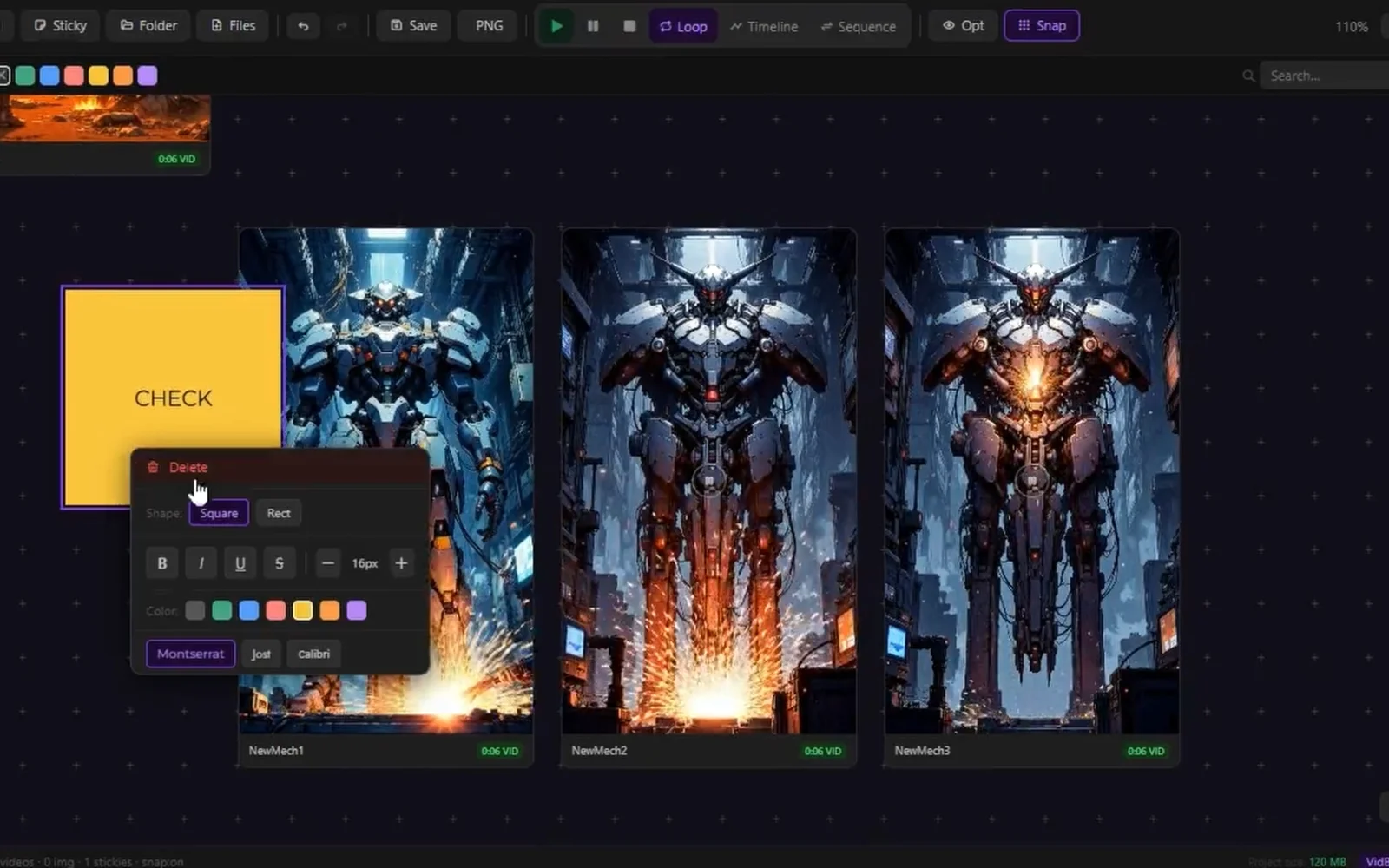
Creators working with AI-generated media face a fragmented workflow. After spending time generating images and videos across various AI tools, they must jump between multiple applications to organize, compare, and present their results. VidBoards consolidates this repetitive context-switching into a single, focused application designed specifically for reviewing and presenting generated batches. The product targets AI creators actively using generation tools like ComfyUI, Automatic1111, Stable Diffusion, and similar platforms. Rather than building yet another creation tool, VidBoards solves the problem that comes after generation: managing outputs efficiently, comparing results systematically, and presenting sequences without leaving the application. What distinguishes VidBoards is its philosophical foundation. The application operates entirely locally without subscriptions, accounts, or cloud services. It reads embedded metadata directly from generated files, eliminating manual documentation burden. This approach appeals to creators who prioritize privacy and control over their workflow. The interface centers on an infinite canvas where users arrange videos and images freely using standard gestures: middle-mouse panning, scroll-wheel zooming, and optional snap-to-grid alignment. Multiple boards support unlimited cards per project, saved as lightweight .vdb files. The architecture remains deliberately simple, keeping users focused on their media rather than fighting interface complexity. The shared timeline feature represents the core innovation. A single scrubber syncs all videos to the exact same frame simultaneously, enabling instant comparison across dozens of clips. Rather than opening multiple players and mentally tracking differences, creators see frame-by-frame variations across all takes at once. This directly addresses the time spent hunting for optimal shots. Sequence Mode transforms the application into a presentation tool. Users activate a full-screen overlay, arrange clips in order, and play them back-to-back like a showreel. Auto-advance between items and keyboard controls eliminate the need to export to external presentation software. Supporting tools include batch operations through multi-select, quick media controls for simultaneous playback or looping, and support for PNG, JPEG, WebP, MP4, and MKV formats. The application also handles metadata from multiple AI generation tools seamlessly. The pricing model is unambiguous: free, forever, with no subscription, no account requirement, and no cloud dependency. For a creator-focused tool addressing a specific workflow bottleneck, VidBoards demonstrates disciplined product design aligned with its audience's actual needs.

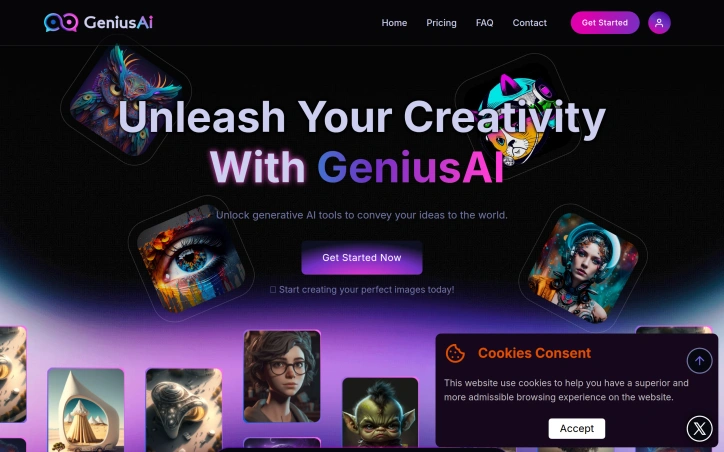
Creative professionals and businesses struggling to generate high-quality visual content at scale now have access to a streamlined AI image generation platform that prioritizes both speed and ease of use. GeniusAI targets content creators managing production timelines, marketing teams running campaigns, and developers building AI-powered applications, offering a tiered approach that accommodates different user needs and budgets. The platform distinguishes itself through deliberate simplicity. Rather than overwhelming users with endless customization options, GeniusAI presents a three-step workflow: select from preset AI models and styles, describe what you want in natural language, and generate the image. This straightforward approach appeals to users without technical AI expertise while providing enough control for professionals seeking consistency across projects. The product features image generation with multiple model variants, photo editing tools, and image upscaling capabilities. Prompt enhancement automatically improves user descriptions before generation, reducing the friction of crafting perfect prompts. Teams can collaborate within a shared workspace, and all tiers include commercial licensing, removing legal uncertainty around using AI-generated content for business purposes. For developers, an API enables integration with existing workflows and the ability to enforce brand guidelines programmatically. GeniusAI's pricing structure reflects its market positioning. The entry-level Genius Creator tier at ten dollars monthly offers 700 monthly credits sufficient for casual creators, with images up to 896 by 896 pixels and access to eight preset styles. The Genius Studio tier at thirty-five dollars monthly jumps to 3,000 credits and increases resolution to 1024 by 1024 pixels while unlocking all 21 available styles. The Genius Pro tier at forty-five dollars monthly adds 5,000 monthly credits, extends creation history to unlimited, and includes twenty-four hour priority support. Each tier supports instant regeneration and full-size downloads. The generation process emphasizes speed; the platform can produce images in seconds rather than minutes, a meaningful advantage for professionals with tight deadlines. The inclusion of multiple generation modes allows users to balance output speed against visual polish depending on project requirements. The platform's positioning emphasizes both accessibility and professional capability, suggesting it serves as a bridge between casual users discovering AI-generated imagery and teams deploying it as part of their production workflows. The combination of competitive pricing, commercial licensing, and team features positions GeniusAI as a practical choice for businesses integrating generative AI into existing creative operations.

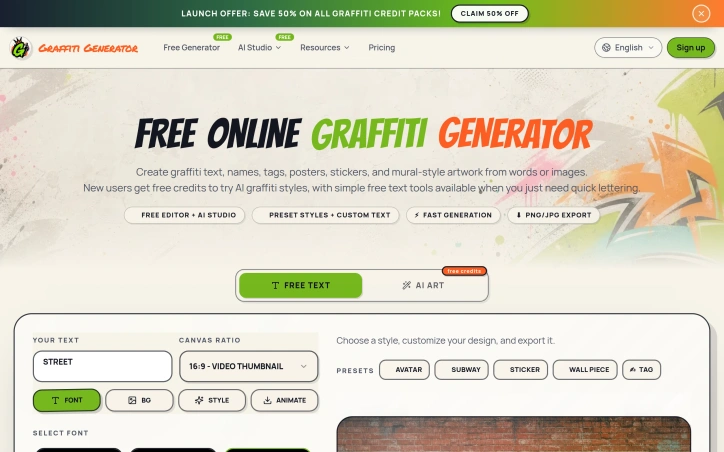
Graffiti Generator is built for creators, designers, students, content makers, small brands, street-art fans, and anyone who wants to turn words, names, tags, or prompts into graffiti-style visuals without learning complex design software. The platform combines free browser-based graffiti tools with AI-powered graffiti image generation. Users can create graffiti text designs, explore name and tag styles, browse graffiti letter pages, generate AI graffiti artwork from prompts, and download results for personal projects, social graphics, posters, stickers, moodboards, profile images, and creative concept work. Unlike a generic AI image generator, Graffiti Generator is focused specifically on graffiti and street-art workflows. It supports different creative entry points: a word, a name, a tag, a single letter, a full prompt, or a source image. This makes it useful whether someone needs a quick graffiti text preview or a more detailed AI-generated mural-style image. Graffiti Generator is designed for fast exploration and visual ideation. It helps users test graffiti styles, compare creative directions, generate readable lettering, and create urban-inspired visuals. The platform includes free tools, free starter credits for new users, and one-time paid credit packs for users who need more AI generations or higher-resolution output.
Tracking parameters embedded in URLs remain one of the most pervasive nuisances on the web, silently collecting behavioral data as links travel between users. Flint addresses this friction point directly with a Chrome extension that strips away UTM tags, Facebook click identifiers, and Google tracking codes while providing transparency into where links actually lead. The product targets everyday internet users who share links frequently and value privacy, but the clean-link premise extends beyond privacy advocates. Anyone who has puzzled over where a shortened URL actually points, or questioned whether clicking a link might lead somewhere unexpected, represents the core audience. What distinguishes Flint is its architecture: the extension performs its heaviest lifting locally within the browser, only contacting external services when users explicitly request certain features like short-link expansion or optional VirusTotal checks. This approach positions privacy as a structural choice rather than a marketing claim. The three-layer local risk model runs entirely client-side, surfacing qualitative signals about URLs without shipping sensitive browsing data anywhere. The feature set stays deliberately focused. Core functionality includes parameter stripping, hover previews that reveal destinations and flagged content, right-click menu integration for one-click link copying, and a paste-and-inspect mode for URLs users want to evaluate before visiting. Pro features add QR code generation, history tracking, custom rules, bulk cleaning, and the option to bring personal API keys for advanced threat checks from VirusTotal or Google Web Risk. The business model reflects this restraint. The core cleaner runs free indefinitely with no account requirement. The Pro tier costs fourteen dollars and ninety-nine cents as a one-time purchase, sidestepping the subscription model that dominates browser extensions and making upgrades genuinely optional rather than predatory. Flint succeeds by embracing scope discipline. It strips tracking parameters from links, reveals real destinations before users click, and does both while preserving browser performance. The local-first architecture and flat pricing model reveal a philosophy that treats users as stakeholders, not extraction targets.


Design exploration traditionally consumes time and money through multiple revision cycles. Whether adapting a kitchen palette, exploring exterior finishes, or conceptualizing landscape layouts, professionals and homeowners have historically chosen between expensive professional renderings or rough sketches that fail to communicate the full vision. ArchOne AI addresses this friction by offering a specialized visualization engine that converts reference photos into design variation studies across interior, exterior, and landscape domains. The platform targets interior designers, architects, landscape professionals, and design-conscious homeowners—anyone who needs to explore directional options before committing resources to execution. What distinguishes ArchOne from generic image-generation tools is its deliberate focus: it generates variations tied to specific design disciplines rather than attempting to be an all-in-one creative tool. Users can examine material palettes, lighting conditions, furniture arrangements, facade colors, planting schemes, and hardscape concepts all sourced from the same project image. The company is explicit about its boundaries. ArchOne is not CAD software, not BIM, not construction documentation, and not a replacement for structural or code review. This positioning is refreshingly honest—it occupies the ideation and communication layer, not the technical delivery layer. A designer can use it to show three different material directions to a client before investing time in detailed specifications or renderings. The feature set spans three integrated modules. The interior tool handles room concepts, layouts, materials, and ambiance. The exterior module focuses on facades, entry treatments, trim, and curb appeal. The landscape tool generates planting ideas, hardscape options, outdoor room concepts, and lighting. Each operates from the same input—a photo, sketch, or reference image—and produces client-ready visual options without requiring users to operate multiple platforms. The platform offers a free tier alongside paid options, lowering the barrier to trial. The gallery demonstrates realistic outputs across residential spaces: patios, kitchens, living rooms, garden concepts, and facade studies. Visually, these show competent AI image generation anchored to specific design constraints rather than unconstrained creative generation. For design professionals managing client communication cycles or homeowners testing ideas before hiring contractors, ArchOne compresses exploration phases that typically unfold over days or weeks of revision requests into minutes of iteration.


Streamlining visual content creation for non-designers has become a genuine market need, and Grok Imagine addresses it by combining text-to-video and image-to-video generation in a single interface. The tool targets creators, small production teams, and anyone who needs professional-grade visuals without mastering complex design software or waiting through long rendering times. The product's core value proposition centers on speed and accessibility. Generation happens in seconds rather than hours, with synchronized audio built into the workflow. The underlying xAI model produces what the company describes as cinematic results—expressive lighting, character consistency, realistic motion, and style fidelity. These aren't trivial accomplishments in generative media; competitors often struggle with temporal coherence in video or maintaining visual coherence across a sequence. Several features distinguish this offering in a crowded space. Commercial use rights come standard across all pricing tiers, removing a significant friction point for businesses that want to deploy generated content immediately. Privacy is positioned as a default; prompts and assets remain private and aren't shared with third parties, which appeals to creators handling sensitive or proprietary work. The generation history window scales with subscription level—90 days at the Pro tier, up to a full year for Max subscribers—giving users practical access to past work. The pricing structure uses a credit system rather than a pure subscription model, which allows flexibility. Monthly plans range from Plus at $9.90 to Max at $39.90, with credit allocations from 1,000 to 6,000 per month. One-time credit packs offer entry points for trial users or supplemental bursts. The per-credit cost improves with tier; Max subscribers pay $6.65 per thousand credits versus $9.96 for one-time purchases, incentivizing commitment. Pro tier—labeled as the popular option—sits at $19.90 with 2,500 monthly credits and priority processing, suggesting that's where the company expects mainstream adoption. What's notably absent from the marketing material are specific performance benchmarks, model architecture details, or comparative testing against competitors. The feature set is presented clearly but without quantitative validation. The pricing is transparent but unconventional enough that a potential customer would need hands-on experimentation to understand value per credit across different content types. For creators managing tight deadlines and those pricing out of enterprise tools, Grok Imagine delivers on its core promise: turning inspiration into finished visual content with minimal technical friction.


An AI-powered mobile application for personal beauty assessment and skincare planning, Beauty Score targets users who want instant feedback on their facial appearance and actionable steps toward improved skin health. The platform transforms selfies into multidimensional beauty insights, filling a gap between casual beauty curiosity and the friction of professional dermatology consultations. The core offering combines three interdependent functions. First, it generates a numerical beauty score from zero to one hundred, providing immediate quantifiable feedback. Second, it delivers face and skin analysis covering symmetry, emotional expression, age estimation, and specific skin conditions including blemishes, acne, and dark circles. Third, it constructs personalized skincare routines derived from the scan results. This layered approach moves beyond vanity metrics toward practical guidance. What distinguishes Beauty Score is its emphasis on usability and shareability. The analysis translates into step-by-step skincare recommendations rather than abstract commentary. Users can export findings as PDF reports or share aesthetic cards in six visual formats ranging from classic to Y2K styled, treating results as both personal tools and shareable social content. This dual positioning as entertainment and skincare reference broadens its appeal across demographics and use cases. The application leverages mobile convenience as a core differentiator. Available through both Google Play and the App Store, it requires only a smartphone camera and delivers results in seconds. The emphasis on speed and accessibility contrasts with traditional beauty consultations requiring time, cost, and geographic proximity to specialists. The product exercises appropriate restraint in its positioning. The published disclaimer clarifies that AI-generated recommendations constitute skincare inspiration rather than medical guidance, explicitly stating they should not replace professional care. This framing acknowledges the tool's entertainment value while establishing boundaries around health claims. Pricing information remains absent from publicly available materials, limiting assessment of the business model. The availability across both major mobile platforms suggests either freemium distribution or paid download, though specific monetization details require further investigation. Beauty Score targets beauty enthusiasts, skincare-curious consumers, and individuals seeking confidence through personalized appearance feedback. It functions simultaneously as a self-reflection tool, a skincare planning device, and social content generator. The product's core strength lies in packaging AI analysis into both accessible assessment and actionable routine, delivered at mobile scale.


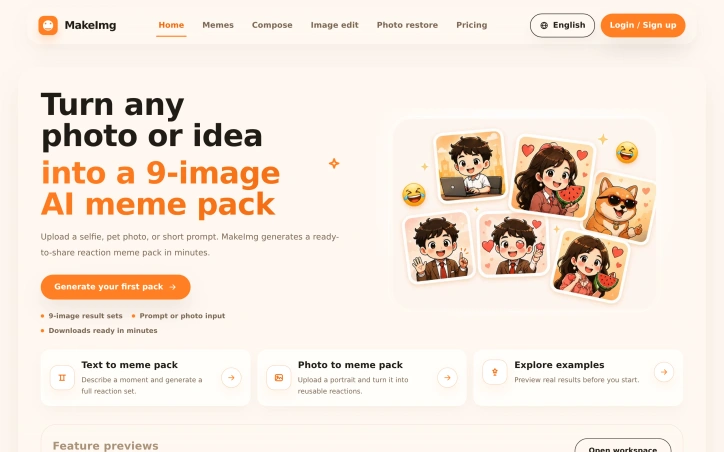
Transforming casual photos and idle ideas into polished visual content typically demands design skills, software expertise, and hours of editing time. MakeImg streamlines this process for creators who want fast turnaround on shareable meme packs without the friction. The core offering is straightforward: upload a portrait or describe a scene, and the platform generates a cohesive nine-image reaction set ready to download within minutes. This addresses a real gap for content creators, social media enthusiasts, and anyone who wants to produce on-brand visual assets without learning specialized tools. The service works across two main input modes—text prompts for conceptual meme packs and photo uploads for personal reaction sets—making it accessible regardless of whether a user starts with an idea or existing imagery. Beyond the headline meme-pack feature, the platform extends into adjacent creative workflows: image composition layers multiple reference photos into a single output, image editing lets users refine shots with text instructions, and photo restoration repairs old or damaged images. This breadth gives creators flexibility to complete different project types within one interface rather than toggling between specialized apps. The product philosophy appears centered on quick iteration and exploration. The platform includes a gallery of real generated outputs, positioning users to preview results before committing time, and emphasizes minute-level generation speeds. This matters for creators managing content calendars or capitalizing on trending moments. Pricing follows a familiar creator-tool playbook: a free starter tier for exploring the full workflow, a $9.99 monthly subscription pitched to regular generators, and a one-time $5 single-pack purchase for occasional users. The credit-based model allows scaling without forced subscription commitment, though the pricing page references credits without detailing exact generation costs per feature. What remains underexplored in the marketing materials is the consistency quality of output, particularly whether multi-image sets maintain visual cohesion across poses and expressions. Given the technical challenge of generating nine related images that function as true reaction options, this is worth validating before deciding if the tool fits professional creator workflows versus casual meme sharing. The positioning is solid for the target user: someone who values speed and ease over granular creative control. MakeImg occupies sensible territory between demand and execution, offering enough workflow options to feel like a complete toolkit while keeping the interface simple enough for non-technical users to generate results immediately.
For anyone curious about an animal spotted in nature, a wildlife photo found online, or simply wondering about a creature in their yard, this browser-based identification tool fills a straightforward need. The product targets a broad audience spanning students researching wildlife, parents answering children's questions about animals, nature enthusiasts documenting sightings, and pet owners identifying unfamiliar creatures. The distinctive angle here centers on responsible wildlife interaction. Rather than simply naming animals, the platform pairs identification results with explicit safety guidance, reminding users not to approach, touch, feed, or capture animals based on photo recognition alone. This emphasis recurs throughout the interface and represents a thoughtful addition in an educational context where misidentification could lead to dangerous behavior. The core workflow is straightforward: upload an image in PNG, JPG, or WEBP format and receive the likely species identification along with supporting visual evidence. Beyond the name, users get habitat information, diet details, behavioral characteristics, regional context, and interesting facts. The platform indicates confidence levels in its guesses, an important transparency feature when stakes involve human safety around wildlife. The product addresses a common search behavior by organizing around specific user questions: "What animal is this," "Identify an animal by picture," and "What kind of animal is this." Rather than forcing all queries into a single form, these focused pages acknowledge how people actually ask these questions while maintaining the same upload-based identification mechanism. This mirrors how real search behavior works and makes the tool feel aligned with user intent rather than rigid. The decision to operate entirely in the browser eliminates friction present in traditional app-based identification tools, removing download requirements and installation steps. This approach democratizes access and positions the platform as a quick reference rather than a commitment download. The emphasis on visual explanation distinguishes this from simpler name-guessing alternatives. By showing what clues the model detected, the tool educates alongside identifying, useful for learning-focused users. The safety guidance strips away the novelty of AI identification and anchors the interaction to practical, responsible behavior. Pricing or monetization strategy receives no mention in available materials, leaving the business model unclear. The feature set and positioning suggest education and wildlife safety as core values, which shapes how the product positions itself even if commercial viability remains unstated.

A browser-based tool that scores facial attractiveness using AI, this service appeals to the growing cohort of internet users curious about how machine learning perceives human features. The product serves dual purposes: it offers entertainment and quick visual feedback, while simultaneously demonstrating how AI models trained on large facial datasets respond to photographic variation. The core offering is straightforward. Users upload a photo, and the system analyzes multiple dimensions beyond raw attractiveness—including smartness, confidence, trustworthiness, fun, and approachability. Results arrive within seconds, accompanied by explanations of which facial attributes influenced the scoring. The interface requires no account creation or login, lowering friction for casual experimentation. What distinguishes this product is its transparency around its own limitations and variables. The site explicitly acknowledges that results fluctuate based on image quality, lighting, angle, and expression, positioning the tool as an educational instrument for understanding AI behavior rather than an authoritative beauty assessment. This framing mitigates some of the reputational risk inherent in any attractiveness-rating product. The accompanying guidance on photo selection—emphasizing clear, front-facing shots under good lighting—reinforces the educational angle and manages user expectations effectively. Privacy appears to be a selling point. The site claims photos are neither stored nor shared, addressing the obvious concern that facial data uploaded to a web service could be harvested or retained for model retraining. Whether this promise holds up to external audit is unclear, but it's presented prominently. The product leverages claims of sophisticated facial analysis trained on millions of images, examining symmetry, proportions, and skin quality. These claims align with capabilities available in commercial computer vision APIs but lack third-party validation or technical specificity on the site itself. From a business model perspective, the service is entirely free with no subscription tiers or upsells mentioned. Revenue generation remains unstated, leaving questions about sustainability and monetization strategy. Whether the business model relies on attention, data collection, affiliate arrangements, or another mechanism is not revealed. The product succeeds most clearly as a novelty tool that scratches an itch—what would an AI think?—while incidentally teaching users about how machine learning responds to visual input. It occupies an unusual position between entertainment and education, making it accessible to curious users without demanding serious engagement or personal investment.

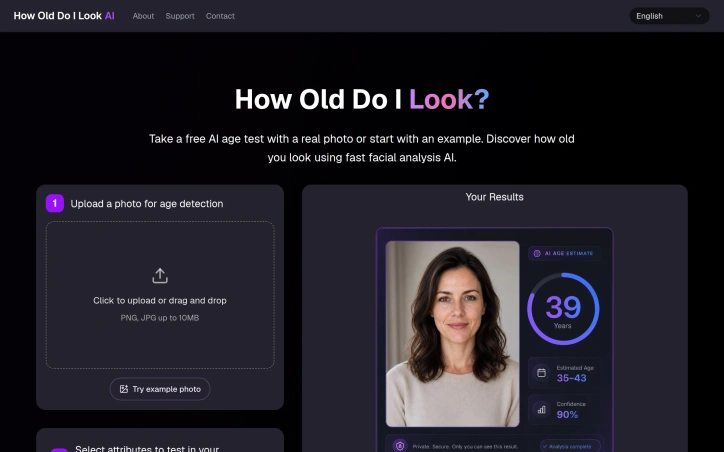
Facial analysis tools have long promised to read age from appearance, but most come wrapped in complexity or concern about data handling. This free browser-based age estimator strips away both, offering a lightweight entry point for anyone curious about how AI perceives facial age markers. The core appeal targets a broad spectrum: casual users wanting an entertaining experiment, people interested in understanding computer vision limitations, and those exploring how presentation factors influence machine perception. The tool requires nothing beyond a photo and delivers results instantly without demanding account creation or email registration. What differentiates this offering is its transparency about the mechanics and limitations of AI age estimation. The interface doesn't pretend to scientific precision; it frames the output as entertainment-oriented and explicitly acknowledges that lighting, camera angle, expression, makeup, and image quality all shape the result. This directness extends to privacy handling. The platform commits to not storing or sharing uploaded photos, addressing a common hesitation around facial analysis services. Beyond age estimation, the tool analyzes five trait attributes: smartness, confidence, trustworthiness, attractiveness, and approachability. This expands the offering from a single-metric feature into a broader personality perception experiment, adding layers to how users interpret the model's outputs. The product workflow demonstrates efficiency. Users upload a clear front-facing photo, select which traits interest them, and receive face-based scores within seconds. The browser-native experience eliminates download friction, and the inclusion of example predictions helps calibrate expectations before uploading personal images. The educational component stands out as particularly valuable. Rather than hiding how image variables affect results, the FAQ section walks through why apparent age shifts across different photos of the same person, what creates misleading outputs, and how to read scores responsibly. This approach acknowledges that engaging with AI perception demands literacy about the tool's constraints. Pricing is straightforward: the service is free with no premium tier mentioned. This positions it as genuine exploration software rather than a freemium funnel. The main limitation is inherent to the category. AI age estimation will always reflect training data bias and visible image characteristics rather than actual age. The tool handles this candidly, but users should enter with realistic expectations about accuracy and fairness. For entertainment, curiosity-driven exploration, and lightweight AI experimentation, the product delivers what it promises.
Fragmentation plagues the AI creative tools landscape. Rather than mastering dozens of standalone platforms, visual creators face constant friction: jumping between subscriptions, learning new interfaces, and managing project context across disconnected applications. HubVanta AI addresses this consolidation problem head-on by housing multiple leading image and video generation models under one roof. The platform packages access to industry models including Midjourney, Flux AI, GPT-4o, and Stable Diffusion alongside a proprietary set of AI capabilities. This breadth matters. Instead of subscribing to separate services for text-to-video, image-to-video, background removal, upscaling, voice cloning, and face analysis, creators maintain a single workspace with clear organization across workflows. The positioning targets visual professionals: content creators, marketers, founders, and product teams who value time over perfection, particularly those who prototype often. What distinguishes HubVanta AI from simple model aggregation is the emphasis on creative continuity. The interface treats the workspace as persistent context rather than disconnected tasks, allowing users to generate an asset, edit it, then seamlessly transition to repurposing it into a different format without re-explaining the project state. This reduces cognitive overhead, a real pain point for working professionals managing rapid iteration cycles. The capability roster is comprehensive. Video tools include text-to-video and image-to-video generation with reported processing times between one and five minutes for standard outputs. Image tools span generation, editing, enhancement, restoration, and specialized workflows like floor plan analysis and room decoration. Audio capabilities include voice cloning and text-to-speech. Supplementary features address practical needs: video background removal, image watermark detection, and object removal. Access begins with limited free previews on individual tools, with a paid upgrade path when users want to generate without per-tool restrictions. This freemium structure removes the commitment barrier for exploration. The core insight underlying HubVanta AI is sound: creative professionals waste efficiency on tool switching. By centralizing discovery and providing seamless transitions between visual formats, the platform attacks a genuine friction point in AI-assisted content creation.


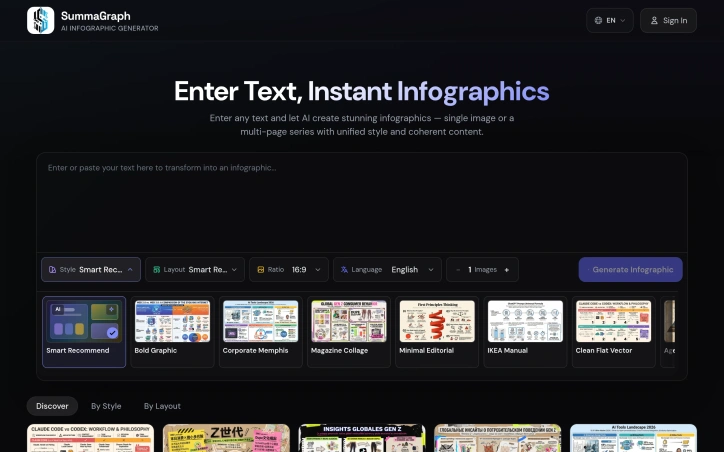
Transforming text into visually appealing infographics is a task that marketers, educators, creators, and students often struggle with, due to the need for design skills and software expertise. A new AI-powered solution addresses this challenge by enabling users to generate high-quality infographics from plain text in seconds. At its core, this product leverages artificial intelligence to read the content, understand its structure, and create a unique visual representation from scratch. This approach ensures that every output is tailored to the message being conveyed, rather than relying on recycled templates. The result is a polished and readable infographic, even when dealing with dense content. What stands out about this product is its ability to offer a high degree of customization, with 17 active visual styles and 20 layout systems that can be combined to produce 340 different combinations. The AI also provides Auto recommendations to simplify the process. Additionally, the product supports 9+ output languages, making it a versatile tool for a diverse user base. The process of creating an infographic is streamlined into three steps: pasting the text, choosing a style and layout, and publishing the visual. The product can handle various types of content, including articles, notes, and research summaries. For longer content, a Series Mode feature allows users to split it into 2-10 connected pages. Users can access the product with free starter credits, and for higher-volume usage, one-time credit packs are available in Lite and Pro options. Overall, this AI-powered infographic generator offers a powerful solution for users seeking to create professional-looking visuals without requiring extensive design experience.
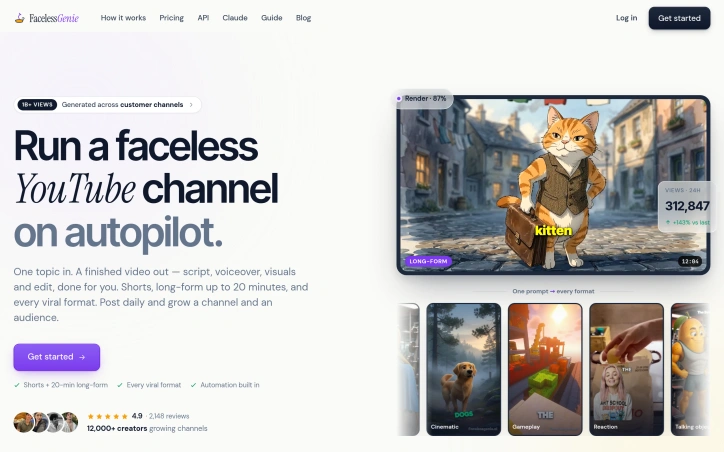
Automated video generation is reshaping how independent creators scale their output. FacelessGenie addresses a real constraint in that workflow: the gap between having a content idea and possessing the technical skills, equipment, and hours required to produce it professionally. The platform takes a creator's topic or brief and handles the entire pipeline—scriptwriting, voiceover generation, visual composition, music selection, and final editing—delivering a finished video ready to upload. The product targets creators operating across YouTube, Instagram, and TikTok. Rather than focusing on a single format, FacelessGenie covers multiple content archetypes: character-driven narratives, talking objects, explainer videos, reaction content, gameplay captures, and AI-generated visuals. It supports both short-form content and long-form pieces up to twenty minutes, allowing creators to experiment across platform-native formats rather than repurposing a single video. What distinguishes FacelessGenie in a crowded field is its breadth of pre-built templates and its claimed consistency in output quality. The site showcases example channels in specific niches—stoicism, history, science, finance, pet care, and self-improvement—each designed to demonstrate that the AI-generated videos can approximate the visual and narrative style of established, successful channels. This signals both capability and deliberate positioning toward profitable niches rather than arbitrary content. The platform has accumulated measurable traction. Its user base includes over twelve thousand creators, with four hundred of them reaching audiences beyond one hundred thousand subscribers. Videos produced through FacelessGenie claim to have generated more than one billion cumulative views. The product carries a 4.9-star rating across over two thousand reviews, suggesting consistent user satisfaction. One gap in the available information is transparency around pricing and business model. The site mentions getting started but does not disclose whether FacelessGenie operates on a subscription model, usage-based pricing, or another structure—a material detail for creators evaluating whether the tool fits their economics. The core value proposition is clear: compress the production cycle from hours or days to a single afternoon. For creators managing multiple niches or chasing trending formats, that compression has direct business impact. Whether the efficiency gains justify adoption depends on whether creators prioritize the tool's automation over hands-on creative control.

Fragmented audio production workflows have long forced music producers to bounce between specialized tools for mixing analysis and feedback, creating an environment where context gets lost between sessions. MixMaster Pro consolidates this experience by centralizing mix analysis within a single platform that maintains the full history of revisions, analyses, and reference materials. The core value proposition eliminates the friction of exporting mixes, uploading them to separate services, and manually reconciling feedback across systems. By keeping all analytical data in one place, the platform allows producers to focus on the creative work of mixing rather than tool administration. The platform includes Maya Studio coaching, a feature designed to understand a producer's specific mix evolution and provide contextual guidance. Rather than delivering generic analysis, this coaching mechanism tracks how a mix changes over time and delivers insights tailored to that progression. This approach recognizes that mixing is iterative—what matters isn't just the current state of a mix, but how it's evolving and what pattern of decisions led to it. The target audience is music producers who have reached a level of sophistication where they're actively seeking tools to improve their mixes. Producers working with multiple projects or those who struggle to identify mix issues by ear alone represent the natural customer base. The platform's success will be determined by whether the AI analysis meets professional audio standards and whether the coaching feature identifies mix problems that experienced producers typically overlook. Producers frustrated with tool fragmentation will find the unified approach compelling. Given the sparse website content and lack of detailed technical specifications, professional validation of the AI's analytical quality should precede any commitment for critical production work.


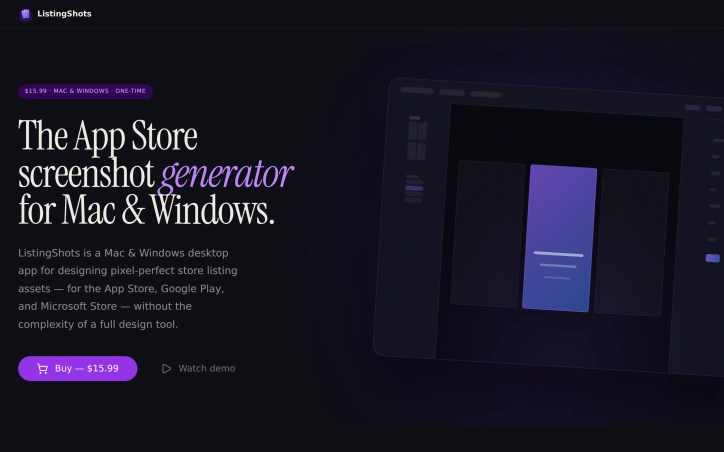
App developers shipping to multiple platforms face a repetitive design bottleneck: creating pixel-perfect screenshots tailored to the unique specifications of the App Store, Google Play, Microsoft Store, and dozens of other digital storefronts. ListingShots addresses this friction with a desktop application purpose-built for asset design without the overhead of general-purpose design tools. The product targets indie developers, small studios, and founders managing listings across the 47 supported platforms—ranging from major app stores to YouTube, Steam, social channels, and web stores. Rather than imposing the full complexity of professional design software, ListingShots constrains itself deliberately. It ships with presets for each platform's exact dimensions, 26 starting templates (Feature Highlight, Dark Pro, Bold Violet, Photo Story among them), and 20+ gradient swatches to accelerate the design phase beyond a blank canvas. The editor handles the essential operations: layering images, shapes, text, and device frames with both 2D and 3D transformations. A built-in search connects to Openverse's CC-licensed photo library, allowing developers to source backgrounds without leaving the app. The export path is direct: one click generates pixel-perfect PNGs at native resolution, ready for upload to any storefront. What distinguishes ListingShots most visibly is its business model and architectural philosophy. At $15.99 as a one-time purchase—not a subscription—the tool positions itself against recurring-fee screenshot generators. The application operates entirely offline, local-first, with no account, cloud storage, or dependency on external services. For teams managing unreleased builds, this offline-first approach eliminates cloud transmission and provides a straightforward cost comparison over five years of operation. ListingShots succeeds not through feature breadth but through disciplined scope. Rather than attempting to rival full design suites, it solves a singular, repetitive problem for a defined audience. For indie developers and small studios managing store listings across multiple platforms, this focused design eliminates paralysis and delivers finished, store-ready assets in minutes rather than hours. The preset-first approach and local-only operation reduce decision friction at every step—making it a credible alternative to both expensive design tools and subscription-based competitors.
Designing high-quality product mockups is a crucial step in bringing designs to life, but it can be a time-consuming and costly process. Mockup Generator AI addresses this challenge by leveraging AI automation to simplify and accelerate mockup generation. The platform is designed for individuals and businesses looking to create professional-grade mockups without the need for expensive software or extensive design expertise. It caters to a wide range of use cases, including e-commerce, advertising, and presentation design. What stands out about Mockup Generator AI is its ability to produce high-resolution mockups in seconds, with a vast library of over 2000 templates across 25 categories. Users can upload their designs, edit the mockup template, and download the final product in their preferred format. The AI-driven process eliminates the need for manual design work, allowing users to focus on their core creative tasks. Key features of the platform include its ease of use, fast generation capabilities, and flexibility in terms of output formats and resolutions. The fact that it is free to use, with no registration required, makes it an attractive option for individuals and small businesses. Additionally, the absence of watermarks on the generated mockups ensures that users can utilize the output for commercial purposes without any restrictions. The platform's versatility is evident in its diverse range of mockup templates, covering various product categories such as apparel, packaging, and advertising materials. Overall, Mockup Generator AI offers a powerful solution for designers, marketers, and entrepreneurs looking to create high-quality mockups quickly and efficiently.