Best Design & Creative Startups & Tools

Recently Listed

143 launches
Sort
Logophi - Original logos with instant vector download

For entrepreneurs and small business owners who need a professional logo quickly, Logophi offers a compelling solution. The website provides a curated collection of original, handcrafted logos that can be purchased and downloaded instantly, eliminating the wait associated with custom design processes. What stands out about Logophi is its commitment to exclusivity; each logo is sold only once, ensuring that buyers receive a unique brand identity. The logos are designed by a real logo designer, and the website showcases a diverse range of designs, from minimalist to bold and symbolic. The process is straightforward: customers browse the collection, select a logo they like, and receive instant digital downloads in various formats, including AI, EPS, SVG, PNG, and JPG. The purchased logo comes with the buyer's business name added for free, and optional color adjustments are available at no extra cost. The commercial license is included, giving buyers full rights to use the logo across various platforms. Logophi's business model is based on a one-time sale for each logo, with prices ranging from $300 to $800. The website features a selection of logos at different price points, giving customers a sense of the design quality and variety available. Overall, Logophi provides a convenient and reassuring solution for startups and small businesses seeking a strong, memorable logo to establish their brand identity. By offering professionally designed, exclusive logos with instant download, Logophi helps new brands launch with confidence.

Design-resources
L
Ljubo Struharik

For entrepreneurs and small business owners who need a professional logo quickly, Logophi offers a compelling solution. The website provides a curated collection of original, handcrafted logos that can be purchased and downloaded instantly, eliminating the wait associated with custom design processes. What stands out about Logophi is its commitment to exclusivity; each logo is sold only once, ensuring that buyers receive a unique brand identity. The logos are designed by a real logo designer, and the website showcases a diverse range of designs, from minimalist to bold and symbolic. The process is straightforward: customers browse the collection, select a logo they like, and receive instant digital downloads in various formats, including AI, EPS, SVG, PNG, and JPG. The purchased logo comes with the buyer's business name added for free, and optional color adjustments are available at no extra cost. The commercial license is included, giving buyers full rights to use the logo across various platforms. Logophi's business model is based on a one-time sale for each logo, with prices ranging from $300 to $800. The website features a selection of logos at different price points, giving customers a sense of the design quality and variety available. Overall, Logophi provides a convenient and reassuring solution for startups and small businesses seeking a strong, memorable logo to establish their brand identity. By offering professionally designed, exclusive logos with instant download, Logophi helps new brands launch with confidence.

Logophi - Original logos with instant vector download preview

Key features

  • Instant Download: Receive logo files immediately after purchase
  • Exclusive Logos: Each logo is sold only once to ensure uniqueness
See full listing
Uitly

Designers, developers, and marketers often juggle multiple online tools to get their work done, only to be hindered by tedious signups, file uploads, and subscription fees. Uitly addresses this pain point by offering a suite of 24 professional-grade tools that run entirely within the browser, eliminating the need for account creation, file uploads, and payment. The target audience is clear: creatives and professionals seeking a convenient, private, and free solution for their design and marketing needs. What sets Uitly apart is its commitment to user privacy and convenience. By processing all data locally within the browser, Uitly ensures that users' files never leave their device, providing a secure experience. This approach also enables instant access to the tools without requiring registration or login. The breadth of tools available is impressive, covering tasks such as URL shortening, QR code generation, barcode scanning, and password creation, among others. Notable features include the ability to generate code-ready output in formats like CSS, JSON, and JSX, making it easy to integrate the results into production workflows. The tools are also designed to be device-agnostic, working seamlessly on desktop, tablet, or mobile devices. Additionally, features like the UTM builder, URL cleaner, and link preview generator demonstrate a clear understanding of marketers' needs. Uitly is completely free to use, with no paywalls or usage limits, making it an attractive option for individuals and teams alike. By forgoing traditional revenue streams like subscriptions, the platform relies on its simplicity and utility to drive user adoption, which has already resulted in 50,000 monthly users. With its robust feature set and commitment to privacy, Uitly is poised to become a go-to resource for designers, developers, and marketers seeking a reliable and hassle-free toolkit.

Design-resources
F
Fahad Ahmad

Designers, developers, and marketers often juggle multiple online tools to get their work done, only to be hindered by tedious signups, file uploads, and subscription fees. Uitly addresses this pain point by offering a suite of 24 professional-grade tools that run entirely within the browser, eliminating the need for account creation, file uploads, and payment. The target audience is clear: creatives and professionals seeking a convenient, private, and free solution for their design and marketing needs. What sets Uitly apart is its commitment to user privacy and convenience. By processing all data locally within the browser, Uitly ensures that users' files never leave their device, providing a secure experience. This approach also enables instant access to the tools without requiring registration or login. The breadth of tools available is impressive, covering tasks such as URL shortening, QR code generation, barcode scanning, and password creation, among others. Notable features include the ability to generate code-ready output in formats like CSS, JSON, and JSX, making it easy to integrate the results into production workflows. The tools are also designed to be device-agnostic, working seamlessly on desktop, tablet, or mobile devices. Additionally, features like the UTM builder, URL cleaner, and link preview generator demonstrate a clear understanding of marketers' needs. Uitly is completely free to use, with no paywalls or usage limits, making it an attractive option for individuals and teams alike. By forgoing traditional revenue streams like subscriptions, the platform relies on its simplicity and utility to drive user adoption, which has already resulted in 50,000 monthly users. With its robust feature set and commitment to privacy, Uitly is poised to become a go-to resource for designers, developers, and marketers seeking a reliable and hassle-free toolkit.

Uitly preview

Key features

  • Local Processing: All data is processed locally within the browser.
  • Code-Ready Output: Generates output in formats like CSS, JSON, and JSX.
See full listing
creafico

Creating engaging content is a constant challenge for short-form video creators, who often find themselves stuck in a cycle of mindless scrolling through social media in search of inspiration. Creafico is designed to break this cycle by providing a streamlined solution for generating viral content ideas. The platform is geared towards creators across various niches who struggle to consistently produce content that resonates with their audience. What stands out about Creafico is its data-driven approach to content creation. By monitoring top-performing accounts in a user's niche, the platform identifies outlier videos that have significantly outperformed their creators' average engagement. This information is then used to generate personalized, ready-to-shoot content briefs, complete with scripts, shot lists, and editing notes. The platform's ability to deliver daily ideas based on real viral content is a key feature that sets it apart from more generic content generation tools. Users can select up to 20 competitor accounts to track, and the platform adapts its suggestions to their style, gear, and location. The setup process is straightforward, requiring just a few minutes to configure. Creafico's pricing model is transparent, with a founding member rate of 29€ per month after a 7-day free trial. Users can cancel at any time with a single tap, and there's a 30-day money-back guarantee if they're not satisfied with the service. Overall, Creafico offers a compelling solution for creators seeking to elevate their content and stay ahead of the competition. By leveraging the insights gained from viral content, users can focus on producing high-quality videos rather than wasting time searching for inspiration.

Ai-generative-media
D
David Galusinski

Creating engaging content is a constant challenge for short-form video creators, who often find themselves stuck in a cycle of mindless scrolling through social media in search of inspiration. Creafico is designed to break this cycle by providing a streamlined solution for generating viral content ideas. The platform is geared towards creators across various niches who struggle to consistently produce content that resonates with their audience. What stands out about Creafico is its data-driven approach to content creation. By monitoring top-performing accounts in a user's niche, the platform identifies outlier videos that have significantly outperformed their creators' average engagement. This information is then used to generate personalized, ready-to-shoot content briefs, complete with scripts, shot lists, and editing notes. The platform's ability to deliver daily ideas based on real viral content is a key feature that sets it apart from more generic content generation tools. Users can select up to 20 competitor accounts to track, and the platform adapts its suggestions to their style, gear, and location. The setup process is straightforward, requiring just a few minutes to configure. Creafico's pricing model is transparent, with a founding member rate of 29€ per month after a 7-day free trial. Users can cancel at any time with a single tap, and there's a 30-day money-back guarantee if they're not satisfied with the service. Overall, Creafico offers a compelling solution for creators seeking to elevate their content and stay ahead of the competition. By leveraging the insights gained from viral content, users can focus on producing high-quality videos rather than wasting time searching for inspiration.

creafico preview

Key features

  • Data-Driven Approach: The platform uses data to generate content ideas.
  • Personalized Content Briefs: Complete with scripts, shot lists, and editing notes.
See full listing
Anitroves AI Hub

Uniting anime enthusiasts under one roof is the driving force behind Anitroves AI Hub, a comprehensive directory that tackles the issue of dispersed resources for otaku AI tools. The platform is designed for fans seeking a more immersive and personalized anime experience. By consolidating various AI-powered tools, Anitroves AI Hub caters to a diverse audience, from casual viewers to dedicated enthusiasts. What stands out about Anitroves AI Hub is its focus on creating a one-stop-shop for anime-related AI tools, providing users with a wide range of features that enhance their interaction with the anime community. The inclusion of tools like Otaku AI Chat, a personal intelligent anime chat assistant, and AniPick AI Suggest, a smart engine for discovering new anime, demonstrates the platform's commitment to enriching the user experience. The presence of RolePlay AI Characters featuring popular anime personalities further adds to the site's appeal, allowing users to engage with their favorite characters in a more interactive manner. Key features of the platform include the ability to generate stunning anime art from text prompts using Vision AI Image, and access to a variety of role-playing characters from popular anime series. The platform also invites users to join its community, allowing them to save their history and like content, which suggests a level of personalization and user engagement. While the pricing or business model details are not explicitly stated, the invitation to "Sign Up" and "Log In" implies that the platform is working towards creating a membership or subscription-based model, potentially offering both free and premium features to its users. Overall, Anitroves AI Hub is a promising initiative that streamlines access to various anime and otaku AI tools, making it a valuable resource for the anime community.

Ai-characters
M
Muhammad Muqeet

Uniting anime enthusiasts under one roof is the driving force behind Anitroves AI Hub, a comprehensive directory that tackles the issue of dispersed resources for otaku AI tools. The platform is designed for fans seeking a more immersive and personalized anime experience. By consolidating various AI-powered tools, Anitroves AI Hub caters to a diverse audience, from casual viewers to dedicated enthusiasts. What stands out about Anitroves AI Hub is its focus on creating a one-stop-shop for anime-related AI tools, providing users with a wide range of features that enhance their interaction with the anime community. The inclusion of tools like Otaku AI Chat, a personal intelligent anime chat assistant, and AniPick AI Suggest, a smart engine for discovering new anime, demonstrates the platform's commitment to enriching the user experience. The presence of RolePlay AI Characters featuring popular anime personalities further adds to the site's appeal, allowing users to engage with their favorite characters in a more interactive manner. Key features of the platform include the ability to generate stunning anime art from text prompts using Vision AI Image, and access to a variety of role-playing characters from popular anime series. The platform also invites users to join its community, allowing them to save their history and like content, which suggests a level of personalization and user engagement. While the pricing or business model details are not explicitly stated, the invitation to "Sign Up" and "Log In" implies that the platform is working towards creating a membership or subscription-based model, potentially offering both free and premium features to its users. Overall, Anitroves AI Hub is a promising initiative that streamlines access to various anime and otaku AI tools, making it a valuable resource for the anime community.

Anitroves AI Hub preview

Key features

  • Otaku AI Chat: a personal intelligent anime chat assistant
  • AniPick AI Suggest: a smart engine for discovering new anime
See full listing
VideoFlux

Creating engaging video content is a daunting task for many creators and businesses, as traditional video production is often time-consuming and costly. VideoFlux addresses this issue by providing an AI-powered video generation solution that transforms text descriptions and image inputs into professional-grade videos. The platform is geared towards individuals and organizations seeking to produce high-quality video content without the hefty price tag associated with conventional production methods. What stands out about VideoFlux is its versatility and advanced AI technology. The platform offers multiple input options, allowing users to create videos from text, images, or a combination of both. This flexibility, coupled with its state-of-the-art AI models, enables users to bring their vision to life in a variety of ways. Additionally, the platform's ability to generate high-quality images from text descriptions using its AI image generator provides a useful starting point for video projects. Key features of VideoFlux include its text-to-video and image-to-video AI generators, as well as its image-to-image AI generator for refining and enhancing visual elements. The platform's advanced AI technology ensures fast processing times, with videos generated in 1-10 minutes. Furthermore, the platform provides dedicated support through its team and creator community, which is a valuable resource for users. The cost of using VideoFlux is measured in credits, with a cost of 50 credits per video generation. However, the exact pricing structure is not explicitly stated, leaving some uncertainty for potential users. Nonetheless, the platform's ability to produce professional-grade videos at a fraction of traditional production costs makes it an attractive solution for those seeking to create high-quality video content efficiently. Overall, VideoFlux is a powerful tool for creators and businesses looking to simplify their video production process.

Ai-generative-media
B
Bob

Creating engaging video content is a daunting task for many creators and businesses, as traditional video production is often time-consuming and costly. VideoFlux addresses this issue by providing an AI-powered video generation solution that transforms text descriptions and image inputs into professional-grade videos. The platform is geared towards individuals and organizations seeking to produce high-quality video content without the hefty price tag associated with conventional production methods. What stands out about VideoFlux is its versatility and advanced AI technology. The platform offers multiple input options, allowing users to create videos from text, images, or a combination of both. This flexibility, coupled with its state-of-the-art AI models, enables users to bring their vision to life in a variety of ways. Additionally, the platform's ability to generate high-quality images from text descriptions using its AI image generator provides a useful starting point for video projects. Key features of VideoFlux include its text-to-video and image-to-video AI generators, as well as its image-to-image AI generator for refining and enhancing visual elements. The platform's advanced AI technology ensures fast processing times, with videos generated in 1-10 minutes. Furthermore, the platform provides dedicated support through its team and creator community, which is a valuable resource for users. The cost of using VideoFlux is measured in credits, with a cost of 50 credits per video generation. However, the exact pricing structure is not explicitly stated, leaving some uncertainty for potential users. Nonetheless, the platform's ability to produce professional-grade videos at a fraction of traditional production costs makes it an attractive solution for those seeking to create high-quality video content efficiently. Overall, VideoFlux is a powerful tool for creators and businesses looking to simplify their video production process.

VideoFlux preview

Key features

  • Text-To-Video: generates videos from text descriptions
  • Image-To-Video: creates videos from image inputs
See full listing
VideoSnap

The need to convert videos between different formats without compromising privacy is a pressing issue for many individuals. VideoSnap directly addresses this concern by offering a free online video converter that operates entirely within the user's browser, eliminating the need to upload sensitive files to third-party servers. This makes it an ideal solution for users who prioritize data security and control. What stands out about VideoSnap is its commitment to user privacy and its offline capabilities. By processing videos locally in the browser, VideoSnap ensures that users' files never leave their device, providing a level of security that is not typically found in online video conversion tools. Additionally, the fact that it can work offline after the initial visit makes it a convenient option for users with unreliable internet connections. VideoSnap's key features include its support for a wide range of video and audio formats, as well as its ability to adjust output quality and resolution. Users can convert videos between eight different formats and extract audio in five different formats. The tool also offers compression, trimming, and editing capabilities, making it a versatile solution for various video processing needs. Notably, VideoSnap is completely free to use, with no subscription plans, hidden premium tiers, or per-file charges. There are also no watermarks on the output files, and users are not required to register an account. The founder's intention to provide a private and free video conversion solution is evident in the product's design and functionality, making VideoSnap a valuable resource for users seeking a secure and cost-effective video conversion tool.

Video-editing
B
Bob

The need to convert videos between different formats without compromising privacy is a pressing issue for many individuals. VideoSnap directly addresses this concern by offering a free online video converter that operates entirely within the user's browser, eliminating the need to upload sensitive files to third-party servers. This makes it an ideal solution for users who prioritize data security and control. What stands out about VideoSnap is its commitment to user privacy and its offline capabilities. By processing videos locally in the browser, VideoSnap ensures that users' files never leave their device, providing a level of security that is not typically found in online video conversion tools. Additionally, the fact that it can work offline after the initial visit makes it a convenient option for users with unreliable internet connections. VideoSnap's key features include its support for a wide range of video and audio formats, as well as its ability to adjust output quality and resolution. Users can convert videos between eight different formats and extract audio in five different formats. The tool also offers compression, trimming, and editing capabilities, making it a versatile solution for various video processing needs. Notably, VideoSnap is completely free to use, with no subscription plans, hidden premium tiers, or per-file charges. There are also no watermarks on the output files, and users are not required to register an account. The founder's intention to provide a private and free video conversion solution is evident in the product's design and functionality, making VideoSnap a valuable resource for users seeking a secure and cost-effective video conversion tool.

VideoSnap preview

Key features

  • Format Support: Supports a wide range of video and audio formats.
  • Quality Adjustment: Allows users to adjust output quality and resolution.
See full listing
Zoviz

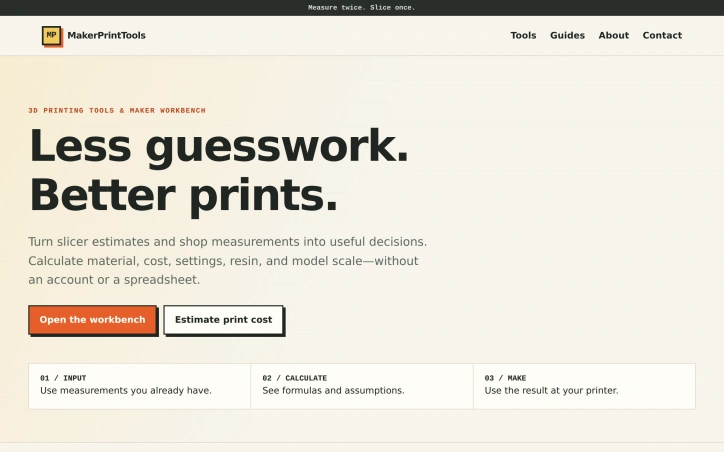
Entrepreneurs launching new brands face a sprawling toolbox problem: logo makers, design platforms, website builders, and marketing tools operate in silos, creating friction and brand inconsistency across channels. Zoviz consolidates this fragmented landscape into a single platform aimed at startups, small business owners, and teams that need to move quickly without hiring designers. The platform's core strength lies in its unified ecosystem where every asset automatically syncs with a centralized brand kit. Create a logo, and your colors, fonts, and design guidelines propagate through every downstream asset—social media graphics, business cards, websites, email signatures, and marketing materials. This eliminates the tedious manual rebranding work that plagues businesses juggling multiple tools. Feature-wise, Zoviz extends well beyond logo generation. The AI-powered logo maker draws from over one million curated icons and supports more than a hundred languages, including right-to-left scripts, making it practical for international founders. The platform also includes generators for social media video and image content, website building, posters, and what the company terms its "AI Marketing Studio"—tools for composing ad copy and campaign assets. A brand kit gets generated alongside the logo, packaging together fonts, colors, variations, and usage guidelines in a format teams or external designers can follow. The technical depth stands out: Zoviz offers a developer API for programmatic SVG logo generation, which the company claims as a unique capability. The platform has secured placement on Microsoft Azure Marketplace, signaling enterprise legitimacy. The company reports more than one million users across 190+ countries. Pricing operates on a pay-as-you-go credit model with starting points at $2, making it accessible for testing and suitable for the cash-constrained startup audience it targets. Zoviz's fundamental value proposition—consolidating branding, design, and marketing under one roof with unified brand controls—directly addresses a real workflow friction point. Whether the AI-generated assets reach the quality standards startups expect, and whether the builder interfaces deliver the promised simplicity, remains a question only hands-on testing can answer.

Graphic-design-tools
E
Erhan Kaya

Entrepreneurs launching new brands face a sprawling toolbox problem: logo makers, design platforms, website builders, and marketing tools operate in silos, creating friction and brand inconsistency across channels. Zoviz consolidates this fragmented landscape into a single platform aimed at startups, small business owners, and teams that need to move quickly without hiring designers. The platform's core strength lies in its unified ecosystem where every asset automatically syncs with a centralized brand kit. Create a logo, and your colors, fonts, and design guidelines propagate through every downstream asset—social media graphics, business cards, websites, email signatures, and marketing materials. This eliminates the tedious manual rebranding work that plagues businesses juggling multiple tools. Feature-wise, Zoviz extends well beyond logo generation. The AI-powered logo maker draws from over one million curated icons and supports more than a hundred languages, including right-to-left scripts, making it practical for international founders. The platform also includes generators for social media video and image content, website building, posters, and what the company terms its "AI Marketing Studio"—tools for composing ad copy and campaign assets. A brand kit gets generated alongside the logo, packaging together fonts, colors, variations, and usage guidelines in a format teams or external designers can follow. The technical depth stands out: Zoviz offers a developer API for programmatic SVG logo generation, which the company claims as a unique capability. The platform has secured placement on Microsoft Azure Marketplace, signaling enterprise legitimacy. The company reports more than one million users across 190+ countries. Pricing operates on a pay-as-you-go credit model with starting points at $2, making it accessible for testing and suitable for the cash-constrained startup audience it targets. Zoviz's fundamental value proposition—consolidating branding, design, and marketing under one roof with unified brand controls—directly addresses a real workflow friction point. Whether the AI-generated assets reach the quality standards startups expect, and whether the builder interfaces deliver the promised simplicity, remains a question only hands-on testing can answer.

Zoviz preview

Key features

  • Unified Logo Maker: AI-powered logo generation with over one million curated icons that automatically syncs across all marketing assets.
  • Multi-language Support: Supports over 100 languages including right-to-left scripts for international founders.
See full listing
Tru Bond cleaning Brisbane

Moving house in Brisbane means juggling packing trucks, utility transfers and a looming property inspection that can cost hundreds of dollars in lost bond money if the place is not returned in near-showroom condition. Tru Bond Cleaning Brisbane exists to remove that last anxiety: a deep-clean operation calibrated to the REIQ inspection checklist and fronted by crews who have worked on more than two thousand vacates, each backed by a bond-return guarantee. The company solves a narrow but high-stakes problem for tenants facing tight hand-over deadlines and zero margin for error with real-estate agents. Beyond mopping floors, it tackles grease-laden range-hoods, oven carbon build-up, carpet stains and whatever else might trigger a deduction. Should a property manager still find fault inside the warranty window, the team returns at no extra charge to remedy the list. Stand-out elements include a single “gold standard” package that bundles bond cleaning, optional carpet steam and pest-control treatments so a renter can outsource the entire compliance stack with one phone call. An express online booking form quotes on the spot and currently knocks ten percent off the first job. Experience is institutionalised: the field staff average ten years each in commercial and residential work, suggesting they know the difference between a quick wipe and the forensic standard demanded during exit inspections. Pricing starts at $60, a deliberately entry-level figure that covers a compact kitchen or studio; larger houses scale upward without hidden add-ons as long as a standard bond-clean scope is selected. Bond-back assurance is the main commercial lever—payment is only truly final once the agent signs off. For renters who would rather risk fifty-odd dollars on a callback than risk a four-figure bond, Tru Bond Cleaning delivers a straightforward pressure valve at exactly the moment it is needed most.

Moving house in Brisbane means juggling packing trucks, utility transfers and a looming property inspection that can cost hundreds of dollars in lost bond money if the place is not returned in near-showroom condition. Tru Bond Cleaning Brisbane exists to remove that last anxiety: a deep-clean operation calibrated to the REIQ inspection checklist and fronted by crews who have worked on more than two thousand vacates, each backed by a bond-return guarantee. The company solves a narrow but high-stakes problem for tenants facing tight hand-over deadlines and zero margin for error with real-estate agents. Beyond mopping floors, it tackles grease-laden range-hoods, oven carbon build-up, carpet stains and whatever else might trigger a deduction. Should a property manager still find fault inside the warranty window, the team returns at no extra charge to remedy the list. Stand-out elements include a single “gold standard” package that bundles bond cleaning, optional carpet steam and pest-control treatments so a renter can outsource the entire compliance stack with one phone call. An express online booking form quotes on the spot and currently knocks ten percent off the first job. Experience is institutionalised: the field staff average ten years each in commercial and residential work, suggesting they know the difference between a quick wipe and the forensic standard demanded during exit inspections. Pricing starts at $60, a deliberately entry-level figure that covers a compact kitchen or studio; larger houses scale upward without hidden add-ons as long as a standard bond-clean scope is selected. Bond-back assurance is the main commercial lever—payment is only truly final once the agent signs off. For renters who would rather risk fifty-odd dollars on a callback than risk a four-figure bond, Tru Bond Cleaning delivers a straightforward pressure valve at exactly the moment it is needed most.

Tru Bond cleaning Brisbane preview

Key features

  • REIQ Inspection Certified: Deep-clean operation calibrated to REIQ inspection checklist standards
  • Bond-Back Guarantee: Team returns at no charge within warranty window to fix any issues found by inspectors
See full listing
TurboConvert - Image Converter

Web designers, marketers, and casual users who routinely bounce between image formats finally have an option that skips the predictable ritual of opening another tab, waiting for uploads, and hoping their files don’t land on a random server. TurboConvert is a lightweight Chrome extension engineered to squash that workflow friction by letting every conversion happen inside the browser, on the user’s own machine. The product emerges from one developer’s frustration with the day-to-day chore of producing client-ready assets—icons in PNG, hero images in WebP, print hand-offs in PDF—without ever touching a backend. TurboConvert re-creates this pipeline as a single popup: drag files or right-click any image already on the page, pick an output format, and receive a download within seconds. Formats supported span PNG, JPG, WebP, GIF, and SVG, while PDF handling goes both ways—burst a multi-page document into crisp images or compile a stack of photos into a single PDF. Quality sliders prevent the usual blurred-down exports that plague one-click converters, and every operation is executed inside the browser sandbox, so no data ever crosses the internet. Operationally, the extension adds native hooks to the right-click context menu, eliminating the need to save images elsewhere before converting them. A compact 817 KB footprint keeps Chrome’s RAM diet intact, and the interface defaults to plain English (with German, Spanish, French, Russian, Chinese, and Japanese translations shipping in the same package). The developer formalizes privacy with an explicit statement that user activity data—nothing more granular than location and interaction logs—is not sold, repurposed, or used for credit scoring, a move that clarifies expectations in a space where “no upload” often isn’t enough. Pricing is refreshingly absent from the pitch; TurboConvert as listed is free, and no upsell or subscription gate appears in the Web Store copy. That stance, plus the one-person authorship, frames the extension as a focused utility rather than a venture-scale product. Any user who prefers immediacy over features sheets will find TurboConvert the fastest detour around the clunky web-based converters it seeks to displace.

Photo-editing
A
Artem K.

Web designers, marketers, and casual users who routinely bounce between image formats finally have an option that skips the predictable ritual of opening another tab, waiting for uploads, and hoping their files don’t land on a random server. TurboConvert is a lightweight Chrome extension engineered to squash that workflow friction by letting every conversion happen inside the browser, on the user’s own machine. The product emerges from one developer’s frustration with the day-to-day chore of producing client-ready assets—icons in PNG, hero images in WebP, print hand-offs in PDF—without ever touching a backend. TurboConvert re-creates this pipeline as a single popup: drag files or right-click any image already on the page, pick an output format, and receive a download within seconds. Formats supported span PNG, JPG, WebP, GIF, and SVG, while PDF handling goes both ways—burst a multi-page document into crisp images or compile a stack of photos into a single PDF. Quality sliders prevent the usual blurred-down exports that plague one-click converters, and every operation is executed inside the browser sandbox, so no data ever crosses the internet. Operationally, the extension adds native hooks to the right-click context menu, eliminating the need to save images elsewhere before converting them. A compact 817 KB footprint keeps Chrome’s RAM diet intact, and the interface defaults to plain English (with German, Spanish, French, Russian, Chinese, and Japanese translations shipping in the same package). The developer formalizes privacy with an explicit statement that user activity data—nothing more granular than location and interaction logs—is not sold, repurposed, or used for credit scoring, a move that clarifies expectations in a space where “no upload” often isn’t enough. Pricing is refreshingly absent from the pitch; TurboConvert as listed is free, and no upsell or subscription gate appears in the Web Store copy. That stance, plus the one-person authorship, frames the extension as a focused utility rather than a venture-scale product. Any user who prefers immediacy over features sheets will find TurboConvert the fastest detour around the clunky web-based converters it seeks to displace.

TurboConvert - Image Converter preview

Key features

  • In-Browser Conversion: All image conversions happen locally on your machine with no uploads to external servers.
  • Context Menu Integration: Right-click any image on a webpage to convert it directly without saving files separately.
See full listing
HeyMarmot

Creative professionals routinely lose hours to technical execution—rendering, encoding, editing—when they could be thinking about their actual ideas. HeyMarmot addresses this friction directly by bundling video, image, and music generation into a single interface, letting creators move from concept to polished asset in seconds rather than hours. The product covers substantial ground across multiple creative domains. Its text-to-video engine accepts descriptions and outputs complete videos with adjustable parameters for style, pacing, and duration. The image-to-video capability works bidirectionally—from a single frame or paired first-and-last frames—and accepts multiple reference images to maintain visual consistency. The image generation tool operates similarly: describe your concept or provide reference imagery, and receive custom visuals. For audio, HeyMarmot leverages Google's Lyria technology to compose original music from text descriptions, supporting both short clips and full-length tracks. What distinguishes HeyMarmot is its focus on coherence and consistency. The video extension feature maintains character continuity and visual style across extended scenes, addressing a real pain point: ensuring that auto-generated subsequent content doesn't break the tone or look of the original. This practical attention to a creator's workflow suggests the product wasn't designed in isolation but for actual use. The asset management layer indicates thinking beyond pure generation—creators need to organize their work. The built-in repository prevents the common chaos of AI-generated content scattered across folders. The platform launches creators at zero cost with free credits upon signup, a standard and sensible onboarding mechanism. The breadth of capabilities packed into one tool reduces switching costs and context-switching overhead, which matters. A creator working across disciplines—someone who needs to produce a short video with matching imagery and a soundtrack—can execute the full pipeline without hopping between specialized tools. The aggregated usage metrics (200K+ videos created, 800K+ images generated) indicate traction, though they measure cumulative output rather than active creator count. For a product positioned at democratizing professional-grade tools, the open question is whether output quality matches professional expectations across all modalities, or whether it serves a different segment—enthusiasts, small content teams, social media creators—who prioritize speed over polish. That positioning distinction matters.

Ai-generative-media
X
xiaobei lin

Creative professionals routinely lose hours to technical execution—rendering, encoding, editing—when they could be thinking about their actual ideas. HeyMarmot addresses this friction directly by bundling video, image, and music generation into a single interface, letting creators move from concept to polished asset in seconds rather than hours. The product covers substantial ground across multiple creative domains. Its text-to-video engine accepts descriptions and outputs complete videos with adjustable parameters for style, pacing, and duration. The image-to-video capability works bidirectionally—from a single frame or paired first-and-last frames—and accepts multiple reference images to maintain visual consistency. The image generation tool operates similarly: describe your concept or provide reference imagery, and receive custom visuals. For audio, HeyMarmot leverages Google's Lyria technology to compose original music from text descriptions, supporting both short clips and full-length tracks. What distinguishes HeyMarmot is its focus on coherence and consistency. The video extension feature maintains character continuity and visual style across extended scenes, addressing a real pain point: ensuring that auto-generated subsequent content doesn't break the tone or look of the original. This practical attention to a creator's workflow suggests the product wasn't designed in isolation but for actual use. The asset management layer indicates thinking beyond pure generation—creators need to organize their work. The built-in repository prevents the common chaos of AI-generated content scattered across folders. The platform launches creators at zero cost with free credits upon signup, a standard and sensible onboarding mechanism. The breadth of capabilities packed into one tool reduces switching costs and context-switching overhead, which matters. A creator working across disciplines—someone who needs to produce a short video with matching imagery and a soundtrack—can execute the full pipeline without hopping between specialized tools. The aggregated usage metrics (200K+ videos created, 800K+ images generated) indicate traction, though they measure cumulative output rather than active creator count. For a product positioned at democratizing professional-grade tools, the open question is whether output quality matches professional expectations across all modalities, or whether it serves a different segment—enthusiasts, small content teams, social media creators—who prioritize speed over polish. That positioning distinction matters.

HeyMarmot preview

Key features

  • Text-to-Video Generation: Creates complete videos from text descriptions with customizable style, pacing, and duration
  • Image-to-Video Conversion: Generates videos from single frames or paired images with multiple reference options for consistency
See full listing
Lockscreen.Pro

Most lock screens sit idle, serving nothing but a time display and notification center. Lockscreen.Pro reframes the lock screen as a daily motivational and informational interface, converting what amounts to dead space into a dynamic tool that shifts throughout the day with progress indicators, quotes, affirmations, and facts. The product targets anyone seeking passive daily motivation or time awareness without the friction of app switching. Rather than launching a dedicated app, users get their desired content directly where they look first—their phone's lock screen—automatically refreshing on a schedule they define. The core innovation is automation without maintenance. Using Apple Shortcuts, the service rotates between different wallpaper types at different times of day. A user might see their week's progress in the morning, an affirmation at midday, and a fact in the evening—all without manual intervention. This stands out because most lock screen customization remains static; Lockscreen.Pro makes the lock screen reactive to time and user preference. The feature set centers on templated wallpaper variations. The Month Progress and Year Progress visualizations offer a running clock of time passage, appealing to users interested in time tracking or deadline awareness. The Quote Stack and Affirmation Stack options provide rotating motivational content. Visualization rounds out the offering, though the site provides limited detail on what this involves. All templates come in at least one visual style—Ember Slate—suggesting a cohesive design language, though variety in themes remains unclear. The business model follows a freemium structure with a free tier available and premium options to buy yearly or once. No explicit pricing is disclosed in the publicly available materials, which is a notable gap for potential users evaluating commitment level. The product's constraint lies in its Apple-only nature. By leveraging Apple Shortcuts, Lockscreen.Pro limits itself to iOS and macOS users and excludes the Android ecosystem entirely. For someone deeply embedded in Apple's ecosystem seeking a frictionless way to inject daily motivation into their most-viewed screen, the offering is clean and purposeful. For everyone else, it remains inaccessible.

Wallpapers
O
Omkar Birje

Most lock screens sit idle, serving nothing but a time display and notification center. Lockscreen.Pro reframes the lock screen as a daily motivational and informational interface, converting what amounts to dead space into a dynamic tool that shifts throughout the day with progress indicators, quotes, affirmations, and facts. The product targets anyone seeking passive daily motivation or time awareness without the friction of app switching. Rather than launching a dedicated app, users get their desired content directly where they look first—their phone's lock screen—automatically refreshing on a schedule they define. The core innovation is automation without maintenance. Using Apple Shortcuts, the service rotates between different wallpaper types at different times of day. A user might see their week's progress in the morning, an affirmation at midday, and a fact in the evening—all without manual intervention. This stands out because most lock screen customization remains static; Lockscreen.Pro makes the lock screen reactive to time and user preference. The feature set centers on templated wallpaper variations. The Month Progress and Year Progress visualizations offer a running clock of time passage, appealing to users interested in time tracking or deadline awareness. The Quote Stack and Affirmation Stack options provide rotating motivational content. Visualization rounds out the offering, though the site provides limited detail on what this involves. All templates come in at least one visual style—Ember Slate—suggesting a cohesive design language, though variety in themes remains unclear. The business model follows a freemium structure with a free tier available and premium options to buy yearly or once. No explicit pricing is disclosed in the publicly available materials, which is a notable gap for potential users evaluating commitment level. The product's constraint lies in its Apple-only nature. By leveraging Apple Shortcuts, Lockscreen.Pro limits itself to iOS and macOS users and excludes the Android ecosystem entirely. For someone deeply embedded in Apple's ecosystem seeking a frictionless way to inject daily motivation into their most-viewed screen, the offering is clean and purposeful. For everyone else, it remains inaccessible.

Lockscreen.Pro preview

Key features

  • Time-Based Rotation: Automatically rotates wallpapers throughout the day based on a user-defined schedule
  • Month Progress Visualization: Displays the progress of the current month as a visual running clock
See full listing
F

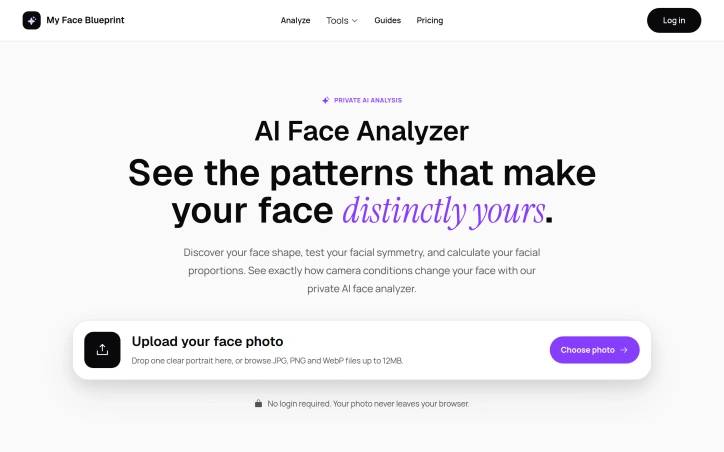
Planning to visit a salon without knowing which haircut actually suits your face shape is a gamble most people lose. Face Shape Detector solves this by analyzing your facial structure and recommending styles that work with your actual proportions—then previewing them on your face before you commit. The service targets anyone tired of barber regret: people prepping for dates, job interviews, or simply wanting to avoid another expensive mistake. The core differentiator is its rejection of the reductive "oval face" or "square face" labels that dominate the category. Instead, the tool maps what it calls a face shape blend, quantifying your proportions as a mix (80% Oval, 20% Heart, for example). This approach grounds recommendations in actual facial geometry rather than forcing users into a single category. It pairs this with symmetry analysis to show left-right balance, useful for styling decisions beyond just hair. The tool also generates what it calls a Personal Style Signature—a profile of whether your structure suits clean, textured, sharp, or bold aesthetics. The feature set reflects practical barber-shop needs. Users get nine AI-generated haircut previews rendered directly onto their uploaded photo, split into three categories: professional, date-ready, and everyday. Alongside these previews comes a Barber Script, essentially templated language to describe what you want to your stylist—eliminating the common friction of bad communication across the salon chair. A maintenance guide then explains how to keep the cut in shape between appointments. The company emphasizes privacy, deleting photos immediately after analysis and requiring no signup. The site claims trust from over 10,000 users and promises results in seconds. A Golden Ratio Analysis feature maps proportions against classical aesthetic benchmarks, adding rigor to what could otherwise feel like arbitrary guidance. The product clearly targets a real pain point—haircut indecision driven by not knowing your face structure—and bundles practical tools around that insight. Whether the AI previews and style recommendations are actually accurate in practice requires testing the product itself, which the available content doesn't demonstrate.

Ai-generative-media
H
Hong Le Nguyen

Planning to visit a salon without knowing which haircut actually suits your face shape is a gamble most people lose. Face Shape Detector solves this by analyzing your facial structure and recommending styles that work with your actual proportions—then previewing them on your face before you commit. The service targets anyone tired of barber regret: people prepping for dates, job interviews, or simply wanting to avoid another expensive mistake. The core differentiator is its rejection of the reductive "oval face" or "square face" labels that dominate the category. Instead, the tool maps what it calls a face shape blend, quantifying your proportions as a mix (80% Oval, 20% Heart, for example). This approach grounds recommendations in actual facial geometry rather than forcing users into a single category. It pairs this with symmetry analysis to show left-right balance, useful for styling decisions beyond just hair. The tool also generates what it calls a Personal Style Signature—a profile of whether your structure suits clean, textured, sharp, or bold aesthetics. The feature set reflects practical barber-shop needs. Users get nine AI-generated haircut previews rendered directly onto their uploaded photo, split into three categories: professional, date-ready, and everyday. Alongside these previews comes a Barber Script, essentially templated language to describe what you want to your stylist—eliminating the common friction of bad communication across the salon chair. A maintenance guide then explains how to keep the cut in shape between appointments. The company emphasizes privacy, deleting photos immediately after analysis and requiring no signup. The site claims trust from over 10,000 users and promises results in seconds. A Golden Ratio Analysis feature maps proportions against classical aesthetic benchmarks, adding rigor to what could otherwise feel like arbitrary guidance. The product clearly targets a real pain point—haircut indecision driven by not knowing your face structure—and bundles practical tools around that insight. Whether the AI previews and style recommendations are actually accurate in practice requires testing the product itself, which the available content doesn't demonstrate.

Face Shape Detector preview
F

Key features

  • Face Shape Blend: Maps your facial proportions as a blend of multiple categories rather than forcing you into a single type.
  • AI Haircut Previews: Generates nine AI-rendered haircut previews split across professional, date-ready, and everyday categories.
See full listing
MemoTune

Creating music from personal stories typically requires musical expertise, production software, and hours of work. MemoTune eliminates these barriers by automating the entire process—turning autobiographical narratives into fully produced songs with original lyrics and instrumentation in minutes. The platform targets people celebrating life milestones, content creators seeking royalty-free audio, and anyone interested in songwriting without formal training. What distinguishes MemoTune is its commitment to maintaining narrative fidelity. Rather than generating random outputs, the platform uses guided inputs to ensure generated songs stay true to the user's original story and emotional intent. This focus on thematic accuracy differentiates it from generic text-to-music tools. The feature set is comprehensive. Beyond basic song generation, MemoTune offers voice cloning and voice cover capabilities, enabling users to hear songs performed in custom vocals. Additional tools include a vocal remover, song extender for lengthening tracks, instrumental generator, and section replacement features—essentially a complete music production toolkit. The platform supports multiple genres and generates creator-ready exports in MP3 and WAV formats with commercial licensing options. The use cases span personal celebrations and professional applications. Users can generate customized songs for birthdays, anniversaries, proposals, and memorials. Content creators generate royalty-free background music for YouTube and TikTok, podcasters create branded intro and outro tracks, game developers produce background loops and battle music, and songwriters prototype ideas to overcome creative blocks. This broad positioning indicates MemoTune views itself as both a sentimental gift generator and a legitimate productivity tool for creators. The platform's value proposition rests on one core assertion: that AI-generated music can authentically capture personal stories when properly constrained through guided inputs. This claim is stronger than most music generation competitors make. The real test of MemoTune's success will be whether the guided-input approach consistently produces songs that users actually want to keep and share—a higher bar than simply generating technically competent audio.

Music-generation
A
Alvy VV

Creating music from personal stories typically requires musical expertise, production software, and hours of work. MemoTune eliminates these barriers by automating the entire process—turning autobiographical narratives into fully produced songs with original lyrics and instrumentation in minutes. The platform targets people celebrating life milestones, content creators seeking royalty-free audio, and anyone interested in songwriting without formal training. What distinguishes MemoTune is its commitment to maintaining narrative fidelity. Rather than generating random outputs, the platform uses guided inputs to ensure generated songs stay true to the user's original story and emotional intent. This focus on thematic accuracy differentiates it from generic text-to-music tools. The feature set is comprehensive. Beyond basic song generation, MemoTune offers voice cloning and voice cover capabilities, enabling users to hear songs performed in custom vocals. Additional tools include a vocal remover, song extender for lengthening tracks, instrumental generator, and section replacement features—essentially a complete music production toolkit. The platform supports multiple genres and generates creator-ready exports in MP3 and WAV formats with commercial licensing options. The use cases span personal celebrations and professional applications. Users can generate customized songs for birthdays, anniversaries, proposals, and memorials. Content creators generate royalty-free background music for YouTube and TikTok, podcasters create branded intro and outro tracks, game developers produce background loops and battle music, and songwriters prototype ideas to overcome creative blocks. This broad positioning indicates MemoTune views itself as both a sentimental gift generator and a legitimate productivity tool for creators. The platform's value proposition rests on one core assertion: that AI-generated music can authentically capture personal stories when properly constrained through guided inputs. This claim is stronger than most music generation competitors make. The real test of MemoTune's success will be whether the guided-input approach consistently produces songs that users actually want to keep and share—a higher bar than simply generating technically competent audio.

MemoTune preview

Key features

  • Story to Song: Converts personal narratives into fully produced songs with original lyrics and instrumentation in minutes
  • Voice Cloning: Enables users to hear songs performed in custom vocals
See full listing
AdLoftAi

For e-commerce businesses struggling with the high costs and long timelines of traditional product photography, AdLoftAi offers a compelling alternative that sidesteps the need for prompt engineering expertise. The platform addresses a genuine pain point: the typical product photoshoot costs over a thousand dollars, involves weeks of creative iteration, and demands specialized skills that most small business owners lack. What distinguishes AdLoftAi from other AI creative tools is its focus on automation without the intermediate step of learning to write effective prompts. Users upload a product photo—even a casual smartphone shot with poor lighting or a cluttered background—and the AI analyzes the product's shape, branding, and details automatically to generate multiple marketing-ready creatives. This removes barriers that plague existing tools like Midjourney and DALL·E, where users must master prompt syntax and deal with technical frustrations around aspect ratios and brand consistency. The product offers four distinct generation modes optimized for different marketing goals: Campaign, Viral, Rival, and Ads/Thumbnail. Beyond mode selection, users can optionally specify a theme or price to display, positioning these inputs as strategic briefing options rather than technical prompts. Each generation click produces two professional-grade 4K-resolution creatives with commercial licensing included, letting businesses test multiple creative angles without legal friction. The business model emphasizes accessibility. New users receive ten free credits with no credit card requirement, lowering the friction for trial. The site mentions that photos aren't stored, addressing a privacy concern that haunts users of AI tools processing sensitive product assets. Testimonials from users in the e-commerce space highlight tangible value: one operator reports replacing $800-per-shoot photography costs with rapid generation of weeks' worth of content. Another emphasizes the Rival mode's utility—uploading a competitor's ad style alongside a product photo to instantly generate premium variations. The platform claims trust from hundreds of e-commerce businesses. For DTC brands and small e-commerce operations, AdLoftAi presents a straightforward value proposition: dramatically faster creative iteration at a fraction of traditional costs, without requiring design skills or AI expertise. Whether the quality and brand consistency of AI-generated ads justify replacing human photographers entirely depends on the user's category and brand positioning, but the ease of access makes it worth testing.

Ai-generative-media
G
Gozel T

For e-commerce businesses struggling with the high costs and long timelines of traditional product photography, AdLoftAi offers a compelling alternative that sidesteps the need for prompt engineering expertise. The platform addresses a genuine pain point: the typical product photoshoot costs over a thousand dollars, involves weeks of creative iteration, and demands specialized skills that most small business owners lack. What distinguishes AdLoftAi from other AI creative tools is its focus on automation without the intermediate step of learning to write effective prompts. Users upload a product photo—even a casual smartphone shot with poor lighting or a cluttered background—and the AI analyzes the product's shape, branding, and details automatically to generate multiple marketing-ready creatives. This removes barriers that plague existing tools like Midjourney and DALL·E, where users must master prompt syntax and deal with technical frustrations around aspect ratios and brand consistency. The product offers four distinct generation modes optimized for different marketing goals: Campaign, Viral, Rival, and Ads/Thumbnail. Beyond mode selection, users can optionally specify a theme or price to display, positioning these inputs as strategic briefing options rather than technical prompts. Each generation click produces two professional-grade 4K-resolution creatives with commercial licensing included, letting businesses test multiple creative angles without legal friction. The business model emphasizes accessibility. New users receive ten free credits with no credit card requirement, lowering the friction for trial. The site mentions that photos aren't stored, addressing a privacy concern that haunts users of AI tools processing sensitive product assets. Testimonials from users in the e-commerce space highlight tangible value: one operator reports replacing $800-per-shoot photography costs with rapid generation of weeks' worth of content. Another emphasizes the Rival mode's utility—uploading a competitor's ad style alongside a product photo to instantly generate premium variations. The platform claims trust from hundreds of e-commerce businesses. For DTC brands and small e-commerce operations, AdLoftAi presents a straightforward value proposition: dramatically faster creative iteration at a fraction of traditional costs, without requiring design skills or AI expertise. Whether the quality and brand consistency of AI-generated ads justify replacing human photographers entirely depends on the user's category and brand positioning, but the ease of access makes it worth testing.

AdLoftAi preview

Key features

  • AI-Powered Creative Generation: Automatically generates marketing-ready product creatives from a single photo without requiring design expertise.
  • No Prompt Engineering: Platform automatically analyzes product details and branding without users needing to write technical prompts.
See full listing
Berrioo

Creators without design expertise now have a viable alternative to expensive software subscriptions and steep learning curves. Berrioo packages a suite of AI-powered visual tools—from text-to-image generation to professional photo editing—into a browser-based platform designed for immediate usability. The platform addresses a clear market gap: the distance between creative intent and polished output. Most visual creation demands either specialist skills or expensive freelancers. Berrioo collapses that friction by automating execution. A food brand can generate lifestyle photography by typing a description. A social media manager can transform product photos into multiple artistic variations without adjusting presets. A marketer can remove backgrounds and upscale images to gallery-ready resolution in seconds. What distinguishes the offering is breadth wrapped in simplicity. Berrioo delivers text-to-image generation with 20 artistic styles, image-to-image transformation, batch processing, face swapping, object removal, and 4K upscaling. The interface prioritizes simplicity—each tool uses one-click or form-based workflows. The company positions these capabilities as professional-grade rather than consumer novelties, competing against commercial design software. The platform draws on established AI labs including ByteDance's Qwen and Black Forest Labs, indicating serious technical infrastructure beneath the accessible interface. Speed is emphasized throughout: "stunning visuals in seconds" and "instant iterations" matter for professionals evaluating time-saving potential. Ownership and commercial rights come included—users own what they create and can use it commercially. This addresses a significant pain point in many freemium AI tools that impose usage restrictions. The business model follows the freemium pattern: a free tier to attract users, then flexible paid plans scaled to usage. Specific pricing remains obscured on the landing page, standard practice for usage-metered tools. Berrioo enters a crowded space of AI image tools, but its emphasis on professional-grade output, simplified workflows, and full commercial licensing positions it for serious practitioners rather than casual experimenters.

Ai-generative-media
0
0 Kong (‪Kong‬)

Creators without design expertise now have a viable alternative to expensive software subscriptions and steep learning curves. Berrioo packages a suite of AI-powered visual tools—from text-to-image generation to professional photo editing—into a browser-based platform designed for immediate usability. The platform addresses a clear market gap: the distance between creative intent and polished output. Most visual creation demands either specialist skills or expensive freelancers. Berrioo collapses that friction by automating execution. A food brand can generate lifestyle photography by typing a description. A social media manager can transform product photos into multiple artistic variations without adjusting presets. A marketer can remove backgrounds and upscale images to gallery-ready resolution in seconds. What distinguishes the offering is breadth wrapped in simplicity. Berrioo delivers text-to-image generation with 20 artistic styles, image-to-image transformation, batch processing, face swapping, object removal, and 4K upscaling. The interface prioritizes simplicity—each tool uses one-click or form-based workflows. The company positions these capabilities as professional-grade rather than consumer novelties, competing against commercial design software. The platform draws on established AI labs including ByteDance's Qwen and Black Forest Labs, indicating serious technical infrastructure beneath the accessible interface. Speed is emphasized throughout: "stunning visuals in seconds" and "instant iterations" matter for professionals evaluating time-saving potential. Ownership and commercial rights come included—users own what they create and can use it commercially. This addresses a significant pain point in many freemium AI tools that impose usage restrictions. The business model follows the freemium pattern: a free tier to attract users, then flexible paid plans scaled to usage. Specific pricing remains obscured on the landing page, standard practice for usage-metered tools. Berrioo enters a crowded space of AI image tools, but its emphasis on professional-grade output, simplified workflows, and full commercial licensing positions it for serious practitioners rather than casual experimenters.

Berrioo preview

Key features

  • Text-to-Image Generation: Creates images from text descriptions with 20 artistic styles available.
  • Image Transformation: Transforms product photos into multiple artistic variations.
See full listing
Nano Banana

Creators and marketers looking to generate professional-quality visuals without design skills have a new option in Nano Banana, an AI-powered image generation and editing platform. The service tackles a real problem in the creator economy: the time and cost required to produce polished visual content at scale. What distinguishes Nano Banana from competitors is its integrated approach. Rather than offering just a text-to-image generator, it combines three distinct workflows under one roof. The platform can generate images from written descriptions, transform existing photos into new artistic variations, and edit images with AI-assisted tools like background removal, object erasure, and face swapping. This breadth means users can handle most visual tasks without jumping between multiple tools. The text-to-image engine supports 20 artistic styles and offers instant variations, allowing for rapid iteration. The image transformation feature preserves composition while changing artistic treatment or lighting, an important constraint for professional work. The photo editing suite includes batch processing, signaling that the platform is designed for workflows with volume demands, not just one-off creative experiments. All generations come with commercial licensing rights, a significant advantage for businesses and independent creators concerned with usage rights. The platform runs on multiple AI models in the background, including Google's Gemini technology, alongside systems from ByteDance and Black Forest Labs. This model diversity delivers broader coverage across different image types and styles, though the company doesn't detail how users access or prioritize different models. Pricing follows a familiar freemium model with a $12 monthly plan offering 1200 credits (equivalent to 600 images annually based on their claims) and a $29 professional tier described as the most popular option. The credits-based system creates flexibility for variable usage patterns, avoiding the fixed-generation limits of some competitors. No hidden fees are mentioned, and the free tier removes friction for initial trial. The service positions itself as requiring no prompting expertise or design background, targeting the non-technical end of the AI-generation spectrum. For teams and individuals building content operations at scale, the batch processing and commercial licensing model appear deliberately designed to address production workflows rather than casual creation. Whether this simplicity extends to the actual interface would require hands-on evaluation, but the feature set is comprehensive enough to handle serious visual content demands.

Ai-generative-media
0
0 Kong (‪Kong‬)

Creators and marketers looking to generate professional-quality visuals without design skills have a new option in Nano Banana, an AI-powered image generation and editing platform. The service tackles a real problem in the creator economy: the time and cost required to produce polished visual content at scale. What distinguishes Nano Banana from competitors is its integrated approach. Rather than offering just a text-to-image generator, it combines three distinct workflows under one roof. The platform can generate images from written descriptions, transform existing photos into new artistic variations, and edit images with AI-assisted tools like background removal, object erasure, and face swapping. This breadth means users can handle most visual tasks without jumping between multiple tools. The text-to-image engine supports 20 artistic styles and offers instant variations, allowing for rapid iteration. The image transformation feature preserves composition while changing artistic treatment or lighting, an important constraint for professional work. The photo editing suite includes batch processing, signaling that the platform is designed for workflows with volume demands, not just one-off creative experiments. All generations come with commercial licensing rights, a significant advantage for businesses and independent creators concerned with usage rights. The platform runs on multiple AI models in the background, including Google's Gemini technology, alongside systems from ByteDance and Black Forest Labs. This model diversity delivers broader coverage across different image types and styles, though the company doesn't detail how users access or prioritize different models. Pricing follows a familiar freemium model with a $12 monthly plan offering 1200 credits (equivalent to 600 images annually based on their claims) and a $29 professional tier described as the most popular option. The credits-based system creates flexibility for variable usage patterns, avoiding the fixed-generation limits of some competitors. No hidden fees are mentioned, and the free tier removes friction for initial trial. The service positions itself as requiring no prompting expertise or design background, targeting the non-technical end of the AI-generation spectrum. For teams and individuals building content operations at scale, the batch processing and commercial licensing model appear deliberately designed to address production workflows rather than casual creation. Whether this simplicity extends to the actual interface would require hands-on evaluation, but the feature set is comprehensive enough to handle serious visual content demands.

Nano Banana preview

Key features

  • Text-to-Image Generation: Generates images from written descriptions with 20 artistic styles and instant variations.
  • Image Transformation: Transforms existing photos into new artistic variations while preserving composition.
See full listing
Seedance

AI-powered video generation from text or images has moved beyond prototypes into production workflows, and ByteDance's Seedance represents a mature entry in this space. The platform targets three overlapping audiences: individual content creators seeking faster production cycles, marketing teams producing ads and social content at volume, and filmmakers prototyping scenes or building reference materials. For all three, the core value proposition is the same—cinematic video output without the traditional editing timeline. The standout technical achievement is millisecond-precision lip synchronization combined with native audio-video alignment. This closes a long-standing gap in AI video generation: previous tools struggled with out-of-sync dialogue and awkward mouth movement, limiting use cases to music videos or silent content. Seedance 2.0's approach to lip-sync makes presenter videos, dubbed ads, and talking-head content genuinely viable. The architecture also maintains character consistency across multiple shots, which is critical for filmmakers building narrative sequences rather than isolated clips. The feature set itself is straightforward but complete. Text-to-video generation converts descriptive prompts into cinematic footage with natural camera movement and depth. Image-to-video animation takes still images—product photos, portraits, brand assets—and generates fluid motion while preserving the original composition. Both leverage ByteDance's own Seedance models, suggesting a direct relationship between underlying infrastructure and product capability. The platform's technology stack is worth noting. Rather than building in isolation, SeedanceArt integrates multiple providers: ByteDance for video, Google Gemini and OpenAI for reasoning and text generation, and Black Forest Labs for additional image synthesis. This modular approach suggests the team is optimizing for quality over vertical integration, pulling best-in-class components where they exist. On the business side, the website mentions free generation as an entry point but provides no explicit pricing tier details, subscription structure, or usage limits. This opacity around monetization is typical for early-phase products still optimizing their growth motion. The core question for potential users isn't whether Seedance generates acceptable video—the examples suggest it does—but whether millisecond lip-sync and character consistency matter for their workflow. For dubbed content and long-form presenter material, they absolutely do. For short-form social content or concept art, generation speed may matter more than sync precision. SeedanceArt positions itself as production-grade tooling, and for that bar, the technical specificity is appropriate.

Ai-generative-media
0
0 Kong (‪Kong‬)

AI-powered video generation from text or images has moved beyond prototypes into production workflows, and ByteDance's Seedance represents a mature entry in this space. The platform targets three overlapping audiences: individual content creators seeking faster production cycles, marketing teams producing ads and social content at volume, and filmmakers prototyping scenes or building reference materials. For all three, the core value proposition is the same—cinematic video output without the traditional editing timeline. The standout technical achievement is millisecond-precision lip synchronization combined with native audio-video alignment. This closes a long-standing gap in AI video generation: previous tools struggled with out-of-sync dialogue and awkward mouth movement, limiting use cases to music videos or silent content. Seedance 2.0's approach to lip-sync makes presenter videos, dubbed ads, and talking-head content genuinely viable. The architecture also maintains character consistency across multiple shots, which is critical for filmmakers building narrative sequences rather than isolated clips. The feature set itself is straightforward but complete. Text-to-video generation converts descriptive prompts into cinematic footage with natural camera movement and depth. Image-to-video animation takes still images—product photos, portraits, brand assets—and generates fluid motion while preserving the original composition. Both leverage ByteDance's own Seedance models, suggesting a direct relationship between underlying infrastructure and product capability. The platform's technology stack is worth noting. Rather than building in isolation, SeedanceArt integrates multiple providers: ByteDance for video, Google Gemini and OpenAI for reasoning and text generation, and Black Forest Labs for additional image synthesis. This modular approach suggests the team is optimizing for quality over vertical integration, pulling best-in-class components where they exist. On the business side, the website mentions free generation as an entry point but provides no explicit pricing tier details, subscription structure, or usage limits. This opacity around monetization is typical for early-phase products still optimizing their growth motion. The core question for potential users isn't whether Seedance generates acceptable video—the examples suggest it does—but whether millisecond lip-sync and character consistency matter for their workflow. For dubbed content and long-form presenter material, they absolutely do. For short-form social content or concept art, generation speed may matter more than sync precision. SeedanceArt positions itself as production-grade tooling, and for that bar, the technical specificity is appropriate.

Seedance preview

Key features

  • Lip-Sync Precision: Millisecond-precision synchronization between audio and video that makes presenter videos and dubbed content genuinely viable.
  • Text-to-Video Generation: Converts descriptive prompts into cinematic footage with natural camera movement and depth.
See full listing
Banana AI - Free AI Image Generator

Generative AI has made professional-grade image editing accessible to non-technical users, and Banana AI enters this crowded space with a focused toolkit for real-world photo transformation. The platform addresses the practical needs of content creators, e-commerce managers, and casual users who want to edit photos without learning complex software or paying subscription fees. What distinguishes Banana AI is its breadth of specific use cases paired with straightforward execution. Rather than presenting a blank canvas for infinite creativity, the platform bundles pre-defined transformation capabilities: converting photographs into anime artwork, removing or changing backgrounds, restoring aged photos, adjusting lighting and backgrounds for product shots, and even virtual hair styling. Each feature addresses a tangible problem—travel photographers needing clean backgrounds, small business owners requiring consistent product imagery, or people experimenting with new looks without salon commitment. The workflow is deliberately simple. Users upload a photo, write a text description of the desired outcome, click generate, and download the result within seconds. The interface accepts common image formats and caps file size at five megabytes, keeping the barrier to entry low. The platform emphasizes "character consistency" and "scene blending," suggesting its underlying model handles more complex multi-image scenarios beyond single-photo edits. Technically, the platform leverages what it calls Nano Banana AI, positioning itself around efficiency—producing high-quality output without excessive processing time or credit consumption. The naming suggests a lightweight model that prioritizes speed over complexity, a deliberate trade-off in an era where some AI tools prioritize photorealistic perfection over usability. On the business side, Banana AI operates as a freemium product. The website highlights a free trial with no login required, lowering friction for first-time users. The platform uses a credit system, though the website doesn't specify pricing tiers, credit costs, or premium tier features. This omission is notable: whether the product sustains itself through generous free allowances or aggressive upselling remains unclear from the public information. The feature set skews practical over experimental. There's no emphasis on generating entirely original artwork from text or pushing creative boundaries. Instead, Banana AI positions itself as the tool for specific, recurring photo-editing tasks that previously required either hiring someone or learning desktop software. For that narrow use case, the execution appears coherent and well-considered.

Photo-editing
T
thomas.kiko

Generative AI has made professional-grade image editing accessible to non-technical users, and Banana AI enters this crowded space with a focused toolkit for real-world photo transformation. The platform addresses the practical needs of content creators, e-commerce managers, and casual users who want to edit photos without learning complex software or paying subscription fees. What distinguishes Banana AI is its breadth of specific use cases paired with straightforward execution. Rather than presenting a blank canvas for infinite creativity, the platform bundles pre-defined transformation capabilities: converting photographs into anime artwork, removing or changing backgrounds, restoring aged photos, adjusting lighting and backgrounds for product shots, and even virtual hair styling. Each feature addresses a tangible problem—travel photographers needing clean backgrounds, small business owners requiring consistent product imagery, or people experimenting with new looks without salon commitment. The workflow is deliberately simple. Users upload a photo, write a text description of the desired outcome, click generate, and download the result within seconds. The interface accepts common image formats and caps file size at five megabytes, keeping the barrier to entry low. The platform emphasizes "character consistency" and "scene blending," suggesting its underlying model handles more complex multi-image scenarios beyond single-photo edits. Technically, the platform leverages what it calls Nano Banana AI, positioning itself around efficiency—producing high-quality output without excessive processing time or credit consumption. The naming suggests a lightweight model that prioritizes speed over complexity, a deliberate trade-off in an era where some AI tools prioritize photorealistic perfection over usability. On the business side, Banana AI operates as a freemium product. The website highlights a free trial with no login required, lowering friction for first-time users. The platform uses a credit system, though the website doesn't specify pricing tiers, credit costs, or premium tier features. This omission is notable: whether the product sustains itself through generous free allowances or aggressive upselling remains unclear from the public information. The feature set skews practical over experimental. There's no emphasis on generating entirely original artwork from text or pushing creative boundaries. Instead, Banana AI positions itself as the tool for specific, recurring photo-editing tasks that previously required either hiring someone or learning desktop software. For that narrow use case, the execution appears coherent and well-considered.

Banana AI - Free AI Image Generator preview

Key features

  • Anime Art Conversion: Transform photographs into anime artwork with a single click
  • Background Removal: Remove or change image backgrounds automatically
See full listing
AI2AI project

An intriguing entry in the conversational AI space, this platform lets users orchestrate real-time interactions between two independent large language models, each configured with distinct personalities, prompts, and voices. The core appeal lies in observing how different AI models respond to each other under specified conditions—whether that's negotiating a sales pitch, debating opposing viewpoints, or simply exploring conversational dynamics between different personality archetypes. The product targets a broad audience: AI researchers and enthusiasts curious about model behavior, content creators seeking novel interactive material, and potentially educators demonstrating dialogue systems and communication patterns. Beyond entertainment value, the mechanics suggest utility for stress-testing conversational AI, generating training data, or exploring how personality prompts influence dialogue outcomes. What distinguishes this offering is its granular customization layer. Users control not just the conversational prompts but also independent model selection for each AI entity, allowing for asymmetric matchups—pairing specialized models or versions to see how they interact. The addition of voice synthesis and avatar assignment transforms what could be a text-based technical exercise into something closer to interactive performance art. The ability to save and archive interactions suggests a platform designed for iterative experimentation and content preservation. The business model is refreshingly straightforward. New users receive one dollar in credit to explore the system before committing, and ongoing usage is priced at a single cent per minute, rounded to the nearest minute. This low per-minute cost lowers the barrier to experimentation. Revenue generation occurs through card payments, creating a transparent pay-as-you-go structure without subscription lock-in or opaque tiering. The platform's accessibility extends beyond the web interface—users can download the AI2AI engine locally, suggesting support for self-hosted or offline usage, which appeals to privacy-conscious users and those seeking customization beyond the hosted offering. The primary limitation reflected in the available information concerns clarity around technical architecture and model availability. The product mentions supporting distinct LLM models but provides no specifics about which models are available or how frequently they're updated. Additionally, there's minimal elaboration on use-case workflows or community features that might extend engagement beyond casual experimentation. The proposition is simple but compelling: a controlled environment for observing AI-to-AI dynamics at minimal cost. Whether this appeals primarily to hobbyists, researchers, or developers depends on what additional capabilities and documentation exist beyond what the landing page reveals.

Ai-characters
P
Paul Arssov

An intriguing entry in the conversational AI space, this platform lets users orchestrate real-time interactions between two independent large language models, each configured with distinct personalities, prompts, and voices. The core appeal lies in observing how different AI models respond to each other under specified conditions—whether that's negotiating a sales pitch, debating opposing viewpoints, or simply exploring conversational dynamics between different personality archetypes. The product targets a broad audience: AI researchers and enthusiasts curious about model behavior, content creators seeking novel interactive material, and potentially educators demonstrating dialogue systems and communication patterns. Beyond entertainment value, the mechanics suggest utility for stress-testing conversational AI, generating training data, or exploring how personality prompts influence dialogue outcomes. What distinguishes this offering is its granular customization layer. Users control not just the conversational prompts but also independent model selection for each AI entity, allowing for asymmetric matchups—pairing specialized models or versions to see how they interact. The addition of voice synthesis and avatar assignment transforms what could be a text-based technical exercise into something closer to interactive performance art. The ability to save and archive interactions suggests a platform designed for iterative experimentation and content preservation. The business model is refreshingly straightforward. New users receive one dollar in credit to explore the system before committing, and ongoing usage is priced at a single cent per minute, rounded to the nearest minute. This low per-minute cost lowers the barrier to experimentation. Revenue generation occurs through card payments, creating a transparent pay-as-you-go structure without subscription lock-in or opaque tiering. The platform's accessibility extends beyond the web interface—users can download the AI2AI engine locally, suggesting support for self-hosted or offline usage, which appeals to privacy-conscious users and those seeking customization beyond the hosted offering. The primary limitation reflected in the available information concerns clarity around technical architecture and model availability. The product mentions supporting distinct LLM models but provides no specifics about which models are available or how frequently they're updated. Additionally, there's minimal elaboration on use-case workflows or community features that might extend engagement beyond casual experimentation. The proposition is simple but compelling: a controlled environment for observing AI-to-AI dynamics at minimal cost. Whether this appeals primarily to hobbyists, researchers, or developers depends on what additional capabilities and documentation exist beyond what the landing page reveals.

AI2AI project preview

Key features

  • Real-Time AI Conversations: Users orchestrate live interactions between two independent LLMs with distinct personalities and prompts.
  • Asymmetric Model Matching: Users select different models for each AI entity to observe how they interact.
See full listing
Nano Banana

Creating cohesive visual narratives has long been a pain point for designers and content creators working with AI image tools. Most generators struggle to maintain consistent character identity across multiple images, forcing artists to choose between speed and creative control. Nano Banana addresses this by positioning itself as a prompt-driven editor that prioritizes character consistency while enabling granular, localized edits through natural language descriptions. The platform's core strength lies in its approach to preserving character identity across variations. Rather than treating each generation as an isolated output, Nano Banana allows creators to reuse the same character across different outfits, poses, lighting conditions, and scenes while maintaining facial identity and stylistic cohesion. For narrative-driven content creation—whether that's illustrated stories, game character design, or branded character campaigns—this capability removes a significant friction point. The ability to blend multiple images and transfer styles within a single interface further extends its utility beyond simple editing. What distinguishes Nano Banana from broader AI image platforms is its emphasis on local, targeted edits. Users describe changes in plain English (such as "make the jacket red" or "add warm sunset light"), and the tool applies modifications only to specified regions while preserving composition, lighting, and surrounding context. This positions it as less of a whole-image generator and more of a true editor, with prompt-based control replacing traditional selection and masking tools. The platform also includes practical features like background replacement, color and pose adjustment, and photo restoration, suggesting versatility beyond character work. The three-step workflow—upload or start from text, describe desired changes, generate and refine—prioritizes simplicity while supporting iterative refinement, which aligns well with design exploration where multiple variations from a single concept are valuable. The recent addition of AI video creation capability expands the platform's scope, though details on this feature remain sparse in the available information. Pricing follows a freemium model with free credits available upon registration and an upgrade plan option. A promotional offer of 50% off is mentioned, though the underlying pricing structure isn't fully detailed. For content creators and designers seeking faster iteration cycles without sacrificing character consistency, Nano Banana presents a compelling alternative to either traditional image editing tools or generic AI image generators, though its true competitive advantage will depend on how reliably it delivers on character consistency in practice.

Photo-editing
Y
Yy Lee

Creating cohesive visual narratives has long been a pain point for designers and content creators working with AI image tools. Most generators struggle to maintain consistent character identity across multiple images, forcing artists to choose between speed and creative control. Nano Banana addresses this by positioning itself as a prompt-driven editor that prioritizes character consistency while enabling granular, localized edits through natural language descriptions. The platform's core strength lies in its approach to preserving character identity across variations. Rather than treating each generation as an isolated output, Nano Banana allows creators to reuse the same character across different outfits, poses, lighting conditions, and scenes while maintaining facial identity and stylistic cohesion. For narrative-driven content creation—whether that's illustrated stories, game character design, or branded character campaigns—this capability removes a significant friction point. The ability to blend multiple images and transfer styles within a single interface further extends its utility beyond simple editing. What distinguishes Nano Banana from broader AI image platforms is its emphasis on local, targeted edits. Users describe changes in plain English (such as "make the jacket red" or "add warm sunset light"), and the tool applies modifications only to specified regions while preserving composition, lighting, and surrounding context. This positions it as less of a whole-image generator and more of a true editor, with prompt-based control replacing traditional selection and masking tools. The platform also includes practical features like background replacement, color and pose adjustment, and photo restoration, suggesting versatility beyond character work. The three-step workflow—upload or start from text, describe desired changes, generate and refine—prioritizes simplicity while supporting iterative refinement, which aligns well with design exploration where multiple variations from a single concept are valuable. The recent addition of AI video creation capability expands the platform's scope, though details on this feature remain sparse in the available information. Pricing follows a freemium model with free credits available upon registration and an upgrade plan option. A promotional offer of 50% off is mentioned, though the underlying pricing structure isn't fully detailed. For content creators and designers seeking faster iteration cycles without sacrificing character consistency, Nano Banana presents a compelling alternative to either traditional image editing tools or generic AI image generators, though its true competitive advantage will depend on how reliably it delivers on character consistency in practice.

Nano Banana preview

Key features

  • Character Consistency: Maintains facial identity and stylistic cohesion across multiple image variations
  • Natural Language Editing: Apply localized modifications using plain English descriptions instead of traditional selection tools
See full listing