
Xtra Hands Family Chore App
Household chore management remains one of parenting's persistent friction points, and Xtra Hands positions itself as the...

Catalyst Healthspan Audit
Personal trainers typically sell training sessions. This startup reversed the equation by building assessment first, mak...
Recently Listed
1,033 launchesResource-driven navigation sits at the heart of AI Stack Nav's value proposition. The platform consolidates scattered tools, tutorials, and implementation guides into task-based collections rather than forcing users to research across fragmented sources. By targeting beginners, developers, content creators, and business operators, it addresses a genuine friction point: knowing not just which AI tools exist, but how to build something tangible with them. The differentiation lies in bundling delivery. Each curated collection—covering AI coding, API automation, content production, and video generation—pairs tutorials with prompt templates, runnable source code, workflow diagrams, and deployment checklists. This approach moves beyond tool discovery into implementation scaffolding. Users can preview complete directories before purchasing, reducing the uncertainty that plagues digital product sales. Downloads arrive immediately via email, and support is available for delivery issues. Four product tracks anchor the offering. AI Programming covers 20 project examples spanning websites, plugins, SaaS applications, and testing automation. The Writing and Office collection packages 39 tutorials across writing, long-form content, and API automation. The Gemini API track and Coliap AI Video track follow similar bundling logic, each targeting specific skill levels from foundation to advanced. Pricing sits at either 99.90 or 149.90 yuan per collection, positioning these as mid-market digital products rather than premium memberships. A free diagnostic tool—a seven-question quiz—directs users toward relevant tracks without purchase friction. This reduces decision paralysis for visitors uncertain which skills to develop first. Complementary content includes recent video tutorials on topics like local model deployment and multi-agent AI systems, grounding abstract capabilities in concrete implementation stories. The platform's clarity about what it doesn't offer matters tactically. The FAQ explicitly states collections contain digital resources, not one-on-one deployment support or custom development. This sets expectations around scope and prevents support creep. The business model depends on high-confidence purchasing decisions: users who preview content and understand delivery mechanics are less likely to dispute digital purchases. What remains underexplored is depth within each bundle. Without seeing internal directory structures or sample lesson quality, assessing whether 20 coding projects means 20 full-scale applications or 20 brief walkthroughs stays ambiguous. Still, the structural approach—task-focused curation, transparent previews, and implementation-adjacent content—addresses a real gap in how most people learn to ship with AI.


Answering customer questions before they become customers is a well-documented path to brand visibility, but the execution typically involves either hiring content teams or doing the research yourself. DistributeNow automates this workflow by identifying relevant questions potential customers ask online, writing clear answers that incorporate brand mentions naturally, and posting those answers across established platforms like Quora, Medium, and LinkedIn. The core problem DistributeNow targets is straightforward: potential customers are searching for answers, and brands are missing opportunities to appear in those answer spaces. The service works through a four-step process. First, it researches questions across different industries and evaluates which ones align with a client's product or service. Second, it creates substantive answers that directly address the question without resorting to keyword stuffing or forced mentions. Third, it integrates the brand mention only where it logically fits within the answer. Finally, it distributes the completed answer to relevant platforms. The positioning focuses on search intent and natural brand visibility rather than aggressive marketing. The founder describes the insight driving the product: customers are already asking questions; brands simply need to show up as part of the genuine answer. This reflects a real market opportunity, particularly for B2B and e-commerce companies that rely on discovery through search behavior. The platform's approach to question selection appears systematic. The company highlights examples across multiple verticals—SaaS tools facing questions about CRM selection, e-commerce brands addressing shopping criteria, accounting services tackling invoicing, and others—suggesting that the question-identification model works across different industries rather than being limited to a specific niche. Feature-wise, the service bundles research capability with content creation and distribution, addressing the full workflow. The emphasis on natural brand integration distinguishes this from more overtly promotional content syndication services. Rather than placing ads or obvious sponsored content, DistributeNow positions brands as contributors to genuine Q&A spaces. Pricing starts at $39 per month, which is accessible to small and mid-market companies. The tiered approach is not detailed in the available materials, but the entry point suggests the service is designed for businesses without massive marketing budgets. The main uncertainty is execution quality. Writing genuinely useful answers that naturally incorporate brand mentions requires skill, and the difference between helpful guidance and subtle marketing speech is significant. Whether DistributeNow maintains that balance at scale, and whether distribution to platforms like Quora and Medium actually drives meaningful lead volume, would be critical questions for potential customers to investigate independently.


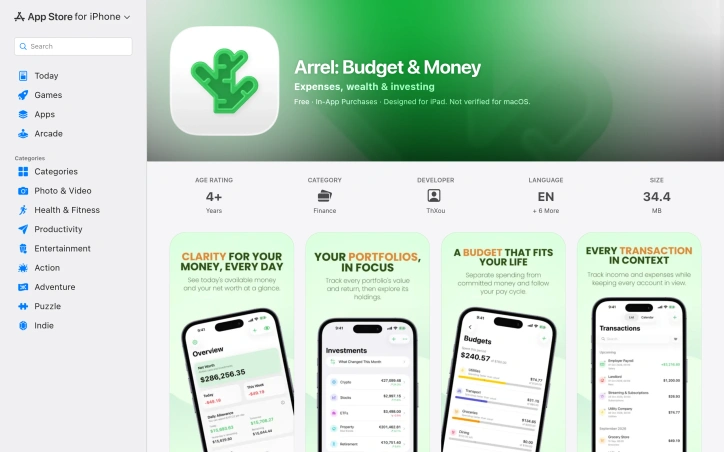
Personal finance apps have traded user privacy for free services for so long that Arrel's opposite approach feels almost radical. This iOS and iPad application inverts the typical business model: instead of harvesting spending data to fuel advertising or resale, it keeps everything offline and on your device, with no analytics tracking, no ads, and no third-party SDKs lurking in the background. The app targets people who want to manage their money without wondering if their financial details are being profited from elsewhere. You can use Arrel entirely without creating an account, though free sync across devices becomes available once you choose to sign in. The core product respects your autonomy at every level. Beyond privacy, Arrel handles the actual work of personal finance competently. It tracks multiple account types—cash, bank, savings, and credit cards—each in their own currency, which matters for anyone managing money across borders. The budgeting approach is particularly thoughtful, distinguishing between committed expenses and available money, so recurring bills like rent next week don't artificially inflate your spending budget for the month. Investment tracking extends beyond simple logging. You can build portfolios across stocks, ETFs, and crypto, and Arrel automatically calculates holdings and cost basis as you record buys and sells. Premium subscribers access live pricing for these assets; everyone else can input values manually. The app also calculates net worth, visualizes income versus expenses, and breaks down spending by category to surface spending patterns. The feature set feels complete without becoming overwhelming. Home Screen widgets and a read-only Apple Watch app keep essentials accessible. You can import bank statements from CSV and export all your data whenever you want, avoiding the lock-in that many finance apps rely on. Recent updates added Apple Intelligence features on supported devices for querying finances and categorizing imported transactions, processed entirely on-device. The business model is straightforward: the base app is free, and a premium subscription unlocks unlimited accounts, portfolios, budgets, trackers, analytics history, multi-currency exchange rates, shared trackers, PDF reports, and cash-flow forecasting. Sync and CSV export remain free regardless of subscription. Arrel succeeds because it solves a real problem—managing personal finances privately—without over-engineering the solution. It's a tool that trusts users rather than exploiting them.
When exam scores come in lower than anticipated, educators face a dilemma: curving grades to reflect reasonable performance or accepting disappointing results across the board. Grade Curve Calculator addresses this tension head-on by providing teachers and professors with a digital tool that implements multiple established curving methodologies, eliminating manual calculation errors and making grade adjustments transparent and defensible. The target audience is clear: instructors who need to curve grades fairly but lack the mathematical expertise or patience to execute complex statistical calculations by hand. Whether dealing with a single class section or multiple cohorts, the tool automates what would otherwise require spreadsheet formulas or statistical software. What distinguishes this calculator is its pedagogical pragmatism. Rather than forcing a single curving approach, it offers six distinct algorithms. The Texas curve applies square root scaling to disproportionately boost lower scores while restraining top-end inflation. Linear scaling ties all grades to the highest raw score as a ceiling. Bell curve options include both numerical adjustments targeting a specific mean and standard deviation, and a forced-distribution model that locks percentile brackets to letter grades, ensuring predictable grade distributions. A target mean scale lets instructors anchor curves to specific class averages, while flat-point additions provide the simplest adjustment method. The interface centers on bulk data entry, accepting comma-separated, space-separated, or line-break-separated scores, with optional student names. The system generates immediate comparative statistics—original and curved class means, medians, standard deviations, and pass rates—making the impact of each algorithm visible before committing to results. Export to CSV enables grade book integration. The tool operates as part of a broader academic calculator ecosystem covering weighted GPA, exam target scoring, and assignment grading. This integration positions it within a more comprehensive suite rather than as an isolated utility. From a business perspective, the calculator is entirely free, with no premium tier mentioned in the available materials. This aligns with the founder's articulated mission to democratize grade-curving accessibility across educational institutions of varying means. For educators seeking to apply statistically sound curving methods without specialized training, this tool delivers both transparency and efficiency. The multiple algorithm options prevent over-reliance on any single approach while the immediate statistical feedback ensures informed decision-making about grade adjustments.


Modern development environments have become invisible performance drains. A developer's Mac accumulates gigabytes of cached machine learning models, orphaned Docker containers, npm package caches, and Xcode build artifacts that legacy system utilities simply don't recognize. WTMemory directly addresses this gap in the market, targeting both everyday users mystified by mysterious slowdowns and developers who understand the problem intimately. What distinguishes WTMemory from conventional Mac cleaning software is its specificity to the modern development stack. Rather than offering vague promises to remove "system junk," the tool directly identifies and clears Ollama model weights, HuggingFace transformer snapshots, Docker virtual disk images, and accumulated npm and pnpm caches. A real-world scan presented on the site identified over 94 gigabytes of recoverable space across these categories alone, demonstrating the scale of the problem WTMemory solves. The product's engineering choices reinforce this focus. At 794 kilobytes, the application is remarkably small, works entirely offline, and tracks nothing about users. It operates as a native Mac utility with a simple interface offering both automatic operations like one-click cleaning of inactive memory and purgeable space, and manual inspection tools. The inspector functionality lets users understand exactly what's consuming storage before committing to cleanup, a useful safety feature when dealing with cached data. The pricing model is straightforward and consumer-friendly. A $9 one-time purchase unlocks the cleaning functions permanently, with free updates included and support for up to three machines. The free tier offers unlimited inspection capability, allowing users to understand their storage situation before paying. The tool's positioning reflects a genuine market gap. As AI tools and local language models become commonplace in development workflows, and as containerization and package management create new classes of hidden storage consumption, the assumptions underlying existing Mac optimization software have become outdated. WTMemory recognizes this explicitly, acknowledging that modern Macs aren't aging so much as becoming exhausted by legitimate workloads legacy tools were never designed to comprehend. For developers accustomed to managing system resources and for everyday users simply frustrated by unexplained slowdowns, WTMemory offers both accessibility and precision.


Many content creators face a frustrating trade-off: either re-record their podcasts, voiceovers, and videos in controlled settings, or spend weeks learning complex editing software to remove unwanted background noise. Clean Voice eliminates that choice by automating the cleanup process entirely. The product targets creators at all skill levels who record outside studios, from podcasters dealing with ambient noise to voiceover artists recording at home, plus professionals conducting remote interviews over video calls. It handles both audio files and video with soundtracks, supporting common formats like MP3, WAV, MP4, and MOV. What distinguishes Clean Voice is its refusal to overcomplicate the experience. The workflow is genuinely minimal: users drag files in, the AI processes them, and they download the results. The company emphasizes that this requires no editing knowledge, no technical jargon, and no days spent learning unfamiliar interfaces. A preview feature lets potential users hear before and after samples without uploading their own files or providing payment information, lowering the friction to try it. Beyond background noise reduction, the product also removes filler words like um and uh, maintaining the naturalness of speech while cleaning the recording. The system targets specific noise problems: traffic, wind, HVAC hum, microphone distortion, and room tone. This targeted approach matters because blunt noise removal often strips dialogue of vital qualities that make speech sound human. The pricing model reflects confidence in the product's reliability. Rather than charging per upload, Clean Voice charges per successfully processed minute using a credit system. Audio costs one credit per minute, while video costs three credits per minute, with a one-credit minimum for very short clips. This structure means failed processing attempts do not consume credits, reducing user frustration if something goes wrong. The positioning is clear: Clean Voice wants to eliminate the skill gap between amateur recording setups and professional studio quality. For creators who have a microphone and internet connection but lack either a sound-treated room or the patience to master editing software, the service offers a practical shortcut to broadcast-ready audio and video.


Converting video content into accessible text remains a persistent gap in content workflows, particularly for social platforms where audio-driven content dominates. IGTranscript addresses this by enabling users to extract searchable, timestamped transcripts from public Instagram Reels and video posts, transforming spoken content into reusable text without requiring login credentials or relying on existing captions. The tool fills a genuine need for creators, researchers, and content professionals who frequently need to reference, quote, or verify specific moments in video. Rather than scrubbing through footage to locate a particular statement, users paste a public Instagram link and receive a transcript indexed by time codes. This approach works regardless of whether the original content includes captions, since the transcription originates from the video's audio track. Several capabilities distinguish the product. The export options—supporting TXT, SRT, and VTT formats—make transcripts immediately compatible with subtitle workflows and editing software, extending their utility beyond simple note-taking. Timestamped segments anchor each line of dialogue to its position in the video, allowing users to verify quotes against the source before republishing. A search function within the transcript itself accelerates the process of locating specific names, phrases, or claims. Automatic language detection removes friction for content in languages beyond English, though users can override this to ensure accuracy. The implementation respects privacy by processing media temporarily rather than creating permanent public archives, and the platform explicitly restricts itself to public links, rejecting private accounts before processing begins. This design choice sidesteps account compromise and misuse vectors while keeping operations straightforward. The tool acknowledges its own limitations: transcript accuracy varies with source audio quality, background music, speaker accents, and overlapping dialogue. This transparency prevents overconfidence in edge cases where transcription might struggle. IGTranscript succeeds as a focused utility rather than an ambitious platform. It solves one problem thoroughly—making video audio searchable and citable—for users who regularly work with Instagram's video format. The lack of login requirements and the emphasis on data portability through standard subtitle formats position it as genuinely user-centered, not designed to create lock-in.


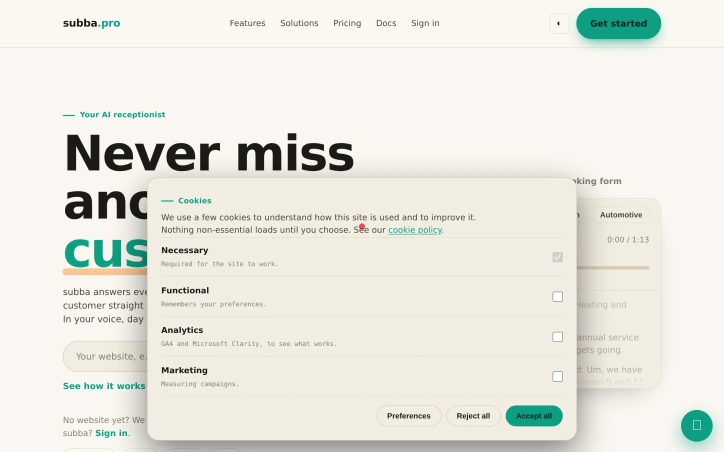
Missed phone calls cost local service businesses real revenue. Subba addresses this gap with an AI receptionist that handles customer inquiries across multiple channels—phone calls, web chat, SMS, and booking forms—around the clock without requiring staff to pick up. The system answers immediately, books customers directly into calendars, and processes payments, all while speaking in a business's chosen voice and style. The product targets small and mid-sized local businesses that operate in service industries: plumbing, dental practices, fitness studios, salons, and automotive shops. These businesses typically operate with limited reception staff and lose revenue when calls go unanswered or bookings require manual follow-up. Subba positions itself as a replacement for traditional answering services while adding booking and payment automation on top. What sets Subba apart is its integrated approach. Rather than offering just call answering or just booking software, it chains these functions together. A customer calls, gets an immediate response from the AI, receives available appointment slots, provides payment information, and receives a confirmation text—all in one interaction. The demonstration calls included in the marketing materials show realistic conversations handling different scenarios: a boiler service booking in one instance, a dental hygienist appointment in another. The AI captures customer details conversationally rather than through awkward form fills. The product goes further by offering website building. Businesses without existing online presence can get a functioning booking site launched within five working days, which lowers the barrier for traditional local businesses that may lack technical infrastructure. This bundled offering positions Subba as a more complete solution than point solutions that handle only one piece of the puzzle. The voice customization feature matters for brand consistency. Small businesses often develop relationships with customers based on personal interaction, and a generic robotic voice could undermine that. The ability to configure the AI to reflect a business's personality helps preserve what makes local service providers competitive. No pricing details appear in publicly available materials, though the company offers a sign-in for existing customers, suggesting a subscription or usage-based model rather than upfront licensing. The core insight is sound: local service businesses sit on the wrong side of an asymmetry where callers expect instant responses but most small operations cannot afford to staff phones constantly. Subba closes that gap systematically by automating the entire inquiry-to-payment flow.
Video creators automating production workflows now have access to a browser-based generator that transforms written prompts and image references into motion footage. RunwayAI operates as an independent platform built around video synthesis capabilities that have gained traction in creative disciplines, targeting creators, marketers, filmmakers, e-commerce teams, and developers who need rapid iteration in visual content production. The platform emphasizes configuration and control as core features. Users specify duration, aspect ratio, and output quality settings, positioning this beyond simple text-to-video generation into more intentional creative direction. The interface tracks task progress, allowing creators to monitor generation status without being locked into opaque processing. Once complete, videos can be previewed and downloaded directly, with generation history stored for reference and iteration. What separates this from simpler video generation tools is the sophistication of its reference system. Rather than relying on prompts alone, creators anchor videos to both image and video references, instructing the generator to replicate camera movements, mimic subject poses, adapt visual styles, or extend existing footage. The demonstrated examples showcase this capability across production scenarios: a campaign where a subject's movements synchronize with reference choreography, a commercial with emotional narrative progression, a fashion sequence where outfits vary across multiple reference images, and branded content layering audio from one source with visuals from another. The platform also offers templated workflows for common scenarios. Fashion lookbooks, e-commerce mockups, lifestyle storytelling, and documentary-style explainers provide starting points that abstract complexity for new users while remaining flexible for experienced creators requiring customization. For developers, API resources are mentioned as available, suggesting integration potential in larger production pipelines, though specifics remain undocumented in accessible materials. The positioning as an independent third-party platform sets clear expectations about implementation origins. Combined with reference-based generation, granular control over output parameters, and structured workflows, this creates a more directive approach to AI video synthesis than text-alone prompting typically offers.

Video production workflows are often bottlenecked by the time and expertise required to create polished short-form content. Hailuo AI addresses this by offering a browser-based platform where creators input text descriptions or still images and receive finished video outputs, eliminating the need for traditional video editing skills or software. The platform targets a broad audience spanning social media creators, marketing teams, ecommerce businesses looking for product visualization, animators needing character motion, and anyone exploring creative concepts before investing in full production. Unlike generic AI video generators, this platform distinguishes itself through deliberate workflow design that prioritizes creative control within an accessible interface. The standout feature is the structured approach to video composition. Rather than a blank prompt field, users navigate guided creative templates organized by use case: camera and motion replication, product explainers, fashion shoots, lifestyle storytelling, and video extension. These templates scaffold the creative process while preserving flexibility. Motion and camera controls allow precise direction of movement and framing, moving beyond the passive "generate and hope" dynamic of simpler tools. Prompt guidance keeps outputs grounded in coherent direction, while the included creative reference library provides visual anchors that demonstrate what the system can achieve. Practical features round out the offering. Users can specify duration and resolution, maintain a task history for iteration, and download results directly. The asynchronous API workflow opens the platform to developers and production teams building automation around video generation, broadening its applicability beyond manual creation. The template approach carries inherent trade-offs. While it democratizes video creation for defined use cases, those seeking truly unconventional outputs may find the predefined structures constraining. The inclusion of sample creative direction material is framed transparently as reference only, appropriately managing expectations about output quality and ownership. The platform's positioning as an independent Hailuo 2.3 implementation is notable in an increasingly fragmented AI video market. This independence suggests direct alignment with the underlying model's capabilities without intermediary abstractions, though it also means users bear the full dependency on Hailuo's development roadmap. No pricing details appear in the available materials, leaving the financial accessibility of the platform unclear. For prospective users, clarification on whether this is free, subscription-based, or pay-per-video would be essential to evaluating fit.


Automating repetitive customer interactions has become essential for small businesses, yet most chatbot solutions require extensive configuration and technical expertise. ChatNestly addresses this gap by packaging AI-driven customer support into a no-code product designed for teams that lack dedicated technical resources. The core appeal lies in its simplicity. Users provide their website URL or upload business documents, and the system trains a chatbot on that content without requiring users to design complex workflows or manage dialogue trees. The platform promises response times around 0.4 seconds and reports a 94.8% resolution rate, suggesting the underlying AI performs well on customer inquiries. For businesses handling repetitive questions, lead capture, appointment booking, and order collection, this automation can meaningfully reduce manual work. The product's flexibility across tech stacks distinguishes it in a crowded market. Whether a business runs WordPress, Shopify, or custom React applications, ChatNestly integrates via a single line of embedded code rather than forcing expensive migrations or platform changes. This pragmatic design acknowledges that businesses operate within existing technology constraints. Beyond web chat, ChatNestly integrates the official WhatsApp Business API, enabling chatbot conversations through WhatsApp itself and automating follow-ups for lead capture. This multi-channel approach recognizes that customers increasingly expect businesses to meet them on their preferred platforms rather than forcing them to visit a website. The handoff to human agents addresses a genuine pain point in chatbot deployment. Artificial intelligence handles routine queries effectively, but customers eventually encounter questions requiring human judgment. The platform's built-in capability to recognize when a conversation needs escalation and route it to support staff prevents the common frustration of getting stuck in a bot loop. Pricing details remain sparse in the available information. The company mentions a Starter plan including five chatbots and monthly conversation allocations, without specifying actual costs. The emphasis on "no credit card required" and "setup in minutes" suggests a low-friction onboarding designed to reduce purchase friction, though potential customers would need to visit the site for transparent pricing. ChatNestly targets small teams and growing businesses that need customer support automation but lack the technical depth to build custom solutions. The platform competes against larger, more feature-rich alternatives by prioritizing simplicity over extensive configuration options. For businesses frustrated by chatbot complexity, it represents a pragmatic alternative that prioritizes quick deployment over elaborate customization.


Shipping software without guidance often means recreating the wheel or following generic launch frameworks that treat all products identically. This checklist addresses that gap by combining practical structure with the flexibility indie teams need. The core insight is simple but powerful: launch guides traditionally overwhelm makers with exhaustive task lists, then fail to explain why each step matters or when it's safe to skip. By reversing this approach, the tool acknowledges that a browser extension follows a different path than a SaaS product, and what works for one creator's situation may waste another's time. The product spans eight phases from the moment the core product functions through the first month post-launch, containing 43 items total. Rather than displaying all tasks regardless of context, users select their launch type (SaaS, mobile app, AI tool, browser extension, open source, or developer tool), and irrelevant items filter out automatically. Each checklist item includes reasoning about why it matters and explicit conditions for skipping it. This transparency lets makers make informed decisions instead of feeling obligated to complete every task. The interface handles progress tracking directly in the browser without requiring authentication, email verification, or account creation. Users can export their work through multiple formats: shareable links, printable versions, markdown, or GitHub task integration. The product also includes integration points with major AI assistants, letting users ask ChatGPT, Claude, Perplexity, or Google AI for guidance specific to their launch. Notably, the founder has extended the tool beyond the web interface. A free MCP server enables developers to integrate the checklist into their own workflows, and an agent skill allows users to progress through their launch one item at a time with AI assistance. This expansion positions the checklist as part of a broader ecosystem rather than a standalone tool. The pricing model removes friction entirely. The complete checklist remains free indefinitely, with no account walls, email collection, or advertisements. This choice aligns with the maker community's preference for straightforward tools that respect their time and information. What distinguishes this from generic launch templates is the deliberate rejection of one-size-fits-all thinking. By making skip conditions explicit and contextual, the tool respects that optimization sometimes means doing less, not more. For indie makers tired of consulting bloated launch guides, this targeted approach offers clarity without compromise.


Spreadsheet-based family budgets collapse under their own friction. AI Budget Assistant addresses this by automating the most tedious part of household finance management: data entry. Instead of typing receipts or forwarding bank statements, family members log expenses through voice commands or photos of receipts, which the AI then categorizes and summarizes. The result is a shared, real-time budget visible to everyone in the household. The product solves a specific pain point: families struggling to coordinate on spending because the process of tracking expenses is too burdensome to maintain consistently. The target audience is households where multiple people contribute expenses but lack a centralized, frictionless way to see them together. It appeals to people who find spreadsheets tedious and prefer input methods that don't require typing. Several capabilities distinguish AI Budget Assistant from basic expense-tracking apps. Receipt scanning uses optical character recognition to extract line items, amounts, and merchant names from photos rather than forcing manual entry. Voice input allows users to log expenses conversationally. The platform supports shared access across family members, with all participants seeing the same data in real-time across phones, tablets, and web browsers. Beyond tracking, it includes budget creation, savings goal management, debt monitoring, and expense analytics broken down by category and merchant. Bank integration imports transactions directly from Wise and other institutions via CSV or PDF, with duplicate detection to prevent double-counting. The AI component extends beyond data entry into analysis. Instead of reading charts, users can ask natural-language questions about their finances and receive conversational responses. This positions the product as more of a financial advisor interface than a simple ledger. The business model relies on a freemium structure. Core features are free, while a Pro plan removes limits on AI queries and enables advanced analytics. The company does not disclose specific pricing or feature breakdowns beyond this split. For households tired of juggling multiple tools or spreadsheet disciplines, AI Budget Assistant offers a more human-friendly approach to a fundamentally important problem. Its strength lies not in novelty but in consolidating scattered household finance management into a single, voice-and-photo-driven interface designed for collaboration rather than isolation.


Converting product discovery into actual sales remains one of the core challenges for e-commerce merchants. Customers who struggle to find what they're looking for abandon carts, and stores lose revenue. Findter Custom Filter & Search addresses this friction by equipping Shopify merchants with powerful search and filtering tools designed to accelerate the buying journey across catalog sizes. The app targets store owners who recognize that generic search functionality leaves conversion opportunities on the table. Whether running a boutique catalog or managing thousands of SKUs, merchants can deploy unlimited custom filters tailored to each collection, ensuring customers find products based on criteria that actually matter to their inventory—metafields, variants, brand, size, color, tags, and price ranges. What distinguishes Findter is its dual focus on both customer experience and merchant insight. The search bar functions across multiple dimensions, allowing customers to browse by collection, product properties, or year-make-model specifications depending on the store's needs. The platform includes product boost functionality to surface high-margin or featured items at the top of search results and collection pages, giving merchants direct control over merchandising without requiring code changes. Equally important, the app provides real-time analytics revealing which filters customers use most, which search queries drive clicks, and session-level behavior patterns. This visibility transforms discovery into an optimization cycle rather than a set-it-and-forget-it feature. The customization layer is substantial. Merchants access a drag-and-drop editor to adjust filter display types, layouts, and logic without technical overhead. Color, font, badges, and custom CSS options allow the interface to blend seamlessly with store branding. Mobile responsiveness ensures the experience works across devices, while support for mega menus, dropdowns, tabs, and infinite scroll adapts to different site architectures. Findter supports Online Store 2.0 and legacy themes, and the app is localized across sixteen languages including English, Spanish, Japanese, Chinese, and Nordic variants, enabling merchants with international audiences to serve customers in their native languages. The app maintains a 5.0 rating from 240 reviews. A free plan with trial availability removes activation barriers for testing before commitment. The straightforward setup promises to get stores running quickly, while the architecture scales alongside growing catalogs and traffic. For merchants serious about reducing friction in product discovery and extracting revenue from customer behavior data, Findter provides the core infrastructure to compete on the customer experience dimension.


Researchers coordinating evidence synthesis have long faced a fragmented toolchain problem: screening studies in one system, extracting data in another, and analyzing results in a third, with handoffs between each step introducing friction and error. EvidenceFlow consolidates this workflow into a single platform designed explicitly for the research team conducting systematic reviews rather than individual researchers working alone. The platform connects the full cycle from research question definition through publication-ready reporting. A researcher starts by establishing their study's PICO framework—population, intervention, comparator, and outcome—which then serves as the reference point for every downstream decision. This traceability extends from initial screening through final meta-analysis, creating an audit trail that documents who made each decision, when, and at which workflow stage. What distinguishes EvidenceFlow is its focus on collaborative review structures. Rather than treating systematic review as a solitary task, it implements blind dual review as a core feature: two reviewers screen studies independently, neither seeing the other's decisions until conflicts emerge. The platform flags disagreements automatically and routes unresolved records to a third reviewer or manager for arbitration. This architecture prevents studies from silently slipping through as included when reviewers actually disagree, a common failure mode in manual processes. The meta-analysis engine handles the quantitative synthesis that follows screening. It supports multiple pooling approaches—inverse variance, Mantel-Haenszel, and Peto methods—and generates publication-ready forest and funnel plots directly from live screening data. The platform also integrates specialized omics support, enabling synthesis of GWAS and RNA-seq data across studies. On integration, EvidenceFlow connects to standard academic sources like PubMed, Crossref, and OpenAlex, and supports common formats including RIS, BibTeX, CSV, and JSON for import and export. Outputs comply with PRISMA 2020 guidelines, the current standard for systematic review reporting. The pricing model offers a free tier that includes the core workflow and unlimited reviewers—a significant differentiator for academic teams. The platform has received recognition through the AWS Activate Startup Program, suggesting traction among early adopters. EvidenceFlow addresses a genuine coordination gap in evidence synthesis, particularly for multi-reviewer research teams that currently piece together disparate tools. The combination of built-in collaboration features, standardized reporting, and integrated workflow reduces operational overhead for a process that remains computationally demanding and error-prone when fragmented.


Adding speech bubbles to photos for memes, comics, and social media content requires either expensive software or frustrating workarounds. Speech Bubble Maker addresses this gap by delivering a straightforward, browser-based editor that handles the task without friction. The product targets creators of all skill levels—from casual meme makers to content creators who need quick turnarounds—who want professional results without technical expertise or financial investment. The product distinguishes itself through its commitment to frictionless access. No account creation is required to start, and there is no watermark on exported files. The company explicitly permits commercial use at no cost, eliminating licensing complications that plague many free tools. Local processing means images and editing content stay on the user's device rather than uploading to servers, addressing privacy concerns that some creators face with cloud-based alternatives. The feature set spans the essential requirements for this use case. Users can upload images in JPG, PNG, WebP, and GIF formats and choose from more than ten distinct bubble styles—ranging from classic dialogue boxes to pixel art, manga, anime, neon, and sketchy variants. Customization options include font selection, size adjustment, color controls, outline width, opacity, and rotation. The tail can be repositioned to point at any element in the image. Export options cover PNG, JPG, WebP, and GIF, with built-in presets for common social platforms including Instagram, Discord, and X, alongside the option to export at the original canvas size or define custom dimensions. The interface follows a three-step workflow: upload, customize, export. This simplicity makes the tool accessible to users without design experience while still providing depth for those who want granular control. Speech Bubble Maker operates on a fully free model with no paid tiers or upgrade pathways mentioned in available materials. This straightforward approach positions the product as a genuinely accessible utility rather than a freemium trap. The tool fills a genuine need in the creator economy where quick, watermark-free speech bubble additions have traditionally required either paid software or tedious workarounds. By bundling essential features with local privacy protection and zero friction to entry, the product delivers clear value to its target audience.

Real estate professionals have long struggled with the gap between manual video editing and automated slideshows. ReelHive addresses this with an AI-powered tool built specifically for turning property photos into polished listing videos. The platform targets real estate agents, marketing teams, and property photographers who need to produce videos quickly without dedicating hours to editing. The core offering is straightforward: upload listing photos, choose a visual style, and let AI generate scene-aware camera movements that match each image rather than applying the same generic pan-and-zoom to every shot. What distinguishes ReelHive from broader video creation tools is its narrow, deliberate scope. Rather than positioning itself as a general-purpose video editor, it acknowledges the specific workflow of real estate listing photography. Users control the photo sequence and presentation style while the platform automates the repetitive production work: selecting appropriate camera movements, generating clips, handling transitions, syncing music, adding captions, and rendering the final export. This focused design removes friction from a common professional task. The product workflow is lean: arrange photos in desired order, select from three style presets (Luxury, Modern, Social) and a choice of aspect ratios (9:16 vertical or 16:9 horizontal), optionally add music from a curated set of 50 tracks, and layer in property details or branding elements. The AI then analyzes each photograph to determine suitable camera movement, acknowledging that a kitchen, living room, exterior, and detail shot require different visual treatment. The interface eliminates prompts and timeline editing entirely, aligning with the stated goal of reducing hours spent on production into a minutes-long process. Users can preview sample videos before committing, and the platform offers a two-video free trial without requiring a credit card, lowering the barrier to initial use. User ratings stand at 4.9 out of 5 across 500 reviews, though this metric alone does not indicate production quality or business sustainability. The tool occupies a genuine gap: it is neither a manual editing burden nor an undifferentiated slideshow, but rather a purpose-built solution for a specific professional use case. Pricing details are not disclosed in the available content, though the free tier supports initial evaluation.


Production timelines in creative teams consistently bottleneck on designer availability and iteration capacity. Seedream 5.0 addresses this friction point through a browser-based workspace for generating and refining marketing visuals at scale. The platform serves creators, designers, marketers, ecommerce teams, and small businesses operating under tight turnaround constraints, where both output quality and iteration speed drive competitive advantage. The product distinguishes itself through breadth across creative verticals. Beyond text-to-image synthesis, Seedream handles reference-guided composition, controlled image editing, and video generation spanning camera motion replication, narrative sequencing, and temporal extension of existing footage. The template library demonstrates scope across ecommerce product photography, campaign video, brand explainers, lifestyle content, and social media assets. An API integration option extends reach to developers embedding generation workflows into existing production pipelines. The platform operates on two licensing tiers. Seedream 5.0 Lite targets routine creative work, while Pro addresses production-grade demands. Documentation does not specify capability distinctions between the tiers, though the positioning suggests Pro prioritizes throughput or output quality for demanding commercial work. Seedream uses a credit-based consumption model that decouples pricing from per-seat licensing. Users access free trial credits to validate output quality before committing to flexible credit plans scaled to production volume. This pricing structure aligns directly with creative output volume, eliminating unused licenses and matching cost to variable demand. The core value proposition hinges on production acceleration. Rather than brief-to-final timelines measured in weeks, AI-assisted iteration compresses cycles to hours. For in-house teams and growing brands constrained by designer capacity, this workflow improvement justifies serious evaluation. For ecommerce operations managing high-velocity visual updates, the cost reduction alone proves compelling. The limiting factor remains output quality validation. Trial access allows teams to test real workflows against production standards before purchasing credits. The template examples demonstrate capability scope, but specific use cases require hands-on evaluation to confirm whether output consistency, brand alignment, and production readiness meet requirements.


For crypto traders juggling multiple browser tabs to monitor prices, charts, order flow, and news, CryptoBolt consolidates the entire research and trading workflow into a single browser-based terminal. The platform eliminates the friction of account creation and subscription paywalls that gate core features in competing terminals, instead offering a free, feature-rich alternative that loads live data immediately upon access. The product's standout advantage is its zero-friction entry point. Users can begin monitoring live Bitcoin, Ethereum, or any spot or futures pair through Binance data without signup, login, or credit card. This removes the barrier-to-entry that plagues traditional trading terminals, making it accessible to traders learning the craft and those who want to conduct quick research before executing decisions. Core charting capabilities rival paid platforms, delivering candlestick streams with indicators including RSI, MACD, Bollinger Bands, exponential and simple moving averages, and VWAP—all without plugin installation or paywall. Beyond technical analysis, the order flow visibility shows actual depth and trade prints rather than just the last traded price, giving traders a view into where volume and limit orders actually sit. The AI research desk distinguishes CryptoBolt from indicator-only signal systems. Rather than relying solely on technical overlays, the research function grounds analysis in live news, funding rates, and Fear and Greed sentiment data. This approach contextualizes moves without falling into the hallucination traps common in unconstrained AI price prediction tools. Additional features include portfolio tracking across spot and leveraged futures positions, price alerts that notify without requiring constant screen monitoring, and a paper trading account to simulate positions using live prices before deploying capital. For users who want cross-device synchronization of watchlists and trades, account creation remains optional but available. The business model departs from the standard subscription formula. CryptoBolt remains free for all core features. The AI research desk requires a Groq API key—users provide their own—eliminating vendor lock-in and subscription costs. The platform is open source on GitHub, offering transparency into data handling and execution logic that proprietary terminals cannot match. This approach directly challenges the paid terminal market's gatekeeping model by delivering professional-grade tools without friction, though traders requiring advanced features unique to premium terminals may still find those options necessary.


Content creators recording videos on mobile devices face a persistent challenge: reading scripts while maintaining natural eye contact with the camera. Most solutions force an awkward choice between memorization, looking off-camera to reference notes, or accepting the production quality hit of a distracted delivery. Teleprompter Studio addresses this for iPhone and iPad users by placing a scrolling script directly beside the camera lens, allowing creators to read their material without breaking the visual connection with their audience. The product targets creators ranging from solo content producers to small teams who need to shoot professional-looking videos but lack access to dedicated studio teleprompter setups. This includes social media creators, educational content producers, sales professionals recording pitches, and anyone else who benefits from reading prepared remarks while maintaining on-camera presence. What distinguishes Teleprompter Studio is its integrated approach. Rather than offering a standalone teleprompter feature, the app consolidates three essential functions into one workspace: the prompt display, video recording, and post-production editing. This consolidation eliminates the friction of jumping between multiple applications, keeping creators in a focused environment from script preparation through final export. During recording, the app provides granular control over the teleprompter itself. Users can adjust scrolling speed in real time, modify text size and positioning, enable mirroring, and switch between front and back cameras without exiting the recording interface. The microphone controls remain accessible, allowing audio adjustments without interrupting the take. This flexibility matters because reading speeds and comfort levels vary significantly between individuals. The editing capabilities handle standard post-production tasks including trimming, cropping, and aspect ratio adjustments to accommodate different platforms, whether vertical, square, widescreen, or cinematic formats. Scripts and recordings are organized within the app's library, and importantly, all content remains stored locally on the device rather than relying on cloud infrastructure. The app requires iOS 18 or later and is available exclusively on the App Store for iPhone and iPad. Pricing information is not detailed in publicly available materials. The product includes a blog resource offering practical guidance on teleprompter technique, addressing how users can maintain natural delivery while reading from a prompt. Teleprompter Studio fills a legitimate gap in mobile content creation by removing a technical barrier that often undermines video quality. The integration of recording and editing alongside the teleprompter feature simplifies workflow for creators who need rapid turnaround on professional-looking content.