884 startups launched 10,826 upvotes cast 69 submitted this week

Recently Listed

884 launches
Sort
MSP Planner for Jira

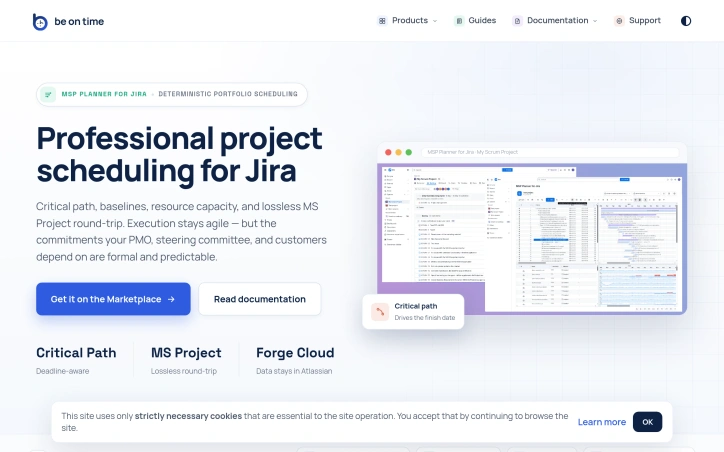
Organizations running Jira often face a critical tension: agile teams need flexibility, but stakeholders—PMOs, steering committees, and customers—demand formal commitments backed by rigorous scheduling. This gap is where MSP Planner for Jira operates, providing what its creators position as a professional scheduling engine rather than a visual overlay. The distinction matters. Most Jira Gantt integrations function as date visualizations, but MSP Planner implements an actual planning model, drawing its design from MS Project. This means support for industry-standard scheduling modes: Fixed Duration, Fixed Work, and Fixed Units. These controls let teams precisely define how effort, resources, and timing interact when project scope shifts—a capability that separates deliberate planning from guesswork. The product's strongest differentiator is its MS Project interoperability. Rather than one-way exports, the tool enables lossless round-trip sync: you export Jira schedules to .mpp format for external stakeholders, edit them in MS Project, and reimport them without losing structure or links. This is rare integration work. It means teams can satisfy both camps—Jira-native execution with formal external review—without maintaining parallel schedules. Core features address the formal planning checklist: critical path analysis identifies which task delays actually matter, baselines track schedule drift over time, and dependency management supports all standard link types (FS, SS, FF, SF). Resource capacity checks ensure commitments account for team availability. Complex task hierarchies and nested structures handle real-world project logic rather than forcing oversimplified models. The architecture choice is notable: data remains in Atlassian Forge, avoiding external data migration or vendor lock-in concerns. The protected Planning Space with explicit push/pull sync suggests controlled synchronization rather than constant bidirectional mirroring, giving teams deliberate moments to reconcile agile execution with formal planning artifacts. This targets a specific market segment: organizations too large or regulated to rely on pure task lists, but committed to Jira for their execution layer. It's not for teams that view scheduling as overhead; it's for those where predictability itself is a competitive requirement.

Project-management-software
B
Be On Time

Organizations running Jira often face a critical tension: agile teams need flexibility, but stakeholders—PMOs, steering committees, and customers—demand formal commitments backed by rigorous scheduling. This gap is where MSP Planner for Jira operates, providing what its creators position as a professional scheduling engine rather than a visual overlay. The distinction matters. Most Jira Gantt integrations function as date visualizations, but MSP Planner implements an actual planning model, drawing its design from MS Project. This means support for industry-standard scheduling modes: Fixed Duration, Fixed Work, and Fixed Units. These controls let teams precisely define how effort, resources, and timing interact when project scope shifts—a capability that separates deliberate planning from guesswork. The product's strongest differentiator is its MS Project interoperability. Rather than one-way exports, the tool enables lossless round-trip sync: you export Jira schedules to .mpp format for external stakeholders, edit them in MS Project, and reimport them without losing structure or links. This is rare integration work. It means teams can satisfy both camps—Jira-native execution with formal external review—without maintaining parallel schedules. Core features address the formal planning checklist: critical path analysis identifies which task delays actually matter, baselines track schedule drift over time, and dependency management supports all standard link types (FS, SS, FF, SF). Resource capacity checks ensure commitments account for team availability. Complex task hierarchies and nested structures handle real-world project logic rather than forcing oversimplified models. The architecture choice is notable: data remains in Atlassian Forge, avoiding external data migration or vendor lock-in concerns. The protected Planning Space with explicit push/pull sync suggests controlled synchronization rather than constant bidirectional mirroring, giving teams deliberate moments to reconcile agile execution with formal planning artifacts. This targets a specific market segment: organizations too large or regulated to rely on pure task lists, but committed to Jira for their execution layer. It's not for teams that view scheduling as overhead; it's for those where predictability itself is a competitive requirement.

MSP Planner for Jira preview

Key features

  • Fixed Work Scheduling: Supports industry-standard scheduling modes (Fixed Duration, Fixed Work, and Fixed Units) to precisely define how effort, resources, and timing interact.
  • MS Project Interoperability: Enables lossless round-trip synchronization between Jira and MS Project formats without losing structure or links.
See full listing
AI Tattoo Generator

Translating a vague tattoo concept into a stencil-ready design has always meant weeks of Pinterest scrolling and awkward conversations with tattoo artists. AI Tattoo Generator cuts through this friction by converting text descriptions into preview-ready artwork in seconds, letting customers validate their vision before walking into an artist's chair. The product targets two distinct audiences: people who want to visualize and refine ideas independently before paying for professional consultation, and those seeking inspiration by browsing community-generated designs. Rather than positioning itself as a generic image generator, the founder built the workflow specifically for tattoo planning, training the AI on style-aware prompts for minimalist, traditional, Japanese irezumi, geometric, and blackwork aesthetics. What distinguishes this from standard AI image tools is the specificity embedded in every decision point. Users describe their tattoo idea, select from multiple AI models with different credit costs (ChatGPT Image at 4 credits, Doubao at 5, with premium options locked behind a Pro tier), pick an established tattoo style, and designate placement on specific body areas. The system delivers high-resolution PNG files formatted explicitly for artists to trace and adapt. This deliberate architecture—combining style, placement, and output format in a single workflow—reflects genuine product thinking about how tattoos actually get made. The community gallery functions simultaneously as inspiration and social proof. Displaying previous user prompts alongside finished designs creates a browsable archive of ideas, while a private mode upgrade lets users keep designs confidential. The font generator addresses lettering requests, a common tattoo need that most AI tools handle poorly. Accessibility comes through a free credit allowance on signup, allowing new users to generate multiple concepts before deciding whether to continue. Credit costs vary by model availability and capability, introducing a tiered monetization model without forcing immediate payment. The positioning is refreshingly honest: these are drafts, not finished pieces. The site consistently reminds users that AI designs are starting points requiring professional artist review and adaptation for actual skin placement. This liability-conscious language protects both the user and the company. For people frustrated by the design-communication gap in tattoo planning, the product delivers genuine utility. It collapses what might take days of conversation and revision into minutes of generation and variation.

Ai-generative-media
K
Kitety

Translating a vague tattoo concept into a stencil-ready design has always meant weeks of Pinterest scrolling and awkward conversations with tattoo artists. AI Tattoo Generator cuts through this friction by converting text descriptions into preview-ready artwork in seconds, letting customers validate their vision before walking into an artist's chair. The product targets two distinct audiences: people who want to visualize and refine ideas independently before paying for professional consultation, and those seeking inspiration by browsing community-generated designs. Rather than positioning itself as a generic image generator, the founder built the workflow specifically for tattoo planning, training the AI on style-aware prompts for minimalist, traditional, Japanese irezumi, geometric, and blackwork aesthetics. What distinguishes this from standard AI image tools is the specificity embedded in every decision point. Users describe their tattoo idea, select from multiple AI models with different credit costs (ChatGPT Image at 4 credits, Doubao at 5, with premium options locked behind a Pro tier), pick an established tattoo style, and designate placement on specific body areas. The system delivers high-resolution PNG files formatted explicitly for artists to trace and adapt. This deliberate architecture—combining style, placement, and output format in a single workflow—reflects genuine product thinking about how tattoos actually get made. The community gallery functions simultaneously as inspiration and social proof. Displaying previous user prompts alongside finished designs creates a browsable archive of ideas, while a private mode upgrade lets users keep designs confidential. The font generator addresses lettering requests, a common tattoo need that most AI tools handle poorly. Accessibility comes through a free credit allowance on signup, allowing new users to generate multiple concepts before deciding whether to continue. Credit costs vary by model availability and capability, introducing a tiered monetization model without forcing immediate payment. The positioning is refreshingly honest: these are drafts, not finished pieces. The site consistently reminds users that AI designs are starting points requiring professional artist review and adaptation for actual skin placement. This liability-conscious language protects both the user and the company. For people frustrated by the design-communication gap in tattoo planning, the product delivers genuine utility. It collapses what might take days of conversation and revision into minutes of generation and variation.

AI Tattoo Generator preview

Key features

  • Text-to-Design Conversion: Converts text descriptions into preview-ready tattoo artwork in seconds
  • Style-Specific Selection: Users can pick from established tattoo styles including minimalist, traditional, Japanese irezumi, geometric, and blackwork
See full listing
A

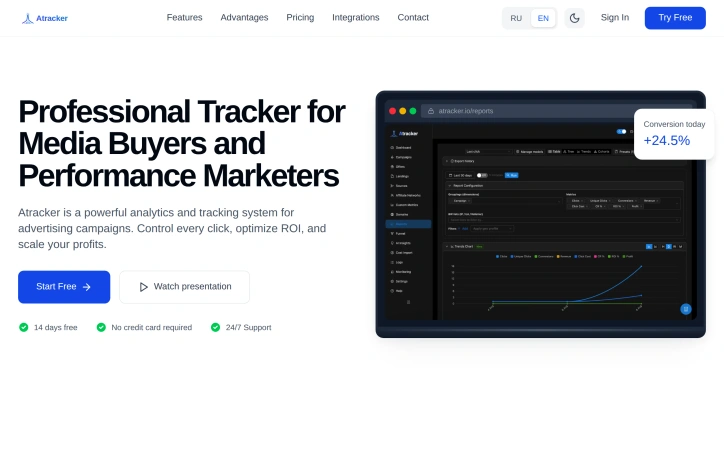
Fragmented data haunts performance marketing teams. Atracker addresses this with a unified analytics and tracking platform designed specifically for media buyers and performance marketers who need granular visibility into their advertising spend. The product tackles a concrete problem: organizations managing paid traffic campaigns often lack a centralized view of campaign performance across channels. Atracker consolidates this data into a single dashboard, offering real-time analytics and unified tracking that lets teams monitor individual clicks and campaign ROI. This centralization enables faster decision-making, allowing teams to identify underperforming campaigns and shut them down before wasting additional budget, while simultaneously scaling strategies that deliver results. What distinguishes Atracker from basic analytics tools is its explicit focus on the media buying workflow. Rather than generic event tracking, the platform emphasizes ROI optimization and campaign control as primary functions. The real-time analytics capability is particularly relevant for performance marketers who operate in high-velocity environments where delayed insights translate directly to wasted spend. The platform includes integrations with other tools in the marketing stack, indicating recognition that media buyers work across multiple platforms and need data to flow seamlessly. The single-dashboard approach reduces the friction of context-switching between systems, a genuine pain point in the industry. Atracker offers an accessible entry point through a 14-day free trial that requires no credit card, lowering the barrier for teams evaluating tools. The inclusion of 24/7 support suggests the company positions itself as a service rather than a self-service tool, acknowledging that performance marketers often operate outside standard business hours and may need immediate assistance. The product explicitly targets performance marketers and media buying teams—a narrow but underserved segment. These organizations typically operate on thin margins where even small optimization improvements compound quickly, making tools that promise ROI control and campaign-level transparency attractive. No explicit pricing details appear in available materials, though the free trial model and support positioning indicate a subscription-based business model likely targeting small to mid-market agencies and in-house marketing teams managing substantial advertising budgets.

Advertising-tools
N
NameOne Web

Fragmented data haunts performance marketing teams. Atracker addresses this with a unified analytics and tracking platform designed specifically for media buyers and performance marketers who need granular visibility into their advertising spend. The product tackles a concrete problem: organizations managing paid traffic campaigns often lack a centralized view of campaign performance across channels. Atracker consolidates this data into a single dashboard, offering real-time analytics and unified tracking that lets teams monitor individual clicks and campaign ROI. This centralization enables faster decision-making, allowing teams to identify underperforming campaigns and shut them down before wasting additional budget, while simultaneously scaling strategies that deliver results. What distinguishes Atracker from basic analytics tools is its explicit focus on the media buying workflow. Rather than generic event tracking, the platform emphasizes ROI optimization and campaign control as primary functions. The real-time analytics capability is particularly relevant for performance marketers who operate in high-velocity environments where delayed insights translate directly to wasted spend. The platform includes integrations with other tools in the marketing stack, indicating recognition that media buyers work across multiple platforms and need data to flow seamlessly. The single-dashboard approach reduces the friction of context-switching between systems, a genuine pain point in the industry. Atracker offers an accessible entry point through a 14-day free trial that requires no credit card, lowering the barrier for teams evaluating tools. The inclusion of 24/7 support suggests the company positions itself as a service rather than a self-service tool, acknowledging that performance marketers often operate outside standard business hours and may need immediate assistance. The product explicitly targets performance marketers and media buying teams—a narrow but underserved segment. These organizations typically operate on thin margins where even small optimization improvements compound quickly, making tools that promise ROI control and campaign-level transparency attractive. No explicit pricing details appear in available materials, though the free trial model and support positioning indicate a subscription-based business model likely targeting small to mid-market agencies and in-house marketing teams managing substantial advertising budgets.

Atracker preview
A

Key features

  • Unified Analytics Dashboard: Consolidates campaign performance data from multiple channels into a single view
  • Real-Time Analytics: Provides immediate insights into advertising spend and campaign performance for high-velocity decision-making
See full listing
Smart Assets

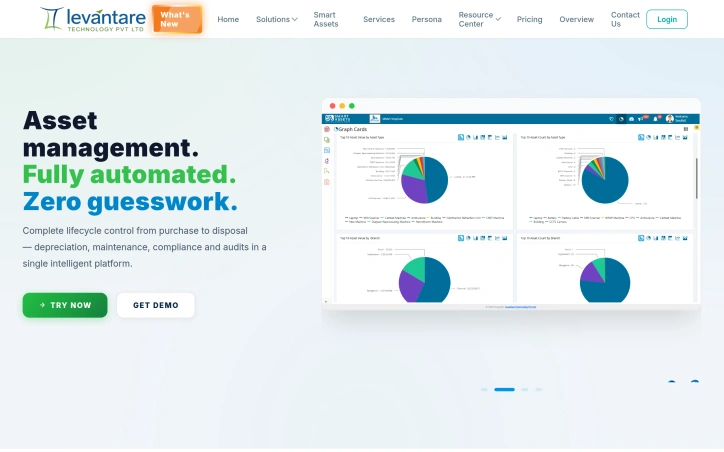
How Smart Assets Software Works? Smart Assets Software provides a centralized platform to manage, track, and monitor assets throughout their lifecycle. Assets are recorded, tagged, verified, and tracked in a single system, enabling organizations to maintain accurate asset data and complete visibility. How It Solves Asset Management Challenges? Centralizes asset information in one place Improves asset visibility and accountability Simplifies asset verification and audits Tracks asset movement and ownership changes Reduces data inaccuracies and duplicate records Provides actionable reports and analytics Strengthens governance and compliance Result: Accurate asset records, improved operational efficiency, and better decision-making through reliable asset data.
Finance
M
Mohanraj

How Smart Assets Software Works? Smart Assets Software provides a centralized platform to manage, track, and monitor assets throughout their lifecycle. Assets are recorded, tagged, verified, and tracked in a single system, enabling organizations to maintain accurate asset data and complete visibility. How It Solves Asset Management Challenges? Centralizes asset information in one place Improves asset visibility and accountability Simplifies asset verification and audits Tracks asset movement and ownership changes Reduces data inaccuracies and duplicate records Provides actionable reports and analytics Strengthens governance and compliance Result: Accurate asset records, improved operational efficiency, and better decision-making through reliable asset data.

W

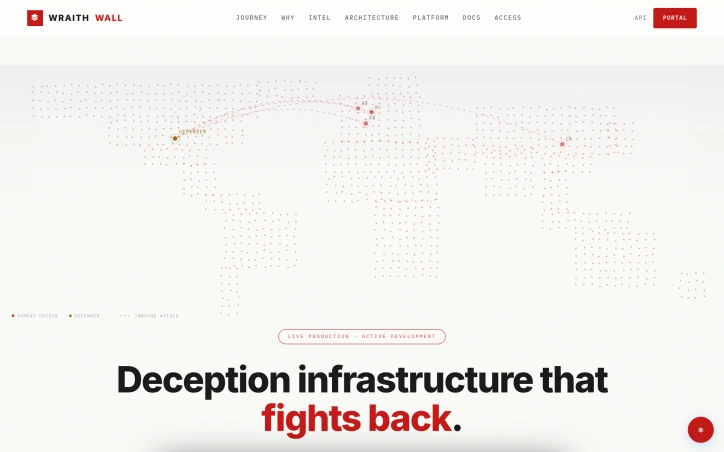
Defensive security has long relied on detection and response, but most tools operate in reactive mode, alerting teams after attackers have already penetrated defenses. WraithWall inverts this logic by embedding deception infrastructure at the perimeter and inside networks, forcing adversaries to reveal their methods before they can reach critical assets. The platform orchestrates honeypots, canaries, credential lures, and BGP monitors as an integrated detection layer. Rather than generating alerts on suspicious activity, these systems capture the full behavioral signature of an attack, including tool choices, timing, payloads, and lateral movement patterns. This evidence feeds a correlation engine that links disparate sessions into campaign clusters, transforming isolated alerts into forensically sound incident narratives. What distinguishes WraithWall from traditional honeypot projects is its claim to operate as a live production system rather than an isolated research environment. The website displays real telemetry from an operational deployment, including threat counts, session captures, and canary triggers. A documented case from May 2026 illustrates this model in practice: when the Cowrie SSH honeypot detected six high-severity sessions within eight minutes, the platform correlated identical payloads and authorized keys modifications across source IPs to identify a coordinated worm campaign rather than six independent attacks. This jump from signal-to-noise reduction to campaign attribution represents the core value proposition. The platform prioritizes evidence integrity and operator transparency. Logs are marked immutable, session telemetry includes fingerprinting through JA3 hashes and HASSH profiles, and findings are mapped to MITRE tactics to improve clarity for downstream incident handlers. By design, deception engagement eliminates false positives that plague production alerts: if a canary or honeypot responds, an attacker has interacted with it, removing guesswork. The attacker journey visualization sequences this data into a coherent narrative across reconnaissance, interaction, deception engagement, correlation, and intelligence output. This staged model acknowledges that not all threats move through every phase and that correlation quality depends on capturing behavior across multiple touch points. WraithWall positions itself for security teams prioritizing attribution accuracy and forensic quality over alert volume, targeting organizations running mature incident response practices. Pricing and licensing details are not disclosed in public materials.
Security-software
N
Niffy

Defensive security has long relied on detection and response, but most tools operate in reactive mode, alerting teams after attackers have already penetrated defenses. WraithWall inverts this logic by embedding deception infrastructure at the perimeter and inside networks, forcing adversaries to reveal their methods before they can reach critical assets. The platform orchestrates honeypots, canaries, credential lures, and BGP monitors as an integrated detection layer. Rather than generating alerts on suspicious activity, these systems capture the full behavioral signature of an attack, including tool choices, timing, payloads, and lateral movement patterns. This evidence feeds a correlation engine that links disparate sessions into campaign clusters, transforming isolated alerts into forensically sound incident narratives. What distinguishes WraithWall from traditional honeypot projects is its claim to operate as a live production system rather than an isolated research environment. The website displays real telemetry from an operational deployment, including threat counts, session captures, and canary triggers. A documented case from May 2026 illustrates this model in practice: when the Cowrie SSH honeypot detected six high-severity sessions within eight minutes, the platform correlated identical payloads and authorized keys modifications across source IPs to identify a coordinated worm campaign rather than six independent attacks. This jump from signal-to-noise reduction to campaign attribution represents the core value proposition. The platform prioritizes evidence integrity and operator transparency. Logs are marked immutable, session telemetry includes fingerprinting through JA3 hashes and HASSH profiles, and findings are mapped to MITRE tactics to improve clarity for downstream incident handlers. By design, deception engagement eliminates false positives that plague production alerts: if a canary or honeypot responds, an attacker has interacted with it, removing guesswork. The attacker journey visualization sequences this data into a coherent narrative across reconnaissance, interaction, deception engagement, correlation, and intelligence output. This staged model acknowledges that not all threats move through every phase and that correlation quality depends on capturing behavior across multiple touch points. WraithWall positions itself for security teams prioritizing attribution accuracy and forensic quality over alert volume, targeting organizations running mature incident response practices. Pricing and licensing details are not disclosed in public materials.

WraithWall preview
W

Key features

  • Integrated Deception Infrastructure: Orchestrates honeypots, canaries, credential lures, and BGP monitors as a unified detection layer.
  • Behavioral Signature Capture: Captures full attack signatures including tool choices, timing, payloads, and lateral movement patterns.
See full listing
Age Calculator

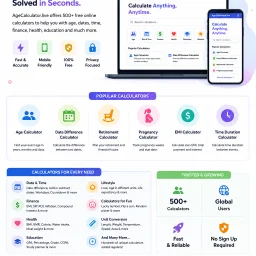
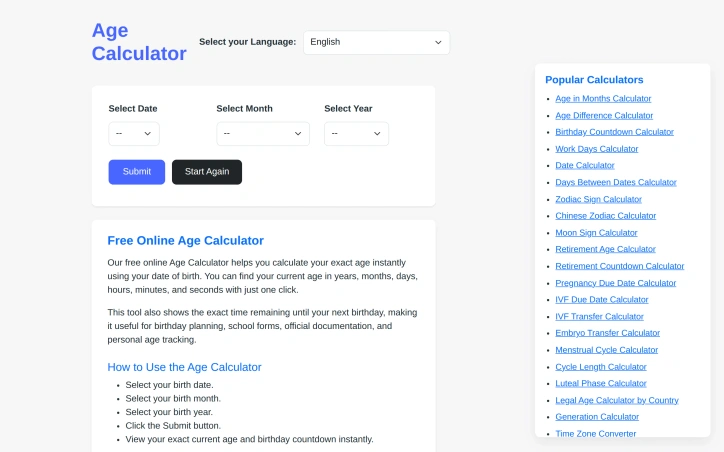
Quick and accurate age calculation from a date of birth remains a surprisingly common need—whether for administrative forms, personal record-keeping, or curiosity about one's precise age down to the day. AgeCalculator.live addresses this straightforward but essential problem by delivering instant results with just a date entry. The product's core value proposition centers on accuracy and simplicity. Rather than struggling through manual date arithmetic across months and leap years, users get exact age calculations in seconds. The founder built this to eliminate the manual calculation errors that plague users attempting to determine their precise age spanning years, months, and days—a calculation simple in concept but error-prone by hand. What distinguishes this offering from a basic calculator is its breadth. The platform bundles the primary age calculator with an extensive ecosystem of related tools: age difference calculations, birthday countdowns, zodiac and Chinese zodiac identifiers, retirement planning utilities, pregnancy due date estimators, menstrual cycle trackers, generational classifiers, and dozens more. This constellation of features transforms a single-purpose calculator into a comprehensive date utility suite addressing different life stages, planning horizons, and interests. The multilingual interface reflects genuine global ambition. Supporting at least eleven languages across multiple language families positions the tool for international use rather than English-speaking markets alone. This design choice acknowledges that age calculation spans cultures and demographic boundaries. The application targets a broad audience: individuals managing personal records, users completing administrative tasks, people planning major life events, parents tracking developmental milestones, and anyone exploring astrology or generational identity. The calculator appeals equally to those seeking quick utility and those wanting deeper exploration through ancillary tools. The product operates on a free model, removing financial barriers to access. This decision maximizes reach in a category where users expect zero-cost friction. The main limitation is inherent to the concept itself—age calculation is a solved problem with minimal competitive differentiation at the core feature level. However, the surrounding toolkit adds practical utility that extends the platform's usefulness beyond the base use case. For users who calculate age occasionally, this works as a quick lookup. For those needing related date utilities repeatedly, the bundled collection justifies repeated visits over single-purpose alternatives.

Calendar-apps
A
Anurag Bhatia

Quick and accurate age calculation from a date of birth remains a surprisingly common need—whether for administrative forms, personal record-keeping, or curiosity about one's precise age down to the day. AgeCalculator.live addresses this straightforward but essential problem by delivering instant results with just a date entry. The product's core value proposition centers on accuracy and simplicity. Rather than struggling through manual date arithmetic across months and leap years, users get exact age calculations in seconds. The founder built this to eliminate the manual calculation errors that plague users attempting to determine their precise age spanning years, months, and days—a calculation simple in concept but error-prone by hand. What distinguishes this offering from a basic calculator is its breadth. The platform bundles the primary age calculator with an extensive ecosystem of related tools: age difference calculations, birthday countdowns, zodiac and Chinese zodiac identifiers, retirement planning utilities, pregnancy due date estimators, menstrual cycle trackers, generational classifiers, and dozens more. This constellation of features transforms a single-purpose calculator into a comprehensive date utility suite addressing different life stages, planning horizons, and interests. The multilingual interface reflects genuine global ambition. Supporting at least eleven languages across multiple language families positions the tool for international use rather than English-speaking markets alone. This design choice acknowledges that age calculation spans cultures and demographic boundaries. The application targets a broad audience: individuals managing personal records, users completing administrative tasks, people planning major life events, parents tracking developmental milestones, and anyone exploring astrology or generational identity. The calculator appeals equally to those seeking quick utility and those wanting deeper exploration through ancillary tools. The product operates on a free model, removing financial barriers to access. This decision maximizes reach in a category where users expect zero-cost friction. The main limitation is inherent to the concept itself—age calculation is a solved problem with minimal competitive differentiation at the core feature level. However, the surrounding toolkit adds practical utility that extends the platform's usefulness beyond the base use case. For users who calculate age occasionally, this works as a quick lookup. For those needing related date utilities repeatedly, the bundled collection justifies repeated visits over single-purpose alternatives.

Age Calculator preview

Key features

  • Instant Age Calculator: Calculates exact age from date of birth in seconds, including years, months, and days.
  • Zodiac Identifier: Identifies Western zodiac and Chinese zodiac signs based on birth date.
See full listing
Foodysis

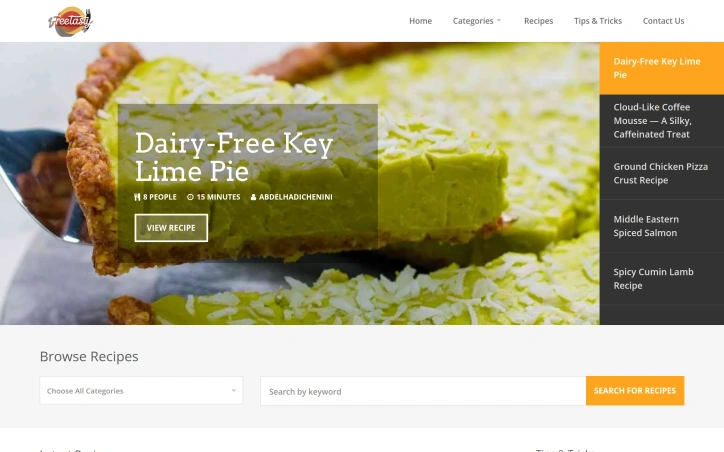
Budget-conscious home cooks seeking variety without compromise will find Foodysis a straightforward resource for weeknight dinners. The platform addresses a genuine gap in recipe discovery by bundling accessibility with dietary specificity, proving that eating well on a modest budget remains entirely feasible. The collection spans over 600 recipes with heavy representation across Middle Eastern and Indian cuisines, alongside comfort food staples. What immediately stands out is the deliberate categorization by dietary requirement, not as an afterthought but as a primary organizing principle. Users can filter for keto, vegan, gluten-free, and dairy-free options without friction. Most recipes clock in at 15-25 minutes, with several marked as quick-win 0-minute preparations, suggesting an emphasis on busy schedules rather than weekend projects. The recipe variety mirrors modern eating habits. Alongside traditional categories like salads and pasta, the platform features dedicated sections for air fryer cooking, a modality that has expanded significantly in home kitchens over the past few years. Each recipe includes serving size, prep time, and difficulty rating, giving users realistic expectations before they commit ingredients and effort. The interface supports browsing by cuisine, dietary requirement, or ingredient category, with search functionality for targeted discovery. This multi-axis approach acknowledges that home cooks don't think in straight lines; they may browse for vegan Indian recipes one evening and dairy-free desserts the next. Foodysis succeeds where many recipe platforms flounder: it delivers breadth without overwhelming, respects dietary diversity as legitimate rather than niche, and keeps friction minimal. The real test, however, lies in execution: whether recipes genuinely deliver on their difficulty ratings and prep time estimates, whether ingredient lists remain realistic for budget shopping, and whether dietary labeling is accurate. The foundation is solid. The promise is clear.
Blogging-platforms
A
Abdelhadi chenini

Budget-conscious home cooks seeking variety without compromise will find Foodysis a straightforward resource for weeknight dinners. The platform addresses a genuine gap in recipe discovery by bundling accessibility with dietary specificity, proving that eating well on a modest budget remains entirely feasible. The collection spans over 600 recipes with heavy representation across Middle Eastern and Indian cuisines, alongside comfort food staples. What immediately stands out is the deliberate categorization by dietary requirement, not as an afterthought but as a primary organizing principle. Users can filter for keto, vegan, gluten-free, and dairy-free options without friction. Most recipes clock in at 15-25 minutes, with several marked as quick-win 0-minute preparations, suggesting an emphasis on busy schedules rather than weekend projects. The recipe variety mirrors modern eating habits. Alongside traditional categories like salads and pasta, the platform features dedicated sections for air fryer cooking, a modality that has expanded significantly in home kitchens over the past few years. Each recipe includes serving size, prep time, and difficulty rating, giving users realistic expectations before they commit ingredients and effort. The interface supports browsing by cuisine, dietary requirement, or ingredient category, with search functionality for targeted discovery. This multi-axis approach acknowledges that home cooks don't think in straight lines; they may browse for vegan Indian recipes one evening and dairy-free desserts the next. Foodysis succeeds where many recipe platforms flounder: it delivers breadth without overwhelming, respects dietary diversity as legitimate rather than niche, and keeps friction minimal. The real test, however, lies in execution: whether recipes genuinely deliver on their difficulty ratings and prep time estimates, whether ingredient lists remain realistic for budget shopping, and whether dietary labeling is accurate. The foundation is solid. The promise is clear.

Foodysis preview

Key features

  • Dietary Filtering: Filter for keto, vegan, gluten-free, and dairy-free options without friction.
  • Recipe Collection: Over 600 recipes with strong representation of Middle Eastern, Indian, and comfort food cuisines.
See full listing
T

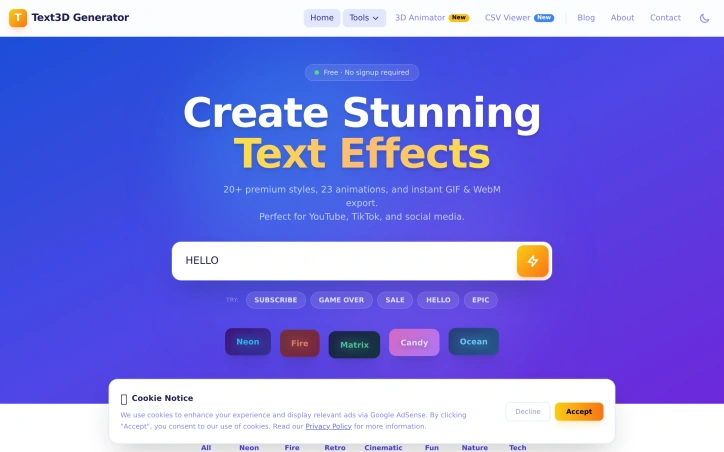
Content creators and designers working on tight deadlines need text effects fast. Professional design software like Photoshop or Blender carries steep learning curves and licensing costs, while many existing text effect generators either demand subscriptions, require software installation, or deliver subpar results. Text3D Generator addresses this gap by delivering professional-quality animated text effects instantly through a web browser. The tool targets YouTubers, TikTok creators, social media marketers, and designers who need quick visual assets for thumbnails, posts, and video intros. The value proposition is straightforward: high-quality results without friction, subscriptions, or learning curves. What distinguishes Text3D Generator is its accessibility-first design. The workflow takes roughly a minute from start to download: type text, select a style and animation, and export. No account creation, no software installation, and no watermarks cluttering the final output. Users can download unlimited assets forever at zero cost. This matters because friction is often why creators abandon tools midway through projects. The feature set is substantial. The tool offers 20+ text style categories spanning neon, fire, cinematic, retro, candy, and matrix aesthetics. These aren't random templates; they're organized by visual theme, suggesting thoughtful curation. Paired with 23 animation presets (word pop, typewriter, glitch, matrix rain, heartbeat, and others), the combination yields many possible outputs. The 22 included Google Fonts provide typographic variety without forcing users into a limited palette. Export flexibility matters for workflow integration. Users can download transparent GIFs for compositing over existing footage or WebM video files compatible with editing software like Premiere Pro and DaVinci Resolve. Both formats support professional-grade video production, not just social media posting. The technical implementation is solid. Built on Next.js and Vercel infrastructure, the browser-based architecture means no installation, instant preview updates as users customize, and consistent performance across devices. The pricing model is unambiguous: completely free. No freemium tier, no upsells, no payment wall hiding premium features. This straightforwardness removes decision friction and makes the product genuinely useful for hobbyists and professionals alike. Text3D Generator succeeds because it recognizes that creators don't need 90% of Photoshop's features; they need animated text effects in seconds. By narrowing scope ruthlessly and keeping the tool free, it solves a real problem without pretense.
3d-animation
B
babar aslam

Content creators and designers working on tight deadlines need text effects fast. Professional design software like Photoshop or Blender carries steep learning curves and licensing costs, while many existing text effect generators either demand subscriptions, require software installation, or deliver subpar results. Text3D Generator addresses this gap by delivering professional-quality animated text effects instantly through a web browser. The tool targets YouTubers, TikTok creators, social media marketers, and designers who need quick visual assets for thumbnails, posts, and video intros. The value proposition is straightforward: high-quality results without friction, subscriptions, or learning curves. What distinguishes Text3D Generator is its accessibility-first design. The workflow takes roughly a minute from start to download: type text, select a style and animation, and export. No account creation, no software installation, and no watermarks cluttering the final output. Users can download unlimited assets forever at zero cost. This matters because friction is often why creators abandon tools midway through projects. The feature set is substantial. The tool offers 20+ text style categories spanning neon, fire, cinematic, retro, candy, and matrix aesthetics. These aren't random templates; they're organized by visual theme, suggesting thoughtful curation. Paired with 23 animation presets (word pop, typewriter, glitch, matrix rain, heartbeat, and others), the combination yields many possible outputs. The 22 included Google Fonts provide typographic variety without forcing users into a limited palette. Export flexibility matters for workflow integration. Users can download transparent GIFs for compositing over existing footage or WebM video files compatible with editing software like Premiere Pro and DaVinci Resolve. Both formats support professional-grade video production, not just social media posting. The technical implementation is solid. Built on Next.js and Vercel infrastructure, the browser-based architecture means no installation, instant preview updates as users customize, and consistent performance across devices. The pricing model is unambiguous: completely free. No freemium tier, no upsells, no payment wall hiding premium features. This straightforwardness removes decision friction and makes the product genuinely useful for hobbyists and professionals alike. Text3D Generator succeeds because it recognizes that creators don't need 90% of Photoshop's features; they need animated text effects in seconds. By narrowing scope ruthlessly and keeping the tool free, it solves a real problem without pretense.

Text3D Generator preview
T

Key features

  • 20+ Text Styles: Professional aesthetics including neon, fire, cinematic, retro, candy, and matrix themes.
  • 23 Animation Presets: Effects like word pop, typewriter, glitch, matrix rain, and heartbeat.
See full listing
S

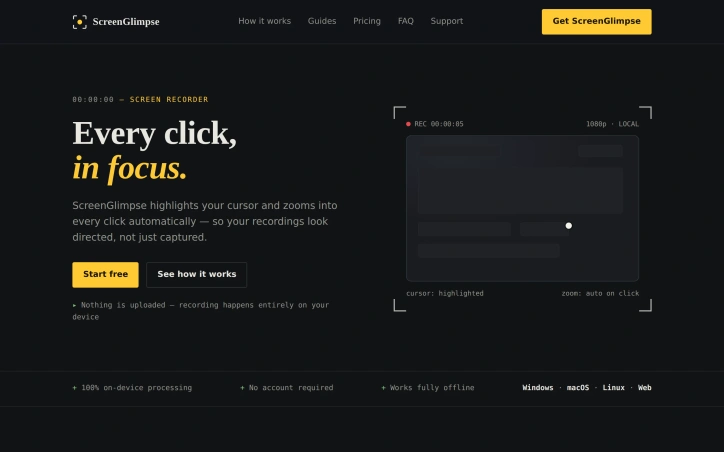
For anyone tired of recording screens with tools that either demand subscriptions, steal your data, or integrate only with bloated communication platforms, ScreenGlimpse offers a focused alternative built on a refreshingly simple premise: privacy-first recording that happens entirely on your device. The tool targets creators, educators, and teams who need to produce polished screen recordings without friction. Its core innovation centers on cursor visibility and automatic zoom-on-click—features that transform raw screen captures into directed, viewer-friendly content. Every cursor movement gains a soft highlight, and double-clicking triggers an automatic zoom that keeps viewers locked on the relevant action rather than lost in a sea of screen real estate. ScreenGlimpse stands apart through its commitment to local processing. Nothing leaves your computer. Recording, encoding, and export all happen on-device, eliminating both the privacy concerns that plague cloud-dependent tools and the upload delays that plague most competitors. Export happens immediately upon stopping the recording—no render queues, no waiting bars. Users can choose between MP4 and WebM formats at various quality levels before recording even starts. The feature set extends beyond basic recording. The app supports simultaneous capture of screen, microphone, webcam, and system audio in any combination. A draggable webcam bubble keeps your face present without consuming the entire frame. Beyond video, ScreenGlimpse includes screenshot capabilities with markup tools, a freeform whiteboard mode, and the ability to export recordings as animated GIFs. A custom watermark feature allows teams to add branding without the intrusive stamps common in competing tools. Distribution reaches across platforms. Windows, macOS, and Linux each get native installers, while a browser version accommodates one-off recordings or users unwilling to install software. The pricing structure rewards flexibility. A free tier, called Glimpse, offers unlimited local recordings with 720p export and basic features. Focus, the paid tier at five dollars monthly or fifty dollars annually, unlocks 4K export and advanced screenshot markup capabilities. A Forever option provides a one-time purchase of one hundred dollars for permanent access with a year of included updates—a model designed for users skeptical of subscriptions. The absence of required account creation for free use removes friction at the entry point. Paid tiers use license keys rather than tracking usage, respecting the privacy pledge that anchors the entire product philosophy.

Screenshots-and-screen-recording-apps
S
smart ai

For anyone tired of recording screens with tools that either demand subscriptions, steal your data, or integrate only with bloated communication platforms, ScreenGlimpse offers a focused alternative built on a refreshingly simple premise: privacy-first recording that happens entirely on your device. The tool targets creators, educators, and teams who need to produce polished screen recordings without friction. Its core innovation centers on cursor visibility and automatic zoom-on-click—features that transform raw screen captures into directed, viewer-friendly content. Every cursor movement gains a soft highlight, and double-clicking triggers an automatic zoom that keeps viewers locked on the relevant action rather than lost in a sea of screen real estate. ScreenGlimpse stands apart through its commitment to local processing. Nothing leaves your computer. Recording, encoding, and export all happen on-device, eliminating both the privacy concerns that plague cloud-dependent tools and the upload delays that plague most competitors. Export happens immediately upon stopping the recording—no render queues, no waiting bars. Users can choose between MP4 and WebM formats at various quality levels before recording even starts. The feature set extends beyond basic recording. The app supports simultaneous capture of screen, microphone, webcam, and system audio in any combination. A draggable webcam bubble keeps your face present without consuming the entire frame. Beyond video, ScreenGlimpse includes screenshot capabilities with markup tools, a freeform whiteboard mode, and the ability to export recordings as animated GIFs. A custom watermark feature allows teams to add branding without the intrusive stamps common in competing tools. Distribution reaches across platforms. Windows, macOS, and Linux each get native installers, while a browser version accommodates one-off recordings or users unwilling to install software. The pricing structure rewards flexibility. A free tier, called Glimpse, offers unlimited local recordings with 720p export and basic features. Focus, the paid tier at five dollars monthly or fifty dollars annually, unlocks 4K export and advanced screenshot markup capabilities. A Forever option provides a one-time purchase of one hundred dollars for permanent access with a year of included updates—a model designed for users skeptical of subscriptions. The absence of required account creation for free use removes friction at the entry point. Paid tiers use license keys rather than tracking usage, respecting the privacy pledge that anchors the entire product philosophy.

ScreenGlimpse preview
S

Key features

  • Privacy-First Recording: All processing happens locally on-device with no cloud uploads or data collection.
  • Cursor Highlighting and Auto-Zoom: Soft cursor highlights and automatic zoom-on-click direct viewer attention to relevant actions.
See full listing
hrefStack

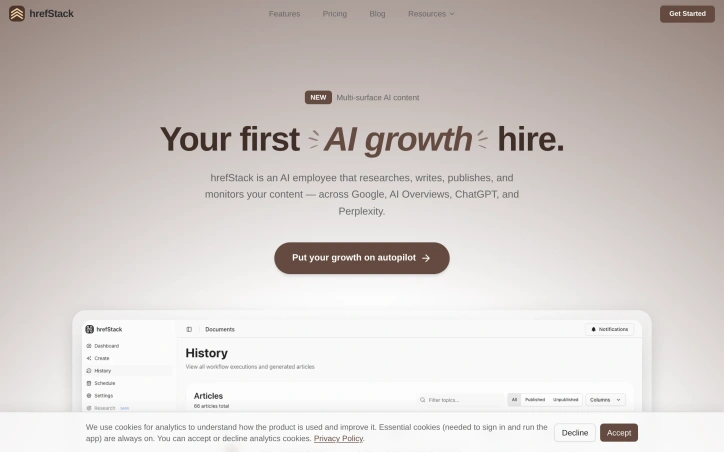
Hi, I'm Arsalan. I come from a data science and analytics background and I build SaaS and mobile apps. Building is the easy part. Distribution is the hard part. What I struggled with before building hrefStack: - No budget for a content marketer - One good article took a full day - AI writers only give you a draft - Publishing to the blog was manual work - No idea which articles actually worked - Traffic stayed flat while I kept building So I built an AI agent to do the whole job. That became hrefStack.

Marketing-automation-platforms
A
Arsalan Amin

Hi, I'm Arsalan. I come from a data science and analytics background and I build SaaS and mobile apps. Building is the easy part. Distribution is the hard part. What I struggled with before building hrefStack: - No budget for a content marketer - One good article took a full day - AI writers only give you a draft - Publishing to the blog was manual work - No idea which articles actually worked - Traffic stayed flat while I kept building So I built an AI agent to do the whole job. That became hrefStack.

Ezziwebtools

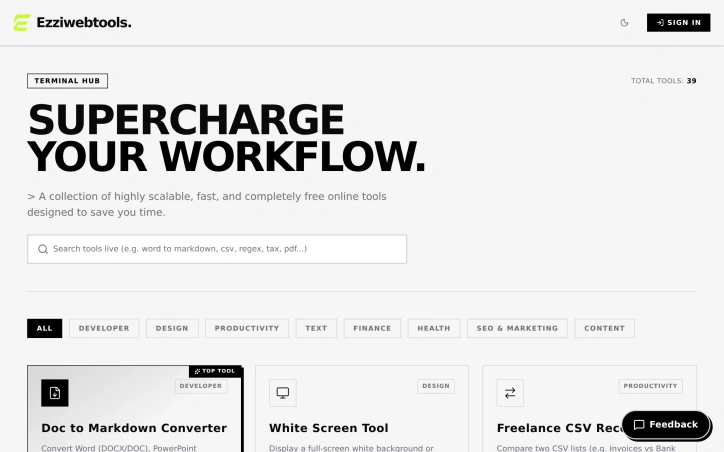
A comprehensive collection of web-based utilities addresses the pain point of repetitive manual work for developers, designers, freelancers, and creators. The platform aggregates 39 tools across multiple categories—development, design, productivity, text formatting, finance, health, SEO, and content creation—each designed to eliminate friction from common workflows. The breadth of the offering stands out immediately. Rather than scattered, single-purpose utilities, this acts as a one-stop toolkit. Tools range from practical developer aids like a visual Git command generator to diagnose and fix version control mistakes, JSON-to-TypeScript converters, regex extractors for parsing logs, and robots.txt builders to creator-focused features like fancy font generators and social media text formatters. Finance and health tools add unexpected utility—a self-employment tax estimator for freelancers, a TDEE calculator with macro breakdowns, and an intermittent fasting timer extend the platform's reach beyond purely technical tasks. Several design choices reflect consideration for user needs. The Doc-to-Markdown converter explicitly operates in-browser with zero server uploads, addressing privacy concerns that plague many free web tools. Visual builders for complex tasks like Cron expressions and CSS gradients lower the barrier to entry for users uncomfortable memorizing syntax. The timezone overlap finder directly solves the remote work problem of coordinating across distributed teams. The product model is straightforwardly stated: these tools are entirely free. No pricing tiers, no freemium limitations, no upsell. This positions the platform as a genuine utility rather than a lead magnet, which could explain its appeal to users seeking to streamline workflows without friction or commitment. The catalog does feel scattered—covering everything from financial calculations to health metrics to Unicode font styling means the platform lacks a cohesive identity. Whether this breadth strengthens its value as a Swiss Army knife or dilutes its focus depends on whether users encounter everything they need in one place or continue bouncing between specialized tools elsewhere. The 39-tool collection suggests the creator favored comprehensiveness over specialization, a bet that convenience outweighs coherence. For developers and freelancers juggling multiple workflow pain points, that calculation may pay off.

Command-line-tools
M
Mohammed

A comprehensive collection of web-based utilities addresses the pain point of repetitive manual work for developers, designers, freelancers, and creators. The platform aggregates 39 tools across multiple categories—development, design, productivity, text formatting, finance, health, SEO, and content creation—each designed to eliminate friction from common workflows. The breadth of the offering stands out immediately. Rather than scattered, single-purpose utilities, this acts as a one-stop toolkit. Tools range from practical developer aids like a visual Git command generator to diagnose and fix version control mistakes, JSON-to-TypeScript converters, regex extractors for parsing logs, and robots.txt builders to creator-focused features like fancy font generators and social media text formatters. Finance and health tools add unexpected utility—a self-employment tax estimator for freelancers, a TDEE calculator with macro breakdowns, and an intermittent fasting timer extend the platform's reach beyond purely technical tasks. Several design choices reflect consideration for user needs. The Doc-to-Markdown converter explicitly operates in-browser with zero server uploads, addressing privacy concerns that plague many free web tools. Visual builders for complex tasks like Cron expressions and CSS gradients lower the barrier to entry for users uncomfortable memorizing syntax. The timezone overlap finder directly solves the remote work problem of coordinating across distributed teams. The product model is straightforwardly stated: these tools are entirely free. No pricing tiers, no freemium limitations, no upsell. This positions the platform as a genuine utility rather than a lead magnet, which could explain its appeal to users seeking to streamline workflows without friction or commitment. The catalog does feel scattered—covering everything from financial calculations to health metrics to Unicode font styling means the platform lacks a cohesive identity. Whether this breadth strengthens its value as a Swiss Army knife or dilutes its focus depends on whether users encounter everything they need in one place or continue bouncing between specialized tools elsewhere. The 39-tool collection suggests the creator favored comprehensiveness over specialization, a bet that convenience outweighs coherence. For developers and freelancers juggling multiple workflow pain points, that calculation may pay off.

Ezziwebtools preview

Key features

  • 39 Tool Aggregation: Consolidates development, design, productivity, text formatting, finance, health, SEO, and content creation tools into a single platform.
  • Visual Git Generator: Provides visual commands to diagnose and fix version control mistakes without memorizing Git syntax.
See full listing
ARKADS

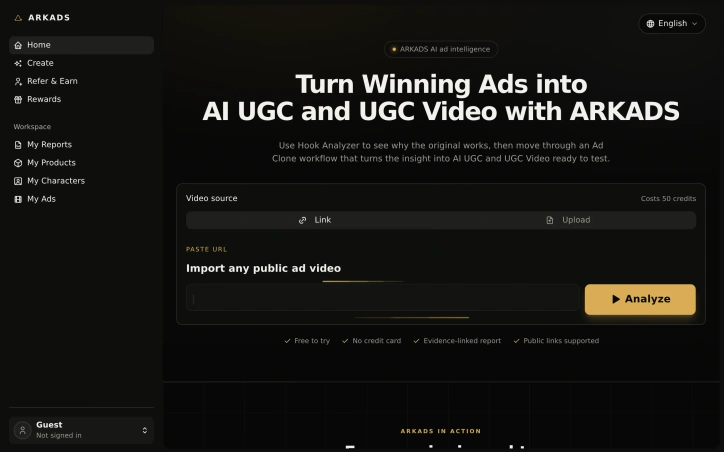
Marketing teams waste countless hours reverse-engineering winning ads, scrubbing through video, taking notes, and manually rebuilding those insights into new creative. ARKADS automates this loop by combining two functions: Hook Analyzer, which dissects what works in existing ads, and Ad Clone, which transforms those findings into finished AI UGC videos ready for testing. The core problem is clear. Ad analysts need to understand why a reference creative performs, then hand those insights to writers and producers who regenerate the concept. That handoff is inefficient and loses context. ARKADS collapses this workflow into a single connected process that keeps research evidence connected to every downstream decision. What distinguishes the product is its commitment to evidence linking. Rather than offering generic recommendations, Hook Analyzer ties each finding to the specific frame or transcript segment that supports it. When Ad Clone builds a brief from the analysis, those insights carry forward as structured inputs—audience, problem, promise, proof, transformation—that can be edited before scripting and rendering. This approach replaces guesswork with cited reasoning. The product targets marketing teams managing paid social campaigns at volume. It accepts ads from TikTok, Instagram, Facebook, or direct video upload. The Hook Analyzer is free to try without a credit card, lowering the friction to experimentation. Video analysis costs 50 credits. The Ad Clone workflow then renders individual hook variations and clips on demand, with per-clip charging and refunds if a take fails, plus free merging for final assembly. This modular pricing model means failed experiments don't carry unnecessary cost. Visual consistency is another practical strength. Rather than managing multiple actors across different UGC takes, Ad Clone carries one actor reference through the entire workflow, solving a common friction point in production. The product sits between research tools and production software. It assumes marketing teams have winning ads to learn from and need a faster path from insight to testable video. For teams running rapid test-and-iterate creative cycles, that speed advantage is meaningful. For teams building one campaign at a time, the ROI may be harder to justify. The main question is execution depth. The website shows illustrative outputs but disclaims them as non-customer results. Real-world performance remains unclear.

Advertising-tools
V
vera chen

Marketing teams waste countless hours reverse-engineering winning ads, scrubbing through video, taking notes, and manually rebuilding those insights into new creative. ARKADS automates this loop by combining two functions: Hook Analyzer, which dissects what works in existing ads, and Ad Clone, which transforms those findings into finished AI UGC videos ready for testing. The core problem is clear. Ad analysts need to understand why a reference creative performs, then hand those insights to writers and producers who regenerate the concept. That handoff is inefficient and loses context. ARKADS collapses this workflow into a single connected process that keeps research evidence connected to every downstream decision. What distinguishes the product is its commitment to evidence linking. Rather than offering generic recommendations, Hook Analyzer ties each finding to the specific frame or transcript segment that supports it. When Ad Clone builds a brief from the analysis, those insights carry forward as structured inputs—audience, problem, promise, proof, transformation—that can be edited before scripting and rendering. This approach replaces guesswork with cited reasoning. The product targets marketing teams managing paid social campaigns at volume. It accepts ads from TikTok, Instagram, Facebook, or direct video upload. The Hook Analyzer is free to try without a credit card, lowering the friction to experimentation. Video analysis costs 50 credits. The Ad Clone workflow then renders individual hook variations and clips on demand, with per-clip charging and refunds if a take fails, plus free merging for final assembly. This modular pricing model means failed experiments don't carry unnecessary cost. Visual consistency is another practical strength. Rather than managing multiple actors across different UGC takes, Ad Clone carries one actor reference through the entire workflow, solving a common friction point in production. The product sits between research tools and production software. It assumes marketing teams have winning ads to learn from and need a faster path from insight to testable video. For teams running rapid test-and-iterate creative cycles, that speed advantage is meaningful. For teams building one campaign at a time, the ROI may be harder to justify. The main question is execution depth. The website shows illustrative outputs but disclaims them as non-customer results. Real-world performance remains unclear.

ARKADS preview

Key features

  • Hook Analyzer: Dissects existing ads to identify what makes them effective through frame and transcript analysis
  • Ad Clone: Generates finished AI UGC videos from analysis findings ready for testing
See full listing
Noizio

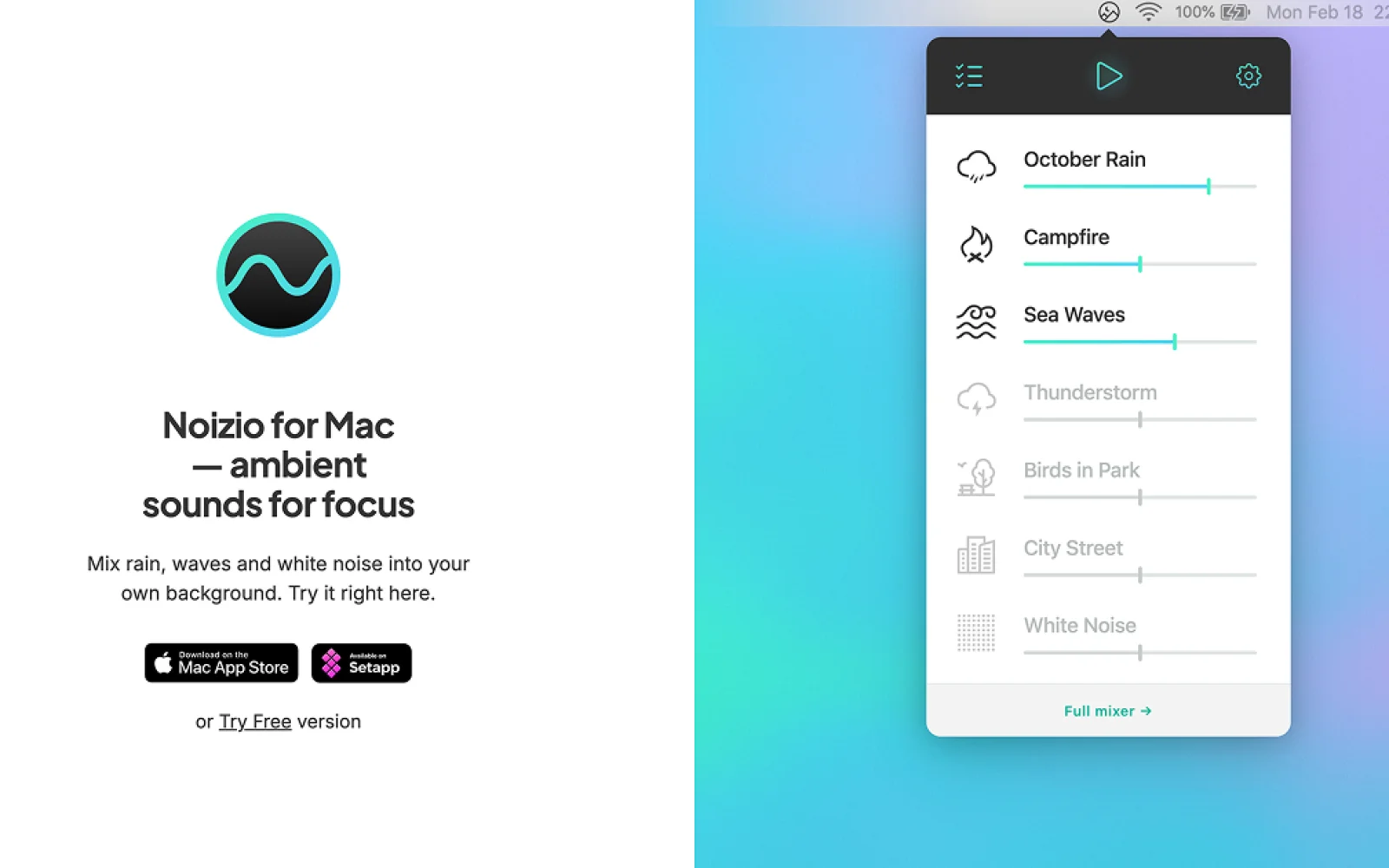
Ambient sound mixing sits at the intersection of productivity tools and wellness applications, addressing a fundamental challenge for millions: filtering out distracting environmental noise to enable focus, rest, or meditation. Noizio tackles this problem by rejecting the traditional single-track white noise approach in favor of a fully customizable sound mixer. The core innovation lies in its elegant simplicity. Rather than forcing users to choose between preset options like "white noise," "rain," or "ocean waves," Noizio enables them to blend multiple sounds together into personalized combinations. The library contains over 40 high-quality ambient recordings—everything from October rain and crackling campfire to keyboard typing, heartbeats, and natural environments like parks and subway systems—allowing users to create precisely the sonic environment they need in seconds. This flexibility serves multiple use cases: focused work, sleep onset, meditation, anxiety relief, or simple relaxation. What distinguishes Noizio from competitors is the design philosophy underlying this feature set. The founder has been refining the concept since 2014, developing across Mac, iOS, iPad, and Android while deliberately maintaining an uncomplicated interface. That restraint defines the product. Users consistently highlight how Noizio avoids the feature bloat of rival applications—the ability to layer sounds without navigating overwhelming menus or encountering subscription paywalls for basic mixing functionality. User sentiment validates this positioning. With a 4.5-star rating from 239 App Store reviews, Noizio has cultivated unusually devoted users; one reviewer noted it was the only application they'd ever bothered to rate. People report using it daily over years, suggesting strong retention and satisfaction. The value proposition extends beyond productivity: the application explicitly addresses anxiety, stress management, mindfulness, meditation, sleep improvement, and yoga—each a distinct but increasingly mainstream wellness concern. The business model remains notably restrained. Noizio operates as an independent project maintained in Ukraine, avoiding the venture-backed pressure toward forced monetization or continuous feature expansion. A free version exists, though specific pricing or premium tier details aren't publicly highlighted. For anyone seeking a lightweight tool to layer natural sounds into work or rest routines, Noizio delivers without unnecessary friction. Its persistence as an indie project over a decade old speaks to both founder commitment and the value of mastering a single discipline.
Sleep-apps
K
Kir

Ambient sound mixing sits at the intersection of productivity tools and wellness applications, addressing a fundamental challenge for millions: filtering out distracting environmental noise to enable focus, rest, or meditation. Noizio tackles this problem by rejecting the traditional single-track white noise approach in favor of a fully customizable sound mixer. The core innovation lies in its elegant simplicity. Rather than forcing users to choose between preset options like "white noise," "rain," or "ocean waves," Noizio enables them to blend multiple sounds together into personalized combinations. The library contains over 40 high-quality ambient recordings—everything from October rain and crackling campfire to keyboard typing, heartbeats, and natural environments like parks and subway systems—allowing users to create precisely the sonic environment they need in seconds. This flexibility serves multiple use cases: focused work, sleep onset, meditation, anxiety relief, or simple relaxation. What distinguishes Noizio from competitors is the design philosophy underlying this feature set. The founder has been refining the concept since 2014, developing across Mac, iOS, iPad, and Android while deliberately maintaining an uncomplicated interface. That restraint defines the product. Users consistently highlight how Noizio avoids the feature bloat of rival applications—the ability to layer sounds without navigating overwhelming menus or encountering subscription paywalls for basic mixing functionality. User sentiment validates this positioning. With a 4.5-star rating from 239 App Store reviews, Noizio has cultivated unusually devoted users; one reviewer noted it was the only application they'd ever bothered to rate. People report using it daily over years, suggesting strong retention and satisfaction. The value proposition extends beyond productivity: the application explicitly addresses anxiety, stress management, mindfulness, meditation, sleep improvement, and yoga—each a distinct but increasingly mainstream wellness concern. The business model remains notably restrained. Noizio operates as an independent project maintained in Ukraine, avoiding the venture-backed pressure toward forced monetization or continuous feature expansion. A free version exists, though specific pricing or premium tier details aren't publicly highlighted. For anyone seeking a lightweight tool to layer natural sounds into work or rest routines, Noizio delivers without unnecessary friction. Its persistence as an indie project over a decade old speaks to both founder commitment and the value of mastering a single discipline.

Noizio preview

Key features

  • Customizable Sound Mixer: Blend multiple ambient sounds together into personalized combinations
  • 40+ Ambient Library: Over 40 high-quality recordings from natural environments to everyday sounds
See full listing
MacBar

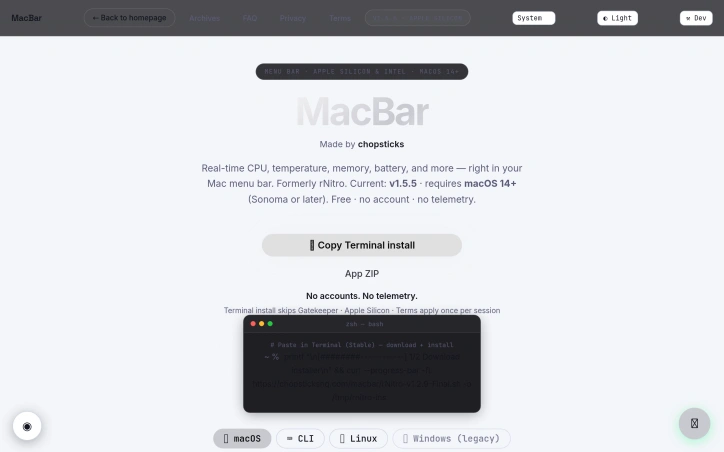
Menu bar system monitors solve a real friction point for Mac users: the need to quickly check CPU, memory, and thermal performance without opening Activity Monitor or third-party bloatware. MacBar addresses this with a lightweight, native alternative that stays out of the way until needed. The product installs entirely on your terms. Rather than downloading a prebuilt binary, the terminal installation command builds MacBar locally on your machine, with checksum verification to prevent tampering. This approach eliminates a common trust barrier between users and developer tools. The application collects no telemetry and requires no account, making it straightforward for privacy-conscious users to adopt without suspicion of data harvesting downstream. The monitoring capabilities deliver what users expect from a menu bar app: real-time CPU usage, temperature readings, clock speed, and memory stats. The interface includes a per-core CPU breakdown and a 60-second history graph, which adds useful context beyond the current snapshot. For Mac users who want to diagnose sudden slowdowns or track thermal behavior under load, this granularity matters. The technical implementation choices reinforce the privacy position. MacBar is built as native code and comes ad-hoc signed rather than notarized, a trade-off that keeps installation simple at the cost of a one-time security warning. The developers have committed to supporting Apple Silicon going forward while ending updates for Intel Macs after version 1.2.5, a pragmatic decision reflecting the real-world platform shift in the Mac ecosystem. Installation presents three paths: a hardened terminal command, a ZIP file, or compilation from source via Xcode. The terminal route is the default recommendation and avoids Gatekeeper friction entirely. This layered approach accommodates different user risk tolerances and technical comfort levels. The pricing model is straightforward: the application is free. This, combined with open-source development and no account requirements, positions MacBar as a genuine public service rather than a loss leader or future revenue trap. MacBar targets a specific audience: technical Mac users who want transparency in their system performance without the overhead of full-featured system utilities. It does not attempt to be everything; it stays in the menu bar and reports metrics. For users in that niche, it removes friction and requires no compromise on privacy.

Llm-developer-tools
M
MZX Lam

Menu bar system monitors solve a real friction point for Mac users: the need to quickly check CPU, memory, and thermal performance without opening Activity Monitor or third-party bloatware. MacBar addresses this with a lightweight, native alternative that stays out of the way until needed. The product installs entirely on your terms. Rather than downloading a prebuilt binary, the terminal installation command builds MacBar locally on your machine, with checksum verification to prevent tampering. This approach eliminates a common trust barrier between users and developer tools. The application collects no telemetry and requires no account, making it straightforward for privacy-conscious users to adopt without suspicion of data harvesting downstream. The monitoring capabilities deliver what users expect from a menu bar app: real-time CPU usage, temperature readings, clock speed, and memory stats. The interface includes a per-core CPU breakdown and a 60-second history graph, which adds useful context beyond the current snapshot. For Mac users who want to diagnose sudden slowdowns or track thermal behavior under load, this granularity matters. The technical implementation choices reinforce the privacy position. MacBar is built as native code and comes ad-hoc signed rather than notarized, a trade-off that keeps installation simple at the cost of a one-time security warning. The developers have committed to supporting Apple Silicon going forward while ending updates for Intel Macs after version 1.2.5, a pragmatic decision reflecting the real-world platform shift in the Mac ecosystem. Installation presents three paths: a hardened terminal command, a ZIP file, or compilation from source via Xcode. The terminal route is the default recommendation and avoids Gatekeeper friction entirely. This layered approach accommodates different user risk tolerances and technical comfort levels. The pricing model is straightforward: the application is free. This, combined with open-source development and no account requirements, positions MacBar as a genuine public service rather than a loss leader or future revenue trap. MacBar targets a specific audience: technical Mac users who want transparency in their system performance without the overhead of full-featured system utilities. It does not attempt to be everything; it stays in the menu bar and reports metrics. For users in that niche, it removes friction and requires no compromise on privacy.

MacBar preview

Key features

  • Real-Time System Monitoring: Displays CPU usage, temperature readings, clock speed, and memory stats in the menu bar
  • Privacy-Focused Design: Collects no telemetry, requires no account, and builds locally with checksum verification
See full listing
AptiStockX

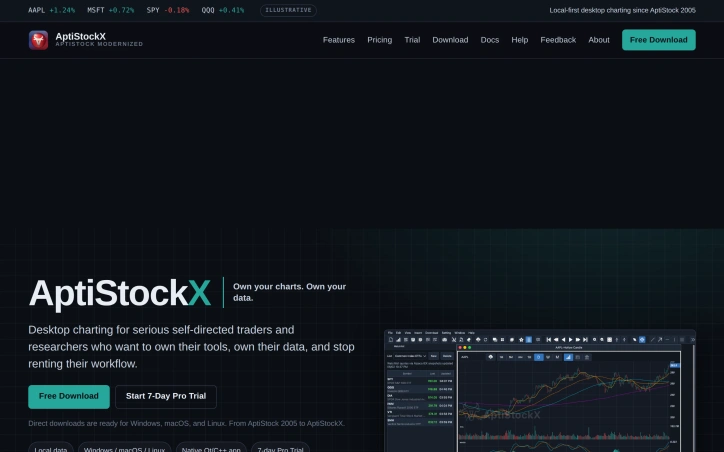
For self-directed traders and researchers tired of renting their trading research environment through browser-based subscription tools, AptiStockX offers a pragmatic alternative built on a simple premise: serious technical analysis deserves dedicated software that runs on your computer, stores your data locally, and doesn't depend on cloud connectivity. The product represents a modernization of AptiStock, which served individual traders for more than two decades beginning in 2005. The new version is engineered as a native desktop application for Windows, macOS, and Linux, targeting investors who prioritize speed, customization, and ownership over convenience bundled with monthly fees. What distinguishes AptiStockX is its uncompromising commitment to local-first operation. Chart files, downloaded market data, watchlists, workspaces, and user credentials never leave the user's computer. The absence of cloud synchronization is by design, not a limitation—it resolves privacy concerns and removes dependency on company infrastructure for core functionality. This approach appeals directly to a segment of traders who distrust centralized platforms and view data control as non-negotiable. The feature set reflects this positioning. AptiStockX delivers customizable technical indicators, drawing tools, multiple chart windows, multi-monitor support, flexible workspaces, and an AI Assistant in its Pro tier. These capabilities are standard across professional charting platforms, but the local desktop implementation means they perform at the responsiveness users expect from workstation software rather than web applications running in browser tabs. AptiStockX follows a freemium model with a Basic edition available at no cost and additional capabilities in Pro. New users can test Pro features through a seven-day trial triggered directly in the app via email verification—no credit card required upfront. Extension requests are handled by support. This trial structure removes friction from initial adoption while preserving genuine product evaluation. The company's explicit positioning around privacy, ownership, and technical rigor sets realistic expectations. AptiStockX does not attempt to be a broker-integrated trading platform or claim real-time data feeds unless its providers genuinely supply them. This restraint in marketing claims differentiates it from products that oversell capabilities and subsequently disappoint. For traders who have outgrown spreadsheets and reject browser-based SaaS, AptiStockX provides a viable path forward with recognizable legacy and clear technical tradeoffs.

Financial-planning
A
AptiStock LLC

For self-directed traders and researchers tired of renting their trading research environment through browser-based subscription tools, AptiStockX offers a pragmatic alternative built on a simple premise: serious technical analysis deserves dedicated software that runs on your computer, stores your data locally, and doesn't depend on cloud connectivity. The product represents a modernization of AptiStock, which served individual traders for more than two decades beginning in 2005. The new version is engineered as a native desktop application for Windows, macOS, and Linux, targeting investors who prioritize speed, customization, and ownership over convenience bundled with monthly fees. What distinguishes AptiStockX is its uncompromising commitment to local-first operation. Chart files, downloaded market data, watchlists, workspaces, and user credentials never leave the user's computer. The absence of cloud synchronization is by design, not a limitation—it resolves privacy concerns and removes dependency on company infrastructure for core functionality. This approach appeals directly to a segment of traders who distrust centralized platforms and view data control as non-negotiable. The feature set reflects this positioning. AptiStockX delivers customizable technical indicators, drawing tools, multiple chart windows, multi-monitor support, flexible workspaces, and an AI Assistant in its Pro tier. These capabilities are standard across professional charting platforms, but the local desktop implementation means they perform at the responsiveness users expect from workstation software rather than web applications running in browser tabs. AptiStockX follows a freemium model with a Basic edition available at no cost and additional capabilities in Pro. New users can test Pro features through a seven-day trial triggered directly in the app via email verification—no credit card required upfront. Extension requests are handled by support. This trial structure removes friction from initial adoption while preserving genuine product evaluation. The company's explicit positioning around privacy, ownership, and technical rigor sets realistic expectations. AptiStockX does not attempt to be a broker-integrated trading platform or claim real-time data feeds unless its providers genuinely supply them. This restraint in marketing claims differentiates it from products that oversell capabilities and subsequently disappoint. For traders who have outgrown spreadsheets and reject browser-based SaaS, AptiStockX provides a viable path forward with recognizable legacy and clear technical tradeoffs.

AptiStockX preview

Key features

  • Local Data Storage: Chart files, downloaded market data, watchlists, workspaces, and user credentials are stored locally on your computer and never synced to cloud servers.
  • Customizable Technical Indicators: Create and customize technical indicators tailored to your specific trading analysis needs.
See full listing
TickClip

E-commerce buyers face a gauntlet of manipulation: phantom discounts, inflated list prices, fake reviews, and seller red flags designed to exploit purchasing decisions. TickClip addresses this head-on by positioning itself as a neutral decision-making layer between shoppers and retailers. The core premise is straightforward. Users paste a product link from Amazon, Walmart, or Macy's, and TickClip delivers a three-option verdict: Tick (buy now), Clip (wait and watch), or Skip (avoid). Rather than ranking products or optimizing for conversion, the platform examines price history, reviews, and seller reputation to triangulate whether a purchase makes financial sense at that moment. The differentiation is structural. TickClip earns no affiliate commission from retailer links and explicitly forbids sellers from purchasing placement or influencing verdicts. This business model choice is rare in commerce technology and sets it apart from comparison shopping tools designed to reward merchant participation. The verdict logic addresses legitimate buyer pain points. Price manipulation detection flags phantom discounts and artificially inflated list prices. Review analysis catches paid endorsements and bombing campaigns. Seller context surfaces reputation risks. Each verdict includes supporting evidence—price, timing, demand signals, confidence level, uncertainty—that buyers can inspect themselves, rejecting the black-box recommendation approach common elsewhere. TickClip's willingness to recommend not buying is noteworthy in an ecosystem optimized for transaction velocity. The product tracks ninety days of price history per item and performs independent checks on each recommendation. The simplicity of the three-option output reduces decision fatigue compared to spreadsheet-based comparison tools. The company operates with no affiliate conflicts, a constraint that limits immediate revenue but strengthens the fiduciary positioning. Open questions remain around scale and maintainability. The platform relies on triangulating multiple data sources—marketplace prices, review signals, seller ratings—which requires continuous maintenance as retailers change their systems. The product roadmap is not visible from public materials. The seller red flags feature suggests some proprietary methodology, though the details stay opaque. TickClip taps genuine frustration with e-commerce dishonesty. Its refusal of seller fees and affiliate income is refreshing in a category usually bent toward merchant interests. Whether that independence can scale into a durable business model remains to be tested.
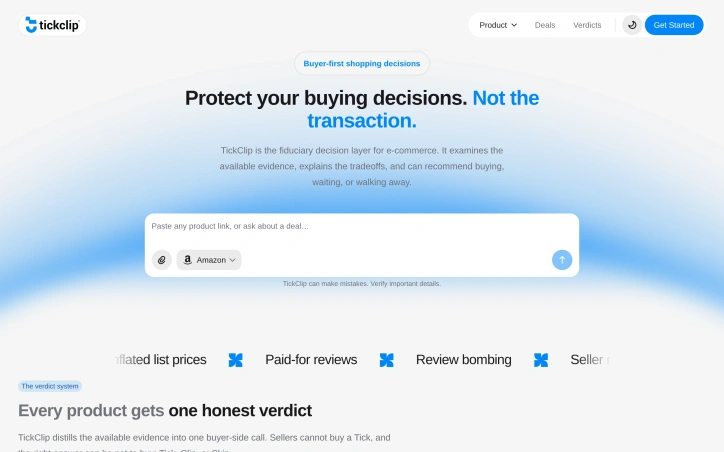

E-commerce buyers face a gauntlet of manipulation: phantom discounts, inflated list prices, fake reviews, and seller red flags designed to exploit purchasing decisions. TickClip addresses this head-on by positioning itself as a neutral decision-making layer between shoppers and retailers. The core premise is straightforward. Users paste a product link from Amazon, Walmart, or Macy's, and TickClip delivers a three-option verdict: Tick (buy now), Clip (wait and watch), or Skip (avoid). Rather than ranking products or optimizing for conversion, the platform examines price history, reviews, and seller reputation to triangulate whether a purchase makes financial sense at that moment. The differentiation is structural. TickClip earns no affiliate commission from retailer links and explicitly forbids sellers from purchasing placement or influencing verdicts. This business model choice is rare in commerce technology and sets it apart from comparison shopping tools designed to reward merchant participation. The verdict logic addresses legitimate buyer pain points. Price manipulation detection flags phantom discounts and artificially inflated list prices. Review analysis catches paid endorsements and bombing campaigns. Seller context surfaces reputation risks. Each verdict includes supporting evidence—price, timing, demand signals, confidence level, uncertainty—that buyers can inspect themselves, rejecting the black-box recommendation approach common elsewhere. TickClip's willingness to recommend not buying is noteworthy in an ecosystem optimized for transaction velocity. The product tracks ninety days of price history per item and performs independent checks on each recommendation. The simplicity of the three-option output reduces decision fatigue compared to spreadsheet-based comparison tools. The company operates with no affiliate conflicts, a constraint that limits immediate revenue but strengthens the fiduciary positioning. Open questions remain around scale and maintainability. The platform relies on triangulating multiple data sources—marketplace prices, review signals, seller ratings—which requires continuous maintenance as retailers change their systems. The product roadmap is not visible from public materials. The seller red flags feature suggests some proprietary methodology, though the details stay opaque. TickClip taps genuine frustration with e-commerce dishonesty. Its refusal of seller fees and affiliate income is refreshing in a category usually bent toward merchant interests. Whether that independence can scale into a durable business model remains to be tested.

TickClip preview

Key features

  • Verdict System: Delivers Tick, Clip, or Skip recommendations based on whether a purchase makes financial sense at that moment
  • Price History Tracking: Monitors 90 days of price history per product to detect phantom discounts and price manipulation
See full listing
Ssave - TikTok Downloader

Downloading TikTok videos without watermarks or additional apps remains a common need, whether for content creators backing up their work or casual users saving clips to watch offline. Ssave.cc positions itself as the solution for this problem—a web-based downloader that handles video and audio extraction without the friction most competitors introduce. The service operates with a straightforward value proposition: no ads, no CAPTCHA verification, no app installation, and no storage of user data. Users simply paste a TikTok link into the platform and select their preferred output format—either watermark-free video or MP3 audio. The technical execution appears competent, with the tool extracting videos in HD when available and audio at 320kbps quality, supporting iOS, Android, Windows, and Mac browsers. What distinguishes Ssave from the crowded downloader category is its explicit focus on user experience simplification. The competitor set is often polluted with intrusive ads, mandatory verification screens, and paywall mechanics. Ssave advertises zero of these friction points, presenting itself as a genuinely free service with unlimited downloads and no caps on daily usage. The privacy statement clarifies that no video files or download history are retained on servers, though technical logs like IP addresses are kept for security purposes—a fairly standard posture in this space. The platform works entirely through the browser with no app required, reducing the barrier to accessing it on mobile devices. The three-step workflow (copy link, paste URL, click download) is cleanly communicated, suggesting the product prioritizes accessibility over complexity. From a business model perspective, Ssave operates as a completely free service with no subscription tier or freemium upsell mentioned. This raises implicit questions about monetization and sustainability that sit somewhat outside the scope of the user experience itself. The core value delivered here is straightforward: fast, ad-free TikTok video downloads in high quality. For users fatigued by competitor ad loads and verification screens, this positions itself as the cleaner alternative in a crowded category.
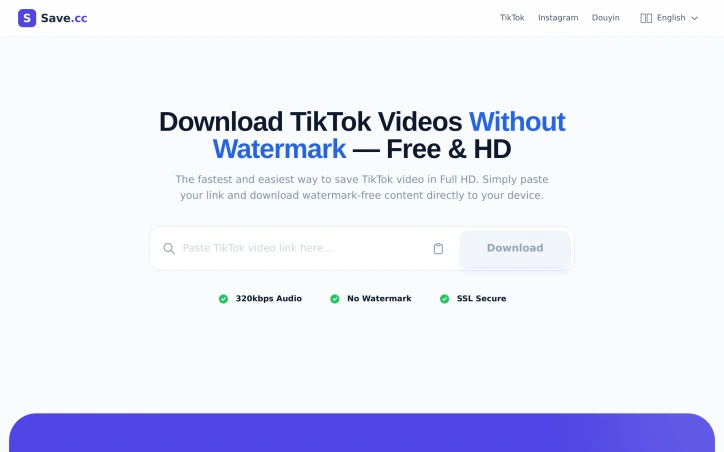

Social-media-management-tools
S
Steve

Downloading TikTok videos without watermarks or additional apps remains a common need, whether for content creators backing up their work or casual users saving clips to watch offline. Ssave.cc positions itself as the solution for this problem—a web-based downloader that handles video and audio extraction without the friction most competitors introduce. The service operates with a straightforward value proposition: no ads, no CAPTCHA verification, no app installation, and no storage of user data. Users simply paste a TikTok link into the platform and select their preferred output format—either watermark-free video or MP3 audio. The technical execution appears competent, with the tool extracting videos in HD when available and audio at 320kbps quality, supporting iOS, Android, Windows, and Mac browsers. What distinguishes Ssave from the crowded downloader category is its explicit focus on user experience simplification. The competitor set is often polluted with intrusive ads, mandatory verification screens, and paywall mechanics. Ssave advertises zero of these friction points, presenting itself as a genuinely free service with unlimited downloads and no caps on daily usage. The privacy statement clarifies that no video files or download history are retained on servers, though technical logs like IP addresses are kept for security purposes—a fairly standard posture in this space. The platform works entirely through the browser with no app required, reducing the barrier to accessing it on mobile devices. The three-step workflow (copy link, paste URL, click download) is cleanly communicated, suggesting the product prioritizes accessibility over complexity. From a business model perspective, Ssave operates as a completely free service with no subscription tier or freemium upsell mentioned. This raises implicit questions about monetization and sustainability that sit somewhat outside the scope of the user experience itself. The core value delivered here is straightforward: fast, ad-free TikTok video downloads in high quality. For users fatigued by competitor ad loads and verification screens, this positions itself as the cleaner alternative in a crowded category.

Ssave - TikTok Downloader preview

Key features

  • Watermark Removal: Extracts TikTok videos without the platform watermark
  • MP3 Audio Conversion: Saves audio as MP3 at 320kbps quality
See full listing
PAYE Calculator NZ

Accurate payroll calculations matter for workers trying to budget their finances. New Zealand's tax system involves multiple moving parts—progressive tax brackets, KiwiSaver deductions, ACC levies, and potential student loan repayments—making it difficult for employees and contractors to determine their actual take-home pay without professional help. The PAYE Calculator NZ addresses this friction by automating these calculations using current Inland Revenue rates and rules. The tool functions as a straightforward income calculator that converts gross salary into net pay after all applicable deductions. Workers input their income, select their payment frequency (weekly, fortnightly, monthly, or annually), and specify relevant details like KiwiSaver contribution rates and tax codes. The calculator supports both primary and secondary income streams, accommodating people with multiple jobs or mixed employment arrangements. What distinguishes this calculator is its coverage of New Zealand's actual tax complexity. Rather than treating income as a flat percentage, it applies the country's progressive tax brackets across the full income range. It incorporates the ACC earners' levy at 1.75%, handles various tax code options including the independent earner credit, and calculates KiwiSaver contributions based on user-selected rates. The tool also factors in student loan deductions where applicable. This comprehensive approach means the results reflect the actual deductions workers see in their payslips. The interface provides both summary totals and detailed breakdowns, showing annual, monthly, and weekly views of gross income, tax paid, ACC contributions, KiwiSaver deductions, and final take-home pay. Users can also see the marginal tax rate that applies to additional earnings, useful for understanding the tax impact of overtime or side work. The calculator uses 2026/27 tax year rates, keeping data current with Inland Revenue updates. The tool is free to access, removing cost barriers for workers seeking payroll clarity. This pricing model makes it particularly valuable for job seekers evaluating offer letters and contractors assessing project rates, who may not have access to employer payroll systems. The primary limitation inherent to any tax calculator is that it cannot provide personalized tax advice, which the site appropriately disclaims. However, for quick payroll estimates and understanding how deductions affect take-home pay, it fills a genuine need in New Zealand's employment landscape.
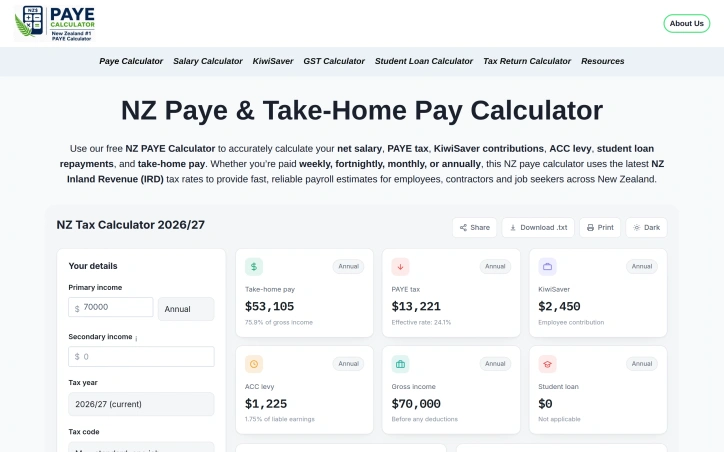

Tax-preparation
D
DrHasnain Ali

Accurate payroll calculations matter for workers trying to budget their finances. New Zealand's tax system involves multiple moving parts—progressive tax brackets, KiwiSaver deductions, ACC levies, and potential student loan repayments—making it difficult for employees and contractors to determine their actual take-home pay without professional help. The PAYE Calculator NZ addresses this friction by automating these calculations using current Inland Revenue rates and rules. The tool functions as a straightforward income calculator that converts gross salary into net pay after all applicable deductions. Workers input their income, select their payment frequency (weekly, fortnightly, monthly, or annually), and specify relevant details like KiwiSaver contribution rates and tax codes. The calculator supports both primary and secondary income streams, accommodating people with multiple jobs or mixed employment arrangements. What distinguishes this calculator is its coverage of New Zealand's actual tax complexity. Rather than treating income as a flat percentage, it applies the country's progressive tax brackets across the full income range. It incorporates the ACC earners' levy at 1.75%, handles various tax code options including the independent earner credit, and calculates KiwiSaver contributions based on user-selected rates. The tool also factors in student loan deductions where applicable. This comprehensive approach means the results reflect the actual deductions workers see in their payslips. The interface provides both summary totals and detailed breakdowns, showing annual, monthly, and weekly views of gross income, tax paid, ACC contributions, KiwiSaver deductions, and final take-home pay. Users can also see the marginal tax rate that applies to additional earnings, useful for understanding the tax impact of overtime or side work. The calculator uses 2026/27 tax year rates, keeping data current with Inland Revenue updates. The tool is free to access, removing cost barriers for workers seeking payroll clarity. This pricing model makes it particularly valuable for job seekers evaluating offer letters and contractors assessing project rates, who may not have access to employer payroll systems. The primary limitation inherent to any tax calculator is that it cannot provide personalized tax advice, which the site appropriately disclaims. However, for quick payroll estimates and understanding how deductions affect take-home pay, it fills a genuine need in New Zealand's employment landscape.

PAYE Calculator NZ preview

Key features

  • Progressive Tax Brackets: Applies New Zealand's progressive tax brackets across the full income range for accurate tax calculations.
  • KiwiSaver Integration: Calculates KiwiSaver contributions based on user-selected contribution rates.
See full listing
Build or Skip

Finding a viable product idea requires more than intuition. Build or Skip addresses a core challenge for independent builders and early-stage SaaS teams: deciding which opportunity merits months of engineering effort versus which should be abandoned. Rather than building in isolation and hoping customers appear, the platform inverts the validation process by identifying products already generating commercial traction. The product works by tracking observable market signals across candidate products, using these indicators to estimate monthly order volume and compare growth patterns over time. This approach acknowledges a fundamental truth: money leaves a trail. Instead of surveying potential users or conducting customer interviews from scratch, builders can tap into real purchasing behavior to validate demand before committing significant resources. The platform's decision framework is its most useful component. Products are categorized into three buckets: Build for opportunities showing strong order volume, accelerating growth, and recurring signals across multiple months; Watch for products with momentum but insufficient baseline data or observation history; and Skip for weak, fading, or inconsistent signals. This three-tier system removes ambiguity and forces prioritization. What distinguishes Build or Skip is its transparency about limitations. The platform explicitly states that estimated orders represent model outputs, not verified revenue or private transaction data. It acknowledges the difference between identifying where payment intent may be building and proving actual revenue and product-market fit. This intellectual honesty is rare in tools claiming to solve discovery problems and suggests realistic expectations. The ranking methodology weighs three dimensions: meaningful order scale, momentum as both percentage and absolute growth, and staying power measured by recurring monthly signals. Rather than chasing one-month spikes, the platform rewards products that demonstrate consistent commercial activity across multiple observation windows. This reduces noise from temporary trends. The core value proposition centers on founders who feel paralyzed by option overload or skeptical of their own market intuition. By showing what money is already moving, the platform shifts validation from pure guesswork to evidence-informed decision making. It won't prove that a specific idea will succeed, but it can redirect energy toward opportunities with demonstrated demand rather than speculative ones. The tool serves a specific audience: builders operating under time and resource constraints who prioritize speed and evidence over certainty. For this group, reducing the number of failed bets matters more than achieving perfect conviction before starting.


Predictive-ai
王二狗

Finding a viable product idea requires more than intuition. Build or Skip addresses a core challenge for independent builders and early-stage SaaS teams: deciding which opportunity merits months of engineering effort versus which should be abandoned. Rather than building in isolation and hoping customers appear, the platform inverts the validation process by identifying products already generating commercial traction. The product works by tracking observable market signals across candidate products, using these indicators to estimate monthly order volume and compare growth patterns over time. This approach acknowledges a fundamental truth: money leaves a trail. Instead of surveying potential users or conducting customer interviews from scratch, builders can tap into real purchasing behavior to validate demand before committing significant resources. The platform's decision framework is its most useful component. Products are categorized into three buckets: Build for opportunities showing strong order volume, accelerating growth, and recurring signals across multiple months; Watch for products with momentum but insufficient baseline data or observation history; and Skip for weak, fading, or inconsistent signals. This three-tier system removes ambiguity and forces prioritization. What distinguishes Build or Skip is its transparency about limitations. The platform explicitly states that estimated orders represent model outputs, not verified revenue or private transaction data. It acknowledges the difference between identifying where payment intent may be building and proving actual revenue and product-market fit. This intellectual honesty is rare in tools claiming to solve discovery problems and suggests realistic expectations. The ranking methodology weighs three dimensions: meaningful order scale, momentum as both percentage and absolute growth, and staying power measured by recurring monthly signals. Rather than chasing one-month spikes, the platform rewards products that demonstrate consistent commercial activity across multiple observation windows. This reduces noise from temporary trends. The core value proposition centers on founders who feel paralyzed by option overload or skeptical of their own market intuition. By showing what money is already moving, the platform shifts validation from pure guesswork to evidence-informed decision making. It won't prove that a specific idea will succeed, but it can redirect energy toward opportunities with demonstrated demand rather than speculative ones. The tool serves a specific audience: builders operating under time and resource constraints who prioritize speed and evidence over certainty. For this group, reducing the number of failed bets matters more than achieving perfect conviction before starting.

Build or Skip preview

Key features

  • Market Signal Tracking: Monitors observable market signals and purchasing behavior across candidate products to identify commercial traction
  • Order Volume Estimation: Estimates monthly order volume by analyzing payment intent patterns to validate demand without customer interviews
See full listing
Getage247

Browser-based utility platforms fill a genuine gap for people who need quick digital solutions without the friction of downloading software or creating accounts. GetAge247 positions itself as a comprehensive collection answering this need, aggregating 26 tools across multiple categories from basic calculations to content generation. The platform targets a broad spectrum: students managing coursework, freelancers handling client work, developers needing SEO utilities, content creators editing media, and casual internet users tackling everyday tasks. This breadth reflects a recognition that utility needs are fragmented but often similar across professions and skill levels. What distinguishes GetAge247 is its categorical organization rather than minimalism. Rather than offering one or two multipurpose tools, it provides focused single-purpose utilities: separate age, BMI, and GPA calculators; dedicated image and document conversion tools; distinct generators for UUIDs, passwords, QR codes, and resume content. This approach trades interface simplicity for comprehensiveness, allowing users to find a tool purpose-built for their specific task. The tool set itself shows practical curation. Technical users get utilities like JSON formatting, Base64 encoding, robots.txt generation, and schema markup creation. Productivity-oriented users access resume builders, invoice generators, and cover letter assistants. Casual users benefit from calculators, converters, and media tools. Image resizing and JPG to PDF conversion address common content creation needs. The inclusion of a YouTube thumbnail downloader suggests attention to creator workflows. All tools operate in the browser without requiring installation or account creation, removing traditional friction points. This accessibility model aligns with the stated positioning around simplicity for non-technical users. The platform's monetization model remains implicit from available information, though the founder describes it as entirely free. The emphasis on adding tools and guides based on user feedback suggests an ongoing service approach rather than a static collection. This positions GetAge247 less as a launched product and more as a continuously maintained utility repository. The core value proposition is straightforward: aggregated, accessible web utilities eliminating the need to hunt across multiple sites or install software. For users who run into diverse digital tasks and prefer centralized, no-friction solutions, the breadth of offerings creates genuine utility, even if individual tools might be duplicated elsewhere online.
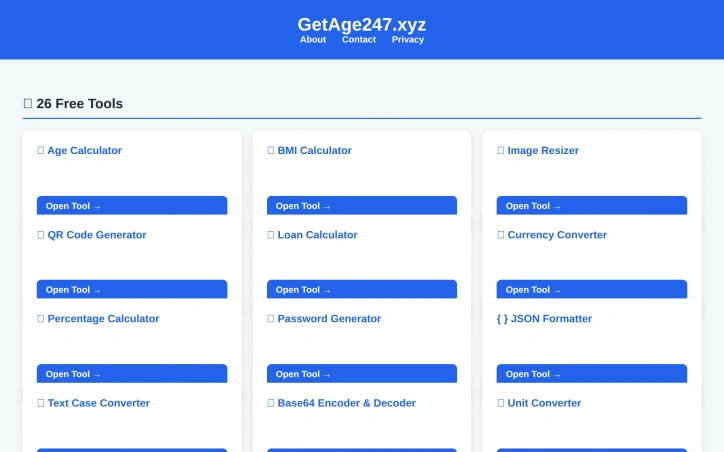
Seo-tools
G
Ghulam Nabi

Browser-based utility platforms fill a genuine gap for people who need quick digital solutions without the friction of downloading software or creating accounts. GetAge247 positions itself as a comprehensive collection answering this need, aggregating 26 tools across multiple categories from basic calculations to content generation. The platform targets a broad spectrum: students managing coursework, freelancers handling client work, developers needing SEO utilities, content creators editing media, and casual internet users tackling everyday tasks. This breadth reflects a recognition that utility needs are fragmented but often similar across professions and skill levels. What distinguishes GetAge247 is its categorical organization rather than minimalism. Rather than offering one or two multipurpose tools, it provides focused single-purpose utilities: separate age, BMI, and GPA calculators; dedicated image and document conversion tools; distinct generators for UUIDs, passwords, QR codes, and resume content. This approach trades interface simplicity for comprehensiveness, allowing users to find a tool purpose-built for their specific task. The tool set itself shows practical curation. Technical users get utilities like JSON formatting, Base64 encoding, robots.txt generation, and schema markup creation. Productivity-oriented users access resume builders, invoice generators, and cover letter assistants. Casual users benefit from calculators, converters, and media tools. Image resizing and JPG to PDF conversion address common content creation needs. The inclusion of a YouTube thumbnail downloader suggests attention to creator workflows. All tools operate in the browser without requiring installation or account creation, removing traditional friction points. This accessibility model aligns with the stated positioning around simplicity for non-technical users. The platform's monetization model remains implicit from available information, though the founder describes it as entirely free. The emphasis on adding tools and guides based on user feedback suggests an ongoing service approach rather than a static collection. This positions GetAge247 less as a launched product and more as a continuously maintained utility repository. The core value proposition is straightforward: aggregated, accessible web utilities eliminating the need to hunt across multiple sites or install software. For users who run into diverse digital tasks and prefer centralized, no-friction solutions, the breadth of offerings creates genuine utility, even if individual tools might be duplicated elsewhere online.

Getage247 preview

Key features

  • Tool Aggregation: Provides 26 focused utilities across multiple categories for diverse digital tasks.
  • Browser-Based Access: All tools operate in the browser without installation or account requirements.
See full listing