
uploadthefile.com
Sharing files and publishing static content has long required friction: account creation, platform navigation, or comman...

CrabTap
Small businesses have long struggled to implement loyalty programs without massive overhead. CrabTap addresses this gap...

Catalyst Healthspan Audit
Personal trainers typically sell training sessions. This startup reversed the equation by building assessment first, mak...
Recently Listed
884 launches
AI-driven video and image creation has long been hampered by software complexity and high costs, particularly for independent creators and small businesses without dedicated design teams. OmniVideo attempts to democratize this space by offering a streamlined, browser-based platform that consolidates both video and image generation into a single interface. The platform's core strength lies in its simplicity. Users can input either a text prompt or reference image, select from multiple AI models including Sora, Veo, Seedance, and Nano Banana, and generate content in various aspect ratios. The workflow is intentionally minimal: describe your idea, click to generate, download the result. This directness appeals to the stated target audience of creators, marketers, and small business owners who lack design expertise or the bandwidth for complex software. OmniVideo's model flexibility stands out among competitors. Rather than locking users into a single generation engine, the platform offers choice across different AI technologies. This means users can experiment with multiple approaches to find which model suits their creative vision. The platform positions itself for a range of marketing applications: product launch videos, social media content, and advertising materials. The technical architecture—entirely web-based with no installation required—removes another friction point. Accessibility across devices and the absence of setup overhead matters in practice for time-constrained users. On the business model front, OmniVideo operates on a freemium structure. The free tier provides basic functionality, with premium plans offering advanced tools and higher usage limits. The pricing transparency is notable: one-time payments with no auto-renewal and explicit claims of no hidden fees and cancellation flexibility. Importantly, the platform explicitly permits commercial use of generated content, a clear advantage for businesses that need to license or publish their output without restriction. What remains unclear from the available information is how the platform addresses quality consistency, whether generated content can be edited post-generation, or how the different AI models actually perform against each other in real use. The FAQ structure suggests these are questions the company anticipates, yet provides limited specifics. Overall, OmniVideo identifies a legitimate problem—the gap between creative ambition and creation capability for resource-constrained teams—and offers a direct solution. Its combination of multiple models, commercial rights, and accessible pricing positions it as a practical entry point for businesses reluctant to invest in professional video production tools or agencies.


For e-commerce sellers, marketers, and independent creators juggling product shots, ad creatives, and social content, visual creation has long meant choosing between stock photography, expensive editing tools, or rounds of revision. Duct Tape AI's GPT Image v2 generator addresses this friction by delivering photorealistic images directly from prompts, positioned as a commercial-grade alternative requiring no post-processing or Photoshop work. The product distinguishes itself through three core capabilities that separate it from competing image generation tools. First, it renders readable text natively across multiple languages—Korean, Japanese, Chinese, Arabic, and English—with pixel-perfect accuracy. This addresses a persistent weakness in AI image generation, where typography often appears garbled or visibly artificial. Second, the platform maintains character and brand consistency across sequential generations, allowing users to build multi-image campaigns and storytelling sequences without the identity drift that affects competitors. Third, it handles complex multi-subject compositions, a capability the company claims rivals or exceeds Midjourney and Flux in execution. The interface emphasizes simplicity. Users input prompts or reference images and adjust parameters like aspect ratio and resolution, with a preview system showing results before full generation. The company's gallery displays the breadth of output quality—from product photography with studio lighting to editorial portraiture to stylized illustration—all claimed to be generated without photographic source material or manual retouching. Pricing follows a tiered subscription model. The Basic plan costs $9.50 per month when billed annually at the current 50% discount and includes 7,200 monthly credits, watermark removal, and commercial use rights. The Advanced tier jumps to $24.50 monthly and provides 24,000 credits plus faster generation speeds. The Professional plan, at $49.50 monthly, adds 30,000 credits and priority customer support. The company promotes a limited-time 50% discount on annual subscriptions tied to a specific deadline. The product targets a clear niche: creators who need production-ready visuals quickly without specialized design skills or expensive tools. Success depends on whether the technical claims around text rendering, consistency, and composition hold under real-world production workflows. For businesses where visual output velocity and brand consistency across campaigns matter, the offering addresses a genuine operational bottleneck.


Managing analytics across multiple websites typically means juggling tabs between Google Analytics, Search Console, and Bing Webmaster—each dashboard isolated from the others. GA Lite consolidates this fragmented view into a single interface designed for site operators who run multiple properties and need to monitor their collective performance without constant switching between platforms. The core offering is straightforward: authenticate once to pull Google Analytics properties, Search Console sites, and Bing Webmaster accounts into one place. Each site appears as a card showing traffic metrics alongside search performance data, letting users spot correlations between visitor drops and search ranking changes at a glance. Period-over-period deltas make growth or decline immediately visible, and users can toggle between daily, weekly, monthly, and quarterly views to identify trends at different scales. What distinguishes GA Lite from simply opening multiple tabs is its emphasis on collective visibility. The realtime map displays active users across the entire portfolio simultaneously, with geographic distribution shown on an interactive map that refreshes without manual reloading. This gives site operators running networks of properties a bird's-eye view of traffic patterns that no single analytics tool provides by default. For teams sharing responsibility for multiple sites, shareable dashboards offer flexible privacy controls: public profile mode for basic transparency, anonymous mode that strips site identity while keeping metrics, or password protection for restricted audiences. The funnel analysis feature lets users build lightweight funnels using existing GA4 page or event data, automatically highlighting conversion drop-off points across 2-5 steps. This is useful for identifying which pages in a user journey are underperforming across a portfolio. A notable differentiator is MCP integration, which allows AI assistants like Claude and Cursor to query analytics through a remote endpoint after browser approval. This positions the tool as more than a dashboard—it becomes a data source that AI agents can autonomously explore to surface insights or answer questions about traffic and search performance. The product uses OAuth for multi-account Google access and API keys for Bing, streamlining credential management. Reconnection is one-click when credentials expire. The product launched with a free tier, though specific pricing tiers or premium features are not detailed in the available information. GA Lite targets a specific niche: individuals and small teams managing analytics across multiple properties who value speed over deep granularity. For this audience, eliminating tab switching and creating a unified view of distributed data solves a real friction point.


In an era of instant notifications and performance-driven messaging, Carrier Pidge inverts the urgency. It solves the problem of meaningful messages getting lost in the noise of constant connectivity by introducing deliberate delay as a feature, not a limitation. The platform targets anyone seeking to reclaim the lost art of correspondence—people who want their written thoughts to be read as something worth receiving rather than something to respond to immediately. The core concept rests on an elegant metaphor: messages travel between friends as digital carrier pigeons following a visible route across a map. This transforms waiting from a frustration into part of the experience. When you compose a note, you designate one confirmed friend as the recipient, release your pigeon, and watch its progress in real time. The system calculates an estimated arrival based on the distance between approximate roost locations—regions rather than exact addresses—allowing you to track the journey without compromising privacy. What makes Carrier Pidge distinctive is how it removes the psychological burden of instant messaging. There are no read receipts, no expectation of immediate response. A message lands at its destination and finally gets a moment of genuine attention. This philosophy extends to the interaction model itself: one-to-one exchanges with confirmed friends only, eschewing the broadcast nature of most modern platforms. The feature set supports this slower tempo thoughtfully. Users write a note, select a recipient, and release it. The flight path appears on a map with real-time tracking and changing ETAs, giving the distance between friends narrative weight rather than treating it as an obstacle. The approximate location system preserves meaningful geography—you see broad regions where friends are based—without exposing precise coordinates or enabling live tracking. The product operates globally with multi-language support and integrates friend discovery through existing social platforms or username lookups. Once someone requests to connect, the sending friend must confirm, establishing a mutual relationship before messages can flow in either direction. Carrier Pidge addresses a specific human need overlooked by the urgency economy: the desire to write something personal and have it genuinely received rather than merely consumed. Whether it resonates depends on whether users embrace slowness as a feature worth their time.


Video creation has long demanded either serious technical expertise or expensive subscriptions. Omni Flash tackles this friction by placing a free, web-based AI video generator in the hands of everyday creators who want results without setup headaches. The product targets individuals and small teams making social content, product demonstrations, short-form ads, and quick video edits who have neither the time nor inclination to wrangle API keys and local environments. The core appeal lies in its radical simplicity. Users open the tool in a browser, enter a text prompt, optionally upload an image or reference clip, and generate a video—all without installing software or managing technical infrastructure. The platform connects to Google's video generation API, handling the complexity behind the scenes so creators can focus on their vision rather than configuration. Functionally, Omni Flash offers both text-to-video and image-to-video capabilities, supporting typical creator workflows across TikTok, YouTube, Instagram, and landing pages. The reference image and video features allow users to guide the model's output toward specific subjects, styles, and motion patterns, giving everyday prompts more precision than raw text alone might provide. Downloads happen directly from the browser, completing the workflow without external dependencies. The business model follows a freemium pattern. New users receive complimentary credits for testing before deciding to spend. This approach removes the adoption barrier—potential users can validate whether the tool meets their needs before committing financially. Specific pricing tiers are not detailed in available materials, though the messaging emphasizes upgrading only when demand exceeds free allocations. What distinguishes Omni Flash in a crowded AI video space is its uncompromising focus on accessibility. Rather than marketing toward AI researchers or power users, it explicitly targets people whose technical ceiling is write a prompt and click generate. This positioning represents a deliberate constraint that shrinks complexity. By outsourcing the underlying model and API infrastructure to Google, the team eliminated the development surface area that trips up smaller tools—no model fine-tuning, no infrastructure scaling for users to navigate. The risk inherent in this approach is dependency. Users cannot control which Google model powers generations, cannot self-host for privacy, and cannot escape API rate limits beyond what the platform manages. For creators whose needs outgrow these boundaries, Omni Flash functions more as an on-ramp than a permanent solution. Yet for the specific audience of casual creators making throwaway content at speed, those constraints barely register.


Arcade games built around a single, elegant mechanic continue to find their audience, and N.Ukeme joins that tradition with a tactical maze-clearing concept centered on bomb placement and evasion. The game targets casual players seeking fast-paced sessions that demand quick decision-making rather than extended time commitments, capitalizing on the enduring appeal of puzzle-action hybrids where spatial reasoning and split-second timing matter equally. The core loop is straightforward: navigate a maze, identify optimal bomb placement to clear destructible obstacles, then execute the escape before the blast reaches you. This constraint-based design forces players to read the environment and plan routes methodically before committing to action, avoiding the randomness that can frustrate in arcade titles. The mechanical clarity positions it well for touchscreen input, where the tap-to-move and double-tap-to-plant vocabulary translates naturally. What distinguishes N.Ukeme from crowded casual game markets is its structural coherence. Rather than endless procedural stages, the game presents a deliberately structured campaign threading from Warsaw through Istanbul, giving progression narrative weight that lifts the experience beyond simple high-score chasing. Training missions scaffold the mechanics progressively, a deliberate choice that acknowledges casual players may skip tutorials but are more likely to engage with contextual learning. The inclusion of enemy movement and power-ups adds tactical layers without overcomplicating the fundamental read-plan-execute rhythm. The reward architecture leans toward cosmetic depth rather than gameplay inflation. Unlockable looks and equipment feed the collection impulse common in successful casual titles while the stated commitment to no gameplay advantages in paid cosmetics suggests measured monetization philosophy. This positions the game as genuinely playable without spending, reducing friction for discovery-phase users. The absence of account requirements similarly lowers barriers to immediate engagement, a practical choice for platforms where friction compounds abandonment. Multilingual support across a dozen languages indicates either deliberate international positioning or successful bootstrapping with organic international appeal, either way suggesting early traction beyond English-speaking markets. The supporting website operates as straightforward game entry point rather than narrative wrapper, appropriate for a product confident enough to let mechanics speak. N.Ukeme addresses a narrow but persistent gap: players exhausted by complexity creep in modern games, seeking instead the immediate satisfaction of a well-tuned mechanical loop. It avoids the abstraction trap of overthinking simplicity, executing instead on the principle that constraints generate engagement when constraints are transparent from the start.


Clinical documentation has long consumed the evening hours of healthcare providers—time that should belong to them, not to their employer's administrative machinery. Merry AI targets this specific pain point by automating the note-writing process that traditionally happens after patient visits conclude. The product works through ambient AI that listens to conversations during clinical encounters, capturing clinical details without requiring keyboard input or manual data entry from the clinician. This allows providers to remain fully present with patients rather than dividing attention between the patient and their documentation system. The system generates complete progress notes with properly formatted SOAP sections in real-time, meaning clinicians can review and sign off on documentation before leaving the exam room. What distinguishes Merry AI in a crowded clinical AI space is its focus on the complete documentation lifecycle. Beyond ambient capture during visits, the system handles pre-visit work by pre-analyzing patient charts, organizing intake history, and completing chart preparation before the clinician enters the room. This addresses the full spectrum of administrative burden rather than just the note-writing piece. The product also handles billing code mapping, capturing complexity indicators like CPT G2211 that can unlock additional reimbursement revenue for healthcare systems. A 2026 JAMA study is cited as evidence of time savings, though specific figures aren't detailed in available materials. KLAS Research performance data is referenced, positioning it against established healthcare IT evaluation standards. From a compliance perspective, Merry AI explicitly highlights HIPAA compliance and rapid BAA execution, suggesting the company has baked healthcare's regulatory requirements into its go-to-market strategy. This matters because healthcare organizations moving to any new system face significant procurement friction around compliance verification. The business model is a software service aimed at healthcare systems and practices rather than an open-market consumer tool. Pricing isn't disclosed, though the website mentions requesting a demo without requiring credit card information, suggesting an enterprise-focused sales motion. The core value proposition is straightforward: clinicians recover their evenings, healthcare systems improve documentation compliance and capture lost billing revenue simultaneously. Whether the technology performs as demonstrated in promotional materials would require hands-on evaluation, but the problems Merry AI claims to solve are genuinely acute across the healthcare industry.


Context degradation represents a fundamental challenge in extended AI-driven roleplay experiences: as conversations lengthen, character recall deteriorates, forcing users into repetitive exposition about their own narrative threads. DreamArc addresses this friction point by introducing a platform centered on sustainable long-form storytelling with human-controlled memory preservation. The platform targets recreational users seeking character-driven narratives with the freedom to shape scenarios on their own terms. Rather than treating memory as an automated black box, DreamArc positions it as user-controlled infrastructure that participants can actively curate. Users can review what the system has retained, correct inaccuracies, pin important details, or remove obsolete information. This transparency transforms memory from a liability into a collaborative storytelling tool. The product's character ecosystem reflects deliberate design choices that appeal to this audience. Filtering options span personality archetypes including tsundere bullies, logic-focused personalities, and comedic personas. Content safety levels range from SFW through restricted ratings, while aesthetic frameworks encompass anime-inspired characters, original creations, and game-derived personas. Popular characters include witches, historical figures, supernatural entities, and mythological beings, suggesting a catalog that prioritizes distinctive voices over generic templates. The platform supports free-form roleplay with any point of view configuration, enabling both passive observation and active participation in stories. What distinguishes DreamArc from existing character chatting platforms is its explicit treatment of memory as a feature rather than an incidental system component. Many competitors operate with invisible, irreversible memory models. By surfacing memory management alongside character selection and persona creation, DreamArc acknowledges that long-term coherence depends on human oversight rather than pure algorithmic recall. The platform currently operates without explicit pricing or subscription information visible in publicly available content, suggesting either a freemium model or early-stage availability for user feedback before monetization decisions solidify. The founder describes the project as developmental, explicitly soliciting real-world feedback to guide improvements. The primary limitation remains inherent to the space: even with superior memory management, the underlying model's generation quality, character consistency beyond memory retrieval, and narrative flexibility all influence user retention. Memory architecture alone cannot guarantee compelling storytelling. That said, DreamArc has identified a legitimate pain point in the roleplay chat category and built its foundation around solving that specific problem rather than pursuing undifferentiated feature sprawl.


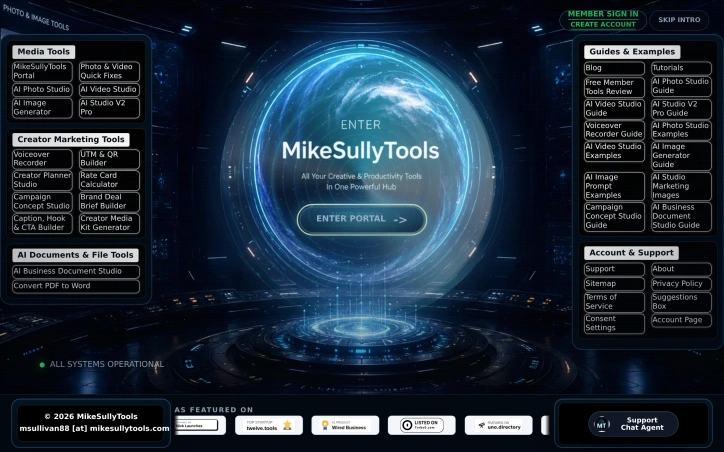
Consolidating the creator economy into a single subscription addresses a genuine frustration. Content producers constantly juggle payment accounts, login credentials, and separate interfaces just to accomplish interconnected tasks like editing footage, generating promotional images, and managing brand partnerships. This platform attempts to collapse that fragmentation by bundling artificial intelligence tools with creator-focused utilities in one membership hub. The product suite encompasses three core categories. The media editing side includes AI-powered photo and video studios alongside an image generator and quick-fix tools for common production needs. A second tier targets the business side of content creation: a voiceover recorder, UTM and QR code builder, rate card calculator, campaign planner, deal briefing tool, and media kit generator address the marketing and negotiation workflows that occupy increasing portions of a creator's schedule. A third category handles document management, particularly PDF-to-Word conversion, rounding out productivity gaps many creators face. What distinguishes this offering is the deliberate intersection of creation and commercialization. Rather than offering editing and marketing as separate products, the platform positions them as components of a unified workflow. The inclusion of specific creator business tools like deal brief builders and rate card calculators suggests the founders understand that modern content work extends far beyond producing the content itself. Marketing professionals and small agencies managing multiple creator accounts would similarly benefit from consolidated access. The platform operates on a membership model with tiered access. Free tools are available to non-members, while paid accounts unlock premium features and appear to operate on a credit system. Recent version releases dating through July 2026 indicate active development and iteration. The product has been featured on several third-party directory and review sites, suggesting baseline market validation. The primary limitation evident from available information is that the appeal remains niche. This targets creators specifically rather than serving as a general-purpose productivity suite. Professionals outside content creation may find little value in voiceover tools or campaign concept builders, which narrows the addressable market considerably. For individual creators and content agencies tired of subscription sprawl, this presents a consolidation opportunity worth evaluating. The value proposition centers on reducing tool fatigue and context-switching rather than offering technological breakthroughs, which may appeal more to those prioritizing simplicity and workflow integration over cutting-edge capabilities.

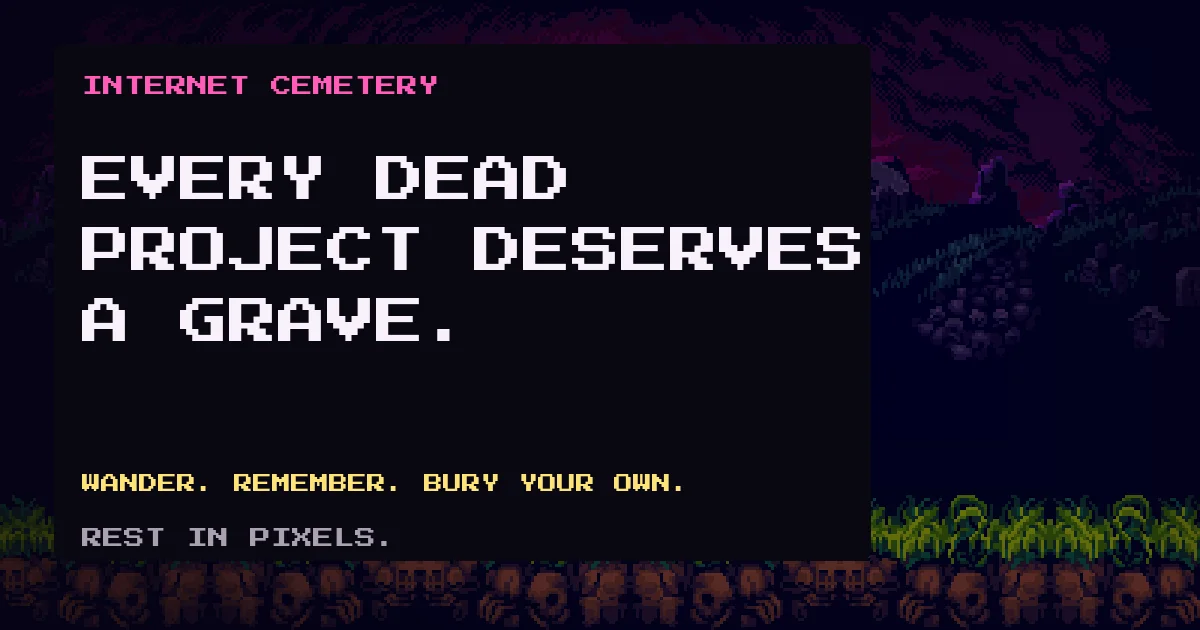
Digital projects fail constantly. Internet Cemetery transforms that inevitable reality into something worth visiting. The platform invites developers and entrepreneurs to memorialize abandoned products through a pixel-art world where visitors wander among graves, read epitaphs, and leave offerings at tombstones. Rather than presenting just another directory of dead startups, the concept treats failure as something worthy of exploration and reflection rather than efficient lookup. The product addresses a particular sting in the developer experience: the accumulation of side projects, abandoned ventures, and ideas that never materialized. Internet Cemetery channels this into structured catharsis, providing a permanent space where those projects receive formal acknowledgment and farewell. Builders across the spectrum find value here, from solo developers burying weekend experiments to founders memorializing ventures that failed to gain traction. The execution distinguishes itself through careful design choices. The central mechanic prioritizes exploration: the cemetery organizes into six districts categorized by cause of death rather than alphabetical listing, with alleys that open as they fill. Navigation happens through directional keys in a pixel-art interface, surfacing graves through organic discovery rather than search. This approach trades search efficiency for browsing atmosphere and serendipitous encounters with other people's failures. Exploration costs nothing and requires no account setup, creating genuine freedom to browse internet history. Burying a project starts at $2.99 for a basic stone, scaling to $9.99 for monument variants and $29.99 for a private mausoleum. The model rejects subscriptions entirely; customers purchase once and the grave remains engraved permanently. This pricing philosophy aligns perfectly with the cemetery metaphor. Paddle processes payments, keeping the platform name off statements. The moderation approach reveals intentional restraint. Epitaphs get reviewed to prevent spam and abuse, but the platform explicitly avoids policing business decisions. The feature set extends to pilgrimages tracking which graves you have visited, and inscriptions can be edited without repurchasing plots. Built as a solo project by a developer, the product's greatest success lies in its aesthetic commitment: treating startup failure as culturally significant enough to warrant ritual and permanent commemoration rather than silent obscurity.

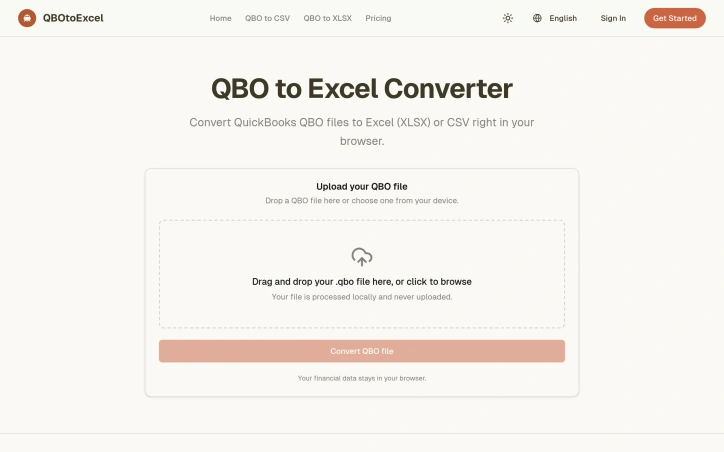
Converting QuickBooks transaction exports into usable spreadsheets has long been a point of friction for accountants and small business operators. QBO to Excel Converter addresses this directly by providing a streamlined path from QuickBooks' native QBO format into standard Excel or CSV files, all without requiring users to leave their browser or install additional software. The tool's core appeal lies in its simplicity and privacy-conscious design. The conversion happens entirely locally within the browser, meaning uploaded files never touch a remote server. This eliminates the security concerns that might accompany uploading financial data to a third-party service and removes upload delays from the workflow. Users drag a QBO file into the interface, watch it convert, and download the result—three straightforward steps. The extracted data covers the essential fields needed for financial operations: transaction dates, types, amounts, payee names, memos, transaction IDs, and account associations. This focused column set reflects a practical understanding of what reconciliation and analysis actually require. Rather than attempting to extract every possible data point from a QBO file, the tool targets the columns that matter for monthly bank reconciliation, spreadsheet filtering, and sharing transaction detail with accounting professionals. The positioning is notably honest about what the tool is not. It makes no claim to replace QuickBooks itself or serve as a full company ledger backup—it solves a narrower problem. This clarity helps set realistic expectations for the audience: users who need to extract and manipulate transaction-level data but do not require the full accounting system. The stated use cases align with this positioning: monthly reconciliation, accountant communication, record sorting, simple cash flow reporting, and feeding transaction data into other systems. The tool carries no mentioned pricing barrier, operating on a free model. This removes friction for users testing the tool or handling occasional conversion needs, though it remains unclear how the service sustains itself or whether premium features exist for power users. The tool succeeds by identifying a specific workflow friction point—the difficulty of handling QBO files in spreadsheets—and solving it with minimal complexity. It does not overreach into full accounting software territory, instead focusing on a single conversion task that many finance professionals encounter regularly. For users whose needs align with its stated scope, it offers a friction-free alternative to manual data transfer or QuickBooks' own limited export options.

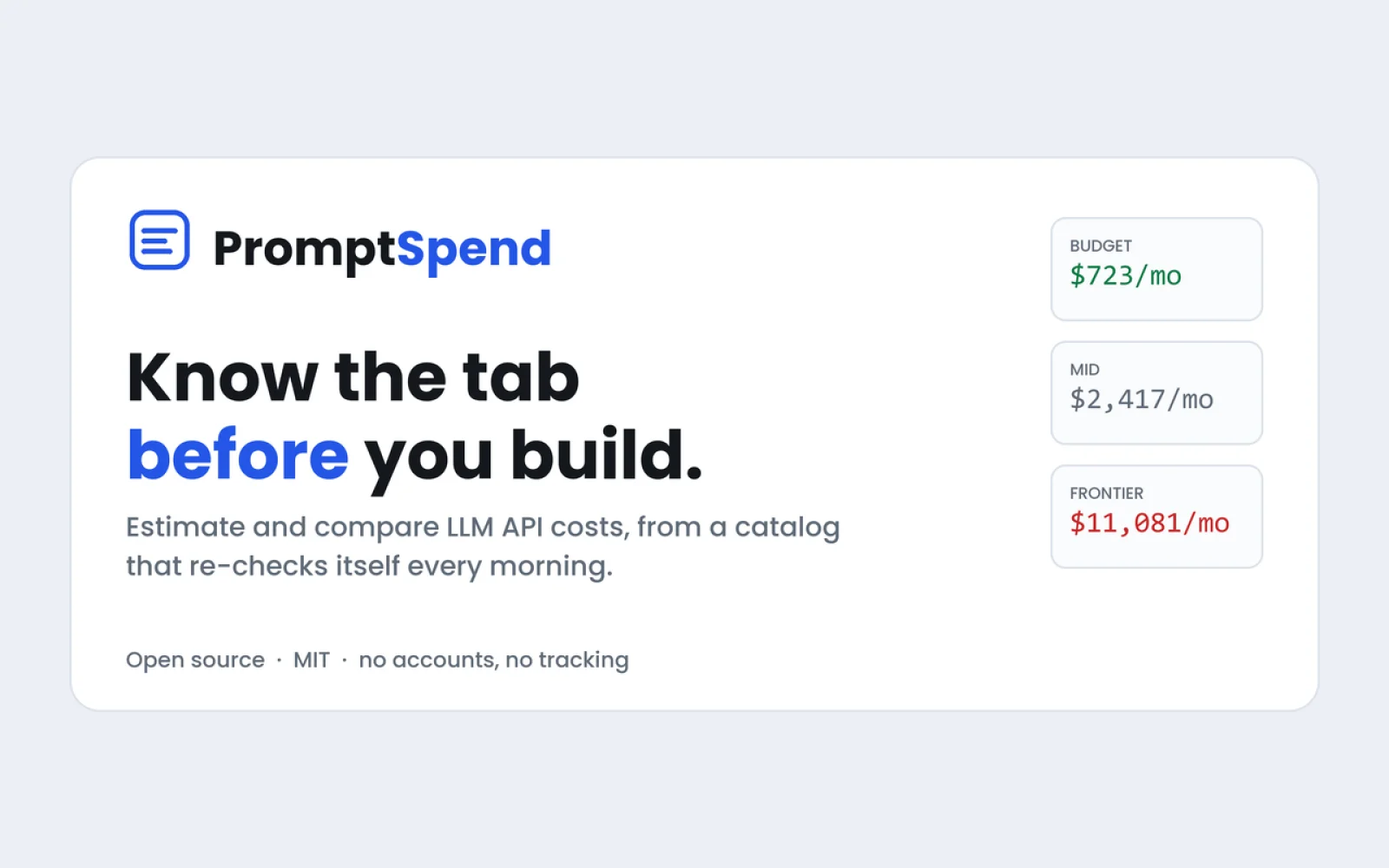
Every cost comparison tool becomes obsolete the moment vendors adjust their pricing. PromptSpend addresses this fundamental problem by treating the pricing pipeline itself as the core product rather than treating price data as static information to collect once. The calculator supports 78 LLM models including GPT and Claude, allowing side-by-side comparison of up to four models at a time. Users can input real prompts or specify their usage scale to see monthly cost projections. The platform targets developers and technical teams making model selection decisions. What distinguishes PromptSpend from existing calculators is its automated approach to freshness. The system re-checks pricing information every morning against vendor pages, flagging discrepancies instead of simply averaging different sources. Each price quote includes the source URL and confirmation date, providing verifiable attribution that existing calculators typically omit. The tool also addresses two cost factors that most calculators ignore or get wrong. The first is compounding chat history—each message in a conversation includes previous messages, yet calculators often treat input costs as linear. The second is hidden reasoning tokens, which affect models that perform internal reasoning steps before generating output. These technical details significantly impact real-world costs at scale. PromptSpend offers three access points beyond the web calculator. A public API lets developers integrate pricing lookups programmatically. An MCP server makes the tool available to coding agents, enabling AI assistants to check costs while writing code. A VS Code extension shows pricing information inline on the line of code that calls a model. The pricing model is transparent: the tool is free, requires no account to use, and operates under an open source license. The founder chose this model deliberately, framing the continuously-updated pricing data as the key value proposition. Rather than monetizing access to price information or user data, the focus remains on the open source infrastructure itself being valuable to the ecosystem. For teams running multiple LLM models in production or evaluating model choices, the combination of automated pricing accuracy and technical cost details addresses real friction in AI infrastructure decisions.

Online learning platforms have long struggled with a fundamental problem: passive consumption of content fails to build genuine capability. SkillForge addresses this gap with a project-centric model designed to move learners from theoretical understanding to demonstrable skill. The platform serves professionals and career changers across AI, data science, development, design, and business who need structured progression rather than scattered tutorial collections. Its three-stage framework—discovery, build, become—mirrors how skills actually develop: identifying potential, executing real work, and earning recognition. What distinguishes SkillForge is its emphasis on learning through creation. Rather than passive video consumption, users tackle hands-on projects within each learning path, receiving structured feedback from instructors and peers. An in-browser code lab enables immediate experimentation with HTML, CSS, and JavaScript, removing friction between concept comprehension and practical application. The credential system reinforces this focus on verifiable capability. Each certificate includes a unique public verification ID, designed to stand as proof-of-work rather than mere completion badges. Learning paths combine concise lessons, deliberate practice exercises, expert critique cycles, and shareable proof in coordinated sequences that users complete at their own pace. The platform's content strategy emphasizes quality through curation. Courses and learning paths move through an approval process before publication, distinguishing this approach from open marketplaces but also constraining content availability. The site indicates that learning paths and marketplace courses populate after internal approval and user login. Support for self-directed learning includes saved progress, notes, and draft playgrounds, allowing learners to return to work asynchronously. The community component incorporates peer review and published learner stories, with testimonials gated behind platform approval. SkillForge's core thesis—that capability emerges from directed project work with expert feedback, not passive content—resonates with how professional skill development actually functions. The platform bets that structured guidance, code labs, peer accountability, and verifiable credentials address genuine pain points in career progression. Whether its curation model and instructor recruitment can sustain enough momentum to achieve network effects will determine its durability as a learning platform.


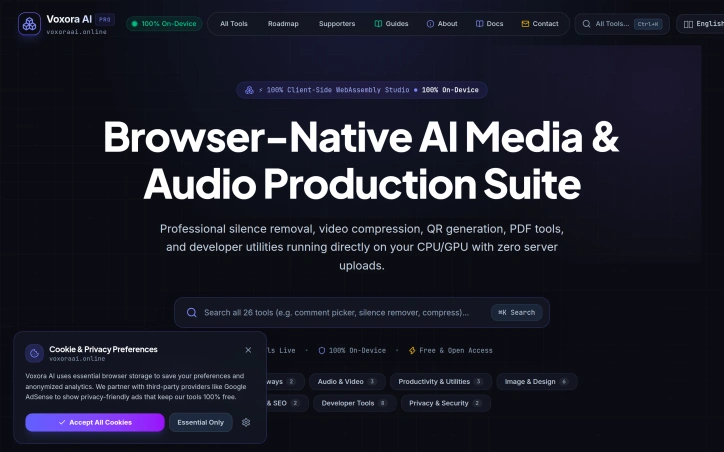
Privacy-conscious content creators have long faced an uncomfortable choice when using online media editing tools: upload their work to remote servers, risking data exposure, or settle for desktop software limited by their system's resources. Voxora AI eliminates that trade-off by bringing a comprehensive suite of 26 tools directly into the browser, with all processing happening on the user's device and zero data sent to servers. The core innovation is architectural. The entire platform runs on client-side WebAssembly, meaning compression, silence removal, format conversion, and other processing tasks execute directly on a user's CPU or GPU. This delivers practical benefits beyond privacy: creators can work offline once the tools load, avoid upload and download delays, and retain complete control over their media throughout editing. The feature set addresses routine media workflows comprehensively. Audio professionals get silence removal with visual waveform controls and batch export in multiple formats. Video and audio compression leverage FFmpeg via WebAssembly to reduce file sizes by up to 90 percent without quality degradation. The platform extracts audio from multiple video formats, converts PDFs to Word and EPUB documents, optimizes images, generates QR codes, and includes developer utilities. The breadth spans six categories and appeals to podcasters, video editors, and anyone handling media files regularly. What distinguishes Voxora from existing cloud-based editors is not novelty—tools like Kapwing and Clipchamp offer comparable features deployed to servers. Rather, the distinction lies in rejecting server-side processing entirely. This appeals to professionals bound by data protection regulations, creators uncomfortable with standard SaaS privacy policies, and anyone working with sensitive content who treats local processing as non-negotiable. The platform is entirely free with no apparent monetization mechanism. The founder's stated motivation—removing the privacy sacrifice inherent in online tooling—suggests this is positioned as a genuine alternative rather than a freemium funnel toward paid tiers. For budget-conscious creators who prioritize privacy and accept WebAssembly's performance ceiling, Voxora delivers real utility. The realistic limitation is performance compared to dedicated desktop applications or cloud services leveraging server-grade hardware. But for routine media editing, silence removal, and format conversion, the privacy guarantee and zero cost make a direct pitch to a specific audience: those for whom privacy is not a secondary concern but a primary requirement.

Preparation for video work deserves better tools than guessing. Simple Camera App addresses a genuine gap by providing a controlled environment to test camera functionality and capabilities before relying on it for a call, presentation, class, recording, or stream. The application works across macOS, Windows, and Linux, discovering all connected cameras regardless of their origin—built-in displays, external USB devices, and iPhones through Continuity. More significantly, it displays every resolution and frame-rate combination each camera reports, bypassing the simplified mode selections that browsers and operating systems typically present. This transparency matters for anyone whose video quality or reliability directly affects their work. What separates Simple Camera App from improvised camera testing is its technical foundation and core assumptions. It uses native camera APIs on each platform rather than generic abstractions, enabling it to surface comprehensive camera capabilities that cross-platform tools cannot access. Video feeds remain entirely local with no recording, uploading, or mandatory accounts—addressing legitimate privacy concerns that arise when third-party services capture webcam input. When problems occur, the app diagnoses failures and suggests recovery steps rather than offering vague error messages. The free version supports single-camera testing in default mode, adequate for quick verification before casual calls. A one-time Pro upgrade adds simultaneous multi-camera windows and access to specific resolution and frame-rate options, serving creators and professionals who must validate complete technical configurations before streaming or recording. An understated but practical feature allows each open camera to briefly display a large number, enabling users to match specific live feeds back to the device list without confusion—solving real friction in camera setup workflows. Simple Camera App occupies a specific niche but executes it thoroughly. Remote workers, content creators, educators, and anyone whose video reliability directly matters will find genuine utility in its focused toolset. The cross-platform availability and one-time purchase model lower friction compared to subscription alternatives, making verification accessible without recurring fees or account overhead.

Resource-driven navigation sits at the heart of AI Stack Nav's value proposition. The platform consolidates scattered tools, tutorials, and implementation guides into task-based collections rather than forcing users to research across fragmented sources. By targeting beginners, developers, content creators, and business operators, it addresses a genuine friction point: knowing not just which AI tools exist, but how to build something tangible with them. The differentiation lies in bundling delivery. Each curated collection—covering AI coding, API automation, content production, and video generation—pairs tutorials with prompt templates, runnable source code, workflow diagrams, and deployment checklists. This approach moves beyond tool discovery into implementation scaffolding. Users can preview complete directories before purchasing, reducing the uncertainty that plagues digital product sales. Downloads arrive immediately via email, and support is available for delivery issues. Four product tracks anchor the offering. AI Programming covers 20 project examples spanning websites, plugins, SaaS applications, and testing automation. The Writing and Office collection packages 39 tutorials across writing, long-form content, and API automation. The Gemini API track and Coliap AI Video track follow similar bundling logic, each targeting specific skill levels from foundation to advanced. Pricing sits at either 99.90 or 149.90 yuan per collection, positioning these as mid-market digital products rather than premium memberships. A free diagnostic tool—a seven-question quiz—directs users toward relevant tracks without purchase friction. This reduces decision paralysis for visitors uncertain which skills to develop first. Complementary content includes recent video tutorials on topics like local model deployment and multi-agent AI systems, grounding abstract capabilities in concrete implementation stories. The platform's clarity about what it doesn't offer matters tactically. The FAQ explicitly states collections contain digital resources, not one-on-one deployment support or custom development. This sets expectations around scope and prevents support creep. The business model depends on high-confidence purchasing decisions: users who preview content and understand delivery mechanics are less likely to dispute digital purchases. What remains underexplored is depth within each bundle. Without seeing internal directory structures or sample lesson quality, assessing whether 20 coding projects means 20 full-scale applications or 20 brief walkthroughs stays ambiguous. Still, the structural approach—task-focused curation, transparent previews, and implementation-adjacent content—addresses a real gap in how most people learn to ship with AI.


Answering customer questions before they become customers is a well-documented path to brand visibility, but the execution typically involves either hiring content teams or doing the research yourself. DistributeNow automates this workflow by identifying relevant questions potential customers ask online, writing clear answers that incorporate brand mentions naturally, and posting those answers across established platforms like Quora, Medium, and LinkedIn. The core problem DistributeNow targets is straightforward: potential customers are searching for answers, and brands are missing opportunities to appear in those answer spaces. The service works through a four-step process. First, it researches questions across different industries and evaluates which ones align with a client's product or service. Second, it creates substantive answers that directly address the question without resorting to keyword stuffing or forced mentions. Third, it integrates the brand mention only where it logically fits within the answer. Finally, it distributes the completed answer to relevant platforms. The positioning focuses on search intent and natural brand visibility rather than aggressive marketing. The founder describes the insight driving the product: customers are already asking questions; brands simply need to show up as part of the genuine answer. This reflects a real market opportunity, particularly for B2B and e-commerce companies that rely on discovery through search behavior. The platform's approach to question selection appears systematic. The company highlights examples across multiple verticals—SaaS tools facing questions about CRM selection, e-commerce brands addressing shopping criteria, accounting services tackling invoicing, and others—suggesting that the question-identification model works across different industries rather than being limited to a specific niche. Feature-wise, the service bundles research capability with content creation and distribution, addressing the full workflow. The emphasis on natural brand integration distinguishes this from more overtly promotional content syndication services. Rather than placing ads or obvious sponsored content, DistributeNow positions brands as contributors to genuine Q&A spaces. Pricing starts at $39 per month, which is accessible to small and mid-market companies. The tiered approach is not detailed in the available materials, but the entry point suggests the service is designed for businesses without massive marketing budgets. The main uncertainty is execution quality. Writing genuinely useful answers that naturally incorporate brand mentions requires skill, and the difference between helpful guidance and subtle marketing speech is significant. Whether DistributeNow maintains that balance at scale, and whether distribution to platforms like Quora and Medium actually drives meaningful lead volume, would be critical questions for potential customers to investigate independently.


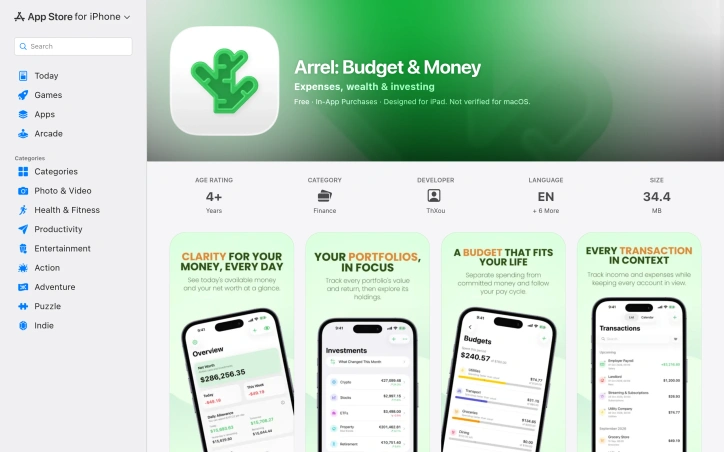
Personal finance apps have traded user privacy for free services for so long that Arrel's opposite approach feels almost radical. This iOS and iPad application inverts the typical business model: instead of harvesting spending data to fuel advertising or resale, it keeps everything offline and on your device, with no analytics tracking, no ads, and no third-party SDKs lurking in the background. The app targets people who want to manage their money without wondering if their financial details are being profited from elsewhere. You can use Arrel entirely without creating an account, though free sync across devices becomes available once you choose to sign in. The core product respects your autonomy at every level. Beyond privacy, Arrel handles the actual work of personal finance competently. It tracks multiple account types—cash, bank, savings, and credit cards—each in their own currency, which matters for anyone managing money across borders. The budgeting approach is particularly thoughtful, distinguishing between committed expenses and available money, so recurring bills like rent next week don't artificially inflate your spending budget for the month. Investment tracking extends beyond simple logging. You can build portfolios across stocks, ETFs, and crypto, and Arrel automatically calculates holdings and cost basis as you record buys and sells. Premium subscribers access live pricing for these assets; everyone else can input values manually. The app also calculates net worth, visualizes income versus expenses, and breaks down spending by category to surface spending patterns. The feature set feels complete without becoming overwhelming. Home Screen widgets and a read-only Apple Watch app keep essentials accessible. You can import bank statements from CSV and export all your data whenever you want, avoiding the lock-in that many finance apps rely on. Recent updates added Apple Intelligence features on supported devices for querying finances and categorizing imported transactions, processed entirely on-device. The business model is straightforward: the base app is free, and a premium subscription unlocks unlimited accounts, portfolios, budgets, trackers, analytics history, multi-currency exchange rates, shared trackers, PDF reports, and cash-flow forecasting. Sync and CSV export remain free regardless of subscription. Arrel succeeds because it solves a real problem—managing personal finances privately—without over-engineering the solution. It's a tool that trusts users rather than exploiting them.
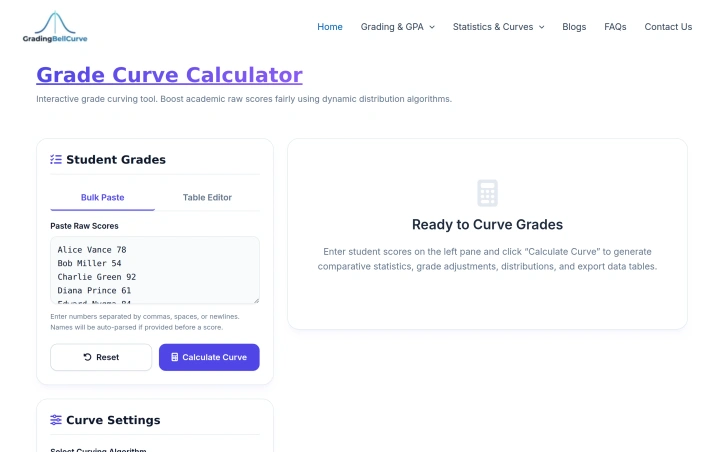
When exam scores come in lower than anticipated, educators face a dilemma: curving grades to reflect reasonable performance or accepting disappointing results across the board. Grade Curve Calculator addresses this tension head-on by providing teachers and professors with a digital tool that implements multiple established curving methodologies, eliminating manual calculation errors and making grade adjustments transparent and defensible. The target audience is clear: instructors who need to curve grades fairly but lack the mathematical expertise or patience to execute complex statistical calculations by hand. Whether dealing with a single class section or multiple cohorts, the tool automates what would otherwise require spreadsheet formulas or statistical software. What distinguishes this calculator is its pedagogical pragmatism. Rather than forcing a single curving approach, it offers six distinct algorithms. The Texas curve applies square root scaling to disproportionately boost lower scores while restraining top-end inflation. Linear scaling ties all grades to the highest raw score as a ceiling. Bell curve options include both numerical adjustments targeting a specific mean and standard deviation, and a forced-distribution model that locks percentile brackets to letter grades, ensuring predictable grade distributions. A target mean scale lets instructors anchor curves to specific class averages, while flat-point additions provide the simplest adjustment method. The interface centers on bulk data entry, accepting comma-separated, space-separated, or line-break-separated scores, with optional student names. The system generates immediate comparative statistics—original and curved class means, medians, standard deviations, and pass rates—making the impact of each algorithm visible before committing to results. Export to CSV enables grade book integration. The tool operates as part of a broader academic calculator ecosystem covering weighted GPA, exam target scoring, and assignment grading. This integration positions it within a more comprehensive suite rather than as an isolated utility. From a business perspective, the calculator is entirely free, with no premium tier mentioned in the available materials. This aligns with the founder's articulated mission to democratize grade-curving accessibility across educational institutions of varying means. For educators seeking to apply statistically sound curving methods without specialized training, this tool delivers both transparency and efficiency. The multiple algorithm options prevent over-reliance on any single approach while the immediate statistical feedback ensures informed decision-making about grade adjustments.

Modern development environments have become invisible performance drains. A developer's Mac accumulates gigabytes of cached machine learning models, orphaned Docker containers, npm package caches, and Xcode build artifacts that legacy system utilities simply don't recognize. WTMemory directly addresses this gap in the market, targeting both everyday users mystified by mysterious slowdowns and developers who understand the problem intimately. What distinguishes WTMemory from conventional Mac cleaning software is its specificity to the modern development stack. Rather than offering vague promises to remove "system junk," the tool directly identifies and clears Ollama model weights, HuggingFace transformer snapshots, Docker virtual disk images, and accumulated npm and pnpm caches. A real-world scan presented on the site identified over 94 gigabytes of recoverable space across these categories alone, demonstrating the scale of the problem WTMemory solves. The product's engineering choices reinforce this focus. At 794 kilobytes, the application is remarkably small, works entirely offline, and tracks nothing about users. It operates as a native Mac utility with a simple interface offering both automatic operations like one-click cleaning of inactive memory and purgeable space, and manual inspection tools. The inspector functionality lets users understand exactly what's consuming storage before committing to cleanup, a useful safety feature when dealing with cached data. The pricing model is straightforward and consumer-friendly. A $9 one-time purchase unlocks the cleaning functions permanently, with free updates included and support for up to three machines. The free tier offers unlimited inspection capability, allowing users to understand their storage situation before paying. The tool's positioning reflects a genuine market gap. As AI tools and local language models become commonplace in development workflows, and as containerization and package management create new classes of hidden storage consumption, the assumptions underlying existing Mac optimization software have become outdated. WTMemory recognizes this explicitly, acknowledging that modern Macs aren't aging so much as becoming exhausted by legitimate workloads legacy tools were never designed to comprehend. For developers accustomed to managing system resources and for everyday users simply frustrated by unexplained slowdowns, WTMemory offers both accessibility and precision.