
884 startups launched 10,826 upvotes cast 69 submitted this week

Recently Listed

884 launches
Sort
Lispr

Communication across language barriers typically demands friction: copying text between applications, waiting for translation services to process, losing conversational flow. Lispr addresses this by collapsing the entire workflow into a single gesture—hold a key to dictate, tap a second key mid-speech to translate, and watch the text appear directly at your cursor in any application. The product serves anyone who regularly switches between languages or dictates extensively, whether composing WhatsApp messages in Spanish, writing Slack threads in Portuguese, or taking notes in French. Built by Codebridge, it eliminates the context-switching that characterizes existing solutions: no jumping between apps, no chat interfaces cluttering your workspace, no account creation required. What distinguishes Lispr is execution speed combined with aggressive scope minimization. Dictation completes in under a second, translation follows within roughly 700 milliseconds. This isn't aspirational—the product targets actual responsiveness, not theoretical performance. The feature set reflects this focus: plain dictation, translation into 32 native languages, custom vocabulary support for product names or domain-specific terms, and clipboard-aware insertion that restores whatever you'd previously copied. It works identically everywhere a cursor blinks, from terminal emulators to design tools to text editors. The technical choices reinforce privacy defaults. Lispr uses Whisper's large-v3-turbo model and requires no account creation or persistent connectivity. Every release receives Apple's notarization process, which scans for malware and eliminates security warnings on installation. The entire application consumes roughly 17 megabytes. Lispr's business model stands out primarily for its absence—the application is free. The founder emphasizes eliminating friction rather than monetizing it. This positions Lispr differently from Wispr and Flow, competitors that charge either subscription or upfront fees for similar functionality. Whether this free model scales depends on factors outside the visible product, but it currently represents a significant advantage for adoption. The interface philosophy mirrors the core insight: a menu bar presence, push-to-talk activation, and zero visual clutter. Speech language detection operates across roughly 99 languages, though translation output targets the 32 languages listed. This constraint reflects pragmatic design rather than accidental limitation—supporting everything weakens everything. For users who spend time moving between languages or dictating across multiple applications, Lispr substantially reduces both time spent typing and cognitive overhead. It targets a specific workflow and executes within that scope with discipline.

Ai-dictation-apps
K
Konstantin Karpushin

Communication across language barriers typically demands friction: copying text between applications, waiting for translation services to process, losing conversational flow. Lispr addresses this by collapsing the entire workflow into a single gesture—hold a key to dictate, tap a second key mid-speech to translate, and watch the text appear directly at your cursor in any application. The product serves anyone who regularly switches between languages or dictates extensively, whether composing WhatsApp messages in Spanish, writing Slack threads in Portuguese, or taking notes in French. Built by Codebridge, it eliminates the context-switching that characterizes existing solutions: no jumping between apps, no chat interfaces cluttering your workspace, no account creation required. What distinguishes Lispr is execution speed combined with aggressive scope minimization. Dictation completes in under a second, translation follows within roughly 700 milliseconds. This isn't aspirational—the product targets actual responsiveness, not theoretical performance. The feature set reflects this focus: plain dictation, translation into 32 native languages, custom vocabulary support for product names or domain-specific terms, and clipboard-aware insertion that restores whatever you'd previously copied. It works identically everywhere a cursor blinks, from terminal emulators to design tools to text editors. The technical choices reinforce privacy defaults. Lispr uses Whisper's large-v3-turbo model and requires no account creation or persistent connectivity. Every release receives Apple's notarization process, which scans for malware and eliminates security warnings on installation. The entire application consumes roughly 17 megabytes. Lispr's business model stands out primarily for its absence—the application is free. The founder emphasizes eliminating friction rather than monetizing it. This positions Lispr differently from Wispr and Flow, competitors that charge either subscription or upfront fees for similar functionality. Whether this free model scales depends on factors outside the visible product, but it currently represents a significant advantage for adoption. The interface philosophy mirrors the core insight: a menu bar presence, push-to-talk activation, and zero visual clutter. Speech language detection operates across roughly 99 languages, though translation output targets the 32 languages listed. This constraint reflects pragmatic design rather than accidental limitation—supporting everything weakens everything. For users who spend time moving between languages or dictating across multiple applications, Lispr substantially reduces both time spent typing and cognitive overhead. It targets a specific workflow and executes within that scope with discipline.

Lispr preview

Key features

  • Push-to-Talk Dictation: Hold a key to dictate and tap another to translate in real-time.
  • Cursor-Aware Insertion: Translated text appears directly where your cursor is, eliminating copy-paste friction.
See full listing
E

Writing a novel requires tools that stay out of the way. Most contemporary software treats manuscript composition as a gateway to recurring revenue, pushing cloud storage, AI writing assistance, and monthly billing into workflows that demand focus and ownership. Edda inverts this model entirely, offering a single-purchase alternative designed for authors who want their work to remain local, private, and fully under their control. The core problem Edda addresses is straightforward: serious writers have grown frustrated with the consolidation of writing tools into subscription ecosystems. Edda positions itself as a unified workspace that eliminates the need to piece together a word processor, wiki, spreadsheet, and multiple subscriptions. At $39 with no recurring fees, it targets authors who treat writing software as a utility rather than a service requiring continuous payment. What distinguishes Edda most is its explicit rejection of artificial intelligence as a primary feature. The built-in assistant, called the Skald, works through deterministic rule-based flagging for pacing, repetition, and consistency issues. It checks and counts but never invents, positioning the writer as author and the software as infrastructure. This approach appeals directly to authors concerned about AI-generated content becoming conflated with their work. The feature set addresses the full writing lifecycle. The manuscript editor supports traditional hierarchies of parts, chapters, and scenes alongside typewriter focus modes for distraction-free composition. Worldbuilding components include character profiles with relationship visualization, location databases, custom calendars with multiple eras and festivals, and family trees. Separate tools cover story structure with beat sheets and visual timelines, publishing workflows including EPUB and PDF compilation with ISBN verification, and analytics tied to word-count goals and sprint timers. A beta reader module handles manuscript distribution with watermarking and NDA tracking, while research tools organize reference materials with full-text search and an embedded trope database. Everything integrates within a single interface that functions entirely offline. The software runs across Windows, macOS, Linux, and Android, with iOS in review at the time of writing. It stores manuscripts as local files rather than cloud-synced documents, reinforcing the ownership model central to its positioning. Built and maintained by a solo developer at Volsung Technologies, Edda represents a specific vision: that novel writing software need not extract recurring fees or require constant internet connectivity to deliver value.


Note-and-writing-apps
W
William Leifheit

Writing a novel requires tools that stay out of the way. Most contemporary software treats manuscript composition as a gateway to recurring revenue, pushing cloud storage, AI writing assistance, and monthly billing into workflows that demand focus and ownership. Edda inverts this model entirely, offering a single-purchase alternative designed for authors who want their work to remain local, private, and fully under their control. The core problem Edda addresses is straightforward: serious writers have grown frustrated with the consolidation of writing tools into subscription ecosystems. Edda positions itself as a unified workspace that eliminates the need to piece together a word processor, wiki, spreadsheet, and multiple subscriptions. At $39 with no recurring fees, it targets authors who treat writing software as a utility rather than a service requiring continuous payment. What distinguishes Edda most is its explicit rejection of artificial intelligence as a primary feature. The built-in assistant, called the Skald, works through deterministic rule-based flagging for pacing, repetition, and consistency issues. It checks and counts but never invents, positioning the writer as author and the software as infrastructure. This approach appeals directly to authors concerned about AI-generated content becoming conflated with their work. The feature set addresses the full writing lifecycle. The manuscript editor supports traditional hierarchies of parts, chapters, and scenes alongside typewriter focus modes for distraction-free composition. Worldbuilding components include character profiles with relationship visualization, location databases, custom calendars with multiple eras and festivals, and family trees. Separate tools cover story structure with beat sheets and visual timelines, publishing workflows including EPUB and PDF compilation with ISBN verification, and analytics tied to word-count goals and sprint timers. A beta reader module handles manuscript distribution with watermarking and NDA tracking, while research tools organize reference materials with full-text search and an embedded trope database. Everything integrates within a single interface that functions entirely offline. The software runs across Windows, macOS, Linux, and Android, with iOS in review at the time of writing. It stores manuscripts as local files rather than cloud-synced documents, reinforcing the ownership model central to its positioning. Built and maintained by a solo developer at Volsung Technologies, Edda represents a specific vision: that novel writing software need not extract recurring fees or require constant internet connectivity to deliver value.

Edda - Author's Bible preview
E

Key features

  • Local Storage: Manuscripts are stored as local files with no cloud syncing
  • Rule-Based Assistant: The Skald uses deterministic flagging for pacing, repetition, and consistency without generating content
See full listing
amaze.directory

Finding quality AI tools amid a sea of low-quality directories has become a real problem for product builders and creators. Too many tool aggregators prioritize paid placements over actual utility, leaving users to sift through untested offerings. Amaze.directory tackles this by taking a radically simple approach: only list tools that the curator has genuinely used. The difference is immediately apparent. Rather than trying to be comprehensive, the directory restricts itself to a small number of hand-checked products—currently six tools across categories like research, content creation, coding, and audio processing. Each listing includes a candid one-sentence assessment of what makes that tool worth using, stripped of marketing language. Perplexity gets credit for citation behavior over a standard chat interface. ElevenLabs is noted for producing synthetic speech that sounds unremarkable. Cursor receives praise for feeling like an editor that happens to include AI, rather than an AI product forced into an editor. These descriptions reflect genuine usage rather than promotional copy. The vetting process reinforces this commitment to substance. Every tool must be actively used for an extended period before listing. Dead links are purged every Friday. The operator explicitly refuses paid placements, a decision that fundamentally shapes the trust equation. You're not browsing a paid ranking—you're seeing what someone actually uses and recommends. The interface itself is straightforward. Search functionality lets users find tools by job type. Filters handle category and pricing, which amaze.directory presents honestly: some tools operate on freemium models while others require payment. This transparency about cost and access prevents the surprise of discovering a tool's hidden paywall after investing time. What limits the directory is also its strength. With only a handful of listings, this isn't a comprehensive resource for every use case. New categories like video generation appear but show no entries. The directory is growing—six tools were added in the last week—but it remains deliberately sparse. The business model is implicit: curation as editorial service. By maintaining independence and refusing vendor payments, amaze.directory positions itself as a source of genuine opinion rather than a marketplace. This appeals to builders who want tools that work over tools that are well-marketed. For creators and developers tired of hollow tool directories, amaze.directory offers something increasingly rare: honest product assessment backed by actual use.


Finding quality AI tools amid a sea of low-quality directories has become a real problem for product builders and creators. Too many tool aggregators prioritize paid placements over actual utility, leaving users to sift through untested offerings. Amaze.directory tackles this by taking a radically simple approach: only list tools that the curator has genuinely used. The difference is immediately apparent. Rather than trying to be comprehensive, the directory restricts itself to a small number of hand-checked products—currently six tools across categories like research, content creation, coding, and audio processing. Each listing includes a candid one-sentence assessment of what makes that tool worth using, stripped of marketing language. Perplexity gets credit for citation behavior over a standard chat interface. ElevenLabs is noted for producing synthetic speech that sounds unremarkable. Cursor receives praise for feeling like an editor that happens to include AI, rather than an AI product forced into an editor. These descriptions reflect genuine usage rather than promotional copy. The vetting process reinforces this commitment to substance. Every tool must be actively used for an extended period before listing. Dead links are purged every Friday. The operator explicitly refuses paid placements, a decision that fundamentally shapes the trust equation. You're not browsing a paid ranking—you're seeing what someone actually uses and recommends. The interface itself is straightforward. Search functionality lets users find tools by job type. Filters handle category and pricing, which amaze.directory presents honestly: some tools operate on freemium models while others require payment. This transparency about cost and access prevents the surprise of discovering a tool's hidden paywall after investing time. What limits the directory is also its strength. With only a handful of listings, this isn't a comprehensive resource for every use case. New categories like video generation appear but show no entries. The directory is growing—six tools were added in the last week—but it remains deliberately sparse. The business model is implicit: curation as editorial service. By maintaining independence and refusing vendor payments, amaze.directory positions itself as a source of genuine opinion rather than a marketplace. This appeals to builders who want tools that work over tools that are well-marketed. For creators and developers tired of hollow tool directories, amaze.directory offers something increasingly rare: honest product assessment backed by actual use.

amaze.directory preview

Key features

  • Hand-Curated Listings: Only includes tools the curator has genuinely used and tested
  • Honest Assessments: Candid one-sentence descriptions stripped of marketing language
See full listing
Tier List Maker

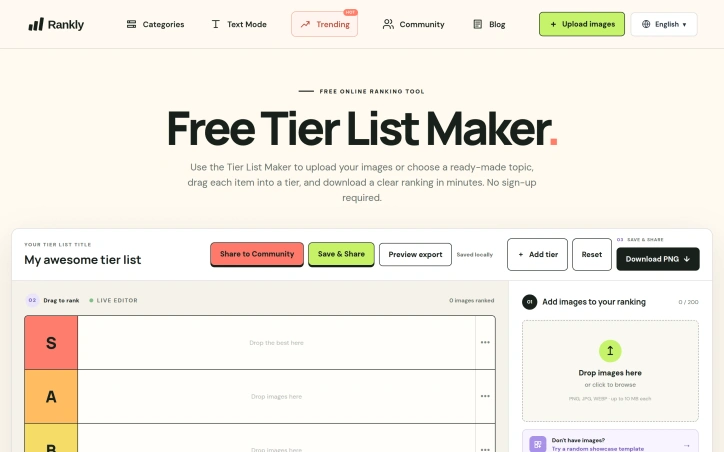
Ranking things is a universal pastime, yet the tools available for creating visually organized tier lists have historically been either cluttered with unnecessary features or hidden behind account requirements. Tier List Maker strips away the friction by delivering a straightforward, no-signup-required platform for turning ranked items into shareable images. The product targets a broad audience, from gaming enthusiasts comparing video game characters and weapons to film fans debating cinema quality to casual users ranking everyday items like fast food chains or fruits. The interface reflects a deliberate design philosophy: users can immediately start working by uploading images, selecting from a ready-made template, and dragging items into custom tier rows within a single session. What distinguishes Tier List Maker in a crowded category is its aggressive focus on simplicity. The platform accepts up to 200 images per ranking, with individual file size limits of 10 megabytes, supporting PNG, JPG, and WEBP formats. The drag-and-drop interface requires no learning curve. Most importantly, the export functionality is built in from the start—users can generate a clean PNG download of their complete ranking in minutes, making the tool genuinely fit for sharing on social media or communities. The template library demonstrates production value and market awareness. Rather than offering generic tier systems, Tier List Maker provides curated starting points across multiple niches: gaming templates for Pokémon, Genshin Impact, Honkai Star Rail, Marvel Rivals, League of Legends, and others, each pre-populated with relevant assets. Non-gaming verticals receive similar treatment, with templates for DC movies, fast food chains, and fruit nutrition comparisons. Several templates include quality-of-life features like role-based filters or searchability. The pricing structure is straightforward: the service is entirely free. No premium tier, no image upload limits requiring payment, no watermarks on exports. This approach positions Tier List Maker as a genuinely accessible community tool rather than a freemium product. The platform does carry functional constraints—templates consist of pre-populated assets rather than continuously updating, and customization depth stops at tier labels rather than extensive styling options. These boundaries reflect the core philosophy of doing one thing well. Tier List Maker succeeds because it acknowledges a genuine behavioral need, removes every obstacle between intent and completion, and delivers a polished output without asking for money or registration.

Graphic-design-tools
N
nano

Ranking things is a universal pastime, yet the tools available for creating visually organized tier lists have historically been either cluttered with unnecessary features or hidden behind account requirements. Tier List Maker strips away the friction by delivering a straightforward, no-signup-required platform for turning ranked items into shareable images. The product targets a broad audience, from gaming enthusiasts comparing video game characters and weapons to film fans debating cinema quality to casual users ranking everyday items like fast food chains or fruits. The interface reflects a deliberate design philosophy: users can immediately start working by uploading images, selecting from a ready-made template, and dragging items into custom tier rows within a single session. What distinguishes Tier List Maker in a crowded category is its aggressive focus on simplicity. The platform accepts up to 200 images per ranking, with individual file size limits of 10 megabytes, supporting PNG, JPG, and WEBP formats. The drag-and-drop interface requires no learning curve. Most importantly, the export functionality is built in from the start—users can generate a clean PNG download of their complete ranking in minutes, making the tool genuinely fit for sharing on social media or communities. The template library demonstrates production value and market awareness. Rather than offering generic tier systems, Tier List Maker provides curated starting points across multiple niches: gaming templates for Pokémon, Genshin Impact, Honkai Star Rail, Marvel Rivals, League of Legends, and others, each pre-populated with relevant assets. Non-gaming verticals receive similar treatment, with templates for DC movies, fast food chains, and fruit nutrition comparisons. Several templates include quality-of-life features like role-based filters or searchability. The pricing structure is straightforward: the service is entirely free. No premium tier, no image upload limits requiring payment, no watermarks on exports. This approach positions Tier List Maker as a genuinely accessible community tool rather than a freemium product. The platform does carry functional constraints—templates consist of pre-populated assets rather than continuously updating, and customization depth stops at tier labels rather than extensive styling options. These boundaries reflect the core philosophy of doing one thing well. Tier List Maker succeeds because it acknowledges a genuine behavioral need, removes every obstacle between intent and completion, and delivers a polished output without asking for money or registration.

Tier List Maker preview

Key features

  • No-Signup Required: Create tier lists immediately without account registration.
  • Drag-and-Drop Interface: Arrange items into custom tier rows with no learning curve.
See full listing
Vibe Worlding

Designing a game world typically stops at concept art and mood boards—evocative but structurally vague. Vibe Worlding bridges that gap by transforming a creative impulse into a structured, machine-readable blueprint that developers can immediately act on. The tool chains together input decisions (game type, visual style, scale, core gameplay loop) and produces terrain, landmarks, asset lists, camera angles, spawn points, and a ready-to-execute prompt for implementation in any engine or tool. The product's core innovation is its intent-first, provider-agnostic workflow. Rather than locking creators into a particular engine or AI system, Vibe Worlding generates a neutral specification that builders can read, critique, and port to different backends. This separation between planning and execution means a developer can review the blueprint before committing resources to generation, catching conceptual misalignments early. The approach enforces a useful constraint: nail one small, playable loop before scaling to an open world, avoiding the common trap of ambitious scope that collapses under its own weight. The generated artifact goes beyond aesthetics. It codifies space through connected regions, readable paths, and explicit boundaries; pins gameplay through concrete mechanics and asset requirements; and grounds camera and spawn positioning in the player's first twelve seconds of experience. This transforms a vague atmosphere into decisions a builder can inspect and test. Examples like the Cliff Gorge Kingdom—layering a market terrace, hanging bridge, and cave shrine around a compact core loop—show how the method keeps early designs tight and navigable. Access removes friction entirely. The tool requires no account, charges no subscription, and delivers a complete spec through the browser. The local preview feature lets creators validate their vision before committing to a builder or agent implementation. For game developers, indie studios, and narrative designers searching for the gap between concept and code, Vibe Worlding addresses a genuine pain point. It won't replace the creative act of worldbuilding, but it systematizes the translation from artistic vision to buildable specification. The focus on intent over implementation, space over spectacle, and one tight loop over sprawling ambition positions it as a useful filter between ideation and production.


Productivity
V
Vibe Worlding

Designing a game world typically stops at concept art and mood boards—evocative but structurally vague. Vibe Worlding bridges that gap by transforming a creative impulse into a structured, machine-readable blueprint that developers can immediately act on. The tool chains together input decisions (game type, visual style, scale, core gameplay loop) and produces terrain, landmarks, asset lists, camera angles, spawn points, and a ready-to-execute prompt for implementation in any engine or tool. The product's core innovation is its intent-first, provider-agnostic workflow. Rather than locking creators into a particular engine or AI system, Vibe Worlding generates a neutral specification that builders can read, critique, and port to different backends. This separation between planning and execution means a developer can review the blueprint before committing resources to generation, catching conceptual misalignments early. The approach enforces a useful constraint: nail one small, playable loop before scaling to an open world, avoiding the common trap of ambitious scope that collapses under its own weight. The generated artifact goes beyond aesthetics. It codifies space through connected regions, readable paths, and explicit boundaries; pins gameplay through concrete mechanics and asset requirements; and grounds camera and spawn positioning in the player's first twelve seconds of experience. This transforms a vague atmosphere into decisions a builder can inspect and test. Examples like the Cliff Gorge Kingdom—layering a market terrace, hanging bridge, and cave shrine around a compact core loop—show how the method keeps early designs tight and navigable. Access removes friction entirely. The tool requires no account, charges no subscription, and delivers a complete spec through the browser. The local preview feature lets creators validate their vision before committing to a builder or agent implementation. For game developers, indie studios, and narrative designers searching for the gap between concept and code, Vibe Worlding addresses a genuine pain point. It won't replace the creative act of worldbuilding, but it systematizes the translation from artistic vision to buildable specification. The focus on intent over implementation, space over spectacle, and one tight loop over sprawling ambition positions it as a useful filter between ideation and production.

Vibe Worlding preview

Key features

  • Blueprint Generation: Transforms creative concepts into structured, machine-readable specifications ready for implementation.
  • Comprehensive Asset Output: Generates terrain, landmarks, asset lists, camera angles, spawn points, and implementation prompts.
See full listing
PdfCompare

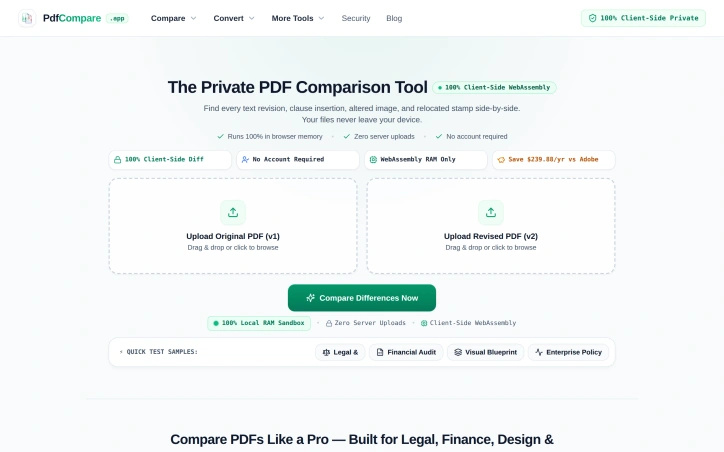
Comparing PDF versions manually invites disaster, especially when subtle changes carry legal or financial consequences. A confidentiality clause shifting from 3 to 5 years, a decimal point moved in a balance sheet, or an authorization stamp drifting 14 millimeters—these shifts demand precision detection but consume hours of tedious line-by-line review. PdfCompare addresses this friction directly by automating differential PDF analysis for legal teams, financial auditors, designers, and HR departments who cannot afford to miss critical revisions. The product's defining feature is its privacy-first architecture. All processing happens client-side in the browser using WebAssembly; files never touch a server and require no account creation. For organizations handling sensitive contracts, financial records, or proprietary designs, this eliminates a major friction point around data security and compliance. The approach is technically sound and operationally simpler than uploading to cloud-based competitors. PdfCompare's feature set is specialized for its target verticals. Legal users get targeted highlighting of textual changes within contract language. Auditors see isolated financial deltas and line-item shifts while the system filters out noise from standard document repagination—a meaningful improvement over line-by-line scanning of 50-page earnings reports. The visual design comparison mode deserves mention for its specificity: an overlay tool (marketed as an X-ray pixel slider) lets architects and designers detect moved elements, shifted logos, or altered spacing without misidentifying text reflow as a substantive change. For HR and operations teams, the tool generates transparent changelogs suitable for communicating policy updates to staff. The implementation decisions reflect a product built for actual workflows rather than generic PDF viewing. The tool recognizes that legal, finance, and design teams have distinct comparison needs—contract language requires semantic precision, financial documents need numerical isolation, and technical drawings prioritize visual layout accuracy. The quick-start samples (contract, financial, and visual) reinforce this specialization. Pricing information is minimal in the available materials, though a comparison to Adobe suggests competitive positioning around cost savings. The lack of subscription lock-in—no account required, no recurring fees mentioned—makes the product more accessible for occasional users or organizations already skeptical of SaaS sprawl. The risk is a narrow addressable market. Organizations comfortable with existing PDF workflows or less sensitive to privacy concerns may not see sufficient differentiation. For the segments it targets, however, PdfCompare solves a genuine problem with a straightforward technical approach and reasonable tradeoff: local processing for privacy and simplicity, sacrificing some advanced features or batch automation that cloud competitors offer.

Pdf-editor
V
vernin Heim

Comparing PDF versions manually invites disaster, especially when subtle changes carry legal or financial consequences. A confidentiality clause shifting from 3 to 5 years, a decimal point moved in a balance sheet, or an authorization stamp drifting 14 millimeters—these shifts demand precision detection but consume hours of tedious line-by-line review. PdfCompare addresses this friction directly by automating differential PDF analysis for legal teams, financial auditors, designers, and HR departments who cannot afford to miss critical revisions. The product's defining feature is its privacy-first architecture. All processing happens client-side in the browser using WebAssembly; files never touch a server and require no account creation. For organizations handling sensitive contracts, financial records, or proprietary designs, this eliminates a major friction point around data security and compliance. The approach is technically sound and operationally simpler than uploading to cloud-based competitors. PdfCompare's feature set is specialized for its target verticals. Legal users get targeted highlighting of textual changes within contract language. Auditors see isolated financial deltas and line-item shifts while the system filters out noise from standard document repagination—a meaningful improvement over line-by-line scanning of 50-page earnings reports. The visual design comparison mode deserves mention for its specificity: an overlay tool (marketed as an X-ray pixel slider) lets architects and designers detect moved elements, shifted logos, or altered spacing without misidentifying text reflow as a substantive change. For HR and operations teams, the tool generates transparent changelogs suitable for communicating policy updates to staff. The implementation decisions reflect a product built for actual workflows rather than generic PDF viewing. The tool recognizes that legal, finance, and design teams have distinct comparison needs—contract language requires semantic precision, financial documents need numerical isolation, and technical drawings prioritize visual layout accuracy. The quick-start samples (contract, financial, and visual) reinforce this specialization. Pricing information is minimal in the available materials, though a comparison to Adobe suggests competitive positioning around cost savings. The lack of subscription lock-in—no account required, no recurring fees mentioned—makes the product more accessible for occasional users or organizations already skeptical of SaaS sprawl. The risk is a narrow addressable market. Organizations comfortable with existing PDF workflows or less sensitive to privacy concerns may not see sufficient differentiation. For the segments it targets, however, PdfCompare solves a genuine problem with a straightforward technical approach and reasonable tradeoff: local processing for privacy and simplicity, sacrificing some advanced features or batch automation that cloud competitors offer.

PdfCompare preview

Key features

  • Client-Side Processing: All PDF analysis happens in the browser using WebAssembly without uploading files to servers
  • No Account Required: Access the tool without account creation or login
See full listing
AudienceCue

Understanding audience sentiment from YouTube comments has traditionally been a manual, anecdotal exercise. Creators and researchers scroll through hundreds or thousands of comments, picking out patterns by hand, with no systematic way to validate whether their impressions reflect broader audience consensus. AudienceCue addresses this gap by automating the collection and analysis of public YouTube comments, converting raw feedback into structured reports that tie every insight back to supporting evidence. The product works across multiple input types, including individual videos, Shorts, channels, playlists, and even bulk URL lists. Users paste a link or list, and the tool automatically detects the source type, collects public comments and available replies, and feeds them into an AI analysis engine. Rather than black-box insights, AudienceCue's reports cluster audience feedback into thematic narratives—what viewers repeatedly mention, what they defend, what they ask for next—and every finding links directly to the original comment that supports it. This evidence-based approach gives creators and researchers confidence that reported trends actually reflect their audience's comments. The feature set reflects practical creator needs. Reports can identify audience narrative patterns, surface content demand signals, flag backlash risks, and prioritize where creators should engage in replies. Users can export the underlying comments to CSV, JSON, TXT, or XLSX formats, and share read-only reports with collaborators or export them as HTML, Markdown, or JSON. The public sample reports demonstrate the breadth of use cases: creator planning, competitive research, launch readiness assessment, and sponsorship risk evaluation. A notable design choice: the tool collects and analyzes only—it does not post comments, moderate conversations, or take automated actions on YouTube channels. This constraint keeps the product focused and removes potential friction around channel moderation policies or accidental spam. The business model includes free and paid plans, though specific pricing details are not publicly detailed in available materials. For creators and content strategists seeking to understand audience sentiment without manual analysis, the tool fills a real gap in knowing what audiences actually think beyond anecdotal impressions.


User-research
O
onetwo

Understanding audience sentiment from YouTube comments has traditionally been a manual, anecdotal exercise. Creators and researchers scroll through hundreds or thousands of comments, picking out patterns by hand, with no systematic way to validate whether their impressions reflect broader audience consensus. AudienceCue addresses this gap by automating the collection and analysis of public YouTube comments, converting raw feedback into structured reports that tie every insight back to supporting evidence. The product works across multiple input types, including individual videos, Shorts, channels, playlists, and even bulk URL lists. Users paste a link or list, and the tool automatically detects the source type, collects public comments and available replies, and feeds them into an AI analysis engine. Rather than black-box insights, AudienceCue's reports cluster audience feedback into thematic narratives—what viewers repeatedly mention, what they defend, what they ask for next—and every finding links directly to the original comment that supports it. This evidence-based approach gives creators and researchers confidence that reported trends actually reflect their audience's comments. The feature set reflects practical creator needs. Reports can identify audience narrative patterns, surface content demand signals, flag backlash risks, and prioritize where creators should engage in replies. Users can export the underlying comments to CSV, JSON, TXT, or XLSX formats, and share read-only reports with collaborators or export them as HTML, Markdown, or JSON. The public sample reports demonstrate the breadth of use cases: creator planning, competitive research, launch readiness assessment, and sponsorship risk evaluation. A notable design choice: the tool collects and analyzes only—it does not post comments, moderate conversations, or take automated actions on YouTube channels. This constraint keeps the product focused and removes potential friction around channel moderation policies or accidental spam. The business model includes free and paid plans, though specific pricing details are not publicly detailed in available materials. For creators and content strategists seeking to understand audience sentiment without manual analysis, the tool fills a real gap in knowing what audiences actually think beyond anecdotal impressions.

AudienceCue preview

Key features

  • Automated Collection: detects source type and collects public YouTube comments and replies automatically
  • Evidence-Based Reports: clusters feedback into thematic narratives with links to supporting original comments
See full listing
KanuniLabs DataGrid & PivotGrid

Performant data visualization in the browser has long required choosing between rich functionality and the responsiveness users expect. KanuniLabs addresses this by delivering a data grid and pivot table component that processes a million rows without blocking the user interface, handling sorting, filtering, and aggregation through a Web Worker engine that keeps the main thread responsive. The product targets React teams and vanilla JavaScript developers who need to display, analyze, and export large datasets. It shines where off-the-shelf grids typically falter: applications that must handle real-world data volumes without sacrificing interactivity. The founder's engineering philosophy surfaces clearly in the execution—the most difficult problem solved was not the performance itself but making that performance accessible through a straightforward installation process. Web Workers typically require framework-specific configuration across bundler environments. KanuniLabs compiles the worker directly into the package and launches it from a Blob URL, meaning developers install the library and immediately have a functioning grid without additional setup in Vite, Next.js, webpack, or plain HTML. DataGrid provides virtualized rendering of rows and columns with built-in sorting, filtering, grouping, and export capabilities. PivotGrid layers drag-and-drop field manipulation and aggregation on the same engine, making it suitable for users who need to explore data interactively. Both components support 12 locales including Arabic with full right-to-left rendering and six themes across light and dark variants. Calculated fields incorporate a formula editor designed around content security policies, avoiding dangerous eval patterns while still offering live preview and editing. The licensing model clarifies a straightforward split: 98 of 136 documented features work without a license key, covering the functionality most teams rely on—virtualization, filtering, grouping, and basic export. No watermarks, trial timers, or sign-ups gate access to this tier, even for commercial use. The paid edition adds inline editing, master-detail views, styled Excel and PDF export, calculated fields with advanced functionality, and drill-down navigation. A single key covers both components. The approach inverts the typical freemium structure: the free tier delivers a complete product rather than a time-limited taste, making it genuinely useful for smaller teams and side projects while clearly signaling where businesses requiring full feature coverage should invest. Verification is built into the product philosophy. The site runs a live playground with a million-row dataset under user control, making performance claims reproducible rather than theoretical. This transparency, combined with the straightforward business model and the pragmatic focus on solving real installation headaches, distinguishes the offering.


Website-builders
K
kanunilabs

Performant data visualization in the browser has long required choosing between rich functionality and the responsiveness users expect. KanuniLabs addresses this by delivering a data grid and pivot table component that processes a million rows without blocking the user interface, handling sorting, filtering, and aggregation through a Web Worker engine that keeps the main thread responsive. The product targets React teams and vanilla JavaScript developers who need to display, analyze, and export large datasets. It shines where off-the-shelf grids typically falter: applications that must handle real-world data volumes without sacrificing interactivity. The founder's engineering philosophy surfaces clearly in the execution—the most difficult problem solved was not the performance itself but making that performance accessible through a straightforward installation process. Web Workers typically require framework-specific configuration across bundler environments. KanuniLabs compiles the worker directly into the package and launches it from a Blob URL, meaning developers install the library and immediately have a functioning grid without additional setup in Vite, Next.js, webpack, or plain HTML. DataGrid provides virtualized rendering of rows and columns with built-in sorting, filtering, grouping, and export capabilities. PivotGrid layers drag-and-drop field manipulation and aggregation on the same engine, making it suitable for users who need to explore data interactively. Both components support 12 locales including Arabic with full right-to-left rendering and six themes across light and dark variants. Calculated fields incorporate a formula editor designed around content security policies, avoiding dangerous eval patterns while still offering live preview and editing. The licensing model clarifies a straightforward split: 98 of 136 documented features work without a license key, covering the functionality most teams rely on—virtualization, filtering, grouping, and basic export. No watermarks, trial timers, or sign-ups gate access to this tier, even for commercial use. The paid edition adds inline editing, master-detail views, styled Excel and PDF export, calculated fields with advanced functionality, and drill-down navigation. A single key covers both components. The approach inverts the typical freemium structure: the free tier delivers a complete product rather than a time-limited taste, making it genuinely useful for smaller teams and side projects while clearly signaling where businesses requiring full feature coverage should invest. Verification is built into the product philosophy. The site runs a live playground with a million-row dataset under user control, making performance claims reproducible rather than theoretical. This transparency, combined with the straightforward business model and the pragmatic focus on solving real installation headaches, distinguishes the offering.

KanuniLabs DataGrid & PivotGrid preview

Key features

  • Million-Row Performance: Processes a million rows without blocking the user interface using a Web Worker engine.
  • Zero-Config Web Workers: Compiles workers directly into the package via Blob URL, eliminating bundler configuration.
See full listing
SubtitleGenerator

Creating subtitles for video remains a bottleneck for content creators, educators, and marketing teams. Either they rely on manual transcription—expensive and time-consuming—or turn to AI tools that generate drafts but require tedious corrections across multiple apps. SubtitleGenerator consolidates this entire workflow into a single browser-based editor. The platform addresses the core pain point directly: AI-generated subtitles are fast but imperfect. Rather than pretending otherwise, SubtitleGenerator flags low-confidence words automatically, letting creators quickly decide whether to accept, edit, or re-transcribe each flagged segment. This pragmatic approach acknowledges that AI needs human oversight while making that oversight friction-free. The interface shows context by allowing creators to hear the audio around a questionable word before making a correction, eliminating blind guessing. Beyond transcription, the platform bundles everything needed to publish: text correction and timing adjustments, a library of 33 caption styles organized across six typographic families, translation capabilities in paid tiers, and one-click export. The caption styles shift together as cohesive design systems rather than isolated options, suggesting thoughtfulness about the visual presentation layer. Styles span specific use cases—from tutorials to shorts to gaming highlights—signaling that the product understands different creator needs. The business model layers free and paid access. The free tier notably includes all 33 subtitle styles and requires no account signup, removing activation friction. Paid tiers unlock full-track translation in addition to per-cue translation. The free tier's generosity at the styling level is unusual; most SaaS tools gate design options aggressively. A privacy angle runs throughout: video files stay on the user's device rather than being uploaded to remote servers. This distinction matters for creators working with client content or sensitive material, and SubtitleGenerator foregrounds it as a core feature rather than burying it in documentation. The product positions itself for a clear user base: anyone publishing video who has grown frustrated with subtitle creation as a multi-step chore. The implementation—consolidating generation, verification, styling, and export into one place—directly targets workflow efficiency. What remains to test in practice is whether the AI accuracy genuinely outperforms competitors and whether the correction interface stays responsive as projects accumulate flagged words across longer videos.


Video-editing
O
onetwo

Creating subtitles for video remains a bottleneck for content creators, educators, and marketing teams. Either they rely on manual transcription—expensive and time-consuming—or turn to AI tools that generate drafts but require tedious corrections across multiple apps. SubtitleGenerator consolidates this entire workflow into a single browser-based editor. The platform addresses the core pain point directly: AI-generated subtitles are fast but imperfect. Rather than pretending otherwise, SubtitleGenerator flags low-confidence words automatically, letting creators quickly decide whether to accept, edit, or re-transcribe each flagged segment. This pragmatic approach acknowledges that AI needs human oversight while making that oversight friction-free. The interface shows context by allowing creators to hear the audio around a questionable word before making a correction, eliminating blind guessing. Beyond transcription, the platform bundles everything needed to publish: text correction and timing adjustments, a library of 33 caption styles organized across six typographic families, translation capabilities in paid tiers, and one-click export. The caption styles shift together as cohesive design systems rather than isolated options, suggesting thoughtfulness about the visual presentation layer. Styles span specific use cases—from tutorials to shorts to gaming highlights—signaling that the product understands different creator needs. The business model layers free and paid access. The free tier notably includes all 33 subtitle styles and requires no account signup, removing activation friction. Paid tiers unlock full-track translation in addition to per-cue translation. The free tier's generosity at the styling level is unusual; most SaaS tools gate design options aggressively. A privacy angle runs throughout: video files stay on the user's device rather than being uploaded to remote servers. This distinction matters for creators working with client content or sensitive material, and SubtitleGenerator foregrounds it as a core feature rather than burying it in documentation. The product positions itself for a clear user base: anyone publishing video who has grown frustrated with subtitle creation as a multi-step chore. The implementation—consolidating generation, verification, styling, and export into one place—directly targets workflow efficiency. What remains to test in practice is whether the AI accuracy genuinely outperforms competitors and whether the correction interface stays responsive as projects accumulate flagged words across longer videos.

SubtitleGenerator preview

Key features

  • AI Transcription with Auto-Flagging: Automatically flags low-confidence words for human review rather than pretending perfect accuracy.
  • Context Audio Playback: Creators can hear audio around questionable words before making corrections, eliminating guesswork.
See full listing
Growth Architect AI

For SEO professionals tired of fragmented workflows and data exposure, this offline analysis platform offers a compelling alternative to the cloud-first tools that dominate the market. The software tackles a real pain point: the need to consolidate insights from Google Analytics, Google Search Console, and Screaming Frog SEO Spider without surrendering data to third-party servers. The core differentiation lies in its commitment to local processing. Rather than uploading client data or proprietary website intelligence to external systems, the platform runs entirely on the user's own computer using Microsoft Excel as its analysis engine. This appeals directly to agencies and consultants managing sensitive client information, as well as individual practitioners concerned about data control and privacy. No cloud infrastructure, no subscription tracking, no ongoing account management needed. The platform delivers structured automation through ten built-in deep-dive analyses that surface specific, actionable problems: pages receiving traffic but generating no revenue, rankings without clicks, missing landing pages, thin content that still indexes, and other blind spots that typically require manual investigation across fragmented tools. The interface prioritizes speed and clarity, diagnosing issues in under a minute without requiring users to build custom dashboards or configure complex workflows. What sets this apart from competitors is both its positioning and its limitations. The offline-first approach appeals to a genuine subset of the market skeptical of cloud dependencies, but it also constrains real-time collaboration and data freshness in ways cloud solutions don't. The software functions as an integration layer rather than a replacement for existing tools, accepting exports from each platform and processing them locally. This workflow requires some manual orchestration compared to API-driven alternatives, but also eliminates dependency on third-party API stability. The licensing model operates on a time-based structure, contrasting with the monthly subscriptions typical of SaaS competitors, though specific costs are not disclosed in available materials. The value proposition centers on privacy, control, and cost predictability rather than feature breadth or collaboration capabilities. The software targets a specific buyer: professionals who already use the standard SEO toolkit and want faster analysis without compromising data handling. It succeeds most clearly where privacy concerns, regulatory requirements, or competitive sensitivity make cloud storage untenable. For teams requiring real-time collaboration or agencies handling large volumes of properties, the offline constraint may feel restrictive. For solitary practitioners or tightly controlled client relationships, it offers a genuine productivity advantage.


For SEO professionals tired of fragmented workflows and data exposure, this offline analysis platform offers a compelling alternative to the cloud-first tools that dominate the market. The software tackles a real pain point: the need to consolidate insights from Google Analytics, Google Search Console, and Screaming Frog SEO Spider without surrendering data to third-party servers. The core differentiation lies in its commitment to local processing. Rather than uploading client data or proprietary website intelligence to external systems, the platform runs entirely on the user's own computer using Microsoft Excel as its analysis engine. This appeals directly to agencies and consultants managing sensitive client information, as well as individual practitioners concerned about data control and privacy. No cloud infrastructure, no subscription tracking, no ongoing account management needed. The platform delivers structured automation through ten built-in deep-dive analyses that surface specific, actionable problems: pages receiving traffic but generating no revenue, rankings without clicks, missing landing pages, thin content that still indexes, and other blind spots that typically require manual investigation across fragmented tools. The interface prioritizes speed and clarity, diagnosing issues in under a minute without requiring users to build custom dashboards or configure complex workflows. What sets this apart from competitors is both its positioning and its limitations. The offline-first approach appeals to a genuine subset of the market skeptical of cloud dependencies, but it also constrains real-time collaboration and data freshness in ways cloud solutions don't. The software functions as an integration layer rather than a replacement for existing tools, accepting exports from each platform and processing them locally. This workflow requires some manual orchestration compared to API-driven alternatives, but also eliminates dependency on third-party API stability. The licensing model operates on a time-based structure, contrasting with the monthly subscriptions typical of SaaS competitors, though specific costs are not disclosed in available materials. The value proposition centers on privacy, control, and cost predictability rather than feature breadth or collaboration capabilities. The software targets a specific buyer: professionals who already use the standard SEO toolkit and want faster analysis without compromising data handling. It succeeds most clearly where privacy concerns, regulatory requirements, or competitive sensitivity make cloud storage untenable. For teams requiring real-time collaboration or agencies handling large volumes of properties, the offline constraint may feel restrictive. For solitary practitioners or tightly controlled client relationships, it offers a genuine productivity advantage.

Growth Architect AI preview

Key features

  • Local Data Processing: Runs entirely on the user's computer without uploading to third-party servers
  • Ten Deep-Dive Analyses: Built-in analyses identify specific SEO problems like traffic without revenue and rankings without clicks
See full listing
SubmitMap

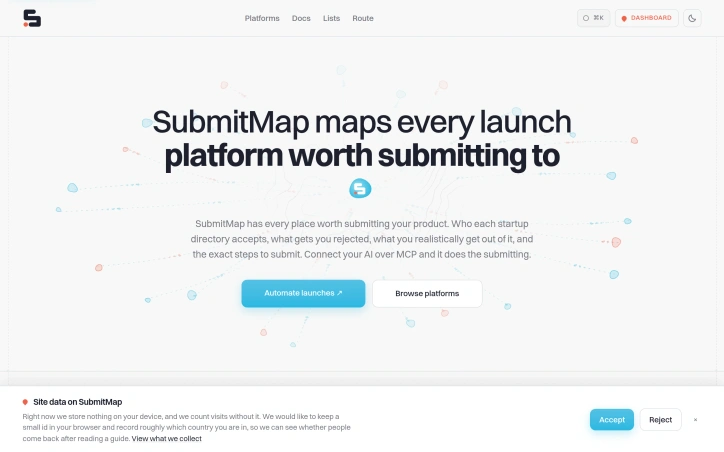
Launching a product means navigating hundreds of startup directories, each with different requirements, approval processes, and link quality. Most founders waste hours on forms that ultimately reject them or provide valueless backlinks. This directory aggregator cuts through that problem by curating verified information on 823 platforms and automating the submission process. The core value lies in its research foundation. Rather than guessing which directories accept their product type, founders get transparent data on acceptance criteria, approval timelines, and link quality metrics like domain rating. The filtering system lets users narrow down by product category (AI tools, SaaS, developer tools, etc.), pricing model, and approval speed. Each directory entry includes specific details: whether the link is nofollow or followed, domain authority, and exactly what the submission form requires. This upfront transparency prevents the wasted effort the founder experienced when filling in elaborate forms only to face rejection. What distinguishes this from a simple directory listing is the MCP integration. By connecting an AI agent to SubmitMap through Model Context Protocol, founders can automate qualification and submission across multiple platforms simultaneously. The agent evaluates which directories match the product profile, plans the submission sequence, and executes forms without manual intervention. For AI-native product teams, this shifts launch logistics from a tedious evening task to a configured workflow. The product selection is notably rigorous. The curated list spans established platforms like Product Hunt and Hacker News alongside niche directories for specific categories. Domain ratings range from 60+ to 97, helping founders distinguish between high-authority directories and smaller specialized boards. Some directories offer free listings (324 platforms), while others operate on freemium or paid models. This variety ensures founders can build a launch strategy suited to their resources and visibility goals. The absence of explicit pricing for SubmitMap itself in the scraped content leaves the business model unclear—it may operate as a free service, a freemium tool, or a paid subscription. Regardless, the value proposition is direct: founders eliminate hours of form-filling research, gain visibility into which directories actually matter, and for those using agents, delegate the entire submission workflow. SubmitMap answers a specific, recurring founder pain point with thoroughness. By combining hand-researched directory data with automation capability, it treats product launches as a solved problem rather than a recurring friction point.

Seo-tools
S
SubmitMap

Launching a product means navigating hundreds of startup directories, each with different requirements, approval processes, and link quality. Most founders waste hours on forms that ultimately reject them or provide valueless backlinks. This directory aggregator cuts through that problem by curating verified information on 823 platforms and automating the submission process. The core value lies in its research foundation. Rather than guessing which directories accept their product type, founders get transparent data on acceptance criteria, approval timelines, and link quality metrics like domain rating. The filtering system lets users narrow down by product category (AI tools, SaaS, developer tools, etc.), pricing model, and approval speed. Each directory entry includes specific details: whether the link is nofollow or followed, domain authority, and exactly what the submission form requires. This upfront transparency prevents the wasted effort the founder experienced when filling in elaborate forms only to face rejection. What distinguishes this from a simple directory listing is the MCP integration. By connecting an AI agent to SubmitMap through Model Context Protocol, founders can automate qualification and submission across multiple platforms simultaneously. The agent evaluates which directories match the product profile, plans the submission sequence, and executes forms without manual intervention. For AI-native product teams, this shifts launch logistics from a tedious evening task to a configured workflow. The product selection is notably rigorous. The curated list spans established platforms like Product Hunt and Hacker News alongside niche directories for specific categories. Domain ratings range from 60+ to 97, helping founders distinguish between high-authority directories and smaller specialized boards. Some directories offer free listings (324 platforms), while others operate on freemium or paid models. This variety ensures founders can build a launch strategy suited to their resources and visibility goals. The absence of explicit pricing for SubmitMap itself in the scraped content leaves the business model unclear—it may operate as a free service, a freemium tool, or a paid subscription. Regardless, the value proposition is direct: founders eliminate hours of form-filling research, gain visibility into which directories actually matter, and for those using agents, delegate the entire submission workflow. SubmitMap answers a specific, recurring founder pain point with thoroughness. By combining hand-researched directory data with automation capability, it treats product launches as a solved problem rather than a recurring friction point.

SubmitMap preview

Key features

  • Directory Aggregator: Curates 823 verified startup directories with acceptance criteria and approval timelines.
  • Automated Submissions: AI agents via MCP integration can automatically evaluate and execute submissions across multiple platforms simultaneously.
See full listing
Rival Radar

Staying on top of what your competitors are doing requires either a dedicated research team or the discipline to manually check dozens of web pages on a regular basis. Rival Radar eliminates both those requirements by automating competitive monitoring through AI-powered discovery and continuous page tracking. The platform targets businesses that need to know when competitors make meaningful changes to pricing, features, messaging, or positioning but lack the resources for a full competitive intelligence operation. Rather than asking users to manually input competitor URLs, Rival Radar accepts a simple description of what a company does, then uses AI to identify actual competitors based on real search results. Once identified, it continuously monitors pricing pages, homepages, feature lists, changelogs, careers pages, and integration pages. What sets Rival Radar apart is its focus on signal over noise. Most page-monitoring tools alert users to every change, including trivial updates like cookie banner rotations. Rival Radar instead extracts the semantic content that matters—pricing numbers, plan names, feature descriptions—and compares only those elements, ignoring markup changes. Severity is automatically ranked, with pricing changes flagged as major while typos remain silent. When something real does change, users receive a single consolidated alert via email, Slack, Discord, or custom webhooks with a one-sentence explanation of what changed and its business implication, not a raw HTML diff. The product reflects a clear understanding of how competitive research actually fails at most companies. Rather than trying to replace human analysts, it handles the tedious, repetitive work of checking pages and flagging genuine changes. The before-and-after diffing is available on demand for users who want deeper detail, but isn't forced into every notification. Pricing is explicitly free for the first three competitors with twice-daily checks, requiring no credit card. The site indicates paid tiers exist but doesn't detail pricing or competitor limits in the provided content. For small teams and solo founders, the free tier offers real utility. For companies watching more competitors, the upgrade path presumably exists but remains unspecified in available materials. Rival Radar addresses a genuine friction point in how businesses stay competitive. It's not a substitute for strategic analysis but a pragmatic tool for the routine monitoring that most companies neglect or do inefficiently.


Business-intelligence-software
P
Paul Wilson

Staying on top of what your competitors are doing requires either a dedicated research team or the discipline to manually check dozens of web pages on a regular basis. Rival Radar eliminates both those requirements by automating competitive monitoring through AI-powered discovery and continuous page tracking. The platform targets businesses that need to know when competitors make meaningful changes to pricing, features, messaging, or positioning but lack the resources for a full competitive intelligence operation. Rather than asking users to manually input competitor URLs, Rival Radar accepts a simple description of what a company does, then uses AI to identify actual competitors based on real search results. Once identified, it continuously monitors pricing pages, homepages, feature lists, changelogs, careers pages, and integration pages. What sets Rival Radar apart is its focus on signal over noise. Most page-monitoring tools alert users to every change, including trivial updates like cookie banner rotations. Rival Radar instead extracts the semantic content that matters—pricing numbers, plan names, feature descriptions—and compares only those elements, ignoring markup changes. Severity is automatically ranked, with pricing changes flagged as major while typos remain silent. When something real does change, users receive a single consolidated alert via email, Slack, Discord, or custom webhooks with a one-sentence explanation of what changed and its business implication, not a raw HTML diff. The product reflects a clear understanding of how competitive research actually fails at most companies. Rather than trying to replace human analysts, it handles the tedious, repetitive work of checking pages and flagging genuine changes. The before-and-after diffing is available on demand for users who want deeper detail, but isn't forced into every notification. Pricing is explicitly free for the first three competitors with twice-daily checks, requiring no credit card. The site indicates paid tiers exist but doesn't detail pricing or competitor limits in the provided content. For small teams and solo founders, the free tier offers real utility. For companies watching more competitors, the upgrade path presumably exists but remains unspecified in available materials. Rival Radar addresses a genuine friction point in how businesses stay competitive. It's not a substitute for strategic analysis but a pragmatic tool for the routine monitoring that most companies neglect or do inefficiently.

Rival Radar preview

Key features

  • AI Competitor Discovery: Automatically identifies real competitors based on search results instead of requiring manual URL input
  • Continuous Page Monitoring: Tracks pricing pages, homepages, feature lists, changelogs, careers pages, and integration pages
See full listing
Appqr.io

App developers launching on iOS and Android face a common friction point: directing users from marketing channels to the right app store. Creating separate links for each platform, maintaining them, and tracking performance across channels typically requires multiple tools or manual workarounds. Appqr.io addresses this by consolidating the entire workflow into a single, instant link that intelligently routes visitors to their appropriate app store, along with a customizable QR code and basic analytics. The service targets app teams and marketers launching new applications who want to move quickly without infrastructure overhead. The appeal lies in radical simplicity. Users paste their App Store and Google Play URLs, receive a branded smart link and QR code within seconds, and immediately start routing traffic. No account setup, no SDK integration, no configuration menus—just three steps and the link is ready to share across marketing channels, bios, advertisements, or email. What distinguishes the platform is how comprehensively it handles a multi-store landscape. Beyond the major iOS and Android app stores, the system detects and routes to Huawei, Samsung Galaxy, and Amazon storefronts. The platform detection runs in under 50 milliseconds, keeping redirects imperceptible to users. Desktop visitors receive a polished fallback landing page rather than a broken experience, complete with app ratings, store badges, and a QR code embedded directly. The QR codes themselves avoid the generic templated look typical of redirect services. Users customize corner styles, colors, and can embed their logo in the center, producing marketing materials that feel intentional rather than hastily assembled. Every link automatically generates a professional app landing page, eliminating the need for custom web development. Analytics are available at no cost for seven days of historical data. The paid Pro tier, priced at $5 monthly, extends analytics to one year and increases monthly click tracking from 1,000 to 100,000. The Business plan at $12 monthly serves high-traffic launches with 1 million monthly clicks, plus features like native deep linking and Android install attribution that remain in beta. The pricing structure reflects a deliberate choice: the free tier covers genuine early-stage needs rather than functioning as a severely handicapped upsell. Three smart links and 1,000 monthly clicks reflect what many app launches actually require, making paid upgrades optional for smaller developers rather than mandatory after immediate use.


No-code-website-builder
G
Gaspard Chevassus

App developers launching on iOS and Android face a common friction point: directing users from marketing channels to the right app store. Creating separate links for each platform, maintaining them, and tracking performance across channels typically requires multiple tools or manual workarounds. Appqr.io addresses this by consolidating the entire workflow into a single, instant link that intelligently routes visitors to their appropriate app store, along with a customizable QR code and basic analytics. The service targets app teams and marketers launching new applications who want to move quickly without infrastructure overhead. The appeal lies in radical simplicity. Users paste their App Store and Google Play URLs, receive a branded smart link and QR code within seconds, and immediately start routing traffic. No account setup, no SDK integration, no configuration menus—just three steps and the link is ready to share across marketing channels, bios, advertisements, or email. What distinguishes the platform is how comprehensively it handles a multi-store landscape. Beyond the major iOS and Android app stores, the system detects and routes to Huawei, Samsung Galaxy, and Amazon storefronts. The platform detection runs in under 50 milliseconds, keeping redirects imperceptible to users. Desktop visitors receive a polished fallback landing page rather than a broken experience, complete with app ratings, store badges, and a QR code embedded directly. The QR codes themselves avoid the generic templated look typical of redirect services. Users customize corner styles, colors, and can embed their logo in the center, producing marketing materials that feel intentional rather than hastily assembled. Every link automatically generates a professional app landing page, eliminating the need for custom web development. Analytics are available at no cost for seven days of historical data. The paid Pro tier, priced at $5 monthly, extends analytics to one year and increases monthly click tracking from 1,000 to 100,000. The Business plan at $12 monthly serves high-traffic launches with 1 million monthly clicks, plus features like native deep linking and Android install attribution that remain in beta. The pricing structure reflects a deliberate choice: the free tier covers genuine early-stage needs rather than functioning as a severely handicapped upsell. Three smart links and 1,000 monthly clicks reflect what many app launches actually require, making paid upgrades optional for smaller developers rather than mandatory after immediate use.

Appqr.io preview

Key features

  • Smart Link Routing: Intelligently routes visitors to the appropriate app store based on their platform.
  • Multi-Store Detection: Automatically detects and routes to iOS, Android, Huawei, Samsung Galaxy, and Amazon storefronts in under 50 milliseconds.
See full listing
AppBanana

Launching an Android app on Google Play requires navigating a confusing closed testing phase—one where developers must provide real human testers on actual devices before Google will grant production access. Many indie developers lack the network to assemble such testers, leading to rejections that can delay launches by weeks or months. AppBanana addresses this gap by matching app developers with verified testers and guaranteeing approval within fourteen days. The platform's core value proposition is straightforward and compelling. Rather than leaving developers to coordinate friends and acquaintances—a process that often fails to meet Google's quality standards—AppBanana supplies between twelve and twenty-five real Android users who interact with the app on physical devices. The company positions this against cheaper alternatives that rely on emulators or bot accounts, which Google's algorithms quickly flag as inauthentic. All testing happens on verified physical hardware from active users, addressing Google Play's core requirement. What sets AppBanana apart is its guarantee structure. If an app fails to gain approval after the testing cycle, the developer receives a full refund and unlimited free retesting until the app passes. This zero-risk model inverts the typical dynamic—developers only pay when they succeed. Setup is rapid, with onboarding completed in under an hour and tester recruitment happening immediately. The platform adds practical support features beyond raw tester supply. Developers receive step-by-step guidance through Google's questionnaire process, templates for compliant submissions, and access to human specialists via WhatsApp around the clock. The company cites a median response time of under five minutes, suggesting responsive support infrastructure. The testimonial evidence shows real developer wins—apps that were previously rejected twice, or where competitors failed, gaining approval through AppBanana's testers. Pricing begins at roughly seven Canadian dollars, though the full cost structure isn't detailed in available materials. The "pay only on success" model means actual expenses depend on whether the initial approval attempt succeeds. With over ten thousand apps reportedly approved through the platform, AppBanana has scaled beyond a novelty solution. The service fills a genuine friction point in Android development: the gap between having a finished app and meeting Google Play's human-testing requirements. For developers frustrated by rejections or unable to assemble an adequate testing cohort, the combination of real testers, guarantees, and support offers measurable value.


Testing-and-qa-software
A
Appbanana Io

Launching an Android app on Google Play requires navigating a confusing closed testing phase—one where developers must provide real human testers on actual devices before Google will grant production access. Many indie developers lack the network to assemble such testers, leading to rejections that can delay launches by weeks or months. AppBanana addresses this gap by matching app developers with verified testers and guaranteeing approval within fourteen days. The platform's core value proposition is straightforward and compelling. Rather than leaving developers to coordinate friends and acquaintances—a process that often fails to meet Google's quality standards—AppBanana supplies between twelve and twenty-five real Android users who interact with the app on physical devices. The company positions this against cheaper alternatives that rely on emulators or bot accounts, which Google's algorithms quickly flag as inauthentic. All testing happens on verified physical hardware from active users, addressing Google Play's core requirement. What sets AppBanana apart is its guarantee structure. If an app fails to gain approval after the testing cycle, the developer receives a full refund and unlimited free retesting until the app passes. This zero-risk model inverts the typical dynamic—developers only pay when they succeed. Setup is rapid, with onboarding completed in under an hour and tester recruitment happening immediately. The platform adds practical support features beyond raw tester supply. Developers receive step-by-step guidance through Google's questionnaire process, templates for compliant submissions, and access to human specialists via WhatsApp around the clock. The company cites a median response time of under five minutes, suggesting responsive support infrastructure. The testimonial evidence shows real developer wins—apps that were previously rejected twice, or where competitors failed, gaining approval through AppBanana's testers. Pricing begins at roughly seven Canadian dollars, though the full cost structure isn't detailed in available materials. The "pay only on success" model means actual expenses depend on whether the initial approval attempt succeeds. With over ten thousand apps reportedly approved through the platform, AppBanana has scaled beyond a novelty solution. The service fills a genuine friction point in Android development: the gap between having a finished app and meeting Google Play's human-testing requirements. For developers frustrated by rejections or unable to assemble an adequate testing cohort, the combination of real testers, guarantees, and support offers measurable value.

AppBanana preview

Key features

  • Verified Real Testers: Supplies 12-25 real Android users who test on physical devices.
  • Approval Guarantee: Full refund and unlimited free retesting if approval isn't achieved within 14 days.
See full listing
Omoide Kasane

Families facing bereavement often struggle to transform scattered photographs and fragmented memories into meaningful tributes. Omoide Kasane addresses this gap by automating the construction of memorial content without compromising dignity or accuracy. The service targets three distinct audiences: families seeking to preserve life stories and create keepsakes, funeral companies wanting to offer additional services to clients, and organizations like temples or life-history services supporting end-of-life reflection. It accomplishes this through a three-part workflow that inputs 5-20 family photographs and recalled moments, then outputs a corrected portrait photo, a written life narrative in natural Japanese, and a 2-3 minute memorial film suitable for viewing at funeral services or family gatherings. What distinguishes Omoide Kasane from superficial memorial tools is its deliberate ethical design. The service explicitly refuses to synthesize deceased individuals speaking, to invent biographical details, or to claim reproduction of personality. Instead, it positions AI as a compositional assistant—handling photo enhancement, structural organization, and text generation—while reserving human judgment for fact verification, name confirmation, tone refinement, and final approval. This split reflects a mature understanding of where automation adds value without displacing the decision-making authority of those who actually knew the deceased. The privacy approach mirrors this philosophy. The public-facing demo processes all data locally within the browser, transmitting nothing to external servers. This design choice simultaneously addresses technical security concerns and demonstrates respect for the sensitivity of memorial materials. The workflow itself moves methodically through collection, drafting, and finalization. Families provide photographs and narrative fragments in their own words. The system generates a photo edit and text draft. Reviewers then approve or adjust details—names, dates, voice—before receiving the finished outputs. This iterative review cycle, mandatory before any sharing, prevents both the hollow templating common in memorial services and the jarring authenticity problems of purely automated solutions. Omoide Kasane operates under pilot pricing frameworks (9,800 yen for self-directed families, 19,800 yen with staff verification), framed explicitly as exploratory rather than final. The service remains in prototype stage, with browser-based demos available for local testing. The core insight driving the product—that memory work requires both technological assistance and human authority—positions it thoughtfully within a grief-aware market segment where efficiency alone would feel disrespectful.


Family-care
O
Omoide Kasane

Families facing bereavement often struggle to transform scattered photographs and fragmented memories into meaningful tributes. Omoide Kasane addresses this gap by automating the construction of memorial content without compromising dignity or accuracy. The service targets three distinct audiences: families seeking to preserve life stories and create keepsakes, funeral companies wanting to offer additional services to clients, and organizations like temples or life-history services supporting end-of-life reflection. It accomplishes this through a three-part workflow that inputs 5-20 family photographs and recalled moments, then outputs a corrected portrait photo, a written life narrative in natural Japanese, and a 2-3 minute memorial film suitable for viewing at funeral services or family gatherings. What distinguishes Omoide Kasane from superficial memorial tools is its deliberate ethical design. The service explicitly refuses to synthesize deceased individuals speaking, to invent biographical details, or to claim reproduction of personality. Instead, it positions AI as a compositional assistant—handling photo enhancement, structural organization, and text generation—while reserving human judgment for fact verification, name confirmation, tone refinement, and final approval. This split reflects a mature understanding of where automation adds value without displacing the decision-making authority of those who actually knew the deceased. The privacy approach mirrors this philosophy. The public-facing demo processes all data locally within the browser, transmitting nothing to external servers. This design choice simultaneously addresses technical security concerns and demonstrates respect for the sensitivity of memorial materials. The workflow itself moves methodically through collection, drafting, and finalization. Families provide photographs and narrative fragments in their own words. The system generates a photo edit and text draft. Reviewers then approve or adjust details—names, dates, voice—before receiving the finished outputs. This iterative review cycle, mandatory before any sharing, prevents both the hollow templating common in memorial services and the jarring authenticity problems of purely automated solutions. Omoide Kasane operates under pilot pricing frameworks (9,800 yen for self-directed families, 19,800 yen with staff verification), framed explicitly as exploratory rather than final. The service remains in prototype stage, with browser-based demos available for local testing. The core insight driving the product—that memory work requires both technological assistance and human authority—positions it thoughtfully within a grief-aware market segment where efficiency alone would feel disrespectful.

Omoide Kasane preview

Key features

  • Portrait Photo Correction: Generates corrected portrait photos from submitted family photographs
  • Life Narrative Generation: Creates written life narratives in natural Japanese from recalled moments
See full listing
Open source alternatives tools

Finding the right open source software can be frustrating when most recommendation sites are cluttered with sponsored listings and marketing noise. Open Source Alternative Tools takes a different approach by curating a focused directory of 100 lightweight alternatives to commercial software, organized around practical use cases rather than brand names. The platform addresses a real problem: popular software often becomes heavier and more intrusive over time, while costs steadily increase. Users deal with unwanted tracking, unnecessary features, subscription escalations, and bloated updates that consume resources without adding value. Open Source Alternative Tools helps people escape this cycle by providing a structured way to discover lighter, more privacy-respecting alternatives. What distinguishes this directory is its commitment to objectivity and transparency. Each tool listing includes three verification layers: a privacy check, a license check, and a human verdict. The directory explicitly rejects pay-to-rank listings, which removes financial incentives from the curation process. Tools are organized into ten focused categories spanning Browsers, Communication, Office & Notes, Design & Creative, Media, Productivity, Developer Tools, Privacy & Security, Operating Systems, and Cloud & Self-hosting. The interface recognizes that users don't necessarily know the name of their replacement software—they know what they're trying to replace. The search function works in both directions: you can search for a specific tool, or you can input the commercial software you currently use and receive open source alternatives. This decision-first approach, combined with clear explanations of tradeoffs, sets it apart from generic recommendation lists. Each tool receives comparable treatment through five decision signals per listing, allowing users to evaluate alternatives against consistent criteria rather than inconsistent reviews. The site positions itself as written for general users first, rather than assuming technical expertise. The business model remains implicit in the content provided. The absence of subscription mentions or advertising suggests a clean, user-focused approach to discovery, though the specific sustainability model isn't detailed. For users fatigued by the endless cycle of expensive, resource-hungry software, this directory offers a structured exit path rather than random searching through GitHub repositories.

Ab-testing-tools
K
Kent Kan

Finding the right open source software can be frustrating when most recommendation sites are cluttered with sponsored listings and marketing noise. Open Source Alternative Tools takes a different approach by curating a focused directory of 100 lightweight alternatives to commercial software, organized around practical use cases rather than brand names. The platform addresses a real problem: popular software often becomes heavier and more intrusive over time, while costs steadily increase. Users deal with unwanted tracking, unnecessary features, subscription escalations, and bloated updates that consume resources without adding value. Open Source Alternative Tools helps people escape this cycle by providing a structured way to discover lighter, more privacy-respecting alternatives. What distinguishes this directory is its commitment to objectivity and transparency. Each tool listing includes three verification layers: a privacy check, a license check, and a human verdict. The directory explicitly rejects pay-to-rank listings, which removes financial incentives from the curation process. Tools are organized into ten focused categories spanning Browsers, Communication, Office & Notes, Design & Creative, Media, Productivity, Developer Tools, Privacy & Security, Operating Systems, and Cloud & Self-hosting. The interface recognizes that users don't necessarily know the name of their replacement software—they know what they're trying to replace. The search function works in both directions: you can search for a specific tool, or you can input the commercial software you currently use and receive open source alternatives. This decision-first approach, combined with clear explanations of tradeoffs, sets it apart from generic recommendation lists. Each tool receives comparable treatment through five decision signals per listing, allowing users to evaluate alternatives against consistent criteria rather than inconsistent reviews. The site positions itself as written for general users first, rather than assuming technical expertise. The business model remains implicit in the content provided. The absence of subscription mentions or advertising suggests a clean, user-focused approach to discovery, though the specific sustainability model isn't detailed. For users fatigued by the endless cycle of expensive, resource-hungry software, this directory offers a structured exit path rather than random searching through GitHub repositories.

Open source alternatives tools preview

Key features

  • Curated Directory: 100 lightweight open source alternatives organized by practical use case rather than brand name
  • Verification Layers: Privacy check, license check, and human verdict for each tool listing
See full listing
A

Creating video from audio content has long required either filming new footage or hiring expensive video editors to pair visuals with sound. AudioVideo addresses this gap by automating the conversion of podcasts, voice recordings, music, and narration into finished video using AI that responds to the audio itself. The platform targets creators working across multiple mediums: podcasters seeking to repurpose episodes as video content, musicians looking to visualize their tracks, educational content producers, storytellers, faceless creators who intentionally avoid on-camera appearance, and marketing teams needing rapid video production. Developers also gain access through a dedicated API. The browser-based interface keeps friction low, requiring only an audio file, an optional prompt to guide the visual direction, and optionally reference images to influence style. The system then generates video without requiring users to film anything new. What distinguishes AudioVideo from simple slideshow generators is its audio-aware approach, where the AI responds rhythmically and thematically to the sound itself rather than treating audio and visuals as separate elements. The visual direction library demonstrates meaningful range. Examples span podcast hosting scenarios with choreographed camera movements, documentary-style B-roll narratives with character acting, narrated stories showing emotional arcs, music performances with dynamic outfits and poses, mood-driven sequences, fast-paced advertising transitions, and commercial product landing pages. These examples illustrate both the technical capability to handle varied genres and the platform's ability to interpret complex directorial instructions from text prompts alone. Control extends across multiple dimensions. Users set video duration and output format, preview results before finalizing, and download finished files. The system tracks generation tasks, suggesting workflow management features for batch processing. Resolution options include both standard horizontal and vertical formats, addressing needs for social media, streaming platforms, and other distribution channels. The API integration pathway positions AudioVideo not just as a direct-to-creator tool but also as an underlying service for other applications, revealing ambitions beyond standalone use. This indicates recognition that the core technology holds value in compound workflows. Notably absent from the public-facing information is any mention of pricing, subscription tiers, or free trial offerings, making it impossible to assess the cost barrier to entry or business model from available materials.

Ai-generative-media
好李

Creating video from audio content has long required either filming new footage or hiring expensive video editors to pair visuals with sound. AudioVideo addresses this gap by automating the conversion of podcasts, voice recordings, music, and narration into finished video using AI that responds to the audio itself. The platform targets creators working across multiple mediums: podcasters seeking to repurpose episodes as video content, musicians looking to visualize their tracks, educational content producers, storytellers, faceless creators who intentionally avoid on-camera appearance, and marketing teams needing rapid video production. Developers also gain access through a dedicated API. The browser-based interface keeps friction low, requiring only an audio file, an optional prompt to guide the visual direction, and optionally reference images to influence style. The system then generates video without requiring users to film anything new. What distinguishes AudioVideo from simple slideshow generators is its audio-aware approach, where the AI responds rhythmically and thematically to the sound itself rather than treating audio and visuals as separate elements. The visual direction library demonstrates meaningful range. Examples span podcast hosting scenarios with choreographed camera movements, documentary-style B-roll narratives with character acting, narrated stories showing emotional arcs, music performances with dynamic outfits and poses, mood-driven sequences, fast-paced advertising transitions, and commercial product landing pages. These examples illustrate both the technical capability to handle varied genres and the platform's ability to interpret complex directorial instructions from text prompts alone. Control extends across multiple dimensions. Users set video duration and output format, preview results before finalizing, and download finished files. The system tracks generation tasks, suggesting workflow management features for batch processing. Resolution options include both standard horizontal and vertical formats, addressing needs for social media, streaming platforms, and other distribution channels. The API integration pathway positions AudioVideo not just as a direct-to-creator tool but also as an underlying service for other applications, revealing ambitions beyond standalone use. This indicates recognition that the core technology holds value in compound workflows. Notably absent from the public-facing information is any mention of pricing, subscription tiers, or free trial offerings, making it impossible to assess the cost barrier to entry or business model from available materials.

AudioVideo preview
A

Key features

  • AI Audio-to-Video Conversion: Automatically transforms podcasts, voice recordings, music, and narration into finished videos that respond to audio content.
  • Low-Friction Browser Interface: Requires only an audio file, optional visual direction prompt, and reference images to generate video.
See full listing
F

Creators navigating generative video and image tools often struggle with consistency—maintaining character likenesses, product appearances, or brand aesthetics across multiple outputs. Flux Lora addresses this gap by offering a specialized browser-based platform for exploring and building with Flux LoRA (Low-Rank Adaptation) workflows, targeting both content creators and developers who need fine-tuned control over model outputs. The platform positions itself as an independent alternative to general-purpose AI studios, focused specifically on LoRA discovery, model training, and guided customization. The current site provides an AI Studio paired with a public gallery of example compositions demonstrating the range of achievable outputs across video generation, motion replication, character-consistent sequences, and style adaptation—spanning documentary storytelling, fashion, and e-commerce use cases. Each example includes detailed prompts that reference multiple input modalities: images for visual consistency, videos for motion patterns, and audio for narrative grounding. What distinguishes Flux Lora is its emphasis on reference-based generation. Rather than prompt-only workflows, users compose requests by combining images, video clips, and audio tracks as creative anchors. A fashion example instructs the model to reference specific facial features while applying outfits from separate reference images. A narrative example layers video audio, multiple still images, and storytelling guidance together. This compositional approach appeals to creators seeking production-quality consistency and developers building customer-facing applications. The roadmap promises deeper LoRA capabilities: dedicated model discovery, prompt-based image generation, consistent character and product tools, and guided fine-tuning workflows. The platform operates on a credit-based access model and exposes workflows through an API for developers. Flux Lora fills a specific niche: the intersection of customizable AI generation and creator needs for visual coherence. The reference-based composition model offers a more structured approach to creative control than free-form prompting alone. As a developing platform with roadmap features still in planning, users should view the current AI Studio as a capability preview rather than the complete offering described in the roadmap ahead.


Ai-generative-media
好李

Creators navigating generative video and image tools often struggle with consistency—maintaining character likenesses, product appearances, or brand aesthetics across multiple outputs. Flux Lora addresses this gap by offering a specialized browser-based platform for exploring and building with Flux LoRA (Low-Rank Adaptation) workflows, targeting both content creators and developers who need fine-tuned control over model outputs. The platform positions itself as an independent alternative to general-purpose AI studios, focused specifically on LoRA discovery, model training, and guided customization. The current site provides an AI Studio paired with a public gallery of example compositions demonstrating the range of achievable outputs across video generation, motion replication, character-consistent sequences, and style adaptation—spanning documentary storytelling, fashion, and e-commerce use cases. Each example includes detailed prompts that reference multiple input modalities: images for visual consistency, videos for motion patterns, and audio for narrative grounding. What distinguishes Flux Lora is its emphasis on reference-based generation. Rather than prompt-only workflows, users compose requests by combining images, video clips, and audio tracks as creative anchors. A fashion example instructs the model to reference specific facial features while applying outfits from separate reference images. A narrative example layers video audio, multiple still images, and storytelling guidance together. This compositional approach appeals to creators seeking production-quality consistency and developers building customer-facing applications. The roadmap promises deeper LoRA capabilities: dedicated model discovery, prompt-based image generation, consistent character and product tools, and guided fine-tuning workflows. The platform operates on a credit-based access model and exposes workflows through an API for developers. Flux Lora fills a specific niche: the intersection of customizable AI generation and creator needs for visual coherence. The reference-based composition model offers a more structured approach to creative control than free-form prompting alone. As a developing platform with roadmap features still in planning, users should view the current AI Studio as a capability preview rather than the complete offering described in the roadmap ahead.

Flux Lora preview
F

Key features

  • LoRA Workflow Builder: Specialized browser-based platform for exploring and building with Flux LoRA
  • Reference-Based Composition: Combine images, video clips, and audio tracks as creative anchors for AI generation
See full listing
HavenTools

Developers spending hours tracking down the right utility tool for quick data transformations now have a consolidated alternative. HavenTools consolidates dozens of commonly-needed utilities into a single browser-based platform, eliminating the friction of finding specialized tools scattered across the internet. The core value proposition centers on privacy and convenience. Every operation processes entirely within the user's browser, with no data transmitted to servers or requiring account creation. This architectural choice addresses a legitimate concern in developer workflows: the hesitation to upload sensitive configuration files, API responses, or internal data to unfamiliar online services, even nominally reputable ones. By running computationally in the browser itself rather than on remote infrastructure, HavenTools removes that friction point for routine tasks. The feature breadth is substantial. The platform spans JSON processing including format validation, schema generation, and RFC-standard operations like JSON Pointer evaluation and JSON Patch generation. PDF capabilities handle merging, splitting, extraction, and rotation. Image tools cover compression, resizing, conversion, and color extraction. CSS generation tools produce production-ready output for gradients, shadows, flexbox layouts, transforms, and border-radius specifications. Beyond these categories, the platform includes utilities for GraphQL query building and formatting, HTTP request construction and inspection, XML validation and XPath testing, URL query string encoding, and SQL IN clause generation. The breadth suggests the creator identified common repetitive tasks in development workflows and built targeted solutions for each. The positioning emphasizes eliminating friction from everyday development activities. Rather than marketing as a comprehensive platform, it positions individual tools as replacements for fragmentary web searches. Each utility handles a specific transformation or validation task without the overhead of authentication, file upload dialogs, or waiting for server-side processing. The business model centers on free access, with no mention of premium tiers, paywalls, or subscription options in available materials. This positions HavenTools against both free tools scattered across the web and paid SaaS utilities, betting that consolidated access and privacy-first architecture create sufficient value that users won't seek alternatives. The execution appears focused on completeness within chosen categories rather than attempting total tool coverage. The JSON and developer-centric tools are particularly comprehensive, while file manipulation and visual generators fill practical secondary needs. This narrower scope potentially makes the platform more coherent than attempting to be everything.


Code-editors
H
HavenTools

Developers spending hours tracking down the right utility tool for quick data transformations now have a consolidated alternative. HavenTools consolidates dozens of commonly-needed utilities into a single browser-based platform, eliminating the friction of finding specialized tools scattered across the internet. The core value proposition centers on privacy and convenience. Every operation processes entirely within the user's browser, with no data transmitted to servers or requiring account creation. This architectural choice addresses a legitimate concern in developer workflows: the hesitation to upload sensitive configuration files, API responses, or internal data to unfamiliar online services, even nominally reputable ones. By running computationally in the browser itself rather than on remote infrastructure, HavenTools removes that friction point for routine tasks. The feature breadth is substantial. The platform spans JSON processing including format validation, schema generation, and RFC-standard operations like JSON Pointer evaluation and JSON Patch generation. PDF capabilities handle merging, splitting, extraction, and rotation. Image tools cover compression, resizing, conversion, and color extraction. CSS generation tools produce production-ready output for gradients, shadows, flexbox layouts, transforms, and border-radius specifications. Beyond these categories, the platform includes utilities for GraphQL query building and formatting, HTTP request construction and inspection, XML validation and XPath testing, URL query string encoding, and SQL IN clause generation. The breadth suggests the creator identified common repetitive tasks in development workflows and built targeted solutions for each. The positioning emphasizes eliminating friction from everyday development activities. Rather than marketing as a comprehensive platform, it positions individual tools as replacements for fragmentary web searches. Each utility handles a specific transformation or validation task without the overhead of authentication, file upload dialogs, or waiting for server-side processing. The business model centers on free access, with no mention of premium tiers, paywalls, or subscription options in available materials. This positions HavenTools against both free tools scattered across the web and paid SaaS utilities, betting that consolidated access and privacy-first architecture create sufficient value that users won't seek alternatives. The execution appears focused on completeness within chosen categories rather than attempting total tool coverage. The JSON and developer-centric tools are particularly comprehensive, while file manipulation and visual generators fill practical secondary needs. This narrower scope potentially makes the platform more coherent than attempting to be everything.

HavenTools preview

Key features

  • Browser-Based Processing: All operations run locally in your browser with no server transmission
  • JSON Tools Suite: Includes format validation, schema generation, JSON Pointer evaluation, and JSON Patch generation
See full listing
TryKlingAI

Organizing fragmented video generation capabilities into a single workspace, this third-party platform addresses a genuine friction point for creators producing AI videos at scale. TryKlingAI bundles Kling 3.0, motion control, lip sync, and API access into one interface, targeting creators and developers who want centralized access to modern video generation features without juggling multiple tools or dashboards. The platform stands out by consolidating capabilities that would otherwise require separate workflows. Motion control, lip sync, and image-to-video generation sit alongside API access for developers, making it useful for both hands-on creators building individual videos and teams scaling production programmatically. Task history and credit estimates provide the operational transparency often missing from direct AI service access, letting users know exactly how many credits each video consumed and enabling more accurate project budgeting. The showcase examples reveal thoughtful feature positioning beyond marketing copy. The demonstrations span realistic workflows: product advertising with motion replication, documentary-style storytelling with character animation, fashion lookbooks cycling through outfits, and video extension for repurposing existing content. These are templates showing how the platform's capabilities translate into actual creative work rather than abstract technical examples. The ability to reference images and videos as control inputs—mirroring camera movements, replicating facial expressions, extending scenes—positions motion control as a creative tool for controlling narrative elements. The API access deserves particular mention for developers. Rather than reverse-engineering unofficial integrations, developers get first-class access to video generation capabilities, lowering the barrier to building video-as-a-service applications or automation pipelines on top of Kling. Notable gaps emerge in the public information. No pricing model, usage limits, or credit system details appear in the available materials. Understanding the cost structure relative to direct Kling access would be essential for evaluating whether the centralized interface justifies any premium. The platform occupies an ambiguous position as a third-party wrapper, raising legitimate questions about long-term viability if the underlying Kling service changes or Kling develops its own consolidated interface. TryKlingAI successfully consolidates scattered capabilities into a coherent product with thoughtful workflow examples. However, transparency around pricing and clarification of its relationship to Kling's official offerings would significantly strengthen the value proposition for serious adopters considering production commitments.

Ai-generative-media
好李

Organizing fragmented video generation capabilities into a single workspace, this third-party platform addresses a genuine friction point for creators producing AI videos at scale. TryKlingAI bundles Kling 3.0, motion control, lip sync, and API access into one interface, targeting creators and developers who want centralized access to modern video generation features without juggling multiple tools or dashboards. The platform stands out by consolidating capabilities that would otherwise require separate workflows. Motion control, lip sync, and image-to-video generation sit alongside API access for developers, making it useful for both hands-on creators building individual videos and teams scaling production programmatically. Task history and credit estimates provide the operational transparency often missing from direct AI service access, letting users know exactly how many credits each video consumed and enabling more accurate project budgeting. The showcase examples reveal thoughtful feature positioning beyond marketing copy. The demonstrations span realistic workflows: product advertising with motion replication, documentary-style storytelling with character animation, fashion lookbooks cycling through outfits, and video extension for repurposing existing content. These are templates showing how the platform's capabilities translate into actual creative work rather than abstract technical examples. The ability to reference images and videos as control inputs—mirroring camera movements, replicating facial expressions, extending scenes—positions motion control as a creative tool for controlling narrative elements. The API access deserves particular mention for developers. Rather than reverse-engineering unofficial integrations, developers get first-class access to video generation capabilities, lowering the barrier to building video-as-a-service applications or automation pipelines on top of Kling. Notable gaps emerge in the public information. No pricing model, usage limits, or credit system details appear in the available materials. Understanding the cost structure relative to direct Kling access would be essential for evaluating whether the centralized interface justifies any premium. The platform occupies an ambiguous position as a third-party wrapper, raising legitimate questions about long-term viability if the underlying Kling service changes or Kling develops its own consolidated interface. TryKlingAI successfully consolidates scattered capabilities into a coherent product with thoughtful workflow examples. However, transparency around pricing and clarification of its relationship to Kling's official offerings would significantly strengthen the value proposition for serious adopters considering production commitments.

TryKlingAI preview

Key features

  • Consolidated Video Generation: Bundles Kling 3.0, motion control, lip sync, and API access into a single workspace.
  • Motion Control Tools: Users can reference images and videos as control inputs to mirror camera movements and replicate expressions.
See full listing