
884 startups launched 10,826 upvotes cast 69 submitted this week

Recently Listed

884 launches
Sort
conduitfill tool

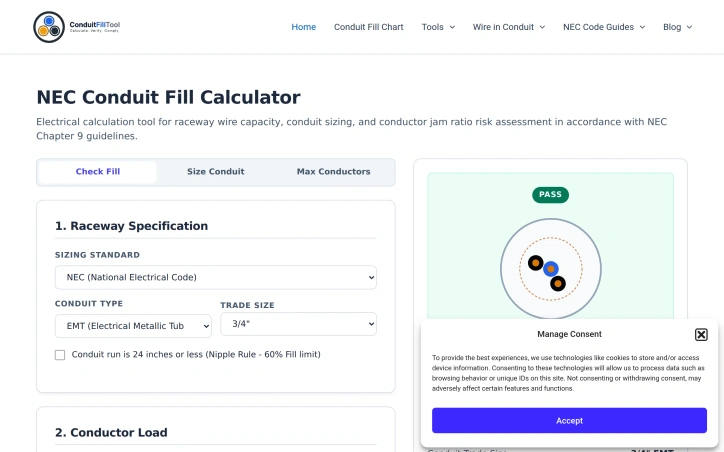
Electrical contractors and their teams often face a repetitive but critical task: verifying that the conductors installed in a given raceway comply with National Electrical Code fill restrictions. The Conduit Fill Tool addresses this calculation burden head-on, offering a free online calculator designed specifically for electricians, engineers, apprentices, and students who need quick, accurate conduit fill compliance checks. The core value proposition is simplicity and speed. Rather than manually cross-referencing NEC Chapter 9 tables or wrestling with spreadsheets, users input their conduit type (choosing from EMT, IMC, RMC, PVC Schedule 40/80, FMC, LFMC, or ENT), trade size, conductor material and gauge, and the tool instantly calculates whether their installation meets code. The interface walks users through each variable systematically, then displays both the raw calculation and a compliance verdict, complete with a percentage breakdown showing how much of the raceway's cross-sectional area the conductors actually occupy. What distinguishes this tool is its alignment with current NEC standards and its educational scaffolding. The calculator enforces the correct fill percentages for different scenarios—53 percent for single conductors, 31 percent for two, 40 percent for three or more, and up to 60 percent under the 24-inch nipple rule—ensuring users stay within code. The tool does not simply return a yes-or-no answer; it explains the underlying geometry, citing the specific NEC tables that govern the calculations. For users new to conduit sizing, the site includes reference guides on why fill limits exist, primarily to prevent conductor shearing during installation and to allow heat dissipation under load, along with step-by-step walkthroughs of the mathematics itself. The sizing engine pulls wire dimensions from official NEC sources rather than relying on estimates or lookup tables that may drift from the standard. This commitment to source accuracy matters in an industry where code compliance carries legal weight. Pricing is not mentioned in the available content, though the tool is described as free, suggesting a bootstrapped service rather than a subscription model. For a narrow but important use case, the tool eliminates friction from a recurring professional task while strengthening the user's understanding of the underlying code. It demonstrates how focused software can serve skilled trades without requiring deep platform overhead.

Vibe-coding-tools
C
conduitfill tool

Electrical contractors and their teams often face a repetitive but critical task: verifying that the conductors installed in a given raceway comply with National Electrical Code fill restrictions. The Conduit Fill Tool addresses this calculation burden head-on, offering a free online calculator designed specifically for electricians, engineers, apprentices, and students who need quick, accurate conduit fill compliance checks. The core value proposition is simplicity and speed. Rather than manually cross-referencing NEC Chapter 9 tables or wrestling with spreadsheets, users input their conduit type (choosing from EMT, IMC, RMC, PVC Schedule 40/80, FMC, LFMC, or ENT), trade size, conductor material and gauge, and the tool instantly calculates whether their installation meets code. The interface walks users through each variable systematically, then displays both the raw calculation and a compliance verdict, complete with a percentage breakdown showing how much of the raceway's cross-sectional area the conductors actually occupy. What distinguishes this tool is its alignment with current NEC standards and its educational scaffolding. The calculator enforces the correct fill percentages for different scenarios—53 percent for single conductors, 31 percent for two, 40 percent for three or more, and up to 60 percent under the 24-inch nipple rule—ensuring users stay within code. The tool does not simply return a yes-or-no answer; it explains the underlying geometry, citing the specific NEC tables that govern the calculations. For users new to conduit sizing, the site includes reference guides on why fill limits exist, primarily to prevent conductor shearing during installation and to allow heat dissipation under load, along with step-by-step walkthroughs of the mathematics itself. The sizing engine pulls wire dimensions from official NEC sources rather than relying on estimates or lookup tables that may drift from the standard. This commitment to source accuracy matters in an industry where code compliance carries legal weight. Pricing is not mentioned in the available content, though the tool is described as free, suggesting a bootstrapped service rather than a subscription model. For a narrow but important use case, the tool eliminates friction from a recurring professional task while strengthening the user's understanding of the underlying code. It demonstrates how focused software can serve skilled trades without requiring deep platform overhead.

conduitfill tool preview

Key features

  • NEC Compliance Calculator: Instantly determines whether conductor installations meet code fill restrictions.
  • Multiple Raceway Types: Supports EMT, IMC, RMC, PVC Schedule 40/80, FMC, LFMC, and ENT.
See full listing
GifBook

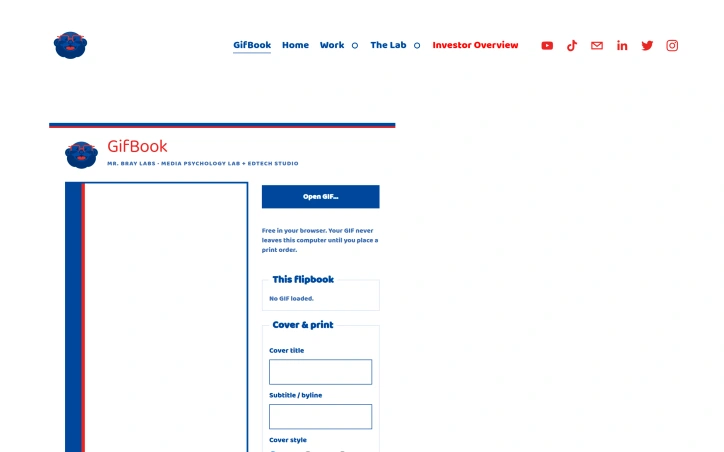
Animators and content creators who want to give their digital work a physical presence now have a straightforward solution with GifBook. The service converts animated GIFs into flipbooks that can be previewed interactively in a browser, printed at home for free, or ordered as professionally bound copies. This bridges a meaningful gap between the ephemeral nature of digital animation and the tangible appeal of physical media. The product's architecture prioritizes both accessibility and user privacy. Users upload a GIF, watch it rendered as a clickable flipbook preview, and maintain complete control over their content until they choose to order prints. The workflow emphasizes transparency through real-time mockups of the final product, reducing uncertainty about the physical outcome before committing to payment. This preview-before-purchase approach eliminates common friction points in custom printing services. Customization options cover practical branding elements: users can add cover titles, subtitles, bylines, choose cover styles and frame types, and upload custom cover images. The print layout defaults to US Letter with an eight-up configuration and includes page numbers and binding guides. All print-at-home files arrive as PDFs ready for personal printing with clearly marked crop lines and gutter specifications. The pricing model offers three tiers of commitment. The free option lets anyone generate and print PDFs at home with no cost. Mid-market customers can purchase professionally printed five-packs for 25 dollars per pack, which includes binding, shipping, and handling throughout the US and Canada. Customers can order multiple packs, supporting both small runs and larger circulation needs. The studio handles print production and quality, while Squarespace manages checkout and payment processing. The business model distinguishes itself through a three-tier approach: free accessibility lowers experimentation barriers, while the print-on-demand option monetizes through transparent per-pack pricing. The offering avoids unnecessary platform complexity, positioning itself as a utility for creators and animators rather than a feature-heavy service. The product design demonstrates an understanding of how digital animation lives separate from tactile media, and GifBook directly addresses that disconnect with economy and clarity.

Graphic-design-tools
J
Jesse Bray (Mr. Bray)

Animators and content creators who want to give their digital work a physical presence now have a straightforward solution with GifBook. The service converts animated GIFs into flipbooks that can be previewed interactively in a browser, printed at home for free, or ordered as professionally bound copies. This bridges a meaningful gap between the ephemeral nature of digital animation and the tangible appeal of physical media. The product's architecture prioritizes both accessibility and user privacy. Users upload a GIF, watch it rendered as a clickable flipbook preview, and maintain complete control over their content until they choose to order prints. The workflow emphasizes transparency through real-time mockups of the final product, reducing uncertainty about the physical outcome before committing to payment. This preview-before-purchase approach eliminates common friction points in custom printing services. Customization options cover practical branding elements: users can add cover titles, subtitles, bylines, choose cover styles and frame types, and upload custom cover images. The print layout defaults to US Letter with an eight-up configuration and includes page numbers and binding guides. All print-at-home files arrive as PDFs ready for personal printing with clearly marked crop lines and gutter specifications. The pricing model offers three tiers of commitment. The free option lets anyone generate and print PDFs at home with no cost. Mid-market customers can purchase professionally printed five-packs for 25 dollars per pack, which includes binding, shipping, and handling throughout the US and Canada. Customers can order multiple packs, supporting both small runs and larger circulation needs. The studio handles print production and quality, while Squarespace manages checkout and payment processing. The business model distinguishes itself through a three-tier approach: free accessibility lowers experimentation barriers, while the print-on-demand option monetizes through transparent per-pack pricing. The offering avoids unnecessary platform complexity, positioning itself as a utility for creators and animators rather than a feature-heavy service. The product design demonstrates an understanding of how digital animation lives separate from tactile media, and GifBook directly addresses that disconnect with economy and clarity.

GifBook preview

Key features

  • GIF to Flipbook Conversion: Converts animated GIFs into interactive flipbooks viewable and clickable in a browser.
  • Free Home Printing: Generate and download PDFs ready to print at home with no cost.
See full listing
Posterlet

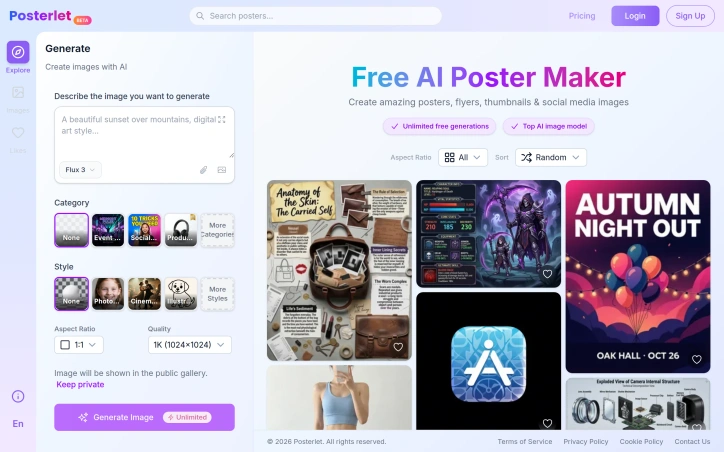
Designing marketing materials has traditionally required either hiring a professional or learning specialized tools. Posterlet addresses this friction by offering an AI-powered generation system that produces posters, flyers, thumbnails, and invitations directly from text descriptions. The target audience spans creators, small business owners, and marketers who need visual assets quickly without design expertise or budget constraints. The core appeal lies in its accessibility and zero friction entry point. Users describe what they want and select from a range of visual styles—photorealistic, cinematic, watercolor, flat vector, minimalist, and retro—before generating an image. The interface offers practical customization options including aspect ratio selection and quality settings, along with the ability to keep generations private or contribute them to a public gallery. All of this comes without any cost barrier, with unlimited free image generation available. What distinguishes Posterlet from other AI image generators is its focus on specific use cases. Rather than generic image generation, the tool provides templated categories like event flyers, social media content, and product thumbnails. This structure reduces the cognitive load for users who aren't trained in composition or design principles. The style selector transforms identical prompts across different aesthetic directions, giving users creative flexibility without requiring them to articulate complex visual parameters. The business model centers on free access with unlimited generation, banking on broad adoption and potential future monetization through premium features or API access. The public gallery option introduces a social element that could drive engagement and word-of-mouth discovery. The mention of using a top-tier AI model suggests competitive image quality, though actual output depends on how effectively users construct prompts and how well the underlying model handles the specific categories and styles offered. For anyone bootstrapping a project or managing marketing on a lean budget, the entry cost is an immediate advantage. The real measure of utility comes down to how production-ready the generated assets are out-of-the-box and whether users find the style and category options sufficiently diverse for their needs. The unlimited free tier removes all friction from trying the product.
Graphic-design-tools
D
Designer

Designing marketing materials has traditionally required either hiring a professional or learning specialized tools. Posterlet addresses this friction by offering an AI-powered generation system that produces posters, flyers, thumbnails, and invitations directly from text descriptions. The target audience spans creators, small business owners, and marketers who need visual assets quickly without design expertise or budget constraints. The core appeal lies in its accessibility and zero friction entry point. Users describe what they want and select from a range of visual styles—photorealistic, cinematic, watercolor, flat vector, minimalist, and retro—before generating an image. The interface offers practical customization options including aspect ratio selection and quality settings, along with the ability to keep generations private or contribute them to a public gallery. All of this comes without any cost barrier, with unlimited free image generation available. What distinguishes Posterlet from other AI image generators is its focus on specific use cases. Rather than generic image generation, the tool provides templated categories like event flyers, social media content, and product thumbnails. This structure reduces the cognitive load for users who aren't trained in composition or design principles. The style selector transforms identical prompts across different aesthetic directions, giving users creative flexibility without requiring them to articulate complex visual parameters. The business model centers on free access with unlimited generation, banking on broad adoption and potential future monetization through premium features or API access. The public gallery option introduces a social element that could drive engagement and word-of-mouth discovery. The mention of using a top-tier AI model suggests competitive image quality, though actual output depends on how effectively users construct prompts and how well the underlying model handles the specific categories and styles offered. For anyone bootstrapping a project or managing marketing on a lean budget, the entry cost is an immediate advantage. The real measure of utility comes down to how production-ready the generated assets are out-of-the-box and whether users find the style and category options sufficiently diverse for their needs. The unlimited free tier removes all friction from trying the product.

Posterlet preview

Key features

  • AI-Powered Generation: Transforms text descriptions into posters, flyers, thumbnails, and invitations.
  • Multiple Visual Styles: Choose from photorealistic, cinematic, watercolor, flat vector, minimalist, and retro aesthetics.
See full listing
SpokenPost

Voice-to-social-content transformation has historically been one of the more friction-filled workflows for content creators, and SpokenPost addresses this by automating the leap from raw voice memos to polished, platform-specific posts. The product targets founders, consultants, and independent creators who possess strong ideas but struggle to translate them into engaging social media content within realistic time constraints. The core premise is straightforward: record a 60-second voice note, and the tool generates three distinct outputs—a LinkedIn carousel PDF, an optimized text post, and a formatted X thread. The system completes this process in under two minutes without requiring design expertise or manual formatting. Beyond raw speed, the product preserves the speaker's authentic voice and tone rather than flattening ideas into generic marketing language, a distinction the founder emphasizes as critical for building genuine audience connection. What distinguishes SpokenPost from broader content creation tools is its specificity. Rather than offering a general-purpose platform, it narrows to a precise workflow: capturing lightning-in-a-bottle moments that already happen in conversations or running commentary, then packaging them for public distribution. Users can train a custom voice profile by feeding the AI samples of past writing and vocabulary, ensuring generated content remains idiosyncratic rather than algorithmic. The tool also supports white-label branding on carousel footers and offers multiple slide themes for visual customization. The free tier provides meaningful access with three monthly exports and no credit card required, allowing users to test whether capturing ideas via voice genuinely changes their publishing behavior. A Pro tier extends recording length to three minutes instead of sixty seconds, though fuller pricing details remain unspecified on the landing page. The positioning acknowledges a specific founder pain point: time scarcity isn't the real constraint, but format-shifting friction is. By collapsing the repackaging step, the product converts publishing from an additional job into a natural outcome of the thinking work itself. The concept assumes users already generate worthwhile ideas and that the bottleneck is purely mechanical—turning raw speech into styled assets. For creators operating at high idea velocity, this positioning resonates. For those struggling to generate ideas in the first place, the product offers limited utility.

Ai-workflow-automation
U
Upasana

Voice-to-social-content transformation has historically been one of the more friction-filled workflows for content creators, and SpokenPost addresses this by automating the leap from raw voice memos to polished, platform-specific posts. The product targets founders, consultants, and independent creators who possess strong ideas but struggle to translate them into engaging social media content within realistic time constraints. The core premise is straightforward: record a 60-second voice note, and the tool generates three distinct outputs—a LinkedIn carousel PDF, an optimized text post, and a formatted X thread. The system completes this process in under two minutes without requiring design expertise or manual formatting. Beyond raw speed, the product preserves the speaker's authentic voice and tone rather than flattening ideas into generic marketing language, a distinction the founder emphasizes as critical for building genuine audience connection. What distinguishes SpokenPost from broader content creation tools is its specificity. Rather than offering a general-purpose platform, it narrows to a precise workflow: capturing lightning-in-a-bottle moments that already happen in conversations or running commentary, then packaging them for public distribution. Users can train a custom voice profile by feeding the AI samples of past writing and vocabulary, ensuring generated content remains idiosyncratic rather than algorithmic. The tool also supports white-label branding on carousel footers and offers multiple slide themes for visual customization. The free tier provides meaningful access with three monthly exports and no credit card required, allowing users to test whether capturing ideas via voice genuinely changes their publishing behavior. A Pro tier extends recording length to three minutes instead of sixty seconds, though fuller pricing details remain unspecified on the landing page. The positioning acknowledges a specific founder pain point: time scarcity isn't the real constraint, but format-shifting friction is. By collapsing the repackaging step, the product converts publishing from an additional job into a natural outcome of the thinking work itself. The concept assumes users already generate worthwhile ideas and that the bottleneck is purely mechanical—turning raw speech into styled assets. For creators operating at high idea velocity, this positioning resonates. For those struggling to generate ideas in the first place, the product offers limited utility.

SpokenPost preview

Key features

  • Voice-to-Social Export: Converts 60-second voice memos to LinkedIn carousel PDFs, text posts, and X threads
  • Custom Voice Profiles: Train the AI with past writing samples to maintain authentic tone and vocabulary
See full listing
Squoku

For printed puzzle enthusiasts who want to verify their work without manually solving every clue, Squoku offers a streamlined approach to Sudoku scanning and solving on iOS devices. The app addresses a specific friction point: the gap between completing a puzzle by hand and confirming the solution, while preserving the satisfaction of the achievement itself. The core appeal lies in its privacy-first architecture. Instead of requiring account creation or cloud uploads, Squoku performs all scanning and solving locally on the device. This design choice eliminates a common barrier for users hesitant about privacy or unwilling to create yet another app account. The camera-based scanning feature handles the practical work of recognizing printed puzzle clues, reducing manual entry that would otherwise consume time and introduce errors. What distinguishes Squoku from basic calculator apps is its preservation-focused model. Users can store completed puzzles in local history, with the ability to review both the original scan and the solved result side by side. This transforms the app from a one-off solver into a record-keeping tool that lets users revisit their achievements without leaving the device. The pricing structure avoids common mobile app pitfalls. Rather than defaulting to a subscription model, Squoku offers a transparent choice: the first two solutions are free, then users can either purchase individual solutions for 99 cents or unlock unlimited solving with a one-time 5.99 euro payment. This positions the app as an optional enhancement rather than an essential subscription, respecting users who simply want occasional puzzle verification without long-term commitment. The target audience is narrow but defined: people who regularly solve printed Sudoku puzzles, typically in newspapers or puzzle books. This focus avoids the bloat of features appealing to casual players and keeps the experience straightforward. The app delivers a single job with minimal friction. One implicit strength is the absence of competitive pressure or advertising. By charging directly for functionality rather than relying on ad impressions, Squoku aligns its incentives with user satisfaction rather than engagement metrics. The emphasis on local storage and offline capability further reinforces this philosophy. For its target market, Squoku removes a genuine pain point: confirming solutions without disrupting the satisfaction of having completed a puzzle by hand.

For printed puzzle enthusiasts who want to verify their work without manually solving every clue, Squoku offers a streamlined approach to Sudoku scanning and solving on iOS devices. The app addresses a specific friction point: the gap between completing a puzzle by hand and confirming the solution, while preserving the satisfaction of the achievement itself. The core appeal lies in its privacy-first architecture. Instead of requiring account creation or cloud uploads, Squoku performs all scanning and solving locally on the device. This design choice eliminates a common barrier for users hesitant about privacy or unwilling to create yet another app account. The camera-based scanning feature handles the practical work of recognizing printed puzzle clues, reducing manual entry that would otherwise consume time and introduce errors. What distinguishes Squoku from basic calculator apps is its preservation-focused model. Users can store completed puzzles in local history, with the ability to review both the original scan and the solved result side by side. This transforms the app from a one-off solver into a record-keeping tool that lets users revisit their achievements without leaving the device. The pricing structure avoids common mobile app pitfalls. Rather than defaulting to a subscription model, Squoku offers a transparent choice: the first two solutions are free, then users can either purchase individual solutions for 99 cents or unlock unlimited solving with a one-time 5.99 euro payment. This positions the app as an optional enhancement rather than an essential subscription, respecting users who simply want occasional puzzle verification without long-term commitment. The target audience is narrow but defined: people who regularly solve printed Sudoku puzzles, typically in newspapers or puzzle books. This focus avoids the bloat of features appealing to casual players and keeps the experience straightforward. The app delivers a single job with minimal friction. One implicit strength is the absence of competitive pressure or advertising. By charging directly for functionality rather than relying on ad impressions, Squoku aligns its incentives with user satisfaction rather than engagement metrics. The emphasis on local storage and offline capability further reinforces this philosophy. For its target market, Squoku removes a genuine pain point: confirming solutions without disrupting the satisfaction of having completed a puzzle by hand.

Squoku preview

Key features

  • Scan and solve locally: Recognize printed Sudoku puzzles with your camera, solve them on-device, and keep results in History.
See full listing
TitleHero

Portrait photographs transformed into cinematic character cards represent a gap-filling use case in mobile content creation. TitleHero addresses this directly on iPhone and iPad, allowing users to convert everyday photos into visually striking designs suitable for social media profiles, promotional materials, or digital character representations. The product distinguishes itself primarily through its privacy-forward approach. The entire workflow runs locally on the device—subject separation, effect rendering, and preview generation all happen without uploading images to external servers. This local-first architecture means users retain full control over their source material and can work without an internet connection. The absence of required accounts or analytics tracking reinforces this commitment to user privacy. The core workflow is straightforward. Users select or capture a portrait, then browse pre-designed treatments that apply effects like distressed ink rendering, halftone patterns, and monochrome etching. The app shows multiple styled variations side by side, allowing direct comparison before committing to a final export. Once a treatment is selected, users can customize the title text, typography, colors, and effects before sharing through iOS's native share sheet. TitleHero demonstrates thoughtful design for iPad users beyond simple scaling. The app supports portrait and landscape orientations, Split View, and Stage Manager, maintaining the same photo-first interface across all form factors. This attention to the full iOS ecosystem suggests the developer understands both professional and casual users work across devices. The technical foundation—local subject separation and rendering—enables responsive performance while addressing privacy concerns that increasingly matter to users. Rather than treating privacy as a marketing afterthought, it's embedded into the fundamental architecture. Monetization follows a freemium model. The base app is free and functional, with Pro exports unlocking additional design treatments. This approach lets users evaluate the core experience without committing financially while generating revenue from those who value the expanded look catalog. For photographers, social media creators, and anyone seeking to turn portraits into designed assets, TitleHero offers genuine utility. The local processing removes friction around privacy and connectivity, while the curated aesthetic treatments and streamlined interface make stylization accessible without requiring design skills. The product is deliberately scoped—it solves one problem well rather than attempting to be a comprehensive photo editor—and that focus is its strength.

Portrait photographs transformed into cinematic character cards represent a gap-filling use case in mobile content creation. TitleHero addresses this directly on iPhone and iPad, allowing users to convert everyday photos into visually striking designs suitable for social media profiles, promotional materials, or digital character representations. The product distinguishes itself primarily through its privacy-forward approach. The entire workflow runs locally on the device—subject separation, effect rendering, and preview generation all happen without uploading images to external servers. This local-first architecture means users retain full control over their source material and can work without an internet connection. The absence of required accounts or analytics tracking reinforces this commitment to user privacy. The core workflow is straightforward. Users select or capture a portrait, then browse pre-designed treatments that apply effects like distressed ink rendering, halftone patterns, and monochrome etching. The app shows multiple styled variations side by side, allowing direct comparison before committing to a final export. Once a treatment is selected, users can customize the title text, typography, colors, and effects before sharing through iOS's native share sheet. TitleHero demonstrates thoughtful design for iPad users beyond simple scaling. The app supports portrait and landscape orientations, Split View, and Stage Manager, maintaining the same photo-first interface across all form factors. This attention to the full iOS ecosystem suggests the developer understands both professional and casual users work across devices. The technical foundation—local subject separation and rendering—enables responsive performance while addressing privacy concerns that increasingly matter to users. Rather than treating privacy as a marketing afterthought, it's embedded into the fundamental architecture. Monetization follows a freemium model. The base app is free and functional, with Pro exports unlocking additional design treatments. This approach lets users evaluate the core experience without committing financially while generating revenue from those who value the expanded look catalog. For photographers, social media creators, and anyone seeking to turn portraits into designed assets, TitleHero offers genuine utility. The local processing removes friction around privacy and connectivity, while the curated aesthetic treatments and streamlined interface make stylization accessible without requiring design skills. The product is deliberately scoped—it solves one problem well rather than attempting to be a comprehensive photo editor—and that focus is its strength.

TitleHero preview

Key features

  • Local Photo Processing: Subject separation, effect rendering, and preview generation all happen on-device without uploading images
  • Pre-designed Character Effects: Includes curated artistic treatments like distressed ink rendering, halftone patterns, and monochrome etching
See full listing
LogoRRR

Developers working with large local log files on macOS, Windows, or Linux can struggle with unwieldy text files and time-consuming manual investigation. LogoRRR addresses this friction by bringing visual analysis tools to desktop-based log exploration, eliminating the need to upload data to cloud services or maintain external accounts. The product's core value proposition centers on privacy and speed. Log files remain on the user's machine throughout the analysis process, with no uploads or server dependencies required. This approach matters for enterprises handling sensitive data, developers in restricted network environments, and anyone who simply wants to avoid the overhead of cloud-based log ingestion. The application works offline, making it practical for field investigations or work in disconnected settings. Visually distinguishing error clusters is what sets LogoRRR apart from basic text editors. The interface uses an interactive block view that color-codes log entries by severity or search terms, allowing investigators to spot patterns across millions of lines at a glance. This shifts the workflow from scrolling and searching toward pattern recognition. Complementary features include multi-file merging to correlate logs from different sources, time-based activity views, and filter-driven narrowing to isolate relevant events. Performance handling large files is central to the pitch. The application claims to open gigabyte-scale logs while maintaining responsiveness and modest memory consumption, a constraint that matters when analysts are also running other tools on the same machine. The implementation prioritizes native performance over web-based convenience. The quick-start workflow is straightforward: drop a log file, directory, or compressed bundle onto the application window, then navigate using filters and searches. LogoRRR targets developers and support engineers who perform hands-on log analysis rather than relying on centralized observability platforms. It competes not against cloud logging services but against manual investigation of local files or lightweight text tools. For teams that need to trace incidents in local production logs, legacy application output, or offline environments, the local-first model eliminates friction without requiring infrastructure changes.

Observability-tools
R
Robert Ladstätter

Developers working with large local log files on macOS, Windows, or Linux can struggle with unwieldy text files and time-consuming manual investigation. LogoRRR addresses this friction by bringing visual analysis tools to desktop-based log exploration, eliminating the need to upload data to cloud services or maintain external accounts. The product's core value proposition centers on privacy and speed. Log files remain on the user's machine throughout the analysis process, with no uploads or server dependencies required. This approach matters for enterprises handling sensitive data, developers in restricted network environments, and anyone who simply wants to avoid the overhead of cloud-based log ingestion. The application works offline, making it practical for field investigations or work in disconnected settings. Visually distinguishing error clusters is what sets LogoRRR apart from basic text editors. The interface uses an interactive block view that color-codes log entries by severity or search terms, allowing investigators to spot patterns across millions of lines at a glance. This shifts the workflow from scrolling and searching toward pattern recognition. Complementary features include multi-file merging to correlate logs from different sources, time-based activity views, and filter-driven narrowing to isolate relevant events. Performance handling large files is central to the pitch. The application claims to open gigabyte-scale logs while maintaining responsiveness and modest memory consumption, a constraint that matters when analysts are also running other tools on the same machine. The implementation prioritizes native performance over web-based convenience. The quick-start workflow is straightforward: drop a log file, directory, or compressed bundle onto the application window, then navigate using filters and searches. LogoRRR targets developers and support engineers who perform hands-on log analysis rather than relying on centralized observability platforms. It competes not against cloud logging services but against manual investigation of local files or lightweight text tools. For teams that need to trace incidents in local production logs, legacy application output, or offline environments, the local-first model eliminates friction without requiring infrastructure changes.

LogoRRR preview

Key features

  • Interactive Block View: Color-codes log entries by severity or search terms to spot patterns across millions of lines
  • Multiple log files: Open related files and compare their entries in context.
See full listing
VoxCraft

Creators in South Asian markets have been underserved by text-to-speech technology. Most TTS platforms treat languages like Urdu, Hindi, Bengali, and Tamil as secondary features, offering limited voices and poor handling of local naming conventions and code-switching. VoxCraft reverses this priority by making 27 languages available through 88 neural voices, with South Asian languages positioned as primary citizens rather than afterthoughts. The platform targets YouTube creators, dubbers, and production studios. It removes multiple friction points that plague competing services. Users need no account to start—paste a script, select a voice, and download MP3 or WAV audio in approximately ten seconds. Commercial use is permitted from the free tier. The underlying synthesis handles mixed-language scripts correctly: Urdu-English code-switching flows naturally, with local names and numerals pronounced as speakers would say them. VoxCraft's voice control design stands out. Rate and pitch adjustments modify the actual audio delivery rather than buried SSML directives that voice engines mishandle. The result sounds intentional rather than robotic. Beyond narration synthesis, the platform bundles transcription, format conversion across MP3, WAV, OGG, M4A, and FLAC, clip merging, trimming, noise removal, voice effects, and video-to-audio extraction. Creators complete post-production audio work directly in the browser without requiring desktop software. The no-account requirement and commercial licensing from the free tier address standard objections to free tools. Competing services require signup or restrict monetization rights; VoxCraft enforces neither. This product design reflects the founders' understanding of working creators' core priorities: speed and permission to monetize matter more than feature overabundance. The service operates on a tiered pricing model, though specific details are not disclosed on the public landing page. The free tier's feature set—commercial-licensed audio, 88 voices, and complete audio toolkit—establishes a competitive baseline that paid plans must exceed. This unusual approach to the free-to-paid transition suggests confidence that the product itself justifies conversion rather than artificial feature scarcity.

Text-to-speech-software
F
Faisal Aslam

Creators in South Asian markets have been underserved by text-to-speech technology. Most TTS platforms treat languages like Urdu, Hindi, Bengali, and Tamil as secondary features, offering limited voices and poor handling of local naming conventions and code-switching. VoxCraft reverses this priority by making 27 languages available through 88 neural voices, with South Asian languages positioned as primary citizens rather than afterthoughts. The platform targets YouTube creators, dubbers, and production studios. It removes multiple friction points that plague competing services. Users need no account to start—paste a script, select a voice, and download MP3 or WAV audio in approximately ten seconds. Commercial use is permitted from the free tier. The underlying synthesis handles mixed-language scripts correctly: Urdu-English code-switching flows naturally, with local names and numerals pronounced as speakers would say them. VoxCraft's voice control design stands out. Rate and pitch adjustments modify the actual audio delivery rather than buried SSML directives that voice engines mishandle. The result sounds intentional rather than robotic. Beyond narration synthesis, the platform bundles transcription, format conversion across MP3, WAV, OGG, M4A, and FLAC, clip merging, trimming, noise removal, voice effects, and video-to-audio extraction. Creators complete post-production audio work directly in the browser without requiring desktop software. The no-account requirement and commercial licensing from the free tier address standard objections to free tools. Competing services require signup or restrict monetization rights; VoxCraft enforces neither. This product design reflects the founders' understanding of working creators' core priorities: speed and permission to monetize matter more than feature overabundance. The service operates on a tiered pricing model, though specific details are not disclosed on the public landing page. The free tier's feature set—commercial-licensed audio, 88 voices, and complete audio toolkit—establishes a competitive baseline that paid plans must exceed. This unusual approach to the free-to-paid transition suggests confidence that the product itself justifies conversion rather than artificial feature scarcity.

VoxCraft preview

Key features

  • Multi-Language Support: 27 languages through 88 neural voices with South Asian languages as primary rather than secondary features
  • No Sign-up Required: Paste script, select voice, download MP3 or WAV audio in approximately ten seconds without account creation
See full listing
MyImgLite

Batch image processing typically forces a choice between privacy and convenience. Desktop software requires installation and maintenance, while online tools demand uploading files to remote servers. MyImgLite eliminates that friction by moving the entire workflow into the browser, processing images locally on the user's device without server uploads or account creation. The product targets a specific recurring problem: teams and creators who regularly handle dozens of images—e-commerce vendors standardizing product photos, content publishers preparing batches of article images, and marketers resizing graphics for multiple channels. Rather than treating each image individually or wrestling with command-line tools, users upload a folder, configure one set of output parameters, and process the entire batch in a single operation. What distinguishes MyImgLite is its commitment to local processing and simplicity. The interface follows a three-step model: select a task, configure images and output settings, then download the results. No queue management, no waiting for remote processing, no surveillance of file contents. The technical approach—running everything in the browser—trades off some performance potential for absolute data privacy. The feature set covers the core image optimization tasks. Compression reduces file sizes across supported formats. Resizing preserves proportions or enforces exact dimensions, useful for adhering to platform templates. The conversion capabilities span modern web formats like WebP and AVIF alongside established standards like JPEG and PNG. Each format option includes relevant quality and encoding controls; advanced settings appear only where they matter. Users can compare original and output sizes before committing, reducing surprises. The 30-image limit per batch constrains enterprise-scale workflows but aligns with typical creator needs. The format coverage addresses practical scenarios: converting PNG to WebP for web delivery, standardizing JPEG dimensions for product catalogs, testing AVIF for smaller payloads on supported systems. Pricing presents no friction—the tool is free with no account requirement. This accessibility removes a barrier for one-off users and casual creators, though it raises questions about sustainability that the product page does not address. MyImgLite succeeds because it recognizes that not every image task requires cloud infrastructure or expensive software licenses. For creators and small teams handling regular but modest-scale batch work, local processing in the browser offers real convenience without compromising privacy.

Photo-editing
E
echo paul

Batch image processing typically forces a choice between privacy and convenience. Desktop software requires installation and maintenance, while online tools demand uploading files to remote servers. MyImgLite eliminates that friction by moving the entire workflow into the browser, processing images locally on the user's device without server uploads or account creation. The product targets a specific recurring problem: teams and creators who regularly handle dozens of images—e-commerce vendors standardizing product photos, content publishers preparing batches of article images, and marketers resizing graphics for multiple channels. Rather than treating each image individually or wrestling with command-line tools, users upload a folder, configure one set of output parameters, and process the entire batch in a single operation. What distinguishes MyImgLite is its commitment to local processing and simplicity. The interface follows a three-step model: select a task, configure images and output settings, then download the results. No queue management, no waiting for remote processing, no surveillance of file contents. The technical approach—running everything in the browser—trades off some performance potential for absolute data privacy. The feature set covers the core image optimization tasks. Compression reduces file sizes across supported formats. Resizing preserves proportions or enforces exact dimensions, useful for adhering to platform templates. The conversion capabilities span modern web formats like WebP and AVIF alongside established standards like JPEG and PNG. Each format option includes relevant quality and encoding controls; advanced settings appear only where they matter. Users can compare original and output sizes before committing, reducing surprises. The 30-image limit per batch constrains enterprise-scale workflows but aligns with typical creator needs. The format coverage addresses practical scenarios: converting PNG to WebP for web delivery, standardizing JPEG dimensions for product catalogs, testing AVIF for smaller payloads on supported systems. Pricing presents no friction—the tool is free with no account requirement. This accessibility removes a barrier for one-off users and casual creators, though it raises questions about sustainability that the product page does not address. MyImgLite succeeds because it recognizes that not every image task requires cloud infrastructure or expensive software licenses. For creators and small teams handling regular but modest-scale batch work, local processing in the browser offers real convenience without compromising privacy.

MyImgLite preview

Key features

  • Local Processing: All image processing runs in the browser without uploading files to remote servers.
  • Batch Optimization: Upload a folder and process dozens of images with a single set of output parameters.
See full listing
S

Research on emerging companies and ventures has historically required piecing together information from scattered sources—financial databases, news articles, LinkedIn, and company websites. StartupWiki consolidates this fragmented landscape into a single research directory designed for investors, competitive analysts, job seekers, and anyone needing comprehensive intelligence on deep-tech startups. The platform serves a clear market need: the difficulty of evaluating startups across emerging sectors like AI, Biotech, CleanTech, FinTech, Cybersecurity, and Quantum Computing. Rather than manually aggregating data from multiple sources, users access centralized profiles that combine multiple dimensions of startup information. This approach acknowledges that startup evaluation requires understanding both quantitative performance and qualitative context—who is founding the company, what similar competitors are raising, and how a venture positions itself in its market. What distinguishes StartupWiki is its multifaceted data integration. Beyond listing basic company information, the directory incorporates funding histories, financial metrics, competitive positioning, and team composition into single profiles. This combines practical research requirements that would otherwise demand manual data gathering across disparate platforms. The community-driven model is worth noting. Rather than relying solely on editorial teams to maintain coverage, the platform invites user contributions and validation. This structure enables faster scaling across startups and sectors compared to traditional databases, though the implications for data quality and verification aren't clarified in the available materials. The directory supports multiple browsing patterns. Users can explore by sector categories, browse a complete alphabetical listing, or engage with narrative analysis through an associated blog focused on startup insights and deep dives. This structure positions StartupWiki not merely as a reference tool but as an analysis platform, offering interpretive content alongside structured data. The platform's categorization across seven major sectors—including AI and Machine Learning, Quantum Computing, and others—reflects the current innovation landscape and investor interest in deep-tech ventures. The inclusion of financial metrics and competitive analysis signals that the product targets sophisticated users conducting formal due diligence rather than casual market browsing. For investors, corporate development teams, and market researchers, the platform addresses a genuine operational challenge in startup research. The combination of structured company data, competitive context, and team information creates a foundation for investment decisions and market positioning that would otherwise require considerable manual research effort across multiple databases and news sources. This consolidation has clear value for professionals who evaluate startups as part of their core work.

Ai-sales-tools
B
Beelings

Research on emerging companies and ventures has historically required piecing together information from scattered sources—financial databases, news articles, LinkedIn, and company websites. StartupWiki consolidates this fragmented landscape into a single research directory designed for investors, competitive analysts, job seekers, and anyone needing comprehensive intelligence on deep-tech startups. The platform serves a clear market need: the difficulty of evaluating startups across emerging sectors like AI, Biotech, CleanTech, FinTech, Cybersecurity, and Quantum Computing. Rather than manually aggregating data from multiple sources, users access centralized profiles that combine multiple dimensions of startup information. This approach acknowledges that startup evaluation requires understanding both quantitative performance and qualitative context—who is founding the company, what similar competitors are raising, and how a venture positions itself in its market. What distinguishes StartupWiki is its multifaceted data integration. Beyond listing basic company information, the directory incorporates funding histories, financial metrics, competitive positioning, and team composition into single profiles. This combines practical research requirements that would otherwise demand manual data gathering across disparate platforms. The community-driven model is worth noting. Rather than relying solely on editorial teams to maintain coverage, the platform invites user contributions and validation. This structure enables faster scaling across startups and sectors compared to traditional databases, though the implications for data quality and verification aren't clarified in the available materials. The directory supports multiple browsing patterns. Users can explore by sector categories, browse a complete alphabetical listing, or engage with narrative analysis through an associated blog focused on startup insights and deep dives. This structure positions StartupWiki not merely as a reference tool but as an analysis platform, offering interpretive content alongside structured data. The platform's categorization across seven major sectors—including AI and Machine Learning, Quantum Computing, and others—reflects the current innovation landscape and investor interest in deep-tech ventures. The inclusion of financial metrics and competitive analysis signals that the product targets sophisticated users conducting formal due diligence rather than casual market browsing. For investors, corporate development teams, and market researchers, the platform addresses a genuine operational challenge in startup research. The combination of structured company data, competitive context, and team information creates a foundation for investment decisions and market positioning that would otherwise require considerable manual research effort across multiple databases and news sources. This consolidation has clear value for professionals who evaluate startups as part of their core work.

StartupWiki - AI Startup Research Directory preview
S

Key features

  • Consolidated Research Directory: Combines startup information from multiple sources into single profiles
  • Multifaceted Data Integration: Incorporates funding histories, financial metrics, competitive positioning, and team composition
See full listing
Clipperia

Repurposing hours of long-form video content remains a bottleneck for content creators and editors who need platform-ready clips but lack the time for manual extraction. Clipperia addresses this friction by automating the most tedious parts of the workflow: finding compelling moments in raw footage, structuring rough cuts for professional editing, and preparing broadcast-safe content. The product serves three distinct creator personas through separate workflows. The Clip Extractor targets podcasters and short-form content creators, using AI to automatically identify hook moments, emotional peaks, and key statements within longer recordings, then exports clips in vertical or horizontal formats ready for TikTok, YouTube Shorts, and Instagram. The Rough Cut Studio caters to video editors and post-production teams by accepting raw footage and generating structured rough cuts with EDL export, a critical workflow for DaVinci Resolve users who need clean timelines to build on. The Clean Cut workflow handles broadcast-safe censorship, allowing creators to silence profanity and violence at adjustable intensity levels. What distinguishes Clipperia is its specialization rather than generalization. Rather than building a Swiss Army knife video tool, the company designed three focused workflows, acknowledging that clip extraction, rough cutting, and censorship solve different problems for different users. The interface prioritizes speed with upload, workflow selection, and download as the core loop. Processing caps are generous on higher tiers: the Pro plan handles 2-hour videos and provides 450 credits monthly, enough for meaningful production use. The pricing model follows a freemium approach with meaningful free limits that do not require a credit card. The free tier offers 60 credits worth of video processing and five generations, making it genuinely usable for evaluating the tool. Paid tiers start at fourteen dollars monthly, with the Pro tier at thirty dollars monthly. All paid plans remove watermarks and increase storage retention, moving beyond cosmetic upgrades to functional improvements. The credit-based system provides transparency around what processing capacity costs. One limitation is the experimental status of the Rough Cut Studio workflow, indicating the tool prioritizes its core strengths in clip extraction and censorship over the more technically complex rough cut generation. For creators who already have editing expertise, the upload-select-download simplicity could feel limiting. Still, Clipperia delivers on its core promise: turning time-intensive manual work into a three-step process.


Repurposing hours of long-form video content remains a bottleneck for content creators and editors who need platform-ready clips but lack the time for manual extraction. Clipperia addresses this friction by automating the most tedious parts of the workflow: finding compelling moments in raw footage, structuring rough cuts for professional editing, and preparing broadcast-safe content. The product serves three distinct creator personas through separate workflows. The Clip Extractor targets podcasters and short-form content creators, using AI to automatically identify hook moments, emotional peaks, and key statements within longer recordings, then exports clips in vertical or horizontal formats ready for TikTok, YouTube Shorts, and Instagram. The Rough Cut Studio caters to video editors and post-production teams by accepting raw footage and generating structured rough cuts with EDL export, a critical workflow for DaVinci Resolve users who need clean timelines to build on. The Clean Cut workflow handles broadcast-safe censorship, allowing creators to silence profanity and violence at adjustable intensity levels. What distinguishes Clipperia is its specialization rather than generalization. Rather than building a Swiss Army knife video tool, the company designed three focused workflows, acknowledging that clip extraction, rough cutting, and censorship solve different problems for different users. The interface prioritizes speed with upload, workflow selection, and download as the core loop. Processing caps are generous on higher tiers: the Pro plan handles 2-hour videos and provides 450 credits monthly, enough for meaningful production use. The pricing model follows a freemium approach with meaningful free limits that do not require a credit card. The free tier offers 60 credits worth of video processing and five generations, making it genuinely usable for evaluating the tool. Paid tiers start at fourteen dollars monthly, with the Pro tier at thirty dollars monthly. All paid plans remove watermarks and increase storage retention, moving beyond cosmetic upgrades to functional improvements. The credit-based system provides transparency around what processing capacity costs. One limitation is the experimental status of the Rough Cut Studio workflow, indicating the tool prioritizes its core strengths in clip extraction and censorship over the more technically complex rough cut generation. For creators who already have editing expertise, the upload-select-download simplicity could feel limiting. Still, Clipperia delivers on its core promise: turning time-intensive manual work into a three-step process.

Clipperia preview

Key features

  • AI Clip Extraction: Automatically identifies hook moments and emotional peaks in long-form recordings for platform-ready clips
  • Rough Cut Studio: Generates structured rough cuts with EDL export for professional editing software like DaVinci Resolve
See full listing
TypeScript

Digital greeting and invitation services have proliferated in recent years, but most treat personalization as an afterthought and rely on email or generic links as the primary delivery mechanism. Cardzy tackles a different market segment by anchoring its platform to WhatsApp and building culturally-aware templates that resonate with South Asian audiences and diaspora communities. The core problem Cardzy solves is straightforward: traditional printed cards carry shipping delays and environmental costs, while bland digital alternatives lack personality and local cultural relevance. The platform targets three overlapping user segments—anyone marking milestones like birthdays and anniversaries, couples planning weddings, and professionals seeking contactless business card alternatives. What distinguishes Cardzy from simpler card makers is its focus on interactive 3D animated designs paired with functional RSVP tracking. Users upload photos and select from over 34 celebration themes, many culturally specific to Pakistani, Middle Eastern, and Indian traditions. They synthesize background music in regional styles, write messages in 18 languages, and send invitations directly through WhatsApp, SMS, or QR code rather than forcing recipients to click external links. This creates a friction-free experience where guests confirm attendance with real-time RSVP updates flowing back to hosts. The feature set branches into three tiers. Wish cards for general greetings remain free indefinitely, removing friction for casual sharing. Event invitations unlock premium capabilities: Google Maps integration for venue details, countdown timers, customizable dress codes, and a host dashboard for tracking confirmations. Smart vCards extend the platform into corporate networking, letting professionals share digital business cards. Pricing follows a freemium model with the foundation entirely free. Users test the product with basic wish cards and multilingual support before upgrading to premium event invitations for a small fee, though specific pricing tiers remain unspecified in available materials. This removes barriers to trial while creating a clear upgrade path for events where RSVP tracking and rich customization justify spending. The execution reflects genuine market research. Supporting 18 languages and building templates around both global holidays and culturally-specific celebrations suggests the founders understand diaspora communities send cards across borders. Embedding WhatsApp rather than defaulting to email or web links shows localization thinking that transcends simple translation. Cardzy occupies an under-served niche: digital invitations optimized for South Asian celebrations, built on infrastructure those communities actually use, with pricing that starts free.

Graphic-design-tools
M
Mark

Digital greeting and invitation services have proliferated in recent years, but most treat personalization as an afterthought and rely on email or generic links as the primary delivery mechanism. Cardzy tackles a different market segment by anchoring its platform to WhatsApp and building culturally-aware templates that resonate with South Asian audiences and diaspora communities. The core problem Cardzy solves is straightforward: traditional printed cards carry shipping delays and environmental costs, while bland digital alternatives lack personality and local cultural relevance. The platform targets three overlapping user segments—anyone marking milestones like birthdays and anniversaries, couples planning weddings, and professionals seeking contactless business card alternatives. What distinguishes Cardzy from simpler card makers is its focus on interactive 3D animated designs paired with functional RSVP tracking. Users upload photos and select from over 34 celebration themes, many culturally specific to Pakistani, Middle Eastern, and Indian traditions. They synthesize background music in regional styles, write messages in 18 languages, and send invitations directly through WhatsApp, SMS, or QR code rather than forcing recipients to click external links. This creates a friction-free experience where guests confirm attendance with real-time RSVP updates flowing back to hosts. The feature set branches into three tiers. Wish cards for general greetings remain free indefinitely, removing friction for casual sharing. Event invitations unlock premium capabilities: Google Maps integration for venue details, countdown timers, customizable dress codes, and a host dashboard for tracking confirmations. Smart vCards extend the platform into corporate networking, letting professionals share digital business cards. Pricing follows a freemium model with the foundation entirely free. Users test the product with basic wish cards and multilingual support before upgrading to premium event invitations for a small fee, though specific pricing tiers remain unspecified in available materials. This removes barriers to trial while creating a clear upgrade path for events where RSVP tracking and rich customization justify spending. The execution reflects genuine market research. Supporting 18 languages and building templates around both global holidays and culturally-specific celebrations suggests the founders understand diaspora communities send cards across borders. Embedding WhatsApp rather than defaulting to email or web links shows localization thinking that transcends simple translation. Cardzy occupies an under-served niche: digital invitations optimized for South Asian celebrations, built on infrastructure those communities actually use, with pricing that starts free.

TypeScript preview

Key features

  • WhatsApp Integration: Send invitations directly through WhatsApp instead of forcing recipients to click external links
  • 3D Animated Designs: Interactive celebration themes including over 34 options tailored to Pakistani, Middle Eastern, and Indian traditions
See full listing
P

Solving the ubiquitous question of what to make for dinner, this AI-powered recipe generator transforms ingredient management into meal inspiration. The product targets home cooks who want to reduce food waste and decision fatigue by generating complete dinner menus from whatever they happen to have on hand, whether that's leftovers, pantry staples, or random fridge contents. The core strength lies in its practical execution. Rather than delivering a single recipe suggestion, the tool generates a full dinner menu that scales to your table size, includes multiple courses, and pairs instructions with visual guidance. The ingredient recognition system works from both photo uploads and manual text entry, reducing friction for users who prefer typing over photographing. The interface respects user preferences through customization options spanning cuisine type, spice level, dietary restrictions, and flavor profiles, allowing the AI to generate meals that actually fit how someone wants to eat rather than generic suggestions. The presentation format distinguishes this from simpler recipe search tools. Outputs arrive as paginated recipe books with step photographs and integrated shopping lists, addressing a real friction point in cooking workflows. The live image rendering during generation appears designed to build anticipation and engagement, turning a utilitarian task into something more interactive. This matters for consumer adoption, as recipe tools often feel transactional. Two distinct modes expand the use cases. The ingredient-focused generator targets the "what can I make?" problem, while a random recipe generator flips the equation for users seeking inspiration when they have no particular direction. This flexibility broadens appeal beyond the primary use case of inventory management. The business model employs a generous freemium approach. New users receive 2,000 complimentary credits upfront without requiring a credit card, lowering barriers to first use. The credit system enables monetization through premium usage tiers, though specific pricing remains unexplained in available materials. This conversion-focused strategy acknowledges that the value proposition strongest for users who have tried it and want reliable access. The product addresses a genuine pain point that bridges meal planning, ingredient management, and food waste reduction. It targets neither professional cooks seeking advanced techniques nor beginners needing fundamental instruction, but rather practical home cooks who experience decision paralysis within abundance. The combination of AI-driven personalization, recipe book presentation, and accessible free trial positions this as a functional tool with consumer appeal, though broader market adoption will depend on how the transition from free to paid conversion actually performs in practice.


Ai-generative-media
M
ming chan

Solving the ubiquitous question of what to make for dinner, this AI-powered recipe generator transforms ingredient management into meal inspiration. The product targets home cooks who want to reduce food waste and decision fatigue by generating complete dinner menus from whatever they happen to have on hand, whether that's leftovers, pantry staples, or random fridge contents. The core strength lies in its practical execution. Rather than delivering a single recipe suggestion, the tool generates a full dinner menu that scales to your table size, includes multiple courses, and pairs instructions with visual guidance. The ingredient recognition system works from both photo uploads and manual text entry, reducing friction for users who prefer typing over photographing. The interface respects user preferences through customization options spanning cuisine type, spice level, dietary restrictions, and flavor profiles, allowing the AI to generate meals that actually fit how someone wants to eat rather than generic suggestions. The presentation format distinguishes this from simpler recipe search tools. Outputs arrive as paginated recipe books with step photographs and integrated shopping lists, addressing a real friction point in cooking workflows. The live image rendering during generation appears designed to build anticipation and engagement, turning a utilitarian task into something more interactive. This matters for consumer adoption, as recipe tools often feel transactional. Two distinct modes expand the use cases. The ingredient-focused generator targets the "what can I make?" problem, while a random recipe generator flips the equation for users seeking inspiration when they have no particular direction. This flexibility broadens appeal beyond the primary use case of inventory management. The business model employs a generous freemium approach. New users receive 2,000 complimentary credits upfront without requiring a credit card, lowering barriers to first use. The credit system enables monetization through premium usage tiers, though specific pricing remains unexplained in available materials. This conversion-focused strategy acknowledges that the value proposition strongest for users who have tried it and want reliable access. The product addresses a genuine pain point that bridges meal planning, ingredient management, and food waste reduction. It targets neither professional cooks seeking advanced techniques nor beginners needing fundamental instruction, but rather practical home cooks who experience decision paralysis within abundance. The combination of AI-driven personalization, recipe book presentation, and accessible free trial positions this as a functional tool with consumer appeal, though broader market adoption will depend on how the transition from free to paid conversion actually performs in practice.

PanSnap preview
P

Key features

  • AI Recipe Generator: Transforms available ingredients into complete dinner menu suggestions
  • Multi-Course Menus: Generates full meals that scale to table size with multiple courses
See full listing
FairSign

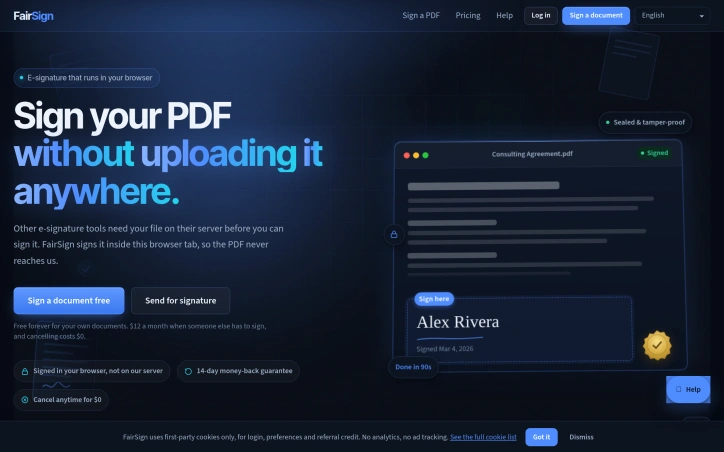
Document signing has become necessary friction in business, but most e-signature platforms add friction rather than remove it. FairSign tackles a straightforward problem: competitors charge opaque per-user fees, impose envelope caps with overage charges, lock customers into annual contracts with steep exit penalties, and require uploading sensitive PDFs to their servers. The tool is designed for anyone who needs to sign documents, from freelancers handling a handful of contracts monthly to small businesses managing regular signature workflows. The product's core innovation is its handling of files. Self-signing runs entirely within the browser, meaning documents never leave the user's device and signing costs nothing, requires no account, and has no limits. This zero-friction approach to self-signing sets it apart from competitors who monetize every interaction. For businesses sending documents to others, the pricing model inverts the typical structure: $12 monthly covers the entire account with unlimited signature requests, not a per-seat fee. Recipients open a browser link and sign without creating an account or installing software, receiving tamper-evident certificates upon completion. The workflow emphasizes speed and simplicity. Users drop a PDF into the browser, mark signature locations, and complete signing in under two minutes. No signup flows, no email verification gates, no hidden account requirements stand between the user and a signed document. FairSign distinguishes itself most clearly through billing practices and cancellation terms. The company explicitly acknowledges industry friction points: Adobe charges 50 percent of remaining contract value as early-termination fees, DocuSign imposes $30-per-user pricing with annual envelope caps, and the industry pattern shows free trials that silently convert to charges with refused refunds. FairSign's policy is straightforward: renewal reminders arrive seven days in advance, cancellation costs zero dollars with one click, and a 14-day money-back guarantee applies to paid plans. These commitments appear in writing via policy pages rather than buried in terms of service. The feature set includes 31 templates, support for 17 signing languages, and support for PDFs up to 50 megabytes. Sent documents are encrypted, automatically deleted after 30 days, and can be manually deleted earlier. Documents carry certificates of completion and tamper-evident seals. FairSign targets a genuine frustration point in document workflows. Whether execution and product roadmap deliver long-term value depends on handling edge cases and satisfying growing customer complexity, but the positioning and immediate value proposition are clear.

E-signature-apps
H
Hua

Document signing has become necessary friction in business, but most e-signature platforms add friction rather than remove it. FairSign tackles a straightforward problem: competitors charge opaque per-user fees, impose envelope caps with overage charges, lock customers into annual contracts with steep exit penalties, and require uploading sensitive PDFs to their servers. The tool is designed for anyone who needs to sign documents, from freelancers handling a handful of contracts monthly to small businesses managing regular signature workflows. The product's core innovation is its handling of files. Self-signing runs entirely within the browser, meaning documents never leave the user's device and signing costs nothing, requires no account, and has no limits. This zero-friction approach to self-signing sets it apart from competitors who monetize every interaction. For businesses sending documents to others, the pricing model inverts the typical structure: $12 monthly covers the entire account with unlimited signature requests, not a per-seat fee. Recipients open a browser link and sign without creating an account or installing software, receiving tamper-evident certificates upon completion. The workflow emphasizes speed and simplicity. Users drop a PDF into the browser, mark signature locations, and complete signing in under two minutes. No signup flows, no email verification gates, no hidden account requirements stand between the user and a signed document. FairSign distinguishes itself most clearly through billing practices and cancellation terms. The company explicitly acknowledges industry friction points: Adobe charges 50 percent of remaining contract value as early-termination fees, DocuSign imposes $30-per-user pricing with annual envelope caps, and the industry pattern shows free trials that silently convert to charges with refused refunds. FairSign's policy is straightforward: renewal reminders arrive seven days in advance, cancellation costs zero dollars with one click, and a 14-day money-back guarantee applies to paid plans. These commitments appear in writing via policy pages rather than buried in terms of service. The feature set includes 31 templates, support for 17 signing languages, and support for PDFs up to 50 megabytes. Sent documents are encrypted, automatically deleted after 30 days, and can be manually deleted earlier. Documents carry certificates of completion and tamper-evident seals. FairSign targets a genuine frustration point in document workflows. Whether execution and product roadmap deliver long-term value depends on handling edge cases and satisfying growing customer complexity, but the positioning and immediate value proposition are clear.

FairSign preview

Key features

  • In-Browser Signing: Self-signing runs entirely within the browser with documents never leaving your device.
  • Tamper-Evident Certificates: Recipients receive certificates of completion and tamper-evident seals upon signing.
See full listing
Img3D

Designers and game developers working with 3D assets face a familiar bottleneck: validating concepts and proportions before investing time in detailed manual modeling. Img3D addresses this by offering an AI-powered 3D generator that converts either reference images or text descriptions into browser-viewable models in minutes rather than hours. The product targets a specific workflow niche. Product designers can upload a photograph to test silhouettes and proportions before committing to prototyping. Game developers can draft asset shapes for topology and material refinement in their existing tools. Furniture and props designers can turn flat reference images into rotatable 3D previews. The common thread is treating the AI output as a draft checkpoint, not a finished asset. What distinguishes Img3D is its uncluttered approach to a technically complex problem. The interface manages four distinct decisions: uploading a reference image or writing a prompt, selecting between Fast mode for quick exploration and Quality mode for closer inspection, rotating and zooming the generated model in a browser preview, then downloading the files for further work in industry-standard 3D tools. This structure acknowledges that AI-generated 3D models work best as starting points rather than final deliverables. The product offers both image-to-3D and text-to-3D pathways. Image inputs work best with isolated subjects photographed cleanly against neutral backgrounds, where the generator can infer angles and details the camera cannot capture. Text inputs suit earlier ideation stages when visual references do not yet exist. The platform generates models in GLB format, the web standard for interactive 3D preview, and downloads additional formats for use in Blender, Maya, or game engines. Two technical choices stand out. First, the browser-based preview allows designers to inspect results immediately without software installation, spinning and zooming the model to check backs, undersides, and proportions against the reference. Second, the system displays credit costs before generation, letting users make informed decisions about which mode fits their timeline and budget. Img3D operates on a credit-based pricing model, though specific rates are not detailed in public materials. Users must sign in to access generation and storage, anchoring the product in a registered-user workflow rather than one-off conversions. The target users are professionals who recognize that a quick 3D draft beats a detailed 2D mockup for validating spatial ideas, provided that draft integrates smoothly into their existing creative pipeline. Img3D succeeds by staying focused on that specific integration point.
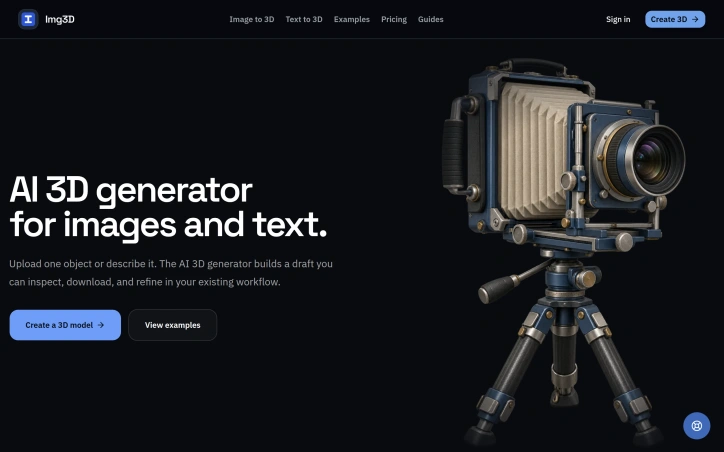
3d-animation
I
Img3D

Designers and game developers working with 3D assets face a familiar bottleneck: validating concepts and proportions before investing time in detailed manual modeling. Img3D addresses this by offering an AI-powered 3D generator that converts either reference images or text descriptions into browser-viewable models in minutes rather than hours. The product targets a specific workflow niche. Product designers can upload a photograph to test silhouettes and proportions before committing to prototyping. Game developers can draft asset shapes for topology and material refinement in their existing tools. Furniture and props designers can turn flat reference images into rotatable 3D previews. The common thread is treating the AI output as a draft checkpoint, not a finished asset. What distinguishes Img3D is its uncluttered approach to a technically complex problem. The interface manages four distinct decisions: uploading a reference image or writing a prompt, selecting between Fast mode for quick exploration and Quality mode for closer inspection, rotating and zooming the generated model in a browser preview, then downloading the files for further work in industry-standard 3D tools. This structure acknowledges that AI-generated 3D models work best as starting points rather than final deliverables. The product offers both image-to-3D and text-to-3D pathways. Image inputs work best with isolated subjects photographed cleanly against neutral backgrounds, where the generator can infer angles and details the camera cannot capture. Text inputs suit earlier ideation stages when visual references do not yet exist. The platform generates models in GLB format, the web standard for interactive 3D preview, and downloads additional formats for use in Blender, Maya, or game engines. Two technical choices stand out. First, the browser-based preview allows designers to inspect results immediately without software installation, spinning and zooming the model to check backs, undersides, and proportions against the reference. Second, the system displays credit costs before generation, letting users make informed decisions about which mode fits their timeline and budget. Img3D operates on a credit-based pricing model, though specific rates are not detailed in public materials. Users must sign in to access generation and storage, anchoring the product in a registered-user workflow rather than one-off conversions. The target users are professionals who recognize that a quick 3D draft beats a detailed 2D mockup for validating spatial ideas, provided that draft integrates smoothly into their existing creative pipeline. Img3D succeeds by staying focused on that specific integration point.

Img3D preview

Key features

  • Image-to-3D and Text-to-3D: Converts reference images or text descriptions into 3D models in minutes
  • Fast and Quality Modes: Offers Fast mode for quick exploration and Quality mode for detailed inspection
See full listing
C

Copy Fonty is a free online font generator created to make stylish text simple and accessible for everyone. Many users want to make their social media bios, posts, usernames, gaming profiles, messages, and creative content stand out, but finding and creating different text styles can be difficult. Copy Fonty solves this problem by providing a simple collection of fancy Unicode font styles that users can generate and copy instantly. Users can enter their normal text and transform it into different styles, including bold, italic, cursive, gothic, calligraphy, aesthetic, small text, and other creative Unicode styles. The generated text can then be copied and pasted into social media profiles, posts, websites, chats, games, and other platforms. The goal of Copy Fonty is to provide a fast, free, and easy-to-use font and text styling experience without requiring downloads or complicated software.
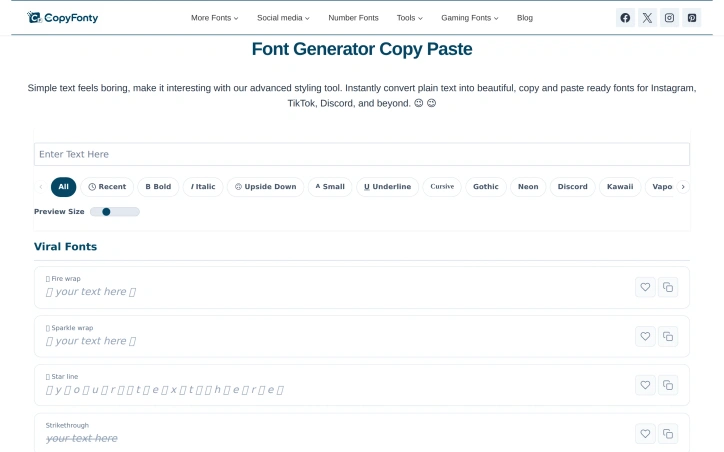

Design-inspiration-websites
A
Awais Lodhi

Copy Fonty is a free online font generator created to make stylish text simple and accessible for everyone. Many users want to make their social media bios, posts, usernames, gaming profiles, messages, and creative content stand out, but finding and creating different text styles can be difficult. Copy Fonty solves this problem by providing a simple collection of fancy Unicode font styles that users can generate and copy instantly. Users can enter their normal text and transform it into different styles, including bold, italic, cursive, gothic, calligraphy, aesthetic, small text, and other creative Unicode styles. The generated text can then be copied and pasted into social media profiles, posts, websites, chats, games, and other platforms. The goal of Copy Fonty is to provide a fast, free, and easy-to-use font and text styling experience without requiring downloads or complicated software.

EveryWear — AI Virtual Wardrobe & Virtual Try-On

Create outfits with AI, organize your digital wardrobe and try clothes virtually. European AI fashion assistant, made in France.
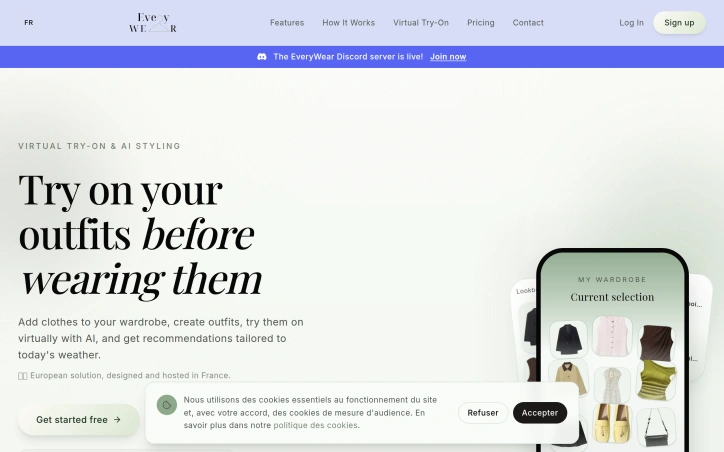
Social-community
G
Guylann Bresson

Create outfits with AI, organize your digital wardrobe and try clothes virtually. European AI fashion assistant, made in France.

L
Launchory 🔥 Trending

We built Launchory to solve the discoverability problem for startups. Our platform offers instant approval, permanent dofollow backlinks from our DR 58 domain, and optimization for AI search engines. We believe every startup deserves high-authority backlinks and a platform to showcase their product to early adopters.


Startup-communities
G
Gulzar Ahmad

We built Launchory to solve the discoverability problem for startups. Our platform offers instant approval, permanent dofollow backlinks from our DR 58 domain, and optimization for AI search engines. We believe every startup deserves high-authority backlinks and a platform to showcase their product to early adopters.

Logo Double-R

Affordability has long been the barrier keeping small businesses and startups from professional design work. Logo Double-R addresses this directly by offering custom logo design, website design, and video animation services starting at $49, positioning itself as an alternative to high-cost design agencies that price out emerging companies and solo entrepreneurs. The service targets business owners who need to establish a visual brand but operate under tight budget constraints. Rather than the multi-thousand-dollar engagements typical of traditional design firms, Logo Double-R collapses that cost barrier significantly. The founder's model centers on the premise that professional branding should not require substantial capital investment, a positioning that resonates with cost-conscious founders building from scratch. What sets the offering apart is the simplicity of the value proposition combined with a breadth of services. Most budget logo services stop at logos. Logo Double-R bundles website design and video animation into the same accessible price range, allowing customers to address multiple branding needs without piecing together vendors. The inclusion of a 100 percent satisfaction guarantee reduces perceived risk for first-time buyers uncertain about remote design services. This guarantee suggests confidence in deliverable quality and serves as a differentiator in a space where reputation matters. The company presents itself as a single-step resource for building online presence, acknowledging that most small businesses need more than a logo alone to compete digitally. The expanded service menu across design disciplines means customers can consolidate vendor relationships and reduce coordination overhead. A USA-based phone line (1-800-859-4319) provides direct contact capability, which is notable for budget service tiers that often default to email-only support. The pricing model appears constructed around volume and operational efficiency rather than boutique positioning. By standardizing packages and streamlining processes, the company achieves margins that allow aggressive pricing while maintaining profitability. This is a deliberate business choice that trades customization and hand-holding for accessibility. The primary limitation is that the scraped website content provides little insight into process quality, designer credentials, or typical turnaround times. The brand positioning emphasizes affordability and speed rather than award-winning design credentials, which is appropriate for the market segment but signals that clients should set expectations accordingly. This is a service built for businesses that need functional branding quickly and cheaply, not for those seeking design that becomes a competitive moat. For that precise audience, the offering delivers.


Graphic-design-tools
L
Logo Double R

Affordability has long been the barrier keeping small businesses and startups from professional design work. Logo Double-R addresses this directly by offering custom logo design, website design, and video animation services starting at $49, positioning itself as an alternative to high-cost design agencies that price out emerging companies and solo entrepreneurs. The service targets business owners who need to establish a visual brand but operate under tight budget constraints. Rather than the multi-thousand-dollar engagements typical of traditional design firms, Logo Double-R collapses that cost barrier significantly. The founder's model centers on the premise that professional branding should not require substantial capital investment, a positioning that resonates with cost-conscious founders building from scratch. What sets the offering apart is the simplicity of the value proposition combined with a breadth of services. Most budget logo services stop at logos. Logo Double-R bundles website design and video animation into the same accessible price range, allowing customers to address multiple branding needs without piecing together vendors. The inclusion of a 100 percent satisfaction guarantee reduces perceived risk for first-time buyers uncertain about remote design services. This guarantee suggests confidence in deliverable quality and serves as a differentiator in a space where reputation matters. The company presents itself as a single-step resource for building online presence, acknowledging that most small businesses need more than a logo alone to compete digitally. The expanded service menu across design disciplines means customers can consolidate vendor relationships and reduce coordination overhead. A USA-based phone line (1-800-859-4319) provides direct contact capability, which is notable for budget service tiers that often default to email-only support. The pricing model appears constructed around volume and operational efficiency rather than boutique positioning. By standardizing packages and streamlining processes, the company achieves margins that allow aggressive pricing while maintaining profitability. This is a deliberate business choice that trades customization and hand-holding for accessibility. The primary limitation is that the scraped website content provides little insight into process quality, designer credentials, or typical turnaround times. The brand positioning emphasizes affordability and speed rather than award-winning design credentials, which is appropriate for the market segment but signals that clients should set expectations accordingly. This is a service built for businesses that need functional branding quickly and cheaply, not for those seeking design that becomes a competitive moat. For that precise audience, the offering delivers.

Logo Double-R preview

Key features

  • Affordable Design Services: Custom logo, website design, and video animation packages starting at $49
  • Multi-Service Bundling: Website design and video animation included alongside logo design at accessible prices
See full listing
DesignLayer

Developers shipping React applications face a persistent friction point: moving from design mockups to production code requires either building components from scratch or hunting for pre-built solutions that rarely match the design intent. DesignLayer addresses this by combining a live component library with a workflow optimized for AI-assisted development. The platform positions itself as a motion-first alternative within the shadcn/ui ecosystem. Rather than static documentation, DesignLayer lets developers see animations in real time before copying the underlying TypeScript. The workflow is straightforward: browse the catalog, preview a component's behavior, copy the production-ready TSX, and paste it into Cursor, Claude, or any editor. This assumes developers increasingly work with AI tools and prefer handing off design intent programmatically rather than through screenshots. The component selection reflects common SaaS patterns: headers, hero sections, feature cards, portfolio layouts, and grids. Templates add cohesion—complete starters like a SaaS landing page reduce assembly work. All components use TypeScript, Tailwind CSS, and Framer Motion, integrating cleanly with existing shadcn/ui setups. Testimonials hint at the actual value: reduced design-to-engineering back-and-forth, confidence that code matches intended spacing and motion, and easier collaboration when code embodies visual hierarchy. The emphasis on consistency suggests the library solves a real coordination problem between design and engineering. The business model is straightforward. Free allows one component copy per day, positioning the tool as try-before-you-buy. Pro unlocks unlimited copies and full page templates. For developers or small teams, free is useful for sampling; for active projects, Pro offers low-friction commercial access. DesignLayer's differentiation rests on three bets: that motion matters enough to preview live, that copy-paste workflows save meaningful time, and that AI editors like Cursor are becoming standard. If any assumption holds for your workflow, the tool is worth testing. For developers in the shadcn/ui ecosystem, adoption friction is minimal.
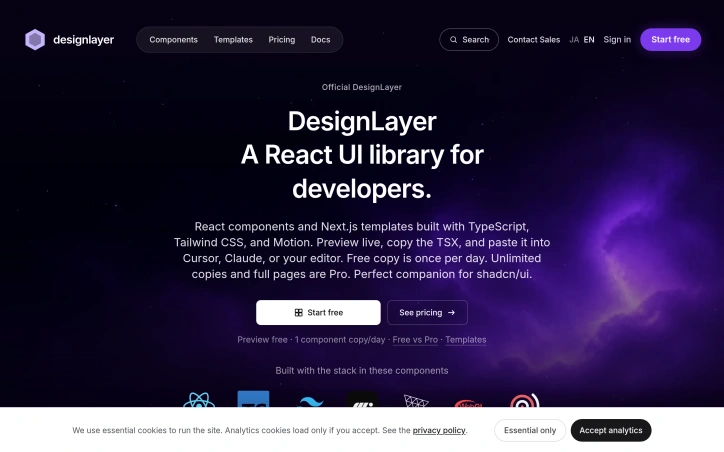
Ui-frameworks
F
FUJIYOSHI

Developers shipping React applications face a persistent friction point: moving from design mockups to production code requires either building components from scratch or hunting for pre-built solutions that rarely match the design intent. DesignLayer addresses this by combining a live component library with a workflow optimized for AI-assisted development. The platform positions itself as a motion-first alternative within the shadcn/ui ecosystem. Rather than static documentation, DesignLayer lets developers see animations in real time before copying the underlying TypeScript. The workflow is straightforward: browse the catalog, preview a component's behavior, copy the production-ready TSX, and paste it into Cursor, Claude, or any editor. This assumes developers increasingly work with AI tools and prefer handing off design intent programmatically rather than through screenshots. The component selection reflects common SaaS patterns: headers, hero sections, feature cards, portfolio layouts, and grids. Templates add cohesion—complete starters like a SaaS landing page reduce assembly work. All components use TypeScript, Tailwind CSS, and Framer Motion, integrating cleanly with existing shadcn/ui setups. Testimonials hint at the actual value: reduced design-to-engineering back-and-forth, confidence that code matches intended spacing and motion, and easier collaboration when code embodies visual hierarchy. The emphasis on consistency suggests the library solves a real coordination problem between design and engineering. The business model is straightforward. Free allows one component copy per day, positioning the tool as try-before-you-buy. Pro unlocks unlimited copies and full page templates. For developers or small teams, free is useful for sampling; for active projects, Pro offers low-friction commercial access. DesignLayer's differentiation rests on three bets: that motion matters enough to preview live, that copy-paste workflows save meaningful time, and that AI editors like Cursor are becoming standard. If any assumption holds for your workflow, the tool is worth testing. For developers in the shadcn/ui ecosystem, adoption friction is minimal.

DesignLayer preview

Key features

  • Live Component Library: preview animations in real time before copying production-ready TypeScript code
  • Motion-First Design: emphasizes live animation previews as the core differentiator from static documentation
See full listing