
Catalyst Healthspan Audit
Personal trainers typically sell training sessions. This startup reversed the equation by building assessment first, mak...

CrabTap
Small businesses have long struggled to implement loyalty programs without massive overhead. CrabTap addresses this gap...

uploadthefile.com
Sharing files and publishing static content has long required friction: account creation, platform navigation, or comman...
Recently Listed
884 launches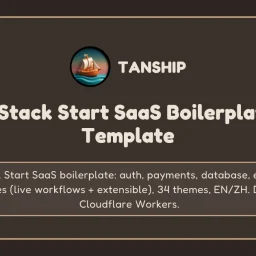
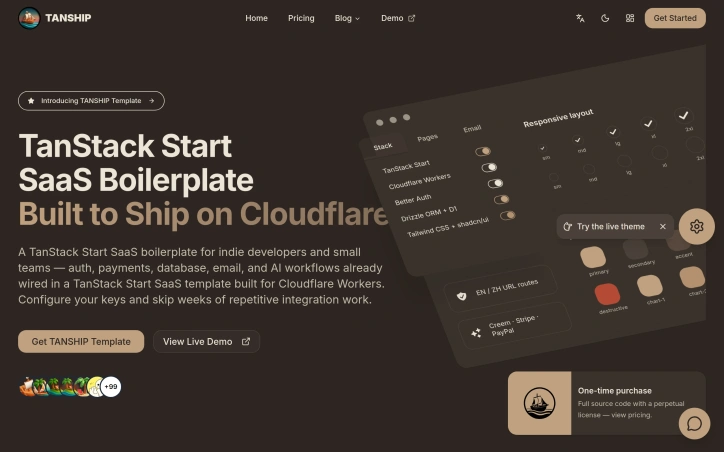
Repetitive infrastructure work often delays indie developers from building actual product. TANSHIP addresses this friction by delivering a complete, deployable SaaS boilerplate where authentication, payments, database, email, and AI workflows are already wired and ready to configure. The boilerplate targets four distinct audiences: indie hackers testing early ideas, small teams launching MVPs, developers operating across Chinese and global markets, and AI-assisted developers. The product philosophy centers on depth rather than window dressing—this is full source code, not a UI template. The codebase runs on Cloudflare's infrastructure, with D1 for database, R2 for storage, Workers AI for machine learning tasks, and Turnstile for form protection. Five systems ship fully integrated. Authentication uses Better Auth with email/password and Google OAuth options. Payments span three providers—Stripe, PayPal, and Creem—with webhook signature verification and production-ready billing interfaces already implemented. The database layer includes Drizzle ORM binding to D1 with 18 prebuilt tables to establish a common foundation. Email runs through Resend with double opt-in newsletter logic and a protected contact form. AI workflows execute on Workers AI, with built-in credit metering and rate limiting—systems that normally require custom engineering. Beyond backend infrastructure, the template includes 34 theme presets with a visual customization interface and URL routing for both English and Chinese-language deployments. The codebase carries annotations—AGENTS.md and CLAUDE.md files—explicitly designed to help AI coding agents understand project structure and conventions. A practical decision worth noting: the payment setup handles webhook idempotency, a detail many boilerplates skip that prevents duplicate charges and failed transaction recovery issues. Similarly, profile and billing dashboards come fully implemented rather than as empty scaffolding. The business model follows a straightforward approach. A single one-time purchase unlocks perpetual source code access delivered through a private repository invitation, ongoing email support, and inclusion of future template updates. This differs from subscription models and aligns with the indie developer audience's preference for ownership over ongoing licensing fees. The stack assembles mature, type-safe tools: TanStack Start, React, TypeScript, Tailwind CSS, shadcn/ui components, and Drizzle ORM. Cloudflare Workers as the primary compute target keeps operational overhead minimal for teams without DevOps bandwidth. The product's target audience—developers eager to skip months of plumbing work—makes this template's focus on completeness and type safety more valuable than another UI-only starter kit.

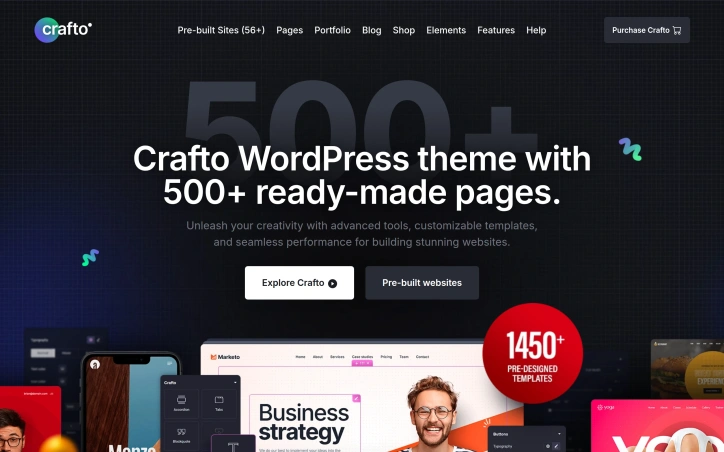
WordPress site development traditionally demands substantial time investment, whether building from scratch or customizing templates. Crafto addresses this friction by packaging a pre-built solution around Elementor's page builder, targeting businesses and freelancers who need professional websites without developmental overhead. The theme's core offering centers on speed to deployment. With 56 industry-specific demo sites spanning corporate, e-commerce, education, hospitality, and professional services verticals, users can select a starting point matching their business type rather than configuring from blank canvas. The accompanying library of 500+ pre-built pages and 100+ widgets compresses the typical weeks-long development cycle into a launch measured in hours. What distinguishes Crafto operationally is its integration depth with Elementor. The drag-and-drop builder serves as the primary customization interface, supported by a dedicated theme builder for headers, footers, and layout control. This approach lowers technical barriers—non-developers can modify design without touching code while maintaining professional results. Performance optimization is built-in rather than an afterthought; the marketing materials emphasize speed scoring and load time tuning, categories where theme selection directly impacts site metrics. The breadth of included templates speaks to market coverage. Rather than forcing generalists to jury-rig components across unrelated templates, Crafto bundles industry-specific designs: medical clinics receive healthcare-appropriate layouts, fashion retailers get e-commerce framing, agencies access portfolio constructions. This vertical focus reduces customization demands compared to horizontal themes requiring users to retrofit templates across contexts. Feature density skews toward visual presentation—animations, effects, and design polish feature prominently in positioning. The theme reportedly represents over 1,000 days of development work, suggesting iterative refinement toward performance and polish rather than experimental features. From a business standpoint, Crafto operates within the Envato ecosystem as a Power Elite author offering, indicating professional vetting and customer support commitments through that platform. The claim of 60,000+ active users provides social proof, though this reflects installed base rather than new adoption rate. The product serves WordPress users experiencing decision fatigue between starting blank and overfitting generic themes. It particularly suits agencies serving multiple verticals, small business owners prioritizing speed-to-market, and freelancers building client sites where turnaround time directly affects profitability. Pricing details remain absent from available materials, though Envato-hosted themes typically operate on one-time purchase or subscription models.

Indian car and motorcycle buyers navigating the crowded automotive market face a genuine challenge: synthesizing reliable information about new vehicles, comparing models across price points, and understanding the true cost of ownership. Neu Auto addresses this friction by centralizing vehicle research, reviews, and practical tools into a single platform designed specifically for the Indian buyer. The platform distinguishes itself through consistent content updates and breadth of coverage. Recent articles span established segments like the Toyota Innova Crysta and emerging categories like budget electric SUVs under 15 lakh rupees, indicating an editorial strategy that serves both mainstream and early-adopter audiences. The site tracks upcoming launches, giving prospective buyers forward-looking information rather than just historical reviews. Beyond editorial content, Neu Auto includes comparative tools and buying resources that move beyond passive reading. Side-by-side scooter comparisons, electric vehicle range breakdowns, and loan calculators transform the platform from a content repository into a decision-support system. This positions it as a practical utility during active purchasing, not just exploratory browsing. The scope spans new and used vehicles, motorcycles and scooters, combustion and electric powertrains, and entry-level to premium segments. This horizontal breadth reflects an ambition to become a comprehensive reference rather than a niche reviewer. The emphasis on electric vehicles as a dedicated category reflects India's automotive market evolution, even as the platform continues covering traditional segments. The contact email and disclosed social media presence indicate a focused team operating at modest scale. This leanness shapes the platform's likely economics: high-quality content at scale requires either significant funding or a sustainable monetization model. Neither is explicitly stated, though automotive content properties typically explore advertising partnerships, affiliate commissions on loan products or dealer referrals, or premium subscription tiers. For buyers who find existing automotive resources either too regional, too broad, or too sales-oriented, Neu Auto occupies a meaningful middle ground: Indian-specific information delivered through editorial authority rather than dealer networks, paired with practical calculation tools. Success depends on maintaining editorial quality and update frequency as the platform scales.


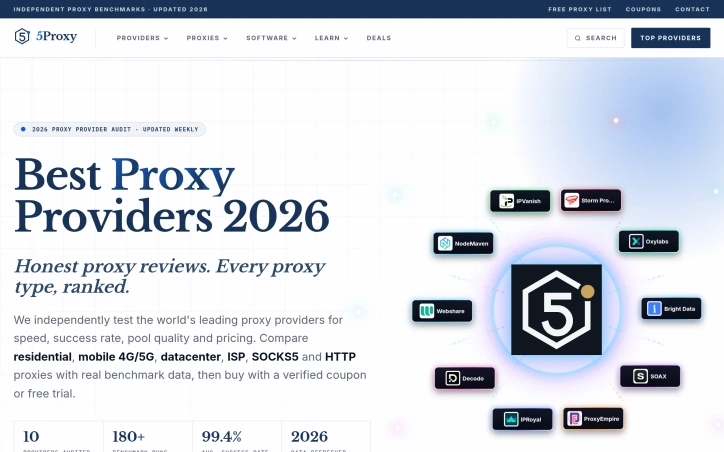
The proxy market operates largely on vendor claims and marketing speak, leaving buyers to guess whether they're getting true performance, quality IP pools, or real value. 5Proxy addresses this information gap by publishing independent benchmarks and comparison data for major proxy providers, targeting businesses that rely on proxies for web scraping, SEO monitoring, and social media automation. The core offering is a searchable directory that ranks and compares eight leading proxy networks—Oxylabs, Bright Data, IPRoyal, and others—across standardized metrics. Each provider receives a verified score based on speed, success rate, pool quality, and price. The site publishes detailed performance data including median latency ranging from 620ms to 1100ms across providers, IP pool size from 8 million to 191 million addresses, geographic coverage spanning 150 to 200 countries, and entry-level pricing points. What distinguishes 5Proxy from vendor websites is its transparent testing methodology. Rather than relying on provider self-reporting, the team runs their own benchmarks across a 10-region test framework, publicly assigning gold, silver, and bronze awards based on weighted performance criteria. This methodology builds credibility with buyers skeptical of marketing claims by surfacing reproducible test data. The platform's comparison table allows users to filter by proxy type—residential, mobile 4G/5G, ISP/static, or datacenter—sort by performance metrics or price, and compare providers side by side. Pricing data is normalized across providers, with entry prices ranging from $0.80 per GB to $8.40 per GB depending on the provider and proxy type selected. For the target audience, this delivers genuine utility. Web scraping teams and SEO professionals typically spend weeks testing multiple providers to understand latency tradeoffs, pool quality, and actual pricing before committing. 5Proxy compresses this research by surfacing verified performance data and side-by-side comparisons in one place. The reliance on independent testing rather than vendor claims directly counters the inflated marketing typical of the proxy market. The current limitation is scope: the ranking includes only eight providers, and smaller or emerging proxy services don't appear. For procurement teams evaluating the full proxy landscape, 5Proxy serves as a strong starting point but not an exhaustive resource. Still, for buyers choosing between established providers, it cuts through noise and delivers the transparent comparison the market lacks.
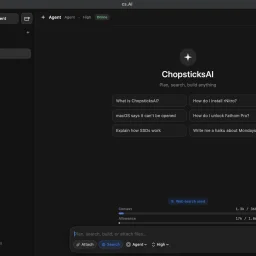
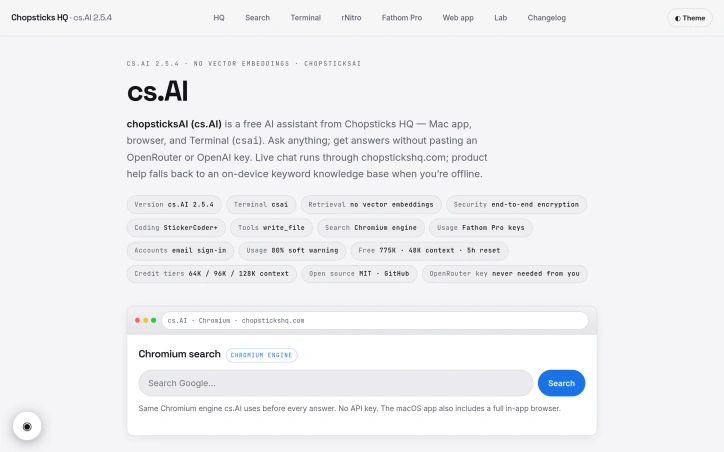
Eliminating API key friction remains a persistent pain point for Mac users exploring AI tools. Chopsticks HQ addresses this with chopsticksAI (cs.AI), a free AI assistant available across macOS, browser, and terminal that requires no key setup to get started. The product targets developers and general users alike who want accessible AI assistance without the overhead of configuring third-party services. What distinguishes cs.AI is its committed approach to removing barriers. The free tier provides 775,000 tokens with 48,000 context window, resetting every five hours—substantial enough for daily exploration without paywalls. The product spans three distinct interfaces: a native macOS app with integrated Chromium browser, a web application, and a full-screen terminal CLI invoked via csai command. This multi-surface design reflects genuine consideration for how users interact with their tools across different workflows. The technical architecture reveals thoughtful engineering choices. Every answer is grounded in a live Chromium web search before generation. A dual-model pipeline handles responses: NVIDIA's Nemotron 3 Ultra drafts the answer, then Google's Gemma 4 26B reviews, corrects, and eliminates redundancy without introducing unsupported facts. This review stage adds quality control at generation time rather than as an afterthought. End-to-end encryption protects conversations, while an offline mode with keyword-based knowledge base ensures partial functionality without connectivity. cs.AI's knowledge base encompasses Chopsticks HQ's product suite, making it particularly useful for users within their ecosystem. The MIT open-source license and reliance on Fathom Pro keys rather than third-party API credentials signal a self-contained infrastructure strategy. Pricing remains flexible and transparent. Free users encounter a soft warning at eighty percent usage. Credit tiers escalate capacity: two credits unlock 800,000 tokens with 64K context; five credits reach 900,000 tokens and 96K context; ten credits top out at one million tokens with 128K context. This credit-based model avoids the subscription fatigue of many competitors. The product successfully executes on a specific thesis: capable AI assistance without friction. For Mac users and developers seeking straightforward access without vendor lock-in or setup complexity, cs.AI removes legitimate obstacles to adoption. The combination of generous free allowances, multiple access points, and offline resilience makes it a credible alternative for those fatigued by API key management and service sprawl.

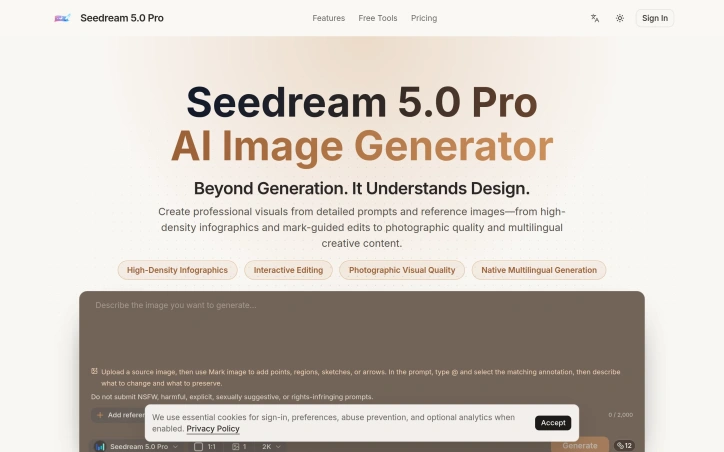
Designers and marketing teams struggling to generate complex, information-dense visuals have a new option in Seedream 5.0 Pro, an AI image generator that combines detailed text prompts with reference imagery and interactive annotation tools to produce professional-quality outputs. The core value proposition centers on speed and control. Rather than iterating through countless text-based attempts, users can upload a reference image, mark specific elements with annotations—points, regions, sketches, or arrows—and use those marked areas within their prompt to guide the AI's refinement process. This hybrid approach bridges the gap between fully automated generation and fully manual design work, giving designers meaningful control over the AI's output while retaining the efficiency gains of generative tools. The product targets three distinct use cases. First, complex infographics and data visualizations where precision matters, from highly detailed interfaces to statistical dashboards. Second, product and marketing campaigns requiring photographic quality and stylistic coherence across multiple assets. Third, multilingual creative content, a feature enabling teams working across languages to maintain design consistency without manual rework. The examples demonstrate genuine capability: a dense RPG interface prompt generates what appears to be a functional, grid-aligned layout with readable typography and appropriate color restraint. Key capabilities include support for high-density infographics through mark-guided editing, photographic-quality rendering, and native multilingual generation. The interface appears straightforward, with users inputting visual and textual references within specified limits, accompanied by clear content guidelines around restricted material. What distinguishes Seedream from broader AI image generators is its explicit focus on complexity rather than simplicity. Competitors often optimize for photorealistic portraits or stylized illustrations; Seedream specifically targets dense data visualization, technical specifications, and intricate layouts. The reference image plus annotation system represents a meaningful UX innovation that acknowledges designers don't want fully autonomous generation—they want smart tools that respond to structured creative direction. No pricing information appears in the available material, making cost assessment impossible. The product positions itself for professional creative workflows, though the actual pricing tier would significantly influence whether it becomes a standard design tool or remains a specialized premium option. For teams handling high-complexity visual projects, the focused feature set suggests a clear understanding of niche market needs, regardless of eventual cost.

Automating inbound and outbound customer calls remains a persistent pain point for businesses across service industries. Lengthy hold times, missed opportunities during off-hours, and team burnout from repetitive interactions all directly impact revenue and customer satisfaction. Xentto AI addresses this friction with an AI voice agent platform designed to handle the high-volume, low-complexity conversations that consume support and sales bandwidth. The platform targets businesses across healthcare, real estate, education, hospitality, finance, and contact centers. Its value proposition centers on deploying conversational agents that operate around the clock without the overhead of additional staff. Rather than merely automating call routing, Xentto's system engages in natural dialogue, capturing customer intent and information before routing complex cases to human handlers. The product's core capabilities include appointment scheduling, lead qualification, customer support triage, payment reminders, and basic inquiry resolution. Real estate agencies can use the platform to qualify property inquiries and schedule showings. Healthcare providers deploy it for clinic scheduling and patient communication. Financial services organizations leverage it for EMI collection and payment follow-ups. This horizontal positioning across verticals suggests the underlying voice technology and conversational engine have maturity beyond narrow use cases. Several technical strengths emerge from customer testimony. The voice quality reportedly sounds natural enough that interactions preserve customer experience rather than creating frustration. Integration appears straightforward, with customers noting seamless adoption into existing workflows. The platform supports multiple languages, addressing businesses with diverse customer bases. An analytics dashboard provides visibility into call outcomes and customer engagement patterns, enabling data-driven optimization of voice agent behavior. The customer base spans mid-market operators to enterprise organizations. Testimonials cite both cost reduction and improved response times, though specific metrics are absent from public material. One customer mentions automation of thousands of interactions, indicating the system scales beyond pilot projects. The absence of transparent pricing information represents a notable gap in the public positioning. This forces prospective customers to request quotes and sales conversations before understanding investment levels, a common SaaS friction point. Overall, Xentto AI presents a mature solution for the crowded AI voice agent category. Its multi-industry deployment and emphasis on conversational naturalness distinguish it from simpler IVR automation, though the crowded competitive landscape means differentiation hinges on execution, voice quality, and integration breadth rather than novel capabilities.


Creative professionals looking for inspiration when facing project blocks have found a dedicated tool in this hybrid creature generator. Built for artists and game designers, the platform combines random selection across 2,500+ animal species into single creatures with eleven distinct body parts, creating endless drawing prompts and character concepts on demand. The product's strength lies in its structured approach to randomization. Rather than selecting a single species at random, users click through eleven separate slots—base body, head, ears, eyes, nose, legs, feet, tail, coat, color, and an extra feature—each pulling from the deep animal database independently. This part-by-part assembly creates far more varied and unusual combinations than simple species selection would allow. Users immediately receive a text prompt describing their hybrid creature, which they can copy for sketching, sharing, or direct use in creative work. The platform targets several specific use cases effectively. Aspiring artists use the generated prompts as drawing practice exercises. Game designers and tabletop role-playing groups draw character concepts from the descriptions. Social media users share their generated creatures as community challenges or portfolio pieces. A gallery of featured community creations demonstrates how the AI-generated images from successful hybrids look in practice, showing pairs of creatures alongside the animal-part prompts that produced them. Monetization enters once users unlock the full feature set. Free usage includes revealing all eleven parts and generating the text prompt. Signing in unlocks AI image generation using GPT Image 2, though the platform also offers a hand-drawn concept sketch option credited at one unit. The combination of free core functionality with optional premium image generation creates accessibility without eliminating a path to revenue. The database draws from diverse animal categories including mammals, birds, reptiles, insects, recognized breeds, and lesser-known species, providing the breadth necessary for the tool to remain fresh across repeated use. The straightforward mechanics—click to spin each slot, reveal parts sequentially, copy or generate—require no tutorial or learning curve. For creative professionals seeking structured randomization rather than pure chance, or for anyone needing quick character design inspiration, this generator delivers focused utility within a narrow, well-executed scope.

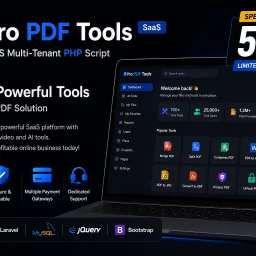
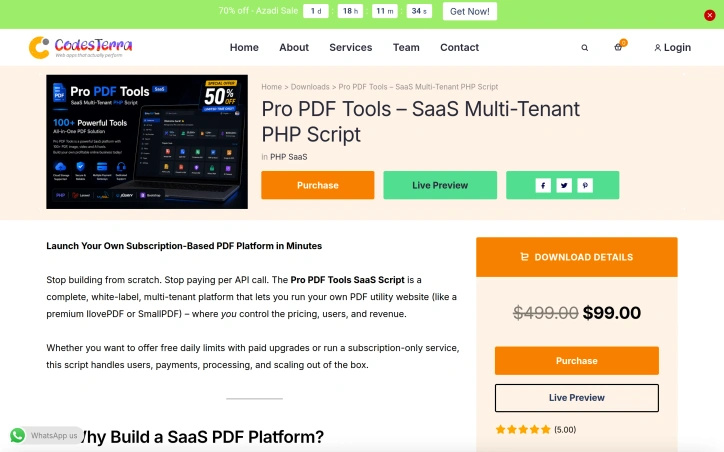
Entrepreneurs looking to launch a subscription-based PDF platform can now skip years of development with this white-label SaaS script. The product targets founders who want to capture recurring revenue from the millions of monthly PDF tool searches without investing heavily in custom infrastructure or dealing with per-transaction API costs. The script bundles over 20 PDF utilities in a single deployment, covering the most common needs: merging and splitting documents, compression at three fidelity levels, format conversion (Word, Excel, PowerPoint, and image files), security features like encryption and digital signatures, and maintenance tools such as file repair and watermarking. This breadth means operators can launch a competitive alternative to existing players in the space without building each feature from scratch. What distinguishes this offering is its focus on operational simplicity for non-technical founders. The platform includes built-in payment processing through Stripe and PayPal, multi-tenant architecture for managing multiple users, and white-label branding so operators fully control the customer experience. The architecture treats each tool as a self-contained module, enabling operators to selectively enable features or adjust processing parameters by fidelity level. This modularity matters: a startup can launch conservatively with core features and upsell compression levels or advanced conversions as usage patterns emerge. The script also addresses the economics that trap many PDF tool operators. Running on your own infrastructure means no ongoing API charges per file processed, and the built-in subscription mechanics handle both free-tier models with paid upgrades and pure subscription tiers. Documentation mentions support for daily usage limits, which is standard for freemium PDF tools but not trivial to implement correctly. A few caveats: the provided content offers no transparency about deployment complexity, infrastructure requirements, or realistic throughput expectations. Similarly, no pricing is disclosed for the script itself. Operators should clarify licensing terms, support guarantees, and whether updates to the PDF processing engine are included long-term. The claimed feature list is comprehensive on paper, but the actual quality of conversion fidelity and PDF handling edge cases would require testing before deployment. For founders confident in the feature set and comfortable with self-hosted infrastructure, this script removes substantial development friction.

Creators chasing viral moments on social media face a persistent friction point: ASMR content production demands both technical skill and time investment. ASMRHookLab addresses this by enabling rapid generation of ASMR videos through AI, built on Veo 3.1 technology. The product targets short-form creators on TikTok, Reels, and YouTube Shorts who want to capitalize on ASMR's popularity but lack specialized equipment or editing knowledge. The central innovation is simplicity. Rather than requiring users to master prompt engineering, the platform provides templated workflows. Creators select a preset template like fruit cutting or keyboard tapping, adjust a handful of variables, and receive a complete video with synchronized native audio within minutes. This is a fundamental departure from most AI video tools, which place the burden of articulate prompting on the user. By removing that barrier, ASMRHookLab democratizes a content category that previously demanded both artistic vision and technical fluency. The feature set reflects this philosophy. Templates come prebaked with detailed visual direction and sound design guidance, eliminating guesswork about what makes ASMR satisfying. Native audio synthesis ensures that visual motion and sound truly align, a critical requirement for ASMR where the auditory experience drives engagement. The platform supports multiple output formats including 4K and handles both portrait (9:16) and landscape (16:9) aspect ratios, letting creators repurpose content across different social platforms in a single workflow. Generation speed varies by quality tier. Fast rendering consumes 30 credits and takes approximately two minutes, while higher-quality output requires 150 credits and six minutes. The credit system implies a freemium model where users can sample the product, with free accounts applying a watermark to exports. This pricing structure allows creators to test viability before committing spending, a pragmatic approach to trial and adoption. What distinguishes ASMRHookLab is its focus on removing complexity rather than adding features. Many AI video tools optimize for maximum customization, appealing to advanced users. This product optimizes for speed and accessibility. For a creator trying to test whether ASMR content resonates with their audience, or for someone seeking fast turnaround on trending formats, the tradeoff is favorable. The templated approach inherently limits creative range, but it trades depth for velocity, a calculation that aligns with short-form content rhythms where posting frequency often outweighs individual production polish.


Cinematic video production without the traditional overhead is increasingly central to marketing and storytelling, and this AI-powered tool addresses a specific friction point: existing generators excel at short clips but struggle to maintain coherence across longer narratives. Seedance 2.5 targets creators, marketers, and production teams who need polished 30-second videos for ads, product launches, fashion content, and social media but lack the time or budget for conventional shoots. The product's core distinction is its approach to reference-based generation. Rather than relying solely on text prompts, it lets users provide images for style consistency, video references for motion guidance, audio tracks, and character references to maintain visual continuity throughout a 30-second sequence. This transforms the workflow from typing a description into something closer to traditional directorial planning—laying out beats, establishing visual anchors, and letting the model respect those choices across the full output. Beyond multimodal input, the technical architecture treats video as a joint audio-video generation task rather than post-processing sound into separately-generated footage. The 30-second native generation is mechanically significant; most competing tools max out at shorter segments and require stitching multiple clips together, a process the founder describes as tedious and prone to continuity breaks. Seedance 2.5 promises to render complete scenes with smoother narrative flow in one pass. The editing capabilities merit attention as well. Rather than forcing a full regeneration when details need refinement, the tool supports local region edits that preserve the composition, motion, lighting, and character identity of the broader scene. This substantially reduces iteration time for creators making small adjustments. The showcase examples span film, advertising, fashion, music, and educational content, demonstrating breadth in output quality and style versatility. Scenes range from surreal fantasy (floating storm battlefields, mechanical creatures) to grounded urban and commercial setups, suggesting the model generalizes reasonably well across visual genres. The platform does apply content screening, blocking requests involving sexual content, violence, hate speech, illegal activity, and rights-infringing material—a standard safety measure that may constrain some creative use cases. Pricing is not disclosed in the available materials, though the interface mentions a credit system. For teams evaluating the tool, transparency on cost-per-minute, subscription tiers, or per-generation pricing would be necessary for a practical procurement decision. The product positions itself as solving a real production problem with capabilities that distinguish it from simpler prompt-based generators, though buyers will need to validate consistency and edit speed against their specific workflow requirements.


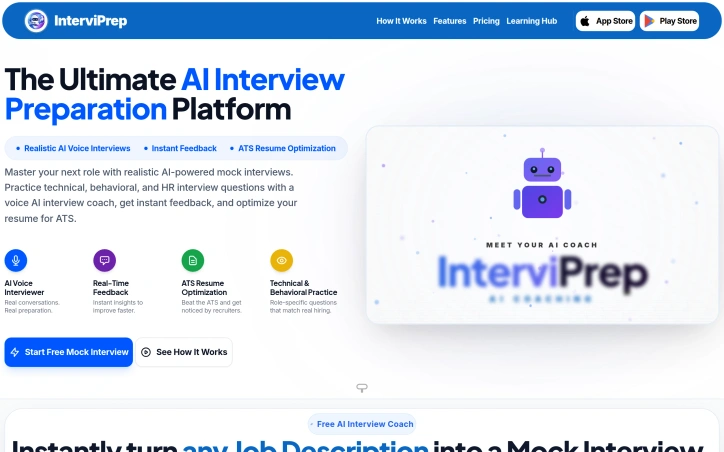
Preparation for job interviews remains a pain point for countless professionals, particularly those in competitive tech markets. Many candidates struggle not just with answering questions convincingly, but also with understanding how to position their experience through both resume formatting and verbal communication. InterviPrep addresses this multifaceted challenge through an AI-driven platform that combines mock interviewing, performance feedback, and resume optimization in a single solution. The platform targets job seekers across experience levels—from students entering the workforce to established professionals making career transitions. The approach is particularly well-suited to candidates in India and other markets where both technical expertise and structured behavioral responses determine hiring outcomes. What distinguishes InterviPrep is its integration of complementary preparation tools beyond the core mock interview. Users can convert any job description into a targeted interview session, with the AI conducting follow-up questions that adapt to responses. The platform provides granular feedback across communication quality, technical knowledge, behavioral responses, confidence, and presentation. On the resume side, ATS scoring identifies formatting and content issues that prevent applications from reaching human reviewers—a real obstacle for applicants unfamiliar with how modern recruiting systems filter submissions. The ecosystem extends further. A salary calculator, gratuity estimator, offer negotiation templates, and career gap explanation tools address the broader job transition process. This surrounding toolkit acknowledges that interview readiness is only one component of successful job seeking. The product documentation claims a user base of 50,000 professionals, a 4.6 out of 5 rating, and 12 million logged interview sessions. Testimonials from professionals at established companies like TCS and Zomato highlight confidence gains and tangible offer improvements. The platform's strength lies in treating interview preparation as a systems problem rather than an isolated skill gap. By combining realistic AI conversation practice with immediate performance analytics and ancillary career tools, it reduces friction across the entire job search cycle. The focus on ATS optimization particularly matters, as many candidates optimize their responses without considering whether their resume reaches hiring managers in the first place. The site mentions a free mock interview option, suggesting a freemium model. For job seekers willing to commit time to structured practice, InterviPrep offers a pragmatic alternative to generic interview guides or expensive coaching services.

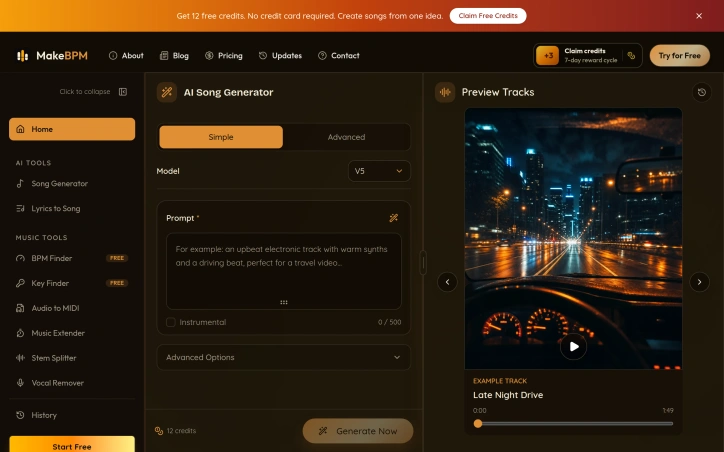
Democratizing music production, MakeBPM offers creators a path to generating professional-quality songs, beats, and soundtracks without formal training or production expertise. The platform targets content creators across multiple domains—video producers, podcasters, game developers, and individuals marking personal milestones—who need quick, credible background music but lack the time or skill to produce it themselves. The core offering addresses a real friction point: the gap between creative ambition and production capability. Rather than hunting for stock music or attempting to learn production software, users simply describe their musical vision, and the AI generates complete tracks with vocals, lyrics, melodies, arrangements, and accompanying artwork. What distinguishes MakeBPM is its flexible input model. Beyond simple mood and genre prompts, the platform accepts user-written lyrics and reference audio files, giving creators three distinct paths to music generation. This flexibility matters because creative work rarely begins at the same place. Some users arrive with a concept, others with finished lyrics, and still others with a reference track that captures the exact vibe they need. The platform accommodates all three scenarios. The range of output formats is comprehensive. MakeBPM can generate full vocal songs, instrumental beats, background music, and scene-specific soundtracks, making it applicable across creative work—from video intros and podcast backings to game audio and wedding playlists. Generation happens remarkably quickly, turning input into finished tracks within minutes rather than hours. The platform offers a free trial providing 12 credits, described as enough for one generation with two track options and valid for seven days. This lowers the barrier to experimentation. Beyond this, the service operates on a credit-based pricing model, though the website does not detail specific tier pricing. The workflow itself is intentionally stripped down. Users describe, wait while AI composes, then download and use the results. No music theory required. No production software to learn. This simplicity is the core value proposition. MakeBPM fills a specific niche: creators who need original music fast but lack production skills or budget for commissioned work. The breadth of documented use cases—from commercial campaigns to personal moments—suggests genuine versatility beyond typical stock music scenarios. For its intended audience, the product removes a substantial creative bottleneck.

Many e-commerce merchants face a costly disconnect: their ad platforms optimize for revenue and ROAS, but profitability tells a different story. After accounting for COGS, fulfillment fees, transaction costs, and VAT, orders that look profitable in Google Ads or Meta often destroy margins. Profit Bid targets this exact pain point, positioning itself as a bridge between online stores and advertising platforms that prioritizes actual profit over vanity metrics. The core innovation is straightforward but powerful. Rather than relying on traditional conversion signals based on revenue, Profit Bid ingests real cost data from e-commerce platforms, calculates true order-level and SKU-level profitability, and feeds margin-adjusted signals back to ad networks. This means Smart Bidding in Google Ads, optimization in Meta, and similar algorithms across TikTok, Microsoft, Pinterest, and Amazon all learn from profit signals instead of revenue. The platform achieves this through a first-party tracking pixel that matches ad clicks to resulting orders and uploads weighted conversion data with profit margins baked in. The product ecosystem is comprehensive. On the store side, Profit Bid integrates with six major platforms: Shopify, WooCommerce, BigCommerce, PrestaShop, Shopware, and OpenCart. Ad platform coverage spans Google Ads, Meta, TikTok, Microsoft Ads, Pinterest, and Amazon, meaning merchants can update their entire media stack with profit data in one integration. The claimed 50ms sync time and 99.99% uptime suggest serious infrastructure investment, though no transparency is offered on how these metrics are calculated or monitored. Feature-wise, the dashboard consolidates the metrics that matter: POAS, margins, ad spend, and net profit after advertising costs. A product labeling system automatically sorts SKUs into winners and losers based on profit contribution, then syncs these tags to ad platforms for cleaner campaign targeting. The addition of Proby, an AI agent, hints at a future where profit optimization becomes increasingly autonomous, though specifics on what this agent actually recommends remain vague. For merchants struggling with unprofitable growth or those managing complex SKU portfolios with varying margins, Profit Bid addresses a real problem that most platforms ignore. The breadth of integrations is noteworthy, as is the commitment to calculating true profitability rather than asking merchants to estimate it. Pricing details are absent from available materials, though the platform offers a free tier to start.


Game creators face a persistent friction point: compelling thumbnails and interface assets can drive engagement, but producing them individually consumes time and requires platform-specific visual knowledge. ForgeGUI addresses this directly by using AI to generate game thumbnails and GUI elements from text descriptions or reference images, with preset aesthetics matched to popular platforms. The product targets an active community of indie developers across Roblox, Minecraft, Unity, and Fortnite ecosystems. Rather than commissioning art or learning design tools, creators can describe a scene, apply platform-specific styling, and iterate rapidly on visual concepts. Several design choices distinguish ForgeGUI's approach. The platform presets go beyond generic filters—each targets a distinct visual language. Roblox-style output reflects blocky character proportions and environment aesthetics. Minecraft presets emphasize voxel-based forms. These constraints matter because thumbnails function differently at small viewport sizes on mobile devices, where contrast and subject readability determine click-through rates. ForgeGUI acknowledges this limitation directly, designing compositions for 16:9 mobile-friendly framing. The workflow itself prioritizes iteration. Users describe what they want, generate an image, then refine through edited directions or reference uploads rather than restarting from scratch. A live preview helps validate concepts before finalizing. The ability to test multiple visual moods—comparing scene staging, character expressions, or art directions within a single prompt—lets creators validate positioning before committing to one direction. A secondary feature set covers GUI assets beyond thumbnails: menus, panels, buttons, HUDs, and icons. The product labels 3D generation as coming soon, suggesting roadmap expansion beyond 2D web output. The company markets itself as trusted by over 10,000 creators and offers a 7-day free trial to assess the tool without commitment. No pricing structure appears in the public-facing content, leaving the long-term cost model unclear to prospective users. ForgeGUI works within constraints that define many AI generation tools: output quality depends on prompt clarity and how well style presets align with user intent. Creators expecting pixel-perfect professional work or highly customized branding will likely find the templated approach limiting. The core value proposition remains clear though—for creators who need functional game assets faster than manual creation allows, with minimal design expertise required, this directly shortens the iteration cycle.


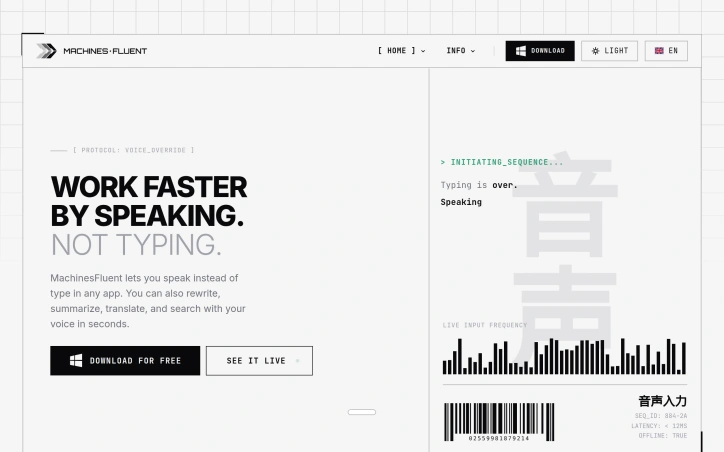
Voice input has long lagged behind typing as a productivity tool for knowledge workers, but MachinesFluent reimagines speech-to-text by treating it not as assistive accommodation but as core efficiency infrastructure for Windows users. The product targets anyone dealing with heavy text input demands—writers, researchers, developers—and particularly those experiencing repetitive strain or simply seeking faster input methods. What elevates MachinesFluent beyond commodity voice dictation is its integration of AI-powered text transformation. Rather than merely transcribing speech, the tool lets users invoke voice commands to rewrite, summarize, translate, and extract information from their screen. Multiple AI models (OpenAI, Anthropic, Google, Moonshot) chain into customizable hotkey workflows, allowing voice input for emails followed by automated professional formatting, or meeting transcription converted to structured notes with action items. The feature set spans offline speech-to-text, smart punctuation with automatic filler word removal, searchable dictation history, and custom vocabulary dictionaries. Integration covers thirty-plus applications—Word, Notion, Gmail, Slack, Asana—delivering genuine system-wide voice input rather than app-specific workarounds. Performance claims run aggressive: the product promises 4x speed over traditional typing with sub-12-millisecond latency. Speed gains depend on individual typing proficiency and speech clarity, but the offline architecture removes network bottlenecks plaguing cloud-based competitors. The founder's personal motivation—developing this after repetitive strain injuries—grounds the vision in necessity rather than speculation. This practical genesis often produces more intentional product design than efficiency-only pitches. MachinesFluent operates on a free model with premium tiers undisclosed in available information. For users seeking voice-driven workflows beyond transcription—toward genuine content creation and transformation—it addresses a distinct market gap.

Frustrated creators and product teams dealing with animated GIFs have long faced a choice between waiting for cloud uploads or compromising their file privacy. This browser-based tool eliminates that tradeoff by processing all conversions and edits locally, without ever sending files to a server. GIF Master targets anyone who regularly works with animated images: product managers recording screen demos, developers creating tutorial animations, social media teams managing asset libraries, and marketers building countdown graphics. The core appeal is immediate processing and guaranteed privacy, since no files leave the user's device. What distinguishes this offering from existing GIF utilities is its commitment to client-side processing. Rather than the typical upload-and-wait model, users get instant results by doing all computation in their browser. This approach eliminates both the friction of server uploads and the concern that sensitive or proprietary GIFs might be retained on external servers. The feature set covers the full GIF lifecycle. Conversion tools handle video to GIF and reverse workflows, supporting formats like MP4, WebM, and MOV. For optimization, a dedicated compressor lets users set target file sizes before processing, reducing trial-and-error adjustment. The batch compressor addresses teams managing multiple GIFs for documentation or campaigns, tracking progress across files. Several editing capabilities add practical value. Background removal works best on simple, solid colors and flat compositions, with manual frame-by-frame cleanup available for difficult cases. A blur tool handles both full-image redaction and timed local areas, useful for hiding faces or sensitive text in specific frames. The batch workflow and screen recording feature feed directly into GIF creation, allowing capture-to-export in one session. The product presents itself as free to try, though detailed pricing or premium tier information isn't disclosed. The value proposition depends entirely on whether users prioritize privacy and speed over the convenience of server-based processing, which often includes more sophisticated AI-driven features. For teams with privacy requirements, embedded GIF workflows, or frequent conversions, the browser-side approach removes both technical friction and compliance concerns. The real question for potential users isn't whether GIF Master does what it claims, but whether processing speed and privacy protection outweigh the trade-offs of working locally rather than in the cloud.


Teams across industries organize their work in spreadsheets, yet spend hours each week manually rebuilding status pages, creating dashboards, and tracking progress through disconnected tools. Wisegrid solves this friction by building an application layer directly on top of existing spreadsheets, keeping the source data familiar while adding the capabilities teams actually need. The product is built for teams that have invested in spreadsheet workflows but found them incomplete. Rather than forcing migration to a new system, Wisegrid keeps sheets as the core interface where team members edit and enter data, then automatically surfaces that information through dashboards, reports, and views that stay synchronized in real time. When someone edits a row, the dashboard updates instantly without manual intervention. It's an elegant inversion of the typical SaaS model: the familiar tool is the system of record, and everything else is built on top. The feature set reflects this philosophy. Dashboards pull live data directly from spreadsheet cells and can be shared at varying permission levels. Forms with conditional logic funnel submissions into rows. Reporting tools aggregate data across multiple sheets. Automations handle notifications, row assignments, and approval workflows on configurable triggers. Permissions are granular enough to share a full project, individual sheets, or specific slices with SSO and MFA included. Two capabilities particularly stand out. Blueprints let teams save a project as a reusable template, complete with formulas, automations, and dashboards, stamping out copies in under a minute. This transforms Wisegrid from a single-project tool into a factory system for standardized workflows. The AI formula capability deserves attention: teams write formulas that classify notes, extract structured data, or summarize text directly in cells, with costs metered per usage rather than as a separate line item. The pricing model is straightforward. Editors pay $19 per person per month, with unlimited free view-only collaborators, making it accessible for large teams where only a subset needs edit access. The plan includes $5 monthly AI credit, creating a built-in allowance for AI-powered cell operations. Wisegrid fills a specific but common gap: teams who have built working processes in spreadsheets but outgrew what spreadsheets alone can provide. By strengthening rather than replacing that interface, it solves the weekly status-page rebuild without forcing organizational change.


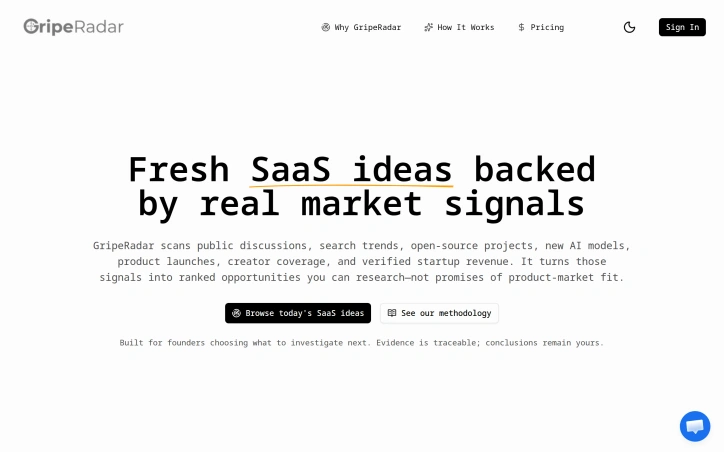
Opportunity research for founders typically follows one of two patterns: either they're overwhelmed by endless brainstorming, or they're drowning in polished lists that sound promising but reveal nothing about market validation. GripeRadar directly targets the decision paralysis that follows, offering founders a data-driven shortcut to the ideas most worth investigating. The product scans seven categories of market signals—public discussions, search trends, open-source projects, new AI models, product launches, creator coverage, and startup revenue data—then ranks opportunities by signal strength and corroboration. Rather than presenting a curated list of ideas backed by guesswork, GripeRadar surfaces ranked candidates with traceable sources and transparent confidence levels. What distinguishes GripeRadar from generic ideation tools is its commitment to separating signal from certainty. The interface offers both an Opportunity score and a Confidence rating, making clear that a high-ranked idea may still carry real uncertainty. This transparency reflects the founder's own frustration with SaaS idea lists that hide doubt behind opaque AI scoring. The company explicitly positions itself as a research starting point, not a predictor of product-market fit. The daily refresh cycle keeps the opportunity radar current, pulling from real-time market activity rather than stale snapshots. The bounded preview access lets prospective users quickly evaluate whether an opportunity is worth deeper investigation before committing to a subscription, a smart onboarding choice for a research product. The five visible examples showcase the breadth of signal detection—ranging from infrastructure gaps like deterministic testing tools, to emerging verticals such as AI for dental practice management, to security concerns around AI incident coordination. The specificity of these opportunities, tied to actual market signals rather than founder intuition, sets the product apart. One limitation: the website provides no detail on pricing or business model, making it unclear what access costs or subscription tiers exist. For a product built on the premise that quality research is worth time and attention, transparent pricing would strengthen the value proposition. For early-stage founders weighing what to build next, GripeRadar offers a structured alternative to unfounded brainstorming. It trades inspirational breadth for evidentiary depth—exactly the choice many founders need to make.

Indonesian language models have historically struggled with a fundamental structural challenge: the language's rich system of affixes and word modifications gets fractured by tokenization approaches designed for English. Veyra, a 75-million-parameter language model, addresses this problem through an alternative architecture that treats Indonesian on its own terms. The core innovation is the NMU framework—ninmeni meaning unit—which assigns a fixed ID to each character. Rather than breaking down inflected words into subword tokens, the model ingests complete words with all their affixes intact. This preserves the semantic structure that Indonesian speakers naturally recognize, training the model on authentic linguistic patterns instead of reconstructed approximations. The approach reflects a deliberate design philosophy: that language models should learn from a language's native roots, not translated or adapted paradigms. The model was built entirely from scratch using this framework, with the 75M parameter size chosen as a conscious validation point. Developers can verify model capabilities through systematic evaluation rather than selective demonstration. The focus remains deliberately narrow: Indonesian language performance shapes corpus selection, evaluation priorities, and development direction. Veyra shows unexpected capability beyond its primary scope. Despite no explicit English training, it generates grammatically sound English sentences—an artifact of how the NMU character-level encoding treats Latin characters universally across both languages. Developers treat this as an observable phenomenon rather than a marketed feature, documenting it while continuing to investigate the mechanism. The product positions itself as a tool for builders working specifically with Indonesian language applications. By rejecting the usual transfer-learning approach that adapts English-trained models for other languages, it offers a model trained in the way Indonesian actually works. This appeals to developers seeking more authentic language understanding for Indonesian, teams building primarily for Indonesian-speaking users, and researchers interested in non-English-centric language model design. The emphasis on documented evaluation and transparency about capabilities—including what remains unverified—indicates a research-first mindset that prioritizes credibility over marketing claims. No pricing information appears in available materials, suggesting this may be an open-source or research-stage project focused on validating the NMU framework before commercial deployment. That restraint itself signals maturity: the commitment to prove the approach works before scaling operations.