
Xtra Hands Family Chore App
Household chore management remains one of parenting's persistent friction points, and Xtra Hands positions itself as the...

Catalyst Healthspan Audit
Personal trainers typically sell training sessions. This startup reversed the equation by building assessment first, mak...
Recently Listed
1,033 launches
Developers spending hours tracking down the right utility tool for quick data transformations now have a consolidated alternative. HavenTools consolidates dozens of commonly-needed utilities into a single browser-based platform, eliminating the friction of finding specialized tools scattered across the internet. The core value proposition centers on privacy and convenience. Every operation processes entirely within the user's browser, with no data transmitted to servers or requiring account creation. This architectural choice addresses a legitimate concern in developer workflows: the hesitation to upload sensitive configuration files, API responses, or internal data to unfamiliar online services, even nominally reputable ones. By running computationally in the browser itself rather than on remote infrastructure, HavenTools removes that friction point for routine tasks. The feature breadth is substantial. The platform spans JSON processing including format validation, schema generation, and RFC-standard operations like JSON Pointer evaluation and JSON Patch generation. PDF capabilities handle merging, splitting, extraction, and rotation. Image tools cover compression, resizing, conversion, and color extraction. CSS generation tools produce production-ready output for gradients, shadows, flexbox layouts, transforms, and border-radius specifications. Beyond these categories, the platform includes utilities for GraphQL query building and formatting, HTTP request construction and inspection, XML validation and XPath testing, URL query string encoding, and SQL IN clause generation. The breadth suggests the creator identified common repetitive tasks in development workflows and built targeted solutions for each. The positioning emphasizes eliminating friction from everyday development activities. Rather than marketing as a comprehensive platform, it positions individual tools as replacements for fragmentary web searches. Each utility handles a specific transformation or validation task without the overhead of authentication, file upload dialogs, or waiting for server-side processing. The business model centers on free access, with no mention of premium tiers, paywalls, or subscription options in available materials. This positions HavenTools against both free tools scattered across the web and paid SaaS utilities, betting that consolidated access and privacy-first architecture create sufficient value that users won't seek alternatives. The execution appears focused on completeness within chosen categories rather than attempting total tool coverage. The JSON and developer-centric tools are particularly comprehensive, while file manipulation and visual generators fill practical secondary needs. This narrower scope potentially makes the platform more coherent than attempting to be everything.


Organizing fragmented video generation capabilities into a single workspace, this third-party platform addresses a genuine friction point for creators producing AI videos at scale. TryKlingAI bundles Kling 3.0, motion control, lip sync, and API access into one interface, targeting creators and developers who want centralized access to modern video generation features without juggling multiple tools or dashboards. The platform stands out by consolidating capabilities that would otherwise require separate workflows. Motion control, lip sync, and image-to-video generation sit alongside API access for developers, making it useful for both hands-on creators building individual videos and teams scaling production programmatically. Task history and credit estimates provide the operational transparency often missing from direct AI service access, letting users know exactly how many credits each video consumed and enabling more accurate project budgeting. The showcase examples reveal thoughtful feature positioning beyond marketing copy. The demonstrations span realistic workflows: product advertising with motion replication, documentary-style storytelling with character animation, fashion lookbooks cycling through outfits, and video extension for repurposing existing content. These are templates showing how the platform's capabilities translate into actual creative work rather than abstract technical examples. The ability to reference images and videos as control inputs—mirroring camera movements, replicating facial expressions, extending scenes—positions motion control as a creative tool for controlling narrative elements. The API access deserves particular mention for developers. Rather than reverse-engineering unofficial integrations, developers get first-class access to video generation capabilities, lowering the barrier to building video-as-a-service applications or automation pipelines on top of Kling. Notable gaps emerge in the public information. No pricing model, usage limits, or credit system details appear in the available materials. Understanding the cost structure relative to direct Kling access would be essential for evaluating whether the centralized interface justifies any premium. The platform occupies an ambiguous position as a third-party wrapper, raising legitimate questions about long-term viability if the underlying Kling service changes or Kling develops its own consolidated interface. TryKlingAI successfully consolidates scattered capabilities into a coherent product with thoughtful workflow examples. However, transparency around pricing and clarification of its relationship to Kling's official offerings would significantly strengthen the value proposition for serious adopters considering production commitments.


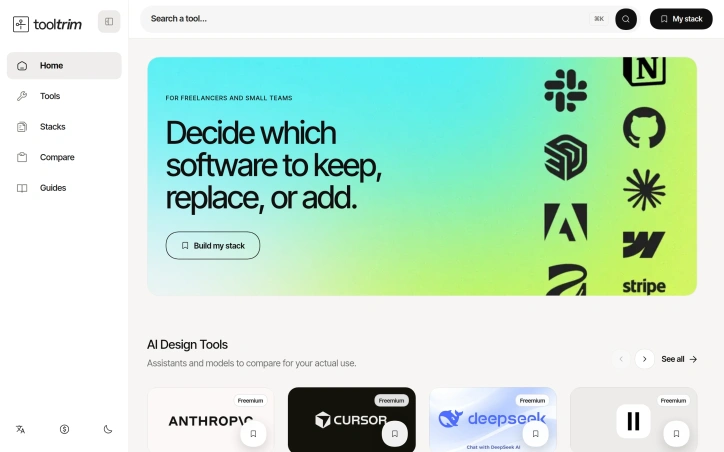
Choosing a tech stack can feel paralyzing. With hundreds of software options available, each claiming superiority, and budgets that don't stretch infinitely, freelancers and small teams often find themselves trapped between decision paralysis and the fear of overspending on tools they'll never fully use. ToolTrim tackles this exact problem by organizing the chaotic landscape of software into a searchable, categorized directory with editorial guidance. The product's core strength lies in its practical approach to stack building. Rather than overwhelming users with unfiltered tool lists, ToolTrim emphasizes workflow-based organization. The catalog branches into intuitive categories—Content Creation with 172 tools, No-Code & Web with 130 tools, Communication with 54 tools—each designed to help users quickly locate relevant options for their specific needs. The platform highlights free and freemium tools, acknowledging the budget constraints that define small-team workflows. What distinguishes ToolTrim from a simple tool directory is its editorial curation. Featured tool selections, a New Additions section tracking recent catalog entries, and a Works with integration view help users understand not just what tools exist, but how they fit into broader ecosystems. The platform goes further by offering pre-built curated stacks tailored to specific roles: freelance developer stacks, designer stacks, even interior designer stacks. This removes guesswork from the decision-making process and provides immediate, role-specific starting points rather than forcing users to navigate a sprawling catalog from scratch. The automation section indicates the platform recognizes that stack decisions aren't just about individual tools but about workflow efficiency. By showcasing tools that connect and streamline repetitive tasks, ToolTrim positions itself as concerned with the full picture of how software choices compound across a user's daily work. The navigation includes language localization and dark mode, suggesting attention to user experience details that matter for professionals working long hours across different environments. No pricing information is disclosed for ToolTrim itself, only for the third-party tools within the catalog. For freelancers and small teams drowning in tool options, ToolTrim offers a straightforward solution: a thoughtfully organized directory with enough curation to guide decisions without the paralysis of limitless choice.
Getting multilingual products to market typically requires developers to coordinate with localization teams, manage files across multiple languages and directories, and orchestrate translation work that often repeats when content changes. JsonTranslate addresses this friction by building a workspace specifically designed around incremental translation workflows rather than treating localization as a generic text translation problem. The platform accepts JSON, Markdown, and TXT files and preserves the structural elements that matter to developers—keys, nested paths, and directory hierarchies. What distinguishes it from broader translation tools is the emphasis on change-based workflows. Using Git-diff-like detection, JsonTranslate translates only newly added or modified content in incremental modes, avoiding the overhead and cost of re-translating unchanged material. This applies across single files, entire files, or full projects, giving teams granular control over translation scope. Project-level organization sets this apart further. Rather than a single text box, JsonTranslate maps source directories, target directories, and locale conventions together. It automatically generates corresponding locale files after translation and supports common patterns like locale folders, module-based organization, and locale-suffixed filenames. Teams can import or export full projects and download results with directory structure intact, streamlining integration back into version control. The interface combines file management, source content, translation results, and settings in a unified responsive studio. Source files appear in a left pane while translated output displays across tabs for quick comparison between languages. A task center handles batch jobs and tracks progress for project-scale workflows, while a CLI maintains synchronization between the hosted workspace and local repositories. Language coverage spans 20+ common languages by default, with the option to extend to 100+ for markets and long-tail localization. The product balances flexibility through two implementation models: a hosted service or bring-your-own-key options that let teams integrate their own translation models and cost strategies. Available on a freemium basis, JsonTranslate targets developers, product teams, and dedicated localization specialists who need translation workflows that treat source structure and selective translation as first-class concerns rather than afterthoughts.

Online image generation typically requires either expensive local hardware or confusing, feature-bloated platforms. Z Image Turbo addresses this by offering a streamlined browser-based generator focused on the specific visual assets creators actually need: product photography, promotional posters, editorial portraits, social media content, and illustrations. The target audience includes small business owners managing ecommerce catalogs, marketing teams producing campaign materials, and independent creators who need polished visuals without technical friction or the time investment of learning complex software. The product distinguishes itself through deliberate simplification. Rather than overwhelming users with dozens of parameters, it presents practical templates organized by actual use case. A user looking to generate a product hero image gets a pre-written prompt structure optimized for that purpose. The same principle applies to categories like "Chinese Promotional Poster" or "Vertical Social Campaign," each with suggested aspect ratios and compositional guidance baked in. This workflow-first approach sidesteps the common problem of users staring at a blank text box unsure where to begin. Several design choices stand out. The platform supports bilingual content creation, particularly useful for teams producing materials in English and Chinese. The ability to save prompts, seeds, and settings for reuse addresses a real workflow need: creators often want to regenerate variations on a successful visual or maintain consistency across batches. Flexible aspect ratios accommodate different output requirements without forcing users into a square-only cage. The reference gallery demonstrates practical output across multiple categories, showing product photography that looks commercially viable rather than obviously AI-generated, editorial portraits with believable lighting, and illustrations with environmental detail. The generator operates entirely in-browser, eliminating the setup barrier that deters many potential users from local tools. This also means no GPU investment required on the creator's end. The platform offers free trial credits to test the service before commitment, lowering the barrier to initial experimentation. The positioning as a fast, focused alternative to both desktop GPU tools and sprawling web-based platforms should resonate with pragmatic creators who want generation speed without the learning curve. Whether the image quality and consistency of results justify regular use will determine whether this captures meaningful market share, but the product design itself reflects genuine thinking about how creators actually work.


Automating the tedious work of video production, this AI-powered tool tackles a genuine pain point for anyone trying to communicate complex ideas visually without video editing expertise or budget constraints. Creators, marketers, educators, and product teams can now convert raw material—a topic description, script, URL, or PDF—into a complete animated explainer video, handling everything from script generation and storyboarding through voiceover production and synchronized captions. The product's core strength lies in its scaffolded workflow. Rather than dumping an AI-generated video on users, it places a review step between input and output, letting creators approve and refine the storyboard before rendering. This human-in-the-loop approach addresses a real problem with fully automated video generation: the output often misses nuance or requires rework. By letting users course-correct early, the tool respects both their creative vision and their time. The visual flexibility stands out as well. The platform offers five distinct aesthetic directions—motion, illustration, infographic, character, and product visuals—letting users match the style to their content. The showcase examples demonstrate genuine variation in tone and execution, from upbeat lifestyle sequences to polished product demos and character-driven narratives. This breadth matters because an explainer video for financial software demands a different visual language than one for fashion or entertainment. Technical depth complements the accessibility. Beyond the web interface, the platform includes API access for developers and teams running high-volume generation workflows. This dual approach positions it as both a tool for individuals experimenting with explainer video creation and an infrastructure component for larger operations. The export flexibility—supporting 16:9, 9:16, and 1:1 aspect ratios—acknowledges that explainer videos now need to work across desktop, mobile, and social platforms. Multilingual voiceover generation and synchronized captions extend the appeal beyond English-speaking markets, a thoughtful inclusion that many simpler tools overlook. The ability to add background music rounds out the production value without requiring external audio editing. The presentation focuses heavily on creative capabilities and visual examples but notably omits pricing information, making it difficult to assess whether the tool competes on cost efficiency or positions itself as a premium solution. For anyone regularly producing educational or promotional content, the time savings alone justify investigation, particularly given how much of the heavy lifting—script writing, visual composition, voiceover production—typically falls on human creators. The tool doesn't eliminate creative decision-making; it eliminates the mechanical work that usually precedes it.


Professionals who network actively know the problem well: you exchange contact information with dozens of people, take notes frantically during conversations, and within weeks, you've forgotten why that particular connection mattered. ConnectMachine addresses this friction by building a digital business card system designed around memory and context rather than just contact exchange. The product sits at the intersection of three common workplace problems. First, it replaces the logistical hassle of physical cards with digital alternatives that recipients access by scanning a QR code or clicking a share link, requiring no app download on their end. Second, it automates the drudgery of manual data entry by using computer vision to scan physical business cards and extract contact information instantly. Third, and most distinctively, it adds AI-powered note-taking and optional conversation recording directly to contacts, turning the address book into something closer to a lightweight CRM indexed by human relationships rather than just names and numbers. What stands out is the control layer built into card sharing. Rather than maintaining a single digital identity, users create context-specific cards and choose precisely which details appear on each one. This granularity appeals to professionals who network across very different audiences—a consultant might share different information with a client versus an investor versus a peer at a conference. The AI Concierge feature pushes further into automation, offering integration with calendars and contact lists to handle scheduling and search queries conversationally. For team use, ConnectMachine adds centralized billing, seat management, and analytics alongside the individual premium features. The company's traction metrics warrant attention. With 22,000 users across 91 countries and a 4.7-star rating, the product has cleared the threshold of demonstrated demand. The claim that 15,000 smart cards are shared monthly suggests meaningful engagement, not just installations. The team also cites shipping 26 features in two weeks based on user feedback, indicating a product development pace and responsiveness to the market. Pricing aligns with freemium SaaS norms. The free tier provides essential functionality, while the $5.99 monthly individual plan unlocks unlimited card scans, CRM integration, and the AI features. Teams pay the same per-seat rate with added administrative oversight. The structure removes friction for single users while offering path-to-revenue through both individual upgrades and team licensing. The product addresses a real inefficiency in how professionals manage relationships, and its feature set—combining card exchange, memory augmentation, and workflow automation—is cohesive rather than scattered. Whether it becomes a networking essential depends on execution and whether teams adopt it as standard infrastructure rather than individual tools.


Logic puzzle enthusiasts tired of endless Sudoku variations have found a worthy alternative in this cat-themed deduction game. The product addresses a genuine gap in the puzzle market: the demand for fresh logic challenges that maintain the satisfaction of pure deduction without demanding pen-and-paper play or complex software installations. The core mechanic combines three familiar puzzle principles into something cohesive. Players place exactly one cat in every row, column, and colored region while enforcing a no-touching constraint—cats cannot sit adjacent to each other, even diagonally. Unlike many logic puzzles that force guessing when logic stalls, every puzzle here guarantees a single solution reachable through deduction alone. This elimination of guesswork distinguishes it from more forgiving puzzle games and appeals to purists who want intellectual rigor alongside entertainment. What sets the product apart is its accessibility layer. It requires no account, no installation, and no payment—simply load the browser and start playing immediately. The hand-drawn art style presents cats as charming visual anchors rather than generic grid symbols, making puzzle-solving feel less clinical and more playful. The three-fish-cracker lives system adds gentle pressure without harsh penalties, while the aggressive use of the no-touching rule creates natural cascades of deduction that make progress feel inevitable rather than arbitrary. The controls distill puzzle interaction to essential gestures: tap to mark empty squares with an X, double-tap to place a cat, and tap again to remove it. This simplicity reduces friction between intention and execution. The game generates a live board on page load and begins the puzzle the moment you interact with it, eliminating startup friction that plagues many similar offerings. The product also extends beyond browser play. Free mobile applications for iOS and Android allow players to maintain solving streaks offline and play during commutes. This multi-platform availability transforms the experience from a casual browser time-waster into a genuine substitute for traditional puzzle books. The no-cost model combined with zero friction to entry positions this squarely in the accessible puzzle category, competing against free Sudoku apps and newspaper logic puzzles rather than premium puzzle software. For logic enthusiasts seeking something beyond Sudoku or Queens that respects their deductive reasoning, this fills a concrete need.


Word games traditionally test how much you know. Krillion Infinite inverts that formula, rewarding players not for recalling correct answers but for finding answers that few others think to type. The game serves a specific audience: people fatigued by vocabulary-based competition who seek a daily mental challenge centered on originality and lateral thinking. The core mechanic sets it apart instantly. Each day at UTC midnight, Krillion presents the same seven prompts to its entire player base. Answer "Cheddar" to "name a cheese" and you score 10 points—a correct answer worth almost nothing. Answer "Taleggio" and you earn 85 points, reflecting that fewer players reached the same conclusion. The spread between common and uncommon correct answers drives the entire game. A player's first dive often yields 70 points from seven correct answers simply because all seven were the answers everyone gives. A complete round takes four minutes. Each prompt appears with a 25-second countdown, creating pressure that prevents overthinking while allowing educated guesses. Missing a prompt doesn't end the round—it merely consumes time, making strategic guessing valid play. The game accepts spelling variations, accent marks, doubled letters, and British-American spelling differences, prioritizing what a player conceived over execution under pressure. The experience requires no installation, no account, and no payment. There is no advertising. Players receive one free dive per day, and practice prompts cost nothing. Results are shareable via emoji strips and depth scores, encouraging community discussion without built-in social infrastructure. What elevates Krillion beyond novelty is the consistency of the central idea. The reverse-scoring mechanic isn't a gimmick layered onto word-game conventions—it is the entire foundation. Every design choice follows from it: the global simultaneity ensures everyone plays from the same answer pool, the timer prevents endless deliberation, the loose matching shifts the challenge from execution to conception. The strategy guidance acknowledges the emotional weight of low opening scores by reframing them as a solvable problem requiring habit change rather than more knowledge. The product succeeds because it asks a genuinely harder question than traditional word games. It doesn't ask what you know. It asks what you thought of.


Automated photo enhancement has typically demanded either technical prowess or a willingness to accept mediocre results. PixelBoost AI addresses this friction by offering one-click image restoration for anyone who has accumulated a backlog of disappointing photographs—blurry snapshots, noisy phone photos, faded scans, pixelated screenshots, or time-worn family prints that deserve better. The product operates on a no-configuration philosophy. Users upload an image and receive an enhanced version back within seconds, with no sliders to adjust, presets to choose, or settings to learn. The underlying engine runs three automatic processing passes: a sharpness recovery stage that retrieves lost detail without introducing halos or grain, a noise reduction pass that eliminates compression artifacts and grain while preserving edges and texture, and a color correction phase that fixes white balance and lifts contrast. This pipeline targets the most common photo problems directly—the grainy ISO-boosted shot, the over-compressed JPEG, the severely faded original, the slightly out-of-focus moment. What distinguishes PixelBoost from similar tools is both simplicity and breadth. The service handles restoration work that typically appeals to a specific use case: scanned family photos, old wedding albums, water-damaged prints. It also processes contemporary problems like camera grain and export compression artifacts. The implementation supports drag-and-drop uploads, accepts PNG, JPG, and WebP files up to 24MB, and requires no account creation or payment information. The product operates entirely at no cost. No freemium upsell, no trial period, no signup requirement. A batch enhancement feature is available for processing multiple photos, though the content provided does not detail whether this remains free or introduces limitations. The service has accumulated ratings on mainstream review platforms—4.8 stars on G2, 4.9 on Product Hunt, and 4.5 on Trustpilot—suggesting user satisfaction has reached a measurable baseline. The core limitation remains one that affects most automated enhancement tools: severe blur or very poor image quality presents a ceiling. PixelBoost can lift mild to moderate focus issues but makes no claim to recover substantially out-of-focus shots. For everyday photo maintenance—clarifying smartphone images, restoring inherited prints, cleaning up screenshots and recordings—it removes a significant friction point. The ability to process these photos without opening design software or learning enhancement techniques addresses a real gap between photo quality standards and actual user capabilities.

Accessibility sits at the core of what ReelMuse does: democratizing professional-grade video and image production through an all-in-one AI platform. The service targets creators of all skill levels, from casual content makers to aspiring producers, eliminating the technical expertise traditionally required to produce polished multimedia content. The platform consolidates several AI-powered creative tools under one roof. Users can generate original videos from scratch, produce high-quality images, and integrate AI-generated audio without specialized technical knowledge. The tool palette includes face-swap functionality and lip-sync capabilities, allowing creators to explore effects typically reserved for advanced editing software. These features signal a focus on trendy, shareable content formats that perform well on social media platforms. What distinguishes ReelMuse in a crowded AI creative tools space is its positioning as a comprehensive ecosystem rather than a point solution. The company has invested heavily in building a partner network, with verified listings across 22 different startup directories and AI tool aggregators. This breadth of third-party verification suggests institutional confidence in the platform. The company reports reaching over 50,000 active creators, indicating meaningful adoption. The partners page reveals deliberate strategy around link equity and domain authority, specifically mentioning dofollow backlinks and quick review cycles for partner exchanges. This demonstrates the company understands SEO fundamentals and is building visibility through quality partnerships rather than paid advertising alone. The curated nature of their partner list, emphasizing platforms serving AI enthusiasts and productivity-focused users, indicates targeted positioning toward creator communities. ReelMuse occupies interesting ground between consumer-friendly video editing tools and professional creative suites. The feature set prioritizes fast, template-based content creation focused on speed and shareability over cinematic sophistication. No pricing information is publicly disclosed. The aggregation strategy across directories and the emphasis on creator reach demonstrate that ReelMuse is betting on network effects and organic discovery. The company has built a foundation of accessible tooling and a thoughtful partner ecosystem, positioning themselves for growth in the rapidly expanding AI video generation category.


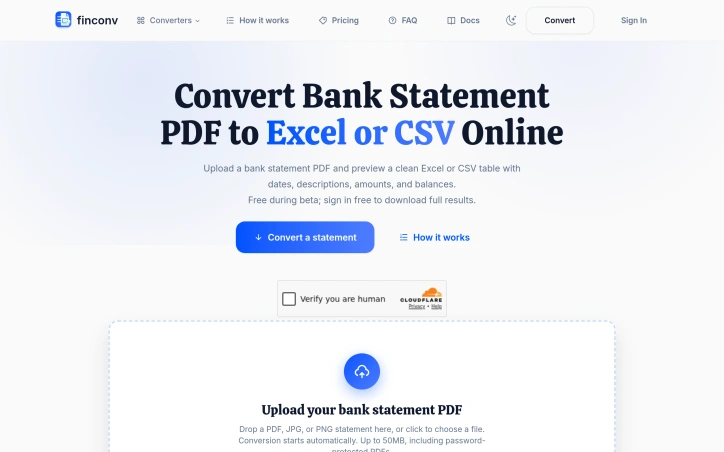
Automating the extraction of bank transaction data from PDFs addresses a genuine friction point for accountants, bookkeepers, and anyone managing business finances. FinConv tackles this by accepting PDF statements—along with scanned images and JPG/PNG photos—and transforming them into structured spreadsheets ready for analysis or import into accounting software. The product's core strength lies in its low barrier to entry. There's no software to install, no complex setup, and initial access requires no account creation. Users can upload a file, preview the extracted data immediately, then decide whether to sign in before downloading. This frictionless preview mechanism signals confidence in accuracy and removes the anxiety of committing to a conversion blind. The platform promises to read dates, descriptions, debits, credits, and running balances—the fundamental columns any accountant needs—and presents them in a clean table format. FinConv's feature set is deliberately broad in format support. Beyond standard PDFs, it handles scanned statements and password-protected files up to 50MB, eliminating the preparatory step of unlocking and re-saving documents before conversion. The export options span Excel, CSV, and JSON, catering to different workflows: Excel for spreadsheet manipulation, CSV for raw data entry into accounting systems, and JSON for developers integrating the output into applications or scripts. Credit card statements receive the same treatment as bank statements, extending utility across financial document types. The privacy stance warrants attention. The company is explicit that uploaded files aren't stored on its servers—data is sent only to an AI provider for extraction. For users handling financial documents containing sensitive account information, this claim of non-persistence is a significant differentiator in a space where data handling practices are often opaque. The business model remains straightforward. FinConv operates under a free beta with free sign-in gated to downloads, suggesting monetization will arrive once the service moves beyond beta testing. This approach buys credibility while the product proves its accuracy and reliability. The product doesn't reinvent the wheel—PDF-to-spreadsheet conversion has existed for years—but it narrows the focus to bank statements specifically and wraps the solution in a modern, user-friendly interface. For the intended audience, that combination of focused scope and accessible design likely translates to genuine time savings over manual entry or wrestling with generic conversion tools.

YouTube's pervasive advertising ecosystem has long frustrated viewers who simply want uninterrupted content consumption. SkipPlay directly addresses this frustration by offering an ad-light alternative that requires no account creation or browser extensions for basic use. The core value proposition centers on simplicity and accessibility. Users paste any YouTube link into the web player or, for enhanced functionality, integrate the Chrome extension and watch without commercial interruptions. The extension further automates sponsor skipping through SponsorBlock integration, a community-driven database that identifies and removes sponsored segments, intros, and subscription reminders from videos. This appeals strongly to viewers who consume substantial video content and grow weary of both platform-inserted ads and creator-embedded sponsor interruptions. What distinguishes SkipPlay from competing solutions involves its layered approach to functionality and device coverage. The free web player works seamlessly across desktop, mobile, and smart TV browsers without requiring installation or authentication, significantly lowering barriers to entry. Mobile users gain background audio playback, a feature enabling listening with the screen locked or while using other applications—functionality that YouTube Premium typically reserves for paying subscribers. For power users seeking additional features, the platform includes a DJ Dual Mixer Deck for mixing tracks side-by-side and offers optional cloud synchronization that persists playlists, favorites, and viewing progress across devices. The business model reveals deliberate positioning within the ad-blocking market. The free web player remains entirely free, monetizing through an optional $9 lifetime extension that enables one-click playback directly from YouTube and automatically skips ads on the native platform itself. This pricing sits significantly below YouTube Premium's $15.99 monthly subscription, positioning SkipPlay as a permanent alternative to recurring fees. The feature comparison presented prominently on the site directly acknowledges YouTube Premium, suggesting confidence in competitive positioning. Beyond standard ad removal, SkipPlay differentiates through SponsorBlock integration and free mobile background play—capabilities that even YouTube Premium and traditional ad-blockers do not consistently deliver. SkipPlay targets viewers frustrated by YouTube's aggressive monetization rather than those seeking premium content access or exclusive features. Its design emphasis on reducing friction through simple URL pasting and one-click extension deployment reveals focus on a specific, well-defined pain point. For viewers averse to advertising and subscription costs, the combination of free web access and affordable permanent licensing presents a genuine alternative to traditional premium models.


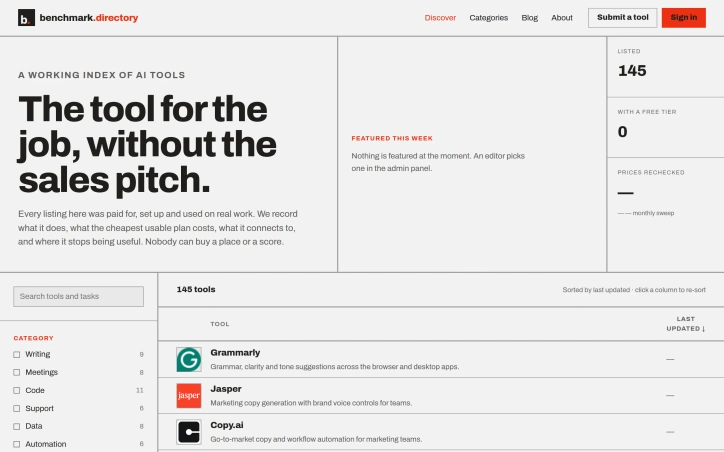
An editorial index of AI tools solves a growing discovery problem in a crowded market. Benchmark.directory addresses the challenge many organizations face when evaluating software: vendor marketing obscures real capabilities and limitations. The directory catalogs 145 tools organized by the practical work they perform rather than technological category, making it genuinely useful for matching problems to solutions. What distinguishes this project is its hands-on editorial approach. Every tool must pass a validation threshold: setup and active use on genuine projects for at least one week before earning inclusion. This practical testing replaces sales collateral with direct experience. The founders document concrete information that typically remains hidden: the actual cost of the cheapest functional plan, what free tiers genuinely permit, which integrations work after setup, and crucially, where each tool's utility boundaries lie. The directory maintains editorial integrity through transparent rejection of pay-to-play arrangements. Listings are completely free, and tools offering payment for placement are documented and declined. This structural decision eliminates the perverse incentive that corrupts most software directories, where prominent positioning correlates with marketing budget rather than usefulness. In 2026 alone, the project rejected 71 submissions and delisted 12 tools, indicating active curation rather than passive accumulation. The categorization strategy reflects how people actually hire software. Rather than grouping by AI methodology or technical architecture, tools appear under practical functions like writing, code, data analysis, and design. This mirrors genuine workflow organization and decision-making patterns. Current coverage spans categories including writing, meetings, code, support, data, automation, design, research, sales, finance, marketing, and specialized domains like legal operations and people management. The interface offers filtering by pricing model and free tier availability, accommodating both individual exploration and organizational procurement processes. The project captures information typically scattered or hidden: training data policies, integration requirements, and usage ceilings. For organizations concerned about whether tools train on proprietary work or evaluating integration feasibility before vendor conversations, this transparency provides tangible value. The regularly updated sort indicates active maintenance of the directory, though opportunity exists for expanded editorial features.

Fluoverse is an AI-powered social platform for discovering events, meeting new people, and learning languages through real conversations. Connect with people around you, join experiences, and practice languages naturally through real-time conversational interaction. With 10,000+ users, Fluoverse turns language learning into a social experience that helps people connect, communicate, and build confidence in the real world.


Android users drowning in screenshots and duplicate photos now have a privacy-conscious alternative to cloud-based cleanup services. ClearSpace is a photo cleaner that prioritizes manual control and on-device processing, letting users decide exactly what gets deleted rather than trusting automated systems. The core problem is straightforward: screenshots, similar photos, quality failures, and large media files accumulate quickly, wasting device storage without meaningful impact. ClearSpace addresses this by scanning for these categories and presenting them for review, but crucially, it never deletes anything without explicit user confirmation. This separation between detection and deletion sets it apart from auto-cleanup competitors that operate behind the scenes. What makes ClearSpace distinctive is its privacy-first architecture. All analysis happens locally on the device—no account creation, no cloud upload, no data transmission to third parties. This eliminates the privacy trade-off common in cloud-based photo tools and appeals to users who find traditional services too invasive. The app also integrates with Android's Trash system, meaning deleted items remain recoverable until permanently purged, adding a safeguard against accidental loss. The feature set focuses on intentional cleanup workflows. A dedicated screenshot scanner lets users start with focused cleanup instead of analyzing the entire library. The Swipe Review interface moves through photos one at a time, allowing detailed inspection of duplicates and similar-photo groups. Recent versions added a Screenshot Inbox feature that organizes captures by age, with a Swipe Oldest function for tackling older content first. The app also flags large videos and quality issues, then displays cleanup results showing items removed and storage freed. ClearSpace operates on a freemium model. The free tier offers unlimited scanning and review but caps deletions at 50 per month. ClearSpace Pro unlocks unlimited deletion and full access to Swipe Review, with monthly, annual, and lifetime purchase options. The app targets privacy-conscious Android users who want control over their photo libraries without surrendering personal data. It trades the convenience of automatic deletion for transparency and user agency, positioning photo cleanup as a deliberate process rather than a background task.


International freight forwarding from Pakistan traditionally has relied on a fragmented network of agents with varying service standards. XCORE Freight addresses this gap by offering consolidated logistics infrastructure that caters to both individual shippers and commercial operations moving goods from Pakistan to major English-speaking destinations. The company targets a specific but significant market: the Pakistani diaspora spread across the UK, USA, Canada, and Australia, alongside Pakistani businesses requiring reliable international cargo transport. The company's core value proposition rests on operational consistency backed by 18 years in the logistics sector. Where many freight forwarders fragment responsibilities across multiple vendors, XCORE coordinates the entire shipment lifecycle—pickup, documentation, transportation, and final-mile delivery—under one operational umbrella. This end-to-end model removes coordination friction that typically lengthens transit times and complicates tracking for customers. XCORE's service portfolio spans the transportation methods essential for different cargo profiles. Air freight handles time-sensitive shipments, while ocean freight through FCL and LCL options accommodates larger, less time-critical loads. The company explicitly manages customs coordination internally, a critical pain point that many smaller forwarders delegate to third parties, creating delays and miscommunication. Door-to-door delivery options extend beyond traditional port-to-port arrangements, appealing to customers without established infrastructure at destination points. The cargo types handled signal pragmatic positioning: commercial merchandise, household goods, and personal effects. This breadth reflects understanding of the diaspora use case—many shipments are relocations or family parcels rather than industrial supply chain operations. The willingness to handle mixed cargo (business goods alongside personal items in a single shipment) differentiates from carriers that enforce separation by category. Geographically, the company's network reaches beyond the primary diaspora destinations into Europe, Africa, and the Middle East, suggesting infrastructure or partnerships that enable more than point-to-point routing. A notable gap in XCORE's public positioning is transparent pricing. The website mentions rate options but provides no actual rate cards or pricing methodology. This opacity reflects industry norms for forwarders targeting enterprise clients who expect custom quotes rather than published rates, though it may frustrate smaller shippers seeking competitive benchmarking. The company's marketing consistently emphasizes trust and reliability—language that signals the business serves cost-conscious shippers for whom service failure carries significant personal or business consequences. This positioning trades on reputation as a defensible moat in a crowded logistics market where price competition alone proves insufficient.


Debugging consumes far more time than it should, and developers have gotten used to it. The typical workflow involves spotting an error in the browser console, manually opening Chrome DevTools to gather context, copying fragments into ChatGPT or Claude, re-explaining the problem when the AI's first response falls flat, then repeating the cycle dozens of times per day. Each context switch costs focus and momentum. DebugClip addresses this friction by automating the bridge between where errors happen and where developers get help. The Chrome extension captures console errors, network failures, and security violations as they occur, then compiles them into a structured prompt ready to send to Claude or ChatGPT with a single click. Rather than manual transcription, developers get stack traces, request headers, response bodies, and HTTP status codes included automatically. What sets this approach apart is elimination of context switching. The extension runs silently in the background and notifies developers when issues occur, presenting everything alongside the problems themselves in a clean dashboard. The promised result is moving from discovery to actionable fix in under ten seconds, replacing workflows that consume five to ten minutes per error. The feature set mirrors what DevTools already exposes but streamlines access and AI integration. It captures every console error and warning, unhandled promise rejections, failed API calls with network details, broken resource loads, and CORS or CSP violations. This breadth ensures developers rarely need to jump back into DevTools to gather missing context. The business model is straightforward. The extension is free to use indefinitely on all websites, with a paid tier at four dollars monthly for presumably enhanced functionality. The developer emphasizes local processing, meaning captured errors remain on device and do not transmit to DebugClip servers. For developers who spend significant time debugging or testing in the browser, the extension removes a well-documented source of wasted motion. The positioning is narrow and focused, targeting a single pain point without attempting to replace DevTools or become an all-in-one solution. Chrome and Edge support is available now, with Firefox and Safari compatibility planned. The free tier makes adoption frictionless.


Fragmented workflows plague service and production businesses of all sizes. Quotations live in emails, approvals happen over chat, job progress gets tracked in spreadsheets, and payment records scatter across multiple systems. The result is data re-entered countless times, customers left guessing about status, and team members wasting hours searching for information instead of doing actual work. QUFO addresses this coordination problem by creating a single workspace where the entire customer journey flows from initial quotation through final payment. The product's core strength is its simplification of a genuinely complex process. Rather than asking businesses to adopt yet another tool, QUFO consolidates five critical functions—customer management, quotations, approvals, job tracking, and payment monitoring—into one connected system. This consolidation matters because it eliminates handoffs where information gets lost or requires manual re-entry. Several features stand out for their practical design. The online approval system lets customers review quotations and request changes from a secure link without needing an account, removing friction from the approval stage. The automatic payment balance calculation keeps financial tracking current without manual math errors. Customer tracking links provide visibility without exposing internal notes, solving a genuine tension between transparency and business privacy. The dashboard approach offers business owners a unified view of active work, payment status, and outstanding balances—information typically scattered across spreadsheets and separate accounting tools. Job progress moves automatically to customer-facing tracking pages as the team updates production status, reducing the need for repeated status update messages. The onboarding experience appears intentionally low-friction. A free 30-day trial requires no credit card, and the marketing language emphasizes "quick setup," suggesting the founders designed for businesses that want results without lengthy implementation. The three-minute demo video is positioned as watchable without signup, lowering the barrier to evaluation. No detailed pricing information is disclosed on the homepage, which is typical for early-stage SaaS but limits assessment of the business model's competitiveness. The free trial structure suggests a freemium or conversion-based model, though this remains unstated. QUFO targets a real inefficiency in small-to-medium service businesses, where operations currently depend on mixing purpose-built tools with improvisation. Its workflow-centric design and emphasis on reducing repeated data entry address genuine pain points. Whether the execution delivers on this promise requires direct experience with the product, but the problem is legitimate and the positioning is clear.

Anonymous Instagram browsing has practical applications across research, competitive analysis, and casual content discovery, yet it typically requires logging in to your own account and notifying profile owners. This tool strips away those frictions by offering a read-only web interface that displays publicly available Instagram profiles, posts, reels, highlights, and stories without requiring users to authenticate with Instagram credentials. The product targets several audiences: researchers studying public Instagram data, content creators benchmarking competitor metrics and studying optimal posting times, and casual users who simply want to explore profiles without engagement friction. The core value proposition centers on privacy preservation—users never hand over Instagram passwords, and browsing activity remains unattached to their Instagram account, so profile owners receive no notifications of visits. What distinguishes this offering is its transparent scope limitation. Unlike tools that promise access to private content, IGViewer explicitly acknowledges what it cannot do: unlock private accounts, access hidden stories, view private messages, or bypass Instagram's security. It operates strictly within publicly accessible content, which removes legal and ethical ambiguity. The feature set reflects this focused approach. Users can preview recent public reels, browse highlight collections, and search public profiles. For creators, additional tools help with posting strategy—generating captions with hashtags, identifying optimal posting times, and planning carousel structures. The viewer includes separate interfaces for profiles, reels, stories, and highlights, each tailored to its content type. Monetization relies on a credit-based model layered atop a free tier. Initial browsing carries no cost: the first two pages of posts or reels are free, with older pages consuming one credit each. Highlights introduce a slightly higher barrier—users receive one free unlock daily, then additional unlocks cost two credits per profile. The business model surfaces real constraints on the tool's usage without creating a hard paywall for casual exploration. The positioning emphasizes safety for users compared to tools that harvest login credentials. IGViewer's read-only architecture and reliance on publicly available content align the product with Instagram's terms of service, a critical consideration for tools operating in Instagram's ecosystem.