Catalyst Healthspan Audit
Personal trainers typically sell training sessions. This startup reversed the equation by building assessment first, mak...

CrabTap
Small businesses have long struggled to implement loyalty programs without massive overhead. CrabTap addresses this gap...

uploadthefile.com
Sharing files and publishing static content has long required friction: account creation, platform navigation, or comman...
Recently Listed
884 launches
Winning enterprise deals shouldn't require an engineering team to abandon feature development for weeks of compliance busywork. Yet this exact scenario has become routine for startups seeking customers among large organizations that demand SOC 2 certification and exhaustive security questionnaires before signing contracts. DELTARQ targets this friction point with a unified platform combining AI-native threat detection, security operations automation, and compliance management designed specifically for resource-constrained technical teams. The core insight driving the product is sound: traditional security tools divide into two inadequate categories for startups. Enterprise-grade SIEM and SOAR platforms command high costs, lengthy implementation timelines, and require dedicated security personnel to manage alert noise. Compliance software delivers checklists without actually preventing breaches. DELTARQ attempts to collapse this false choice by automating both active threat detection and compliance documentation simultaneously. The product's technical differentiation centers on two commitments. First, it embeds AI throughout its architecture to function as an autonomous security engineer, identifying and blocking network threats without human intervention. Second, it operates entirely within a customer's local infrastructure rather than routing sensitive data through external cloud systems, addressing data residency concerns that often derail enterprise evaluations. For startups navigating sales processes with large customers, this architecture choice eliminates a common objection while reducing the compliance surface area. The platform consolidates three distinct functions—SIEM for log analysis and threat detection, SOAR for automated response workflows, and SOC 2 compliance automation—into a single integration point. This consolidation matters operationally: it reduces deployment complexity and tool proliferation, keeping total cost of ownership low while maintaining enterprise-grade capabilities. The compliance automation piece directly addresses the quantified pain point from the founder's experience: the ability to generate required documentation and evidence automatically rather than through manual effort substantially accelerates enterprise sales cycles. The target customer appears precisely defined: technical teams at SaaS companies that have achieved product-market fit and face enterprise sales requirements but lack dedicated security infrastructure. These organizations typically have the engineering sophistication to deploy and maintain local infrastructure but insufficient scale to justify a full security operations center. The positioning emphasizes pragmatism over comprehensiveness. DELTARQ makes an implicit acknowledgment that startups need adequate security and compliance, not maximum-sophistication security theater. For founders tired of compliance friction, the value proposition translates directly into recovered engineering velocity and shorter sales cycles.


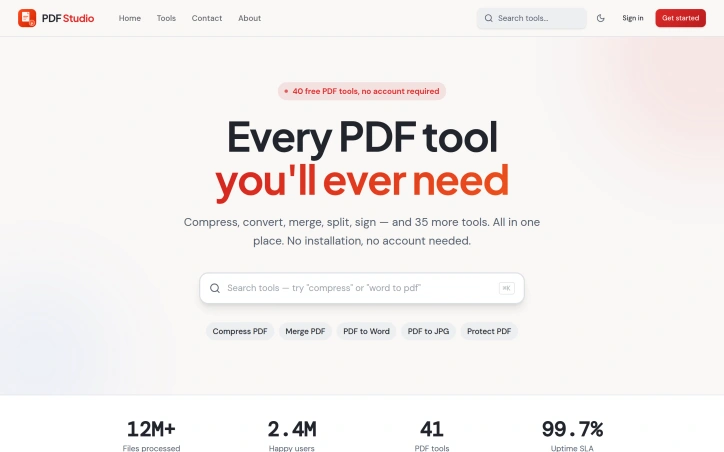
Managing PDF documents has traditionally required either expensive software subscriptions, local installations, or compromised functionality. PDF Studio addresses this gap with a web-based toolkit designed to streamline common document workflows without additional friction. The platform targets a broad audience spanning students managing academic assignments, professionals organizing business documents, and general users handling everyday PDF tasks. The core promise centers on accessibility and simplicity, removing barriers that often exist with desktop solutions or feature-restricted online alternatives. The feature set covers the essential PDF operations most users encounter. Conversion capabilities allow documents to be transformed between formats, while compression tools reduce file sizes for easier sharing. Document manipulation features include merging multiple files and splitting them into sections, along with editing functionality to modify content directly in the browser. Security features provide password protection for sensitive documents and unlocking capabilities for restricted files. What distinguishes PDF Studio in a crowded market is its fully browser-based architecture. This design choice eliminates the need for software installation entirely, allowing users to work with documents from any device with internet access. The emphasis on browser-based operation prioritizes immediacy over setup complexity. The platform has been featured on prominent AI and tools directories including AgentHunter and TakeAI, establishing recognition within tech communities. These inclusions demonstrate the service has differentiated itself enough to merit placement in curated collections. The product's architecture targets removing friction points commonly associated with PDF management. Rather than catering to power users with advanced features, the design prioritizes reliability and straightforward access to core functions. The stated commitment to security and user-friendliness reflects a focus on building trust with users handling sensitive documents. For users evaluating PDF management solutions, PDF Studio delivers a no-installation alternative that emphasizes common operations. The browser-based approach addresses a specific pain point for users who want immediate access without software setup or maintenance overhead. The platform's viability depends on execution quality relative to established competitors in the online PDF tools market, but it stakes out a clear position for users prioritizing accessibility and simplicity over advanced capabilities.

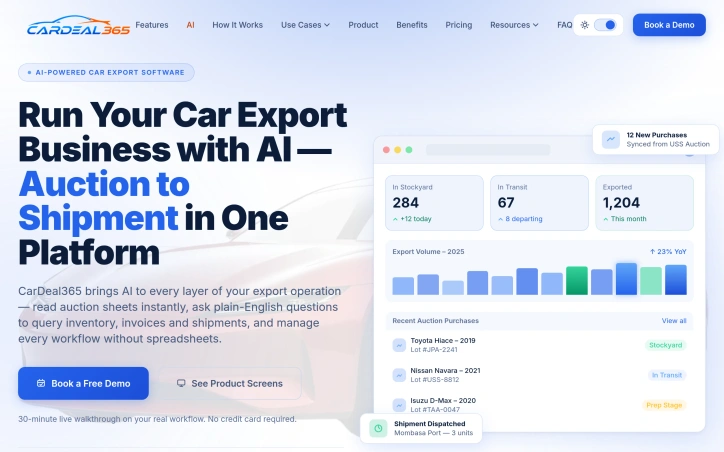
Used car exporters working with Japanese auction houses have traditionally managed operations through a patchwork of spreadsheets, emails, and manual coordination across multiple systems. CarDeal365 consolidates this fragmented workflow into a single platform designed specifically for the operational realities of used car export: managing purchases from competing auction sources, tracking inventory across multiple stockyards, handling export documentation, coordinating with international buyers, and maintaining real-time visibility into margin performance. The platform addresses six distinct pain points that characterize current export operations. Auction purchase records from suppliers like USS, TAA, and IAA arrive scattered across separate communications channels, forcing teams to manually cross-reference data. Vehicle tracking across stockyards happens without centralized visibility, creating blind spots around location and condition. Export documentation remains a manual, error-prone process prone to delays and customs complications. Buyer management is fragmented across WhatsApp, email, and phone without a unified record. Operational decision-making runs on intuition rather than real-time data. And team collaboration suffers from silos when multiple employees work on the same deals without a shared source of truth. What distinguishes CarDeal365 from generic workflow platforms is the integration of AI throughout the operation rather than as an afterthought. The system reads auction sheets automatically, accepts plain-English queries about inventory and shipments, and surfaces document compliance gaps before departure dates arrive. This architectural choice reflects the founder's background running a car export operation and losing margin to organizational chaos. The product consolidates thirteen integrated modules across the entire auction-to-shipment pipeline and promises onboarding within three to seven days. The platform displays live operational metrics: current stockyard inventory, vehicles in transit, and monthly export volumes. It logs auction sources on every purchase and enables filtering by auction house, lot number, or purchase date. Buyer quotations and shipment status share a single record rather than living in scattered messages. Document checklists surface missing fields early rather than at the dock. CarDeal365 positions itself as a solution for export businesses ready to replace manual spreadsheet workflows with real-time operational data and consolidated inventory management. No pricing details are publicly mentioned; the company encourages prospects to book a free demo with no credit card required.

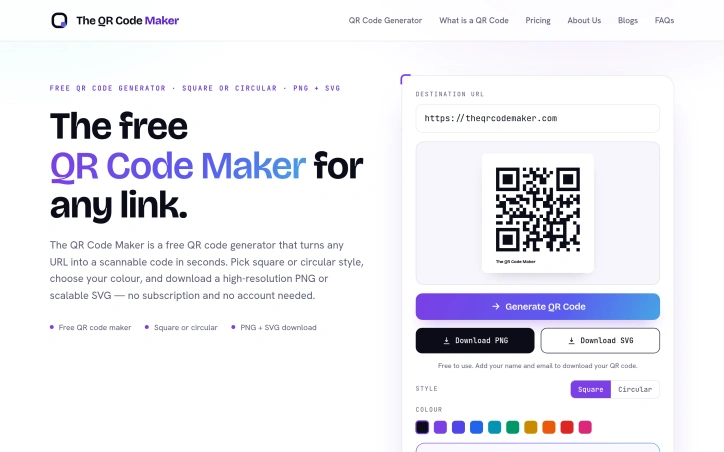
Connecting physical materials to digital destinations has become essential for businesses across sectors, yet the landscape of QR code generators remains cluttered with friction points. Most free tools bury their core functionality behind account requirements, usage restrictions, or subscription walls that undermine their value proposition. The QR Code Maker addresses this directly by offering genuine frictionless generation: enter a URL, receive a scannable code, download it. No mandatory registration, no artificial limits, no paywalls. The product targets a broad constituency. Crypto and blockchain teams use QR codes to share wallet addresses and DApp links. AI product groups point users to demos and research resources. Financial services companies streamline onboarding flows. Educational institutions embed codes in learning materials. Healthcare providers eliminate typing friction from patient intake forms. The underlying principle applies wherever physical materials need to bridge to digital experiences, making the tool relevant to marketers, event organizers, publishers, and any business managing a tangible-to-digital workflow. What distinguishes The QR Code Maker is its philosophical clarity. Rather than treating the free tier as a limited trial for paid features, it delivers complete core functionality without gatekeeping. Users generate unlimited QR codes, choose between square and circular styles, select custom colors, and export in both scalable SVG and high-resolution PNG. The codes encode URLs directly into their pattern at generation time, ensuring they remain functional offline and scan instantly on any modern smartphone. This technical simplicity—no intermediate services, no URL shorteners, no ongoing tracking dependencies—makes codes robust and portable. The product acknowledges market segmentation without letting it compromise the free experience. Pro customization options exist: logo overlays, frames, gradient fills, multiple style variations, and watermark removal. These features appeal to brands with design requirements, but their absence doesn't diminish utility for basic use cases. Print readiness emerges as a practical strength often overlooked by web-first QR generators. The ability to export scalable vector graphics means posters, packaging, and signage maintain crisp codes regardless of size. High-resolution PNG output handles digital deployment. This dual-export approach acknowledges that QR codes serve physical and digital contexts simultaneously. The QR Code Maker succeeds by staying disciplined about scope. It solves a specific, well-defined problem with minimal complexity. For users seeking fast, accountless QR code generation without navigation through sales funnels, it delivers exactly what its name promises.

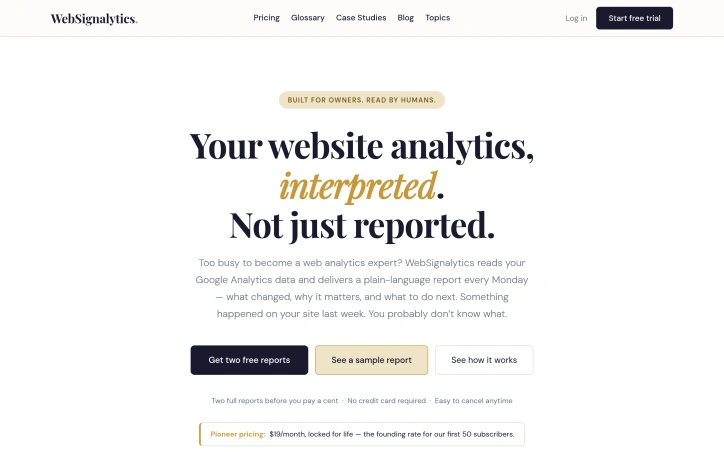
Analytics platforms record everything but rarely explain anything. That's the gap WebSignalytics addresses. Rather than leaving small business owners, consultants, and solo practitioners drowning in metrics and charts, the service connects to Google Analytics and delivers a plain-language summary every Monday—complete with what actually changed on their site, why it matters, and which changes warrant action. The core insight is straightforward: most website owners aren't analytics specialists. They connected Google Analytics because it seemed important, which it is. But GA4 faithfully records data without interpretation. A traffic drop of 40 percent to a top-performing page looks like one data point in a dashboard filled with hundreds. A broken contact form doesn't announce itself; it just quietly stops converting. A surge from an unexpected source stays invisible until the moment passes. WebSignalytics bridges that gap by doing the interpretive work upfront. The weekly report format itself is notable. Rather than inviting users into another dashboard they'll rarely visit, the service brings insight directly—a narrative account of what shifted in the past week, flagged issues like tracking gaps, and concrete next steps. This is built for humans who run businesses, not for people who've chosen analytics as a profession. The founder, who trained in graphic design and marketing before moving into AI-assisted development, brings a user-centric philosophy to the work. That sensibility shows: the product skips the industry jargon and complex menus in favor of clarity. There's no nomenclature to learn, no dashboard to master. The pricing structure reflects early-stage ambitions. At 19 dollars per month, locked in permanently for the first 50 subscribers, it's positioned as founder pricing rather than a standard market rate. New users can request two free reports before committing, with no credit card required. The simplicity extends to cancellation—the copy emphasizes how easy it is to walk away. The most immediate use case is for owners of small to medium websites who've invested in Google Analytics but lack the expertise or bandwidth to monitor it consistently. The weekly cadence assumes they're too busy to check daily but not so disconnected that they'd miss weekly intelligence. For that specific audience, the value proposition is direct: keep your site healthy without becoming an analyst.

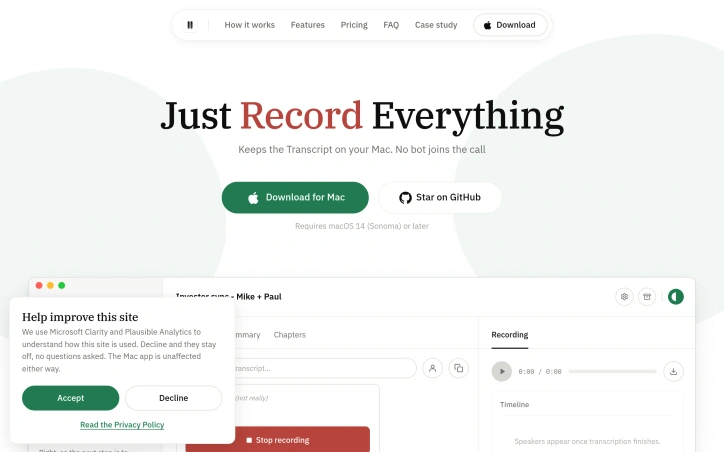
Record any meeting on macOS. Speakers labelled, transcript searchable. No bot joins the call, and your recordings stay on your Mac. No third participant ever joins
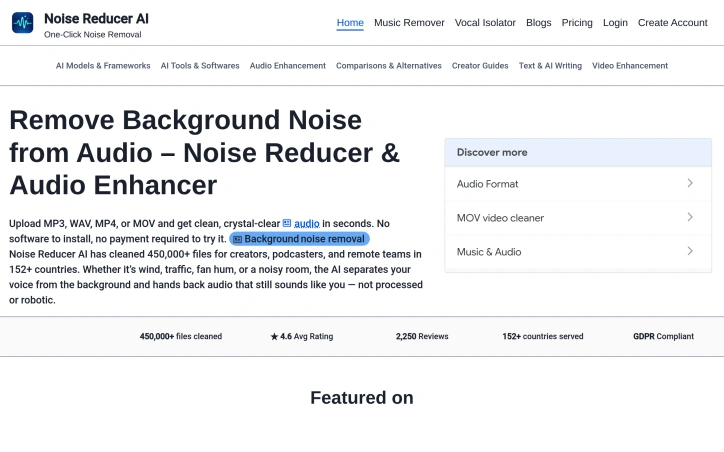
Background noise derails audio quality for content creators, podcasters, and remote workers who need professional sound without expensive equipment or software. Noise Reducer AI attacks this problem head-on by offering browser-based audio and video processing that removes unwanted background sounds in seconds. The platform operates on a freemium model, allowing users to upload and denoise files without paying upfront. The technical foundation relies on DeepFilterNet, a deep-learning framework designed for real-time noise separation. Rather than leaving audio sounding processed or robotic, the tool preserves the natural characteristics of the primary audio—typically the speaker's voice—while stripping away hum, traffic, wind, crowd noise, and echo. The product's appeal extends beyond noise removal. It offers three specialized tools: a general noise reducer for various background sounds, a music remover that isolates or extracts vocals independently, and a vocal isolator for complex environments with layered noise. This modular approach addresses the reality that different recording scenarios demand different solutions. The interface embraces simplicity with drag-and-drop uploads, real-time waveform visualization, and adjustable denoise intensity levels. Multi-format support—MP3, WAV, MP4, MOV, and more—eliminates the friction of audio extraction before processing. Users can upload video directly, with the tool handling both audio and video files seamlessly. A recording feature adds flexibility for those working directly within the platform, with immediate playback for before-and-after comparison. The platform's track record demonstrates practical viability. Across 152 countries, it has processed 450,000 files with an average user rating of 4.6 out of 5 based on 2,250 reviews. The service maintains GDPR compliance, addressing privacy concerns for European users and regulated industries. No software installation requirement lowers the barrier to entry, positioning the tool as immediately accessible from any browser. The core tension remains between free trial usage and monetization. While the site references purchasing options for additional processing minutes, explicit pricing details remain absent from the marketing materials, leaving cost comparison and long-term economics unclear for prospective users.

Browser tabs containing bank logins, client files, and sensitive emails remain completely unprotected throughout the workday. Locksy solves this by adding encryption and automatic locking directly within the browser, eliminating the need for traditional password managers or manual security rituals. The product targets anyone who handles confidential information in a browser but finds existing security tools either invasive or inconvenient—remote workers, consultants, and professionals dealing with sensitive client materials fall into this category. Locksy's defining characteristic is its refusal to rely on cloud infrastructure. All encryption happens locally on the user's device, meaning data never leaves the browser itself. This architecture eliminates an entire category of risk that cloud-based competitors cannot escape: the possibility of a central breach, subpoenaed logs, or a company pivoting toward data monetization. The product functions offline, removing dependency on internet connectivity for basic security operations. Auto-locking addresses the behavioral side of security—where users fail to manually protect information. By making protection automatic rather than optional, the product closes the gap between intention and action. The company's bootstrapped foundation shapes its entire approach differently than venture-backed security startups. While competitors pile on features to justify premium subscriptions, Locksy provides free access to core functionality. This reflects confidence in the value proposition and an emphasis on removing adoption friction rather than maximizing revenue per user immediately. The founders articulate their philosophy clearly: they built Locksy out of frustration with security products that sacrifice usability in the name of safety. That focus on combining practical convenience with actual security distinguishes the positioning. Rather than attempting to replace password managers or become an identity platform, Locksy tackles one specific problem exceptionally rather than many problems adequately. The product mentions military-grade encryption, though specifics on cryptographic standards or implementation details aren't disclosed in available materials. For a security product, greater technical transparency would strengthen confidence among informed users, though the offline-first architecture already eliminates major attack surfaces that cloud competitors face. Locksy represents a meaningful attempt to solve a real problem—unprotected browser tabs—without the surveillance capitalist undertones that plague many privacy-focused tools.




Removing backgrounds from images has long required either manual effort or expensive software. Bg Remover addresses this friction by bringing AI-powered editing directly to browsers, eliminating the need for installations or account signups. The platform targets eCommerce businesses, social media content creators, designers, and marketers who regularly need clean product shots and professional-looking visuals. The tool delivers on its core promise: processing images through AI that detects edges and fine details like hair and fabric textures with precision, completing the work in seconds rather than minutes. What distinguishes Bg Remover in a crowded space is its execution. The browser-based approach means users upload an image and receive a transparent PNG without friction. The live preview comparison, which lets users drag a slider to inspect the output against the original, demonstrates confidence in the edge detection quality. The platform claims hair-level precision with no halos or manual touch-ups required. Support for major formats including PNG, JPG, and WEBP, with a generous 20MB file size limit, covers the typical use cases. Beyond background removal, the platform positions itself as a broader image editing suite. The offerings include a background changer for different contexts, an image upscaler for resolution improvements, and color correction tools. All of these run in-browser, avoiding the upload-wait-download cycle users typically endure with cloud services. The stated user base of 250,000 creators worldwide suggests meaningful traction. The missing element from the public-facing materials is clarity on the business model and pricing. This could indicate either a completely free offering or a freemium model with premium features not highlighted on the homepage. Also absent from the marketing materials is acknowledgment of limitations. Every AI background removal tool has edge cases where it struggles, whether with complex hair, transparent objects, or unusual lighting. Prospective users should test the tool before committing workflows to it. For creators and businesses tired of expensive editing software or manual cleanup work, Bg Remover offers a low-friction entry point. The test-without-signup approach lets potential users validate the tool's output quality for their specific use cases before deciding whether it fits their workflow.


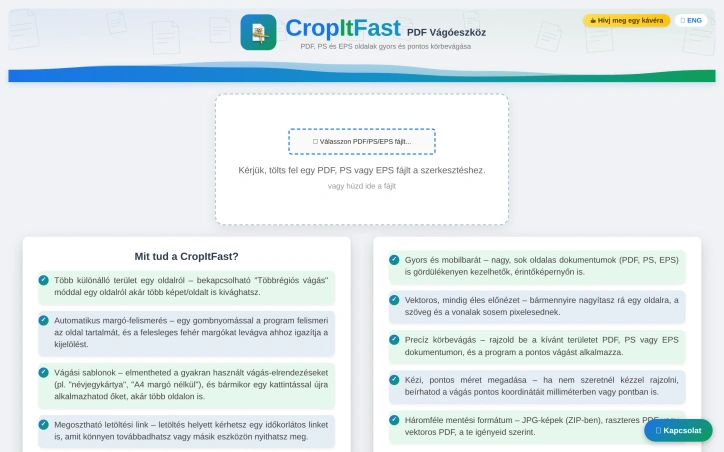
PDF cropping remains a friction point for anyone regularly handling document design, printing, or content extraction. Most available solutions force users toward bloated desktop applications or complex workflows that feel overkill for a single task. CropItFast tackles this directly by offering a streamlined browser-based alternative that prioritizes speed and precision without requiring any software installation. The product addresses a specific but genuine need: making batch document processing accessible. Whether you're preparing business cards, cutting out specific sections from longer documents, or preparing files for print, CropItFast handles these jobs without unnecessary complexity. The target audience spans designers, print professionals, content managers, and anyone who frequently manipulates PDF, PostScript, or EPS files. What distinguishes CropItFast from basic crop tools is its feature depth. Automatic margin detection eliminates manual adjustment for documents with uneven white space, a substantial time-saver when processing multiple pages. The multi-region cropping mode lets users extract several independent areas from a single page without relying on workarounds. Equally useful is the template system, which remembers frequently used crop layouts and applies them consistently across pages or even different documents. For users who prefer precision over clicking, exact coordinate input in millimeters or points ensures mathematical accuracy. The platform's output flexibility warrants attention. Users can export to JPG, raster PDF, or vector PDF depending on their downstream needs, with adjustable quality settings for DPI and JPEG compression. This adaptability matters for professionals who might need sharp screen-ready images one day and print-ready files the next. The option to generate shareable download links with time restrictions adds a collaboration layer, allowing users to distribute results without permanently hosting sensitive files. The interface shows thoughtfulness toward modern usage patterns. Vector-based preview rendering ensures crisp text and lines regardless of zoom level, while mobile support acknowledges that PDF handling increasingly happens on phones and tablets. The tool's claimed ability to handle large, multi-page documents smoothly suggests engineering attention to performance. One note: the website references missing JavaScript files required for the interface library. This indicates either outdated documentation or a production concern worth investigating before evaluating the tool. For users tired of desktop PDF editors or struggling through complex alternatives, CropItFast delivers focused functionality optimized for the actual task rather than general document editing.

Everyone's been there: friends texting "you pick" and suddenly 20 minutes vanish deciding between pizza and that new bar downtown. Spotlight targets this exact friction point, offering a way to discover nearby venues matched to your current mood in three taps instead of endless group chat back-and-forth. The core insight is sharp. The app doesn't attempt to be a general discovery platform; it solves the specific problem of matching nearby locations to your current vibe. Rather than generic recommendations, users select from specific mood categories—sugar rush, golden hour, rainy day, first date, adrenaline, late-night study spots, or large group activities—and get matched to real places within a short radius. This vibe-driven narrowing sidesteps the paralysis of infinite choice and produces relevant results. What distinguishes Spotlight from standard location apps is its privacy posture and friction-free onboarding. The service requires no login or account creation. It pulls your location once to find nearby spots, then discards that data immediately. Saved spots live only on your phone; clear them and nothing persists. This privacy-first stance feels calculated for an app aimed at teenagers and young adults whose parents apparently scrutinize data practices. The interface prioritizes speed. Users select a location, pick a vibe, then tap for directions. The app claims an average of 60 seconds from opening to heading out the door. It also generates shareable spot screenshots designed to drop into group chats—clever positioning given its "ditch the group chat" messaging, which actually means replacing endless decision-making with a faster alternative rather than eliminating group coordination entirely. The platform surfaces 10,000+ nearby spots, though how this database is curated or maintained isn't addressed in the available materials. It operates as a free web-based service, eliminating download friction. The underlying business model isn't disclosed from the content provided. The positioning targets a specific user: the friend everyone texts for restaurant picks or activity ideas. Spotlight positions itself as the tool that lets you fulfill those requests without memorizing every hidden gem within 10 minutes. The core promise—knowing the vibe but not the venue—is genuine. Whether the app can attract beyond this niche, reaching casual users who don't need to be the plan-maker, remains open. But solving a real social friction point gives it solid traction.


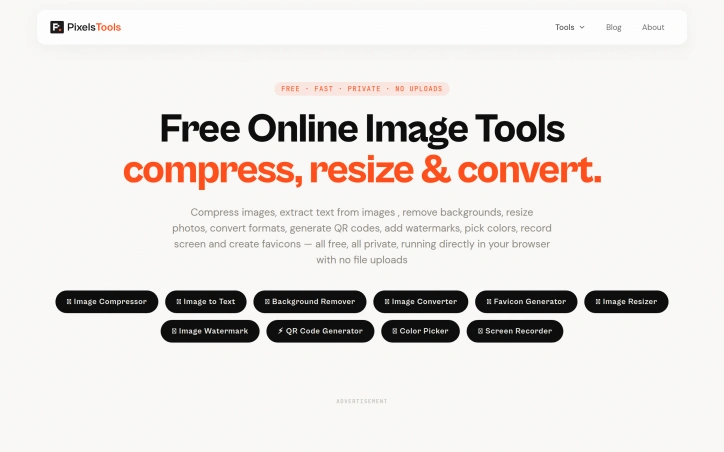
Anyone tired of uploading files to mysterious servers for simple image tasks now has an alternative. PixelTools addresses a straightforward but persistent problem: users need quick image and document processing without surrendering their files to third-party servers. The product targets anyone who handles images regularly but values privacy and speed—content creators, developers, designers, and professionals who want instant results without friction or data exposure. What distinguishes PixelTools is its execution of a privacy-first architecture. Every tool runs entirely in the browser using WebAssembly and browser APIs, eliminating the traditional server upload bottleneck. This approach delivers genuinely instant processing since computation happens locally on the user's device rather than queuing in a server pipeline. The developer behind the project built it explicitly to solve a personal frustration with existing workflows, bringing authentic motivation to the product. The current toolkit spans ten utilities: image compression, text extraction via OCR, AI-powered background removal, format conversion between PNG, JPG, and WebP, favicon generation, image resizing with preset templates, watermarking, QR code generation, a color picker for palette building, and screen recording with audio. This breadth addresses common image workflows without forcing users to juggle multiple tabs or services. The business model relies entirely on non-intrusive advertising, keeping all tools permanently free while avoiding accounts, subscriptions, or file limits. Users download or process their work without friction. This approach appeals to cost-conscious individuals and small teams who might otherwise piece together expensive software or resort to less legitimate alternatives. Technically, the product reflects solid frontend engineering. The developer brings five years of professional experience building React and Next.js applications, with demonstrated expertise in performance optimization and responsive design. That background shows in the product's interface and stability. The main limitation lies in feature scope. While the ten tools cover common tasks well, they remain fairly focused. Advanced image editing, batch operations across all tools, or custom processing pipelines remain absent. For users needing specialized functionality beyond these core utilities, more comprehensive solutions may prove necessary. PixelTools succeeds by doing one thing well: giving users fast, private image processing without requiring trust in unknown servers or payment. For that specific need, it delivers reliably.

Buying a car in Europe means navigating fragmented dealer networks, conflicting reviews, and sales pitches designed to prioritize dealer margins over buyer needs. This Greek startup tackles that friction with a structured research tool that pulls from live listings, safety data, and actual running costs to surface recommendations you can trust. The product addresses a genuine gap. While generalist AI chatbots can discuss cars in the abstract, they cannot access current inventory, calculate real total cost of ownership for a specific market, or save your research across sessions. KAR aggregates listings across European dealers, compares trim specifications on fuel consumption and maintenance costs, and cross-references safety ratings from Euro NCAP. The result is a shortlist of one to five vehicles that match your budget and requirements with reasoning attached. The delivery mechanism is straightforward. Users fill out a preference form specifying budget, body type, driving patterns, and must-have features. The system then returns recommendations with estimated pricing, running cost breakdowns, availability, and where to purchase. The founder built this to counter the incentive structure that makes dealers push what maximizes their margins rather than what serves the buyer. The company takes no dealer commissions and publishes no review fees, positioning itself as genuinely neutral. What distinguishes KAR from both traditional automotive review sites and AI assistants is its focus on actionable, structured output. The platform doesn't just talk about cars; it saves your shortlist, garage history, and prior comparisons so your research persists. It also extends beyond car selection into accessories and parts matching, comparing OEM options against quality aftermarket alternatives with fitment verification and pricing from multiple suppliers. Early traction suggests the model resonates. The company has matched over 100 drivers with recommendations and delivered 200-plus car suggestions. It covers 40 brands across Europe and has secured coverage in GOCAR.gr, Greece's leading automotive publication. The narrowest limitation is geographic focus. KAR emphasizes availability and pricing across European listings, making it most useful for buyers in that market. Buyers seeking broader research on vehicle performance will find less value. The platform also requires users to trust that its AI research methodology is sound without transparency into how recommendations are weighted or how it compares against expert automotive reviewers. For European buyers tired of dealer-driven car shopping, KAR offers a genuinely different model grounded in data rather than commission.


Quick photo editing without the signup friction remains a genuine user need, and this browser-based AI editor tackles it head-on. Users upload an image, describe the edits they want in natural language, and receive results without creating an account first. The approach removes a major barrier to entry for photographers who just need one-off adjustments before moving on. The product works with standard web image formats (JPG, PNG, WebP) up to 30MB and supports a range of editing tasks through its prompt-based interface. Object removal stands out as a particularly useful feature, letting users eliminate distracting elements while requesting specific texture or detail handling to maintain natural results. Background replacement handles both transparent outputs and custom scene generation, making it practical for product photography and profile images. The editor also includes restoration workflows for old photos and generative fill for adding or modifying elements within an image. What distinguishes this tool is its genuine no-friction approach. Rather than burying the free tier behind a signup wall, the editor lets users engage immediately, then offers optional accounts for those who want daily credits and extended history. This positioning targets creators who value speed over feature depth and e-commerce sellers preparing marketplace listings without commitment. The interface presents multiple AI model options, giving users flexibility in generation approach and output quality. Aspect ratio and resolution controls let users tailor outputs to specific uses, whether that's creating social media content, campaign images, or marketplace thumbnails. The product demonstrates clear use cases through task-specific guidance and step-by-step examples. The business model trades immediate conversion for accessibility. Free usage with a credits system means casual users can experiment before deciding whether the product earns a subscription. This low-barrier approach suits a fragmented market where many photo editors sit unused after signup friction or confusing paywalls. The main tradeoff is predictable: a credits-based model combined with the browser platform means users are limited in how much they can generate for free, creating natural paths toward paid accounts for power users. For those seeking unlimited local editing, desktop tools remain the alternative. But for the specific case of quick AI-assisted edits that need no installation and no login, the product delivers directly on its proposition.


Tarot readings traditionally occupied a niche intersection of spirituality and mystique, often requiring in-person sessions with expensive practitioners and demanding significant prior knowledge to interpret results. iTarot addresses this gatekeeping by combining traditional 78-card tarot with AI-powered interpretation, making the practice accessible to beginners and non-English speakers alike. The platform supports 15 languages and offers 25 different card spreads ranging from simple single-card pulls to complex multi-card layouts designed for specific life domains—relationships, career decisions, personal growth, and long-term trajectory. Rather than presenting isolated card meanings, the AI component differentiates itself by explaining how cards relate to one another, analyzing upright and reversed positions, and offering structured, actionable interpretations tailored to the user's specific question. Accessibility extends beyond language support. The site includes a comprehensive help center addressing common misconceptions about tarot's predictive power, explicitly clarifying that readings reflect current energy and possibilities rather than fixed fate. This ethical framing discourages users from employing tarot to circumvent professional advice on medical, legal, or financial matters—a responsible boundary that strengthens rather than weakens the product's credibility. Beginners can start with explanations of all 78 card meanings before diving into complex spreads. The business model uses a freemium approach: basic readings and card meaning lookups are available without payment, while unlocking the AI deep-report analysis requires purchase. Stripe and Alipay are supported, indicating deliberate geographic focus toward global audiences, particularly Asia. What distinguishes iTarot is its positioning at the intersection of ancient divination practice and modern generative AI—a combination that makes subjective interpretation feel more systematic and transparent. Whether users consult tarot for genuine spiritual guidance or self-reflection exercises, the product acknowledges the distinction without judgment. The interface layers structure and clarity over mystique, making it suitable for skeptics and believers alike to explore tarot as a decision-making aid or personal journaling prompt.


Divination has traditionally been gated behind expensive appointments and limited availability, leaving people seeking practical guidance with few accessible options. Lenormand Live addresses this by offering an AI-powered Lenormand card reading platform available 24/7 with support for 15 languages. The platform focuses on Lenormand rather than Tarot, a deliberately practical choice. Lenormand's 36-card system emphasizes concrete, actionable guidance over psychological symbolism, making it better suited for questions about love, career, and life direction. The product offers ten different spreads ranging from simple three-card layouts to nine-by-nine grids for comprehensive analysis, ensuring both beginners and experienced practitioners find suitable options. What distinguishes Lenormand Live is its implementation of contextual card interpretation through what the platform calls adjacency—reading neighboring cards as semantic units rather than in isolation. This approach mirrors how professional readers work. AI-powered, it applies this technique consistently and instantly. The interface guides users to focus their intention before selecting cards, and the AI generates interpretable guidance based on both card positions and the user's specific question. The business model reflects thoughtful design. Users access free basic readings and standard card meanings without friction. Detailed AI interpretations that synthesize card positions with question context unlock through payment, creating a straightforward freemium structure. Payment options include Stripe and Alipay, acknowledging the platform's international audience. Privacy considerations receive explicit attention. Card selection occurs entirely in the browser, and the platform only sends question text and spread data to interpretation services when users explicitly request AI reports. Without login or payment, reading history isn't retained long-term. This transparency about data handling stands out in a space where divination platforms often operate with little scrutiny around user privacy. The product exists within a broader ecosystem. The founder operates related platforms for geomancy, Mayan calendar guidance, tarot, and traditional astrology, suggesting both conviction in AI-assisted divination and recognition that different systems serve different user needs. Lenormand Live targets practical people seeking accessible guidance who value both transparency and convenience. The execution demonstrates understanding that AI can enhance rather than replace divination's appeal when applied thoughtfully to established methodologies.


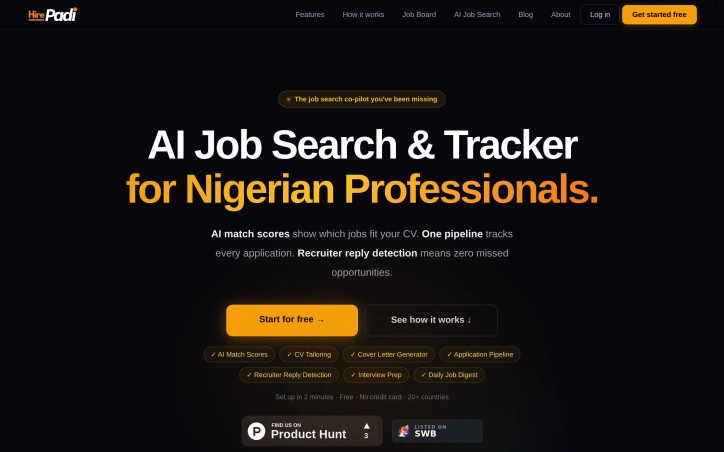
Job search platforms typically optimize for volume—more applications, more shots at the target. HirePadi inverts this approach by prioritizing precision instead. The service targets Nigerian professionals and job seekers across 20 countries who waste time applying to roles that don't match their profile, then wonder why rejections pile up without explanation. The core insight is straightforward: the job search problem isn't about working harder; it's about working smarter. Applicants spray resumes at dozens of postings and never learn whether they're genuinely competitive for each role. HirePadi addresses this by deploying AI to score how closely a candidate's CV aligns with each job, offering clarity before the application lands. The platform bundles this matching capability with three complementary features addressing friction points in traditional job search. CV tailoring automatically adapts resumes to individual roles rather than forcing applicants to use generic templates. Recruiter reply detection monitors Gmail in the background for offers, interview invites, and rejections, surfacing them before they vanish into inbox clutter—a practical safeguard against missed opportunities buried by volume. An application tracker keeps every application visible in a single pipeline, eliminating uncertainty about whether a rejection came via email weeks ago. HirePadi aggregates job listings from nine major platforms including LinkedIn, Indeed, and specialized boards like Remote.co and We Work Remotely, then delivers a personalized daily digest rather than requiring users to hunt across multiple sites. The service rounds out its feature set with cover letter generation and interview preparation tools, creating a workflow spanning discovery through interview. The positioning emphasizes getting real feedback instead of just recording "sent" notifications. Rather than measuring success by application count, the platform promises actual recruiter responses and visibility into whether a candidate is genuinely in contention. HirePadi operates a free model with no credit card requirement and claims setup takes roughly two minutes. No premium tier or paid upgrade is mentioned. The service fills a legitimate gap for job seekers frustrated by low conversion rates and unanswered applications, particularly in emerging markets where job search infrastructure remains fragmented. Whether the AI matching proves reliable and whether this approach genuinely converts to more interviews will determine whether the insight outweighs considerable competition in hiring tools.

Losing unsaved text to a browser crash or network failure is a common frustration that most internet users have experienced at least once. UTexSave addresses this problem by running quietly in the background to automatically capture and preserve everything you type. The product targets anyone who spends significant time writing online: form entries, email drafts, AI prompts, social media posts, or any text input that matters. The founder built this after losing thirty minutes of work to a browser crash, discovering no simple solution existed at the time. What distinguishes UTexSave is its commitment to offline operation. The software stores all data locally on your device with no cloud component, internet connection, or account required. This design choice prioritizes security and privacy while ensuring your backups remain accessible even during network outages. The application runs entirely on your machine, eliminating transmission risks associated with cloud-based competitors. The feature set directly addresses recovery scenarios. Continuous local backup captures everything you write in real time. The previous session recovery function restores text even after unexpected shutdowns or crashes. A clipboard tracker logs the last 100 copied items in the standard version, expanding to 400 in the Pro tier. Pro users also gain access to a backup folder storing the last 30 sessions, allowing recovery of text deleted long ago. Technical execution shows discipline. The entire application weighs under 2 megabytes, meaning minimal system overhead and no noticeable performance impact. Installation is straightforward, with taskbar menu access for retrieving saved files. A pause feature lets users stop recording temporarily, useful when typing passwords or sensitive information. The business model relies on lifetime licenses rather than subscriptions. The Standard version costs 9.90 dollars with installation limited to three authorized PCs. The Pro version costs 39.90 dollars and supports up to twenty PCs. A Microsoft Store version available at 13.99 dollars ties installation to a single Microsoft account. All versions include the core backup and recovery functionality. UTexSave solves a specific, genuine problem with a straightforward approach. The offline-first philosophy appeals to users prioritizing data control and privacy. For writers, developers, and anyone vulnerable to data loss through crashes or accidental deletion, the product delivers measurable value without complexity or subscription costs.


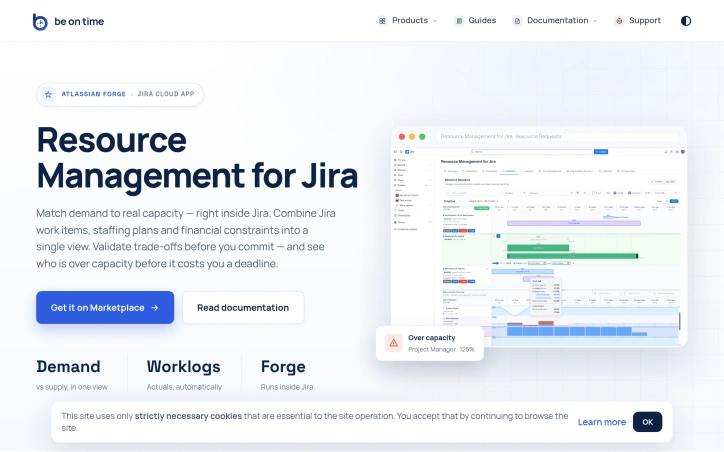
Portfolio resource management at scale is fundamentally about coordination. When dozens of projects compete for the time of the same specialized teams—engineers, designers, QA—organizations lose visibility into who can actually do what, when. Timelines slip not because work is impossible, but because capacity decisions were made in isolation or on gut feel rather than data. This Jira Cloud app tackles that core problem by collapsing org structure, capacity planning, and actual time tracking into a single view where project demand meets team reality. The product is built for organizations running parallel projects that share functional teams. Project managers and team managers gain a structured workflow for requesting resources and signaling availability, while PMOs and executives get analytics that surface over-allocation risks before they become missed deadlines. Everyone stays inside Jira rather than juggling spreadsheets or external tools. What distinguishes this solution is its scope. Most resource management tools handle one dimension well—tracking capacity or managing requests or reporting time. This consolidates org structure synced from Azure AD or Outlook, calendar-based capacity with self-service time-off, a stateful request workflow between PMs and Team Managers, time tracking via Jira worklogs, and analytics comparing demand against actual utilization. The ability to approve resource requests and see over-capacity warnings before committing transforms resource planning from intuition into precision. The execution trades breadth for focus. Rather than building a standalone platform, the team built a Forge app, which means it runs within Jira Cloud without context-switching or data duplication. This tight integration is both strategic and practical—organizations already managing work in Jira get resource visibility without adopting another system. The emphasis on enterprise features—org structure automation, compliance with data residency (Forge cloud), invoice-ready exports, REST API for org sync—signals intent to serve mid-market and larger organizations. The feature set hints at mature thinking about the problem. Calendar-based capacity avoids double-booking by design. The structured request workflow with Team Manager approval prevents PM-level chaos where every request is urgent. Analytics spanning past and future periods let organizations course-correct. Time-off management tied to capacity avoids the phantom availability problem common in spreadsheet-based shops. One limitation is implicit: the product assumes Jira is your system of record for project work and that resource decisions can be scoped to teams and projects tracked there. Organizations with work outside Jira or those needing resource visibility across tools beyond API integration would find this constraining. The REST API mitigates this for org-data sync but not for dynamic allocation scenarios. For organizations struggling to match project demand to expert-team capacity, this fills a real gap at the intersection of portfolio planning and team execution where most tools stop short.