iCV.ge
iCV.ge targets a common frustration for job seekers: building a polished CV takes time, and many applicants never learn...

My2Do
My2Do takes aim at a familiar frustration: task managers that demand a form for every entry and then bury the reminder b...
Categories
Recently Listed
1,261 launches
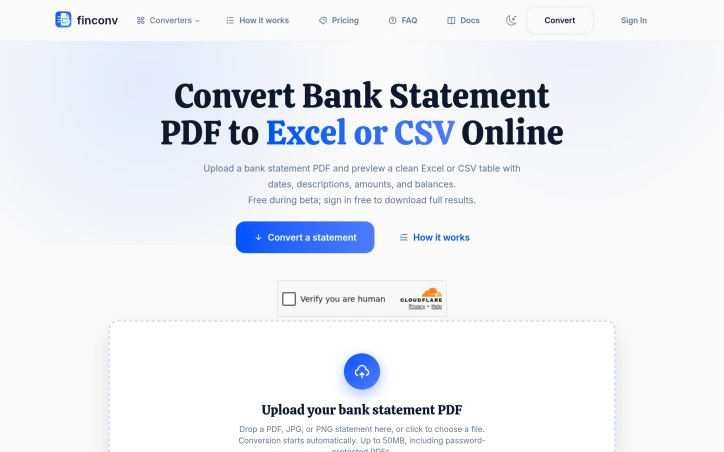
Automating the extraction of bank transaction data from PDFs addresses a genuine friction point for accountants, bookkeepers, and anyone managing business finances. FinConv tackles this by accepting PDF statements—along with scanned images and JPG/PNG photos—and transforming them into structured spreadsheets ready for analysis or import into accounting software. The product's core strength lies in its low barrier to entry. There's no software to install, no complex setup, and initial access requires no account creation. Users can upload a file, preview the extracted data immediately, then decide whether to sign in before downloading. This frictionless preview mechanism signals confidence in accuracy and removes the anxiety of committing to a conversion blind. The platform promises to read dates, descriptions, debits, credits, and running balances—the fundamental columns any accountant needs—and presents them in a clean table format. FinConv's feature set is deliberately broad in format support. Beyond standard PDFs, it handles scanned statements and password-protected files up to 50MB, eliminating the preparatory step of unlocking and re-saving documents before conversion. The export options span Excel, CSV, and JSON, catering to different workflows: Excel for spreadsheet manipulation, CSV for raw data entry into accounting systems, and JSON for developers integrating the output into applications or scripts. Credit card statements receive the same treatment as bank statements, extending utility across financial document types. The privacy stance warrants attention. The company is explicit that uploaded files aren't stored on its servers—data is sent only to an AI provider for extraction. For users handling financial documents containing sensitive account information, this claim of non-persistence is a significant differentiator in a space where data handling practices are often opaque. The business model remains straightforward. FinConv operates under a free beta with free sign-in gated to downloads, suggesting monetization will arrive once the service moves beyond beta testing. This approach buys credibility while the product proves its accuracy and reliability. The product doesn't reinvent the wheel—PDF-to-spreadsheet conversion has existed for years—but it narrows the focus to bank statements specifically and wraps the solution in a modern, user-friendly interface. For the intended audience, that combination of focused scope and accessible design likely translates to genuine time savings over manual entry or wrestling with generic conversion tools.

YouTube's pervasive advertising ecosystem has long frustrated viewers who simply want uninterrupted content consumption. SkipPlay directly addresses this frustration by offering an ad-light alternative that requires no account creation or browser extensions for basic use. The core value proposition centers on simplicity and accessibility. Users paste any YouTube link into the web player or, for enhanced functionality, integrate the Chrome extension and watch without commercial interruptions. The extension further automates sponsor skipping through SponsorBlock integration, a community-driven database that identifies and removes sponsored segments, intros, and subscription reminders from videos. This appeals strongly to viewers who consume substantial video content and grow weary of both platform-inserted ads and creator-embedded sponsor interruptions. What distinguishes SkipPlay from competing solutions involves its layered approach to functionality and device coverage. The free web player works seamlessly across desktop, mobile, and smart TV browsers without requiring installation or authentication, significantly lowering barriers to entry. Mobile users gain background audio playback, a feature enabling listening with the screen locked or while using other applications—functionality that YouTube Premium typically reserves for paying subscribers. For power users seeking additional features, the platform includes a DJ Dual Mixer Deck for mixing tracks side-by-side and offers optional cloud synchronization that persists playlists, favorites, and viewing progress across devices. The business model reveals deliberate positioning within the ad-blocking market. The free web player remains entirely free, monetizing through an optional $9 lifetime extension that enables one-click playback directly from YouTube and automatically skips ads on the native platform itself. This pricing sits significantly below YouTube Premium's $15.99 monthly subscription, positioning SkipPlay as a permanent alternative to recurring fees. The feature comparison presented prominently on the site directly acknowledges YouTube Premium, suggesting confidence in competitive positioning. Beyond standard ad removal, SkipPlay differentiates through SponsorBlock integration and free mobile background play—capabilities that even YouTube Premium and traditional ad-blockers do not consistently deliver. SkipPlay targets viewers frustrated by YouTube's aggressive monetization rather than those seeking premium content access or exclusive features. Its design emphasis on reducing friction through simple URL pasting and one-click extension deployment reveals focus on a specific, well-defined pain point. For viewers averse to advertising and subscription costs, the combination of free web access and affordable permanent licensing presents a genuine alternative to traditional premium models.


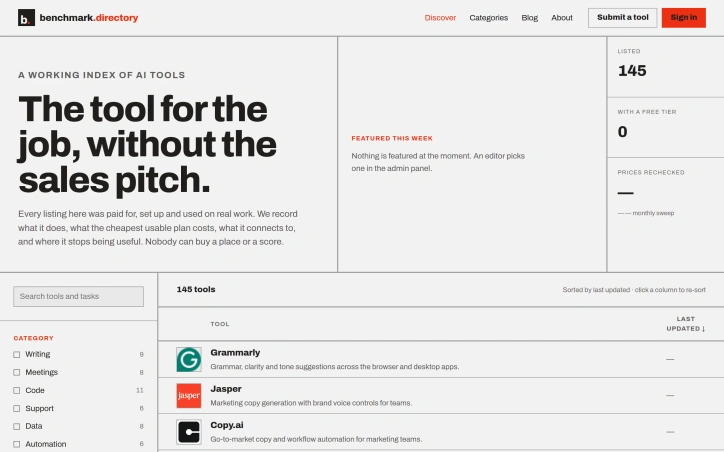
An editorial index of AI tools solves a growing discovery problem in a crowded market. Benchmark.directory addresses the challenge many organizations face when evaluating software: vendor marketing obscures real capabilities and limitations. The directory catalogs 145 tools organized by the practical work they perform rather than technological category, making it genuinely useful for matching problems to solutions. What distinguishes this project is its hands-on editorial approach. Every tool must pass a validation threshold: setup and active use on genuine projects for at least one week before earning inclusion. This practical testing replaces sales collateral with direct experience. The founders document concrete information that typically remains hidden: the actual cost of the cheapest functional plan, what free tiers genuinely permit, which integrations work after setup, and crucially, where each tool's utility boundaries lie. The directory maintains editorial integrity through transparent rejection of pay-to-play arrangements. Listings are completely free, and tools offering payment for placement are documented and declined. This structural decision eliminates the perverse incentive that corrupts most software directories, where prominent positioning correlates with marketing budget rather than usefulness. In 2026 alone, the project rejected 71 submissions and delisted 12 tools, indicating active curation rather than passive accumulation. The categorization strategy reflects how people actually hire software. Rather than grouping by AI methodology or technical architecture, tools appear under practical functions like writing, code, data analysis, and design. This mirrors genuine workflow organization and decision-making patterns. Current coverage spans categories including writing, meetings, code, support, data, automation, design, research, sales, finance, marketing, and specialized domains like legal operations and people management. The interface offers filtering by pricing model and free tier availability, accommodating both individual exploration and organizational procurement processes. The project captures information typically scattered or hidden: training data policies, integration requirements, and usage ceilings. For organizations concerned about whether tools train on proprietary work or evaluating integration feasibility before vendor conversations, this transparency provides tangible value. The regularly updated sort indicates active maintenance of the directory, though opportunity exists for expanded editorial features.

Language learners have long struggled with the gap between app-based drills and actual conversation, and Fluoverse aims to fill that gap. According to the company's own description, the product combines three ideas that rarely share a single service: finding local events, meeting people nearby, and practicing a language through live, AI-supported exchanges. Whether someone is looking for a weekend meetup or a conversation partner, the premise is that practice happens as a natural part of socializing rather than as a separate chore. That framing is appealing. Many learners stall not because they lack vocabulary but because they lack low-stakes chances to speak, and a social setting with real people can supply that pressure in manageable doses. The emphasis on real-world connection also sets the offering apart from purely screen-based tutors. Several questions remain open for a reviewer working only from the published description. The company cites more than 10,000 users, but that figure is self-reported and not independently verified here. Details on how the AI component shapes conversations, how people are matched and moderated, which languages are supported, and how pricing works are not covered in the material available for this review. Prospective users should check these points directly before committing time or money. As a concept, Fluoverse is an ambitious attempt to merge language practice with social discovery. The idea is sound, and execution will determine whether it earns a lasting place among learners and people looking to meet others in their city.


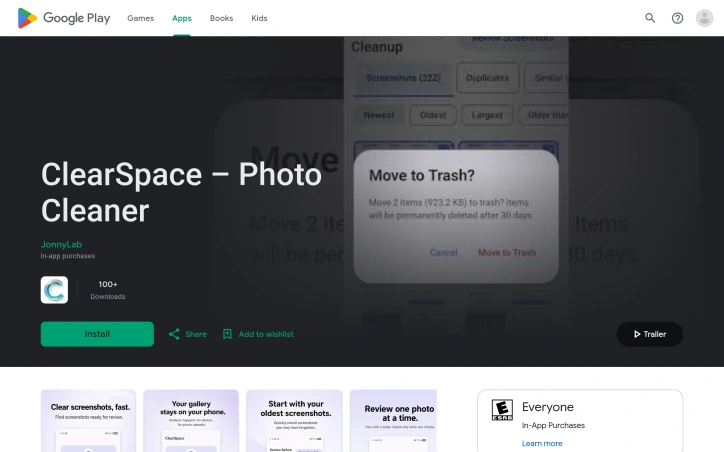
Android users drowning in screenshots and duplicate photos now have a privacy-conscious alternative to cloud-based cleanup services. ClearSpace is a photo cleaner that prioritizes manual control and on-device processing, letting users decide exactly what gets deleted rather than trusting automated systems. The core problem is straightforward: screenshots, similar photos, quality failures, and large media files accumulate quickly, wasting device storage without meaningful impact. ClearSpace addresses this by scanning for these categories and presenting them for review, but crucially, it never deletes anything without explicit user confirmation. This separation between detection and deletion sets it apart from auto-cleanup competitors that operate behind the scenes. What makes ClearSpace distinctive is its privacy-first architecture. All analysis happens locally on the device—no account creation, no cloud upload, no data transmission to third parties. This eliminates the privacy trade-off common in cloud-based photo tools and appeals to users who find traditional services too invasive. The app also integrates with Android's Trash system, meaning deleted items remain recoverable until permanently purged, adding a safeguard against accidental loss. The feature set focuses on intentional cleanup workflows. A dedicated screenshot scanner lets users start with focused cleanup instead of analyzing the entire library. The Swipe Review interface moves through photos one at a time, allowing detailed inspection of duplicates and similar-photo groups. Recent versions added a Screenshot Inbox feature that organizes captures by age, with a Swipe Oldest function for tackling older content first. The app also flags large videos and quality issues, then displays cleanup results showing items removed and storage freed. ClearSpace operates on a freemium model. The free tier offers unlimited scanning and review but caps deletions at 50 per month. ClearSpace Pro unlocks unlimited deletion and full access to Swipe Review, with monthly, annual, and lifetime purchase options. The app targets privacy-conscious Android users who want control over their photo libraries without surrendering personal data. It trades the convenience of automatic deletion for transparency and user agency, positioning photo cleanup as a deliberate process rather than a background task.

International freight forwarding from Pakistan traditionally has relied on a fragmented network of agents with varying service standards. XCORE Freight addresses this gap by offering consolidated logistics infrastructure that caters to both individual shippers and commercial operations moving goods from Pakistan to major English-speaking destinations. The company targets a specific but significant market: the Pakistani diaspora spread across the UK, USA, Canada, and Australia, alongside Pakistani businesses requiring reliable international cargo transport. The company's core value proposition rests on operational consistency backed by 18 years in the logistics sector. Where many freight forwarders fragment responsibilities across multiple vendors, XCORE coordinates the entire shipment lifecycle—pickup, documentation, transportation, and final-mile delivery—under one operational umbrella. This end-to-end model removes coordination friction that typically lengthens transit times and complicates tracking for customers. XCORE's service portfolio spans the transportation methods essential for different cargo profiles. Air freight handles time-sensitive shipments, while ocean freight through FCL and LCL options accommodates larger, less time-critical loads. The company explicitly manages customs coordination internally, a critical pain point that many smaller forwarders delegate to third parties, creating delays and miscommunication. Door-to-door delivery options extend beyond traditional port-to-port arrangements, appealing to customers without established infrastructure at destination points. The cargo types handled signal pragmatic positioning: commercial merchandise, household goods, and personal effects. This breadth reflects understanding of the diaspora use case—many shipments are relocations or family parcels rather than industrial supply chain operations. The willingness to handle mixed cargo (business goods alongside personal items in a single shipment) differentiates from carriers that enforce separation by category. Geographically, the company's network reaches beyond the primary diaspora destinations into Europe, Africa, and the Middle East, suggesting infrastructure or partnerships that enable more than point-to-point routing. A notable gap in XCORE's public positioning is transparent pricing. The website mentions rate options but provides no actual rate cards or pricing methodology. This opacity reflects industry norms for forwarders targeting enterprise clients who expect custom quotes rather than published rates, though it may frustrate smaller shippers seeking competitive benchmarking. The company's marketing consistently emphasizes trust and reliability—language that signals the business serves cost-conscious shippers for whom service failure carries significant personal or business consequences. This positioning trades on reputation as a defensible moat in a crowded logistics market where price competition alone proves insufficient.


Personal trainers typically sell training sessions. This startup reversed the equation by building assessment first, making it free, and stripping away friction entirely. Catalyst Healthspan Audit addresses a straightforward problem: most people lack a structured way to understand their fitness across multiple dimensions, and those who do often face high friction barriers to entry. The product is a 12-question browser-based questionnaire that scores healthspan on a 0 to 10 scale across four pillars: body composition, cardiorespiratory fitness, stability, and strength. It completes in roughly two minutes on mobile without requiring measuring tape or account creation. Results arrive immediately as a downloadable PDF report emailed to the user, with their composite score, pillar breakdowns, identification of weakness areas, and personalized next steps. The scoring algorithm is deterministic, but a language model generates personalized narrative around the numbers, making results feel tailored rather than template-driven. Users with Apple Watch, Garmin, or Oura devices can feed in actual biometric data for greater precision, though this is entirely optional. What distinguishes this is its position at the top of a measurement funnel. The Catalyst Healthspan Audit serves as a gateway to a full 60-minute in-studio assessment at Catalyst Performance, a personal training studio in Singapore's Manulife Tower. This positioning is deliberate: founders operate the studio, so the audit genuinely reflects how they pre-screen every client before discussing training. That authenticity cuts through typical fitness marketing noise. The product extends beyond the audit itself. The team publishes eleven free calculators alongside it, each grounded in published research and built to run entirely in the browser. These cover VO2 max estimation, fitness age, grip strength benchmarks, waist-to-height ratio, and protein intake guidelines. They embed via single-line code snippets, lowering the bar for publishers to add them to websites. This approach treats measurement infrastructure as a public good rather than proprietary advantage. Pricing is absent by design: the audit is free with no sign-up friction. The business model sits in the background, functioning as a lead generator for a physical training business rather than a standalone SaaS product. For users, this eliminates risk when trying the product. For anyone building fitness or wellness software, the open calculators and transparent research citations offer a template worth studying.


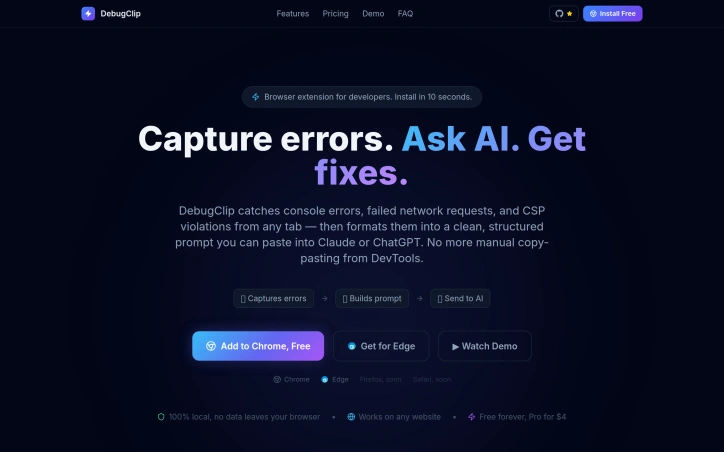
Debugging consumes far more time than it should, and developers have gotten used to it. The typical workflow involves spotting an error in the browser console, manually opening Chrome DevTools to gather context, copying fragments into ChatGPT or Claude, re-explaining the problem when the AI's first response falls flat, then repeating the cycle dozens of times per day. Each context switch costs focus and momentum. DebugClip addresses this friction by automating the bridge between where errors happen and where developers get help. The Chrome extension captures console errors, network failures, and security violations as they occur, then compiles them into a structured prompt ready to send to Claude or ChatGPT with a single click. Rather than manual transcription, developers get stack traces, request headers, response bodies, and HTTP status codes included automatically. What sets this approach apart is elimination of context switching. The extension runs silently in the background and notifies developers when issues occur, presenting everything alongside the problems themselves in a clean dashboard. The promised result is moving from discovery to actionable fix in under ten seconds, replacing workflows that consume five to ten minutes per error. The feature set mirrors what DevTools already exposes but streamlines access and AI integration. It captures every console error and warning, unhandled promise rejections, failed API calls with network details, broken resource loads, and CORS or CSP violations. This breadth ensures developers rarely need to jump back into DevTools to gather missing context. The business model is straightforward. The extension is free to use indefinitely on all websites, with a paid tier at four dollars monthly for presumably enhanced functionality. The developer emphasizes local processing, meaning captured errors remain on device and do not transmit to DebugClip servers. For developers who spend significant time debugging or testing in the browser, the extension removes a well-documented source of wasted motion. The positioning is narrow and focused, targeting a single pain point without attempting to replace DevTools or become an all-in-one solution. Chrome and Edge support is available now, with Firefox and Safari compatibility planned. The free tier makes adoption frictionless.

Fragmented workflows plague service and production businesses of all sizes. Quotations live in emails, approvals happen over chat, job progress gets tracked in spreadsheets, and payment records scatter across multiple systems. The result is data re-entered countless times, customers left guessing about status, and team members wasting hours searching for information instead of doing actual work. QUFO addresses this coordination problem by creating a single workspace where the entire customer journey flows from initial quotation through final payment. The product's core strength is its simplification of a genuinely complex process. Rather than asking businesses to adopt yet another tool, QUFO consolidates five critical functions—customer management, quotations, approvals, job tracking, and payment monitoring—into one connected system. This consolidation matters because it eliminates handoffs where information gets lost or requires manual re-entry. Several features stand out for their practical design. The online approval system lets customers review quotations and request changes from a secure link without needing an account, removing friction from the approval stage. The automatic payment balance calculation keeps financial tracking current without manual math errors. Customer tracking links provide visibility without exposing internal notes, solving a genuine tension between transparency and business privacy. The dashboard approach offers business owners a unified view of active work, payment status, and outstanding balances—information typically scattered across spreadsheets and separate accounting tools. Job progress moves automatically to customer-facing tracking pages as the team updates production status, reducing the need for repeated status update messages. The onboarding experience appears intentionally low-friction. A free 30-day trial requires no credit card, and the marketing language emphasizes "quick setup," suggesting the founders designed for businesses that want results without lengthy implementation. The three-minute demo video is positioned as watchable without signup, lowering the barrier to evaluation. No detailed pricing information is disclosed on the homepage, which is typical for early-stage SaaS but limits assessment of the business model's competitiveness. The free trial structure suggests a freemium or conversion-based model, though this remains unstated. QUFO targets a real inefficiency in small-to-medium service businesses, where operations currently depend on mixing purpose-built tools with improvisation. Its workflow-centric design and emphasis on reducing repeated data entry address genuine pain points. Whether the execution delivers on this promise requires direct experience with the product, but the problem is legitimate and the positioning is clear.


Winning enterprise deals shouldn't require an engineering team to abandon feature development for weeks of compliance busywork. Yet this exact scenario has become routine for startups seeking customers among large organizations that demand SOC 2 certification and exhaustive security questionnaires before signing contracts. DELTARQ targets this friction point with a unified platform combining AI-native threat detection, security operations automation, and compliance management designed specifically for resource-constrained technical teams. The core insight driving the product is sound: traditional security tools divide into two inadequate categories for startups. Enterprise-grade SIEM and SOAR platforms command high costs, lengthy implementation timelines, and require dedicated security personnel to manage alert noise. Compliance software delivers checklists without actually preventing breaches. DELTARQ attempts to collapse this false choice by automating both active threat detection and compliance documentation simultaneously. The product's technical differentiation centers on two commitments. First, it embeds AI throughout its architecture to function as an autonomous security engineer, identifying and blocking network threats without human intervention. Second, it operates entirely within a customer's local infrastructure rather than routing sensitive data through external cloud systems, addressing data residency concerns that often derail enterprise evaluations. For startups navigating sales processes with large customers, this architecture choice eliminates a common objection while reducing the compliance surface area. The platform consolidates three distinct functions—SIEM for log analysis and threat detection, SOAR for automated response workflows, and SOC 2 compliance automation—into a single integration point. This consolidation matters operationally: it reduces deployment complexity and tool proliferation, keeping total cost of ownership low while maintaining enterprise-grade capabilities. The compliance automation piece directly addresses the quantified pain point from the founder's experience: the ability to generate required documentation and evidence automatically rather than through manual effort substantially accelerates enterprise sales cycles. The target customer appears precisely defined: technical teams at SaaS companies that have achieved product-market fit and face enterprise sales requirements but lack dedicated security infrastructure. These organizations typically have the engineering sophistication to deploy and maintain local infrastructure but insufficient scale to justify a full security operations center. The positioning emphasizes pragmatism over comprehensiveness. DELTARQ makes an implicit acknowledgment that startups need adequate security and compliance, not maximum-sophistication security theater. For founders tired of compliance friction, the value proposition translates directly into recovered engineering velocity and shorter sales cycles.


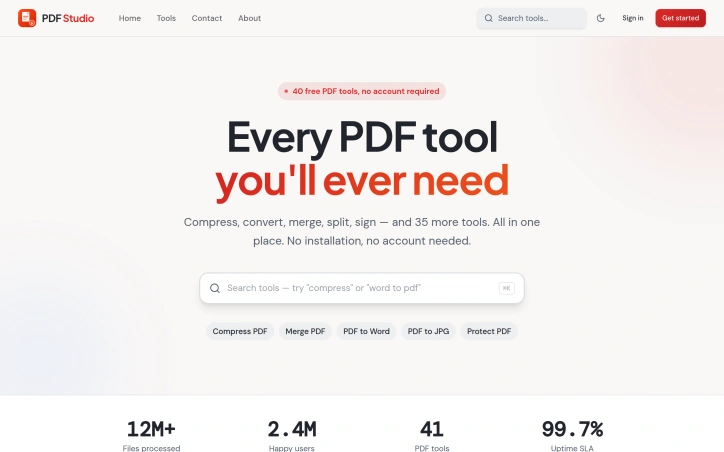
Managing PDF documents has traditionally required either expensive software subscriptions, local installations, or compromised functionality. PDF Studio addresses this gap with a web-based toolkit designed to streamline common document workflows without additional friction. The platform targets a broad audience spanning students managing academic assignments, professionals organizing business documents, and general users handling everyday PDF tasks. The core promise centers on accessibility and simplicity, removing barriers that often exist with desktop solutions or feature-restricted online alternatives. The feature set covers the essential PDF operations most users encounter. Conversion capabilities allow documents to be transformed between formats, while compression tools reduce file sizes for easier sharing. Document manipulation features include merging multiple files and splitting them into sections, along with editing functionality to modify content directly in the browser. Security features provide password protection for sensitive documents and unlocking capabilities for restricted files. What distinguishes PDF Studio in a crowded market is its fully browser-based architecture. This design choice eliminates the need for software installation entirely, allowing users to work with documents from any device with internet access. The emphasis on browser-based operation prioritizes immediacy over setup complexity. The platform has been featured on prominent AI and tools directories including AgentHunter and TakeAI, establishing recognition within tech communities. These inclusions demonstrate the service has differentiated itself enough to merit placement in curated collections. The product's architecture targets removing friction points commonly associated with PDF management. Rather than catering to power users with advanced features, the design prioritizes reliability and straightforward access to core functions. The stated commitment to security and user-friendliness reflects a focus on building trust with users handling sensitive documents. For users evaluating PDF management solutions, PDF Studio delivers a no-installation alternative that emphasizes common operations. The browser-based approach addresses a specific pain point for users who want immediate access without software setup or maintenance overhead. The platform's viability depends on execution quality relative to established competitors in the online PDF tools market, but it stakes out a clear position for users prioritizing accessibility and simplicity over advanced capabilities.

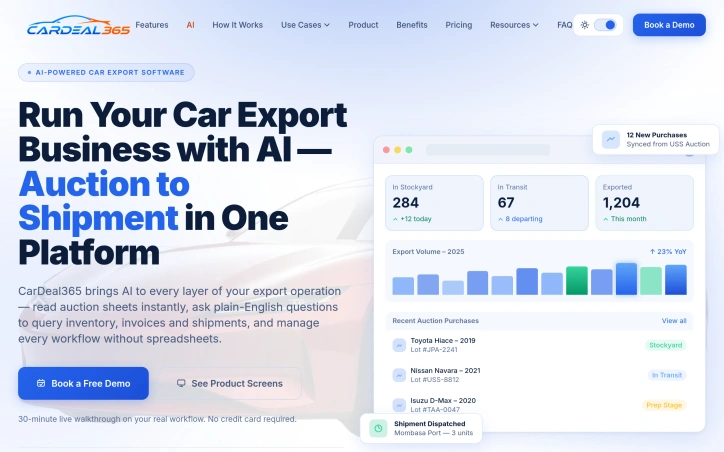
Used car exporters working with Japanese auction houses have traditionally managed operations through a patchwork of spreadsheets, emails, and manual coordination across multiple systems. CarDeal365 consolidates this fragmented workflow into a single platform designed specifically for the operational realities of used car export: managing purchases from competing auction sources, tracking inventory across multiple stockyards, handling export documentation, coordinating with international buyers, and maintaining real-time visibility into margin performance. The platform addresses six distinct pain points that characterize current export operations. Auction purchase records from suppliers like USS, TAA, and IAA arrive scattered across separate communications channels, forcing teams to manually cross-reference data. Vehicle tracking across stockyards happens without centralized visibility, creating blind spots around location and condition. Export documentation remains a manual, error-prone process prone to delays and customs complications. Buyer management is fragmented across WhatsApp, email, and phone without a unified record. Operational decision-making runs on intuition rather than real-time data. And team collaboration suffers from silos when multiple employees work on the same deals without a shared source of truth. What distinguishes CarDeal365 from generic workflow platforms is the integration of AI throughout the operation rather than as an afterthought. The system reads auction sheets automatically, accepts plain-English queries about inventory and shipments, and surfaces document compliance gaps before departure dates arrive. This architectural choice reflects the founder's background running a car export operation and losing margin to organizational chaos. The product consolidates thirteen integrated modules across the entire auction-to-shipment pipeline and promises onboarding within three to seven days. The platform displays live operational metrics: current stockyard inventory, vehicles in transit, and monthly export volumes. It logs auction sources on every purchase and enables filtering by auction house, lot number, or purchase date. Buyer quotations and shipment status share a single record rather than living in scattered messages. Document checklists surface missing fields early rather than at the dock. CarDeal365 positions itself as a solution for export businesses ready to replace manual spreadsheet workflows with real-time operational data and consolidated inventory management. No pricing details are publicly mentioned; the company encourages prospects to book a free demo with no credit card required.

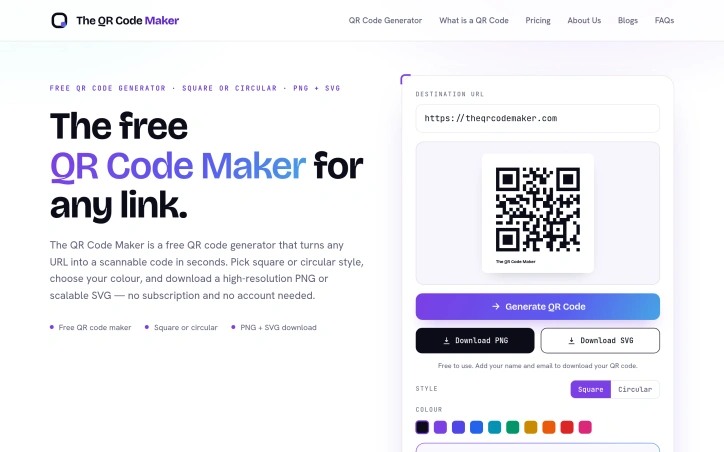
Connecting physical materials to digital destinations has become essential for businesses across sectors, yet the landscape of QR code generators remains cluttered with friction points. Most free tools bury their core functionality behind account requirements, usage restrictions, or subscription walls that undermine their value proposition. The QR Code Maker addresses this directly by offering genuine frictionless generation: enter a URL, receive a scannable code, download it. No mandatory registration, no artificial limits, no paywalls. The product targets a broad constituency. Crypto and blockchain teams use QR codes to share wallet addresses and DApp links. AI product groups point users to demos and research resources. Financial services companies streamline onboarding flows. Educational institutions embed codes in learning materials. Healthcare providers eliminate typing friction from patient intake forms. The underlying principle applies wherever physical materials need to bridge to digital experiences, making the tool relevant to marketers, event organizers, publishers, and any business managing a tangible-to-digital workflow. What distinguishes The QR Code Maker is its philosophical clarity. Rather than treating the free tier as a limited trial for paid features, it delivers complete core functionality without gatekeeping. Users generate unlimited QR codes, choose between square and circular styles, select custom colors, and export in both scalable SVG and high-resolution PNG. The codes encode URLs directly into their pattern at generation time, ensuring they remain functional offline and scan instantly on any modern smartphone. This technical simplicity—no intermediate services, no URL shorteners, no ongoing tracking dependencies—makes codes robust and portable. The product acknowledges market segmentation without letting it compromise the free experience. Pro customization options exist: logo overlays, frames, gradient fills, multiple style variations, and watermark removal. These features appeal to brands with design requirements, but their absence doesn't diminish utility for basic use cases. Print readiness emerges as a practical strength often overlooked by web-first QR generators. The ability to export scalable vector graphics means posters, packaging, and signage maintain crisp codes regardless of size. High-resolution PNG output handles digital deployment. This dual-export approach acknowledges that QR codes serve physical and digital contexts simultaneously. The QR Code Maker succeeds by staying disciplined about scope. It solves a specific, well-defined problem with minimal complexity. For users seeking fast, accountless QR code generation without navigation through sales funnels, it delivers exactly what its name promises.

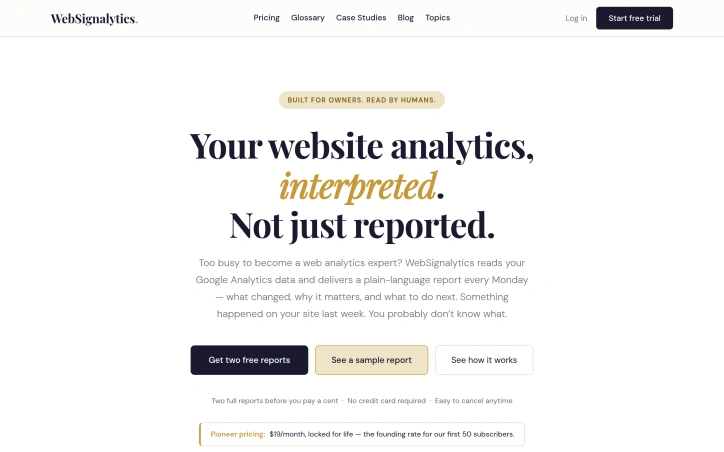
Analytics platforms record everything but rarely explain anything. That's the gap WebSignalytics addresses. Rather than leaving small business owners, consultants, and solo practitioners drowning in metrics and charts, the service connects to Google Analytics and delivers a plain-language summary every Monday—complete with what actually changed on their site, why it matters, and which changes warrant action. The core insight is straightforward: most website owners aren't analytics specialists. They connected Google Analytics because it seemed important, which it is. But GA4 faithfully records data without interpretation. A traffic drop of 40 percent to a top-performing page looks like one data point in a dashboard filled with hundreds. A broken contact form doesn't announce itself; it just quietly stops converting. A surge from an unexpected source stays invisible until the moment passes. WebSignalytics bridges that gap by doing the interpretive work upfront. The weekly report format itself is notable. Rather than inviting users into another dashboard they'll rarely visit, the service brings insight directly—a narrative account of what shifted in the past week, flagged issues like tracking gaps, and concrete next steps. This is built for humans who run businesses, not for people who've chosen analytics as a profession. The founder, who trained in graphic design and marketing before moving into AI-assisted development, brings a user-centric philosophy to the work. That sensibility shows: the product skips the industry jargon and complex menus in favor of clarity. There's no nomenclature to learn, no dashboard to master. The pricing structure reflects early-stage ambitions. At 19 dollars per month, locked in permanently for the first 50 subscribers, it's positioned as founder pricing rather than a standard market rate. New users can request two free reports before committing, with no credit card required. The simplicity extends to cancellation—the copy emphasizes how easy it is to walk away. The most immediate use case is for owners of small to medium websites who've invested in Google Analytics but lack the expertise or bandwidth to monitor it consistently. The weekly cadence assumes they're too busy to check daily but not so disconnected that they'd miss weekly intelligence. For that specific audience, the value proposition is direct: keep your site healthy without becoming an analyst.

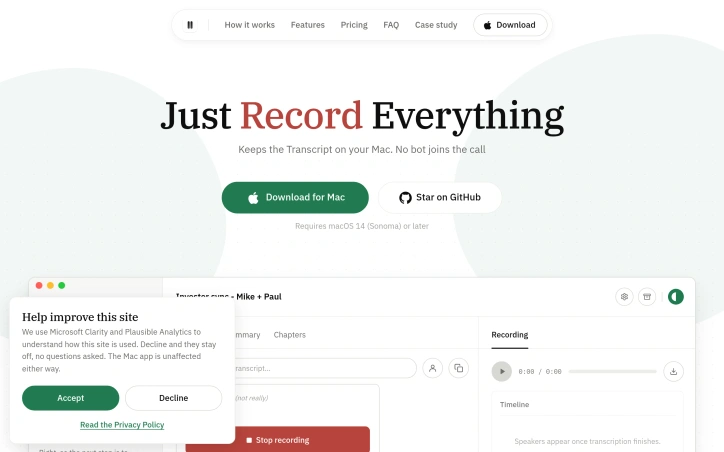
People who run frequent calls on a Mac often want a reliable record of what was decided, but the usual option, a bot that joins the meeting as a visible participant, changes the room. Corder takes a different approach. It records from the Mac itself, so no third party appears in the call. For anyone whose colleagues or clients would object to a recording bot, that is the central appeal. The mechanics are straightforward. Corder captures two parallel tracks, one from the microphone and one from everything the Mac plays through its audio output. Because it works at the system level rather than inside a single app, it covers Zoom, Google Meet, Microsoft Teams, Discord, or any other call running on the machine. Recording starts from the menu bar or when Corder detects a meeting on its own. Every recording lands in a sidebar within one window, and the transcript view shows named speakers alongside their share of the conversation. Privacy is built around local storage. Recordings stay on the Mac and can be opened in Finder at any time. Only transcripts sync to an account after sign-in, and diagnostic data contains no meeting content and can be switched off. That split between local audio and synced text suits anyone who treats meeting content as sensitive. Customization is practical rather than deep. Users can toggle screen video and choose its resolution, enable automatic transcription, turn meeting auto-detection on or off, and switch between light and dark appearance. These options are reachable without digging through nested menus, which keeps the app approachable. The limitations are clear. Corder requires macOS 14.2 or later on Apple Silicon, which excludes Windows and Linux users. It does not provide live captions during a call, it does not offer a bot participant for teams that want one, and it cannot record on a phone. Anyone who needs those capabilities will need a different product. Overall, Corder is a focused tool for Mac users who handle technical discussions across several projects and want a lasting record of past meetings without introducing a visible recorder into the call. Its strength lies in its architecture and privacy stance rather than in breadth of features.
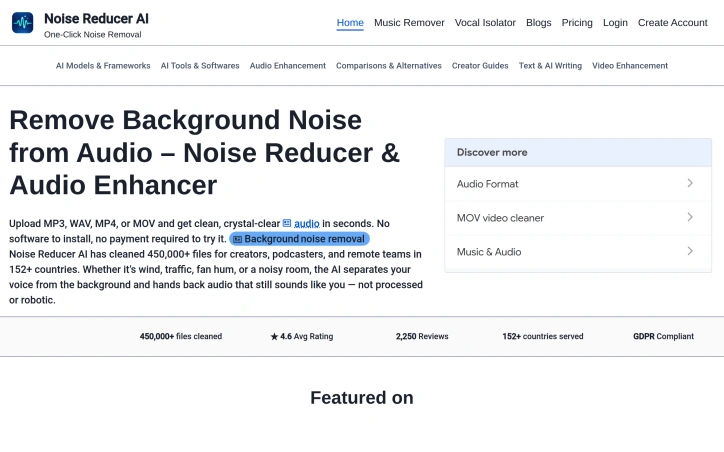
Background noise derails audio quality for content creators, podcasters, and remote workers who need professional sound without expensive equipment or software. Noise Reducer AI attacks this problem head-on by offering browser-based audio and video processing that removes unwanted background sounds in seconds. The platform operates on a freemium model, allowing users to upload and denoise files without paying upfront. The technical foundation relies on DeepFilterNet, a deep-learning framework designed for real-time noise separation. Rather than leaving audio sounding processed or robotic, the tool preserves the natural characteristics of the primary audio—typically the speaker's voice—while stripping away hum, traffic, wind, crowd noise, and echo. The product's appeal extends beyond noise removal. It offers three specialized tools: a general noise reducer for various background sounds, a music remover that isolates or extracts vocals independently, and a vocal isolator for complex environments with layered noise. This modular approach addresses the reality that different recording scenarios demand different solutions. The interface embraces simplicity with drag-and-drop uploads, real-time waveform visualization, and adjustable denoise intensity levels. Multi-format support—MP3, WAV, MP4, MOV, and more—eliminates the friction of audio extraction before processing. Users can upload video directly, with the tool handling both audio and video files seamlessly. A recording feature adds flexibility for those working directly within the platform, with immediate playback for before-and-after comparison. The platform's track record demonstrates practical viability. Across 152 countries, it has processed 450,000 files with an average user rating of 4.6 out of 5 based on 2,250 reviews. The service maintains GDPR compliance, addressing privacy concerns for European users and regulated industries. No software installation requirement lowers the barrier to entry, positioning the tool as immediately accessible from any browser. The core tension remains between free trial usage and monetization. While the site references purchasing options for additional processing minutes, explicit pricing details remain absent from the marketing materials, leaving cost comparison and long-term economics unclear for prospective users.

Browser tabs containing bank logins, client files, and sensitive emails remain completely unprotected throughout the workday. Locksy solves this by adding encryption and automatic locking directly within the browser, eliminating the need for traditional password managers or manual security rituals. The product targets anyone who handles confidential information in a browser but finds existing security tools either invasive or inconvenient—remote workers, consultants, and professionals dealing with sensitive client materials fall into this category. Locksy's defining characteristic is its refusal to rely on cloud infrastructure. All encryption happens locally on the user's device, meaning data never leaves the browser itself. This architecture eliminates an entire category of risk that cloud-based competitors cannot escape: the possibility of a central breach, subpoenaed logs, or a company pivoting toward data monetization. The product functions offline, removing dependency on internet connectivity for basic security operations. Auto-locking addresses the behavioral side of security—where users fail to manually protect information. By making protection automatic rather than optional, the product closes the gap between intention and action. The company's bootstrapped foundation shapes its entire approach differently than venture-backed security startups. While competitors pile on features to justify premium subscriptions, Locksy provides free access to core functionality. This reflects confidence in the value proposition and an emphasis on removing adoption friction rather than maximizing revenue per user immediately. The founders articulate their philosophy clearly: they built Locksy out of frustration with security products that sacrifice usability in the name of safety. That focus on combining practical convenience with actual security distinguishes the positioning. Rather than attempting to replace password managers or become an identity platform, Locksy tackles one specific problem exceptionally rather than many problems adequately. The product mentions military-grade encryption, though specifics on cryptographic standards or implementation details aren't disclosed in available materials. For a security product, greater technical transparency would strengthen confidence among informed users, though the offline-first architecture already eliminates major attack surfaces that cloud competitors face. Locksy represents a meaningful attempt to solve a real problem—unprotected browser tabs—without the surveillance capitalist undertones that plague many privacy-focused tools.




Removing backgrounds from images has long required either manual effort or expensive software. Bg Remover addresses this friction by bringing AI-powered editing directly to browsers, eliminating the need for installations or account signups. The platform targets eCommerce businesses, social media content creators, designers, and marketers who regularly need clean product shots and professional-looking visuals. The tool delivers on its core promise: processing images through AI that detects edges and fine details like hair and fabric textures with precision, completing the work in seconds rather than minutes. What distinguishes Bg Remover in a crowded space is its execution. The browser-based approach means users upload an image and receive a transparent PNG without friction. The live preview comparison, which lets users drag a slider to inspect the output against the original, demonstrates confidence in the edge detection quality. The platform claims hair-level precision with no halos or manual touch-ups required. Support for major formats including PNG, JPG, and WEBP, with a generous 20MB file size limit, covers the typical use cases. Beyond background removal, the platform positions itself as a broader image editing suite. The offerings include a background changer for different contexts, an image upscaler for resolution improvements, and color correction tools. All of these run in-browser, avoiding the upload-wait-download cycle users typically endure with cloud services. The stated user base of 250,000 creators worldwide suggests meaningful traction. The missing element from the public-facing materials is clarity on the business model and pricing. This could indicate either a completely free offering or a freemium model with premium features not highlighted on the homepage. Also absent from the marketing materials is acknowledgment of limitations. Every AI background removal tool has edge cases where it struggles, whether with complex hair, transparent objects, or unusual lighting. Prospective users should test the tool before committing workflows to it. For creators and businesses tired of expensive editing software or manual cleanup work, Bg Remover offers a low-friction entry point. The test-without-signup approach lets potential users validate the tool's output quality for their specific use cases before deciding whether it fits their workflow.


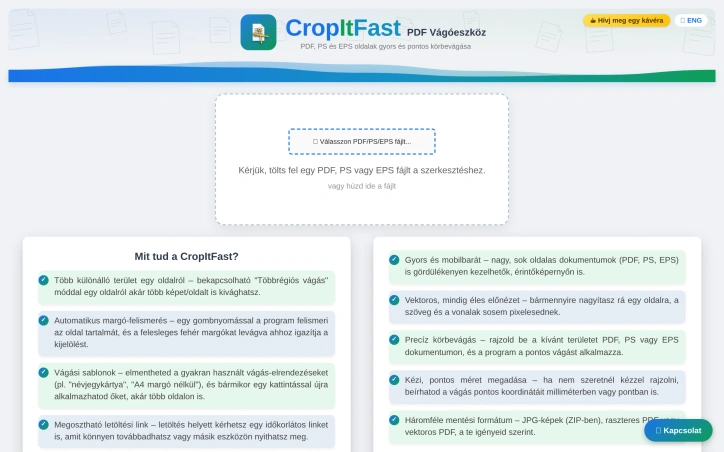
PDF cropping remains a friction point for anyone regularly handling document design, printing, or content extraction. Most available solutions force users toward bloated desktop applications or complex workflows that feel overkill for a single task. CropItFast tackles this directly by offering a streamlined browser-based alternative that prioritizes speed and precision without requiring any software installation. The product addresses a specific but genuine need: making batch document processing accessible. Whether you're preparing business cards, cutting out specific sections from longer documents, or preparing files for print, CropItFast handles these jobs without unnecessary complexity. The target audience spans designers, print professionals, content managers, and anyone who frequently manipulates PDF, PostScript, or EPS files. What distinguishes CropItFast from basic crop tools is its feature depth. Automatic margin detection eliminates manual adjustment for documents with uneven white space, a substantial time-saver when processing multiple pages. The multi-region cropping mode lets users extract several independent areas from a single page without relying on workarounds. Equally useful is the template system, which remembers frequently used crop layouts and applies them consistently across pages or even different documents. For users who prefer precision over clicking, exact coordinate input in millimeters or points ensures mathematical accuracy. The platform's output flexibility warrants attention. Users can export to JPG, raster PDF, or vector PDF depending on their downstream needs, with adjustable quality settings for DPI and JPEG compression. This adaptability matters for professionals who might need sharp screen-ready images one day and print-ready files the next. The option to generate shareable download links with time restrictions adds a collaboration layer, allowing users to distribute results without permanently hosting sensitive files. The interface shows thoughtfulness toward modern usage patterns. Vector-based preview rendering ensures crisp text and lines regardless of zoom level, while mobile support acknowledges that PDF handling increasingly happens on phones and tablets. The tool's claimed ability to handle large, multi-page documents smoothly suggests engineering attention to performance. One note: the website references missing JavaScript files required for the interface library. This indicates either outdated documentation or a production concern worth investigating before evaluating the tool. For users tired of desktop PDF editors or struggling through complex alternatives, CropItFast delivers focused functionality optimized for the actual task rather than general document editing.