
770 startups launched 9,203 upvotes cast 34 submitted this week

Recently Listed

770 launches
Sort
CoopTrack

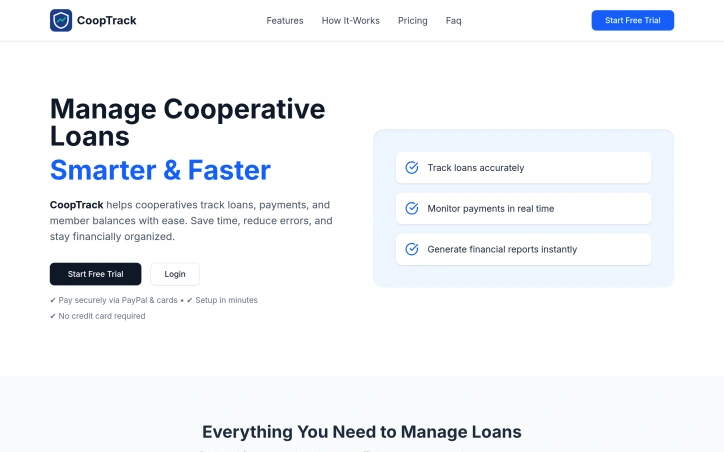
Loan management in cooperative organizations typically requires juggling multiple spreadsheets, manual reconciliation, and constant back-and-forth communication. CoopTrack addresses this operational friction by providing a centralized platform designed specifically for how cooperatives function, eliminating the tedious administrative burden of tracking member balances, loan disbursements, and payment histories. The platform targets cooperatives of all sizes, from small community-based organizations to larger networks with hundreds of members. Its core strength lies in simplicity—the company emphasizes setup in under ten minutes, and the interface prioritizes ease of use over complex feature density. This focus on accessibility is deliberate; the tool is managed by cooperative staff rather than requiring member participation, meaning adoption friction is minimal. Key capabilities include real-time loan balance monitoring, member record management, automated payment tracking with balance updates, and financial reporting for decision-making. The platform also handles payment collection directly through PayPal and card processing, integrating a revenue mechanism into the same interface where cooperatives manage their operations. This consolidation reduces context-switching and data entry errors—a significant pain point for organizations relying on manual systems. Data security is a central design consideration, with the company emphasizing encryption and private storage of member financial information, which is critical for organizations handling sensitive cooperative finances. The absence of any requirement for members to install software or access the system directly further simplifies the operational model. Pricing is structured around cooperative size. The Starter tier at five dollars monthly supports up to fifty members with basic reporting; the Standard plan at ten dollars accommodates up to three hundred members and adds email notifications and priority support; the Premium offering at twenty-five dollars removes member limits and includes advanced analytics and export capabilities. All tiers include secure payment processing, and the requirement of no credit card for the free trial removes a common barrier to evaluation. The messaging positions CoopTrack as a replacement for error-prone manual processes rather than a comprehensive financial management system. For cooperatives managing loan portfolios without existing software infrastructure, the combination of low cost, quick implementation, and straightforward feature set represents a pragmatic alternative to spreadsheet-based workflows or expensive enterprise platforms designed for other organizational types.

Financial-planning
N
nxt Tasq

Loan management in cooperative organizations typically requires juggling multiple spreadsheets, manual reconciliation, and constant back-and-forth communication. CoopTrack addresses this operational friction by providing a centralized platform designed specifically for how cooperatives function, eliminating the tedious administrative burden of tracking member balances, loan disbursements, and payment histories. The platform targets cooperatives of all sizes, from small community-based organizations to larger networks with hundreds of members. Its core strength lies in simplicity—the company emphasizes setup in under ten minutes, and the interface prioritizes ease of use over complex feature density. This focus on accessibility is deliberate; the tool is managed by cooperative staff rather than requiring member participation, meaning adoption friction is minimal. Key capabilities include real-time loan balance monitoring, member record management, automated payment tracking with balance updates, and financial reporting for decision-making. The platform also handles payment collection directly through PayPal and card processing, integrating a revenue mechanism into the same interface where cooperatives manage their operations. This consolidation reduces context-switching and data entry errors—a significant pain point for organizations relying on manual systems. Data security is a central design consideration, with the company emphasizing encryption and private storage of member financial information, which is critical for organizations handling sensitive cooperative finances. The absence of any requirement for members to install software or access the system directly further simplifies the operational model. Pricing is structured around cooperative size. The Starter tier at five dollars monthly supports up to fifty members with basic reporting; the Standard plan at ten dollars accommodates up to three hundred members and adds email notifications and priority support; the Premium offering at twenty-five dollars removes member limits and includes advanced analytics and export capabilities. All tiers include secure payment processing, and the requirement of no credit card for the free trial removes a common barrier to evaluation. The messaging positions CoopTrack as a replacement for error-prone manual processes rather than a comprehensive financial management system. For cooperatives managing loan portfolios without existing software infrastructure, the combination of low cost, quick implementation, and straightforward feature set represents a pragmatic alternative to spreadsheet-based workflows or expensive enterprise platforms designed for other organizational types.

CoopTrack preview

Key features

  • Real-Time Balance Monitoring: Track member loan balances and payment status instantly
  • Automated Payment Processing: Integrated PayPal and card processing for direct payment collection
See full listing
LingoFrame

Video creators worldwide face a persistent challenge: making content accessible across language barriers while managing tight production timelines. LingoFrame addresses this friction by automating subtitle generation and translation, eliminating the manual work that typically consumes hours and requires specialized skills. The platform targets three distinct audiences effectively. Educators can caption lessons to reach international students without language constraints. Marketing teams gain the ability to deploy multilingual campaigns at scale. Content creators benefit from improved discoverability and accessibility, which have become competitive advantages in crowded platforms. What sets LingoFrame apart is its streamlined workflow. Users upload video files and the system generates subtitles automatically, then offers customization options before exporting. The product provides flexibility in output formats—creators can download standard SRT files for external use or burn subtitles directly into video files. Multi-language translation capabilities are built into the core offering rather than treated as a premium add-on, though the credit system does meter access to these features. The feature set covers the essential needs of the subtitling workflow. Beyond basic caption generation, the platform handles the technically demanding task of translating subtitles while syncing them to video timing. Customization options suggest users can adjust styling, formatting, and language specifics to match their content aesthetic and regional preferences. Pricing employs a credit-based model with tiered options. New users receive 25 free credits to trial the service, lowering friction for initial adoption. Paid plans start at $4.99 for 30 credits, with a mid-tier offering at $12.99 for 100 credits marked as the platform's most popular option, and a premium tier at $29.99 for 300 credits. The credit allocation system accounts for different operation costs—subtitle generation, merging, and translation each consume credits at different rates, though exact time-to-credit conversions require calculation. LingoFrame occupies a practical position in the accessibility tooling space. It doesn't attempt to be a full video editing suite or compete with enterprise-grade localization platforms. Instead, it solves a specific, high-friction problem with a direct interface and transparent pricing. The free credit allowance and popular mid-tier option suggest the company targets creators and small teams rather than enterprise deployments, prioritizing ease of use over feature maximalism. For any producer managing multilingual content, the value proposition centers on the time savings and quality standardization that automation delivers.


Video creators worldwide face a persistent challenge: making content accessible across language barriers while managing tight production timelines. LingoFrame addresses this friction by automating subtitle generation and translation, eliminating the manual work that typically consumes hours and requires specialized skills. The platform targets three distinct audiences effectively. Educators can caption lessons to reach international students without language constraints. Marketing teams gain the ability to deploy multilingual campaigns at scale. Content creators benefit from improved discoverability and accessibility, which have become competitive advantages in crowded platforms. What sets LingoFrame apart is its streamlined workflow. Users upload video files and the system generates subtitles automatically, then offers customization options before exporting. The product provides flexibility in output formats—creators can download standard SRT files for external use or burn subtitles directly into video files. Multi-language translation capabilities are built into the core offering rather than treated as a premium add-on, though the credit system does meter access to these features. The feature set covers the essential needs of the subtitling workflow. Beyond basic caption generation, the platform handles the technically demanding task of translating subtitles while syncing them to video timing. Customization options suggest users can adjust styling, formatting, and language specifics to match their content aesthetic and regional preferences. Pricing employs a credit-based model with tiered options. New users receive 25 free credits to trial the service, lowering friction for initial adoption. Paid plans start at $4.99 for 30 credits, with a mid-tier offering at $12.99 for 100 credits marked as the platform's most popular option, and a premium tier at $29.99 for 300 credits. The credit allocation system accounts for different operation costs—subtitle generation, merging, and translation each consume credits at different rates, though exact time-to-credit conversions require calculation. LingoFrame occupies a practical position in the accessibility tooling space. It doesn't attempt to be a full video editing suite or compete with enterprise-grade localization platforms. Instead, it solves a specific, high-friction problem with a direct interface and transparent pricing. The free credit allowance and popular mid-tier option suggest the company targets creators and small teams rather than enterprise deployments, prioritizing ease of use over feature maximalism. For any producer managing multilingual content, the value proposition centers on the time savings and quality standardization that automation delivers.

LingoFrame preview

Key features

  • Automatic Subtitle Generation: The system automatically generates subtitles from video files without manual work
  • Multi-Language Translation: Built-in translation capabilities sync subtitles to video timing across multiple languages
See full listing
BacklinkLog

For indie makers and SaaS founders struggling to gain visibility in a crowded market, BacklinkLog positions itself as a shortcut—a curated directory designed to connect emerging products with discovery-minded audiences. Rather than betting on organic search or paid ads alone, the service offers a dedicated listing page that aggregates the key information potential customers need: product descriptions, screenshots, category tags, and direct links. The directory's value proposition rests on three operational claims. First, listings reach search engine indexes within 24 hours, suggesting visibility acceleration beyond typical website indexing timelines. Second, placements remain permanent as long as the subscription holds, eliminating the rotating feature carousel common in other directories. Third, each listing gets structured markup and keyword optimization to improve discoverability through both search engines and the directory's internal taxonomy. The product emerges at an interesting inflection point. Marketplace directories for indie products have proliferated—ProductHunt, Indie Hackers, and various niche aggregators all compete for founder attention. BacklinkLog's differentiation hinges on permanence and search integration rather than the social ranking or community voting mechanisms that dominate competitors. This reflects a deliberate bet that founders care more about sustained, indexable visibility than viral launch moments. The approval process advertises instant turnaround and a seven-day refund window, removing friction from the onboarding path. The absence of hidden fees is mentioned explicitly, suggesting prior frustration in the category warranted this emphasis. Beyond the standard listing tier, Premium and Sponsor options exist, with sponsors receiving featured badges and priority placement—a tiered model that mirrors conventional directory economics. The directory itself showcases products across various categories: travel compliance trackers, philosophy apps, file management tools, cash flow forecasting software, AI receptionists, and AI automation assistants. This heterogeneity suggests either broad acceptance criteria or effective long-tail positioning. The core tension: whether permanent listings and 24-hour indexing sufficiently justify subscription costs when free alternatives and social platforms already serve founder discovery. BacklinkLog's answer is that lasting visibility, earned through structured data rather than viral luck, matters more than novelty. Whether that resonates depends on individual founder priorities.


Marketplace-sites
N
Nick G

For indie makers and SaaS founders struggling to gain visibility in a crowded market, BacklinkLog positions itself as a shortcut—a curated directory designed to connect emerging products with discovery-minded audiences. Rather than betting on organic search or paid ads alone, the service offers a dedicated listing page that aggregates the key information potential customers need: product descriptions, screenshots, category tags, and direct links. The directory's value proposition rests on three operational claims. First, listings reach search engine indexes within 24 hours, suggesting visibility acceleration beyond typical website indexing timelines. Second, placements remain permanent as long as the subscription holds, eliminating the rotating feature carousel common in other directories. Third, each listing gets structured markup and keyword optimization to improve discoverability through both search engines and the directory's internal taxonomy. The product emerges at an interesting inflection point. Marketplace directories for indie products have proliferated—ProductHunt, Indie Hackers, and various niche aggregators all compete for founder attention. BacklinkLog's differentiation hinges on permanence and search integration rather than the social ranking or community voting mechanisms that dominate competitors. This reflects a deliberate bet that founders care more about sustained, indexable visibility than viral launch moments. The approval process advertises instant turnaround and a seven-day refund window, removing friction from the onboarding path. The absence of hidden fees is mentioned explicitly, suggesting prior frustration in the category warranted this emphasis. Beyond the standard listing tier, Premium and Sponsor options exist, with sponsors receiving featured badges and priority placement—a tiered model that mirrors conventional directory economics. The directory itself showcases products across various categories: travel compliance trackers, philosophy apps, file management tools, cash flow forecasting software, AI receptionists, and AI automation assistants. This heterogeneity suggests either broad acceptance criteria or effective long-tail positioning. The core tension: whether permanent listings and 24-hour indexing sufficiently justify subscription costs when free alternatives and social platforms already serve founder discovery. BacklinkLog's answer is that lasting visibility, earned through structured data rather than viral luck, matters more than novelty. Whether that resonates depends on individual founder priorities.

BacklinkLog preview

Key features

  • 24-Hour Indexing: Listings reach search engine indexes within 24 hours for accelerated visibility
  • Permanent Listings: Placements remain permanent as long as the subscription is maintained
See full listing
ClickToGuide

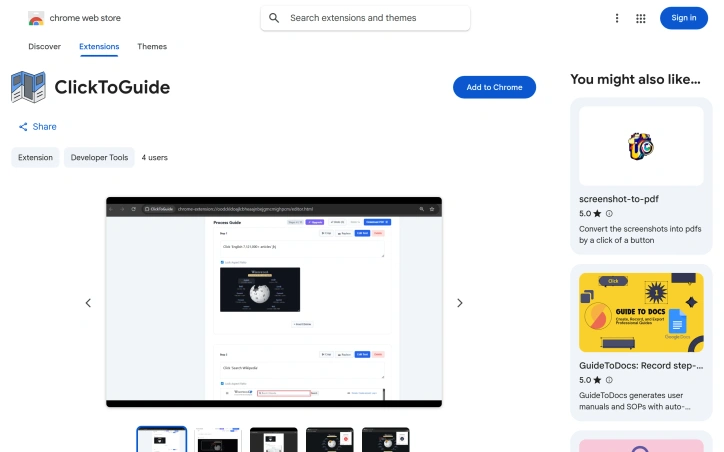
Automating the tedious process of documenting workflows, this Chrome extension captures user interactions and transforms them into PDF guides complete with annotated screenshots. The tool addresses a genuine pain point: professionals across support, quality assurance, training, and product documentation spend considerable time manually taking screenshots, pasting them into documents, and writing descriptions for each step. ClickToGuide eliminates this friction by recording clicks and automatically generating corresponding visual content. The extension markets itself to a diverse audience. QA teams can quickly generate evidence for bug reports, HR departments can assemble onboarding materials, customer support representatives can create visual troubleshooting guides, and developers can document features before handoff. This multi-use positioning reflects a well-understood problem that spans multiple job functions within organizations. Several design choices set this apart from generic screen recording tools. The interface emphasizes simplicity: users record a workflow, review and edit the captured steps, then export directly to PDF. The extension highlights where users clicked with a red box, providing context without cluttering the visual. A built-in crop tool lets users focus on specific UI elements, and standard keyboard shortcuts for undo, redo, and clipboard image insertion keep the workflow fast. The editing interface is built for quick iteration rather than deep customization. The privacy model represents a conscious architectural decision. All processing happens locally in the browser rather than on remote servers, meaning users never transmit screen data to company infrastructure. For teams handling sensitive information or operating under strict data governance, this is a meaningful differentiator from cloud-dependent competitors. The business model centers on a lifetime license with cosmetic unlocks—removing watermarks and supporting unlimited steps. A launch promotion offered $5 off the license price. The extension remains early-stage; the Chrome Web Store listing shows only two users and the most recent version update dates to February 2026. The small user base suggests limited market penetration so far, though the product addresses real workflow problems that users across industries encounter daily.

Screenshots-and-screen-recording-apps
N
Neha Pawar

Automating the tedious process of documenting workflows, this Chrome extension captures user interactions and transforms them into PDF guides complete with annotated screenshots. The tool addresses a genuine pain point: professionals across support, quality assurance, training, and product documentation spend considerable time manually taking screenshots, pasting them into documents, and writing descriptions for each step. ClickToGuide eliminates this friction by recording clicks and automatically generating corresponding visual content. The extension markets itself to a diverse audience. QA teams can quickly generate evidence for bug reports, HR departments can assemble onboarding materials, customer support representatives can create visual troubleshooting guides, and developers can document features before handoff. This multi-use positioning reflects a well-understood problem that spans multiple job functions within organizations. Several design choices set this apart from generic screen recording tools. The interface emphasizes simplicity: users record a workflow, review and edit the captured steps, then export directly to PDF. The extension highlights where users clicked with a red box, providing context without cluttering the visual. A built-in crop tool lets users focus on specific UI elements, and standard keyboard shortcuts for undo, redo, and clipboard image insertion keep the workflow fast. The editing interface is built for quick iteration rather than deep customization. The privacy model represents a conscious architectural decision. All processing happens locally in the browser rather than on remote servers, meaning users never transmit screen data to company infrastructure. For teams handling sensitive information or operating under strict data governance, this is a meaningful differentiator from cloud-dependent competitors. The business model centers on a lifetime license with cosmetic unlocks—removing watermarks and supporting unlimited steps. A launch promotion offered $5 off the license price. The extension remains early-stage; the Chrome Web Store listing shows only two users and the most recent version update dates to February 2026. The small user base suggests limited market penetration so far, though the product addresses real workflow problems that users across industries encounter daily.

ClickToGuide preview

Key features

  • Automated Screenshot Capture: Records user interactions and automatically captures corresponding screenshots
  • PDF Guide Generation: Transforms captured workflow steps into annotated PDF documents
See full listing
Exolio

Detecting artificially generated text has become a critical concern in academic and educational settings, where verifying authorship helps maintain integrity and fairness. Exolio addresses this need with a detection tool designed specifically for educators, offering both automated scanning and human-backed analysis. The product combines two distinct approaches. The Quick AI Check provides immediate feedback, letting users paste text and receive an instant likelihood score for AI authorship, broken down sentence by sentence. For higher-stakes decisions, the Document Upload service pairs automated analysis with expert human review, handling PDF and Word documents and delivering detailed written assessments within one to seven days. This dual offering reflects a pragmatic understanding that different use cases demand different levels of rigor. The company takes transparency seriously about its limitations. Rather than claiming comprehensive accuracy, Exolio explicitly acknowledges that no AI detection system is foolproof and positions its scores as a starting signal rather than definitive proof. This restraint—unusual in a category prone to marketing overstatement—signals that the founders understand the stakes in educational contexts where false accusations carry real consequences. The business model is straightforward and friction-minimized. New users get three free checks monthly without needing a credit card, letting them evaluate the tool without commitment. Premium access costs £3 monthly for unlimited checks, positioned as cheaper than a coffee. The pricing avoids long-term contracts and allows cancellation through the dashboard or Stripe portal directly. What limits the appeal is the modest feature set. The Quick AI Check remains rudimentary—text pasting with an overall score lacks the granular reporting some educators demand. The Document Upload service, while more thorough, lacks published pricing and timeline specificity; the cited range of "24 hours to 1 week" creates ambiguity for time-sensitive academic decisions. The reliance on a single founder email for support indicates an early-stage operation with obvious scaling constraints as user volume grows. Exolio occupies a defensible position in the emerging AI detection space for academic institutions. Its clarity about capabilities, accessible pricing, and dual-tier approach create differentiation in a crowded market. The core question is whether the product develops the sophistication and support infrastructure to keep pace as AI-generated text becomes more convincing and detection demands grow more rigorous.


Ai-content-detection
F
Francisco Booth

Detecting artificially generated text has become a critical concern in academic and educational settings, where verifying authorship helps maintain integrity and fairness. Exolio addresses this need with a detection tool designed specifically for educators, offering both automated scanning and human-backed analysis. The product combines two distinct approaches. The Quick AI Check provides immediate feedback, letting users paste text and receive an instant likelihood score for AI authorship, broken down sentence by sentence. For higher-stakes decisions, the Document Upload service pairs automated analysis with expert human review, handling PDF and Word documents and delivering detailed written assessments within one to seven days. This dual offering reflects a pragmatic understanding that different use cases demand different levels of rigor. The company takes transparency seriously about its limitations. Rather than claiming comprehensive accuracy, Exolio explicitly acknowledges that no AI detection system is foolproof and positions its scores as a starting signal rather than definitive proof. This restraint—unusual in a category prone to marketing overstatement—signals that the founders understand the stakes in educational contexts where false accusations carry real consequences. The business model is straightforward and friction-minimized. New users get three free checks monthly without needing a credit card, letting them evaluate the tool without commitment. Premium access costs £3 monthly for unlimited checks, positioned as cheaper than a coffee. The pricing avoids long-term contracts and allows cancellation through the dashboard or Stripe portal directly. What limits the appeal is the modest feature set. The Quick AI Check remains rudimentary—text pasting with an overall score lacks the granular reporting some educators demand. The Document Upload service, while more thorough, lacks published pricing and timeline specificity; the cited range of "24 hours to 1 week" creates ambiguity for time-sensitive academic decisions. The reliance on a single founder email for support indicates an early-stage operation with obvious scaling constraints as user volume grows. Exolio occupies a defensible position in the emerging AI detection space for academic institutions. Its clarity about capabilities, accessible pricing, and dual-tier approach create differentiation in a crowded market. The core question is whether the product develops the sophistication and support infrastructure to keep pace as AI-generated text becomes more convincing and detection demands grow more rigorous.

Exolio preview

Key features

  • Quick AI Check: Paste text and instantly receive a likelihood score for AI authorship, broken down sentence by sentence.
  • Expert Document Review: Upload PDFs or Word documents for paired automated and human analysis, delivered within one to seven days.
See full listing
NutriTracker - Your AI Coach

Consistency in fitness and nutrition is notoriously difficult. Most people know what they should do—eat better, exercise regularly, build sustainable habits—but fail at the execution. Willpower crumbles by midweek, life circumstances disrupt plans, and one slip-up becomes a total restart. NutriTracker positions itself as a solution to this endemic problem, offering an AI coach designed to help users navigate the gap between intention and practice. The product targets people who have already tried conventional approaches—fitness trackers, calorie counters, spreadsheets, even personal trainers—without achieving lasting change. The pitch is straightforward: rather than logging meals and hitting numerical targets, users engage in ongoing conversations with a customizable AI coach that learns their individual constraints and helps them recover from inevitable lapses instead of abandoning efforts altogether. What distinguishes NutriTracker from traditional fitness apps is its emphasis on adaptability and psychological resilience. The core insight is that most coaching fails when life interferes, so the system is designed to recognize disruptions and help users salvage a week rather than write it off entirely. The app integrates with health data platforms like Apple Health and MyFitnessPal, allowing the coach to reference actual activity, sleep, and nutrition data when offering advice tailored to the user's real circumstances rather than generic recommendations. The product also emphasizes user control and safety boundaries. The coach operates within explicit guardrails: it won't attempt diagnosis, prescribe treatments, or assume medical authority. Users can pause the coach's memory, delete shared information, and customize communication style and frequency. Data is encrypted and the company is GDPR compliant, catering to privacy-conscious users. A testimonial on the site claims one user found the app more effective than previous attempts at habit change, though such anecdotal evidence is inherently limited. The main limitation of the available information is opacity around pricing and business model. The site mentions pricing tiers exist but provides no details on cost, free trial availability, or subscription structure—crucial factors for potential customers evaluating whether the product is accessible to them. This gap makes it difficult to assess whether NutriTracker is positioned as a premium coaching alternative or a mass-market app.


Workout-platforms
J
Jacob Eells

Consistency in fitness and nutrition is notoriously difficult. Most people know what they should do—eat better, exercise regularly, build sustainable habits—but fail at the execution. Willpower crumbles by midweek, life circumstances disrupt plans, and one slip-up becomes a total restart. NutriTracker positions itself as a solution to this endemic problem, offering an AI coach designed to help users navigate the gap between intention and practice. The product targets people who have already tried conventional approaches—fitness trackers, calorie counters, spreadsheets, even personal trainers—without achieving lasting change. The pitch is straightforward: rather than logging meals and hitting numerical targets, users engage in ongoing conversations with a customizable AI coach that learns their individual constraints and helps them recover from inevitable lapses instead of abandoning efforts altogether. What distinguishes NutriTracker from traditional fitness apps is its emphasis on adaptability and psychological resilience. The core insight is that most coaching fails when life interferes, so the system is designed to recognize disruptions and help users salvage a week rather than write it off entirely. The app integrates with health data platforms like Apple Health and MyFitnessPal, allowing the coach to reference actual activity, sleep, and nutrition data when offering advice tailored to the user's real circumstances rather than generic recommendations. The product also emphasizes user control and safety boundaries. The coach operates within explicit guardrails: it won't attempt diagnosis, prescribe treatments, or assume medical authority. Users can pause the coach's memory, delete shared information, and customize communication style and frequency. Data is encrypted and the company is GDPR compliant, catering to privacy-conscious users. A testimonial on the site claims one user found the app more effective than previous attempts at habit change, though such anecdotal evidence is inherently limited. The main limitation of the available information is opacity around pricing and business model. The site mentions pricing tiers exist but provides no details on cost, free trial availability, or subscription structure—crucial factors for potential customers evaluating whether the product is accessible to them. This gap makes it difficult to assess whether NutriTracker is positioned as a premium coaching alternative or a mass-market app.

NutriTracker - Your AI Coach preview

Key features

  • AI Coach Integration: Provides ongoing conversations with a customizable AI coach that learns individual constraints and helps users recover from lapses
  • Health Data Integration: Integrates with Apple Health and MyFitnessPal to reference actual activity, sleep, and nutrition data for personalized advice
See full listing
Study Share

Standardized test preparation has traditionally demanded either expensive one-on-one tutoring or a patchwork of free and paid resources that students must assemble themselves. Study Share positions itself as a middle ground—a comprehensive platform that consolidates test prep into a single interface while keeping costs lower than private instruction. The platform centers on AI-powered guidance alongside realistic practice testing. The company emphasizes its Bluebook-style test interface, matching the actual exam format students will encounter, and backs this approach with a money-back guarantee if students don't improve their scores. This confidence in outcomes is notable, though the site cites a 99% improvement rate without qualifying what "improvement" means or how that figure was measured. Study Share covers multiple exam tracks. Beyond the SAT, the platform supports ACT and PSAT preparation, allowing students to keep all their test prep work consolidated rather than juggling separate tools. The feature set includes full-length practice tests, flashcards, detailed analytics, a review system for missed questions, and an integrated AI tutor that offers hints and explanations during study sessions. This breadth suggests an attempt to eliminate context-switching between different platforms—a genuine friction point in self-study workflows. The company differentiates itself from existing alternatives by positioning against Khan Academy's free-first model and Quizlet's flashcard focus. Study Share argues its strength lies in combining practice tests, AI tutoring, and analytics into a unified workflow designed for structured self-study rather than pure content consumption or flashcard drilling. On business model, the platform publishes pricing publicly so families can see plan options before committing, and allows cancellation at any time. This transparency around cost and commitment is more consumer-friendly than many competitors in the test prep space. The platform targets self-motivated students who want structured guidance without the scheduling limitations of tutoring. For students already comfortable with independent study but frustrated by disjointed tools, Study Share's integrated approach addresses a real gap. The money-back guarantee and emphasis on measurable score improvement signal the company believes in its product's efficacy, though prospective users should verify improvement claims against independent data.


Online-learning
A
Austin Frankel

Standardized test preparation has traditionally demanded either expensive one-on-one tutoring or a patchwork of free and paid resources that students must assemble themselves. Study Share positions itself as a middle ground—a comprehensive platform that consolidates test prep into a single interface while keeping costs lower than private instruction. The platform centers on AI-powered guidance alongside realistic practice testing. The company emphasizes its Bluebook-style test interface, matching the actual exam format students will encounter, and backs this approach with a money-back guarantee if students don't improve their scores. This confidence in outcomes is notable, though the site cites a 99% improvement rate without qualifying what "improvement" means or how that figure was measured. Study Share covers multiple exam tracks. Beyond the SAT, the platform supports ACT and PSAT preparation, allowing students to keep all their test prep work consolidated rather than juggling separate tools. The feature set includes full-length practice tests, flashcards, detailed analytics, a review system for missed questions, and an integrated AI tutor that offers hints and explanations during study sessions. This breadth suggests an attempt to eliminate context-switching between different platforms—a genuine friction point in self-study workflows. The company differentiates itself from existing alternatives by positioning against Khan Academy's free-first model and Quizlet's flashcard focus. Study Share argues its strength lies in combining practice tests, AI tutoring, and analytics into a unified workflow designed for structured self-study rather than pure content consumption or flashcard drilling. On business model, the platform publishes pricing publicly so families can see plan options before committing, and allows cancellation at any time. This transparency around cost and commitment is more consumer-friendly than many competitors in the test prep space. The platform targets self-motivated students who want structured guidance without the scheduling limitations of tutoring. For students already comfortable with independent study but frustrated by disjointed tools, Study Share's integrated approach addresses a real gap. The money-back guarantee and emphasis on measurable score improvement signal the company believes in its product's efficacy, though prospective users should verify improvement claims against independent data.

Study Share preview

Key features

  • AI-Powered Test Prep: Uses AI guidance alongside practice testing with Bluebook-style exam interface
  • Multi-Exam Support: Covers SAT, ACT, and PSAT preparation in one consolidated platform
See full listing
Time Capsule - Memory Vault

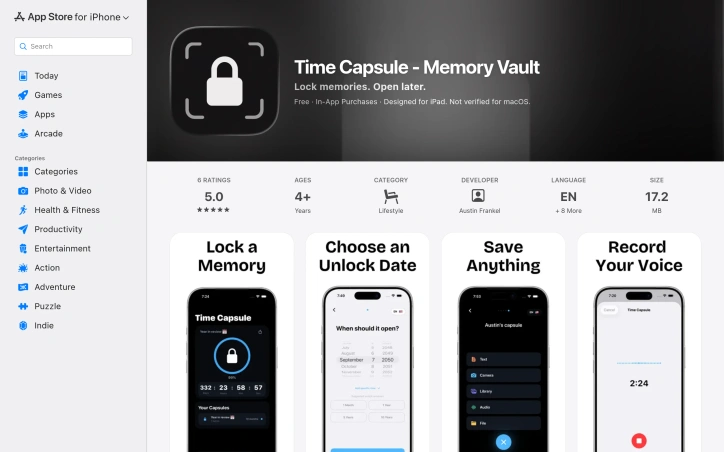
Capturing memories for future reflection has become increasingly common, but most solutions treat time capsules as an afterthought. This app tackles the specific use case of sealing away meaningful moments—photos, videos, voice recordings, notes, and files—to be opened at a predetermined date, preserved exactly as they were locked away. The target audience is broad but specific: people marking milestones who want to freeze a moment in time. This includes high school graduates saving photos and letters for their adult selves, parents recording a child's early moments to be revisited at 18, friend groups documenting shared trips, and individuals tracking personal goals for yearly review. What distinguishes this offering is its uncompromising stance on privacy. The application stores everything on-device using AES-256 encryption, avoids cloud servers entirely, requires no account creation, and collects no analytics or user data. This approach appeals to users skeptical of tech companies' data practices, though it carries a trade-off: responsibility for manually backing up capsules as encrypted files to prevent device loss from becoming data loss. The interface emphasizes simplicity. Users name a capsule, choose an unlock date ranging from one day to decades away, add their content, and press and hold to seal it. A countdown timer displays time remaining until each capsule unlocks. The app supports flexible content types, from imported media to built-in voice recording and text composition. Sharing encrypted capsules with others requires a premium subscription. The service operates on a freemium model with in-app purchases. Core capsule creation and storage is free, while premium access unlocks capsule sharing and some advanced features. The documentation doesn't clearly distinguish what exactly requires payment, which prospective users should clarify before relying on the app for long-term memory storage. One practical consideration: since everything is local and unsynced, device loss means capsule loss unless backups exist as external encrypted files. The developer emphasizes this backup requirement, suggesting they understand the inherent risks of an entirely on-device architecture. For users prioritizing privacy over convenience, who accept responsibility for backups, and who find meaning in time-delayed memory capture, this fills a genuine gap in the app ecosystem.

Note-and-writing-apps
A
Austin Frankel

Capturing memories for future reflection has become increasingly common, but most solutions treat time capsules as an afterthought. This app tackles the specific use case of sealing away meaningful moments—photos, videos, voice recordings, notes, and files—to be opened at a predetermined date, preserved exactly as they were locked away. The target audience is broad but specific: people marking milestones who want to freeze a moment in time. This includes high school graduates saving photos and letters for their adult selves, parents recording a child's early moments to be revisited at 18, friend groups documenting shared trips, and individuals tracking personal goals for yearly review. What distinguishes this offering is its uncompromising stance on privacy. The application stores everything on-device using AES-256 encryption, avoids cloud servers entirely, requires no account creation, and collects no analytics or user data. This approach appeals to users skeptical of tech companies' data practices, though it carries a trade-off: responsibility for manually backing up capsules as encrypted files to prevent device loss from becoming data loss. The interface emphasizes simplicity. Users name a capsule, choose an unlock date ranging from one day to decades away, add their content, and press and hold to seal it. A countdown timer displays time remaining until each capsule unlocks. The app supports flexible content types, from imported media to built-in voice recording and text composition. Sharing encrypted capsules with others requires a premium subscription. The service operates on a freemium model with in-app purchases. Core capsule creation and storage is free, while premium access unlocks capsule sharing and some advanced features. The documentation doesn't clearly distinguish what exactly requires payment, which prospective users should clarify before relying on the app for long-term memory storage. One practical consideration: since everything is local and unsynced, device loss means capsule loss unless backups exist as external encrypted files. The developer emphasizes this backup requirement, suggesting they understand the inherent risks of an entirely on-device architecture. For users prioritizing privacy over convenience, who accept responsibility for backups, and who find meaning in time-delayed memory capture, this fills a genuine gap in the app ecosystem.

Time Capsule - Memory Vault preview

Key features

  • On-Device Encryption: Uses AES-256 encryption to store all memories locally without cloud servers
  • Multiple Content Types: Supports photos, videos, voice recordings, notes, and files in a single capsule
See full listing
GetImageToPrompt

Reverse image-to-prompt conversion is becoming a critical workflow for AI artists, and GetImageToPrompt addresses this directly. The tool analyzes uploaded images and generates detailed text prompts optimized for popular generative AI models like Midjourney, Flux, DALL-E 3, and Stable Diffusion. For creators working across multiple AI platforms, this eliminates the friction of manually describing visual references or reverse-engineering prompts from images. The product targets four distinct user segments. AI artists and character designers use it to create reusable, consistent prompts across different models. Visual designers convert reference images into structured prompts for creative workflows. Marketing teams extract visual descriptions for campaigns and social media. Developers and researchers leverage the tool's JSON output for programmatic access and analysis. What sets GetImageToPrompt apart is its privacy-first positioning. Images are processed in real-time but never stored on servers, addressing the primary concern creators have when uploading visual assets to online tools. The free, unlimited access model removes friction entirely—no credits system, no sign-up requirement, no usage caps. This approach prioritizes accessibility over monetization. The feature set reflects practical needs in prompt engineering. Beyond basic image analysis, the tool extracts subject details, compositional elements, lighting effects, and artistic style tags. An OCR feature flags text elements within images, useful for designs containing typography. The prompt override functionality lets users modify outputs with natural language instructions like "make the dress yellow" or "add cinematic lighting," enabling quick iterations without re-uploading. Output flexibility matters for different workflows. The JSON prompt mode delivers structured data suitable for developers and advanced workflows, while standard text output serves artists working directly with image generators. The product also showcases gallery examples across anime, cinematic, and photorealistic styles, demonstrating consistency across output types. The website mentions optimization for specific model versions like Midjourney v6.1 and Flux 1.1 Pro, suggesting the tool maintains awareness of evolving model strengths and syntax preferences. This targeted optimization reduces the trial-and-error cycle many creators face when adapting prompts between platforms. The core value proposition is straightforward: accelerate the creative reference-to-prompt conversion process while protecting user privacy. For a market where AI-generated content creation is becoming commonplace, a free tool that removes both technical and trust barriers fills a genuine gap.

Prompt-engineering-tools
J
Javed Akhter

Reverse image-to-prompt conversion is becoming a critical workflow for AI artists, and GetImageToPrompt addresses this directly. The tool analyzes uploaded images and generates detailed text prompts optimized for popular generative AI models like Midjourney, Flux, DALL-E 3, and Stable Diffusion. For creators working across multiple AI platforms, this eliminates the friction of manually describing visual references or reverse-engineering prompts from images. The product targets four distinct user segments. AI artists and character designers use it to create reusable, consistent prompts across different models. Visual designers convert reference images into structured prompts for creative workflows. Marketing teams extract visual descriptions for campaigns and social media. Developers and researchers leverage the tool's JSON output for programmatic access and analysis. What sets GetImageToPrompt apart is its privacy-first positioning. Images are processed in real-time but never stored on servers, addressing the primary concern creators have when uploading visual assets to online tools. The free, unlimited access model removes friction entirely—no credits system, no sign-up requirement, no usage caps. This approach prioritizes accessibility over monetization. The feature set reflects practical needs in prompt engineering. Beyond basic image analysis, the tool extracts subject details, compositional elements, lighting effects, and artistic style tags. An OCR feature flags text elements within images, useful for designs containing typography. The prompt override functionality lets users modify outputs with natural language instructions like "make the dress yellow" or "add cinematic lighting," enabling quick iterations without re-uploading. Output flexibility matters for different workflows. The JSON prompt mode delivers structured data suitable for developers and advanced workflows, while standard text output serves artists working directly with image generators. The product also showcases gallery examples across anime, cinematic, and photorealistic styles, demonstrating consistency across output types. The website mentions optimization for specific model versions like Midjourney v6.1 and Flux 1.1 Pro, suggesting the tool maintains awareness of evolving model strengths and syntax preferences. This targeted optimization reduces the trial-and-error cycle many creators face when adapting prompts between platforms. The core value proposition is straightforward: accelerate the creative reference-to-prompt conversion process while protecting user privacy. For a market where AI-generated content creation is becoming commonplace, a free tool that removes both technical and trust barriers fills a genuine gap.

GetImageToPrompt preview

Key features

  • Image-to-Prompt Generation: Analyzes uploaded images and generates detailed text prompts optimized for Midjourney, Flux, DALL-E 3, and Stable Diffusion.
  • Privacy-First Processing: Images are processed in real-time but never stored on servers.
See full listing
Digital Shield - Data Breach & Privacy Protection

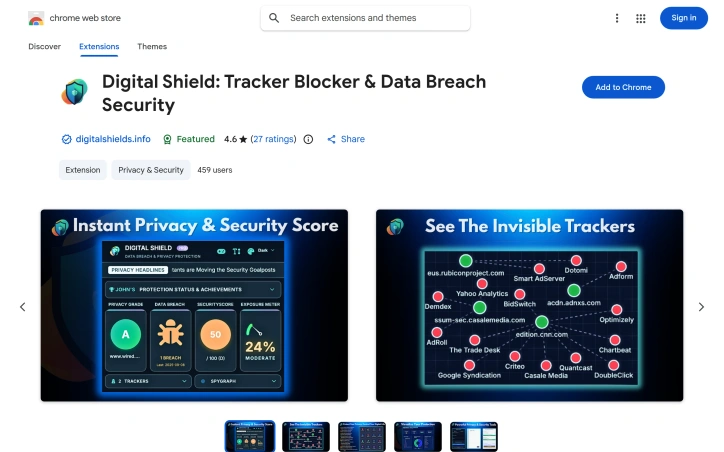
Browser security fragmentation creates a dilemma: users want comprehensive digital protection but deploying multiple security extensions often introduces performance drag and configuration complexity. Digital Shield addresses this tension by bundling privacy and security capabilities into a single lightweight Chrome extension designed for users who value both online safety and browsing speed. The extension counts over 426 active users and maintains a 4.6-star rating across 27 reviews, indicating solid satisfaction among early adopters. Digital Shield distinguishes itself through sheer feature breadth, layering multiple security functions that typically demand separate tools. Its capabilities span tracker detection and blocking, malware scanning, real-time data breach monitoring that alerts users to past exposures and what information was compromised, and password risk assessment. The extension also bundles practical utilities like cookie and cache clearing, a PIN-protected bookmark vault, and secure note storage—functioning as a general privacy toolkit rather than a specialized security tool. Several capabilities extend beyond conventional privacy protection. A browser-based firewall enables granular domain blocking at the network level, while its "Website Privacy Grade" assigns letter grades based on privacy health. The extension visualizes active tracking networks through a feature called SpyGraph and monitors background scripts in real time. Bundled with these core functions are amenities like an SEO audit tool, instant games, and element hiding for ad removal. The comprehensive feature set raises questions about execution depth. While bundling tracker blocking, malware detection, and breach monitoring in a single extension holds appeal, delivering genuine expertise across so many domains requires significant engineering. The interface must navigate dozens of distinct capabilities without overwhelming users, and maintaining lightweight performance becomes increasingly difficult with each added feature. The extension demonstrates appropriate transparency: the publisher maintains no violation history and follows Chrome's recommended extension practices. Availability in 15 languages reflects global reach. For users fatigued by managing separate security tools or seeking consolidated browser-level protection, Digital Shield presents a genuine alternative to the fragmented security stack—though users should verify that consolidated protection doesn't dilute effectiveness in any single critical domain.

Chrome-extensions
M
Md. Anwarul Islam Shawn

Browser security fragmentation creates a dilemma: users want comprehensive digital protection but deploying multiple security extensions often introduces performance drag and configuration complexity. Digital Shield addresses this tension by bundling privacy and security capabilities into a single lightweight Chrome extension designed for users who value both online safety and browsing speed. The extension counts over 426 active users and maintains a 4.6-star rating across 27 reviews, indicating solid satisfaction among early adopters. Digital Shield distinguishes itself through sheer feature breadth, layering multiple security functions that typically demand separate tools. Its capabilities span tracker detection and blocking, malware scanning, real-time data breach monitoring that alerts users to past exposures and what information was compromised, and password risk assessment. The extension also bundles practical utilities like cookie and cache clearing, a PIN-protected bookmark vault, and secure note storage—functioning as a general privacy toolkit rather than a specialized security tool. Several capabilities extend beyond conventional privacy protection. A browser-based firewall enables granular domain blocking at the network level, while its "Website Privacy Grade" assigns letter grades based on privacy health. The extension visualizes active tracking networks through a feature called SpyGraph and monitors background scripts in real time. Bundled with these core functions are amenities like an SEO audit tool, instant games, and element hiding for ad removal. The comprehensive feature set raises questions about execution depth. While bundling tracker blocking, malware detection, and breach monitoring in a single extension holds appeal, delivering genuine expertise across so many domains requires significant engineering. The interface must navigate dozens of distinct capabilities without overwhelming users, and maintaining lightweight performance becomes increasingly difficult with each added feature. The extension demonstrates appropriate transparency: the publisher maintains no violation history and follows Chrome's recommended extension practices. Availability in 15 languages reflects global reach. For users fatigued by managing separate security tools or seeking consolidated browser-level protection, Digital Shield presents a genuine alternative to the fragmented security stack—though users should verify that consolidated protection doesn't dilute effectiveness in any single critical domain.

Digital Shield - Data Breach & Privacy Protection preview

Key features

  • Tracker Detection & Blocking: Identifies and blocks tracking scripts from monitoring your browsing activity
  • Data Breach Monitoring: Sends real-time alerts when your information appears in known data breaches
See full listing
Preceptor.Network

Clinical placement matching represents one of healthcare education's persistent friction points, and Preceptor.Network proposes a direct solution to an unnecessarily manual problem. The platform targets students pursuing advanced nursing and physician assistant credentials—FNP, PMHNP, PA, DNP, and similar programs—who traditionally navigate preceptor recruitment through spreadsheets, department lists, and personal networking. Faculty coordinators simultaneously shoulder the burden of troubleshooting mismatched placements that fail to meet program requirements. The company's core insight is straightforward: institutional requirements can be codified into matching logic. Rather than treating preceptor directories as glorified listings, Preceptor.Network integrates directly with each school's clinical rules—specialty requirements, minimum hours, accepted credentials—and weights candidate preceptors against those parameters. The matching engine also factors in geographic availability and student location, producing ranked results sorted by fit score rather than undifferentiated lists. The onboarding flow underscores this automation philosophy. A student provides their school email address; the system recognizes the domain and retrieves their program enrollment automatically. This eliminates form filling and roster uploads. After selecting their course rotation, they receive preceptor recommendations ordered by relevance to their specific requirements. The three-step design feels deliberately friction-minimized, a direct counterpoint to the opaque, coordinator-dependent processes it displaces. For schools, the value proposition centers on reducing placement fulfillment burden at scale. Once program requirements are configured, the system handles cohorts ranging from twenty to thousands of students without adding administrative overhead. The platform claims to improve through repeated use—each completed match trains recommendations for future cycles. Pricing for students is direct: ten dollars per confirmed match with no subscription component. The school and preceptor business models remain less explicit, though the architecture suggests a two-sided marketplace where schools configure requirements and preceptors receive filtered requests ordered by relevance. What's notably absent is data on matching accuracy, program coverage breadth, or current adoption rates. For a product solving a coordination problem in a relatively niche market, these specifics would strengthen confidence in its claims. The email-domain auto-detection is genuinely useful, but the true value depends entirely on whether the matching algorithm actually reduces friction or simply reorders the guesswork it promises to eliminate. That gap between concept and execution remains the critical unknown.


Medical
R
R. Davis

Clinical placement matching represents one of healthcare education's persistent friction points, and Preceptor.Network proposes a direct solution to an unnecessarily manual problem. The platform targets students pursuing advanced nursing and physician assistant credentials—FNP, PMHNP, PA, DNP, and similar programs—who traditionally navigate preceptor recruitment through spreadsheets, department lists, and personal networking. Faculty coordinators simultaneously shoulder the burden of troubleshooting mismatched placements that fail to meet program requirements. The company's core insight is straightforward: institutional requirements can be codified into matching logic. Rather than treating preceptor directories as glorified listings, Preceptor.Network integrates directly with each school's clinical rules—specialty requirements, minimum hours, accepted credentials—and weights candidate preceptors against those parameters. The matching engine also factors in geographic availability and student location, producing ranked results sorted by fit score rather than undifferentiated lists. The onboarding flow underscores this automation philosophy. A student provides their school email address; the system recognizes the domain and retrieves their program enrollment automatically. This eliminates form filling and roster uploads. After selecting their course rotation, they receive preceptor recommendations ordered by relevance to their specific requirements. The three-step design feels deliberately friction-minimized, a direct counterpoint to the opaque, coordinator-dependent processes it displaces. For schools, the value proposition centers on reducing placement fulfillment burden at scale. Once program requirements are configured, the system handles cohorts ranging from twenty to thousands of students without adding administrative overhead. The platform claims to improve through repeated use—each completed match trains recommendations for future cycles. Pricing for students is direct: ten dollars per confirmed match with no subscription component. The school and preceptor business models remain less explicit, though the architecture suggests a two-sided marketplace where schools configure requirements and preceptors receive filtered requests ordered by relevance. What's notably absent is data on matching accuracy, program coverage breadth, or current adoption rates. For a product solving a coordination problem in a relatively niche market, these specifics would strengthen confidence in its claims. The email-domain auto-detection is genuinely useful, but the true value depends entirely on whether the matching algorithm actually reduces friction or simply reorders the guesswork it promises to eliminate. That gap between concept and execution remains the critical unknown.

Preceptor.Network preview

Key features

  • Automated Matching Engine: Integrates with each school's clinical rules and weights candidate preceptors against institutional requirements
  • School Domain Recognition: Auto-detects student enrollment using school email domain, eliminating form filling
See full listing
DropAI.zone

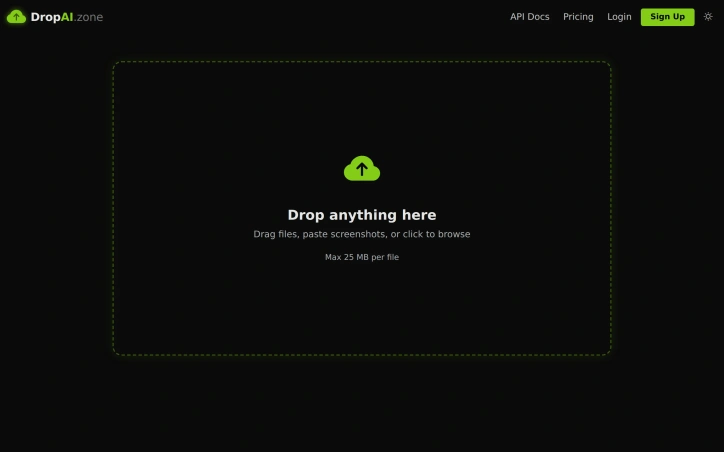
Ephemeral file sharing strips friction from digital workflows. DropAI.zone addresses a specific pain point: getting a file to someone else's inbox in seconds, without signing up or navigating clunky interfaces. The service emphasizes simplicity. Users drag files, paste screenshots, or call an API, and immediately receive a shareable URL. Files auto-delete by default after 12 to 72 hours, addressing digital clutter anxiety. This ephemerality differentiates it from conventional file hosting, which defaults to permanence. What stands out is its dual architecture. The graphical interface prioritizes speed—no login, no forms, just drag-and-drop. Simultaneously, a REST API and MCP integration allow Claude, GPT, and other AI agents to programmatically upload and retrieve files. This targets a useful edge case: AI workflows generating logs and screenshots needing rapid, temporary storage without persistent infrastructure. The feature set scales with commitment. Guest users get 25 MB per file and 50 daily drops. Free accounts extend to 50 MB files and 200 drops daily, with a dashboard and one MCP API key. The Pro tier ($9 monthly) adds permanent storage options, encrypted drops, password protection, and analytics. The pricing strategy is transparent: the service works as genuinely free for casual users, then monetizes developers and power users willing to pay for higher quotas, storage, and API keys. No deceptive restrictions; the tiers honestly reflect different use cases. Beyond auto-deletion and URL sharing, DropAI.zone's feature novelty is limited. The appeal rests on execution—how seamlessly it handles the upload-to-share flow—rather than categorically new functionality. For users valuing simplicity and ephemerality over comprehensive file management, that's exactly the point. For others, it's a useful shortcut for a specific workflow.

File-storage-and-sharing-apps
R
R. Davis

Ephemeral file sharing strips friction from digital workflows. DropAI.zone addresses a specific pain point: getting a file to someone else's inbox in seconds, without signing up or navigating clunky interfaces. The service emphasizes simplicity. Users drag files, paste screenshots, or call an API, and immediately receive a shareable URL. Files auto-delete by default after 12 to 72 hours, addressing digital clutter anxiety. This ephemerality differentiates it from conventional file hosting, which defaults to permanence. What stands out is its dual architecture. The graphical interface prioritizes speed—no login, no forms, just drag-and-drop. Simultaneously, a REST API and MCP integration allow Claude, GPT, and other AI agents to programmatically upload and retrieve files. This targets a useful edge case: AI workflows generating logs and screenshots needing rapid, temporary storage without persistent infrastructure. The feature set scales with commitment. Guest users get 25 MB per file and 50 daily drops. Free accounts extend to 50 MB files and 200 drops daily, with a dashboard and one MCP API key. The Pro tier ($9 monthly) adds permanent storage options, encrypted drops, password protection, and analytics. The pricing strategy is transparent: the service works as genuinely free for casual users, then monetizes developers and power users willing to pay for higher quotas, storage, and API keys. No deceptive restrictions; the tiers honestly reflect different use cases. Beyond auto-deletion and URL sharing, DropAI.zone's feature novelty is limited. The appeal rests on execution—how seamlessly it handles the upload-to-share flow—rather than categorically new functionality. For users valuing simplicity and ephemerality over comprehensive file management, that's exactly the point. For others, it's a useful shortcut for a specific workflow.

DropAI.zone preview

Key features

  • Drag-and-drop Sharing: Upload files instantly without signup or forms
  • Auto-deletion: Files automatically delete after 12-72 hours to reduce digital clutter
See full listing
RysTRO

Modern restaurant management requires juggling multiple systems—one for orders, another for inventory, a separate billing tool, and perhaps something else entirely for reporting. Rystro addresses this fragmentation by consolidating operations into a unified platform designed specifically for small and mid-sized restaurants. The software tackles a real pain point: kitchen operations that still rely on outdated manual processes or disconnected tools that create operational friction and limit growth. What distinguishes Rystro is its practical approach to solving actual restaurant challenges. Rather than building a sprawling enterprise system, the platform focuses on core operational needs: order management, billing, inventory tracking, and analytics. The interface promises accessibility for operators without technical backgrounds, a critical feature in hospitality where tech adoption often lags due to complexity. The platform's offline-first architecture deserves particular attention. By leveraging IndexedDB, Rystro continues functioning during internet disruptions—a genuine advantage in environments where connectivity can be unreliable. This design choice reflects understanding of restaurant realities, where a system failure during lunch service creates immediate revenue loss. An interesting secondary offering rounds out the value proposition: Rystro provides SEO-optimized digital menu pages at no additional cost. This feature directly addresses restaurant visibility, allowing proprietors to reach customers online without investing in separate website infrastructure. For establishments looking to expand their digital presence, this integrated approach simplifies the path to online discoverability. The platform's positioning emphasizes affordability and ease of use—qualities that matter significantly in an industry where margins are tight and staff turnover is high. By lowering both the cost barrier and the learning curve, Rystro removes two significant obstacles to technology adoption in food service. The core proposition is straightforward: replace the scattered collection of tools restaurant operators typically manage with a single, integrated dashboard. Whether Rystro executes this vision comprehensively remains to be seen in practice, but the product conception demonstrates genuine insight into restaurant operational bottlenecks. For owners tired of managing disparate systems and looking for consolidated management tools, the platform presents a compelling alternative to the existing patchwork landscape.


Accounting-software
M
Md. Ishtiuk Ahammed

Modern restaurant management requires juggling multiple systems—one for orders, another for inventory, a separate billing tool, and perhaps something else entirely for reporting. Rystro addresses this fragmentation by consolidating operations into a unified platform designed specifically for small and mid-sized restaurants. The software tackles a real pain point: kitchen operations that still rely on outdated manual processes or disconnected tools that create operational friction and limit growth. What distinguishes Rystro is its practical approach to solving actual restaurant challenges. Rather than building a sprawling enterprise system, the platform focuses on core operational needs: order management, billing, inventory tracking, and analytics. The interface promises accessibility for operators without technical backgrounds, a critical feature in hospitality where tech adoption often lags due to complexity. The platform's offline-first architecture deserves particular attention. By leveraging IndexedDB, Rystro continues functioning during internet disruptions—a genuine advantage in environments where connectivity can be unreliable. This design choice reflects understanding of restaurant realities, where a system failure during lunch service creates immediate revenue loss. An interesting secondary offering rounds out the value proposition: Rystro provides SEO-optimized digital menu pages at no additional cost. This feature directly addresses restaurant visibility, allowing proprietors to reach customers online without investing in separate website infrastructure. For establishments looking to expand their digital presence, this integrated approach simplifies the path to online discoverability. The platform's positioning emphasizes affordability and ease of use—qualities that matter significantly in an industry where margins are tight and staff turnover is high. By lowering both the cost barrier and the learning curve, Rystro removes two significant obstacles to technology adoption in food service. The core proposition is straightforward: replace the scattered collection of tools restaurant operators typically manage with a single, integrated dashboard. Whether Rystro executes this vision comprehensively remains to be seen in practice, but the product conception demonstrates genuine insight into restaurant operational bottlenecks. For owners tired of managing disparate systems and looking for consolidated management tools, the platform presents a compelling alternative to the existing patchwork landscape.

RysTRO preview

Key features

  • Order Management: consolidates orders into a unified platform
  • Offline Functionality: continues functioning during internet disruptions using IndexedDB
See full listing
Pyzit

Consolidating developer workflows into a single workspace remains a persistent challenge in modern software development. Pyzit addresses this fragmentation by bundling online courses, developer utilities, API access, and documentation into one integrated platform, targeting developers, students, and technical teams who spend too much time context-switching between tools and learning resources. The platform's core value proposition centers on eliminating context-switching friction. Rather than sourcing courses from one provider, utility tools from another, and documentation from yet another, developers can access a curated collection of 50-plus courses, 20-plus tools, and educational resources all within the same environment. The company operates with an explicit focus on privacy-aware design and fast execution, principles reflected in its security certifications and stated 99.9% uptime commitment. What distinguishes Pyzit among its competitors is the breadth of its feature set. The DevKit component alone comprises over 25 utilities spanning formatters, validators, encoders, and converters—the kinds of small utilities developers typically gather from scattered online sources. Beyond this, Pyzit offers specialized services like Temp Mail Detector for blocking disposable email addresses during user signup, an enterprise-grade encryption service, a code editor for testing HTML, CSS, and JavaScript snippets, and Sendit, a bulk email marketing platform with performance analytics. The company also integrates file conversion, invoice generation, and meta tag generation tools, though some of these feel more like ancillary features than core offerings. The platform has attracted over 10,000 developers and teams, with approximately 10,000 students actively using the learning resources. The company claims SOC 2 compliance and maintains 24/7 support, addressing enterprise-level trust concerns. However, the website provides limited transparency on the business model. While courses are mentioned as part of the offering, no explicit pricing is stated for individual tools, courses, or enterprise plans. The platform appears to operate a freemium model given references to free access, but the distinction between free and paid tiers remains unclear from the available information. This ambiguity could signal either a generously accessible platform or insufficient clarity about monetization strategy. Pyzit's strength lies in offering developers a genuine alternative to the fragmented tool landscape, but potential customers would benefit from clearer pricing and tier definitions before committing to the platform.

Online-learning
W
Wajahat Murtaza

Consolidating developer workflows into a single workspace remains a persistent challenge in modern software development. Pyzit addresses this fragmentation by bundling online courses, developer utilities, API access, and documentation into one integrated platform, targeting developers, students, and technical teams who spend too much time context-switching between tools and learning resources. The platform's core value proposition centers on eliminating context-switching friction. Rather than sourcing courses from one provider, utility tools from another, and documentation from yet another, developers can access a curated collection of 50-plus courses, 20-plus tools, and educational resources all within the same environment. The company operates with an explicit focus on privacy-aware design and fast execution, principles reflected in its security certifications and stated 99.9% uptime commitment. What distinguishes Pyzit among its competitors is the breadth of its feature set. The DevKit component alone comprises over 25 utilities spanning formatters, validators, encoders, and converters—the kinds of small utilities developers typically gather from scattered online sources. Beyond this, Pyzit offers specialized services like Temp Mail Detector for blocking disposable email addresses during user signup, an enterprise-grade encryption service, a code editor for testing HTML, CSS, and JavaScript snippets, and Sendit, a bulk email marketing platform with performance analytics. The company also integrates file conversion, invoice generation, and meta tag generation tools, though some of these feel more like ancillary features than core offerings. The platform has attracted over 10,000 developers and teams, with approximately 10,000 students actively using the learning resources. The company claims SOC 2 compliance and maintains 24/7 support, addressing enterprise-level trust concerns. However, the website provides limited transparency on the business model. While courses are mentioned as part of the offering, no explicit pricing is stated for individual tools, courses, or enterprise plans. The platform appears to operate a freemium model given references to free access, but the distinction between free and paid tiers remains unclear from the available information. This ambiguity could signal either a generously accessible platform or insufficient clarity about monetization strategy. Pyzit's strength lies in offering developers a genuine alternative to the fragmented tool landscape, but potential customers would benefit from clearer pricing and tier definitions before committing to the platform.

Pyzit preview

Key features

  • Integrated Workspace: Bundles courses, developer utilities, APIs, and documentation into one platform to eliminate context-switching
  • DevKit Utilities: Over 25 tools including formatters, validators, encoders, and converters
See full listing
T

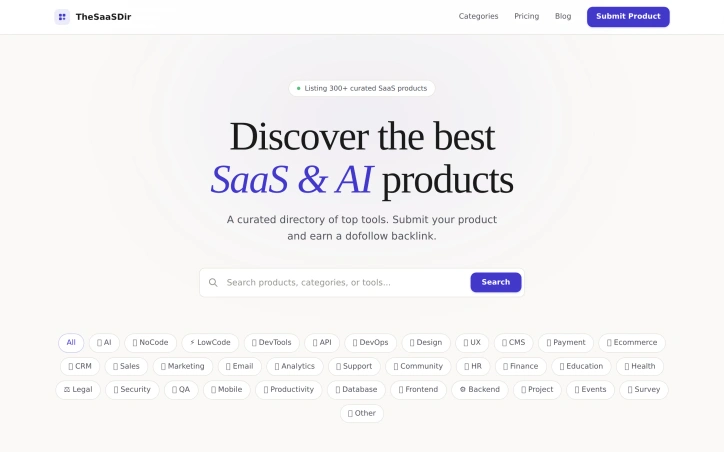
Building a curated product directory that stays organized and current poses a significant challenge in an increasingly crowded SaaS ecosystem. TheSaaSDir addresses this friction by assembling a hand-picked inventory of over 300 software and AI tools across dozens of categories, from DevTools and APIs to niche verticals like HR, Finance, and Legal technology. The directory serves dual audiences: product teams seeking visibility and discovery platforms hoping to build informed buying guides, and end users evaluating which tools fit their specific workflows. The directory's organizational approach demonstrates thoughtful categorization. Rather than a flat list, products are sorted by function and use case—separating low-code platforms from backend infrastructure, design tools from payment processors, analytics from support platforms. This taxonomy makes it realistic for a buyer to narrow from a broad search into specific needs. The inclusion of emerging categories like "No Code" and "Low Code" reflects awareness of how development practices have shifted in recent years. What distinguishes TheSaaSDir from generic product aggregators is its submission and ranking model. The directory invites software vendors to list directly, either free in exchange for referral traffic via dofollow backlinks, or paid at $25 for featured placement. This two-tier approach creates financial sustainability for the directory while staying accessible to bootstrapped startups and solopreneurs lacking dedicated marketing budgets. The backlink incentive is particularly clever for SEO-conscious founders seeking both inbound links and qualified traffic. The directory shows some limitations in presentation. The provided example—Youfiliate, an AI-driven affiliate link tool for YouTube creators—is sparse; more detailed listings would better communicate actual value delivered. The homepage emphasizes breadth over depth, listing categories without previewing typical product coverage or review quality per category. For a directory claiming curation, the distinction between listing standards remains unclear. For teams building go-to-market strategies, TheSaaSDir occupies a middle ground between exhaustive software comparison sites and vertically focused review platforms. It works best as a reference layer in the buying journey rather than as a definitive source, particularly for newer tools seeking early traction and link equity. The free submission option lowers barriers to entry, though the paid featured tier suggests the platform expects long-term viability through vendor participation and repeat submissions.

Community-management
A
Andrew Pierce

Building a curated product directory that stays organized and current poses a significant challenge in an increasingly crowded SaaS ecosystem. TheSaaSDir addresses this friction by assembling a hand-picked inventory of over 300 software and AI tools across dozens of categories, from DevTools and APIs to niche verticals like HR, Finance, and Legal technology. The directory serves dual audiences: product teams seeking visibility and discovery platforms hoping to build informed buying guides, and end users evaluating which tools fit their specific workflows. The directory's organizational approach demonstrates thoughtful categorization. Rather than a flat list, products are sorted by function and use case—separating low-code platforms from backend infrastructure, design tools from payment processors, analytics from support platforms. This taxonomy makes it realistic for a buyer to narrow from a broad search into specific needs. The inclusion of emerging categories like "No Code" and "Low Code" reflects awareness of how development practices have shifted in recent years. What distinguishes TheSaaSDir from generic product aggregators is its submission and ranking model. The directory invites software vendors to list directly, either free in exchange for referral traffic via dofollow backlinks, or paid at $25 for featured placement. This two-tier approach creates financial sustainability for the directory while staying accessible to bootstrapped startups and solopreneurs lacking dedicated marketing budgets. The backlink incentive is particularly clever for SEO-conscious founders seeking both inbound links and qualified traffic. The directory shows some limitations in presentation. The provided example—Youfiliate, an AI-driven affiliate link tool for YouTube creators—is sparse; more detailed listings would better communicate actual value delivered. The homepage emphasizes breadth over depth, listing categories without previewing typical product coverage or review quality per category. For a directory claiming curation, the distinction between listing standards remains unclear. For teams building go-to-market strategies, TheSaaSDir occupies a middle ground between exhaustive software comparison sites and vertically focused review platforms. It works best as a reference layer in the buying journey rather than as a definitive source, particularly for newer tools seeking early traction and link equity. The free submission option lowers barriers to entry, though the paid featured tier suggests the platform expects long-term viability through vendor participation and repeat submissions.

TheSaaSDir preview
T

Key features

  • Hand-Picked Directory: Over 300 software and AI tools curated across dozens of categories.
  • Organized Categorization: Products sorted by function and use case to help buyers narrow searches.
See full listing
Berrioo

Creators without design expertise now have a viable alternative to expensive software subscriptions and steep learning curves. Berrioo packages a suite of AI-powered visual tools—from text-to-image generation to professional photo editing—into a browser-based platform designed for immediate usability. The platform addresses a clear market gap: the distance between creative intent and polished output. Most visual creation demands either specialist skills or expensive freelancers. Berrioo collapses that friction by automating execution. A food brand can generate lifestyle photography by typing a description. A social media manager can transform product photos into multiple artistic variations without adjusting presets. A marketer can remove backgrounds and upscale images to gallery-ready resolution in seconds. What distinguishes the offering is breadth wrapped in simplicity. Berrioo delivers text-to-image generation with 20 artistic styles, image-to-image transformation, batch processing, face swapping, object removal, and 4K upscaling. The interface prioritizes simplicity—each tool uses one-click or form-based workflows. The company positions these capabilities as professional-grade rather than consumer novelties, competing against commercial design software. The platform draws on established AI labs including ByteDance's Qwen and Black Forest Labs, indicating serious technical infrastructure beneath the accessible interface. Speed is emphasized throughout: "stunning visuals in seconds" and "instant iterations" matter for professionals evaluating time-saving potential. Ownership and commercial rights come included—users own what they create and can use it commercially. This addresses a significant pain point in many freemium AI tools that impose usage restrictions. The business model follows the freemium pattern: a free tier to attract users, then flexible paid plans scaled to usage. Specific pricing remains obscured on the landing page, standard practice for usage-metered tools. Berrioo enters a crowded space of AI image tools, but its emphasis on professional-grade output, simplified workflows, and full commercial licensing positions it for serious practitioners rather than casual experimenters.


Ai-generative-media
0
0 Kong (‪Kong‬)

Creators without design expertise now have a viable alternative to expensive software subscriptions and steep learning curves. Berrioo packages a suite of AI-powered visual tools—from text-to-image generation to professional photo editing—into a browser-based platform designed for immediate usability. The platform addresses a clear market gap: the distance between creative intent and polished output. Most visual creation demands either specialist skills or expensive freelancers. Berrioo collapses that friction by automating execution. A food brand can generate lifestyle photography by typing a description. A social media manager can transform product photos into multiple artistic variations without adjusting presets. A marketer can remove backgrounds and upscale images to gallery-ready resolution in seconds. What distinguishes the offering is breadth wrapped in simplicity. Berrioo delivers text-to-image generation with 20 artistic styles, image-to-image transformation, batch processing, face swapping, object removal, and 4K upscaling. The interface prioritizes simplicity—each tool uses one-click or form-based workflows. The company positions these capabilities as professional-grade rather than consumer novelties, competing against commercial design software. The platform draws on established AI labs including ByteDance's Qwen and Black Forest Labs, indicating serious technical infrastructure beneath the accessible interface. Speed is emphasized throughout: "stunning visuals in seconds" and "instant iterations" matter for professionals evaluating time-saving potential. Ownership and commercial rights come included—users own what they create and can use it commercially. This addresses a significant pain point in many freemium AI tools that impose usage restrictions. The business model follows the freemium pattern: a free tier to attract users, then flexible paid plans scaled to usage. Specific pricing remains obscured on the landing page, standard practice for usage-metered tools. Berrioo enters a crowded space of AI image tools, but its emphasis on professional-grade output, simplified workflows, and full commercial licensing positions it for serious practitioners rather than casual experimenters.

Berrioo preview

Key features

  • Text-to-Image Generation: Creates images from text descriptions with 20 artistic styles available.
  • Image Transformation: Transforms product photos into multiple artistic variations.
See full listing
VeilDB

Protecting sensitive customer data during database operations remains a fundamental challenge for development teams. VeilDB addresses this by automating the process of masking and removing personally identifiable information from database backups, allowing teams to safely share sanitized copies without compromising data privacy or security. The platform targets development and QA teams that regularly need access to production-like data for testing and debugging but face compliance and privacy constraints. Rather than forcing developers to request backups from technical leads or work with artificial datasets, VeilDB enables self-service access to masked data through a straightforward workflow: connect your database, scan its contents, configure masking rules, and distribute sanitized backups to team members with appropriate access controls. What distinguishes VeilDB is its emphasis on practical usability. The platform features a visual rule builder that abstracts away technical complexity, letting teams define how to handle sensitive columns without writing code. Configuration rules can replace, update, or remove data based on user-defined parameters. The solution also introduces a scheduling system that automates backup creation and masking on a recurring basis, reducing manual intervention and ensuring teams always have access to current sanitized data. The access control model reflects a team-centric philosophy. Rather than a simple binary structure, VeilDB implements group-based permissions that allow organizations to segment database access across multiple team members with varying privilege levels. This is particularly valuable in larger organizations where developers working on different features or services require different data views. Integration appears straightforward. The platform supplies a command-line tool that developers can install locally, reducing friction compared to solutions requiring database-level modifications or complex deployment steps. The four-stage setup flow—application setup, database scanning, rule configuration, and team distribution—suggests a focus on reducing implementation complexity. One limitation evident from the available information is the absence of concrete pricing details or a published cost model. The website mentions documentation and a GitHub repository, suggesting some level of technical transparency, but specifics on whether the offering is open-source, subscription-based, or usage-metered remain unstated. Interested teams must request a demo to understand licensing terms. VeilDB occupies a practical niche in the data security landscape. For teams struggling with the tension between needing realistic data for development while maintaining privacy obligations, it offers a plausible solution that prioritizes ease of use alongside security fundamentals. The product's success will depend on how well the claimed integration simplicity holds up under real-world deployment.


Security-software
I
Ihor Klymchuk

Protecting sensitive customer data during database operations remains a fundamental challenge for development teams. VeilDB addresses this by automating the process of masking and removing personally identifiable information from database backups, allowing teams to safely share sanitized copies without compromising data privacy or security. The platform targets development and QA teams that regularly need access to production-like data for testing and debugging but face compliance and privacy constraints. Rather than forcing developers to request backups from technical leads or work with artificial datasets, VeilDB enables self-service access to masked data through a straightforward workflow: connect your database, scan its contents, configure masking rules, and distribute sanitized backups to team members with appropriate access controls. What distinguishes VeilDB is its emphasis on practical usability. The platform features a visual rule builder that abstracts away technical complexity, letting teams define how to handle sensitive columns without writing code. Configuration rules can replace, update, or remove data based on user-defined parameters. The solution also introduces a scheduling system that automates backup creation and masking on a recurring basis, reducing manual intervention and ensuring teams always have access to current sanitized data. The access control model reflects a team-centric philosophy. Rather than a simple binary structure, VeilDB implements group-based permissions that allow organizations to segment database access across multiple team members with varying privilege levels. This is particularly valuable in larger organizations where developers working on different features or services require different data views. Integration appears straightforward. The platform supplies a command-line tool that developers can install locally, reducing friction compared to solutions requiring database-level modifications or complex deployment steps. The four-stage setup flow—application setup, database scanning, rule configuration, and team distribution—suggests a focus on reducing implementation complexity. One limitation evident from the available information is the absence of concrete pricing details or a published cost model. The website mentions documentation and a GitHub repository, suggesting some level of technical transparency, but specifics on whether the offering is open-source, subscription-based, or usage-metered remain unstated. Interested teams must request a demo to understand licensing terms. VeilDB occupies a practical niche in the data security landscape. For teams struggling with the tension between needing realistic data for development while maintaining privacy obligations, it offers a plausible solution that prioritizes ease of use alongside security fundamentals. The product's success will depend on how well the claimed integration simplicity holds up under real-world deployment.

VeilDB preview

Key features

  • Data Masking Automation: Automatically masks and removes PII from database backups
  • Visual Rule Builder: Define masking rules without code through an intuitive interface
See full listing
Jeetdrops Airdrops

Cryptocurrency airdrop farming has emerged as a way for early protocol adopters to earn tokens, but identifying legitimate opportunities across dozens of blockchains and protocols remains a fragmented, time-consuming task. JeetDrops addresses this pain point for retail crypto users and active DeFi participants who want to maximize their airdrop eligibility without falling victim to scams or missing valuable distributions. The platform's core offering is straightforward: curated discovery of airdrop opportunities paired with portfolio scanning. Users can paste their wallet address to instantly scan activity across 50+ protocols, surfacing any unclaimed token allocations. The service monitors over 30 blockchain networks and claims to update its curated list daily, reducing the research burden typically required to stay informed about emerging token launches. What differentiates JeetDrops from a simple airdrop calendar is its tier-based rating system. The team assigns opportunity ratings (S, A, B, C) based on multiple dimensions: the project's funding credibility, the quality of the team behind it, and the difficulty level of the required farming activity. This structured evaluation framework makes subjective credibility assessments rather than treating all opportunities equally. The inclusion of team and credibility analysis acknowledges a real concern in the airdrop space—distinguishing legitimate projects with capable founders from speculative or fraudulent schemes. The platform's educational component merits attention as well. The FAQ addresses common farming questions and explicitly warns against scams, emphasizing that legitimate airdrops are always free and that users should verify official claim pages rather than clicking unsolicited links. This guidance-first approach indicates the team recognizes that many users are new to airdrop farming and vulnerable to basic fraud tactics. The product appeals to a specific segment: active DeFi users and crypto-native individuals who already possess multiple wallets and engage with protocols regularly. For these users, JeetDrops functions as both a discovery and verification tool, potentially saving significant time across daily chain-jumping and protocol interactions. The multi-chain approach acknowledges the fragmented reality of modern DeFi, where valuable opportunities span Ethereum, Arbitrum, Solana, Base, and dozens of other networks. Rather than forcing users to check each network individually, the platform consolidates airdrop discovery into a single interface, addressing one of the primary friction points in airdrop farming.


Crypto-tools
M
Mo Jeet

Cryptocurrency airdrop farming has emerged as a way for early protocol adopters to earn tokens, but identifying legitimate opportunities across dozens of blockchains and protocols remains a fragmented, time-consuming task. JeetDrops addresses this pain point for retail crypto users and active DeFi participants who want to maximize their airdrop eligibility without falling victim to scams or missing valuable distributions. The platform's core offering is straightforward: curated discovery of airdrop opportunities paired with portfolio scanning. Users can paste their wallet address to instantly scan activity across 50+ protocols, surfacing any unclaimed token allocations. The service monitors over 30 blockchain networks and claims to update its curated list daily, reducing the research burden typically required to stay informed about emerging token launches. What differentiates JeetDrops from a simple airdrop calendar is its tier-based rating system. The team assigns opportunity ratings (S, A, B, C) based on multiple dimensions: the project's funding credibility, the quality of the team behind it, and the difficulty level of the required farming activity. This structured evaluation framework makes subjective credibility assessments rather than treating all opportunities equally. The inclusion of team and credibility analysis acknowledges a real concern in the airdrop space—distinguishing legitimate projects with capable founders from speculative or fraudulent schemes. The platform's educational component merits attention as well. The FAQ addresses common farming questions and explicitly warns against scams, emphasizing that legitimate airdrops are always free and that users should verify official claim pages rather than clicking unsolicited links. This guidance-first approach indicates the team recognizes that many users are new to airdrop farming and vulnerable to basic fraud tactics. The product appeals to a specific segment: active DeFi users and crypto-native individuals who already possess multiple wallets and engage with protocols regularly. For these users, JeetDrops functions as both a discovery and verification tool, potentially saving significant time across daily chain-jumping and protocol interactions. The multi-chain approach acknowledges the fragmented reality of modern DeFi, where valuable opportunities span Ethereum, Arbitrum, Solana, Base, and dozens of other networks. Rather than forcing users to check each network individually, the platform consolidates airdrop discovery into a single interface, addressing one of the primary friction points in airdrop farming.

Jeetdrops Airdrops preview

Key features

  • Curated Discovery: Daily-updated airdrop opportunities with curated lists across 30+ blockchain networks.
  • Wallet Scanner: Paste wallet address to scan activity across 50+ protocols for unclaimed token allocations.
See full listing
Nano Banana

Creators and marketers looking to generate professional-quality visuals without design skills have a new option in Nano Banana, an AI-powered image generation and editing platform. The service tackles a real problem in the creator economy: the time and cost required to produce polished visual content at scale. What distinguishes Nano Banana from competitors is its integrated approach. Rather than offering just a text-to-image generator, it combines three distinct workflows under one roof. The platform can generate images from written descriptions, transform existing photos into new artistic variations, and edit images with AI-assisted tools like background removal, object erasure, and face swapping. This breadth means users can handle most visual tasks without jumping between multiple tools. The text-to-image engine supports 20 artistic styles and offers instant variations, allowing for rapid iteration. The image transformation feature preserves composition while changing artistic treatment or lighting, an important constraint for professional work. The photo editing suite includes batch processing, signaling that the platform is designed for workflows with volume demands, not just one-off creative experiments. All generations come with commercial licensing rights, a significant advantage for businesses and independent creators concerned with usage rights. The platform runs on multiple AI models in the background, including Google's Gemini technology, alongside systems from ByteDance and Black Forest Labs. This model diversity delivers broader coverage across different image types and styles, though the company doesn't detail how users access or prioritize different models. Pricing follows a familiar freemium model with a $12 monthly plan offering 1200 credits (equivalent to 600 images annually based on their claims) and a $29 professional tier described as the most popular option. The credits-based system creates flexibility for variable usage patterns, avoiding the fixed-generation limits of some competitors. No hidden fees are mentioned, and the free tier removes friction for initial trial. The service positions itself as requiring no prompting expertise or design background, targeting the non-technical end of the AI-generation spectrum. For teams and individuals building content operations at scale, the batch processing and commercial licensing model appear deliberately designed to address production workflows rather than casual creation. Whether this simplicity extends to the actual interface would require hands-on evaluation, but the feature set is comprehensive enough to handle serious visual content demands.


Ai-generative-media
0
0 Kong (‪Kong‬)

Creators and marketers looking to generate professional-quality visuals without design skills have a new option in Nano Banana, an AI-powered image generation and editing platform. The service tackles a real problem in the creator economy: the time and cost required to produce polished visual content at scale. What distinguishes Nano Banana from competitors is its integrated approach. Rather than offering just a text-to-image generator, it combines three distinct workflows under one roof. The platform can generate images from written descriptions, transform existing photos into new artistic variations, and edit images with AI-assisted tools like background removal, object erasure, and face swapping. This breadth means users can handle most visual tasks without jumping between multiple tools. The text-to-image engine supports 20 artistic styles and offers instant variations, allowing for rapid iteration. The image transformation feature preserves composition while changing artistic treatment or lighting, an important constraint for professional work. The photo editing suite includes batch processing, signaling that the platform is designed for workflows with volume demands, not just one-off creative experiments. All generations come with commercial licensing rights, a significant advantage for businesses and independent creators concerned with usage rights. The platform runs on multiple AI models in the background, including Google's Gemini technology, alongside systems from ByteDance and Black Forest Labs. This model diversity delivers broader coverage across different image types and styles, though the company doesn't detail how users access or prioritize different models. Pricing follows a familiar freemium model with a $12 monthly plan offering 1200 credits (equivalent to 600 images annually based on their claims) and a $29 professional tier described as the most popular option. The credits-based system creates flexibility for variable usage patterns, avoiding the fixed-generation limits of some competitors. No hidden fees are mentioned, and the free tier removes friction for initial trial. The service positions itself as requiring no prompting expertise or design background, targeting the non-technical end of the AI-generation spectrum. For teams and individuals building content operations at scale, the batch processing and commercial licensing model appear deliberately designed to address production workflows rather than casual creation. Whether this simplicity extends to the actual interface would require hands-on evaluation, but the feature set is comprehensive enough to handle serious visual content demands.

Nano Banana preview

Key features

  • Text-to-Image Generation: Generates images from written descriptions with 20 artistic styles and instant variations.
  • Image Transformation: Transforms existing photos into new artistic variations while preserving composition.
See full listing
Seedance

AI-powered video generation from text or images has moved beyond prototypes into production workflows, and ByteDance's Seedance represents a mature entry in this space. The platform targets three overlapping audiences: individual content creators seeking faster production cycles, marketing teams producing ads and social content at volume, and filmmakers prototyping scenes or building reference materials. For all three, the core value proposition is the same—cinematic video output without the traditional editing timeline. The standout technical achievement is millisecond-precision lip synchronization combined with native audio-video alignment. This closes a long-standing gap in AI video generation: previous tools struggled with out-of-sync dialogue and awkward mouth movement, limiting use cases to music videos or silent content. Seedance 2.0's approach to lip-sync makes presenter videos, dubbed ads, and talking-head content genuinely viable. The architecture also maintains character consistency across multiple shots, which is critical for filmmakers building narrative sequences rather than isolated clips. The feature set itself is straightforward but complete. Text-to-video generation converts descriptive prompts into cinematic footage with natural camera movement and depth. Image-to-video animation takes still images—product photos, portraits, brand assets—and generates fluid motion while preserving the original composition. Both leverage ByteDance's own Seedance models, suggesting a direct relationship between underlying infrastructure and product capability. The platform's technology stack is worth noting. Rather than building in isolation, SeedanceArt integrates multiple providers: ByteDance for video, Google Gemini and OpenAI for reasoning and text generation, and Black Forest Labs for additional image synthesis. This modular approach suggests the team is optimizing for quality over vertical integration, pulling best-in-class components where they exist. On the business side, the website mentions free generation as an entry point but provides no explicit pricing tier details, subscription structure, or usage limits. This opacity around monetization is typical for early-phase products still optimizing their growth motion. The core question for potential users isn't whether Seedance generates acceptable video—the examples suggest it does—but whether millisecond lip-sync and character consistency matter for their workflow. For dubbed content and long-form presenter material, they absolutely do. For short-form social content or concept art, generation speed may matter more than sync precision. SeedanceArt positions itself as production-grade tooling, and for that bar, the technical specificity is appropriate.
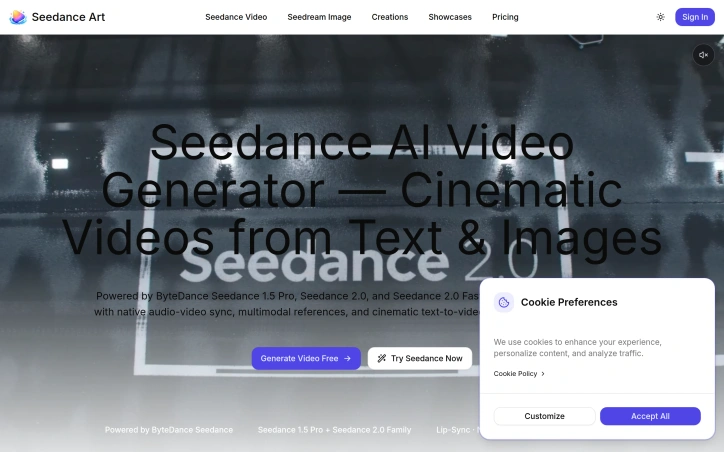
Ai-generative-media
0
0 Kong (‪Kong‬)

AI-powered video generation from text or images has moved beyond prototypes into production workflows, and ByteDance's Seedance represents a mature entry in this space. The platform targets three overlapping audiences: individual content creators seeking faster production cycles, marketing teams producing ads and social content at volume, and filmmakers prototyping scenes or building reference materials. For all three, the core value proposition is the same—cinematic video output without the traditional editing timeline. The standout technical achievement is millisecond-precision lip synchronization combined with native audio-video alignment. This closes a long-standing gap in AI video generation: previous tools struggled with out-of-sync dialogue and awkward mouth movement, limiting use cases to music videos or silent content. Seedance 2.0's approach to lip-sync makes presenter videos, dubbed ads, and talking-head content genuinely viable. The architecture also maintains character consistency across multiple shots, which is critical for filmmakers building narrative sequences rather than isolated clips. The feature set itself is straightforward but complete. Text-to-video generation converts descriptive prompts into cinematic footage with natural camera movement and depth. Image-to-video animation takes still images—product photos, portraits, brand assets—and generates fluid motion while preserving the original composition. Both leverage ByteDance's own Seedance models, suggesting a direct relationship between underlying infrastructure and product capability. The platform's technology stack is worth noting. Rather than building in isolation, SeedanceArt integrates multiple providers: ByteDance for video, Google Gemini and OpenAI for reasoning and text generation, and Black Forest Labs for additional image synthesis. This modular approach suggests the team is optimizing for quality over vertical integration, pulling best-in-class components where they exist. On the business side, the website mentions free generation as an entry point but provides no explicit pricing tier details, subscription structure, or usage limits. This opacity around monetization is typical for early-phase products still optimizing their growth motion. The core question for potential users isn't whether Seedance generates acceptable video—the examples suggest it does—but whether millisecond lip-sync and character consistency matter for their workflow. For dubbed content and long-form presenter material, they absolutely do. For short-form social content or concept art, generation speed may matter more than sync precision. SeedanceArt positions itself as production-grade tooling, and for that bar, the technical specificity is appropriate.

Seedance preview

Key features

  • Lip-Sync Precision: Millisecond-precision synchronization between audio and video that makes presenter videos and dubbed content genuinely viable.
  • Text-to-Video Generation: Converts descriptive prompts into cinematic footage with natural camera movement and depth.
See full listing