1,034 startups launched 12,714 upvotes cast 58 submitted this week

Recently Listed

1,034 launches
Sort
P

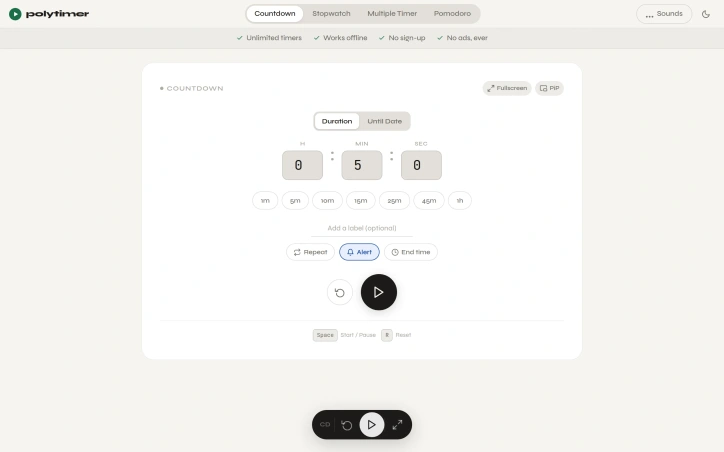
Finding the right timer tool online often means wading through cluttered interfaces, intrusive ads, and unnecessary features that distract rather than help. PolyTimer solves this by offering a distraction-free timer that runs entirely in the browser without requiring downloads, account creation, or subscriptions. The product targets anyone who needs reliable timing functionality: students managing study sessions, professionals working on time-blocked tasks, fitness enthusiasts tracking workouts, and anyone practicing productivity techniques like the Pomodoro method. What sets PolyTimer apart is its ruthless commitment to simplicity. The interface prioritizes speed and clarity over feature bloat. Users can start a timer in seconds using one-click preset durations ranging from one minute to one hour, or by entering custom times. The platform supports multiple timer modes: a standard countdown timer with customizable labels and repeat functionality, a digital stopwatch with lap timing and CSV export capabilities, a structured Pomodoro timer with adjustable phase durations, and a grid system for running multiple timers simultaneously. All modes include picture-in-picture and fullscreen options, making the tool adaptable to any workflow. Offline functionality ensures timers continue working without internet connectivity, while the browser-based architecture means immediate access across desktop, tablet, and mobile devices without installation. Users can customize their experience through alert sounds, ambient soundscapes like rain or ocean ambience, and time-until-completion displays showing the exact clock time when a timer will finish. The business model is refreshingly transparent: PolyTimer is entirely free with a firm commitment against advertisements. This approach reflects the founder's stated philosophy that the best tools handle one job exceptionally well rather than attempting to become sprawling productivity platforms. The product addresses a genuine pain point—the difficulty of finding a genuinely clean, fast timer online—with a focused solution that doesn't attempt to monetize through ads, paywalls, or feature gatekeeping. For anyone frustrated by the noise surrounding ordinary web-based tools, PolyTimer delivers exactly what its positioning promises: a functional, accessible timer that remains intentionally simple and perpetually free.

Time-tracking-apps
M
Majharul Islam

Finding the right timer tool online often means wading through cluttered interfaces, intrusive ads, and unnecessary features that distract rather than help. PolyTimer solves this by offering a distraction-free timer that runs entirely in the browser without requiring downloads, account creation, or subscriptions. The product targets anyone who needs reliable timing functionality: students managing study sessions, professionals working on time-blocked tasks, fitness enthusiasts tracking workouts, and anyone practicing productivity techniques like the Pomodoro method. What sets PolyTimer apart is its ruthless commitment to simplicity. The interface prioritizes speed and clarity over feature bloat. Users can start a timer in seconds using one-click preset durations ranging from one minute to one hour, or by entering custom times. The platform supports multiple timer modes: a standard countdown timer with customizable labels and repeat functionality, a digital stopwatch with lap timing and CSV export capabilities, a structured Pomodoro timer with adjustable phase durations, and a grid system for running multiple timers simultaneously. All modes include picture-in-picture and fullscreen options, making the tool adaptable to any workflow. Offline functionality ensures timers continue working without internet connectivity, while the browser-based architecture means immediate access across desktop, tablet, and mobile devices without installation. Users can customize their experience through alert sounds, ambient soundscapes like rain or ocean ambience, and time-until-completion displays showing the exact clock time when a timer will finish. The business model is refreshingly transparent: PolyTimer is entirely free with a firm commitment against advertisements. This approach reflects the founder's stated philosophy that the best tools handle one job exceptionally well rather than attempting to become sprawling productivity platforms. The product addresses a genuine pain point—the difficulty of finding a genuinely clean, fast timer online—with a focused solution that doesn't attempt to monetize through ads, paywalls, or feature gatekeeping. For anyone frustrated by the noise surrounding ordinary web-based tools, PolyTimer delivers exactly what its positioning promises: a functional, accessible timer that remains intentionally simple and perpetually free.

PolyTimer preview
P

Key features

  • One-Click Presets: Start timers in seconds with preset durations from one minute to one hour or enter custom times.
  • Multiple Timer Modes: Includes countdown timer, digital stopwatch with lap timing and CSV export, Pomodoro timer, and grid system for simultaneous timers.
See full listing
GhostPrompter

Recording on camera presents a paradox: you know what to say, but maintaining natural eye contact while reading notes proves nearly impossible. Most teleprompter applications claim to solve this by appearing in one form or another, whether as a blocking overlay that covers your interface, a tool that forces you to match its scroll speed, or software that crumbles the moment you need to click or type during a demonstration. This product addresses that frustration with a straightforward design philosophy—a transparent laptop teleprompter that reads your script while staying invisible to both you and your audience. The tool serves creators, educators, sales professionals, and anyone whose work involves recording or presenting on camera. Its core innovation is a click-through overlay that displays your script in a transparent layer, passing mouse clicks and keyboard input directly to whatever application sits behind it. This means you can read your notes while demonstrating software, navigating slides, or answering questions without the tool interfering with your work. Several features distinguish it from conventional teleprompter applications. Voice-activated scrolling lets the script advance automatically based on your speaking pace, pausing when you emphasize points and catching up when you speak quickly. The script remains invisible in screen shares and recordings regardless of your streaming platform, working seamlessly with Zoom, Loom, OBS, ScreenFlow, and Teams. Built-in script management lets you write, organize, and store multiple scripts within the application rather than juggling files elsewhere. The product supports Windows and Mac and offers a free trial. The positioning reflects a philosophy evident in its origin story: most existing teleprompter applications solve one problem but create another. By designing around a click-through overlay that genuinely gets out of your way, this solution attacks a frustration point in the creator economy. It recognizes that helping people remember their lines matters less than letting them maintain the composure and eye contact that distinguishes polished content from obviously scripted delivery. The bet is that most creators would rather invest in a purpose-built tool than waste countless hours re-recording takes until the delivery finally lands.


Presentation-software
E
ELDHO BENNY

Recording on camera presents a paradox: you know what to say, but maintaining natural eye contact while reading notes proves nearly impossible. Most teleprompter applications claim to solve this by appearing in one form or another, whether as a blocking overlay that covers your interface, a tool that forces you to match its scroll speed, or software that crumbles the moment you need to click or type during a demonstration. This product addresses that frustration with a straightforward design philosophy—a transparent laptop teleprompter that reads your script while staying invisible to both you and your audience. The tool serves creators, educators, sales professionals, and anyone whose work involves recording or presenting on camera. Its core innovation is a click-through overlay that displays your script in a transparent layer, passing mouse clicks and keyboard input directly to whatever application sits behind it. This means you can read your notes while demonstrating software, navigating slides, or answering questions without the tool interfering with your work. Several features distinguish it from conventional teleprompter applications. Voice-activated scrolling lets the script advance automatically based on your speaking pace, pausing when you emphasize points and catching up when you speak quickly. The script remains invisible in screen shares and recordings regardless of your streaming platform, working seamlessly with Zoom, Loom, OBS, ScreenFlow, and Teams. Built-in script management lets you write, organize, and store multiple scripts within the application rather than juggling files elsewhere. The product supports Windows and Mac and offers a free trial. The positioning reflects a philosophy evident in its origin story: most existing teleprompter applications solve one problem but create another. By designing around a click-through overlay that genuinely gets out of your way, this solution attacks a frustration point in the creator economy. It recognizes that helping people remember their lines matters less than letting them maintain the composure and eye contact that distinguishes polished content from obviously scripted delivery. The bet is that most creators would rather invest in a purpose-built tool than waste countless hours re-recording takes until the delivery finally lands.

GhostPrompter preview

Key features

  • Invisible Screen Recording: Keep your script visible while remaining hidden from OBS, Loom, Zoom, Teams, and other screen recording tools.
  • Click-Through Overlay: Read your script while clicking, typing, presenting, or demonstrating applications without blocking your workflow.
See full listing
NativeCode

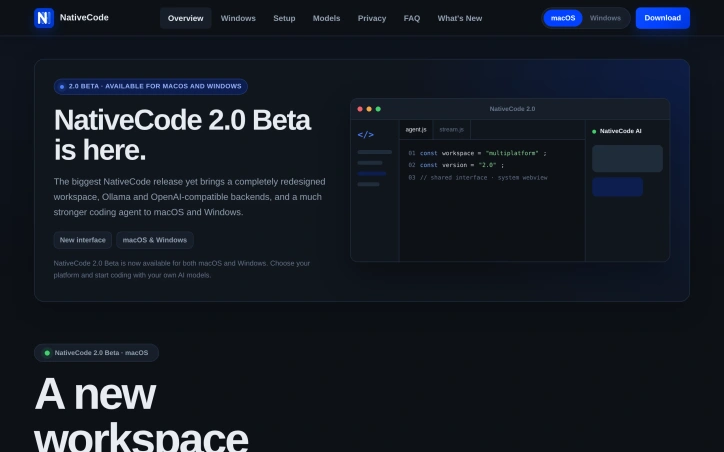
Privacy-conscious developers have few good options when it comes to AI-assisted coding tools. Most either bundle Chromium into their downloads, inflating file sizes to 150 MB or more, or require uploading projects to cloud servers. NativeCode addresses both issues by offering a compact, local-first alternative that keeps code on your machine while maintaining a minimal footprint. The product pairs a VS Code-inspired interface built on Monaco with your choice of local models running in Ollama, LM Studio, or any OpenAI-compatible server. The macOS download weighs just 7.11 MB because it leverages the system WebView built into modern operating systems — WKWebView on macOS, WebView2 on Windows — rather than shipping its own copy of Chromium. This design decision translates to meaningful storage savings without sacrificing functionality. Version 2.0 Beta, the latest release, significantly strengthens the core agent. It introduces plan mode for safe refactoring, project memory, reusable skills, pinned context, and self-review capabilities. The agent handles automatic context compaction and can access the web when needed. File and shell tool access is explicitly guarded, revealing a commitment to security over convenience. The tool supports every model its backend reports, with the ability to stream reasoning separately for models that provide it. Users can adjust thinking effort, switch backends or models without restarting conversations, and attach screenshots directly to vision-capable models. This flexibility removes friction when experimenting with different approaches or scaling up to more capable models. The business model is straightforward. NativeCode is free with no subscription requirement, no account creation, and no telemetry. The founder built this specifically because existing options either shipped unnecessary bloat or invaded privacy — frustrations many developers share. What emerges from these choices is a product designed around developer autonomy. It assumes users want control over their models, their data, and their tools, without paying for that privilege through subscriptions or data harvesting. For developers already running local LLM infrastructure or willing to set it up, NativeCode removes a major friction point: the need to choose between privacy, cost, and capability. Whether this approach catches on depends partly on whether developers embrace local inference as a default rather than a niche preference.

Ai-code-editors
J
Jakub Hecht

Privacy-conscious developers have few good options when it comes to AI-assisted coding tools. Most either bundle Chromium into their downloads, inflating file sizes to 150 MB or more, or require uploading projects to cloud servers. NativeCode addresses both issues by offering a compact, local-first alternative that keeps code on your machine while maintaining a minimal footprint. The product pairs a VS Code-inspired interface built on Monaco with your choice of local models running in Ollama, LM Studio, or any OpenAI-compatible server. The macOS download weighs just 7.11 MB because it leverages the system WebView built into modern operating systems — WKWebView on macOS, WebView2 on Windows — rather than shipping its own copy of Chromium. This design decision translates to meaningful storage savings without sacrificing functionality. Version 2.0 Beta, the latest release, significantly strengthens the core agent. It introduces plan mode for safe refactoring, project memory, reusable skills, pinned context, and self-review capabilities. The agent handles automatic context compaction and can access the web when needed. File and shell tool access is explicitly guarded, revealing a commitment to security over convenience. The tool supports every model its backend reports, with the ability to stream reasoning separately for models that provide it. Users can adjust thinking effort, switch backends or models without restarting conversations, and attach screenshots directly to vision-capable models. This flexibility removes friction when experimenting with different approaches or scaling up to more capable models. The business model is straightforward. NativeCode is free with no subscription requirement, no account creation, and no telemetry. The founder built this specifically because existing options either shipped unnecessary bloat or invaded privacy — frustrations many developers share. What emerges from these choices is a product designed around developer autonomy. It assumes users want control over their models, their data, and their tools, without paying for that privilege through subscriptions or data harvesting. For developers already running local LLM infrastructure or willing to set it up, NativeCode removes a major friction point: the need to choose between privacy, cost, and capability. Whether this approach catches on depends partly on whether developers embrace local inference as a default rather than a niche preference.

NativeCode preview

Key features

  • Local-First Architecture: Keeps all code on your machine without uploading to cloud servers
  • Minimal Footprint: Weighs just 7.11 MB on macOS by leveraging system WebView instead of bundling Chromium
See full listing
CheatGrid

Finding the right information quickly remains a perennial friction point for engineers and learners. Knowledge exists everywhere—scattered across documentation, Stack Overflow threads, expired blog posts, and bookmarks from years ago—but rarely in a format designed for how people actually need to use it. CheatGrid addresses this by centralizing technical and professional knowledge across 1,300 topics into a single searchable platform organized around consistent principles. The core offering centers on structured cheat sheets formatted uniformly across every topic: a concept column, paired examples, and detailed descriptions arranged by frequency of use rather than alphabetical ordering. This consistency means users learn the layout once and navigate any subject without cognitive overhead. Each sheet includes a mind map and quick index for discovering what a topic contains, from fundamental techniques to advanced patterns most references gloss over. What distinguishes CheatGrid beyond the cheat sheets themselves is its investment in retention mechanisms. Spaced-repetition flashcards present beginner-friendly explanations with concrete examples, timed to resurface just before a user would typically forget them. Practice tests layer in active recall with realistic wrong answers, multiple study modes, and explanations grounding every question. For professionals pursuing certifications, the platform bundles these three formats together for specific exams including AWS, Azure, CISSP, Security+, PMP, CFA, and CPA, aligning content to official exam domains. The breadth is notable: coverage spans programming, cloud infrastructure, AI, DevOps, data systems, security, and professional development skills, unified under one subscription. Users can star rows for personal vaults, track progress through streaks and XP systems, and jump between related concepts through cross-referenced links. The product targets two distinct audiences. For practitioners who constantly reference half-remembered concepts, the platform consolidates what would otherwise require dozens of browser tabs and context-switching across incompatible sources. For learners—whether pursuing certifications or acquiring new technical skills—the spaced-repetition and practice test features transform it from a lookup tool into an active learning system, addressing the gap between passive reading and retention. The consistent table-based structure and integrated learning features address a real workflow problem: most reference materials optimize for completeness or searchability, not for how people actually learn or reference knowledge under time pressure. CheatGrid reorganizes around those practical constraints instead.


Knowledge-base-software
R
Retko Michael Miscanuk

Finding the right information quickly remains a perennial friction point for engineers and learners. Knowledge exists everywhere—scattered across documentation, Stack Overflow threads, expired blog posts, and bookmarks from years ago—but rarely in a format designed for how people actually need to use it. CheatGrid addresses this by centralizing technical and professional knowledge across 1,300 topics into a single searchable platform organized around consistent principles. The core offering centers on structured cheat sheets formatted uniformly across every topic: a concept column, paired examples, and detailed descriptions arranged by frequency of use rather than alphabetical ordering. This consistency means users learn the layout once and navigate any subject without cognitive overhead. Each sheet includes a mind map and quick index for discovering what a topic contains, from fundamental techniques to advanced patterns most references gloss over. What distinguishes CheatGrid beyond the cheat sheets themselves is its investment in retention mechanisms. Spaced-repetition flashcards present beginner-friendly explanations with concrete examples, timed to resurface just before a user would typically forget them. Practice tests layer in active recall with realistic wrong answers, multiple study modes, and explanations grounding every question. For professionals pursuing certifications, the platform bundles these three formats together for specific exams including AWS, Azure, CISSP, Security+, PMP, CFA, and CPA, aligning content to official exam domains. The breadth is notable: coverage spans programming, cloud infrastructure, AI, DevOps, data systems, security, and professional development skills, unified under one subscription. Users can star rows for personal vaults, track progress through streaks and XP systems, and jump between related concepts through cross-referenced links. The product targets two distinct audiences. For practitioners who constantly reference half-remembered concepts, the platform consolidates what would otherwise require dozens of browser tabs and context-switching across incompatible sources. For learners—whether pursuing certifications or acquiring new technical skills—the spaced-repetition and practice test features transform it from a lookup tool into an active learning system, addressing the gap between passive reading and retention. The consistent table-based structure and integrated learning features address a real workflow problem: most reference materials optimize for completeness or searchability, not for how people actually learn or reference knowledge under time pressure. CheatGrid reorganizes around those practical constraints instead.

CheatGrid preview

Key features

  • Structured Cheat Sheets: Uniform formatting with concept columns, paired examples, and descriptions organized by frequency of use.
  • Spaced-Repetition Flashcards: Beginner-friendly explanations with concrete examples timed to resurface before users forget them.
See full listing
Axdox

Repetitive operational work drains resources and costs businesses money. Companies struggle to find AI solutions that don't require extensive technical expertise or enormous budgets, leading many teams to maintain manual workflows even when automation could transform their efficiency. Axdox addresses this gap by positioning itself as a practical AI and automation firm focused on helping businesses adopt intelligent technology without complexity or prohibitive costs. The company operates across three core verticals—voice automation, workflow orchestration, and custom AI development—targeting industries like healthcare, fintech, and SaaS that stand to benefit most from operational transformation. The company's value proposition centers on three differentiators. First, it applies AI as a foundational element rather than a superficial addition, building automation into every solution. Second, it handles the entire journey from initial consultation through deployment and ongoing support, reducing friction for clients unfamiliar with AI implementation. Third, it emphasizes data-driven optimization, using analytics and testing to validate that implementations actually deliver promised results. Axdox's service portfolio spans voice agents that handle customer calls and lead qualification, n8n workflow automation for connecting disparate business tools, custom AI agents built for specific operational needs, alongside web development and digital marketing services. The company claims these solutions drive a 50 percent reduction in operational costs with ROI achievable within 90 days, though the achievability of these metrics depends heavily on client circumstances and implementation scope. What distinguishes Axdox from the crowded automation consulting space is its explicit commitment to customization. Rather than selling packaged software, the founders describe approaching each engagement by deeply understanding client processes first, then building tailored solutions. This bespoke model commands premium pricing but promises better fit than generic platforms. The company's founding narrative—bootstrapped by Shri Siva J and Kavitha L out of frustration with the gap between AI capability and practical affordability—suggests alignment with the problem it claims to solve. The emphasis on making AI empower people rather than replace them frames automation as augmentation rather than workforce displacement, a positioning that resonates with businesses cautious about AI adoption. Axdox serves businesses ready to invest in operational transformation but lacking internal AI expertise. It competes on customization and support depth rather than technology novelty, positioning itself as a strategic partner through implementation rather than a vendor of off-the-shelf tools.


Ai-workflow-automation
S
Shri Siva J

Repetitive operational work drains resources and costs businesses money. Companies struggle to find AI solutions that don't require extensive technical expertise or enormous budgets, leading many teams to maintain manual workflows even when automation could transform their efficiency. Axdox addresses this gap by positioning itself as a practical AI and automation firm focused on helping businesses adopt intelligent technology without complexity or prohibitive costs. The company operates across three core verticals—voice automation, workflow orchestration, and custom AI development—targeting industries like healthcare, fintech, and SaaS that stand to benefit most from operational transformation. The company's value proposition centers on three differentiators. First, it applies AI as a foundational element rather than a superficial addition, building automation into every solution. Second, it handles the entire journey from initial consultation through deployment and ongoing support, reducing friction for clients unfamiliar with AI implementation. Third, it emphasizes data-driven optimization, using analytics and testing to validate that implementations actually deliver promised results. Axdox's service portfolio spans voice agents that handle customer calls and lead qualification, n8n workflow automation for connecting disparate business tools, custom AI agents built for specific operational needs, alongside web development and digital marketing services. The company claims these solutions drive a 50 percent reduction in operational costs with ROI achievable within 90 days, though the achievability of these metrics depends heavily on client circumstances and implementation scope. What distinguishes Axdox from the crowded automation consulting space is its explicit commitment to customization. Rather than selling packaged software, the founders describe approaching each engagement by deeply understanding client processes first, then building tailored solutions. This bespoke model commands premium pricing but promises better fit than generic platforms. The company's founding narrative—bootstrapped by Shri Siva J and Kavitha L out of frustration with the gap between AI capability and practical affordability—suggests alignment with the problem it claims to solve. The emphasis on making AI empower people rather than replace them frames automation as augmentation rather than workforce displacement, a positioning that resonates with businesses cautious about AI adoption. Axdox serves businesses ready to invest in operational transformation but lacking internal AI expertise. It competes on customization and support depth rather than technology novelty, positioning itself as a strategic partner through implementation rather than a vendor of off-the-shelf tools.

Axdox preview

Key features

  • Voice Automation: Handles customer calls and lead qualification through AI agents
  • Workflow Orchestration: Connects disparate business tools using n8n automation
See full listing
Balane NetMute

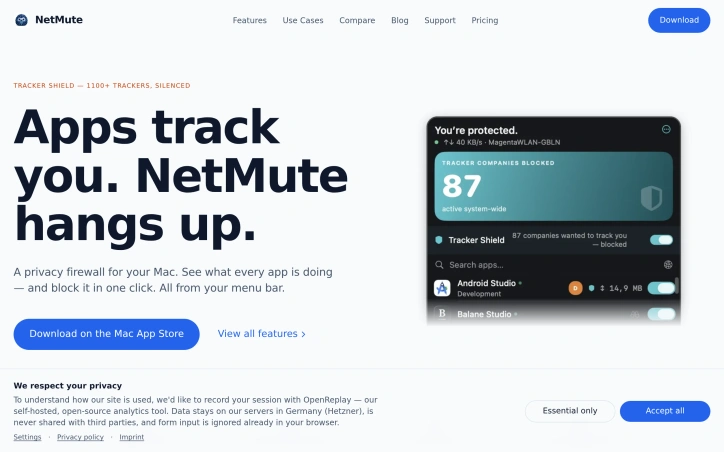
Privacy-conscious Mac users have gained a powerful ally in network management. NetMute addresses a growing frustration among computer users: the invisible background traffic that apps generate constantly, consuming bandwidth and exposing personal data without explicit permission. The core problem is straightforward but often overlooked. Most applications connect to dozens of external services—tracking pixels, analytics platforms, and advertising networks—silently transmitting data throughout your computing session. Users rarely understand the full scope of these connections or how to control them. NetMute surfaces this activity and puts the user in charge. The product offers more than simple blocking. Its Tracker Shield feature silences over 1,100 known tracking services at the network level, from advertising and analytics platforms to social media trackers and fingerprinting services. Rather than requiring users to manually identify and block individual tracking domains, a single toggle activates system-wide protection. The approach extends beyond individual tracker URLs; blocking Facebook's tracking infrastructure blocks all its subdomains automatically. Beyond tracker shielding, NetMute provides granular per-app firewall control. Users can block apps entirely from the internet or surgically disable specific endpoints while keeping others active. The application includes a privacy scoring system that rates each app based on its network behavior, helping users identify particularly intrusive software. Real-time traffic monitoring shows exactly what data flows between apps and external servers, with 90 days of searchable history stored locally on the Mac. Context-aware networking features round out the capability set. Network profiles adapt security settings based on location—stricter rules for untrusted networks like hotel Wi-Fi, looser restrictions for home networks. The software integrates with macOS Focus modes, automatically disconnecting certain apps when focus settings activate. The business model stands out for simplicity: a one-time purchase with no ongoing subscription fees. The app operates locally without requiring cloud services, meaning traffic analysis never leaves your Mac. NetMute targets privacy-focused Mac users who want transparency into app behavior and direct control over network access. It appeals to those frustrated by invisible tracking, users on limited bandwidth connections, and anyone seeking to reclaim network resources currently consumed by background activity. For this audience, NetMute transforms network management from a mysterious background process into an understandable, controllable system.

Security-software
J
Jonas

Privacy-conscious Mac users have gained a powerful ally in network management. NetMute addresses a growing frustration among computer users: the invisible background traffic that apps generate constantly, consuming bandwidth and exposing personal data without explicit permission. The core problem is straightforward but often overlooked. Most applications connect to dozens of external services—tracking pixels, analytics platforms, and advertising networks—silently transmitting data throughout your computing session. Users rarely understand the full scope of these connections or how to control them. NetMute surfaces this activity and puts the user in charge. The product offers more than simple blocking. Its Tracker Shield feature silences over 1,100 known tracking services at the network level, from advertising and analytics platforms to social media trackers and fingerprinting services. Rather than requiring users to manually identify and block individual tracking domains, a single toggle activates system-wide protection. The approach extends beyond individual tracker URLs; blocking Facebook's tracking infrastructure blocks all its subdomains automatically. Beyond tracker shielding, NetMute provides granular per-app firewall control. Users can block apps entirely from the internet or surgically disable specific endpoints while keeping others active. The application includes a privacy scoring system that rates each app based on its network behavior, helping users identify particularly intrusive software. Real-time traffic monitoring shows exactly what data flows between apps and external servers, with 90 days of searchable history stored locally on the Mac. Context-aware networking features round out the capability set. Network profiles adapt security settings based on location—stricter rules for untrusted networks like hotel Wi-Fi, looser restrictions for home networks. The software integrates with macOS Focus modes, automatically disconnecting certain apps when focus settings activate. The business model stands out for simplicity: a one-time purchase with no ongoing subscription fees. The app operates locally without requiring cloud services, meaning traffic analysis never leaves your Mac. NetMute targets privacy-focused Mac users who want transparency into app behavior and direct control over network access. It appeals to those frustrated by invisible tracking, users on limited bandwidth connections, and anyone seeking to reclaim network resources currently consumed by background activity. For this audience, NetMute transforms network management from a mysterious background process into an understandable, controllable system.

Balane NetMute preview

Key features

  • Tracker Shield: silences over 1,100 known tracking services at the network level including advertising, analytics, and social media trackers
  • Per-App Firewall: block apps entirely from the internet or surgically disable specific endpoints while keeping others active
See full listing
Rankid

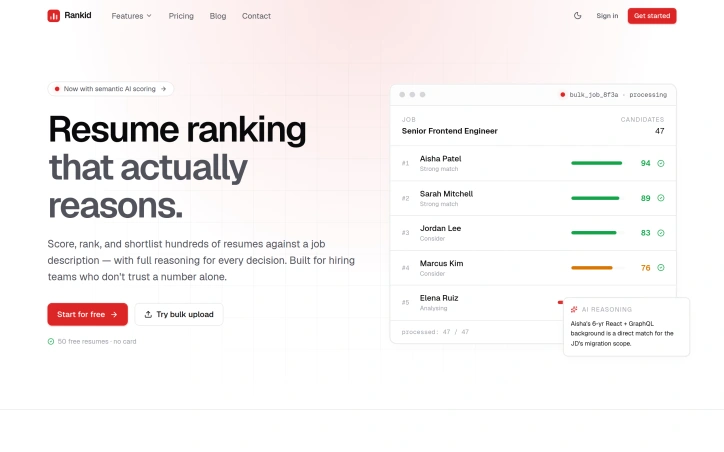
Candidate screening consumes disproportionate energy in hiring processes, with recruiters burning hours on manual resume reviews while relying on keyword-matching tools that produce opaque rankings. Rankid addresses this through semantic reasoning applied to resume evaluation, delivering ranked candidates alongside evidence for each decision. The product targets two audiences. Recruiters use bulk analysis to score dozens or hundreds of resumes against a single job description, returning a ranked leaderboard with AI reasoning. Individual job seekers analyze their own resume against target positions to identify gaps and strengths. A secondary feature adds document Q&A functionality, letting users extract specific information from PDFs, Word documents, or text through natural language queries. What distinguishes Rankid is its rejection of pure keyword matching in favor of semantic analysis. The platform evaluates whether a candidate's actual work demonstrates competency for the role, not whether the right terminology appears in the document. This matters because keyword tools often miss qualified candidates and flag unsuitable ones, while keeping scoring opaque. Rankid commits to transparency by explaining reasoning: which skills matched, what gaps exist, and where candidates fall short. The execution reflects practical hiring workflows. Bulk processing happens concurrently rather than sequentially, giving teams a complete ranked list quickly instead of waiting through serial analysis. The interface shows component breakdowns like technical skills coverage and experience alignment, providing hiring teams concrete information for decisions. Rankid includes a free tier allowing bulk analysis of 50 resumes without a credit card, lowering friction for smaller teams and candidates. The product succeeds because it solves a genuine pain point with a defensible approach. Hiring teams have repeatedly expressed skepticism of black-box scoring systems, and Rankid's emphasis on explainable reasoning addresses that directly. For recruiters handling high-volume screening, concurrent bulk analysis offers genuine time savings. For candidates, diagnostic feedback provides actionable intelligence for strengthening their candidacy.
Hiring-software
D
Dania Rizwan

Candidate screening consumes disproportionate energy in hiring processes, with recruiters burning hours on manual resume reviews while relying on keyword-matching tools that produce opaque rankings. Rankid addresses this through semantic reasoning applied to resume evaluation, delivering ranked candidates alongside evidence for each decision. The product targets two audiences. Recruiters use bulk analysis to score dozens or hundreds of resumes against a single job description, returning a ranked leaderboard with AI reasoning. Individual job seekers analyze their own resume against target positions to identify gaps and strengths. A secondary feature adds document Q&A functionality, letting users extract specific information from PDFs, Word documents, or text through natural language queries. What distinguishes Rankid is its rejection of pure keyword matching in favor of semantic analysis. The platform evaluates whether a candidate's actual work demonstrates competency for the role, not whether the right terminology appears in the document. This matters because keyword tools often miss qualified candidates and flag unsuitable ones, while keeping scoring opaque. Rankid commits to transparency by explaining reasoning: which skills matched, what gaps exist, and where candidates fall short. The execution reflects practical hiring workflows. Bulk processing happens concurrently rather than sequentially, giving teams a complete ranked list quickly instead of waiting through serial analysis. The interface shows component breakdowns like technical skills coverage and experience alignment, providing hiring teams concrete information for decisions. Rankid includes a free tier allowing bulk analysis of 50 resumes without a credit card, lowering friction for smaller teams and candidates. The product succeeds because it solves a genuine pain point with a defensible approach. Hiring teams have repeatedly expressed skepticism of black-box scoring systems, and Rankid's emphasis on explainable reasoning addresses that directly. For recruiters handling high-volume screening, concurrent bulk analysis offers genuine time savings. For candidates, diagnostic feedback provides actionable intelligence for strengthening their candidacy.

Rankid preview

Key features

  • Semantic Resume Analysis: Evaluates candidate competency through semantic reasoning instead of keyword matching
  • Ranked Candidate Leaderboard: Returns scored and ranked candidates with AI reasoning for bulk resume screening
See full listing
G

Planning casual daytips across South Korea typically requires juggling multiple applications—checking crowd conditions, weather forecasts, transit maps, and facility details separately before committing to a destination. Gap-trip consolidates these signals into a single Android app designed to streamline the outing selection process. The app targets local travelers and commuters looking to escape to nearby attractions without the planning friction. It covers all Korean regions and allows users to filter destinations by proximity (within 30, 60, or 90 minutes of travel), mode of transport (public transit, car, or walking focus), and destination type. The interface emphasizes real-time crowd congestion data where municipal sources provide it, supplemented by facility information, weather conditions, and estimated travel times. What distinguishes Gap-trip is its pragmatic approach to data integration. Rather than promising comprehensive information, the app surfaces only the signals available for each location, positioning itself as a planning aid rather than an authoritative source. Users can save favorite locations, build light courses for connected recommendations, and receive notifications when previously crowded spots become feasible to visit. The app also flags the nearest transit stations and surrounding context before users leave home, addressing a common friction point in Korean commuting. The feature set reflects a hyperlocal focus. The app provides real-time congestion indicators only in regions where public data supports them, avoiding the false precision that plagues many travel planning tools. Filtering by travel method rather than just distance acknowledges that a 30-minute walk, car ride, or train journey present fundamentally different use cases. Saved courses and notification triggers for low-congestion periods add friction-reduction for frequent users. Gap-trip operates on a freemium model. The base app is free and ad-supported. A paid option called Gap-trip Pass, priced at 2,900 won monthly, removes advertising and enhances notification and course functionality. This positioning targets budget-conscious users while capturing revenue from power users who plan frequent outings. The app remains in active development, with recent updates addressing stability and interface improvements.


Travel-apps
�
이재훈

Planning casual daytips across South Korea typically requires juggling multiple applications—checking crowd conditions, weather forecasts, transit maps, and facility details separately before committing to a destination. Gap-trip consolidates these signals into a single Android app designed to streamline the outing selection process. The app targets local travelers and commuters looking to escape to nearby attractions without the planning friction. It covers all Korean regions and allows users to filter destinations by proximity (within 30, 60, or 90 minutes of travel), mode of transport (public transit, car, or walking focus), and destination type. The interface emphasizes real-time crowd congestion data where municipal sources provide it, supplemented by facility information, weather conditions, and estimated travel times. What distinguishes Gap-trip is its pragmatic approach to data integration. Rather than promising comprehensive information, the app surfaces only the signals available for each location, positioning itself as a planning aid rather than an authoritative source. Users can save favorite locations, build light courses for connected recommendations, and receive notifications when previously crowded spots become feasible to visit. The app also flags the nearest transit stations and surrounding context before users leave home, addressing a common friction point in Korean commuting. The feature set reflects a hyperlocal focus. The app provides real-time congestion indicators only in regions where public data supports them, avoiding the false precision that plagues many travel planning tools. Filtering by travel method rather than just distance acknowledges that a 30-minute walk, car ride, or train journey present fundamentally different use cases. Saved courses and notification triggers for low-congestion periods add friction-reduction for frequent users. Gap-trip operates on a freemium model. The base app is free and ad-supported. A paid option called Gap-trip Pass, priced at 2,900 won monthly, removes advertising and enhances notification and course functionality. This positioning targets budget-conscious users while capturing revenue from power users who plan frequent outings. The app remains in active development, with recent updates addressing stability and interface improvements.

Gap-trip preview
G

Key features

  • Real-Time Crowd Data: Shows congestion indicators for destinations in regions with municipal data.
  • Multi-Method Filtering: Filter destinations by travel time, transport mode, and attraction type.
See full listing
ContractRev

Contract negotiation traditionally relies on either expensive lawyers or generic templates, leaving most signers vulnerable to hidden risks. ContractRev fills this gap by delivering personalized risk analysis that adapts to the signer's role and position. The product targets anyone facing contractual obligations where the stakes matter but a full legal review isn't practical. Its core innovation is perspective-based analysis. Rather than applying uniform risk criteria, the platform asks users to specify their role (employee or employer, tenant or landlord) and analyzes every clause through that lens. This makes the output immediately actionable rather than academically thorough. Three design decisions distinguish the offering. First, it delivers a revised contract document with track-changes rather than just a written report. Risky language is struck through; suggested alternatives appear in blue. This removes friction from the negotiation phase because the revised version can go directly to the other party. Second, every risk flag includes negotiation talking points—specific language to use when pushing back. Third, it offers a quick check mode for single clauses at one credit cost, versus three for a full review, giving users fine-grained control over spending. The customization layer adds practical value. The platform allows users to set personal standards once—liability caps, confidentiality windows, governing law preferences—and then automatically flags deviations in future reviews. This effectively shifts contract work from reactive evaluation to enforcement of preset policies. The free tier removes onboarding friction. Users get three free credits to try the product without signing up or providing payment information. If satisfied, anonymous reviews are claimed after registration. Files are end-to-end encrypted and auto-deleted after analysis, demonstrating serious attention to privacy for sensitive documents. The pricing model operates simply. Credits scale by review type: one per single clause, three per full review. Specific pricing for additional credits isn't disclosed publicly. The freemium approach with no required signup front-loads conversion potential. ContractRev delivers immediate value for straightforward agreements like employment offers, tenant contracts, or vendor deals. For complex M&A documents or bespoke legal arrangements, it functions better as an initial screening tool than final authorization source. The reliance on AI analysis without lawyer certification will concern users handling high-stakes negotiations, though the product directly addresses a gap where people either pay expensive rates for legal review or negotiate blind.


Legal-services
H
Hero can

Contract negotiation traditionally relies on either expensive lawyers or generic templates, leaving most signers vulnerable to hidden risks. ContractRev fills this gap by delivering personalized risk analysis that adapts to the signer's role and position. The product targets anyone facing contractual obligations where the stakes matter but a full legal review isn't practical. Its core innovation is perspective-based analysis. Rather than applying uniform risk criteria, the platform asks users to specify their role (employee or employer, tenant or landlord) and analyzes every clause through that lens. This makes the output immediately actionable rather than academically thorough. Three design decisions distinguish the offering. First, it delivers a revised contract document with track-changes rather than just a written report. Risky language is struck through; suggested alternatives appear in blue. This removes friction from the negotiation phase because the revised version can go directly to the other party. Second, every risk flag includes negotiation talking points—specific language to use when pushing back. Third, it offers a quick check mode for single clauses at one credit cost, versus three for a full review, giving users fine-grained control over spending. The customization layer adds practical value. The platform allows users to set personal standards once—liability caps, confidentiality windows, governing law preferences—and then automatically flags deviations in future reviews. This effectively shifts contract work from reactive evaluation to enforcement of preset policies. The free tier removes onboarding friction. Users get three free credits to try the product without signing up or providing payment information. If satisfied, anonymous reviews are claimed after registration. Files are end-to-end encrypted and auto-deleted after analysis, demonstrating serious attention to privacy for sensitive documents. The pricing model operates simply. Credits scale by review type: one per single clause, three per full review. Specific pricing for additional credits isn't disclosed publicly. The freemium approach with no required signup front-loads conversion potential. ContractRev delivers immediate value for straightforward agreements like employment offers, tenant contracts, or vendor deals. For complex M&A documents or bespoke legal arrangements, it functions better as an initial screening tool than final authorization source. The reliance on AI analysis without lawyer certification will concern users handling high-stakes negotiations, though the product directly addresses a gap where people either pay expensive rates for legal review or negotiate blind.

ContractRev preview

Key features

  • Perspective-Based Analysis: Analyzes contracts through the lens of your specific role (employee, employer, tenant, landlord) rather than applying uniform risk criteria.
  • Track-Changes Output: Delivers a revised contract with risky language struck through and suggested alternatives in blue, ready to send directly to the other party.
See full listing
MagicGEO

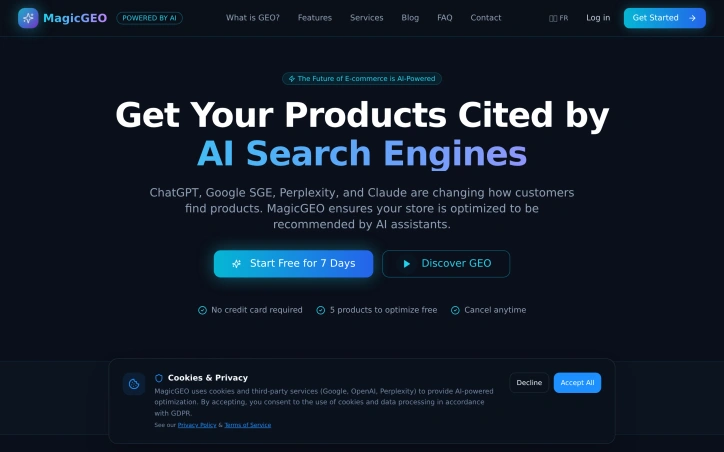
Merchants operating e-commerce and local service businesses face an increasingly critical visibility gap: they rank well in traditional search engines but remain virtually invisible to AI-powered search platforms like ChatGPT, Perplexity, and Google's Search Generative Experience. MagicGEO addresses this emerging problem head-on by enabling Shopify and WooCommerce store owners to gain citations—not just rankings—from AI search engines. The product tackles what amounts to a new search paradigm that traditional SEO alone cannot solve. While conventional optimization focuses on appearing in Google's index and organic results, AI search engines operate through different mechanisms. They train on web data but prioritize sources they recognize and cite directly. Small merchants, despite solid SEO fundamentals, fall outside this ecosystem because their content lacks the signals these systems rely on. MagicGEO bridges that gap through automated infrastructure changes: schema injection to add structured data, llms.txt file deployment, GEO scoring mechanisms, and built-in citation tracking to monitor visibility across multiple AI platforms. What distinguishes this entry is its recognition that the AI search opportunity has already arrived. Rather than positioning itself as a speculative bet on emerging technology, the product functions as a practical response to a concrete distribution problem merchants face today. The solution's strength lies in its simplicity—the founder emphasizes it works "in one click," suggesting the technical complexities of AI search optimization are abstracted away from users who lack the expertise to implement these changes manually. The product has reached functional maturity; the founder explicitly notes it is ready for use and already deployed across real store operations. This moves MagicGEO beyond concept validation into the phase where actual merchants are testing and relying on its citation capabilities. Being built by a solo founder adds a lean efficiency to the offering, though it also signals the current stage of business maturity. The stated business focus is distribution rather than product development. This positioning indicates confidence that the core technology solves the problem, and the challenge ahead lies in reaching enough merchants to build meaningful revenue and market presence. For Shopify and WooCommerce operators worried about their visibility in AI-powered search, particularly those in competitive local services or e-commerce niches, MagicGEO offers a focused tool that directly addresses a gap traditional SEO services have yet to fill.

Geo-tools
R
Rida ilyes

Merchants operating e-commerce and local service businesses face an increasingly critical visibility gap: they rank well in traditional search engines but remain virtually invisible to AI-powered search platforms like ChatGPT, Perplexity, and Google's Search Generative Experience. MagicGEO addresses this emerging problem head-on by enabling Shopify and WooCommerce store owners to gain citations—not just rankings—from AI search engines. The product tackles what amounts to a new search paradigm that traditional SEO alone cannot solve. While conventional optimization focuses on appearing in Google's index and organic results, AI search engines operate through different mechanisms. They train on web data but prioritize sources they recognize and cite directly. Small merchants, despite solid SEO fundamentals, fall outside this ecosystem because their content lacks the signals these systems rely on. MagicGEO bridges that gap through automated infrastructure changes: schema injection to add structured data, llms.txt file deployment, GEO scoring mechanisms, and built-in citation tracking to monitor visibility across multiple AI platforms. What distinguishes this entry is its recognition that the AI search opportunity has already arrived. Rather than positioning itself as a speculative bet on emerging technology, the product functions as a practical response to a concrete distribution problem merchants face today. The solution's strength lies in its simplicity—the founder emphasizes it works "in one click," suggesting the technical complexities of AI search optimization are abstracted away from users who lack the expertise to implement these changes manually. The product has reached functional maturity; the founder explicitly notes it is ready for use and already deployed across real store operations. This moves MagicGEO beyond concept validation into the phase where actual merchants are testing and relying on its citation capabilities. Being built by a solo founder adds a lean efficiency to the offering, though it also signals the current stage of business maturity. The stated business focus is distribution rather than product development. This positioning indicates confidence that the core technology solves the problem, and the challenge ahead lies in reaching enough merchants to build meaningful revenue and market presence. For Shopify and WooCommerce operators worried about their visibility in AI-powered search, particularly those in competitive local services or e-commerce niches, MagicGEO offers a focused tool that directly addresses a gap traditional SEO services have yet to fill.

MagicGEO preview

Key features

  • Schema Injection: Adds structured data to stores for AI search engine recognition
  • llms.txt Deployment: Deploys llms.txt files to improve visibility in AI search platforms
See full listing
Clean Image

Privacy concerns about cloud-based photo editing have driven innovation in browser-based alternatives, and Clean Image addresses this directly by processing images entirely on the user's device. The tool targets anyone who needs to remove unwanted elements from photos—text overlays, logos, timestamps, blemishes, and stray objects—without uploading their files to external servers. The standout feature is the privacy-first architecture. All processing runs locally through ONNX Runtime and WebAssembly, meaning images never leave the browser. The application uses the OpenCV LaMa neural network to reconstruct areas where users paint over unwanted content, relying on surrounding pixels to generate replacements. This approach works particularly well on clean backgrounds and straightforward removal tasks like text or logos. The user experience emphasizes simplicity. The interface follows an intuitive brush-and-paint metaphor: users tap to aim and paint over elements they want removed, then trigger the erasure. Undo and clear options let them refine before downloading the result. Performance addresses one of the common friction points with local AI tools. The neural network model requires a one-time download of approximately 89 megabytes, which caches in the browser. After this initial load, subsequent uses deliver instant processing with zero data usage, removing the bandwidth burden of repeated cloud uploads. Clean Image supports common image formats including PNG, JPG, and WebP, accommodating most typical photo libraries. The before-and-after comparison feature lets users validate results before saving. The primary limitation stems from its design strength: effectiveness depends heavily on background consistency. Complex, busy backgrounds present challenges for the reconstruction algorithm, which is typical of inpainting-based approaches. Users seeking to remove unwanted content from highly textured or diverse backgrounds would encounter diminishing returns. Clean Image fills a genuine gap for privacy-conscious users who previously had to choose between convenience and data protection. For straightforward removal tasks on suitable images, the local processing approach delivers practical value without sacrificing privacy. The tool serves professionals and casual users alike who prioritize keeping their photos local while leveraging modern AI capabilities.


Photo-editing
C
cornelius goodall

Privacy concerns about cloud-based photo editing have driven innovation in browser-based alternatives, and Clean Image addresses this directly by processing images entirely on the user's device. The tool targets anyone who needs to remove unwanted elements from photos—text overlays, logos, timestamps, blemishes, and stray objects—without uploading their files to external servers. The standout feature is the privacy-first architecture. All processing runs locally through ONNX Runtime and WebAssembly, meaning images never leave the browser. The application uses the OpenCV LaMa neural network to reconstruct areas where users paint over unwanted content, relying on surrounding pixels to generate replacements. This approach works particularly well on clean backgrounds and straightforward removal tasks like text or logos. The user experience emphasizes simplicity. The interface follows an intuitive brush-and-paint metaphor: users tap to aim and paint over elements they want removed, then trigger the erasure. Undo and clear options let them refine before downloading the result. Performance addresses one of the common friction points with local AI tools. The neural network model requires a one-time download of approximately 89 megabytes, which caches in the browser. After this initial load, subsequent uses deliver instant processing with zero data usage, removing the bandwidth burden of repeated cloud uploads. Clean Image supports common image formats including PNG, JPG, and WebP, accommodating most typical photo libraries. The before-and-after comparison feature lets users validate results before saving. The primary limitation stems from its design strength: effectiveness depends heavily on background consistency. Complex, busy backgrounds present challenges for the reconstruction algorithm, which is typical of inpainting-based approaches. Users seeking to remove unwanted content from highly textured or diverse backgrounds would encounter diminishing returns. Clean Image fills a genuine gap for privacy-conscious users who previously had to choose between convenience and data protection. For straightforward removal tasks on suitable images, the local processing approach delivers practical value without sacrificing privacy. The tool serves professionals and casual users alike who prioritize keeping their photos local while leveraging modern AI capabilities.

Clean Image preview

Key features

  • Local Image Processing: All processing runs directly in your browser using ONNX Runtime and WebAssembly, keeping images on your device
  • Privacy-First Architecture: Complete client-side processing ensures your images never leave the browser
See full listing
YT Video Summarizer

Content summarization tools have proliferated in recent years, yet most focus on text-based articles rather than the video content that increasingly dominates online consumption. YT Video Summarizer addresses this gap by letting users extract key information from YouTube videos without committing to full playbacks. The target audience spans students, researchers, busy professionals, and content curators who need efficient ways to evaluate or reference video material across educational, technical, and entertainment categories. The core functionality is straightforward: users paste any YouTube link, select their preferred summary length—Short, Medium, or Detailed—and receive an AI-generated summary within seconds. The tool accepts standard watch links, shortened youtu.be URLs, Shorts, and even playlist links, suggesting broad compatibility across YouTube's ecosystem. This flexibility removes friction from the workflow; users don't need to adapt their links or worry about unsupported formats. What distinguishes YT Video Summarizer is its multi-format export capability. Beyond reading summaries directly, users can download content as plain text, Markdown, or PDF, or copy individual sections for quick reference. This adaptability to different downstream workflows—pasting into notes, saving to external knowledge systems, or creating formatted documents—adds practical value beyond summarization itself. The tool also handles non-English videos, expanding its utility for international users and multilingual research scenarios. The application demonstrates technical competence in managing YouTube's transcript retrieval, which occasionally triggers verification requirements that the tool acknowledges upfront. This transparency about technical constraints is refreshing; rather than hiding behind a polished facade, the FAQ addresses real friction points users may encounter. The product occupies a niche where demand is demonstrable: video content continues growing faster than most people can watch it, and time-compressed alternatives have proven valuable in education and professional settings. YT Video Summarizer takes a utilitarian approach—no frills, straightforward interface, focus on solving a single problem well. Whether it achieves meaningful scale depends on factors the website doesn't address: how well the AI summaries actually capture video substance, how users discover it among competing tools, and what happens when platforms tighten API access. For now, it offers a working solution to a real problem.


Ai-notetakers
G
Grant Stanton

Content summarization tools have proliferated in recent years, yet most focus on text-based articles rather than the video content that increasingly dominates online consumption. YT Video Summarizer addresses this gap by letting users extract key information from YouTube videos without committing to full playbacks. The target audience spans students, researchers, busy professionals, and content curators who need efficient ways to evaluate or reference video material across educational, technical, and entertainment categories. The core functionality is straightforward: users paste any YouTube link, select their preferred summary length—Short, Medium, or Detailed—and receive an AI-generated summary within seconds. The tool accepts standard watch links, shortened youtu.be URLs, Shorts, and even playlist links, suggesting broad compatibility across YouTube's ecosystem. This flexibility removes friction from the workflow; users don't need to adapt their links or worry about unsupported formats. What distinguishes YT Video Summarizer is its multi-format export capability. Beyond reading summaries directly, users can download content as plain text, Markdown, or PDF, or copy individual sections for quick reference. This adaptability to different downstream workflows—pasting into notes, saving to external knowledge systems, or creating formatted documents—adds practical value beyond summarization itself. The tool also handles non-English videos, expanding its utility for international users and multilingual research scenarios. The application demonstrates technical competence in managing YouTube's transcript retrieval, which occasionally triggers verification requirements that the tool acknowledges upfront. This transparency about technical constraints is refreshing; rather than hiding behind a polished facade, the FAQ addresses real friction points users may encounter. The product occupies a niche where demand is demonstrable: video content continues growing faster than most people can watch it, and time-compressed alternatives have proven valuable in education and professional settings. YT Video Summarizer takes a utilitarian approach—no frills, straightforward interface, focus on solving a single problem well. Whether it achieves meaningful scale depends on factors the website doesn't address: how well the AI summaries actually capture video substance, how users discover it among competing tools, and what happens when platforms tighten API access. For now, it offers a working solution to a real problem.

YT Video Summarizer preview

Key features

  • YouTube Link Input: Accepts standard watch links, shortened youtu.be URLs, Shorts, and playlist links
  • Customizable Summary Length: Users select Short, Medium, or Detailed summary options before generation
See full listing
Pack Prep Tools

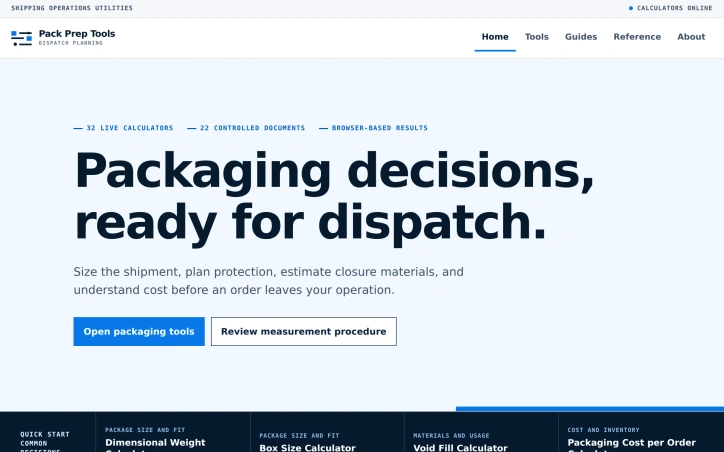
Small sellers often face a recurring operational bottleneck: making packaging decisions that balance cost, speed, and product safety. Pack Prep Tools addresses this friction by bundling 32 focused calculators into a browser-based system designed to guide users through standardized packaging workflows. The product's architecture reflects clear operational thinking. Rather than offering one kitchen-sink calculator, the platform organizes tools around a four-stage dispatch flow: measuring the final shipment, sizing protective materials, estimating closure requirements, and modeling total cost. This structure mirrors how small operations actually move orders out the door, turning an abstract calculation problem into a sequence of practical decisions. The calculator portfolio spans three operational domains. Package preparation tools handle box sizing, void fill estimation, and tape planning. Cost tracking calculators combine material usage with waste allowance and labor hours to project per-order economics. Supply-side tools address inventory and pallet planning, including cases-per-pallet calculations and unit load optimization. The breadth suggests the founder understands where small sellers typically stumble: not just which box to choose, but how many boxes to buy, when to reorder, and what a packed order actually costs. What distinguishes Pack Prep Tools from generic shipping calculators is its pairing of computational tools with reference documentation. The product includes 22 controlled documents comprising measurement guides and reference sheets. These aren't cursory tooltips; they cover substantive territory like dimensional weight divisors and clearance planning. For sellers unfamiliar with the mechanics behind their own operations, this documentation bridges a real knowledge gap. The product targets a specific customer: small ecommerce operators or fulfillment teams making packaging decisions at volume. The problem isn't one-off decisions but establishing repeatable processes and cost baselines for orders in flight. A seller who knows their box sizes but not their void fill strategy, or who suspects their packing labor is untracked, finds specific value here. Pack Prep Tools operates as a utility rather than a platform. It asks users to input their own product dimensions, protective material preferences, and labor costs, then returns calculated outputs. This approach scales to many different business models and product categories without requiring the seller to fit their operation to the tool. For operations already tracking these inputs, the calculators become immediate force multipliers on decision-making speed.

Ecommerce-platforms
C
canghun13

Small sellers often face a recurring operational bottleneck: making packaging decisions that balance cost, speed, and product safety. Pack Prep Tools addresses this friction by bundling 32 focused calculators into a browser-based system designed to guide users through standardized packaging workflows. The product's architecture reflects clear operational thinking. Rather than offering one kitchen-sink calculator, the platform organizes tools around a four-stage dispatch flow: measuring the final shipment, sizing protective materials, estimating closure requirements, and modeling total cost. This structure mirrors how small operations actually move orders out the door, turning an abstract calculation problem into a sequence of practical decisions. The calculator portfolio spans three operational domains. Package preparation tools handle box sizing, void fill estimation, and tape planning. Cost tracking calculators combine material usage with waste allowance and labor hours to project per-order economics. Supply-side tools address inventory and pallet planning, including cases-per-pallet calculations and unit load optimization. The breadth suggests the founder understands where small sellers typically stumble: not just which box to choose, but how many boxes to buy, when to reorder, and what a packed order actually costs. What distinguishes Pack Prep Tools from generic shipping calculators is its pairing of computational tools with reference documentation. The product includes 22 controlled documents comprising measurement guides and reference sheets. These aren't cursory tooltips; they cover substantive territory like dimensional weight divisors and clearance planning. For sellers unfamiliar with the mechanics behind their own operations, this documentation bridges a real knowledge gap. The product targets a specific customer: small ecommerce operators or fulfillment teams making packaging decisions at volume. The problem isn't one-off decisions but establishing repeatable processes and cost baselines for orders in flight. A seller who knows their box sizes but not their void fill strategy, or who suspects their packing labor is untracked, finds specific value here. Pack Prep Tools operates as a utility rather than a platform. It asks users to input their own product dimensions, protective material preferences, and labor costs, then returns calculated outputs. This approach scales to many different business models and product categories without requiring the seller to fit their operation to the tool. For operations already tracking these inputs, the calculators become immediate force multipliers on decision-making speed.

Pack Prep Tools preview

Key features

  • 32 Focused Calculators: The platform bundles 32 specialized calculators for packaging decisions.
  • Four-Stage Dispatch Flow: Tools guide users through measuring, sizing, estimating, and modeling costs in sequence.
See full listing
Water Systems Bench

Coordinating water infrastructure decisions requires holding multiple variables in mind simultaneously. Storage affects pump requirements. Pipe diameter determines friction losses. Treatment depends on water quality results. For decades, engineers and planners have scattered these calculations across spreadsheets and disconnected tools. Water Systems Bench consolidates this landscape by modeling systems as integrated wholes rather than isolated problems. The platform addresses a specific inefficiency in planning. When one decision cascades into upstream and downstream changes, fragmentation creates blind spots. Changing pipe size requires recalculating friction and pressure. Adding treatment stages shifts system cost and power demand. The tool makes these dependencies visible by organizing work into four connected clusters: pump and pressure calculations, source and storage modeling, irrigation system design, and water quality treatment. The product delivers 32 working calculators across these domains. Users can model pump duty points, size water softeners based on measured hardness, balance reverse-osmosis flows, or interpret laboratory test reports. The interface pairs calculators with 14 field guides covering practical topics like pump curve reading and troubleshooting, plus technical references for conversions, formulas, and pipe specifications. What distinguishes this offering from generic engineering calculators is its architecture. Rather than isolated tools, the system models water flowing from source to endpoint. A designer building an irrigation system must address storage capacity first, which determines pumping duty, which affects pipe sizing and pressure requirements. This sequential logic reflects how decisions actually unfold in real planning work. The interface emphasizes transparency in methodology. Each calculator shows underlying formulas and acknowledges limitations rather than presenting results as universal truths. Documentation directs users to verify calculations against manufacturer specifications, local regulations, and site conditions. This epistemic clarity prevents misuse of tools as substitutes for professional judgment. For water infrastructure professionals managing multiple projects or advising clients on system design, the consolidated interface addresses a genuine friction point in current practice.


Knowledge-base-software
C
canghun13

Coordinating water infrastructure decisions requires holding multiple variables in mind simultaneously. Storage affects pump requirements. Pipe diameter determines friction losses. Treatment depends on water quality results. For decades, engineers and planners have scattered these calculations across spreadsheets and disconnected tools. Water Systems Bench consolidates this landscape by modeling systems as integrated wholes rather than isolated problems. The platform addresses a specific inefficiency in planning. When one decision cascades into upstream and downstream changes, fragmentation creates blind spots. Changing pipe size requires recalculating friction and pressure. Adding treatment stages shifts system cost and power demand. The tool makes these dependencies visible by organizing work into four connected clusters: pump and pressure calculations, source and storage modeling, irrigation system design, and water quality treatment. The product delivers 32 working calculators across these domains. Users can model pump duty points, size water softeners based on measured hardness, balance reverse-osmosis flows, or interpret laboratory test reports. The interface pairs calculators with 14 field guides covering practical topics like pump curve reading and troubleshooting, plus technical references for conversions, formulas, and pipe specifications. What distinguishes this offering from generic engineering calculators is its architecture. Rather than isolated tools, the system models water flowing from source to endpoint. A designer building an irrigation system must address storage capacity first, which determines pumping duty, which affects pipe sizing and pressure requirements. This sequential logic reflects how decisions actually unfold in real planning work. The interface emphasizes transparency in methodology. Each calculator shows underlying formulas and acknowledges limitations rather than presenting results as universal truths. Documentation directs users to verify calculations against manufacturer specifications, local regulations, and site conditions. This epistemic clarity prevents misuse of tools as substitutes for professional judgment. For water infrastructure professionals managing multiple projects or advising clients on system design, the consolidated interface addresses a genuine friction point in current practice.

Water Systems Bench preview

Key features

  • Integrated System Modeling: Models water systems as connected wholes showing dependencies between storage, pumping, pipe sizing, and treatment.
  • 32 Working Calculators: Provides ready-to-use calculators for pump duty points, water softener sizing, reverse-osmosis flows, and laboratory test interpretation.
See full listing
Print Production Lab

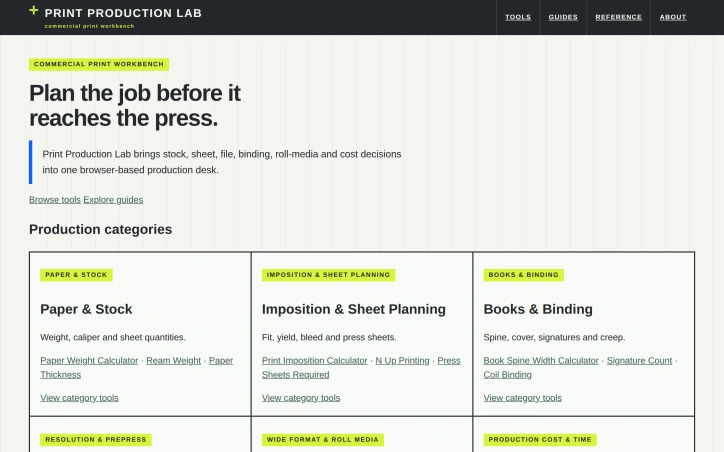
Coordinating the dozens of specifications required for commercial printing—stock weight, sheet layout, binding method, file resolution, production costs—forces designers and printers to juggle separate tools or work from memory. Print Production Lab consolidates these decisions into a single browser-based workbench, eliminating the need to toggle between spreadsheets and vendor specs. The platform targets commercial printers and graphic designers who need to plan jobs before they reach the press. It addresses a genuine gap: while design and prepress software handles file preparation, nothing bridges the practical production planning phase—translating a job's requirements into executable specifications across paper, layout, binding, and cost. The product stands out through deliberate restraint. It requires no signup, offers transparent formulas that users can audit and modify, and provides dual metric-imperial contexts where relevant. Rather than hiding assumptions, Print Production Lab invites users to adjust parameters based on supplier tolerances or equipment constraints. A clear disclaimer reinforces this: these are informational estimates, not guaranteed specifications—users must verify final specs with their printer. The calculator suite is comprehensive without overwhelming users. Six production categories—paper and stock, imposition, binding, resolution, wide-format media, and cost estimation—contain targeted tools addressing specific problems. The Print Imposition Calculator and Book Spine Width Calculator solve problems without obvious solutions elsewhere. A workflow diagram guides users through planning: define stock, plan layout, prepare files, check resolution, plan binding, estimate cost. Supporting infrastructure includes 14 production guides and 9 quick-reference sheets, positioning the site as a production reference rather than a one-off calculator. This educational layer distinguishes it from simpler tools. The business model is not stated. No pricing, account requirements, or premium tiers appear in available materials, suggesting a free service or model not yet publicly detailed. For production teams already juggling spreadsheet variants and multiple tabs, Print Production Lab offers genuine consolidation value through transparency. It won't replace vendor-specific systems or integrate into existing workflows automatically, but as a straightforward reference workbench, it fills a recognizable gap in the production planning space.

Project-management-software
C
canghun13

Coordinating the dozens of specifications required for commercial printing—stock weight, sheet layout, binding method, file resolution, production costs—forces designers and printers to juggle separate tools or work from memory. Print Production Lab consolidates these decisions into a single browser-based workbench, eliminating the need to toggle between spreadsheets and vendor specs. The platform targets commercial printers and graphic designers who need to plan jobs before they reach the press. It addresses a genuine gap: while design and prepress software handles file preparation, nothing bridges the practical production planning phase—translating a job's requirements into executable specifications across paper, layout, binding, and cost. The product stands out through deliberate restraint. It requires no signup, offers transparent formulas that users can audit and modify, and provides dual metric-imperial contexts where relevant. Rather than hiding assumptions, Print Production Lab invites users to adjust parameters based on supplier tolerances or equipment constraints. A clear disclaimer reinforces this: these are informational estimates, not guaranteed specifications—users must verify final specs with their printer. The calculator suite is comprehensive without overwhelming users. Six production categories—paper and stock, imposition, binding, resolution, wide-format media, and cost estimation—contain targeted tools addressing specific problems. The Print Imposition Calculator and Book Spine Width Calculator solve problems without obvious solutions elsewhere. A workflow diagram guides users through planning: define stock, plan layout, prepare files, check resolution, plan binding, estimate cost. Supporting infrastructure includes 14 production guides and 9 quick-reference sheets, positioning the site as a production reference rather than a one-off calculator. This educational layer distinguishes it from simpler tools. The business model is not stated. No pricing, account requirements, or premium tiers appear in available materials, suggesting a free service or model not yet publicly detailed. For production teams already juggling spreadsheet variants and multiple tabs, Print Production Lab offers genuine consolidation value through transparency. It won't replace vendor-specific systems or integrate into existing workflows automatically, but as a straightforward reference workbench, it fills a recognizable gap in the production planning space.

Print Production Lab preview

Key features

  • Browser-Based Workbench: Consolidates printing specifications for paper, layout, binding, and cost in a single interface
  • No Signup Required: Free access without account creation or authentication
See full listing
Tabletop Maker Lab

Creators designing board games face a recurring challenge: validating whether their physical designs and economic models make sense before committing to print. Tabletop Maker Lab addresses this friction point by offering free calculators and planning tools built specifically for tabletop creators navigating the decisions between prototype and production. The platform organizes its toolset around five core areas of creator concern: game mechanics testing, component planning, production cost modeling, crowdfunding campaign analysis, and publishing deal structures. Rather than attempting to replace manufacturer quotes or legal contracts, each calculator is anchored in transparent inputs that creators can customize with their own assumptions about manufacturing partners, shipping logistics, and campaign parameters. What distinguishes this offering is its commitment to removing obfuscation. The tools provide no hidden assumptions and no invented scenarios—creators enter their own numbers and see real outputs. This approach reflects a practical understanding that board game economics vary wildly by scale, region, and production method. A launched tool called the Landed Cost Calculator addresses the specific pain of understanding per-copy expenses across manufacturing and logistics. The Box Size Estimator forces creators to think through physical fit before selecting cardboard dimensions. The Board Game Royalty Calculator lets designers compare different publishing deal structures with explicit variables exposed. Beyond the calculators themselves, the platform includes guides and reference materials designed to build creator fluency. These resources teach what metrics matter, what questions to ask manufacturers, and which assumptions warrant deeper scrutiny. This positions the tools not as black boxes but as part of a learning system. The free model is notable. Most game design resources either charge for access or lock advanced features behind paywalls. Making these fundamentals free removes a barrier for independent creators and hobbyists who might otherwise proceed without validated assumptions. For bootstrapped game designers or first-time creators without capital for professional consulting, this represents genuine utility. The positioning avoids the trap of overselling. The lab describes itself as anchoring tools in development—a workbench rather than a complete solution. Creators still need actual manufacturer quotes, legal review of publishing deals, and crowdfunding expertise beyond what any calculator provides. What Tabletop Maker Lab does is collapse the time between having a game idea and having validated assumptions worth building on.


Startup-financial-planning
C
canghun13

Creators designing board games face a recurring challenge: validating whether their physical designs and economic models make sense before committing to print. Tabletop Maker Lab addresses this friction point by offering free calculators and planning tools built specifically for tabletop creators navigating the decisions between prototype and production. The platform organizes its toolset around five core areas of creator concern: game mechanics testing, component planning, production cost modeling, crowdfunding campaign analysis, and publishing deal structures. Rather than attempting to replace manufacturer quotes or legal contracts, each calculator is anchored in transparent inputs that creators can customize with their own assumptions about manufacturing partners, shipping logistics, and campaign parameters. What distinguishes this offering is its commitment to removing obfuscation. The tools provide no hidden assumptions and no invented scenarios—creators enter their own numbers and see real outputs. This approach reflects a practical understanding that board game economics vary wildly by scale, region, and production method. A launched tool called the Landed Cost Calculator addresses the specific pain of understanding per-copy expenses across manufacturing and logistics. The Box Size Estimator forces creators to think through physical fit before selecting cardboard dimensions. The Board Game Royalty Calculator lets designers compare different publishing deal structures with explicit variables exposed. Beyond the calculators themselves, the platform includes guides and reference materials designed to build creator fluency. These resources teach what metrics matter, what questions to ask manufacturers, and which assumptions warrant deeper scrutiny. This positions the tools not as black boxes but as part of a learning system. The free model is notable. Most game design resources either charge for access or lock advanced features behind paywalls. Making these fundamentals free removes a barrier for independent creators and hobbyists who might otherwise proceed without validated assumptions. For bootstrapped game designers or first-time creators without capital for professional consulting, this represents genuine utility. The positioning avoids the trap of overselling. The lab describes itself as anchoring tools in development—a workbench rather than a complete solution. Creators still need actual manufacturer quotes, legal review of publishing deals, and crowdfunding expertise beyond what any calculator provides. What Tabletop Maker Lab does is collapse the time between having a game idea and having validated assumptions worth building on.

Tabletop Maker Lab preview

Key features

  • Landed Cost Calculator: Calculates per-copy expenses across manufacturing and logistics.
  • Box Size Estimator: Determines optimal cardboard dimensions for game components.
See full listing
MakerPrintTools

Makers and 3D printing shops waste time converting slicer estimates into real-world decisions through spreadsheets or trial-and-error. MakerPrintTools replaces that friction with a collection of specialized calculators designed for shop-floor problems, each combining measurements you already have into actionable results. The platform targets anyone running a 3D printing operation—whether a one-person hobby shop or small production facility—who needs to calculate costs before quoting jobs, verify that a printer can actually achieve a design's settings, or estimate material waste. No account is required, so users can jump directly from measuring part geometry to making confident decisions. What distinguishes the product is its deliberate scope. Rather than a generic calculator, each tool solves a specific question: How much does this print actually cost? How many grams of filament does a particular length represent? Will my hotend flow capacity handle these settings? This focused design makes each calculator faster and more useful than generic spreadsheets. The platform also explains its math—showing formulas and assumptions—so users understand the reasoning behind every result. The toolkit spans the full production cycle. Cost calculators combine filament consumption, electricity usage, labor time, machine wear, and failure allowance into practical job pricing. Filament converters switch between meters and grams using actual material density. A volumetric flow checker validates that hotend capacity matches intended print parameters. Geometry tools handle model scaling and build volume constraints. Planning tools look beyond individual prints to estimate total material use, support requirements, and the production volume needed to break even on setup work. The product positioning emphasizes transparency over convenience. There's no cloud storage, no project management, no growth features—just clear math applied to shop measurements. The design assumes makers already know what they're measuring and what they'll do with the results; the calculators simply eliminate error and guessing from the conversion. This approach creates a practical, single-purpose tool that integrates into existing workflows rather than requiring process change. For small and mid-scale 3D printing operations, that efficiency compounds across hundreds of decisions. The frictionless entry point—no login, no free trial cutoff, no marketing emails—removes barriers to trying calculators that genuinely answer shop questions.


3d-animation
C
canghun13

Makers and 3D printing shops waste time converting slicer estimates into real-world decisions through spreadsheets or trial-and-error. MakerPrintTools replaces that friction with a collection of specialized calculators designed for shop-floor problems, each combining measurements you already have into actionable results. The platform targets anyone running a 3D printing operation—whether a one-person hobby shop or small production facility—who needs to calculate costs before quoting jobs, verify that a printer can actually achieve a design's settings, or estimate material waste. No account is required, so users can jump directly from measuring part geometry to making confident decisions. What distinguishes the product is its deliberate scope. Rather than a generic calculator, each tool solves a specific question: How much does this print actually cost? How many grams of filament does a particular length represent? Will my hotend flow capacity handle these settings? This focused design makes each calculator faster and more useful than generic spreadsheets. The platform also explains its math—showing formulas and assumptions—so users understand the reasoning behind every result. The toolkit spans the full production cycle. Cost calculators combine filament consumption, electricity usage, labor time, machine wear, and failure allowance into practical job pricing. Filament converters switch between meters and grams using actual material density. A volumetric flow checker validates that hotend capacity matches intended print parameters. Geometry tools handle model scaling and build volume constraints. Planning tools look beyond individual prints to estimate total material use, support requirements, and the production volume needed to break even on setup work. The product positioning emphasizes transparency over convenience. There's no cloud storage, no project management, no growth features—just clear math applied to shop measurements. The design assumes makers already know what they're measuring and what they'll do with the results; the calculators simply eliminate error and guessing from the conversion. This approach creates a practical, single-purpose tool that integrates into existing workflows rather than requiring process change. For small and mid-scale 3D printing operations, that efficiency compounds across hundreds of decisions. The frictionless entry point—no login, no free trial cutoff, no marketing emails—removes barriers to trying calculators that genuinely answer shop questions.

MakerPrintTools preview

Key features

  • Cost Calculators: Combine filament consumption, electricity usage, labor time, machine wear, and failure allowance into practical job pricing
  • Filament Converters: Switch between meters and grams using actual material density
See full listing
ReliabilityBench

Industrial operations teams sit on vast repositories of failure data and maintenance records but struggle to convert them into concrete decisions. ReliabilityBench addresses this disconnect by creating a transparent calculation surface that links reliability metrics, maintenance performance, equipment economics, and spare parts planning into a single workbench. The platform targets reliability engineers, maintenance supervisors, production leaders, and asset management teams who need rapid calculations during active work. Rather than attempting to replace comprehensive CMMS systems or detailed engineering studies, ReliabilityBench positions itself as a decision-support layer that lives alongside existing tools. What distinguishes the product is its deliberate focus on decision-making rather than data collection. The interface organizes work around a clear problem-solving sequence: define the failure event, apply a specified calculation method, validate the result against operational reality, and route the output into concrete work assignments or planning. This workflow frames the calculator not as an isolated number-generator but as the middle step in a larger decision chain. The platform offers fifteen focused calculators distributed across four workstations. The Reliability Engineering station includes tools for normalizing failure history into operating intervals. Maintenance Performance handles availability, performance, and quality loss tracking. Asset & Downtime Economics exposes cost contribution and recovery expenses. MRO Spare Parts Planning connects lead-time demand with safety buffers. Specific tools include MTBF calculators, OEE tracking, downtime cost analysis, repair-versus-replace comparisons, and reorder point calculations. A striking design choice is the open tool ledger—each calculation displays its inputs, methodology, worked examples, interpretation guidance, and stated limitations directly adjacent to the result. This transparency invites teams to audit assumptions before treating a number as operational truth, surfacing where a calculation may diverge from actual site conditions. The platform records a complete operational chain through five stages: failure definition, response documentation, consequence quantification, recovery readiness, and review for the next action. This evidence trail preserves context across decisions, helping teams validate whether repeated comparisons remain consistent. ReliabilityBench addresses a genuine operational need—turning data into decisions—with a deliberately scoped tool that complements rather than displaces existing infrastructure. Its emphasis on formula transparency and decision context distinguishes it from pure data collection systems.
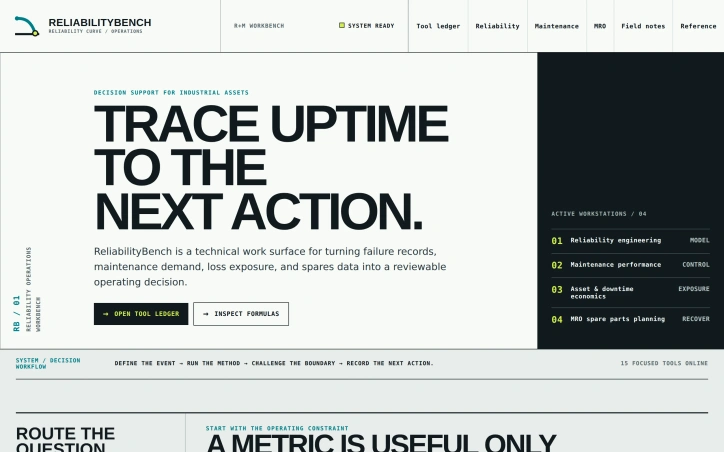

Business-intelligence-software
C
canghun13

Industrial operations teams sit on vast repositories of failure data and maintenance records but struggle to convert them into concrete decisions. ReliabilityBench addresses this disconnect by creating a transparent calculation surface that links reliability metrics, maintenance performance, equipment economics, and spare parts planning into a single workbench. The platform targets reliability engineers, maintenance supervisors, production leaders, and asset management teams who need rapid calculations during active work. Rather than attempting to replace comprehensive CMMS systems or detailed engineering studies, ReliabilityBench positions itself as a decision-support layer that lives alongside existing tools. What distinguishes the product is its deliberate focus on decision-making rather than data collection. The interface organizes work around a clear problem-solving sequence: define the failure event, apply a specified calculation method, validate the result against operational reality, and route the output into concrete work assignments or planning. This workflow frames the calculator not as an isolated number-generator but as the middle step in a larger decision chain. The platform offers fifteen focused calculators distributed across four workstations. The Reliability Engineering station includes tools for normalizing failure history into operating intervals. Maintenance Performance handles availability, performance, and quality loss tracking. Asset & Downtime Economics exposes cost contribution and recovery expenses. MRO Spare Parts Planning connects lead-time demand with safety buffers. Specific tools include MTBF calculators, OEE tracking, downtime cost analysis, repair-versus-replace comparisons, and reorder point calculations. A striking design choice is the open tool ledger—each calculation displays its inputs, methodology, worked examples, interpretation guidance, and stated limitations directly adjacent to the result. This transparency invites teams to audit assumptions before treating a number as operational truth, surfacing where a calculation may diverge from actual site conditions. The platform records a complete operational chain through five stages: failure definition, response documentation, consequence quantification, recovery readiness, and review for the next action. This evidence trail preserves context across decisions, helping teams validate whether repeated comparisons remain consistent. ReliabilityBench addresses a genuine operational need—turning data into decisions—with a deliberately scoped tool that complements rather than displaces existing infrastructure. Its emphasis on formula transparency and decision context distinguishes it from pure data collection systems.

ReliabilityBench preview

Key features

  • Decision-Support Layer: Complements existing CMMS and engineering systems without replacing them.
  • Transparent Tool Ledger: Each calculation displays inputs, methodology, worked examples, interpretation guidance, and stated limitations.
See full listing
PlasticsCalc

Injection molding engineers face a persistent challenge: converting design and process questions into reliable machine specifications and production forecasts before committing to expensive tooling and equipment. PlasticsCalc addresses this by providing a structured set of calculators that move engineers through three distinct phases—geometry sizing, thermal cycle planning, and economic validation—with methodology transparent at every step. The product serves a specific audience: manufacturing professionals responsible for mold design, machine selection, and production planning. Rather than presenting a generic calculator directory, PlasticsCalc anchors each tool to a concrete decision point. An engineer asking "What clamp tonnage do I need?" starts with parting-plane geometry and material assumptions, not a blank form. The workflow reflects actual injection molding constraints: cavity pressure, cooling time, uptime, scrap rates, and material handling all factor into the complete picture. What distinguishes the product is its commitment to transparency and traceability. Each calculator exposes its units, methodology, and computational limits before results leave the desktop. The interface is structured around record-keeping: a parting-plane record captures mold geometry and pressure basis; a shot and process record documents part mass and observed cycles; a production and cost record ties material consumption to utilization. This record-keeping focus signals that PlasticsCalc treats estimates as decision artifacts, not one-off calculations. The core toolset covers six areas: machine sizing via clamp tonnage and shot weight; process planning through cycle and cooling time; production output per hour; and material costs per part. Beyond these foundation tools, the platform supports expanded workflow checks including cold-runner accounting, machine screening across multiple constraints (clamp, injection unit, platen, tie-bar, mold height), and material planning that carries resin recovery policy and purchase packaging into the estimate. The strength lies not in computational novelty but in workflow structure. Injection molding sits at the intersection of geometry, thermal physics, and production economics; many engineers lack the confidence to bridge all three without external reference. By sequencing decisions and making assumptions explicit, PlasticsCalc reduces the risk of costly miscalculation and rework. Pricing and licensing details are not disclosed in available materials. The tool positions itself as a reference desk rather than a simulation suite, suggesting it targets practitioners who need quick, credible first-pass estimates rather than finite-element analysis or production simulation.
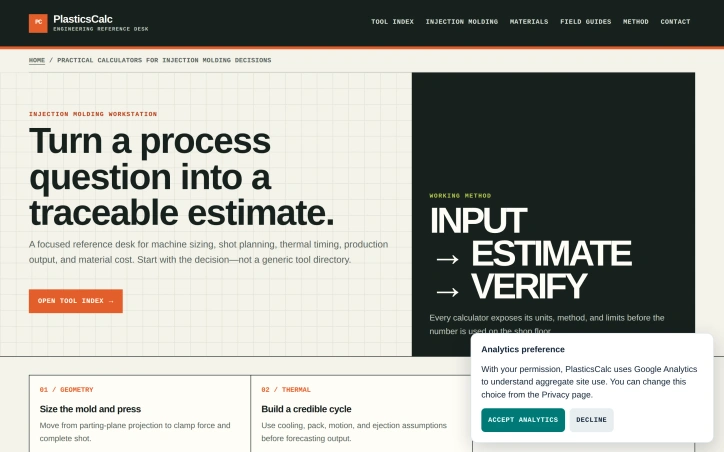

Web-browsers
C
canghun13

Injection molding engineers face a persistent challenge: converting design and process questions into reliable machine specifications and production forecasts before committing to expensive tooling and equipment. PlasticsCalc addresses this by providing a structured set of calculators that move engineers through three distinct phases—geometry sizing, thermal cycle planning, and economic validation—with methodology transparent at every step. The product serves a specific audience: manufacturing professionals responsible for mold design, machine selection, and production planning. Rather than presenting a generic calculator directory, PlasticsCalc anchors each tool to a concrete decision point. An engineer asking "What clamp tonnage do I need?" starts with parting-plane geometry and material assumptions, not a blank form. The workflow reflects actual injection molding constraints: cavity pressure, cooling time, uptime, scrap rates, and material handling all factor into the complete picture. What distinguishes the product is its commitment to transparency and traceability. Each calculator exposes its units, methodology, and computational limits before results leave the desktop. The interface is structured around record-keeping: a parting-plane record captures mold geometry and pressure basis; a shot and process record documents part mass and observed cycles; a production and cost record ties material consumption to utilization. This record-keeping focus signals that PlasticsCalc treats estimates as decision artifacts, not one-off calculations. The core toolset covers six areas: machine sizing via clamp tonnage and shot weight; process planning through cycle and cooling time; production output per hour; and material costs per part. Beyond these foundation tools, the platform supports expanded workflow checks including cold-runner accounting, machine screening across multiple constraints (clamp, injection unit, platen, tie-bar, mold height), and material planning that carries resin recovery policy and purchase packaging into the estimate. The strength lies not in computational novelty but in workflow structure. Injection molding sits at the intersection of geometry, thermal physics, and production economics; many engineers lack the confidence to bridge all three without external reference. By sequencing decisions and making assumptions explicit, PlasticsCalc reduces the risk of costly miscalculation and rework. Pricing and licensing details are not disclosed in available materials. The tool positions itself as a reference desk rather than a simulation suite, suggesting it targets practitioners who need quick, credible first-pass estimates rather than finite-element analysis or production simulation.

PlasticsCalc preview

Key features

  • Geometry Sizing: Captures parting-plane geometry and material specifications for mold design decisions
  • Thermal Cycle Planning: Calculates cooling time and cavity pressure impacts on production feasibility
See full listing
CogniFocus

Distraction management has largely been a one-dimensional problem, with app blockers treating phone usage like an on-off switch. CogniFocus reframes the issue for Android users caught in compulsive social media loops, recognizing that technical barriers alone fail to address the psychological habit patterns that keep people scrolling for hours after a "quick check" of Instagram or TikTok. The product pivots around an anthropomorphic accountability system: a Goblin companion that reacts to your behavior during focus sessions. Rather than silently blocking apps, the Goblin responds visibly to distraction attempts, creating social pressure and a layer of real-time feedback. Early access users reported substantial behavioral shifts, moving from multiple distraction breaks per session to one or fewer, with the streak mechanics cited as primary motivation for maintaining clean focus windows. What distinguishes CogniFocus from conventional timer-plus-blocker combinations is its recovery framework. The system acknowledges that slipping back into blocked apps happens and reframes a single lapse as a recovery opportunity rather than session failure. Users earn progression currency—streaks, XP, Focus Shards, and companion affinity—that accumulates across sessions, turning focus maintenance into an ongoing progression loop with visible rewards. This gamification design addresses a core behavioral insight: people respond to measurable progress and social cues more reliably than punitive restrictions. The Shield component handles the technical enforcement, blocking designated apps before "one quick check" stretches into lost hours. A roadmap signals planned escalation through uninstall protection, Ghost Mode, Do Not Disturb integration, and stricter focus modes, suggesting the team is iterating toward making the Goblin's interventions progressively harder to circumvent. The companion expansion roadmap introduces Monk, Buddy, and Wizard variants, hinting that variety in accountability personalities may serve different user psychology or focus contexts. This signals awareness that one accountability archetype won't sustain long-term behavioral change. Pricing details remain sparse—the site advertises free access for Android launch with an iOS waitlist—suggesting either a freemium model or promotional entry pricing. The product is currently Android-only, making it inaccessible to the substantial iOS user base despite parallel demand. CogniFocus targets a specific subset of users: those whose distraction struggles stem from compulsive checking behaviors rather than external interruptions, and who respond to gamification and social accountability mechanics. For that audience, the psychological intervention layer adds meaningful differentiation to an otherwise crowded space.

Time-tracking-apps
C
CogniElevate

Distraction management has largely been a one-dimensional problem, with app blockers treating phone usage like an on-off switch. CogniFocus reframes the issue for Android users caught in compulsive social media loops, recognizing that technical barriers alone fail to address the psychological habit patterns that keep people scrolling for hours after a "quick check" of Instagram or TikTok. The product pivots around an anthropomorphic accountability system: a Goblin companion that reacts to your behavior during focus sessions. Rather than silently blocking apps, the Goblin responds visibly to distraction attempts, creating social pressure and a layer of real-time feedback. Early access users reported substantial behavioral shifts, moving from multiple distraction breaks per session to one or fewer, with the streak mechanics cited as primary motivation for maintaining clean focus windows. What distinguishes CogniFocus from conventional timer-plus-blocker combinations is its recovery framework. The system acknowledges that slipping back into blocked apps happens and reframes a single lapse as a recovery opportunity rather than session failure. Users earn progression currency—streaks, XP, Focus Shards, and companion affinity—that accumulates across sessions, turning focus maintenance into an ongoing progression loop with visible rewards. This gamification design addresses a core behavioral insight: people respond to measurable progress and social cues more reliably than punitive restrictions. The Shield component handles the technical enforcement, blocking designated apps before "one quick check" stretches into lost hours. A roadmap signals planned escalation through uninstall protection, Ghost Mode, Do Not Disturb integration, and stricter focus modes, suggesting the team is iterating toward making the Goblin's interventions progressively harder to circumvent. The companion expansion roadmap introduces Monk, Buddy, and Wizard variants, hinting that variety in accountability personalities may serve different user psychology or focus contexts. This signals awareness that one accountability archetype won't sustain long-term behavioral change. Pricing details remain sparse—the site advertises free access for Android launch with an iOS waitlist—suggesting either a freemium model or promotional entry pricing. The product is currently Android-only, making it inaccessible to the substantial iOS user base despite parallel demand. CogniFocus targets a specific subset of users: those whose distraction struggles stem from compulsive checking behaviors rather than external interruptions, and who respond to gamification and social accountability mechanics. For that audience, the psychological intervention layer adds meaningful differentiation to an otherwise crowded space.

CogniFocus preview

Key features

  • Goblin Accountability: An anthropomorphic companion that reacts visibly to distraction attempts, creating social pressure during focus sessions.
  • Focus Shield: Technical enforcement component that blocks designated apps to prevent compulsive checking.
See full listing