
884 startups launched 10,826 upvotes cast 69 submitted this week

Recently Listed

884 launches
Sort
IdeaProof

Entrepreneurs spend disproportionate amounts of time validating startup concepts before they ever pitch investors. IdeaProof addresses this friction by automating the early-stage market research process through AI analysis. The platform compresses what traditionally takes weeks of research and conversations into a two-minute workflow. The core offering combines multiple validation tools that founders typically outsource or assemble piecemeal. The platform generates market sizing frameworks, conducts competitive analysis through SWOT assessments, and produces investor-ready business plans. Beyond pure analysis, IdeaProof extends into branding and marketing tooling, which differentiates it from purely analytical competitors. This breadth positions it as an end-to-end validator rather than a single-purpose research tool. The value proposition sits between two market segments: it's more comprehensive than a simple idea generator, but faster and cheaper than hiring consultants or conducting months of manual research. For pre-launch founders with limited budgets, the ability to rapidly pressure-test multiple concept iterations has real appeal. The 120-second validation window is the product's primary marketing angle, and it directly challenges the assumption that good validation requires significant time investment. The emphasis on investor-ready outputs suggests positioning toward founders actively fundraising or serious about their concepts. By packaging analysis alongside branding and marketing recommendations, the platform positions validation as the first stage of a broader go-to-market workflow rather than an isolated research step. One practical consideration: the effectiveness of any AI-powered validation ultimately depends on input quality and interpretation. A tool that synthesizes market data is only as useful as its underlying knowledge base and reasoning. The compressed timeline, while appealing, could encourage surface-level validation if founders don't dig into the reasoning behind generated analysis. IdeaProof targets a real pain point in early-stage entrepreneurship: the analysis paralysis that delays concept testing. Whether its AI analysis matches the depth of manual research remains an empirical question, but the tool's positioning as a rapid validator rather than an exhaustive analyst is honest about its intended use case. For founders who need conviction quickly, this tradeoff may be worthwhile.

Fundraising-resources
I
Idea Proof

Entrepreneurs spend disproportionate amounts of time validating startup concepts before they ever pitch investors. IdeaProof addresses this friction by automating the early-stage market research process through AI analysis. The platform compresses what traditionally takes weeks of research and conversations into a two-minute workflow. The core offering combines multiple validation tools that founders typically outsource or assemble piecemeal. The platform generates market sizing frameworks, conducts competitive analysis through SWOT assessments, and produces investor-ready business plans. Beyond pure analysis, IdeaProof extends into branding and marketing tooling, which differentiates it from purely analytical competitors. This breadth positions it as an end-to-end validator rather than a single-purpose research tool. The value proposition sits between two market segments: it's more comprehensive than a simple idea generator, but faster and cheaper than hiring consultants or conducting months of manual research. For pre-launch founders with limited budgets, the ability to rapidly pressure-test multiple concept iterations has real appeal. The 120-second validation window is the product's primary marketing angle, and it directly challenges the assumption that good validation requires significant time investment. The emphasis on investor-ready outputs suggests positioning toward founders actively fundraising or serious about their concepts. By packaging analysis alongside branding and marketing recommendations, the platform positions validation as the first stage of a broader go-to-market workflow rather than an isolated research step. One practical consideration: the effectiveness of any AI-powered validation ultimately depends on input quality and interpretation. A tool that synthesizes market data is only as useful as its underlying knowledge base and reasoning. The compressed timeline, while appealing, could encourage surface-level validation if founders don't dig into the reasoning behind generated analysis. IdeaProof targets a real pain point in early-stage entrepreneurship: the analysis paralysis that delays concept testing. Whether its AI analysis matches the depth of manual research remains an empirical question, but the tool's positioning as a rapid validator rather than an exhaustive analyst is honest about its intended use case. For founders who need conviction quickly, this tradeoff may be worthwhile.

IdeaProof preview

Key features

  • AI Market Validation: Compresses weeks of market research into a two-minute automated workflow
  • Market Sizing: Generates market sizing frameworks to assess opportunity size
See full listing
J

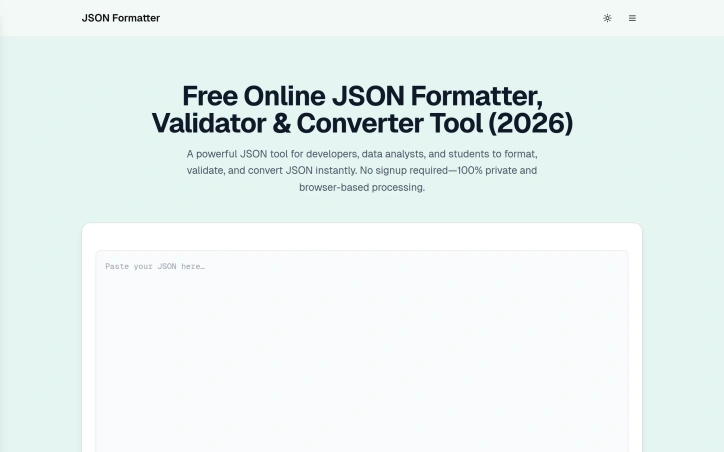
Developers working with JSON data across various formats face a persistent friction point: the need to quickly format, validate, and convert JSON without compromising privacy or navigating authentication barriers. JSONFormatters.com directly addresses this by offering a browser-native toolkit that eliminates both the signup requirement and the server-side data transmission that makes many alternative tools a risky proposition for sensitive information. The platform's differentiation centers on its privacy architecture. Rather than following the conventional SaaS model of storing user input on remote servers, the tool executes entirely within the browser, meaning JSON data never leaves a user's device. This matters considerably for developers handling API keys, customer records, or proprietary configuration files—common scenarios where uploading to third-party services introduces unacceptable security exposure. The trade-off of pure client-side processing is transparent and intentional. Feature breadth extends beyond simple prettification. The tool includes real-time validation with error detection, minification for production optimization, and a conversion suite spanning XML, YAML, CSV, SQL, Excel, HTML tables, and plain text formats. A tree viewer presents JSON hierarchically for intuitive navigation through nested structures, while a diff tool enables side-by-side file comparison. Keyboard shortcuts surface power-user workflows, and dark mode support addresses the practical consideration of extended use. The audience encompasses developers who regularly transform data formats—particularly those working with legacy systems, configuration management tools like Kubernetes and Docker Compose, or tabular export workflows. Data analysts converting JSON-formatted API responses into spreadsheet-friendly formats will find the CSV conversion particularly relevant. Students learning data transformation concepts benefit from the no-friction entry point. The product succeeds at restraint. It focuses on JSON manipulation without attempting broader feature creep into unrelated development utilities. The feature set is intelligently scoped rather than bloated. No pricing information is disclosed in the product messaging, leaving the monetization approach opaque. For developers operating in security-conscious environments, this browser-based approach to routine data transformation represents a compelling alternative to conventional web-based JSON tools that require data submission to external servers.
Command-line-tools
R
raviraje bhosale

Developers working with JSON data across various formats face a persistent friction point: the need to quickly format, validate, and convert JSON without compromising privacy or navigating authentication barriers. JSONFormatters.com directly addresses this by offering a browser-native toolkit that eliminates both the signup requirement and the server-side data transmission that makes many alternative tools a risky proposition for sensitive information. The platform's differentiation centers on its privacy architecture. Rather than following the conventional SaaS model of storing user input on remote servers, the tool executes entirely within the browser, meaning JSON data never leaves a user's device. This matters considerably for developers handling API keys, customer records, or proprietary configuration files—common scenarios where uploading to third-party services introduces unacceptable security exposure. The trade-off of pure client-side processing is transparent and intentional. Feature breadth extends beyond simple prettification. The tool includes real-time validation with error detection, minification for production optimization, and a conversion suite spanning XML, YAML, CSV, SQL, Excel, HTML tables, and plain text formats. A tree viewer presents JSON hierarchically for intuitive navigation through nested structures, while a diff tool enables side-by-side file comparison. Keyboard shortcuts surface power-user workflows, and dark mode support addresses the practical consideration of extended use. The audience encompasses developers who regularly transform data formats—particularly those working with legacy systems, configuration management tools like Kubernetes and Docker Compose, or tabular export workflows. Data analysts converting JSON-formatted API responses into spreadsheet-friendly formats will find the CSV conversion particularly relevant. Students learning data transformation concepts benefit from the no-friction entry point. The product succeeds at restraint. It focuses on JSON manipulation without attempting broader feature creep into unrelated development utilities. The feature set is intelligently scoped rather than bloated. No pricing information is disclosed in the product messaging, leaving the monetization approach opaque. For developers operating in security-conscious environments, this browser-based approach to routine data transformation represents a compelling alternative to conventional web-based JSON tools that require data submission to external servers.

JSON Formatter & Converter preview
J

Key features

  • Client-side Processing: executes entirely in the browser without sending data to external servers
  • Real-time Validation: detects JSON errors with immediate feedback
See full listing
W

Analyzing text in real time without uploading your data to the cloud has become a practical necessity in an era of privacy concerns and AI integration. WordCounter.vip addresses this squarely by offering a browser-based text analysis tool that performs comprehensive linguistic and computational analysis entirely client-side, with no login required and no data retention. The platform's core appeal lies in its breadth. Beyond standard word and character counting, it tackles use cases that rival paid alternatives: readability scoring via Flesch-Kincaid metrics, sentiment analysis, keyword density measurement for SEO optimization, and notably, AI token estimation for models including ChatGPT and Claude. This last feature fills a genuine gap for developers and content creators working with large language models who need to verify whether text fits within context windows before submission. The inclusion of speaking pace selection—letting users calculate reading time based on slow, normal, or fast delivery speeds—shows awareness of how text gets consumed across different contexts. The feature set extends beyond analysis into utility. A secondary toolkit includes a words-per-page calculator, website word counter for bulk analysis, text comparison function, random word generator, case converter, and text reversal tool. These additions position the product as something more than a niche analyzer; it functions as a lightweight writing utility belt. What distinguishes WordCounter.vip from Google Docs and Microsoft Word, according to its own positioning, is the combination of instant load speed and no-friction onboarding. The tool trades the full feature set of comprehensive word processors for speed and immediate usability. For someone who needs to quickly measure text properties without context-switching into heavier applications, this tradeoff favors the simpler tool. The real-time dashboard showing metrics as text is entered creates immediate feedback, important for writers iterating on readability or SEO-conscious creators monitoring keyword distribution. The product is free and explicitly positions data privacy as a differentiator. Whether running entirely on local computation or relying on modern JavaScript analysis libraries, the claim of 100% privacy without data transmission is a material advantage over cloud-based competitors. Device compatibility across mobile, tablet, and desktop means the tool remains accessible across the writing workflows people actually use. For writers, SEO practitioners, content marketers, and anyone wrestling with text length constraints on platforms like Twitter or academic submissions, WordCounter.vip removes friction from a task most other tools bury in menus.

Writing-assistants
R
raviraje bhosale

Analyzing text in real time without uploading your data to the cloud has become a practical necessity in an era of privacy concerns and AI integration. WordCounter.vip addresses this squarely by offering a browser-based text analysis tool that performs comprehensive linguistic and computational analysis entirely client-side, with no login required and no data retention. The platform's core appeal lies in its breadth. Beyond standard word and character counting, it tackles use cases that rival paid alternatives: readability scoring via Flesch-Kincaid metrics, sentiment analysis, keyword density measurement for SEO optimization, and notably, AI token estimation for models including ChatGPT and Claude. This last feature fills a genuine gap for developers and content creators working with large language models who need to verify whether text fits within context windows before submission. The inclusion of speaking pace selection—letting users calculate reading time based on slow, normal, or fast delivery speeds—shows awareness of how text gets consumed across different contexts. The feature set extends beyond analysis into utility. A secondary toolkit includes a words-per-page calculator, website word counter for bulk analysis, text comparison function, random word generator, case converter, and text reversal tool. These additions position the product as something more than a niche analyzer; it functions as a lightweight writing utility belt. What distinguishes WordCounter.vip from Google Docs and Microsoft Word, according to its own positioning, is the combination of instant load speed and no-friction onboarding. The tool trades the full feature set of comprehensive word processors for speed and immediate usability. For someone who needs to quickly measure text properties without context-switching into heavier applications, this tradeoff favors the simpler tool. The real-time dashboard showing metrics as text is entered creates immediate feedback, important for writers iterating on readability or SEO-conscious creators monitoring keyword distribution. The product is free and explicitly positions data privacy as a differentiator. Whether running entirely on local computation or relying on modern JavaScript analysis libraries, the claim of 100% privacy without data transmission is a material advantage over cloud-based competitors. Device compatibility across mobile, tablet, and desktop means the tool remains accessible across the writing workflows people actually use. For writers, SEO practitioners, content marketers, and anyone wrestling with text length constraints on platforms like Twitter or academic submissions, WordCounter.vip removes friction from a task most other tools bury in menus.

Word Counter preview
W

Key features

  • Word & Character Counting: Analyzes text metrics including word count, character count, and character count without spaces
  • AI Token Estimation: Estimates tokens for ChatGPT and Claude models to verify text fits within LLM context windows before submission
See full listing
V

A comprehensive suite of digital calculators addresses the gap for users seeking fast, straightforward solutions to everyday mathematical problems without navigating complex spreadsheets or specialized software. VIP Calculator serves a broad demographic spanning students, professionals, investors, and individuals managing personal finances or health metrics. The platform distinguishes itself through its breadth of coverage rather than depth in any single category. With over 25 calculators spanning health, finance, time and date operations, education, construction, and general mathematics, it functions as a utility library for varied use cases. The health section covers conventional metrics like BMI and calorie estimation alongside more specialized tools for pregnancy tracking and ovulation prediction. The financial calculators address both consumer lending and investment planning—covering mortgage and auto loan calculations, salary conversions, and sophisticated investment instruments including SIP growth projections, CAGR calculations, and compound interest scenarios. What stands out most is the inclusion of niche-specific tools that reveal understanding of specific user segments. The Google AdSense earnings calculator targets content creators; the GST calculator indicates focus on Indian and international markets with consumption tax requirements; the bra size calculator acknowledges underserved use cases in personal wellness. The mortgage and EMI calculators provide essential tools for major life financial decisions, while the GPA and grade calculators directly serve educational contexts where quick calculations matter for academic planning. The product appears designed for accessibility and speed of use—each calculator presumably offers minimal friction to reach results. There is no friction from authentication requirements or paywall mechanics; the platform operates entirely on a free model. This removes barriers to adoption for casual users performing occasional calculations, though the business model underlying a 25+ calculator platform isn't detailed in the available materials. From a user experience perspective, organizing calculators by life domain (health, finance, time, education, construction) suggests thoughtful information architecture. The emphasis on "trending" calculators on the homepage indicates usage analytics drive feature prominence, suggesting the platform learns which tools users actually need. The platform's strength lies in comprehensiveness and the absence of friction. For users needing occasional calculations across multiple domains, consolidation into a single web destination eliminates the effort of finding and vetting individual tools. The trade-off is likely that each calculator, given the breadth of the offering, may lack the depth or advanced options that specialized tools provide.


Financial-planning
R
raviraje bhosale

A comprehensive suite of digital calculators addresses the gap for users seeking fast, straightforward solutions to everyday mathematical problems without navigating complex spreadsheets or specialized software. VIP Calculator serves a broad demographic spanning students, professionals, investors, and individuals managing personal finances or health metrics. The platform distinguishes itself through its breadth of coverage rather than depth in any single category. With over 25 calculators spanning health, finance, time and date operations, education, construction, and general mathematics, it functions as a utility library for varied use cases. The health section covers conventional metrics like BMI and calorie estimation alongside more specialized tools for pregnancy tracking and ovulation prediction. The financial calculators address both consumer lending and investment planning—covering mortgage and auto loan calculations, salary conversions, and sophisticated investment instruments including SIP growth projections, CAGR calculations, and compound interest scenarios. What stands out most is the inclusion of niche-specific tools that reveal understanding of specific user segments. The Google AdSense earnings calculator targets content creators; the GST calculator indicates focus on Indian and international markets with consumption tax requirements; the bra size calculator acknowledges underserved use cases in personal wellness. The mortgage and EMI calculators provide essential tools for major life financial decisions, while the GPA and grade calculators directly serve educational contexts where quick calculations matter for academic planning. The product appears designed for accessibility and speed of use—each calculator presumably offers minimal friction to reach results. There is no friction from authentication requirements or paywall mechanics; the platform operates entirely on a free model. This removes barriers to adoption for casual users performing occasional calculations, though the business model underlying a 25+ calculator platform isn't detailed in the available materials. From a user experience perspective, organizing calculators by life domain (health, finance, time, education, construction) suggests thoughtful information architecture. The emphasis on "trending" calculators on the homepage indicates usage analytics drive feature prominence, suggesting the platform learns which tools users actually need. The platform's strength lies in comprehensiveness and the absence of friction. For users needing occasional calculations across multiple domains, consolidation into a single web destination eliminates the effort of finding and vetting individual tools. The trade-off is likely that each calculator, given the breadth of the offering, may lack the depth or advanced options that specialized tools provide.

VIP Calculator preview
V

Key features

  • Comprehensive Calculator Suite: Offers over 25 calculators spanning health, finance, time, education, construction, and general mathematics.
  • Health & Wellness Tools: Includes BMI, calorie estimation, pregnancy tracking, and ovulation prediction.
See full listing
PDF Redaction

Protecting sensitive information in documents has become a compliance necessity for enterprises, yet traditional redaction workflows remain cumbersome and error-prone. PDF Redaction addresses this by combining artificial intelligence with local processing to identify and remove personally identifiable and health information without sending full documents to external servers. The product targets organizations handling confidential data—particularly in regulated sectors like healthcare, finance, government, and defense—where both data protection and operational efficiency matter equally. The platform's core differentiator is its hybrid workflow. Rather than relying entirely on automation, it gives users final authority over redactions detected by its AI engine. The system identifies sensitive information across fifty-plus categories using machine learning-powered optical character recognition, but the actual removal of data remains a human decision. Users can review AI-suggested redactions, adjust boxes, search for specific terms, or add manual redactions before exporting the final document. This balance between intelligent automation and human oversight addresses the real concern that purely automated approaches sometimes overcorrect or miss context. Deployment flexibility sets it apart further. The platform exists in three forms: a free web-based tool limited to twenty-five pages per document, an on-premise enterprise version called PDF Redaction Studio positioned for air-gapped security environments, and a REST API for developers integrating redaction into larger systems. This tiered approach accommodates organizations across the spectrum, from smaller operations to those with strict data sovereignty requirements. The on-premise option explicitly targets sectors like defense and government, suggesting the vendor understands the particular security architecture some institutions require. The technical foundation rests on open-source technologies—specifically Spark-PDF and ScaleDP—which the company highlights as evidence of reliability and transparency. This choice also suggests the product benefits from community scrutiny rather than proprietary black-box architecture. Beyond standard redaction, the platform offers a custom rule engine, allowing organizations to protect data patterns unique to their industry, and professional consulting services drawing on claimed expertise in machine learning, natural language processing, and document processing. Pricing transparency is minimal on the public website. The free tier allows unlimited documents with a twenty-five-page-per-document ceiling, positioning it as a viable starting point for testing. Enterprise and API pricing requires direct engagement. This model encourages adoption at smaller scales while reserving detailed pricing for conversations with accounts teams handling larger deployments.

Protecting sensitive information in documents has become a compliance necessity for enterprises, yet traditional redaction workflows remain cumbersome and error-prone. PDF Redaction addresses this by combining artificial intelligence with local processing to identify and remove personally identifiable and health information without sending full documents to external servers. The product targets organizations handling confidential data—particularly in regulated sectors like healthcare, finance, government, and defense—where both data protection and operational efficiency matter equally. The platform's core differentiator is its hybrid workflow. Rather than relying entirely on automation, it gives users final authority over redactions detected by its AI engine. The system identifies sensitive information across fifty-plus categories using machine learning-powered optical character recognition, but the actual removal of data remains a human decision. Users can review AI-suggested redactions, adjust boxes, search for specific terms, or add manual redactions before exporting the final document. This balance between intelligent automation and human oversight addresses the real concern that purely automated approaches sometimes overcorrect or miss context. Deployment flexibility sets it apart further. The platform exists in three forms: a free web-based tool limited to twenty-five pages per document, an on-premise enterprise version called PDF Redaction Studio positioned for air-gapped security environments, and a REST API for developers integrating redaction into larger systems. This tiered approach accommodates organizations across the spectrum, from smaller operations to those with strict data sovereignty requirements. The on-premise option explicitly targets sectors like defense and government, suggesting the vendor understands the particular security architecture some institutions require. The technical foundation rests on open-source technologies—specifically Spark-PDF and ScaleDP—which the company highlights as evidence of reliability and transparency. This choice also suggests the product benefits from community scrutiny rather than proprietary black-box architecture. Beyond standard redaction, the platform offers a custom rule engine, allowing organizations to protect data patterns unique to their industry, and professional consulting services drawing on claimed expertise in machine learning, natural language processing, and document processing. Pricing transparency is minimal on the public website. The free tier allows unlimited documents with a twenty-five-page-per-document ceiling, positioning it as a viable starting point for testing. Enterprise and API pricing requires direct engagement. This model encourages adoption at smaller scales while reserving detailed pricing for conversations with accounts teams handling larger deployments.

PDF Redaction preview

Key features

  • AI-Powered Detection: Identifies 50+ categories of sensitive information using machine learning-powered optical character recognition.
  • Human-in-the-Loop Approval: Users review and approve all AI-suggested redactions before final document export.
See full listing
Informer Tech

A comprehensive tech news outlet aimed at professionals and enthusiasts seeking curated coverage across consumer electronics, AI, productivity software, gaming, and enterprise tools, Informer Tech distinguishes itself through editorial rigor focused on actionable insights rather than announcement recitation. Articles address concrete user problems—protecting Gmail accounts during transitions, optimizing costs for AI agents, understanding shifting AGI definitions—rather than simply reporting what companies announce. This problem-solving orientation separates it from generic tech blogs that treat product news as interchangeable content. The platform's content architecture reflects editorial sophistication. Buying guides target specific needs (laser printers for small offices, soundbars prioritizing dialogue clarity, headphones under $150) while product reviews apply rigorous frameworks—the AMD Ryzen analysis explicitly positions itself as a "reality check for upgraders." AI coverage avoids hype cycles; recent pieces examine concrete consequences like Google's new tools preventing code agents from writing outdated functions and the discovery that GitHub Copilot injects promotional content into pull requests. This critical lens builds credibility in readers skeptical of tech industry narratives. Organization into dedicated categories—Editor's Picks, Best Apps, AI Industry News, Product Launches, Wearables and IoT, Buying Guides, and Games sections—helps readers navigate by interest rather than scroll through undifferentiated feeds. Contributor bylines with credentials like "Priya Deshmukh, PhD" signal editorial standards beyond anonymous blogging. Consistent publication velocity (multiple articles on April 1, 2026 alone) demonstrates active operations, while a newsletter signup suggests emerging or established community engagement. The positioning carries trade-offs. The breadth spanning crypto incidents, AMD showcases, Gmail tutorials, gaming coverage, and AI ethics creates generalist authority but lacks vertical specialization. Readers seeking deep expertise in enterprise AI or consumer gaming might find more authoritative sources. More critically, the site's homepage doesn't communicate a clear editorial mission or unique angle—visitors encounter a feature list rather than understanding why Informer Tech warrants attention over established competitors offering similar coverage. The platform needs stronger positioning around what editorial voice or analytical approach distinguishes it, particularly in a crowded tech media landscape where differentiation determines reader loyalty.


A comprehensive tech news outlet aimed at professionals and enthusiasts seeking curated coverage across consumer electronics, AI, productivity software, gaming, and enterprise tools, Informer Tech distinguishes itself through editorial rigor focused on actionable insights rather than announcement recitation. Articles address concrete user problems—protecting Gmail accounts during transitions, optimizing costs for AI agents, understanding shifting AGI definitions—rather than simply reporting what companies announce. This problem-solving orientation separates it from generic tech blogs that treat product news as interchangeable content. The platform's content architecture reflects editorial sophistication. Buying guides target specific needs (laser printers for small offices, soundbars prioritizing dialogue clarity, headphones under $150) while product reviews apply rigorous frameworks—the AMD Ryzen analysis explicitly positions itself as a "reality check for upgraders." AI coverage avoids hype cycles; recent pieces examine concrete consequences like Google's new tools preventing code agents from writing outdated functions and the discovery that GitHub Copilot injects promotional content into pull requests. This critical lens builds credibility in readers skeptical of tech industry narratives. Organization into dedicated categories—Editor's Picks, Best Apps, AI Industry News, Product Launches, Wearables and IoT, Buying Guides, and Games sections—helps readers navigate by interest rather than scroll through undifferentiated feeds. Contributor bylines with credentials like "Priya Deshmukh, PhD" signal editorial standards beyond anonymous blogging. Consistent publication velocity (multiple articles on April 1, 2026 alone) demonstrates active operations, while a newsletter signup suggests emerging or established community engagement. The positioning carries trade-offs. The breadth spanning crypto incidents, AMD showcases, Gmail tutorials, gaming coverage, and AI ethics creates generalist authority but lacks vertical specialization. Readers seeking deep expertise in enterprise AI or consumer gaming might find more authoritative sources. More critically, the site's homepage doesn't communicate a clear editorial mission or unique angle—visitors encounter a feature list rather than understanding why Informer Tech warrants attention over established competitors offering similar coverage. The platform needs stronger positioning around what editorial voice or analytical approach distinguishes it, particularly in a crowded tech media landscape where differentiation determines reader loyalty.

Informer Tech preview

Key features

  • Editorial Rigor: Content focused on actionable insights and solving concrete user problems rather than summarizing announcements.
  • Multi-Category Coverage: Dedicated sections for consumer electronics, AI, productivity software, gaming, buying guides, and industry news.
See full listing
AiZolo

Consolidating disparate AI tool subscriptions into a single unified platform, AiZolo targets creators and power users fatigued by the escalating costs and friction of managing multiple AI service accounts simultaneously. At its core, the product addresses a real pain point: the typical workflow of toggling between ChatGPT, Claude, Gemini, and other leading models across separate browser tabs and billing accounts. The value proposition hinges on two main elements. First, pricing compression—bundling access to GPT-4, Claude, Gemini Pro, Perplexity Sonar Pro, and Grok into a single $9.90 monthly subscription, positioned against the $110 baseline of maintaining individual subscriptions. Second, functionality consolidation that extends beyond mere aggregation. The platform enables direct side-by-side comparison of responses from multiple models, allowing users to query several AI systems simultaneously and evaluate outputs without manual copying and switching. Beyond the comparison interface, AiZolo packages a suite of generative creation tools. An AI video generator claims to produce professional-quality content from text prompts, complemented by image generation drawing from DALL-E and Midjourney-style models, and audio synthesis for voiceovers and music composition. A prompt library feature lets users save and organize templates for reuse across the connected AI models. The architecture also supports custom API key integration, which adds flexibility for users with existing subscriptions or free tier accounts they wish to continue utilizing. The platform encrypts these keys and claims unlimited token usage, effectively allowing a hybrid approach where users can mix AiZolo's bundled services with their own API keys. The breadth of the offering—claiming 2,000+ AI tools with weekly additions—suggests ambitions toward becoming a comprehensive AI workspace rather than a simple proxy service. For creators, developers, and AI researchers who genuinely use multiple models regularly, the cost savings alone make the premise compelling. The comparison features particularly differentiate the product; objectively evaluating which model produces the best output for a given task, without manual transcription between tabs, streamlines workflows considerably. What remains unclear from the public positioning is the technical depth of model access, exact response latencies compared to direct API usage, or how frequently the tool library actually expands. The free trial removes one barrier to testing these claims empirically.


Ai-chatbots
A
Ai Zolo

Consolidating disparate AI tool subscriptions into a single unified platform, AiZolo targets creators and power users fatigued by the escalating costs and friction of managing multiple AI service accounts simultaneously. At its core, the product addresses a real pain point: the typical workflow of toggling between ChatGPT, Claude, Gemini, and other leading models across separate browser tabs and billing accounts. The value proposition hinges on two main elements. First, pricing compression—bundling access to GPT-4, Claude, Gemini Pro, Perplexity Sonar Pro, and Grok into a single $9.90 monthly subscription, positioned against the $110 baseline of maintaining individual subscriptions. Second, functionality consolidation that extends beyond mere aggregation. The platform enables direct side-by-side comparison of responses from multiple models, allowing users to query several AI systems simultaneously and evaluate outputs without manual copying and switching. Beyond the comparison interface, AiZolo packages a suite of generative creation tools. An AI video generator claims to produce professional-quality content from text prompts, complemented by image generation drawing from DALL-E and Midjourney-style models, and audio synthesis for voiceovers and music composition. A prompt library feature lets users save and organize templates for reuse across the connected AI models. The architecture also supports custom API key integration, which adds flexibility for users with existing subscriptions or free tier accounts they wish to continue utilizing. The platform encrypts these keys and claims unlimited token usage, effectively allowing a hybrid approach where users can mix AiZolo's bundled services with their own API keys. The breadth of the offering—claiming 2,000+ AI tools with weekly additions—suggests ambitions toward becoming a comprehensive AI workspace rather than a simple proxy service. For creators, developers, and AI researchers who genuinely use multiple models regularly, the cost savings alone make the premise compelling. The comparison features particularly differentiate the product; objectively evaluating which model produces the best output for a given task, without manual transcription between tabs, streamlines workflows considerably. What remains unclear from the public positioning is the technical depth of model access, exact response latencies compared to direct API usage, or how frequently the tool library actually expands. The free trial removes one barrier to testing these claims empirically.

AiZolo preview

Key features

  • Multi-Model Comparison: Query and evaluate responses from multiple AI models simultaneously without switching between platforms.
  • Unified Subscription: Bundle access to GPT-4, Claude, Gemini Pro, Perplexity Sonar Pro, and Grok into one monthly plan.
See full listing
Direct2App

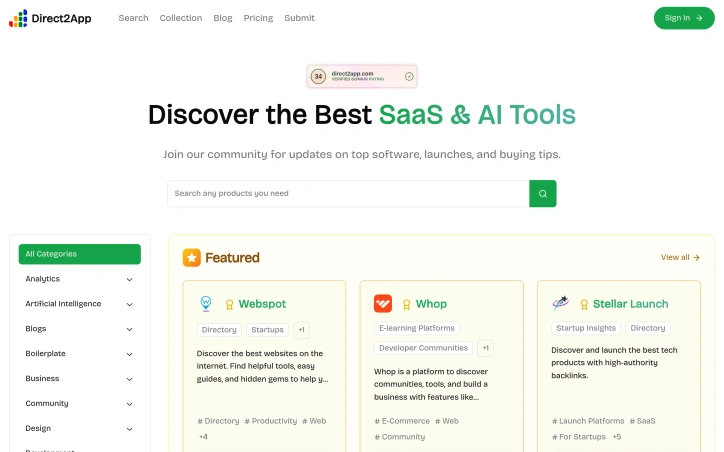
Finding the right software solution in a crowded marketplace has become its own problem. Direct2App tackles this by functioning as a curated directory and discovery platform for SaaS and AI tools, aimed at both technology buyers overwhelmed by options and startup founders struggling for visibility. The platform organizes tools across numerous categories—from Analytics and Artificial Intelligence to Marketing and Software as a Service—allowing users to browse, compare, and discover solutions rather than relying solely on generic search results or paid advertising. The community component encourages ongoing engagement, positioning it as more than a static directory; members receive updates on new launches and purchasing guidance. What distinguishes Direct2App is its dual-market approach. While the platform serves end users seeking vetted software solutions, it simultaneously operates as a distribution channel for SaaS companies and early-stage startups. The "Sell With Boost" marketplace feature enables founders to showcase their products alongside carefully curated listings, gaining exposure to an audience actively searching for new tools. This creates natural incentive alignment—the platform succeeds when it attracts serious tool-seekers, which in turn draws quality submissions from builders. The emphasis on curation appears central to its value proposition. Rather than functioning as an open submission dump like some directories, Direct2App surfaces featured products, suggesting editorial judgment about what belongs at the top. This curation helps users avoid decision paralysis and makes a listing more meaningful—a featured spot carries weight precisely because it isn't automatically granted to everything submitted. The platform also appears to recognize the importance of technical visibility for startups. The mention of "dofollow backlinks" indicates that Direct2App positions itself as a channel not just for discovery but for search engine optimization, where a listing provides both direct traffic and domain authority benefits for featured products. This is particularly relevant for bootstrapped founders who cannot afford premium advertising but understand the compounding value of backlinks. The categorization strategy spans a wide range of software types rather than narrowing to a single niche, which increases the platform's relevance across different professional contexts. A designer can discover productivity tools alongside a finance professional seeking analytics solutions. For technology buyers, Direct2App simplifies the research phase of vendor selection. For startup founders, it offers an accessible venue for distribution and authority building without requiring paid marketing spend—though the platform itself monetizes through its marketplace positioning.

Marketplace-sites
D
Daily Fin

Finding the right software solution in a crowded marketplace has become its own problem. Direct2App tackles this by functioning as a curated directory and discovery platform for SaaS and AI tools, aimed at both technology buyers overwhelmed by options and startup founders struggling for visibility. The platform organizes tools across numerous categories—from Analytics and Artificial Intelligence to Marketing and Software as a Service—allowing users to browse, compare, and discover solutions rather than relying solely on generic search results or paid advertising. The community component encourages ongoing engagement, positioning it as more than a static directory; members receive updates on new launches and purchasing guidance. What distinguishes Direct2App is its dual-market approach. While the platform serves end users seeking vetted software solutions, it simultaneously operates as a distribution channel for SaaS companies and early-stage startups. The "Sell With Boost" marketplace feature enables founders to showcase their products alongside carefully curated listings, gaining exposure to an audience actively searching for new tools. This creates natural incentive alignment—the platform succeeds when it attracts serious tool-seekers, which in turn draws quality submissions from builders. The emphasis on curation appears central to its value proposition. Rather than functioning as an open submission dump like some directories, Direct2App surfaces featured products, suggesting editorial judgment about what belongs at the top. This curation helps users avoid decision paralysis and makes a listing more meaningful—a featured spot carries weight precisely because it isn't automatically granted to everything submitted. The platform also appears to recognize the importance of technical visibility for startups. The mention of "dofollow backlinks" indicates that Direct2App positions itself as a channel not just for discovery but for search engine optimization, where a listing provides both direct traffic and domain authority benefits for featured products. This is particularly relevant for bootstrapped founders who cannot afford premium advertising but understand the compounding value of backlinks. The categorization strategy spans a wide range of software types rather than narrowing to a single niche, which increases the platform's relevance across different professional contexts. A designer can discover productivity tools alongside a finance professional seeking analytics solutions. For technology buyers, Direct2App simplifies the research phase of vendor selection. For startup founders, it offers an accessible venue for distribution and authority building without requiring paid marketing spend—though the platform itself monetizes through its marketplace positioning.

Direct2App preview

Key features

  • Curated Directory: Functions as a curated directory with editorial judgment about featured products rather than an open submission dump
  • Category Organization: Organizes tools across numerous categories including Analytics, Artificial Intelligence, Marketing, and SaaS
See full listing
PDFOutput

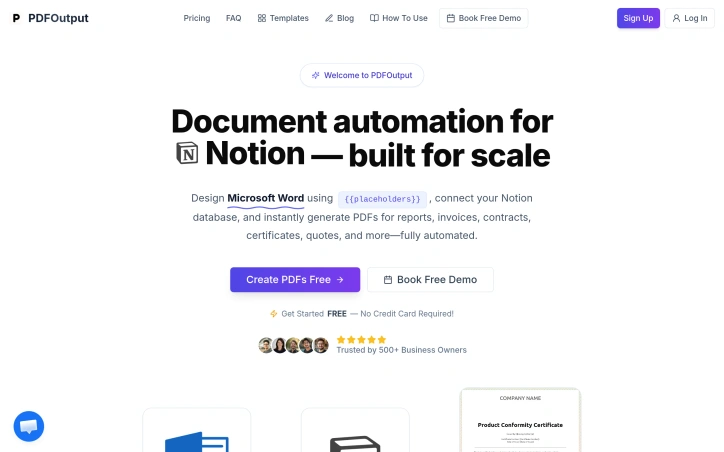
Automating document generation has long been a pain point for businesses that need to produce high volumes of personalized outputs—invoices, contracts, certificates, and similar documents that require individual customization but follow standardized formats. PDFOutput addresses this friction by creating a bridge between two widely-used platforms: Google Docs for template design and Notion's database capabilities for data management. The core workflow is straightforward and practical. Users design a Google Document with placeholder variables, then connect it to a Notion database containing the information that should populate each field. The system handles the rest, generating individualized PDFs at scale without requiring users to manually merge data or use complex programming logic. This approach makes document automation accessible to non-technical teams—a significant advantage over traditional mail merge tools or custom integration solutions. What distinguishes PDFOutput from simpler alternatives is its focus on the complete document lifecycle. Rather than limiting functionality to basic text substitution, it targets a diverse range of use cases: operational documents like reports and invoices, contractual materials, achievement certificates, and commercial quotes. This breadth suggests the platform is designed for teams across multiple departments and verticals, whether they're in finance, operations, HR, or sales. The templating model itself deserves attention. Google Docs is familiar to nearly every business user, eliminating the learning curve associated with specialized template languages. Notion databases provide a structured, visual way to manage the source data without requiring spreadsheet expertise or database administration. By leveraging tools people already know, PDFOutput reduces adoption friction and makes it feasible for small teams to implement without dedicated technical support. The automation angle is crucial for the target market. Generating documents at scale—whether that means hundreds of customer invoices monthly or thousands of certificates for program participants—shifts from a tedious manual process to a reliable, repeatable workflow. This is valuable not just for efficiency but for consistency and compliance, ensuring every generated document maintains the same structure and formatting. The integration between these three components—Google Docs, Notion, and PDF output—is presented as seamless, though the actual depth of that integration would become clearer through hands-on use. For organizations already invested in either Notion or Google Workspace, this positioning makes natural sense as an extension of existing tooling rather than introducing a completely new platform into the stack.

Automation-tools
T
theaccountant guy

Automating document generation has long been a pain point for businesses that need to produce high volumes of personalized outputs—invoices, contracts, certificates, and similar documents that require individual customization but follow standardized formats. PDFOutput addresses this friction by creating a bridge between two widely-used platforms: Google Docs for template design and Notion's database capabilities for data management. The core workflow is straightforward and practical. Users design a Google Document with placeholder variables, then connect it to a Notion database containing the information that should populate each field. The system handles the rest, generating individualized PDFs at scale without requiring users to manually merge data or use complex programming logic. This approach makes document automation accessible to non-technical teams—a significant advantage over traditional mail merge tools or custom integration solutions. What distinguishes PDFOutput from simpler alternatives is its focus on the complete document lifecycle. Rather than limiting functionality to basic text substitution, it targets a diverse range of use cases: operational documents like reports and invoices, contractual materials, achievement certificates, and commercial quotes. This breadth suggests the platform is designed for teams across multiple departments and verticals, whether they're in finance, operations, HR, or sales. The templating model itself deserves attention. Google Docs is familiar to nearly every business user, eliminating the learning curve associated with specialized template languages. Notion databases provide a structured, visual way to manage the source data without requiring spreadsheet expertise or database administration. By leveraging tools people already know, PDFOutput reduces adoption friction and makes it feasible for small teams to implement without dedicated technical support. The automation angle is crucial for the target market. Generating documents at scale—whether that means hundreds of customer invoices monthly or thousands of certificates for program participants—shifts from a tedious manual process to a reliable, repeatable workflow. This is valuable not just for efficiency but for consistency and compliance, ensuring every generated document maintains the same structure and formatting. The integration between these three components—Google Docs, Notion, and PDF output—is presented as seamless, though the actual depth of that integration would become clearer through hands-on use. For organizations already invested in either Notion or Google Workspace, this positioning makes natural sense as an extension of existing tooling rather than introducing a completely new platform into the stack.

PDFOutput preview

Key features

  • Template-Based Generation: Design templates in Google Docs with placeholder variables that automatically populate from Notion databases.
  • Bulk PDF Creation: Generate hundreds or thousands of individualized PDFs at scale without manual effort or custom programming.
See full listing
Nano Banana

Creating cohesive visual narratives has long been a pain point for designers and content creators working with AI image tools. Most generators struggle to maintain consistent character identity across multiple images, forcing artists to choose between speed and creative control. Nano Banana addresses this by positioning itself as a prompt-driven editor that prioritizes character consistency while enabling granular, localized edits through natural language descriptions. The platform's core strength lies in its approach to preserving character identity across variations. Rather than treating each generation as an isolated output, Nano Banana allows creators to reuse the same character across different outfits, poses, lighting conditions, and scenes while maintaining facial identity and stylistic cohesion. For narrative-driven content creation—whether that's illustrated stories, game character design, or branded character campaigns—this capability removes a significant friction point. The ability to blend multiple images and transfer styles within a single interface further extends its utility beyond simple editing. What distinguishes Nano Banana from broader AI image platforms is its emphasis on local, targeted edits. Users describe changes in plain English (such as "make the jacket red" or "add warm sunset light"), and the tool applies modifications only to specified regions while preserving composition, lighting, and surrounding context. This positions it as less of a whole-image generator and more of a true editor, with prompt-based control replacing traditional selection and masking tools. The platform also includes practical features like background replacement, color and pose adjustment, and photo restoration, suggesting versatility beyond character work. The three-step workflow—upload or start from text, describe desired changes, generate and refine—prioritizes simplicity while supporting iterative refinement, which aligns well with design exploration where multiple variations from a single concept are valuable. The recent addition of AI video creation capability expands the platform's scope, though details on this feature remain sparse in the available information. Pricing follows a freemium model with free credits available upon registration and an upgrade plan option. A promotional offer of 50% off is mentioned, though the underlying pricing structure isn't fully detailed. For content creators and designers seeking faster iteration cycles without sacrificing character consistency, Nano Banana presents a compelling alternative to either traditional image editing tools or generic AI image generators, though its true competitive advantage will depend on how reliably it delivers on character consistency in practice.
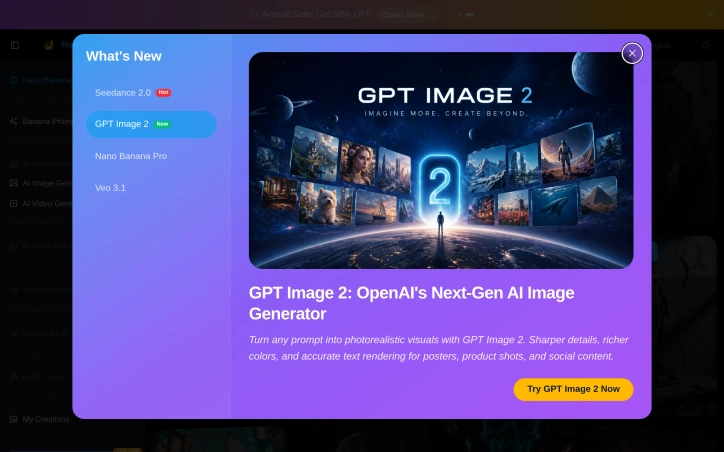

Photo-editing
Y
Yy Lee

Creating cohesive visual narratives has long been a pain point for designers and content creators working with AI image tools. Most generators struggle to maintain consistent character identity across multiple images, forcing artists to choose between speed and creative control. Nano Banana addresses this by positioning itself as a prompt-driven editor that prioritizes character consistency while enabling granular, localized edits through natural language descriptions. The platform's core strength lies in its approach to preserving character identity across variations. Rather than treating each generation as an isolated output, Nano Banana allows creators to reuse the same character across different outfits, poses, lighting conditions, and scenes while maintaining facial identity and stylistic cohesion. For narrative-driven content creation—whether that's illustrated stories, game character design, or branded character campaigns—this capability removes a significant friction point. The ability to blend multiple images and transfer styles within a single interface further extends its utility beyond simple editing. What distinguishes Nano Banana from broader AI image platforms is its emphasis on local, targeted edits. Users describe changes in plain English (such as "make the jacket red" or "add warm sunset light"), and the tool applies modifications only to specified regions while preserving composition, lighting, and surrounding context. This positions it as less of a whole-image generator and more of a true editor, with prompt-based control replacing traditional selection and masking tools. The platform also includes practical features like background replacement, color and pose adjustment, and photo restoration, suggesting versatility beyond character work. The three-step workflow—upload or start from text, describe desired changes, generate and refine—prioritizes simplicity while supporting iterative refinement, which aligns well with design exploration where multiple variations from a single concept are valuable. The recent addition of AI video creation capability expands the platform's scope, though details on this feature remain sparse in the available information. Pricing follows a freemium model with free credits available upon registration and an upgrade plan option. A promotional offer of 50% off is mentioned, though the underlying pricing structure isn't fully detailed. For content creators and designers seeking faster iteration cycles without sacrificing character consistency, Nano Banana presents a compelling alternative to either traditional image editing tools or generic AI image generators, though its true competitive advantage will depend on how reliably it delivers on character consistency in practice.

Nano Banana preview

Key features

  • Character Consistency: Maintains facial identity and stylistic cohesion across multiple image variations
  • Natural Language Editing: Apply localized modifications using plain English descriptions instead of traditional selection tools
See full listing
Optogrid

For optical retailers struggling to complete eyewear sales without requiring customers to visit their stores, Optogrid offers a software solution that measures pupillary distance—a critical measurement for lens fitting—entirely remotely through a standard photo upload. The platform addresses a significant friction point in online eyewear sales: the requirement for in-person pupillary distance measurements, which has traditionally been the primary reason customers abandon online orders at optical retailers. The solution targets small to mid-sized optical shops looking to expand beyond their physical locations or serve existing customers with greater convenience. By eliminating the need for specialized measurement hardware, Optogrid enables any optical store with a web presence to offer remote measurement services, potentially transforming location-based retailers into nationwide operations without additional infrastructure investment. What distinguishes Optogrid is its apparent simplicity paired with claimed precision. The system operates on any browser and device, requires no special equipment beyond a smartphone camera, and claims to deliver measurements accurate to within ±1 millimeter—calibrated against a physical reference object visible in each photo. This calibration approach addresses a fundamental challenge in photo-based measurement: ensuring consistency despite variations in camera quality and distance. The company indicates that optical stores using the platform can complete remote orders in under five minutes, a significant improvement over traditional measurement workflows. The software extends beyond measurement into operational management, offering data storage and automation features designed to reduce inconsistencies and improve team collaboration. This positions Optogrid as a modest workflow system rather than a standalone measurement tool, though the website provides limited detail on these management capabilities. The practical appeal is evident: optometrists avoid manual measurement protocols or outdated techniques, customers avoid store visits, and retailers can serve customers unable to visit physical locations. For chains or franchises, the ability to serve customers remotely from day one carries competitive advantage, particularly in markets where in-store-only purchasing remains standard. The website provides no explicit pricing information or tiered service details, though it offers free trials. The simplicity of deployment—functioning on existing infrastructure without specialized hardware—suggests the product aims for accessibility, though total cost of implementation or subscription details remain absent from publicly available materials.


Ecommerce-platforms
S
Saulo Garcia

For optical retailers struggling to complete eyewear sales without requiring customers to visit their stores, Optogrid offers a software solution that measures pupillary distance—a critical measurement for lens fitting—entirely remotely through a standard photo upload. The platform addresses a significant friction point in online eyewear sales: the requirement for in-person pupillary distance measurements, which has traditionally been the primary reason customers abandon online orders at optical retailers. The solution targets small to mid-sized optical shops looking to expand beyond their physical locations or serve existing customers with greater convenience. By eliminating the need for specialized measurement hardware, Optogrid enables any optical store with a web presence to offer remote measurement services, potentially transforming location-based retailers into nationwide operations without additional infrastructure investment. What distinguishes Optogrid is its apparent simplicity paired with claimed precision. The system operates on any browser and device, requires no special equipment beyond a smartphone camera, and claims to deliver measurements accurate to within ±1 millimeter—calibrated against a physical reference object visible in each photo. This calibration approach addresses a fundamental challenge in photo-based measurement: ensuring consistency despite variations in camera quality and distance. The company indicates that optical stores using the platform can complete remote orders in under five minutes, a significant improvement over traditional measurement workflows. The software extends beyond measurement into operational management, offering data storage and automation features designed to reduce inconsistencies and improve team collaboration. This positions Optogrid as a modest workflow system rather than a standalone measurement tool, though the website provides limited detail on these management capabilities. The practical appeal is evident: optometrists avoid manual measurement protocols or outdated techniques, customers avoid store visits, and retailers can serve customers unable to visit physical locations. For chains or franchises, the ability to serve customers remotely from day one carries competitive advantage, particularly in markets where in-store-only purchasing remains standard. The website provides no explicit pricing information or tiered service details, though it offers free trials. The simplicity of deployment—functioning on existing infrastructure without specialized hardware—suggests the product aims for accessibility, though total cost of implementation or subscription details remain absent from publicly available materials.

Optogrid preview

Key features

  • Remote PD Measurement: Measures pupillary distance entirely through photo uploads without requiring in-person store visits
  • Photo Calibration Technology: Uses physical reference objects in photos to ensure measurement accuracy within ±1 millimeter
See full listing
GreenRocket | The launchpad for the next generation of tech products

Product launches scatter across social media, newsletters, and obscure forums, leaving both builders and discovery-hungry enthusiasts struggling to find emerging technology worth their attention. GreenRocket addresses this fragmentation by creating a dedicated hub where makers can showcase new products and users can explore the next generation of innovation in one place. The platform operates as a marketplace for visibility—a way for founders to break through the noise and reach people actively seeking novel tech rather than passively scrolling feeds. The positioning is straightforward: GreenRocket functions as a launchpad, emphasizing the active moment when products enter the market. This specificity matters. Unlike broad product directories or review sites that catalog anything and everything, GreenRocket narrows its focus to launches themselves, suggesting curated timing and momentum rather than a static library. That framing appeals to founders timing announcements strategically and to users who prefer discovery that carries editorial weight—the sense that products appearing here are actually worth noticing. The dual-sided marketplace is the core design. On one side, builders gain a venue to announce their work to an audience already primed for discovery. On the other, users looking for the next promising tool or service can browse launches in one destination rather than hunting across disparate channels. This two-way exchange creates network effects: better products attract more discoverers, which in turn incentivizes more quality launches, which brings back discoverers seeking fresh innovations. What the platform does well is solve a real visibility problem without overcomplicating the solution. Product launches are time-sensitive moments; capturing them in a structured, accessible format gives them shelf life beyond a single tweet or Product Hunt appearance. Builders get another distribution channel, and early adopters get a concentrated feed of what is actually new rather than what algorithms happen to surface. The simplicity of the value proposition—share and discover launches—is clean. There are no false claims about building community or replacing existing channels. The site understands its lane: it is a launchpad, not a ranking system, not a review platform, not a social network. That clarity is refreshing and grounded. For founders in crowded markets, an additional venue to announce their work has real utility. For users hunting fresh technology, a dedicated feed beats algorithmic feeds designed for engagement over relevance. The product fills a legitimate gap in how emerging tech reaches its audience.


Community-management
A
AJ Batac

Product launches scatter across social media, newsletters, and obscure forums, leaving both builders and discovery-hungry enthusiasts struggling to find emerging technology worth their attention. GreenRocket addresses this fragmentation by creating a dedicated hub where makers can showcase new products and users can explore the next generation of innovation in one place. The platform operates as a marketplace for visibility—a way for founders to break through the noise and reach people actively seeking novel tech rather than passively scrolling feeds. The positioning is straightforward: GreenRocket functions as a launchpad, emphasizing the active moment when products enter the market. This specificity matters. Unlike broad product directories or review sites that catalog anything and everything, GreenRocket narrows its focus to launches themselves, suggesting curated timing and momentum rather than a static library. That framing appeals to founders timing announcements strategically and to users who prefer discovery that carries editorial weight—the sense that products appearing here are actually worth noticing. The dual-sided marketplace is the core design. On one side, builders gain a venue to announce their work to an audience already primed for discovery. On the other, users looking for the next promising tool or service can browse launches in one destination rather than hunting across disparate channels. This two-way exchange creates network effects: better products attract more discoverers, which in turn incentivizes more quality launches, which brings back discoverers seeking fresh innovations. What the platform does well is solve a real visibility problem without overcomplicating the solution. Product launches are time-sensitive moments; capturing them in a structured, accessible format gives them shelf life beyond a single tweet or Product Hunt appearance. Builders get another distribution channel, and early adopters get a concentrated feed of what is actually new rather than what algorithms happen to surface. The simplicity of the value proposition—share and discover launches—is clean. There are no false claims about building community or replacing existing channels. The site understands its lane: it is a launchpad, not a ranking system, not a review platform, not a social network. That clarity is refreshing and grounded. For founders in crowded markets, an additional venue to announce their work has real utility. For users hunting fresh technology, a dedicated feed beats algorithmic feeds designed for engagement over relevance. The product fills a legitimate gap in how emerging tech reaches its audience.

GreenRocket | The launchpad for the next generation of tech products preview

Key features

  • Dedicated Launch Hub: A centralized venue where makers showcase new products and users discover emerging technology in one place
  • Marketplace for Visibility: Provides founders with a distribution channel to reach audiences actively seeking novel technology
See full listing
FitComrade

Solo fitness coaches juggling multiple client programs face a familiar administrative burden: rebuilding the same workout templates for different clients, tracking progress across a scattered client base, and managing the friction of app downloads and password resets. FitComrade targets this pain point directly, positioning itself as a lightweight coaching management platform for trainers managing between five and fifty clients. The product centers on three core functions. Its program builder lets coaches create templates once and deploy them to multiple clients without duplication. A dashboard consolidates client tracking into a single view, categorizing clients by their current status to highlight who needs attention. The client-sharing feature removes adoption friction by generating shareable links that load directly in any web browser—no app installation or account setup required. What distinguishes FitComrade in a crowded market is its pricing approach. Unlike competitors Trainerize and TrueCoach, which charge per-client fees that compound as a coach's roster grows, FitComrade decouples its pricing from client count. The free tier supports one active client indefinitely with unlimited program templates and core tracking features. The paid tier costs thirty dollars monthly, discounted to one dollar for the first month, and unlocks multiple active clients, shareable program links, and additional content categories including yoga and nutrition. This structure removes one obstacle to growth—coaches can expand their client base without proportional increases to software costs. The platform emphasizes simplicity in its design language, claiming that coaches without technical expertise can navigate it intuitively. The program builder takes a visual, day-based approach rather than forcing users into complex data entry. Support for workouts, meals, yoga, and habits suggests flexibility across different coaching disciplines. Whether FitComrade delivers on its claim to restore ten or more hours weekly depends on how substantially it streamlines a coach's actual workflow. The emphasis on template reuse and consolidated tracking addresses real friction points. The platform targets smaller coaching operations; coaches managing fifty clients across multiple disciplines or those needing advanced automation will exhaust its capabilities. For solo trainers in the five-to-fifty-client range seeking to reduce administrative overhead without substantial software costs, the value proposition is clear.


Workout-platforms
A
Adeel Imran

Solo fitness coaches juggling multiple client programs face a familiar administrative burden: rebuilding the same workout templates for different clients, tracking progress across a scattered client base, and managing the friction of app downloads and password resets. FitComrade targets this pain point directly, positioning itself as a lightweight coaching management platform for trainers managing between five and fifty clients. The product centers on three core functions. Its program builder lets coaches create templates once and deploy them to multiple clients without duplication. A dashboard consolidates client tracking into a single view, categorizing clients by their current status to highlight who needs attention. The client-sharing feature removes adoption friction by generating shareable links that load directly in any web browser—no app installation or account setup required. What distinguishes FitComrade in a crowded market is its pricing approach. Unlike competitors Trainerize and TrueCoach, which charge per-client fees that compound as a coach's roster grows, FitComrade decouples its pricing from client count. The free tier supports one active client indefinitely with unlimited program templates and core tracking features. The paid tier costs thirty dollars monthly, discounted to one dollar for the first month, and unlocks multiple active clients, shareable program links, and additional content categories including yoga and nutrition. This structure removes one obstacle to growth—coaches can expand their client base without proportional increases to software costs. The platform emphasizes simplicity in its design language, claiming that coaches without technical expertise can navigate it intuitively. The program builder takes a visual, day-based approach rather than forcing users into complex data entry. Support for workouts, meals, yoga, and habits suggests flexibility across different coaching disciplines. Whether FitComrade delivers on its claim to restore ten or more hours weekly depends on how substantially it streamlines a coach's actual workflow. The emphasis on template reuse and consolidated tracking addresses real friction points. The platform targets smaller coaching operations; coaches managing fifty clients across multiple disciplines or those needing advanced automation will exhaust its capabilities. For solo trainers in the five-to-fifty-client range seeking to reduce administrative overhead without substantial software costs, the value proposition is clear.

FitComrade preview

Key features

  • Program Builder: Create templates once and deploy them to multiple clients without rebuilding.
  • Client Dashboard: View all clients in one place, organized by status to highlight who needs attention.
See full listing
Zizo AI

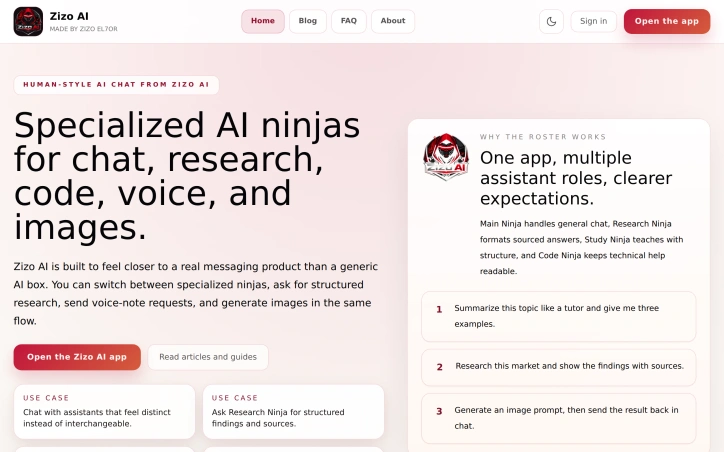
Fragmented AI assistance is becoming a frustration for users juggling multiple specialized tools. Zizo AI consolidates what would otherwise require hopping between different applications into a single, intentionally designed chat interface that distinguishes between specialized assistant roles rather than treating all AI interactions as interchangeable. The core insight driving Zizo's approach addresses a real design problem: generic AI assistants force users to over-engineer their requests to get quality outputs. By positioning distinct "ninjas"—each with a defined role, tone, and response structure—the platform sets clearer expectations for what each assistant delivers. The Main Ninja handles conversational queries, the Research Ninja formats sourced answers with citations, the Study Ninja teaches with structural clarity, and the Code Ninja prioritizes technical readability. This isn't simply renaming the same underlying AI; it's explicitly framing different interaction patterns so users select the right tool for the job without leaving the chat experience. The product distinguishes itself further through tight integration of modalities that competitors often bolt on as afterthoughts. Voice notes stay threaded to the conversation rather than isolated in a separate view, and image generation happens within the same composer that handles text and research prompts. This unified workflow preserves both the readability of text and the conversational benefits of voice replies without forcing users to stitch together fragmented experiences. The breadth of capabilities—research with sourced findings, code assistance, voice interaction, image generation, and structured learning—suggests Zizo targets users who might otherwise need multiple subscriptions. Students would find the Study Ninja and Research Ninja useful for assignments and projects, while developers might gravitate toward the Code Ninja. The company's recent articles addressing AI agents versus chatbots and AI research practices indicate it's positioning itself as educational infrastructure, not just another utility. What remains undemonstrated is how Zizo's specialized ninjas functionally differentiate from prompt-engineered variants of the same underlying model, or whether distinct personalities translate to meaningfully different outputs. The messaging emphasizes intentional design and clearer expectations, which is valuable, but actual performance differences between assistants aren't shown. Still, the consolidation of voice, research, images, and code into one flow with roles that carry distinct expectations addresses a legitimate friction point in how users interact with AI. The product feels built for people who find generic chatbots unsatisfying.

Ai-characters
A
AbdElaziz El7or

Fragmented AI assistance is becoming a frustration for users juggling multiple specialized tools. Zizo AI consolidates what would otherwise require hopping between different applications into a single, intentionally designed chat interface that distinguishes between specialized assistant roles rather than treating all AI interactions as interchangeable. The core insight driving Zizo's approach addresses a real design problem: generic AI assistants force users to over-engineer their requests to get quality outputs. By positioning distinct "ninjas"—each with a defined role, tone, and response structure—the platform sets clearer expectations for what each assistant delivers. The Main Ninja handles conversational queries, the Research Ninja formats sourced answers with citations, the Study Ninja teaches with structural clarity, and the Code Ninja prioritizes technical readability. This isn't simply renaming the same underlying AI; it's explicitly framing different interaction patterns so users select the right tool for the job without leaving the chat experience. The product distinguishes itself further through tight integration of modalities that competitors often bolt on as afterthoughts. Voice notes stay threaded to the conversation rather than isolated in a separate view, and image generation happens within the same composer that handles text and research prompts. This unified workflow preserves both the readability of text and the conversational benefits of voice replies without forcing users to stitch together fragmented experiences. The breadth of capabilities—research with sourced findings, code assistance, voice interaction, image generation, and structured learning—suggests Zizo targets users who might otherwise need multiple subscriptions. Students would find the Study Ninja and Research Ninja useful for assignments and projects, while developers might gravitate toward the Code Ninja. The company's recent articles addressing AI agents versus chatbots and AI research practices indicate it's positioning itself as educational infrastructure, not just another utility. What remains undemonstrated is how Zizo's specialized ninjas functionally differentiate from prompt-engineered variants of the same underlying model, or whether distinct personalities translate to meaningfully different outputs. The messaging emphasizes intentional design and clearer expectations, which is valuable, but actual performance differences between assistants aren't shown. Still, the consolidation of voice, research, images, and code into one flow with roles that carry distinct expectations addresses a legitimate friction point in how users interact with AI. The product feels built for people who find generic chatbots unsatisfying.

Zizo AI preview

Key features

  • Specialized Assistant Roles: Distinct 'ninjas' (Main, Research, Study, Code) each with defined roles, tones, and response structures.
  • Unified Chat Interface: Consolidates multiple AI tools into a single intentionally designed interface.
See full listing
iisacc Vincent

Minimalist design tools have carved out a niche for creators who value speed and clarity over feature sprawl, and Vincent carves out a distinctive position in this landscape. The macOS application is a deliberate throwback to the simplicity of MS Paint, reimagined for contemporary workflows. It targets designers, illustrators, and product teams who need to capture visual ideas quickly without the cognitive load of navigating complex menus or managing countless palettes. The core appeal rests on disciplined restraint. Rather than competing with Photoshop, Figma, or other comprehensive design suites, Vincent strips painting down to essentials: freehand drawing, fill buckets, erasing, and basic selection tools. The interface reflects this philosophy through a spacious, contemporary layout that keeps controls visible without encroaching on canvas real estate. Text tools that sit directly on the canvas allow quick annotations and labels without breaking sketching flow, and the addition of crop, rotate, and tonal adjustments in version 2.0 provides just enough image manipulation for rough asset cleanup. What distinguishes Vincent from other minimalist sketch tools is its deliberate embrace of the MS Paint metaphor. Rather than introducing novel interaction patterns, the application leans into a workflow most designers learned years ago, lowering the barrier to adoption. Someone familiar with basic paint programs can open Vincent and start working immediately. This matters when the goal is capturing ideas before they evaporate. The version history suggests thoughtful iteration. Version 2.0 sharpened the interface and expanded the toolset with text and lightweight edits, addressing the gap between quick sketching and minimal asset refinement. The current 2.1.0 represents continued polish rather than feature creep. At 210.6 megabytes, the application footprint remains lean. The business model relies on direct sales, with a GitHub repository suggesting openness to technical transparency and privacy policy documentation indicating basic compliance standards. For creators who find mainstream design tools bloated and distracting, Vincent offers a focused alternative that prioritizes intention over feature breadth. It is software that gets out of the way and trusts the canvas to be enough.
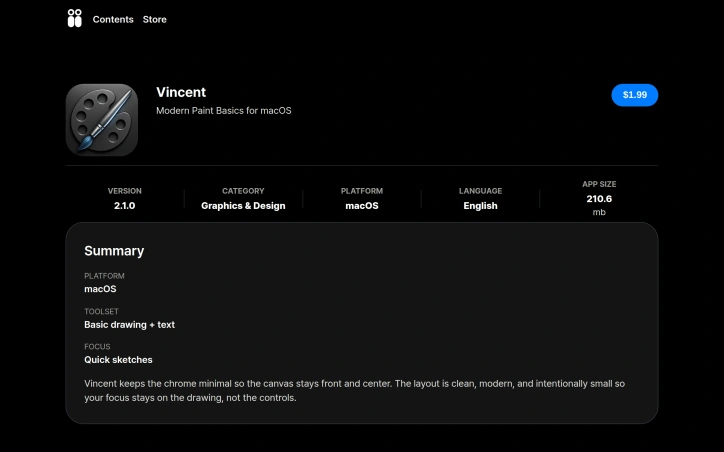
Graphic-design-tools
무영

Minimalist design tools have carved out a niche for creators who value speed and clarity over feature sprawl, and Vincent carves out a distinctive position in this landscape. The macOS application is a deliberate throwback to the simplicity of MS Paint, reimagined for contemporary workflows. It targets designers, illustrators, and product teams who need to capture visual ideas quickly without the cognitive load of navigating complex menus or managing countless palettes. The core appeal rests on disciplined restraint. Rather than competing with Photoshop, Figma, or other comprehensive design suites, Vincent strips painting down to essentials: freehand drawing, fill buckets, erasing, and basic selection tools. The interface reflects this philosophy through a spacious, contemporary layout that keeps controls visible without encroaching on canvas real estate. Text tools that sit directly on the canvas allow quick annotations and labels without breaking sketching flow, and the addition of crop, rotate, and tonal adjustments in version 2.0 provides just enough image manipulation for rough asset cleanup. What distinguishes Vincent from other minimalist sketch tools is its deliberate embrace of the MS Paint metaphor. Rather than introducing novel interaction patterns, the application leans into a workflow most designers learned years ago, lowering the barrier to adoption. Someone familiar with basic paint programs can open Vincent and start working immediately. This matters when the goal is capturing ideas before they evaporate. The version history suggests thoughtful iteration. Version 2.0 sharpened the interface and expanded the toolset with text and lightweight edits, addressing the gap between quick sketching and minimal asset refinement. The current 2.1.0 represents continued polish rather than feature creep. At 210.6 megabytes, the application footprint remains lean. The business model relies on direct sales, with a GitHub repository suggesting openness to technical transparency and privacy policy documentation indicating basic compliance standards. For creators who find mainstream design tools bloated and distracting, Vincent offers a focused alternative that prioritizes intention over feature breadth. It is software that gets out of the way and trusts the canvas to be enough.

iisacc Vincent preview

Key features

  • Minimalist Interface: Spacious contemporary layout inspired by MS Paint with controls visible without encroaching on canvas space
  • Essential Drawing Tools: Freehand drawing, fill buckets, erasing, and basic selection tools focused on core functionality
See full listing
PostPulse for Developers

Developers managing social media integrations across multiple platforms face a fragmented ecosystem. Each service—Meta, TikTok, Google, and others—maintains separate API documentation, authentication flows, and platform-specific requirements. Beyond the technical complexity, integrating these services requires passing individual developer app reviews, a process that can consume months. Once integrated, the maintenance burden proves equally taxing: token refreshes, rate limits, API version changes, and deprecations demand ongoing attention. PostPulse addresses this consolidation problem by positioning itself as a centralized integration layer. Rather than building direct connections to nine or more social platforms individually, developers can route their publishing logic through a single API, delegating the platform-specific work to PostPulse's infrastructure. The company handles the full compliance and operational overhead: managing developer app approvals, maintaining authentication tokens, absorbing API changes, and monitoring rate limits across platforms. This shift from custom integration to outsourced connectivity appeals primarily to companies building social features—whether publishing tools, content management platforms, or marketing applications—without dedicated platform engineering resources. For smaller teams or bootstrapped startups, the appeal is clear: avoid months of parallel integration work and redirect engineering capacity toward core product features. The core value proposition rests on complexity reduction and maintenance economics. Instead of a team member tracking Meta's latest API deprecations or managing token lifecycle across platforms, that responsibility becomes PostPulse's. The unit economics improve when integration work—particularly the audit phase—would otherwise stall shipping or require hiring specialized expertise. The company positions itself as solving a genuine infrastructure gap. While social platforms have published APIs for years, the friction surrounding them remains high enough that many developers prefer to pay for abstraction. The degree to which PostPulse successfully executes that abstraction—covering not just happy-path publishing but edge cases, rate limiting, and versioning—will determine whether the product becomes table stakes or remains a worthwhile optimization. Pricing and business model details were not provided in available materials.


Social-media-scheduling-tools
O
Oleksandr Pohorelov

Developers managing social media integrations across multiple platforms face a fragmented ecosystem. Each service—Meta, TikTok, Google, and others—maintains separate API documentation, authentication flows, and platform-specific requirements. Beyond the technical complexity, integrating these services requires passing individual developer app reviews, a process that can consume months. Once integrated, the maintenance burden proves equally taxing: token refreshes, rate limits, API version changes, and deprecations demand ongoing attention. PostPulse addresses this consolidation problem by positioning itself as a centralized integration layer. Rather than building direct connections to nine or more social platforms individually, developers can route their publishing logic through a single API, delegating the platform-specific work to PostPulse's infrastructure. The company handles the full compliance and operational overhead: managing developer app approvals, maintaining authentication tokens, absorbing API changes, and monitoring rate limits across platforms. This shift from custom integration to outsourced connectivity appeals primarily to companies building social features—whether publishing tools, content management platforms, or marketing applications—without dedicated platform engineering resources. For smaller teams or bootstrapped startups, the appeal is clear: avoid months of parallel integration work and redirect engineering capacity toward core product features. The core value proposition rests on complexity reduction and maintenance economics. Instead of a team member tracking Meta's latest API deprecations or managing token lifecycle across platforms, that responsibility becomes PostPulse's. The unit economics improve when integration work—particularly the audit phase—would otherwise stall shipping or require hiring specialized expertise. The company positions itself as solving a genuine infrastructure gap. While social platforms have published APIs for years, the friction surrounding them remains high enough that many developers prefer to pay for abstraction. The degree to which PostPulse successfully executes that abstraction—covering not just happy-path publishing but edge cases, rate limiting, and versioning—will determine whether the product becomes table stakes or remains a worthwhile optimization. Pricing and business model details were not provided in available materials.

PostPulse for Developers preview

Key features

  • Centralized Integration Layer: Routes publishing logic through a single API instead of building individual connections to multiple social platforms
  • Compliance Management: Handles developer app approvals, authentication flows, and platform-specific requirements across all integrated services
See full listing
CalcIQ

Privacy-conscious individuals and budget-conscious planners now have an alternative to both expensive financial advisors and data-harvesting calculator websites. CalcIQ addresses a genuine tension in financial technology: most free calculators monetize through surveillance, while professional advice remains prohibitively expensive for everyday decisions. This platform sits at the intersection by offering 19 calculators across financial, lifestyle, health, and regional categories without requiring registration or tracking user behavior. The product's core differentiator is genuine privacy protection. Where competitors rely on Google Analytics, Facebook pixels, and third-party data sharing, CalcIQ processes all calculations locally on the user's device and stores nothing remotely. The platform works offline as a progressive web app, making it genuinely inaccessible to any tracking infrastructure. This isn't a marketing claim—users can verify it through network inspection or simply by observing the absence of traditional analytics code. The no-registration approach removes friction while reinforcing the privacy posture. Feature-wise, CalcIQ covers the practical calculators people actually use: loan EMI calculations, systematic investment planning, fixed deposit returns, rent-versus-buy comparisons, and lender comparison tools. The lifestyle category addresses everyday financial implications, like calculating the true cost of daily coffee habits. Regional variants for eight countries including the US, UK, India, Canada, and others incorporate local tax regimes and market data rather than one-size-fits-all assumptions. The ability to embed calculators on external websites through iframe code represents useful flexibility for bloggers and educators. The free tier allows three daily calculations on financial tools, creating a reasonable conversion incentive toward paid tiers without making core functionality unusable. The Pro subscription costs $9.99 monthly or $79 annually, positioning itself as a minor expense relative to hourly financial advisor fees or monthly planning software subscriptions. Pro users gain unlimited calculations and watermark-free PDF reports suitable for sharing with actual advisors or lenders. The business model reflects the privacy positioning: instead of monetizing data, the company captures willingness-to-pay from users seeking professional-grade analysis without surveillance. This alignment between product values and revenue mechanism is increasingly rare in fintech. The platform's limitations aren't detailed here, but the core offering—straightforward, private financial calculations with regional customization—solves a real problem for people tired of being data products themselves.


Financial-planning
C
CalciQ

Privacy-conscious individuals and budget-conscious planners now have an alternative to both expensive financial advisors and data-harvesting calculator websites. CalcIQ addresses a genuine tension in financial technology: most free calculators monetize through surveillance, while professional advice remains prohibitively expensive for everyday decisions. This platform sits at the intersection by offering 19 calculators across financial, lifestyle, health, and regional categories without requiring registration or tracking user behavior. The product's core differentiator is genuine privacy protection. Where competitors rely on Google Analytics, Facebook pixels, and third-party data sharing, CalcIQ processes all calculations locally on the user's device and stores nothing remotely. The platform works offline as a progressive web app, making it genuinely inaccessible to any tracking infrastructure. This isn't a marketing claim—users can verify it through network inspection or simply by observing the absence of traditional analytics code. The no-registration approach removes friction while reinforcing the privacy posture. Feature-wise, CalcIQ covers the practical calculators people actually use: loan EMI calculations, systematic investment planning, fixed deposit returns, rent-versus-buy comparisons, and lender comparison tools. The lifestyle category addresses everyday financial implications, like calculating the true cost of daily coffee habits. Regional variants for eight countries including the US, UK, India, Canada, and others incorporate local tax regimes and market data rather than one-size-fits-all assumptions. The ability to embed calculators on external websites through iframe code represents useful flexibility for bloggers and educators. The free tier allows three daily calculations on financial tools, creating a reasonable conversion incentive toward paid tiers without making core functionality unusable. The Pro subscription costs $9.99 monthly or $79 annually, positioning itself as a minor expense relative to hourly financial advisor fees or monthly planning software subscriptions. Pro users gain unlimited calculations and watermark-free PDF reports suitable for sharing with actual advisors or lenders. The business model reflects the privacy positioning: instead of monetizing data, the company captures willingness-to-pay from users seeking professional-grade analysis without surveillance. This alignment between product values and revenue mechanism is increasingly rare in fintech. The platform's limitations aren't detailed here, but the core offering—straightforward, private financial calculations with regional customization—solves a real problem for people tired of being data products themselves.

CalcIQ preview

Key features

  • Privacy-Focused Processing: All calculations run locally on the user's device with no remote storage or tracking
  • 19 Financial Calculators: Covers loan EMI, investment planning, rent-versus-buy, lender comparison, and lifestyle cost analysis
See full listing
Timeco

Distributed teams face a genuine operational challenge: accurately tracking hours across multiple locations while minimizing administrative overhead. Timeco targets this gap with time tracking software built explicitly for field and office workforces operating across dispersed locations. The core value proposition centers on operational simplicity. Teams can streamline clock-in and clock-out workflows through a single platform rather than juggling multiple systems or relying on manual entry. Real-time visibility into hours worked across locations directly impacts payroll accuracy and eliminates friction typical in distributed workforce management. What distinguishes Timeco is its targeted focus on field team operations. Many time tracking tools build from office-first assumptions; Timeco grounds itself in the specific constraints of teams operating across physical locations. This specialization—rather than attempting broad feature coverage—signals a product designed around genuine operational needs rather than generic capabilities. The platform emphasizes seamless integration into existing workflows. The founders position the shift from complexity to clarity: teams move from wrestling with fragmented systems to managing hours through a centralized, real-time environment. For businesses scaling distributed operations, this consolidation directly reduces administrative costs and creates a single authoritative source for payroll processing. Timeco positions itself at the intersection of operational simplicity and compliance accuracy. Time tracking isn't a glamorous problem, but it directly affects cash flow, payroll compliance, and labor law adherence. For companies with field operations—construction, logistics, home services, field sales—the promise of accurate, frictionless tracking carries clear business value and operational leverage. The product strategy reflects a purpose-built approach rather than a generic adaptation. Teams operating across multiple locations receive software designed for their specific workflows rather than office templates retrofitted for field use. This specialization can provide differentiation in a crowded market segment. The decisive factor for potential customers remains whether Timeco's feature depth and user experience justify adoption relative to established competitors. The positioning is clear and strategically sound, but the market will ultimately determine whether this specialized approach resonates with distributed workforce operators actively seeking change.

Time-tracking-apps
J
Justin David Howard

Distributed teams face a genuine operational challenge: accurately tracking hours across multiple locations while minimizing administrative overhead. Timeco targets this gap with time tracking software built explicitly for field and office workforces operating across dispersed locations. The core value proposition centers on operational simplicity. Teams can streamline clock-in and clock-out workflows through a single platform rather than juggling multiple systems or relying on manual entry. Real-time visibility into hours worked across locations directly impacts payroll accuracy and eliminates friction typical in distributed workforce management. What distinguishes Timeco is its targeted focus on field team operations. Many time tracking tools build from office-first assumptions; Timeco grounds itself in the specific constraints of teams operating across physical locations. This specialization—rather than attempting broad feature coverage—signals a product designed around genuine operational needs rather than generic capabilities. The platform emphasizes seamless integration into existing workflows. The founders position the shift from complexity to clarity: teams move from wrestling with fragmented systems to managing hours through a centralized, real-time environment. For businesses scaling distributed operations, this consolidation directly reduces administrative costs and creates a single authoritative source for payroll processing. Timeco positions itself at the intersection of operational simplicity and compliance accuracy. Time tracking isn't a glamorous problem, but it directly affects cash flow, payroll compliance, and labor law adherence. For companies with field operations—construction, logistics, home services, field sales—the promise of accurate, frictionless tracking carries clear business value and operational leverage. The product strategy reflects a purpose-built approach rather than a generic adaptation. Teams operating across multiple locations receive software designed for their specific workflows rather than office templates retrofitted for field use. This specialization can provide differentiation in a crowded market segment. The decisive factor for potential customers remains whether Timeco's feature depth and user experience justify adoption relative to established competitors. The positioning is clear and strategically sound, but the market will ultimately determine whether this specialized approach resonates with distributed workforce operators actively seeking change.

Timeco preview

Key features

  • Streamlined Clock-in/Clock-out: Single platform for managing clock-in and clock-out workflows across multiple locations
  • Real-time Hour Visibility: Provides real-time visibility into hours worked across dispersed locations
See full listing
Audilate

Breaking down language barriers during real-time conversations has long been a friction point for globally distributed teams, and Audilate directly addresses this challenge. The platform combines AI-powered speech transcription with simultaneous translation across over 100 languages, making it a practical solution for organizations where meetings, interviews, and collaborative discussions frequently span multiple geographies and language groups. The core value proposition centers on eliminating the lag and complexity that typically come with asynchronous translation workflows. Rather than recording conversations and processing them after the fact, Audilate delivers live transcription and translation, allowing participants to collaborate without stopping to manage language gaps. This is particularly relevant for companies hiring internationally, conducting cross-border partnerships, or operating distributed teams where English is not universally spoken as a first language. What distinguishes the product is its breadth of language support. With coverage across 100+ languages, the platform moves beyond serving just major language pairs and opens functionality to teams working in less commonly supported languages. This scope suggests the founders recognize that global collaboration extends well beyond English-to-Spanish or English-to-Mandarin scenarios. The integration of transcription and translation in a single workflow is also noteworthy—separate tools for these functions create unnecessary switching costs and synchronization challenges. The positioning emphasizes real-time processing, which is critical for the use cases mentioned. Whether facilitating a live meeting between team members in different countries, conducting remote interviews with international candidates, or enabling seamless cross-border conversations, the speed at which transcription and translation occur directly impacts usability. Delays of even a few seconds can derail natural conversation flow. The product targets organizations serious about global teamwork, particularly those for whom language support has become a competitive advantage or operational necessity. This includes multinational corporations, international service providers, distributed startups, and any team conducting work across language boundaries on a regular basis. The emphasis on meetings and interviews suggests the founders see their strongest initial adoption among HR, engineering, and business development functions that routinely conduct cross-language conversations. One practical consideration for potential users is how the platform integrates with existing communication infrastructure—meetings apps, video conferencing tools, and collaboration platforms—though those implementation details fall outside the scope of what's presented here. The foundational premise, however, is sound: removing language as a barrier to real-time collaboration remains a genuine problem for many organizations.


Transcription
A
Anurag Dubey

Breaking down language barriers during real-time conversations has long been a friction point for globally distributed teams, and Audilate directly addresses this challenge. The platform combines AI-powered speech transcription with simultaneous translation across over 100 languages, making it a practical solution for organizations where meetings, interviews, and collaborative discussions frequently span multiple geographies and language groups. The core value proposition centers on eliminating the lag and complexity that typically come with asynchronous translation workflows. Rather than recording conversations and processing them after the fact, Audilate delivers live transcription and translation, allowing participants to collaborate without stopping to manage language gaps. This is particularly relevant for companies hiring internationally, conducting cross-border partnerships, or operating distributed teams where English is not universally spoken as a first language. What distinguishes the product is its breadth of language support. With coverage across 100+ languages, the platform moves beyond serving just major language pairs and opens functionality to teams working in less commonly supported languages. This scope suggests the founders recognize that global collaboration extends well beyond English-to-Spanish or English-to-Mandarin scenarios. The integration of transcription and translation in a single workflow is also noteworthy—separate tools for these functions create unnecessary switching costs and synchronization challenges. The positioning emphasizes real-time processing, which is critical for the use cases mentioned. Whether facilitating a live meeting between team members in different countries, conducting remote interviews with international candidates, or enabling seamless cross-border conversations, the speed at which transcription and translation occur directly impacts usability. Delays of even a few seconds can derail natural conversation flow. The product targets organizations serious about global teamwork, particularly those for whom language support has become a competitive advantage or operational necessity. This includes multinational corporations, international service providers, distributed startups, and any team conducting work across language boundaries on a regular basis. The emphasis on meetings and interviews suggests the founders see their strongest initial adoption among HR, engineering, and business development functions that routinely conduct cross-language conversations. One practical consideration for potential users is how the platform integrates with existing communication infrastructure—meetings apps, video conferencing tools, and collaboration platforms—though those implementation details fall outside the scope of what's presented here. The foundational premise, however, is sound: removing language as a barrier to real-time collaboration remains a genuine problem for many organizations.

Audilate preview

Key features

  • Speech Transcription: AI-powered real-time conversion of spoken words into text
  • Real-Time Translation: Simultaneous translation across over 100 languages during conversations
See full listing
BlackEagle AI Control Center

Orchestrating AI across multiple devices remains a friction point for knowledge workers juggling web browsers, desktops, and mobile workflows. BlackEagle AI Control Center positions itself as a unified command center for this fragmented landscape, offering a four-part ecosystem spanning web, desktop, browser extension, and Android applications. The core proposition is direct: issue a command once and let every connected endpoint collaborate to deliver results. The product's architecture reflects a pragmatic grasp of distributed work. The browser extension handles web automation and data collection with human-like interactions—automating form fills, scraping content, and parsing web pages. The desktop client processes private files and executes complex tasks requiring local computing power. The Android application bridges mobile workflows, capturing documents and executing remote operations. A centralized web interface orchestrates everything, providing command and visibility across all connected devices simultaneously. What distinguishes BlackEagle from simpler automation tools is its emphasis on true multi-endpoint collaboration rather than isolated task execution. Connected devices operate as a coordinated team rather than independent agents. A research task can simultaneously gather web data via the browser extension, process documents locally on desktop, and capture mobile evidence via Android—all orchestrated from a single dashboard. This capability addresses a genuine gap: most automation platforms force workflow decomposition across tools. The product also privileges privacy through local-first processing and hardware-backed encryption. This resonates with users handling sensitive data or operating in regulated environments where cloud-only solutions create compliance friction. The desktop client's emphasis on private file handling and the Android client's on-device processing reinforce this stance. The company demonstrates conviction through educational content addressing concrete workflows: automation tutorials, content curation strategies, and integration pathways with productivity platforms like Notion. This signals confidence in adoption beyond early adopters. The public materials do not disclose pricing, subscription tiers, or trial availability, which limits assessment of market positioning. The absence of user counts, deployment statistics, or customer case studies leaves the value proposition somewhat aspirational—the capability is clearly scoped, but evidence of operational scale remains opaque. For teams managing sensitive information across heterogeneous devices or executing automation-intensive workflows spanning web and local environments, BlackEagle offers a substantive alternative to tool fragmentation. Whether multi-device synergy translates into seamless operation hinges on execution depth, a dimension the public presentation does not fully expose.
Automation-tools
Y
yang liu

Orchestrating AI across multiple devices remains a friction point for knowledge workers juggling web browsers, desktops, and mobile workflows. BlackEagle AI Control Center positions itself as a unified command center for this fragmented landscape, offering a four-part ecosystem spanning web, desktop, browser extension, and Android applications. The core proposition is direct: issue a command once and let every connected endpoint collaborate to deliver results. The product's architecture reflects a pragmatic grasp of distributed work. The browser extension handles web automation and data collection with human-like interactions—automating form fills, scraping content, and parsing web pages. The desktop client processes private files and executes complex tasks requiring local computing power. The Android application bridges mobile workflows, capturing documents and executing remote operations. A centralized web interface orchestrates everything, providing command and visibility across all connected devices simultaneously. What distinguishes BlackEagle from simpler automation tools is its emphasis on true multi-endpoint collaboration rather than isolated task execution. Connected devices operate as a coordinated team rather than independent agents. A research task can simultaneously gather web data via the browser extension, process documents locally on desktop, and capture mobile evidence via Android—all orchestrated from a single dashboard. This capability addresses a genuine gap: most automation platforms force workflow decomposition across tools. The product also privileges privacy through local-first processing and hardware-backed encryption. This resonates with users handling sensitive data or operating in regulated environments where cloud-only solutions create compliance friction. The desktop client's emphasis on private file handling and the Android client's on-device processing reinforce this stance. The company demonstrates conviction through educational content addressing concrete workflows: automation tutorials, content curation strategies, and integration pathways with productivity platforms like Notion. This signals confidence in adoption beyond early adopters. The public materials do not disclose pricing, subscription tiers, or trial availability, which limits assessment of market positioning. The absence of user counts, deployment statistics, or customer case studies leaves the value proposition somewhat aspirational—the capability is clearly scoped, but evidence of operational scale remains opaque. For teams managing sensitive information across heterogeneous devices or executing automation-intensive workflows spanning web and local environments, BlackEagle offers a substantive alternative to tool fragmentation. Whether multi-device synergy translates into seamless operation hinges on execution depth, a dimension the public presentation does not fully expose.

BlackEagle AI Control Center preview

Key features

  • Multi-Device Orchestration: Issue a single command to coordinate actions across web, desktop, mobile, and browser endpoints simultaneously.
  • Browser Extension: Automates web tasks including form fills, content scraping, and page parsing with human-like interactions.
See full listing